
7 Best Dictation Software for Lawyers (2026)
Best dictation software for lawyers who want privacy, speed, and value. 7 tools compared on confidentiality, cost per attorney, and Mac support.

TL;DR: The best dictation software for most lawyers is Voibe ($4.90/month or $99 lifetime). It processes speech entirely on your Mac — no audio ever leaves the device, which is the simplest way to satisfy ABA Rule 1.6(c) confidentiality requirements. At $99 lifetime, a five-attorney firm pays less than one month of Dragon Legal Anywhere ($65/month per user). Dragon Legal remains relevant for large Windows-based firms that need its 400,000-term legal dictionary. For deposition and meeting transcription, Otter.ai is the strongest option.
Disclosure: Voibe is our product. We compare all tools using verified data and acknowledge competitor strengths honestly.
| Tool | Best For | Key Strength | Price |
|---|---|---|---|
| Voibe | Privacy-first Mac lawyers | 100% on-device, $99 lifetime | $4.90/mo |
| Dragon Legal Anywhere | Large Windows firms | 400,000+ legal terms | $65/mo |
| Otter.ai | Depositions & meetings | Speaker ID + search | Free–$20/mo |
| Wispr Flow | Drafting & rewriting | AI-powered rephrasing | Free–$12/mo |
| SuperWhisper | Privacy-focused power users | Custom Whisper models | $8.49/mo |
| VoiceInk | Budget solo practitioners | One-time payment | $25–$49 |
| Apple Dictation | Quick notes & memos | Free, built-in | Free |
Why Lawyers Are Frustrated with Current Dictation Options
Legal professionals have relied on dictation for decades, but most current options create friction in at least one critical area. Here are the pain points driving lawyers to look for alternatives.
- Dragon Legal's cost has become unsustainable for smaller firms. At $65 per user per month plus a $175 activation fee, a five-attorney practice pays over $4,000/year. Solo practitioners face the same per-user pricing as firms with hundreds of lawyers.
- Confidentiality concerns with cloud-based tools. ABA Model Rule 1.6(c) requires "reasonable efforts" to prevent unauthorized disclosure. Cloud dictation services upload client conversations to external servers, creating a potential exposure point that lawyers must justify during ethics reviews.
- Mac users are underserved. Dragon Legal Anywhere only works on Mac through a browser, not as a native app. The experience is noticeably slower and less integrated than the native Windows client. Many modern law firms use Mac hardware and need native Mac dictation.
- General-purpose tools lack legal vocabulary. Consumer dictation apps mishandle Latin terms (res judicata, habeas corpus), case citations, and statutory references. Constant corrections erode any time savings from dictation.
- Meeting transcription is separate from document dictation. Lawyers need both real-time dictation for drafting documents and transcription for depositions and meetings. Most tools only do one or the other, forcing firms to pay for multiple subscriptions.
Key Takeaway
The core frustrations for lawyers are cost (Dragon Legal at $65/mo per user), confidentiality risks with cloud tools, poor Mac support, and lack of legal vocabulary in consumer apps.
How Modern Dictation Tools Solve These Problems
The dictation landscape has shifted significantly since Dragon dominated the legal market. Here's how newer tools address each pain point.
- Cost: On-device tools like Voibe ($99 lifetime) and VoiceInk ($25–$49 one-time) eliminate recurring per-user fees. A five-attorney firm can equip everyone with Voibe lifetime licenses for $495 total — less than one month of Dragon Legal for the same team.
- Confidentiality: On-device processing means audio never leaves the lawyer's Mac. There's no third-party server to vet, no data processing agreement to review, and no breach notification risk. This satisfies ABA Rule 1.6(c) by design, not by policy. See our cloud vs. local dictation comparison for a deeper analysis.
- Mac support: Tools like Voibe, Wispr Flow, and SuperWhisper are built natively for macOS. They integrate with the system text input, work across all apps, and leverage Apple Silicon for fast on-device processing.
- Vocabulary accuracy: OpenAI's Whisper models (used by Voibe, SuperWhisper, and VoiceInk) are trained on a massive multilingual dataset that includes legal, medical, and technical terminology. While they don't match Dragon's dedicated 400,000-term legal dictionary, they handle common legal language well for most practitioners.
- Unified workflow: Otter.ai bridges the gap for meeting transcription, while tools like Voibe handle document dictation. Some lawyers use both — an on-device tool for privileged drafting and a cloud tool for non-privileged meeting notes.
Key Takeaway
Modern alternatives solve legal dictation pain points with on-device privacy (no server vetting needed), Mac-native experiences, and dramatically lower costs — 92% less than Dragon Legal monthly.
What to Look For in Dictation Software for Legal Work
Not every dictation tool fits a legal workflow. Here are the criteria that matter most when evaluating dictation software for your practice.
- Client confidentiality and data handling. Where does your audio go? On-device tools process speech locally and never upload audio. Cloud tools transmit audio to external servers. Under ABA Formal Opinion 477R, lawyers can use cloud services with reasonable care, but on-device processing eliminates the analysis entirely. Review our voice data privacy guide for details.
- Legal vocabulary accuracy. Does the tool handle Latin terms, statutory citations, and case names? Dragon Legal's 400,000+ term dictionary is purpose-built for this. Whisper-based tools handle common legal terms but may need corrections for highly specialized terminology.
- Platform compatibility. If your firm uses Mac, verify the tool runs natively on macOS — not through a browser or virtualization layer. Native apps integrate with system-wide text input and perform better.
- Total cost of ownership. Compare annual costs per attorney, not just monthly prices. A $65/month subscription costs $780/year per user. A $99 lifetime license pays for itself in two months.
- Integration with legal workflows. Consider whether the tool works in your document management system, practice management software, and email client. System-wide dictation tools (Voibe, Dragon, Apple Dictation) work in any text field. Otter.ai is meeting-specific.
- Transcription vs. dictation. Dictation is real-time speech-to-text for document creation. Transcription converts recorded audio (depositions, interviews) after the fact. Some tools do both, many do only one. Know which you need.
Key Takeaway
Prioritize confidentiality compliance, legal vocabulary accuracy, native Mac support, total cost per attorney, workflow integration, and whether you need real-time dictation, recorded transcription, or both.
Quick Comparison: Dictation Software for Lawyers at a Glance
| Tool | Processing | Platform | Legal Vocab | Monthly Cost | Lifetime Option | Best For |
|---|---|---|---|---|---|---|
| Voibe ⭐ | On-device | Mac (Apple Silicon) | General + legal | $4.90 | $99 | Privacy, speed, value |
| Dragon Legal | Cloud | Windows (Mac via browser) | 400,000+ terms | $65/user | No | Large Windows firms |
| Otter.ai | Cloud | Web, iOS, Android | General | Free–$20 | No | Depositions, meetings |
| Wispr Flow | Cloud | Mac | General | Free–$12 | No | AI-assisted drafting |
| SuperWhisper | On-device | Mac (Apple Silicon) | General + legal | $8.49 | $249 | Power users, privacy |
| VoiceInk | On-device | Mac (Apple Silicon) | General | — | $25–$49 | Budget solo practice |
| Apple Dictation | On-device* | Mac | None | Free | Free | Quick notes only |
*Apple Dictation is on-device on Apple Silicon Macs. Older Intel Macs use cloud processing.
Key Takeaway
Dragon Legal costs $955 in year one ($780 subscription + $175 activation). Voibe's $99 lifetime license represents 90% savings over Dragon Legal's first year and 96% savings over three years.
1. Voibe — Best for Lawyers Who Want Privacy, Speed, and Value

Voibe is an on-device dictation app for Mac that processes all speech locally on Apple Silicon using OpenAI's Whisper models. No audio ever leaves the lawyer's device, making it the simplest path to ABA Rule 1.6(c) compliance for dictation. Because dictation never leaves the device, attorney-client privilege is preserved by architecture — there is no third-party server that could be subpoenaed or breached. At $4.90/month or $99 lifetime, it costs 92% less than Dragon Legal on a monthly basis. For more on Voibe's privacy architecture, see our detailed breakdown.
Key Features:
- 100% on-device processing — zero audio uploaded to any server
- Powered by OpenAI's Whisper models on Apple Silicon (M1–M4)
- System-wide dictation in any Mac app (Word, email, practice management)
- Developer Mode with VS Code and Cursor integration
- No account required — install and use immediately
- Free tier: 300 words/day
- Complete client confidentiality — audio never leaves your Mac; attorney-client privilege preserved by design
- 92% cheaper than Dragon Legal monthly ($4.90 vs $65)
- $99 lifetime license eliminates recurring costs entirely
- Native Mac app with fast on-device processing
- No account or login required
- No built-in legal dictionary — but Custom Vocabulary lets you add legal terms, Latin phrases, and firm-specific terminology
- Mac only — no Windows or mobile version
- Requires Apple Silicon (M1 or later)
- Free tier limited to 300 words/day
Best for: Solo practitioners and small firms on Mac who need client-confidential dictation without the cost of Dragon Legal.
Tip
A five-attorney firm can purchase Voibe lifetime licenses for all staff for $495 total — less than one month of Dragon Legal Anywhere for the same team ($500 = $65 × 5 + activation fees).
2. Dragon Legal Anywhere — The Industry Standard for Legal Vocabulary
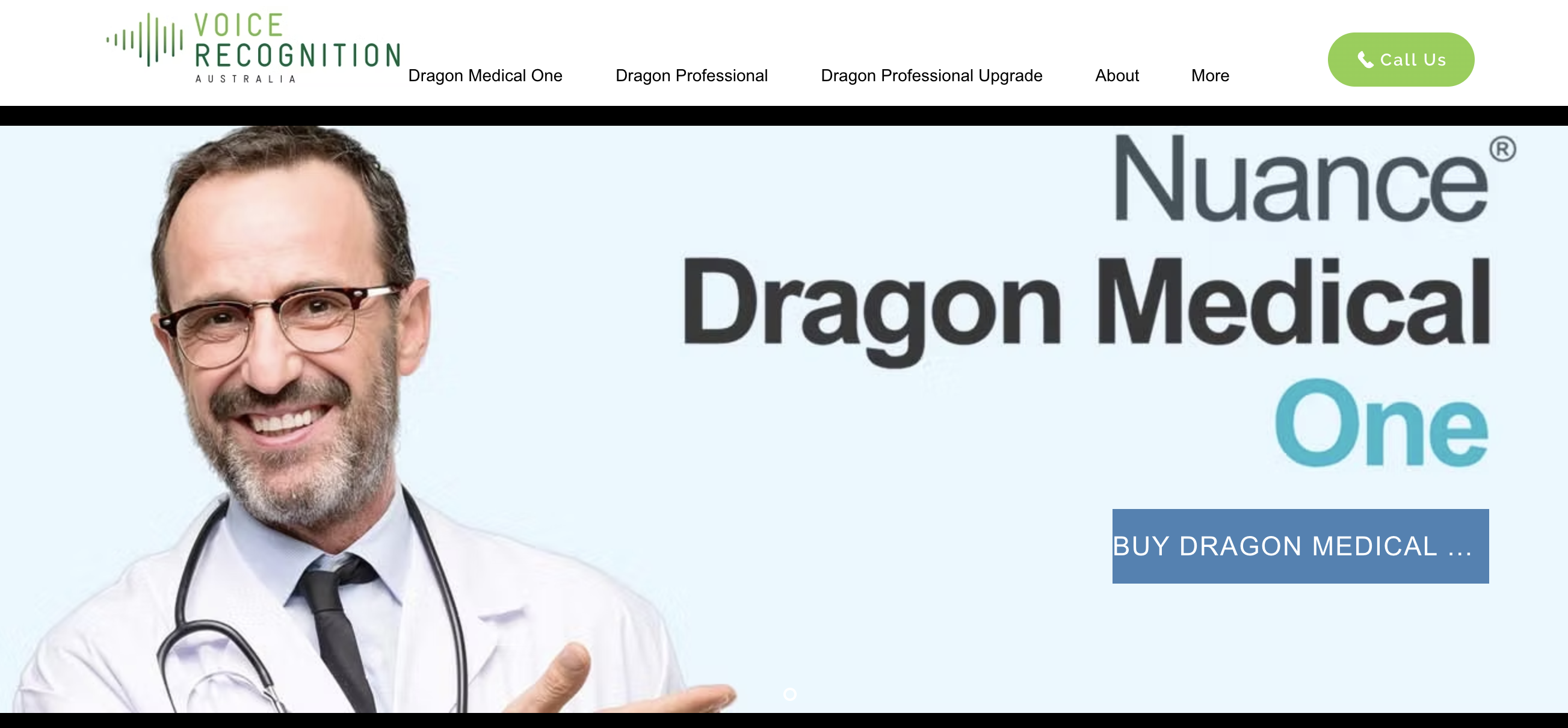
Dragon Legal Anywhere is the most established dictation tool in the legal industry. Built by Nuance (now part of Microsoft), it includes a dedicated legal vocabulary of over 400,000 terms covering case law, statutes, and Latin legal phrases. Note: Dragon Home ($150 consumer version) was discontinued entirely in 2023. Only Dragon Professional ($699+) and the Legal/Medical tiers remain — Windows-only for native desktop use. It is the default choice for large law firms that prioritize vocabulary depth and have budget to match.
Key Features:
- 400,000+ legal terms including case citations, Latin phrases, and statutory language
- Custom voice profiles that improve over time
- Auto-text commands for inserting boilerplate clauses
- Cloud-based processing with enterprise-grade encryption
- Integration with Microsoft Word, Outlook, and legal practice management tools
- Multi-device access via web browser
- Most comprehensive legal vocabulary available
- Deep integration with legal document workflows
- Custom auto-text commands for boilerplate
- Established track record in law firms
- $65/month per user is expensive for solo practitioners
- $175 one-time activation fee per user
- Cloud-based — audio is sent to external servers
- Mac support is browser-only — Dragon Legal for Mac was never released; Dragon Dictate for Mac discontinued 2018
- Windows-only for native desktop experience
- No lifetime license option
- Development stalled since Microsoft's 2022 acquisition
Best for: Large law firms on Windows that need the deepest legal vocabulary and can absorb the per-user cost. Not recommended for Mac-primary practices — the browser-only Mac experience is significantly degraded compared to the native Windows client.
3. Otter.ai — Best for Depositions, Client Calls, and Legal Meetings
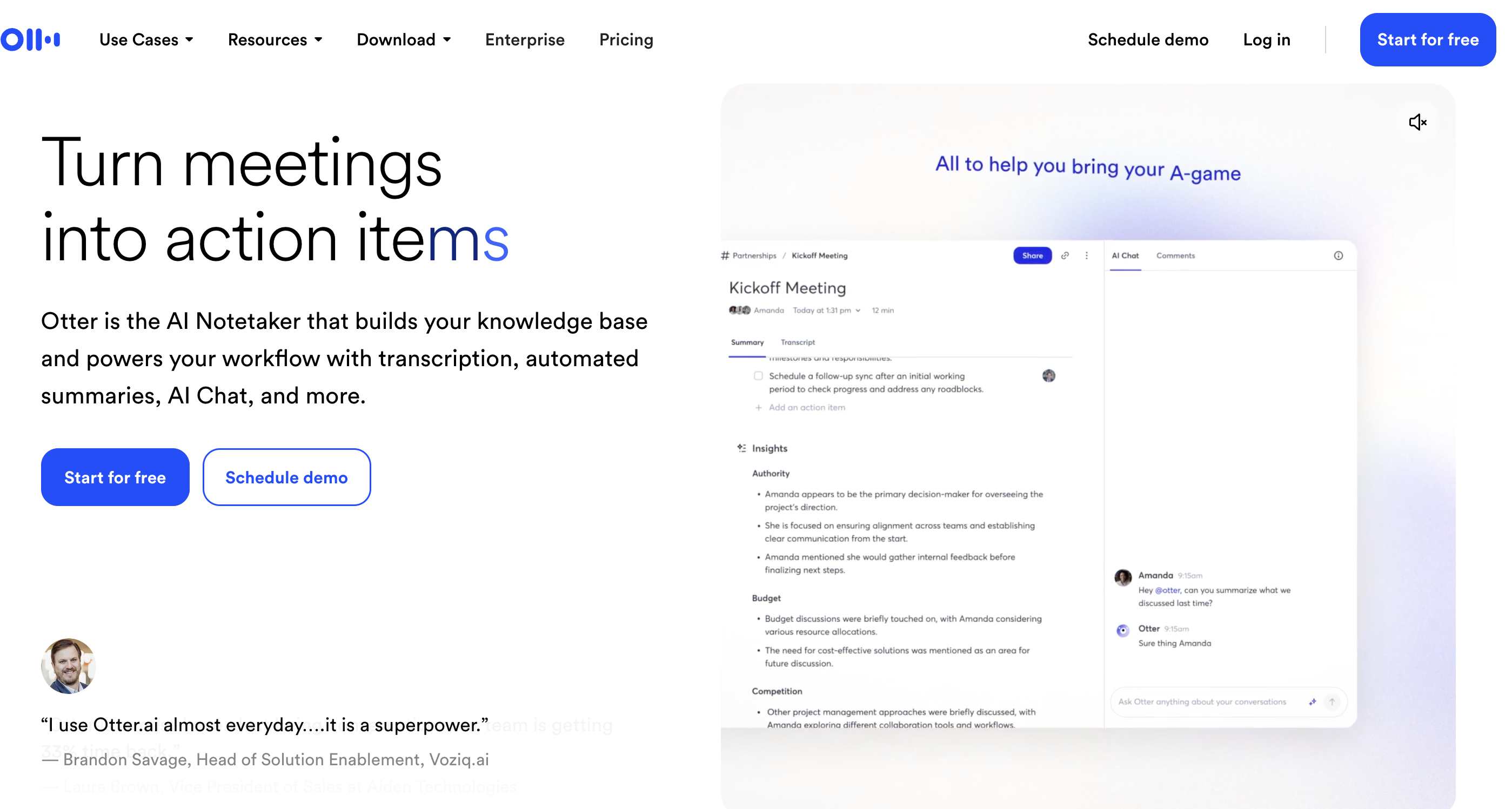
Otter.ai is a cloud-based transcription service designed for meetings, not real-time dictation. It records audio and produces searchable, timestamped transcripts with speaker identification. For lawyers, it's most useful for depositions, client interviews, and internal meetings where you need a verbatim record.
Key Features:
- Automated speaker identification and labeling
- Searchable transcripts with timestamps
- Real-time transcription during live meetings
- Integration with Zoom, Google Meet, and Microsoft Teams
- Highlights and action item extraction
- Team sharing and collaboration features
- Speaker identification for multi-party depositions
- Searchable, timestamped transcripts
- Integrates with major video conferencing platforms
- Free tier includes 300 minutes per month
- Cloud-based — all audio uploaded to external servers
- Not designed for real-time document dictation
- No legal-specific vocabulary
- Requires internet connection
Best for: Litigation teams needing transcription of depositions, client calls, and team meetings with speaker identification.
4. Wispr Flow — Best for AI-Assisted Legal Drafting

Wispr Flow is a cloud-based Mac dictation tool that adds AI-powered rewriting on top of speech-to-text. You can dictate in natural speech and have Wispr Flow rephrase your words into formal legal language, email tone, or other styles. It's useful for lawyers who think out loud and want polished output without manual editing.
Key Features:
- AI-powered rephrasing and tone adjustment
- Dictate naturally, get polished output
- Mac-native with system-wide text insertion
- Multiple rewriting modes (formal, casual, concise)
- Cloud-based LLM processing for AI features
- AI rewriting turns rough dictation into polished text
- Good for drafting emails and memos quickly
- Generous free tier (2,000 words/week)
- Native Mac app
- Cloud-based — audio and text sent to external servers
- Captures screenshots for "context awareness" — confidential client documents on screen may be captured and transmitted
- ~800MB RAM and ~8% CPU at idle
- Trustpilot: 2.7/5; reliability reported to degrade after the trial period
- AI rewriting may alter legal meaning if not reviewed carefully
- No legal vocabulary specialization
- Free tier limited to 2,000 words/week
Best for: Lawyers who want AI assistance to convert rough dictation into polished emails, memos, and correspondence.
Warning
Wispr Flow captures screenshots for context awareness — any confidential client document open on screen during dictation may be captured and sent to external servers. Lawyers dictating privileged communications should carefully review Wispr Flow's privacy policy before use. Additionally, AI rewriting may subtly alter legal meaning — always review AI-rephrased text carefully before sending.
5. SuperWhisper — Best for Privacy-Focused Power Users
SuperWhisper is an on-device dictation app for Mac that uses customizable Whisper models. Like Voibe, all processing happens locally on Apple Silicon with no audio uploaded. SuperWhisper's distinguishing feature is the ability to load different Whisper model sizes, giving power users control over the accuracy-speed tradeoff.
Key Features:
- 100% on-device processing on Apple Silicon
- Multiple Whisper model options (Tiny through Large V3)
- Custom model loading for specialized use cases
- System-wide dictation across all Mac apps
- Keyboard shortcut activation
- Complete on-device privacy — no audio uploaded
- Flexible model selection for accuracy tuning
- Strong accuracy with Whisper Large V3
- $249 lifetime — 2.5x more expensive than Voibe ($99)
- More complex setup than plug-and-play alternatives
- No legal-specific vocabulary dictionary
- Mac only, requires Apple Silicon
Best for: Technical lawyers who want full control over speech model selection and need on-device privacy. See our detailed tool comparisons for more.
6. VoiceInk — Best Budget Option for Solo Practitioners
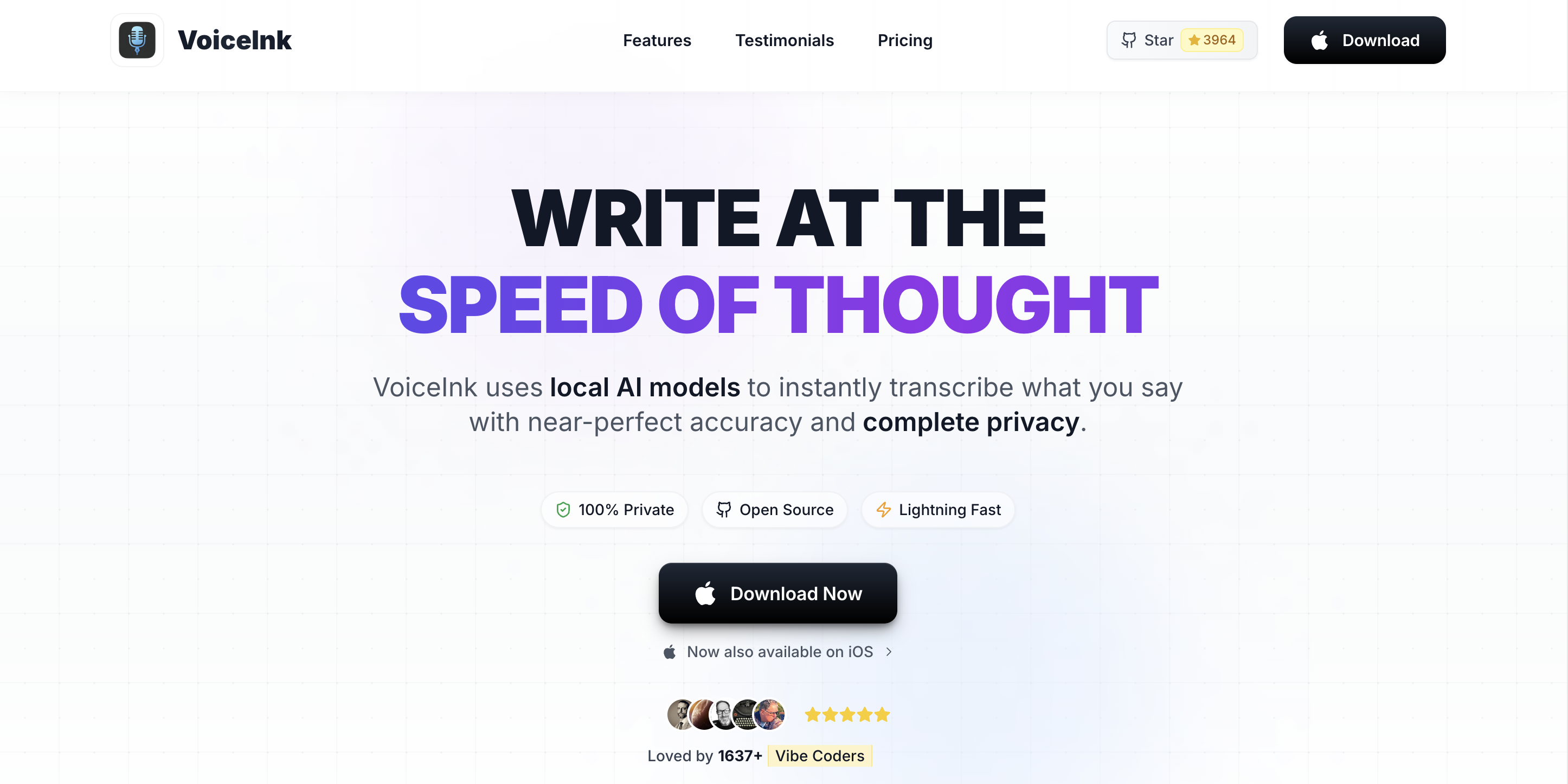
VoiceInk is an open-source, on-device dictation app for Mac with one-time pricing. It uses Whisper models for on-device speech processing and offers a straightforward, no-subscription approach. For solo practitioners watching every dollar, VoiceInk's $25–$49 price point is hard to beat.
Key Features:
- On-device processing using Whisper models
- Open-source codebase
- One-time purchase — no recurring fees
- System-wide dictation on Mac
- Apple Silicon optimized
- Cheapest paid option — $25 to $49 one-time
- On-device privacy, no cloud processing
- Open-source for transparency
- Fewer features than Voibe or SuperWhisper
- No IDE or developer integration
- Smaller community and less frequent updates
- No legal vocabulary support
Best for: Solo practitioners on a tight budget who need basic on-device dictation without recurring fees.
7. Apple Dictation — Best Free Option for Quick Notes
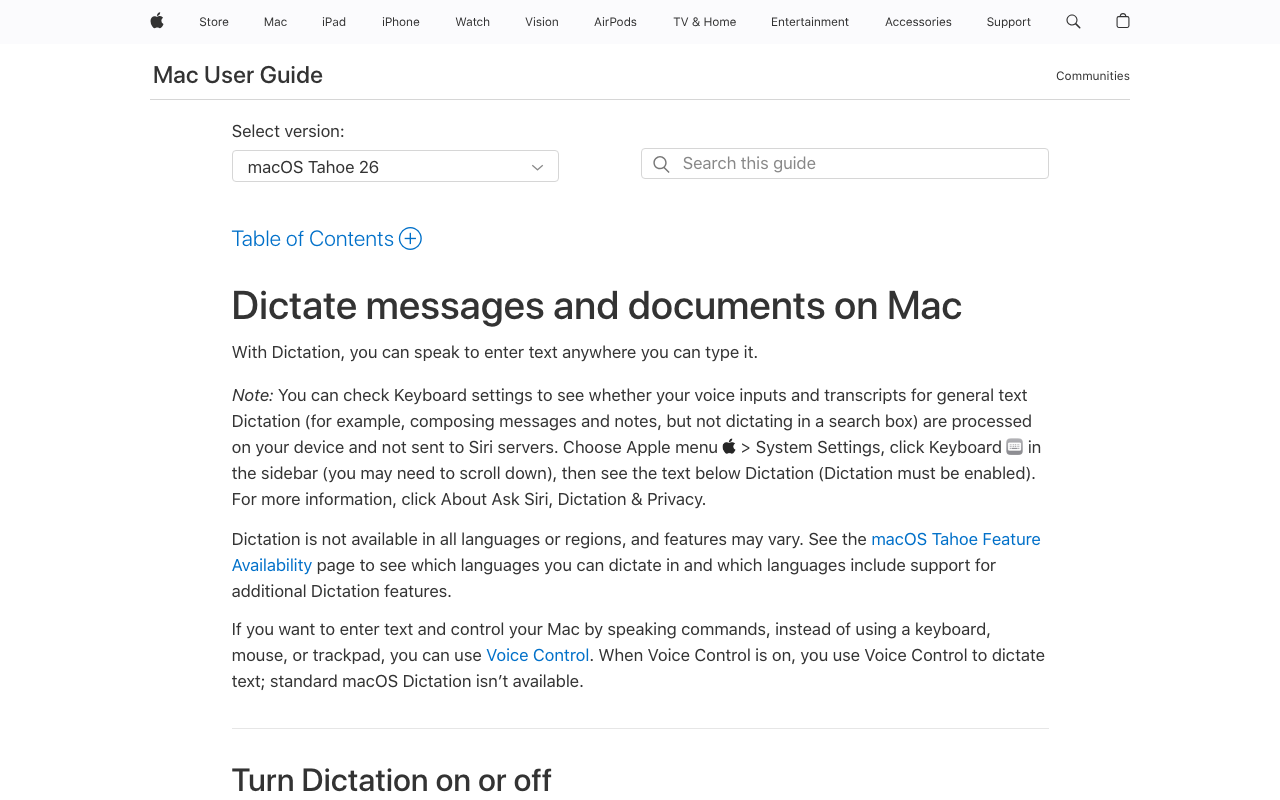
Apple Dictation is built into every Mac and costs nothing. On Apple Silicon Macs (M1 and later), it processes speech on-device. It's serviceable for quick notes and short text entry, but it lacks the vocabulary depth, customization, and workflow features that legal professionals need for sustained dictation.
Key Features:
- Built into macOS — no installation required
- On-device processing on Apple Silicon Macs
- Works system-wide in any text field
- Supports multiple languages
- Voice commands for punctuation and formatting
- Free — no cost whatsoever
- Already installed on your Mac
- On-device processing on Apple Silicon
- No account or setup required
- No legal vocabulary or custom dictionary
- Limited accuracy with specialized terminology
- No advanced formatting or auto-text
- Cloud processing on older Intel Macs
- No transcription or meeting recording features
Best for: Lawyers who need occasional, quick dictation for notes and short emails and don't want to install additional software.
How to Choose the Right Dictation Tool for Your Practice
Use these decision questions to narrow down the right tool for your legal practice.
1. How critical is client confidentiality for your dictation use case?
- Dictating privileged client communications: Choose an on-device tool — Voibe ($99 lifetime) or SuperWhisper ($249 lifetime). Audio never leaves your Mac.
- Non-privileged notes or internal memos: Cloud tools like Wispr Flow or Otter.ai are acceptable with appropriate provider vetting per ABA Opinion 477R.
2. What's your annual budget per attorney?
- Under $100/year: Voibe ($4.90/mo or $99 lifetime), VoiceInk ($25–$49), or Apple Dictation (free).
- $100–$200/year: Voibe, Wispr Flow Pro ($144/year), or Otter.ai Pro ($100/year).
- Over $500/year: Dragon Legal Anywhere ($780/year + $175 activation) if you need the dedicated legal vocabulary.
3. Do you use a Mac or Windows?
- Mac: Voibe, Wispr Flow, SuperWhisper, or VoiceInk — all are Mac-native.
- Windows: Dragon Legal Anywhere is the clear choice for native Windows support.
- Both platforms: Otter.ai (web-based) works on any device.
4. Do you need meeting transcription, document dictation, or both?
- Document dictation only: Voibe, Dragon Legal, VoiceInk, or Apple Dictation.
- Meeting transcription only: Otter.ai.
- Both: Pair Voibe (document dictation) with Otter.ai (meetings) for a combined annual cost far below Dragon Legal alone.
5. How specialized is your legal vocabulary?
- Highly specialized (patent law, medical malpractice): Dragon Legal's 400,000+ term dictionary has the edge.
- General legal practice: Voibe's Whisper-based recognition handles standard legal terms, case citations, and Latin phrases well.
Key Takeaway
Start with confidentiality: if you're dictating privileged information, choose on-device (Voibe or SuperWhisper). For non-privileged work, cloud tools are acceptable per ABA Opinion 477R.
Best Dictation Tool for Your Legal Situation
Here's a quick reference mapping specific legal scenarios to the right tool.
| Scenario | Best Choice | Why |
|---|---|---|
| Solo practitioner on Mac, budget-conscious | Voibe ($99 lifetime) | On-device privacy, lowest cost with full features |
| Large firm on Windows needing legal vocabulary | Dragon Legal Anywhere | 400,000+ legal terms, enterprise integrations |
| Litigator recording depositions | Otter.ai | Speaker ID, timestamped searchable transcripts |
| Lawyer drafting client emails quickly | Wispr Flow | AI rewriting polishes rough dictation into formal tone |
| Attorney handling privileged patent filings | Dragon Legal or Voibe | Dragon for specialized vocab; Voibe for on-device privacy |
| Small firm, 3-5 attorneys on Mac | Voibe ($495 for 5 lifetime) | 96% cheaper than Dragon over 3 years for the team |
| Lawyer who needs both dictation and meeting transcription | Voibe + Otter.ai | On-device dictation for privileged work, Otter for meetings |
| Maximum budget constraint | VoiceInk ($39) or Apple Dictation (free) | One-time payment or free; basic but functional |
| Immigration attorney with multilingual clients | Voibe or SuperWhisper | Whisper models handle multilingual dictation well |
| Tech-savvy lawyer wanting model control | SuperWhisper | Customizable Whisper model selection and tuning |
| In-house counsel drafting contracts | Voibe | System-wide dictation works in any contract editing tool |
| Lawyer who dictates only occasionally | Apple Dictation or Voibe free tier | No cost for light usage (300 words/day with Voibe free) |
Key Takeaway
Voibe ($99 lifetime) is the top pick for most lawyers — on-device privacy, fast dictation, attorney-client privilege preserved by architecture, and 96% cheaper than Dragon Legal. Voibe pays for itself in under 2 months vs Dragon Legal at $65/month. Pair with Otter.ai for meeting transcription. Dragon Legal is only worth it for large Windows firms needing its specialized legal vocabulary.
Frequently Asked Questions About Legal Dictation Software
Confidentiality and Ethics
Is cloud dictation safe for attorney-client privileged communications?
ABA Formal Opinion 477R (2017) allows lawyers to use cloud services if they exercise reasonable care. Over 20 state bars have approved cloud computing with safeguards. However, on-device tools like Voibe eliminate the analysis entirely — no data leaves your Mac, so there is no third-party server to vet.
Does using dictation software create a discoverable record?
On-device tools like Voibe process audio locally and don't store recordings on external servers. Cloud-based tools may retain audio or transcripts on their servers according to their data retention policies. Review your provider's data processing agreement to understand what records exist and for how long.
Cost and Value
How much can I save switching from Dragon Legal to Voibe?
A solo practitioner switching from Dragon Legal ($780/year) to Voibe ($99 lifetime) saves $681 in the first year and $780 every subsequent year. Over three years, the savings total $2,241 (96% savings). A five-attorney firm saves approximately $11,205 over three years.
Are free dictation tools good enough for legal work?
Apple Dictation is adequate for quick notes but lacks legal vocabulary and custom commands. Voibe's free tier (300 words/day) is useful for evaluation but too limited for daily legal work. For sustained professional dictation, plan on a paid tool.
Accuracy and Features
Can Whisper-based tools handle Latin legal terms?
Yes. OpenAI's Whisper models were trained on diverse multilingual data and handle common Latin legal phrases (habeas corpus, res judicata, pro bono, amicus curiae) well. For highly specialized terminology (medical-legal, patent claims), Dragon Legal's dedicated dictionary may be more reliable.
Do any of these tools integrate with legal practice management software?
Dragon Legal integrates directly with several practice management systems. Voibe, Wispr Flow, SuperWhisper, and VoiceInk work system-wide — they insert text wherever your cursor is, including in Clio, MyCase, PracticePanther, or any other web-based practice management tool.
Platform and Setup
Which tools work on both Mac and Windows?
Otter.ai (web-based) works on any platform. Dragon Legal Anywhere works natively on Windows and via browser on Mac. Voibe, Wispr Flow, SuperWhisper, and VoiceInk are Mac-only. There is no single tool that offers native desktop apps on both Mac and Windows.
Do I need Apple Silicon for on-device dictation?
Voibe, SuperWhisper, and VoiceInk require Apple Silicon (M1 or later) for on-device Whisper processing. Apple Dictation works on-device on Apple Silicon but uses cloud processing on Intel Macs. If you have an Intel Mac, your on-device options are limited to Apple Dictation's cloud fallback or browser-based tools.
The Bottom Line: Match the Tool to Your Practice
Voibe is the best dictation software for most lawyers. It wins on the three factors that matter most to legal professionals: confidentiality (100% on-device, zero data transmitted), cost ($99 lifetime — 96% less than Dragon Legal over three years), and speed (native Mac app with low-latency on-device processing).
For solo practitioners and small firms on Mac, Voibe is the clear top pick. It processes speech entirely on your device, costs $99 for a lifetime license (96% less than Dragon Legal over three years), and works in any Mac application. The free tier lets you evaluate it with no commitment.
For Windows-based firms needing dedicated legal vocabulary, Dragon Legal Anywhere remains the industry standard. Its 400,000+ term dictionary and enterprise integrations justify the cost for firms where vocabulary accuracy is paramount.
For meeting transcription and depositions, Otter.ai's speaker identification and searchable transcripts are purpose-built for legal proceedings.
Many lawyers find the best solution is a combination: Voibe for privileged document dictation ($99 one-time) plus Otter.ai for meeting transcription ($100/year). Together, they cost less than two months of Dragon Legal Anywhere — and the privileged dictation stays entirely on your device.
Try Voibe free with 300 words/day to see how on-device dictation fits your legal workflow. No account required — download and start dictating in under a minute.
For more on dictation privacy, see our guides on cloud vs. local dictation, voice data privacy, and the best offline dictation apps for Mac.
Key Takeaway
Voibe is the #1 pick for lawyers who prioritize privacy, speed, and value. At $99 lifetime with 100% on-device processing, it satisfies ABA Rule 1.6(c) by design, preserves attorney-client privilege by architecture, and costs 96% less than Dragon Legal over three years. Voibe pays for itself in under 2 months at $65/month for Dragon Legal.
Ready to type 3x faster?
Voibe is the fastest, most private dictation app for Mac. Try it today.
Related Articles
7 Best Offline Dictation Apps for Mac in 2026
Compare the best offline dictation software for Mac that processes speech locally. Covers Voibe, SuperWhisper, MacWhisper, VoiceInk, and more with pricing, privacy, and features.
7 Best Dictation Software for Writers (2026)
Compare the 7 best dictation tools for writers in 2026. Covers offline and cloud options, pricing from free to $699, and which tool fits your writing workflow.
6 Best Free Dictation Apps for Mac in 2026
Compare the best free dictation apps for Mac including Apple Dictation, Google Docs Voice Typing, Whisper.cpp, and Voibe's free tier. Find the hidden costs, privacy trade-offs, and limitations of each.