
Best Dictation Software for Lawyers in 2026 (Tested on Mac)
Best dictation software for lawyers in 2026: 7 tools ranked on confidentiality, legal vocabulary, Mac support, and price. Private-by-design picks lead the list.

TL;DR: The best dictation software for most lawyers in 2026 is Voibe ($7.50/month, $75/year, or $149 lifetime). It destroys the audio the moment transcription completes and never trains on it, and you choose how it runs: fully on-device on your Mac, or a private cloud that uses only open-source models and deletes audio immediately — nothing is ever stored, sold, or used to train AI. Its Custom Vocabulary handles the client names, entity names, and legal and tax terms (GRAT, QTIP, 1031 exchange, ILIT) that trip up general-purpose tools. Dragon remains relevant only for Windows-based firms; it left the Mac in 2018. For turning deposition or interview recordings into text, MacWhisper (€59/~$69 one-time) is the right tool for that separate job.
Disclosure: Voibe is our product. We compare every tool here using verified pricing and documented capabilities, and we credit competitors where they are genuinely better.
| Tool | Best For | Key Strength | Price (June 2026) |
|---|---|---|---|
| Voibe | Mac-based attorneys | On-device or private cloud; audio destroyed after transcription | $149 lifetime |
| Dragon | Windows firms | Deep legal vocabulary heritage | $699+ one-time |
| Wispr Flow | Cross-platform users | Polished formatting | $144/yr |
| Superwhisper | On-device power users | Selectable Whisper models | $249.99 lifetime |
| Apple Dictation | Quick notes | Free, built in | Free |
| MacWhisper | Deposition recordings | File transcription | €59 (~$69) |
| Willow Voice | Cloud teams | Personal dictionary | $144/yr |
Why Dictation Is a Different Decision for Lawyers
For most professionals, picking a dictation app is a question of accuracy and price. For attorneys, confidentiality is the whole game.
Everything you dictate in a working day — a memo about an estate plan, an email about a pending acquisition, a note on a client's tax position — is information a client handed you in confidence. Clients expect that material to stay between you and them, and the duty to protect it doesn't pause because a software vendor sits in the middle. When a dictation tool sends audio to a server for processing, you've introduced a third party into communications your clients assume are private, and you now own the job of vetting how that vendor stores, retains, and uses the data — and re-vetting it every time their policy changes.
That's why this list is ranked privacy-first. Accuracy with legal terminology, Mac support, and total cost per attorney all matter — but where your audio goes is the question to answer before any other. This updates our earlier lawyers guide with June 2026 pricing and a lineup reflecting where the market actually is: Dragon receding, on-device tools maturing, and cloud tools competing on polish.
Key Takeaway
For lawyers, the first question about any dictation tool is architectural: does client audio leave the device? Every other feature comparison comes after that answer.
Cloud vs. On-Device: What It Means for Client Confidentiality
Every dictation tool on this list belongs to one of two architectures, and the difference is not a feature toggle — it's where the processing physically happens.
Cloud-based dictation (Wispr Flow, Willow Voice, Nuance's current cloud offerings) records your voice, transmits the audio to the vendor's servers, processes it there, and returns text. Your client dictation exists — at least transiently — on infrastructure you don't control, governed by a privacy policy you didn't write. That isn't an accusation; it's how the product works, and the vendors say so in their own documentation. It also means no internet, no dictation.
On-device dictation (Voibe in on-device mode, Superwhisper, MacWhisper, and Apple Dictation on Apple Silicon) processes speech locally on your Mac's own chip. In that mode the audio never leaves the machine — there is no server to vet, no retention policy to monitor, and no third party between you and your client's information. Voibe destroys the audio the moment transcription completes in every mode, so there is no recording archive on the Mac either; it also offers a private cloud mode that uses only open-source models and deletes audio immediately, never storing or training on it.
For a deeper treatment of the two architectures, see our cloud vs. local dictation explainer.
Key Takeaway
Cloud dictation places client audio on third-party servers as a matter of architecture. On-device dictation processes everything locally — there is no vendor in the data path to vet.
How We Picked and Ranked These 7 Tools
We evaluated the dictation tools attorneys actually shortlist in 2026, on Mac hardware, against five criteria — in this order:
- Where the audio goes. On-device processing ranks above cloud processing, because it removes the third-party data question rather than managing it.
- Specialized vocabulary handling. Can the tool learn client surnames, entity names, and terms of art — GRAT, QTIP, ILIT, 1031 exchange, res judicata? A dictionary that shapes transcription beats find-and-replace.
- Mac support. Native Apple Silicon apps rank above browser-only or discontinued Mac offerings.
- Real-time dictation vs. file transcription. Drafting documents and transcribing depositions are different jobs; we say which job each tool is for.
- Total cost per attorney. List prices as of June 2026, with three-year math pre-calculated so you don't have to do it.
Pricing was checked against each vendor's current published pricing in June 2026. Third-party ratings are cited only where a named platform publishes them.
Key Takeaway
Ranking criteria, in order: data architecture, specialized vocabulary, Mac support, dictation vs. transcription fit, and three-year cost per attorney.
Legal Dictation Software Compared: Privacy and Pricing at a Glance
All prices are vendor list prices as of June 2026.
| Tool | Price | On-device or cloud | Custom vocabulary | Mac support | Real-time or transcription |
|---|---|---|---|---|---|
| Voibe ⭐ | 7-day free trial; $7.50/mo, $75/yr, $149 lifetime | On-device or private cloud; audio destroyed after transcription | Yes — dictionary that shapes transcription | Native (all Macs; on-device mode Apple Silicon) | Real-time |
| Dragon | $699+ one-time (Professional); Legal tier above | Desktop app; cloud in current hosted offerings | Yes — deep legal vocabulary | None — discontinued 2018 | Real-time |
| Wispr Flow | Free 2,000 words/wk; $144/yr | Cloud | — | Native app | Real-time |
| Superwhisper | $8.49/mo or $249.99 lifetime | On-device | Text replacement | Native (Apple Silicon) | Real-time |
| Apple Dictation | Free | On-device on Apple Silicon | No | Built in | Real-time (session timeout) |
| MacWhisper | €59 (~$69) one-time Pro | On-device | — | Native | Transcription (files) |
| Willow Voice | Free 2,000 words/wk; $15/mo or $144/yr | Cloud | Yes — personal dictionary | Native app | Real-time |
"—" = no dedicated custom-vocabulary feature we could verify as of June 2026.
Key Takeaway
Three-year cost per attorney at June 2026 list prices: Dragon $699+, Wispr Flow $432, Willow Voice $432, Superwhisper $249.99, Voibe $149, Apple Dictation $0. Voibe saves 79% vs Dragon and 65% vs the cloud subscriptions.
1. Voibe — Best Overall for Mac-Based Attorneys

Voibe is a dictation app for Mac and Windows. On a Mac you choose between two modes: fully on-device on Apple Silicon (nothing leaves your Mac), or a private cloud that runs only open-source models over an encrypted connection and deletes your audio the moment transcription completes. The privacy argument is architectural, not just contractual: audio is destroyed the instant transcription finishes and is never stored, sold, or used to train any AI model. For an attorney who wants the tightest posture, on-device mode keeps the confidentiality analysis on your own laptop.
The second reason it tops this list is Custom Vocabulary. Tax and estate attorneys live in acronyms and proper nouns — GRAT, QTIP, ILIT, 1031 exchange, client surnames, family-entity names — and general speech models butcher them. Voibe's Custom Vocabulary is a real dictionary that influences transcription itself, not a find-and-replace table, so your terms come out right the first time. And because Voibe types wherever your cursor is, it works in every app: Word, Outlook, Clio or any practice management tool, and web browsers. Text appears with low latency — effectively as you finish speaking.
For long sessions — a full memo or client letter walked through end to end — Continuous Transcription pairs with Hands-Free Mode: double-tap to start, speak as long as you need with no key held and no session timer, watch the text accumulate live in a small floating window, then commit it into your document in one go when you finish.
One honest caveat on output cleanup: Voibe's optional Smart Formatting is a bounded formatter — it removes filler words and fixes punctuation and numbers, but it does not paraphrase or alter meaning, and it's off by default. For legal drafting, where wording is the work product, that restraint matters.
Key features:
- On-device or private cloud, your choice — audio destroyed the moment transcription completes, never stored or trained on
- Custom Vocabulary: a dictionary for client names, entities, and legal/tax terms
- System-wide: dictate into Word, email, practice management, any text field
- Continuous Transcription + Hands-Free Mode: long-form dictation with no timeout — text collects in a floating window and pastes into your editor when you finish
- Whisper models; on-device mode runs on Apple Silicon (M1 or later), 90+ languages
- No account required; never trains AI on user dictation
- 7-day free trial
- On-device mode keeps client dictation on the Mac; private cloud mode is zero-retention and open-source-only
- Audio destroyed after transcription; nothing retained anywhere
- Custom Vocabulary handles legal and tax terms of art
- $149 lifetime ends recurring per-attorney fees
- Works in every Mac app, including web-based practice tools
- Mac and Windows — no mobile apps; the fully on-device mode requires an Apple Silicon Mac
- No built-in legal dictionary; you add your own terms via Custom Vocabulary
The value combo: Wispr Flow and Granola in one plan. Voibe Dictation is $75 a year. For $65 more, Voibe Work ($14/month, $140/year, or $349 lifetime) adds AI meeting notes with no bot in the call. That one plan covers what Wispr Flow Pro ($144/year) and Granola Business ($168/year) charge $312 a year for separately, so it costs $172 (55.1%) less every year. Meeting notes are captured on your Mac (Windows is coming soon), processed in Voibe's zero-retention cloud and saved on your Mac, and Voibe reminds you to tell everyone you're taking notes.
Rating: 4.8/5 on Product Hunt (6 reviews).
Best for: Solo practitioners and small firms on Mac — especially tax and estate practices — who want client dictation handled on their own hardware or a zero-retention cloud. For client calls, the Voibe Work plan ($14/month, $140/year, or $349 lifetime) adds meeting notes captured from your Mac with no bot in the call; its meeting audio goes to zero-retention cloud providers and is deleted after processing, and the notes are saved on your Mac. We rank it against Quill, VXT Meet, Jamie, Otter and others, with the NYC Bar's consent rules for client calls, in our best AI meeting note takers for lawyers.
Tip
A five-attorney Mac firm can buy Voibe lifetime licenses for everyone for $745 — $2,750 less than five Dragon Professional licenses ($3,495), with no Windows machines required.
2. Dragon — The Legacy Incumbent, Now Windows-Only

Dragon, built by Nuance (now part of Microsoft), defined legal dictation for two decades, and its strengths are real: the deepest legal vocabulary heritage in the industry, voice profiles that adapt to the speaker, and auto-text commands for boilerplate clauses. Large Windows-based firms with established Dragon workflows have little reason to rip them out.
The problem is everyone else. Nuance discontinued Dragon Dictate for Mac in 2018, and Dragon Home — the $150 consumer edition — was discontinued entirely in 2023. What remains is Dragon Professional from $699, plus the Legal and Medical tiers above it, all Windows-only for native desktop use. Nuance's current cloud-delivered offerings reach a Mac only through a web browser, which also means dictation audio flows through hosted infrastructure rather than staying on your machine. See our Dragon NaturallySpeaking alternatives guide for the full migration picture.
- Deepest legal vocabulary heritage in the category
- Mature auto-text and command workflows for boilerplate
- Established track record inside Windows-based firms
- Expensive: Dragon Professional starts at $699; Legal tier costs more
- Mac version discontinued in 2018; no Apple Silicon support
- Current hosted offerings route audio through cloud infrastructure
- Consumer edition (Dragon Home) discontinued in 2023
What that costs an attorney in practice: Dragon asks for voice training up front, expects you to speak your own punctuation, and keeps the accuracy you build in a profile stored on one machine. One workers’ compensation attorney compares it with Voibe after four decades of dictating, and is blunt about which one they would buy again.
Best for: Windows-based firms with existing Dragon workflows and a need for its built-in legal vocabulary. Not a viable option for Mac-primary practices.
3. Wispr Flow — Polished and Cross-Platform, but Cloud-Based

Wispr Flow is the most polished cloud dictation product on the market. Its context-aware formatting adjusts tone to the app you're writing in, it cleans up natural speech without spoken punctuation commands, and it runs on Mac, Windows, and iPhone — the only tool in this list's top tier that does.
The consideration for legal work is architectural: Wispr Flow processes speech on external servers. Audio leaves your device as a matter of design, and there is no offline mode — no internet, no dictation. None of that is a flaw for general writing; it's simply a data path that an attorney dictating client matters has to evaluate, where on-device tools give them nothing to evaluate. Reviews are split by platform: 4.5/5 on G2 (7 reviews) against 2.7/5 on Trustpilot. For a head-to-head with the leading on-device alternative, see our Wispr Flow vs Superwhisper comparison.
- Best-in-class polish and context-aware formatting
- Cross-platform: Mac, Windows, iOS
- Generous free tier (2,000 words/week)
- Cloud-based — audio is processed on external servers by design
- No offline mode; requires an internet connection
- Subscription-only: no lifetime license
- Trustpilot rating of 2.7/5 contrasts with its G2 score
Best for: Lawyers who need one dictation tool across Mac, Windows, and iPhone and whose dictation doesn't include confidential client matters.
4. Superwhisper — The Other On-Device Option for Mac
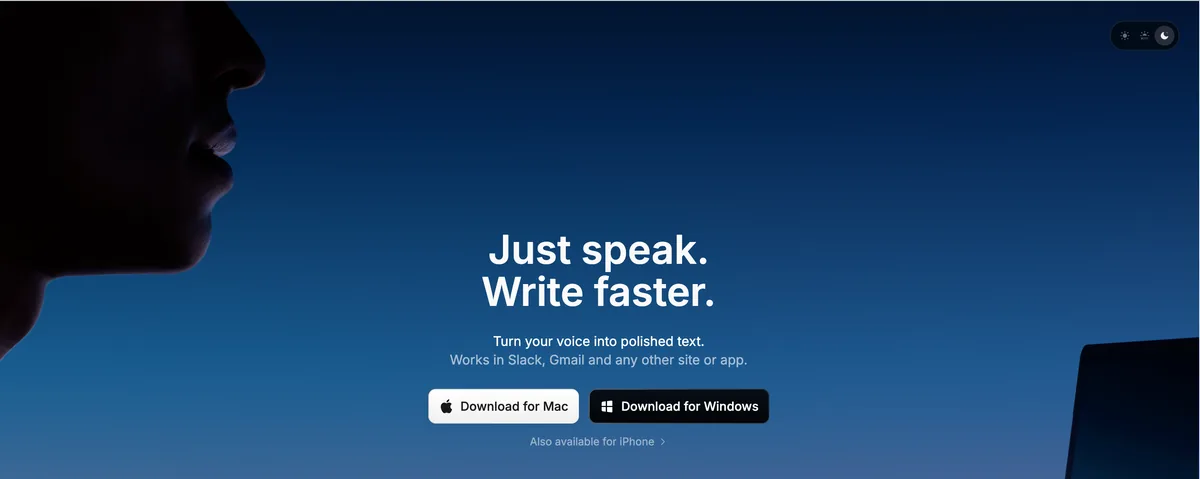
Superwhisper deserves honest credit: like Voibe, it processes speech on-device on Apple Silicon, which makes it one of only two real-time dictation tools here that keep attorney dictation entirely on the Mac. Power users like its selectable Whisper models (trade accuracy against speed) and configurable modes for different writing contexts. It rates 4.9/5 on Product Hunt (20 reviews).
The trade-offs against Voibe: the lifetime license costs $249.99 versus $149 ($101 more), its vocabulary feature is text replacement rather than a dictionary that shapes transcription, the settings surface is more complex than most attorneys want to manage, and it offers nothing like Voibe's developer-style custom integrations. It also stores recordings by default, which is worth reviewing in settings if a no-archive setup matters to you.
- On-device processing — audio stays on the Mac
- Selectable Whisper models and per-context modes
- Strong Product Hunt rating (4.9/5)
- $249.99 lifetime — $101 more than Voibe's $149
- Vocabulary is text replacement, not a transcription dictionary
- More setup and configuration than a busy practice wants
Best for: Technically inclined attorneys who want on-device privacy and enjoy tuning model and mode settings themselves.
5. Apple Dictation — Free and Built In, With Hard Limits
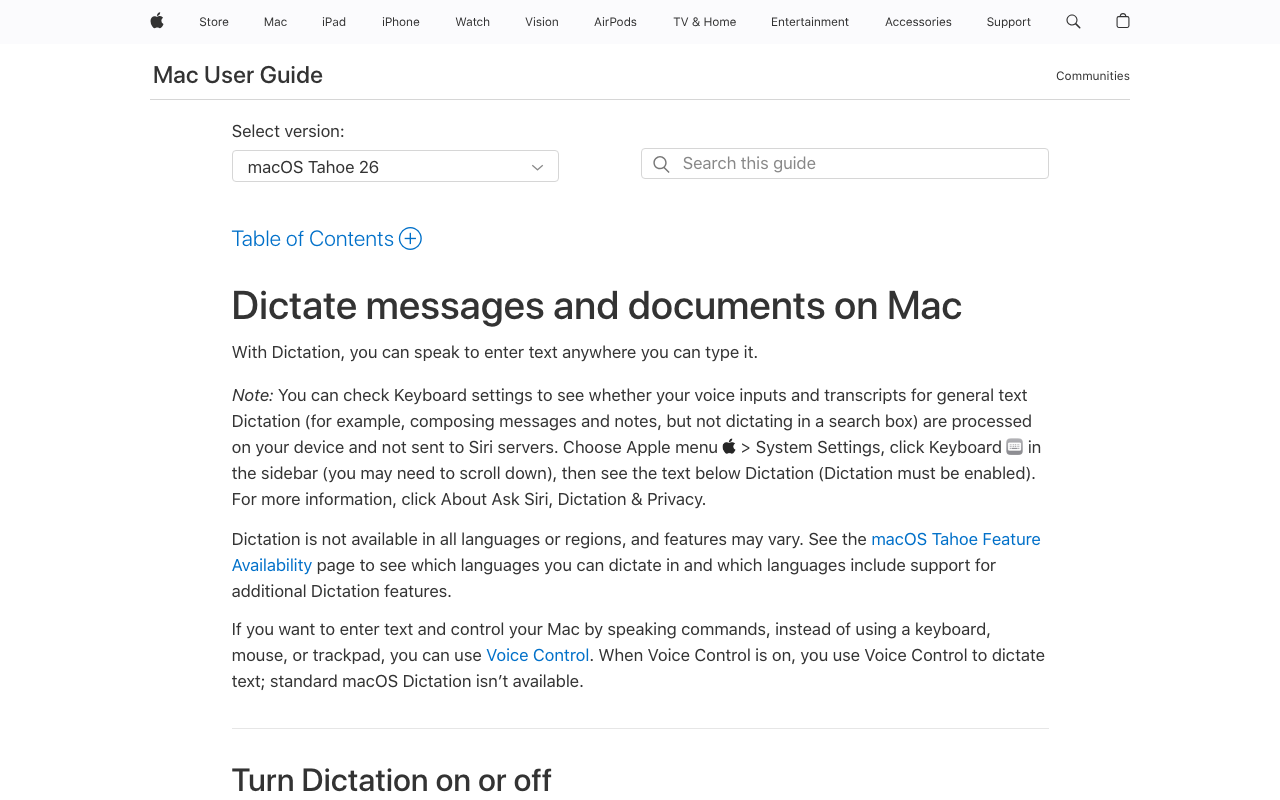
Apple Dictation costs nothing and is already on your Mac, and on Apple Silicon it processes speech on-device — so for quick, non-specialized notes it clears the confidentiality bar. Every attorney should try it before paying for anything; it's the honest free baseline.
Its limits show up fast in legal work. Sessions stop on a timeout (commonly reported at around 30 seconds), which breaks any sustained drafting rhythm. There is no custom dictionary, so client names and legal terms get mis-recognized with no way to teach it. And accuracy with specialized terminology lags purpose-built tools — users on Apple's own forums report dropped words and inconsistent punctuation. Our full Apple Dictation review covers where it works and where it doesn't.
- Free and preinstalled on every Mac
- On-device processing on Apple Silicon
- Works system-wide in any text field
- Session timeout interrupts sustained dictation
- No custom dictionary for legal terms or client names
- Accuracy drops on specialized terminology
Best for: Quick notes and short emails. A fine way to discover you want dictation — and to discover why sustained legal dictation needs more.
6. MacWhisper — Best for Transcribing Recordings and Depositions
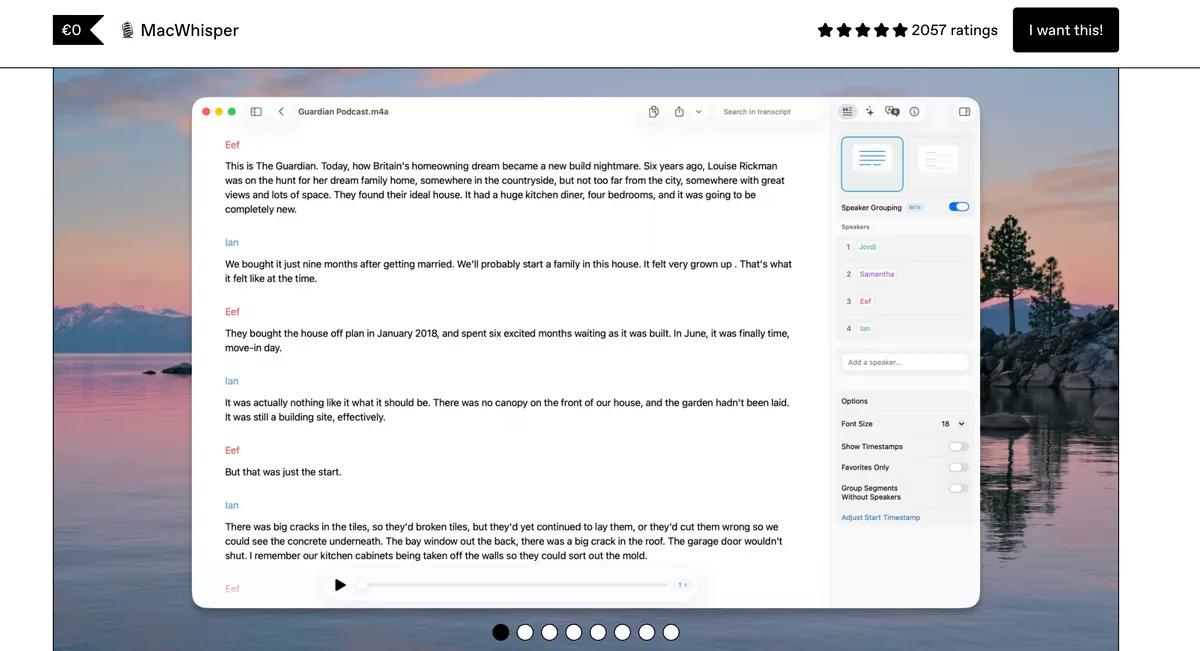
MacWhisper does a different job than everything above it, and does it well: it converts audio files — deposition recordings, client interviews, dictated voice memos from your phone — into text, processing them on-device with Whisper models. Nothing is uploaded, which makes it a sensible companion for recordings you can't send to a cloud transcription service.
What it is not is a real-time dictation tool. You don't draft a brief by speaking into MacWhisper; you hand it a recording and get a transcript back. Many Mac attorneys pair it with a real-time tool: Voibe for drafting into documents, MacWhisper for processing recordings. At €59 (~$69) one-time for the Pro version on Gumroad, it's the cheapest paid tool on this list. Full pricing breakdown in our MacWhisper pricing guide.
- On-device file transcription — recordings never leave the Mac
- Handles long recordings: depositions, interviews, memos
- €59 (~$69) one-time for Pro
- Not built for real-time dictation into documents
- No system-wide text insertion into other apps
- No speaker-identification workflow rivaling dedicated services
Best for: Turning deposition and interview recordings into searchable text without uploading them anywhere. Pair it with a real-time dictation tool for drafting.
7. Willow Voice — Cloud Dictation With a Personal Dictionary
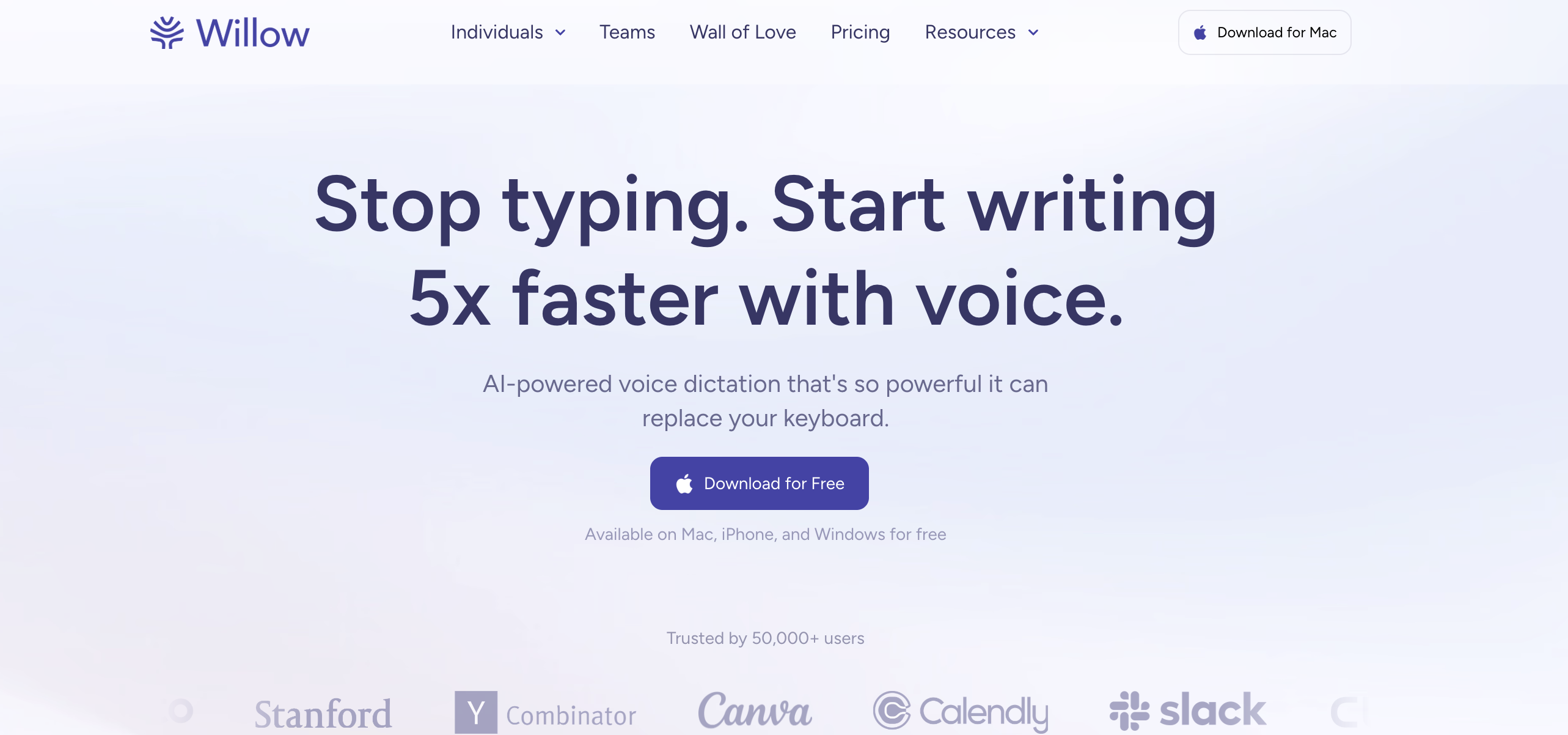
Willow Voice is a newer cloud dictation tool with one feature attorneys will notice: a personal dictionary for names, jargon, and unique terms, plus team plans with admin controls. Settings carry across Mac, Windows, and iPhone.
Like Wispr Flow, it is cloud-based — audio is processed on Willow's servers, and an internet connection is required. The same architectural consideration applies for confidential client dictation. At $15/month or $144/year (teams at $10/user/month with a 3-seat minimum), three years costs $432 against Voibe's $149 lifetime.
- Personal dictionary for names and specialized terms
- Team plans with admin controls
- Settings sync across Mac, Windows, iPhone
- Cloud-based — audio leaves the device by design
- Requires internet; no offline dictation
- Subscription-only; $432 over three years
Best for: Cloud-comfortable teams that want shared dictionary management and cross-device settings.
How to Choose: Three Questions That Settle It
Three questions narrow seven tools down to one.
1. Will you dictate confidential client matters?
- Yes: Choose on-device. Voibe ($149 lifetime) for a dictionary-grade Custom Vocabulary and zero retained audio; Superwhisper ($249.99 lifetime) if you want to tune models yourself.
- No — general notes and non-confidential email only: Cloud tools are on the table. Wispr Flow has the most polish; Willow Voice adds a personal dictionary and team admin.
2. Mac or Windows?
- Mac: Voibe, Superwhisper, Apple Dictation, and MacWhisper are all native. Dragon is not an option — its Mac version was discontinued in 2018.
- Windows: Dragon Professional remains the deepest legal-vocabulary tool; Voibe (zero-retention cloud mode), Wispr Flow, and Willow Voice also run on Windows.
3. Drafting documents, or transcribing recordings?
- Drafting: Any real-time tool above — Voibe, Dragon, Wispr Flow, Superwhisper, Apple Dictation.
- Recordings (depositions, interviews): MacWhisper, on-device, ~$69 once.
- Both: Voibe + MacWhisper together cost $218 one-time — $214 less than three years of a single cloud subscription.
Key Takeaway
If you dictate confidential client matters, choose on-device: Voibe for simplicity and Custom Vocabulary, Superwhisper for tinkerers. Cloud tools are for non-confidential work; MacWhisper covers recordings.
Best Dictation Tool by Legal Scenario
A quick mapping from common legal situations to the right tool. Tax and estate attorneys: the terms-of-art problem in your practice area gets a dedicated, deeper treatment in our guide to the best dictation software for tax and estate attorneys.
| Scenario | Best choice | Why |
|---|---|---|
| Tax attorney drafting GRAT/QTIP memos | Voibe | Custom Vocabulary learns tax terms of art; nothing leaves the Mac |
| Estate lawyer dictating client letters with family and entity names | Voibe | Names added to the dictionary transcribe correctly the first time |
| Solo practitioner on Mac, cost-conscious | Voibe ($149 lifetime) | One payment, no recurring per-attorney fees |
| Large Windows firm with Dragon workflows | Dragon Professional | Deepest legal vocabulary; established auto-text workflows |
| Litigator with deposition recordings to process | MacWhisper | On-device file transcription, ~$69 once |
| Notes from client calls on Zoom or Teams | Voibe Work (Mac) | No bot in the call; audio deleted after processing, notes saved on your Mac. Tell everyone you're taking notes |
| Attorney working Mac + Windows + iPhone | Wispr Flow or Willow Voice | Only options here that also cover iPhone; keep confidential matters off them |
| Occasional dictation, short notes only | Apple Dictation or a Voibe trial | $0 with Apple Dictation; Voibe's 7-day trial adds Custom Vocabulary |
| Immigration or international practice, multilingual dictation | Voibe | 90+ languages on-device via Whisper |
| Attorney with RSI or hand pain | Voibe | See our hand-pain dictation guide |
| Drafting + recordings, one budget | Voibe + MacWhisper | $218 one-time total — less than one year of Dragon's entry price |
If your firm runs case management inside Citrix or a remote desktop — Clio, iManage or NetDocuments in a locked-down session — the deciding feature is not accuracy but whether text can reach the field at all. DictaFlow types character by character instead of pasting, which works where clipboard redirection is disabled, at $69/year. The trade-off for privileged material: it publishes no SOC 2 or ISO 27001, and its cloud cleanup step routes through OpenAI and NVIDIA, so keep it in local processing for client work (full privacy breakdown).
Key Takeaway
Voibe is the default for Mac attorneys, especially tax and estate practices with specialized vocabulary. Dragon is for Windows firms, MacWhisper for recordings, cloud tools for non-confidential cross-platform work.
Frequently Asked Questions About Legal Dictation Software
Confidentiality
Is cloud dictation safe for confidential legal work?
Cloud dictation transmits audio to vendor servers, so client dictation exists on infrastructure you don't control — and you own the job of vetting how the vendor stores, retains, and uses it. On-device tools like Voibe and Superwhisper remove the question: audio is processed locally and never transmitted, so there is no third party in the data path at all.
Does Voibe store my dictation audio anywhere?
No. Voibe destroys the audio immediately after on-device transcription. There is no recording archive on your Mac, no server copy, and Voibe never trains AI models on user dictation.
Does using dictation software create records I should know about?
It can. Cloud services may retain audio or transcripts under their data retention policies — read them. Superwhisper stores recordings locally by default (configurable). Voibe retains nothing: the audio is destroyed after transcription and only the typed text remains in your document.
Dragon and Switching
Does Dragon still work on Mac?
No. Dragon Dictate for Mac was discontinued in 2018 and never supported Apple Silicon. Dragon Home was discontinued in 2023. Remaining Dragon products are Windows-only for native use; hosted versions reach a Mac only through a browser.
What's the best Dragon alternative for Mac?
Voibe — on-device processing, Custom Vocabulary for legal terms, $149 lifetime versus Dragon Professional's $699 Windows license ($550 saved). Superwhisper is the runner-up for attorneys who want configurable models. Our Dragon alternatives guide compares the full field.
Cost
What does switching from Dragon to Voibe save?
Dragon Professional starts at $699 one-time, Windows-only. Voibe's $149 lifetime saves $550 (79%) — and avoids buying a Windows machine to run it on. A five-attorney firm saves $2,750 on licenses alone.
Are the free tiers enough for real legal work?
Apple Dictation works for short notes but has a session timeout and no custom dictionary. Voibe's 7-day free trial is unlimited and includes Custom Vocabulary, which lets you evaluate it on your actual client-name and term-of-art workload before paying.
Accuracy and Workflow
Can dictation software handle terms like GRAT, QTIP, ILIT, or 1031 exchange?
Only with vocabulary support. Voibe's Custom Vocabulary adds these to a dictionary that shapes transcription itself. Dragon ships a built-in legal vocabulary on Windows. Apple Dictation offers no way to teach it terms; mis-recognitions are permanent.
Can I dictate into Clio, MyCase, or other practice management software?
Yes — system-wide tools (Voibe, Superwhisper, Apple Dictation) type wherever your cursor is, including web-based practice management, Word, and Outlook.
What about transcribing depositions?
That's transcription, not dictation — use MacWhisper (~$69 one-time, on-device) for recordings. For a broader look at transcription services from a legal-exposure angle, see our transcription tools for lawyers guide.
Can Voibe take notes on client calls?
Yes, on the Voibe Work plan ($14/month, $140/year, or $349 lifetime; Mac only for now). It captures Zoom, Teams, Google Meet or Webex calls from your Mac with no bot joining, so the client never has to admit a notetaker. The meeting audio is processed on zero-retention cloud providers and deleted after processing, so it is not on-device; the transcript and summary are saved on your Mac, not on Voibe's servers. Voibe reminds you to tell everyone you're taking notes, and recording-consent rules (including all-party consent states) are your responsibility. Voibe Dictation alone does not record calls.
The Bottom Line for Mac-Based Attorneys
Voibe is the best dictation software for most lawyers in 2026. The case rests on three facts: you choose how client dictation runs — fully on-device on your Mac, or a private, zero-retention cloud that uses only open-source models — and the audio is destroyed after transcription, never stored, sold, or trained on; Custom Vocabulary makes legal and tax terms of art transcribe correctly; and a $149 lifetime license undercuts Dragon Professional by $550 and three years of cloud subscriptions by $283.
If you're on Windows, Dragon Professional is still the vocabulary king — that's its lane, and we won't pretend otherwise. If you process recordings, add MacWhisper. If you want notes from client calls, Voibe Work adds meeting notes on Mac with no bot in the call. If your dictation never touches client matters, Wispr Flow and Willow Voice are polished cloud options.
Download Voibe free — no account, no card, a 7-day free trial. Add your ten most-butchered client names and terms to Custom Vocabulary and dictate one real memo. That test will tell you more than any list, including this one.
Related reading: our dedicated guide for tax and estate attorneys, the cloud vs. local dictation explainer, the Wispr Flow alternatives guide for lawyers, our analysis of AI hallucinations in law firms, the best offline dictation apps for Mac, and our dictation use cases hub for other professions.
Before you commit privileged material to any of these, run the check: retained audio at a third party is discoverable, and a zero-retention setting that ships off protects nobody. See zero data retention explained for the five questions to ask.
Key Takeaway
Voibe is the top pick for Mac attorneys in 2026: on-device processing with audio destroyed after transcription, Custom Vocabulary for legal terms, and a $149 lifetime license that saves $550 vs Dragon Professional.
Best AI Dictation and Meeting Notes for Confidential Work
Draft letters, notes and emails 5x faster. Get meeting notes without a bot joining your call. Nothing used to train AI.
- Mac + Windows
- No bot in your calls
- Nothing used to train AI
- 7-day free trial
Want to compare plans first? View pricing →
Related Articles
Best Dictation Software for Tax & Estate Attorneys (2026)
Best dictation software for tax and estate attorneys in 2026: 6 tools ranked on terms-of-art accuracy (GRAT, QTIP, 1031), confidentiality, and price.
7 Best Offline Dictation Apps for Mac in 2026 (Speech-to-Text Alternatives)
The best offline speech to text alternatives for Mac in 2026. Compare Voibe, SuperWhisper, MacWhisper, VoiceInk, and more — all offline, all on-device, with pricing, privacy, and feature breakdowns.
6 Best AI Dictation Apps for Windows — Ranked by Who Actually Built for Windows
Six AI dictation apps are actually great on Windows in 2026. We ranked them — including the one we built from the ground up for Windows — with verified pricing.