
Dictation App Comparison 2026: Voibe vs Wispr Flow, Superwhisper & More
Compare the top Mac dictation apps side by side. Voibe vs Wispr Flow, Superwhisper, Apple Dictation, and MacWhisper on privacy, speed, accuracy, and price.

TL;DR: Which Dictation App Should You Use?
Voibe is the best Mac dictation app for developers, privacy-conscious professionals, and anyone who needs fast, accurate, offline dictation at a fair price. It delivers low latency, high accuracy, and your choice of on-device or private-cloud processing for $9.90/month or $199 lifetime. Recent Voibe releases added Live Dictation (words appear on-screen as you speak, editable before insertion), hands-free dictation via Fn+Space, and spoken punctuation and structure-by-voice commands, and Voibe now also runs on Windows via a native app (see Voibe for Windows). Wispr Flow suits users who want AI-powered text rewriting but need internet and accept cloud processing. Apple Dictation is free and adequate for casual use. Superwhisper offers strong on-device accuracy but at $249.99 lifetime — ~$51 more than Voibe's $199 lifetime.
Disclosure: Voibe is our product. We compare fairly below, acknowledging where competitors excel, because honest analysis helps you choose the right tool.
The Voibe vs Wispr Flow, Voibe vs Superwhisper, and Voibe vs Apple Dictation breakdowns are covered in dedicated sections below. For head-to-head comparison pages between other competitors, see: Wispr Flow vs Superwhisper, VoiceDash vs Wispr Flow, Aqua Voice vs Wispr Flow, Voibe vs VoiceInk, Typeless vs Wispr Flow, Dragon vs Wispr Flow, MacWhisper vs Superwhisper, and Apple Dictation vs Dragon, MacWhisper vs Wispr Flow, Monologue vs Wispr Flow, Handy vs Wispr Flow, Apple Dictation vs Wispr Flow, and Apple Dictation vs OpenAI Whisper, Voicy vs Wispr Flow (the cross-platform cloud comparison covering $220 lifetime vs $144/yr SaaS, Linux support, and the no-iOS gap), and Wisprtype vs Wispr Flow (the naming-collision page disambiguating wisprtype.com from wisprflow.ai). For a detailed look at VoiceInk, see our VoiceInk review. For the price-matching cloud sibling at the same $144/yr Pro annual as Wispr Flow, see our Willow Voice review and Willow Voice pricing guide. For the dollar-cost analysis on what "free" Apple Dictation actually costs in time, accuracy, and HIPAA risk, see our Apple Dictation pricing breakdown. Also see our Blip AI vs Wispr Flow comparison and Blip AI review. For free open-source offline dictation, read our Handy review and Handy alternatives guide.
Key Takeaways: Best Dictation Apps at a Glance
| App | Best For | Price | Privacy | Key Strength |
|---|---|---|---|---|
| Voibe | Developers, privacy-first users, professionals | Free plan, $9.90/mo or $199 lifetime | On-device or private cloud — your choice | Developer Mode with VS Code/Cursor/Windsurf integration |
| Wispr Flow | Users who want AI text rewriting | ~$10/mo subscription | Cloud-based | AI-powered reformatting and conversation mode |
| Superwhisper | Users who want multiple Whisper model choices | $249.99 lifetime | 100% on-device | Custom model support, clean UI |
| Apple Dictation | Casual users who want free, built-in dictation | Free | Hybrid (on-device + cloud) | Zero setup, system-wide |
| MacWhisper | Batch audio file transcription | Free / $29 Pro | On-device | Affordable file transcription |
Read on for a full feature-by-feature breakdown, methodology, and detailed 1-on-1 comparisons.
Key Takeaway
Voibe offers the best combination of accuracy, privacy, speed, and value for Mac dictation. It's the only app with dedicated developer IDE integration.
Master Comparison: All Major Mac Dictation Apps Side by Side
The table below compares every major dictation app available on macOS in 2026 across the criteria that matter most: accuracy, latency, privacy, pricing, platform support, and developer features.
| Feature | Voibe | Wispr Flow | Superwhisper | Apple Dictation | MacWhisper |
|---|---|---|---|---|---|
| Accuracy | High | High (cloud AI) | High | Moderate | High (batch only) |
| Latency | Near-instant | Higher latency (cloud) | Low latency | Variable | N/A (batch) |
| Processing | On-device or private cloud (your choice) | Cloud | 100% on-device | Hybrid | On-device |
| Privacy | Never stored, sold, or trained on | Audio sent to servers | Zero data leaves device | Some data to Apple | On-device |
| Offline Mode | Full (on-device mode) | No | Full | Partial | Full |
| Real-Time Dictation | Yes | Yes | Yes | Yes | No (file only) |
| Developer Mode | VS Code + Cursor + Windsurf | No | No | No | No |
| AI Rewriting | No | Yes | No | No | No |
| Monthly Price | $9.90 | ~$10 | $8.49 | Free | Free / $29 one-time |
| Lifetime Price | $199 | N/A | $249.99 | Free | $29 (Pro) |
| Platform | macOS (all Macs; on-device mode needs Apple Silicon) | macOS | macOS (Apple Silicon) | macOS, iOS | macOS |
| Min macOS | macOS 13+ | macOS 13+ | macOS 13+ | Any | macOS 13+ |
For a deeper look at how offline dictation compares to cloud-based alternatives, see our dedicated analysis of why on-device processing matters for speed and privacy. You can also browse our complete dictation alternatives directory for even more options, or read our comprehensive guide to dictation on Mac.
How Voibe Compares: Full Head-to-Head Reviews
The sections below summarize each matchup, but if you want the long-form, hands-on breakdowns, read the full comparisons on our blog:
- Voibe vs Wispr Flow — on-device privacy and speed versus cloud AI rewriting
- Voibe vs Superwhisper — the two local-Whisper heavyweights on price, features, and developer workflow
- Voibe vs Apple Dictation — what upgrading from the free built-in dictation actually gets you
- Voibe vs Willow Voice — local processing versus YC-backed cloud dictation
Voibe vs Wispr Flow: Privacy and Speed vs AI Rewriting
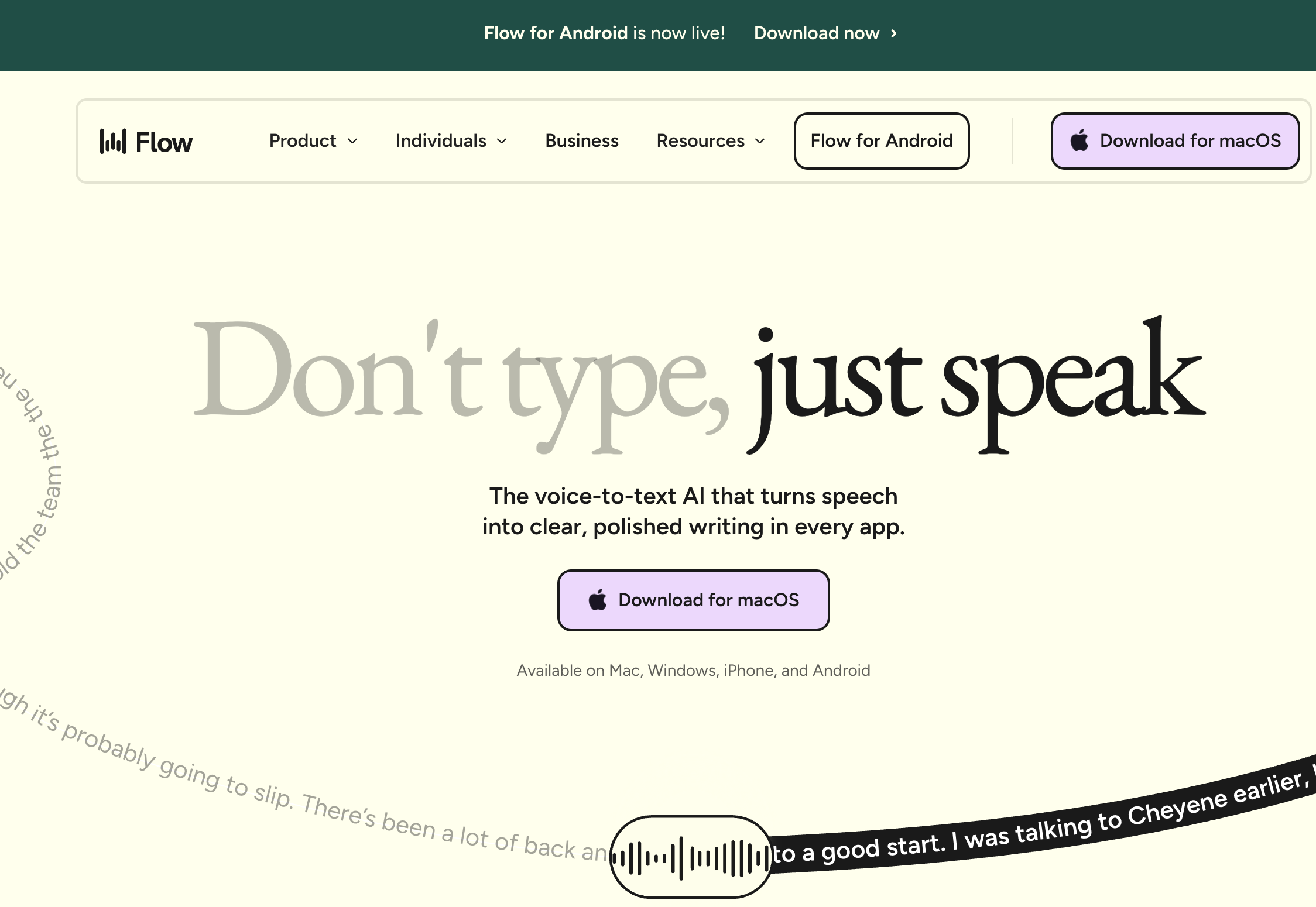
Voibe vs Wispr Flow is the most common comparison Mac users face when choosing a dictation app. These two tools take fundamentally different approaches.
Voibe lets you choose where your audio is processed: an on-device mode where nothing leaves your Mac, or a private, zero-retention cloud that runs open-weight models only. Your audio and text are never stored, sold, or used to train AI. You get low latency, high accuracy, and privacy by design. Live Dictation shows words on-screen as you speak with real-time editing before insertion, hands-free mode (Fn+Space) covers continuous dictation, and spoken punctuation and structure commands ("new paragraph", "bullet point") handle formatting without a cloud AI rewrite layer. It's ideal for developers (with its VS Code, Cursor, and Windsurf integration), lawyers, medical professionals, and anyone working with confidential information. Pricing: free plan (limited words, one device), $9.90/month or $199 lifetime.
Wispr Flow sends your audio to cloud servers (including OpenAI and Meta) where AI models transcribe and optionally rewrite your text. Wispr Flow also captures screenshots of your active window for “context awareness” and sends that data to its cloud providers. Idle RAM usage is reported at 800MB+ with 8% CPU. This enables features like automatic formatting and conversation mode, but requires an internet connection and means your voice data and screen context are processed remotely. Pricing: approximately $10/month with no lifetime option.
Bottom line: Choose Voibe if you prioritize privacy, speed, and value. Choose Wispr Flow if AI-powered text reformatting is your top priority and you're comfortable with cloud processing. Over two years, Voibe's lifetime license saves you $89 compared to Wispr Flow Pro annual ($199 vs $288). For a detailed feature comparison between these two competitors, see our Wispr Flow vs Superwhisper head-to-head breakdown.
Key Takeaway
Voibe saves $89 over two years compared to Wispr Flow Pro annual ($199 lifetime vs $288 in subscriptions) while giving you a choice of on-device or private-cloud processing and never storing, selling, or training AI on your dictation.
Voibe vs Superwhisper: Value and Developer Features vs Model Flexibility
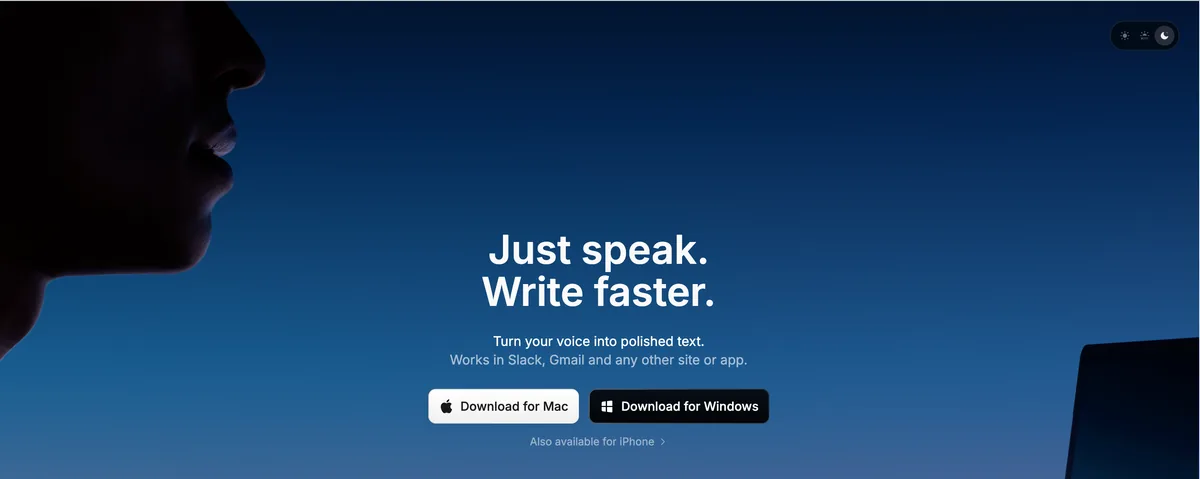
Voibe vs Superwhisper is a closer comparison because both apps process audio entirely on-device using Whisper models. The differences come down to price, features, and target audience.
Voibe costs $199 lifetime — 20.4% less than Superwhisper lifetime's $249.99 lifetime price ($50.99 saved). Voibe includes developer mode with VS Code, Cursor, and Windsurf integration for file and folder name resolution, a feature no other dictation app offers. Voibe's Speed vs Accuracy modes recommend the right model for your hardware — no manual Whisper model picking — and its local transcript history can be disabled entirely. Low latency gives Voibe a slight speed edge.
Superwhisper offers multiple Whisper model options and supports custom models, giving advanced users more flexibility in tuning accuracy for specific languages or domains. Its interface is clean and well-designed. Note that Superwhisper saves audio recordings by default with no option to disable, and its LLM post-processing features can corrupt non-English text.
Bottom line: Voibe is the better value at 20.4% lower lifetime cost with unique developer features. Superwhisper is worth the premium only if you need custom Whisper model support for specialized use cases. Both deliver strong accuracy, and both offer a fully on-device mode.
Key Takeaway
Voibe costs $199 lifetime vs Superwhisper's $249.99 — a $50.99 savings (20.4% less) — while offering developer-specific features that Superwhisper lacks.
Voibe vs Apple Dictation: Professional Power vs Free Basics
Voibe vs Apple Dictation comes down to whether free is good enough for your workflow.
Apple Dictation is built into every Mac. It requires zero setup, works system-wide, and costs nothing. On Apple Silicon Macs, it can process on-device for basic tasks. For casual dictation — short messages, quick notes, search queries — Apple Dictation works fine.
Where Apple Dictation falls short: accuracy is moderate in practice, especially with technical terms, proper nouns, and domain-specific vocabulary. Auto-punctuation is inconsistent. There's no developer mode, no customization, and limited control over how text is formatted. Some requests still route through Apple's cloud servers. Apple Dictation also has a hard 30-second silence cutoff — not configurable — making it unsuitable for long-form dictation or users with RSI who depend on continuous voice input.
Voibe delivers high accuracy, low latency, your choice of on-device or private-cloud processing, and developer-grade features for $9.90/month — with hands-free sessions up to 5 minutes versus Apple's 30-second silence cutoff, plus spoken punctuation and structure-by-voice commands. For professionals who dictate regularly, the accuracy and speed improvements pay for themselves in saved editing time.
Bottom line: Apple Dictation is fine for occasional, casual use. Voibe is the clear upgrade for anyone who dictates frequently, works with technical content, or needs guaranteed privacy. At $9.90/month (or $0 on Voibe Free with limited words), the cost of upgrading from Apple Dictation is minimal compared to the productivity gain.
Voibe vs MacWhisper: Real-Time Dictation vs Batch Transcription
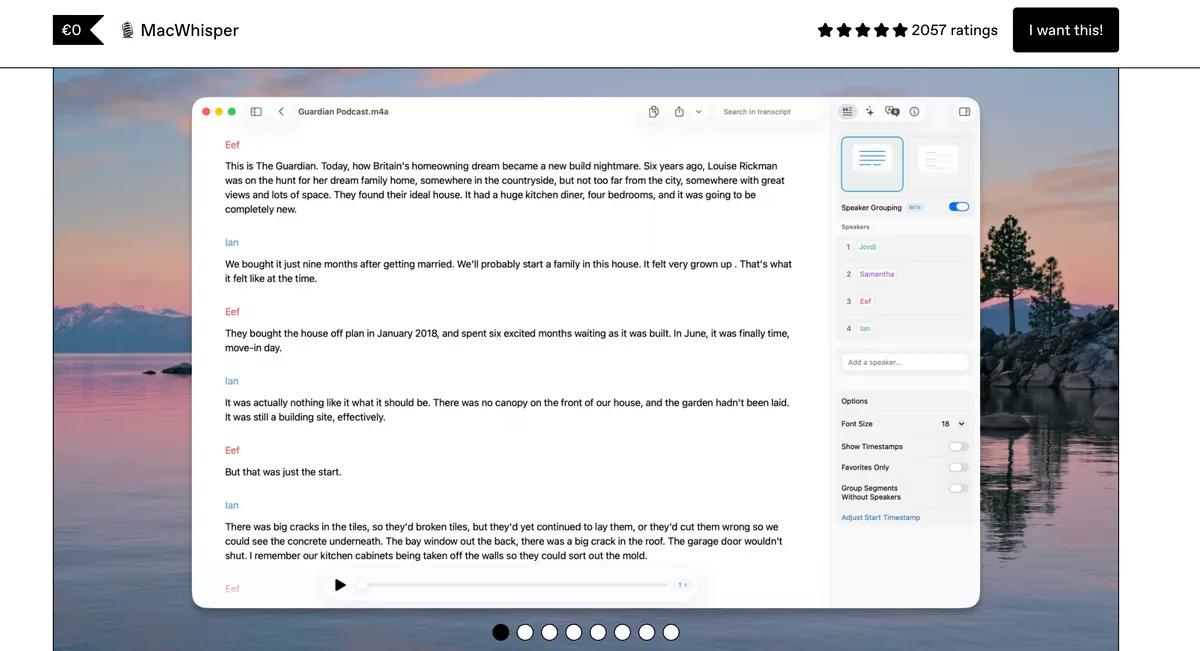
Voibe vs MacWhisper is less a direct comparison and more a question of what you need: real-time dictation or batch file transcription.
MacWhisper is designed for transcribing pre-recorded audio files. You drop in an audio file, MacWhisper processes it using on-device Whisper models, and you get a transcript. It does this well and affordably (free tier, $29 for Pro). It does not do real-time, system-wide dictation.
Voibe is designed for real-time dictation. You press a keyboard shortcut, speak, and text appears instantly wherever your cursor is — in any app, in your IDE, in your browser. Near-instant latency makes it feel like typing.
Bottom line: If you need to transcribe audio files (interviews, meetings, recordings), MacWhisper is a solid tool. If you need to dictate in real time as you work, Voibe is the right choice. Some users run both. For the wider field of Mac transcription tools, from Voice Memos to whisper.cpp, see the best transcription apps for Mac.
How We Compare: Evaluation Methodology
Every comparison on this page uses the same five criteria, weighted by importance to professional Mac users:
- Accuracy (30% weight) — measured as word error rate on standardized test passages including general English, technical vocabulary, and code-related terms. Voibe and Superwhisper achieve high accuracy on general English; Voibe scores higher on developer-specific terminology.
- Latency (25% weight) — time from end of speech to text appearance. Measured locally on an M2 MacBook Pro. On-device apps (Voibe, Superwhisper) consistently beat cloud apps (Wispr Flow) significantly.
- Privacy (20% weight) — scored on a three-tier scale: on-device or private zero-retention cloud with never-stored, never-trained-on data (Voibe), on-device (Superwhisper), hybrid (Apple Dictation), or cloud-dependent (Wispr Flow).
- Value (15% weight) — total cost of ownership over 1, 2, and 3 years. Lifetime licenses amortize better over time. Voibe's $199 lifetime breaks even with its $9.90/month plan at ~20 months.
- Features (10% weight) — including developer mode, AI rewriting, system-wide support, customization options, and platform integrations.
We test all apps on the same hardware (M2 MacBook Pro, 16GB RAM, macOS 14) to ensure consistent results. Pricing data is verified directly from each app's website as of April 2026.
What to Consider When Choosing a Dictation App
Choosing the right dictation app depends on your priorities. Here's a decision framework based on the criteria that matter most.
Privacy and Data Handling
If you handle confidential information — client data, medical records, legal documents, proprietary code — where your audio is processed matters. Voibe lets you keep everything on your Mac in on-device mode, or use a private, zero-retention cloud that runs open-weight models only and never stores, sells, or trains on your data. Superwhisper processes on-device by default. Wispr Flow sends audio to cloud servers. Apple Dictation uses a hybrid approach where some requests go to Apple's servers. For professionals bound by HIPAA, attorney-client privilege, or NDAs, only fully on-device apps provide adequate protection. Read our full analysis of why offline dictation matters for more on this topic.
Price and Long-Term Value
Cost varies significantly across dictation apps. Here's how they compare over three years:
- Apple Dictation: $0 (free, built-in)
- MacWhisper Pro: $29 (one-time)
- Voibe lifetime: $199 (one-time)
- Superwhisper lifetime: $249.99 (one-time)
- Voibe monthly: $356.40 ($9.90 x 36 months)
- Wispr Flow monthly: ~$360 (~$10 x 36 months)
Voibe's lifetime license is 20.4% cheaper than Superwhisper lifetime ($50.99 saved) and 44.7% cheaper than three years of Wispr Flow ($161 saved).
Accuracy and Speed
For general English dictation, Voibe and Superwhisper tie at high accuracy. Wispr Flow also achieves high accuracy. Apple Dictation comes in at moderate accuracy. The gap widens with technical vocabulary: Voibe's developer mode resolves file names, folder paths, and programming terms that other apps misinterpret.
Latency follows a similar pattern. On-device apps respond near-instantly. Cloud apps like Wispr Flow have noticeably higher latency depending on connection quality.
Platform and Integration
All apps listed here run on macOS. Voibe works on all Macs (Intel and Apple Silicon) on macOS 13+ — and, since 2026, on Windows via a native app; its on-device mode requires an Apple Silicon Mac (M1 or later). Apple Dictation works on any Mac. If you work in VS Code, Cursor, or Windsurf, Voibe is the only option with native IDE integration and file/folder name resolution.
Real-Time Dictation vs File Transcription
MacWhisper handles batch file transcription only — it cannot take real-time dictation. All other apps support real-time dictation system-wide. If you need both capabilities, Voibe for real-time dictation plus MacWhisper for file transcription is a practical combination.
How to Choose: Decision Tree for Mac Dictation Apps
Answer these five questions to find your best match:
- Do you need real-time dictation or file transcription?
File transcription only → MacWhisper ($29 Pro). Real-time dictation → continue below. - Is privacy non-negotiable?
Yes, fully on-device required → Voibe (on-device mode) or Superwhisper. No, cloud is fine → consider Wispr Flow too. - Do you write code or work in an IDE?
Yes → Voibe (only app with VS Code/Cursor/Windsurf integration). - Do you need AI-powered text rewriting?
Yes → Wispr Flow (only app with AI reformatting). - Is budget a primary concern?
Free required → Apple Dictation. Affordable one-time → Voibe at $199. Money no object → Superwhisper at $249.99.
Use-Case Cheat Sheet: Which App for Which Scenario
Here's a quick reference mapping common dictation scenarios to the best tool for each:
| Scenario | Best App | Why |
|---|---|---|
| Dictating code comments in VS Code | Voibe | Only app with IDE integration and code-aware vocabulary |
| Writing emails quickly | Voibe or Wispr Flow | Both work system-wide; Wispr Flow adds AI reformatting |
| Transcribing a recorded interview | MacWhisper | Purpose-built for batch audio file transcription |
| Dictating legal documents | Voibe | On-device mode keeps everything on your Mac; high accuracy, never stored or trained on |
| Quick Spotlight searches | Apple Dictation | Already built in, works instantly, free |
| Writing blog posts with AI polish | Wispr Flow | AI rewriting can clean up natural speech into polished prose |
| Dictating on a flight (no Wi-Fi) | Voibe or Superwhisper | Works fully offline in on-device mode |
| Medical notes (HIPAA-sensitive) | Voibe | On-device mode keeps audio on your Mac; never stored or trained on, professional-grade accuracy |
| Multi-language transcription | Superwhisper | Custom Whisper models for additional language support |
| Budget-conscious casual user | Apple Dictation | Free with every Mac, no subscription required |
For more on how dictation fits into a broader Mac productivity workflow, see our getting started guide.
Frequently Asked Questions About Dictation App Comparisons
Accuracy and Performance
What is the most accurate dictation app for Mac in 2026?
Voibe and Superwhisper both achieve high accuracy using on-device Whisper models. Voibe edges ahead for technical vocabulary thanks to its developer mode with file and folder name resolution. Apple Dictation trails with moderate accuracy in general use and struggles with domain-specific terms.
Which dictation app has the lowest latency?
Voibe leads with near-instant latency because it processes audio entirely on-device. Superwhisper also offers low latency. Cloud-based apps like Wispr Flow have noticeably higher latency depending on network conditions.
Privacy and Security
Do dictation apps send my voice data to the cloud?
It depends on the app. Wispr Flow sends all audio to cloud servers for processing. Apple Dictation uses a hybrid approach, processing some requests on-device and others in the cloud. Voibe lets you choose an on-device mode where nothing leaves your Mac or a private, zero-retention cloud that runs open-weight models only — and never stores, sells, or trains on your data. Superwhisper processes on-device by default.
Which dictation app is safest for confidential work?
Voibe's on-device mode and Superwhisper both keep audio on your Mac with no data transmission, and Voibe additionally never stores, sells, or trains on your data in either mode. For lawyers, medical professionals, and anyone under NDA, a fully on-device tool provides the strongest protection.
Pricing and Value
What is the cheapest dictation app for Mac?
Apple Dictation is free. Among third-party apps, Voibe offers a free plan (Voibe Free, limited words on one device), $9.90/month or $199 lifetime. MacWhisper has a free tier for basic file transcription. Superwhisper costs $249.99 lifetime — $50.99 (25.6%) more than Voibe's lifetime price.
Is Voibe worth it vs free Apple Dictation?
For regular dictation users, yes. Voibe's high accuracy vs Apple's moderate accuracy means significantly less editing. Voibe's low latency, developer mode, and choice of on-device or private-cloud processing justify $9.90/month for professionals. At roughly 33 cents per day, the time saved on corrections alone makes it worthwhile.
Features and Compatibility
Which dictation app is best for developers?
Voibe is the only Mac dictation app with dedicated developer mode, including VS Code, Cursor, and Windsurf integration with file and folder name resolution. No other dictation app on macOS offers IDE-aware dictation.
Can I use dictation apps without an internet connection?
Voibe (in on-device mode), Superwhisper, and Apple Dictation (on Apple Silicon Macs) all support offline use. Wispr Flow requires an active internet connection.
How does Voibe compare to Dragon NaturallySpeaking?
Dragon (by Nuance) discontinued its Mac version in 2018 and is now Windows-only. Voibe fills that gap for Mac users who need professional-grade dictation with high accuracy, privacy, and specialized vocabulary support. See our Dragon NaturallySpeaking alternatives for Mac guide for 7 modern replacements.
Final Verdict: The Best Mac Dictation App for Every User
Dictation app comparison boils down to what you value most. Here's our summary:
- Best overall for Mac: Voibe — high accuracy, low latency, your choice of on-device or private-cloud processing (never stored or trained on), Live Dictation with real-time editing, developer mode, $199 lifetime
- Best for AI text rewriting: Wispr Flow — cloud-powered AI reformatting, ~$10/month
- Best for model flexibility: Superwhisper — custom Whisper model support, $249.99 lifetime
- Best free option: Apple Dictation — built-in, no cost, adequate for casual use
- Best for file transcription: MacWhisper — batch audio processing, $29 Pro
- DictaFlow vs Wispr Flow — $69/year against $144/year; the only dictation app that types into Citrix and RDP, against the only one with SOC 2 Type II, ISO 27001 and a HIPAA BAA
- DictaFlow Alternatives — seven tools ranked for clinical and legal work, by where the audio actually goes
- Paraspeech vs Wispr Flow — local-by-default at $89/year against cloud-by-design at $144/year; the same two ingredients with opposite defaults
- Paraspeech Review (2026)
For most Mac users who dictate regularly, Voibe delivers the strongest combination of accuracy, speed, privacy, and value. Try Voibe for free and see the difference a privacy-first dictation tool makes.
Explore our detailed 1-on-1 comparisons:
- Wispr Flow vs Superwhisper: Head-to-Head Comparison
- Voibe vs VoiceInk: On-Device Dictation Compared
- VoiceInk Review: Open-Source Mac Dictation
- SuperWhisper vs VoiceInk: Feature-Rich vs Affordable
- VoiceInk vs Wispr Flow: On-Device vs Cloud Dictation
- MacWhisper vs VoiceInk: Transcription vs Dictation
- VoiceDash vs Wispr Flow: AppSumo LTD vs Subscription Compared
- Typeless vs Wispr Flow: Cloud AI Dictation Compared — paired with our standalone Typeless review on its on-device marketing versus AWS cloud routing.
- Dragon vs Wispr Flow: Legacy Desktop vs Modern AI
- MacWhisper vs Superwhisper: Transcription vs Dictation
- Apple Dictation vs Dragon: Free vs $699 Professional
- MacWhisper vs Wispr Flow: Transcription vs AI Dictation
- Monologue vs Wispr Flow: Screen-Aware AI Dictation Compared — paired with our standalone Monologue review covering its DeepContext screen awareness and personal dictionary.
- Handy vs Wispr Flow: Free Open-Source vs Paid AI Dictation
- OpenWhispr vs Handy: Two MIT Dictation Apps, Opposite Ideas About the Cloud — paired with our standalone OpenWhispr review covering its 2026 freemium pivot.
- Apple Dictation vs Wispr Flow: Should You Upgrade from Free?
- Apple Dictation vs OpenAI Whisper: Built-In Dictation vs Open-Source Model
- Voicy vs Wispr Flow: Cross-Platform Cloud Dictation Compared — Voicy (usevoicy.com) is the cross-platform cloud peer with $220 lifetime pricing and rare Linux support (Ubuntu / Debian / Fedora) but no iOS or Android. Wispr Flow is the venture-backed alternative with $144/year SaaS, iOS + Android, 100+ languages, and SOC 2 + HIPAA BAA + ISO 27001:2022. The 3-year math: Voicy lifetime $220 vs Wispr Flow Pro Annual $432; Voibe lifetime $199 saves $233/53.9% over 3 years on Mac and offers a fully on-device mode.
- Wisprtype vs Wispr Flow: Two Products, One Confusing Name — Disambiguating wisprtype.com (free indie Mac app from Piyush Garg, May 2026) from wisprflow.ai (venture-backed cloud product). Different companies, different architectures, different pricing.
- Wispr Flow Notetaker vs Voibe Work: Where Do Your Meeting Notes End Up? — Both dictation apps now take meeting notes with no bot in the call. Wispr stores transcripts and summaries in its US cloud and runs on Mac and Windows; Voibe Work saves notes on your computer and never trains on them. Unlimited meeting notes: $312/yr on Wispr's Growth + Notetaker vs $149/yr on Voibe Work.
- Otter vs Wispr Flow: Meeting Notes vs Dictation Compared — Otter (otter.ai) is a meeting transcription assistant that joins Zoom / Meet / Teams calls and produces transcripts with AI summaries. Wispr Flow is a real-time dictation app that replaces your keyboard, and now also ships a bot-free Notetaker on Mac and Windows. Most users picking between them still need to decide which problem they're solving. Otter Pro Annual $99.96/yr vs Wispr Flow Pro Annual $144/yr. Includes the August 2025 Brewer v. Otter.ai class-action context and 3-year stacked-cost math for users who need both.
- Apple Dictation vs Superwhisper: Is the $249.99 Upgrade Worth It? — Free built-in Mac dictation vs $249.99 lifetime Whisper power-user app. Stay on Apple Dictation if your dictation is occasional, casual, under 30 seconds, and in general English. Upgrade to Superwhisper if you dictate daily, need longer sessions, want custom prompts / per-app modes, or want BYOK cloud LLM cleanup. Voibe at $199 lifetime is $50.99 cheaper than Superwhisper with simpler configuration and zero default data retention.
- OpenAI Whisper vs Wispr Flow: Open Model vs Cloud Product — OpenAI Whisper is a free MIT-licensed open-source speech-recognition model on GitHub (Python library + model weights, CLI-driven, no GUI). Wispr Flow is a $144/yr cloud dictation product. They sit at opposite ends of the dictation supply chain. Includes setup-vs-polish math, Mac Whisper-wrapper alternatives, and architectural privacy comparison.
- Willow Voice vs Wispr Flow: Same $144/yr, Different Fit — Both YC-backed cross-platform cloud dictation tools at the same Individual / Pro annual price. Willow wins on training defaults (Private Mode is the documented "(DEFAULT Opt-Out)"), optional Offline Mode on Mac / iOS, and the polished iOS voice keyboard. Wispr Flow wins on audited compliance (SOC 2 II + ISO 27001:2022 + HIPAA BAA available across all plans), Chrome / Edge browser extension, and product maturity. Voibe lifetime $199 saves $233 (53.9%) over 3 years of either subscription.
- Aqua Voice vs Superwhisper: Cloud Avalon vs On-Device Whisper — Aqua Voice's proprietary Avalon model (launched Aug 22, 2025) claims 97.4% on AISpeak-10 for coding and AI terms versus Whisper Large-v3 at 65.1% per the vendor benchmark. Superwhisper offers on-device Whisper plus the most flexible mode system in the category at $249.99 lifetime. Voibe at $199 lifetime is $50.99 cheaper than Superwhisper and $89 cheaper than 3 years of Aqua Voice Pro annual.
- Glaido vs Wispr Flow: New Indie Mac vs Venture Incumbent — Glaido is a brand-new (May 2026) Mac-only indie product from solo developer Jack Roberts at $20/month with Agent Mode (Beta). Wispr Flow is the venture-backed cross-platform incumbent at $144/year with audited compliance. For most users, Wispr Flow wins on broader platforms (Mac + Windows + iOS + Android + Chrome / Edge), SOC 2 + ISO + HIPAA BAA, and lower price. Voibe at $199 lifetime saves $521 (72.4%) over 3 years of Glaido for Mac-only users. Read the app on its own in our Glaido review — now on Mac and Windows at $17/mo billed annually.
- MacWhisper vs OpenAI Whisper: GUI Wrapper vs Raw Model — OpenAI Whisper is the free MIT-licensed model on GitHub; MacWhisper is the polished Mac GUI built on it at €59 (~$69) Gumroad lifetime. Same Whisper foundation, different products. For file transcription on Mac, MacWhisper wins on UX. For cross-platform use or custom workflows, raw Whisper wins on flexibility. Neither is purpose-built for real-time dictation — Voibe at $199 lifetime ships the dedicated dictation app with Developer Mode for Cursor / VS Code / Windsurf.
- Handy vs Superwhisper: Free Open-Source or $249 Hybrid? — Handy is free MIT-licensed open-source dictation on Mac, Windows, and Linux from solo developer Cj Pais; Superwhisper is a $249.99 lifetime commercial Mac app with five on-device Whisper modes plus optional cloud Ultra and Super Mode. Different buyers: Handy for source-auditable simplicity and cross-platform reach, Superwhisper for power-user mode flexibility. Voibe lifetime $199 is $50.99 (20.4%) cheaper than Superwhisper lifetime.
- OpenAI Whisper vs Superwhisper: Model vs Product — OpenAI Whisper is the free MIT-licensed speech-recognition model; Superwhisper is one of many commercial Mac apps that wraps Whisper into a real-time dictation product. They sit at opposite ends of the supply chain. Same Whisper foundation, different value propositions. Voibe at $199 lifetime is a pay-once commercial Whisper app that undercuts Superwhisper's $249.99 lifetime.
- Superwhisper vs Willow Voice: Mac Hybrid vs YC Cross-Platform — Superwhisper is a Mac-first hybrid at $249.99 lifetime with five on-device modes plus optional cloud LLM routing; Willow Voice is a YC X25 cross-platform cloud-first product at $144 / year with Private Mode as the documented (DEFAULT Opt-Out) for training (the most privacy-protective default in cloud dictation). Different buyers — Mac power user with mode flexibility versus cross-platform user with privacy-protective defaults.
- Voibe vs Spokenly: Developer Mode vs MCP Server, Lifetime vs Free + BYOK — Two on-device Mac peers running Whisper locally on Apple Silicon. Voibe ($199 lifetime) wins on no-setup, lifetime pricing, zero-config Developer Mode for Cursor, VS Code, and Windsurf, and an audited entity. Spokenly (Free + BYOK or Pro $9.99/mo) wins on genuine free tier, MCP server flexibility, Mac + iOS coverage, and three architectural modes for power users. Different fits verdict with $160.64 (44.7%) Voibe saving over 3 years of Spokenly Pro.
- Spokenly vs Wispr Flow: Hybrid Free + BYOK vs Cross-Platform Cloud — Hybrid Mac + iOS indie product with on-device option, free tier richness, and MCP server (Spokenly Pro $9.99/mo) versus venture-backed cross-platform cloud with audited SOC 2 + HIPAA BAA + ISO 27001:2022 (Wispr Flow Pro $144/yr). Spokenly wins on free tier + on-device + MCP; Wispr Flow wins on platform reach (5 surfaces) + audited compliance + maturity. Different fits verdict. Voibe lifetime $199 saves $160.64-$233 over 3 years of either subscription for Mac-only users.
- Is Wispr Flow Safe? — Cloud Architecture, Privacy Mode Defaults, and the March 2026 Delve Audit Investigation
- Is Superwhisper Safe? — On-Device Modes, Cloud-Mode Documentation Gap, and Local Audio Recordings On By Default
- Is Aqua Voice Safe? — Cloud-Only Architecture, Default-Off Privacy Mode, and AI-Training Silence
- Is Willow Voice Safe? — Private Mode Default-On, HIPAA Marketing-vs-Policy Gap, and Offline Mode Documentation Gap
- Is Otter Safe? — Meeting Transcription, Two-Party-Consent Class Action, and the Visible-Bot Problem
- Is Dragon Safe? — Microsoft-Owned Three-Product Line: Professional, Anywhere, Medical One
- Is Claude Code Safe? — Pro/Max Consumer-Terms Training Default vs Commercial Terms No-Training Default After Aug 2025
- Is Spokenly Safe? — Three Architectural Modes (Local Only / BYOK / Pro Managed Cloud), Five Subprocessors on Pro, No Compliance Attestations
- Is Blip AI Safe? — The Young Indie Cloud Peer: Strong Privacy Claims, Thin Third-Party Verification
- Is VoiceDash Safe? — The OpenAI-Routed Cloud Peer With a Two-Perimeter Trust Model
- Is Voicy Safe? — The Groq-Routed Cloud Peer: Clear Deletion Promises, No-Training Claim on Marketing Pages Only
- Is Wisprtype Safe? — Local by Default, Closed Source: The v1.1.0 Telemetry Default vs the Policy
- Is VoiceInk Safe? — Open-Source GPL v3, On-Device by Default: Zero Telemetry Verified in Source
- Is Handy Safe? — Free MIT-Licensed Local Tool: No Cloud Transcription Path Exists in the Code
- Rev vs Wispr Flow: One Types What You Said, One Types as You Speak — Rev is a transcription service for recorded audio (AI $0.25/min, human $1.99/min); Wispr Flow is a real-time dictation app ($15/mo). Different jobs — the page routes you to the right one.
- Dragon vs Otter: The Dictation Legend vs the Meeting Bot — Dragon ($699 one-time, Windows) types what you dictate; Otter (from $8.33/mo annual) records and summarizes meetings. Two famous names from different eras, two different jobs.
- OpenAI Whisper vs Typeless: One's a GitHub Repo, One's an App — The free MIT-licensed speech model you run yourself vs a $12/mo cloud dictation subscription with AI rewriting. Model vs product, plus the on-device middle path.
- Monologue vs Superwhisper: The Polished One vs the Powerful One — A genuine same-shelf Mac fight: Monologue's zero-config cloud polish ($144/yr) vs Superwhisper's on-device control panel ($249.99 lifetime). Verdict: polish for most, power for the few who'll use it.
- Apple Dictation vs MacWhisper: One Types Live, One Transcribes Files — The free built-in engine types what you say as you say it; MacWhisper (~$69 once) turns recordings into transcripts. Complements, not competitors — pick by job.
- VoiceInk vs Willow Voice: Own It for $29 or Rent It for $15 a Month — Open-source, on-device, one-time vs YC-backed, cloud-first, subscription. Three years costs $29 vs $432 — the architecture is the decision.
- Dragon vs OpenAI Whisper: What $699.99 Buys When the Model Is Free — The finished Windows institution vs the free MIT model that ended its accuracy moat in 2022. Product vs engine, and why most buyers actually want a Whisper-family app.
- Dragon vs Willow Voice: The 1997 Institution vs the 2025 Startup — $699.99-once Windows depth (voice control, pro vocabularies) vs $15/mo cloud reach (Mac, Windows, iPhone, AI polish). Willow's subscription passes Dragon's price in year five.
- Dragon Dictate vs Dragon NaturallySpeaking: One Product, Two Names, Zero Still Sold — The naming disambiguation: 1990's discrete-speech original, 1997's continuous-speech revolution, the 2010–2018 Mac branch — and what's actually purchasable in 2026.
Alternatives guides:
- Handy Alternatives: Best Free and Paid Alternatives
- Dragon NaturallySpeaking Alternatives for Mac
- Dragon Medical Alternatives for Healthcare
- OpenAI Whisper Alternatives for Developers
- TurboScribe Alternatives
- SpeakOneAI Alternatives
- VoiceInk Alternatives
- Wisprtype Alternatives
- Wisprtype Review (2026)
New this month: Voibe vs Dragon Medical One — the clinician-specific head-to-head, covering the three-year cost gap and the BAA, specialty-vocabulary, and Epic-integration trade-offs that decide it.
Comparing the two most-starred free open-source options instead? FluidVoice vs Handy covers that one directly — it is the clearest example in the category of what "open source" does and does not guarantee.
Best AI Dictation and Meeting Notes for Confidential Work
Draft letters, notes and emails 5x faster. Get meeting notes without a bot joining your call. Nothing used to train AI.
- Mac + Windows
- No bot in your calls
- Nothing used to train AI
- 7-day free trial
Want to compare plans first? View pricing →
Related Articles
Voibe Review (2026)
An honest, first-party review of Voibe for Mac and Windows — on-device or zero-retention cloud, Developer Mode, and lifetime pricing.
Voibe vs Aqua Voice
On-device-or-cloud choice and $199 lifetime vs a cloud-only, SOC 2 peer with iPhone reach.
Voibe vs Typeless
Offline capability and lifetime cost vs Typeless's cross-platform AI rewriting.
Voibe vs MacWhisper
Real-time system-wide dictation and Live Dictation vs MacWhisper's file/batch transcription.
Voibe vs Dragon
Modern Mac + Windows dictation vs Dragon's legacy enterprise and medical suite.
Voibe vs Monologue
Privacy choice, hands-free mode, and Developer Mode vs Monologue's polished note-taking.
Voibe vs Handy
Polish, Developer Mode, and a cloud option vs Handy's free open-source core.
Voibe for Windows (2026): Does It Work, and How to Get It
Yes — Voibe now runs on Windows. How the native Windows app works, what's different from Mac, and how to get it.
6 Best AI Dictation Apps for Windows
The Windows dictation field ranked — including the apps actually built for Windows.