
Medical Dictation Software for Mac: The 4 Questions That Decide
Medical dictation software comes down to four questions: clinical-term accuracy, custom vocabulary, where patient audio goes, and cost. Seven Mac apps, ranked.

TL;DR: The best medical dictation software for Mac is Voibe ($7.50/month or $149 lifetime) — its on-device mode runs Whisper locally on Apple Silicon so patient audio never leaves your Mac, and it adds custom clinical vocabulary and system-wide typing into any app. For the deepest medical vocabulary, Dragon Medical One ($79–$99/user/month) leads, but on Mac it runs in a browser only. For ambient note generation from patient conversations, an AI scribe like Suki AI ($299–$399/month) is a different category entirely.
Choosing medical dictation software comes down to four questions: how accurately does it handle drug names and clinical terms, can you teach it your specialty’s vocabulary, where does your patient audio go, and what does it cost over three years? This guide puts seven Mac-capable options — including Voibe, the app we build — through exactly those four questions, and is honest about the one that still owns medical vocabulary (Dragon) and the reality that it has no native Mac app.
| Need | Best Mac pick | Cost |
|---|---|---|
| Private on-device dictation | Voibe | $149 lifetime |
| Deep, customizable on-device control | Superwhisper | $8.49/mo or $249 lifetime |
| Free, built-in, basic notes | Apple Dictation | Free |
| Largest medical vocabulary | Dragon Medical One (browser) | $79–$99/user/mo |
| Budget open-source on-device | VoiceInk | $29–$69 one-time |
| Ambient AI note generation | Suki AI | $299–$399/mo |
| Recorded-audio transcription | MacWhisper | ~$69 lifetime |
What Doctors Actually Evaluate in Medical Dictation Software
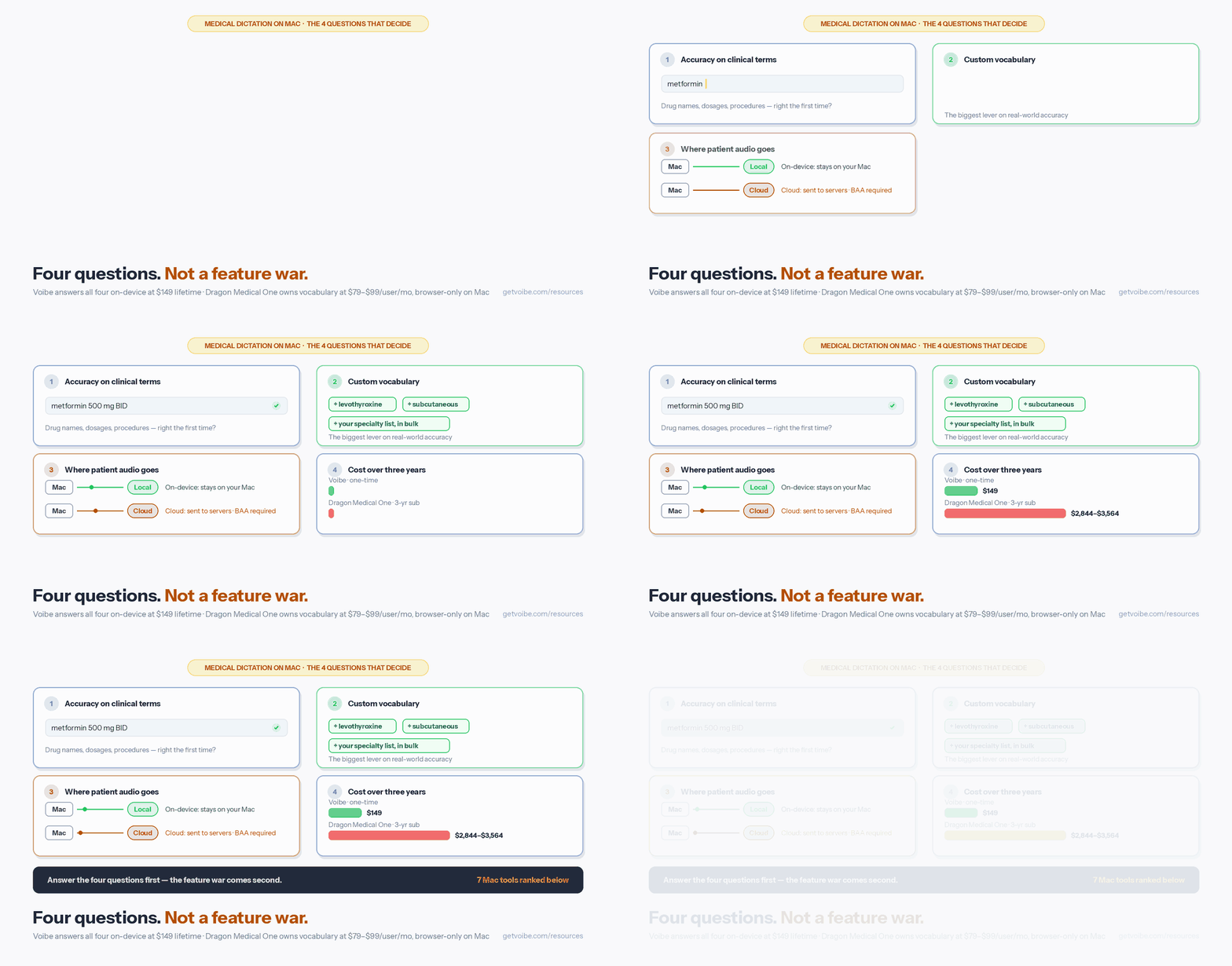
Marketing pages lead with feature counts. Clinicians care about four things, in this order:
- Accuracy on clinical terminology. General dictation is easy; the test is “metformin 500 mg BID,” “levothyroxine,” “subcutaneous,” and the drug or procedure names specific to your specialty. Whisper-based tools handle common medical language well but are not trained on a medical lexicon, so specialized terms may need corrections — which is where criterion two comes in.
- Custom vocabulary. The single biggest lever on real-world accuracy is being able to add your own drug names, procedures, and abbreviations. Bulk editing matters if you want to import a long terminology list rather than add terms one at a time.
- Where the audio goes. On-device tools process audio locally on your Mac, so no Protected Health Information (PHI) leaves the device. Cloud tools send audio to remote servers, which requires a signed BAA and encryption. Neither is automatically “more compliant” — but the data flow is the thing to understand first.
- Total cost over three years. A one-time license and a per-seat monthly subscription look similar in month one and wildly different by year three, especially multiplied across providers.
Each tool is scored on these four, plus the practical Mac question: does it actually run natively on macOS, or only in a browser?
On-Device vs Cloud: Where Your Patient Audio Goes
For medical dictation, the architecture decision comes before the feature comparison. There are two models:
- On-device (local) processing — Voibe’s on-device mode, Superwhisper, VoiceInk, and Apple Dictation on Apple Silicon run the speech model on your Mac. Patient audio never travels to a server. This eliminates the primary cloud-transmission risk and is the strongest architectural starting point for handling PHI.
- Cloud processing — Dragon Medical One and AI scribes (Suki AI, DeepScribe) send audio to remote servers. That enables large medical vocabularies, EHR integration, and ambient note generation, but it requires a signed Business Associate Agreement and depends on the vendor’s security controls.
A note on HIPAA and Voibe: Voibe’s on-device mode keeps patient audio on your Mac, and across both its on-device and zero-retention cloud modes your audio and text are never stored, never sold, and never used to train any AI model. Voibe does not hold a HIPAA certification (no such certification exists) or a SOC 2 attestation; a Business Associate Agreement is available on request, and healthcare organizations must still conduct their own compliance assessment — HIPAA compliance spans organizational policies, staff training, and technical safeguards beyond any single tool. The on-device mode, which keeps PHI off the network entirely, is the strongest architectural starting point. See our dictation and HIPAA guide for the full framework.
One architectural detail worth knowing for on-device tools: Superwhisper saves audio recordings to disk by default with no option to disable that behavior, which creates a persistent local record of dictation. Voibe stores dictation history only locally and lets you disable transcript storage entirely. Match the retention behavior to your practice’s policies.
Quick Comparison: Mac Medical Dictation at a Glance
| Tool | Type | Native Mac? | Audio | Cost | 3-yr / clinician |
|---|---|---|---|---|---|
| Voibe | Dictation | Yes | On-device or private cloud | $7.50/mo or $149 lifetime | $149 |
| Superwhisper | Dictation | Yes | On-device | $8.49/mo or $249 lifetime | $249 |
| Apple Dictation | Dictation | Yes (built-in) | On-device (Apple Silicon) | Free | Free |
| Dragon Medical One | Dictation | No (browser) | Cloud (Azure, BAA) | $79–$99/user/mo | $2,844–$3,564 |
| VoiceInk | Dictation | Yes | On-device | $29–$69 one-time | $29–$69 |
| Suki AI | AI scribe | Web/iOS | Cloud (BAA) | $299–$399/mo | $10,764–$14,364 |
| MacWhisper | File transcription | Yes | On-device | ~$69 lifetime | ~$69 |
All prices are current as of 2026 and cross-checked against our dedicated pricing pages. Dragon Medical One’s three-year figure excludes its one-time implementation fee (commonly ~$525/user) — see the Dragon Medical One cost guide for the full breakdown.
1. Voibe — Best Private On-Device Dictation for Mac Clinicians

Voibe is a native dictation app for Mac and Windows. On a Mac it has two user-selectable modes: an on-device mode that runs OpenAI’s Whisper models locally on Apple Silicon (nothing leaves your Mac), or a zero-retention cloud mode that runs only open-weight models. Either way, your audio and text are never stored, sold, or used to train any AI model. A native Windows app (launched July 2026) runs on the same Zero Data Retention cloud, so a mixed Mac-and-Windows practice can standardize on one dictation tool.
Why it ranks first for Mac clinicians: it hits all four evaluation criteria. Activate it with a keyboard shortcut and text appears wherever your cursor is — your EHR’s web fields, a Word note, a secure message, an email. Its Custom Vocabulary supports bulk editing, so you can import a long list of drug names, procedures, and clinical abbreviations at once to cut corrections on specialized terms. Hands-Free Mode supports continuous sessions for longer SOAP notes and discharge summaries, spoken commands like “new paragraph” structure notes as you speak, and punctuation lands automatically — or speak it by name (“comma”, “colon”, “open paren”) when a note calls for manual control. On cost, $149 lifetime is a one-time license — roughly 95% less than Dragon Medical One over three years.
Be honest about the gaps: Voibe is general dictation with custom vocabulary, not a medical-specific product. It does not ship a 400,000-term clinical dictionary, does not have dedicated EHR connectors or structured-note templates, and is not an ambient scribe. A BAA is available on request, but Voibe holds no SOC 2 or ISO 27001 attestation. For many Mac clinicians who compose notes in their own words and want audio to stay on-device, that trade is worth it; for others, Dragon’s vocabulary or an AI scribe’s automation is the deciding factor.
- Fully on-device mode keeps patient audio on your Mac
- Custom Vocabulary with bulk editing for clinical terms
- System-wide: types into any Mac app, including web EHRs
- $149 one-time — no recurring per-seat cost
- No 400,000-term medical dictionary out of the box
- No dedicated EHR integration or note templates
- No SOC 2 or ISO 27001 attestation (BAA available on request; organizations self-assess compliance)
- Not an ambient scribe
2. Superwhisper — Best Customizable On-Device Mac Dictation
Superwhisper is an on-device Mac dictation app built on Whisper with unusually deep configuration — multiple model sizes, custom modes, and flexible output. Like Voibe’s on-device mode, all processing happens locally on Apple Silicon, so no PHI is transmitted. For physicians who want fine-grained control over their dictation setup, it is the most configurable on-device option.
Pricing includes a free tier, a Pro plan at $8.49/month, and a $249 lifetime license — about $100 more than Voibe, and 91–93% less than Dragon Medical One over three years. One clinical caveat to weigh: Superwhisper saves audio recordings to disk by default with no option to disable that behavior, creating a persistent local record of patient dictation you should account for in your data-handling policy.
- On-device Whisper — no audio leaves the Mac
- The most configurable on-device Mac dictation tool
- Free tier plus a $249 lifetime option
- Saves audio recordings to disk by default, no disable option
- No medical dictionary, EHR integration, or BAA
- Configuration depth adds a learning curve
3. Apple Dictation — Best Free Built-In Option for Basic Notes
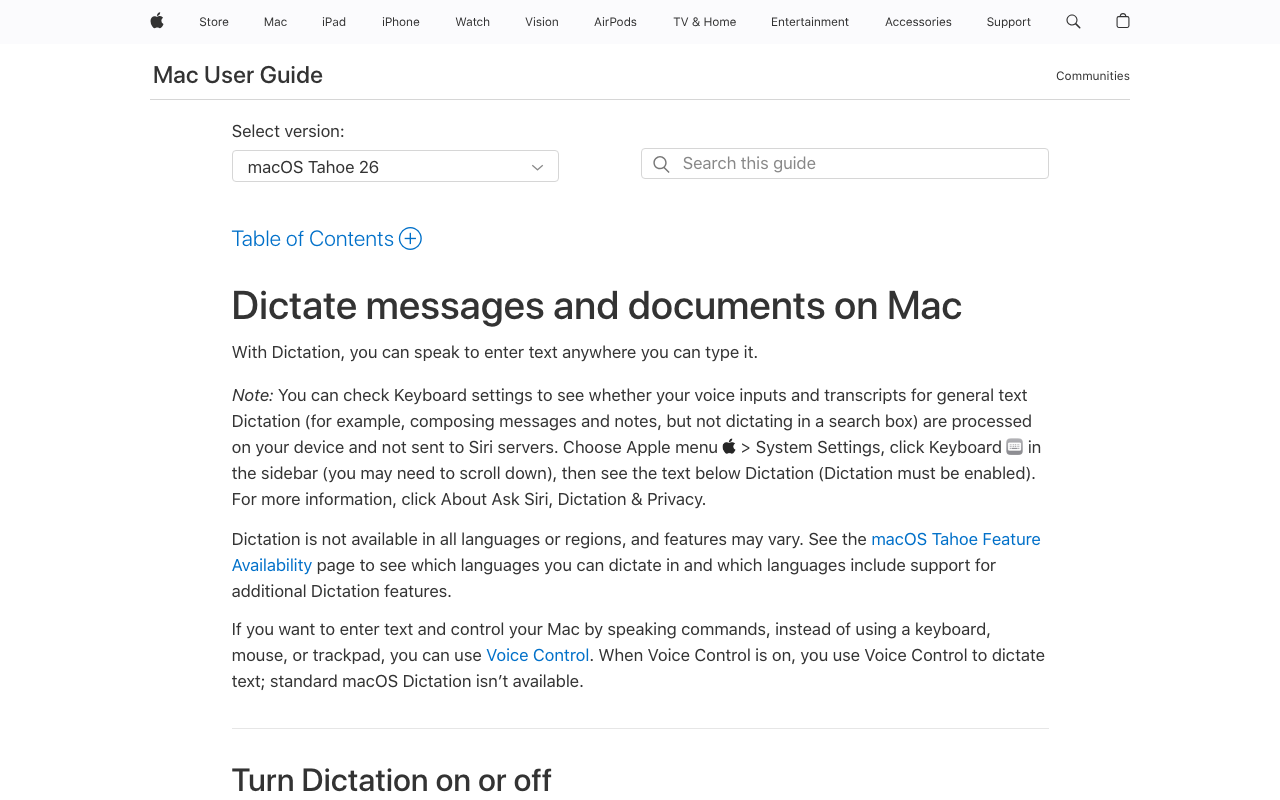
Apple Dictation is built into every Mac and is free. On Apple Silicon (M1 and later), it processes on-device, so no audio leaves your Mac — a zero-cost, low-risk option for basic clinical dictation. It works system-wide: activate it in any text field, speak, and text appears, with automatic punctuation and simple voice commands.
The limits matter for medical use: no medical vocabulary, no customization, no EHR integration, and no way to switch models. On Intel Macs, audio is sent to Apple’s servers. And Apple does not sign a BAA, so it should not be relied on as a compliance solution for PHI. For occasional, simple dictation it works well; for daily clinical documentation, a dedicated tool serves you better.
- Free and built into macOS
- On-device on Apple Silicon (M1 and later)
- Works system-wide with automatic punctuation
- No medical vocabulary or customization
- No EHR integration or model options
- Apple signs no BAA; Intel Macs process in the cloud
4. Dragon Medical One — Deepest Medical Vocabulary, but Browser-Only on Mac
Dragon Medical One (now folded under Microsoft’s Dragon Copilot brand) is the long-standing standard for medical dictation, with a 400,000+ term clinical vocabulary and deep integration with Epic, Oracle Health / Cerner, and other EHRs. It is cloud-based on Microsoft Azure with a signed BAA available — a real, honest differentiator for organizations that require one.
The Mac reality: there is no native Mac app. On a Mac, Dragon Medical One runs through a web browser (Chrome or Safari) only, with reduced functionality versus the Windows client — no voice-command macros, limited desktop control, and no offline mode. The legacy Dragon for Mac was discontinued in 2018 and never replaced. See does Dragon Medical One work on Mac for exactly what breaks, and Dragon Medical One cost for the full pricing picture.
Cost: $79–$99 per user per month by contract length ($79 on a 3-year term, $99 on a 1-year term), plus a one-time implementation fee (commonly ~$525/user). That is $2,844–$3,564 per clinician over three years before setup — and it is subscription-only, so the meter never stops.
- 400,000+ term medical vocabulary out of the box
- Mature EHR integration (Epic, Oracle Health / Cerner)
- Cloud on Azure with a signed BAA available
- No native Mac app — browser session only on macOS
- $2,844–$3,564 per clinician over 3 years, subscription-only
- One-time implementation fee before you dictate
- Cloud-only; no offline dictation
5. VoiceInk — Best Budget Open-Source On-Device Dictation
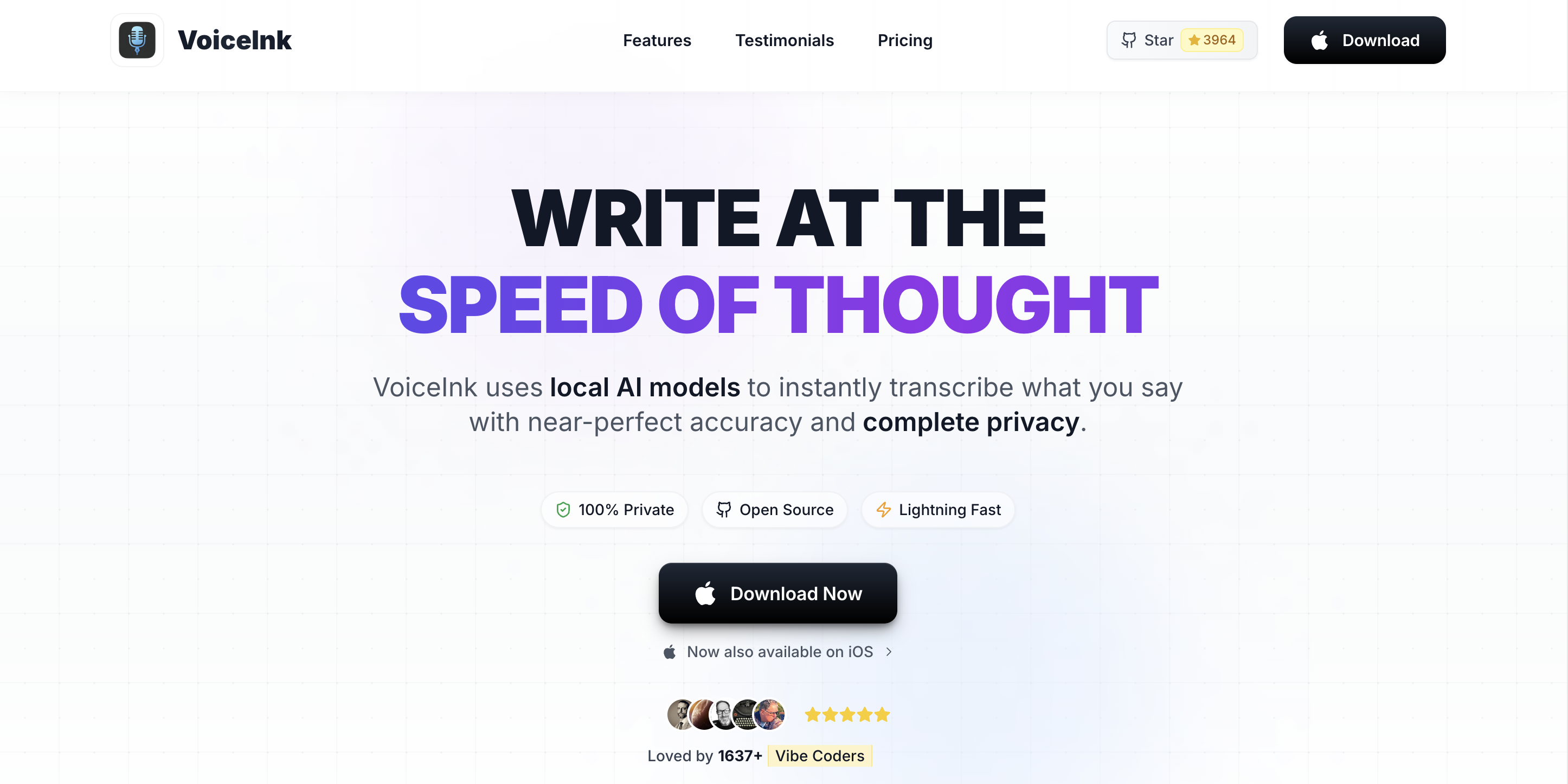
VoiceInk is an open-source on-device dictation app for Mac with affordable one-time pricing ($29–$69). It runs Whisper locally on Apple Silicon, so audio stays on your Mac, and being open-source lets technically inclined clinicians (or their IT) inspect exactly how it handles data. It holds a 4.2/5 rating across 27 reviews.
It is a leaner tool than Voibe or Superwhisper — fewer conveniences, less polish, and you are more on your own for setup and support — but for a budget-conscious solo clinician who values on-device processing and open-source transparency, it is a real option.
- Open-source and fully on-device
- $29–$69 one-time — the cheapest paid option
- Transparent, inspectable data handling
- Fewer features and less polish than Voibe/Superwhisper
- No medical dictionary or EHR integration
- DIY setup and community support
6. Suki AI — Best Ambient AI Scribe (a Different Category)
If your real problem is not typing speed but the hours spent writing notes, an ambient AI scribe is a different tool class. Suki AI listens to the physician-patient conversation (with consent) and generates a structured clinical note automatically, then syncs to the EHR. It runs in the cloud with a BAA available and integrates with major EHRs, and it is well regarded in clinician satisfaction surveys.
This is not Mac dictation — Suki runs on the web and mobile, not as a native Mac app — and it is a different budget: roughly $299–$399 per provider per month ($10,764–$14,364 over three years per provider). It is included here because many Mac clinicians searching for dictation actually want note automation. If you want to compare the ambient-scribe field specifically, see our best AI medical scribe tools for doctors guide.
- Generates structured notes from conversations automatically
- EHR integration and a BAA available
- Strong clinician satisfaction in surveys
- Not a Mac dictation tool — web/mobile, cloud-based
- $299–$399/provider/month — a different budget entirely
- Requires patient consent and ambient recording
7. MacWhisper — Best for Recorded-Audio Transcription on Mac
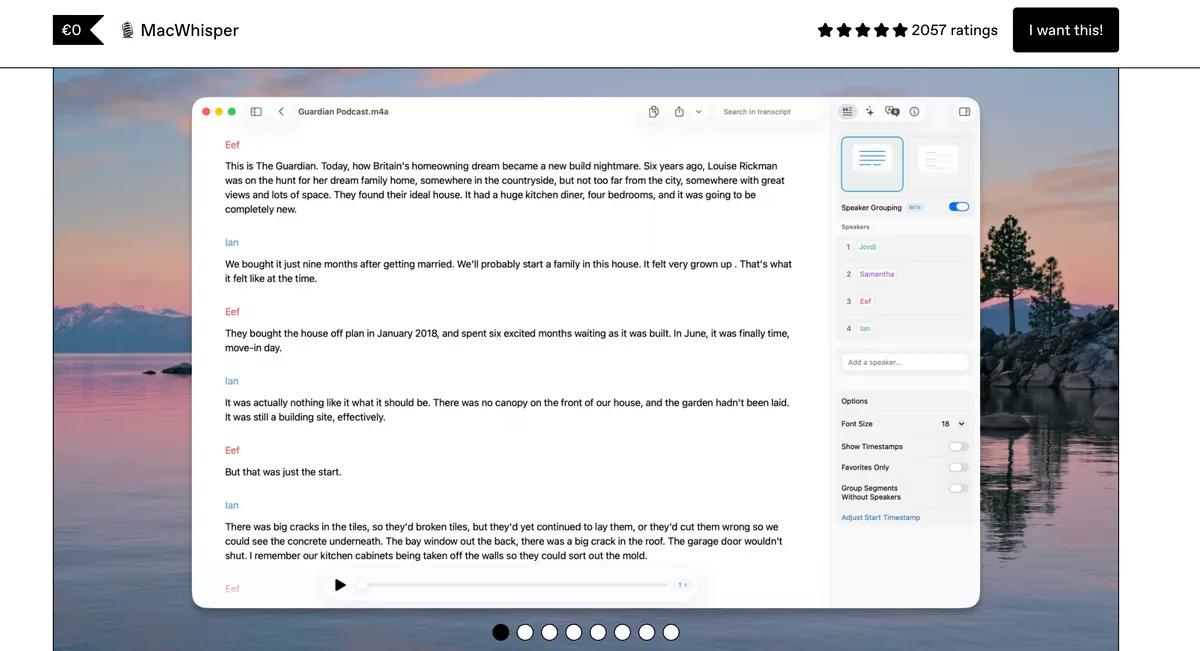
MacWhisper is a native Mac app that transcribes recorded audio files locally using Whisper. It is not real-time dictation — you feed it an audio file and it returns a transcript — so it solves a different half of the workflow: dictated memos, recorded patient interviews, or research audio you want transcribed on-device without uploading to a service.
MacWhisper Pro is a one-time purchase (around $69). For a Mac clinician who both dictates live and needs recorded files transcribed privately, pairing a live dictation tool (Voibe) with MacWhisper covers both without sending audio off-device.
- On-device transcription of recorded audio files
- One-time ~$69 purchase, native Mac app
- Pairs well with a live dictation tool
- Not real-time dictation — file-based only
- No medical vocabulary or EHR integration
- A second tool to manage alongside live dictation
How to Choose: A Decision Guide for Mac Clinicians
Answer these in order and you will land on the right tool:
- Do you need the note written for you from a conversation? If yes, you want an ambient AI scribe (Suki AI), not dictation — and a much larger budget. If no, continue.
- Is a 400,000-term medical dictionary and deep EHR integration non-negotiable? If yes, Dragon Medical One is the standard — but accept the browser-only Mac experience and the subscription cost. If no, continue.
- Do you want patient audio to stay on your Mac? If yes (most privacy-conscious clinicians), you want an on-device tool: Voibe for the best balance of accuracy tooling and price, Superwhisper for maximum configuration, VoiceInk for the lowest cost, or Apple Dictation for free basics.
- Do you also have recorded audio to transcribe? Add MacWhisper for on-device file transcription.
For a specialty-specific take, radiologists should read our best dictation software for radiologists guide, which factors in reporting-platform integration.
Best Tool for Your Clinical Situation
A cheat sheet to match your practice to the right Mac tool:
| Clinical situation | Best Mac tool | Why |
|---|---|---|
| Solo clinician, privacy-first, on a budget | Voibe ($149 lifetime) | On-device audio, custom vocabulary, one-time cost |
| Wants maximum control over the dictation engine | Superwhisper ($249 lifetime) | Deepest on-device configuration |
| Occasional, simple notes, zero budget | Apple Dictation (free) | Built in, on-device on Apple Silicon |
| Needs 400,000-term vocabulary + EHR integration | Dragon Medical One ($79–$99/mo) | Medical dictionary and Epic/Cerner integration (browser on Mac) |
| Lowest possible paid cost, open-source | VoiceInk ($29–$69) | Open-source, on-device, cheapest paid tier |
| Wants notes generated from conversations | Suki AI ($299–$399/mo) | Ambient scribe with EHR sync |
| Needs recorded audio files transcribed | MacWhisper (~$69) | On-device file transcription |
The Bottom Line: Match the Tool to Your Mac Workflow
The best medical dictation software for Mac is not the most expensive or the most feature-dense — it is the one that fits how you document, how you handle PHI, and your budget across every provider.
For most Mac clinicians who want private, accurate dictation at a fair price, Voibe ($149 lifetime) is the pick: a fully on-device mode that keeps patient audio on your Mac, custom clinical vocabulary, and roughly 95% less cost than Dragon Medical One over three years. If a 400,000-term medical dictionary and EHR integration are non-negotiable, Dragon Medical One remains the standard — just go in knowing the Mac experience is browser-only and the three-year cost runs $2,844–$3,564 per clinician. If you want notes written for you, an ambient scribe like Suki AI is a different (and far pricier) category. For the full field of Dragon replacements, see our Dragon Medical alternatives for Mac guide.
One workflow this list does not cover: dictating into an EHR that runs inside a Citrix or VMware Horizon session. Clipboard redirection is usually disabled on those desktops, so dictation apps that insert text by pasting simply fail. DictaFlow types the transcript as simulated keystrokes instead, which is why it reaches Epic, Cerner and Meditech in a remote session. The catch for clinical use is that its $69/year consumer plan is barred from PHI by its own privacy policy — patient data requires Medical Pro at $39/user/month with a signed BAA. DictaFlow alternatives ranks the same field by data path.
Working in mental health rather than general practice? Dictation for therapists and psychiatrists covers the specifics — SOAP and DAP notes, DSM vocabulary, web EHRs like SimplePractice and TherapyNotes, and the psychotherapy-notes carve-out that applies to session content. And if your EHR sits behind Citrix or a browser tab, our EHR dictation guide explains why client-side transcription sidesteps the virtual-desktop audio problem entirely.
If you want the layer underneath this ranking — how the technology actually works, the habits that make dictation stick in clinic, and the mistakes that make clinicians abandon it — start with our guide to medical dictation AI. It covers both Mac and Windows, and works the three-year cost arithmetic against Dragon Medical One in full.
Frequently Asked Questions
What is the best medical dictation software for Mac?
Is there medical dictation software that works natively on Mac?
Is Mac dictation software HIPAA compliant?
How accurate is Mac dictation software on medical terms?
How much does medical dictation software for Mac cost?
Can I use general dictation software instead of Dragon Medical One on Mac?
What is the difference between Mac dictation software and an AI medical scribe?
Does Dragon Medical One work on Apple Silicon Macs (M1-M4)?
Best AI Dictation and Meeting Notes for Confidential Work
Draft letters, notes and emails 5x faster. Get meeting notes without a bot joining your call. Nothing used to train AI.
- Mac + Windows
- No bot in your calls
- Nothing used to train AI
- 7-day free trial
Want to compare plans first? View pricing →
Related Articles
DictaFlow Review
The Citrix typing mode, and the plan that bars PHI.
Dragon Medical One Alternatives: 7 Tools From $0 to $750 a Month
Dragon Medical One runs $79 to $99 a seat per month plus setup. Here are 7 alternatives for Mac and Windows clinics, what each costs, and where your audio goes.
8 Best AI Meeting Note Takers for Lawyers in 2026 (Compared & Reviewed)
Best AI meeting note takers for lawyers, compared: 1. VXT Meet 2. Voibe Work 3. Quill 4. Jamie 5. Krisp 6. Fellow 7. Granola 8. Otter