
Dragon vs Wispr Flow: Wispr Wins Unless You Need Offline
Wispr Flow runs everywhere for $144 a year but sends your audio to OpenAI and Meta. Dragon is $699.99, Windows, offline. Here's the one I'd buy.

Dragon NaturallySpeaking
Desktop speech recognition from Nuance (now Microsoft). Windows-only, fully on-device. Dragon Home was discontinued in 2023, so Dragon Professional v16 ($699.99) and the specialized medical and legal editions are what's left.
$699.99 one-time (Professional v16 only)
Pros
- + 100% on-device processing, with no internet required
- + Deep vocabulary customization with voice profiles that improve over time
- + Advanced voice commands for controlling Windows apps hands-free
- + Prebuilt medical and legal specialty vocabularies out of the box
- + One-time purchase with no ongoing subscription
Cons
- - Windows only, with Mac support discontinued in 2018
- - Dragon Home discontinued in 2023, leaving the $699.99 Professional edition
- - Development stalled since the Microsoft acquisition in 2022; no major release since v16 in 2023
- - Requires 20-30 minutes of initial voice training plus weeks of corrections
- - No mobile app since Dragon Anywhere sales ended July 1, 2026; no cloud sync, no cross-platform support
Wispr Flow
Cloud-based AI dictation app with auto-editing, tone matching, and cross-platform support on Mac, Windows, iOS, and Android. Backed by $81 million in funding.
$15/mo or $144/yr (subscription only)
Pros
- + AI auto-editing removes filler words and formats text for each app
- + Cross-platform: Mac, Windows, iOS, and Android
- + No training required, so it works accurately from first use
- + 100+ language support with code-switching
- + SOC 2 Type II and HIPAA compliance
Cons
- - Cloud-only: audio sent to OpenAI and Meta servers
- - Captures screenshots of the active window every few seconds for context (raised as a privacy concern)
- - No offline mode available
- - Subscription-only at $15/month ($144/year)
- - Former Trustpilot rating of 2.7/5 (profile removed by Trustpilot in 2026); G2 shows 4.5/5 but based on only 6 reviews
- - 6-minute recording cap per dictation session
- - Free tier limited to 2,000 words per week
- - Users report quality degradation after the trial period ends
- - Team members published word-frequency analyses of user dictations on LinkedIn (Aug 2026); dictation retention is on by default
Voibe
WinnerPrivate dictation app for Mac and Windows. On-device Whisper on Apple Silicon, or a zero-retention cloud that deletes audio the moment transcription completes. Smart Formatting cleans up without rewriting; Dictionary, Memory shortcuts, spoken punctuation, Live Dictation (Mac), and Developer Mode for VS Code, Cursor, and Windsurf. $149 lifetime.
$7.50/mo, $59/yr, or $149 lifetime
Pros
- + Native Mac and Windows apps on one plan: Dragon's platform plus Wispr Flow's desktop reach
- + On-device mode on Apple Silicon (nothing leaves the Mac), or a zero-retention cloud that deletes audio the moment transcription completes, running open-source models with no OpenAI or Meta in the audio path
- + No training required, so it's accurate from first use
- + Smart Formatting fixes punctuation, capitalization, paragraphs, and filler words without paraphrasing what you said
- + Custom Dictionary (real dictionary injection) and Memory shortcuts replace Dragon's Vocabulary Center and Auto-Texts
- + Spoken punctuation by name, Hands-Free Mode, and Live Dictation on Mac that shows words on-screen as you speak
- + Developer Mode for VS Code, Cursor, and Windsurf
- + $149 lifetime: 79% cheaper than Dragon Professional ($550.99 saved), $283 less than three years of Wispr Flow
Cons
- - No LLM rewriting or tone matching, because Smart Formatting cleans up rather than rewriting
- - No voice commands for app control
- - No mobile apps
- - On-device mode needs Apple Silicon; Windows and Intel Macs use the zero-retention cloud
TL;DR: Dragon vs Wispr Flow
Wispr Flow sends every word you dictate to servers run by OpenAI and Meta, and it has been reported to screenshot your active window every few seconds for context. I'd still tell most people to pick it over Dragon.
TL;DR: Dragon Professional is $699.99 once, Windows only, and hasn't had a major release since 2023. Wispr Flow is $144 a year, runs on Mac, Windows, iOS, and Android, and needs no training. Buy Dragon if you're on Windows and either drive apps by voice or can't let audio leave the PC. Otherwise buy Wispr Flow.
Voibe, the app I build, takes a side of each at $149 lifetime: on-device on Apple Silicon, or a cloud that deletes audio the moment transcription completes, on Mac and Windows. It cleans text up with Smart Formatting instead of rewriting it.
Key Takeaway
Wispr Flow beats Dragon for most users: cross-platform, no training, lower short-term cost. Dragon still wins for Windows users who run the PC by voice or need local processing. Voibe is $149 lifetime on Mac and Windows, on-device on Apple Silicon or a zero-retention cloud. See our Dragon pricing guide and Wispr Flow pricing guide for tier-by-tier details.
Key Takeaways: Dragon vs Wispr Flow at a Glance
| Feature | Dragon Professional | Wispr Flow | Voibe | Winner |
|---|---|---|---|---|
| Price | $699.99 one-time | $15/mo or $144/yr | $149 lifetime | Voibe |
| Platform | Windows only | Mac, Windows, iOS, Android | macOS (all Macs) + Windows (native app) | Wispr Flow (adds mobile) |
| Privacy | 100% on-device | Cloud (OpenAI, Meta servers) | On-device (Apple Silicon) or zero-retention cloud | Dragon / Voibe |
| Offline Mode | Yes | No | Yes (on-device mode, Apple Silicon) | Dragon / Voibe |
| Training Required | 20-30 min + weeks of corrections | None | None | Wispr Flow / Voibe |
| AI Text Editing | No | Full AI rewriting | Smart Formatting (cleanup, never rewriting) | Wispr Flow |
| Mobile Apps | No | iOS and Android | No | Wispr Flow |
| Voice Commands | Advanced (Windows app control) | Command Mode | Spoken punctuation + structure commands (no app control) | Dragon |
| Development Status | Stalled (since 2022) | Active | Active | Wispr Flow / Voibe |
| Developer Features | Voice macros | Code syntax recognition | VS Code, Cursor + Windsurf integration | Voibe |
Quick Comparison: Two Eras of Dictation Software
| Spec | Dragon Professional | Wispr Flow | Voibe |
|---|---|---|---|
| Type | Desktop speech recognition | Cloud AI dictation | Private AI dictation (on-device or zero-retention cloud) |
| Processing | Local (on-device) | Cloud (OpenAI, Meta) | On-device Whisper (Apple Silicon) or zero-retention cloud |
| Platform | Windows only | Mac, Windows, iOS, Android | macOS (all Macs, macOS 13+) + Windows |
| Price | $699.99 one-time | $15/mo or $144/yr | $7.50/mo, $59/yr, or $149 lifetime |
| 3-Year Cost | $699.99 | $432 (annual) | $149 |
| Free Tier | No | 2,000 words/week | 7-day free trial |
| Languages | English + limited others | 100+ | 90+ |
| Mac Support | Discontinued (2018) | Yes | Yes (all Macs) |
| Best For | Windows voice control, local audio | Cross-platform, AI rewriting | Privacy, developers, value |
Voibe's $149 one-time license saves $283 against three years of Wispr Flow ($432) and $550.99 against Dragon ($699.99). Dragon and Wispr Flow reach parity around year five.
What Is Dragon NaturallySpeaking?

Looking for Dragon Dictate vs Dragon NaturallySpeaking (often searched as "Dragon Naturally Speaking")? That is a different question — two retired names from one product line — and we answer it in Dragon Dictate vs Naturally Speaking: You Can't Buy Either. This page compares today's Dragon Professional with Wispr Flow.
Dragon NaturallySpeaking is speech recognition from Nuance, owned by Microsoft since a $19.7 billion acquisition in 2022. For decades it was the professional standard in medicine and law. For today's replacements, see our Dragon NaturallySpeaking alternatives guide.
It processes everything on your Windows PC with no internet involved, and its voice profiles improve as it learns your speech. The cost is time: 20-30 minutes reading aloud on day one, then weeks of corrections.
Dragon's Current Status in 2026
Dragon Home was discontinued in 2023, leaving Dragon Professional v16 ($699.99), Dragon Legal, and Dragon Medical. There has been no major release since v16 in 2023, no Mac version since 2018, and Dragon Anywhere stopped new sales on July 1, 2026.
Dragon Core Features
- On-device processing: 100% local, no data transmission
- Voice profile training: accuracy improves as it learns your speech
- Voice commands: control Windows apps hands-free
- Vocabulary Center: add specialized terms
- Auto-Texts and voice macros: speak a trigger, get boilerplate
Dragon Limitations
- Windows only: Mac discontinued 2018, mobile sales ended 2026
- $699.99 for Professional, with Dragon Home gone
- Development stalled since the acquisition
- Hours of voice training before accuracy peaks
- Primarily English, with limited multilingual support
Key Takeaway
Dragon ships prebuilt medical and legal vocabularies and trains a profile to one speaker. Its $699.99 price, stalled development, and Windows-only restriction make it a hard sell for everyone else.
What Is Wispr Flow?
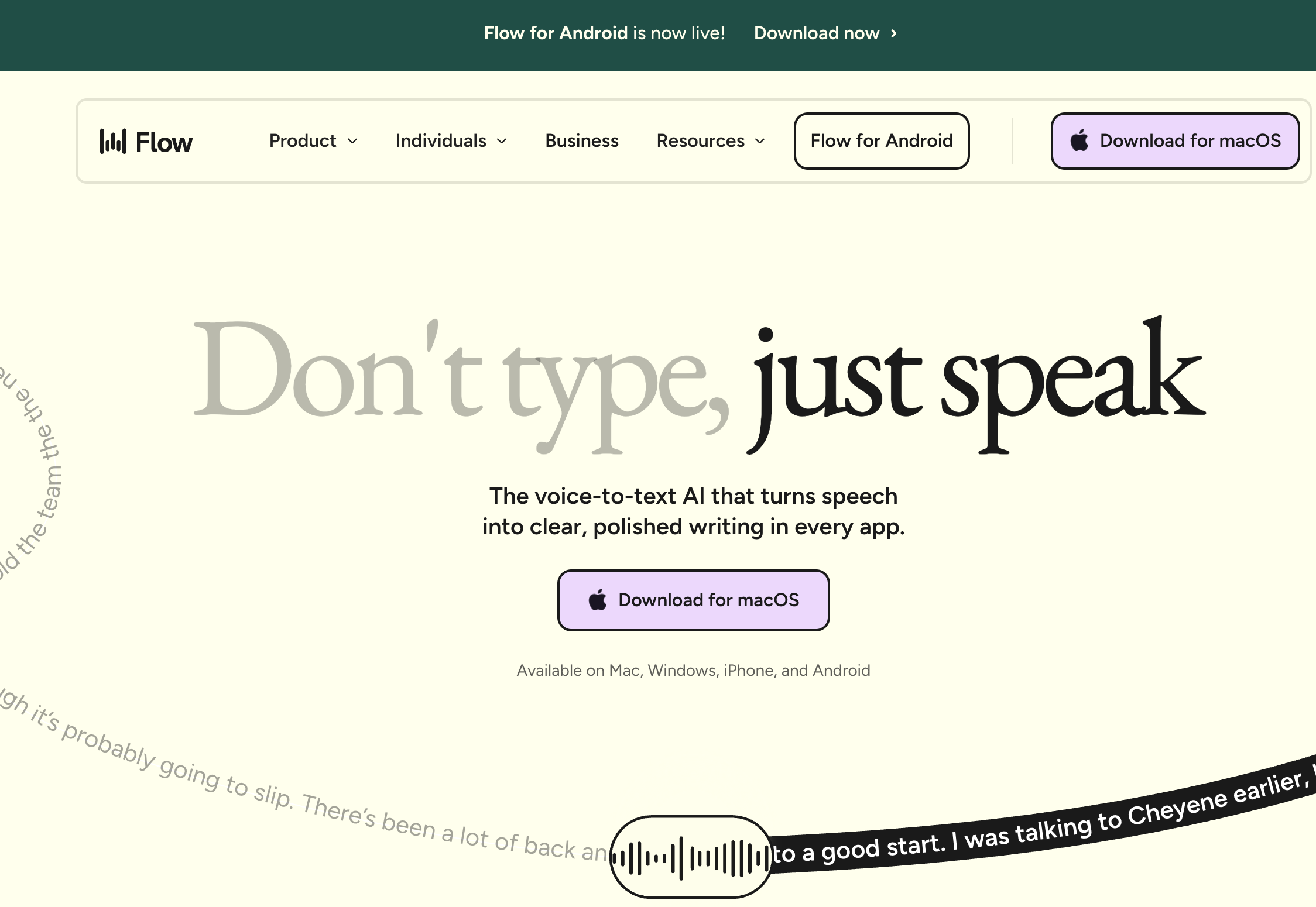
Wispr Flow comes at speech-to-text from the opposite direction. No voice profile, no training: cloud models give you strong accuracy from the first sentence on Mac, Windows, iOS, and Android. See our Wispr Flow vs Superwhisper comparison for how it stacks up against other modern tools.
Its defining feature is AI auto-editing. It rewrites your words into polished text shaped for the target app: dictate casually, get a professional email. Dragon was never built to do that.
Wispr Flow Core Features
- AI auto-editing: rewrites speech into polished text with formatting and tone matching
- Zero training
- Cross-platform: Mac, Windows, iOS, and Android
- 100+ languages: with automatic code-switching
- SOC 2 Type II and HIPAA compliance
- Whisper Mode: quiet dictation for shared spaces
Wispr Flow Limitations
- Cloud-only: all audio processed on external servers (OpenAI, Meta)
- Screenshots of the active window captured every few seconds, which drew significant backlash when first disclosed
- No offline mode
- Subscription-only at $15/month; free tier capped at 2,000 words per week
- 6-minute recording cap per session
- Reported 800MB RAM and 8% CPU when idle
- Reported quality degradation after the free trial ends
Key Takeaway
Wispr Flow is the best pick for Dragon users who need cross-platform support and AI text rewriting. Cloud-only processing means giving up the offline privacy that made Dragon worth keeping.
Feature by Feature: Dragon vs Wispr Flow
Accuracy and Voice Training
Dragon's profile adapts to one speaker over time and ships prebuilt medical, legal, and technical vocabularies, at a cost of 20-30 minutes of training plus weeks of corrections. Wispr Flow is accurate from the first dictation with no training. Voibe needs none either: its Dictionary injects your terms into transcription itself, and a Dragon vocabulary export (TXT or XML) pastes straight in. The split is prebuilt versus taught.
Winner: Wispr Flow on training; Dragon on prebuilt vocabularies
Privacy and Offline Capability
Dragon processes everything on your Windows PC. No audio leaves the device, which is its strongest remaining advantage. Wispr Flow sends all audio to servers operated by OpenAI and Meta. It holds SOC 2 Type II and HIPAA certifications, and it has been reported to capture screenshots of the active window every few seconds for model context, which drew user concern and a policy update after the backlash.
Voibe gives you Dragon's posture on a Mac: on-device mode on Apple Silicon runs Whisper on the Neural Engine and nothing leaves the machine. On Windows and Intel Macs, the zero-retention cloud transcribes with open-source models and deletes the audio the moment transcription completes, with no OpenAI or Meta in the path.
Winner: Dragon
Platform Support
Wispr Flow wins outright: Mac, Windows, iOS, and Android. Dragon runs only on Windows, with no Mac version since 2018 and no mobile app since July 2026. Voibe runs on every Mac (macOS 13+) and on Windows, one plan, no mobile.
Winner: Wispr Flow
AI Text Editing
Wispr Flow rewrites: filler words out, grammar fixed, tone matched per app. Dragon transcribes what you say and takes formatting commands. Voibe sits between them, with Smart Formatting doing bounded cleanup (punctuation, capitalization, paragraphing, the “um”s) and stopping there. The Dragon habits come along: punctuation spoken by name, structure commands like “new paragraph,” and Memory shortcuts in place of Auto-Texts. Live Dictation on Mac shows words on screen before they land.
Winner: Wispr Flow
Pricing and Long-Term Value
Dragon is $699.99 once. Wispr Flow is $144 a year, so $432 over three years, 38% less. They break even around year five, after which Dragon is cheaper, though you're paying for software with no major release since 2023. Voibe costs $149 lifetime: 79% less than Dragon ($550.99 saved) and 65% less than three years of Wispr Flow ($283 saved).
Winner: Voibe
Voice Commands and Automation
Dragon excels here: navigate apps, control menus, build voice macros, compose documents hands-free. Wispr Flow's Command Mode stays with dictation. Voibe's Hands-Free Mode covers no-hands dictation, but neither drives your computer.
Winner: Dragon
Developer Features
Wispr Flow has code syntax recognition and Dragon has voice macros, but neither integrates with an IDE. Voibe's Developer Mode resolves file names, folder paths, and variable names in VS Code, Cursor, and Windsurf.
Winner: Voibe
Which Should You Choose?
Choose Dragon Professional If...
- You're on Windows and need offline processing
- You want specialty vocabularies prebuilt rather than pasted in
- You need voice commands to control Windows apps hands-free
- You'll use it for 5+ years, where $699.99 beats a subscription
Choose Wispr Flow If...
- You need Mac support, which Dragon doesn't offer
- You want AI rewriting that polishes rough speech
- You need mobile dictation
- You want accuracy from day one
- You need SOC 2 Type II and HIPAA certifications, knowing audio leaves your device and screenshots are captured for context
Choose Voibe If...
- You want Dragon's privacy without the Windows lock-in: on-device on Apple Silicon, or a cloud that deletes audio the moment transcription completes
- You're switching from Dragon and want the habits: a Dictionary for your vocabulary export, Memory shortcuts for your Auto-Texts, punctuation spoken by name
- You want cleanup instead of rewriting
- You want Live Dictation on Mac and Hands-Free Mode for long sessions
- You're a developer who needs VS Code, Cursor, or Windsurf integration
- You want to pay once: $149 lifetime, 79% less than Dragon ($550.99 saved), 65% less than three years of Wispr Flow ($283 saved)
What Users and Reviewers Say
Dragon Reviews
Dragon Professional holds a 4.0/5 on Capterra from 241 reviews. Users praise the accuracy on trained profiles and the offline processing, and cite the $699.99 price and Windows-only restriction as the drawbacks. The most common complaint: development stalled after Microsoft bought Nuance.
Wispr Flow Reviews
Wispr Flow won the People's Champ Award on Product Hunt in Winter 2025 and holds a 2.7/5 on Trustpilot, where users report uneven Windows reliability (the Electron-based app has been reported to freeze and affect target apps like VS Code), RAM usage above 800MB, and slow support. G2 shows 4.5/5 from only 6 reviews. Users also report the app working well during the free trial and declining after payment.
Switching from Dragon
Former Dragon users leave for three reasons: Mac support is gone, $699.99 buys stagnant software, and there's no mobile or cloud option. The ones who move to Wispr Flow like the zero training and miss the offline processing. The ones who want privacy and modern accuracy pick Voibe.
Dragon vs Wispr Flow FAQ
Common questions about choosing between Dragon NaturallySpeaking and Wispr Flow, grouped by topic.
Final Verdict: Dragon vs Wispr Flow
Dragon is the desktop approach: powerful once trained, but $699.99, Windows-only, and stagnant. Wispr Flow is the cloud approach: cross-platform, AI-rewritten, subscription-only, and your audio leaves your machine.
For most people Wispr Flow is the practical choice: more platforms, less money up front, no training, still being developed. Dragon's niche has shrunk to Windows users who drive the PC by voice or can't let audio leave it.
Neither gives you the whole package. Voibe does: on-device on Apple Silicon or a zero-retention cloud on Mac and Windows, no training, and $149 lifetime, 79% less than Dragon ($550.99 saved) and 65% less than three years of Wispr Flow ($283 saved). It keeps the Dragon habits and cleans up with Smart Formatting instead of rewriting.
For the full Dragon evaluation, see our Dragon review.
Related Dictation Comparisons
- VoiceDash vs Wispr Flow: VoiceDash's AppSumo lifetime deal ($59) against Wispr Flow's $144/year subscription.
- Aqua Voice vs Wispr Flow: the YC-backed Avalon model against Wispr Flow's AI auto-editing.
- Typeless vs Wispr Flow: two cloud AI dictation apps on pricing, free tiers, and AI editing.
- Wispr Flow vs Superwhisper: cloud AI editing against on-device Whisper.
- Blip AI vs Wispr Flow: AppSumo lifetime deal against a cloud subscription.
- Is Wispr Flow Safe?: cloud architecture, Privacy Mode defaults, the March 2026 Delve fake-audit scandal, and the A-LIGN remediation.
- Is Dragon Safe?: three Dragon products, three architectures, and the acquisition's compliance perimeter.
Best AI Dictation and Meeting Notes for Confidential Work
Draft letters, notes and emails 5x faster. Get meeting notes without a bot joining your call. Nothing used to train AI.
- Mac + Windows
- No bot in your calls
- Nothing used to train AI
- 7-day free trial
Want to compare plans first? View pricing →
Related Articles
Dragon vs OpenAI Whisper: Whisper Isn't an App You Install
OpenAI open-sourced Whisper in 2022 and Dragon's accuracy lead vanished. Whisper is a model with no app around it. What $699.99 still buys, and what to run.
Dragon Review: I'd Only Buy It If You're One of These 3 People
I scored Dragon 6/10. It's still excellent on Windows, gone from the Mac since 2018, and $699.99. Here's who should buy it and what I'd run instead.
Rev vs Wispr Flow: One Types What You Said, One Types as You Speak
Rev turns recorded audio into transcripts ($0.25–$1.99/min). Wispr Flow types as you talk ($15/mo). Which one you actually need — and the third option.