
MacWhisper vs Superwhisper: Transcription vs Dictation on Mac (2026)
MacWhisper vs Superwhisper compared on pricing, features, and use cases. One transcribes files, the other dictates in real-time. See which you need.

MacWhisper
On-device audio transcription app for Mac using OpenAI Whisper models. Designed primarily for batch file transcription — drag in audio/video files and get text transcripts. Also includes basic live dictation.
$29 Pro (Gumroad) or $79.99 lifetime (App Store)
Pros
- + Affordable at $29 Pro (Gumroad) or $79.99 lifetime (App Store)
- + Excellent batch transcription with speaker separation
- + 100% on-device — no data leaves your Mac
- + Supports 100+ languages via Whisper Large-v3 Turbo
- + Student/journalist/nonprofit discount (25% off)
Cons
- - Primarily a transcription tool — live dictation is basic
- - No system-wide dictation — works within the app only
- - No AI text editing or reformatting
- - No custom modes or prompt-based formatting
- - No mobile app
Superwhisper
On-device real-time dictation app for Mac with custom modes, multi-model support (GPT, Claude, Llama), and system-wide text insertion. Designed for live voice-to-text workflows.
$8.49/mo or $249 lifetime
Pros
- + System-wide real-time dictation in any app
- + Custom modes with configurable AI prompts and formatting rules
- + Choose from multiple AI models (GPT, Claude, Llama) per mode
- + Free tier with unlimited access to small models
- + 100+ languages with on-the-fly translation to English
Cons
- - $249 lifetime is 2.5x more expensive than Voibe's $99 lifetime
- - Pro plan at $8.49/month adds up over time
- - Larger models require significant processing time
- - Mobile experience less polished than desktop
- - Saves audio recordings by default with no way to disable; API keys stored in plaintext on disk
Voibe
WinnerOn-device Mac dictation app with VS Code and Cursor integration. System-wide dictation using Whisper models on Apple Silicon with zero cloud dependency.
$4.90/mo or $99 lifetime
Pros
- + 100% on-device with system-wide dictation
- + Developer mode with VS Code and Cursor integration
- + Most affordable at $99 lifetime — 60% less than Superwhisper's $249 lifetime
- + Simple setup with no configuration required
- + Works fully offline on Apple Silicon Macs
Cons
- - macOS only (Apple Silicon M1–M4)
- - No AI text rewriting or custom modes
- - No batch file transcription
- - No custom model selection
TL;DR: MacWhisper vs Superwhisper — Which Whisper App Do You Need?
MacWhisper and Superwhisper serve different purposes despite both using OpenAI's Whisper models on Mac. MacWhisper is a file transcription tool — drag in recordings and get text. Superwhisper is a real-time dictation tool — speak and text appears in any app. MacWhisper Pro costs $29 (Gumroad) while Superwhisper's lifetime costs $249. If you need dictation rather than transcription, Voibe offers system-wide dictation with VS Code integration at $99 lifetime — 60% less than Superwhisper lifetime ($150 saved).
Disclosure: Voibe is our product. We compare all three tools fairly, acknowledging where MacWhisper and Superwhisper each excel.
Key Takeaway
MacWhisper is for transcribing files ($29). Superwhisper is for real-time dictation ($8.49/mo or $249 lifetime). Voibe offers system-wide dictation with developer features at $99 lifetime — 60% less than Superwhisper.
Key Takeaways: MacWhisper vs Superwhisper at a Glance
| Feature | MacWhisper | Superwhisper | Voibe | Winner |
|---|---|---|---|---|
| Primary Use | File transcription | Real-time dictation | Real-time dictation | Depends on need |
| Price (one-time) | $29 (Gumroad) / $79.99 (App Store) | $249 lifetime | $99 lifetime | MacWhisper / Voibe |
| Monthly Plan | $8.99/mo (App Store) | $8.49/mo | $4.90/mo | Voibe |
| Processing | 100% on-device | 100% on-device | 100% on-device | Tie |
| System-Wide Dictation | No (in-app only) | Yes | Yes | Superwhisper / Voibe |
| File Transcription | Yes (batch + speaker labels) | No | No | MacWhisper |
| Custom AI Modes | No | Yes (GPT, Claude, Llama) | No | Superwhisper |
| Developer Features | No | No | VS Code + Cursor integration | Voibe |
| Product Hunt Rating | 4.8/5 (1,886 ratings) | 4.9/5 | N/A | Superwhisper |
| Free Tier | Basic transcription | Small models unlimited | Free trial | Superwhisper |
The Core Difference: Transcription vs Dictation
The most important distinction between MacWhisper and Superwhisper is what they're designed for. Understanding this prevents buying the wrong tool.
MacWhisper is a transcription tool. You give it an audio or video file — a meeting recording, podcast episode, interview, or lecture — and it produces a text transcript. It excels at batch processing multiple files, separating speakers, and exporting clean transcripts. Its live dictation feature exists but is basic and works only within the MacWhisper app.
Superwhisper is a dictation tool. You speak and text appears wherever your cursor is — emails, documents, Slack, code editors. It works system-wide across your entire Mac with configurable hotkeys and custom modes. It does not transcribe pre-recorded files.
If you need to transcribe recordings, choose MacWhisper. If you need to dictate text in real-time, choose Superwhisper or Voibe. Many users keep both.
What Is MacWhisper?
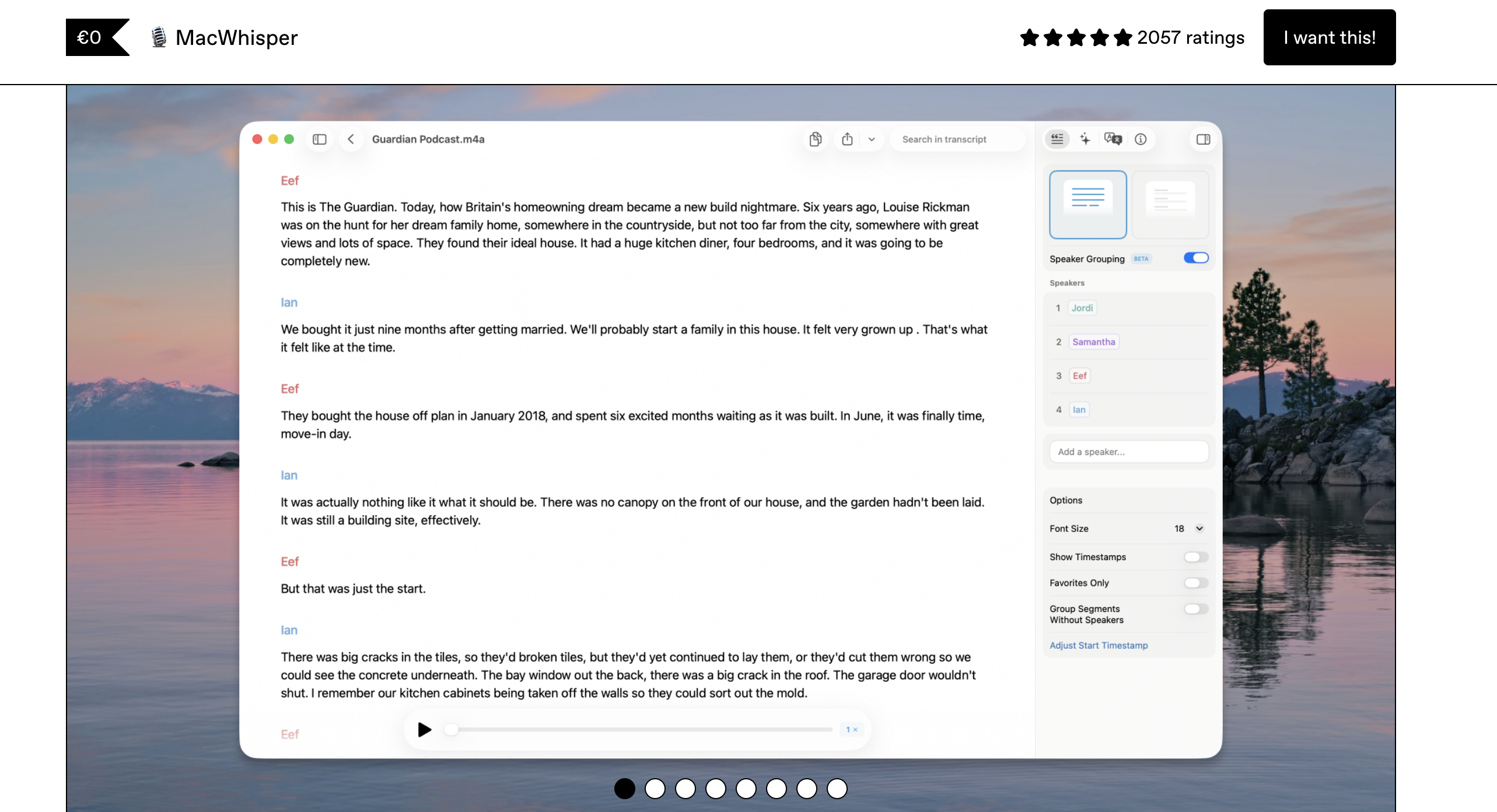
MacWhisper is a macOS transcription app developed by indie developer Jordi Bruin. It uses OpenAI's Whisper models to transcribe audio and video files entirely on-device. With a 4.8/5 rating from nearly 1,900 Product Hunt reviews, MacWhisper is one of the most popular Mac audio tools. For context on MacWhisper alternatives, see our dictation alternatives directory.
MacWhisper's strength is batch transcription. Drag in a meeting recording, podcast episode, or lecture, and get a text transcript with speaker separation. It supports the Whisper Large-v3 Turbo model for high accuracy across 100+ languages, and everything processes locally on your Mac.
MacWhisper Core Features
- Batch file transcription: Import multiple audio/video files for processing
- Speaker separation: Automatically identifies different speakers in recordings
- System audio recording: Capture audio playing on your Mac (Pro feature)
- Translation: Translate transcripts via Whisper or DeepL API
- 100% on-device: All processing local — no data leaves your Mac
- 100+ languages: Via Whisper Large-v3 Turbo model
MacWhisper Limitations
- Primarily a transcription tool — live dictation is basic and in-app only
- No system-wide text insertion
- No AI text editing or custom formatting
- No mobile apps
Key Takeaway
MacWhisper is the best value for on-device audio transcription on Mac at $29 (Gumroad) — but it's not a dictation tool. If you need to speak and have text appear in real-time, you need Superwhisper or Voibe.
What Is Superwhisper?
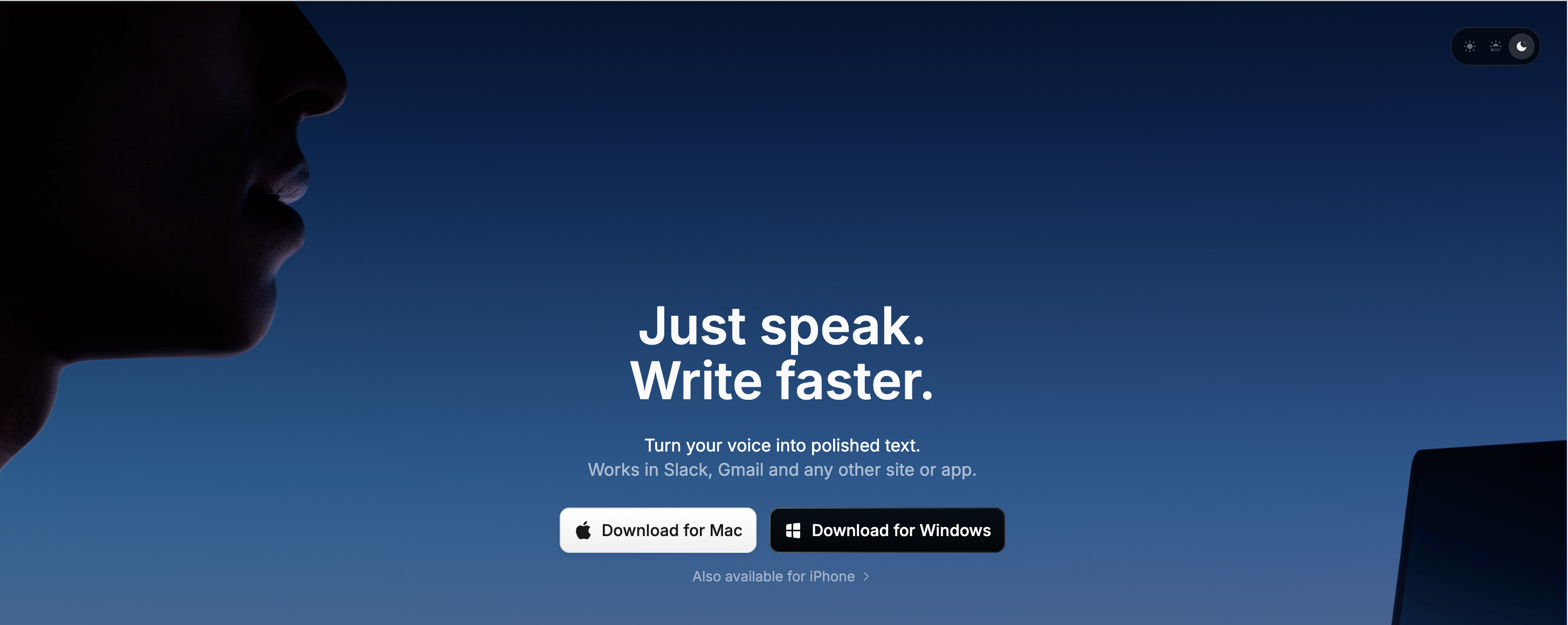
Superwhisper is an on-device real-time dictation app for Mac that won the Privacy Award for AI Dictation on Product Hunt in Winter 2025. It provides system-wide voice input — speak and text appears wherever your cursor is, in any app. For a comparison with cloud-based alternatives, see our Wispr Flow vs Superwhisper guide.
Superwhisper's defining feature is custom modes. You can create different configurations for different tasks — one mode for emails with professional formatting, another for code comments with technical vocabulary, another for casual messages. Each mode can use a different AI model (GPT, Claude, Llama) to balance speed, accuracy, and complexity.
Superwhisper Core Features
- System-wide dictation: Works in any app with configurable hotkeys
- Custom modes: Define formatting rules, prompts, and AI models per task
- Multi-model support: Choose from GPT, Claude, Llama, and Whisper models
- On-device processing: Core Whisper models run locally on Apple Silicon
- 100+ languages: With on-the-fly translation to English
- Free tier: Unlimited access to small Whisper models
Superwhisper Limitations
- $249 lifetime is 2.5x more expensive than Voibe's $99
- Cloud AI models (GPT, Claude) require API keys or Pro subscription
- Larger models require significant processing time on device
- No batch file transcription
- Mobile experience less polished than desktop
- Saves audio recordings by default with no option to disable; API keys stored in plaintext on disk
Key Takeaway
Superwhisper is the most customizable on-device dictation app for Mac with multi-model support and custom modes — but the $249 lifetime price () makes it a premium choice.
Feature-by-Feature Comparison: MacWhisper vs Superwhisper
Real-Time Dictation
Superwhisper is the clear winner for live dictation. It provides system-wide voice input with hotkey activation, custom modes, and text insertion at your cursor in any app. MacWhisper has a basic live dictation feature, but it works only within the MacWhisper app — you can't dictate into Gmail, Slack, or VS Code directly.
Winner: Superwhisper
File Transcription
MacWhisper dominates file transcription. It handles batch import of audio and video files, provides speaker separation labels, supports system audio capture, and offers multiple export formats (text, SRT, subtitles). Superwhisper does not offer file transcription at all.
Winner: MacWhisper
Privacy and On-Device Processing
Both tools process audio locally using Whisper models on Apple Silicon. No audio data leaves your Mac with either tool's core features. The difference: Superwhisper's Pro modes that use GPT, Claude, or Llama require sending text to cloud APIs for AI processing. MacWhisper's translation feature can optionally use DeepL's API. For pure on-device privacy, both are equal at their core. Learn more about cloud vs local dictation privacy.
Winner: Tie (both on-device for core features)
Customization and AI Models
Superwhisper offers significantly more customization. Custom modes let you define formatting rules, prompts, and select different AI models per task. MacWhisper provides Whisper model selection for transcription accuracy but no AI-powered formatting or custom modes. If you want to tailor your dictation experience per workflow, Superwhisper is far more flexible.
Winner: Superwhisper
Pricing and Value
MacWhisper is dramatically cheaper. MacWhisper Pro costs $29 on Gumroad — a one-time purchase. Superwhisper Pro costs $8.49/month, and the lifetime plan costs $249. Over 3 years, Superwhisper monthly costs $359.64 while MacWhisper costs $29 — a 92% savings. However, they serve different purposes, so the comparison is fair only if you need transcription specifically. For dictation, Voibe at $99 lifetime is 60% cheaper than Superwhisper's lifetime ($150 saved).
Winner: MacWhisper (for value); context-dependent since they serve different needs
Developer and IDE Integration
Neither MacWhisper nor Superwhisper offers dedicated IDE integration. Superwhisper's system-wide dictation works in code editors like VS Code, but without specialized features. Voibe is the only Mac dictation tool with VS Code and Cursor integration, including file and folder name resolution.
Winner: Voibe
Pricing Breakdown: How Much Do You Actually Pay?
| Plan | MacWhisper | Superwhisper | Voibe |
|---|---|---|---|
| Free Tier | Basic transcription | Small models unlimited | Free trial |
| Monthly | $8.99/mo (App Store) | $8.49/mo | $4.90/mo |
| Annual | $29.99/yr (App Store) | $84.99/yr | $58.80/yr |
| Lifetime | $29 (Gumroad) / $79.99 (App Store) | $249 | $99 |
| 3-Year Total (monthly) | $323.64 | $359.64 | $176.40 |
| 3-Year Total (lifetime) | $29 | $249 | $99 |
MacWhisper's $29 lifetime on Gumroad is exceptional value for a transcription tool. Superwhisper's $249 lifetime is a significant premium for dictation software of $249. For dictation specifically, Voibe's $99 lifetime is 60% cheaper than Superwhisper lifetime, offering system-wide dictation with developer features at a fraction of the cost.
Key Takeaway
MacWhisper Pro at $29 is a transcription bargain. Superwhisper's $249 lifetime makes the $8.49/month plan more practical by comparison. Voibe at $99 lifetime is 60% cheaper than Superwhisper for system-wide dictation.
Which Should You Choose? MacWhisper vs Superwhisper
Choose MacWhisper If...
- You need to transcribe audio and video files (meetings, interviews, podcasts, lectures)
- You need speaker separation to identify who said what
- You want the cheapest on-device Whisper tool ($29 on Gumroad)
- You need to capture and transcribe system audio on your Mac
- You need subtitle/SRT export for video content
Choose Superwhisper If...
- You need system-wide real-time dictation in any app
- You want custom modes with different AI models per task
- You're a power user who wants to fine-tune formatting and prompts
- You need multilingual dictation with on-the-fly translation
- You value having the most customizable dictation experience and can justify the $249 lifetime cost
Choose Voibe If...
- You need system-wide dictation at the best value ($99 lifetime vs $249 — 60% less)
- You're a developer who needs VS Code or Cursor integration
- You want simple, reliable dictation without configuration complexity
- You prioritize privacy with 100% on-device processing and no cloud AI modes
Use Both MacWhisper + Voibe If...
- You need both file transcription AND real-time dictation
- Combined cost: $29 + $99 = $128 total — 49% less than Superwhisper's $249 lifetime alone
What Users and Reviewers Say
MacWhisper Reviews
MacWhisper holds a 4.8/5 rating on Product Hunt with nearly 1,900 ratings. Users consistently praise its transcription accuracy, speaker separation, and the fact that everything stays on-device. The $29 Gumroad price is frequently cited as exceptional value. Common praise includes handling of challenging audio conditions and the native macOS feel.
Superwhisper Reviews
Superwhisper holds a 4.9/5 rating on Product Hunt and won the Privacy Award for AI Dictation in Winter 2025. Users praise its flexibility with custom modes, multilingual support, and the developer's responsiveness. Criticism centers on the $249 lifetime price, the fact that larger models require significant processing time, and a high proportion of user-reported issues that remain unaddressed. Some users report needing to clean up longer transcriptions manually, and multilingual users have noted that LLM post-processing can sometimes alter non-English text unexpectedly.
Reddit Consensus
On Reddit, the general consensus positions MacWhisper as the go-to for transcription and Superwhisper as the top choice for power users who want maximum dictation customization. Users who want simple, affordable dictation without the customization overhead often recommend alternatives like Voibe.
MacWhisper vs Superwhisper FAQ
Common questions about choosing between MacWhisper and Superwhisper, organized by topic.
Final Verdict: MacWhisper vs Superwhisper
MacWhisper and Superwhisper aren't really competitors — they're complementary tools for different workflows. MacWhisper is the best value for on-device audio transcription on Mac at $29. Superwhisper is the most customizable on-device dictation app with multi-model support, but the $249 lifetime price has pushed many users to monthly billing or alternatives.
For users who need real-time dictation without the complexity and cost of Superwhisper, Voibe offers system-wide dictation with VS Code and Cursor integration at $99 lifetime — 60% less than Superwhisper's lifetime ($150 saved). And if you need both transcription and dictation, a MacWhisper ($29) + Voibe ($99) combination costs $128 total — 85% less than Superwhisper alone.
Disclosure: Voibe is our product. We've done our best to present a fair comparison, acknowledging where both MacWhisper and Superwhisper genuinely excel.
Ready to type 3x faster?
Voibe is the fastest, most private dictation app for Mac. Try it today.
Related Articles
MacWhisper vs VoiceInk: Transcription vs Dictation (2026)
MacWhisper vs VoiceInk compared on features, pricing, and use cases. One transcribes files, the other dictates in real-time. See which Mac Whisper app you need.
7 Best Dictation Software for Writers (2026)
Compare the 7 best dictation tools for writers in 2026. Covers offline and cloud options, pricing from free to $699, and which tool fits your writing workflow.
8 Best Otter AI Alternatives for Mac Users (2026)
Compare the best Otter AI alternatives for Mac — from offline dictation apps like Voibe to meeting transcription tools like Notta. Pricing, features, and privacy compared.