
Speech to Text on Mac: Best Apps, Setup, and Comparison (2026)
Compare the best speech to text apps for Mac in 2026. Covers Apple Dictation, Voibe, Wispr Flow, Superwhisper, and more with pricing, privacy, and features.

TL;DR: Speech to text on Mac works through Apple's built-in Dictation (free, press the Fn key twice) or third-party apps like Voibe, Wispr Flow, and Superwhisper that offer better accuracy, privacy, and professional features. Apple Dictation is fine for quick messages. For longer documents, developer workflows, or privacy-sensitive work, a dedicated speech-to-text app is worth the investment.
Disclosure: Voibe is our product. We compare all tools factually and acknowledge competitor strengths where they exist.
This guide covers every major speech-to-text option for Mac in 2026, including setup instructions, pricing breakdowns, and a decision framework to help you pick the right tool. For a broader look at dictation on Mac, see our complete guide to dictation on Mac.
Key Takeaways: Speech-to-Text Apps for Mac at a Glance
| Tool | Best For | Price | Processing |
|---|---|---|---|
| Apple Dictation | Quick messages, casual use | Free (built-in) | On-device (Apple Silicon) / Cloud (Intel) |
| Voibe | Developers, privacy-focused users | $9.90/mo, $89.10/yr, or $198 lifetime | 100% on-device |
| Wispr Flow | AI-rewritten polished output | $15/mo or $144/year | Cloud-based |
| Superwhisper | Whisper model flexibility | $8.49/mo or $249.99 lifetime | On-device |
| VoiceInk | Budget one-time purchase | $25-49 one-time | On-device |
| MacWhisper | Audio file transcription | One-time purchase | On-device |
| Voice In | Web-only browser dictation | Free / Premium | Cloud-based |
Key Takeaway
Apple Dictation handles casual use for free. For professional speech to text on Mac, third-party apps offer better accuracy, privacy, and workflow integration at costs from $8/mo to $249.99 one-time.
How Speech to Text Works on Mac in 2026
Speech to text on Mac works through two distinct approaches: Apple's built-in Dictation feature and third-party apps that use their own speech recognition engines.
Apple Dictation uses Apple's proprietary speech recognition models. On Apple Silicon Macs (M1 through M4), processing happens on-device by default. On older Intel Macs, audio is sent to Apple's servers for cloud processing.
Third-party speech-to-text apps for Mac typically use OpenAI's Whisper models, an open-source family of speech recognition models known for strong accuracy across languages and accents. Apps like Voibe, Superwhisper, and VoiceInk run Whisper locally on your Mac's Apple Silicon chip. Cloud-based tools like Wispr Flow send audio to remote servers for processing.
On-Device vs. Cloud Processing
The distinction between on-device and cloud processing matters for three reasons:
- Privacy. On-device processing means your audio never leaves your Mac. No server, no storage, no third-party access. Cloud processing sends your voice data over the internet to remote servers.
- Speed. On-device tools eliminate network latency. You see text appear as you speak without waiting for a server round-trip.
- Offline availability. On-device tools work without an internet connection. Cloud tools require Wi-Fi or cellular data to function.
Why Apple Silicon Changes the Game
Apple Silicon (M1, M2, M3, M4) includes a dedicated Neural Engine that accelerates machine learning tasks. This hardware enables consumer Macs to run large Whisper models locally with low latency, something that previously required server-grade hardware. Every Mac sold since late 2020 has Apple Silicon, making on-device speech to text accessible to the vast majority of Mac users in 2026.
For a deeper dive into why local processing matters, read our article on why offline dictation matters.
Apple's Built-in Dictation: What You Get for Free
Apple's built-in Dictation is the simplest way to convert speech to text on Mac. It's free, requires no installation, and works in any app with a text field.
How to Enable Apple Dictation
- Open System Settings on macOS Ventura or later
- Navigate to Keyboard
- Scroll to Dictation and toggle it on
- Choose your language and microphone
- Press the Fn key twice to start dictating in any app
What Apple Dictation Does Well
- Zero cost — included with every Mac
- No installation — toggle on in System Settings
- System-wide — works in any text field across all apps
- Voice commands — speak "period," "comma," "new paragraph" to format
- Multi-language — supports over 60 languages and dialects
- On-device on Apple Silicon — M1 and later Macs process speech locally by default
Where Apple Dictation Falls Short
Apple Dictation has several limitations that affect professional use:
- Accuracy gaps with technical vocabulary. Programming terms, medical jargon, and domain-specific words are frequently misrecognized.
- No custom vocabulary. You can't add custom words, acronyms, or project-specific terms.
- No developer integration. Apple Dictation has no awareness of IDE context, file names, or project structure.
- Inconsistent auto-punctuation. Commas and periods are often misplaced or omitted.
- 30-second timeout is architectural. Apple Dictation stops after approximately 30 seconds — this is a hard architectural limit, not a configurable setting. Users with RSI or repetitive strain conditions who rely on voice input are particularly affected.
- No markdown or structured output. All output is plain text with no formatting options.
Best for: Quick messages, short notes, casual text entry where accuracy on specialized terms doesn't matter.
Info
On Apple Silicon Macs (M1 and later), Apple Dictation processes speech on-device by default. On Intel Macs, audio is sent to Apple's servers. Check System Settings > Keyboard > Dictation to verify your processing mode.
What to Look for in a Mac Speech-to-Text App
Choosing a speech-to-text app for Mac comes down to six evaluation criteria. Understanding these before comparing specific tools saves you from picking an app that doesn't fit your workflow.
1. Accuracy Across Content Types
General conversational accuracy is a baseline. What separates good tools from great ones is how they handle technical vocabulary, proper nouns, and domain-specific language. If you dictate code documentation, legal notes, or medical records, test accuracy on your actual content, not just casual speech.
2. Privacy and Processing Location
On-device processing keeps your audio on your Mac. Cloud processing sends it to remote servers. For sensitive work (legal, medical, proprietary code), on-device tools like Voibe and Superwhisper eliminate data exposure risks. For casual use, cloud processing is acceptable if you're comfortable with the provider's data policies.
3. App Compatibility
Some speech-to-text tools work system-wide in any Mac app. Others are limited to specific apps or browsers. Voice In, for example, only works inside Chrome. Voibe, Wispr Flow, and Superwhisper all work system-wide, inserting text wherever your cursor is.
4. Customization and Vocabulary
The ability to teach the tool your terminology matters for specialized work. Voibe's developer mode resolves file and folder names from your project. Superwhisper lets you load custom Whisper models. Apple Dictation offers no customization at all.
5. Pricing Model
Speech-to-text apps use three pricing models: subscription (monthly/annual), one-time purchase (lifetime license), and free tiers. The right model depends on how long you plan to use the tool. A $198 lifetime license saves money within about 14 months compared to a $15/month subscription.
6. Platform Support
If you work across Mac, Windows, and iOS, cross-platform support matters. Wispr Flow works on Mac, Windows, and iOS. Voibe, Superwhisper, and VoiceInk are Mac-only. Apple Dictation works across Apple devices but not Windows.
For a broader comparison of dictation tools, see our comparison hub.
Best Speech-to-Text Apps for Mac in 2026
The following speech-to-text apps represent the best options available for Mac users in 2026. Each tool is evaluated using the same template: features, pricing, best for, and limitations.
Voibe — Best for Developers and Privacy-First Users
Voibe is an offline speech-to-text app for Mac that runs entirely on-device using OpenAI's Whisper models on Apple Silicon. All audio processing happens locally — zero data leaves your Mac.
Key Features
- 100% on-device processing — no cloud, no account required, no internet needed
- Developer mode — VS Code and Cursor integration with file/folder name resolution
- System-wide dictation — works in any Mac app
- Apple Silicon optimized — runs on M1 through M4 Macs, macOS 13+
- 7-day free trial — try before buying
Pricing
- $9.90/month
- $89.10/year
- $198 lifetime (one-time purchase, all features included)
- 7-day free trial
Third-Party Rating
Voibe holds a 4.8 out of 5 rating on Product Hunt based on 6 reviews.
Best For
Developers who dictate code documentation, commit messages, and technical writing. Privacy-conscious professionals handling sensitive data (legal, medical, NDA-covered work). Anyone who wants affordable on-device speech-to-text with IDE integration.
Limitations
- Mac only — no Windows, iOS, or Android support
- Requires Apple Silicon (M1 or later)
- No AI text rewriting or reformatting
Wispr Flow — Best for AI-Powered Text Rewriting

Wispr Flow is a cloud-based speech-to-text tool that uses AI to rewrite and polish your dictated speech into clean, formatted text. Instead of verbatim transcription, Wispr Flow interprets your intent and produces refined output. See how it stacks up against other popular cloud options in our Aqua Voice vs Wispr Flow and VoiceDash vs Wispr Flow comparisons.
Key Features
- AI text rewriting — automatically cleans up and reformats dictated speech
- Cross-platform — works on Mac, Windows, and iOS
- System-wide dictation — works in any app
- Natural conversation mode — speak naturally, get polished text
- Free tier — 2,000 words per week
Pricing
- $15/month
- $144/year ($12/month billed annually)
- 2,000 words/week free tier
Best For
Users who want their dictated text automatically polished and restructured. Professionals who draft emails, reports, or documents and want clean output without manual editing. Users who need cross-platform support across Mac, Windows, and iOS.
Limitations
- Cloud-based — audio sent to remote servers (OpenAI, Meta) for processing
- Captures screenshots of active window for “context awareness” and sends to cloud
- Idle RAM usage reported at 800MB+ with 8% CPU
- Requires internet connection
- Higher cost — $144/year vs. Voibe's $89.10/year ($54.90 more per year, 38% more expensive)
- No developer IDE integration
Superwhisper — Best for Whisper Model Flexibility
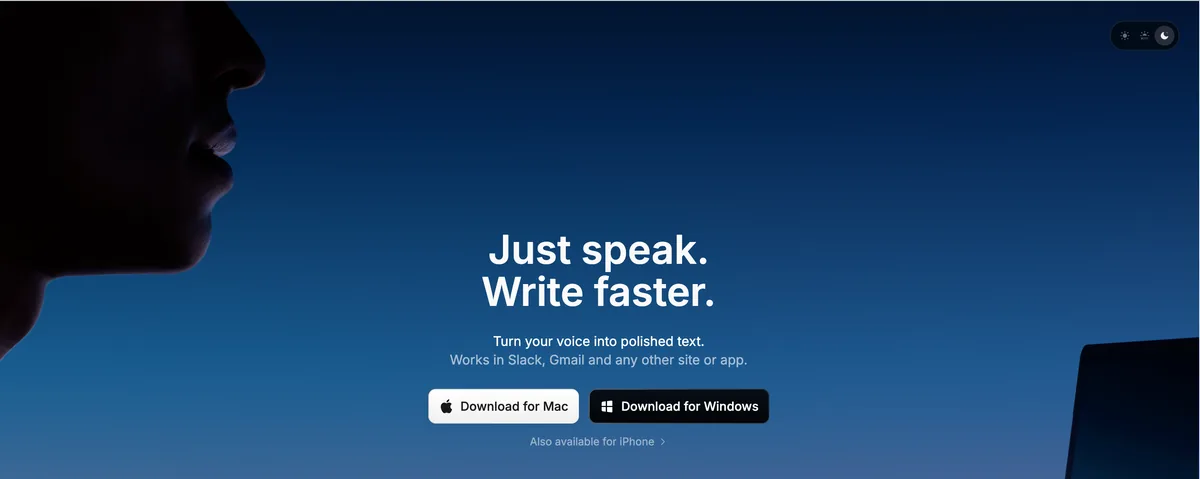
Superwhisper is an on-device speech-to-text app for Mac and iOS that supports multiple Whisper model sizes and custom model loading. All processing runs on Apple Silicon.
Key Features
- Multiple Whisper models — choose from Tiny, Base, Small, Medium, or Large models
- Custom model support — load your own fine-tuned Whisper models
- On-device processing — no cloud, fully offline capable
- Mac and iOS — works across Apple devices
- Clean, minimal interface
Pricing
- $8.49/month
- $84.99/year
- $249.99 lifetime
Third-Party Rating
Superwhisper holds a 4.9 out of 5 rating on Product Hunt based on 19 reviews.
Best For
Users who want to experiment with different Whisper model sizes and custom models. Privacy-focused users who also need iOS support. Power users who want fine-grained control over their speech recognition engine. For a detailed comparison with its main competitor, see our Wispr Flow vs Superwhisper breakdown or our MacWhisper vs Superwhisper comparison.
Limitations
- Lifetime plan costs $249.99 — ~$52 more than Voibe's $198 lifetime
- Audio recordings saved by default; no option to disable
- LLM post-processing can corrupt non-English text
- No developer IDE integration
- No AI text rewriting
- Apple devices only (no Windows)
VoiceInk — Best Budget One-Time Purchase
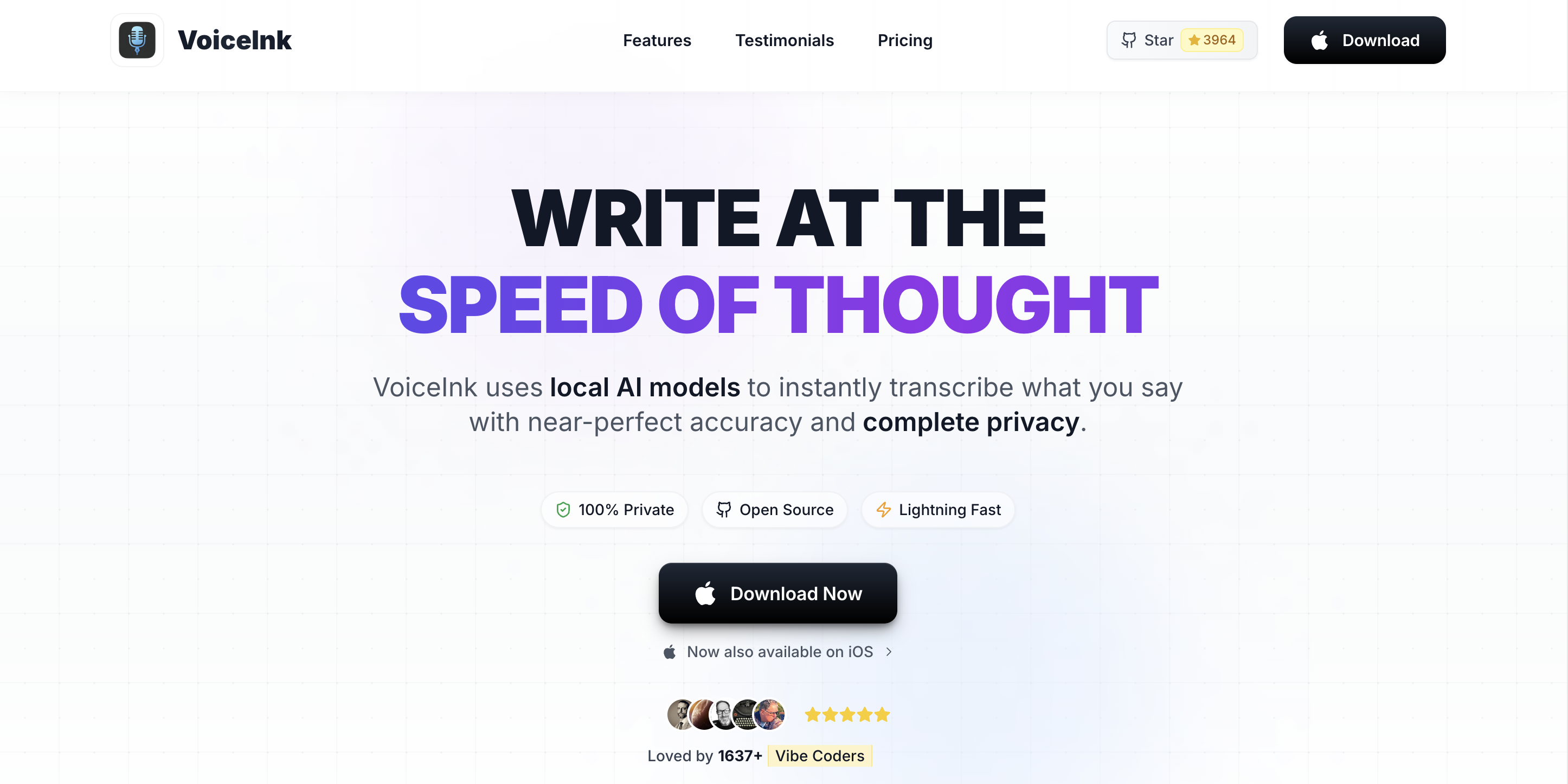
VoiceInk is an open-source (GPL v3) on-device speech-to-text app for Mac. It offers a one-time purchase model at a lower price point than most alternatives.
Key Features
- On-device Whisper processing — fully offline
- Open source (GPL v3) — transparent, community-auditable code
- One-time purchase — no subscription required
- Mac only
Pricing
- $25–$49 one-time purchase
Best For
Budget-conscious Mac users who want on-device speech-to-text without a subscription. Users who value open-source transparency. VoiceInk is cheaper upfront but Voibe is actively developed (weekly releases), built its own on-device AI models, offers support, and commits to never train AI on user dictation.
Limitations
- Smaller community and less frequent updates than commercial alternatives
- No developer IDE integration
- No AI rewriting features
- Mac only
MacWhisper — Best for Audio File Transcription
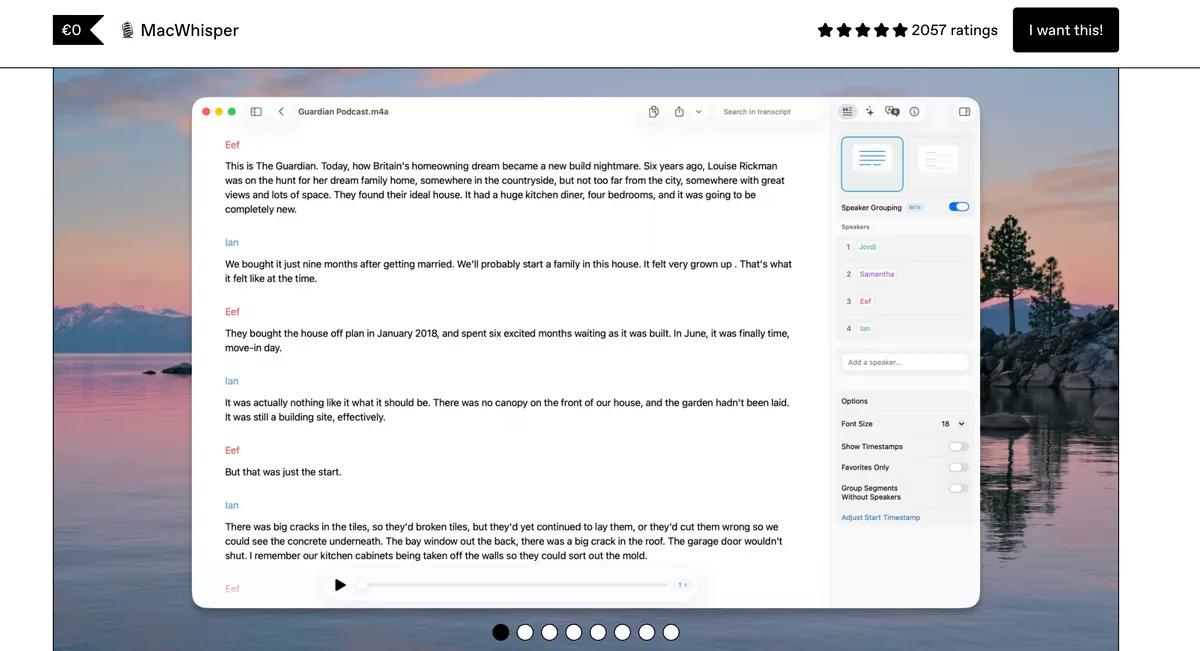
MacWhisper is a Mac app designed for transcribing audio and video files rather than real-time dictation. It uses on-device Whisper models to convert pre-recorded audio into text.
Key Features
- Batch audio/video transcription — drag and drop files for transcription
- On-device Whisper processing — fully offline
- Multiple export formats — text, SRT subtitles, and more
- Timestamp support — synced timestamps for audio navigation
Pricing
- One-time purchase (free basic version available)
Best For
Users who need to transcribe recorded meetings, interviews, podcasts, or video content. Journalists, researchers, and content creators who work with existing audio files.
Limitations
- Not designed for real-time dictation — batch transcription only
- No system-wide text insertion
- No developer tools or IDE integration
- Not suitable as a daily dictation tool
Speech-to-Text Pricing Comparison: Which Mac App Gives the Best Value?
Speech-to-text pricing on Mac varies widely, from free (Apple Dictation) to $249.99 for a lifetime license (Superwhisper). The right choice depends on how long you'll use the tool and what features you need.
Monthly and Annual Pricing
| App | Monthly | Annual | Lifetime | Free Tier |
|---|---|---|---|---|
| Apple Dictation | Free | Free | Free | Unlimited |
| Voibe | $9.90 | $89.10 | $198 | 300 words/day |
| Wispr Flow | $15 | $144 | N/A | 2,000 words/week |
| Superwhisper | $8.49 | $84.99 | $249.99 | N/A |
| VoiceInk | N/A | N/A | $25-49 | N/A |
3-Year Total Cost Comparison
Over three years, the cost differences between speech-to-text apps become significant:
- Wispr Flow (monthly): $540 ($15 x 36 months)
- Wispr Flow (annual): $432 ($144 x 3 years)
- Superwhisper (annual): $254.97 ($84.99 x 3 years)
- Voibe (monthly): $356.40 ($9.90 x 36 months)
- Voibe (annual): $267.30 ($89.10 x 3 years)
- Voibe (lifetime): $198 (one-time, covers all 3 years and beyond)
- VoiceInk: $25-49 (one-time)
- Apple Dictation: $0
Pre-Calculated Savings
- Voibe annual vs. Wispr Flow annual: $89.10/year vs. $144/year = $54.90 savings per year (38% cheaper)
- Voibe lifetime vs. Wispr Flow 14 months: Voibe's $198 lifetime license costs less than about 14 months of Wispr Flow ($12/month annual)
- Voibe lifetime vs. Superwhisper lifetime: $198 vs. $249.99 = ~$52 savings (21% cheaper)
- Voibe lifetime vs. 3 years of Wispr Flow: $198 vs. $432 = $234 savings (54% cheaper)
- VoiceInk vs. Voibe: VoiceInk's $25-49 one-time purchase is cheaper upfront, but Voibe is actively developed (weekly releases), built its own on-device AI models, offers support, and commits to never train AI on user dictation
Key Takeaway
Voibe's $198 lifetime plan costs less than about 14 months of Wispr Flow annual and saves ~$52 compared to Superwhisper's $249.99 lifetime license.
How to Choose: Speech-to-Text Decision Guide for Mac Users
Choosing the best speech-to-text app for Mac depends on your workflow, privacy requirements, and budget. Use this decision tree to narrow down your options quickly.
Decision Tree: Which Speech-to-Text App Fits Your Mac Workflow?
- Do you need real-time dictation (not file transcription)?
- No — use MacWhisper for audio/video file transcription
- Yes — continue to question 2
- Is privacy or offline capability a hard requirement?
- Yes — choose an on-device tool: Voibe ($198 lifetime), Superwhisper ($249.99 lifetime), or VoiceInk ($25-49)
- No — cloud tools like Wispr Flow ($144/year) are also viable; continue to question 3
- Do you need developer IDE integration (VS Code, Cursor)?
- Yes — Voibe is the only Mac speech-to-text app with VS Code and Cursor integration
- No — continue to question 4
- Do you want AI text rewriting that polishes your dictation?
- Yes — Wispr Flow rewrites dictated text using AI
- No — continue to question 5
- Do you need cross-platform support (Windows, iOS)?
- Yes (Windows + Mac) — Wispr Flow supports Mac, Windows, and iOS
- Yes (iOS + Mac) — Superwhisper supports Mac and iOS
- Mac only is fine — continue to question 6
- What's your budget?
- Free — Apple Dictation (built-in, limited accuracy)
- Under $50 — VoiceInk ($25-49 one-time)
- Under $100/year — Voibe ($89.10/year annual plan)
- Under $200 lifetime — Voibe ($198 lifetime)
- Flexible — Superwhisper ($249.99 lifetime) for model flexibility
Use-Case Cheat Sheet: Best Speech-to-Text Tool by Scenario
Use this cheat sheet to find the best speech-to-text tool for Mac based on your specific scenario. Each recommendation maps a real-world use case to the tool that handles it best.
| Scenario | Best Tool | Why |
|---|---|---|
| Quick emails and messages | Apple Dictation | Free, built-in, works in any app — adequate for short conversational text |
| Long documents and reports | Voibe or Wispr Flow | Voibe for verbatim accuracy; Wispr Flow if you want AI polishing |
| Code documentation and commit messages | Voibe | Only tool with VS Code/Cursor integration and file name resolution |
| Meeting transcription | MacWhisper | Built for batch audio file transcription with timestamps |
| Privacy-sensitive work (legal, medical, NDA) | Voibe or Superwhisper | Both run 100% on-device with zero data exposure |
| Budget-conscious general dictation | VoiceInk | $25-49 one-time purchase, on-device processing, open source |
| Web-only browser dictation | Voice In | Chrome extension for web apps — supports 50+ languages |
| Cross-platform (Mac + Windows + iOS) | Wispr Flow | Only speech-to-text tool that works on Mac, Windows, and iOS |
| Working offline or on flights | Voibe, Superwhisper, or VoiceInk | All three run fully offline on Apple Silicon |
| Experimenting with Whisper model sizes | Superwhisper | Supports Tiny through Large models and custom model loading |
| AI-polished professional output | Wispr Flow | Automatically rewrites dictation into clean, formatted text |
| Maximum long-term savings | Voibe ($198 lifetime) | $198 covers unlimited use forever — less than 14 months of Wispr Flow annual |
For more detailed comparisons between specific tools, visit our comparison hub or read our roundup of the best dictation apps.
Frequently Asked Questions About Speech to Text on Mac
Basics
Is speech to text free on Mac?
Yes. Apple Dictation is built into every Mac and is completely free. Press the Fn key twice to start dictating in any app. For more advanced features like on-device Whisper models, developer IDE integration, and better accuracy, third-party apps like Voibe ($9.90/mo, $89.10/yr, or $198 lifetime) and Superwhisper ($8.49/mo or $249.99 lifetime) are available.
What is the best speech to text app for Mac?
The best speech-to-text app for Mac depends on your needs. Voibe is the best choice for developers and privacy-focused users (on-device, $198 lifetime, VS Code integration). Wispr Flow is best for users who want AI text rewriting ($144/year). Superwhisper is best for users who want Whisper model flexibility ($249.99 lifetime). Apple Dictation is best for casual, free use.
How do I start dictation on Mac?
Press the Fn key twice to start Apple Dictation. You can customize this shortcut in System Settings > Keyboard > Dictation. Third-party apps like Voibe and Superwhisper use their own keyboard shortcuts, which are configurable in their settings.
Privacy
Which speech-to-text apps work offline on Mac?
Voibe, Superwhisper, VoiceInk, and MacWhisper all work fully offline on Mac. These apps run Whisper models locally on Apple Silicon and don't require an internet connection. Wispr Flow and Voice In require an internet connection because they process audio on cloud servers.
Does Apple send my dictation audio to the cloud?
On Apple Silicon Macs (M1 and later), Apple Dictation processes speech on-device by default. On Intel Macs, audio is sent to Apple's servers. You can check your processing mode in System Settings > Keyboard > Dictation. If you need guaranteed zero data exposure, use a dedicated on-device tool like Voibe or Superwhisper.
Comparisons
Is Voibe better than Superwhisper?
Voibe and Superwhisper are both strong on-device speech-to-text tools for Mac. Voibe's advantages include developer IDE integration (VS Code, Cursor), lower lifetime pricing ($198 vs. $249.99 lifetime — 21% cheaper, saves ~$52), and a free tier (300 words/day). Superwhisper's advantages include a higher Product Hunt rating (4.9/5 vs. Voibe's 4.8/5), multiple Whisper model sizes, custom model loading, and iOS support. Choose Voibe if you're a developer or want the lowest cost on-device option. Choose Superwhisper if you want model flexibility or need iOS support.
What is the cheapest speech-to-text app for Mac?
Apple Dictation is free. Among third-party tools, VoiceInk ($25-49 one-time) is the cheapest upfront. Voibe offers a fair, sustainable price at $9.90/month, with $89.10/year or $198 lifetime options. Voibe is actively developed (weekly releases), built its own on-device AI models, offers support, and commits to never train AI on user dictation — Voibe's price funds a private, actively developed product, not ad or data revenue.
Performance
How accurate is speech to text on Mac?
Accuracy depends on the tool and content type. Apple Dictation provides moderate accuracy for conversational speech but struggles with technical vocabulary. Third-party tools like Voibe and Superwhisper that use Whisper models deliver high accuracy across general and technical speech. Factors that affect accuracy include microphone quality, background noise, speaking pace, and the complexity of your vocabulary.
Can I use speech to text for coding on Mac?
Yes, but only Voibe offers dedicated developer integration. Voibe's developer mode connects to VS Code and Cursor, resolving file names, folder names, and project-specific terms. Other speech-to-text tools work system-wide but have no IDE awareness, meaning technical terms and code references are often misrecognized. Developers increasingly use voice for AI prompts, code comments, documentation, and PRDs — voice dictation enables 150+ WPM versus roughly 40 WPM for average typing. Claude Code shipped a built-in voice mode in March 2026, reflecting how mainstream voice input has become in developer workflows. RSI prevention is also a significant driver, as sustained typing injuries can sideline engineers for weeks.
Speech to Text on Mac: Summary and Next Steps
Speech to text on Mac is available through Apple's free built-in Dictation and a growing ecosystem of third-party apps. Apple Dictation works for casual text entry, but professionals benefit from dedicated tools with better accuracy, privacy controls, and workflow integration.
Here's the quick summary:
- Free and simple: Apple Dictation covers basic text entry in any app.
- Best for developers: Voibe ($198 lifetime) is the only Mac speech-to-text app with VS Code and Cursor integration, and it runs 100% on-device.
- Best for AI rewriting: Wispr Flow ($144/year) polishes your dictated text automatically.
- Best for model flexibility: Superwhisper ($249.99 lifetime) lets you choose and customize Whisper models.
- Best budget option: VoiceInk ($25-49 one-time) is open-source and on-device.
For a deeper dive into dictation tools and techniques, explore our complete guide to dictation on Mac. To compare specific tools side by side, visit our comparison hub. And for a broader roundup, check out our best dictation apps post. If you're switching from a cloud transcription service, our TurboScribe alternatives and SpeakOneAI alternatives guides cover privacy-first replacements. Writers can find tailored recommendations in our best dictation software for writers guide. For head-to-head comparisons that help decide whether to upgrade from Apple Dictation, see Apple Dictation vs Wispr Flow (upgrade-decision framework) and Apple Dictation vs OpenAI Whisper (built-in vs the open-source model behind most third-party apps).
Once Voibe (or any speech-to-text tool) is running, the next question is how to use it well. Our voice input workflow guide covers the Talk-Draft-Polish loop, hotkey and capture patterns, and the mistakes that cause most people to quit dictation in the first week. For dictating prompts into AI tools, see how to voice-prompt ChatGPT, Claude, and Cursor — the Five-Part Voice Prompt framework with worked examples across every major AI tool.
Ready to try on-device speech to text? Try Voibe free for 7 days — no account required, no data ever uploaded.
Tip
Voibe offers 300 free words per day with no account required. Download it at getvoibe.com/download to test on-device speech to text on your Mac.
Ready to type 3x faster?
Voibe is the fastest, most private dictation app for Mac. Try it today.
Related Articles
Dictation on Mac: Complete Guide to Voice-to-Text in 2026
Learn how to use dictation on Mac, from Apple's built-in tool to third-party apps. Compare accuracy, privacy, and pricing across top Mac dictation options.
Dictation Not Working on Mac? 7 Proven Fixes (2026)
Fix Mac dictation not working with 7 proven solutions. Resolve Voice Control conflicts, microphone issues, corrupted caches, and more in under two minutes.
How to Use Dictation on Mac: Setup and Voice Commands Guide (2026)
Learn how to use dictation on Mac with step-by-step setup, voice commands for punctuation and formatting, privacy settings, and tips for better accuracy.