
8 Best Otter AI Alternatives for Mac Users (2026)
Compare the best Otter AI alternatives for Mac — from offline dictation apps like Voibe to meeting transcription tools like Notta. Pricing, features, and privacy compared.

TL;DR: The best Otter AI alternative for Mac users is Voibe ($4.90/mo or $99 lifetime) for privacy-first dictation — it processes everything on-device with zero cloud dependency. For meeting transcription specifically, Notta ($8.17/mo) offers AI meeting summaries at a lower price than Otter AI. For budget offline dictation, VoiceInk ($39.99 one-time) is the cheapest option.
Disclosure: Voibe is our product. We compare all tools factually and acknowledge where Otter AI and other alternatives excel.
Otter AI dominates meeting transcription, but Mac users increasingly want alternatives — for privacy, offline capability, general dictation, or better pricing. This guide covers eight alternatives spanning both meeting transcription tools and dictation apps. For a broader look at all dictation tools, see our complete alternatives directory.
Key Takeaways: Best Otter AI Alternatives at a Glance
| Tool | Best For | Price | Key Strength |
|---|---|---|---|
| Voibe | Privacy-first Mac dictation | $4.90/mo or $99 lifetime | 100% on-device, VS Code/Cursor IDE integration |
| Wispr Flow | AI-powered dictation | $8.33/mo (annual) | AI auto-editing, cross-platform |
| SuperWhisper | Power users | $8.49/mo, $84.99/yr, or $249 lifetime | Custom Whisper models, intelligent modes |
| VoiceInk | Budget offline dictation | $39.99 one-time | Open-source (GPL v3), cheapest option |
| MacWhisper | Audio file transcription | Free / ~$69 Pro | Batch transcription, timestamps, SRT |
| Apple Dictation | Casual use | Free (built-in) | Zero setup, on-device on Apple Silicon |
| Notta | Meeting transcription | $8.17/mo (annual) | AI summaries, 58 languages |
| Rev | Professional transcription | $0.25/min AI, $1.99/min human | Human-quality accuracy option |
Key Takeaway
Voibe is the best Otter AI alternative for Mac users who want private, on-device dictation. Notta is the best alternative for meeting transcription at a lower price than Otter AI.
Why Users Are Switching From Otter AI
Otter AI has been a popular meeting transcription tool, but several issues are driving users to explore alternatives:
- Privacy and consent concerns. Otter AI processes all audio on cloud servers. In August 2025, a class-action lawsuit was filed alleging that Otter records conversations without proper consent and uses transcripts to train AI models. Users report the meeting bot joining calls without their knowledge.
- Rising prices with shrinking free tier. Otter AI's free plan now limits users to 300 minutes per month with a 30-minute cap per conversation. Pro costs $16.99/month ($10/month annually). Users report repeated price increases while the free tier has become progressively more restricted.
- Accuracy limitations. Otter AI's transcription accuracy can drop significantly with multiple speakers, accents, or background noise. Speaker identification — a core feature — is a frequent source of frustration in user reviews.
- Meeting-only focus. Otter AI is designed for meeting transcription, not general dictation. It does not work as a system-wide voice-to-text tool for writing emails, documents, or code. Mac users who want everyday dictation need a different category of tool entirely.
- No offline capability. Otter AI requires internet for all transcription. Users working in restricted environments, on flights, or with sensitive content cannot use it offline.
How Modern Alternatives Solve Otter AI's Limitations
The alternatives in this guide address Otter AI's shortcomings in different ways:
- Privacy → On-device processing. Voibe, VoiceInk, SuperWhisper, and MacWhisper process audio locally on your Mac. Your voice data never touches a server.
- Pricing → One-time and lifetime licenses. VoiceInk ($39.99 one-time), Voibe ($99 lifetime), and MacWhisper (~$69 Pro) let you pay once instead of recurring subscriptions.
- Accuracy → Customizable models. SuperWhisper lets you choose between Whisper model sizes. Voibe's IDE integration improves accuracy for technical terminology. Rev offers human transcription when AI is not accurate enough.
- Meeting-only → General dictation. Voibe, VoiceInk, SuperWhisper, and Wispr Flow work system-wide — dictate in any app, not just meetings.
- No offline → Full offline support. On-device tools work without internet, on planes, in restricted environments, and in areas with poor connectivity.
What to Look For in an Otter AI Alternative
Before choosing an alternative, clarify what you actually need:
1. Meeting Transcription vs General Dictation
Otter AI is a meeting transcription tool. If you want meeting notes with speaker identification, look at Notta or Rev. If you want to dictate text anywhere on your Mac, look at Voibe, VoiceInk, or SuperWhisper. These are different categories of tools.
2. Cloud vs On-Device Processing
Cloud tools (Otter AI, Wispr Flow, Notta) process audio on servers — offering potentially higher accuracy but with privacy trade-offs. On-device tools (Voibe, VoiceInk, SuperWhisper, MacWhisper) process locally — guaranteeing privacy but requiring Apple Silicon hardware.
3. Pricing Model
Calculate your total cost over 2–3 years. Otter AI Pro costs $120/year ($10/month annual) or $203.88/year ($16.99/month). One-time purchases like VoiceInk ($39.99) or Voibe ($99 lifetime) save significantly over time.
4. Platform Requirements
Some alternatives are Mac-only (Voibe, VoiceInk, SuperWhisper). Others work cross-platform (Wispr Flow, Notta, Rev). If you switch between Mac and Windows, platform coverage matters.
5. Accuracy Needs
For critical transcription (legal, medical), Rev's human transcription option offers the highest accuracy. For general dictation, Whisper-based tools deliver strong accuracy for most use cases. For developer-specific vocabulary, Voibe's IDE integration provides the best results.
6. Offline Capability
If you need transcription without internet — on flights, in secure environments, or in areas with poor connectivity — only on-device tools will work. Cloud-based alternatives like Notta require internet.
Quick Comparison: All Otter AI Alternatives
| Tool | Type | Processing | Monthly | One-Time | Offline | Rating |
|---|---|---|---|---|---|---|
| Otter AI | Meeting transcription | Cloud | $10-17/mo | — | No | 4.4/5 (G2) |
| Voibe | System-wide dictation | On-device | $4.90/mo | $99 lifetime | Yes | 4.8/5 (PH) |
| Wispr Flow | AI dictation | Cloud | $8.33/mo | — | No | 4.5/5 (G2) |
| SuperWhisper | Advanced dictation | On-device | $8.49/mo | $249 lifetime | Yes | 4.9/5 (PH) |
| VoiceInk | Budget dictation | On-device | — | $39.99 | Yes | 4.1/5 (App Store) |
| MacWhisper | File transcription | On-device | — | Free / ~$69 | Yes | 4.8/5 (PH) |
| Apple Dictation | Basic dictation | On-device* | — | Free | Yes* | — |
| Notta | Meeting transcription | Cloud | $8.17/mo | — | No | 4.6/5 (G2) |
| Rev | Professional transcription | Cloud + human | $14.99/mo | — | No | 4.7/5 (G2) |
*Apple Dictation is on-device on Apple Silicon Macs. Intel Macs use cloud processing.
1. Voibe — Best for Privacy-First Mac Dictation

Voibe is an on-device Mac dictation app that processes speech entirely on your Mac using Whisper models. Unlike Otter AI, Voibe is designed for real-time system-wide dictation — not meeting recording. It is the only dictation app with VS Code and Cursor IDE integration for developers.
Key Features
- 100% on-device processing — audio never leaves your Mac
- System-wide dictation in any app via hotkey
- Developer mode with VS Code and Cursor IDE integration
- Multiple AI dictation modes
- Works fully offline on Apple Silicon Macs
Pros
- Zero cloud dependency — strongest privacy guarantee of any dictation app
- IDE integration resolves file names and project terminology for developers
- $99 lifetime is 18% cheaper than one year of Otter AI Pro ($120/yr)
- Works offline on planes, in restricted environments, anywhere
Cons
- macOS only (Apple Silicon M1–M4) — no Windows or mobile
- Not a meeting transcription tool — no speaker identification or meeting summaries
- No AI text rewriting or reformatting
Pricing
| Plan | Price |
|---|---|
| Monthly | $4.90/mo |
| Lifetime | $99 (one-time) |
User Reviews
Product Hunt: 4.8/5
Best For: Mac users who want private, offline dictation with developer IDE support — and want to stop paying for cloud subscriptions.
2. Wispr Flow — Best for AI-Powered Cross-Platform Dictation

Wispr Flow is a cloud-based AI dictation app that converts speech into polished, formatted text. Unlike Otter AI, Wispr Flow is designed for real-time dictation across any app — not meeting recording. Its AI auto-editing removes filler words, adds punctuation, and formats text based on the app you are using.
Key Features
- AI auto-editing cleans up speech into polished text
- Context-aware formatting adapts to each app
- Cross-platform: Mac, Windows, iOS, Android
- Whisper Mode for quiet dictation in shared spaces
- 100+ language support
Pros
- Most polished out-of-box dictation experience
- Cross-platform support (Mac, Windows, iOS, Android)
- AI cleanup produces publish-ready text
Cons
- Cloud-only — audio sent to third-party servers (OpenAI, Meta)
- Captures screenshots of active windows for context awareness — a meaningful privacy trade-off
- Reported to use ~800MB RAM and ~8% CPU at idle
- Trustpilot rating of 2.7/5
- Quality reportedly degrades after the trial period ends
- Subscription-only pricing at $8.33–$19/month
- No offline mode
Pricing
| Plan | Price |
|---|---|
| Basic (Free) | 2,000 words/week |
| Pro (Annual) | $8.33/mo ($100/yr) |
| Pro (Monthly) | $19/mo |
User Reviews
G2: 4.5/5 (6 reviews)
Best For: Users who want AI-polished dictation across multiple platforms and are comfortable with cloud processing and the associated resource and privacy trade-offs.
3. SuperWhisper — Best for Power Users Who Want Model Flexibility
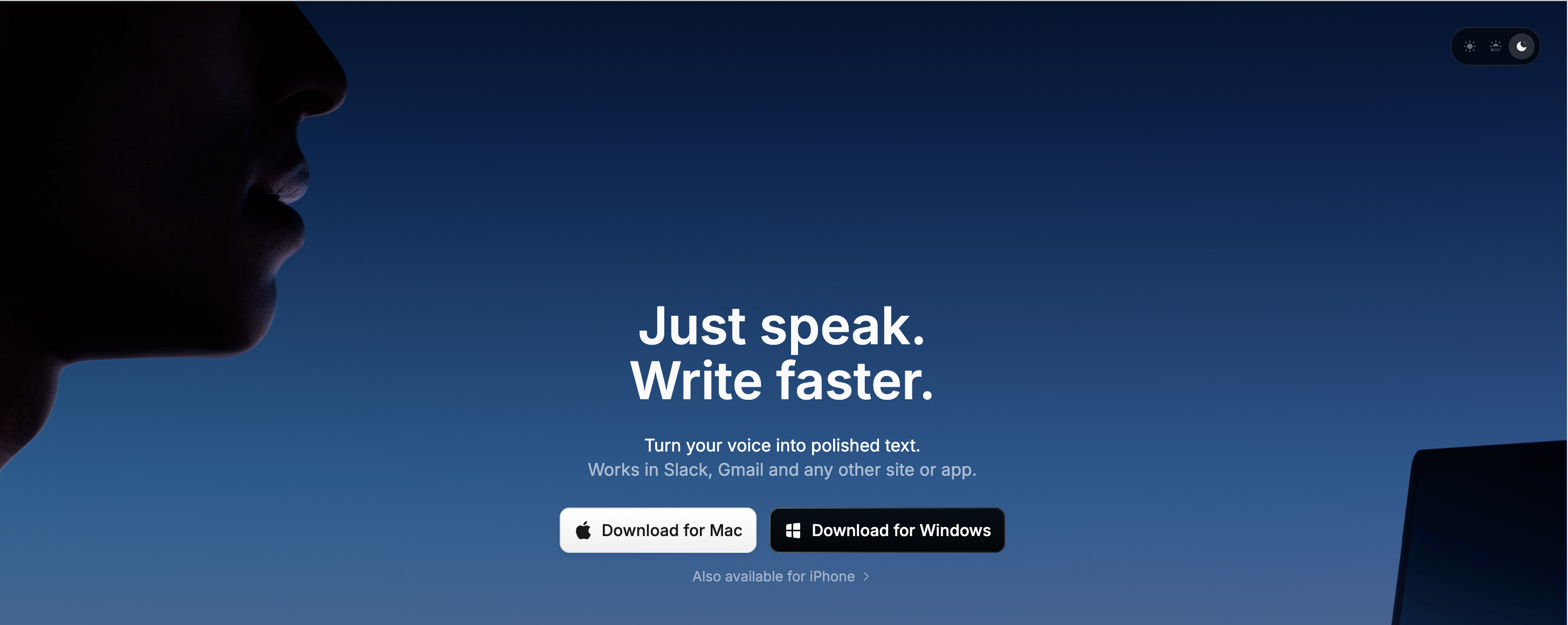
SuperWhisper is a privacy-focused Mac dictation app running Whisper models on-device. It targets power users who want deep customization through intelligent modes — configurable AI workflows for different tasks like emails, code comments, or meeting notes.
Key Features
- 100% on-device processing with multiple Whisper model options
- Intelligent modes for task-specific formatting
- Custom modes with user-defined AI prompts and rules
- Meeting recording and transcription
- 100+ languages with translation support
Pros
- Deepest customization of any dictation app
- Multiple AI model choices (GPT, Claude, Llama, local Whisper)
- Full offline mode on Apple Silicon
Cons
- Steep learning curve — setup compared to "configuring a server"
- Expensive: $8.49/mo or $84.99/yr (lifetime $249)
- Audio recordings saved by default — needs manual disabling
- API keys stored in plaintext
- LLM post-processing can corrupt non-English text
- Transcripts often need manual cleanup
Pricing
| Plan | Price |
|---|---|
| Free | Limited (small local models only) |
| Pro (Monthly) | $8.49/mo |
| Pro (Annual) | $84.99/yr |
| Lifetime | $249 one-time |
User Reviews
Product Hunt: 4.9/5
Best For: Power users who want deep customization, multiple AI model options, and full control over their dictation workflow — and are willing to pay a premium for it.
4. VoiceInk — Best Budget Offline Dictation
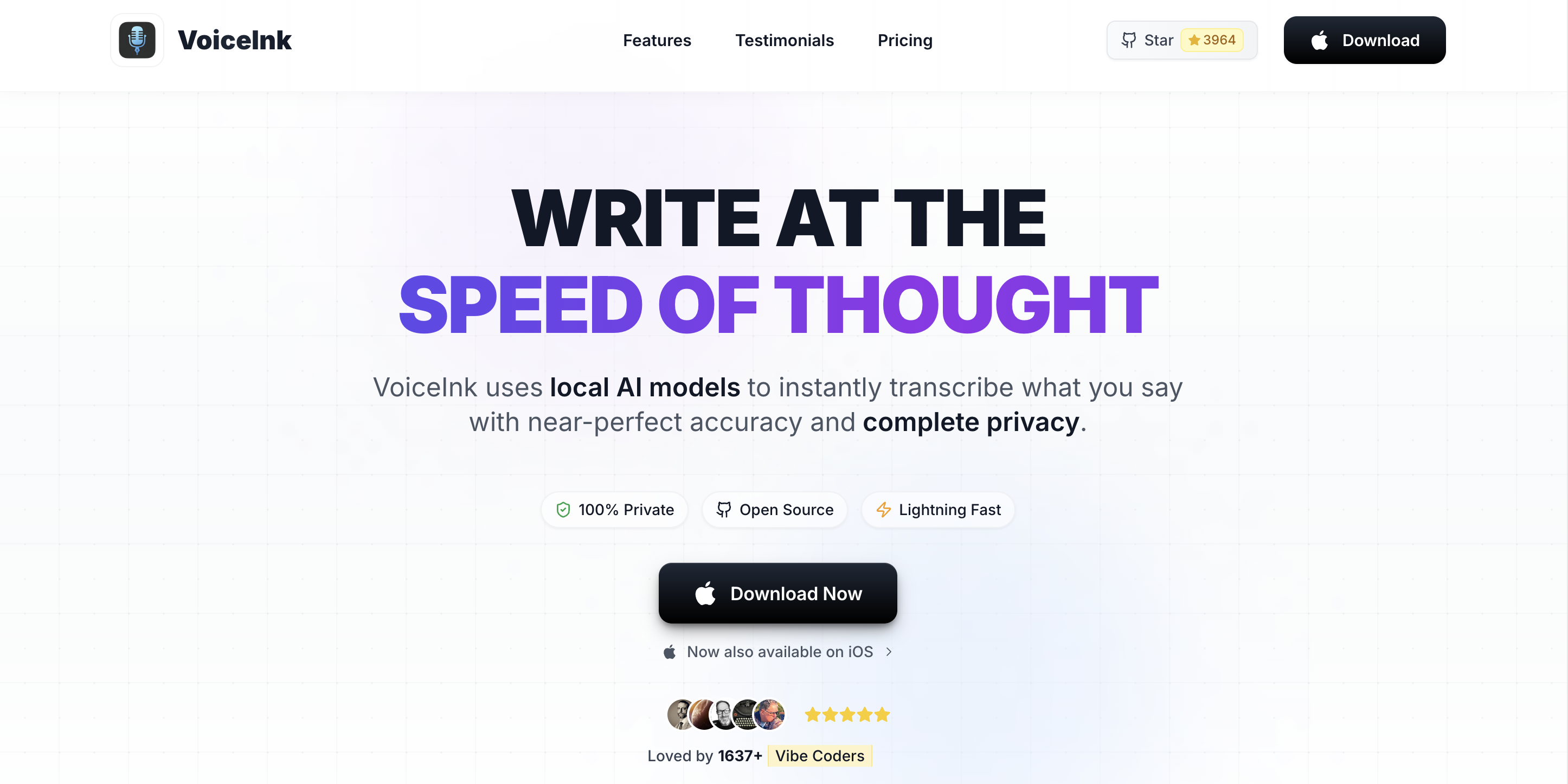
VoiceInk is an open-source macOS dictation app that delivers on-device speech recognition at the lowest commercial price point. Its GPL v3 source code is available on GitHub with over 4,300 stars, letting anyone audit its privacy claims. For a deeper look, read our full VoiceInk review.
Key Features
- 100% on-device processing using local Whisper models
- Open-source (GPL v3) — full code on GitHub
- Power Mode auto-adjusts settings per app or URL
- Smart Modes with up to 10 switchable writing profiles
- Optional AI Enhancement via user-provided API keys
Pros
- Cheapest commercial option at $39.99 one-time
- Open-source transparency — unique in the category
- Power Mode is genuinely useful for app-specific dictation
Cons
- No developer IDE integration (no VS Code or Cursor support)
- Requires macOS 14+ (no macOS 13 support)
- AI Enhancement requires external API keys
Pricing
| Plan | Price |
|---|---|
| Free Trial | 7 days |
| Pro License | $39.99 one-time |
| Build from Source | Free (GPL v3) |
User Reviews
Mac App Store: 4.1/5 (24 ratings)
Best For: Budget-conscious Mac users and open-source advocates who want private, offline dictation at the lowest price.
5. MacWhisper — Best for Audio and Video File Transcription
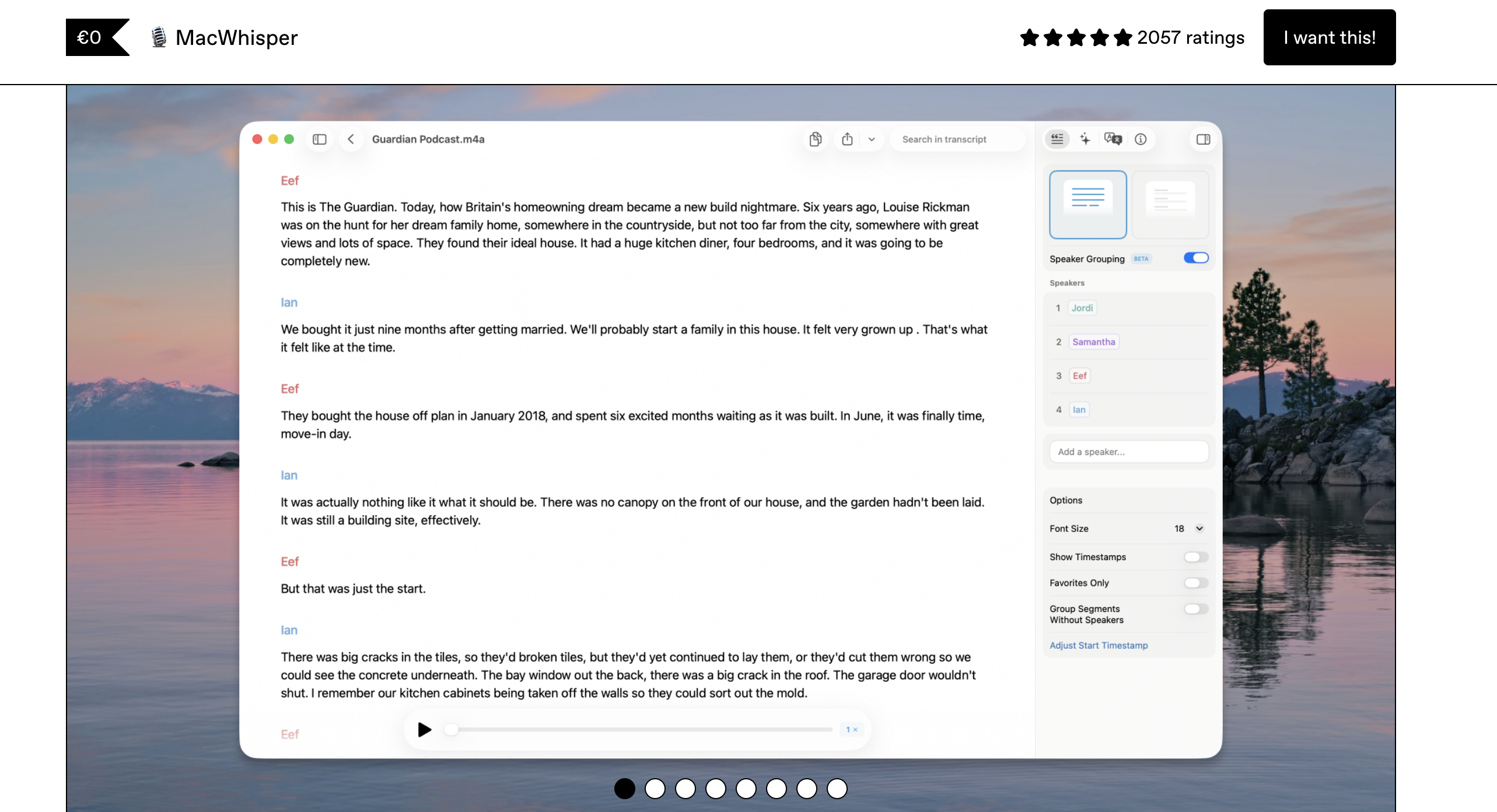
MacWhisper (also sold as "Whisper Transcription" on the App Store) is an on-device transcription tool designed for processing audio and video files — not real-time dictation. If you have recorded meetings, interviews, or podcasts that need transcription, MacWhisper processes them locally using Whisper models.
Key Features
- Batch transcription of hundreds of audio/video files
- Watch folder automation for hands-off processing
- SRT/VTT subtitle export with timestamps
- YouTube URL transcription
- 100+ languages with on-device Whisper models
Pros
- Best batch file transcription tool for Mac
- On-device processing keeps files private
- Exports in multiple formats (SRT, VTT, plain text)
Cons
- Not a real-time dictation tool — cannot replace Otter AI for live meetings
- No system-wide text insertion
- App Store pricing uses confusing subscription tiers
Pricing
| Plan | Price |
|---|---|
| Free | Basic features, small models |
| Pro (Gumroad) | ~$69 one-time |
| Pro (App Store) | $29.99/yr or $79.99 lifetime |
User Reviews
Product Hunt: 4.8/5 (~1,886 ratings)
Best For: Users who need to transcribe recorded audio/video files locally — podcasters, journalists, researchers with existing recordings.
6. Apple Dictation — Best Free Built-In Option
Apple Dictation is the free speech-to-text feature built into macOS. On Apple Silicon Macs, it processes speech on-device. It works system-wide and requires zero setup — just enable it in System Settings and press the dictation shortcut.
Key Features
- Free and pre-installed on every Mac
- On-device processing on Apple Silicon (M1+)
- 60+ language support
- Auto-punctuation and voice commands
- System-wide — works in any text field
Pros
- Zero cost and zero setup
- On-device privacy on Apple Silicon Macs
- Good enough for short messages and quick notes
Cons
- Stops after ~30 seconds of silence — designed for short bursts
- No custom vocabulary or domain-specific terms
- No AI text cleanup or formatting intelligence
- Cloud processing on Intel Macs
Pricing
Free (built into macOS)
User Reviews
Not separately rated (built-in OS feature)
Best For: Users who want basic, free dictation for short messages and notes without installing any software.
7. Notta — Best Meeting Transcription Alternative to Otter AI
Notta is the closest direct replacement for Otter AI — a cloud-based meeting transcription service with AI summaries, speaker identification, and calendar integration. It supports 58 languages and offers a more affordable Pro plan than Otter AI.
Key Features
- Real-time meeting transcription with speaker identification
- AI-generated summaries and action items
- 58 language support with translation
- Calendar integration for automatic meeting recording
- Web, iOS, Android, Chrome extension
Pros
- Lower price than Otter AI ($8.17/mo vs $10/mo annually)
- Broader language support (58 vs Otter's English-primary)
- Higher G2 rating than Otter AI (4.6/5 vs 4.4/5)
Cons
- Cloud-only — same privacy model as Otter AI
- No offline mode
- Low Trustpilot score (1.8/5) suggests customer service issues
Pricing
| Plan | Price |
|---|---|
| Free | 120 min/mo (3 min/file) |
| Pro (Annual) | $8.17/mo ($98/yr) |
| Pro (Monthly) | $15/mo |
User Reviews
G2: 4.6/5 (229 reviews) | Trustpilot: 1.8/5
Best For: Users who want Otter AI's core meeting transcription features at a lower price with better language support.
8. Rev — Best for Human-Quality Transcription Accuracy
Rev offers both AI and human transcription services. When AI accuracy is not sufficient — for legal proceedings, medical records, or content with heavy accents and jargon — Rev's human transcription delivers the highest accuracy available.
Key Features
- AI transcription at $0.25/minute
- Human transcription at $1.99/minute
- Captions and subtitle generation
- API access for automated workflows
- Global translated subtitles
Pros
- Human transcription option for maximum accuracy
- Pay-per-minute pricing — no monthly commitment required
- Highest G2 rating in the category (4.7/5)
Cons
- Not a real-time dictation tool
- Cloud-based (no privacy guarantee for sensitive audio)
- Human transcription is expensive at $1.99/minute
Pricing
| Service | Price |
|---|---|
| AI Transcription | $0.25/min |
| Human Transcription | $1.99/min |
| Basic Plan | $14.99/mo (20 hrs AI) |
| Pro Plan | $34.99/mo (100 hrs AI) |
User Reviews
G2: 4.7/5 (~563 reviews)
Best For: Users who need guaranteed accuracy for critical transcription and are willing to pay premium prices for human quality.
How to Choose the Right Otter AI Alternative
Use this decision tree to find the right tool:
- Do you need meeting transcription with speaker identification?
→ Yes: Notta (cheaper than Otter AI) or Rev (for critical accuracy)
→ No: Continue to question 2 - Do you need to transcribe existing audio/video files?
→ Yes: MacWhisper (batch processing, on-device)
→ No: Continue to question 3 - Is privacy and offline capability important?
→ Yes: Continue to question 4
→ No: Wispr Flow (best AI cleanup, cross-platform) - Are you a developer who dictates code?
→ Yes: Voibe (VS Code/Cursor IDE integration)
→ No: Continue to question 5 - Is budget your top priority?
→ Yes: VoiceInk ($39.99) or Apple Dictation (free)
→ No: Voibe ($99 lifetime, best all-around) or SuperWhisper (deepest customization)
Best Tool for Your Situation: Use-Case Cheat Sheet
| Scenario | Best Tool | Why |
|---|---|---|
| Recording Zoom/Meet/Teams meetings | Notta | Cheaper than Otter AI with better language support |
| Dictating emails and documents on Mac | Voibe | System-wide dictation with on-device privacy |
| Coding with voice (VS Code/Cursor) | Voibe | Only app with IDE integration and workspace awareness |
| Transcribing recorded interviews | MacWhisper | Batch file processing with timestamps and SRT export |
| Budget-friendly offline dictation | VoiceInk | $39.99 one-time — cheapest commercial option |
| Quick notes and short messages | Apple Dictation | Free, pre-installed, zero setup |
| Cross-platform dictation (Mac + Windows) | Wispr Flow | Works on Mac, Windows, iOS, Android |
| Legal/medical transcription (critical accuracy) | Rev | Human transcription at $1.99/min for guaranteed accuracy |
| Privacy-sensitive professional work | Voibe or SuperWhisper | 100% on-device — no cloud, no compliance risk |
| Power users who want deep customization | SuperWhisper | Intelligent modes, custom AI prompts, model selection |
| Open-source advocates | VoiceInk | GPL v3 source code on GitHub |
| Free dictation — no budget at all | Apple Dictation | Built into macOS, always available |
Frequently Asked Questions About Otter AI Alternatives
Basics
What is the best Otter AI alternative in 2026?
The best Otter AI alternative depends on your use case. For Mac dictation with privacy, Voibe ($4.90/mo or $99 lifetime) processes everything on-device. For meeting transcription, Notta ($8.17/mo) offers a similar feature set with AI summaries. For human-quality accuracy, Rev provides professional transcription at $1.99/minute.
Why are people switching from Otter AI?
Common reasons include privacy concerns (Otter AI processes all audio on cloud servers and faces a class-action lawsuit over recording consent), rising prices with shrinking free tier limits, accuracy issues with multiple speakers and accents, and the platform's exclusive focus on meeting transcription.
Privacy
Which Otter AI alternatives work offline?
Voibe, VoiceInk, SuperWhisper, MacWhisper, and Apple Dictation (on Apple Silicon Macs) all process speech on-device without internet. These are the best alternatives for users concerned about Otter AI's cloud processing and privacy practices.
Pricing
Are there free Otter AI alternatives?
Yes. Apple Dictation is free and built into macOS. VoiceInk can be built from source for free under its GPL v3 license. Notta offers 120 minutes per month free. Wispr Flow provides 2,000 words per week free.
What is the cheapest Otter AI alternative?
Apple Dictation is free. Among paid options, VoiceInk at $39.99 one-time is the cheapest, followed by Voibe at $99 lifetime. For meeting transcription, Notta Pro costs $8.17/month annually — cheaper than Otter AI Pro at $10/month annually.
Comparisons
Is Voibe better than Otter AI?
Voibe and Otter AI serve different purposes. Otter AI specializes in meeting transcription with cloud-based speaker identification and AI summaries. Voibe specializes in real-time dictation with 100% on-device processing and developer IDE integration. Voibe is better for privacy-first dictation; Otter AI is better for automated meeting notes.
Which Otter AI alternative has the best accuracy?
For meeting transcription, Rev offers human transcription at $1.99/minute with the highest accuracy available. For dictation, Voibe, SuperWhisper, and VoiceInk all use Whisper models and deliver high accuracy for English.
Use Cases
Can I use Otter AI alternatives for meeting transcription?
Yes. Notta and Rev both support meeting transcription with Zoom, Google Meet, and Teams integration. Offline dictation tools like Voibe and VoiceInk are designed for real-time text input, not meeting recording.
Final Verdict: The Best Otter AI Alternative in 2026
The right Otter AI alternative depends on what you actually need:
- For private, on-device Mac dictation: Voibe ($99 lifetime) — the only dictation app with IDE integration, processing everything locally on your Mac.
- For meeting transcription: Notta ($98/yr) — similar features to Otter AI at 18% lower cost with better language support.
- For budget offline dictation: VoiceInk ($39.99 one-time) — open-source, on-device, and the cheapest commercial option.
- For critical accuracy: Rev — human transcription when AI is not accurate enough.
Most Otter AI users switching to dictation (rather than meeting transcription) will be best served by Voibe — it replaces the need for cloud processing entirely while offering a feature set purpose-built for Mac productivity.
Try Voibe free and see how on-device dictation compares to Otter AI's cloud approach.
Disclosure: Voibe is our product. All pricing, features, and ratings were verified from official sources in March 2026. See our full alternatives directory and best dictation apps roundup for additional options.
Key Takeaway
Voibe is the best Otter AI alternative for Mac users who want private, offline dictation. Notta is the best direct replacement for meeting transcription at a lower price.
Ready to type 3x faster?
Voibe is the fastest, most private dictation app for Mac. Try it today.
Related Articles
7 Best Dictation Software for Writers (2026)
Compare the 7 best dictation tools for writers in 2026. Covers offline and cloud options, pricing from free to $699, and which tool fits your writing workflow.
7 Best Offline Dictation Apps for Mac in 2026
Compare the best offline dictation software for Mac that processes speech locally. Covers Voibe, SuperWhisper, MacWhisper, VoiceInk, and more with pricing, privacy, and features.
7 Best Dictation Software for Lawyers (2026)
Best dictation software for lawyers who want privacy, speed, and value. 7 tools compared on confidentiality, cost per attorney, and Mac support.