
VoiceInk Review 2026: Open-Source Mac Dictation for $40
Honest VoiceInk review covering features, pricing, accuracy, and real user feedback. See how this open-source Mac dictation app compares to Voibe and SuperWhisper.

Pros
- +Open-source (GPL v3) with full code on GitHub — anyone can audit the privacy claims
- +Affordable one-time pricing at $39.99 (no subscription required)
- +100% on-device processing by default using local Whisper models
- +Power Mode auto-adjusts settings based on active app or URL
- +Over 100 language support via Whisper models
- +Active solo developer with responsive Discord community
- +Can be built from source for free using Xcode
Cons
- -No dedicated developer IDE integration (no VS Code or Cursor support)
- -Requires macOS 14 Sonoma or later — no macOS 13 support
- -AI Enhancement requires user-provided API keys for external LLMs
- -Context awareness relies on screenshot OCR rather than accessibility APIs
- -iOS companion app reported as buggy in App Store reviews
TL;DR: VoiceInk is a capable open-source Mac dictation app that earns a 7/10 (3.5/5). It runs Whisper models on-device for private, offline speech recognition at a one-time price of $39.99. VoiceInk is the most affordable commercial offline dictation app for Mac, and its open-source codebase lets anyone verify its privacy claims. However, it lacks developer IDE integration, requires macOS 14+, and its AI enhancement depends on external API keys. For developers or users who want a more polished experience with weekly product investment and a firm commitment to never train AI on user dictation, Voibe ($149 lifetime) offers VS Code/Cursor integration and broader macOS compatibility.
Disclosure: Voibe is our product. This review covers VoiceInk's strengths and weaknesses fairly, and we acknowledge where VoiceInk outperforms Voibe — particularly on price.
Key Takeaway
VoiceInk scores 7/10 — an affordable, privacy-respecting open-source dictation app for Mac that excels on price but trails commercial alternatives on polish and developer features.
Key Takeaways: VoiceInk at a Glance
| Aspect | Rating | Summary |
|---|---|---|
| Privacy | 9/10 | 100% on-device by default, open-source code for verification |
| Pricing | 9/10 | $39.99 one-time — cheapest commercial offline dictation app |
| Accuracy | 7/10 | Solid Whisper-based accuracy; multi-language detection needs work |
| Features | 7/10 | Power Mode and Smart Modes are useful; lacks IDE integration |
| User Experience | 6/10 | Functional but requires more setup than plug-and-play competitors |
| Overall | 7/10 | Best for budget-conscious users and open-source advocates |
What Is VoiceInk?
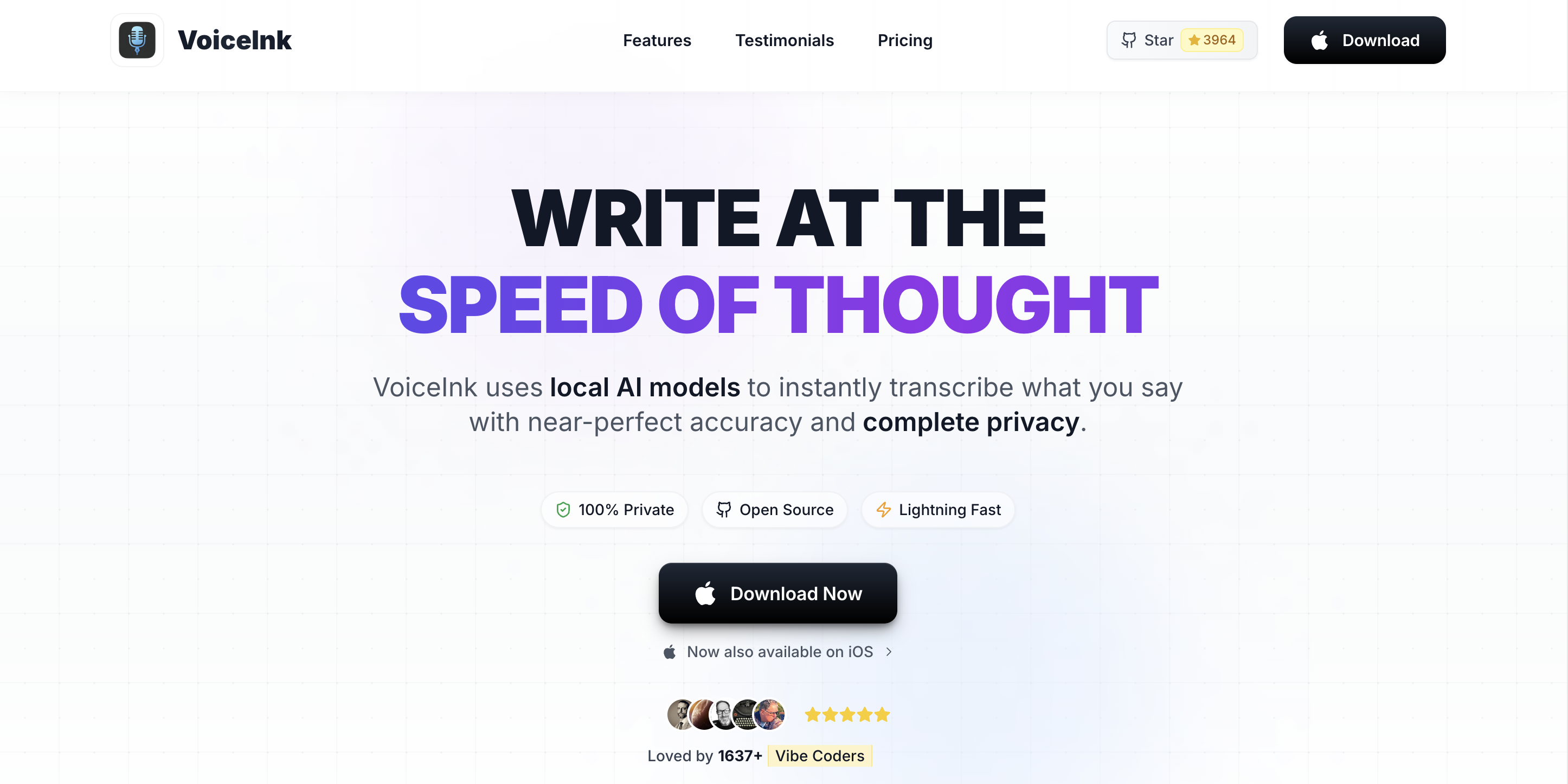
VoiceInk is an open-source macOS dictation application built by indie developer Prakash Joshi Pax. It converts speech to text using local Whisper AI models (via whisper.cpp), processing audio entirely on your Mac without sending data to external servers.
VoiceInk launched in early 2025 and was open-sourced on GitHub in February 2025 under the GPL v3 license. The repository has accumulated over 4,300 stars and 570 forks, signaling strong community interest. The app is written in Swift and receives regular updates — version 1.72 shipped in March 2026.
VoiceInk works system-wide, inserting dictated text wherever your cursor is active. It supports over 100 languages through Whisper models and includes Power Mode for app-specific configurations. For a broader look at how VoiceInk fits among offline dictation tools, see our best offline dictation apps for Mac comparison.
VoiceInk Key Features
VoiceInk includes a focused set of features centered on on-device dictation with smart customization:
- System-wide dictation: Works in any macOS application via a customizable global hotkey. Text is inserted at the cursor position.
- Power Mode: Automatically applies different settings based on the active app or URL. You can configure distinct transcription parameters for your email client, browser, and writing apps.
- Smart Modes: Pre-built writing profiles (Default, Email, Tweet, Chat, Custom) switchable via keyboard shortcuts (CMD/OPT + number). Supports up to 10 custom modes.
- AI Enhancement: Optional post-transcription text polishing for grammar correction, tone adjustment, and formatting. Requires user-provided API keys from OpenAI, Anthropic, or Google Gemini.
- Assistant Mode: Voice-activated AI chat — say "Hey!" to trigger quick questions to an LLM without leaving your current app.
- Personal Dictionary: Add custom words, names, and auto-replacement rules for specialized terminology.
- Searchable History: Browse and search all past transcriptions with stored audio recordings.
- Multiple Model Support: Choose from Whisper models (tiny through large) and the Parakeet model for different speed/accuracy trade-offs.
VoiceInk Pricing and Plans
VoiceInk uses a straightforward one-time pricing model — no subscription required. The three commercial tiers differ only in the number of Macs each license covers (full breakdown in our VoiceInk pricing guide):
| Plan | Price | Includes |
|---|---|---|
| Free Trial | $0 | Full feature access during trial window |
| Solo | $25 one-time | 1 Mac, lifetime access, all features, lifetime updates |
| Personal | $39 one-time | Up to 2 Macs, lifetime access, all features, lifetime updates |
| Extended | $49 one-time | Up to 3 Macs (cheapest per-Mac), lifetime access, all features, lifetime updates |
| Build from Source | Free | GPL v3 — requires Xcode; no auto-updates or priority support |
VoiceInk is the most affordable commercial offline dictation app for Mac. Here is how it compares over three years:
| Tool | Year 1 | Year 2 | Year 3 | 3-Year Total |
|---|---|---|---|---|
| VoiceInk | $39.99 | $0 | $0 | $39.99 |
| Voibe (lifetime) | $149 | $0 | $0 | $149 |
| SuperWhisper (annual) | $84.99 | $84.99 | $84.99 | $254.97 |
| Wispr Flow (annual) | $144 | $144 | $144 | $432 |
VoiceInk's $39.99 one-time price is 80% cheaper than Voibe's $149 lifetime and 84% cheaper than SuperWhisper's $254.97 over three years. If upfront price is your primary concern, VoiceInk is the clear winner. The trade-off: VoiceInk is an open-source solo-developer project without formal support channels, whereas Voibe's price funds a private, actively developed product — weekly releases, purpose-built on-device AI models, dedicated support, and a firm commitment to never train AI on user dictation. We don't take data-harvesting or ad revenue; the license funds the team.
Key Takeaway
VoiceInk at $39.99 one-time is the cheapest commercial offline dictation app for Mac. Voibe ($149 lifetime) costs more but funds weekly releases, dedicated support, purpose-built AI models, and a firm no-AI-training policy on user dictation. For a full plan-by-plan breakdown including the $25 Solo, $39 Personal, and $49 Extended tiers plus the free GPL v3 build path, see our VoiceInk pricing guide.
Performance and Accuracy
VoiceInk uses the same OpenAI Whisper models available to other on-device dictation apps (via whisper.cpp). You can choose between model sizes — from "tiny" for fastest processing to "large" for highest accuracy. VoiceInk also offers the Parakeet model (via FluidAudio) as an alternative to Whisper.
In practice, accuracy for English dictation is strong across all model sizes on Apple Silicon Macs. The app handles conversational speech, technical terminology (when added to the personal dictionary), and punctuation well with larger models.
Where accuracy drops:
- Multi-language use: The Parakeet model has reported issues detecting the correct language when switching between languages mid-dictation. Users working in multiple languages may want to stick with Whisper models and set the language manually.
- Non-native accents: As with all Whisper-based tools, accuracy decreases with strong non-native accents, particularly with smaller model sizes.
- Context awareness: VoiceInk uses screenshot capture plus OCR for context — a less reliable approach than direct accessibility API access. This means the app may not always understand what is on your screen as accurately as competitors.
Processing speed depends on your Mac's hardware and the selected model. Apple Silicon Macs with 16GB RAM handle the large Whisper model comfortably. Older machines or those with 8GB RAM may experience noticeable delays with larger models.
User Experience and Interface
VoiceInk's setup process is straightforward — install from the Mac App Store or download from the website, grant microphone and accessibility permissions, and select your preferred Whisper model. The initial model download takes a few minutes depending on the model size.
Daily workflow centers on a global hotkey: press to start dictating, release (or press again) to stop. Text appears at your cursor position in any app. The Power Mode feature is genuinely useful — it automatically switches configurations based on which app you are using or which URL you are visiting, so you can have different settings for email versus coding versus social media.
Where VoiceInk falls short compared to commercial alternatives:
- Setup complexity: Getting the most out of VoiceInk requires configuring Power Mode profiles, setting up Smart Modes, and potentially adding API keys for AI Enhancement. Voibe and Wispr Flow work effectively out of the box.
- Interface polish: The UI is functional but basic. Reviewers describe it as having a steeper learning curve than competitors with more refined interfaces.
- AI Enhancement friction: Unlike Voibe or Wispr Flow which include built-in text processing, VoiceInk requires you to provide your own API keys from OpenAI, Anthropic, or Google — adding cost and setup friction.
For users who enjoy configuring tools to match their workflow, VoiceInk's customization is a strength. For users who want to install and start dictating immediately, commercial alternatives offer a smoother path.
VoiceInk Pros and Cons
Pros
- Open-source transparency: The full source code is on GitHub under GPL v3. You can inspect exactly how your audio is handled — a level of transparency no closed-source competitor offers.
- Most affordable one-time price: At $39.99, VoiceInk costs about a fifth of Voibe ($149 lifetime) and a fraction of SuperWhisper ($249.99 lifetime). You can also build from source for free.
- On-device privacy by default: Audio processing happens locally on your Mac using Whisper models. No data is sent to servers unless you opt into cloud AI Enhancement.
- Power Mode is genuinely useful: Automatic per-app configuration saves time. Your email client, code editor, and browser can each have optimized dictation settings.
- Active developer and community: Solo developer Prakash Joshi Pax responds quickly on Discord and GitHub. The app receives frequent updates — version 1.72 shipped March 2026.
- Broad model choice: Switch between Whisper model sizes (tiny to large) and the Parakeet model to balance speed versus accuracy for your hardware.
Cons
- No developer IDE integration: VoiceInk has no VS Code or Cursor support. Developers who dictate code comments or documentation miss out on file name resolution and workspace-aware vocabulary. Voibe is the only dictation app with IDE integration.
- Requires macOS 14 or later: Users on macOS 13 Ventura cannot use VoiceInk. Voibe supports macOS 13+.
- AI Enhancement requires external API keys: Grammar correction and text polishing need API keys from OpenAI, Anthropic, or Google. This adds per-use cost and setup complexity that built-in alternatives avoid.
- Screenshot-based context awareness: VoiceInk captures screenshots and uses OCR to understand your screen context. This is less reliable than accessibility API access and raises questions about what screen content is captured.
- iOS app quality issues: Multiple App Store reviews report the iOS companion app as buggy — wrong language detection, features that do not match the Mac version, and general instability.
Who Is VoiceInk Best For?
VoiceInk is the right choice for specific user profiles:
Best for:
- Budget-conscious Mac users who want reliable offline dictation without a subscription. At $39.99 one-time, VoiceInk is the most affordable path to private, on-device speech recognition.
- Open-source advocates who want to audit the code handling their voice data. VoiceInk is the only dictation app with publicly auditable source code.
- Tinkerers and power users who enjoy configuring tools. Power Mode and Smart Modes reward users who invest time in customization.
- Privacy-focused users on a tight budget who cannot justify $149 for Voibe or $249.99 for SuperWhisper but need offline processing.
Not ideal for:
- Developers who dictate code comments, documentation, or prompts — VoiceInk lacks IDE integration. Voibe's VS Code and Cursor support is purpose-built for this workflow.
- Users on macOS 13 — VoiceInk requires macOS 14 Sonoma or later.
- Users who want zero-config setup — VoiceInk requires more initial configuration than Voibe or Wispr Flow.
- Multi-language dictators — the Parakeet model has language detection issues that can disrupt multilingual workflows.
What Reviewers and Users Say About VoiceInk
VoiceInk has received attention across several platforms. Here are verified ratings and user feedback:
| Platform | Rating | Details |
|---|---|---|
| Mac App Store | 4.1/5 | 24 ratings (combined iOS/Mac listing) |
| GitHub | 4,300+ stars | 570+ forks, 33 contributors |
| Product Hunt | — | Multiple launches since March 2025 |
Independent reviewer Kuan-Hao Huang reported that VoiceInk doubled his productivity and saved approximately 4.5 hours of typing over two months of use. Users on the Mac Power Users forum praised the one-time fee model and open-source transparency.
Critical feedback centers on the iOS app quality (described as "too buggy" by App Store reviewers), occasional issues with cloud transcription settings turning on unexpectedly, and multi-language detection problems with the Parakeet model.
VoiceInk Alternatives to Consider
If VoiceInk does not fit your needs, here are alternatives worth evaluating:
| Alternative | Best For | Price | Key Difference |
|---|---|---|---|
| Voibe | Developers, polished UX | $7.50/mo, $59/yr, or $149 lifetime | VS Code/Cursor IDE integration, weekly releases, works on macOS 13+ |
| SuperWhisper | Power users, custom models | $8.49/mo or $84.99/yr | Custom Whisper model loading, intelligent modes |
| Apple Dictation | Casual use | Free (built-in) | Zero setup, on-device on Apple Silicon |
| MacWhisper | File transcription | Free / ~$69 Pro | Batch file transcription, timestamps, SRT export |
For a detailed head-to-head, read our Voibe vs VoiceInk comparison, see all 9 best VoiceInk alternatives, or browse the full dictation app comparison hub. If you want an open-source dictation app that runs on Windows and Linux in addition to Mac, see our Handy review — Handy is free under MIT with approximately 20,000 GitHub stars and native cross-platform support.
Frequently Asked Questions About VoiceInk
Basics
What is VoiceInk?
VoiceInk is an open-source macOS dictation app that uses local Whisper AI models to convert speech to text on-device. It works system-wide in any app and costs $39.99 one-time. The source code is available on GitHub under GPL v3.
Is VoiceInk really open-source?
Yes. VoiceInk's full source code is available on GitHub under the GPL v3.0 license with over 4,300 stars and 570 forks. You can audit the code to verify privacy claims or build it from source for free using Xcode.
Pricing
Is VoiceInk free?
VoiceInk offers a 7-day free trial. After that, the Pro license costs $39.99 one-time. Since it is open-source (GPL v3), you can also build it from source for free using Xcode, though you will not get automatic updates or priority support.
Is VoiceInk worth $39.99?
For most Mac users who want basic offline dictation, VoiceInk at $39.99 one-time is a strong value. It is the cheapest commercial offline dictation app available. However, if you need developer IDE integration, weekly product investment, dedicated support, or the assurance that the vendor will never train AI on your dictation, Voibe at $149 lifetime offers significantly more.
Comparisons
How does VoiceInk compare to Voibe?
VoiceInk ($39.99 one-time) is cheaper upfront than Voibe ($149 lifetime). VoiceInk is a solo-developer open-source project with minimal formal support; Voibe ships weekly releases, trains its own on-device AI models, offers dedicated support, and commits to never training AI on user dictation. Voibe adds VS Code and Cursor integration, supports macOS 13+, and provides a more polished out-of-box experience. Read our full Voibe vs VoiceInk comparison.
Is VoiceInk better than Apple Dictation?
VoiceInk offers advantages over Apple Dictation including custom vocabulary via personal dictionary, Power Mode for app-specific settings, AI text enhancement, and a searchable transcription history. Apple Dictation is free and requires no setup but lacks these advanced features.
Performance
How accurate is VoiceInk?
VoiceInk uses the same Whisper models as other on-device dictation apps and delivers comparable accuracy for English dictation. Accuracy can vary with non-native accents and the Parakeet model has reported issues with multi-language detection.
Does VoiceInk work offline?
Yes. VoiceInk processes speech entirely on-device using local Whisper models by default. No internet connection is required for basic dictation. Cloud features like AI Enhancement are optional and use your own API keys.
Final Verdict: Is VoiceInk Worth It?
VoiceInk earns a 7/10 (3.5/5). It is a capable open-source dictation app that delivers reliable on-device speech recognition at the most affordable price in the category. Its open-source nature is a genuine differentiator — no other dictation app lets you audit exactly how your voice data is processed.
VoiceInk is the right pick if you want private, offline dictation and price is your top priority. The $39.99 one-time cost is unbeatable, and the Power Mode feature adds real value for users who dictate across multiple apps.
Where VoiceInk falls short is on polish, developer features, and vendor backing. If you write code and want IDE-aware dictation with weekly product investment, dedicated support, and a firm commitment to never train AI on user dictation, Voibe ($149 lifetime) is the better choice — it is the only dictation app with VS Code and Cursor integration. If you want deep customization and multiple AI model options, SuperWhisper offers more power at a higher price.
Disclosure: Voibe is our product. We have tested VoiceInk alongside Voibe and other dictation tools. Pricing and features were verified from official sources in March 2026.
Key Takeaway
VoiceInk scores 7/10 — the most affordable offline Mac dictation app with genuine open-source transparency. Choose it for budget-friendly privacy; choose Voibe for developer features and polish.
Related Comparisons and Reviews
- Apple Dictation vs OpenAI Whisper — context for why Whisper-powered apps like VoiceInk exist
- Apple Dictation vs Wispr Flow — the free-built-in baseline that VoiceInk improves on
- Voibe vs VoiceInk — on-device Mac dictation head-to-head
- SuperWhisper vs VoiceInk — feature-rich vs affordable
- VoiceInk vs Wispr Flow — on-device vs cloud dictation
- MacWhisper vs VoiceInk — transcription vs dictation
- Wisprtype Review — free indie Whisper-shell launched May 2026 (closed-source equivalent of VoiceInk's GPL v3 architecture)
- Wisprtype Alternatives — 9-product matrix where VoiceInk is the open-source pick
- Best Offline Dictation Apps for Mac
Verdict
VoiceInk is a solid open-source Mac dictation app that delivers reliable on-device speech recognition at a competitive one-time price. It earns a 7/10 — strong on privacy, affordability, and community, but held back by limited developer features and a less polished experience compared to commercial alternatives like Voibe.
Ready to type 3x faster?
Voibe is the fastest, most private dictation app for Mac. Try it today.
Related Articles
Wisprtype Review (2026): Honest Take on the Free Mac App
Hands-on Wisprtype review of the free, native Mac dictation app from indie developer Piyush Garg. Covers setup, models, telemetry, BYOK cloud privacy, and long-term viability.
Handy Review 2026: Free Open-Source Offline Dictation for Mac, Windows, Linux
Honest Handy review covering features, pricing, accuracy, and real limitations. See how this free open-source dictation app compares to Voibe, Wispr Flow, and Superwhisper.
8 Best Otter AI Alternatives for Mac Users (2026)
Compare the best Otter AI alternatives for Mac — from offline dictation apps like Voibe to meeting transcription tools like Notta. Pricing, features, and privacy compared.