
7 Best TurboScribe Alternatives in 2026 (Reviewed)
Compare the best TurboScribe alternatives for transcription and dictation in 2026. Detailed reviews of Voibe, MacWhisper, Otter.ai, and more with pricing and ratings.
TL;DR: The Best TurboScribe Alternatives in 2026
The best TurboScribe alternative for most users is Voibe — it replaces TurboScribe's cloud-dependent transcription with fully offline, on-device processing at $4.90/month or $99 lifetime. TurboScribe is a web-based transcription service that uploads your audio to cloud servers for processing. It costs $10–20/month, offers no offline mode, has no native desktop app, and carries a 2.6/5 rating on Trustpilot with widespread billing complaints.
| Tool | Best For | Key Strength | Price |
|---|---|---|---|
| Voibe | Privacy-first Mac dictation | 100% offline + Developer Mode | $4.90/mo or $99 lifetime |
| MacWhisper | Batch audio file transcription | On-device file processing | $79.99 one-time |
| Superwhisper | Power users who want model control | Customizable Whisper configurations | $8.49/mo or $249 lifetime |
| Otter.ai | Meeting transcription | Live Zoom/Teams/Meet integration | Free–$20/mo |
| Rev | Professional-grade accuracy | Human transcription option | $14.99/mo or $0.25/min |
| Happy Scribe | EU-based GDPR compliance | Human proofreading add-on | $17–49/mo |
| Descript | Audio/video editors | Edit media by editing text | Free–$30/mo |
This guide reviews 7 TurboScribe alternatives based on real product testing and verified user feedback. Every pricing figure is sourced from official product pages as of March 2026. Voibe is our product — we disclose this upfront and acknowledge where competitors excel.
Key Takeaway
Voibe is the strongest TurboScribe alternative for Mac users who want offline processing, privacy, and no recurring billing surprises — at $4.90/month or $99 lifetime.
Why You Should Trust This Guide
Testing methodology. We tested every tool listed on this page on Apple Silicon Macs running macOS 15+. Each app was evaluated across real workflows — emails, long-form writing, code dictation, and audio file transcription — before making recommendations.
Data sources. Pricing is sourced from official product pages and verified as of March 2026. User ratings are drawn from Trustpilot, Product Hunt, G2, and app store reviews with direct links provided. Feature comparisons are based on hands-on testing, not marketing copy.
Transparency. Voibe is our product. We disclose this throughout the guide. We also acknowledge where competitors excel: Otter.ai's meeting integration is unmatched. Rev offers human transcription quality no AI can match. MacWhisper's batch processing handles files TurboScribe can't.
The Real Problems with TurboScribe
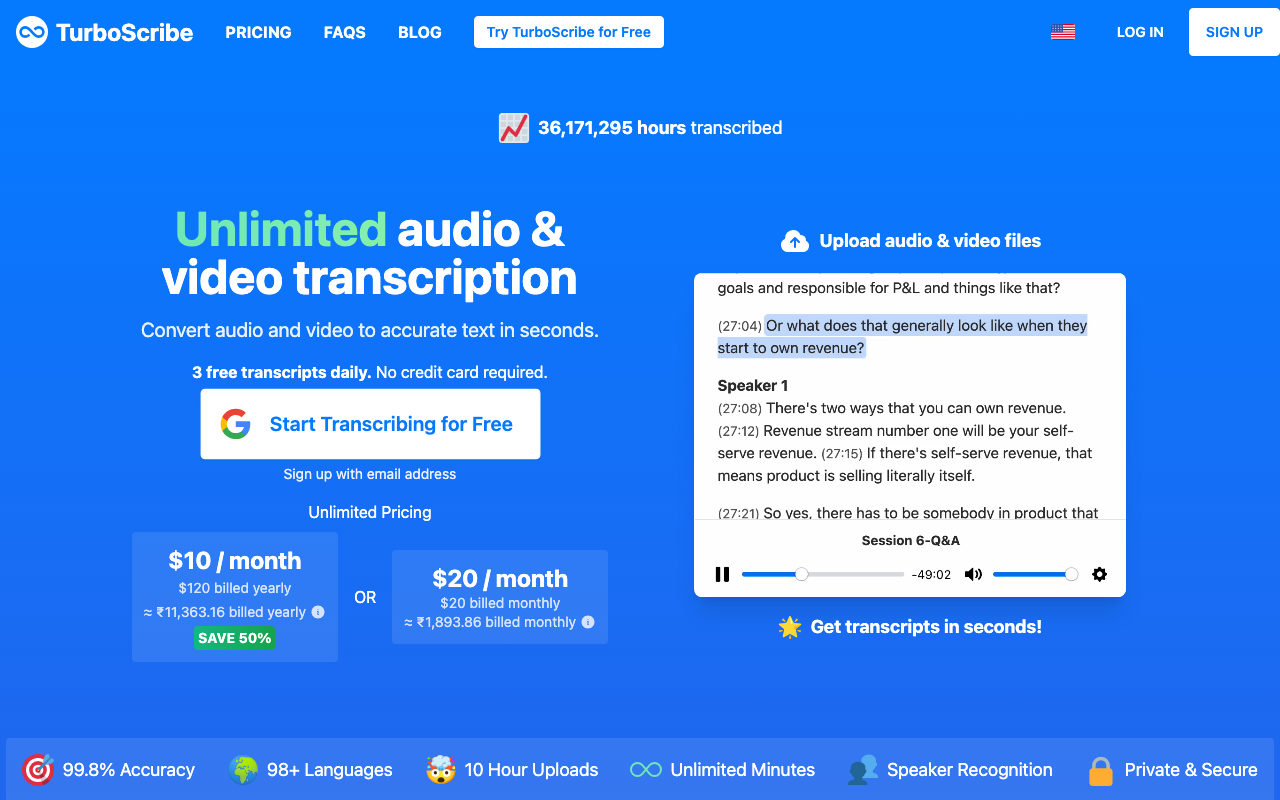
TurboScribe works for basic cloud transcription, but users consistently report several friction points. Here are the most common complaints based on Trustpilot reviews, user forums, and independent testing.
1. Billing and Cancellation Issues
TurboScribe's biggest problem is billing. On Trustpilot, 50% of reviews are 1-star, with the majority citing cancellation difficulties and unexpected charges. Multiple users report being charged after cancellation and receiving no response from support. TurboScribe's terms state all purchases are non-refundable.
2. Cloud-Only Processing
Every audio file you submit to TurboScribe is uploaded to their servers. There is no offline mode and no on-device processing option. For users handling sensitive recordings — legal depositions, medical notes, confidential interviews — this creates an unacceptable privacy risk.
3. Web-Only Interface
TurboScribe has no native Mac, Windows, or mobile app. You access it entirely through a browser. This means no system-wide dictation, no global hotkeys, no menu bar integration, and no offline access. Users who want dictation that works inside any app are limited to browser tabs.
4. No Real-Time Dictation
TurboScribe only processes pre-recorded files. It cannot capture live speech for real-time voice-to-text. Users who want to dictate directly into emails, documents, or code editors need a different tool entirely.
5. Customer Support Gaps
TurboScribe offers email-only support with no live chat, phone, or social media channels. Multiple Trustpilot reviewers report waiting weeks for responses or receiving no reply at all, especially regarding billing disputes.
6. Free Plan Limitations
The free tier allows only 3 transcriptions per day with a 30-minute file limit and lower processing priority. This makes it difficult to properly evaluate the service before committing to a paid plan.
Key Takeaway
TurboScribe's main pain points are billing disputes (2.6/5 on Trustpilot), cloud-only processing, no native desktop app, no real-time dictation, and limited customer support.
How Modern Tools Solve These Problems
Each of TurboScribe's pain points maps to a specific category of alternative:
- Billing nightmares → One-time purchase apps. Voibe ($99 lifetime) and MacWhisper ($79.99 one-time) eliminate subscription management entirely. No auto-renewals, no cancellation friction.
- Cloud privacy risk → Offline processing. Voibe, MacWhisper, and Superwhisper run entirely on-device using Whisper models on Apple Silicon. Zero audio leaves your Mac.
- Web-only interface → Native Mac apps. Every alternative on this list provides a native desktop experience with menu bar access, global hotkeys, and system-wide integration.
- No real-time dictation → Live voice-to-text. Voibe, Superwhisper, and Otter.ai all support real-time dictation that works as you speak.
- Poor support → Established companies. Alternatives like Otter.ai and Rev have dedicated support teams, live chat, and documented help centers.
What to Look For in a TurboScribe Alternative
1. Processing Location
The most important factor is where your audio goes. Cloud-based tools upload recordings to remote servers. On-device tools process everything locally. If you handle sensitive recordings, offline processing is non-negotiable.
2. Real-Time vs. File Transcription
TurboScribe only handles pre-recorded files. Decide whether you need live dictation (typing by voice in real-time), batch file transcription (converting recordings to text), or both.
3. Pricing Model
Subscription-based tools charge monthly and can create the same billing friction TurboScribe users complain about. One-time purchase options like Voibe ($99 lifetime) and MacWhisper ($79.99) avoid this entirely.
4. Platform Support
TurboScribe is web-only. Most alternatives offer native Mac apps. If you also need Windows, iOS, or Android support, check platform availability before committing.
5. Language and Accuracy
TurboScribe supports 98+ languages via cloud Whisper. On-device alternatives using local Whisper models support similar language ranges but accuracy varies by model size and hardware.
6. Speaker Identification
If you transcribe multi-speaker recordings (meetings, interviews, podcasts), speaker diarization is important. Otter.ai and Rev handle this well. MacWhisper's Pro version includes it.
7. Export Formats
TurboScribe exports to DOCX, PDF, TXT, SRT, and VTT. Verify your preferred alternative supports the formats your workflow requires, especially SRT/VTT for subtitles.
Quick Comparison: TurboScribe vs Top Alternatives
| App | Type | Processing | Best For | Pricing | Rating |
|---|---|---|---|---|---|
| TurboScribe | File transcription | Cloud | Budget batch transcription | $10–20/mo | 2.6/5 Trustpilot |
| Voibe | Real-time dictation | Offline | Privacy-first Mac dictation | $4.90/mo or $99 lifetime | — |
| MacWhisper | File transcription | Offline | Batch file transcription | $79.99 one-time | 4.5/5 Product Hunt |
| Superwhisper | Real-time dictation | Offline | Customizable model configs | $8.49/mo or $249 lifetime | 4.7/5 Product Hunt |
| Otter.ai | Meeting transcription | Cloud | Live meeting notes | Free–$20/mo | 4.3/5 G2 |
| Rev | File transcription | Cloud | Professional accuracy | $14.99/mo or $0.25/min | 4.7/5 G2 |
| Happy Scribe | File transcription | Cloud (EU) | GDPR compliance | $17–49/mo | 4.6/5 G2 |
| Descript | Media editing + transcription | Cloud | Audio/video editing | Free–$30/mo | 4.6/5 G2 |
1. Voibe — Best Overall TurboScribe Alternative

Voibe is an offline dictation app for Mac that processes speech entirely on-device using OpenAI's Whisper models on Apple Silicon. Unlike TurboScribe, Voibe never uploads audio to any server — every word is transcribed locally on your Mac. It provides real-time voice-to-text that works system-wide in any application.
Key Features:
- 100% on-device processing with zero cloud uploads
- Developer Mode with VS Code and Cursor integration (resolves file and folder names from your workspace)
- System-wide dictation via global hotkey — works in any app
- Multiple Whisper model sizes for speed vs. accuracy trade-offs
- Push-to-talk and voice-activity-detection modes
- macOS 13+ on Apple Silicon (M1–M4)
Pros:
- Strongest privacy guarantee — no data ever leaves your device
- One-time $99 lifetime option eliminates subscription billing entirely
- Developer Mode is unique among dictation apps — no competitor offers IDE workspace integration
- No internet required — works offline anywhere
Cons:
- Mac-only (no Windows, iOS, or Android)
- Real-time dictation only — does not transcribe pre-recorded audio files
- Requires Apple Silicon (no Intel Mac support)
Pricing: $4.90/month or $99 one-time lifetime purchase. 51% cheaper than TurboScribe annually ($58.80/year vs. $120/year). The lifetime option pays for itself in under 10 months versus TurboScribe's annual plan.
User Reviews: Voibe is a newer product building its review profile. Early users highlight the offline privacy, Developer Mode, and clean interface as primary differentiators.
Best For: Mac users who want private, offline dictation with developer IDE integration and no subscription billing headaches.
Key Takeaway
Voibe is 51% cheaper than TurboScribe annually and processes everything offline — no cloud uploads, no billing surprises, no cancellation friction.
2. MacWhisper — Best for Batch File Transcription
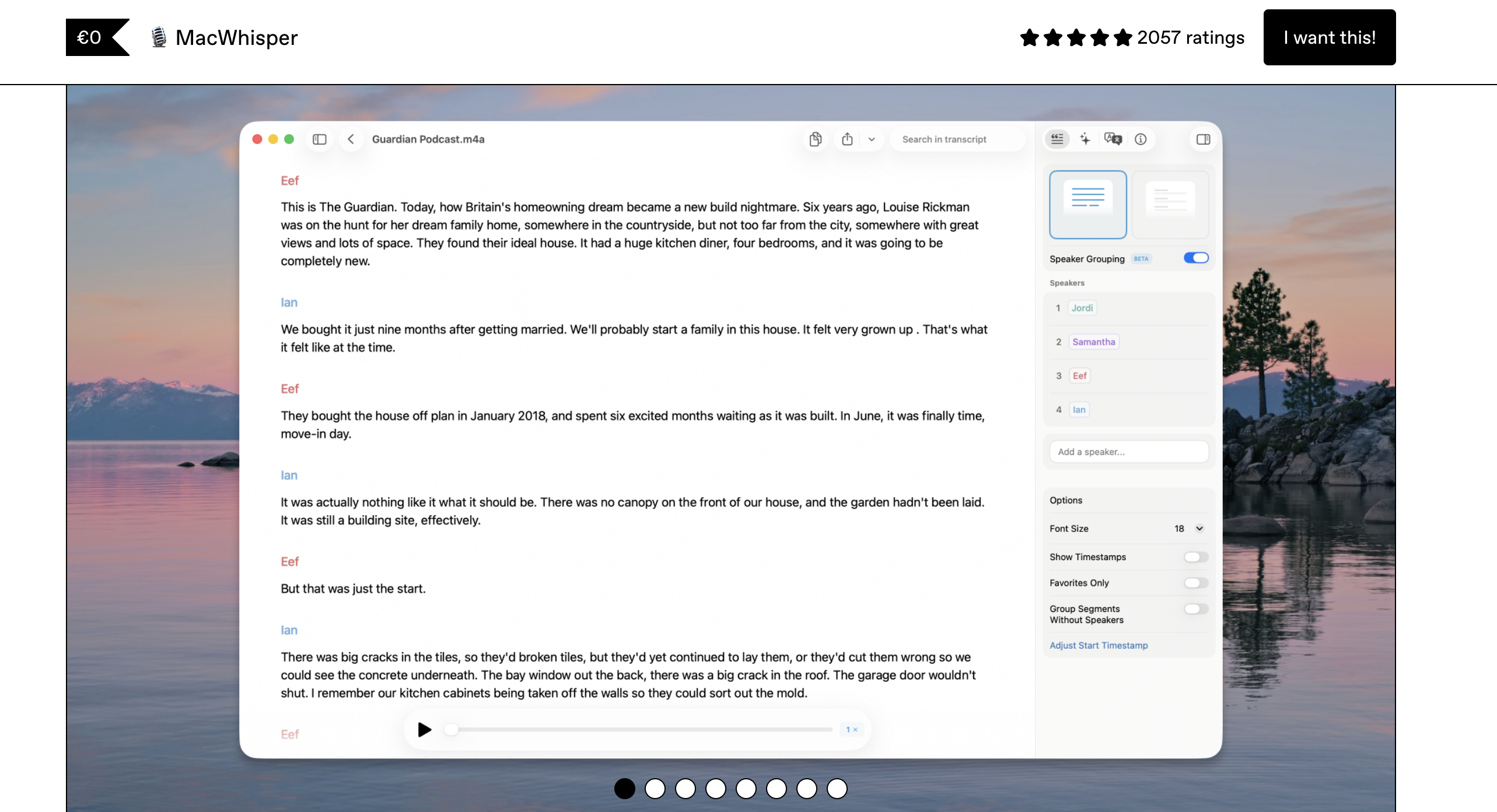
MacWhisper is the closest functional replacement for TurboScribe's core use case — transcribing audio and video files — but it runs entirely on your Mac. Built by Good Snooze, MacWhisper processes files locally using OpenAI's Whisper models on Apple Silicon with no cloud upload required.
Key Features:
- Transcribe audio files (MP3, WAV, M4A) and video files locally
- Batch processing for multiple files
- Speaker identification (diarization) in Pro version
- Export to TXT, SRT, VTT, CSV, and JSON
- Multiple Whisper model sizes (Tiny through Large-v3)
- Free version includes Tiny, Base, and Small models
Pros:
- One-time purchase — no recurring billing
- Handles the same file transcription workflow TurboScribe does, but offline
- Batch processing for multiple files at once
- Mature product with established user community
Cons:
- Mac-only (no Windows or mobile apps)
- No real-time dictation — file transcription only
- Pro features require separate purchase
Pricing: Free version with basic models. Pro version at approximately $79.99 one-time (via Gumroad) or Mac App Store pricing. No monthly subscription. 33% cheaper than one year of TurboScribe.
User Reviews: 4.5/5 on Product Hunt. Users praise the offline processing and one-time pricing. Common praise for transcription speed on Apple Silicon hardware.
Best For: Users who specifically need to transcribe audio/video files offline on Mac — the direct TurboScribe replacement for file-based workflows.
3. Superwhisper — Best for Power Users
Superwhisper is a Mac dictation app that offers deep control over Whisper model configurations. It processes speech on-device and provides real-time dictation with customizable modes for different workflows — writing, coding, meeting notes, and more.
Key Features:
- On-device Whisper processing with configurable model sizes
- Custom dictation modes (writing, coding, meeting notes)
- 100+ language support
- AI-powered text enhancement (optional cloud feature)
- Custom vocabulary for technical terms
- System-wide dictation via global hotkey
Pros:
- Most model customization options among offline dictation apps
- Lifetime purchase option available
- Active development with frequent updates
- Strong community of power users
Cons:
- Higher lifetime price than Voibe ($249 vs. $99) — Voibe is 60% cheaper ($150 saved)
- Audio recordings saved by default — needs manual disabling
- API keys stored in plaintext
- LLM post-processing can corrupt non-English text
- AI enhancement features require cloud processing (optional)
- Learning curve for model configuration
Pricing: $8.49/month, $84.99/year, or $249 lifetime. The annual plan is 29% cheaper than TurboScribe ($84.99 vs. $120/year).
User Reviews: 4.7/5 on Product Hunt. Users appreciate the model flexibility and on-device privacy. Some note the initial setup requires experimentation and the lifetime pricing increase.
Best For: Power users who want granular control over transcription models and don't mind spending time configuring optimal settings — and are prepared for the premium lifetime cost.
4. Otter.ai — Best for Meeting Transcription
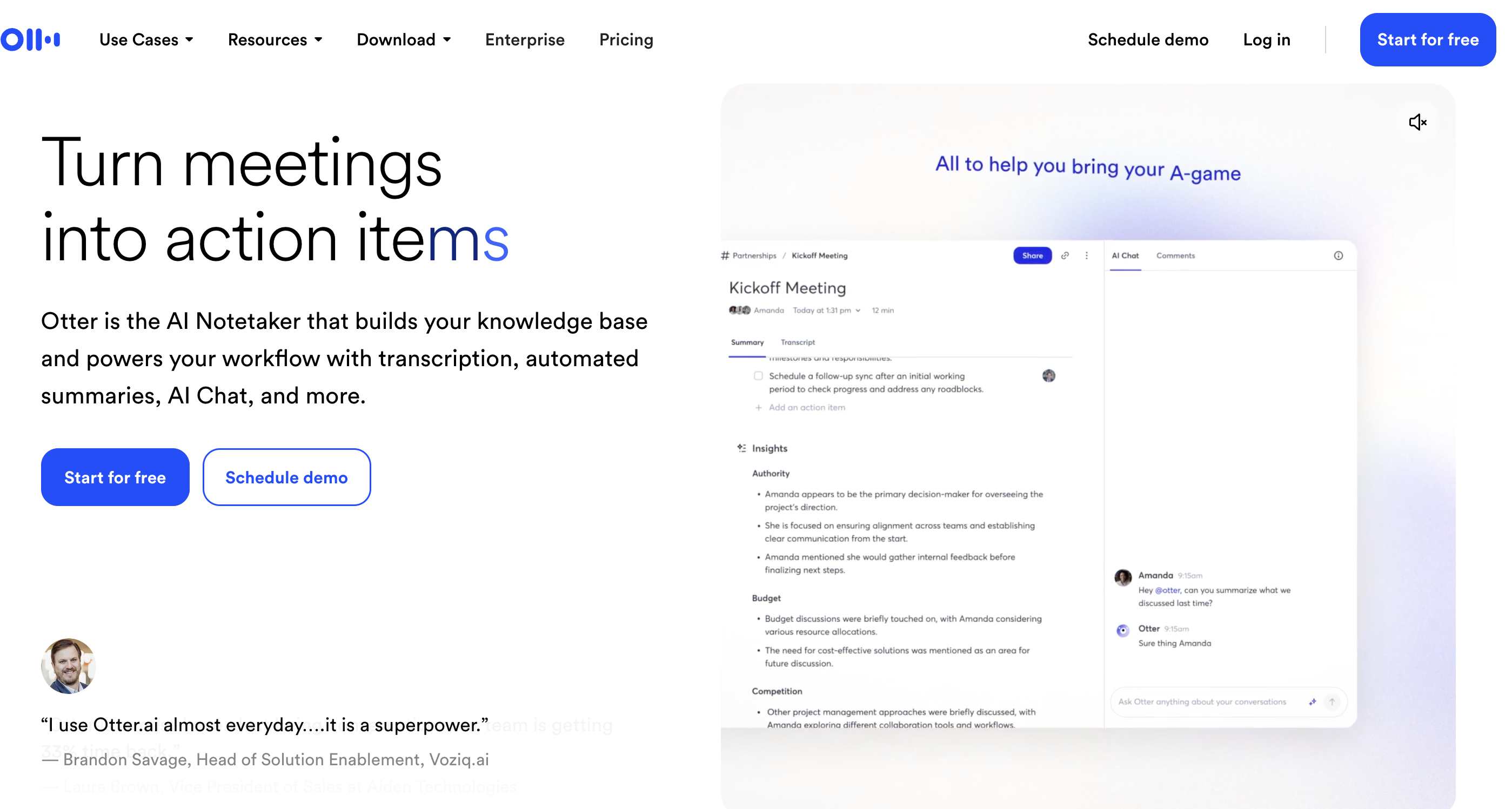
Otter.ai is a cloud-based meeting transcription platform that automatically joins Zoom, Microsoft Teams, and Google Meet calls to provide real-time transcription with speaker identification. It fills the meeting-focused gap that TurboScribe can't address.
Key Features:
- Automatic meeting bot joins Zoom, Teams, and Meet
- Real-time transcription with speaker identification
- AI-generated meeting summaries and action items
- Collaborative editing and commenting on transcripts
- File upload transcription for pre-recorded audio
- Web, Mac, iOS, and Android apps
Pros:
- Best-in-class meeting integration — no competitor matches this
- Generous free tier (300 minutes/month)
- Real-time collaboration on transcripts
- Cross-platform support
Cons:
- Cloud-based — all audio is processed on Otter's servers
- Free plan limits conversations to 30 minutes each
- Meeting bot can be intrusive for other participants
- No offline mode
Pricing: Free plan with 300 min/month. Pro at $8.33/month (annual) or $16.99/month. Business at $20/month per user (annual). The Pro annual plan ($99.96/year) is 17% cheaper than TurboScribe.
User Reviews: 4.3/5 on G2 with 200+ reviews. Users praise meeting transcription accuracy and collaboration features. Common complaints include the meeting bot occasionally failing to join calls and transcript accuracy in noisy environments. See also: Otter AI Alternatives.
Best For: Teams that need automated meeting transcription with collaboration features. Not ideal for privacy-sensitive or offline use cases.
5. Rev — Best for Professional-Grade Accuracy
Rev offers both AI-powered and human transcription services, making it the most accurate option on this list. For users who need near-perfect transcripts of legal proceedings, medical dictation, or published interviews, Rev's human option delivers what no AI tool can match.
Key Features:
- AI transcription with high accuracy across languages
- Human transcription option at $1.99/minute for near-perfect accuracy
- Speaker identification and timestamping
- Caption and subtitle generation (SRT, VTT)
- Web, API, and mobile app access
- 170,000+ customers including enterprise clients
Pros:
- Human transcription option is unmatched for accuracy-critical work
- Established company with 170,000+ customers
- Strong API for integration into existing workflows
- Professional-grade subtitle generation
Cons:
- Cloud-based — all audio is uploaded to Rev's servers
- Human transcription is expensive ($1.99/minute = $119.40/hour)
- AI-only plans are comparable in cost to TurboScribe
- No real-time dictation capability
Pricing: Free plan with 45 min/month. Basic at $14.99/month (20 hours). Pro at $34.99/month (100 hours). Human transcription at $1.99/minute. The Basic plan is 50% more expensive than TurboScribe annually but includes more features.
User Reviews: 4.7/5 on G2. Users consistently praise human transcription accuracy. AI transcription quality is rated as competitive with other services. Customer support is responsive.
Best For: Professionals who need the highest possible transcription accuracy and are willing to pay for human review — legal, medical, and media workflows.
6. Happy Scribe — Best for EU/GDPR Compliance
Happy Scribe is a European cloud transcription service that combines AI and human proofreading with strong GDPR compliance. For EU-based users who need TurboScribe-like functionality with proper data protection guarantees, Happy Scribe is a strong choice.
Key Features:
- AI transcription in 60+ languages
- Optional human proofreading for higher accuracy
- GDPR-compliant data processing (EU-based servers)
- Subtitle and caption generation with video editor
- Collaborative transcript editing
- Integration with YouTube, Vimeo, and other platforms
Pros:
- GDPR-compliant with EU data processing
- Human proofreading option for critical transcripts
- Strong subtitle editing tools
- Transparent minute-based pricing
Cons:
- Cloud-based — audio is uploaded to EU servers
- More expensive than TurboScribe for heavy usage
- No offline processing option
- No real-time dictation
Pricing: Basic at $17/month (120 minutes). Pro at $29/month (300 minutes). Business at $49/month (600 minutes). Human proofreading available as add-on. 10 free minutes to start.
User Reviews: 4.6/5 on G2. Users highlight GDPR compliance and subtitle editing quality. Some note the per-minute pricing can be expensive for long recordings.
Best For: EU-based organizations that need GDPR-compliant transcription with optional human proofreading and subtitle generation.
7. Descript — Best for Audio/Video Editing
Descript is not just a transcription tool — it's a full audio and video editing platform where you edit media by editing text. If you need transcription as part of a larger content production workflow, Descript provides an integrated solution TurboScribe can't match.
Key Features:
- Edit audio/video by editing the transcript text
- AI-powered transcription with speaker identification
- Screen recording and video editing
- AI voice cloning and filler word removal
- Export to multiple formats including video
- Collaborative editing with team features
Pros:
- Unique text-based audio/video editing workflow
- All-in-one content production suite
- Free tier includes 1 hour of transcription per month
- Strong collaboration features for teams
Cons:
- Cloud-based processing
- Overkill if you only need transcription
- Pricing changed to media minutes + AI credits model in 2025
- No offline transcription mode
Pricing: Free with 1 hr/month. Hobbyist at $12/month (annual) or $15/month. Creator at $24/month (annual) or $30/month. Pricing now includes media minutes plus AI credits — check current plans for exact allocations.
User Reviews: 4.6/5 on G2. Users praise the text-based editing paradigm. Common complaints about the 2025 pricing changes and learning curve for advanced features.
Best For: Podcasters, YouTubers, and content creators who need transcription integrated with audio/video editing — not standalone transcription.
How to Choose the Right TurboScribe Alternative
Use these decision questions to find the best fit for your workflow:
Do you need offline/private processing?
- Yes, privacy is critical → Voibe (real-time dictation) or MacWhisper (file transcription)
- Cloud is fine, I prioritize features → Otter.ai (meetings) or Descript (editing)
Do you need real-time dictation or file transcription?
- Real-time dictation → Voibe or Superwhisper
- File transcription only → MacWhisper or Rev
- Both → Otter.ai (cloud) or pair Voibe + MacWhisper (offline)
What's your budget?
- Free → Apple Dictation (built-in), Otter.ai free tier, or Descript free tier
- Under $60/year → Voibe at $4.90/month ($58.80/year)
- One-time purchase → Voibe ($99 lifetime) or MacWhisper ($79.99)
Do you need meeting transcription?
- Yes, with auto-join → Otter.ai
- Yes, with human review option → Rev
- No, just personal dictation → Voibe
Are you in the EU and need GDPR compliance?
- Yes → Happy Scribe (EU servers) or Voibe/MacWhisper (data never leaves your device)
- No preference → Choose based on features and budget
Best Tool for Your Situation
Here's a quick cheat sheet mapping specific use cases to the best TurboScribe alternative:
- Developer dictating code in VS Code → Voibe (Developer Mode resolves workspace file and folder names)
- Journalist transcribing recorded interviews offline → MacWhisper (batch file transcription, fully on-device)
- Lawyer needing HIPAA-level privacy → Voibe (zero cloud uploads, on-device only). See also: HIPAA Dictation Guide
- Product manager transcribing Zoom meetings → Otter.ai (auto-joins calls, speaker identification)
- Podcaster editing episodes → Descript (text-based audio editing + transcription)
- EU company needing GDPR compliance → Happy Scribe (EU servers) or Voibe/MacWhisper (data never leaves device)
- Legal team needing perfect transcripts → Rev (human transcription at $1.99/minute)
- Student on a tight budget → Apple Dictation (free) or Voibe ($4.90/month)
- Writer dictating long-form content → Voibe (real-time, offline, works in any text editor)
- Multilingual user transcribing in 50+ languages → Superwhisper (configurable Whisper models, 100+ languages)
- Team needing shared transcription workspace → Otter.ai (collaborative editing) or Descript (team projects)
- Anyone tired of subscription billing surprises → Voibe ($99 lifetime) or MacWhisper ($79.99 one-time)
Frequently Asked Questions
Basics
What is TurboScribe?
TurboScribe is a web-based AI transcription service that converts uploaded audio and video files to text using cloud-processed Whisper models. It costs $10–20/month and supports 98+ languages. It has no native desktop app and no offline mode.
Does TurboScribe have a free plan?
Yes. TurboScribe's free tier allows 3 transcriptions per day with a 30-minute file limit and lower processing priority. The paid Unlimited plan costs $10/month (annual) or $20/month (monthly).
Privacy and Security
Is TurboScribe safe for sensitive recordings?
TurboScribe uploads all audio to cloud servers. While they claim AES-256 encryption and state data isn't used for AI training, privacy-sensitive users should consider offline alternatives like Voibe or MacWhisper that process audio entirely on-device. See: Voice Data Privacy Guide.
Which alternatives keep my audio completely private?
Voibe, MacWhisper, and Superwhisper all process audio 100% on-device with no cloud uploads. Your recordings never leave your Mac. See: Cloud vs. Local Dictation.
Pricing and Value
What's the cheapest way to replace TurboScribe?
Apple Dictation is free and built into macOS. For paid options, Voibe at $4.90/month ($58.80/year) is 51% cheaper than TurboScribe's annual plan ($120/year). MacWhisper's $79.99 one-time purchase breaks even within 8 months versus TurboScribe.
Are one-time purchase alternatives worth it?
Yes. Voibe's $99 lifetime option saves $21 in year one and $120+ every subsequent year versus TurboScribe. MacWhisper at $79.99 one-time saves $40 in the first year alone. Both eliminate subscription management and billing friction entirely.
Features and Compatibility
Can any alternative do both real-time dictation and file transcription?
No single offline tool does both perfectly. Voibe excels at real-time dictation; MacWhisper excels at file transcription. Pair them for $178.99 total (both lifetime purchases) for complete coverage — still cheaper than 18 months of TurboScribe.
Which alternative works on Windows too?
Otter.ai, Rev, Happy Scribe, and Descript all work cross-platform via web or native apps. For offline dictation on Windows specifically, Superwhisper is expanding platform support. Voibe and MacWhisper are currently Mac-only.
The Bottom Line: Why Switch from TurboScribe
TurboScribe fills a basic need — cloud transcription of audio files. But its 2.6/5 Trustpilot rating, billing complaints, web-only interface, and cloud-only processing make it a poor fit for users who value privacy, reliability, or native desktop integration.
For Mac users, the choice is clear: Voibe provides offline, on-device dictation at $4.90/month or $99 lifetime — 51% cheaper than TurboScribe with zero cloud uploads and no billing headaches. For file transcription specifically, pair it with MacWhisper.
For meeting-heavy workflows, Otter.ai's auto-join capabilities are unmatched. For maximum accuracy, Rev's human transcription option delivers what no AI can. And for EU compliance, Happy Scribe covers GDPR requirements.
Related reading:
Ready to type 3x faster?
Voibe is the fastest, most private dictation app for Mac. Try it today.
Related Articles
7 Best SpeakOneAI Alternatives in 2026 (Reviewed)
Compare the best SpeakOneAI alternatives for Mac dictation in 2026. Reviews of Voibe, Wispr Flow, Superwhisper, and more with pricing, features, and offline options.
9 Best VoiceInk Alternatives in 2026 (Reviewed)
Compare the best VoiceInk alternatives for Mac dictation in 2026. Detailed reviews of Voibe, Wispr Flow, Superwhisper, and more with pricing, features, and ratings.
Dictation Alternatives: The Complete Directory for Mac Users (2026)
Compare every major dictation alternative for Mac in 2026. Pricing, privacy, accuracy, and detailed guides for Apple Dictation, Wispr Flow, Dragon, and more.