
Handy vs Wispr Flow: Is Free Open-Source Dictation Enough?
Handy is free, open source and offline on Mac, Windows and Linux. Wispr Flow is $144/yr cloud AI that polishes your text. Where each wins, and a $199 middle path.

Handy
Free, open-source, offline speech-to-text desktop app. Push-to-talk dictation using Whisper, Parakeet, and other local models. Available on Mac, Windows, and Linux. MIT licensed with ~32,300 GitHub stars.
Free (open source, MIT license)
Pros
- + Completely free — no paid tiers, no subscriptions, no limits
- + 100% offline — zero cloud dependency, all processing on-device
- + Open source (MIT license) with ~32,300 GitHub stars
- + Cross-platform: Mac, Windows, and Linux
- + Multiple speech models: Whisper, Parakeet V3, Moonshine, Cohere Transcribe
- + Custom model loading via GGML format
- + CLI automation for developer workflows
Cons
- - No AI text rewriting, formatting, or tone matching
- - Near-verbatim output — minimal auto-punctuation
- - No mobile app (desktop only)
- - 2-5 second processing delay after speaking
- - No meeting transcription or batch file processing
- - Occasional first-word clipping in transcriptions
- - Linux Wayland support has limitations
Wispr Flow
Cloud-based AI dictation app with auto-editing, tone matching, and cross-platform support on Mac, Windows, iOS, and Android. Its maker raised $280 million in August 2026.
$15/mo or $144/yr (subscription only)
Pros
- + AI auto-editing removes filler words and formats text for each app
- + Cross-platform: Mac, Windows, iOS, and Android
- + No training required — works accurately from first use
- + 100+ language support with code-switching
- + SOC 2 Type II and HIPAA compliance
- + Student discount: 50% off Pro ($6/mo billed annually)
Cons
- - Cloud-only — audio sent to OpenAI and Meta servers
- - Captures screenshots of the active window every few seconds for context
- - No offline mode available
- - Subscription-only at $15/month ($144/year)
- - Held a 2.7/5 Trustpilot rating before Trustpilot removed its profile; G2 shows 4.5/5 but on only 6 reviews
- - 6-minute recording cap per dictation session
- - Free tier limited to 2,000 words per week
- - Team members published word-frequency analyses of user dictations on LinkedIn (Aug 2026) — dictation retention is on by default
Voibe
WinnerMac and Windows dictation app with a local Developer Mode for VS Code, Cursor, and Windsurf. Runs Whisper on-device on Apple Silicon Macs, or in a zero-retention cloud that deletes audio the moment transcription completes — your choice. Live Dictation (Mac) shows words on-screen as you speak, and Hands-Free Mode starts and stops with a double-tap.
Free (limited words, one device), $9.90/mo, $99/yr, or $199 lifetime
Pros
- + On-device mode (Apple Silicon) or a zero-retention cloud mode that deletes audio the moment transcription completes — your choice
- + No training required — accurate from first use
- + Live Dictation — words appear on-screen as you speak, editable before insertion
- + Spoken punctuation and structure-by-voice (new paragraph, bullet point, numbered list)
- + Developer Mode scans your VS Code, Cursor, or Windsurf workspace locally
- + $199 lifetime — no recurring costs, funds active development
- + On-device mode works fully offline on Apple Silicon Macs
- + Polished UX with system-wide text insertion
Cons
- - No Linux or mobile apps (Mac + Windows only)
- - No AI text rewriting — formatting is driven by spoken commands instead
- - On-device mode needs an Apple Silicon Mac; Windows and Intel Macs use the cloud mode
- - Free plan is limited (limited words, one device); unlimited use costs $9.90/mo, $99/yr, or $199 lifetime
TL;DR: Handy vs Wispr Flow — Free and Open vs Polished and Paid
Handy is a free, open-source, offline dictation app that outputs raw speech-to-text on Mac, Windows, and Linux. Wispr Flow is a paid cloud AI dictation app that outputs polished, formatted text on Mac, Windows, iOS, and Android. Choose Handy if you want free, private, hackable dictation and are willing to edit the output yourself. Choose Wispr Flow if you want AI-polished text and can accept cloud processing and $144/year. Choose Voibe for privacy-first dictation with a polished UX at $199 lifetime.
Disclosure: Voibe is our product. We compare all three tools fairly below, acknowledging where Handy and Wispr Flow each excel.
Key Takeaway
Handy is free, offline, and open source — but outputs raw text and is community-maintained. Wispr Flow costs $144/yr and polishes your speech with AI. Voibe combines a privacy-first architecture (on-device or zero-retention cloud, your choice) with a polished dictation experience, active weekly releases, and support at $199 lifetime.
Key Takeaways: Handy vs Wispr Flow at a Glance
| Feature | Handy | Wispr Flow | Voibe | Winner |
|---|---|---|---|---|
| Price | Free | $15/mo or $144/yr | $199 lifetime | Handy |
| 3-Year Cost | $0 | $432 | $199 | Handy |
| Privacy | 100% offline (no cloud option) | Cloud (OpenAI, Meta servers) | On-device (Apple Silicon) or zero-retention cloud, your choice | Handy / Voibe |
| AI Text Editing | None (raw transcription) | Full AI rewriting | No rewriting — Smart Formatting cleanup + spoken punctuation | Wispr Flow |
| Platform | Mac, Windows, Linux | Mac, Windows, iOS, Android | Mac + Windows (one plan) | Wispr Flow |
| Open Source | Yes (MIT license) | No | No | Handy |
| Processing Speed | 2-5 second delay | Near-instant | Low latency | Wispr Flow |
| Mobile App | No | iOS + Android | No | Wispr Flow |
| Auto-Punctuation | Minimal | Full (AI-enhanced) | Yes | Wispr Flow |
| Developer Features | CLI, custom models, GGML | File tagging in Cursor and Windsurf (cloud) | Developer Mode: local workspace scan for VS Code, Cursor + Windsurf | Depends on need |
Quick Comparison: Open Source vs Cloud AI
| Spec | Handy | Wispr Flow | Voibe |
|---|---|---|---|
| Type | Open-source offline dictation | Cloud AI dictation | On-device or zero-retention cloud dictation |
| Processing | Local (Whisper, Parakeet, Moonshine) | Cloud (OpenAI, Meta) | On-device (Apple Silicon) or zero-retention cloud, your choice |
| License | MIT (open source) | Proprietary | Proprietary |
| Price | Free | $15/mo or $144/yr | Free plan; $9.90/mo, $99/yr, or $199 lifetime |
| GitHub Stars | ~32,300 | N/A | N/A |
| Linux Support | Yes | No | No |
| Word Limits | None | 2,000 words/week (free) | 7-day free trial, no card |
| Best For | Developers, Linux users, privacy advocates | Cross-platform AI dictation | Mac and Windows users who want privacy + polish |
What Is Handy?
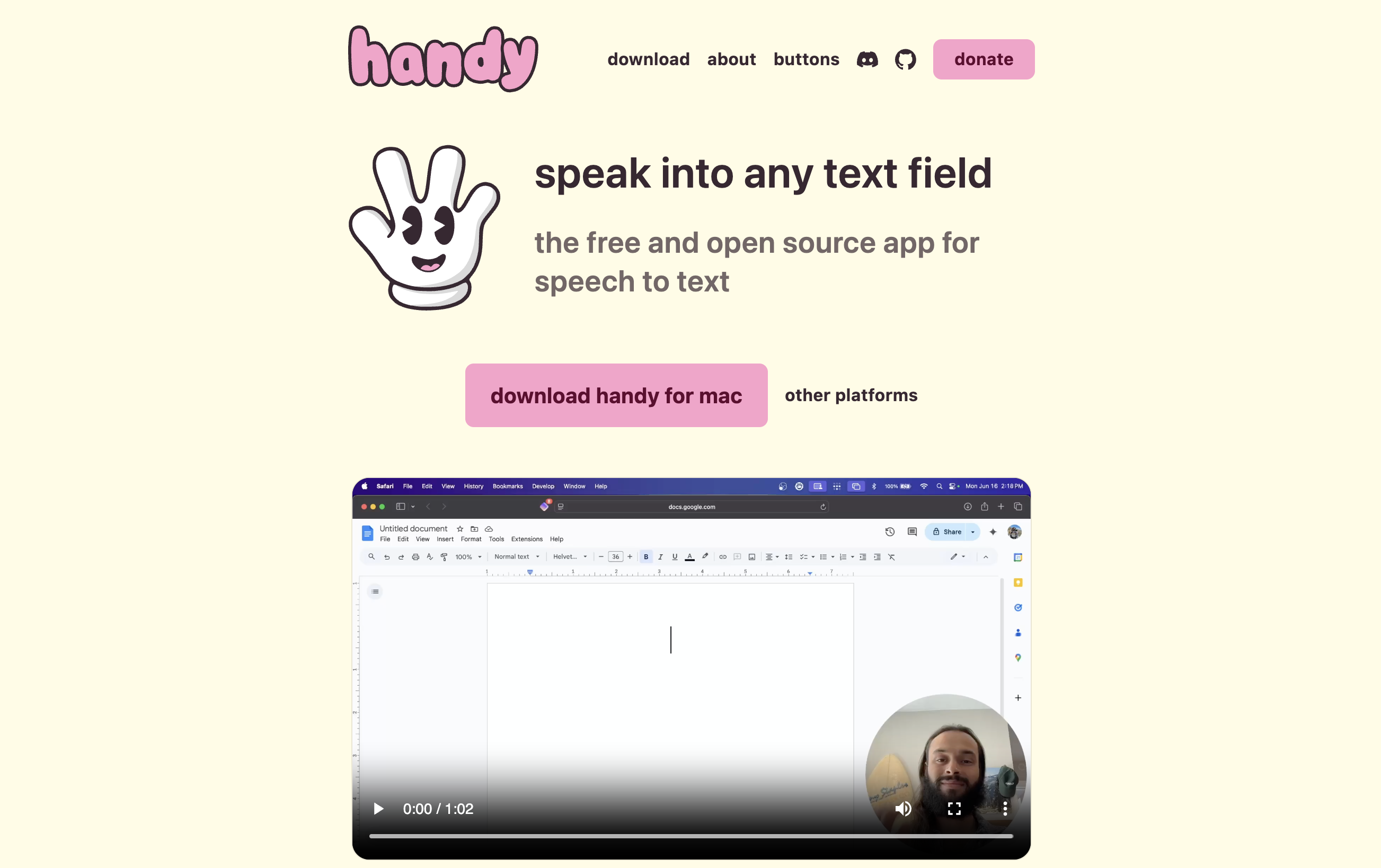
Handy is a free, open-source desktop dictation app created by CJ Pais. It uses a push-to-talk model: press a keyboard shortcut, speak, release, and Handy pastes the transcribed text into whatever app is active. All processing happens on-device using local speech models. No account, no internet, no payment required. For a broader look at free dictation options, see our best free dictation apps guide.
With roughly 32,300 GitHub stars and more than 860 commits, Handy is one of the most popular open-source dictation projects. It holds a 5.0/5 rating on Product Hunt (3 reviews) and received 247 points on Hacker News.
Handy Core Features
- Push-to-talk dictation: Configurable shortcut; press to record, release to transcribe
- Multiple local models: Whisper (Small through Large), Parakeet V3, Moonshine, Cohere Transcribe, Nvidia Canary
- Custom model loading: Any GGML-format model supported
- Voice Activity Detection: Silero-based silence filtering
- CLI automation: Command-line flags for controlling running instances
- Cross-platform: Mac (Intel + Apple Silicon), Windows, Linux
- Custom words dictionary: User-configurable vocabulary for specialized terms
Handy Limitations
- No AI text rewriting, formatting, or tone matching — output is near-verbatim
- 2-5 second processing delay after speaking (local hardware dependent)
- Minimal auto-punctuation
- No mobile app (desktop only)
- Occasional first-word clipping at the start of transcriptions
- Auto-paste can sometimes insert text into the wrong app
Key Takeaway
Handy is the best free dictation app available — fully offline, open source, cross-platform. The trade-off is raw, unpolished output that requires manual editing.
What Is Wispr Flow?

Wispr Flow is a cloud-based AI dictation app from Wispr, which raised $280 million in August 2026. It processes speech through cloud AI models to deliver polished, formatted text. For a full breakdown, see our Wispr Flow review.
Where Handy gives you raw transcription, Wispr Flow gives you edited text — filler words removed, grammar corrected, formatting applied based on the target app. This AI post-processing is the core difference between the two.
Wispr Flow Core Features
- AI auto-editing: Rewrites speech into polished text with tone matching
- Cross-platform: Mac, Windows, iOS, and Android
- SOC 2 Type II and HIPAA compliance: Enterprise-grade security
- 100+ languages: With code-switching between languages
- Developer features: tags files in Cursor and Windsurf and handles camelCase and snake_case
- Notetaker: bot-free meeting notes on Mac and Windows
- Student discount: 50% off Pro ($6/month billed annually)
Wispr Flow Limitations
- Cloud-only — all audio processed on OpenAI and Meta servers
- Screenshots captured every few seconds for context
- $15/month subscription with no lifetime option
- 6-minute recording cap per session
- Free tier limited to 2,000 words per week
Key Takeaway
Wispr Flow delivers polished AI-edited text from your speech — but at the cost of cloud processing, screenshot capture, and $144/year.
Feature-by-Feature: Handy vs Wispr Flow
Price
Handy is free. Wispr Flow costs $15/month or $144/year. Over 3 years, Wispr Flow costs $432 while Handy costs nothing. This is the most dramatic price difference in any dictation tool comparison. The question is whether Wispr Flow's AI editing justifies $432 over Handy's free offering.
Winner: Handy
Output Quality
This is where Wispr Flow justifies its price. Handy outputs near-verbatim transcription — what you said, with minimal punctuation. Wispr Flow outputs polished text — filler words removed, grammar corrected, formatting applied. For emails, messages, and professional documents, Wispr Flow saves significant editing time. For code comments, notes, or drafts where raw text is fine, Handy works well. Voibe takes a middle path that keeps formatting on-device: Live Dictation shows words on-screen as you speak so you can edit before insertion, and spoken punctuation plus structure-by-voice commands ("new paragraph", "bullet point", "numbered list") handle formatting without sending audio to the cloud.
Winner: Wispr Flow
Privacy
Handy is the most private option possible. All processing is local, no data is ever transmitted, no account exists, and the code is fully auditable (MIT open source). Wispr Flow sends all audio to cloud servers and captures screenshots. There is no comparison here.
Voibe lets you choose an on-device mode (Apple Silicon) or a zero-retention cloud mode with a more polished UX than Handy — and local transcript storage can be disabled entirely if you want nothing retained.
Winner: Handy
Platform Support
Handy runs on Mac, Windows, and Linux — the only tool in this comparison with Linux support. Wispr Flow runs on Mac, Windows, iOS, and Android — the only tool with mobile apps. Neither covers everything. Handy is better for desktop-only workflows, especially on Linux. Wispr Flow is better if you need mobile dictation.
Winner: Tie (Handy for Linux; Wispr Flow for mobile)
Speed
Wispr Flow processes in the cloud and delivers near-instant results. Handy processes on local hardware with a 2-5 second delay depending on model size and hardware. On a modern Apple Silicon Mac with the Parakeet V3 model, Handy can be quite fast. On older hardware or with larger models, the delay is noticeable.
Winner: Wispr Flow
Customizability and Extensibility
Handy is MIT-licensed open source. You can modify the code, add custom models in GGML format, automate via CLI, and integrate into developer workflows. Wispr Flow is a closed-source product with no extension API. For developers and tinkerers, Handy is infinitely more flexible.
Winner: Handy
Developer Features
Handy appeals to developers with CLI automation, custom model support, and the ability to fork and modify the codebase. Wispr Flow tags files in Cursor and Windsurf and handles camelCase and snake_case, all processed in its cloud. Voibe's Developer Mode scans your workspace locally and resolves file names, folder paths and variable names in VS Code, Cursor, and Windsurf.
Winner: Voibe (local IDE awareness); Handy (hackability and extensibility)
What Users and Reviewers Say
Handy User Sentiment
Handy holds a 5.0/5 on Product Hunt (3 reviews) and received 247 points on Hacker News with overwhelmingly positive reception. Users on Hacker News and Reddit praise its speed on Apple Silicon, privacy-first design, and open-source accessibility. Common criticisms include the 2-5 second processing delay, minimal auto-punctuation, and occasional first-word clipping. One reviewer described Handy as a capable free alternative to paid tools, noting that the raw output trade-off is worthwhile for privacy-conscious users.
Wispr Flow User Sentiment
Wispr Flow held a 2.7/5 on Trustpilot, the last public reading before Trustpilot removed the wisprflow.ai profile under its guidelines (we recorded it while the profile was live, so we cite it without a link), and it has a 4.5/5 on G2 (6 reviews). The Trustpilot reviews centred on complaints about quality degradation after the trial, high resource usage, and privacy concerns. G2 reviews are more positive, praising the AI editing and cross-platform support.
Community Comparison
Users on Threads and Reddit have directly compared Handy and Wispr Flow. The consensus is that Handy is a solid free alternative for basic dictation, but lacks the polish and AI editing that makes Wispr Flow productive for professional writing. Many users recommend trying Handy first (it is free) before committing to a paid tool.
Which Should You Choose?
Choose Handy if you:
- Want completely free dictation with no strings attached
- Prioritize privacy — no cloud, no data transmission, fully auditable code
- Use Linux (Handy is the only tool here with Linux support)
- Are a developer who wants to fork, modify, or extend the tool
- Are comfortable editing raw transcription output yourself
- Want to load custom speech models in GGML format
Choose Wispr Flow if you:
- Want AI-polished text output — grammar, punctuation, formatting, tone
- Need mobile dictation on iOS or Android
- Require HIPAA or SOC 2 compliance for enterprise use
- Value processing speed — near-instant results from cloud AI
- Are willing to pay $144/year for time saved on editing
Choose Voibe if you:
- Want an on-device mode like Handy (plus a zero-retention cloud mode) with a polished, consumer-grade UX
- Want Live Dictation — words appear on-screen as you speak, editable before insertion
- Prefer Hands-Free Mode (double-tap to start and stop) for longer dictation
- Are a developer who wants Developer Mode's local workspace scan in VS Code, Cursor, or Windsurf
- Prefer a one-time $199 lifetime price with weekly releases and support
- Need an offline on-device mode on an Apple Silicon Mac, or one plan that also covers Windows
- Want meeting notes with no bot in the call later on (Voibe Work plan, Mac)
Final Verdict: Handy vs Wispr Flow
Handy and Wispr Flow represent opposite ends of the dictation spectrum. Handy is free, open source, fully offline, and outputs raw text. Wispr Flow is $144/year, proprietary, cloud-based, and outputs polished AI-edited text. The choice comes down to whether you value zero cost and maximum privacy (Handy) or polished output and convenience (Wispr Flow).
For Mac and Windows users who want the privacy of Handy with a more polished dictation experience, Voibe bridges the gap at $199 lifetime. It offers an on-device mode like Handy (plus a zero-retention cloud mode), but delivers cleaner output with Live Dictation (words appear on-screen as you speak, editable before insertion), spoken punctuation and structure-by-voice commands, Hands-Free Mode (double-tap to start and stop), system-wide text insertion, weekly releases, real support, and a Developer Mode that scans your VS Code, Cursor or Windsurf workspace locally. Voibe's price funds a private, actively developed product — not ad or data revenue — we never train AI on your dictation, and transcript storage can be disabled entirely.
Our recommendation: Start with Handy (it is free). If raw output is enough for your workflow, you are done. If you want more polish, try Voibe for on-device dictation or Wispr Flow for cloud AI editing.
Key Takeaway
Start with Handy (free). Upgrade to Voibe ($199 lifetime) if you want polished dictation with a privacy-first architecture (on-device or zero-retention cloud, your choice), active development and support, or Wispr Flow ($144/yr) if you want cloud AI editing. All three are valid choices for different priorities.
Related Dictation Comparisons
- Handy Review 2026: Free Open-Source Offline Dictation
- 9 Best Handy Alternatives in 2026 (Free and Paid)
- Best Free Dictation Apps (2026 Guide)
- Dragon vs Wispr Flow: Legacy Desktop vs Modern AI
- Typeless vs Wispr Flow: Privacy-First vs Cloud AI
- Best Offline Dictation Apps for Mac
- Wispr Flow vs Superwhisper: Cloud AI vs On-Device
- Is Wispr Flow Safe? — Cloud architecture, Privacy Mode defaults, the March 2026 Delve fake-audit scandal, and Wispr's A-LIGN remediation in one investigation.
- VoiceInk vs Wispr Flow — Open-source GPL v3 on-device dictation ($25 one-time) vs cloud subscription. Sister comparison to Handy.
- VoiceInk Review — Commercial open-source offline dictation for Mac from $25 one-time, scored 7/10.
- Is Handy Safe? — the dedicated Handy privacy investigation (no cloud path, zero telemetry, source-audited).
Frequently Asked Questions
Is Handy really completely free?
Is Handy as accurate as Wispr Flow?
Does Handy work offline?
Can Handy replace Wispr Flow?
Does Handy work on Mac, Windows, and Linux?
Is Handy safe to use? Is it open source?
Why is Handy slower than Wispr Flow?
Which dictation app is best for developers?
Does Handy auto-punctuate?
How many GitHub stars does Handy have?
Best AI Dictation and Meeting Notes for Confidential Work
Draft letters, notes and emails 5x faster. Get meeting notes without a bot joining your call. Nothing used to train AI.
- Mac + Windows
- No bot in your calls
- Nothing used to train AI
- 7-day free trial
Want to compare plans first? View pricing →
Related Articles
Handy Review: Free Offline Dictation for Mac, With One Catch
Handy review: free, MIT-licensed speech-to-text that runs offline on Mac, Windows and Linux, with 32.9k GitHub stars. Our verdict: 7.5/10. The catch is polish.
FluidVoice vs Handy: One Is Open Source. The Other Really Is.
FluidVoice vs Handy — both free, both local, both on GitHub. After three weeks in FluidVoice, only one of them is open source all the way down.
OpenWhispr vs Handy: Two MIT Dictation Apps, Opposite Ideas About the Cloud
OpenWhispr vs Handy compared: both free, MIT-licensed, cross-platform dictation apps — one is strictly local, one added a managed cloud. Which fits you?