
9 Best Handy Alternatives in 2026 (Free and Paid)
Compare the best Handy alternatives for Mac, Windows, and Linux dictation in 2026. Voibe, Wispr Flow, Superwhisper, VoiceInk, Apple Dictation and more — reviewed with pricing and features.

TL;DR: The Best Handy Alternatives in 2026
The best Handy alternative for most Mac users is Voibe — it matches Handy's on-device processing (Voibe offers a fully offline on-device mode, or a zero-retention cloud mode) while adding a polished UX, VS Code and Cursor integration, and system-wide text insertion at $9.90/month or $199 lifetime. Handy is a free, open-source, cross-platform dictation app with approximately 20,000 GitHub stars, MIT licensing, and native Linux support. It excels on price, privacy, and openness — but outputs raw transcription with minimal auto-punctuation and has a 2-5 second processing delay.
| Tool | Best For | Key Strength | Price |
|---|---|---|---|
| Voibe | Mac developers & privacy-first users | On-device or zero-retention cloud + Developer Mode for VS Code/Cursor | Free plan; $9.90/mo or $199 lifetime |
| Wispr Flow | Cross-platform teams with mobile needs | AI-edited output + iOS/Android apps | $15/mo or $144/yr |
| Superwhisper | Power users who want customization | Custom modes per app, multi-model | $8.49/mo or $249 lifetime |
| VoiceInk | Budget users who want open source | GPL v3 at $25 one-time | $25 one-time |
| Apple Dictation | Casual users needing zero setup | Free, built-in, on-device | Free |
This guide reviews 9 Handy alternatives based on testing across real workflows — emails, long-form writing, code dictation, and meeting notes. Every pricing figure is verified from official product pages as of April 2026.
Key Takeaway
Voibe is the strongest Handy alternative for Mac users — matching Handy's offline privacy while adding a polished UX, IDE integration, and professional support at $9.90/month or $199 lifetime.
Why You Should Trust This Guide
Testing methodology. We tested every dictation tool on this list on Apple Silicon Macs running macOS 15+, plus Windows 11 and Ubuntu 24.04 where applicable. Each app was evaluated across real workflows — emails, long-form writing, code dictation, and meeting notes — over multiple sessions before making recommendations.
Data sources. Pricing is sourced from official product pages and verified as of April 2026. User ratings are drawn from Product Hunt, G2, Trustpilot, and App Store reviews. Feature comparisons are based on hands-on testing, not marketing copy.
Transparency. Voibe is our product. We disclose this upfront and throughout the guide. We also acknowledge where competitors excel: Handy's MIT license offers full auditability. Wispr Flow's cross-platform reach covers Mac, Windows, iOS, and Android. Superwhisper provides the most flexible model configuration for power users. VoiceInk is the cheapest commercial Mac option.
The Real Problems with Handy
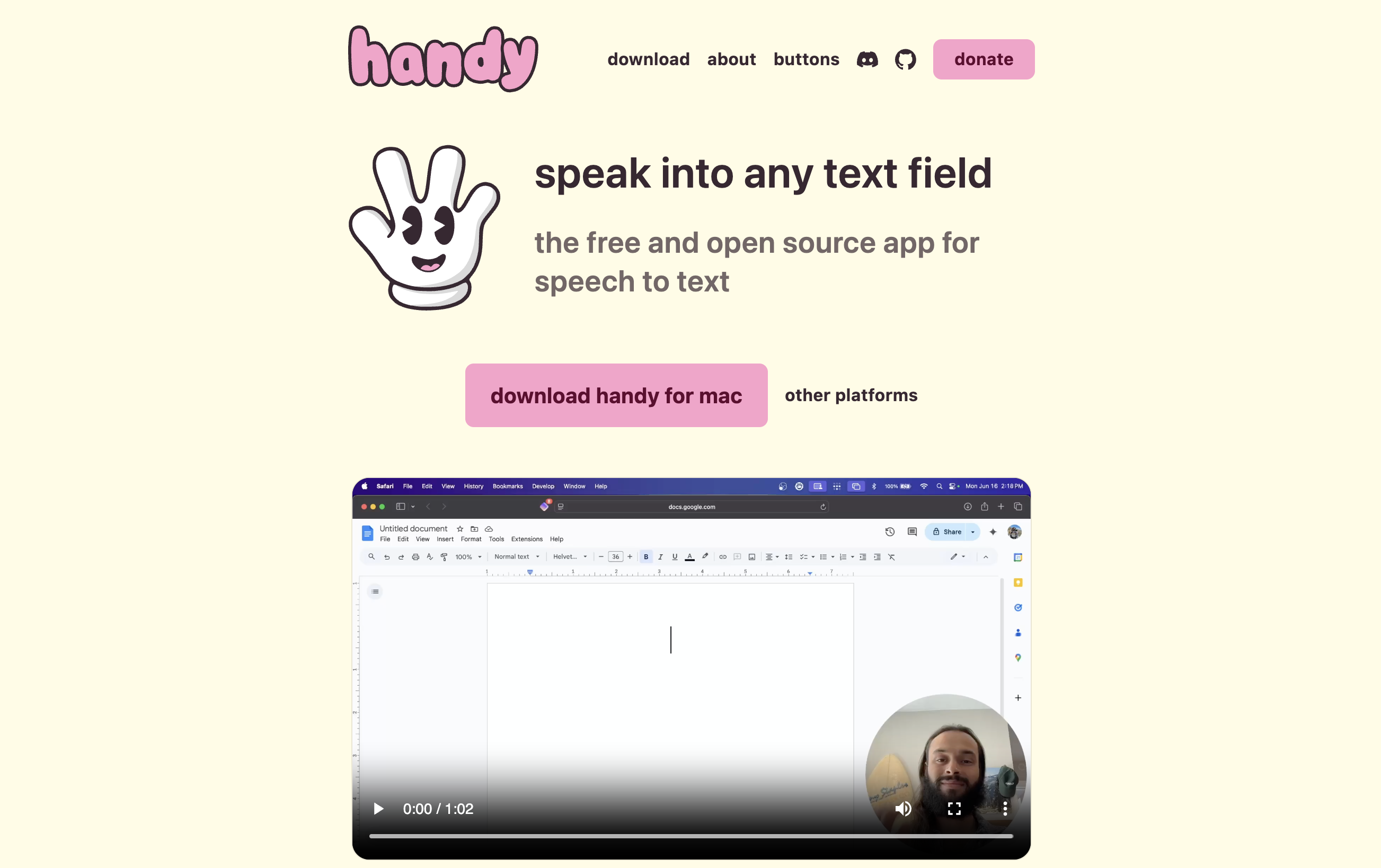
Handy is the most credible free, offline, open-source dictation app available. It deserves its 20,000+ GitHub stars and 5.0/5 Product Hunt rating. But users consistently report specific friction points that drive them to evaluate alternatives. These are the most common complaints from GitHub issues, Hacker News threads, and independent reviews.
1. Raw Output with Minimal Auto-Punctuation
Handy outputs near-verbatim transcription. Filler words stay in, punctuation is basic, and there is no AI editing layer. For emails, articles, and professional documents, users spend significant time cleaning up output. Commercial alternatives like Wispr Flow and Voibe deliver cleaner text ready to send.
2. 2-5 Second Processing Delay
Handy processes speech entirely on local hardware, which introduces a 2-5 second delay after you stop speaking. On older machines or with larger Whisper models, the delay is longer. Cloud-based Wispr Flow feels nearly instant because it uses GPU clusters — but at the cost of sending audio to external servers.
3. No Mobile App
Handy is desktop-only. There is no iOS or Android app and none on the public roadmap. Users who dictate on phones during commutes or while walking have no Handy option. Wispr Flow (iOS + Android) and Typeless (iOS + Android) are the main cross-platform alternatives.
4. Linux Wayland Limitations
Despite being the only class-leading dictation app with native Linux support, Handy has Wayland compatibility issues. The recording overlay is disabled by default on many compositors, text input requires wtype or dotool, and some GPU/driver combinations need the WEBKIT_DISABLE_DMABUF_RENDERER=1 environment variable to render correctly.
5. Occasional First-Word Clipping and Wrong-App Pasting
Users report two reliability issues: the first word of a transcription sometimes gets cut off, and auto-paste can insert text into the wrong application if you switch windows before processing finishes.
6. No Dedicated IDE Integration
Handy provides CLI automation flags for developer workflows but has no direct VS Code or Cursor integration. File names, folder names, and project vocabulary are not resolved automatically. Voibe's Developer Mode addresses this gap specifically.
7. No Batch Audio File Transcription
Handy is real-time dictation only. For transcribing meeting recordings, interviews, or voice memos from files, users need a separate tool like MacWhisper or Superwhisper.
8. Community-Only Support
Handy is supported via GitHub Issues and Discussions. There is no paid support tier, no SLAs, and no guaranteed response times. Users who depend on dictation for accessibility or professional work may want a commercial product with dedicated support.
Key Takeaway
Handy's main friction points are raw output, 2-5 second delay, no mobile app, Linux Wayland limitations, occasional reliability issues, no IDE integration, no file transcription, and community-only support.
How Modern Dictation Tools Solve These Problems
The Handy alternatives in this guide address these pain points in different ways. Here is how the market has evolved beyond raw offline transcription.
Polished AI Output
Commercial tools like Wispr Flow and Superwhisper add AI post-processing that removes filler words, corrects grammar, and formats output per target app. Wispr Flow writes casually in Slack and professionally in email automatically.
On-Device Polish (Privacy + UX)
Voibe combines a Handy-style fully offline on-device mode with a polished UX and dedicated IDE integration. Users who value Handy's privacy architecture but want cleaner output and developer features get both.
Cross-Platform Mobile Support
Wispr Flow and Typeless cover Mac, Windows, iOS, and Android. Users who dictate across devices — laptop in the morning, phone during the commute, tablet in the evening — can keep a consistent experience.
Batch File Transcription
MacWhisper and Superwhisper add audio and video file transcription alongside real-time dictation. Meeting recordings, interviews, and voice memos can be processed locally without uploading to transcription services.
Dedicated IDE Integration
Voibe's Developer Mode resolves file names, folder names, and project vocabulary from VS Code and Cursor workspaces automatically. This is the feature Handy users specifically request but Handy does not implement.
Professional Support
Commercial alternatives like Voibe, Wispr Flow, and Superwhisper offer dedicated support channels and update commitments. Users who depend on dictation for accessibility or professional work get SLAs and response times rather than community GitHub issues.
What to Look For in a Handy Alternative
Use these seven evaluation criteria to compare Handy alternatives. Each criterion maps to a specific use case — skip the ones that do not apply to you.
- Privacy architecture: On-device processing (like Handy) keeps audio local. Cloud processing sends audio to external servers. Open-source licensing (MIT, GPL) makes the privacy model auditable. Prioritize on-device and open source if privacy is your primary concern.
- Output quality: Raw transcription (Handy, Whisper.cpp) vs AI-polished output (Wispr Flow, Superwhisper, Voibe with its formatting rules). Consider how much editing you are willing to do post-dictation.
- Platform support: Mac-only (VoiceInk, MacWhisper, Monologue, Superwhisper on Mac), Mac + Windows (Voibe, Aqua Voice, Superwhisper), Mac + Windows + Linux (Handy, Whisper.cpp), or cross-platform including mobile (Wispr Flow, Typeless).
- Processing speed: Cloud tools (Wispr Flow) deliver near-instant results. On-device tools have latency that varies by model and hardware — Apple Silicon with Parakeet V3 is the fastest on-device option.
- Pricing model: Free (Handy, Apple Dictation, Whisper.cpp), one-time purchase (VoiceInk $25, MacWhisper $79.99, Voibe $199), monthly subscription (Wispr Flow $15, Superwhisper $8.49), annual subscription, or lifetime. Calculate total cost over 2-3 years for honest comparison.
- Developer features: CLI automation (Handy, Whisper.cpp), custom model loading (Handy), dedicated IDE integration (Voibe Developer Mode), voice-controlled coding (Talon).
- Support and maintenance: Community-only (Handy GitHub, Whisper.cpp), solo developer (VoiceInk, MacWhisper, Monologue), or professional team (Voibe, Wispr Flow, Superwhisper). Consider how critical dictation is to your daily workflow.
Quick Comparison: Handy Alternatives at a Glance
| App | Type | Platform | Best For | Pricing | Rating |
|---|---|---|---|---|---|
| Voibe | On-device (Apple Silicon) or zero-retention cloud | macOS, Windows | Mac privacy + polish | Free plan; $9.90/mo or $199 lifetime | 4.8/5 Product Hunt |
| Wispr Flow | Cloud AI | macOS, Windows, iOS, Android | Cross-platform with AI editing | $15/mo or $144/yr | 4.5/5 G2 |
| Superwhisper | Offline + Cloud AI | macOS, Windows, iOS | Customization + power users | $8.49/mo or $249 lifetime | 4.9/5 Product Hunt |
| VoiceInk | Offline (open source) | macOS, iOS | Budget + open source | $25 one-time | 4,300+ GitHub stars |
| Apple Dictation | Offline (on Apple Silicon) | macOS, iOS | Zero setup, no install | Free | Built-in system feature |
| MacWhisper | Offline | macOS | File transcription | $79.99 one-time (Pro) | 4.9/5 Product Hunt |
| Aqua Voice | Cloud AI | macOS, Windows | Technical vocabulary | $8/mo | Not publicly rated |
| Monologue | Offline | macOS | Lightweight Mac option | $5/mo or $30/yr | Not publicly rated |
| Whisper.cpp | Offline (DIY) | Linux, macOS, Windows | Developers, self-hosting | Free (MIT) | 35,000+ GitHub stars |
1. Voibe — Best Overall Handy Alternative for Mac

Voibe is the best Handy alternative for Mac users who want the same on-device privacy with a polished user experience. Like Handy, Voibe can run Whisper models locally in its on-device mode (it also offers a zero-retention cloud mode); either way your audio is never stored, sold, or used to train AI. Unlike Handy, Voibe delivers a consumer-grade UX with system-wide text insertion and dedicated VS Code and Cursor integration. For developers, Voibe's Developer Mode resolves file names, folder names, and workspace vocabulary automatically — the single biggest gap in Handy's feature set.
Key Features
- On-device or zero-retention cloud mode — your choice; on-device mode uses Whisper models on Apple Silicon and works fully offline
- Developer Mode with VS Code and Cursor integration (file/folder name resolution)
- System-wide text insertion across any Mac app
- Low-latency processing optimized for Apple Silicon
- Native macOS app (not Electron) with minimal resource usage
- Lifetime pricing at $199 eliminates recurring costs
- Professional support from a dedicated team
Pros
- Same on-device privacy as Handy in on-device mode, with a significantly more polished UX
- Only dictation app with dedicated VS Code and Cursor integration
- No subscription required — $199 lifetime pays for itself in about 13 months vs Wispr Flow Pro monthly
- Faster than most on-device alternatives on Apple Silicon
- Professional support and consistent update cadence
Cons
- No Linux app — Handy also covers Linux, which Voibe does not (Voibe runs on Mac and Windows; its on-device mode requires an Apple Silicon Mac, while the Windows app uses the zero-retention cloud)
- Not open source — source code not auditable
- Free plan is word-limited — unlimited use is $199 lifetime vs Handy's $0
- Does not include AI text rewriting (like Handy)
Pricing
- Free: $0 forever, limited words on one device
- Monthly: $9.90/month
- Annual: $99/year
- Lifetime: $199 one-time (best value — pays back vs Wispr Flow Pro monthly in about 13 months)
- Free trial: 7 days of every Voibe Work feature, no credit card
User Reviews
4.8/5 on Product Hunt (6 reviews). Users praise speed on Apple Silicon, offline privacy, and VS Code/Cursor integration.
Best For
Mac developers and privacy-first users who want Handy's architecture with better polish and IDE integration. Not for Linux users — stay with Handy.
2. Wispr Flow — Best Handy Alternative for Mobile and AI Editing

Wispr Flow is the best Handy alternative for users who need AI-polished output and cross-platform mobile support. (Deciding between just these two? Our Handy vs Wispr Flow comparison puts them side by side.) From Wispr, which raised $280 million in August 2026, Wispr Flow runs on Mac, Windows, iOS, and Android with cloud AI that removes filler words, corrects grammar, and formats output per app. The trade-off vs Handy is architectural: audio is sent to OpenAI and Meta cloud servers for processing, and the company captures screenshots of the active window every few seconds for context awareness.
Key Features
- Cloud AI post-processing for polished, formatted output
- Cross-platform on Mac, Windows, iOS, and Android
- Context-aware formatting (casual in Slack, formal in email)
- 100+ language support with code-switching
- SOC 2 Type II and HIPAA compliance
- Near-instant processing (cloud GPU clusters)
Pros
- Most polished AI output among Handy alternatives
- Only alternative with native iOS and Android apps
- Near-instant processing speed
- Enterprise compliance (SOC 2, HIPAA) for business use
- Strong multilingual performance
Cons
- Cloud-only — audio sent to OpenAI and Meta servers
- Captures screenshots of active window every few seconds for context
- Subscription-only at $15/month with no lifetime option
- Held a 2.7/5 Trustpilot rating, mostly reliability complaints after the trial, before Trustpilot removed its profile
- Free tier limited to 2,000 words per week
Pricing
- Free: 2,000 words/week
- Pro: $15/month or $144/year
- Growth: $23/user/month, or $18/user/month billed annually
- Enterprise: custom pricing
- Student/Nonprofit: 50% off Pro
User Reviews
4.5/5 on G2 (7 reviews) vs 2.7/5 on Trustpilot, the last public reading before Trustpilot removed the wisprflow.ai profile under its guidelines (recorded while it was live, so cited without a link). The G2-Trustpilot gap suggests curated vs organic review differences.
Best For
Cross-platform teams who need mobile dictation and AI-polished output, and can accept cloud processing. See our full Wispr Flow review and Handy vs Wispr Flow comparison.
3. Superwhisper — Best Handy Alternative for Power Users
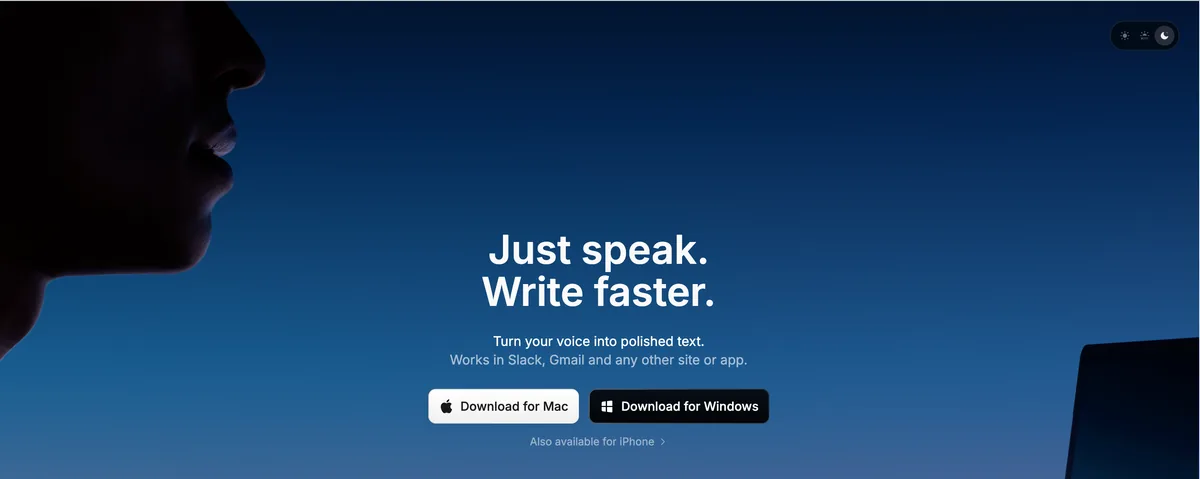
Superwhisper is the best Handy alternative for power users who want on-device processing with advanced customization. Superwhisper runs Whisper and other models locally on Mac with custom modes per app, multiple AI model options for post-processing, and voice-triggered LLM interactions. The core value proposition: Handy's privacy architecture plus configurability.
Key Features
- On-device Whisper transcription with optional cloud LLM post-processing
- Custom modes per application (different settings for Slack vs code editor)
- Multiple AI model options (OpenAI, Anthropic, Google Gemini)
- Voice-triggered LLM chat
- Meeting recording and transcription
- macOS, Windows, and iOS apps
Pros
- Most flexible configuration among on-device dictation apps
- Optional AI post-processing with user's choice of LLM
- Meeting recording built in (Handy lacks this)
- iOS app for mobile dictation
- Lifetime pricing option eliminates recurring costs
Cons
- Can be overwhelming — many settings and modes to configure
- Audio recordings saved by default (privacy-conscious users must disable)
- API keys stored in plaintext JSON on disk (a documented complaint)
- $249 lifetime is expensive — $50 more than Voibe's $199 lifetime
- Windows and iOS apps reportedly less polished than Mac version
Pricing
- Pro: $8.49/month or $84.99/year
- Lifetime: $249 one-time
User Reviews
Active on Product Hunt with strong 4.9/5 average (20 reviews). Users praise flexibility, modes, and multilingual support. Criticism centers on complexity, mobile quality, and storage of recordings.
Best For
Power users who want on-device privacy with advanced customization. Read our full Superwhisper review.
4. VoiceInk — Best Open-Source Mac Alternative to Handy
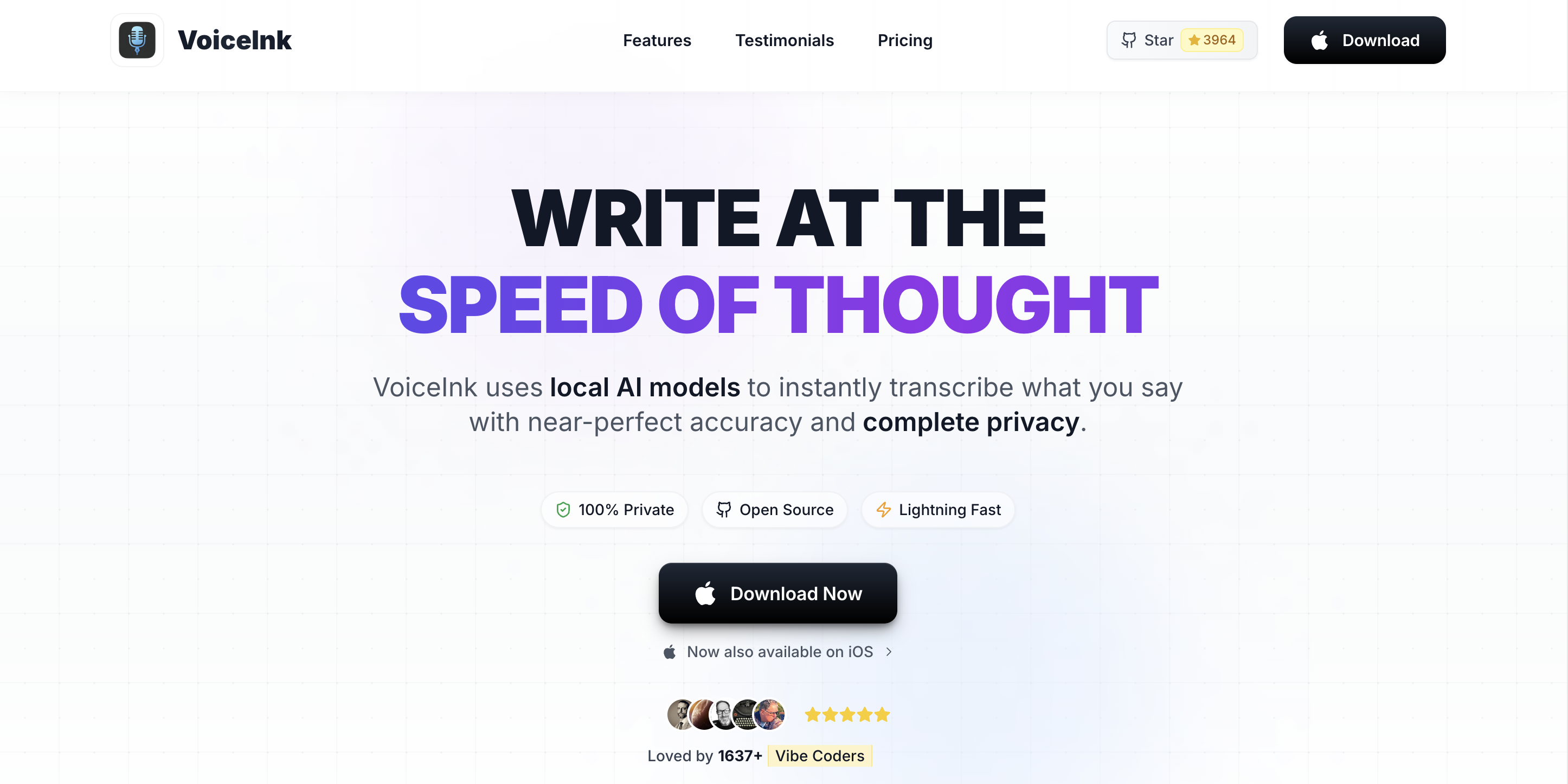
VoiceInk is the best Handy alternative for users who want open-source dictation on Mac at a low one-time price. Like Handy, VoiceInk's source is public on GitHub (GPL v3) and processing happens on-device. Unlike Handy, VoiceInk is Mac-only, costs from $25 one-time, and adds Power Mode (app-specific profiles) plus optional AI Enhancement via bring-your-own API keys.
Key Features
- Open source (GPL v3) with 4,300+ GitHub stars
- 100% on-device Whisper processing by default
- Power Mode auto-adjusts settings per active app or URL
- Smart Modes (Email, Tweet, Chat, Custom) switchable via keyboard shortcuts
- AI Enhancement using user-provided API keys (OpenAI, Anthropic, Google)
- Personal dictionary for custom vocabulary
- Searchable transcription history
Pros
- Cheapest commercial Mac dictation option ($25 one-time)
- Open source with full code auditability
- Can build from source for free via Xcode
- Power Mode is unique among Mac dictation apps
- Active solo developer with responsive community
Cons
- Mac-only (no Windows or Linux like Handy)
- Requires macOS 14 Sonoma or later
- AI Enhancement requires users to provide their own API keys
- iOS app reportedly buggy with lower quality than Mac
- Solo-developer maintenance risk
- No dedicated IDE integration
Pricing
- Free Trial: 7 days
- Paid License: $25 one-time (Solo, 1 Mac); $39 Personal (2 Macs) / $49 Extended (3 Macs)
- Build from Source: Free via Xcode (no auto-updates)
User Reviews
4,300+ GitHub stars and 570+ forks. Not broadly reviewed on Product Hunt or G2.
Best For
Mac users who want open source plus low one-time pricing and can live without cross-platform or IDE integration. Read our full VoiceInk review.
5. Apple Dictation — Best Free Handy Alternative with Zero Setup
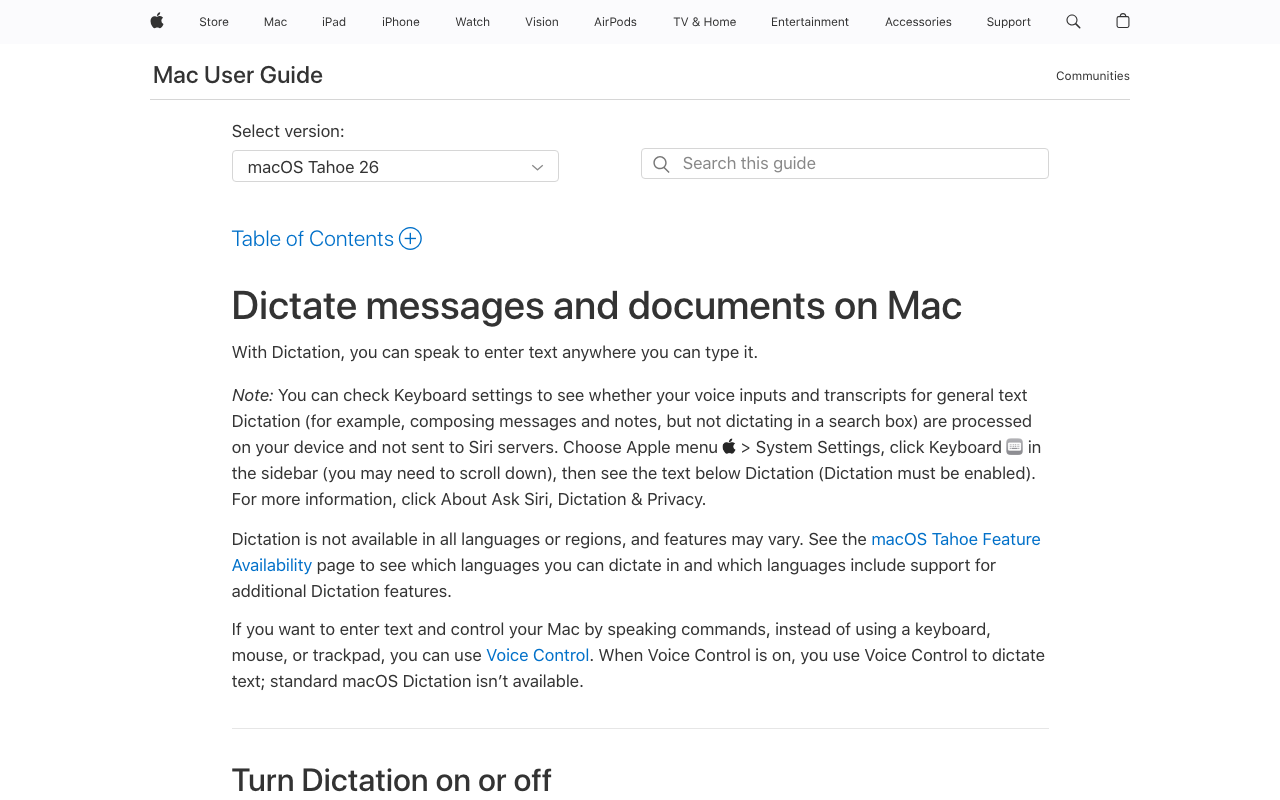
Apple Dictation is the best Handy alternative if you want free dictation with zero install. Built into macOS and iOS, Apple Dictation processes speech on-device on Apple Silicon Macs with no configuration required. The trade-off vs Handy: Apple Dictation has a 30-second silence cutoff, no custom vocabulary, no developer features, and reportedly declining accuracy over time.
Key Features
- Built into macOS and iOS — no install required
- On-device processing on Apple Silicon Macs
- System-wide availability
- Basic auto-punctuation
- Voice commands ("new paragraph," "new line," "capitalize that")
Pros
- Free and built-in
- Zero setup — enable in System Settings and start dictating
- On-device on Apple Silicon (privacy-preserving)
- Verbal formatting commands (which Handy lacks)
- Works across macOS and iOS without separate apps
Cons
- 30-second silence cutoff — dictation stops automatically
- Accuracy reportedly declining over time (multiple Apple Community threads)
- Drops words mid-sentence on occasion
- No custom vocabulary for technical terms
- No developer or IDE features
- Requires internet for pre-Apple Silicon Macs (enhanced dictation)
Pricing
Free — included with macOS and iOS.
User Reviews
Not rated on third-party platforms (built-in system feature). User frustration documented in Apple Support Communities and AppleVis forums focused on accessibility.
Best For
Casual Mac users who want free dictation with no install. Read our full Apple Dictation privacy analysis.
6. MacWhisper — Best Handy Alternative for Audio File Transcription
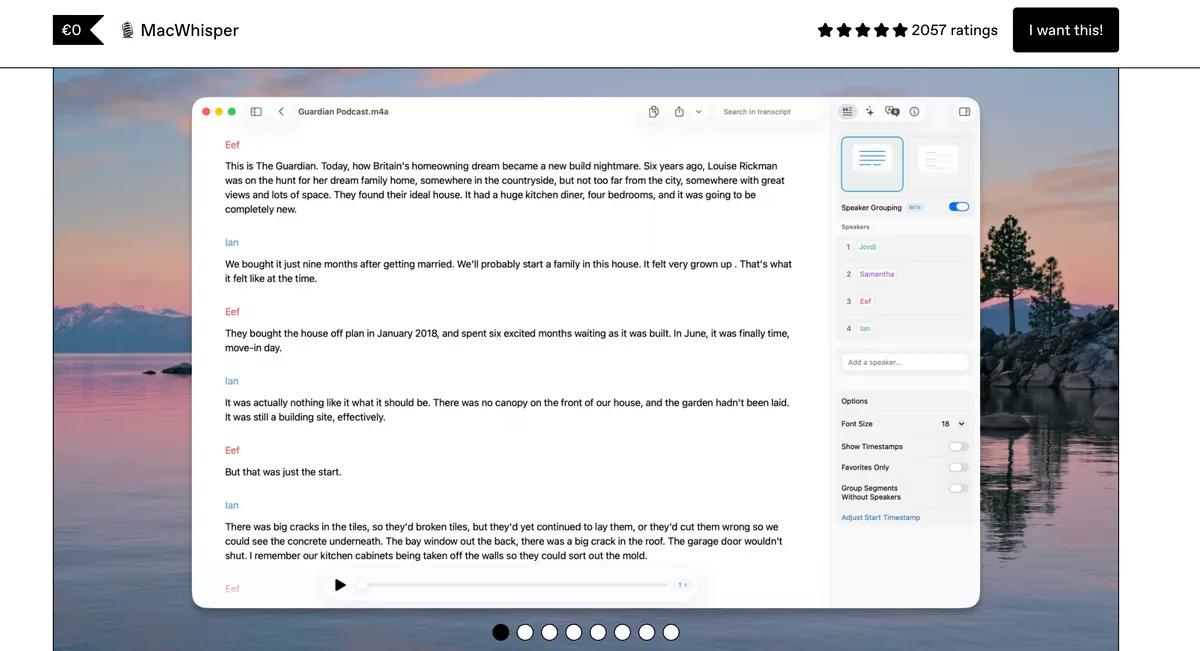
MacWhisper is the best Handy alternative for users who need to transcribe audio and video files (not just real-time dictation). MacWhisper runs Whisper locally on Mac with support for file uploads from FaceTime, Zoom, Teams, phone calls, voice memos, and more. Handy is real-time only; MacWhisper fills the batch transcription gap.
Key Features
- Audio and video file transcription using local Whisper models
- Supports common meeting recording formats
- Speaker diarization in Pro tier
- Export to SRT, VTT, TXT, and other formats
- Real-time dictation added in recent versions
- Native Mac app
Pros
- Best-in-class file transcription on Mac
- 100% on-device processing
- One-time pricing — no subscription
- Supports industry-standard subtitle formats
- Active development with frequent updates
Cons
- Mac-only (Handy covers Windows and Linux)
- Primarily file-based, not optimized for real-time system-wide dictation
- Pro tier at $79.99 is pricier than VoiceInk
- Not open source
Pricing
- Free: Basic file transcription with Tiny model
- Pro: $79.99 one-time (all features, all models, lifetime updates)
User Reviews
4.9/5 on Product Hunt (7 reviews). Users praise file transcription accuracy and native Mac experience.
Best For
Mac users who primarily transcribe meeting recordings, interviews, and voice memos — with some real-time dictation as a bonus.
7. Aqua Voice — Best Handy Alternative for Technical Vocabulary
Aqua Voice is the best Handy alternative for users working with specialized technical vocabulary. Aqua Voice supports custom dictionaries of up to 800 terms and offers context-aware formatting on Mac and Windows. Unlike Handy, Aqua Voice processes audio in the cloud and offers an AI editing layer.
Key Features
- Custom dictionaries with up to 800 technical terms
- Context-aware formatting per app
- Mac and Windows support
- Cloud AI processing
- Command mode for voice-driven actions
Pros
- Best-in-class custom vocabulary support
- Cross-platform on Mac and Windows
- Strong technical accuracy for software, medical, and legal terms
- Context-aware formatting (similar to Wispr Flow)
Cons
- Cloud processing — audio sent to external servers
- No Linux support (Handy has it; Aqua Voice does not)
- Subscription-only pricing
- Smaller user base than Wispr Flow or Superwhisper
Pricing
- Pro: $8/month
- Free trial: Available
User Reviews
Not broadly rated on Product Hunt or G2. User feedback on technical vocabulary is positive.
Best For
Medical, legal, and technical professionals who need custom vocabulary and can accept cloud processing.
8. Monologue — Best Lightweight Handy Alternative for Mac
Monologue is the best Handy alternative for Mac users who want a lightweight, focused offline dictation app. Like Handy, Monologue runs locally with no cloud processing. It is Mac-only with a simple push-to-talk interface and affordable pricing.
Key Features
- 100% on-device dictation on Mac
- Push-to-talk with configurable hotkey
- System-wide text insertion
- Lightweight native Mac app
- Affordable subscription or annual pricing
Pros
- Simple, focused interface (like Handy)
- Fully offline for privacy
- Affordable at $5/month or $30/year
- Native Mac performance
Cons
- Mac-only (no Windows or Linux)
- Smaller feature set than Voibe or Superwhisper
- Not open source
- Smaller community than Handy or VoiceInk
Pricing
- Monthly: $5/month
- Annual: $30/year
User Reviews
Not broadly rated on third-party review platforms.
Best For
Mac users who want a lightweight, affordable offline dictation app and do not need IDE integration or advanced features.
9. Whisper.cpp — Best DIY Handy Alternative for Developers
Whisper.cpp is the best Handy alternative for developers who want to build their own dictation experience. It is the C/C++ port of OpenAI Whisper that many dictation apps (including Handy itself, via whisper-rs bindings) are built on. With 35,000+ GitHub stars, Whisper.cpp is the foundation of the local Whisper ecosystem. It is command-line and library-first — you get the raw engine, not a finished app.
Key Features
- C/C++ port of OpenAI Whisper with no runtime dependencies
- Cross-platform: Linux, macOS, Windows
- GPU acceleration via Metal (Mac), CUDA (Nvidia), OpenCL, Vulkan
- Model quantization for reduced memory use
- Streaming inference support
- MIT licensed
Pros
- Most widely used local Whisper implementation
- Massive community (35,000+ GitHub stars)
- Actively maintained by original author Georgi Gerganov
- Foundation for countless Whisper-based projects
- Free and MIT licensed
Cons
- Not a finished app — you build your own UI
- Command-line by default
- Requires programming knowledge
- No dictation-specific features (push-to-talk, auto-paste, etc.)
Pricing
Free (MIT license).
User Reviews
35,000+ GitHub stars. Not an end-user product, so not reviewed on consumer platforms.
Best For
Developers building custom dictation workflows or wanting to self-host the Whisper engine directly. For most users, a finished app like Handy, Voibe, or VoiceInk is a better starting point.
How to Choose the Right Handy Alternative
Use this decision tree to identify your best Handy alternative based on what matters most to you. Work through these questions in order.
1. What platform do you need?
- Mac only: Voibe, Superwhisper, VoiceInk, MacWhisper, Monologue, or Apple Dictation
- Mac + Windows: Voibe, Wispr Flow, Superwhisper, Aqua Voice
- Mac + Windows + Linux: Stay with Handy, or try Whisper.cpp for DIY
- Mobile (iOS/Android): Wispr Flow or Typeless
2. How important is privacy?
- Critical — on-device only: Voibe, Superwhisper (configured for local only), VoiceInk, MacWhisper, Monologue, Apple Dictation (on Apple Silicon)
- Cloud is acceptable: Wispr Flow, Aqua Voice
- Must be open source: VoiceInk (GPL v3), Whisper.cpp (MIT), or stay with Handy (MIT)
3. Do you need AI-polished output?
- Yes, polished output matters: Wispr Flow (cloud AI), Superwhisper (with LLM), VoiceInk (AI Enhancement with your API keys)
- Raw transcription is fine: Voibe, MacWhisper, Monologue, Apple Dictation, Whisper.cpp, or stay with Handy
4. What is your budget?
- Free only: Apple Dictation, Whisper.cpp, or stay with Handy
- One-time ($25-$200): VoiceInk ($25), MacWhisper Pro ($79.99), Voibe lifetime ($199)
- Subscription: Monologue ($5/mo), Aqua Voice ($8/mo), Superwhisper ($8.49/mo), Voibe ($9.90/mo), Wispr Flow ($15/mo)
- Premium lifetime: Superwhisper lifetime ($249)
5. Are you a developer who dictates code?
- Need VS Code or Cursor integration: Voibe is the only option with this feature
- Want CLI automation and custom models: Stay with Handy, or use Whisper.cpp directly
- Dictate code occasionally: Any on-device tool works (Voibe, Superwhisper, VoiceInk)
Use-Case Cheat Sheet: Best Handy Alternative for Your Situation
Match your specific workflow or profession to the best Handy alternative below. Each scenario maps to one primary recommendation and (where applicable) a secondary option.
- Mac developer using Cursor or VS Code → Voibe (Developer Mode resolves workspace file and folder names)
- Privacy advocate on Linux → Keep Handy (no other class-leading app supports Linux natively)
- Remote worker who dictates on phone and laptop → Wispr Flow (only Handy alternative with native iOS and Android)
- Doctor or lawyer on Mac with custom vocabulary → Voibe for privacy + IDE workflows, or Aqua Voice for 800-term custom dictionary
- Student on a budget → Apple Dictation (free, built-in) or VoiceInk ($25 one-time, open source)
- Journalist transcribing interviews → MacWhisper (best-in-class file transcription) + Voibe for real-time
- Power user who wants per-app dictation profiles → Superwhisper (custom modes per app)
- Open source advocate on Mac → VoiceInk (GPL v3, auditable) or keep Handy
- Developer who wants to build custom dictation tooling → Whisper.cpp (the engine Handy itself uses)
- Minimal setup, casual dictation → Apple Dictation (zero install, works in any Mac app)
- Enterprise team with HIPAA/SOC 2 requirements → Wispr Flow (SOC 2 Type II and HIPAA compliant) or Voibe (fully on-device mode keeps audio off the network; zero retention, never trained on)
- Mac user who wants lightweight, focused dictation → Monologue ($5/mo, single-purpose)
Frequently Asked Questions About Handy Alternatives
Basics
Why look for Handy alternatives at all?
Handy is the best free offline dictation app available. Users look for alternatives when they need features Handy does not provide: AI-polished output, mobile apps, dedicated IDE integration, batch file transcription, or professional support with SLAs. Handy is excellent at what it does, but its scope is deliberately narrow.
What makes Handy special compared to other dictation apps?
Handy is free under the MIT license, runs 100% on-device, supports macOS, Windows, and Linux, and has approximately 20,000 GitHub stars signaling strong community validation. No other class-leading dictation app combines all four attributes. Paid alternatives like Voibe and Wispr Flow trade some of these for polish or cross-platform mobile reach.
Privacy and Security
Which Handy alternatives keep audio on-device?
Voibe (in its on-device mode), Superwhisper (configured for local only), VoiceInk, MacWhisper, Monologue, Apple Dictation (on Apple Silicon), and Whisper.cpp all process audio on-device. Wispr Flow and Aqua Voice process in the cloud.
Is any Handy alternative also open source?
VoiceInk is open source under GPL v3. Whisper.cpp is open source under MIT — but it is a library, not a finished app. For closed-source commercial alternatives (Voibe, Wispr Flow, Superwhisper), the privacy architecture is documented but not independently auditable.
Pricing and Value
What is the cheapest Handy alternative with similar features?
Apple Dictation is free with zero setup but has meaningful limitations (30-second silence cutoff, no custom vocabulary). VoiceInk at $25 one-time is the cheapest commercial alternative with capabilities similar to Handy plus Power Mode. For Mac users, Voibe at $199 lifetime adds polish and IDE integration at a fair premium.
How do subscription alternatives compare to Handy's $0 cost over 3 years?
Handy costs $0 over 3 years (free forever). Voibe lifetime is $199. Wispr Flow annual is $432 over 3 years. Superwhisper lifetime is $249. If cost is the only factor, Handy wins by a wide margin. If polish and features matter, the paid tools justify their cost through time saved on editing and dedicated support.
Features and Performance
Which Handy alternative has the fastest processing?
Wispr Flow delivers near-instant results because it processes in the cloud on GPU clusters. On-device alternatives (Voibe, Superwhisper, VoiceInk, MacWhisper, Monologue) have similar latency to Handy — typically 1-5 seconds depending on model and hardware. Apple Silicon with Parakeet V3 is the fastest on-device configuration.
Which Handy alternative has the best AI text editing?
Wispr Flow has the most polished AI editing — removes filler words, corrects grammar, formats output per app. Superwhisper supports multiple LLM models for post-processing. VoiceInk offers AI Enhancement but requires user-provided API keys. Voibe focuses on accurate on-device transcription without AI rewriting.
Platforms and Compatibility
Which Handy alternative supports Linux?
Among finished consumer dictation apps, Handy is the main Linux option. For Linux alternatives to Handy, Whisper.cpp (command-line/library) is the foundational option. Willow and Talon are also Linux-compatible. Most commercial dictation apps (Voibe, Wispr Flow for dictation, Superwhisper, VoiceInk) do not support Linux.
Which Handy alternative works on iPhone or Android?
Wispr Flow has native iOS and Android apps. Apple Dictation is built into iOS. Typeless supports iOS and Android alongside Mac, Windows, and Linux. Handy itself is desktop-only.
Final Verdict: The Best Handy Alternative Depends on What You Need
Handy is an excellent free dictation app. It deserves its approximately 20,000 GitHub stars, 5.0/5 Product Hunt rating, and status as the go-to free, open-source, cross-platform offline dictation tool. For many users, the right answer is to keep using Handy.
You should switch to a Handy alternative when you need one of these specifically:
- Polished on-device dictation on Mac with IDE integration → Voibe at $199 lifetime (our product — matches Handy's privacy architecture with professional polish)
- Cross-platform AI-edited output on mobile → Wispr Flow at $144/year
- On-device customization on Mac → Superwhisper at $249 lifetime
- Open source Mac at a low one-time price → VoiceInk at $25
- Free with zero install on Mac → Apple Dictation built-in
- Audio file transcription on Mac → MacWhisper Pro at $79.99
For most Mac users evaluating Handy, Voibe is the clearest upgrade path. You get the same on-device privacy that makes Handy attractive, plus a polished UX, VS Code/Cursor integration, system-wide text insertion, and professional support. The $199 lifetime price pays back vs Wispr Flow's annual subscription in about 17 months.
For Linux users, Windows users on a budget, and anyone who values open source and auditable code, Handy remains the right answer. It is rare to find a free tool that does its job this well.
Key Takeaway
Voibe is the best Handy alternative for Mac users who want polished on-device dictation with IDE integration. Handy itself remains the right choice for Linux users, budget-conscious users, and open-source advocates.
Related Dictation Resources
- Handy Review 2026: Free Open-Source Offline Dictation
- Handy vs Wispr Flow: Free Open-Source vs Paid AI Dictation
- Best Free Dictation Apps (2026 Guide)
- Best Offline Dictation Apps for Mac
- VoiceInk Review: Open-Source Mac Dictation for $40
- Wispr Flow Review: Key Features, Pricing and Alternatives
- Superwhisper Review: Is It Worth $249?
- 9 Best VoiceInk Alternatives in 2026
- Best Open Source Wispr Flow Alternatives — Handy is featured as the highest-star, lowest-abandonment-risk cross-platform pick among 8 OSS dictation tools
- OpenAI Whisper Alternatives for Local Transcription
- Apple Dictation vs OpenAI Whisper — built-in vs the open-source model that powers Handy
- Apple Dictation vs Wispr Flow — free built-in vs $144/yr cloud AI
- Is Handy Safe? Free, Open-Source, On-Device — the dedicated privacy and safety investigation, grounded in a source audit.
- FluidVoice Review: Inside the Viral Free Dictation App's GitHub — the other viral open-source dictation app, with live preview and local AI cleanup but a rougher stability record
- OpenWhispr vs Handy — Handy against the MIT rival that added a managed cloud
- OpenWhispr Alternatives — the same exit-map exercise, for OpenWhispr users
- FluidVoice Alternatives — the other free open-source Mac app people compare Handy against
- FluidVoice vs Handy — head to head on licensing, platforms, and output quality
- Handy Pricing — what the free open-source app actually costs to run once you factor in cloud API keys
Best AI Dictation and Meeting Notes for Confidential Work
Draft letters, notes and emails 5x faster. Get meeting notes without a bot joining your call. Nothing used to train AI.
- Mac + Windows
- No bot in your calls
- Nothing used to train AI
- 7-day free trial
Want to compare plans first? View pricing →
Related Articles
I Tested 7 DictaFlow Alternatives — Here's the One I Trust with Sensitive Work
DictaFlow markets itself for clinical notes and legal drafts, so I tested seven alternatives and read every privacy page. Here's the one I'd trust with a patient's name — and the one you actually need a signed BAA for.
I Tried 7 Paraspeech Alternatives on My Mac — Here's the One I Kept
I ran Paraspeech and seven alternatives through real daily dictation on my Mac — on-device processing, custom vocabulary, formatter-vs-rewriter behavior, Hands-Free and live dictation, platforms, and cost. Here's what I found, and the one I use now.
8 Best Spokenly Alternatives for Mac in 2026 (Reviewed)
Compare the top Spokenly alternatives for Mac dictation in 2026. Reviews of Voibe, VoiceInk, Superwhisper, MacWhisper, and more with pricing, features, and BYOK trade-offs.