
Handy Review: Free Offline Dictation for Mac, With One Catch
Handy review: free, MIT-licensed speech-to-text that runs offline on Mac, Windows and Linux, with 32.9k GitHub stars. Our verdict: 7.5/10. The catch is polish.

Pros
- +Completely free with no paid tiers, subscriptions, or word limits
- +MIT-licensed open source with about 32,900 GitHub stars, about 3,000 forks, and 877 commits (October 2026)
- +Transcription runs 100% on-device with no account; the only optional cloud surface is AI text cleanup you switch on with your own API key
- +Native builds for macOS (Apple Silicon and Intel), Windows (x64 and ARM), and Linux (x64 and ARM as AppImage, .deb, and .rpm)
- +Choice of local speech models: Whisper Small, Medium, Turbo, and Large, Parakeet V3, Moonshine, and more, plus custom Whisper GGML models
- +CLI flags (--toggle-transcription, --toggle-post-process, --cancel, --start-hidden) for scripting and custom hotkeys
- +Raycast extension lets Mac users start and stop recording, browse transcript history, manage the dictionary, and switch models
- +Silero Voice Activity Detection filters silence so only speech segments are processed
- +Actively maintained: five releases between July 21 and October 3, 2026 (v0.9.4 to v0.9.8)
Cons
- -Output stays near-verbatim by default; AI cleanup is off by default and needs your own API key, a local Ollama model, or Apple Intelligence
- -Minimal auto-punctuation compared with tools that ship a formatting layer, such as Wispr Flow or Voibe
- -A noticeable pause after you stop speaking with the larger Whisper models on most hardware
- -No mobile app on iOS or Android; desktop only
- -Linux Wayland support is limited (needs wtype, dotool, or ydotool for text input; global shortcuts must be set in your desktop environment)
- -Occasional clipped words at the start of a dictation reported by users
- -Auto-paste can land in the wrong app if you switch windows before processing finishes
Handy asks for nothing: no account, no subscription, and no internet connection once a speech model is downloaded. Hold a hotkey, talk, and your words land in whatever app has the cursor. What this review answers is what "free" costs you in polish.
TL;DR: Handy is a free, open-source (MIT) dictation app built by developer CJ Pais that transcribes speech on-device on macOS, Windows, and Linux. It earns a 7.5/10 (3.75/5): the strongest free offline dictation app in its class. Download it from handy.computer or GitHub releases, or install it with brew install --cask handy on Mac or winget install cjpais.Handy on Windows. It has about 32,900 GitHub stars and a 5.0/5 Product Hunt rating from 5 reviews. The catch is polish: output stays close to verbatim, and AI cleanup is an off-by-default setting you connect to your own API key, a local Ollama model, or Apple Intelligence. Is it safe? Yes. Our Is Handy Safe? source audit found no cloud transcription path anywhere in the code.
If you want cleanup out of the box instead of wiring it yourself, Voibe ($9.90/month, $99/year, or $199 lifetime, one plan for Mac and Windows) adds Smart Formatting, Live Dictation on Mac, and Developer Mode for Cursor, VS Code, and Windsurf. It runs on-device on Apple Silicon Macs and uses a zero-retention cloud on Windows and Intel Macs.
Disclosure: Voibe is our product. This review covers Handy's genuine strengths (free, open, private, cross-platform) and its real limitations (near-verbatim output, a pause on large models, Linux Wayland issues) fairly. Handy is an excellent free tool and deserves serious consideration.
Key Takeaway
Handy scores 7.5/10: the most credible free offline dictation app for Mac, Windows, and Linux, with near-verbatim output as its main limitation.
Key Takeaways: Handy at a Glance
| Aspect | Rating | Summary |
|---|---|---|
| Privacy | 10/10 | Transcription is 100% on-device; MIT-licensed source code auditable by anyone; optional AI cleanup is off by default and sends text, never audio |
| Pricing | 10/10 | Completely free: no tiers, subscriptions, or word limits |
| Accuracy | 8/10 | Strong with Whisper Large; Parakeet V3 adds automatic language detection |
| Features | 6/10 | Multi-model support, CLI automation, filler-word filter; AI cleanup is bring-your-own; no mobile app |
| User Experience | 6/10 | Functional push-to-talk; a pause after speaking on large models and occasional clipped first words |
| Platform Support | 8/10 | macOS (Apple Silicon + Intel), Windows (x64 + ARM), Linux (x64 + ARM); no mobile |
| Overall | 7.5/10 | Best for privacy advocates, developers, and Linux users who can accept near-verbatim output |
What Is Handy? Who Makes It, Where to Get It, and What It Costs
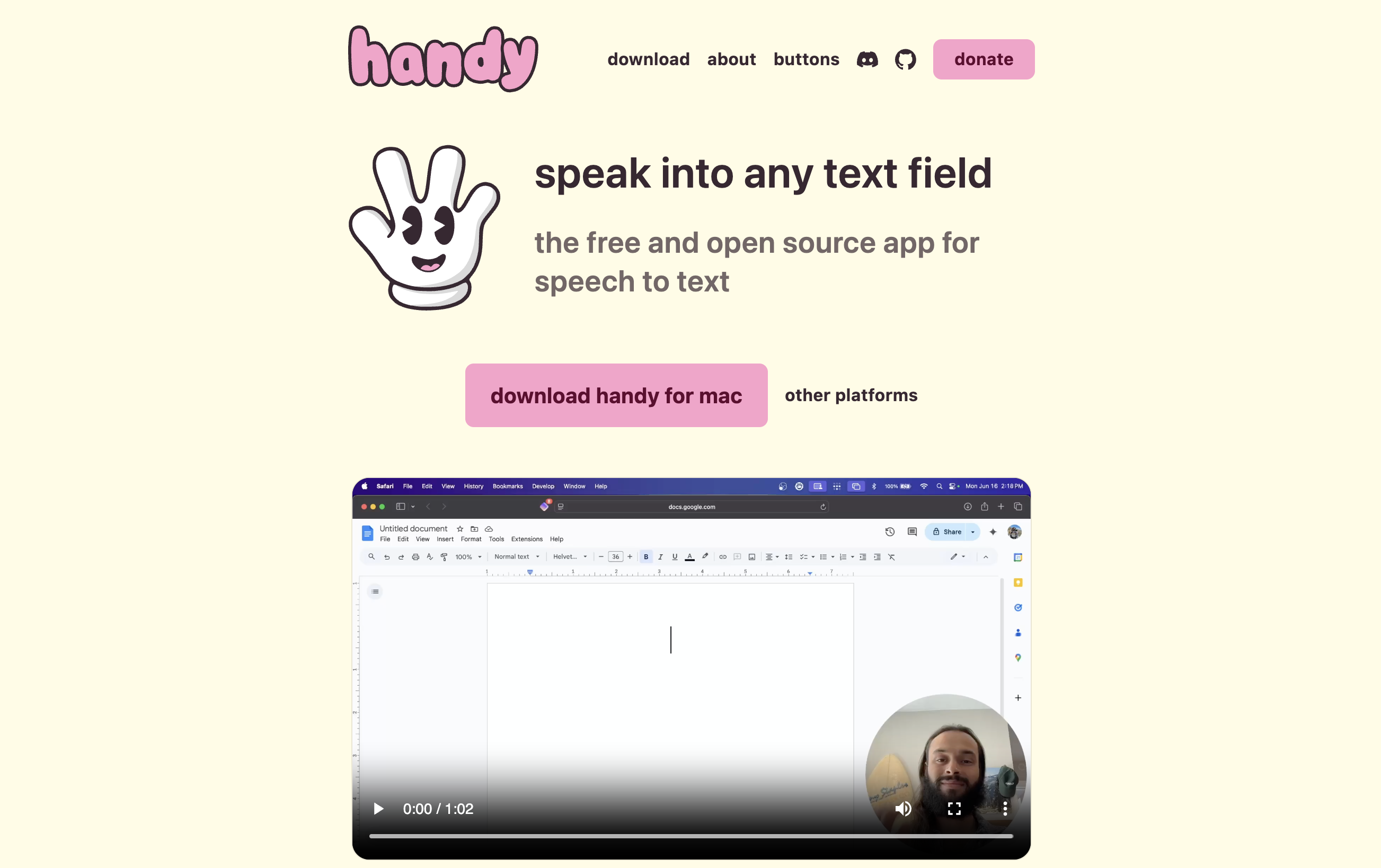
Handy is a free, open-source speech-to-text app built by developer CJ Pais and maintained on GitHub with community contributors. The official tagline is "the free and open source app for speech to text." It is a Tauri app (Rust with a React/TypeScript interface) that performs speech recognition locally, and it works as push-to-talk dictation: hold or tap a configurable shortcut, speak, and Handy pastes the transcribed text into whichever app is active.
| Question | Answer (verified October 5, 2026) |
|---|---|
| Who makes Handy? | CJ Pais, with community contributors; repository at github.com/cjpais/Handy |
| Is Handy free? | Yes, $0 with no paid tier. Funding comes from GitHub Sponsors, Stripe donations, and named sponsors (Wordcab, Epicenter, Bolt AI, Canty Digital) |
| License | MIT for the code; the Handy name, logo, and brand assets are not open source |
| Platforms | macOS (Apple Silicon and Intel), Windows (x64 and ARM), Linux (x64 and ARM) |
| Where to download | handy.computer/download, GitHub releases, Homebrew (brew install --cask handy), winget (winget install cjpais.Handy) |
| Latest version | v0.9.8, released October 3, 2026 |
| Speech models | Whisper Small, Medium, Turbo, and Large; Parakeet V3; Moonshine and other local models; custom Whisper GGML models |
| Needs internet? | Only to download the app and models; transcription runs offline |
| GitHub activity | About 32,900 stars, about 3,000 forks, 877 commits |
| Mobile app? | No; desktop only |
Handy's growth is the story behind the search volume: the repository had about 20,000 stars in April 2026 and about 32,900 by early October 2026. For a broader look at how Handy fits among free dictation tools, see our best free dictation apps guide. For the dedicated privacy investigation, including the complete network ledger from a full source audit, see Is Handy Safe?.
How to Download and Install Handy on Mac, Windows, and Linux
Handy installs in about the time it takes to download a speech model. Every build is on the official download page and on GitHub releases.
| Platform | Direct download | Package manager | Notes |
|---|---|---|---|
| macOS (Apple Silicon or Intel) | .dmg | brew install --cask handy | The Homebrew cask lists macOS 13 or later; grant Microphone and Accessibility permissions on first launch |
| Windows (x64 or ARM) | .exe installer or .msi | winget install cjpais.Handy | Grant microphone access on first launch |
| Linux (x64 or ARM) | AppImage, .deb, or .rpm | sudo apt install ./Handy_*.deb | Install wtype or dotool on Wayland (xdotool on X11); Ubuntu 26.04 needs ydotool |
Two details worth knowing. First, the Homebrew cask and the winget package are community-maintained, not published by the Handy developers, so the GitHub release is the canonical source. If you typed brew install handy, the documented command is brew install --cask handy. Second, releases are signed, and the README explains how to verify a download with minisign.
Handy on Mac
Handy ships separate Apple Silicon and Intel builds. After you grant Microphone and Accessibility access, pick a model: Whisper Small (487 MB) is the lightest download and Whisper Turbo (1.6 GB) the largest, while Parakeet V3 is the CPU-optimized option with automatic language detection. Mac users also get the Raycast extension and, per our source audit, Apple Intelligence as a fully local option for the optional AI cleanup step. Press Cmd+Shift+D to open the debug panel if something misbehaves.
Key Takeaway
Install Handy from handy.computer or GitHub releases, or with brew install --cask handy (Mac, macOS 13+) or winget install cjpais.Handy (Windows). The Homebrew and winget packages are community-maintained.
Handy Key Features
Handy focuses on a single use case, push-to-talk dictation with local processing, and does it well. The feature set is deliberately narrow compared to commercial alternatives:
- Push-to-talk or toggle: Hold a configurable shortcut to record and release to stop, or tap to toggle. Hold-only, toggle-only, and an auto push-to-talk mode (added in v0.9.7) are available. Text pastes into the active field.
- Multiple speech models: Whisper Small (487 MB), Medium (492 MB), Turbo (1.6 GB), and Large (1.1 GB) with GPU acceleration when available, Parakeet V3 with automatic language detection, Moonshine, and other local model families. Our v0.9.0 source audit counted 65 local models across 13 families.
- Custom model loading: Drop any Whisper GGML
.binfile into the models folder and Handy lists it under Custom Models. - Filler-word filter: Handy strips common filler words; the v0.9.8 release refined its English filler list.
- Optional AI cleanup (post-processing): Off by default. Connect your own API key for a cloud LLM, or use a local Ollama model or Apple Intelligence. It sends transcript text, never audio.
- Silero Voice Activity Detection: Built-in silence filtering so only speech segments are processed.
- CLI automation flags:
--toggle-transcription,--toggle-post-process,--cancel,--start-hidden,--no-tray,--debug. On Linux,pkill -USR2 -n handytoggles transcription for Wayland window managers. - Raycast extension: Start and stop recording, browse transcript history, manage the dictionary, and switch models and languages from the Raycast launcher on Mac.
- Custom words dictionary and history: User-configurable vocabulary for specialized terms, plus a history of recent transcriptions.
- Cross-platform: macOS (Apple Silicon and Intel), Windows (x64 and ARM), Linux (x64 and ARM).
- Debug mode: Cmd+Shift+D (Mac) or Ctrl+Shift+D (Windows and Linux) exposes detailed logs.
What Handy deliberately does not offer: a managed AI writing service, tone matching per app, mobile apps, batch audio file transcription, meeting capture, or team features. Handy is a focused, single-purpose tool.
Pricing and Plans
Handy uses the simplest pricing model possible: free under the MIT license. There are no plans, no tiers, no word limits, no premium features, and no paywalls.
| Plan | Price | Includes |
|---|---|---|
| Handy | $0 | All features, all models, unlimited use, MIT license |
| Donate | Optional | Support development via GitHub Sponsors or a Stripe donation link on handy.computer |
Here is how Handy compares to paid alternatives over three years (entry paid plan for each tool):
| Tool | Year 1 | Year 2 | Year 3 | 3-Year Total |
|---|---|---|---|---|
| Handy (free, MIT) | $0 | $0 | $0 | $0 |
| Apple Dictation (built-in) | $0 | $0 | $0 | $0 |
| VoiceInk (Solo, one-time, 1 Mac) | $25 | $0 | $0 | $25 |
| Voibe (lifetime) | $199 | $0 | $0 | $199 |
| Voibe (annual) | $99 | $99 | $99 | $297 |
| Superwhisper (Pro annual) | $84.99 | $84.99 | $84.99 | $254.97 |
| Wispr Flow (Pro annual) | $144 | $144 | $144 | $432 |
Handy's $0 saves $25 against VoiceInk Solo, $199 against Voibe Lifetime, $297 against three years of Voibe annual, $254.97 against three years of Superwhisper Pro, and $432 against three years of Wispr Flow Pro. Superwhisper and Wispr Flow also have free tiers, but their paid features are what this table prices. If price is the only factor, Handy wins. The trade-off is that paid tools ship formatting, polished UX, and dedicated support. For users who only need speech-to-text and can accept the limitations, Handy is the clear value choice.
Key Takeaway
Handy is free under MIT, saving $199 against Voibe Lifetime and $432 against three years of Wispr Flow Pro. Paid tools justify their price through built-in formatting, polished UX, and dedicated support.
Is There a Handy Lifetime Deal?
No. There is no Handy lifetime deal, because Handy is free and open source: there is nothing to buy. Handy costs $0 under the MIT license, with no paid tiers, subscriptions, or word limits, so there is no price for a lifetime deal to discount (source: handy.computer). On price alone, free beats any lifetime deal.
If you searched for a "Handy lifetime deal" because you are comparing one-time prices for dictation apps, here is the landscape covered in this review:
- Handy: $0, MIT-licensed, on Mac, Windows, and Linux
- Voibe Lifetime: $199 one-time, Mac and Windows on one license (Voibe also has a free plan with limited words on one device)
- VoiceInk: $25 one-time for 1 Mac ($39 for 2, $49 for 3), Apple Silicon Macs only, open source (GPL v3)
- Superwhisper: $249.99 lifetime, on Mac, Windows, iOS, and Android
- Wispr Flow: no lifetime option; Pro is $15/month or $144/year, recurring
What does a one-time price buy relative to free? Voibe transcribes on-device on Apple Silicon Macs (M1 or later) like Handy, and uses a zero-retention cloud on Windows and Intel Macs. On top of that it adds Smart Formatting (punctuation, capitalization, paragraphing, and filler-word removal without rewriting your meaning), Live Dictation on Mac that shows words on screen as you speak, Developer Mode that resolves file and folder names in VS Code, Cursor, and Windsurf, Memory text shortcuts, spoken punctuation, and dedicated support. Those are the exact areas where Handy's near-verbatim output, do-it-yourself AI cleanup, and community-only support fall short.
The honest caveat: Handy at $0 is a strong choice for privacy advocates, Linux users, and anyone happy to edit near-verbatim output by hand; no lifetime deal can beat free on price. A one-time license is worth paying for only if those gaps cost you real editing time. If they do, get Voibe Lifetime for $199 one-time. For the full cost breakdown, see our Handy pricing guide; for free and paid options compared, see our best Handy alternatives guide; and for every pay-once license in the category, see our roundup of the best dictation app lifetime deals.
Key Takeaway
There is no Handy lifetime deal: Handy is free and open source at $0, so there is nothing to buy. Among paid one-time dictation licenses, Voibe Lifetime is $199 for Mac and Windows, VoiceInk is $25 for one Mac, and Superwhisper is $249.99.
Performance and Accuracy
Handy uses the same open-source Whisper models available to most on-device dictation apps, plus options such as Parakeet V3 and Moonshine. Accuracy and speed depend heavily on which model you select and your hardware.
Speed
Handy processes speech after you release the shortcut, so there is a pause before text appears. It is the biggest perceptual difference compared with cloud tools, and it scales with model size:
- Parakeet V3: The fastest configuration and CPU-optimized. In the Hacker News launch thread, commenters singled it out as the quickest model.
- Whisper Large or Turbo: The most accurate Whisper options and the slowest; expect a noticeable wait on long dictations, especially without GPU acceleration.
- Older hardware: Smaller models (Whisper Small or Medium) keep the pause short at some cost in accuracy.
Cloud tools like Wispr Flow feel close to instant because they offload processing to remote GPUs. The trade-off is that your audio leaves your device.
Accuracy
For English dictation, Handy with Whisper Large delivers accuracy comparable to cloud services that use the same Whisper technology. Parakeet V3 handles multi-language use well with automatic language detection. One reviewer at The Autodidacts, an independent Linux-focused blog, reported dictating four paragraphs without making a single correction.
Where accuracy and reliability drop
- Occasional clipped first words: Users report the first word of a dictation sometimes gets cut off. (v0.9.7 fixed the opposite problem, lost audio at the end of a recording.)
- Auto-paste timing: If you switch apps before processing finishes, text can paste into the wrong app; the README also documents a stale-clipboard edge case under load.
- Linux Wayland: Text input needs wtype, dotool, or ydotool, and compositor support varies.
- Minimal auto-punctuation: Whisper output has basic sentence punctuation; comprehensive formatting needs the optional AI cleanup step.
User Experience and Interface
Handy's UX is deliberately minimal. You install the app, grant permissions, download a model, and start dictating. There is no account creation and no settings overload. Installation steps for each platform are in the install section above.
Daily Workflow
The core workflow is push-to-talk: hold the shortcut, speak, release. Text pastes automatically at the cursor. Toggle mode suits longer dictation. The Raycast extension on Mac adds quick access to transcript history, dictionary management, and model switching.
Learning Curve
For users comfortable with a single-purpose dictation tool, the learning curve is minimal. Users expecting Wispr Flow's AI rewriting or Voibe's Developer Mode will need to either accept near-verbatim output or configure the optional AI cleanup step themselves.
Pain Points
- Linux Wayland setup: Global shortcuts must be set in your desktop environment (pointing at
handy --toggle-transcription), and some compositors needlibgtk-layer-shell0or theHANDY_NO_GTK_LAYER_SHELLworkaround for the recording overlay. - Windows GPU crashes: Overlay and capture tools that hook into Vulkan caused crashes; Handy now skips implicit Vulkan layers by default to avoid them.
- Wrong-app pasting: If you switch windows before processing completes, text can land in the wrong app.
- Clipped first words: Occasional loss of the first word at the start of dictation.
Pros and Cons
What Handy Does Well
- Completely free under MIT: No tiers, subscriptions, or word limits. "Accessibility tooling belongs in everyone's hands, not behind a paywall" is the project's own stated principle.
- On-device transcription by architecture: No account and no cloud speech-to-text path. Your voice never leaves your computer.
- Cross-platform including Linux and ARM: Native builds for macOS, Windows, and Linux, with AppImage, .deb, and .rpm packages on Linux.
- Multiple speech models: Whisper Small, Medium, Turbo, and Large, Parakeet V3, Moonshine, and more, plus custom Whisper GGML models.
- CLI automation: Six command-line flags plus Linux signal control enable scripting and custom hotkeys.
- Active community: About 32,900 GitHub stars, about 3,000 forks, and five releases between July 21 and October 3, 2026.
- Fully auditable: MIT-licensed source code on GitHub lets anyone verify privacy claims, and releases are signed.
- Raycast extension: Lets Mac users control Handy directly from the Raycast launcher.
Where Handy Falls Short
- Near-verbatim output by default: A filler-word filter is built in, but tone matching, grammar correction, and app-specific formatting need the optional AI cleanup step, which you configure with your own API key or a local model.
- Minimal auto-punctuation: Whisper's basic sentence punctuation only, unless you enable AI cleanup.
- A pause after speaking: Noticeable with large Whisper models; shortest with Parakeet V3.
- No mobile app: Desktop only. No iOS or Android.
- Linux Wayland limitations: Needs wtype, dotool, or ydotool; shortcuts are set in the desktop environment; overlay workarounds on some compositors.
- Occasional clipped first words: Users report this as an inconsistent issue.
- Auto-paste can target the wrong app: Switching windows during processing can misroute the pasted text.
Who Is Handy Best For?
Best For
- Privacy-first users: No cloud transcription, no account, no telemetry in the code, and fully auditable source.
- Linux users: Handy ships native AppImage, .deb, and .rpm builds for x64 and ARM, which few dictation apps offer. If you dictate on Linux, Handy is the best free starting point.
- Budget-conscious users: Handy is genuinely free. If you cannot justify any paid dictation tool, it is the most capable free option available.
- Developers and tinkerers: CLI flags, custom model loading, Linux signal control, a bring-your-own LLM cleanup step, and full source access make Handy ideal for people who want to fork, script, or extend.
- Open source advocates: MIT license and public development on GitHub suit users who prefer community-owned tools.
- Multilingual users: Parakeet V3 with automatic language detection works well for mixed-language dictation.
Not Ideal For
- Professional writers who need polished output without setup: If you dictate emails, articles, or documents and want them ready to send, Wispr Flow or Voibe format the text for you without an API key to configure.
- Mobile dictators: Handy has no iOS or Android app. Wispr Flow and Superwhisper both run on iOS and Android.
- Users who need code-aware dictation: Handy does not resolve file or folder names in VS Code, Cursor, or Windsurf. Voibe's Developer Mode does.
- Users who want formal support: Handy is community-supported via GitHub Issues, Discussions, and Discord. Users who need SLAs or priority support should choose a commercial product.
- Users who need batch audio file transcription: Handy is real-time only. For transcribing recordings, interviews, or voice memos from files, use MacWhisper or Superwhisper Pro.
- Meeting notes: Handy is dictation only. Voibe Work ($19/month) captures meetings from your Mac or Windows PC with no bot in the call; it needs an internet connection, reminds you to tell everyone you are taking notes, and you are responsible for recording-consent rules.
What Reviewers Say About Handy
Product Hunt
Handy holds a 5.0/5 rating on Product Hunt from 5 reviews (checked October 5, 2026). The small review count reflects a technical product with an engaged niche audience rather than mass-market adoption.
GitHub
Handy has about 32,900 stars and 3,000 forks on GitHub as of October 5, 2026, with 877 commits. The latest release, v0.9.8, shipped on October 3, 2026, and five releases landed between July 21 and October 3. Star growth has been steep: about 20,000 in April 2026, about 25,800 in July, and about 32,300 at the end of September.
Hacker News
Handy's launch post, "Handy – Free open source speech-to-text app", received 247 points and 110 comments on Hacker News. Commenters praised the push-to-talk simplicity, the open source approach, local-only processing, and the speed of the Parakeet V3 model; the most common request was a mobile version.
Independent Reviews
The Autodidacts, an independent Linux-focused blog, reviewed Handy in February 2026 and described it as a capable offline dictation tool. The reviewer reported dictating four paragraphs without making a single correction on Linux.
Common Positive Themes
- Simplicity of the push-to-talk workflow
- Genuine offline operation and privacy
- Cross-platform support including Linux
- Active development and community engagement
Common Criticisms
- Near-verbatim output without built-in polish
- A pause after speaking on large models
- No mobile app
- Linux Wayland compatibility limitations
Handy Alternatives
Handy fits a specific profile: free, offline, cross-platform, near-verbatim output. If that matches your needs, stop here. If you want something different, here are the best alternatives based on what Handy does not do well:
For Mac or Windows users who want polished output without wiring up an LLM: Voibe
Voibe is our product. On Apple Silicon Macs (M1 or later) it transcribes on-device with Whisper and works with no internet; on Windows and Intel Macs it uses a zero-retention cloud, where open-source Whisper Large Turbo runs on zero-retention providers and audio is deleted the moment transcription completes. Smart Formatting adds punctuation, capitalization, paragraphing, and filler-word removal without rewriting your meaning. Developer Mode resolves file and folder names in Cursor, VS Code, and Windsurf. Live Dictation on Mac streams words on screen as you speak, Hands-Free Mode starts and stops with a double-tap, and Dictionary and Memory handle jargon and spoken text shortcuts. Voibe costs $9.90/month, $99/year, or $199 lifetime, one plan for Mac and Windows. Read our full Voibe vs Handy comparison.
For cross-platform + mobile with AI rewriting: Wispr Flow
Wispr Flow works on Mac, Windows, iOS, and Android with AI-polished output, and it now includes a bot-free Notetaker on Mac and Windows. It processes audio in Wispr's cloud, which feels close to instant but sends your audio off your device. A free Basic plan covers 2,000 words a week; Pro is $15/month or $144/year. Read our Wispr Flow review and Handy vs Wispr Flow comparison.
For on-device with advanced customization: Superwhisper
Superwhisper runs Whisper locally with extensive customization: custom modes per app, multiple AI model options, and file transcription. It has a free plan, and Pro costs $8.49/month, $84.99/year, or $249.99 lifetime, on Mac, Windows, iOS, and Android. Read our Superwhisper review and Handy vs Superwhisper comparison.
For open source at a low one-time price on Mac: VoiceInk
VoiceInk is open source under GPL v3 and runs on Apple Silicon Macs with macOS 14.4 or later. It costs $25 one-time for one Mac, $39 for two, or $49 for three. It offers Power Mode (app-specific profiles) and AI Enhancement (bring your own API keys). Read our VoiceInk review.
For other open-source options: OpenWhispr and FluidVoice
OpenWhispr is the other MIT-licensed cross-platform dictation app, and it added an optional managed cloud; FluidVoice is a free local Mac app with a closed model. See OpenWhispr vs Handy and FluidVoice vs Handy.
For zero setup on Mac: Apple Dictation
Built into macOS and iOS with on-device processing on Apple Silicon. Free, but it has a 30-second silence cutoff, no custom vocabulary, and no developer features. Read our Apple Dictation privacy deep dive.
For a full comparison of all Handy alternatives, see our Best Handy Alternatives guide.
Final Verdict: Is Handy Worth Using?
Yes, Handy is worth using if you match its profile. Handy is the best free, open-source, offline dictation app available. At $0 with MIT licensing, about 32,900 GitHub stars, a 5.0/5 Product Hunt rating, and native builds for macOS, Windows, and Linux, it has no direct competitor at its price point.
Choose Handy if you:
- Prioritize privacy and want on-device transcription with auditable source code
- Dictate on Linux, including ARM machines
- Want zero ongoing cost and are happy to support development with an optional donation
- Are a developer who values CLI automation, custom model loading, and wiring your own LLM cleanup
- Can accept near-verbatim output and edit manually
Skip Handy if you:
- Need AI-polished output with grammar correction and app-aware formatting without configuring an API key (try Wispr Flow)
- Dictate on iOS or Android (Handy has no mobile app)
- Want VS Code, Cursor, or Windsurf integration with file name resolution (try Voibe's Developer Mode)
- Want to see words on screen as you speak rather than after you stop (Voibe's Live Dictation on Mac)
- Require formal support with SLAs rather than community GitHub issues
Our recommendation for Mac and Windows users: If you value the privacy and cost profile Handy offers but want a more polished experience, Voibe is the direct upgrade at $99/year or $199 lifetime. You get on-device transcription on Apple Silicon Macs (zero-retention cloud on Windows and Intel Macs), Smart Formatting, Live Dictation on Mac, Memory text shortcuts, Developer Mode, and dedicated support. If Voibe is outside your budget or you need Linux, Handy is the right choice.
Overall rating: 7.5/10. That is the highest honest score a free tool with near-verbatim default output can reasonably earn. Handy does what it sets out to do well.
Key Takeaway
Handy earns 7.5/10: the best free offline dictation app for privacy advocates, Linux users, and developers. Mac and Windows users wanting built-in polish should try Voibe ($99/year or $199 lifetime); mobile users and fans of AI rewriting should try Wispr Flow.
Related Dictation Resources
- Is Handy Safe? Free, Open-Source, On-Device — the dedicated privacy and safety investigation, grounded in a source audit.
- How to Build an Open Source Wispr Flow Alternative — the full Handy source build, from
bun installto your first offline dictation. - 9 Best Handy Alternatives in 2026 (Free and Paid)
- Voibe vs Handy — paid polish vs free open-source dictation, head to head
- Handy vs Superwhisper — open-source free vs $249.99 lifetime
- Handy vs Wispr Flow: Free Open-Source vs Paid AI Dictation
- Best Free Dictation Apps (2026 Guide)
- Best Offline Dictation Apps for Mac
- VoiceInk Review: Open-Source Mac Dictation, Free to Build or $25 Once
- FluidVoice Review: I Used the Viral Free Dictation App for 3 Weeks
- Wispr Flow Review: Key Features, Pricing and Alternatives
- Superwhisper Review: Is It Worth $249.99 Lifetime?
- Why Offline Dictation Matters
- Apple Dictation vs OpenAI Whisper — the model that powers Handy, vs built-in Mac dictation
- Apple Dictation vs Wispr Flow — upgrade-decision framework from free
- Handy Pricing 2026 — what free and open source really costs versus a backed, supported product
- OpenWhispr vs Handy — the other MIT dictation app, with the opposite stance on the cloud
- OpenWhispr Review — the open-source rival that grew a freemium managed cloud in 2026
- FluidVoice vs Handy — the closest open-source rival, and the one that trades a closed model for better output
Verdict
Handy is the most credible free, open-source, offline dictation app available and earns a 7.5/10. It transcribes on-device on Mac, Windows, and Linux at zero cost, backed by about 32,900 GitHub stars, a 5.0/5 Product Hunt rating from 5 reviews, and a steady release cadence (v0.9.8 shipped October 3, 2026). The trade-off is polish: output stays near-verbatim unless you wire up your own AI cleanup, and the larger models pause after you stop speaking. Mac and Windows users who want formatting, developer-aware dictation in Cursor, VS Code, and Windsurf, and Live Dictation on Mac out of the box should consider Voibe at $99/year or $199 lifetime.
Frequently Asked Questions
What is Handy?
Is Handy really completely free?
How do I install Handy on a Mac?
Is there a Handy lifetime deal?
Is Handy safe to use? Is it open source?
Does Handy work offline?
How accurate is Handy?
How fast is Handy?
Does Handy work on Linux?
Which speech models does Handy support?
Does Handy auto-punctuate my speech?
Is Handy better than Apple Dictation?
How does Handy compare to Voibe?
How does Handy compare to Wispr Flow?
Can Handy transcribe audio files?
Is there a Handy mobile app?
Does Handy work on Windows?
Best AI Dictation and Meeting Notes for Confidential Work
Draft letters, notes and emails 5x faster. Get meeting notes without a bot joining your call. Nothing used to train AI.
- Mac + Windows
- No bot in your calls
- Nothing used to train AI
- 7-day free trial
Want to compare plans first? View pricing →
Related Articles
7 FluidVoice Alternatives I'd Switch To After 3 Weeks With It
I ran FluidVoice as my daily driver for three weeks, then hit its walls. Seven FluidVoice alternatives, sorted by whichever wall stopped you first.
FluidVoice Review: Free, Open Source, and My 7/10 Verdict
FluidVoice is a free, open-source Mac dictation app that runs on-device. My 7/10 after 3 weeks: where to get it, what broke, and whether Windows works yet.
FluidVoice vs Handy: One Is Open Source. The Other Really Is.
FluidVoice vs Handy — both free, both local, both on GitHub. After three weeks in FluidVoice, only one of them is open source all the way down.