
MacWhisper vs VoiceInk: Transcription vs Dictation (2026)
MacWhisper vs VoiceInk compared on features, pricing, and use cases. One transcribes files, the other dictates in real-time. See which Mac Whisper app you need.

MacWhisper
On-device audio and video transcription app for Mac using OpenAI Whisper models. Transcribes files, recordings, and YouTube URLs with speaker diarization and subtitle export.
Free tier / $29.99/yr or ~$69 lifetime (Gumroad)
Pros
- + Transcribes audio files, video files, and YouTube URLs locally
- + Batch transcription of entire folders (Pro)
- + Speaker diarization to identify who said what (beta)
- + Subtitle export in SRT and VTT formats
- + System audio recording for meetings and calls (Pro)
Cons
- - Not designed for real-time dictation — transcription is the primary use case
- - Confusing dual pricing: Gumroad one-time vs App Store subscription
- - App Store version listed as 'Whisper Transcription' (different name)
- - No Power Mode or per-app configuration
- - No open-source code — closed-source
VoiceInk
Open-source macOS dictation app using local Whisper models. Real-time voice-to-text in any app with Power Mode and personal dictionaries.
$39.99 one-time
Pros
- + Open-source (GPL v3) — full code audit on GitHub with 4,400+ stars
- + Real-time dictation in any Mac app — type by speaking
- + Power Mode auto-adjusts settings per app or URL
- + Cheapest commercial option at $39.99 one-time
- + 100% on-device by default — no cloud dependency
Cons
- - No file transcription — cannot process audio or video files
- - No subtitle export, speaker diarization, or batch processing
- - Requires macOS 14+ and Apple Silicon
- - AI Enhancement requires user-provided API keys
- - No YouTube URL transcription
Voibe
On-device Mac dictation app with VS Code and Cursor integration. Processes everything locally with zero cloud dependency at the lowest lifetime price among polished commercial apps.
$4.90/mo or $99 lifetime
Pros
- + Developer mode with VS Code and Cursor IDE integration
- + 100% on-device — zero data leaves your Mac
- + Polished out-of-box experience with minimal setup
- + $99 lifetime — mid-range pricing with premium features
- + Works on macOS 13+ (broadest compatibility)
Cons
- - macOS only (Apple Silicon M1–M4)
- - No file transcription or meeting recording
- - No AI text rewriting or reformatting
- - No cross-platform support
TL;DR: MacWhisper vs VoiceInk — Different Tools for Different Jobs
MacWhisper and VoiceInk both run Whisper AI models on your Mac, but they solve different problems. MacWhisper is a transcription app — import audio files, video recordings, or YouTube URLs to get text transcripts with speaker labels and subtitles. VoiceInk is a dictation app — speak into your microphone and text appears in any app in real-time. If you need to transcribe recordings, choose MacWhisper. If you need to type by voice, choose VoiceInk or Voibe ($99 lifetime) for developer-focused dictation with VS Code and Cursor integration.
Disclosure: Voibe is our product. We compare all three tools fairly below, acknowledging where each competitor excels, because honest analysis helps you choose the right tool.
Key Takeaway
MacWhisper transcribes files (audio, video, YouTube). VoiceInk dictates in real-time (type by speaking). They solve different problems. Voibe ($99 lifetime) adds developer IDE integration for real-time dictation.
Key Takeaways: MacWhisper vs VoiceInk at a Glance
| Feature | MacWhisper | VoiceInk | Voibe | Winner |
|---|---|---|---|---|
| Primary Use | File transcription | Real-time dictation | Real-time dictation | Depends on need |
| Pricing | Free / ~$69 lifetime | $39.99 one-time | $99 lifetime | MacWhisper (free tier) |
| File Transcription | Full (audio, video, YouTube) | No | No | MacWhisper |
| Real-Time Dictation | Limited (Pro Global Mode) | Full (core feature) | Full (core feature) | VoiceInk / Voibe |
| Speaker Diarization | Yes (beta) | No | No | MacWhisper |
| Subtitle Export | SRT, VTT (Pro) | No | No | MacWhisper |
| Open-Source | No | Yes (GPL v3) | No | VoiceInk |
| Privacy | 100% on-device | 100% on-device | 100% on-device | Tie |
| Developer IDE | No | No | VS Code + Cursor | Voibe |
| Per-App Settings | No | Yes (Power Mode) | No | VoiceInk |
Quick Comparison: Use Case, Pricing, and Technology
| Spec | MacWhisper | VoiceInk | Voibe |
|---|---|---|---|
| Type | File transcription app | Real-time dictation app | Real-time dictation app |
| Processing | Local (Whisper on-device) | Local (whisper.cpp) | Local (on-device) |
| Platform | macOS, iOS | macOS (Apple Silicon) | macOS (Apple Silicon) |
| Free Tier | Tiny, Base, Small models | 7-day trial | Free trial |
| Pro Price | ~$69 lifetime (Gumroad) | $39.99 one-time | $99 lifetime |
| App Store | $29.99/yr or $99.99 lifetime | Not on App Store | Not on App Store |
| Languages | 100+ | 100+ | 99 |
| Best For | Transcribing recordings, meetings, podcasts | Typing by voice in any app | Developer dictation with IDE integration |
What Is MacWhisper?
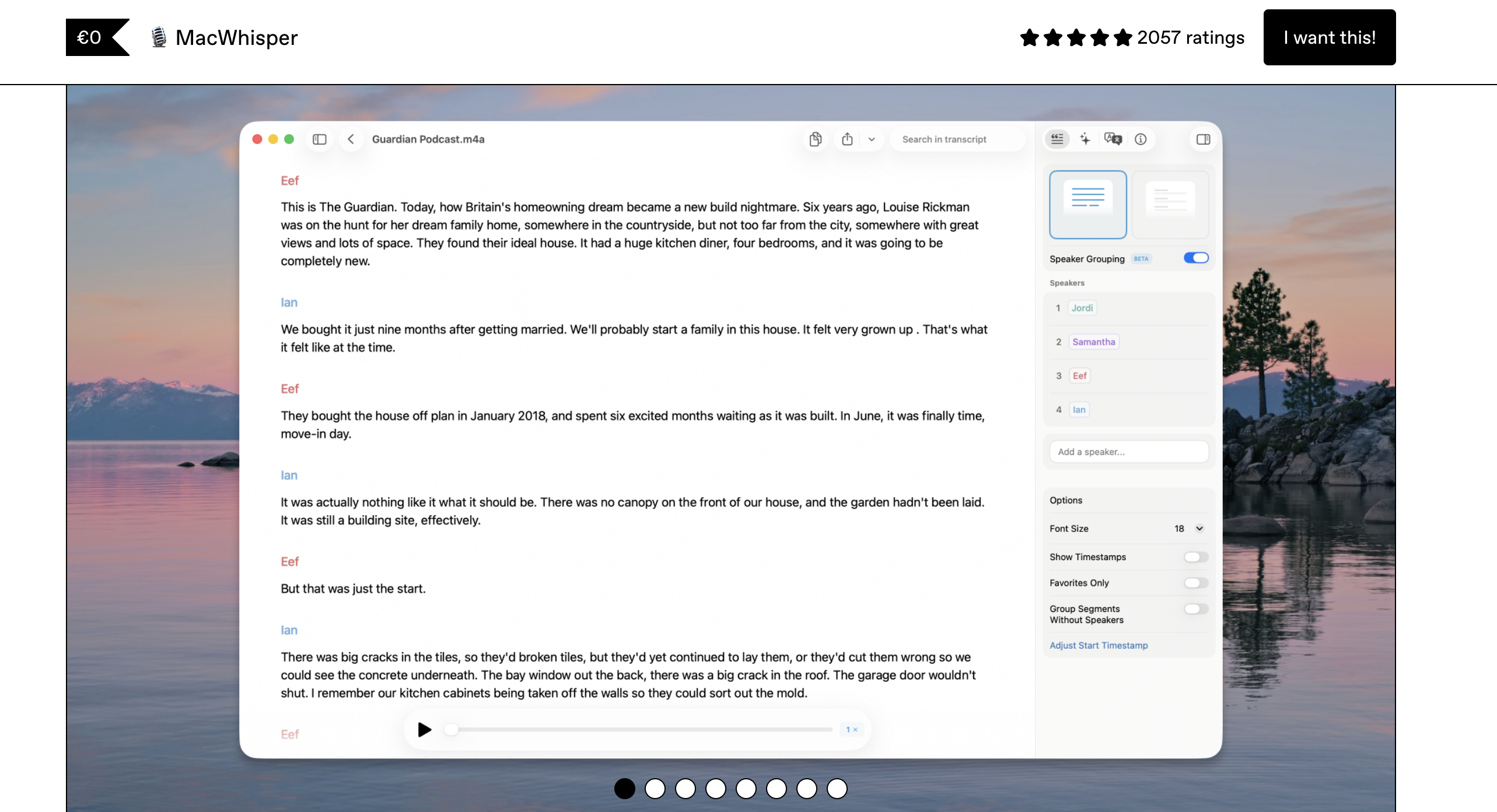
MacWhisper is a macOS transcription app built by indie developer Jordi Bruin. It runs OpenAI's Whisper models locally on Apple Silicon to transcribe audio files, video files, YouTube URLs, and system audio into text — all without sending data to cloud servers.
MacWhisper is also listed on the App Store as Whisper Transcription with subscription-based pricing. The Gumroad version offers a one-time lifetime license. MacWhisper is fundamentally a transcription tool — it processes pre-recorded audio into text rather than converting live speech.
MacWhisper Core Features
- File transcription: Import MP3, WAV, M4A, MP4, MOV, OGG, and OPUS files
- YouTube transcription: Paste a URL and get a transcript automatically
- Batch processing: Drag entire folders for bulk transcription (Pro)
- Speaker diarization: Identify who said what in multi-speaker recordings (beta)
- System audio recording: Record meetings and calls directly (Pro)
- Subtitle export: SRT and VTT format export for video (Pro)
- Translation: Translate transcripts between languages (Pro)
- Multiple models: Free tier includes Tiny, Base, Small; Pro adds Medium, Large-V2, V3, V3 Turbo
MacWhisper Limitations
- Primarily a transcription app — real-time dictation (Global Mode) is a Pro-only secondary feature
- Confusing dual pricing between Gumroad (one-time) and App Store (subscription)
- No Power Mode or per-app dictation configuration
- Closed-source — cannot audit code or build from source
- App Store version uses different name (Whisper Transcription)
Key Takeaway
MacWhisper is the best on-device file transcription app for Mac — but real-time dictation is a secondary feature limited to the Pro tier.
What Is VoiceInk?
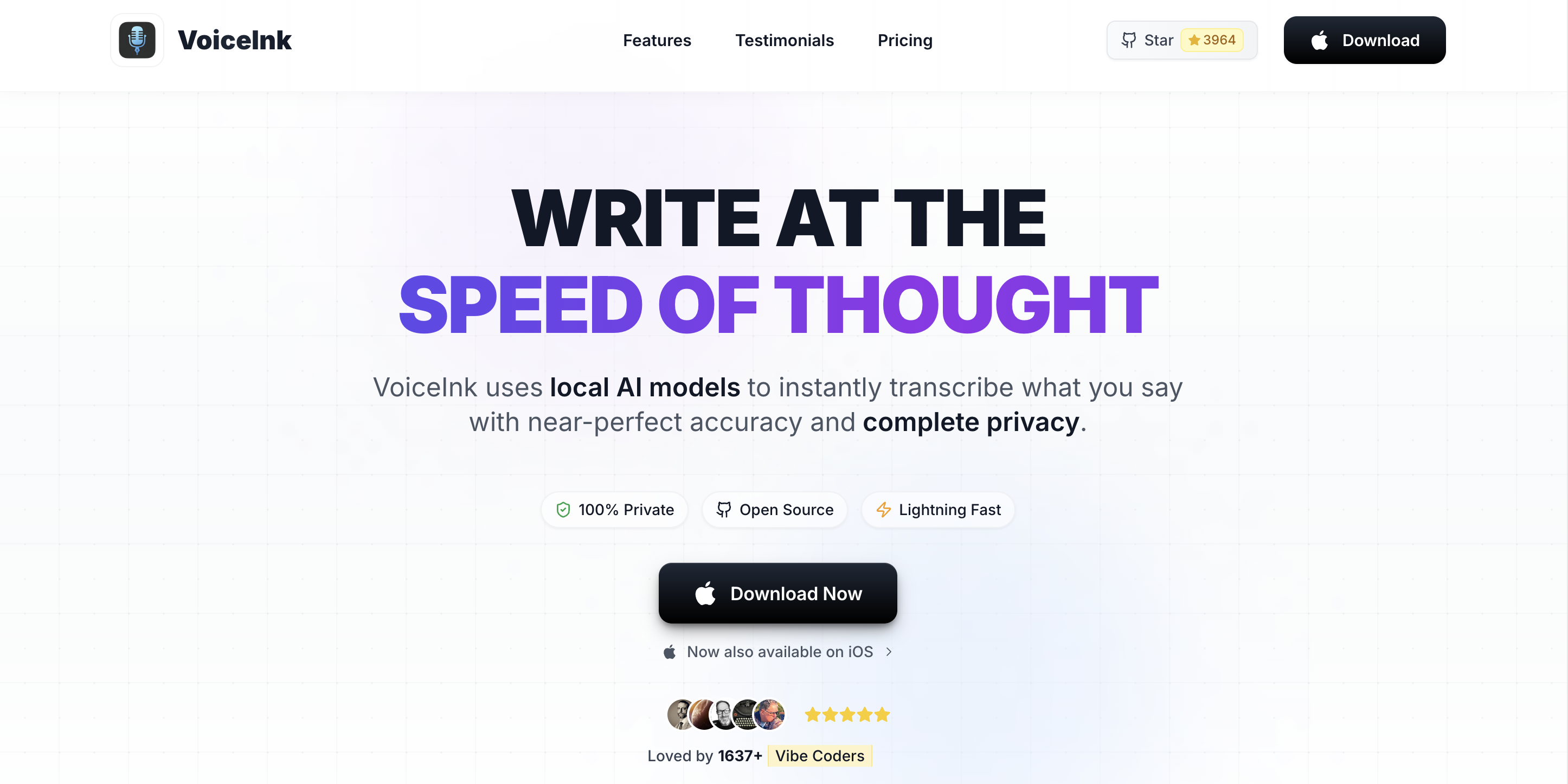
VoiceInk is an open-source macOS dictation app that converts live speech to text in any application. Built by indie developer Prakash Joshi, VoiceInk's full source code is on GitHub under GPL v3.0 with over 4,400 stars. For a detailed assessment, see our VoiceInk review.
VoiceInk is purpose-built for real-time dictation — you speak and text appears wherever your cursor is. It uses local Whisper models via whisper.cpp for on-device processing with optional cloud AI Enhancement. Power Mode automatically adjusts dictation settings based on which app or URL you are using.
VoiceInk Core Features
- Real-time dictation: System-wide voice-to-text in any Mac application
- Power Mode: Per-app and per-URL dictation configurations
- Open-source: Full code on GitHub (GPL v3.0) for audit and self-build
- Personal dictionary: Custom vocabulary for domain-specific terms
- AI Enhancement: Optional cloud text cleanup via user-provided API keys
- Multiple engines: Whisper models (via whisper.cpp) and Parakeet (via FluidAudio)
VoiceInk Limitations
- No file transcription — cannot process audio, video, or YouTube files
- No subtitle export, speaker diarization, or batch processing
- Requires macOS 14+ and Apple Silicon (no Intel Mac)
- AI Enhancement requires users to supply their own API keys
- iOS companion app reported as buggy in user reviews
Key Takeaway
VoiceInk is purpose-built for real-time dictation with open-source transparency at $39.99 — but it cannot transcribe files, recordings, or media of any kind.
Feature-by-Feature Comparison: MacWhisper vs VoiceInk
File Transcription
MacWhisper is built for this. It transcribes audio files (MP3, WAV, M4A), video files (MP4, MOV), YouTube URLs, and system audio with speaker diarization and subtitle export. VoiceInk has zero file transcription capability.
Winner: MacWhisper — VoiceInk does not transcribe files at all.
Real-Time Dictation
VoiceInk is built for this. It works system-wide in any application with Power Mode for per-app settings, personal dictionaries, and customizable keyboard shortcuts. MacWhisper's Global Mode (Pro only) offers basic real-time dictation but lacks VoiceInk's per-app intelligence and dictation-focused design.
Winner: VoiceInk — purpose-built dictation versus MacWhisper's secondary feature.
Privacy and Data Handling
Both apps process speech on-device using local Whisper models. Both offer optional cloud features: MacWhisper for speaker diarization (ElevenLabs/Deepgram), VoiceInk for AI Enhancement (user-provided API keys). VoiceInk is open-source (GPL v3), allowing code audit. MacWhisper is closed-source.
Winner: VoiceInk — open-source verification gives it the edge on transparency.
Pricing
MacWhisper has a genuinely useful free tier with Tiny, Base, and Small Whisper models — sufficient for basic transcription. MacWhisper Pro costs approximately $69 lifetime on Gumroad or $29.99/year on the App Store. VoiceInk costs $39.99 one-time with a 7-day free trial.
For transcription users, MacWhisper's free tier is unbeatable. For dictation users, VoiceInk at $39.99 is the cheapest commercial option.
Winner: MacWhisper — free tier with functional models is hard to beat.
Meeting and Call Recording
MacWhisper Pro can record system audio directly, capturing meetings, calls, and any audio playing on your Mac. It adds speaker diarization to identify participants. VoiceInk has no recording or meeting transcription features.
Winner: MacWhisper — VoiceInk has no meeting recording capability.
Customization and Per-App Settings
VoiceInk's Power Mode automatically adjusts dictation behavior based on the active app or URL — technical terminology in code editors, casual language on social media. MacWhisper has no per-app configuration.
Winner: VoiceInk — Power Mode is a genuine dictation advantage.
Developer Features
Neither MacWhisper nor VoiceInk offers dedicated developer IDE integration. For developers who need VS Code and Cursor integration with workspace-aware vocabulary, Voibe ($99 lifetime) is the only option.
Winner: Tie — neither has IDE integration. Voibe wins this category.
Pricing Breakdown: MacWhisper vs VoiceInk
Both apps offer affordable one-time pricing, making this a straightforward comparison:
| Metric | MacWhisper | VoiceInk | Voibe |
|---|---|---|---|
| Free Tier | Tiny, Base, Small models (functional) | 7-day trial only | Free trial |
| Lifetime (Gumroad) | ~$69 | $39.99 | $99 |
| Annual (App Store) | $29.99/yr | N/A | N/A |
| Lifetime (App Store) | $99.99 | N/A | N/A |
MacWhisper's free tier is a genuine advantage — Tiny and Base Whisper models are sufficient for basic transcription tasks. For users who only need occasional transcription, the free version may be all they need.
VoiceInk at $39.99 is the cheapest commercial dictation option. MacWhisper Pro at ~$69 (Gumroad) adds transcription-specific features like batch processing, larger models, and speaker diarization.
Since these apps serve different purposes, most users will choose based on whether they need transcription (MacWhisper) or dictation (VoiceInk), not pricing alone. Users who need both capabilities may want SuperWhisper, which combines transcription and dictation in one app.
Key Takeaway
MacWhisper's free tier is a genuine advantage for basic transcription. VoiceInk at $39.99 is the cheapest dedicated dictation app. Choose based on whether you need to transcribe files or type by voice.
Which App Should You Choose? Use-Case Recommendations
Choose MacWhisper if:
- You need to transcribe audio or video files — interviews, podcasts, lectures, meetings
- You need subtitles — MacWhisper exports SRT and VTT for video content
- You need speaker diarization — identify who said what in multi-person recordings
- You want a free transcription tool — MacWhisper's free tier with basic Whisper models handles simple transcription
- You transcribe YouTube content — paste a URL and get a transcript
Choose VoiceInk if:
- You need real-time dictation — typing by voice in any Mac application
- You want per-app configuration — Power Mode adjusts settings automatically
- Open-source transparency matters — audit the code or build from source
- Budget is a priority — $39.99 one-time is the cheapest dictation option
Choose Voibe if:
- You are a developer — Voibe is the only dictation app with VS Code and Cursor IDE integration
- You want real-time dictation with a polished, zero-configuration experience at $99 lifetime
- You need broader macOS compatibility — Voibe supports macOS 13+, VoiceInk requires 14+
Need both transcription and dictation? SuperWhisper offers both in a single app, though at a higher price ($84.99/year). Alternatively, you can use MacWhisper for transcription and VoiceInk or Voibe for dictation.
What Users and Reviewers Say
Both apps have active communities centered around their respective strengths:
MacWhisper Third-Party Ratings
| Platform | Rating | Details |
|---|---|---|
| Product Hunt | 4.8/5 | ~1,886 reviews; praised for transcription accuracy and native feel |
| App Store | 3.8/5 (119 ratings) | Praise for accuracy; some complaints about subscription pricing |
VoiceInk Third-Party Ratings
| Platform | Rating | Details |
|---|---|---|
| App Store (iOS) | 4.1/5 (24 ratings) | Mac version praised; iOS app criticized as buggy |
| GitHub | 4,400+ stars | Active community with responsive solo developer |
User Sentiment Summary
MacWhisper is consistently praised as the best offline transcription app for Mac. Users highlight its native feel, Apple Silicon speed, and transcription accuracy. The main complaint is the confusing pricing between Gumroad and App Store versions. VoiceInk users praise its dictation quality, open-source nature, and value at $39.99. Users who need both transcription and dictation often recommend using MacWhisper alongside a dedicated dictation app like VoiceInk or Voibe.
Key Takeaway
MacWhisper has strong reviews for transcription (4.8/5 Product Hunt). VoiceInk has a loyal open-source community (4,400+ GitHub stars). Users often recommend both tools together for complete coverage.
Frequently Asked Questions
Basics
What is the main difference between MacWhisper and VoiceInk?
MacWhisper is a file transcription app — import audio, video, or YouTube URLs to get text. VoiceInk is a real-time dictation app — speak and text appears in any Mac app. They solve different problems.
Do I need both?
If you need both file transcription and real-time dictation, yes. Alternatively, SuperWhisper combines both in one app at a higher price. You could also pair MacWhisper (transcription) with VoiceInk or Voibe (dictation).
Pricing
Which is cheaper?
MacWhisper has a free tier with basic Whisper models. VoiceInk costs $39.99 one-time. MacWhisper Pro costs ~$69 on Gumroad or $29.99/year on the App Store. For pure dictation, VoiceInk is cheaper. For transcription, MacWhisper's free tier cannot be beat.
Why does MacWhisper have different App Store and Gumroad prices?
The Gumroad version offers a one-time lifetime license (~$69). The App Store version (listed as "Whisper Transcription") uses subscription pricing ($29.99/year) or a higher lifetime price ($99.99). The features are the same.
Privacy
Do both work offline?
Yes. Both use local Whisper models on Apple Silicon and work without internet. MacWhisper's optional speaker diarization can use cloud services. VoiceInk's optional AI Enhancement uses user-provided API keys.
Is VoiceInk open-source?
Yes. VoiceInk is GPL v3 on GitHub with 4,400+ stars. MacWhisper is closed-source.
Features
Can MacWhisper do real-time dictation?
MacWhisper Pro has a Global Mode for system-wide dictation, but it is a secondary feature. VoiceInk and Voibe are purpose-built for dictation.
Which is better for meetings?
MacWhisper. It offers system audio recording, speaker diarization, and transcript export. VoiceInk has no meeting recording features.
Final Verdict: MacWhisper vs VoiceInk vs Voibe
MacWhisper and VoiceInk are complementary tools, not direct competitors. MacWhisper wins on transcription (file processing, subtitles, diarization, meetings). VoiceInk wins on dictation (real-time, Power Mode, open-source, price). The right choice depends entirely on your primary use case.
Choose MacWhisper (free / ~$69 lifetime) if you need to transcribe audio files, video recordings, meetings, podcasts, or YouTube content. The free tier handles basic transcription; Pro unlocks larger models and batch processing.
Choose VoiceInk ($39.99) if you need real-time dictation to type by speaking in any Mac app. The open-source codebase and one-time pricing make it the most affordable dedicated dictation tool.
Choose Voibe ($99 lifetime) if you need real-time dictation with developer IDE integration. Voibe offers VS Code and Cursor support, broader macOS 13+ compatibility, and a more polished out-of-box experience than VoiceInk.
Need both? Pair MacWhisper for transcription with VoiceInk or Voibe for dictation — or consider SuperWhisper for an all-in-one solution.
Disclosure: Voibe is our product. We have acknowledged MacWhisper's transcription advantages and VoiceInk's dictation advantages throughout this comparison.
Key Takeaway
MacWhisper and VoiceInk solve different problems: transcription vs dictation. Most users need one or the other. Developers who dictate code should choose Voibe ($99 lifetime) for IDE integration.
Ready to type 3x faster?
Voibe is the fastest, most private dictation app for Mac. Try it today.
Related Articles
SuperWhisper vs VoiceInk: Which Mac Dictation App Wins? (2026)
SuperWhisper vs VoiceInk compared on pricing, features, privacy, and accuracy. See which on-device Mac dictation app is right for you — and where Voibe fits in.
VoiceInk vs Wispr Flow: On-Device or Cloud Dictation? (2026)
VoiceInk vs Wispr Flow compared on pricing, privacy, accuracy, and features. See which Mac dictation app wins — and where Voibe fits in.
Voibe vs VoiceInk: Which On-Device Mac Dictation App Wins? (2026)
Voibe vs VoiceInk compared on features, pricing, privacy, and developer tools. See which on-device Mac dictation app is right for you — with honest pricing breakdown.