
VoiceInk vs Wispr Flow: On-Device or Cloud Dictation? (2026)
VoiceInk vs Wispr Flow compared on pricing, privacy, accuracy, and features. See which Mac dictation app wins — and where Voibe fits in.

VoiceInk
Open-source macOS dictation app using local Whisper models. Fully auditable GPL v3 code with the lowest price point of any commercial offline dictation tool.
$39.99 one-time
Pros
- + Open-source (GPL v3) — full code audit on GitHub with 4,400+ stars
- + One-time pricing at $39.99 (no subscription)
- + 100% on-device by default — no audio sent to servers
- + Power Mode auto-adjusts settings per app or URL
- + Can be built from source for free using Xcode
Cons
- - macOS only — no Windows, iOS, or Android
- - Requires macOS 14+ and Apple Silicon
- - No AI auto-editing or text rewriting
- - AI Enhancement requires user-provided API keys
- - iOS companion app reported as buggy
Wispr Flow
Cloud-based AI dictation app with auto-editing, tone matching, and cross-platform support. Requires internet for all dictation.
$15/mo or $144/yr (subscription only)
Pros
- + AI auto-editing removes filler words and formats text automatically
- + Cross-platform: Mac, Windows, iOS, Android
- + Whisper Mode for quiet environments
- + SOC 2 Type II, ISO 27001, and HIPAA compliance
- + 100+ language support with code-switching
Cons
- - Cloud-only — audio sent to third-party servers (OpenAI, Meta)
- - Captures screenshots of the active window every few seconds for context (publicly raised as a major privacy concern)
- - No offline mode available
- - Subscription-only at $15/month ($12/month annual); free tier capped at 2,000 words per week
- - Trustpilot rating of 2.7/5; G2 shows 4.5/5 but based on only 6 reviews
- - 6-minute recording cap per dictation session
- - Electron-based Windows app reported to cause freezes in target apps like VS Code
- - Users report quality degradation after the trial period
Voibe
WinnerOn-device Mac dictation app with VS Code and Cursor integration. Processes everything locally with zero cloud dependency at the lowest lifetime price among polished commercial apps.
$4.90/mo or $99 lifetime
Pros
- + Developer mode with VS Code and Cursor IDE integration
- + 100% on-device — zero data leaves your Mac
- + Polished out-of-box experience with minimal setup
- + $99 lifetime — cheaper than 1 year of Wispr Flow
- + Works on macOS 13+ (broadest compatibility)
Cons
- - macOS only (Apple Silicon M1–M4)
- - No AI text rewriting or reformatting
- - No cross-platform support
- - No custom Whisper model selection
TL;DR: VoiceInk vs Wispr Flow — On-Device or Cloud?
VoiceInk is the better choice for privacy-conscious Mac users at $39.99 one-time — 91% cheaper than three years of Wispr Flow ($432 on the annual plan). VoiceInk processes all audio on-device and is fully open-source. Wispr Flow wins on features with AI auto-editing, cross-platform support (Mac, Windows, iOS, Android), and enterprise compliance (SOC 2, HIPAA). However, Wispr Flow requires internet and sends all audio to cloud servers. Voibe ($99 lifetime) combines on-device privacy with developer IDE integration that neither VoiceInk nor Wispr Flow provides.
Disclosure: Voibe is our product. We compare all three tools fairly below, acknowledging where each competitor excels, because honest analysis helps you choose the right tool.
Key Takeaway
VoiceInk saves $392 over 3 years vs Wispr Flow and keeps audio on-device. Wispr Flow wins on AI editing, cross-platform, and enterprise features. Voibe ($99 lifetime) adds developer IDE integration neither provides.
Key Takeaways: VoiceInk vs Wispr Flow at a Glance
| Feature | VoiceInk | Wispr Flow | Voibe | Winner |
|---|---|---|---|---|
| One-Time / Lifetime | $39.99 | Not available | $99 | VoiceInk |
| Annual Cost | N/A (one-time) | $144/yr | $99 lifetime | VoiceInk |
| Privacy | 100% on-device (open-source) | Cloud (OpenAI, Meta servers) | 100% on-device | VoiceInk / Voibe |
| Offline Mode | Yes | No | Yes | VoiceInk / Voibe |
| AI Auto-Editing | Optional (BYOK) | Built-in (cloud) | No | Wispr Flow |
| Platform Support | macOS only | Mac, Win, iOS, Android | macOS only | Wispr Flow |
| Languages | 100+ | 100+ | 99 | Tie |
| Enterprise Compliance | No | SOC 2, ISO 27001, HIPAA | No | Wispr Flow |
| Open-Source | Yes (GPL v3) | No | No | VoiceInk |
| Developer IDE | No | No | VS Code + Cursor | Voibe |
Quick Comparison: Pricing, Platform, and Technology
| Spec | VoiceInk | Wispr Flow | Voibe |
|---|---|---|---|
| Type | On-device dictation | Cloud AI dictation | On-device dictation |
| Processing | Local (whisper.cpp) | Cloud (OpenAI, Meta) | Local (on-device) |
| Platform | macOS (Apple Silicon) | Mac, Windows, iOS, Android | macOS (Apple Silicon) |
| Monthly | N/A | $15/mo | $4.90/mo |
| Annual | N/A | $144/yr ($12/mo) | $58.80/yr |
| Lifetime / One-Time | $39.99 | Not available | $99 |
| Free Tier | 7-day trial | 2,000 words/week | Free trial |
| Languages | 100+ | 100+ | 99 |
| Best For | Privacy, budget, open-source | AI editing, cross-platform, enterprise | Developers, privacy, value |
What Is VoiceInk?
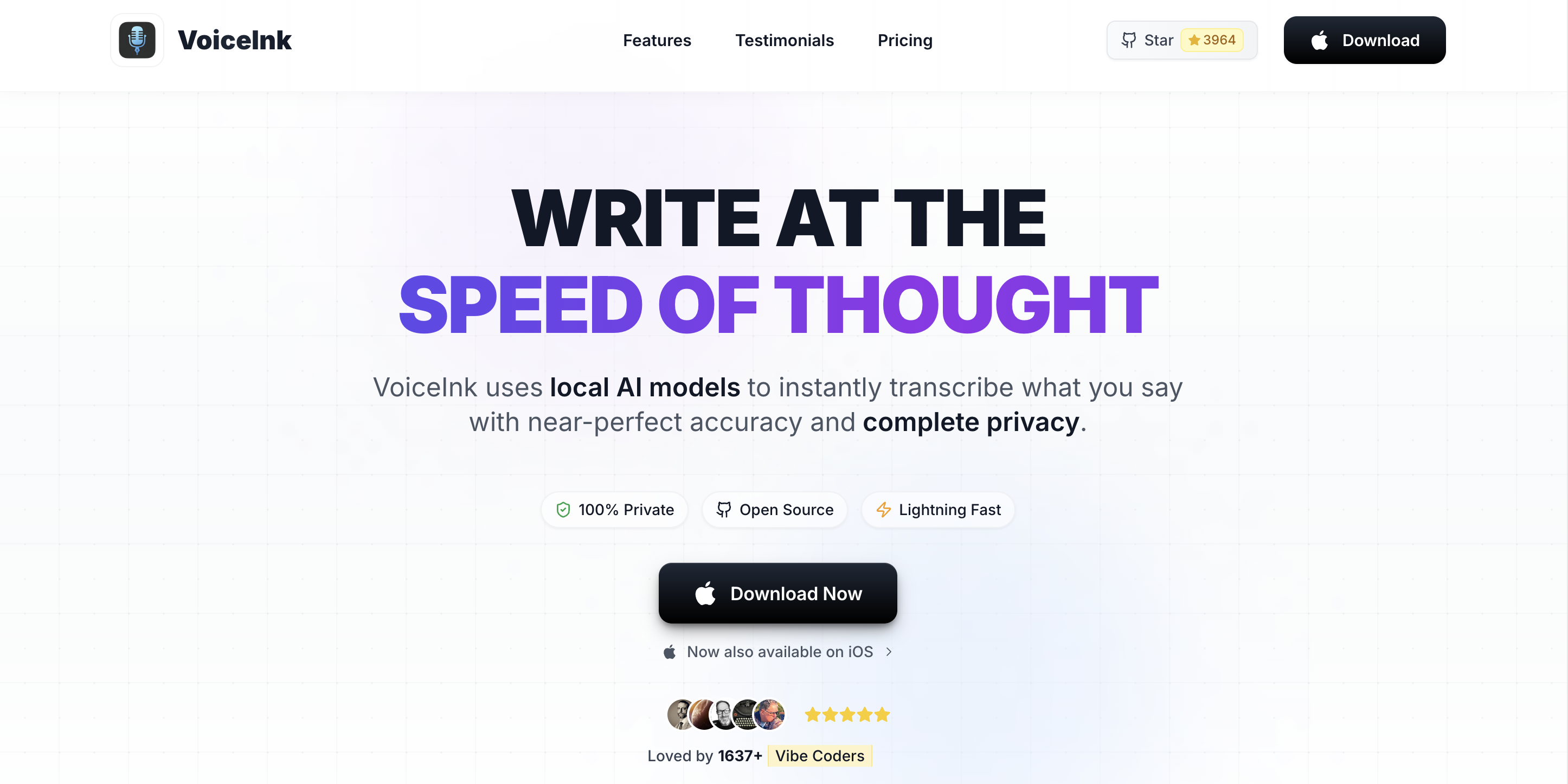
VoiceInk is an open-source macOS dictation app that converts speech to text using local Whisper models. Built by indie developer Prakash Joshi, VoiceInk's full source code is available on GitHub under the GPL v3.0 license with over 4,400 stars. For a detailed assessment, see our VoiceInk review.
VoiceInk focuses on privacy and affordability. At $39.99 one-time, it is the cheapest commercial offline dictation app for Mac. It processes all speech on-device using whisper.cpp and Parakeet models, with optional cloud AI Enhancement using user-provided API keys for text cleanup.
VoiceInk Core Features
- Open-source: Full code on GitHub (GPL v3.0) — audit privacy claims or build for free
- Power Mode: Automatically applies per-app or per-URL dictation settings
- On-device processing: Uses whisper.cpp and Parakeet models locally
- Personal dictionary: Train with domain-specific terminology
- AI Enhancement: Optional cloud text cleanup via BYOK (Groq, Deepgram, Cerebras)
- 100+ languages: Supported via Whisper models
VoiceInk Limitations
- macOS only — no Windows, iOS, or Android (iOS app exists but reported as buggy)
- Requires macOS 14+ and Apple Silicon — no Intel Mac support
- No built-in AI auto-editing — cloud enhancement requires user-provided API keys
- No enterprise compliance certifications
- Less polished UI compared to commercial competitors
Key Takeaway
VoiceInk is the most affordable offline dictation app at $39.99 with full open-source transparency — ideal for privacy-conscious users who do not need AI editing or cross-platform support.
What Is Wispr Flow?

Wispr Flow is a cloud-based AI dictation app that converts speech to polished, formatted text. Backed by $81 million in funding, Wispr Flow differentiates with AI auto-editing that removes filler words, adds punctuation, and formats text based on the app you are using. For additional context on how Wispr Flow compares to other tools, see our Wispr Flow vs SuperWhisper comparison.
Wispr Flow works across Mac, Windows, iOS, and Android — the broadest platform support of any AI dictation app. It supports over 100 languages and includes Whisper Mode for quiet dictation. The app holds SOC 2 Type II, ISO 27001, and HIPAA compliance certifications across all plans.
Wispr Flow Core Features
- AI auto-editing: Automatically cleans speech into polished text with formatting
- Context-aware formatting: Adapts tone for Gmail (professional), Slack (casual), or code editors
- Whisper Mode: Recognizes whispered speech for quiet environments
- Cross-platform: Mac, Windows, iOS, and Android
- Enterprise compliance: SOC 2 Type II, ISO 27001, HIPAA with BAA
- Command Mode: Voice commands for text editing (Pro plan)
Wispr Flow Limitations
- Cloud-only — all audio sent to third-party servers (OpenAI, Meta) for processing
- Screenshots of the active window captured every few seconds for context — disclosed publicly and met with significant backlash, with the company updating privacy policies afterward
- No offline mode — requires internet for all dictation
- Subscription-only at $15/month ($144/year) with no lifetime option; free tier capped at 2,000 words per week
- Trustpilot rating of 2.7/5; G2 shows 4.5/5 but from only 6 reviews — a gap that suggests curated vs organic feedback
- 6-minute recording cap per dictation session
- Electron-based Windows app reported to freeze and affect target applications like VS Code
- High resource usage — reported 800MB RAM and 8% CPU even when idle
- Users report quality and reliability declining after the trial period ends
Key Takeaway
Wispr Flow excels at AI-powered text cleanup and cross-platform support with enterprise compliance — but cloud processing, screenshot capture, and a 2.7/5 Trustpilot rating are significant trade-offs versus on-device alternatives.
Feature-by-Feature Comparison: VoiceInk vs Wispr Flow
Privacy and Data Handling
This is the fundamental divide. VoiceInk processes all audio on-device using local Whisper models — zero audio data leaves your Mac. The open-source codebase (GPL v3) lets anyone verify this. Wispr Flow sends all audio to cloud servers running OpenAI and Meta models for processing. While Wispr Flow holds SOC 2 and HIPAA compliance, your audio still leaves your device. Beyond audio, Wispr Flow captures screenshots of the active window every few seconds to provide context to its AI model — a practice that became public and triggered significant user backlash. The company updated its privacy policies only after the controversy. This means both audio and visual context from your screen are transmitted to external servers.
Winner: VoiceInk — on-device processing with verifiable open-source code and no data leaving the device.
AI Text Editing
Wispr Flow's biggest advantage is built-in AI auto-editing. It removes filler words, adds punctuation, corrects grammar, and adapts formatting to the target app. VoiceInk's AI Enhancement is optional, requires user-provided API keys, and sends only transcribed text (not audio) to cloud providers. Out of the box, VoiceInk produces raw transcription without cleanup.
Winner: Wispr Flow — built-in AI editing that works immediately.
Platform Support
Wispr Flow runs on Mac, Windows, iOS, and Android with cross-device sync for settings and dictionaries. VoiceInk is macOS-only (requires macOS 14+ and Apple Silicon). VoiceInk has an iOS companion app, but user reviews report it as buggy with wrong language detection.
Winner: Wispr Flow — four platforms versus one reliable one.
Dictation Accuracy
Wispr Flow uses cloud AI models and applies post-processing to clean up output. VoiceInk uses local Whisper models with optional Parakeet engine. For raw transcription accuracy, both are comparable. Wispr Flow produces cleaner final output due to AI auto-editing, but the underlying speech recognition quality is similar.
Winner: Wispr Flow — AI editing produces cleaner final text, though raw accuracy is comparable.
Pricing and Value
VoiceInk dominates pricing. At $39.99 one-time, VoiceInk costs less than three months of Wispr Flow's $15/month plan. Over three years, Wispr Flow costs $432 (annual) to $540 (monthly). VoiceInk saves $392 to $500 over that period.
Winner: VoiceInk — 91% cheaper over 3 years on Wispr Flow's annual plan.
Enterprise and Compliance
Wispr Flow holds SOC 2 Type II, ISO 27001, and HIPAA compliance with BAA signing available in-app. It offers team plans at $10/user/month with shared dictionaries and enforced policies. VoiceInk has no enterprise features or compliance certifications.
Winner: Wispr Flow — enterprise-grade compliance and team features.
Offline Support
VoiceInk works fully offline. Wispr Flow cannot function without internet. For users in areas with unreliable connectivity or who work in secure environments without internet, VoiceInk is the only viable option between the two.
Winner: VoiceInk — full offline capability versus none.
Developer Features
Neither app offers dedicated developer IDE integration. Wispr Flow has context-aware formatting for code editors and snippets for repetitive code insertion. VoiceInk works in any app but has no IDE-specific features. For developers, Voibe is the only dictation app with VS Code and Cursor integration.
Winner: Tie — neither has dedicated IDE integration. Voibe wins this category.
Pricing Breakdown: How Much Do You Actually Pay?
VoiceInk's one-time pricing makes the cost comparison stark:
| Time Period | VoiceInk | Wispr Flow (Monthly) | Wispr Flow (Annual) | Voibe (Lifetime) |
|---|---|---|---|---|
| 1 Year | $39.99 | $180 | $144 | $99 |
| 2 Years | $39.99 | $360 | $288 | $99 |
| 3 Years | $39.99 | $540 | $432 | $99 |
| 5 Years | $39.99 | $900 | $720 | $99 |
Pre-Calculated Savings
- VoiceInk vs Wispr Flow (3 years, annual): $392.01 saved — 91% cheaper
- VoiceInk vs Wispr Flow (3 years, monthly): $500.01 saved — 93% cheaper
- Voibe vs Wispr Flow (3 years, annual): $333 saved — 77% cheaper
- VoiceInk vs Voibe: $59.01 saved — VoiceInk is 60% cheaper
Wispr Flow's premium is justified if you specifically need AI auto-editing, cross-platform support, or enterprise compliance (SOC 2, HIPAA). If you primarily dictate on Mac and value privacy over AI text polishing, VoiceInk at $39.99 or Voibe at $99 are dramatically more cost-effective.
Key Takeaway
VoiceInk saves $392 over Wispr Flow's annual plan across three years. The only justification for Wispr Flow's subscription is AI auto-editing, cross-platform support, or enterprise compliance requirements.
Pros and Cons Side by Side
| Category | VoiceInk | Wispr Flow |
|---|---|---|
| Top Pro | 100% on-device, open-source (GPL v3) | AI auto-editing with context-aware formatting |
| 2nd Pro | $39.99 one-time (91% cheaper over 3 years) | Cross-platform: Mac, Win, iOS, Android |
| 3rd Pro | Full offline support | SOC 2, ISO 27001, HIPAA compliance |
| Top Con | macOS only (no cross-platform) | Cloud-only — all audio sent to servers |
| 2nd Con | No built-in AI editing | Subscription-only ($15/mo, no lifetime) |
| 3rd Con | Requires macOS 14+ and Apple Silicon | 2.7/5 Trustpilot with reliability concerns |
Which App Should You Choose? Use-Case Recommendations
Choose VoiceInk if:
- Privacy is your top priority — VoiceInk keeps all audio on-device with open-source verification
- You need offline dictation — VoiceInk works without internet, Wispr Flow does not
- Budget matters — $39.99 one-time versus $144+/year is a 91% savings over three years
- You value open-source software — auditable code, community contributions, and build-from-source option
Choose Wispr Flow if:
- You need AI auto-editing — Wispr Flow automatically polishes dictated text with formatting and cleanup
- You work across multiple platforms — Mac, Windows, iOS, and Android with cross-device sync
- Enterprise compliance is required — SOC 2 Type II, ISO 27001, HIPAA with team management
- You dictate in multiple languages frequently — Wispr Flow's code-switching between 100+ languages is seamless
Choose Voibe if:
- You are a developer — Voibe is the only app with VS Code and Cursor IDE integration
- You want on-device privacy with a polished, zero-configuration experience at $99 lifetime
- You need broader macOS compatibility — Voibe supports macOS 13+, VoiceInk requires 14+
What Users and Reviewers Say
The two apps have very different review profiles reflecting their different approaches:
VoiceInk Third-Party Ratings
| Platform | Rating | Details |
|---|---|---|
| App Store (iOS) | 4.1/5 (24 ratings) | Mac version praised; iOS app criticized as buggy |
| GitHub | 4,400+ stars | Active open-source community with responsive solo developer |
Wispr Flow Third-Party Ratings
| Platform | Rating | Details |
|---|---|---|
| Trustpilot | 2.7/5 (37 reviews) | Reliability complaints, screenshot privacy concerns, quality degradation after trial, and referral reward complaints |
| Product Hunt | 664 upvotes | #1 Product of the Day; strong initial reception |
| G2 | 4.5/5 (6 reviews) | Small sample size — the gap between G2 and Trustpilot ratings reflects curated vs organic feedback |
User Sentiment Summary
VoiceInk users consistently praise its value, privacy, and open-source nature. The Mac app receives positive feedback for dictation quality; the iOS app is widely criticized. Wispr Flow has polarized reviews: Product Hunt and G2 users rate it highly for AI editing quality and cross-platform polish, while Trustpilot reviewers report reliability issues, quality degradation after the trial period ends (some users describe it as working only 60% of the time after paying), and concerns about screenshot capture. Users have also reported the referral program not honoring promised rewards and a community moderation incident in which an early user who raised privacy concerns was reportedly banned. Reddit discussions tend to recommend VoiceInk for privacy-conscious users and Wispr Flow for those prioritizing polished output and multi-device support.
Key Takeaway
VoiceInk has a small but loyal community (4,400+ GitHub stars). Wispr Flow has broader visibility but polarized reviews: Product Hunt users love it, Trustpilot users report reliability issues (2.7/5).
Frequently Asked Questions
Basics
What is the main difference between VoiceInk and Wispr Flow?
VoiceInk processes speech on-device using local Whisper models and costs $39.99 one-time. Wispr Flow processes speech in the cloud and costs $15/month. VoiceInk prioritizes privacy and affordability; Wispr Flow prioritizes AI text editing and cross-platform support.
Which produces better text output?
Wispr Flow produces cleaner final text thanks to built-in AI auto-editing that formats and polishes dictation. VoiceInk produces raw transcription by default, though optional AI Enhancement (with user-provided API keys) can improve output quality.
Pricing
Is VoiceInk cheaper than Wispr Flow?
Yes, dramatically. VoiceInk costs $39.99 one-time versus Wispr Flow's $144/year. Over three years, VoiceInk saves $392 (91% less). Wispr Flow has no one-time or lifetime pricing option.
Does Wispr Flow have a free plan?
Yes. Wispr Flow offers 2,000 free words per week on Mac and Windows (1,000/week on iPhone). VoiceInk offers a 7-day free trial with full features.
Privacy
Which is more private: VoiceInk or Wispr Flow?
VoiceInk is significantly more private. It processes all audio on-device and is open-source (GPL v3) for code verification. Wispr Flow sends all audio to cloud servers (OpenAI, Meta). For privacy-focused dictation, see our best offline dictation apps guide.
Does Wispr Flow work offline?
No. Wispr Flow requires internet for all dictation. VoiceInk and Voibe both work fully offline.
Platform and Features
Does VoiceInk work on Windows or iPhone?
VoiceInk is macOS-only (requires Apple Silicon). There is an iOS companion app, but users report it as buggy. Wispr Flow works on Mac, Windows, iOS, and Android.
Which is better for developers?
Neither has dedicated IDE integration. For developers, Voibe ($99 lifetime) offers VS Code and Cursor integration with workspace-aware vocabulary.
Final Verdict: VoiceInk vs Wispr Flow vs Voibe
VoiceInk and Wispr Flow represent opposite approaches to dictation. VoiceInk wins 3 categories (privacy, pricing, offline) while Wispr Flow wins 4 (AI editing, platform support, accuracy/output, enterprise compliance) with 1 tie (developer features). The right choice depends entirely on your priorities.
Choose VoiceInk ($39.99) if privacy, offline capability, and budget are your priorities. The open-source codebase and one-time pricing make it the best value for on-device dictation.
Choose Wispr Flow ($12/month annual) if you need AI auto-editing, work across Mac, Windows, iOS, and Android, or require enterprise compliance. The subscription cost is justified by capabilities VoiceInk cannot match.
Choose Voibe ($99 lifetime) if you are a developer who needs IDE integration, want on-device privacy at a mid-range price, or need macOS 13+ support. Voibe bridges the gap between VoiceInk's affordability and Wispr Flow's polish.
Disclosure: Voibe is our product. We have acknowledged Wispr Flow's feature advantages and VoiceInk's price advantage throughout this comparison.
Key Takeaway
VoiceInk wins on privacy, price, and offline (3 categories). Wispr Flow wins on AI editing, platforms, output quality, and enterprise (4 categories). Choose based on whether you prioritize privacy or features.
Ready to type 3x faster?
Voibe is the fastest, most private dictation app for Mac. Try it today.
Related Articles
SuperWhisper vs VoiceInk: Which Mac Dictation App Wins? (2026)
SuperWhisper vs VoiceInk compared on pricing, features, privacy, and accuracy. See which on-device Mac dictation app is right for you — and where Voibe fits in.
Voibe vs VoiceInk: Which On-Device Mac Dictation App Wins? (2026)
Voibe vs VoiceInk compared on features, pricing, privacy, and developer tools. See which on-device Mac dictation app is right for you — with honest pricing breakdown.
Aqua Voice vs Wispr Flow: Honest Comparison Guide (2026)
Aqua Voice vs Wispr Flow compared on pricing, accuracy, privacy, and features. See which cloud dictation app wins and why Voibe beats both.