
7 Best Dragon NaturallySpeaking Alternatives for Mac (2026)
Dragon NaturallySpeaking is discontinued on Mac. Compare the 7 best alternatives including Voibe, SuperWhisper, and VoiceInk with pricing, features, and ratings.

TL;DR: Dragon NaturallySpeaking is discontinued on Mac — Nuance stopped updating the Mac version in 2018 and it does not run on modern macOS. The best Dragon NaturallySpeaking alternative for Mac is Voibe ($4.90/mo or $99 lifetime) for privacy-first, on-device dictation with developer IDE integration. For power users, SuperWhisper ($8.49/mo or $249 lifetime) offers the deepest customization. For budget buyers, VoiceInk ($25–$49 one-time) is the cheapest offline option.
Disclosure: Voibe is our product. We compare all tools factually and acknowledge where competitors excel.
If you relied on Dragon NaturallySpeaking on Mac, you already know the frustration — Nuance abandoned the platform, Microsoft acquired the company, and the last Mac version cannot run on Apple Silicon. This guide focuses specifically on Mac users stranded by Dragon's 2018 discontinuation — covering the timeline, what features were lost, and which modern tools fill each gap. For a broader cross-platform Dragon alternatives roundup covering 12 products, see our complete Dragon alternatives guide. For the full dictation alternatives directory, see our alternatives hub.
Key Takeaways: Best Dragon NaturallySpeaking Alternatives at a Glance
| Tool | Best For | Price | Key Strength |
|---|---|---|---|
| Voibe | Privacy-first Mac dictation | $4.90/mo or $99 lifetime | 100% on-device, VS Code/Cursor IDE integration |
| SuperWhisper | Power users and customization | $8.49/mo or $249 lifetime | Multiple Whisper models, intelligent modes |
| VoiceInk | Budget offline dictation | $25–$49 one-time | Open-source (GPL v3), cheapest option |
| Wispr Flow | AI-powered dictation | $12/mo (annual) or $15/mo | AI auto-editing, cross-platform |
| MacWhisper | Audio file transcription | Free / ~$29–$69 Pro | Batch transcription, timestamps, SRT export |
| Apple Dictation | Casual everyday use | Free (built-in) | Zero setup, on-device on Apple Silicon |
| Notta | Meeting transcription | $8.17/mo (annual) | AI summaries, 58 languages, Zoom/Meet integration |
Key Takeaway
Voibe is the best Dragon NaturallySpeaking alternative for Mac users who want offline, on-device dictation with modern AI accuracy. VoiceInk is the best budget option at $25–$49 one-time.
Why Dragon NaturallySpeaking Users Need a New Solution
Dragon NaturallySpeaking dominated speech recognition for over two decades, but Mac users have been left behind. Here is what happened and why you need to switch:
- Mac version discontinued in 2018. Nuance released Dragon Professional Individual 6 for Mac in 2016 and stopped all updates in 2018. The software does not launch on macOS Ventura, Sonoma, or Sequoia. Apple Silicon Macs (M1–M4) cannot run it at all.
- Dragon Home was discontinued entirely in 2023. In 2023, Nuance discontinued Dragon Home — the affordable consumer edition that most home users, students, and writers relied on. Today, the only remaining consumer-level Dragon product is Dragon Professional at $699, and the only enterprise editions are Dragon Medical and Dragon Legal (both Windows-only). Academics, freelance writers, and casual users who depended on Dragon Home are now completely without a Dragon option.
- Microsoft acquisition ended consumer focus and stalled development. Microsoft acquired Nuance in March 2022 for $19.7 billion. Since the acquisition, Dragon's development has stalled — version 17 is barely different from version 16, and longtime users on forums actively ask why there's no professional dictation for Mac. Microsoft has shifted focus to enterprise healthcare AI (Dragon Medical One, DAX Copilot) and Windows. Consumer Mac users are not part of the roadmap.
- Dragon required extensive voice training. Dragon asked users to complete 30+ minutes of initial voice training and then corrected itself over weeks of use. Modern Whisper-based tools deliver comparable accuracy from the first sentence with zero training.
- High upfront cost with paid upgrades. Dragon Professional Individual cost $300+, with major version upgrades priced at $150–$200. Modern alternatives cost $25–$99 one-time or $5–$15/month — a fraction of Dragon's historical price.
- No Parallels workaround for Apple Silicon. Some Mac users ran Dragon through Parallels Desktop, but Dragon does not support ARM-based Windows 11 on Apple Silicon. The Parallels workaround is no longer viable for M-series Macs.
How Modern Mac Dictation Tools Replace Dragon's Features
Dragon NaturallySpeaking was valued for specific professional capabilities. Here is how modern alternatives address each one:
- System-wide dictation → All modern alternatives. Voibe, SuperWhisper, VoiceInk, and Wispr Flow all work across every Mac application, matching Dragon's system-wide text input.
- High accuracy without training → Whisper models. Dragon required weeks of voice training. Whisper-based tools (Voibe, SuperWhisper, VoiceInk, MacWhisper) achieve comparable accuracy immediately using pre-trained AI models running on Apple Silicon.
- On-device processing → Offline tools. Dragon processed speech locally. Voibe, SuperWhisper, VoiceInk, and MacWhisper all process on-device — matching Dragon's privacy model and exceeding it with zero telemetry.
- Custom vocabulary → Partial replacements. Dragon's custom vocabulary training has no exact modern equivalent. VoiceInk offers a personal dictionary. Voibe's Developer Mode resolves file and folder names. SuperWhisper supports custom Whisper models. None fully replicate Dragon's deep per-user voice profile.
- Voice commands and macros → Not yet replicated. Dragon's command macros (e.g., "insert signature" or "open email") are not available in modern dictation apps. This remains a genuine gap. Users who depend on voice commands may need to pair dictation with macOS Shortcuts or automation tools.
What to Look For in a Dragon NaturallySpeaking Alternative
1. On-Device vs Cloud Processing
Dragon processed speech locally on your computer. If privacy and offline access matter, choose an on-device alternative (Voibe, SuperWhisper, VoiceInk). Cloud tools like Wispr Flow and Notta require internet and send audio to servers.
2. Accuracy Without Training
Dragon's accuracy depended on voice training over time. Modern Whisper-based tools offer high accuracy from the first use. Accuracy varies by model size — larger models are more accurate but require more RAM and processing power.
3. Total Cost of Ownership
Dragon Professional cost $300+ plus $150–$200 per upgrade. Calculate the 3-year total cost of any alternative. One-time purchases (VoiceInk at $25–$49, Voibe at $99 lifetime) save substantially over subscriptions.
4. Professional Feature Needs
If you used Dragon for medical or legal dictation, you need specialized vocabulary support. For developer workflows, look for IDE integration. For meeting transcription, you need a different category of tool entirely (Notta, not dictation apps).
5. Platform Requirements
Most Whisper-based alternatives require Apple Silicon (M1 or later). If you use an Intel Mac, your options are limited to cloud tools (Wispr Flow, Notta) or Apple Dictation. Check system requirements before purchasing.
6. Real-Time vs File Transcription
Dragon was a real-time dictation tool — you spoke and text appeared immediately. MacWhisper transcribes pre-recorded audio files, not real-time speech. Make sure you choose the right category for your workflow.
Quick Comparison: Dragon NaturallySpeaking Alternatives
| Feature | Voibe | SuperWhisper | VoiceInk | Wispr Flow | MacWhisper | Apple Dictation | Notta |
|---|---|---|---|---|---|---|---|
| Processing | On-device | On-device | On-device | Cloud | On-device | On-device* | Cloud |
| Real-time dictation | Yes | Yes | Yes | Yes | No (file only) | Yes | No (meetings) |
| Voice training needed | No | No | No | No | No | No | No |
| Custom vocabulary | IDE context | Custom models | Personal dict. | No | No | No | No |
| IDE integration | VS Code/Cursor | No | No | No | No | No | No |
| Requires Apple Silicon | Yes (M1+) | Yes (M1+) | Yes (M1+) | No | Yes (M1+) | Partial | No |
| Monthly cost | $4.90 | $8.49 | — | $12–$15 | — | Free | $8.17 |
| One-time option | $99 lifetime | $249 lifetime | $25–$49 | No | ~$29–$69 | Free | No |
*Apple Dictation processes on-device on Apple Silicon Macs; Intel Macs send audio to Apple servers.
1. Voibe — Best Overall Dragon Replacement for Mac

Voibe is an offline dictation app for Mac that processes speech entirely on-device using OpenAI's Whisper models on Apple Silicon. Voibe replicates Dragon's core value proposition — accurate, private, system-wide dictation — while adding modern features like IDE integration that Dragon never offered.
Key Features
- 100% on-device processing — no audio ever leaves your Mac
- System-wide dictation in any application
- Developer Mode with VS Code and Cursor integration (resolves file/folder names)
- Keyboard shortcut-driven workflow
- macOS 13+ with Apple Silicon (M1–M4)
- Low-latency on-device processing
Pros
- Matches Dragon's on-device processing model with zero cloud dependency
- No voice training required — high accuracy from first use
- IDE integration gives developers vocabulary-like context awareness
- $99 lifetime is 78% cheaper than Dragon Professional over 3 years
- Active development with regular updates
Cons
- macOS only — no Windows or Linux support
- Requires Apple Silicon (M1 or later)
- No voice command macros like Dragon offered
- No per-user voice profile training
Pricing
$4.90/month or $99 lifetime. 3-year cost: $99 (lifetime) or $176.40 (monthly). Dragon Professional cost $300+ with $150 upgrade fees — Voibe saves 67–78% over three years.
User Reviews
Voibe is available on getvoibe.com with a free trial.
Best For
Mac users who valued Dragon's privacy and on-device processing, especially developers who need IDE-aware dictation.
2. SuperWhisper — Best for Power Users Who Want Dragon-Level Customization
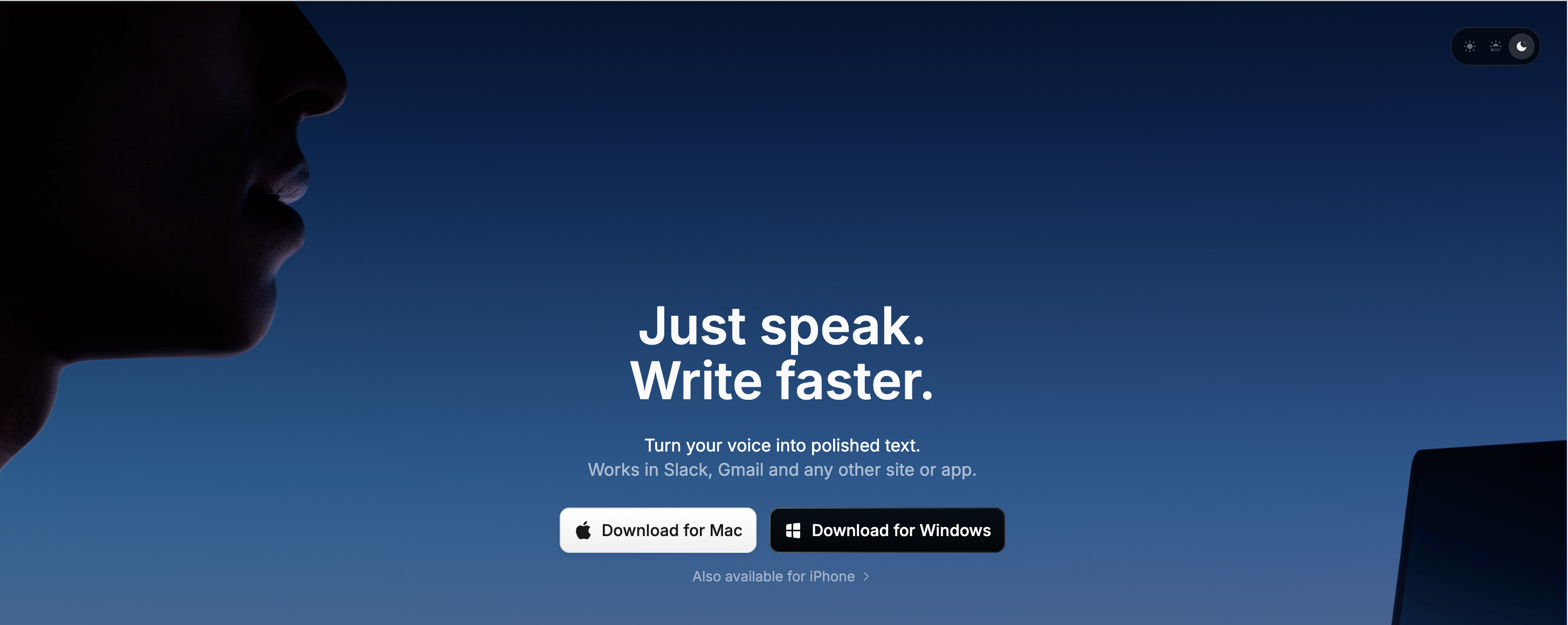
SuperWhisper is the closest alternative to Dragon's power-user ethos. SuperWhisper offers multiple Whisper model sizes, intelligent dictation modes, and deep customization options that appeal to users who configured Dragon's advanced settings. For a detailed head-to-head, see our Wispr Flow vs SuperWhisper comparison.
Key Features
- 100% on-device processing using Whisper models
- Choose between multiple model sizes (tiny to large)
- Intelligent modes for different dictation contexts
- Custom model support for specialized vocabularies
- System-wide dictation across all Mac apps
- Available on Mac and Windows (Windows launched March 2026)
Pros
- Deepest customization among Mac dictation apps
- Multiple model options let you balance speed vs accuracy
- Custom model support partially replaces Dragon's vocabulary training
- Strong privacy — fully on-device processing
Cons
- $249 lifetime is more expensive than other offline alternatives
- Steeper learning curve than simpler tools
- No IDE integration for developers
- Free tier limited to small AI models only
Pricing
$8.49/month or $249 lifetime. 3-year cost: $249 (lifetime) or $305.64 (monthly). SuperWhisper saves 45% compared to Dragon Professional's 3-year cost.
User Reviews
SuperWhisper holds a 4.9/5 rating on Product Hunt. Users praise its accuracy and customization depth.
Best For
Power users who used Dragon's advanced features and want the most configurable modern alternative.
3. VoiceInk — Best Budget Dragon Alternative
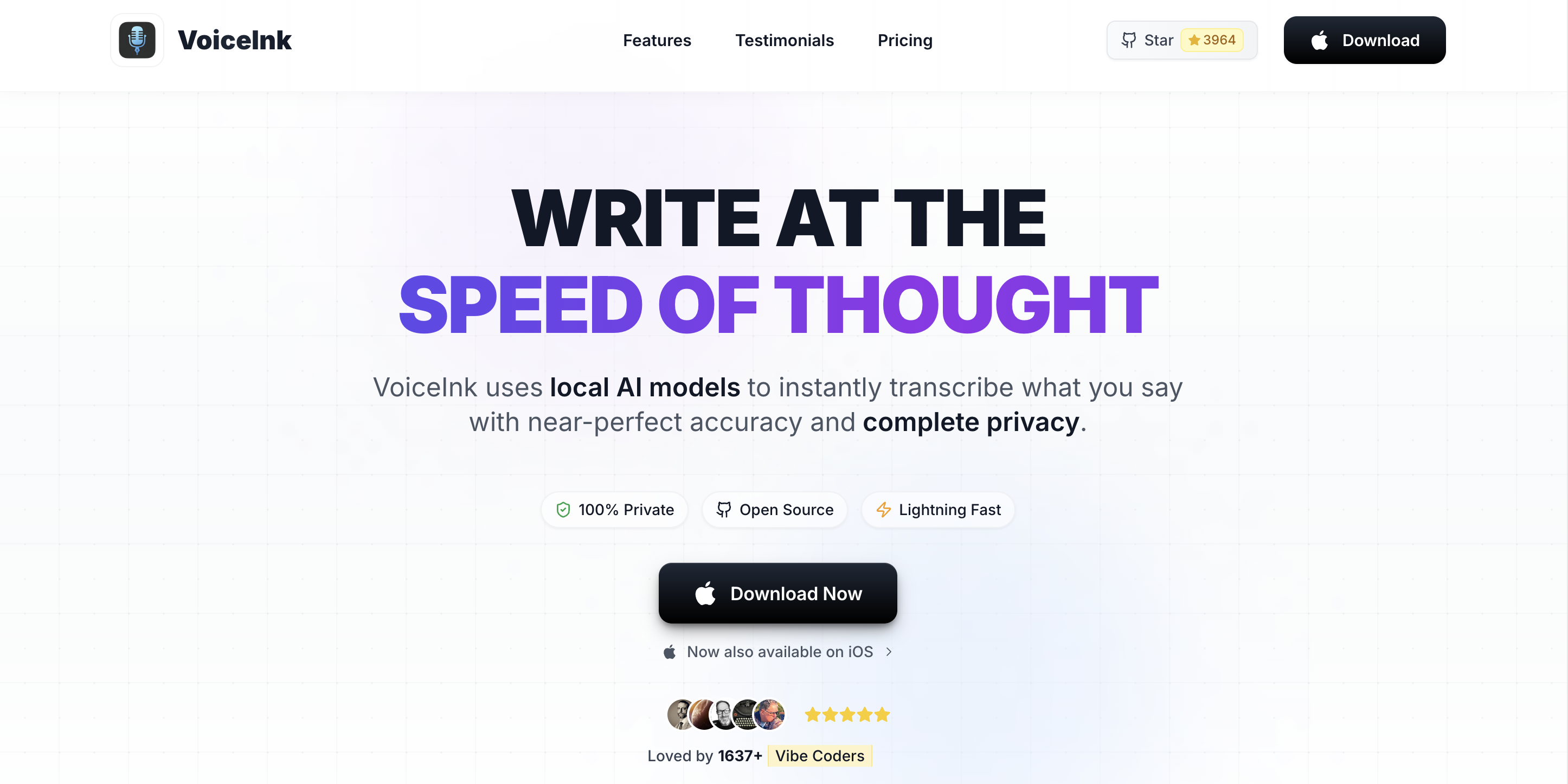
VoiceInk delivers on-device Whisper dictation at the lowest price of any paid alternative. VoiceInk is open-source under GPL v3, giving users code transparency that Dragon never offered. For a detailed comparison, see our Voibe vs VoiceInk comparison and VoiceInk review.
Key Features
- 100% on-device processing using Whisper models
- Open-source (GPL v3) — full code auditability on GitHub
- Power Mode auto-adjusts settings per application
- Personal dictionary for custom terms
- 100+ language support
- Smart Modes for different use cases
Pros
- Cheapest paid option at $25–$49 one-time — 89–94% less than Dragon
- Open-source codebase with 4,300+ GitHub stars
- Personal dictionary partially replaces Dragon's custom vocabulary
- No subscription — one payment and done
Cons
- No IDE integration for developers
- Requires macOS 14+ (narrower than Dragon's compatibility)
- AI Enhancement features require external API keys
- Rated 7/10 in our review — good but not best-in-class UX
Pricing
$25 (Solo, 1 Mac), $39 (Personal, 2 Macs), or $49 (Extended, 3 Macs). One-time purchase. 3-year cost: $25–$49. This saves 89–94% compared to Dragon Professional.
User Reviews
VoiceInk holds a 4.9/5 rating from over 1,100 users. The open-source community on GitHub is active with regular contributions.
Best For
Budget-conscious users who want offline dictation at the lowest possible cost, and open-source advocates who value code transparency.
4. Wispr Flow — Best Cloud-Based Dragon Alternative

Wispr Flow is the most feature-rich cloud-based dictation tool and the only alternative that offers AI-powered auto-editing — it rewrites your dictated text to match the tone and context of the application you are using. This goes beyond what Dragon offered. See our Dragon vs Wispr Flow head-to-head and Wispr Flow vs SuperWhisper comparison for deeper analysis.
Key Features
- AI auto-editing adjusts tone and formatting per application
- Cross-platform: Mac, Windows, iOS, Android
- Whisper Mode for quiet dictation environments
- 100+ language support
- Free tier with 2,000 words per week
Pros
- AI editing is a capability Dragon never had
- Cross-platform support — works on Mac, Windows, and mobile
- Free tier lets you test before committing
- Student discount available ($10/month)
Cons
- Cloud-based — audio is sent to servers for processing
- No offline mode — internet required
- Subscription only — no lifetime option
- ~800MB RAM usage reported by some users
Pricing
$12/month (annual) or $15/month. Free tier: 2,000 words/week. 3-year cost: $432 (annual) or $540 (monthly). Comparable to Dragon's historical pricing.
User Reviews
Wispr Flow is popular on Product Hunt. Users praise the AI editing but some report reliability concerns, with a 2.7/5 rating on Trustpilot.
Best For
Users who want AI-enhanced dictation and cross-platform support, and who do not need offline or privacy-first processing.
5. MacWhisper — Best for Transcribing Audio Files
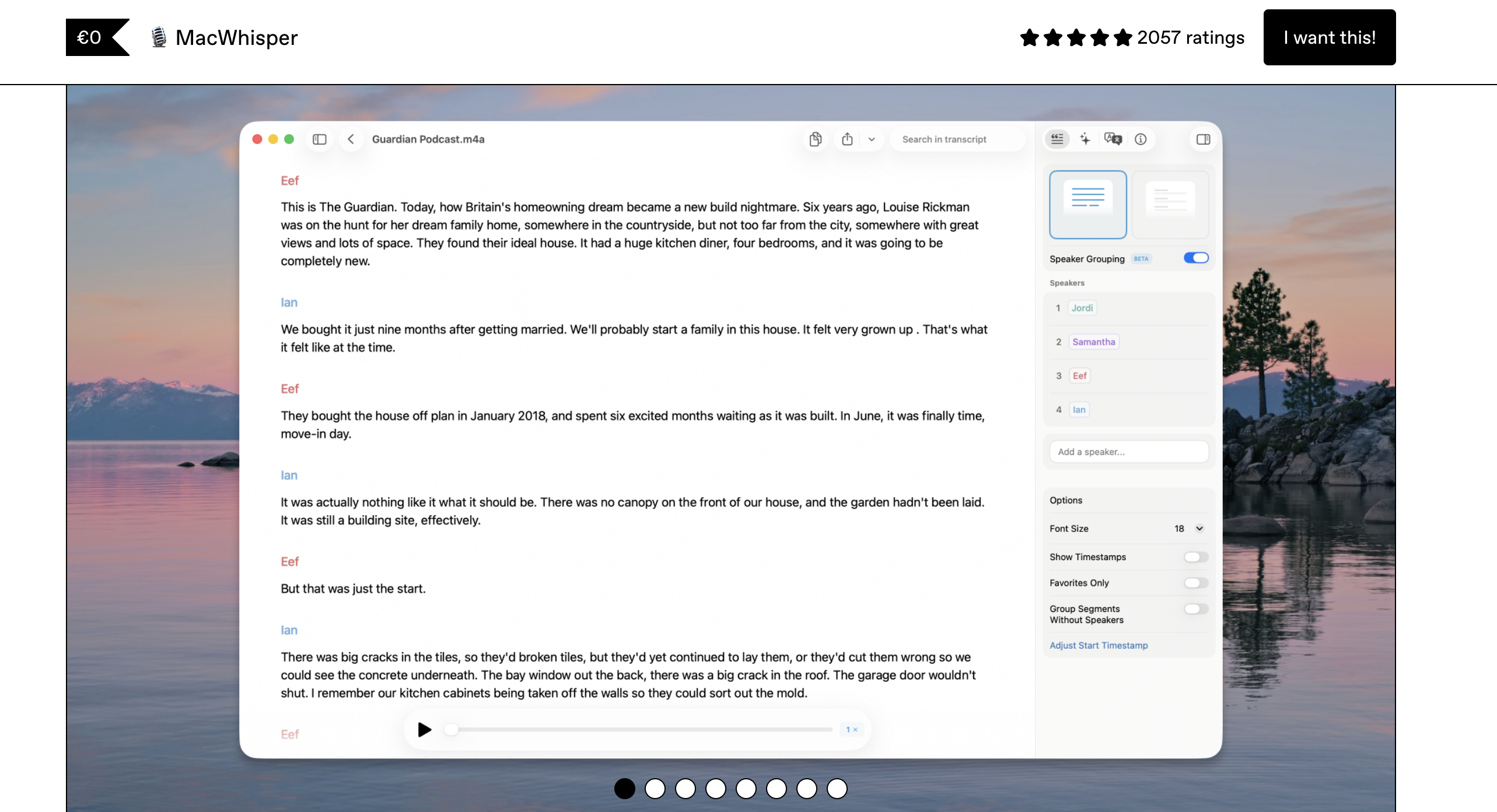
MacWhisper is not a real-time dictation tool like Dragon was. MacWhisper transcribes pre-recorded audio and video files using on-device Whisper models. For a detailed breakdown of how it compares to real-time dictation tools, see our MacWhisper vs Superwhisper comparison. If you used Dragon primarily to transcribe recordings, meetings, or interviews, MacWhisper is the best replacement.
Key Features
- Batch audio and video file transcription
- On-device processing using Whisper models
- Timestamps and speaker markers
- SRT subtitle export
- Free tier available with basic features
Pros
- Purpose-built for file transcription — better than Dragon for this use case
- On-device processing matches Dragon's privacy model
- Affordable Pro tier with one-time pricing
- SRT export for video subtitling
Cons
- Not real-time dictation — cannot replace Dragon for live dictation
- No system-wide text input
- No custom vocabulary or voice profiles
- Limited to file-based workflows
Pricing
Free basic version. Pro version ~$29–$69 one-time via Gumroad.
Best For
Users who used Dragon primarily for transcribing audio recordings, interviews, or meeting notes — not real-time dictation.
6. Apple Dictation — Best Free Built-In Option
Apple Dictation is built into every Mac running macOS and costs nothing. On Apple Silicon Macs (M1–M4), Apple Dictation processes speech on-device, matching Dragon's local processing. Apple Dictation is the simplest Dragon replacement for casual everyday use. For a deeper privacy analysis, see our Apple Dictation privacy guide.
Key Features
- Free and built into macOS
- System-wide dictation in any text field
- 60+ language support
- On-device processing on Apple Silicon
- Voice commands for punctuation and formatting
Pros
- Zero cost — saves 100% compared to Dragon
- No installation, no setup, no account needed
- On-device on Apple Silicon for privacy
- Built-in punctuation commands
Cons
- Limited accuracy with technical terminology and proper nouns
- No custom vocabulary or specialized dictionaries
- No developer IDE integration
- Intel Macs send audio to Apple servers
- Inconsistent auto-punctuation
Pricing
Free. Built into macOS.
Best For
Casual users who want quick dictation without spending money, and users who want to try voice-to-text before committing to a paid tool.
7. Notta — Best for Meeting Transcription (Cloud)
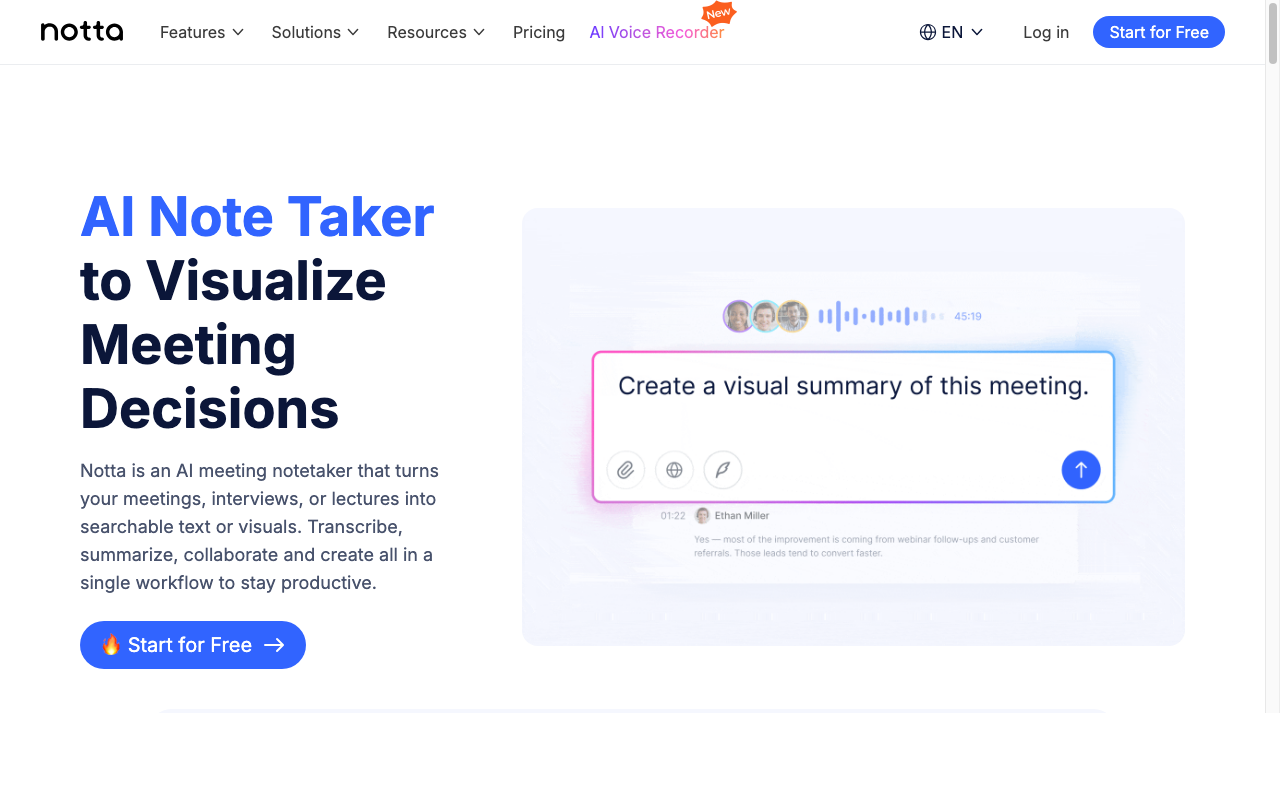
Notta is a cloud-based meeting transcription tool, not a general dictation app. If you used Dragon to transcribe meetings or needed multi-speaker identification, Notta is the modern replacement. For more meeting transcription options, see our Otter AI alternatives guide.
Key Features
- AI meeting summaries and action items
- 58 language support
- Speaker identification and diarization
- Zoom, Google Meet, and Teams integration
- Real-time transcription during meetings
Pros
- Purpose-built for meetings — better than Dragon for this use case
- AI summaries save time on meeting notes
- Multi-speaker identification Dragon could not do
- Cross-platform web access
Cons
- Cloud-based — all audio sent to servers
- Not a general dictation tool — meetings only
- Subscription pricing with no lifetime option
- Free tier limited to 120 minutes per month
Pricing
Free: 120 min/month. Pro: $8.17/month (annual). Business: $14.17/month (annual).
Best For
Users who need meeting transcription with speaker identification — a capability Dragon never had natively.
How to Choose the Right Dragon Replacement
Use these decision questions to find the best Dragon NaturallySpeaking alternative for your workflow:
Do you need your dictation to stay completely private and offline?
- Yes → Choose Voibe, SuperWhisper, or VoiceInk. All three process on-device with zero cloud uploads.
- No → Wispr Flow offers AI-enhanced dictation with cloud processing.
What is your budget?
- Free → Apple Dictation (built-in) or VoiceInk (build from source via GitHub).
- Under $50 → VoiceInk at $25–$49 one-time.
- Under $100 → Voibe at $99 lifetime.
- Under $900 → SuperWhisper at $249 lifetime.
Do you need developer IDE integration?
- Yes → Voibe is the only tool with VS Code/Cursor integration and file name resolution.
- No → Any of the alternatives will work.
Do you need meeting transcription with speaker identification?
- Yes → Notta. General dictation apps do not transcribe multi-speaker meetings.
- No → Choose a dictation app (Voibe, SuperWhisper, VoiceInk, or Wispr Flow).
Do you need maximum customization like Dragon's advanced settings?
- Yes → SuperWhisper offers the deepest customization with multiple models and intelligent modes.
- No → Voibe or VoiceInk offer simpler, focused workflows.
Best Tool for Your Situation: Use-Case Cheat Sheet
- Replaced Dragon for daily writing on Mac → Voibe ($99 lifetime) — system-wide dictation, on-device, no training needed
- Used Dragon's custom vocabulary for technical terms → VoiceInk (personal dictionary) or Voibe (IDE file name resolution)
- Ran Dragon in Parallels on an Intel Mac → Voibe or SuperWhisper — native Mac apps, no VM needed
- Used Dragon for legal dictation → Voibe or SuperWhisper — on-device processing satisfies data privacy requirements; Dragon Legal for Mac no longer exists
- Academic or writer who lost Dragon Home when it was discontinued in 2023 → Voibe ($99 lifetime) or VoiceInk ($25–$49) — Dragon Home is gone; these are the closest modern replacements
- Switched from Windows to Mac and lost Dragon in the process → Voibe or SuperWhisper — native Mac apps that replicate Dragon’s offline, on-device processing model
- Used Dragon for medical dictation → See our dedicated Dragon Medical alternatives guide covering HIPAA compliance and AI medical scribes
- Need Dragon-level customization and power features → SuperWhisper ($249 lifetime) — multiple models, intelligent modes
- Need the cheapest possible Dragon replacement → Apple Dictation (free) or VoiceInk ($25 one-time)
- Switching from Dragon on Windows to Mac → Voibe for privacy-first, Wispr Flow for cross-platform
- Need meeting transcription that Dragon couldn't do well → Notta ($8.17/mo) for meeting-specific features
- Developer who needs dictation in VS Code or Cursor → Voibe — the only tool with IDE integration
- Want to try before buying → Apple Dictation (free, built-in) or Wispr Flow (free tier, 2,000 words/week)
- Need cross-platform dictation (Mac + Windows + mobile) → Wispr Flow — the only option across all platforms
Frequently Asked Questions
Common questions from Dragon NaturallySpeaking users switching to modern alternatives, organized by topic.
Dragon Status and Migration
Is Dragon NaturallySpeaking still available for Mac?
No. Nuance discontinued Dragon Dictate for Mac in 2018. The last Mac version was Dragon Professional Individual 6.0, which does not run on modern macOS or Apple Silicon. Dragon is now Windows-only under Microsoft ownership.
What happened to Dragon for Mac?
Nuance released Dragon Professional Individual 6 for Mac in 2016 and stopped updating it in 2018. Microsoft acquired Nuance in 2022 for $19.7 billion and shifted focus to enterprise healthcare AI. Dragon Home (the affordable consumer edition) was discontinued entirely in 2023. Development has stalled — version 17 is barely different from version 16. Today only Dragon Professional ($699) and enterprise medical/legal editions remain, all Windows-only.
Features and Compatibility
Do modern dictation apps require voice training like Dragon did?
No. Whisper-based tools like Voibe, SuperWhisper, and VoiceInk deliver high accuracy from the first use with zero setup. Dragon required 30+ minutes of initial training and weeks of corrections.
Can I use Dragon on Mac through a virtual machine?
Dragon NaturallySpeaking requires Windows, but it does not support ARM-based Windows on Apple Silicon. The Parallels workaround is no longer viable for M-series Macs. A native Mac dictation app is a better solution.
Privacy and Processing
Which Dragon alternatives work offline on Mac?
Voibe, SuperWhisper, VoiceInk, MacWhisper, and Apple Dictation (on Apple Silicon) all work fully offline. These tools process speech on-device, matching Dragon's local processing model.
Pricing and Value
How much does a Dragon alternative cost compared to Dragon?
Dragon Professional cost $300+ with $150+ upgrade fees. Modern alternatives are 67–100% cheaper: Apple Dictation is free, VoiceInk costs $25–$49 one-time, Voibe costs $99 lifetime, and SuperWhisper costs $249 lifetime.
Do any Dragon alternatives support custom vocabularies?
Partially. VoiceInk offers a personal dictionary. Voibe's Developer Mode resolves IDE workspace names. SuperWhisper supports custom Whisper models. No modern tool fully replicates Dragon's deep per-user voice profile training.
The Bottom Line: Dragon Is Gone, but Better Tools Exist
Dragon NaturallySpeaking set the standard for speech recognition for over two decades. But on Mac, that era ended in 2018. The good news: modern Whisper-based dictation apps deliver comparable accuracy without voice training, cost a fraction of Dragon's price, and work natively on Apple Silicon.
For most Dragon users switching to Mac, Voibe is the best overall replacement — it matches Dragon's on-device processing, adds IDE integration Dragon never had, and costs $99 lifetime (78% less than Dragon over three years). VoiceInk is the best budget option at $25–$49 one-time, and SuperWhisper is the best choice for power users who want Dragon-level customization.
The one thing no modern tool replicates: Dragon's voice command macros. If you depended on custom voice commands, you will need to pair your dictation app with macOS Shortcuts or Automator.
Try Voibe for free and see how modern on-device dictation compares to Dragon.
For related content, explore our full 12-product Dragon alternatives roundup, Dragon Medical alternatives for healthcare, dictation alternatives directory, best offline dictation apps, and privacy guide.
Ready to type 3x faster?
Voibe is the fastest, most private dictation app for Mac. Try it today.
Related Articles
7 Best Dictation Software for Doctors (2026)
Compare the 7 best dictation tools for doctors in 2026. From on-device HIPAA-safe apps to AI scribes with EHR integration, with pricing and clinical use cases.
7 Best Dictation Software for Lawyers (2026)
Best dictation software for lawyers who want privacy, speed, and value. 7 tools compared on confidentiality, cost per attorney, and Mac support.
7 Best Dictation Software for Writers (2026)
Compare the 7 best dictation tools for writers in 2026. Covers offline and cloud options, pricing from free to $699, and which tool fits your writing workflow.