
Upgrading from Voibe Pro to Voibe Work
This guide is for existing Voibe Pro monthly and annual subscribers who want to upgrade to Voibe Work. Thanks for being with us since the Pro days.
What changed for you
Your Pro plan is now Voibe Dictation, with the same price and billing date. Nothing else changes unless you upgrade.
Voibe Work adds AI meeting notes to your dictation. When you upgrade, you pay only the difference.
You only pay the difference
We didn't want you paying twice for the same days. When you upgrade, the time left on your current plan counts towards Voibe Work. You pay only the difference, for the days left until your next renewal.
Here's an example. You pay $7.50 a month and you're halfway through the month. Voibe Work is $14 a month, so the difference is $6.50. Half the month is left, so you pay $3.25 today. From your next renewal, you pay $14 a month.
Annual works the same way. Halfway through a $59 year, moving to Voibe Work Annual at $140 costs about $40.50 today.
You'll see the exact amount before you confirm. Nothing is charged until you click “Save”.
Before you start: find your billing email
Your billing page is linked to the email you used when you first bought Voibe. For some voibers, that's a different address from the one they use in the app, so it's worth checking first.
We've included your billing email in the email we sent you about this upgrade. You can also search your inbox for a Voibe receipt. It went to the same address.
Step 1: Sign in to your billing page
Go to store.getvoibe.com/billing and enter your billing email. You'll get a sign in link by email. Open it, and you'll land on your billing page.
Step 2: Open your subscription
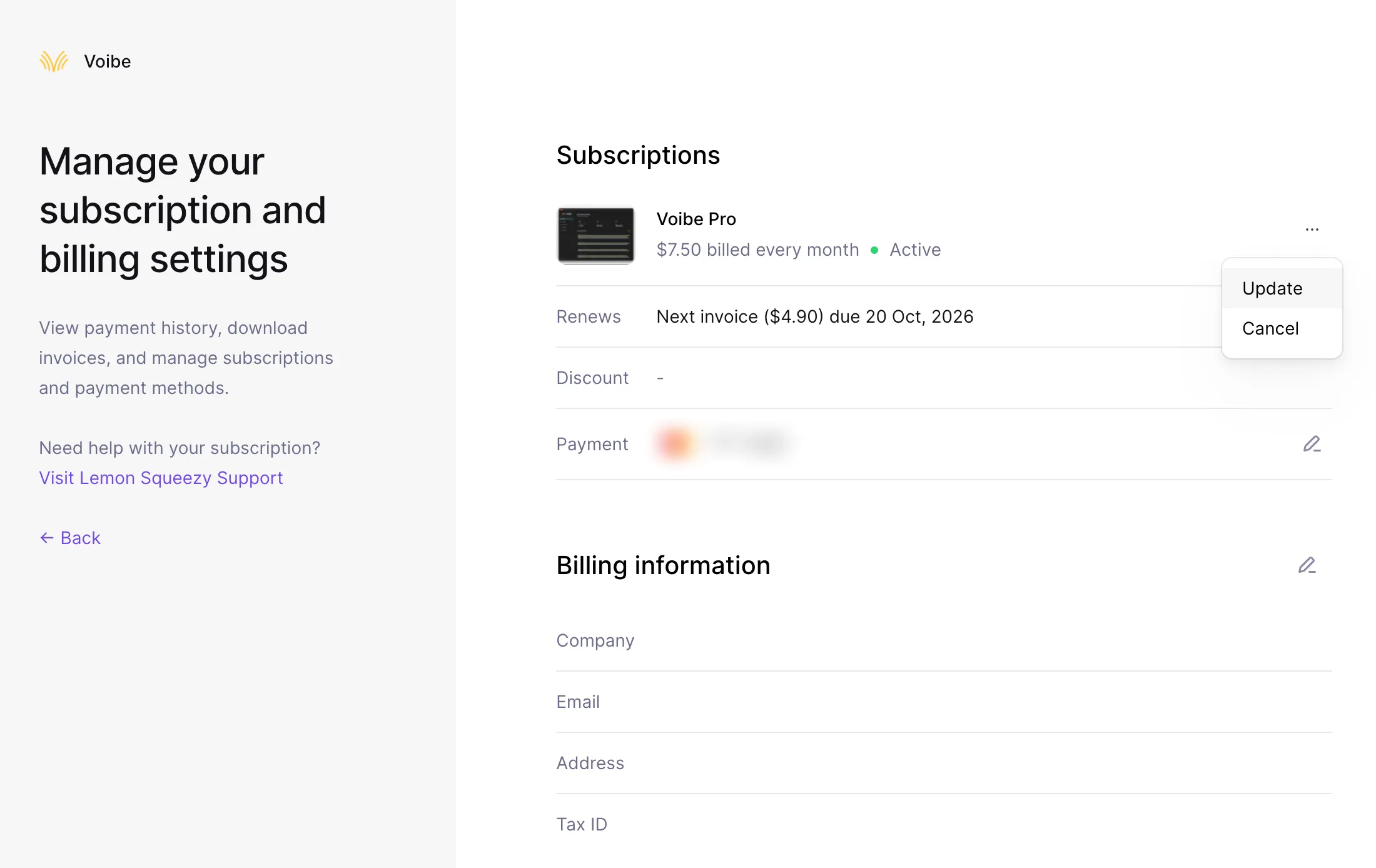
Under “Subscriptions”, you'll see Voibe Pro. Click the three dots on the right, then click “Update”.
The price next to Voibe Pro may be different from what you actually pay. The “Next invoice” line shows your real price.
Step 3: Choose Voibe Work
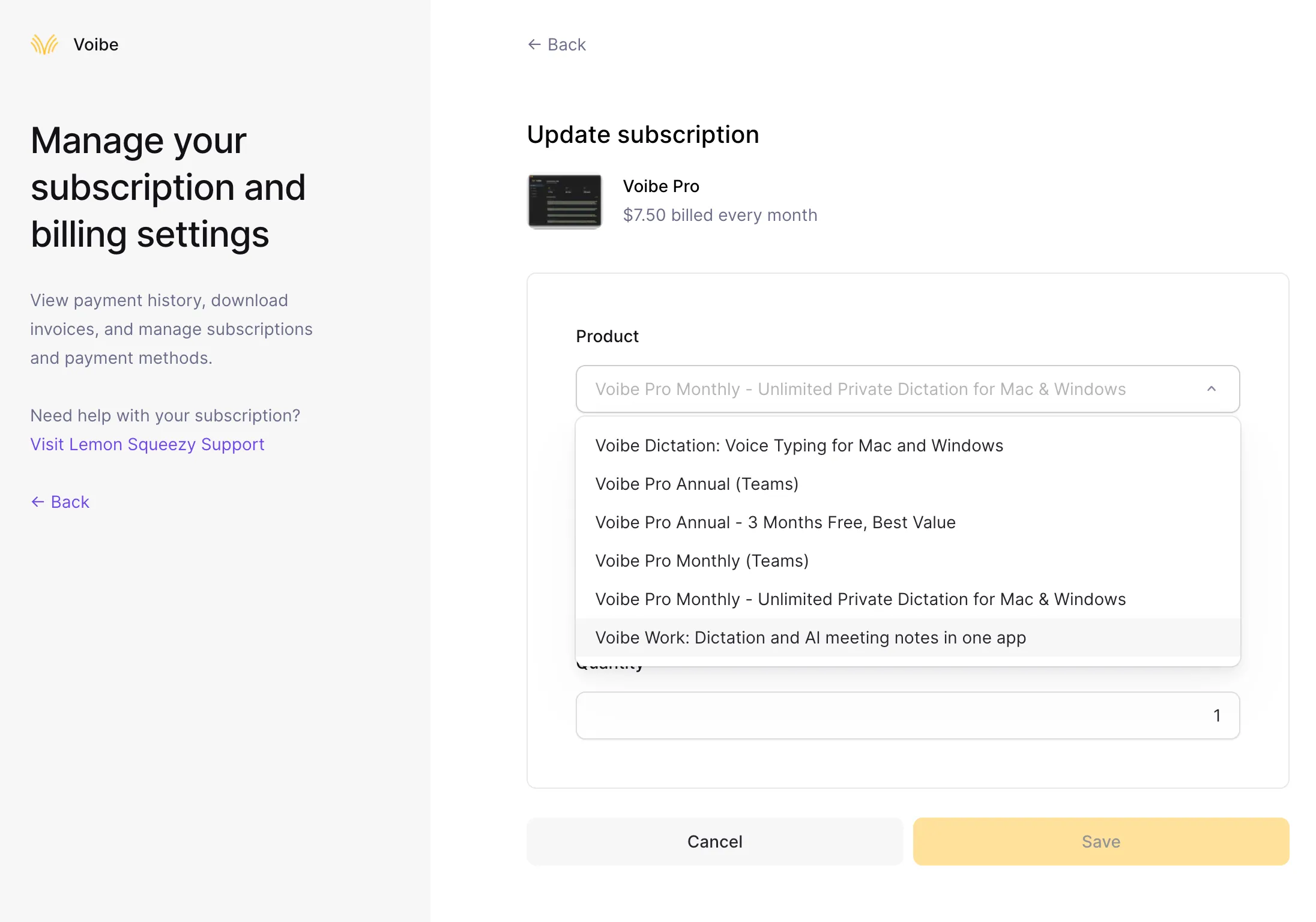
Open the “Product” list and choose “Voibe Work: Dictation and AI meeting notes in one app”.
You'll see a few other plans in the list too, including some older ones. Pick only Voibe Work.
Step 4: Keep your billing period
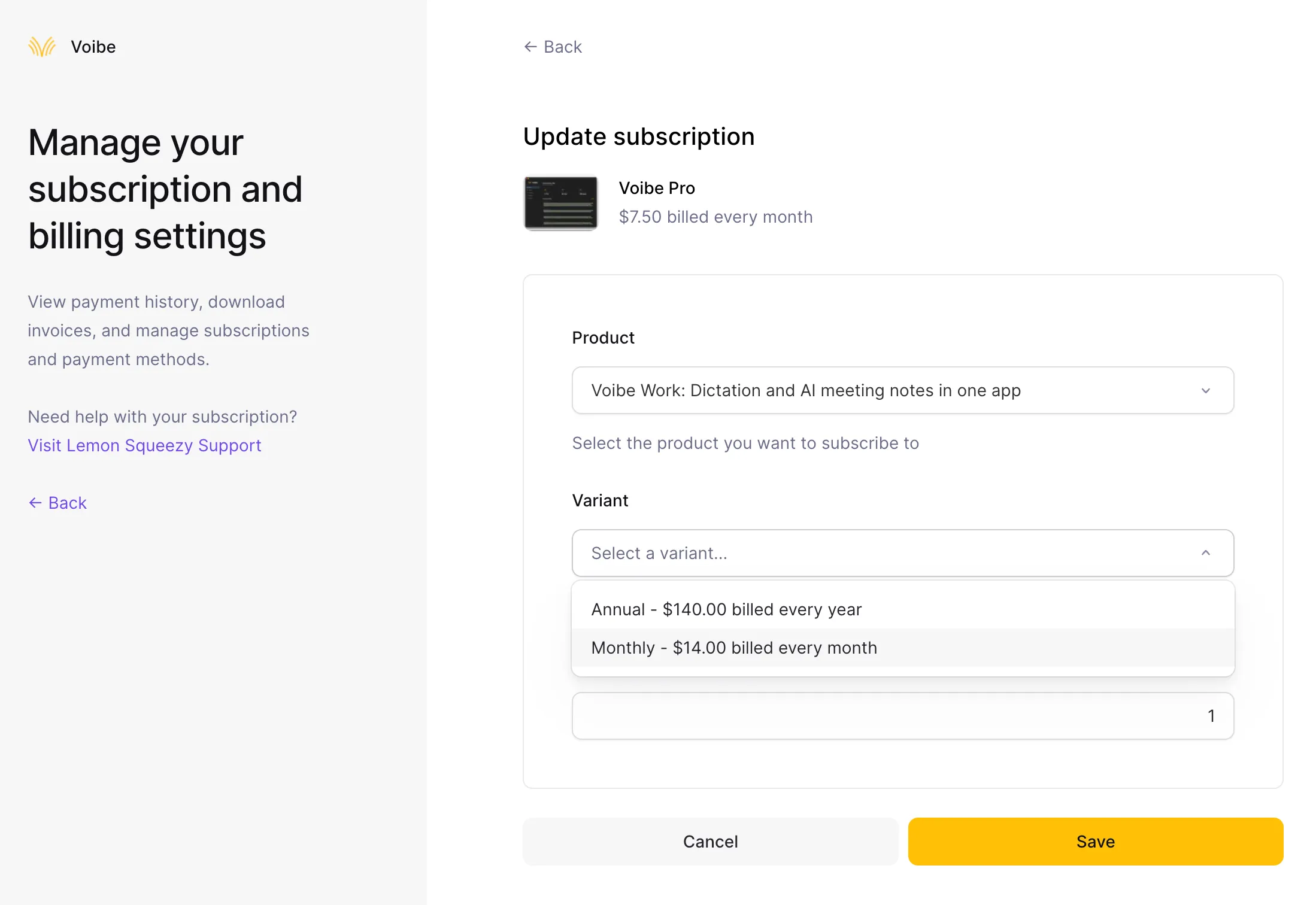
Open the “Variant” list. If you pay monthly today, choose “Monthly” at $14.00 a month. If you pay yearly, choose “Annual” at $140.00 a year.
Step 5: Check the amount and save
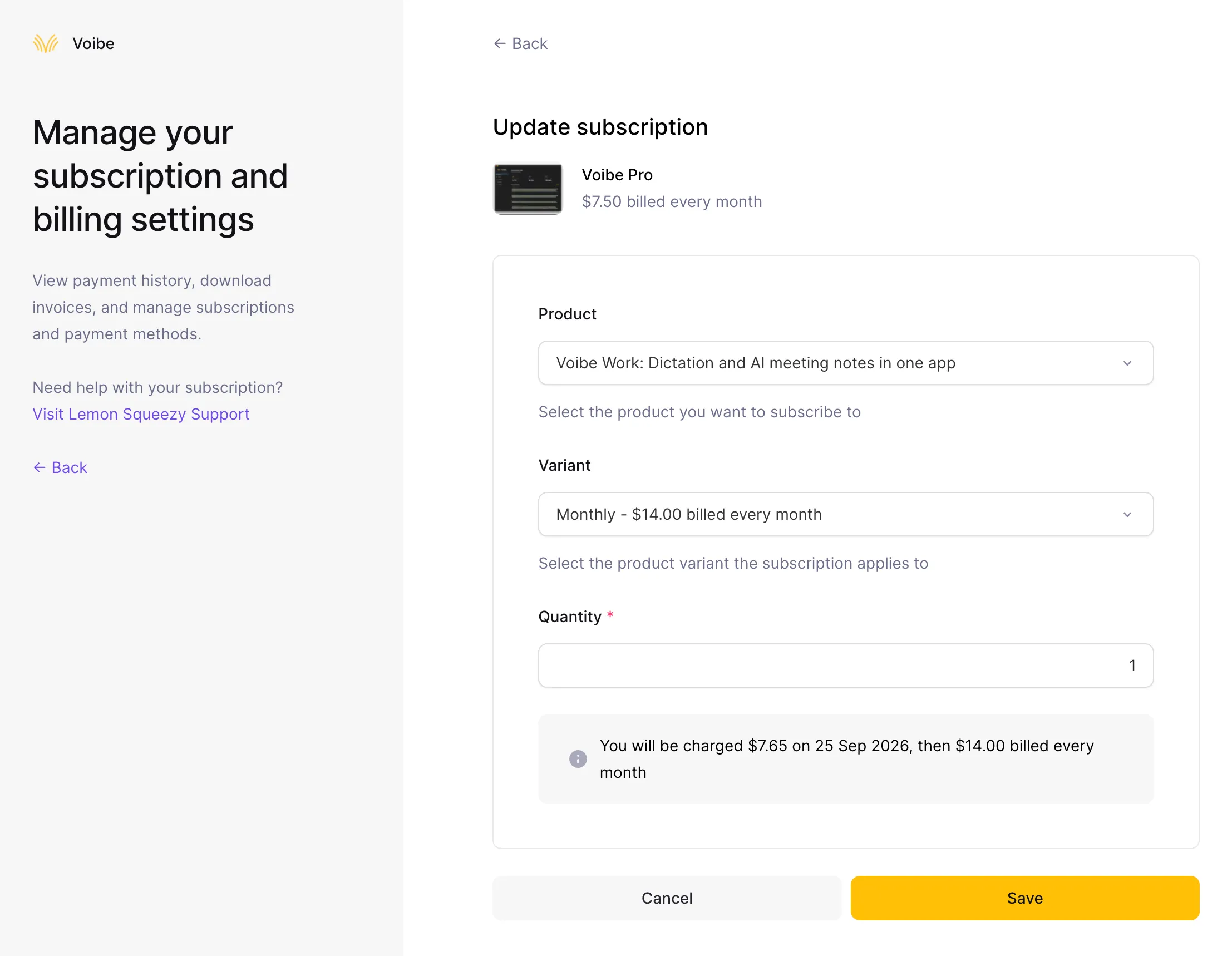
Read the line that starts “You will be charged”. It shows what you pay today and what you pay after that. In this example, it's $7.65 today, then $14.00 a month.
If it looks right, click “Save”. That's it.
After you upgrade
Voibe Work is active straight away, and your receipt arrives by email.
If anything doesn't look right, reply to our email or write to hi@getvoibe.com. We'll sort it out with you.
Common questions
Do I have to upgrade?
No. Voibe Dictation keeps working exactly as it does today, at the price you pay now.
Will I pay the full Voibe Work price today?
No. Today you pay only the difference for the days left in your current billing period. The full Voibe Work price starts at your next renewal.
I can't find my subscription on the billing page.
You've probably signed in with a different email from the one you bought Voibe with. Check the billing email in our message, or search your inbox for a Voibe receipt, then sign in again with that address. If you still can't find it, write to hi@getvoibe.com.
I have Voibe Lifetime. Is this guide for me?
No. This guide is for monthly and annual subscribers. We're emailing Lifetime customers separately about their upgrade.