
8 Best No-Bot Meeting Note Takers in 2026 (Compared & Reviewed)
Best no-bot meeting note takers in 2026, compared on privacy and price: 1. Granola 2. Voibe Work 3. Quill 4. Jamie 5. Krisp 6. Anarlog 7. Bluedot 8. Tactiq

TL;DR: The Best No-Bot Meeting Note Takers in 2026
A meeting bot is the fifth face in a four-person call. Clients ask who it is, and the platforms have started screening it out: since spring 2026, Google Meet sends join requests it flags for a closer look to a second queue where the default is to deny entry (Google Workspace Updates), and Microsoft Teams labels third-party bots in the lobby (BleepingComputer).
No-bot note takers fix that. They listen from your own computer, so nothing joins the call.
But taking the bot out only answers one question: who is in the call. It doesn't answer where the transcript goes, who keeps it, or whether it trains an AI model. That matters, because training on user data is the AI industry's default: a Stanford study of six major US AI developers found that all six train on their users' chats by default (AIES 2025 paper). That's where these apps really differ.
I've used every tool on this list on my own calls, and Fathom's bot before that. I also went through each one's pricing, security and data-training pages. Here's how the best no-bot meeting note takers rank in 2026 (how we ranked them):
- Granola: best overall. The most polished app, on every platform. Notes live in Granola's cloud and train its models by default.
- Voibe Work: best for privacy, and the best value. Audio deleted after processing, notes saved on your Mac, never used to train AI. It includes a dictation app too, for $140 a year.
- Quill Meetings: best fully local option on Mac and Windows. Free local transcription.
- Jamie: best for EU data residency. Never trains on your data.
- Krisp: best if you also want noise cancellation. Cheapest paid plan at $8 a month.
- Anarlog (formerly Hyprnote): best open-source pick, with a Linux app.
- Bluedot: widest platform coverage, including video recording.
- Tactiq: best free Chrome extension for Google Meet.
Key takeaways
| Tool | Best for | Where notes live | Cheapest paid plan |
|---|---|---|---|
| Granola | Best overall: polish, every platform | Granola's cloud (US) | $14/mo |
| Voibe Work | Privacy, dictation + meetings | On your Mac | $14/mo or $140/yr |
| Quill Meetings | Fully local, Mac + Windows | On your computer | $6.99/mo (annual) |
| Jamie | EU data residency | Jamie's cloud (EU) | €21/mo (annual) |
| Krisp | Noise cancellation + notes | Krisp's cloud (US) | $8/mo (annual) |
Key Takeaway
No-bot note takers all keep the bot out of your call. The difference is where your notes end up: on your own computer (Voibe Work, Quill, Anarlog) or on the vendor's servers (Granola, Jamie, Krisp, Bluedot, Tactiq). Voibe Work also includes a full dictation app in the same $140-a-year price.
Why People Are Dropping Meeting Bots
Bot-based note takers like Otter, Fireflies and Fathom send a participant into your call. That worked for a few years. Here's why people are moving away from it.
1. The bot is visible, and people notice
A client, patient or candidate sees an extra tile called "Notetaker". Some ask what it is. Some just talk less. For legal, medical and financial calls, that's the opposite of what you want.
2. Platforms and IT teams now screen bots out
A bot has to be admitted like any other guest, and the platforms have started making that harder:
- Google Meet added a second join queue for requests the host should look at more closely, and the default action there is to deny entry (rolled out from March 24, 2026; Google Workspace Updates).
- Microsoft Teams now tags third-party bots in the lobby, and organisers have to admit them separately (BleepingComputer).
- Universities are blocking them. Morgan State blocked third-party AI note-taking bots from its Zoom meetings in June 2026, naming Fireflies, Otter, Read.ai and MeetGeek (Morgan State IT). Eastern Washington University blocked Read.ai and Otter after complaints about them "appearing in Zoom and Teams meetings without the consent of all participants" (EWU IT).
I've lived this with Fathom. It's convenient: it joins every meeting on its own, and I get a transcript and the same summary format for every call, a lot of it for free. But Google Meet or Zoom sometimes won't let it in, or the host won't admit it, and those meetings have no notes. If the bot doesn't get in, you get nothing.
3. A bot doesn't settle consent
The visible bot was supposed to count as notice. Otter's lawsuit tests that. In Brewer v. Otter.ai, filed in August 2025, a participant who never signed up for Otter says he was recorded without consent and his words were used to train Otter's AI (NPR).
On August 13, 2026, the court let the wiretap and California privacy claims go forward, while dismissing others (order). That's not a verdict, but it keeps the question open. Our Otter safety review covers the case.
4. The recording lives on someone else's server
A bot records the call on the vendor's side. The recording and transcript stay in the vendor's cloud until someone deletes them.
No-bot tools fix the first two problems. They don't automatically fix the last two.
How a No-Bot Note Taker Hears Your Meeting
A no-bot note taker captures the meeting from your own device instead of joining it. There are three ways to do that:
- Desktop app reading system audio. The app records your microphone and the sound coming out of your computer. It works with any meeting app: Zoom, Teams, Meet, Webex, Slack huddles. Voibe Work, Granola, Quill, Jamie, Anarlog and Bluedot's desktop app work this way.
- Virtual microphone and speaker. You pick the app's virtual mic and speaker inside Zoom or Teams, and it listens to both. Krisp works this way.
- Browser extension. A Chrome extension reads the meeting in your browser tab. For Zoom, Tactiq reads live captions, so the host has to turn captions on. Tactiq and Bluedot's extension work this way.
Desktop apps are the most flexible: they work in any meeting app and don't need captions. Browser extensions are the lightest to install but only cover calls you join in the browser.
Other people in the call can't see any of these. That's the point, and it's also why consent matters. See the consent section below.
No Bot Is Half the Answer: Where Do Your Notes End Up?
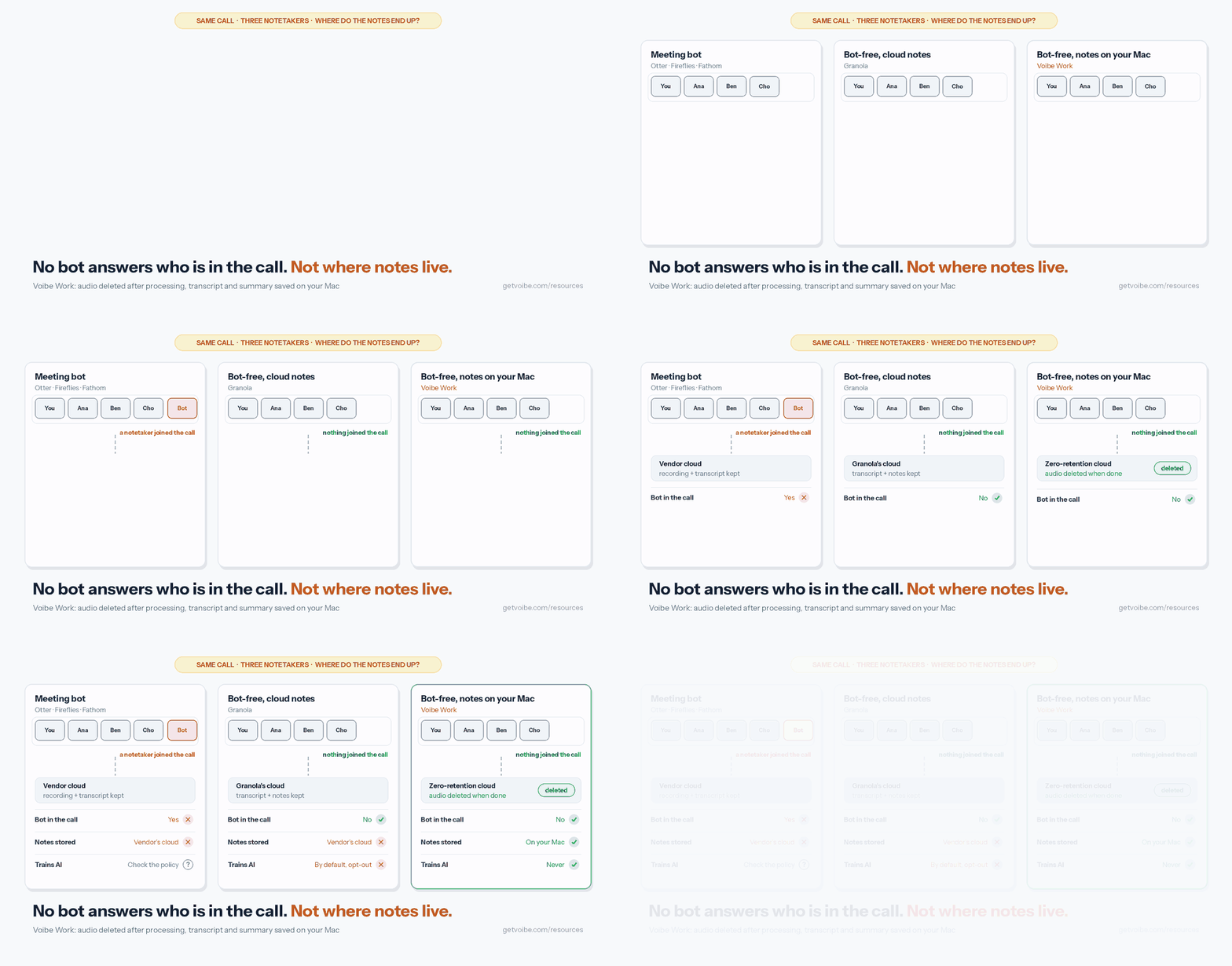
Once the bot is gone, four questions separate these tools:
- Is the audio kept? Most no-bot tools delete it after transcription. Granola, Jamie, Voibe Work and Fireflies' desktop mode all say so. Bluedot and Krisp can keep recordings in their cloud.
- Where do the transcript and summary live? On your computer (Voibe Work, Quill, Anarlog) or on the vendor's servers (Granola, Jamie, Krisp, Bluedot, Tactiq, Notion).
- Is your data used to train AI? Granola trains on anonymised data by default on its Free and Business plans. Jamie, Bluedot, Quill and Voibe say they never train on your meetings.
- Which AI companies see it? Granola names OpenAI and Anthropic for summaries. Notion names six AI sub-processors. Voibe uses only open-source models on zero-retention providers.
A vendor can't leak or subpoena notes it doesn't hold. That's why the second question matters most for confidential calls. For the retention side, see zero data retention, explained.
What to Look For in a No-Bot Meeting Note Taker
- Where notes are stored. On your device, in the vendor's cloud, or in a region you choose. This decides who can be asked to hand them over.
- Training default. "Opt-out" means your data trains models until you find the setting. "Never" means there's no setting to find.
- Platforms. Most tools cover Mac. Fewer cover Windows, and only some capture in-person meetings on a phone.
- Speaker labels. Knowing who agreed to what is half the value of meeting notes. Check it works on your meeting app, not just on Zoom.
- Consent tools. Does the app remind you to tell people, or post a notice in the chat? None of them can get consent for you.
- Export on every plan. Can you get every note and transcript out without upgrading? Granola now keeps full API access for paid plans (what changed).
- Price per year, not per month. Several tools quote annual rates as monthly prices. Compare the yearly total.
- What else it does. Some tools add dictation (Voibe, Wispr Flow) or noise cancellation (Krisp). If you'd pay for that anyway, it changes the math.
How We Ranked These No-Bot Note Takers
Voibe Work is ours, so read this list knowing that. It's also why I've been strict about where it ranks.
I've used every tool on this list on my own calls, and I used Fathom's bot before switching to no-bot capture. Hands-on use tells you how an app feels day to day, so I also read each tool's pricing, security, privacy and data-training pages, checked current App Store, Chrome Web Store and Product Hunt ratings, and scored privacy with our AI Privacy Tracker.
Each tool was judged on five things, in this order:
- Does it catch every meeting? Dropping the bot removes the admission problem, but the app still has to start and record correctly every time.
- What happens to your notes. Where they're stored, for how long, and whether they train AI by default.
- What a year costs, not the monthly sticker price.
- Platforms: Mac, Windows, phones, and in-person meetings.
- What reviewers say on the App Store, Chrome Web Store and Product Hunt.
Granola ranks first on polish, platforms and reviews. Voibe Work ranks second: it wins on privacy and price, but its meeting notes are new and Mac-only. If privacy is what you're choosing on, start with number two.
No-Bot Meeting Note Takers Compared
| App | Capture | Platforms | Audio kept? | Notes stored | Trains on your data? | Rating |
|---|---|---|---|---|---|---|
| Granola | Desktop app | Mac, Windows, iOS, Android | No, deleted after transcription | Granola cloud, AWS US | Yes by default (Free, Business) | 4.96/5 App Store (13,712) |
| Voibe Work | Desktop app | Mac (Windows coming) | No, deleted after processing | On your Mac | Never | 4.8/5 Product Hunt (Voibe app, 6 reviews) |
| Quill Meetings | Desktop app | Mac, Windows, iOS, Android | Stays on your computer | On your computer (optional encrypted sync) | No | 4.56/5 App Store (9) |
| Jamie | Desktop app | Mac, Windows, iPhone | No, deleted after transcription | Jamie cloud, EU | Never | 4.89/5 App Store (241) |
| Krisp | Virtual mic | Mac, Windows, iOS, Android | In Krisp cloud if you opt in | Krisp cloud, US | No | 4.75/5 App Store (265) |
| Anarlog | Desktop app | Mac, Windows, Linux | On your device | On your device (sync opt-in) | No | 4.8/5 Product Hunt (5) |
| Bluedot | Extension or desktop app | Chrome, Mac, Windows, iOS, Android | Yes, in Bluedot cloud | Bluedot cloud (AWS), EU option | Never | 4.7/5 Chrome Web Store (200) |
| Tactiq | Chrome/Edge extension | Chrome, Edge, Mac beta (Zoom) | No recording needed | Tactiq cloud | Not stated (uses OpenAI API, which doesn't train) | 4.8/5 Chrome Web Store (4.3K) |
No-Bot Meeting Note Taker Pricing: What a Year Costs
Prices are per user, on each tool's cheapest paid plan with unlimited or near-unlimited meetings. Where a tool offers annual billing, the annual price is used.
| App | Plan | Monthly billing | Per year | Free option |
|---|---|---|---|---|
| Quill Meetings | Lite (16 h/mo of AI notes) | $7.99 | $83.88 | Free local transcription, unlimited |
| Krisp | Core | $16 | $96 | 7-day trial only |
| Tactiq | Pro | $12 | $96 | 10 transcripts a month |
| Voibe Work | Work | $14 | $140 (or $349 lifetime) | 7-day trial, no card |
| Anarlog | Pro | $15 | $150 | Free, on-device |
| Granola | Business | $14 | $168 (no annual plan) | Free, 30-day history |
| Bluedot | Basic (1-hour cap per recording) | $18 | $168 | 5 meetings, lifetime |
| Jamie | Plus (20 notes a month) | €25 | €252 | 10 notes a month |
Voibe Work vs the others, pre-calculated
- vs Granola Business: Granola only bills Business monthly, so a year is $168. Voibe Work's annual plan is $140: $28 (16.7%) less, with dictation included.
- vs Bluedot Basic: $140 vs $168 a year, also $28 less, without Bluedot's 1-hour cap per recording.
- vs Anarlog Pro: $140 vs $150 a year, $10 less.
- vs Krisp Core and Tactiq Pro: both are $96 a year, $44 less than Voibe Work. Neither keeps notes off the vendor's cloud.
- vs Quill Lite: $83.88 a year, $56.12 less than Voibe Work, with a 16-hour monthly cap on AI notes.
- Lifetime: Voibe Work's $349 lifetime seat equals 25 months of Granola Business. Over three years, Granola Business costs $504, so lifetime saves $155 (30.8%).
1. Granola: Best Overall No-Bot Note Taker
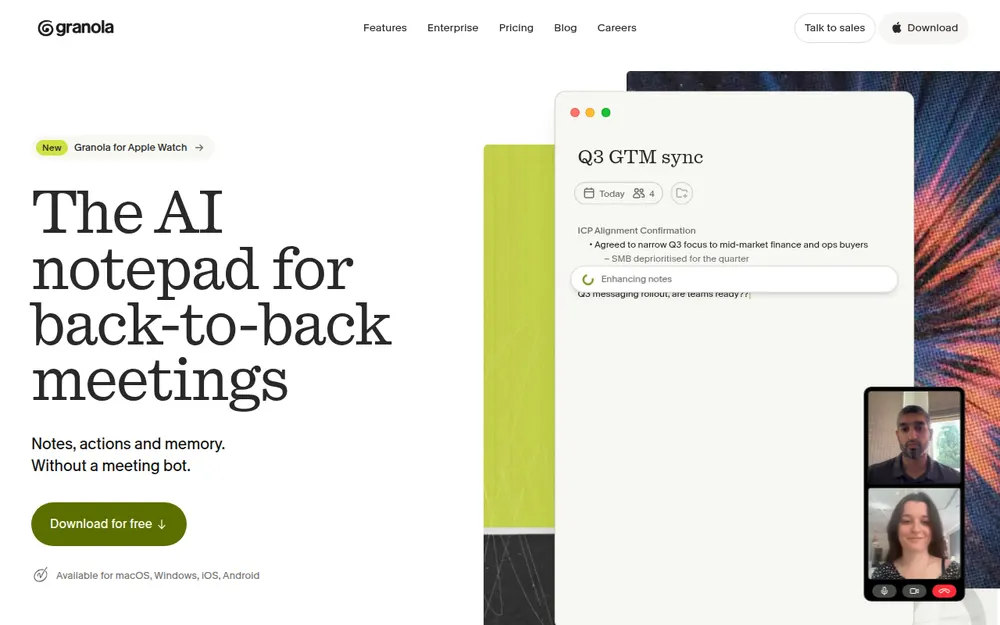
Granola is the app most people mean when they say "no-bot note taker". It raised $125 million at a $1.5 billion valuation in March 2026, and it's on Mac, Windows, iPhone, Android and Apple Watch.
You type your own rough notes during the call, and Granola fills them out from the transcript afterwards. People love that workflow.
It's our top pick for most people on polish, platforms and reviews. It isn't the top pick on privacy, and the catches below are real.
What stands out
- The best-known notepad workflow in the category
- Speaker tags with participant names on Google Meet, Zoom and Teams (desktop)
- Chat across all your meetings, Recipes (saved prompts) and 30+ languages
- Integrations with Slack, Notion, HubSpot, Attio and Zapier on Business, plus MCP and an API
- SOC 2 Type II. A BAA on Enterprise only
Pricing
- Basic: free, but only the last 30 days of notes are visible
- Business: $14/user/month, billed monthly only ($168/yr)
- Enterprise: $35/user/month
Where it falls short
- Notes live in Granola's cloud. A "US-hosted AWS Virtual Private Cloud", kept "indefinitely unless you or your admin configures a retention policy" (Granola security FAQ).
- Training is on by default. "By default on Free and Business plans, anonymised data may be used for Granola's own model improvements." Each Business user has to opt out separately, and only Enterprise turns it off by default.
- Closed AI vendors. Granola names Deepgram and AssemblyAI for transcription and OpenAI and Anthropic for summaries.
- A pending lawsuit. Chamberlain v. Granola (filed July 30, 2026) alleges the invisible capture is wiretapping. Our Granola lawsuit explainer covers it.
- Open share links. The Verge reported in April 2026 that Granola notes were viewable by anyone with the link by default. Changing the default doesn't update notes you've already shared.
- Locked-down local notes. In 2026 Granola encrypted the local cache that Obsidian and Claude integrations used to read, and put its API on paid plans; the free plan's MCP covers only 30 days. See Granola encrypted your meeting notes.
Granola is good. It solves most of the problems I had with Fathom's bot. But I'm wary of trusting it with my meeting data, especially after it locked up notes people thought they had on their own Mac. That's also the general feeling among the Granola users I've talked to: they see the value, but they worry about what happens to their notes on Granola's servers, starting with whether those notes are used to train AI.
Our privacy score: 31 out of 100 for Granola's Free and Business tier (41 for Enterprise). It scores 10 of 25 on training, 13 on retention, 3 on on-device processing and 5 on track record. The AI Privacy Tracker has the sources for each score.
Granola is rated 4.96/5 on the App Store from 13,712 ratings and 4.8/5 on Product Hunt from 56 reviews.
Want something like Granola without the cloud? See our Granola alternatives list.
2. Voibe Work: Best No-Bot Note Taker for Privacy and Value
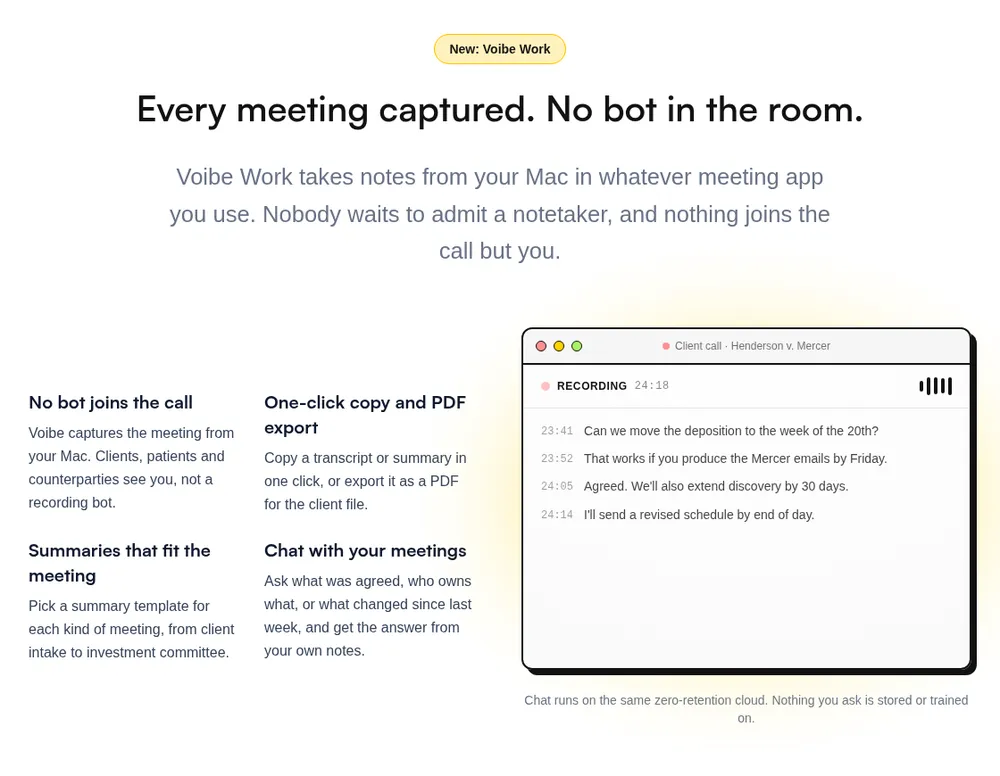
Voibe Work is the meeting-notes plan from Voibe, the app we build. It launched in September 2026 and includes everything in Voibe's dictation app.
It's second here, behind Granola, because Granola runs on every platform and has years of polish, while Voibe Work's meeting notes are new and Mac-only for now. On privacy, though, it answers all four questions the same way: no bot, audio deleted, notes on your Mac, never used for training. And it comes with a full dictation app.
Why I use it
I'm biased: we build Voibe. But after using everything on this list, and Fathom's bot before that, Voibe Work is the balance I wanted. Nothing joins the call, so there's no bot for a host to turn away. It's private: the audio is deleted, the notes stay on my Mac, and nothing trains on them. And it's cheap enough to treat as a utility, not a big software decision. Count the dictation app in, and it's a no-brainer bundle.
A no-bot note taker and a dictation app for one price
Every Voibe Work seat includes Voibe's dictation app: hold a key, speak, and clean text lands in Word, Outlook, Slack or any other app on your Mac or Windows PC. It's the job people buy Wispr Flow for.
Put another way, Voibe Work is Granola and Wispr Flow in one plan. Bought separately, Granola Business ($168 a year, billed monthly only) and Wispr Flow Pro ($144 a year) cost $312. Voibe Work is $140 a year, $172 (55.1%) less, or $349 once for lifetime access.
| Bundle | Per year | Meetings and dictation | Pay once? |
|---|---|---|---|
| Voibe Work | $140 | Unlimited dictation and meetings | Yes, $349 |
| Monologue Pro | $144 | Unlimited dictation and notes; Mac and Apple devices | No |
| Wispr Flow Pro | $144 | Unlimited dictation; unlimited Notetaker needs Growth ($216) | No |
| Anarlog Pro | $150 | Meeting notepad plus system-wide dictation | No |
| OpenWhispr Business | $160 | Unlimited meetings (the $80 Pro plan caps them at 20 hours a month) | No |
| Granola Business + Wispr Flow Pro | $312 | Two apps, two subscriptions | No |
Of every dictation-plus-meetings bundle we priced, Voibe Work is the cheapest with no caps on either, and the only one you can buy once. For anyone who writes and meets on a Mac, it's the best deal on the market right now.
The safest way to record confidential meetings
If your calls include client, patient or deal information that you don't want used to train AI models, Voibe's zero-retention cloud is the best way we know to record them. Meeting audio is processed by open-source models on zero-retention providers and deleted as soon as processing completes. No OpenAI, Google, Anthropic or Microsoft model is in the audio path, and the notes are saved on your Mac, not on Voibe's servers.
Handing sensitive client conversations to the big AI companies is a hard sell when Stanford researchers found all six major US developers train on their users' chats by default. With Voibe there's nothing on our side to train on. A BAA is available on request, and you still need to tell everyone you're taking notes.
How it handles a meeting
- Meeting audio is captured on your Mac. Nothing joins the call.
- The transcript and summary are written by open-source models on zero-retention cloud providers.
- The audio is deleted the moment processing completes.
- Your notes are saved on your Mac, not on Voibe's servers.
Transcription runs on open-source models on zero-retention providers. No closed AI lab like OpenAI or Google sees the audio, and Voibe publishes which providers it uses on its cloud privacy page.
What you get
- Notes from Zoom, Microsoft Teams, Google Meet, Webex, Slack huddles or any other meeting app on your Mac
- AI summaries with a template for each kind of meeting, from client intake to investment committee
- Chat with your meetings: ask what was agreed or who owns what. Chat runs on the same zero-retention cloud and nothing you ask is stored
- One-click copy and PDF export of transcripts and summaries
- A reminder to tell everyone you're taking notes when recording starts
- Voibe's dictation app on Mac and Windows: type with your voice in any app. See our Voibe review
Pricing
- Voibe Work: $14 per seat per month, $140 per year, or $349 once for lifetime access
- Voibe Dictation only: $7.50 per month, $75 per year, or $149 lifetime
- 7-day free trial of every Voibe Work feature, no credit card, no automatic charge
- 30-day money-back guarantee
Voibe Work's $140 a year is $28 less than a year of Granola Business ($168) on its own, before counting the dictation app.
Where it falls short
- Mac only for meetings. Windows is "coming soon" with no date. Dictation already works on Windows.
- No mobile app, so no in-person capture on a phone.
- Needs an internet connection. Meeting audio is processed in Voibe's zero-retention cloud, not on the Mac. Only dictation has a fully offline mode, on Apple Silicon Macs.
- New. No CRM integrations or shared team workspaces are listed yet.
- Notes live on one Mac. Great for privacy, but you back them up and share them yourself (PDF export helps).
Best for
Lawyers, clinicians, advisors and anyone whose calls are confidential and who works on a Mac. Also anyone paying separately for dictation and meeting notes.
Try Voibe Work free for 7 days → Every feature, no credit card.
3. Quill Meetings: Best Fully Local Note Taker for Mac and Windows
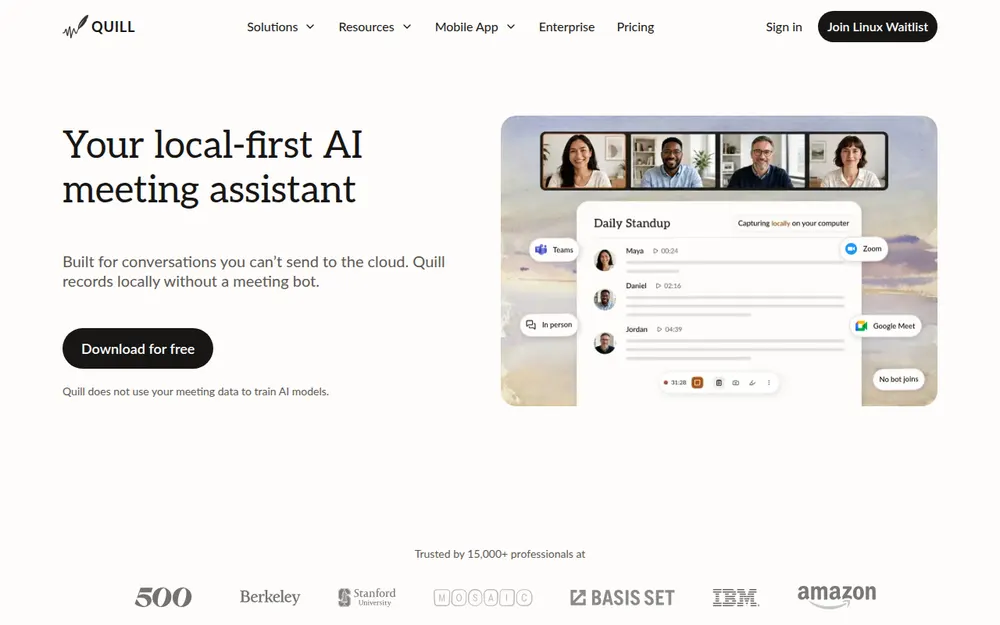
Quill Meetings records and transcribes on your computer. Its FAQ is blunt: "Quill records and transcribes on your computer. Your audio never leaves it."
It's aimed at investors, funds and advisors, and it's the closest match to Voibe Work's storage model that also runs on Windows.
What stands out
- Free, unlimited local transcription with speaker identification
- Mac and Windows apps, plus iOS and Android companions
- Optional end-to-end encrypted sync of transcripts and notes. Audio never syncs
- "Quill does not use your meeting data to train AI models." SOC 2 Type II certified
- Bring your own AI model (Anthropic, OpenAI, Ollama and others), or air-gapped deployment on Enterprise
Pricing
- Free: local transcription, unlimited recordings
- Lite: $7.99/mo, or $6.99/mo billed annually ($83.88/yr), 16 hours of AI meetings a month
- Unlimited: $19.99/mo, or $16.99/mo annually
- Teams: $15/seat/mo, or $12 annually, 5-seat minimum
Source: Quill pricing.
Where it falls short
AI summaries need a paid plan, and Lite caps them at 16 hours a month. It transcribes 29 languages. Its App Store rating is 4.56/5 from only 9 ratings, so there's little independent feedback yet.
Best for
Windows users who want notes that never leave their machine.
4. Jamie: Best No-Bot Note Taker for EU Data Residency
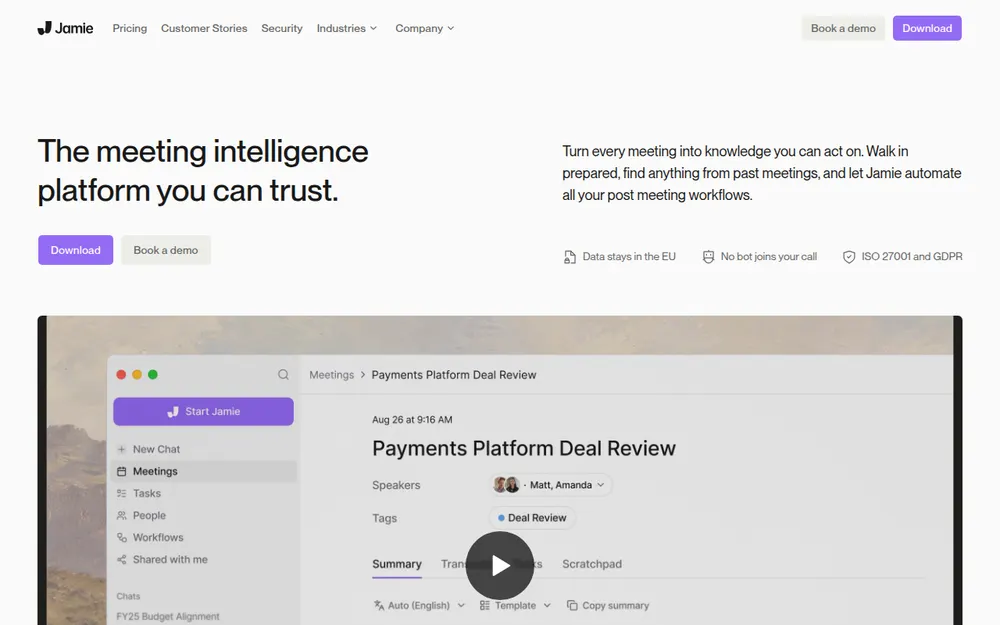
Jamie is a desktop and phone note taker for high-stakes meetings, from private equity to law. It's the strongest pick if your data has to stay in Europe.
From its security page: "Audio deleted after transcription." "Storage and processing stay within the EEA, Switzerland, and the UK." And: "Your data is never used for training of models, not by us or any of the model providers."
- Mac, Windows and iPhone; captures in-person meetings from the phone
- Speaker recognition on every plan
- ISO 27001 certified and GDPR compliant; SOC 2 Type II is listed as pending
Pricing (euros only)
- Free: 10 AI notes a month, 30-minute cap
- Plus: €25/mo, or €21/mo annually, 20 notes a month
- Pro: €47/mo, or €39/mo annually, unlimited notes
- Team: €39/seat/mo, or €33 annually
I tried Jamie myself. It's a cool app, but I found it confusing to use. It sometimes missed meetings, and sometimes I couldn't tell whether it was recording correctly. There are some rough edges, but overall it's alright.
Jamie's catch is the price and the limits. Plus caps you at 20 notes a month, so unlimited meetings start at €468 a year on Pro. Notes live in Jamie's cloud, not on your machine. Rated 4.89/5 on the App Store (241 ratings) and 5.0/5 on Product Hunt (26 reviews).
5. Krisp: Best No-Bot Note Taker With Noise Cancellation
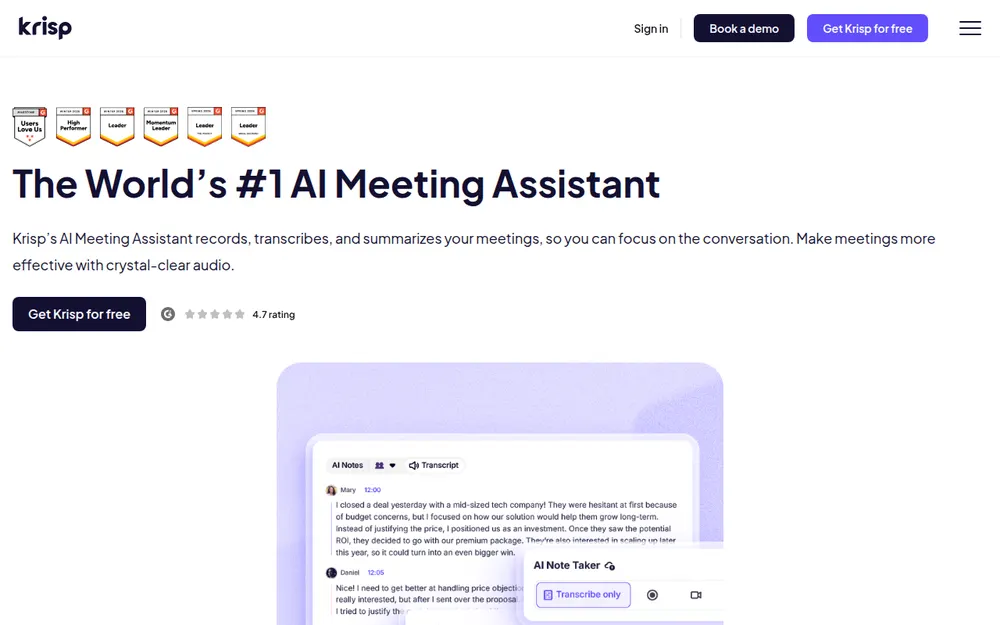
Krisp started as a noise-cancellation app and added a bot-free note taker. It installs a virtual microphone and speaker, so you pick "Krisp Microphone" and "Krisp Speaker" in Zoom or Teams.
Transcripts are made on your computer: "Krisp uses in-house speech to text technology on the end user's device" (Krisp security). Summaries are written by Microsoft Azure, and transcripts, recordings and summaries are stored in Krisp's US cloud once you opt in.
- Mac, Windows, iOS, Android and a browser extension
- Works in any voice app, including phone dialers
- In-person meeting notes
- Speaker labels, SOC 2 Type II, and Krisp says customer data is never used for training
Pricing
- Core: $16/user/mo, or $8 annually ($96/yr)
- Advanced: $30/user/mo, or $15 annually
- No free plan any more: a 7-day trial only
The catch: data is stored in the US only, fully on-device recording is Enterprise-only, and you have to switch mics in each meeting app. Rated 4.75/5 on the App Store (265) and 4.8/5 on Product Hunt (45).
6. Anarlog (Formerly Hyprnote): Best Open-Source No-Bot Note Taker
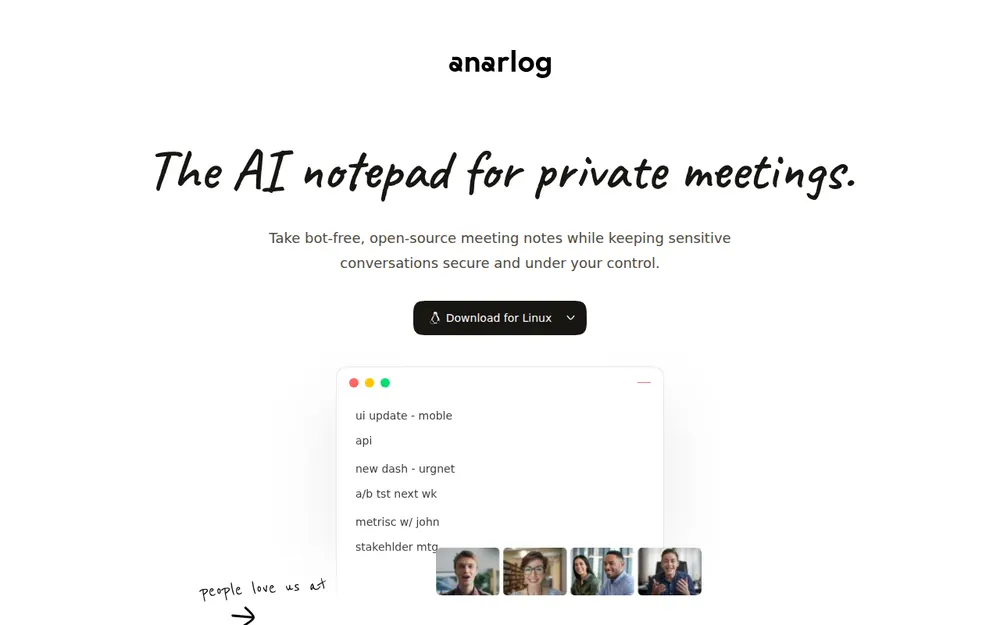
Anarlog is the open-source meeting notepad that started as Hyprnote. The name changed twice: Hyprnote became Char, then Anarlog. char.com is now a different app.
It listens to your device audio, can transcribe on your machine, and keeps notes in a local SQLite database. Cloud sync is off by default. The community app is MIT-licensed (GitHub).
- macOS, Windows and Linux (the only native Linux app here); mobile due in October
- Free: unlimited on-device transcription, bring your own AI keys
- Pro: $15/mo or $150/yr, with cloud transcription, better speaker identification and encrypted sync
The catch: the free plan only has manual speaker labels, and hosted Pro sends audio to Deepgram, Soniox or AssemblyAI and summaries to Claude. Setting up local models is more work than a polished app. Rated 4.8/5 on Product Hunt from 5 reviews. For more open-source options, see our open-source dictation roundup.
7. Bluedot: Best No-Bot Note Taker for Video and Every Platform
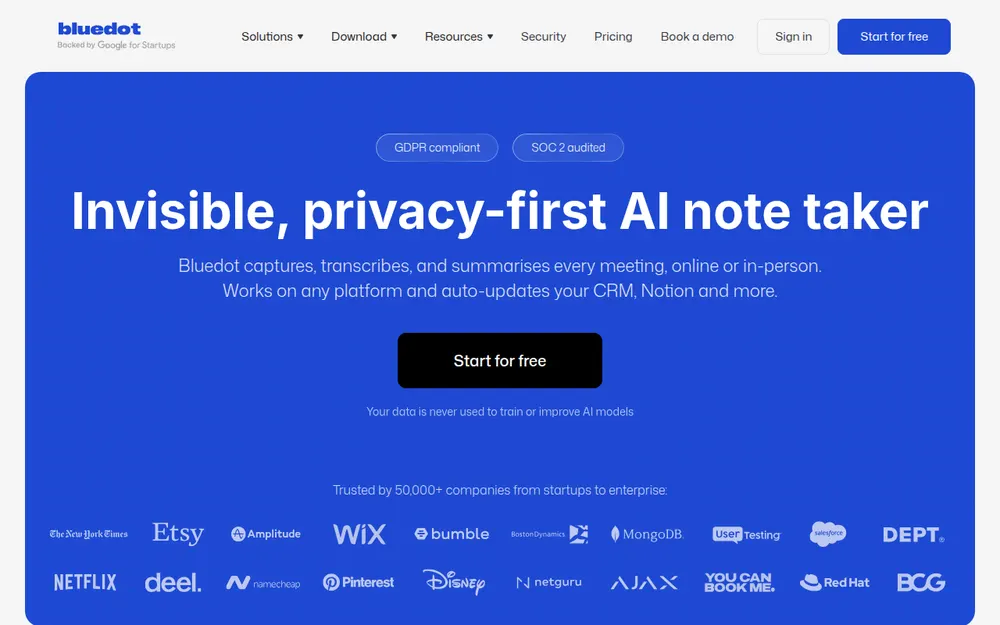
Bluedot captures meetings through a Chrome extension or a desktop app, and can record video. It covers Chrome, Mac, Windows, iOS, Android and Apple Watch. It now also offers an optional bot.
Bluedot says "Customer data is never used to train or improve AI models" and supports EU data residency (Bluedot security). Recordings, transcripts and notes are stored in its AWS cloud.
- Free: 5 meetings, for life
- Basic: $18/user/mo, or $14 annually, audio only, 1 hour max per recording
- Pro: $25/user/mo, or $20 annually, with video and no time cap
- Business: $39/user/mo, or $32 annually, with CRM and SSO
The catch: everything lives in the cloud, and if you cancel you lose your recordings after one month. Rated 4.7/5 on the Chrome Web Store (200 ratings) and 4.72/5 on the App Store (236).
8. Tactiq: Best Free No-Bot Chrome Extension
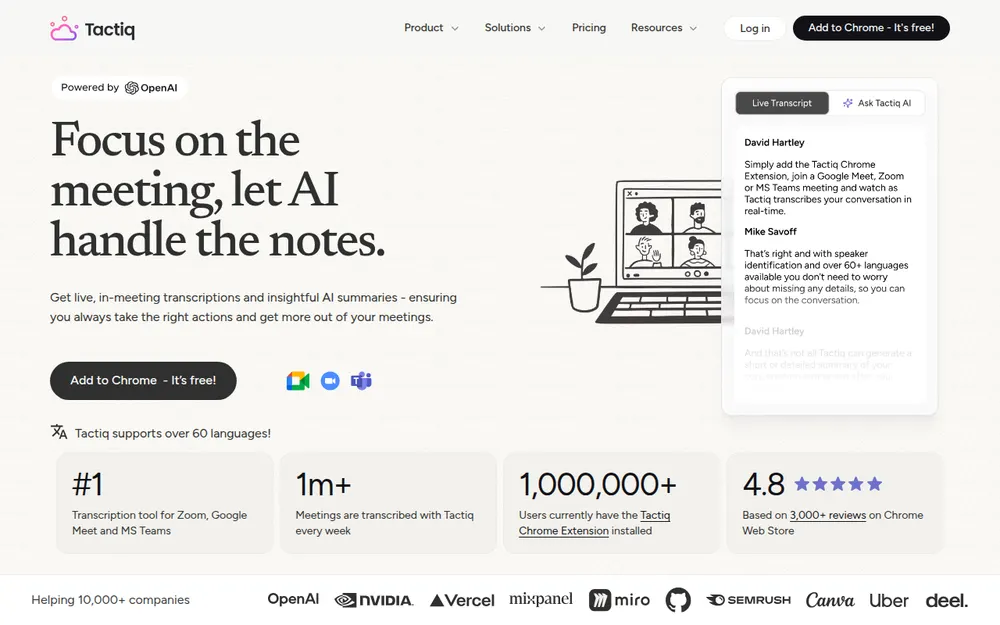
Tactiq is a Chrome and Edge extension that live-transcribes Google Meet, Zoom and Teams in the browser. It has 1,000,000 users and a 4.8/5 rating from 4.3K ratings on the Chrome Web Store.
For Zoom, it reads live captions: the host has to turn on automated captions, and you have to join in Chrome or Edge, not the Zoom app (Tactiq help). A beta Mac app covers Zoom desktop calls.
- Free: 10 transcripts a month
- Pro: $12/mo, or $8 annually ($96/yr)
- Team: $20/user/mo, or $16.67 annually
The catch: browser meetings only, no in-person capture, and AI features run on OpenAI's API (Tactiq privacy center). Transcripts are kept in Tactiq's cloud unless you send them elsewhere.
Other No-Bot Note Takers Worth Knowing
Notion AI Meeting Notes
Built into the Notion desktop app on Mac and Windows. It captures system audio and your mic, and the notes land straight in your Notion pages. It needs Notion's Business plan ($20 per member per month billed annually). Audio goes to AI sub-processors including OpenAI, Anthropic and AssemblyAI, and Notion says speaker labels aren't reliable in group meetings (Notion help).
Wispr Flow Notetaker
Wispr Flow, the dictation app, now includes a bot-free notetaker on Mac and Windows. The free plan has limited Notetaker access, Pro ($15 a month, or $12 billed annually) adds longer Notetaker history, and unlimited Notetaker access is on the Growth plan ($23 a month, or $18 billed annually) (Wispr pricing).
Wispr says meeting audio is "stored only temporarily on your device and, in some cases, in secure cloud storage", and that you can opt out of model training (Wispr Notetaker). Our Wispr Flow review covers the dictation side.
Meetily
An open-source (MIT) app that transcribes 100% locally with Whisper or Parakeet. Community edition is free; Pro is $120 a year per device and adds speaker diarization. Mac builds are Apple Silicon only (GitHub).
Bot tools that added a no-bot mode
Most bot tools now record from your computer too. If your team already pays for one, check this mode before switching:
- Otter: a Mac and Windows desktop app records "without a bot in the meeting" (Otter). Otter still trains its own models on de-identified audio and transcripts.
- Fireflies: the desktop app records system audio, "does not save audio or video files", and labels speakers as Speaker 1 and Speaker 2 (Fireflies guide).
- Fathom: bot-free capture is a Mac-only beta, included on the free plan (Fathom pricing).
- Fellow, Circleback, Read AI and tl;dv all have desktop modes (Fellow, Circleback, Read AI, tl;dv). tl;dv's is audio only.
The note takers already built into Zoom, Teams and Meet
If every call happens in one platform, its own assistant needs no bot and no extra app:
- Zoom: meeting summaries are included on paid plans (Pro is $14.16/user/mo billed annually), and free accounts get summaries for 3 hosted meetings a month (Zoom pricing). Zoom's My Notes also transcribes other platforms' calls from your computer. Zoom says it doesn't use your meeting content to train AI.
- Microsoft Teams: intelligent recap needs a Teams Premium or Microsoft 365 Copilot license, with transcription turned on (Microsoft Learn). Microsoft 365 Copilot is $30 per user per month, paid yearly.
- Google Meet: Gemini's "Take notes for me" shows everyone a pencil icon and saves notes to the organiser's Drive (Google help). From September 21, 2026 it's on by default for Business Standard and Plus meetings with 3 or more guests (Google).
The catch: each one only covers its own platform, and the host's plan decides whether it runs. If you're a guest in a client's Teams call, their settings apply, not yours.
Bot-Free Doesn't Mean Consent-Free
A no-bot note taker is invisible by design. That makes consent your job, not the app's.
About a dozen US states, including California, Florida, Illinois, Maryland, Massachusetts, Pennsylvania and Washington, require everyone in a private conversation to agree to a recording. Justia keeps a 50-state survey. If one person on the call is in one of those states, plan for everyone's consent.
This isn't hypothetical. Chamberlain v. Granola was brought by a meeting participant, not a Granola user. She says she never knew Granola was running.
What each app does to help
- Voibe Work reminds you to tell everyone when recording starts.
- Granola can post a chat notice and add a video watermark, but both are off until you turn them on. Only Enterprise admins can enforce them.
- Notion can play a consent message, and workspace owners can require it.
- Fireflies' desktop mode offers a chat message (Mac only), an audio message and a camera watermark.
A disclosure script that takes five seconds
Say it at the start, or put it in the invite:
"Quick note: I'm using an AI note taker that transcribes this call so I can focus. It doesn't join as a bot. Is everyone okay with that?"
If anyone says no, turn it off and take notes by hand or by dictation afterwards. This is general information, not legal advice.
Warning
No app can get consent for you. Tell everyone on the call, every time, and check the rules where each participant is located.
How to Choose a No-Bot Meeting Note Taker
1. Must your notes stay off the vendor's servers?
- Yes, on a Mac → Voibe Work.
- Yes, on Windows → Quill Meetings.
- Yes, and you want open source or Linux → Anarlog.
- No → question 2.
2. Must the data stay in the EU?
- Yes → Jamie, or Bluedot with EU residency.
- No → question 3.
3. Do you meet only in the browser?
- Yes, and you want free → Tactiq.
- No → question 4.
4. Do you also want dictation or noise cancellation?
- Dictation → Voibe Work (Mac) or Wispr Flow Notetaker (Mac and Windows).
- Noise cancellation → Krisp.
- Neither, and you want every platform → Granola or Bluedot. Turn off training in Granola's settings.
Best No-Bot Note Taker for Your Situation
| Situation | Best choice | Why |
|---|---|---|
| Lawyer on a Mac taking client calls | Voibe Work | Notes saved on your Mac, never trained on, BAA on request |
| Therapist or clinician on a Mac | Voibe Work | Audio deleted after processing; notes not kept on Voibe's servers |
| Financial advisor on Windows | Quill Meetings | Local transcription on Windows, SOC 2 Type II |
| Team in Germany or France | Jamie | EU-only storage and processing, ISO 27001 |
| Founder in back-to-back calls on every device | Granola | Mac, Windows, iPhone, Android; turn off training |
| Sales rep who wants video clips | Bluedot | Video recording without a bot, CRM on Business |
| Remote worker in a noisy home | Krisp | Noise cancellation and notes in one app |
| Google Workspace user on a budget | Tactiq | Free Chrome extension, 10 transcripts a month |
| Developer on Linux | Anarlog | Native Linux app, MIT-licensed, local database |
| Writer who dictates and takes meetings | Voibe Work | Dictation and meeting notes in one plan |
| Team already living in Notion | Notion AI Meeting Notes | Notes land in your workspace; needs the Business plan |
| Already paying for Fireflies, Fellow or Circleback | Their desktop mode | Same tool, no bot |
Frequently Asked Questions About No-Bot Meeting Note Takers
No-Bot Basics
What is a no-bot meeting note taker?
A no-bot meeting note taker is an app that records and transcribes a meeting from your own computer, using your microphone and system audio, instead of sending a bot to join the call. Nothing appears in the participant list. Voibe Work, Granola, Quill Meetings, Jamie, Krisp and Anarlog all work this way.
Which AI note takers don't join the meeting as a bot?
Voibe Work, Granola, Quill Meetings, Jamie, Krisp, Anarlog, Bluedot, Tactiq, Notion AI Meeting Notes, Wispr Flow Notetaker and Meetily all work without a bot. Fellow, Circleback and Fireflies also offer a desktop mode that records without their bot.
Do no-bot note takers work for in-person meetings?
Some do. Jamie, Krisp, Bluedot, Quill and Granola capture in-person meetings, usually through a phone app. Voibe Work captures meetings on your Mac and has no phone app. Tactiq only works in the browser.
Why do meeting bots miss meetings?
A meeting bot joins as a guest, so someone has to admit it. Hosts can decline it, Google Meet sends some join requests to a second queue where the default is to deny entry, and Microsoft Teams tags third-party bots in the lobby so organisers admit them separately. If the bot isn't let in, that meeting has no notes. A no-bot note taker records from your own computer, so there's nothing to admit.
Privacy and Consent
Are no-bot note takers more private than meeting bots?
Not automatically. A no-bot tool keeps the bot out of the call, but the transcript can still be stored on the vendor's servers and used for training. Voibe Work, Quill and Anarlog keep notes on your computer. Granola, Krisp, Bluedot and Tactiq store them in the vendor's cloud.
Is it legal to use a no-bot note taker without telling people?
It depends on where participants are. About a dozen US states, including California, Florida and Illinois, require everyone's consent to record a private conversation. The safest habit is to tell everyone at the start of every call. Voibe Work reminds you to do this when recording starts. This is general information, not legal advice.
Which no-bot note takers train AI on your meetings?
Granola uses anonymised data for its own model improvements by default on its Free and Business plans, until each user opts out. Jamie, Bluedot, Quill, Krisp and Voibe Work say they don't train on your meeting data. Wispr Flow lets you opt out of training.
Where does Voibe Work store meeting notes?
On your Mac. Meeting audio is processed by open-source models on zero-retention cloud providers and deleted as soon as processing completes. The transcript and summary are saved on your Mac, not on Voibe's servers, and are never used to train AI.
Pricing
What is the cheapest no-bot meeting note taker?
Tactiq and Quill have free plans: Tactiq allows 10 transcripts a month, and Quill offers unlimited local transcription. Among paid plans, Quill Lite is $83.88 a year, and Krisp Core and Tactiq Pro are $96 a year when billed annually.
How much does Voibe Work cost?
Voibe Work costs $14 per seat per month, $140 per year, or $349 once for lifetime access. It includes Voibe's dictation app. There's a 7-day free trial with no credit card and a 30-day money-back guarantee.
Which no-bot note taker includes a dictation app?
Voibe Work includes Voibe's dictation app on Mac and Windows in the same $140-a-year plan, with unlimited dictation and meetings. Monologue, Wispr Flow, Anarlog and OpenWhispr also bundle dictation with meeting notes, at $144 to $160 a year for their uncapped plans, and none offers a lifetime option. Granola doesn't include dictation.
Is Voibe Work cheaper than Granola?
Yes, on an annual plan. Granola Business is $14 a month billed monthly only, or $168 a year. Voibe Work's annual plan is $140, which is $28 (16.7%) less. Voibe Work's $349 lifetime seat saves $155 over three years compared with Granola Business. Compared with Granola Business plus Wispr Flow Pro ($312 a year), Voibe Work saves $172 a year.
Platforms
Is there a no-bot note taker for Windows?
Yes. Quill Meetings, Granola, Jamie, Krisp, Anarlog, Bluedot, Wispr Flow Notetaker and Notion AI Meeting Notes run on Windows. Voibe Work's meeting notes are Mac-only today, with Windows coming soon; Voibe's dictation app already runs on Windows.
Is there an open-source no-bot note taker?
Yes. Anarlog (formerly Hyprnote) and Meetily are open source under the MIT license. Both can transcribe on your own computer. Anarlog also runs on Linux.
Final Verdict: The Best No-Bot Meeting Note Taker in 2026
Every tool here keeps the bot out of your call. Pick based on where the notes go.
- Want the most polished app on every device? Pick Granola, and turn off training.
- Want notes that never sit on a vendor's server, on a Mac? Pick Voibe Work. $140 a year, with dictation included.
- Need the same on Windows? Pick Quill Meetings.
- Need EU data residency? Pick Jamie.
More reading:
- The best Granola alternatives, compared on where your meeting data goes
- The Granola lawsuit, explained
- Otter AI alternatives, if you're leaving a meeting bot
- Dictation vs note taker vs meeting assistant, if you're not sure which category you need
Try Voibe Work free for 7 days → No credit card. Meeting notes on Mac, dictation on Mac and Windows.
Meeting notes without a bot in your call
Voibe Work takes notes from Zoom, Teams and Meet on your Mac, with dictation included. Nothing used to train AI.
- Mac + Windows
- No bot in your calls
- Nothing used to train AI
- 7-day free trial
Want to compare plans first? View pricing →