
9 Best Granola AI Alternatives in 2026 (Compared & Reviewed)
Best Granola AI alternatives in 2026, compared: 1. Fathom 2. Voibe Work 3. Quill 4. Jamie 5. Wispr Flow 6. Krisp 7. Anarlog 8. Circleback 9. Otter

TL;DR: The Best Granola Alternatives in 2026
Granola got the hard part right: nothing joins your call, and the notes are good. What happens after the call is why people leave. A Stanford study of six major US AI developers found that all six use their users' chats to train their models by default (AIES 2025 paper).
Granola does the same with meeting notes on its Free and Business plans. It keeps them on its servers indefinitely, and since July 2026 it has been fighting a class action over its no-bot design.
I've used every tool on this list on my own calls, Granola included. I also went through each one's pricing, security and data-training pages, and checked them against our own AI Privacy Tracker, where Granola scores 31 out of 100. Here's how they rank (how we ranked them):
- Fathom: best overall. A free plan with unlimited recordings, bot or no-bot capture, and top ratings. It trains on de-identified data unless you opt out, and its bot isn't always let into the call.
- Voibe Work: best for privacy and value on a Mac. No bot, audio deleted, notes saved on your Mac, never trained on. It also includes a full dictation app, so it replaces Granola and Wispr Flow for $140 a year.
- Quill Meetings: best local alternative for Windows. Transcribes on your computer.
- Jamie: best for EU data residency. Never trains on your data.
- Wispr Flow Notetaker: best if you already use Wispr Flow dictation. Mac and Windows.
- Krisp: cheapest paid plan ($96 a year), with noise cancellation.
- Anarlog: best open-source Granola alternative. Free, local, runs on Linux.
- Circleback: best for teams that want bot or no-bot, and no training.
- Otter: best if you want a bot that joins automatically.
Key takeaways
| Alternative | Best for | Where notes live | Per year vs Granola Business ($168) |
|---|---|---|---|
| Fathom | Best overall, free plan | Fathom's US cloud | $0 free, or $192 Premium |
| Voibe Work | Privacy on a Mac, plus dictation | On your Mac | $140 (save $28) |
| Quill Meetings | Local notes on Windows | On your computer | $83.88 Lite (save $84.12) |
| Jamie | EU data residency | Jamie's EU cloud | €252 Plus |
| Wispr Flow Notetaker | Dictation + notes, Windows | Wispr's cloud | $144 (save $24) |
Key Takeaway
The best Granola alternative for privacy keeps the notes off the vendor's servers. Voibe Work (Mac), Quill Meetings (Mac and Windows) and Anarlog (Mac, Windows, Linux) do; Granola does not. Voibe Work also includes a dictation app, so it covers Granola and Wispr Flow in one plan for $140 a year, $172 less than paying for both.
Why People Are Looking for Granola Alternatives
Granola is a no-bot meeting notepad on Mac, Windows, iPhone and Android. It raised $125 million at a $1.5 billion valuation in March 2026 (TechCrunch). Here's what pushes people to look elsewhere.
1. Your notes live on Granola's servers, indefinitely
Granola deletes the audio after transcription. The transcript and notes are kept in a "US-hosted AWS Virtual Private Cloud" and "retained indefinitely unless you or your admin configures a retention policy". There's no EU data residency (Granola security FAQ).
"I think clearly the leader in the space is granola, but I'm just not going to use a cloud provider for this." (Hacker News, August 2026)
2. Training is on by default, one user at a time
"By default on Free and Business plans, anonymised data may be used for Granola's own model improvements." On Business, "each user needs to opt out individually", and Granola "cannot guarantee that anonymised data wasn't used before you changed the setting" (security FAQ). Only Enterprise ($35 a user a month) is opted out by default. The opt-out toggle isn't in the Android app yet (Granola docs).
3. Closed AI companies see your meetings
Granola uses "transcription providers (like Deepgram and Assembly) and AI providers (like OpenAI and Anthropic) to summarize your meeting" (Granola security). Granola says those providers don't train on your data, but they do process it.
4. The no-bot design is being litigated
Chamberlain v. Granola, filed July 30, 2026 in federal court in San Francisco, alleges that capturing other participants without notice is wiretapping. Granola was served on August 5, and on August 20 the parties agreed to extend its deadline to respond. Nothing is proven yet. Our Granola lawsuit explainer walks through the claims.
5. The free plan got smaller, and Business has no annual discount
Granola's free Basic plan shows only the last 30 days of notes. Business is $14 per user per month, and Basic and Business "are billed monthly", so a year costs $168 with no discount (Granola billing).
"for a long time, the full time staff in my community have been using granola ai for meeting notes, but that free plan is no longer being renewed for their 70 person team." (Hacker News)
6. No recording to check the summary against
Because Granola keeps no audio, there's "no way to access audio from your meetings" (Granola docs). When a summary is wrong, you can't go back and listen. An App Store reviewer wrote that "the AI notes are often hallucinating and change the meaning" (App Store), and a Product Hunt reviewer said "speaker attribution on a four person call is still a coin flip" (Product Hunt).
7. Your local notes got locked down
For a year, Granola kept your notes in a plain file on your Mac that tools like Obsidian sync and Claude integrations could read. In March 2026 Granola changed that cache, then encrypted it, and in July 2026 it moved the key where only its own app can read it. Co-founder Chris Pedregal admitted they "broke the workarounds. This is on us." Full programmatic access now runs through Granola's API, which needs a Business or Enterprise plan, and the free plan's MCP stops at your last 30 days of notes. Our explainer, Granola encrypted your meeting notes, has the full timeline and export steps.
Why I don't trust Granola with my notes
Granola is a good app. It solves most of the problems I had with Fathom's bot: nothing has to be admitted to the call, and the notes are good.
But I'm wary of trusting it with my meeting data, especially after it locked up notes people thought they had on their own Mac. That's also the general feeling among the Granola users I've talked to. They see the value, and they keep using it, but they worry about what happens to their notes on Granola's servers, starting with whether those notes are used to train AI.
How Granola scores in our privacy review
Our AI Privacy Tracker scores AI tools on four questions, each out of 25. Granola's Free and Business tier scores 31 out of 100, and Enterprise scores 41. For comparison, Otter's free tier scores 25 and Fireflies' scores 33.
| Question | Granola (Free, Business) | What we found |
|---|---|---|
| Does it train on your data? | 10 / 25 | Yes, on de-identified data, by default. The opt-out exists only for Granola users; other people in the meeting have no way to opt out. |
| What does it keep? | 13 / 25 | No audio, but transcripts and notes stay on AWS in the US. The Verge reported in April 2026 that notes were viewable by anyone with the share link by default (report). |
| Does anything run on your device? | 3 / 25 | No. Audio goes to Deepgram or AssemblyAI, and summaries go to OpenAI or Anthropic. |
| Track record | 5 / 25 | Chamberlain v. Granola, a federal wiretap class action filed July 30, 2026. |
The full breakdown, with a source for every cell, is in the meeting tools section of the tracker.
What Granola does well
To be fair: Granola now labels speakers by name on Google Meet, Zoom and Teams on desktop (Granola docs), supports 30+ languages, and holds SOC 2 Type II. It's rated 4.96/5 on the App Store from 13,712 ratings and 4.8/5 on Product Hunt from 56 reviews. If none of the points above bothers you, Granola is still a great app.
How Granola Alternatives Solve These Problems
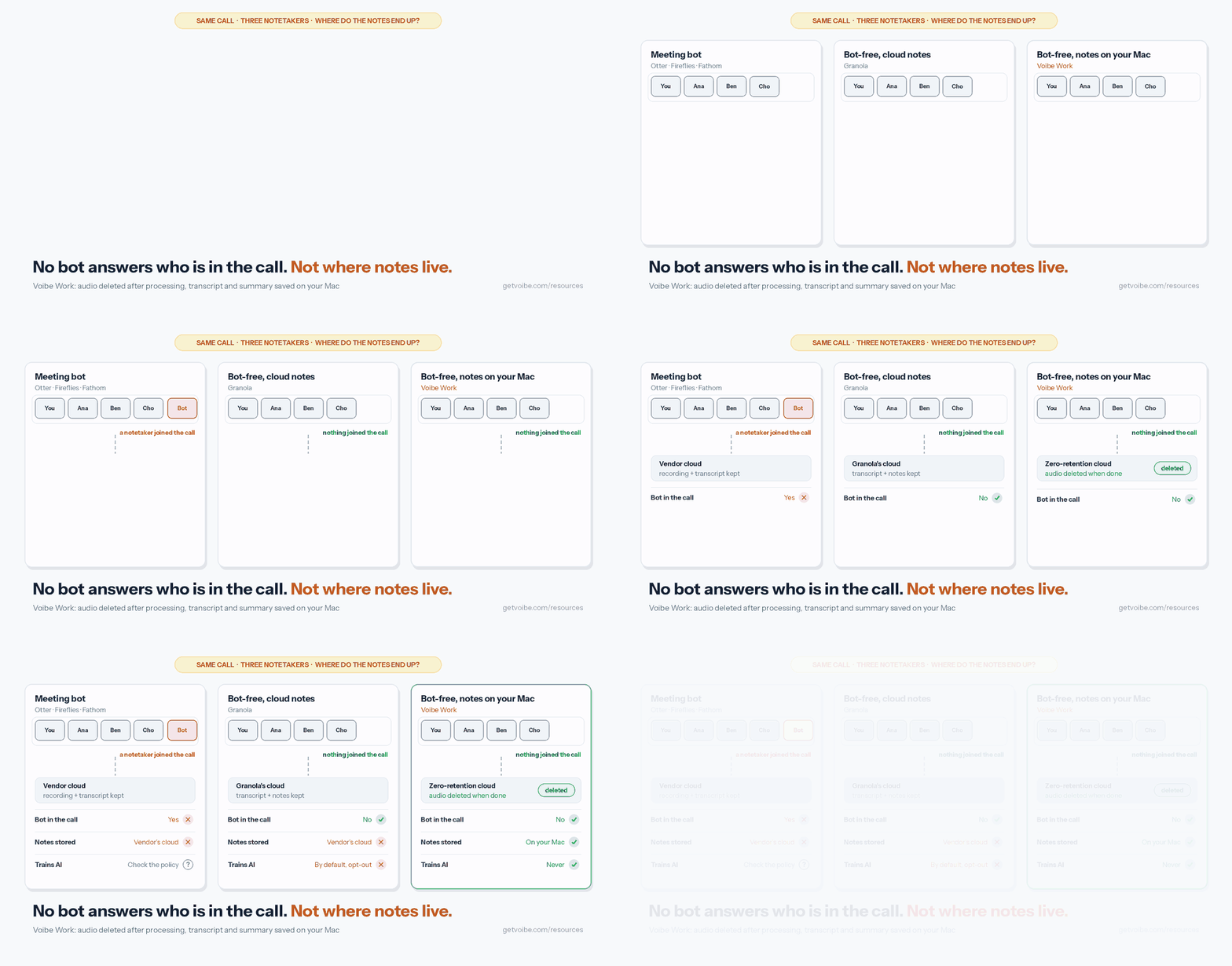
Each of Granola's weak spots has a different fix:
| Granola problem | What fixes it | Alternatives |
|---|---|---|
| Notes on vendor servers | Notes stored on your own computer | Voibe Work, Quill, Anarlog |
| Training on by default | A vendor that never trains | Voibe Work, Jamie, Quill, Circleback, Krisp |
| Closed AI vendors | Open-source models, or your own model | Voibe Work (open-source only), Anarlog and Quill (bring your own) |
| US-only hosting | EU storage and processing | Jamie |
| Monthly-only billing | Annual or lifetime plans | Voibe Work ($140/yr or $349 once), Wispr Flow, Krisp |
| No Linux | A native Linux app | Anarlog |
No alternative fixes everything. Local tools give up some of Granola's polish and phone apps. Cloud tools with better policies still hold your notes. Pick the problem that matters most to you.
What to Look For in a Granola Alternative
- No bot. If you picked Granola to avoid a bot, stay bot-free. Otter and Fathom still default to a bot.
- Where notes are stored. Your computer, the vendor's cloud, or an EU cloud.
- Training default. "Never" beats "opt-out". Opt-out only helps if every user on your team finds the setting.
- Platforms. Granola runs on Mac, Windows, iPhone and Android. Most alternatives cover fewer.
- Speaker names. Check it works on the meeting app you actually use.
- Yearly cost. Granola Business is $168 a year per user. Compare against that, not the monthly sticker.
- Importing your history. Wispr Flow says it imports Granola notes in one click. Most others start fresh.
- Getting your notes out later. Check that you can export everything, transcripts included, on every plan. Granola's full export now needs a paid plan (Granola encrypted your meeting notes).
How We Ranked These Granola Alternatives
Voibe Work is ours, so read this list knowing that. It's also why I've been strict about where it ranks.
I've used every tool on this list on my own calls, and Granola too. Hands-on use tells you how an app feels day to day, so I also read each tool's pricing, security, privacy and data-training pages, checked current App Store, Chrome Web Store and Product Hunt ratings, and scored privacy with our AI Privacy Tracker.
Each tool was judged on five things, in this order:
- Does it catch every meeting? A note taker that misses calls isn't doing its job. A bot can be refused at the door, and a desktop app can fail to start recording.
- What happens to your notes. Where they're stored, for how long, and whether they train AI by default.
- What a year costs, compared with Granola Business at $168 a year.
- Platforms, since Granola runs on Mac, Windows, iPhone and Android.
- What reviewers say on the App Store, Chrome Web Store and Product Hunt.
Fathom ranks first because it does the most for free and works on any computer. Voibe Work ranks second: it wins on privacy and price, but its meeting notes are Mac-only and paid after the 7-day trial. If privacy is your main reason for leaving Granola, start with number two.
Granola Alternatives Compared
| App | Bot? | Platforms | Notes stored | Trains on your data? | Rating |
|---|---|---|---|---|---|
| Granola (for reference) | No bot | Mac, Windows, iOS, Android | Granola cloud, US | Yes by default (Free, Business) | 4.96/5 App Store (13,712) |
| Fathom | Bot, or no-bot beta (Mac) | Zoom, Meet, Teams; Mac app | Fathom cloud, US | Yes by default, opt-out | 4.9/5 Chrome Web Store (1.7K) |
| Voibe Work | No bot | Mac (Windows coming) | On your Mac | Never | 4.8/5 Product Hunt (Voibe app, 6) |
| Quill Meetings | No bot | Mac, Windows, iOS, Android | On your computer | No | 4.56/5 App Store (9) |
| Jamie | No bot | Mac, Windows, iPhone | Jamie cloud, EU | Never | 4.89/5 App Store (241) |
| Wispr Flow Notetaker | No bot | Mac, Windows | Temporarily on device, some cloud | Opt-out available | No separate rating |
| Krisp | No bot | Mac, Windows, iOS, Android | Krisp cloud, US | No | 4.75/5 App Store (265) |
| Anarlog | No bot | Mac, Windows, Linux | On your device | No | 4.8/5 Product Hunt (5) |
| Circleback | Bot or no-bot desktop app | Mac, Windows, iOS, Android | Circleback cloud, US | No | 4.8/5 App Store (248) |
| Otter | Bot, or no-bot desktop app | Web, Mac, Windows, iOS, Android | Otter cloud (AWS, US) | Yes, de-identified; no opt-out found | 4.8/5 App Store (81,572) |
Granola Alternatives Pricing: What You Save vs Granola Business
Granola Business is $14 per user per month, billed monthly only: $168 a year. Here's each alternative's cheapest plan with unlimited or near-unlimited meetings, billed annually where possible.
| Alternative | Plan | Per year | vs Granola Business |
|---|---|---|---|
| Quill Meetings | Lite ($6.99/mo annual, 16 h of AI notes/mo) | $83.88 | Save $84.12 (50.1%) |
| Krisp | Core ($8/mo annual) | $96 | Save $72 (42.9%) |
| Otter | Pro ($8.33/mo annual, 1,200 min/mo) | $99.96 | Save $68.04 (40.5%) |
| Voibe Work | Annual | $140 | Save $28 (16.7%) |
| Wispr Flow | Pro ($12/mo annual; unlimited Notetaker needs Growth, $216/yr) | $144 | Save $24 (14.3%) |
| Anarlog | Pro | $150 | Save $18 (10.7%) |
| Circleback | Pro ($15/mo, no annual discount) | $180 | $12 more (7.1%) |
| Fathom | Premium ($16/mo annual) | $192 | $24 more (14.3%) |
| Jamie | Plus (€21/mo annual, 20 notes/mo) | €252 | Priced in euros |
Free options
- Anarlog: free, unlimited on-device transcription
- Quill: free, unlimited local transcription
- Fathom: free, unlimited recordings
- Wispr Flow: free plan with limited Notetaker access
- Granola Basic: free, but only 30 days of notes visible
Voibe Work's lifetime option
Voibe Work is also $349 once for lifetime access. That's 25 months of Granola Business. Over three years, Granola Business costs $504, so the lifetime seat saves $155 (30.8%). For a team of 10, Voibe Work's annual plan is $1,400 a year against $1,680 for Granola Business.
1. Fathom: Best Overall Granola Alternative
Fathom is our top pick for most people leaving Granola. Its free plan includes "unlimited recordings + transcriptions" (Fathom pricing), which fixes the most common complaint about Granola's free plan: only 30 days of notes.
Fathom joins Zoom, Google Meet and Teams as a bot by default, and on a Mac you can switch to bot-free capture. Fathom says its bot-free beta "drops the bot but keeps speaker attribution" (Fathom).
What it's like to use
Fathom is very convenient. It joins every meeting by itself, so I get a transcript of every call and the same summary format every time without thinking about it. You get a lot for free.
Two things bother me. The first is privacy: every call ends up in Fathom's cloud. The second is that "joins every meeting" depends on being let in. Google Meet or Zoom sometimes won't admit the bot, or the host declines it, and that meeting has no notes. I've missed notes on calls that way.
What stands out
- Unlimited recordings and transcriptions on the free plan
- Bot or bot-free capture, both on the free plan (bot-free is a Mac beta)
- "HIPAA, SOC2 Type II, and GDPR-compliant", with a signed BAA on Enterprise (Fathom help)
- Its AI sub-processors (Anthropic, OpenAI and Google) are "not contractually permitted to use our users' data to train their AI models"
- One of the best-rated tools here: 4.9/5 on the Chrome Web Store from 1.7K ratings and 600,000 users
Pricing
- Free: unlimited recordings and transcriptions, limited advanced summaries
- Premium: $20/mo, or $16/mo billed annually ($192/yr, $24 more than Granola Business)
- Team: $19/mo, or $15/mo annually, 2-user minimum
- Business: $34/mo, or $25/mo annually
Where it falls short
- The bot can be turned away. Hosts can decline it, and Google Meet now sends some join requests to a queue where the default is to deny entry (Google Workspace Updates). When the bot isn't admitted, you get no notes.
- A bot by default. If you left Granola to avoid a bot, you have to switch capture modes, and bot-free is Mac-only for now.
- Training is on by default. Like Granola, Fathom uses de-identified customer data to improve its own models unless you opt out.
- Cloud notes. "All Fathom data is stored in the United States."
- No dictation. You'd still need a separate app for writing by voice.
Best for
Anyone who wants the most generous free plan and a well-reviewed tool, and is comfortable with a cloud service. If privacy is the reason you're leaving Granola, Voibe Work (next) is the better fit.
2. Voibe Work: Best Granola Alternative for Privacy and Value
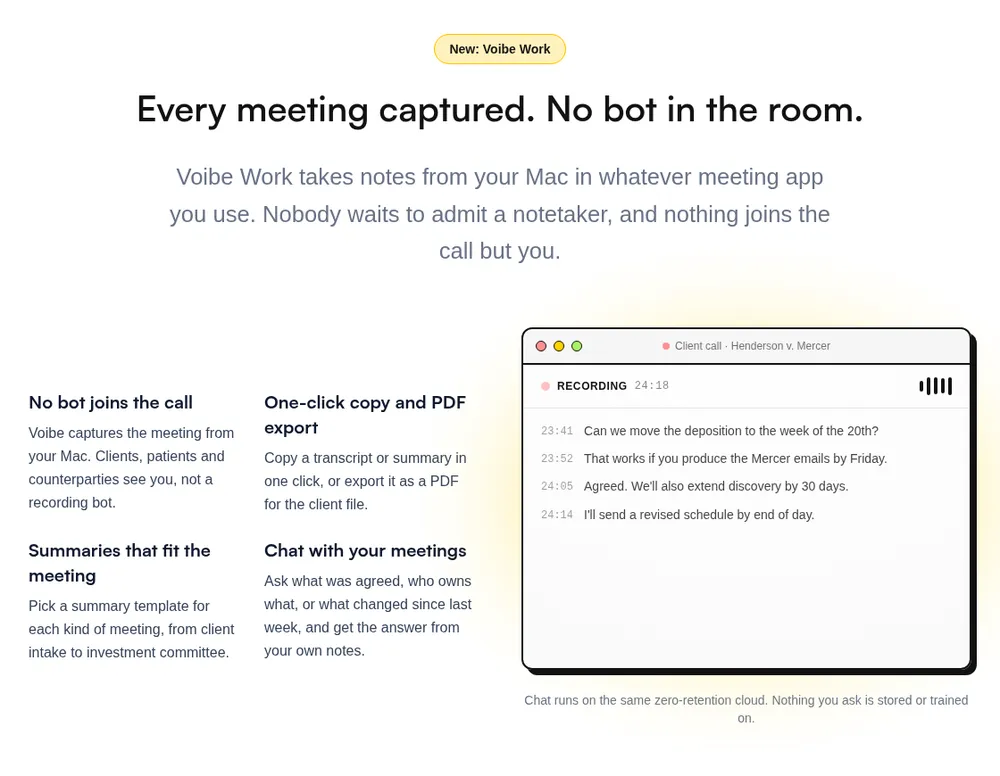
Voibe Work is the meeting-notes plan from Voibe, the app we build. It works like Granola where it counts: it captures the meeting from your Mac and nothing joins the call.
The difference is what's left afterwards. Granola keeps your notes on its servers and trains on them by default. Voibe Work keeps nothing on its servers and never trains.
And unlike Granola, it comes with a dictation app.
It ranks second, behind Fathom, for two honest reasons: Fathom has an unlimited free plan and works on any computer, while Voibe Work's meeting notes are paid after a 7-day trial and Mac-only for now. On privacy and value, it's the strongest option on this list.
Why I use it
I'm biased: we build Voibe. But after using everything on this list, Voibe Work is the balance I wanted. Nothing joins the call, so there's no bot for a host to turn away. It's private: the audio is deleted, the notes stay on my Mac, and nothing trains on them. And it's cheap enough to treat as a utility, not a big software decision. Count the dictation app in, and it's a no-brainer bundle.
Granola vs Voibe Work, side by side
| Granola (Business) | Voibe Work | |
|---|---|---|
| Bot in the call | No | No |
| Audio | Deleted after transcription | Deleted the moment processing completes |
| Transcript and notes | Granola's AWS cloud, US, kept indefinitely | Saved on your Mac, not on Voibe's servers |
| Training | On by default, per-user opt-out | Never |
| AI models | Deepgram, AssemblyAI, OpenAI, Anthropic | Open-source models on zero-retention providers |
| Dictation app | No | Yes, on Mac and Windows |
| Platforms | Mac, Windows, iOS, Android | Mac (Windows coming soon) |
| Price | $14/mo, monthly only ($168/yr) | $14/mo, $140/yr, or $349 lifetime |
Granola and Wispr Flow in one plan
Voibe Work isn't only a meeting notetaker. Every seat includes Voibe's dictation app: hold a key, speak, and clean text lands in Word, Outlook, Slack or any other app on your Mac or Windows PC. That's the job people buy Wispr Flow for.
So at the price of a no-bot notetaker, you also get a dictation app. Here's what the same two jobs cost if you buy them separately:
| Setup | Per month | Per year |
|---|---|---|
| Granola Business + Wispr Flow Pro | $29 ($14 + $15) | $312 ($168 + $144) |
| Voibe Work | $14 | $140 (or $349 once) |
| You save with Voibe Work | $15 a month (51.7%) | $172 a year (55.1%) |
The best-value bundle we found
Voibe isn't the only app bundling dictation with meeting notes any more. Here's every bundle we priced, per user, billed annually:
| Bundle | Per year | Meetings and dictation | Pay once? |
|---|---|---|---|
| Voibe Work | $140 | Unlimited dictation and meetings | Yes, $349 |
| Monologue Pro | $144 | Unlimited dictation and notes; Mac and Apple devices | No |
| Wispr Flow Pro | $144 | Unlimited dictation; unlimited Notetaker needs Growth ($216) | No |
| Anarlog Pro | $150 | Meeting notepad plus system-wide dictation | No |
| OpenWhispr Business | $160 | Unlimited meetings (the $80 Pro plan caps them at 20 hours a month) | No |
Voibe Work is the lowest-priced of these with no caps on dictation or meetings, and the only one you can buy once.
If you'd otherwise pay for Granola and Wispr Flow, switching is close to a no-brainer: $172 a year back, notes that stay on your Mac, and a lifetime option neither of them sells. It's the best deal on the market for anyone who writes and meets on a Mac.
See our Monologue pricing and OpenWhispr pricing breakdowns for the details on those two.
For confidential client work
If your meetings include client, patient or deal information that you don't want used to train AI models, Voibe's zero-retention cloud is the best way we know to record them. Meeting audio is processed by open-source models on zero-retention providers and deleted as soon as processing completes. No OpenAI, Google, Anthropic or Microsoft model is in the audio path, and the notes are saved on your Mac, not on Voibe's servers.
It's hard to trust the big AI companies with sensitive client conversations when Stanford researchers found that all six major US developers train on their users' chats by default. Voibe takes the question off the table: there's nothing on our side to train on. A BAA is available on request, and you still need to tell everyone you're taking notes.
How it handles a meeting
- Meeting audio is captured on your Mac. Nothing joins the call.
- The transcript and summary are written by open-source models on zero-retention cloud providers.
- The audio is deleted the moment processing completes.
- Your notes are saved on your Mac, not on Voibe's servers.
Voibe publishes every cloud provider it uses on its cloud privacy page. No closed AI lab like OpenAI or Google is in the path.
What you get
- Notes from Zoom, Teams, Google Meet, Webex, Slack huddles or any meeting app on your Mac
- AI summaries with templates for each kind of meeting
- Chat with your meetings, on the same zero-retention cloud. Nothing you ask is stored
- One-click copy and PDF export of transcripts and summaries
- A reminder to tell everyone you're taking notes when recording starts
- Voibe's dictation app: hold a key, speak, and clean text lands in any app on Mac or Windows (Voibe review)
Pricing
- Voibe Work: $14 per seat per month, $140 per year, or $349 once for lifetime access
- Voibe Dictation only: $7.50 per month, $75 per year, or $149 lifetime
- 7-day free trial of every Voibe Work feature, no credit card, no automatic charge
- 30-day money-back guarantee
The annual plan is $28 (16.7%) less than a year of Granola Business, and you get dictation too. A BAA is available on request.
Where it falls short vs Granola
- Mac only for meetings. Granola also runs on Windows, iPhone and Android. Voibe Work for Windows is coming, with no date.
- No phone app for in-person meetings.
- No integrations listed yet: no Slack, Notion, HubSpot or MCP for meeting notes, and no shared team folders.
- No Granola import. Your Granola history stays in Granola.
- Needs internet. Meeting audio is processed in Voibe's zero-retention cloud, not on the Mac.
Best for
Granola users on a Mac whose calls are confidential: lawyers, clinicians, advisors, founders in deal talks. And anyone paying for Granola plus a separate dictation app.
Try Voibe Work free for 7 days → Every feature, no credit card.
3. Quill Meetings: Best Local Granola Alternative for Windows
Quill Meetings records and transcribes on your computer: "Your audio never leaves it." It runs on Mac and Windows, with iPhone and Android companions, so it's the closest local match to Granola's platform list.
Quill identifies speakers, doesn't use meeting data to train AI, and holds SOC 2 Type II. Sync is optional and end-to-end encrypted, and audio never syncs. You can bring your own AI model, from Anthropic to a local Ollama model.
- Free: unlimited local transcription
- Lite: $6.99/mo billed annually ($83.88/yr), 16 hours of AI meetings a month
- Unlimited: $16.99/mo billed annually
- Teams: $12/seat/mo billed annually, 5-seat minimum
Compared with Granola: Quill Lite saves $84.12 a year (50.1%), but caps AI notes at 16 hours a month. It transcribes 29 languages to Granola's 30+. Its App Store rating is 4.56/5 from only 9 ratings. Pricing from Quill.
4. Jamie: Best Granola Alternative for EU Data Residency
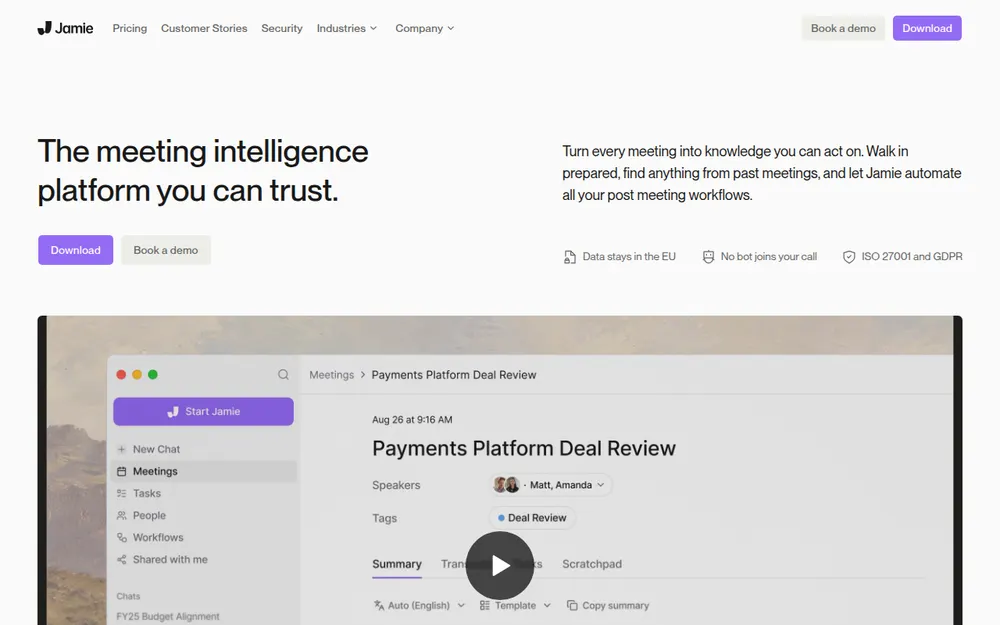
Jamie fixes the two Granola problems European teams hit first. It keeps data in Europe ("Storage and processing stay within the EEA, Switzerland, and the UK") and never trains: "Your data is never used for training of models, not by us or any of the model providers" (Jamie security).
Like Granola, it deletes audio after transcription and captures from your device with no bot. It runs on Mac, Windows and iPhone, labels speakers, and holds ISO 27001.
- Free: 10 AI notes a month, 30-minute cap
- Plus: €21/mo billed annually (€252/yr), 20 notes a month
- Pro: €39/mo billed annually, unlimited notes
- Team: €33/seat/mo billed annually
I tried Jamie myself. It's a cool app, but I found it confusing to use. It sometimes missed meetings, and sometimes I couldn't tell whether it was recording correctly. There are some rough edges, but overall it's alright.
The catch: Jamie still stores notes in its cloud, just an EU one. Unlimited notes start at Pro (€468 a year). There's no Android app and SOC 2 is listed as pending. Rated 4.89/5 on the App Store (241) and 5.0/5 on Product Hunt (26).
5. Wispr Flow Notetaker: Best Granola Alternative for Wispr Flow Users
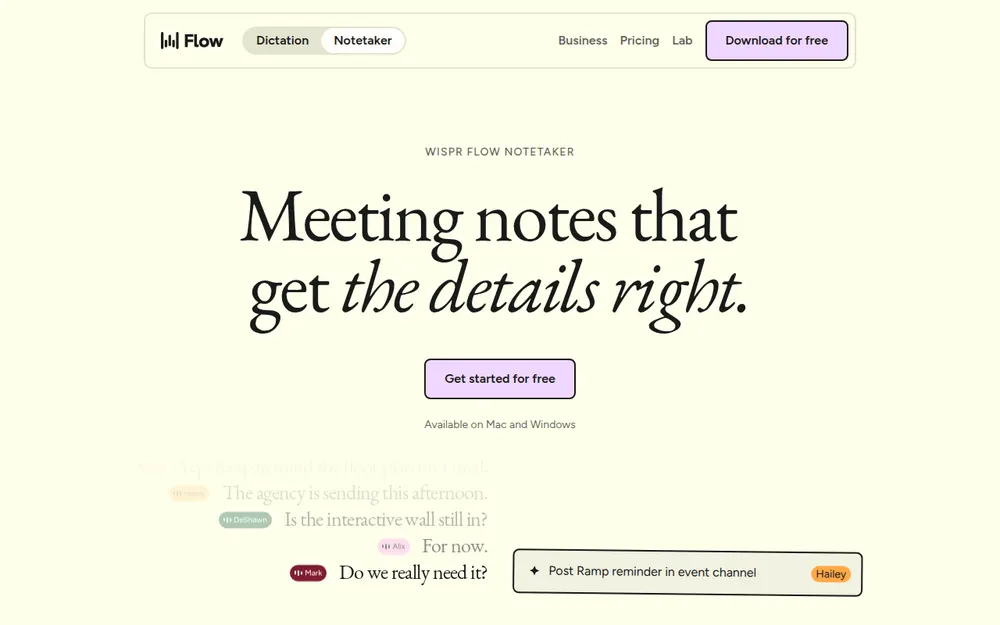
Wispr Flow, the dictation app, added a bot-free notetaker on Mac and Windows. The free plan has limited Notetaker access. Pro ($15 a month, or $12 billed annually) adds longer Notetaker history, and unlimited Notetaker access is on the Growth plan ($23 a month, or $18 billed annually: $216 a year) (Wispr pricing).
Its pitch against Granola is speaker names: it labels speakers using your calendar and conversation context. It also says it imports Granola and Otter notes in one click (Wispr Notetaker).
Where it differs from Voibe Work
Both bundle dictation and meeting notes. Wispr's notetaker runs on Windows today; Voibe Work doesn't yet.
On data, Wispr says meeting audio is "stored only temporarily on your device and, in some cases, in secure cloud storage" and that content is "never used to train models without your consent", with an opt-out you control. Voibe Work saves notes on your Mac and never trains, with no setting to manage.
On price, Voibe Work includes unlimited dictation and meetings for $140 a year, $76 (35.2%) less than Wispr's Growth plan.
Notetaker supports 21 languages and has no phone app yet. For more on Wispr's dictation side, see our Wispr Flow review and Wispr Flow safety review.
6. Krisp: Cheapest Paid Granola Alternative
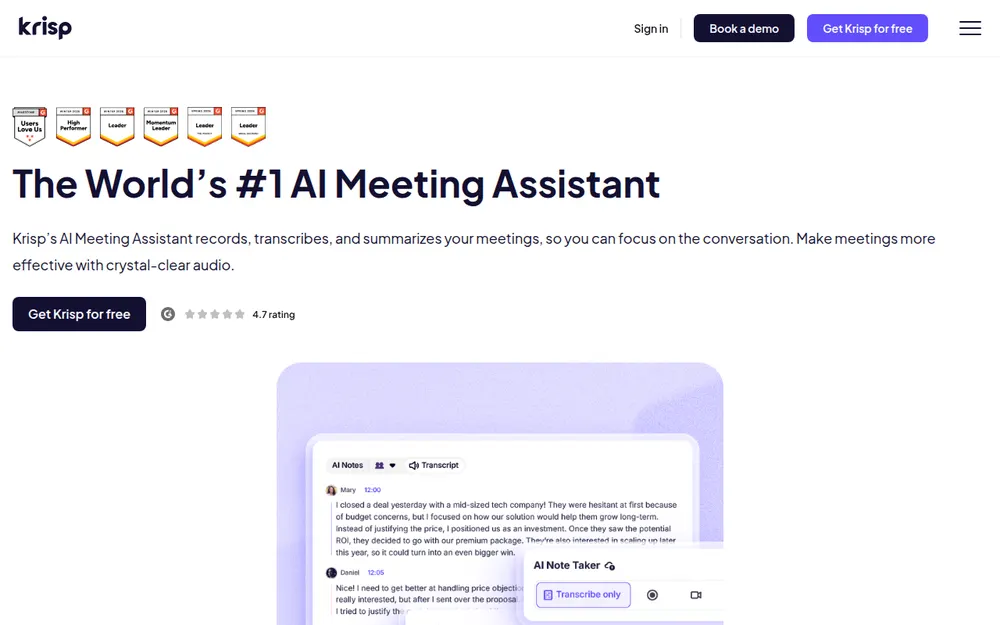
Krisp is a noise-cancellation app with a bot-free note taker. At $8 a user a month billed annually ($96 a year), it's $72 (42.9%) cheaper than Granola Business.
Transcripts are generated on your machine, summaries are written by Microsoft Azure, and transcripts, recordings and summaries are stored in Krisp's US cloud once you opt in. Krisp says customer data is never used for model training (Krisp security).
The catch: Krisp dropped its free plan (a 7-day trial only), and you choose Krisp's virtual microphone and speaker in each meeting app. Monthly billing is $16. Rated 4.75/5 on the App Store from 265 ratings.
7. Anarlog: Best Open-Source Granola Alternative
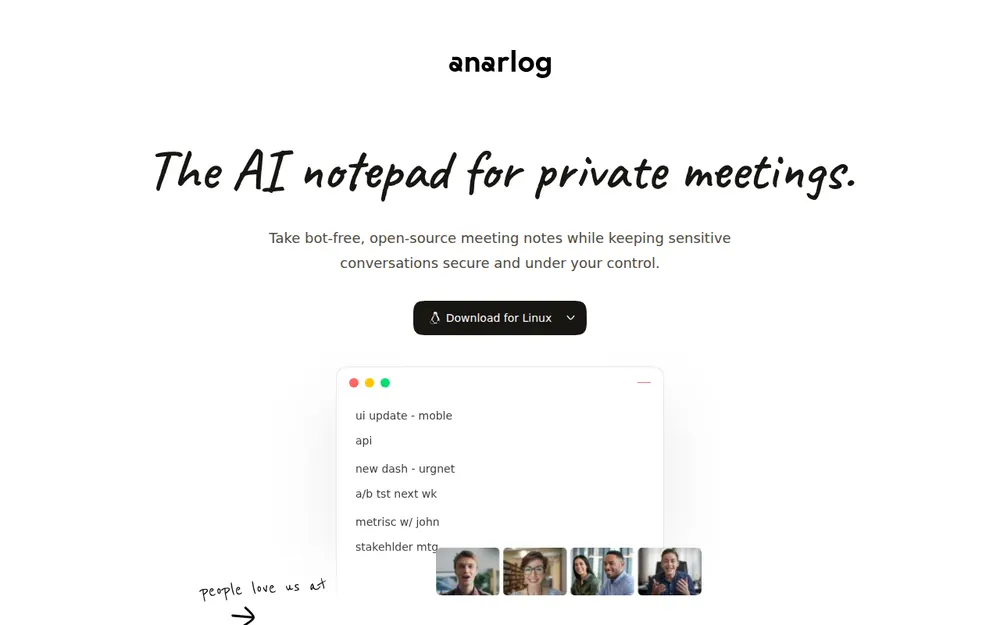
Anarlog, formerly Hyprnote, describes itself as "Granola, rearranged" (GitHub). It's an MIT-licensed notepad that listens to device audio, can transcribe on your machine, and keeps notes in a local database. Cloud sync is off by default.
It's the only Granola alternative here with a native Linux app, alongside Mac and Windows. Mobile apps are due in October 2026.
- Free: unlimited on-device transcription, bring your own AI keys, manual speaker labels
- Pro: $15/mo or $150/yr ($18 less than Granola Business), with cloud transcription, better speaker identification and encrypted sync
The catch: local setup takes more work, speaker labels are manual on the free plan, and hosted Pro sends audio to Deepgram, Soniox or AssemblyAI. The name changed twice (char.com is now a different app). Rated 4.8/5 on Product Hunt from 5 reviews.
8. Circleback: Best Granola Alternative for Teams That Want Both Modes
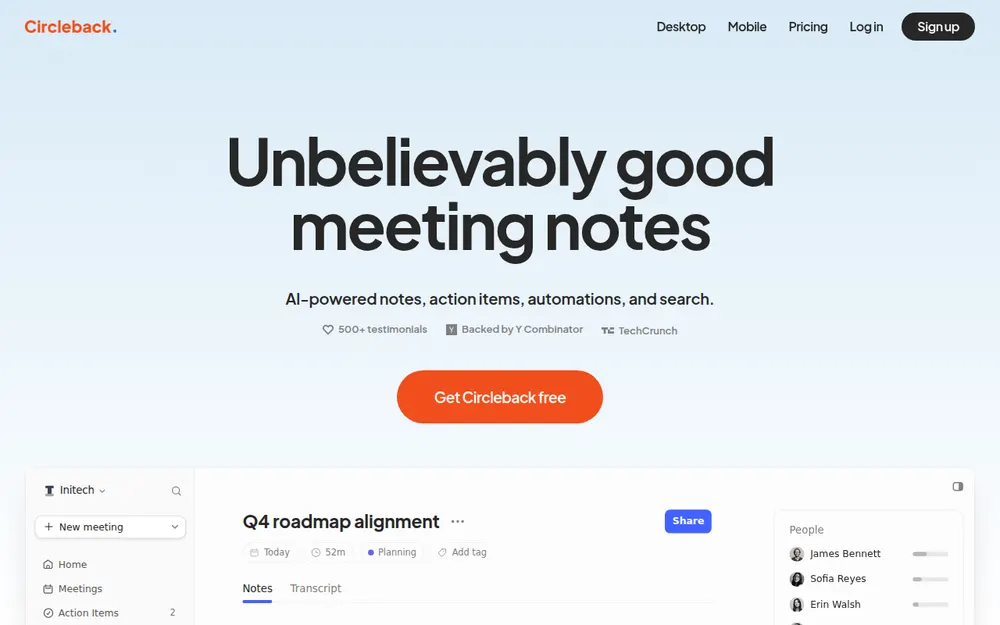
Circleback lets you choose per meeting: "A bot or the bot-free desktop app for online meetings", on every plan including Free (Circleback pricing). It runs on Mac, Windows, iPhone, Apple Watch and Android.
Circleback says "We do not use customer data to train models" and holds SOC 2 Type II (Circleback security). Data is hosted in the US.
- Free: 30-day history, limited automations
- Pro: $15/user/mo, monthly or yearly ($180/yr)
- Business: $25/user/mo
- Enterprise: $35/user/mo, with HIPAA
The catch: no annual discount, and notes are in Circleback's cloud. If calendar joining is on, it tries the bot first. Rated 4.8/5 on the App Store from 248 ratings.
9. Otter: Best Granola Alternative If You Want a Bot
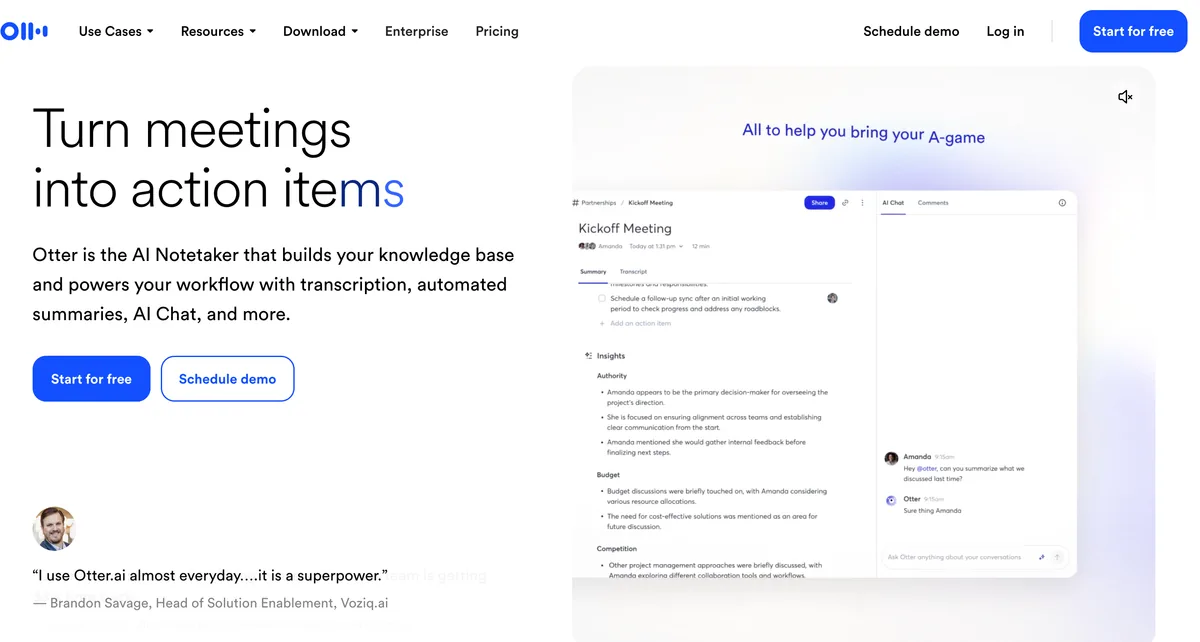
Otter is on this list for one reason: some people leave Granola because they forget to press record. Otter's bot joins calendar meetings automatically. It also now has a Mac and Windows desktop app that records "without a bot in the meeting" (Otter desktop).
- Basic: free, 300 minutes a month, 30 minutes per conversation
- Pro: $16.99/mo, or $8.33/mo billed annually ($99.96/yr)
- Business: $30/mo, or $19.99/mo annually
The catch is bigger than Granola's. Otter's privacy policy says it trains "our proprietary AI technology on de-identified audio recordings and on transcriptions" (Otter privacy policy), and we found no training opt-out. In the Otter class action, the court let the wiretap and California privacy claims proceed on August 13, 2026 (order). Rated 4.8/5 on the App Store from 81,572 ratings. See is Otter safe? and our Otter alternatives.
Other Granola Alternatives We Looked At
- Bluedot: bot-free through a Chrome extension or desktop app, and records video. Never trains; stores data in AWS with an EU option. Basic $14/user/mo annually, with a 1-hour cap per recording.
- Tactiq: a free Chrome extension for Google Meet, Zoom and Teams in the browser. Zoom needs the host to turn on captions.
- Fireflies: a bot by default, plus a desktop app that records without one. Fireflies says meeting data "is never used for AI model training" (Fireflies security). Its no-bot mode labels speakers as Speaker 1 and Speaker 2.
- Notion AI Meeting Notes: bot-free capture in the Notion desktop app, on the Business plan ($20/member/mo annually). Audio goes to several AI sub-processors (Notion help).
- Meetily: open source, 100% local transcription. Pro is $120 a year per device (GitHub).
- Zoom, Teams and Google Meet's built-in notes: no bot and nothing to install, but each only covers its own platform and the host's plan decides.
We cover these in more depth in our list of the best no-bot meeting note takers.
Switching From Granola: What to Do Before You Cancel
- Turn off training first. In Granola, go to Settings, then Preferences, and turn off "Use my data to improve models for everyone". Granola says the opt-out only applies going forward (Granola docs).
- Export what you want to keep. Settings, then Profile, then Generate CSV gives you summaries of every note on any plan. Full notes and transcripts need Granola's API, which needs a Business or Enterprise plan. Wispr Flow offers a one-click Granola import. Step-by-step: Granola encrypted your meeting notes.
- Delete what you don't need. Granola keeps notes indefinitely unless you delete them or set a retention policy.
- Check your sharing links. Granola's default link-sharing setting doesn't change old notes when you change it, so review notes you've shared.
- Tell people in your next calls. Every no-bot tool, including Voibe Work, is invisible to other participants. Say you're taking AI notes at the start. About a dozen US states require everyone's consent to record a private conversation; Justia's 50-state survey lists the rules state by state.
Tip
About a dozen US states require everyone's consent to record a private conversation. Tell everyone, every call.
How to Choose the Right Granola Alternative
1. Do you want notes kept off the vendor's servers?
- Yes, on a Mac → Voibe Work.
- Yes, on Windows → Quill Meetings.
- Yes, open source or Linux → Anarlog.
- No → question 2.
2. Must your data stay in the EU?
- Yes → Jamie.
- No → question 3.
3. Do you already use Wispr Flow for dictation?
- Yes → Wispr Flow Notetaker. It's included in your plan.
- No → question 4.
4. Is price the main reason you're leaving?
- Want free → Fathom (unlimited recordings) or Anarlog.
- Want the cheapest paid plan → Krisp at $96 a year.
- Want a bot that joins on its own → Otter or Circleback.
Best Granola Alternative for Your Situation
| Situation | Best choice | Why |
|---|---|---|
| Lawyer on a Mac with privileged client calls | Voibe Work | Notes saved on your Mac, never trained on |
| Therapist or doctor on a Mac | Voibe Work | Audio deleted after processing, BAA on request |
| Granola user who also pays for a dictation app | Voibe Work | Dictation and meeting notes in one plan, $140 a year |
| Investor or advisor on Windows | Quill Meetings | Local transcription on Windows |
| Team based in the EU | Jamie | EU-only storage, ISO 27001, no training |
| Wispr Flow user on Windows | Wispr Flow Notetaker | Included in Flow, imports Granola notes |
| Remote worker in a noisy space | Krisp | Noise cancellation plus notes, $96 a year |
| Developer on Linux | Anarlog | MIT-licensed, local database, Linux app |
| Hit Granola's 30-day free limit | Fathom | Free unlimited recordings |
| Team that wants a bot for some calls | Circleback | Bot or desktop app on every plan, no training |
| Keeps forgetting to press record | Otter | Bot joins calendar meetings automatically |
| Every meeting is on Google Meet | Google Meet's own notes | No bot, everyone sees a notice |
Frequently Asked Questions About Granola Alternatives
Granola Alternatives Basics
What is the best alternative to Granola AI?
For most people, Fathom: its free plan includes unlimited recordings and transcriptions, and it can take notes with or without a bot. For privacy on a Mac, Voibe Work: it takes notes with no bot in the call, deletes the audio after processing, saves transcripts and summaries on your Mac, never trains AI on them, and includes a dictation app. On Windows, Quill Meetings transcribes locally. For EU data residency, Jamie. For a free option, Fathom or Anarlog.
Is there a free Granola alternative?
Yes. Anarlog and Quill Meetings offer free, unlimited local transcription. Fathom's free plan includes unlimited recordings and transcriptions. Wispr Flow's free plan includes limited Notetaker access. Granola's own free Basic plan shows only the last 30 days of notes.
Is there a Granola alternative for Windows?
Yes. Quill Meetings, Jamie, Wispr Flow Notetaker, Krisp, Anarlog and Circleback all run on Windows without a bot. Voibe Work's meeting notes are Mac-only today, with Windows coming soon.
Is there an open-source Granola alternative?
Yes. Anarlog (formerly Hyprnote) is an MIT-licensed meeting notepad that keeps notes in a local database and runs on Mac, Windows and Linux. Meetily is another MIT-licensed option with fully local transcription.
Does Fathom always record my meetings?
Only if its bot is let in. Fathom joins Zoom, Google Meet and Teams as a bot by default, and a host can decline it. Google Meet also sends some join requests to a second queue where the default is to deny entry. If the bot isn't admitted, that meeting has no notes. Fathom's bot-free mode on Mac, or a no-bot note taker like Voibe Work or Granola, avoids the problem.
Privacy and Training
Does Granola train AI on my meetings?
By default on the Free and Business plans, Granola says anonymised data may be used for its own model improvements. Each user must turn off "Use my data to improve models for everyone" in Settings, and the opt-out only applies going forward. Enterprise workspaces are opted out by default.
Can I export my notes from Granola?
Yes, with limits. Every plan can generate a CSV of note summaries from Settings, then Profile. Full notes and transcripts come through Granola's API, which requires a Business ($14 per user per month) or Enterprise plan. Granola encrypted its local cache in 2026, so tools that used to read notes directly from your Mac no longer work.
Does Granola record audio?
No. Granola transcribes in real time and deletes the audio after transcription. It stores the transcript and your notes in a US-hosted AWS cloud, kept indefinitely unless you delete them or set a retention policy.
Which Granola alternatives don't store notes in the cloud?
Voibe Work saves transcripts and summaries on your Mac, not on Voibe's servers. Quill Meetings and Anarlog keep notes on your computer by default. Jamie, Krisp, Circleback, Fathom and Otter store notes in their own cloud.
How does Granola score on privacy?
Granola's Free and Business tier scores 31 out of 100 on Voibe's AI Privacy Tracker, and Enterprise scores 41. It loses points for training on de-identified data by default, storing notes on AWS in the US, sending audio and transcripts to Deepgram, AssemblyAI, OpenAI and Anthropic, and the Chamberlain v. Granola class action.
Is Voibe Work private?
Voibe Work captures meetings from your Mac with no bot. Audio is processed by open-source models on zero-retention cloud providers and deleted as soon as processing completes. The transcript and summary are saved on your Mac and never used to train AI. You still need to tell other participants you're taking notes.
Pricing
How much does Granola cost?
Granola Basic is free with 30 days of visible history. Business is $14 per user per month, billed monthly only, or $168 a year. Enterprise is $35 per user per month.
Is Voibe Work cheaper than Granola and Wispr Flow together?
Yes. Granola Business ($168 a year, billed monthly only) plus Wispr Flow Pro ($144 a year) costs $312 a year. Voibe Work includes no-bot meeting notes and a dictation app for $140 a year, which is $172 (55.1%) less, or $349 once for lifetime access.
Is Voibe Work cheaper than Granola?
On an annual plan, yes. Voibe Work is $140 a year, $28 (16.7%) less than a year of Granola Business at $168, and it includes dictation. Voibe Work's $349 lifetime seat saves $155 over three years compared with Granola Business.
What is the cheapest Granola alternative?
Among paid plans, Quill Lite ($83.88 a year), Krisp Core ($96 a year) and Otter Pro ($99.96 a year) cost the least, all billed annually. Anarlog, Quill and Fathom have free plans.
Legal and Consent
Is Granola being sued?
Yes. Chamberlain v. Granola, Inc. was filed on July 30, 2026 in the Northern District of California. It alleges that Granola intercepts other meeting participants without their knowledge and uses their data for AI training by default. The claims have not been proven.
Do I need to tell people I'm using a Granola alternative?
Yes. No-bot note takers, including Voibe Work, are invisible to other participants. About a dozen US states require everyone's consent to record a private conversation. Tell everyone at the start of each call. This is general information, not legal advice.
Final Verdict: The Best Granola Alternative in 2026
Granola's no-bot idea is now standard. What separates the alternatives is what they keep after the call.
- Want the best all-rounder with a generous free plan? Pick Fathom, turn off training in its settings, and expect the odd meeting where its bot isn't let in.
- Want notes that stay on your Mac and never train anything? Pick Voibe Work. $140 a year, with a dictation app included: Granola and Wispr Flow in one plan.
- On Windows? Pick Quill Meetings.
- In the EU? Pick Jamie.
- Want open source? Pick Anarlog.
- Staying on Granola? Turn off training in Settings, and set a retention policy.
More reading:
- The best no-bot meeting note takers, with the consent rules every no-bot tool raises
- The Granola lawsuit, explained
- Otter AI alternatives
- Zero data retention, explained
- The AI Privacy Tracker, where every meeting tool is scored
Try Voibe Work free for 7 days → No credit card. Meeting notes on Mac, dictation on Mac and Windows.
Meeting notes without a bot in your call
Voibe Work takes notes from Zoom, Teams and Meet on your Mac, with dictation included. Nothing used to train AI.
- Mac + Windows
- No bot in your calls
- Nothing used to train AI
- 7-day free trial
Want to compare plans first? View pricing →