
Voibe vs Dragon: I'd Only Keep Dragon for Two Jobs
Voibe vs Dragon comes down to two jobs. If you do one of them, keep paying $699.99. If not, $199 once covers a Mac or a Windows PC with no voice training.

Voibe
Dictation app for Mac and Windows built on open-source Whisper models. On an Apple Silicon Mac it can run fully on-device, so nothing leaves the Mac. On any Mac or Windows PC it can use a zero-retention cloud that runs only open-source models over an encrypted connection and deletes audio the moment transcription completes. No API keys or vendor accounts. It ships a Dictionary (real dictionary injection, the Vocabulary Center replacement), Memory shortcuts (the Auto-Text replacement), spoken punctuation, Smart Formatting that cleans up without paraphrasing, Hands-Free Mode, Live Dictation on Mac, and Developer Mode for Cursor, VS Code, and Windsurf. $9.90/month, $99/year, or $199 lifetime, one plan for both platforms.
Free; $9.90/mo, $99/yr, or $199 lifetime (Mac + Windows)
Pros
- + Native on both desktops: every Mac on macOS 14.4+ and a ground-up native Windows app, one license for both
- + Accurate from first use, with no 20-30 minute voice training and no weeks of correction
- + Your choice of on-device mode on Apple Silicon (nothing leaves the Mac) or a zero-retention cloud that deletes audio the moment transcription completes
- + $199 lifetime, which is $500.99 (71.6%) less than Dragon Professional v16's $699.99 Windows license
- + Dictionary and Memory rebuild the two Dragon features people miss most (Vocabulary Center and Auto-Texts), and a Dragon word export pastes straight in
- + Spoken punctuation works by name ('comma', 'new paragraph', 'open paren'), so Dragon habits transfer
- + Developer Mode for Cursor, VS Code, and Windsurf resolves file and folder names spoken aloud
- + 7-day free trial and a 30-day money-back guarantee
Cons
- - No SOC 2 or ISO 27001 attestation and no HIPAA compliance claim (a BAA is available on request); not built for regulated clinical documentation
- - No voice command-and-control to drive whole applications hands-free (Dragon's specialty)
- - Desktop only: no iOS, iPadOS, or Android app
- - On-device mode needs an Apple Silicon Mac; Windows and Intel Macs use cloud mode (needs internet); Live Dictation is Mac-only
- - No prebuilt medical or legal vocabulary packs; you teach it your own terms
- - No voice profile that adapts to a heavy accent over months of training
Dragon (NaturallySpeaking / Professional)
Dragon, from Nuance (owned by Microsoft since 2022), is the most mature professional speech-recognition software there is, refined over more than three decades. Dragon Professional v16 is a Windows desktop app sold as a $699.99 one-time perpetual license (retail list price; Nuance's own store now shows 'Contact us' instead of a price), with recognition running largely on the local machine. Dragon Medical One is a cloud clinical product on Microsoft Azure, reseller-quoted at roughly $79-99/user/month plus a $525 setup fee, backed by Azure certifications (SOC 2 Type 2, ISO 27001, HITRUST, FedRAMP) and a HIPAA BAA. Its strengths are prebuilt medical, legal, and technical vocabulary, on-PC transcription, and full voice command-and-control. The Mac version was discontinued in 2018, Dragon Home ended in 2023, Dragon Anywhere mobile stopped sales on July 1, 2026, and the official pricing pages now say "Contact us."
$699.99 one-time (Professional v16, Windows) / ~$79-99/user/mo + $525 setup (Medical One)
Pros
- + A long-earned reputation for recognition on Windows; Nuance markets 'up to 99%' (a vendor claim) backed by 30+ years of refinement
- + Deep prebuilt vocabulary for medical, legal, and technical work, plus a Vocabulary Center for custom words
- + Long accessibility track record for users with RSI, mobility, or vision needs
- + A perpetual license (Dragon Professional v16, $699.99) you buy once
- + Dragon Medical One runs on Azure infrastructure certified for SOC 2 Type 2, ISO 27001, HITRUST, and FedRAMP, with a HIPAA BAA available
- + Mature command-and-control: dictate, edit, format, and drive applications entirely by voice
Cons
- - No Mac support since 2018 and no native Apple Silicon app; Mac access to Medical One is virtualization-only
- - Expensive: Dragon Professional is $699.99 one-time, and Dragon Medical One runs roughly $79-99/user/month plus setup
- - The consumer path is gone; Dragon Home ended in 2023 and Dragon Anywhere mobile stopped sales July 1, 2026
- - Official pricing is opaque; Nuance's own pages show 'Contact us' rather than list prices
- - A learning curve, plus reported slow support, occasional crashes on long documents, and high RAM use
Voibe vs Dragon: The Verdict
Dragon Professional costs $699.99, runs only on Windows, and hasn't had a major release since v16 in February 2023. I'd still tell two kinds of people to buy it.
Keep Dragon if you drive a Windows PC by voice (nothing else comes close for accessibility), or if rules decide where your audio goes: Professional v16 transcribes on the PC, and Medical One puts clinical notes under Azure-backed compliance. Everyone else should look at Voibe, the app we build. It works from the first word on a Mac or a Windows PC, lets you choose where your audio goes, and costs $199 once, which is $500.99 (71.6%) less than Dragon Professional.
Pick Dragon if you want:
- Prebuilt medical, legal, or technical vocabulary
- Full voice command-and-control of whole applications
- Transcription that stays on the Windows PC (Professional v16 runs locally)
- Accessibility support with a decades-long record for RSI, mobility, and vision needs
- Clinical or regulated use where Dragon Medical One's compliance (SOC 2 Type 2, ISO 27001, HITRUST, FedRAMP, HIPAA BAA) is required
- A perpetual license (Dragon Professional v16, $699.99)
Pick Voibe if you want:
- Native apps on every Mac (macOS 14.4+) and on Windows, one license for both
- On-device mode on Apple Silicon, where nothing leaves the Mac, or a zero-retention cloud that deletes audio the moment transcription completes
- Accuracy from first use, with no voice training
- A Dictionary for jargon, Memory shortcuts for boilerplate (Dragon's Auto-Texts), spoken punctuation by name, and Smart Formatting that cleans up without rewriting you
- Developer Mode for Cursor, VS Code, and Windsurf
- $199 lifetime, 72% less than Dragon Professional
Voibe has no SOC 2 or ISO 27001 attestation (a BAA is available on request), no prebuilt vocabulary packs, and no application command-and-control. Dragon wins all of that outright.
Quick Comparison: 19 Dimensions Side-by-Side
| Dimension | Voibe | Dragon | Winner |
|---|---|---|---|
| Platform | Mac (all Macs, macOS 14.4+) + native Windows app | Windows only (Mac discontinued 2018) | Voibe |
| On-device processing | Yes on Apple Silicon Macs (nothing leaves the Mac); not on Windows | Yes on Windows (Professional); Medical One is cloud | Tie (each on its own OS) |
| Cloud option | Zero-retention cloud, open-source models, audio deleted once transcribed | Dragon Medical One on Azure | Tie (different aims) |
| Architecture choice (no BYO keys) | You pick on-device or cloud; no API keys or vendor accounts | Fixed per product (Professional local; Medical One cloud) | Voibe (flexibility) |
| Custom vocabulary | Dictionary: real dictionary injection, bulk edit; a Dragon word export pastes in | Vocabulary Center plus decades-deep medical and legal packs | Dragon (prebuilt depth) |
| Text expansion | Memory shortcuts: spoken trigger expands to preset text | Auto-Texts | Tie |
| Spoken punctuation and formatting | Automatic punctuation plus 'comma', 'new paragraph', symbols by name; Smart Formatting cleans up without paraphrasing | Spoken punctuation and formatting commands | Tie |
| Live Dictation (real-time on-screen) | Yes (Mac only) | No | Voibe |
| Hands-free mode | Yes, double-tap continuous dictation | Yes, full voice command-and-control | Dragon (deeper control) |
| Pricing model | $199 lifetime / $9.90 mo / $99 yr; Voibe Free $0 | $699.99 one-time or ~$79-99/user/mo | Voibe |
| 3-year cost (paid tier) | $199 lifetime | $699.99 (Pro) to $3,564 (Medical One, fees only) | Voibe (up to ~94% less) |
| Accuracy | Modern Whisper, strong from first use, no training | Trained profiles adapt to one speaker over time | Dragon (after training) |
| Voice command-and-control | Spoken punctuation + structure only | Full app control and macros | Dragon |
| Accessibility / medical use | Not for regulated/medical use | Deep track record; Medical One for clinical | Dragon |
| Compliance attestations | None (no SOC 2/ISO; BAA on request) | Azure SOC 2 Type 2, ISO 27001, HITRUST, FedRAMP, HIPAA BAA | Dragon |
| Learning curve | None; works from first use | 20-30 min training + weeks of correction | Voibe |
| Developer / IDE integration | Developer Mode (Cursor / VS Code / Windsurf) | None (voice macros, Windows only) | Voibe |
| Active development | Windows app and an API shipped in 2026 | No major desktop release since 2023; enterprise-healthcare pivot | Voibe |
| Mobile apps | None | None (Dragon Anywhere sales ended July 1, 2026) | Tie (neither) |
Voibe takes 8 rows (platform, architecture choice, Live Dictation, pricing, three-year cost, learning curve, developer integration, active development). Dragon takes 6 (prebuilt vocabulary, depth of hands-free control, trained-profile accuracy, command-and-control, accessibility, compliance). Five are ties. Dragon's six rows are the ones a clinician or accessibility user can't do without, so the count won't decide it.
Why These Two Get Compared
On paper they're opposites: a 30-year enterprise product and an indie app that shipped its Windows version this year. They end up on the same shortlist for three reasons.
1. Dragon Left the Mac
Nuance discontinued Dragon for Mac in 2018 and has sold nothing for the Mac since. Voibe is one of the native Mac apps that filled that space. Half the people asking me about Dragon are really asking what to use now that Dragon isn't an option on their Mac.
2. Then Dragon Left the Consumer Desktop
Dragon Home, the $150 consumer edition, was discontinued in 2023. Dragon Anywhere, the mobile app, stopped sales on July 1, 2026. A Windows user who wants to dictate email and documents now pays $699.99 for Dragon Professional or gets nothing from Nuance. Voibe's native Windows app runs on the same license as the Mac app, $199 lifetime.
3. They Sit at Opposite Ends of the Same Job
Dragon is the heavyweight: prebuilt vocabulary, full command-and-control, weeks of training, $699.99 or $79-99 a month. Voibe is the zero-training, pay-once option. Clinicians, lawyers, and accessibility users land on Dragon's side; developers, writers, and knowledge workers on Voibe's. If you're a professional in the middle, you have to decide whether you need the heavyweight.
Voibe: Dictation on Mac and Windows, and You Choose Where Audio Goes

I'll size up Voibe the way a Dragon user would: where does my audio go, what happens to my vocabulary, and does it run where I work.
Where It Runs
Mac and Windows, one license for both. The Mac app runs on every Mac on macOS 14.4 or later. The Windows app, launched in 2026, is a native app rather than an Electron port. Neither has a phone version.
Two Modes, Your Choice
On an Apple Silicon Mac (M1 or later), on-device mode runs Whisper on the Neural Engine. It works with no internet, and nothing leaves the Mac. Cloud mode, which Windows and Intel Macs use, encrypts audio in transit, transcribes it with Whisper Large Turbo on zero-retention providers, and deletes it the moment transcription completes. Nothing is stored or used to train a model, and no third-party AI lab (OpenAI, Google, Anthropic, Microsoft) is in the audio path.
You never paste an API key or create a vendor account. You pick the mode at setup and can switch it in Settings.
What Replaces the Dragon Features You'd Miss
- Dictionary replaces the Vocabulary Center. Names, jargon, acronyms, drug names, and statute shorthand go into a Dictionary that influences transcription itself rather than fixing text afterwards. Bulk edit is supported, and Dragon's TXT or XML word export pastes straight in.
- Memory replaces Auto-Texts. A spoken trigger expands into preset text: a signature block, an address, a boilerplate paragraph.
- Spoken punctuation works the way you're used to. Voibe punctuates automatically as you talk and also takes 'comma', 'period', 'open paren', 'new paragraph', 'bullet point', '@', currency symbols, and full email addresses by name.
- Smart Formatting is bounded cleanup. Punctuation, capitalization, paragraphing, and filler words get fixed. It never paraphrases.
- Three ways to dictate. Push-to-talk (hold the hotkey, Fn by default), Hands-Free Mode (double-tap to start and stop), and Live Dictation on Mac, which streams words on screen as you speak so you can edit before they land.
- Developer Mode. In Cursor, VS Code, and Windsurf it scans your workspace locally and resolves file names, folder paths, and variable identifiers when you speak them.
- 90+ languages, transcript history, and hotkey customization.
Voibe Pricing
- Voibe Free: $0 forever, limited words on one device
- $9.90 per month
- $99 per year (~$8.25/month; $19.80 less than paying monthly, about 2 months free)
- $199 one-time lifetime (limited-time), including all future updates
One plan covers Mac and Windows. Every new account starts with a 7-day trial of every Voibe Work feature, no credit card, then moves to Voibe Free unless you buy; paid plans carry a 30-day money-back guarantee. Teams pay the same per-seat price for up to 10 seats in one checkout; Enterprise (10+ seats) adds team admin, central billing, custom terms, and a BAA available on request.
Voibe System Requirements
- Mac: macOS 14.4 or later. On-device mode needs Apple Silicon (M1 or later); any Mac can use cloud mode.
- Windows: any modern PC with internet. Cloud mode only, and no Live Dictation.
- ~275 MB app; the on-device Whisper model adds ~2 GB on Apple Silicon.
Where Voibe Falls Short
No SOC 2, no ISO 27001, no HIPAA compliance claim (a BAA is available on request), and it isn't built as a clinical documentation tool. It doesn't drive applications by voice, and it ships no prebuilt medical or legal vocabulary packs. If you need any of that, buy Dragon.
Dragon: The Enterprise Incumbent for Medical, Legal, and Accessibility Work
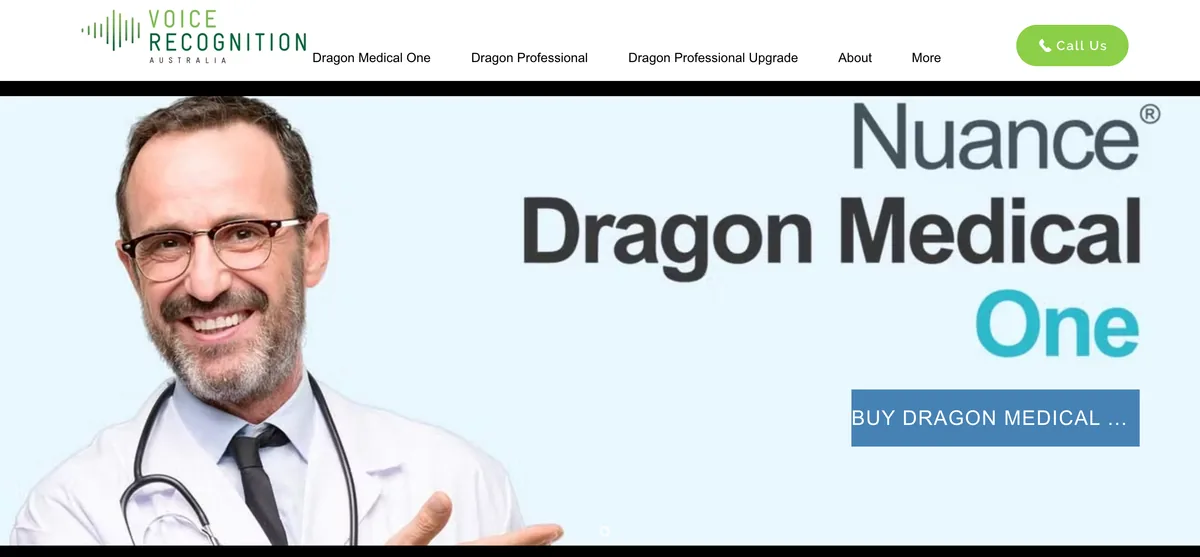
Dragon (Dragon NaturallySpeaking to anyone who bought it before 2018) is the most mature speech-recognition product there is. Nuance built it over three decades. Microsoft bought Nuance in 2022 for $19.7 billion and pointed the technology at hospitals.
What Dragon Does Well
- Accuracy on Windows. Nuance markets 'up to 99% recognition accuracy'. That's a vendor claim rather than an independent benchmark, but reviewers consistently credit Dragon for precision once you've trained a voice profile.
- Prebuilt professional vocabulary. Medical, legal, and technical packs ship with the product, plus a Vocabulary Center for your own words.
- Full voice command-and-control. Dictate, edit, format, and drive whole applications by voice. Accessibility users build their day around it.
- Compliance for Medical One. Dragon Medical One runs on Microsoft Azure infrastructure certified for SOC 2 Type 2, ISO 27001, HITRUST, and FedRAMP, with a HIPAA Business Associate Agreement available. Those are Azure platform certifications rather than a standalone Dragon certificate.
- A perpetual license. Dragon Professional v16 is $699.99 at retail list price. Nuance's own store stopped showing a price by October 2026.
The Dragon Product Line in 2026
- Dragon Professional v16: the Windows desktop app, $699.99 perpetual. Released February 2023, no major release since. Recognition runs largely on the local machine.
- Dragon Professional Anywhere / Dragon Legal Anywhere: subscription, sold by quote. Authorized partner Thax Software has announced an end of sale of December 31, 2026 and end of life of December 31, 2027. I couldn't find a Nuance or Microsoft advisory confirming it, so treat those dates as partner-announced. What they mean for your contract is in our Dragon Professional Anywhere end-of-life guide.
- Dragon Medical One: cloud clinical dictation on Azure, reseller-quoted at ~$79-99/user/month plus a $525 setup fee.
- Discontinued: Dragon for Mac (2018), Dragon Home (2023), and Dragon Anywhere mobile (sales ended July 1, 2026).
The Tradeoffs
No Mac support since 2018; Mac access to Medical One means Citrix, a Windows VM, or Boot Camp on Intel. It's expensive, and Nuance's own pages now say 'Contact us' instead of a price. Reviewers report a learning curve, occasional crashes on long documents, and high RAM use. Since the Microsoft acquisition the product energy has gone to enterprise healthcare (Dragon Copilot and DAX) rather than the desktop. Its Capterra rating is 4.0/5 across roughly 240 reviews, with cost the most common complaint.
Feature by Feature: Who Wins Each Row
Platform
Voibe runs natively on every Mac on macOS 14.4+ and, since 2026, on Windows. Dragon runs only on Windows; on a Mac it means Parallels, VMware, or Boot Camp on Intel, which is a poor way to dictate all day. For Mac users this row decides it. Winner: Voibe.
Live Dictation and Hands-Free Modes
Voibe has push-to-talk, Hands-Free Mode (double-tap, nothing held down), and Live Dictation on Mac, which streams your words on screen so you can edit before they land. Dragon has no live streaming, but goes further in another direction: full voice control of whole applications. Winner: Voibe on Live Dictation; Dragon on depth of hands-free control.
Architecture: On-Device or Cloud
Voibe lets you pick on-device mode on Apple Silicon or the zero-retention cloud, with no API keys or vendor accounts. Dragon is fixed per product: Professional runs largely locally on Windows, Medical One runs in the cloud on Azure. Winner: Voibe (flexibility for the individual).
Accuracy and Vocabulary
Dragon's voice profile adapts to one speaker over time, and its medical, legal, and technical vocabularies arrive prebuilt. Voibe's Whisper models are strong from first use with no training, and its Dictionary injects your own terms into transcription itself, though you supply that list. Winner: Dragon (prebuilt packs and profile training); Voibe (no setup).
Auto-Texts, Spoken Punctuation, and Formatting
This is the part Dragon users worry about, and it transfers. Auto-Texts become Memory shortcuts. Spoken punctuation works by name in both ('comma', 'period', 'new paragraph', 'open paren'), and Voibe also punctuates automatically when you just talk. Dragon formats through voice commands; Smart Formatting fixes punctuation, capitalization, paragraphing, and filler words without paraphrasing. Winner: Tie.
Voice Command-and-Control
Dragon drives entire applications by voice: menus, macros, the whole Windows desktop. Voibe handles spoken punctuation and structure ('new line', 'bullet point') but doesn't control applications. Winner: Dragon.
Compliance and Regulated Use
Dragon Medical One's Azure-backed SOC 2 Type 2, ISO 27001, HITRUST, FedRAMP, and available HIPAA BAA make it suitable for clinical documentation. Voibe has none of these attestations; a BAA is available on request, but a BAA is a contract, not a certification. Winner: Dragon.
Privacy for Everyday (Non-Regulated) Use
Voibe's on-device mode keeps audio on the Mac, and its cloud mode deletes audio as soon as it's transcribed. On Windows the positions flip: Dragon Professional processes on the PC, while Voibe is cloud-only there. Winner: Tie. Voibe on the Mac, Dragon on Windows.
Learning Curve and Setup
Voibe works from the first word. Dragon wants 20-30 minutes of initial training plus weeks of correction before it peaks. Winner: Voibe.
Developer and IDE Integration
Developer Mode resolves file names, folder paths, and variable identifiers in Cursor, VS Code, and Windsurf on both platforms. Dragon offers voice macros on Windows but nothing IDE-aware. Winner: Voibe.
Pricing and Value
Voibe is $199 lifetime for Mac and Windows. Dragon is $699.99 one-time or ~$79-99/user/month plus setup. Winner: Voibe.
Key Takeaway
Voibe wins platform, setup, developer integration, privacy choice, and price. Dragon wins prebuilt professional vocabulary, voice command-and-control, accessibility, and compliance. Vocabulary, Auto-Texts, and spoken punctuation are a wash, since Voibe's Dictionary and Memory cover them. If you need HIPAA-grade clinical dictation or run Windows by voice, buy Dragon.
Pricing: $199 Lifetime vs Enterprise Dragon
Dragon has no free tier, and Nuance's official pages say 'Contact us' instead of a price. The Professional v16 figure below is the retail list price (Nuance's own store no longer lists one); the Medical One figures are reseller quotes. Voibe's pricing is public, and one plan covers Mac and Windows.
| Product / Plan | Price | Model | Platform |
|---|---|---|---|
| Voibe (lifetime) | $199 one-time | Perpetual license | Mac + Windows |
| Voibe (annual) | $99/year | Subscription | Mac + Windows |
| Voibe (monthly) | $9.90/month | Subscription | Mac + Windows |
| Dragon Professional v16 | $699.99 one-time (retail list) | Perpetual license | Windows |
| Dragon Professional Anywhere | ~$55/user/mo (reseller-quoted) | Subscription | Windows |
| Dragon Medical One | ~$79-99/user/mo + $525 setup (reseller-quoted) | Subscription (Azure cloud) | Windows / virtualized |
| Dragon Anywhere (mobile) | Sales ended July 1, 2026 | n/a | n/a |
| Dragon Home | Discontinued (2023) | n/a | n/a |
| Dragon for Mac | Discontinued (2018) | n/a | n/a |
Every Dragon edition, including Legal and Professional Anywhere, is priced in how much Dragon costs in 2026.
3-Year Total Cost
| Tool | Plan | 3-Year Cost | vs Voibe Lifetime |
|---|---|---|---|
| Voibe | $199 lifetime | $199 | baseline |
| Dragon Professional v16 | $699.99 one-time (Windows) | $699.99 | $500.99 more (Voibe about 72% less) |
| Dragon Medical One ($79/mo) | $79/user/mo, fees only | $2,844 | $2,645 more (about 93%) |
| Dragon Medical One ($99/mo) | $99/user/mo, fees only | $3,564 | $3,365 more (about 94%) |
Voibe lifetime ($199) is $500.99 (71.6%) cheaper than Dragon Professional ($699.99). Against three years of Dragon Medical One fees, Voibe saves $2,645 (about 93%) per user at $79/month and $3,365 (about 94%) at $99/month. With the $525 setup fee, three years of Medical One runs $3,369-$4,089; the clinician-specific numbers are in Voibe vs Dragon Medical One. Medical One's price also buys EHR integration, deployment support, and compliance that Voibe doesn't offer. For the plan-by-plan breakdown, see our Dragon review.
Pros and Cons Side by Side

Voibe
Pros:
- Native on every Mac (macOS 14.4+) and on Windows, one license for both
- Accurate from first use, no voice training
- On-device mode on Apple Silicon or a zero-retention cloud that deletes audio the moment transcription completes
- $199 lifetime, $500.99 (71.6%) less than Dragon Professional
- Dictionary and Memory replace the Vocabulary Center and Auto-Texts; spoken punctuation by name; Smart Formatting cleans up without paraphrasing
- Developer Mode for Cursor, VS Code, and Windsurf
Cons:
- No SOC 2 or ISO 27001 attestation (BAA available on request), so not an audited clinical tool
- No voice command-and-control of applications
- Desktop only; on-device mode needs Apple Silicon; Windows and Intel Macs use cloud mode; Live Dictation is Mac-only
- No prebuilt medical or legal vocabulary packs
Dragon
Pros:
- Long-refined recognition on Windows (Nuance markets 'up to 99%', a vendor claim)
- Deep prebuilt vocabulary for medical, legal, and technical work
- Long accessibility track record for RSI, mobility, and vision needs
- Perpetual license (Dragon Professional v16, $699.99)
- Dragon Medical One: Azure-backed SOC 2 Type 2, ISO 27001, HITRUST, FedRAMP, HIPAA BAA
- Mature voice command-and-control of whole applications
Cons:
- No Mac support since 2018; virtualization only
- $699.99 one-time or ~$79-99/user/month plus setup, with opaque official pricing
- Consumer path gone: Dragon Home (2023) and Dragon Anywhere mobile (sales ended July 1, 2026)
- Learning curve, reported slow support, crashes on long documents, high RAM use
- Enterprise-healthcare pivot; no major Professional release since 2023
Which One Should You Pick?
Choose Dragon if...
- You're on Windows and want medical, legal, or technical vocabulary prebuilt rather than pasted in
- Your audio can't leave the PC (Professional v16 transcribes locally)
- You need full voice command-and-control to drive applications hands-free
- You're an accessibility user who operates a computer largely by voice
- You need clinical or regulated dictation where Dragon Medical One's compliance and HIPAA BAA are required
- You want a perpetual license and can absorb the $699.99 and the training time
Choose Voibe if...
- You're on a Mac and want native dictation with no VM or Boot Camp
- You're on Windows and want to dictate email, documents, and code without paying $699.99 for command-and-control you'll never use
- You want accuracy from the first word with zero training
- You want to choose between on-device mode on Apple Silicon and a zero-retention cloud
- You want your Dragon vocabulary and Auto-Texts to carry over into Dictionary and Memory
- You're a developer who wants Cursor, VS Code, or Windsurf integration
- You want to pay once: $199 lifetime, 72% less than Dragon Professional
If you need to control whole applications by voice, or your audio can't leave the machine, buy Dragon. Everyone else should buy Voibe.
Final Verdict: Voibe vs Dragon
Dragon is the right tool for two jobs. Driving a Windows PC by voice is one: Voibe dictates text and doesn't run applications. Where the audio is allowed to go is the other: Professional v16 transcribes on the PC, and Medical One puts clinical notes under Azure-backed compliance. Voibe doesn't compete for either.
For everything else, Voibe wins. It runs natively on the Mac Dragon left in 2018 and, since 2026, on Windows. It works from the first word with no training. You choose on-device mode on Apple Silicon or the zero-retention cloud. Dictionary, Memory, and spoken punctuation carry your Dragon vocabulary and habits across, and Developer Mode covers Cursor, VS Code, and Windsurf. At $199 lifetime it's $500.99 (71.6%) cheaper than Dragon Professional and up to 94% cheaper than three years of Dragon Medical One fees.
One reader's version of this verdict, from a workers’ compensation attorney who dictated through typists, then Dragon, then Voibe: “Dragon is nowhere near as good as your product.” Their reasons line up with the rows above, and they were on Dragon for years before saying it.
If you're a professional, writer, or developer outside regulated work, Voibe is the practical pick. On the Mac, Dragon isn't on the platform. On Windows, it's asking $699.99 for a command suite most people never touch.
Related Comparisons
- Voibe vs Dragon Medical One: the clinician-specific head-to-head, $199 once against $3,369–$4,089 over three years, plus the BAA, specialty-vocabulary, and Epic-integration trade-offs.
- Switching from Dragon to Voibe: the 15-minute migration. Export your custom word list, bulk-load it, remap the hotkey, and see what doesn't transfer.
- Voibe Review: our full evaluation of Voibe, including the on-device and cloud modes, Developer Mode, and pricing.
- Dragon Review: the complete Dragon evaluation with every pricing, compliance, and Mac-discontinuation fact cited.
- Voibe vs VoiceInk: two modern Mac dictation apps with on-device modes.
- Voibe vs Spokenly: Developer Mode vs MCP server, lifetime vs free + BYOK.
- Compare all dictation tools: Voibe against every major alternative.
Frequently Asked Questions
Voibe vs Dragon: which should I choose?
Does Dragon work on Mac?
Is Voibe HIPAA compliant like Dragon Medical One?
How much does each cost, and how much do I save with Voibe?
Is Dragon more accurate than Voibe?
Does Voibe run on Windows, iPhone, or Android?
Can I bring my Dragon vocabulary and Auto-Texts to Voibe?
Can I use Voibe for developer or voice-coding work?
Best AI Dictation and Meeting Notes for Confidential Work
Draft letters, notes and emails 5x faster. Get meeting notes without a bot joining your call. Nothing used to train AI.
- Mac + Windows
- No bot in your calls
- Nothing used to train AI
- 7-day free trial
Want to compare plans first? View pricing →