
Apple Dictation vs Dragon: Free Built-In vs $699 Professional (2026)
Apple Dictation vs Dragon NaturallySpeaking compared on accuracy, pricing, features, and platform support. See which is worth it in 2026 and why Voibe beats both.

Apple Dictation
Free built-in dictation on macOS and iOS. Processes on-device on Apple Silicon Macs with auto-punctuation and support for multiple languages. No installation, no account, no cost.
Free (built into macOS)
Pros
- + Completely free — included with every Mac
- + On-device processing on Apple Silicon Macs (M1+)
- + Zero setup — activate in System Settings and start dictating
- + Auto-punctuation adds periods, commas, and question marks
- + Works system-wide in any text field across macOS
Cons
- - 30-second timeout — dictation stops automatically, no way to extend (architectural limit, not a bug)
- - Drops words mid-sentence, stops working randomly in extended sessions
- - No custom vocabulary — cannot learn domain terms, proper nouns, or technical jargon
- - Inconsistent auto-punctuation on longer passages
- - No AI text editing or reformatting
- - No developer or IDE awareness
- - Particularly painful for users with RSI who depend on dictation as their primary input
Dragon NaturallySpeaking
Legacy professional speech recognition software by Nuance (Microsoft). Windows-only with deep vocabulary customization and voice command automation. Consumer Dragon Home discontinued in 2023.
$699 one-time (Professional only)
Pros
- + Industry-leading accuracy for trained voice profiles
- + Deep custom vocabulary for medical, legal, and technical fields
- + Advanced voice commands for controlling Windows apps
- + 100% on-device — no internet required
- + Voice macros for complex automation
Cons
- - Windows only — Mac version discontinued in 2018
- - Dragon Home discontinued entirely in 2023 — only Dragon Professional ($699) remains for consumers
- - $699 for Dragon Professional — version 17 is barely different from version 16
- - Requires 20-30 minutes voice training plus weeks of corrections
- - Development stalled since Microsoft acquisition (2022)
- - No mobile apps, no cloud sync, no cross-platform
Voibe
WinnerOn-device Mac dictation app with VS Code and Cursor integration. Modern AI accuracy with Whisper models on Apple Silicon, zero training, and $99 lifetime pricing.
$4.90/mo or $99 lifetime
Pros
- + Modern AI accuracy from first use — no training period
- + 100% on-device with zero data transmission
- + Developer mode with VS Code and Cursor integration
- + $99 lifetime — better than free when you factor in productivity gains
- + Works fully offline on Apple Silicon Macs
Cons
- - macOS only (Apple Silicon M1–M4)
- - No AI text rewriting or reformatting
- - No voice commands for app control
- - No Windows support
TL;DR: Apple Dictation vs Dragon — Do You Need to Pay $699?
Apple Dictation is free, built into every Mac, and handles everyday dictation well. Dragon NaturallySpeaking costs $699, runs only on Windows, and targets medical/legal professionals who need trained vocabulary profiles. For most Mac users in 2026, Apple Dictation is sufficient for basic needs, but it lacks the accuracy and features needed for professional workflows. Voibe bridges the gap at $99 lifetime — modern AI accuracy, on-device privacy, and VS Code integration without Dragon's $699 price tag or Windows requirement.
Disclosure: Voibe is our product. We compare all three tools fairly below.
Key Takeaway
Apple Dictation is good enough for basic use (free). Dragon is for Windows medical/legal professionals ($699). Voibe fills the middle ground for Mac users who need more than Apple Dictation at $99 lifetime.
Key Takeaways: Apple Dictation vs Dragon at a Glance
| Feature | Apple Dictation | Dragon Professional | Voibe | Winner |
|---|---|---|---|---|
| Price | Free | $699 one-time | $99 lifetime | Apple Dictation |
| Platform | macOS, iOS | Windows only | macOS (Apple Silicon) | Apple Dictation |
| Privacy | On-device (Apple Silicon) | 100% on-device | 100% on-device | Tie |
| Setup Time | 0 minutes | 20-30 min + weeks | 0 minutes | Apple / Voibe |
| Accuracy (General) | Good for basic use | High (after training) | High (from first use) | Dragon / Voibe |
| Custom Vocabulary | No | Yes (extensive) | No | Dragon |
| Voice Commands | Basic | Advanced | No | Dragon |
| AI Text Editing | No | No | No | Tie |
| Developer Features | No | Voice macros | VS Code + Cursor | Voibe |
| Active Development | Yes | Stalled | Yes | Apple / Voibe |
Quick Comparison: Free vs Professional Dictation
| Spec | Apple Dictation | Dragon Professional | Voibe |
|---|---|---|---|
| Type | Built-in OS feature | Desktop speech recognition | On-device AI dictation |
| Processing | On-device (Apple Silicon) | On-device (Windows) | On-device (Apple Silicon) |
| Platform | macOS, iOS | Windows only | macOS (Apple Silicon) |
| Price | Free | $699 | $99 lifetime |
| Training | None | 20-30 min + weeks | None |
| Languages | Multiple | English + limited | 99 |
| Auto-Punctuation | Yes | Yes | Yes |
| Mac Support | Yes (built-in) | No (discontinued 2018) | Yes |
| Best For | Basic everyday use | Windows medical/legal | Mac professionals, developers |
What Is Apple Dictation?
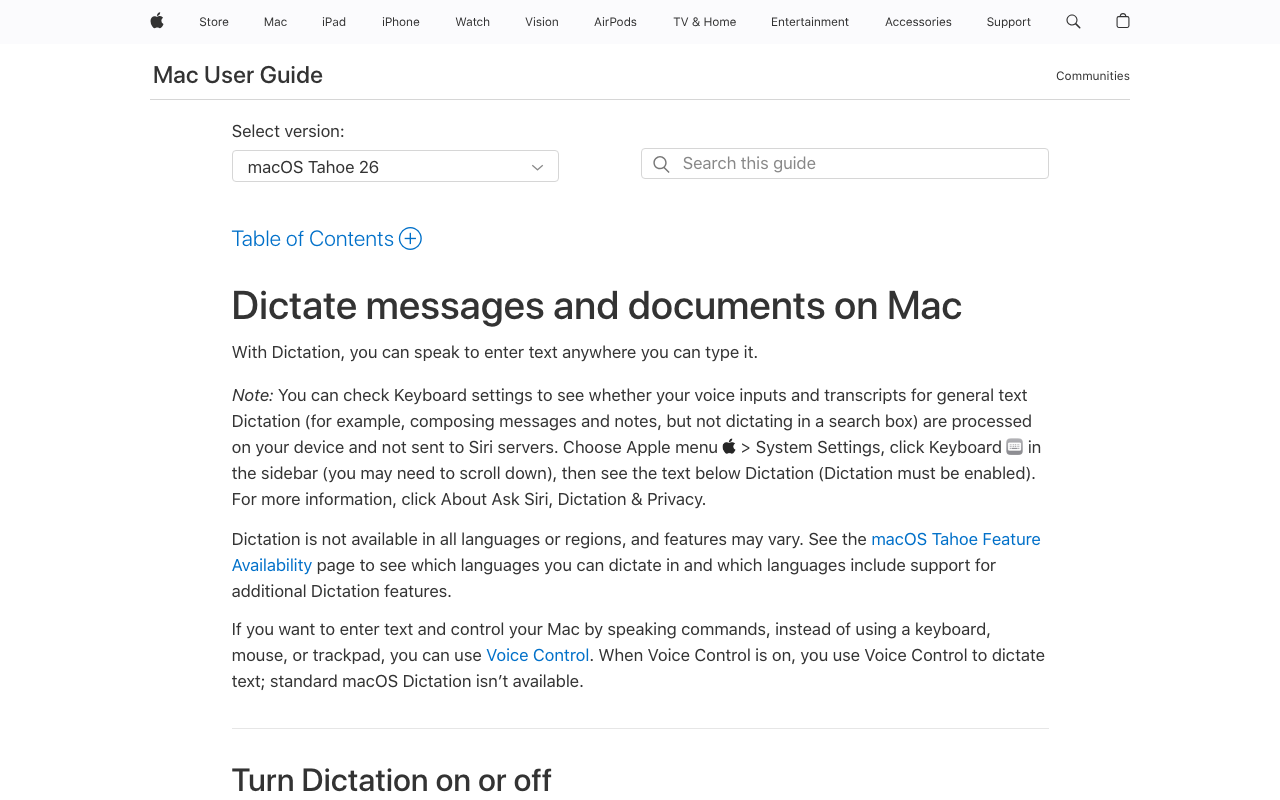
Apple Dictation is the built-in voice-to-text feature in macOS and iOS. It's free, requires no installation, and works system-wide in any text field. On Apple Silicon Macs (M1 and newer), dictation processes entirely on-device for speed and privacy. For a broader look at Mac dictation options, see our complete guide to dictation on Mac.
Apple Dictation's strength is simplicity. Enable it in System Settings, press the dictation key (Fn key or microphone icon), and start speaking. Auto-punctuation adds periods, commas, and question marks. On Apple Silicon, you can type and dictate simultaneously without stopping.
Apple Dictation Core Features
- Free and built-in: No download, account, or payment required
- On-device processing: Runs locally on Apple Silicon Macs
- Auto-punctuation: Adds periods, commas, and question marks automatically
- System-wide: Works in any text field across macOS
- Multiple languages: Supports major languages with auto-detection
- Simultaneous typing: Type and dictate at the same time (Apple Silicon)
Apple Dictation Limitations
- 30-second timeout (architectural, not a bug): Dictation stops automatically after approximately 30 seconds. There is no setting to extend this — it is built into the system. Users who dictate long-form content must repeatedly restart, which breaks flow.
- Drops words and stops mid-sentence: Multiple user reports describe dictation stopping unexpectedly — one Reddit user noted “3 out of 10 times dictation stops mid-sentence without warning.” This is not a rare edge case.
- No custom vocabulary: Cannot learn new words, domain terms, proper nouns, or technical jargon.
- Inconsistent auto-punctuation on longer passages
- No AI text editing or reformatting
- No developer or IDE awareness
- Particularly painful for RSI users: People with repetitive strain injury who rely on dictation as their primary input find these reliability issues especially impactful.
Key Takeaway
Apple Dictation is sufficient for basic everyday dictation — quick messages, notes, and search queries. For professional use requiring accuracy with technical vocabulary, it falls short.
What Is Dragon NaturallySpeaking?

Dragon NaturallySpeaking was the gold standard of speech recognition for over two decades. Developed by Nuance (acquired by Microsoft in 2022 for $19.7 billion), Dragon offered trained voice profiles that achieved industry-leading accuracy for professionals. For alternative options, see our Dragon NaturallySpeaking alternatives guide.
The landscape has changed dramatically. Dragon for Mac was discontinued in 2018. Dragon Home (the consumer edition) was discontinued in 2023. Only Dragon Professional ($699) and specialized medical/legal editions remain, all Windows-only. Development has stalled since the Microsoft acquisition — version 17 is nearly identical to version 16. Users on forums actively ask why there is no professional dictation for Mac, confirming a validated market gap that Dragon itself no longer fills.
Dragon Core Features
- Trained voice profiles: Accuracy improves as Dragon learns your speech over weeks
- Custom vocabulary: Deep medical, legal, and technical term databases
- Voice commands: Navigate apps, control menus, automate tasks hands-free
- Voice macros: Create custom automation triggered by voice phrases
- 100% on-device: No internet required
Dragon's Current Status (2026)
- Mac version: discontinued since 2018 with no return planned
- Dragon Home: discontinued in 2023
- Dragon Professional: $699, still sold but barely updated
- Dragon Medical/Legal: specialized editions for enterprise
- Development: stalled since Microsoft acquisition
Key Takeaway
Dragon was once the industry standard, but its $699 price, Windows-only restriction, and stalled development have made it a poor value for most users in 2026. It remains relevant only for Windows professionals in medical/legal fields.
Feature-by-Feature Comparison: Apple Dictation vs Dragon
Accuracy and Vocabulary
Dragon Professional achieves higher accuracy than Apple Dictation, especially for trained profiles with specialized vocabulary. Dragon's custom dictionaries handle medical terminology ("bilateral pneumothorax"), legal terms ("force majeure"), and technical jargon that Apple Dictation misses. However, Dragon requires weeks of training to reach peak accuracy, while Apple Dictation works from the first word with no setup.
For everyday dictation, Apple Dictation's accuracy is sufficient. For specialized professional use, Dragon's trained profiles still outperform. Modern AI tools like Voibe deliver accuracy between the two — stronger than Apple Dictation from first use without Dragon's training investment.
Winner: Dragon (for specialized fields); Apple Dictation (for immediate use)
Cost and Value
Apple Dictation is free. Dragon Professional costs $699. This isn't close for most users. Even factoring in Apple Dictation's limitations, the 100% cost savings makes it the obvious starting point. Only users who demonstrably need Dragon's specialized features should consider the $699 investment. Voibe at $99 lifetime sits in the productive middle — far more capable than Apple Dictation, 86% cheaper than Dragon.
Winner: Apple Dictation
Platform Support
Apple Dictation runs on macOS and iOS. Dragon runs only on Windows — Mac support was discontinued in 2018. Dragon Home (the consumer edition) was discontinued entirely in 2023, meaning that even Windows users on a budget no longer have an affordable Dragon option. Only Dragon Professional ($699) remains for consumers. Development has stalled since Microsoft's 2022 acquisition; version 17 is barely different from version 16. There is no legal way to run Dragon natively on a Mac. Parallels or Boot Camp workarounds add cost and complexity and do not support ARM-based Windows on Apple Silicon. Voibe runs natively on Apple Silicon Macs.
Winner: Apple Dictation (for Mac/iOS users)
Privacy and On-Device Processing
Both tools process on-device — Apple Dictation on Apple Silicon Macs, Dragon on Windows PCs. Neither sends audio to cloud servers for core dictation. Apple Dictation on older Intel Macs does send audio to Apple's servers, but this is increasingly rare as Intel Macs age out. For privacy, both are strong choices. Learn more about the privacy benefits of local processing.
Winner: Tie
Setup and Learning Curve
Apple Dictation: zero setup. Enable in System Settings, press the dictation key, speak. However, there is an important architectural constraint: Apple Dictation stops automatically after approximately 30 seconds. This timeout is not configurable — it is a system-level design decision. For users who dictate long-form content (reports, emails, clinical notes), this requires repeatedly restarting dictation, which disrupts flow significantly. Dragon: 20-30 minutes of initial reading exercises, followed by weeks of corrections as the software learns your patterns. For users who value immediate productivity, Apple Dictation wins overwhelmingly for short content. Dragon's training investment only pays off if you use it daily for months — and on Mac, that investment is moot since Dragon doesn't run natively.
Winner: Apple Dictation (for initial ease); neither tool is ideal for long-form dictation on Mac
Voice Commands and Automation
Dragon's advanced voice commands are its strongest remaining feature. You can navigate Windows apps, control menus, compose documents, and create complex macros — all by voice. Apple Dictation offers basic commands ("new line," "new paragraph," "period") but nothing approaching Dragon's depth. macOS Voice Control is a separate accessibility feature with more commands but still less capable than Dragon's system.
Winner: Dragon
Developer Features
Neither Apple Dictation nor Dragon offers dedicated IDE integration. Apple Dictation works in code editors but frequently mishandles technical terms. Dragon's custom vocabulary and macros can be configured for coding, but it doesn't run on Mac. Voibe is the only tool with VS Code and Cursor integration, making it the developer's choice.
Winner: Voibe
Which Should You Choose? Apple Dictation vs Dragon
Choose Apple Dictation If...
- You need basic dictation for short messages, notes, and search queries (under 30 seconds)
- You want zero cost and zero setup — it's already on your Mac
- You dictate casually and don't need specialized vocabulary
- You're exploring dictation for the first time and want to start free
Note: If you depend on dictation as your primary input method (e.g., RSI), the 30-second architectural timeout and word-drop reliability issues make Apple Dictation unsuitable for professional use.
Choose Dragon Professional If...
- You're on Windows and work in medical, legal, or technical fields
- You need trained vocabulary profiles for specialized terminology
- You need advanced voice commands to control Windows applications hands-free
- You plan to invest the time for voice training (weeks to months)
Choose Voibe If...
- You've outgrown Apple Dictation but don't need Dragon's $699 investment
- You're a Mac developer who needs VS Code or Cursor integration
- You want on-device privacy with modern AI accuracy and zero training
- You want to pay once ($99 lifetime) instead of $699 or recurring subscriptions
What Users and Reviewers Say
Apple Dictation User Feedback
Apple Dictation is widely praised for convenience — it works, it's free, and it requires nothing extra. Users consistently report it's "good enough for short stuff." But real-world use reveals a pattern of reliability issues that make it unsuitable for professional or extended use:
- The 30-second timeout is a dealbreaker for long-form dictation. Dictation stops automatically after about 30 seconds — this is architectural, not a setting you can change. Writers, clinicians, and anyone dictating more than a few sentences must repeatedly restart.
- Words drop mid-sentence. Users report that Apple Dictation occasionally drops words without any indication that something was missed. This creates errors that require careful proofreading.
- Stops working randomly. Reddit threads describe sessions where dictation stops responding — one user noted “3 out of 10 times dictation stops” mid-session with no clear trigger.
- No custom vocabulary. Cannot learn domain-specific terms, proper nouns, or technical jargon. Accuracy with specialized content remains poor over time.
- Auto-punctuation is inconsistent on longer passages. Short sentences punctuate well; extended dictation often produces unpunctuated runs of text.
- No developer or IDE awareness. Apple Dictation cannot resolve code variable names, file paths, or technical identifiers.
- Particularly painful for RSI users. People with repetitive strain injury who rely on dictation as their primary input method find these reliability failures especially costly.
The overall verdict across Reddit and review sites: Apple Dictation is a starting point, not a destination. Most power users eventually outgrow it.
Dragon Reviews
Dragon Professional holds a 4.0/5 on Capterra based on 241 reviews. Professional users (doctors, lawyers, transcriptionists) praise its trained accuracy, but newer reviewers increasingly cite the $699 price, stalled development, and Windows-only limitation as dealbreakers. The most common theme: Dragon is great software from a past era that hasn't kept up with AI-powered alternatives.
The 2026 Perspective
The consensus across Reddit, Product Hunt, and review sites: in 2026, the dictation landscape has moved beyond both Apple Dictation (too basic) and Dragon (too expensive and stagnant). Modern AI tools deliver high accuracy from first use, cost less, work across platforms, and are actively developed. For Mac users specifically, the gap between Apple Dictation and Dragon is best filled by tools like Voibe and Superwhisper.
Apple Dictation vs Dragon FAQ
Common questions about choosing between Apple Dictation and Dragon NaturallySpeaking, organized by topic.
Final Verdict: Apple Dictation vs Dragon in 2026
Apple Dictation and Dragon NaturallySpeaking represent the two extremes of the dictation spectrum: completely free and basic versus $699 and professional. For most Mac users, the answer is neither — Apple Dictation is a starting point, not a destination, and Dragon doesn't run on Mac.
The real question in 2026 is what fills the gap. If you need professional-grade dictation on Mac with on-device privacy and modern AI accuracy, Voibe delivers at $99 lifetime — with VS Code and Cursor integration that neither Apple Dictation nor Dragon offers. It's 86% cheaper than Dragon, infinitely more capable than Apple Dictation, and works on the platform most professionals actually use.
Disclosure: Voibe is our product. We've done our best to present a fair comparison, acknowledging where both Apple Dictation and Dragon genuinely excel.
Ready to type 3x faster?
Voibe is the fastest, most private dictation app for Mac. Try it today.
Related Articles
Dragon vs Wispr Flow: Legacy Desktop vs Modern AI Dictation (2026)
Dragon NaturallySpeaking vs Wispr Flow compared on pricing, accuracy, platform support, and features. See which dictation tool is worth it in 2026.
Typeless vs Wispr Flow: Which AI Dictation App Wins? (2026)
Typeless vs Wispr Flow compared on pricing, accuracy, privacy, and AI editing. See which cloud dictation app is better and why Voibe beats both.
SuperWhisper vs VoiceInk: Which Mac Dictation App Wins? (2026)
SuperWhisper vs VoiceInk compared on pricing, features, privacy, and accuracy. See which on-device Mac dictation app is right for you — and where Voibe fits in.