
8 Best Apple Dictation Alternatives for Mac In 2026 (Reviewed)
TL;DR
The best Apple Dictation alternatives for Mac in 2026 are Voibe (97%+ accuracy, best for privacy-conscious users needing real-time speed), Notta (98.86% accuracy, best for meetings), and MacWhisper (best offline transcription at €64 one-time). These alternatives never timeout, offer higher accuracy than Apple's 90-92%, and include features like AI editing, speaker detection, and custom dictionaries that Apple Dictation lacks.
You're in the middle of a thought, dictating something important, when Apple Dictation stops after about 30 seconds, right in the middle of a sentence. You restart it, keep talking, and it times out again. On top of that, accuracy struggles with technical terms, so "Kubernetes deployment" might come out as "communities deployment," and suddenly you're spending more time fixing mistakes than actually writing.
For casual use, Apple Dictation works. It's free and fine for short notes or quick messages. But for professionals transcribing meetings, dictating long-form content, or handling confidential information, the timeouts and limited accuracy become a productivity drain. You need tools with custom dictionaries, no timeouts, and privacy guarantees, not generic consumer dictation.
Thus we looked at 8 Apple Dictation alternatives for Mac in 2026 and found some clear winners. Voibe is ideal for privacy-conscious users needing real-time dictation speed, with 97%+ accuracy on OpenAI Whisper benchmarks, private-by-design processing (choose fully on-device on Apple Silicon, or zero-retention cloud with open-source models on any Mac), and no time limits. Perfect for medical, legal, business professionals, and developers handling confidential content. Notta shines for meetings with 98.86 percent transcription accuracy. And if you need something offline, MacWhisper is the best option at a one-time price of 64 euros.
This guide breaks down these tools by accuracy, privacy, pricing, and real-world use cases. We dug into Apple forum complaints, checked reviews, and compared features side by side so you can see which tool fits your workflow. For a broader comparison, see our complete guide to the best dictation apps.
How we researched: We analyzed user complaints from Apple Community forums, compared feature sets across 8 leading alternatives, researched accuracy claims through user reviews on G2, Product Hunt, and Mac App Store, and evaluated pricing models to identify the best value for different user types.
Key Takeaways
- Best Overall: Voibe offers 97%+ accuracy (OpenAI Whisper benchmarks), private-by-design processing (on-device or zero-retention cloud with open-source models, your audio never stored, sold, or used to train AI), and lightning-fast real-time speed. Ideal for privacy-conscious professionals handling confidential content.
- Best for Meetings: Notta leads with 98.86% accuracy, speaker detection, and AI-powered summaries.
- Best Free Option: Google Docs Voice Typing works well for casual use in Chrome browser but only works in Google Docs.
- Privacy + Speed Leaders: Voibe pairs private-by-design processing (fully on-device, or zero-retention cloud with open-source models) with sub-300ms latency for instant real-time dictation. Safe for medical, legal, and confidential business content.
- Developer Bonus: Voibe includes Developer Mode that resolves file/folder names in Cursor and Windsurf, making it easier to reference workspace files during dictation.
Top Picks: Best Apple Dictation Alternatives 2026
| Tool | Best For | Key Strength |
|---|---|---|
| Voibe | Privacy-Conscious Users | On-device or zero-retention cloud with open-source models, sub-300ms real-time speed, $149 lifetime (more affordable than Superwhisper) |
| Notta | Meeting Transcription | 98.86% accuracy with AI summaries and speaker detection |
| MacWhisper | Offline Audio Files | €64 one-time, 100% private batch transcription |
| Wispr Flow | Polished Writing | AI removes filler words and adapts tone automatically |
| Superwhisper | Workflow Automation | Custom modes for repetitive dictation tasks |
Get started with Voibe to dictate privately, with your audio never stored, sold, or used to train AI.
Ready to find your perfect dictation app? Let's dive in.
Why Switch from Apple Dictation? Common Pain Points
Users report the same frustrations across Apple Community forums and Reddit.
Timeout Issues
Apple Dictation stops after 30-60 seconds on macOS. Even when you're speaking continuously. (Note: iOS/iPadOS 15+ removed timeout limits, but macOS still has this limitation.)
"Dictation automatically times out after 60 seconds whether they are speaking at that moment or not," reports one user. Another describes "dictating continuously with no pauses, only to discover dictation has entirely quit at a random point."
You must constantly restart. Your flow breaks. For long-form content or meetings, this makes Apple Dictation unusable.
Modern alternatives like Voibe never timeout. Dictate for as long as needed.
Accuracy Getting Worse
"Speech dictation is terrible and only seems to have gotten worse over the past few years."
Users consistently report declining accuracy. "Two years ago could dictate multiple paragraph texts with no corrections, but now have to go back and rewrite most of this text."
Based on user testing and reviews across multiple platforms, Apple Dictation achieves 90-92% accuracy. That's 1 error every 10-12 words. For a 1,000-word article, you're fixing 100+ errors.
Modern AI-powered dictation tools reach 97%+ accuracy using advanced language models like OpenAI Whisper. This translates to 50-70% less editing time compared to Apple Dictation.
Poor Technical Vocabulary
"Struggles with accents, proper nouns, technical vocabulary, and complex sentence structures."
Apple Dictation doesn't learn from corrections. It misspells the same technical terms repeatedly.
Kubernetes becomes "communities." PostgreSQL fails. Framework names like React, Django, Rails get mangled. File paths don't work.
Modern alternatives like Voibe include custom dictionaries where you can add specialized terms for your field (technical, medical, legal, business).
Missing Advanced Features
No AI-powered editing. No filler word removal. No speaker detection. No meeting transcription. No custom vocabulary.
Apple Dictation "cannot be trained or get better the more you use it: it either understands you or not."
Modern alternatives add AI editing, workflow automation, and meeting features that professionals need.
App Compatibility Issues
Doesn't work in Google Docs browser version. Doesn't work in Notion web app. Conflicts with app shortcuts.
No integration with developer tools.
System-wide alternatives like Voibe work everywhere your cursor can type.
Best Apple Dictation Alternatives for Mac (Ranked)
1. Voibe - Best Apple Dictation Alternative for Privacy-Conscious Users
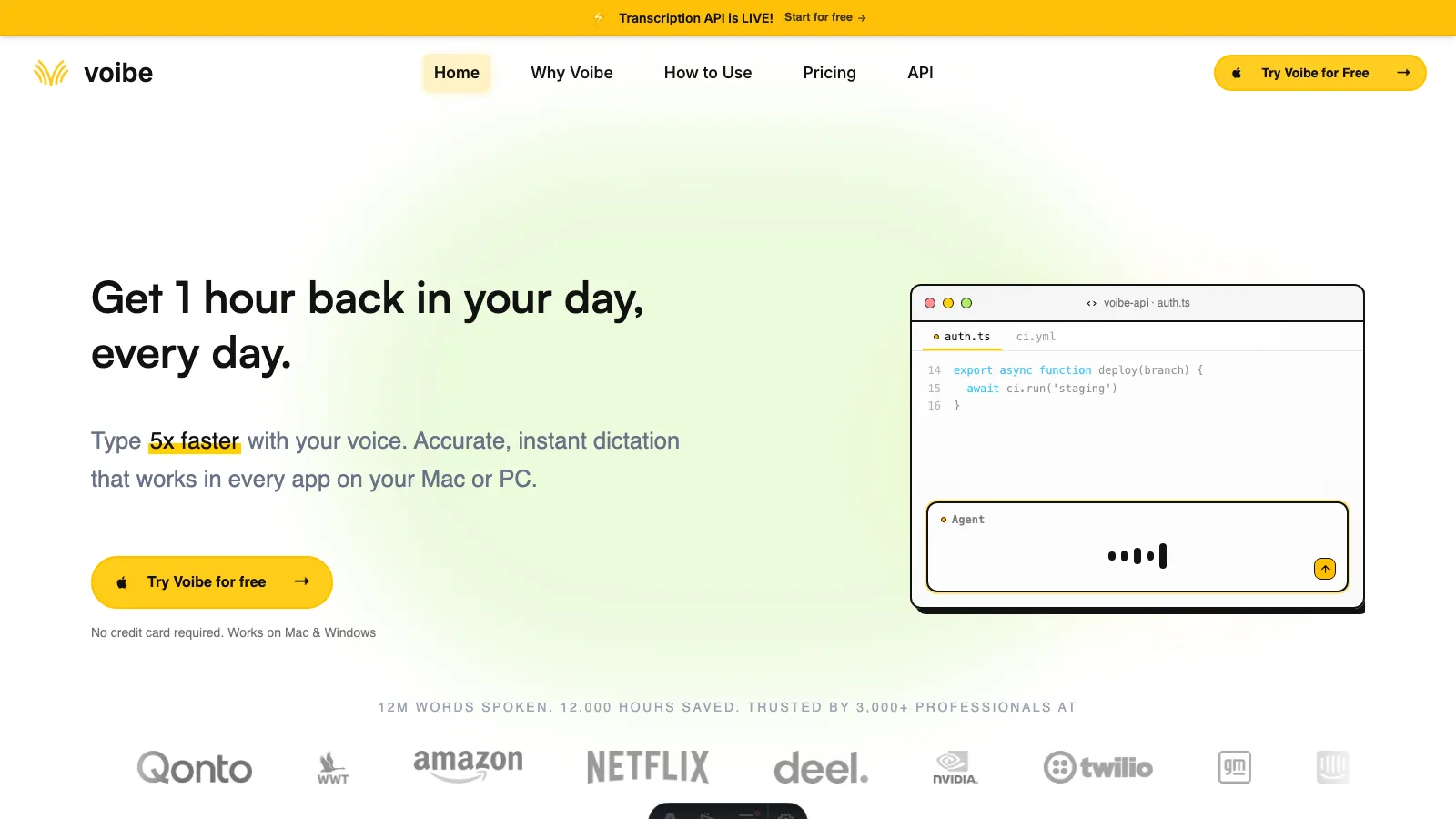
Voibe is private by design and runs on Mac and Windows. Pick fully on-device transcription (Apple Silicon M1 or later, nothing leaves your Mac) or Voibe's zero-retention cloud with open-source models - either way your audio is never stored, sold, or used to train AI. Never times out.
Built on OpenAI Whisper models, Voibe delivers 97%+ accuracy (based on OpenAI Whisper model benchmarks) with sub-300ms latency for real-time dictation speed. In on-device mode transcription happens entirely on your Mac; in cloud mode audio runs over an encrypted connection through open-weight models and is deleted the moment transcription completes. Either path protects medical records, legal documents, proprietary code, and confidential business information.
Hold a hotkey, speak, and release. Your words appear in desktop apps such as Cursor, VS Code, Slack, Notion, ChatGPT, and Linear on Mac and Windows. Beyond Push-to-Talk, Voibe adds Hands-Free mode on both platforms and Live Dictation on Mac, where words stream on screen in real time before you finalize them.
Developer Mode is Voibe's standout for engineers, and Apple Dictation has nothing like it. The Voibe IDE extension plugs into Cursor (flagship), VS Code, and Windsurf, reads your open workspace locally on your computer, and resolves spoken file names, folder paths, and identifiers: say "file main.ts" and it resolves main.ts, say "folder src/components" and it resolves src/components. It then attaches the mentioned files to AI chats like Cursor Composer and Copilot Chat. Only the paths and symbols are read, never the file contents.
Key Features
- Push-to-talk and hands-free on Mac and Windows, plus Live Dictation on Mac
- On-device mode: fully offline whisper-cpp transcription on Apple Silicon (nothing leaves your Mac), plus a zero-retention cloud mode with open-source models for Mac and Windows
- Developer Mode resolves file/folder names from workspaces in Cursor, VS Code, and Windsurf
- Works system-wide in desktop apps and browsers on Mac and Windows
- Memory expands spoken shortcuts into saved text, URLs, signatures, and prompts
- Custom dictionary for adding specialized terminology (technical, medical, legal, business)
- A separate Transcription API and MCP server transcribes audio files directly from Claude, ChatGPT, Codex, Cursor, or code, with speaker labels, timestamps, and a summary
Pros
- Private by design - your audio is never stored, sold, or used to train AI, protecting medical records, legal documents, proprietary code, and confidential business information (in on-device mode, nothing leaves your Mac)
- Sub-300ms real-time speed for instant dictation, with a fully on-device mode on Apple Silicon (M1/M2/M3/M4)
- Never times out (dictate for hours without interruptions)
- On-device mode works offline on planes, in secure facilities, or anywhere without internet connectivity
- Simple UX with push-to-talk Hotkey (e.g.Fn key) activation
- Custom dictionary lets you add specialized terms for your field (technical, medical, legal, business)
- Developer Mode bonus: resolves file/folder names from workspace in Cursor and Windsurf
- Lifetime plan available ($149 one-time, more affordable than Superwhisper at $249)
- Affordable pricing compared to enterprise alternatives
Cons
- The desktop app focuses on dictation; file transcription uses the separate API or MCP server
- No Linux or mobile app; Windows uses cloud mode and needs internet
Pricing
- Lifetime: $149 (one-time)
- Annual: $59/year
- Monthly: $7.50/month (billed monthly)
- All plans include: 7-day free trial, 30-day money-back guarantee
User Reviews
Voibe has a 4.8/5 stars rating on Product Hunt. Users consistently praise the instant real-time speed, complete privacy guarantees, custom dictionary, Memory, and Developer Mode.
Why Voibe is the Best Apple Dictation Alternative
Key point: Voibe solves every major Apple Dictation pain point with privacy + speed.
Privacy concerns? Private by design - your audio is never stored, sold, or used to train AI, and you can run fully on-device (Apple Silicon, nothing leaves your Mac) or use Voibe's cloud mode with open-source models. Zero retention on either path, safe for medical records, legal documents, proprietary code, and confidential business information.
Speed issues? Sub-300ms latency delivers instant real-time dictation. Words appear as you speak with no lag.
Timeout problem? Voibe never times out. Dictate for hours without interruptions.
Accuracy issues? 97%+ accuracy means 50% less editing than Apple's 90-92%.
Specialized terminology? Custom dictionary lets you add terms for your field (technical, medical, legal, business). Developer Mode bonus: resolves file/folder names in Cursor and Windsurf.
App compatibility? Works system-wide across desktop apps and browsers on Mac and Windows.
The lifetime plan at $149 is strong value (more affordable than Superwhisper's $249). If you dictate daily, it pays for itself in saved editing time within weeks.
Want to compare Voibe with other tools? See our detailed comparisons: Voibe vs Wispr Flow and Voibe vs Superwhisper.
Get started with Voibe to dictate privately on Mac or Windows.
Best For
Privacy-conscious professionals handling confidential content (medical, legal, business, government). Users needing real-time dictation speed without lag. Professionals frustrated with Apple Dictation timeouts. Mac and Windows users requiring system-wide dictation across desktop apps. Users dictating long-form content without interruptions. Bonus: developers who need file/folder name resolution in Cursor, VS Code, and Windsurf via Developer Mode.
The bottom line: Choose Voibe if you need private-by-design, real-time dictation with sub-300ms speed that never times out - fully on-device (Apple Silicon) or zero-retention cloud with open-source models, with your audio never stored, sold, or trained on. Ideal for protecting medical records, legal documents, proprietary code, and confidential business information.
2. Notta - Best for Meetings and Transcription
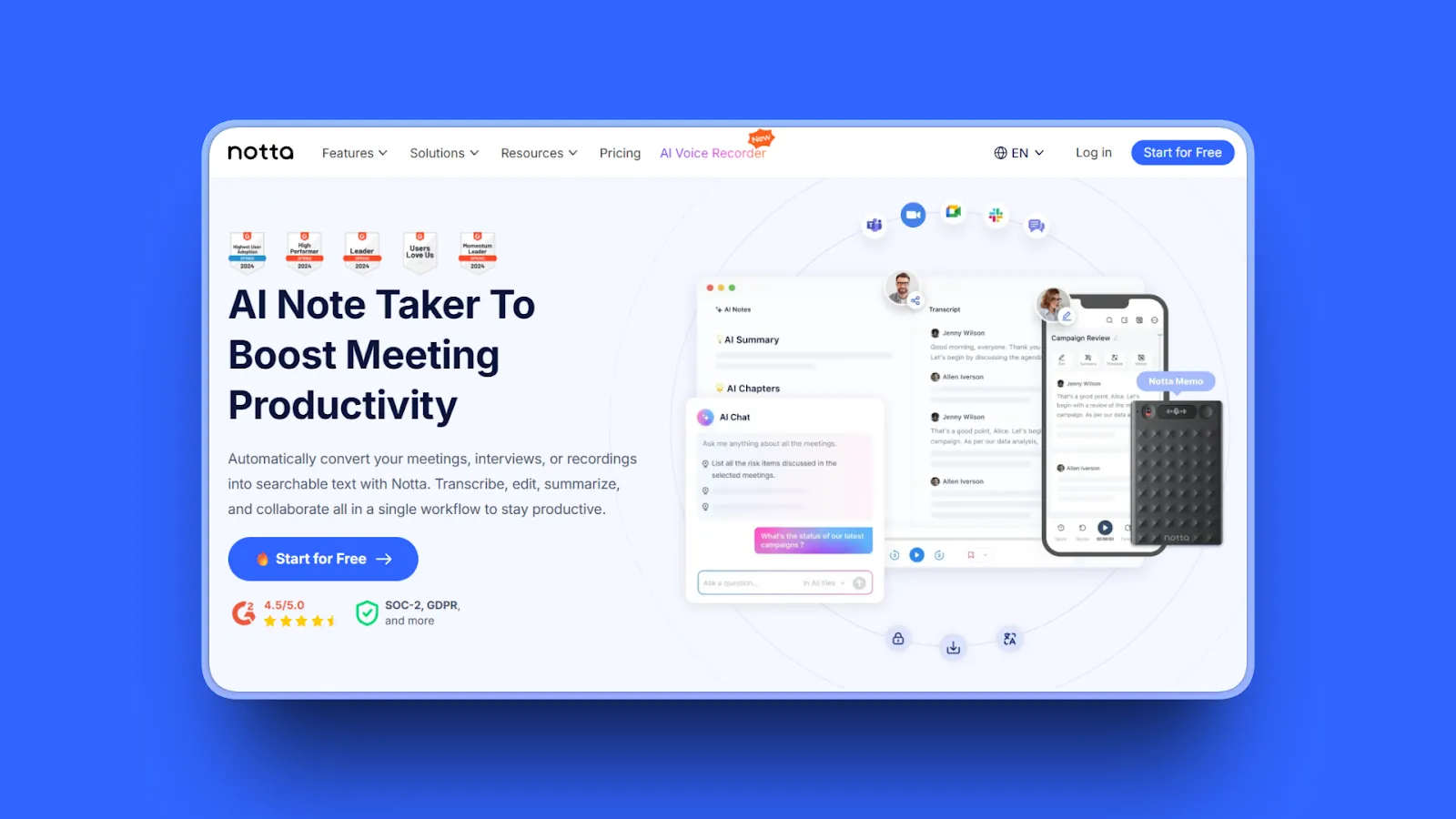
Notta is a cloud-based dictation and meeting transcription app that excels at recording and transcribing meetings, interviews, and long-form content as an alternative to Apple Dictation.
Notta reports 98.86% accuracy. G2 users (4.4/5 stars from 229+ reviews) consistently praise its transcription quality for meeting and interview use cases. It offers real-time transcription, speaker detection, and AI-generated summaries, making it ideal for professionals who need more than simple dictation. Supports 58 languages. Integrates with Zoom, Google Meet, and Microsoft Teams for automatic meeting transcription.
Key Features
- 98.86% transcription accuracy with strong performance on meetings and interviews
- Real-time transcription with live editable text during meetings
- Automatic speaker detection and labeling
- AI-generated summaries with action items and key points extraction
- Direct integration with Zoom, Google Meet, Microsoft Teams
- 58 languages supported with multilingual transcription
- Collaboration tools (share transcripts, add comments, highlight sections)
Pros
- Exceptional 98.86% accuracy (best-in-class for meetings)
- AI-powered features automatically generate summaries and action items
- Speaker detection identifies and labels different speakers accurately
- 58 languages with strong multilingual support and accent handling
- Meeting integrations join calls automatically
- Real-time live transcription with collaborative editing
- Enterprise-grade security controls
- Export options (Notion, TXT, Word, PDF, SRT)
Cons
- Cloud-based (audio processed on Notta servers, not on-device)
- Not true real-time dictation (designed for transcription, not typing)
- Internet required (cannot work offline)
- Free tier limited to 120 minutes/month
- Trustpilot rating low (2.1/5) with billing complaints
Pricing
- Free Plan: 120 minutes/month transcription, 3 minutes per file maximum
- Pro Plan: $8.25/month (billed annually) or $13.99/month (billed monthly), 1,200-1,800 minutes/month
- Business Plan: Tailored for teams with 6,000 monthly minutes, 4 hours per conversation
User Reviews
Notta has a 4.4/5 stars rating on G2. Users consistently praise high accuracy transcription, how it works well with heavy accents and seamless Zoom integration.
Best For
Professionals who transcribe meetings, interviews, and lectures. Teams needing collaborative transcription and meeting notes. Users who prioritize accuracy over privacy. Multilingual users (58 languages supported).
The bottom line: Choose Notta if meeting transcription accuracy and team collaboration matter more than on-device privacy.
3. MacWhisper - Best Offline Transcription Tool
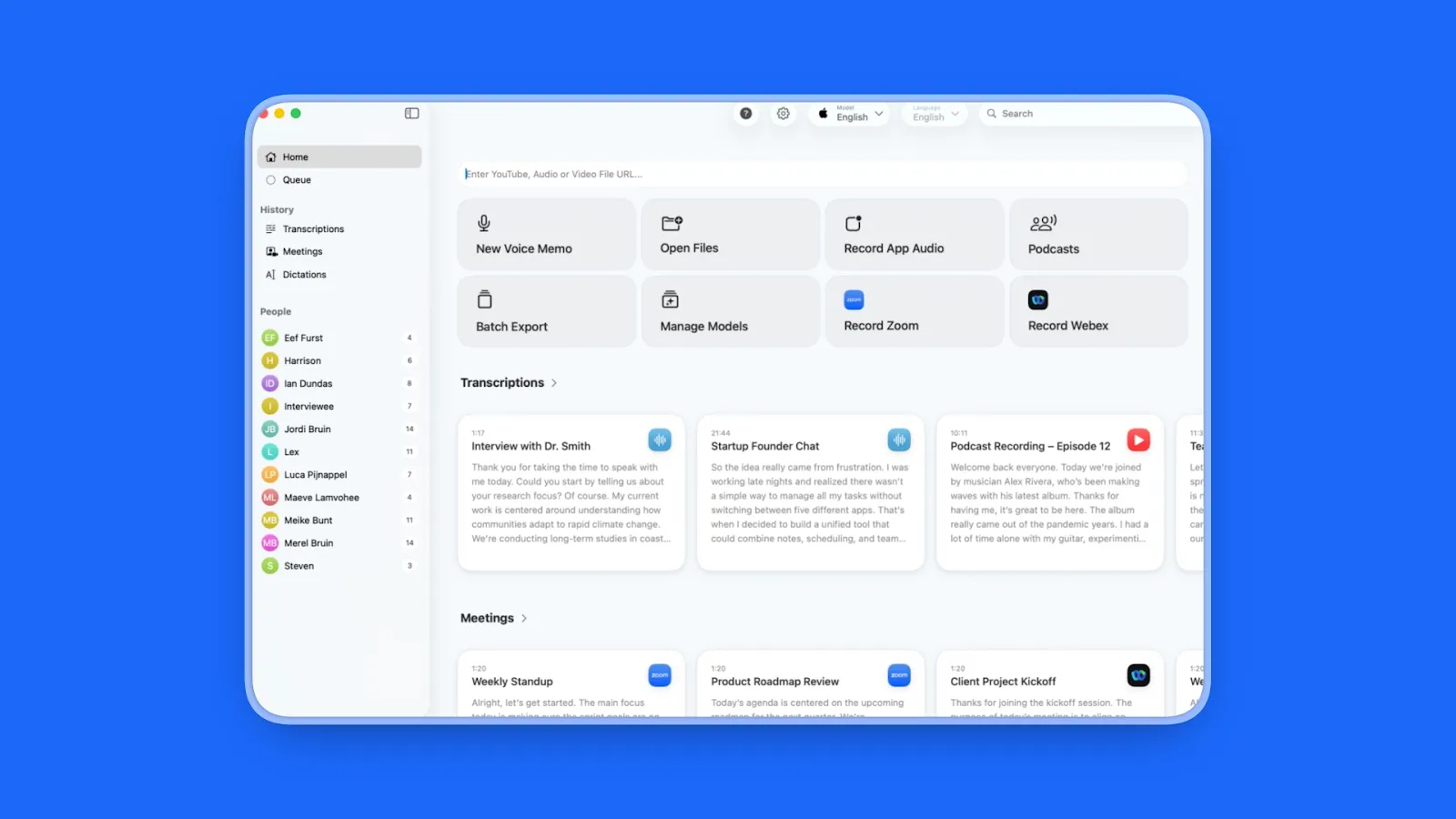
MacWhisper is a Mac app that brings OpenAI's Whisper AI model to your computer for completely private, offline audio transcription as an alternative to Apple Dictation.
Designed for transcribing audio files (recordings, podcasts, interviews) rather than real-time dictation. Runs entirely on your Mac. Supports multiple Whisper model sizes. Offers excellent accuracy for the price at €64 one-time.
Key Features
- 100% local processing with no cloud uploads
- Multiple model sizes (Tiny, Base, Small, Medium, Large)
- Batch transcription (process multiple audio files at once)
- Export to TXT, SRT, VTT formats
- Speaker grouping for multi-person recordings
- Real-time dictation mode available
- System-wide dictation with Whisper models
- Automatic meeting recording (Zoom, Teams, Webex, Skype, Discord)
Pros
- Complete privacy with 100% on-device processing
- Offline capable (no internet required after models downloaded)
- Affordable one-time purchase (€64 for Pro vs subscriptions)
- Accurate (OpenAI Whisper, 94-97% depending on model)
- Fast (MacWhisper documentation reports ~12x realtime on M4, transcribing a 1-hour recording in ~5 minutes)
- Native Mac app feel with clean interface
- 100+ languages supported
- 25% discount for journalists, students, non-profits
Cons
- NOT real-time dictation (designed for audio file transcription)
- Slower than cloud-based options (depends on Mac processor)
- No AI summaries, speaker detection, or meeting features
- Interface functional but not as polished as commercial alternatives
- Advanced features require paid Pro upgrade
Pricing
- Free Version: Includes Tiny and Base models, watermarked transcripts
- Pro Version: €64 one-time purchase (~$70 USD), all models included, no watermark, priority support
User Reviews
MacWhisper has a 4.9/5 rating on Product Hunt. Users describe it as "one of the best value for money tools" and praise "fast, accurate, and private on-device transcription."
Users consistently highlight the one-time purchase model and privacy-first approach as standout benefits.
Best For
Users who transcribe long audio recordings (podcasts, interviews, lectures). Privacy-conscious users requiring offline processing. One-time purchase preference over subscriptions. Users with existing audio files to transcribe (not live dictation).
The bottom line: Choose MacWhisper if you need offline transcription of audio files with complete privacy at a one-time cost of €64, though it's not designed for real-time dictation.
4. Wispr Flow - Best for AI-Powered Text Editing
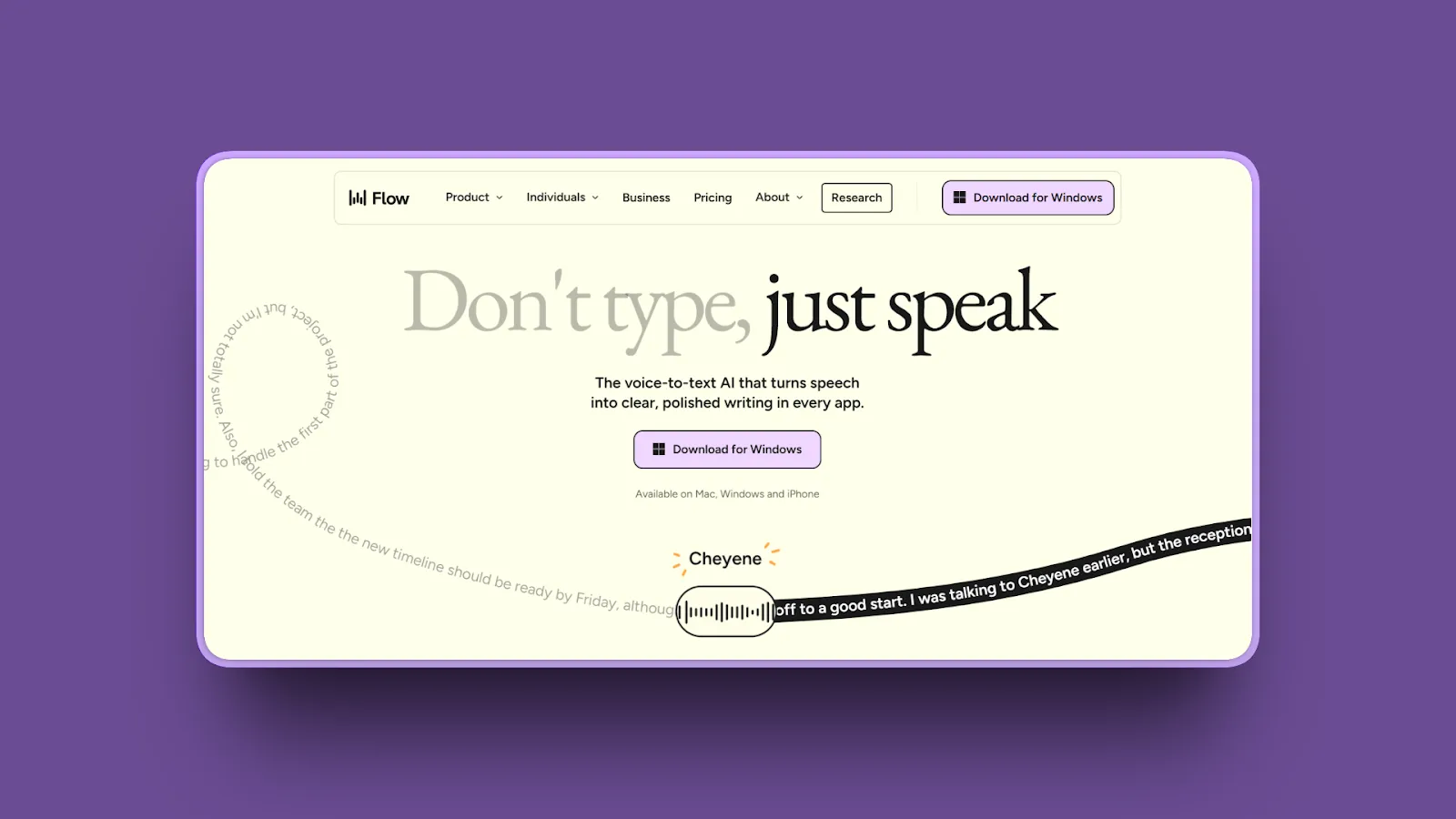
Wispr Flow is an AI-powered dictation app for Mac that goes beyond simple speech-to-text by automatically editing, formatting, and polishing your dictation as an alternative to Apple Dictation.
Removes filler words (umms, uhhs), fixes grammar mistakes, and adapts tone based on context (casual for Slack, professional for emails). Turns natural, conversational speech into polished, professional writing without manual editing.
Key Features
- AI auto-editing removes filler words and fixes grammar automatically
- Context-aware formatting adapts tone based on app (casual in Slack, formal in email)
- Extensive voice command system for formatting, navigation, editing
- System-wide support works across all Mac apps
- Fast cloud-based processing with minimal lag
- Learning system adapts to speaking style over time
- Cross-platform (Mac, Windows, iOS)
Pros
- AI editing automatically removes filler words and improves clarity
- Context-aware tone adjustment (casual vs professional)
- Superior multilingual support across dialects
- Fast processing speed with minimal transcription lag
- Cross-platform availability (Mac, Windows, iOS)
- Personal data usage toggle OFF by default (privacy commitment)
- Voice commands for advanced formatting and navigation
- Learning system improves with use
Cons
- Cloud-based processing (audio sent to Wispr servers, not on-device)
- Subscription required (no free tier, $12/month)
- Internet required (cannot work offline)
- Occasional over-editing (AI sometimes changes meaning)
- High RAM usage (~800MB even during idle)
- Some support responsiveness issues reported
Pricing
- Monthly: $15/month (billed monthly)
- Annual: $144/year ($12/month, billed annually)
- Free tier: 2,000 words/week
User Reviews
Wispr Flow has a 4.7/5 stars rating on Product Hunt. Users call it a "game-changer" and "must-have app."
Users consistently praise accuracy of multilingual scripts and dialects, smart formatting, and ability to replace most typing. Many users report Wispr Flow becoming essential to their daily workflow.
Best For
Users who speak conversationally and want polished output. Professionals writing emails, messages, and documents. Multilingual users (superior multilingual support). Users willing to trade privacy for convenience. People who struggle with filler words and grammar.
The bottom line: Choose Wispr Flow if you want AI-powered auto-editing that removes filler words and polishes your speech into professional writing, though it requires cloud processing.
5. Superwhisper - Best for Intelligent Workflow Automation
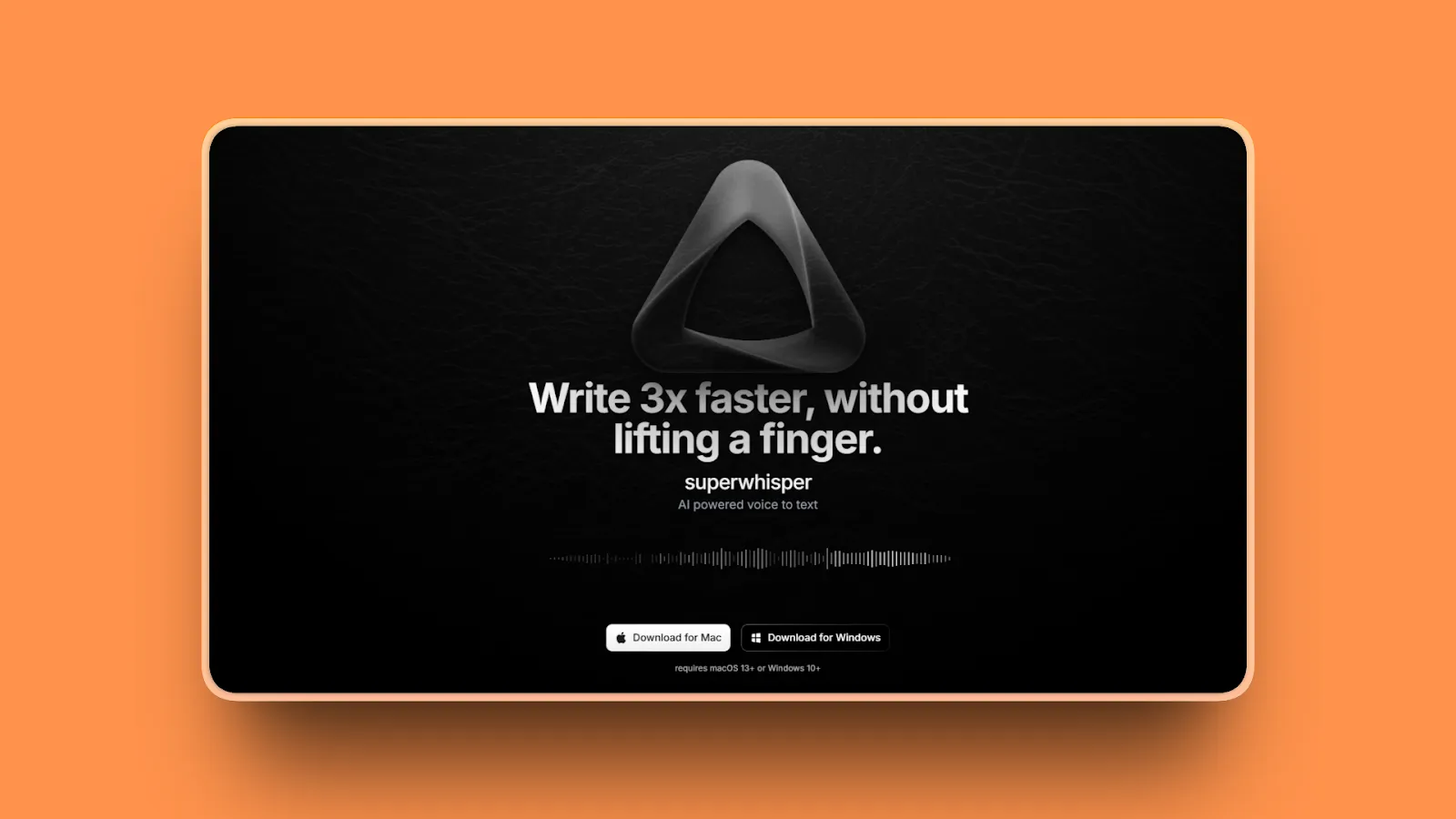
Superwhisper is a Mac and iOS dictation app that combines high-accuracy speech-to-text with intelligent workflow automation as an alternative to Apple Dictation.
The standout feature is the "modes" system: pre-built and customizable AI workflows that automatically format dictation for specific tasks like emails, code comments, meeting notes, or social media posts. For users who dictate repetitive content types, Superwhisper's automation saves significant time.
Key Features
- Intelligent modes system (pre-built workflows for emails, notes, code comments, social media)
- Custom workflows (create your own modes with custom formatting rules)
- 97%+ accuracy using advanced AI models
- Unlimited access to AI models (OpenAI, Anthropic, Deepgram, Groq)
- Complete offline operation available (voice data stays on computer)
- Robust text replacement and shortcuts for frequently used phrases
- 100+ languages and dialects supported
- Single license covers both Mac and iOS
Pros
- Intelligent modes automate formatting for specific tasks
- 97%+ accuracy across multiple languages (French, Spanish, English)
- Complete offline operation (voice data never leaves computer)
- Custom workflows with user-defined formatting rules
- Unlimited AI model access (OpenAI, Anthropic, Deepgram, Groq)
- Lifetime purchase option available ($249.99 one-time)
- Developer extremely responsive (active Discord community)
- Accessibility game-changer for users with physical disabilities
- Voice-controlled editing and navigation
Cons
- Higher pricing ($8.49/month or $249.99 lifetime)
- Learning curve for modes system configuration
- May be complex for users wanting simple dictation
- Mobile app needs improvement (currently in TestFlight)
- Cloud processing option available (user choice, not forced)
Pricing
- Free Plan: Limited features, basic dictation
- Pro: $8.49/month or $84.99/year (monthly equivalent: $7.08/month)
- Lifetime: $249.99 one-time purchase
- Free trial: 15 minutes access to all pro features, create up to 3 custom modes
User Reviews
Superwhisper has a 4.9/5 rating on Product Hunt. Users call it "easily the best voice-to-text software" and praise accuracy across French, Spanish, and English.
Best For
Power users who dictate repetitive content types. Users who want automation and workflow integration. Professionals willing to invest time in customization. Accessibility users (physical disabilities). Developers (custom modes for code comments, documentation).
The bottom line: Choose Superwhisper if you need intelligent workflow automation with custom modes for repetitive dictation tasks, though it requires more setup and has a higher price point ($249.99 lifetime).
6. VoiceInk - Best Open-Source Dictation Tool
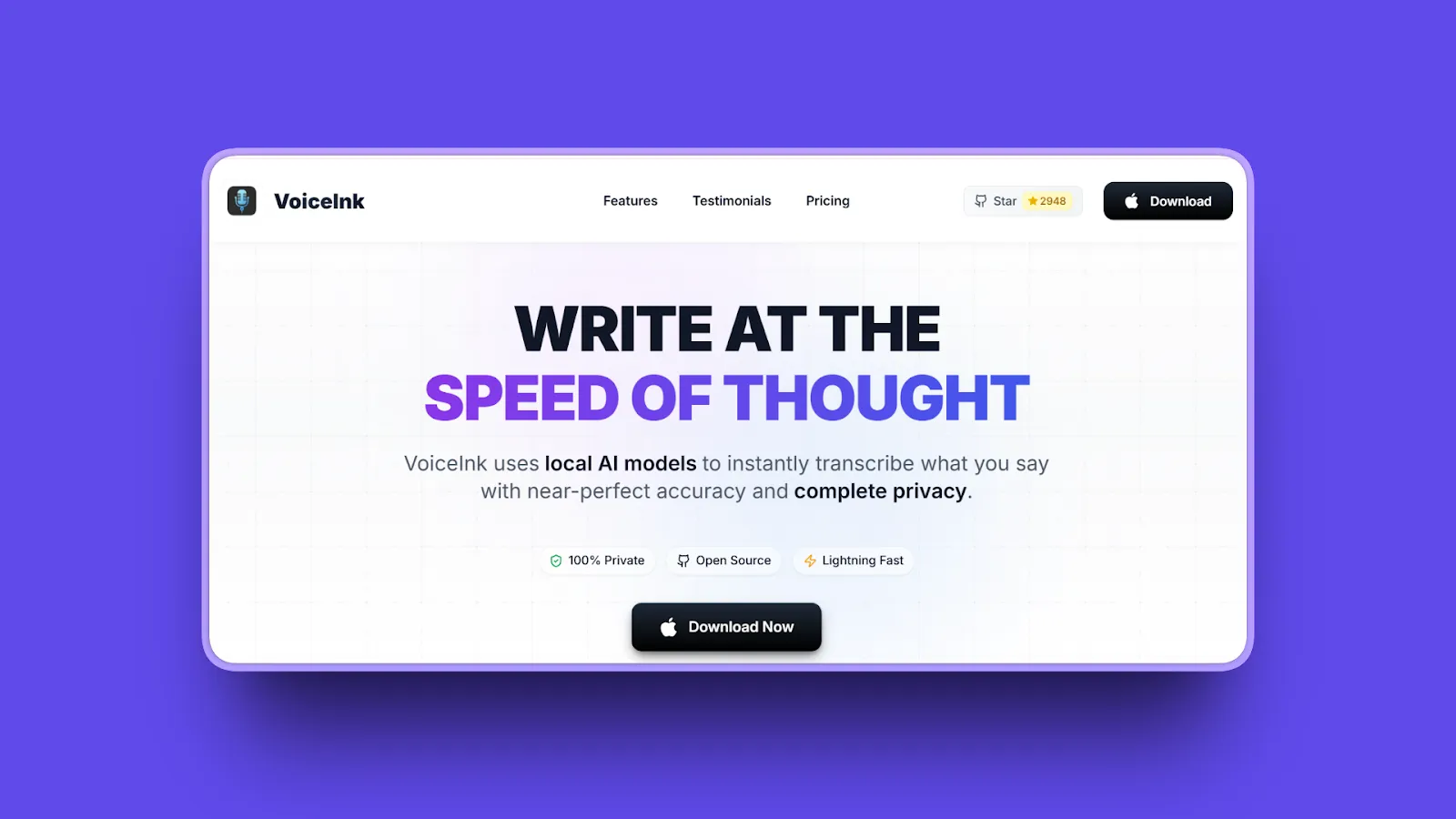
VoiceInk is an open-source dictation app for Mac that uses local AI models for fast, accurate, and completely private transcription as an alternative to Apple Dictation.
Open-source nature is a major strength: code is auditable, customizable, and free from vendor lock-in. Claims 99% accuracy. Works offline. Charges no subscription fee. For technically-inclined users who value transparency and control, VoiceInk is an excellent choice.
Key Features
- Open source (GPL v3.0, code available on GitHub)
- 100% local processing (no cloud uploads)
- 99% accuracy claimed (likely Whisper-based models)
- Almost instant transcription on Apple Silicon
- 100+ languages supported
- Power Mode with intelligent app detection
- Automatic pre-configured settings based on app/URL
- No telemetry or tracking
Pros
- Open source (GPL v3.0, fully auditable and customizable)
- Cheapest option ($39 one-time vs competitors at $250+)
- 100% local processing (audio never leaves Mac)
- No subscription (one-time purchase, no recurring fees)
- Fast processing (almost instant transcription on Apple Silicon)
- Active developer support on Discord
- Responsive to user feedback (suggestions implemented quickly)
- Privacy-first (no telemetry or tracking)
- Compilable from source for advanced users
Cons
- Best suited for developers/power users comfortable with open source
- Limited support (community-based, no dedicated customer service)
- Minimal UI (functional but not as polished as commercial apps)
- Parakeet local model doesn't work well for multi-language use
- Custom AI prompting limited to text reformatting only
- Only one dedicated AI assistant prompt (restricts multiple functions)
- Documentation requires reading GitHub docs and issues
Pricing
- Solo (1 device): $25 one-time
- Personal (2 devices): $39 one-time
- Extended (3 devices): $49 one-time
- No subscription fees
- Open source (GPL v3.0): can be built from source for free by advanced developers
User Reviews
VoiceInk has 4.8/5 stars rating on TenereTeam. Users praise "better than several competing apps that require a subscription" and "really good for mac with sleek interface and the cheapest with just 1 time payment."
Best For
Open-source enthusiasts. Privacy-focused users who want auditable code. Developers who may customize or extend functionality. Budget-conscious users ($39 vs $100+ alternatives). Users who prefer one-time purchases over subscriptions.
The bottom line: Choose VoiceInk if you want open-source, auditable code with complete privacy at the lowest price ($39 one-time), though support is community-based and UI is minimal.
7. Otter.ai - Best for Meeting Collaboration
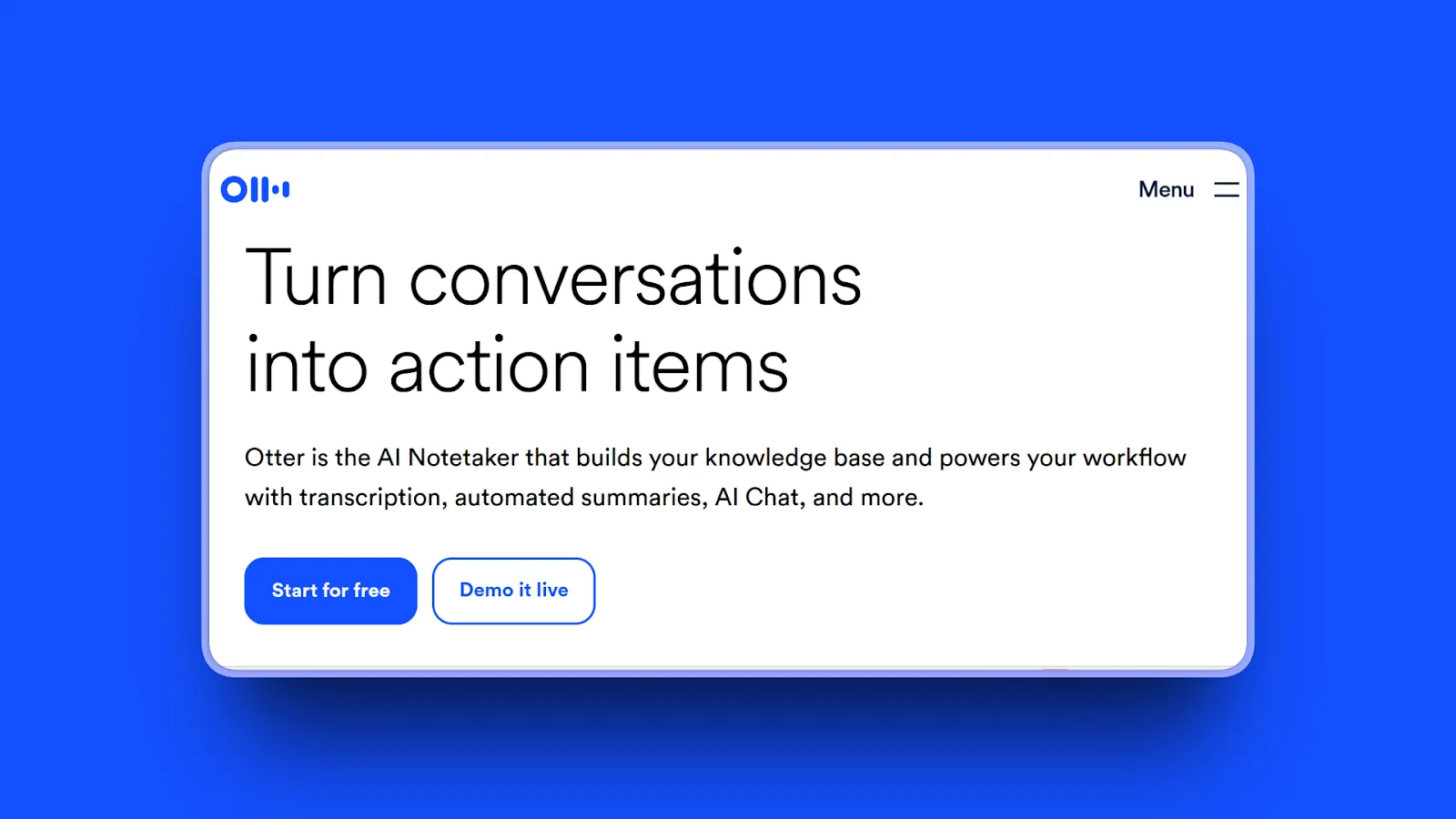
Otter.ai is a cloud-based meeting transcription and dictation service focused on team collaboration as an alternative to Apple Dictation.
While not a traditional dictation tool (you can't dictate as you type), Otter excels at joining meetings (Zoom, Google Meet, Teams), transcribing in real-time, and enabling teams to share, comment on, and search transcripts. Strength is collaboration features rather than personal dictation.
Key Features
- Automatically joins and transcribes Zoom, Google Meet, MS Teams meetings
- Real-time transcription with live editable text during meetings
- Speaker identification (automatically detects and labels speakers)
- Team collaboration (share transcripts, add comments, assign action items)
- Full-text search across all transcripts
- AI-generated meeting summaries with action-item capture
- Mobile apps (iOS and Android) for on-the-go transcription
- Integrations (Slack, Salesforce, Google Calendar)
Pros
- Team collaboration with centralized transcript repository
- Generous free tier (300 minutes/month)
- Seamless Zoom, Google Meet, Teams integration
- Real-time live transcription during meetings
- Share, comment, and assign action items
- Full-text search across all transcripts
- Mobile apps for iOS and Android
- Saves time by transcribing meetings accurately
Cons
- NOT traditional dictation (designed for meetings, not real-time typing)
- Lower accuracy (85-95% vs competitors at 97-99%)
- Cloud-based (all processing on Otter servers, privacy concern)
- Auto-punctuation often incorrect (requires editing)
- Ability to identify speakers "could use improvement"
- Handles standard English well but struggles with accents (African, Arabic, Somali, non-native French)
- Inconsistency in transcription accuracy
Pricing
- Free Plan (Basic): 300 monthly transcription minutes (reduced from 600), 30 minutes maximum per conversation
- Pro Plan: $16.99/month (billed monthly) or $8.33/month (billed annually), 1,200 minutes/month
- Business Plan: $30/month (billed monthly) or $20/month (billed annually), 6,000 monthly minutes
- Student/Teacher Discount: 20% off Pro plans with .edu email address
User Reviews
Otter.ai has 4.4/5 stars on G2. Users praise it as a "game-changer" for productivity with accurate transcripts and useful AI meeting summaries.
Best For
Teams needing meeting transcription and collaboration. Users attending frequent Zoom/Teams meetings. Organizations wanting a centralized transcript repository. Users comfortable with cloud processing. Budget users (generous free tier).
The bottom line: Choose Otter.ai if you need team collaboration features and meeting transcription with a generous free tier, though accuracy is lower than competitors and it's not designed for real-time dictation.
8. Google Docs Voice Typing - Best Free Browser-Based Option
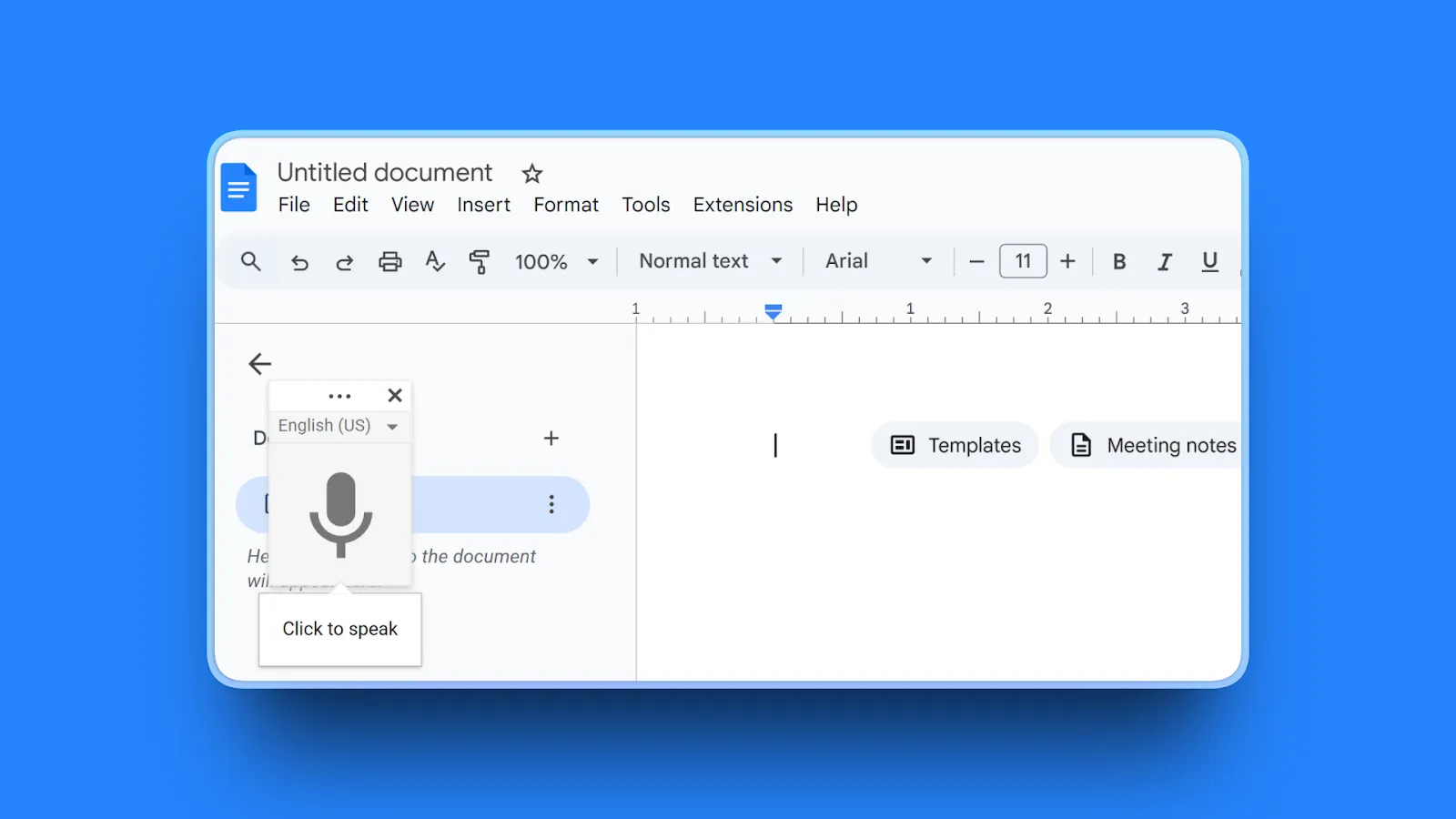
Google Docs Voice Typing is a free, browser-based dictation feature built into Google Docs as an alternative to Apple Dictation (accessed via Tools > Voice typing).
Offers surprisingly good accuracy for a free tool. Works entirely in your browser with no software installation. For users already in the Google ecosystem who only need dictation within Google Docs, this is a zero-cost option worth trying.
Key Features
- Completely free (no cost, no subscription, included with Google Docs)
- No installation required (works in Chrome browser)
- Good accuracy for built-in solution (~92-94%)
- Handles natural speech patterns reasonably well
- Voice commands for basic punctuation ("period", "comma", "new line")
- 100+ languages supported
- Multilingual dictation available
Pros
- Completely free with no hidden costs or subscriptions
- No installation (works instantly in Chrome browser)
- Surprisingly good 92-94% accuracy for free tool
- Handles natural speech and technical terminology better than expected
- 100+ languages supported
- Simple activation (Tools > Voice typing or Command+Shift+S)
- Decent performance in quiet environments
- No additional software download required
Cons
- Google Docs only (not system-wide, doesn't work in other apps)
- Chrome required (doesn't work in Safari, Firefox)
- Cloud processing (audio sent to Google servers, privacy concern)
- Internet required (cannot work offline)
- Limited formatting commands compared to dedicated tools
- No AI editing, summaries, or workflow automation
- Voice commands only available in English
- Account language and document language must match for commands
Pricing
Free (requires Google account)
User Reviews
Google Docs receives 4.7/5 stars on GetApp. Users highlight surprisingly accurate transcription (~92-94%) for a free, built-in tool with no setup required.
Best For
Users who work primarily in Google Docs. Budget-conscious users needing basic dictation. Students and casual users. Users comfortable with Google's privacy policies. Quick notes and drafts.
The bottom line: Choose Google Docs Voice Typing if you work exclusively in Google Docs and want free dictation with no installation, though it only works in Chrome and requires internet.
Comparison Table: Top Apple Dictation Alternatives
| Tool | AI Features | Standout Feature | Best For |
|---|---|---|---|
| Voibe | Private by design (on-device or zero-retention cloud with open-source models), sub-300ms real-time speed | Never times out, instant dictation, Developer Mode (Cursor, VS Code, Windsurf), audio never stored, sold, or trained on | Privacy-conscious professionals (medical, legal, business) and users needing real-time speed without lag |
| Notta | AI summaries, action items, speaker detection | 98.86% accuracy, 58 languages | Professionals who transcribe meetings, interviews, and lectures with speaker detection needs |
| MacWhisper | None (transcription focused) | €64 one-time, 100% offline | Users transcribing audio files offline with complete privacy at one-time cost |
| Wispr Flow | AI auto-editing, context-aware formatting | Removes filler words, adapts tone | Users who speak conversationally and want AI-polished professional writing output |
| Superwhisper | Custom workflow modes, AI enhancement | Intelligent automation, offline capable | Power users who dictate repetitive content types and want workflow automation |
| VoiceInk | Limited (text reformatting) | Open source, $39 one-time | Open-source enthusiasts and budget-conscious users who prefer one-time purchases |
| Otter.ai | Meeting summaries, action items | Team collaboration, centralized transcripts | Teams needing meeting transcription with collaboration features and centralized transcript repository |
| Google Docs Voice Typing | None | Free, no installation | Users who work primarily in Google Docs and want free dictation |
How to Choose the Right Apple Dictation Alternative
Question 1: What's Your Primary Use Case?
- Writing & Long-Form Content: Best options: Voibe (never times out, real-time speed, system-wide), Wispr Flow (AI editing)
- Meeting Transcription: Best options: Notta (98.86% accuracy, speaker detection), Otter.ai (team collaboration)
- Confidential/Sensitive Work: Best option: Voibe (private by design, fully on-device or zero-retention cloud with open-source models, never stored or trained on; protects medical, legal, business documents)
- Developer/Technical Work: Best option: Voibe (privacy + Developer Mode for file/folder name resolution in Cursor/Windsurf)
- Audio File Transcription: Best options: MacWhisper (offline, batch processing), Notta (accurate transcription)
- Quick Messages & Emails: Best options: Voibe (system-wide, instant speed), Wispr Flow (auto-formatting)
Question 2: How Important Is Privacy to You?
- Privacy is Critical (Medical, Legal, Sensitive Work): Best options: Voibe (private by design - run fully on-device on Apple Silicon, or zero-retention cloud with open-source models; audio never stored, sold, or trained on), MacWhisper, VoiceInk (on-device, no cloud uploads)
- Privacy is Important But Not Critical: Best options: Superwhisper, Wispr Flow (cloud processing but encrypted)
- Privacy is Not a Primary Concern: Options: Notta, Otter.ai, Google Docs Voice Typing (cloud-based, feature-rich)
Question 3: What's Your Budget?
- Free Only: Options: macOS Dictation, Google Docs Voice Typing, Microsoft Word Dictation (if subscribed), MacWhisper Free
- Under $10/month: Options: Voibe ($7.50/month, or $59/year billed annually), Notta ($8.25/month annual), Superwhisper Pro ($8.49/month)
- One-Time Purchase Preferred: Options: Voibe Lifetime ($149), MacWhisper Pro (€64), VoiceInk ($39), Superwhisper Lifetime ($249.99)
- Budget Not a Constraint: Choose based on features and use case (Voibe for privacy + speed, Notta for meetings)
Question 4: Do You Need Offline Support?
- Must Work Offline: Best options: Voibe (on-device mode, Apple Silicon M1+), MacWhisper, VoiceInk, macOS Dictation (M1+ Macs only)
- Offline Nice to Have: Consider: Voibe (fully offline in on-device mode), MacWhisper (fully offline)
- Online-Only Is Fine: Options: Notta, Otter.ai, Wispr Flow, Superwhisper
Question 5: What's Your Technical Expertise?
- Beginner (Want Simple, Works Immediately): Best options: Voibe (press Fn, speak, release), macOS Dictation, Google Docs Voice Typing
- Intermediate (Comfortable with Setup): Options: Wispr Flow, Superwhisper, Notta
- Advanced (Want Customization & Control): Best options: VoiceInk (open-source), MacWhisper, Superwhisper (custom modes)
Frequently Asked Questions
What is better than Apple Dictation on Mac?
The best Apple Dictation alternatives for Mac are Voibe (best for privacy-conscious users with 97%+ accuracy and sub-300ms real-time speed), Notta (best for meetings with 98.86% accuracy), and MacWhisper (best offline transcription tool). These alternatives offer higher accuracy, never timeout, and include advanced features like AI editing, speaker detection, and specialized vocabulary support that Apple Dictation lacks.
Is Apple Dictation good enough for work?
Apple Dictation is adequate for casual, occasional use (short messages, brief notes) but not recommended for professional work requiring high accuracy and long dictation sessions. It times out after 30-60 seconds, achieves only 90-92% accuracy, struggles with technical vocabulary, and lacks advanced features like AI editing or meeting transcription that professionals need.
What is the best free dictation software for Mac?
The best free dictation software for Mac is Google Docs Voice Typing (works in Chrome browser within Google Docs) and MacWhisper's free tier (offline transcription with watermarks). Google Docs Voice Typing offers surprisingly good accuracy (92-94%) for a free tool but only works in Google Docs. MacWhisper Free provides offline transcription with basic Whisper models.
Does Apple Dictation work offline?
Yes, Apple Dictation works offline on Apple Silicon Macs (M1, M2, M3, M4 and newer) with on-device processing, making it fast and private with no internet required. However, Intel Macs require an internet connection and send audio to Apple's servers for cloud processing, which raises privacy concerns for sensitive, confidential, or NDA-protected content.
What is the difference between Apple Dictation and speech-to-text?
"Apple Dictation" is Apple's specific speech-to-text implementation built into macOS, while "speech-to-text" is the general term for any technology that converts spoken words into written text. All dictation software (Apple Dictation, Voibe, Notta, etc.) uses speech-to-text technology, but they differ in accuracy, features, privacy, and capabilities.
What is the most accurate dictation software for Mac?
Notta claims the highest accuracy at 98.86%, followed by VoiceInk (99% claimed), Voibe (97%+), and MacWhisper (94-97% depending on model size). Apple Dictation achieves approximately 90-92% accuracy, which is lower than all dedicated alternatives.
Is Otter or Notta better for Mac?
Notta is generally better for Mac users, offering higher accuracy (98.86% vs Otter's 85-95%), better multilingual support (58 languages), and more accurate automatic punctuation. Otter has stronger team collaboration features and a more generous free tier (300 minutes/month vs Notta's 120), so choose Otter if collaboration matters more than accuracy.
Is Apple Dictation private and secure?
Apple Dictation is private and secure on Apple Silicon Macs (M1+) with on-device processing where audio never leaves your device. However, Intel Macs send audio to Apple's servers, which may raise privacy concerns for medical, legal, or confidential content. Use on-device alternatives like Voibe or MacWhisper for sensitive work.
How accurate is Apple Dictation compared to paid options?
Apple Dictation achieves approximately 90-92% accuracy (1 error per 10-12 words). Paid alternatives range from 97%+ accuracy (1 error per 20-100 words). Bottom line: Paid tools require 50-70% less editing time, saving significant time for users who dictate frequently or professionally.
What is the best dictation software for developers and programmers?
Voibe is the best dictation software for developers because your audio is never stored, sold, or used to train AI, includes Developer Mode that resolves file/folder names from your workspace in Cursor and Windsurf, and provides a custom dictionary for adding your own technical terms. Choose fully on-device transcription (Apple Silicon M1+) or zero-retention cloud with open-source models, with sub-300ms real-time speed.
Can I use dictation software for coding on Mac?
Yes, but dictation works best for code comments, docstrings, documentation, commit messages, and developer communication (Slack, Linear) rather than coding itself. Tools like Voibe let you add technical terms to a custom dictionary and include Developer Mode for file/folder name resolution, but typing is still more efficient for complex nested code, regular expressions, and precise syntax.
Why does Apple Dictation keep timing out?
Apple Dictation times out after 30-60 seconds on macOS to conserve resources - a built-in limitation with no fix. (Note: iOS/iPadOS 15+ removed timeout limits, but macOS still has this restriction.) For longer sessions, switch to Voibe, MacWhisper, or Wispr Flow.
What dictation app works with all Mac applications?
System-wide dictation apps that work in all Mac applications include Voibe, Wispr Flow, Superwhisper, and VoiceInk. These tools inject text at the system level wherever your cursor is located, unlike app-specific options like Google Docs Voice Typing.
Is there a lifetime license for Mac dictation software?
Yes, several Mac dictation tools offer lifetime licenses as an alternative to subscriptions. Options include Voibe ($149 lifetime), MacWhisper Pro (€64 one-time), VoiceInk ($39 one-time), and Superwhisper Lifetime ($249.99), avoiding subscription fatigue for users who prefer one-time purchases.
Is paid dictation software worth the cost?
Yes, paid dictation software is worth the cost if you dictate frequently (1+ hours/week) or professionally. A tool with 97% accuracy vs 90% accuracy saves approximately 10-15 minutes of editing time per hour of dictation. This translates to 50-75 minutes saved per week or 40-65 hours annually. Bottom line: Even a $100/year subscription is extremely cost-effective for productivity gains.
Final Thoughts
Apple Dictation is adequate for casual users with light dictation needs. On Apple Silicon Macs (M1+), it runs on-device with offline support.
But if you're frustrated by timeouts, poor accuracy with technical terms, or missing advanced features, there are excellent alternatives in 2026.
For Privacy-Conscious Users: Voibe is the clear winner. Private by design - your audio is never stored, sold, or used to train AI - with a choice of fully on-device transcription (Apple Silicon M1+) or zero-retention cloud with open-source models, protecting medical records, legal documents, proprietary code, and confidential business information. Sub-300ms real-time speed delivers instant dictation without lag. 97%+ accuracy and no timeouts. Runs on every Mac (Intel and Apple Silicon), system-wide across every app. Bonus: Developer Mode resolves file/folder names in Cursor and Windsurf. The $149 lifetime plan is more affordable than Superwhisper ($249) and pays for itself in saved editing time within weeks.
For Meeting Transcription: Notta leads with 98.86% accuracy, speaker detection, AI-powered summaries, and integration with Zoom, Google Meet, and Microsoft Teams.
For Offline Transcription: MacWhisper provides completely private, offline audio file transcription using local OpenAI Whisper models at €64 one-time.
Speaking is 3x faster than typing. According to a Stanford University study, speech reaches 161 WPM vs keyboard 53 WPM. Higher accuracy tools like Voibe (97%+) save 50% editing time compared to Apple Dictation (90-92%). Learn more about why talking beats typing for productivity.
More dictation guides
9 Best Wispr Flow Alternatives in 2026 (Actually Compared)
A current comparison of 9 Wispr Flow alternatives across privacy, security, reliability, offline use, AI cleanup, platforms, and pricing.
11 Best Superwhisper Alternatives in 2026 (Reviewed)
Compare 11 Superwhisper alternatives in 2026. In-depth reviews of privacy, pricing, accuracy, and performance for Mac and Windows dictation tools.
11 Best Willow Voice Alternatives 2026 (Reviewed)
Compare 11 Willow Voice alternatives in 2026. Explore offline dictation tools with detailed reviews of privacy, lifetime pricing, and Mac performance.
12 Best Dragon Dictation Alternatives in 2026 (Reviewed)
Compare 12 Dragon alternatives in 2026. Detailed reviews from free to $249 covering privacy, accuracy, lifetime pricing for Mac and Windows users.
10 Best MacWhisper Alternatives In 2026 (Reviewed)
Compare 10 MacWhisper alternatives in 2026. Explore offline and real-time dictation tools with detailed reviews of privacy, speed, pricing, and accuracy for Mac users.
11 Best Aqua Voice Alternatives for Mac Dictation (2026)
Discover 11 Aqua Voice alternatives with offline access, privacy-first tools, and one-time pricing. Compare Mac dictation apps that work on your terms.
9 Best Monologue Alternatives (Reviewed)
Compare 9 Monologue alternatives across privacy, pricing, and platforms. From Voibe on Mac and Windows to Wispr Flow and free picks.
11 Best Typeless Alternatives: Privacy, Pricing, and Features
Typeless alternatives compared: 11 voice dictation tools ranked by privacy architecture, pricing model, and features. Find the best fit for your workflow.
Best Dictation Apps in 2026: Offline, Private & Accurate
We tested 10 dictation apps for accuracy, privacy, speed, and price across Mac and Windows, including on-device and zero-retention cloud options.
Why Talking to AI Changes Everything
Talking preserves more of your real intent than typing, which helps models get it right on the first try. Practical tips, research references, and an FAQ.
Get Started with Voibe
Experience dictation that never times out, includes a custom dictionary for your specialized terms, and keeps your data completely private.
Try Voibe for freeRequires macOS 14.4+ (Apple Silicon recommended)