
10 Best MacWhisper Alternatives In 2026 (Reviewed)
TL;DR
MacWhisper offers offline transcription but lacks real-time dictation capabilities. This guide covers 10 alternatives including Voibe (best for private-by-design speed with a fully on-device mode on Apple Silicon), Whisper Notes ($4.99 lifetime, same engine), and Wispr Flow (AI-powered dictation).
MacWhisper opened the doors for AI-powered transcription on Mac and for a while it felt like magic. Drop an audio file in, hit transcribe, and suddenly your words appear on screen. But there is a catch. When you try to use it for real-time dictation, the magic fades. You speak, you wait, and somewhere in that pause, your thoughts drift away.
It is not that MacWhisper is bad, it is just built for file transcription and not for the fast-moving flow of live ideas. Throw in the $79.99 Pro price, the 8GB or more RAM requirement, and limited cross-platform support, and convenience starts to feel like friction.
If you are a developer coding by voice, a researcher handling interview recordings, a writer capturing ideas as they come, or a podcaster needing fast and accurate transcripts, you need a tool that keeps pace with you, not the other way around.
After researching dozens of MacWhisper alternatives, we have narrowed it down to 10 tools that actually deliver. Some focus on privacy, others on AI-assisted speed, and a few balance features with budget-friendly pricing. Here is what is worth your time.
Top Picks
| Tool | Best For | Key Strength |
|---|---|---|
| Voibe | Privacy-conscious professionals needing speed | Private-by-design dictation at sub-300ms latency, with a fully on-device mode on Apple Silicon |
| Whisper Notes | Budget-conscious users | Same Whisper engine at $4.99 (16x cheaper than MacWhisper Pro) |
| Wispr Flow | Polished, publication-ready output | AI-powered tone matching and context-aware formatting |
| VoiceInk | Maximum privacy | Explicitly no internet required, zero data collection |
| Aqua Voice | Speed and reliability | 5/5 stars for accuracy and responsiveness |
Key Takeaways
- MacWhisper excels at file transcription but lacks real-time dictation capabilities, making it unsuitable for workflows requiring instant voice-to-text
- Privacy-focused alternatives like VoiceInk and Whisper Notes process everything locally with 100% offline operation, while Voibe keeps your audio private by design (never stored, sold, or trained on) with a fully on-device mode on Apple Silicon
- Speed matters: Voibe delivers sub-300ms latency for instant dictation, eliminating the wait that disrupts MacWhisper workflows
- Budget-conscious users can save $75+ with alternatives like Whisper Notes ($4.99) or BetterDictation ($39 lifetime) that use the same Whisper engine
- The best alternative depends on your priorities: privacy + speed (Voibe, VoiceInk), AI features (Wispr Flow, Aqua Voice), or budget (Whisper Notes, BetterDictation)
Get started with Voibe to experience instant, private dictation on any Mac, with a fully on-device mode on Apple Silicon.
Ready to find your perfect MacWhisper alternative? Let's dive in.
MacWhisper vs Traditional Dictation Software: What's the Difference?
MacWhisper belongs to a new category of AI-powered transcription apps using OpenAI's Whisper technology. Traditional dictation software like Dragon NaturallySpeaking or built-in Mac dictation uses older speech recognition models designed for real-time streaming dictation.
The fundamental difference: MacWhisper processes pre-recorded audio files in batches, while traditional dictation converts speech to text instantly as you speak. According to Stanford University research, speech recognition is three times faster than typing for text entry, making real-time dictation tools increasingly popular for productivity-focused professionals.
| Feature | AI Transcription (MacWhisper) | Traditional Dictation Software |
|---|---|---|
| Processing | File-based batch transcription | Real-time streaming dictation |
| Accuracy | High (Whisper AI models) | Variable (older speech recognition) |
| Privacy | Fully offline (local processing) | Often cloud-based (Dragon cloud) |
| Use Case | Audio file conversion, podcasts | Live document dictation, emails |
| Pricing | One-time ($79.99 Pro) | Subscription or expensive license ($300+) |
Key point: MacWhisper revolutionized offline transcription with Whisper's high accuracy, but when you need to think out loud while writing, the file-based workflow creates friction that real-time dictation tools solve.
The Real Problems with MacWhisper
Pain Point 1: Designed for Files, Not Real-Time Dictation
MacWhisper is architecturally built for transcribing audio files, not live dictation. When you need to think out loud while writing, the file-based workflow breaks your creative flow. You record, wait for processing, then copy-paste results.
Modern dictation tools like Voibe eliminate this friction with instant voice-to-text at your cursor position. Press the hotkey (Fn key), speak, release, and your words appear exactly where you need them.
Pain Point 2: Complex Setup and High Hardware Requirements
MacWhisper recommends 8GB+ RAM to run Medium or Large Whisper models effectively. On 8GB systems, users report crashes or severely slowed performance. The setup demands navigating various configurations, which is daunting for non-technical users.
Alternatives like Whisper Notes and Voibe work immediately with optimized processing. No model selection, no configuration paralysis.
Pain Point 3: Premium Pricing for Core Features
MacWhisper Pro costs $79.99 lifetime for features like batch transcription, higher quality models, and speaker identification. While the free version exists, it limits you to Tiny, Base, and Small models with notably lower accuracy.
Alternatives like Whisper Notes ($4.99 lifetime) or Voibe ($149 lifetime) offer better value with the same or better Whisper models.
Pain Point 4: Mac-Only Platform Limitation
MacWhisper is exclusively for macOS. If you work across iPhone, iPad, or need a web-based solution for team collaboration, you'll need separate tools.
Cross-platform alternatives like Whisper Notes (iOS + Mac in one purchase) or web-based options like TurboScribe provide flexibility MacWhisper can't match.
Pain Point 5: Limited AI-Powered Editing and Formatting
MacWhisper transcribes accurately but doesn't help with post-transcription cleanup. You manually fix punctuation, formatting, and errors.
AI-enhanced alternatives like Wispr Flow and Aqua Voice add context-aware corrections, automatic formatting, and tone matching that reduce editing time significantly. For a comprehensive comparison of the best dictation apps, see our detailed guide — or read why talking beats typing for speed and intent.
How Modern MacWhisper Alternatives Solve These Problems
MacWhisper's core limitations (file-based workflows, complex setup, premium pricing, Mac-only platform, and limited AI editing) create gaps that modern alternatives address with these solutions:
Solution 1: Real-Time Dictation Workflows
Modern alternatives like Voibe and Superwhisper are built for live dictation. Press a hotkey (Voibe uses Fn key), speak, release, and your words appear instantly at your cursor position in any application.
No file exports, no copy-pasting. Voibe's Developer Mode enhances IDE workflows by automatically resolving file and folder names when working in Cursor or Windsurf.
Solution 2: Plug-and-Play Simplicity
Tools like Whisper Notes and VoiceInk work immediately after download with no configuration required. Voibe optimizes processing automatically based on your hardware, while Whisper Notes uses the same Large-v3 Turbo engine as MacWhisper Pro without requiring manual model selection.
Zero setup complexity means you start dictating in seconds, not after an hour of configuration.
Solution 3: Competitive Lifetime Pricing
Budget-friendly alternatives deliver exceptional value. Whisper Notes costs $4.99 lifetime (16x cheaper than MacWhisper Pro), BetterDictation offers $39 lifetime offline dictation, and Voibe offers $149 lifetime with advanced features.
These lifetime plans eliminate recurring subscription costs while offering equal or superior features like privacy-first design and, in Voibe's case, a fully on-device mode on Apple Silicon.
Solution 4: Cross-Platform Availability
Whisper Notes includes Mac + iOS in one $4.99 purchase. TurboScribe works on any device with a web browser. Otter.ai syncs across all platforms.
These alternatives eliminate the "Mac-only" limitation for users working across multiple devices or teams.
Solution 5: AI-Powered Post-Processing
Wispr Flow and Aqua Voice add AI-driven error correction, automatic punctuation, and text structuring for polished output.
These tools transform raw speech into publication-ready text, cutting editing time by 50%+ compared to manual cleanup after MacWhisper transcription.
In summary: Modern alternatives address MacWhisper's limitations through real-time dictation workflows, plug-and-play simplicity, competitive pricing (60%+ savings), cross-platform availability, and AI-powered post-processing.
What Actually Matters in MacWhisper Alternatives?
1. Privacy Architecture: Local vs. Cloud Processing
What to look for: 100% offline local processing vs. optional cloud vs. cloud-only.
Why it matters: If you're transcribing sensitive content (medical interviews, legal depositions, proprietary research), cloud-based processing creates compliance and privacy risks. According to HHS HIPAA guidelines, offline local processing eliminates data breach risks associated with cloud transcription services. Look for tools explicitly stating "no internet required" and "no data collection."
VoiceInk offers zero cloud dependency with a local-only architecture, and Voibe is private by design: your audio is never stored, sold, or used to train AI, with a fully on-device mode available on Apple Silicon.
2. Use Case Alignment: File Transcription vs. Real-Time Dictation
What to look for: Is the tool designed for transcribing pre-recorded files or live dictation while you work?
Why it matters: MacWhisper excels at file transcription but fails at real-time dictation. If you need voice-to-text for writing emails, coding, or document creation, choose dictation-first tools like Voibe, Wispr Flow, or Superwhisper that integrate into your workflow without interrupting creative flow.
3. AI Enhancement vs. Raw Transcription
What to look for: AI-powered error correction, formatting, tone matching, and context awareness vs. basic speech-to-text.
Why it matters: Raw Whisper transcription is accurate but requires manual cleanup for punctuation, formatting, and errors. AI-enhanced tools like Wispr Flow (adapts to your tone and writing style) and Aqua Voice (5/5 stars on Product Hunt for accuracy and reliability) reduce editing time from minutes to seconds.
4. Pricing Model and Long-Term Value
What to look for: One-time purchase vs. monthly/annual subscription vs. usage-based credits.
Why it matters: Long-term costs vary dramatically. MacWhisper Pro is $79.99 lifetime. Whisper Notes is $4.99 lifetime (16x cheaper). Voibe offers $149 lifetime for advanced features.
Lifetime plans eliminate recurring costs. Subscriptions like Otter.ai ($16.99/month = $203.88/year) accumulate to $407.76 over two years, while lifetime purchases remain a one-time investment. Calculate total cost of ownership when comparing options.
5. Platform Support and Ecosystem Integration
What to look for: macOS-only vs. cross-platform (iOS, Windows, Web), single-app vs. system-wide dictation.
Why it matters: If you work across devices or in teams, Mac-only tools create workflow friction. Whisper Notes includes iOS + Mac in one purchase. Voibe works system-wide in any application. Web-based options like TurboScribe enable team collaboration and device flexibility.
6. Setup Complexity and Learning Curve
What to look for: Plug-and-play vs. technical configuration required, immediate use vs. training period.
Why it matters: MacWhisper requires navigating model selection, hardware requirements, and configuration. Non-technical users need tools that work immediately.
VoiceInk explicitly states "no internet required" and works out-of-the-box. Voibe optimizes processing automatically without manual setup.
7. Developer-Specific Features (For Technical Users)
What to look for: Code syntax recognition, technical terminology accuracy, IDE integration, custom vocabulary.
Why it matters: Generic dictation tools struggle with code, API names, and technical terms. According to the Stack Overflow 2025 Developer Survey, 54% of developers use six or more tools to complete their jobs, which adds context-switching overhead to an already complex development process, making real-time dictation tools valuable for maintaining flow state. Voibe's Developer Mode optimizes for coding workflows in Cursor and Windsurf by automatically resolving file and folder names from your workspace, eliminating manual file selection when prompting AI assistants.
Bottom line: The best MacWhisper alternative depends on your priorities. Privacy-focused professionals want tools that keep audio private by design (Voibe) or fully offline (VoiceInk), budget-conscious users want lifetime deals (Whisper Notes, BetterDictation), and developers benefit from workflow optimization (Voibe's Developer Mode for IDE file resolution).
Best MacWhisper Alternatives (Ranked)
1. Voibe: Best for Privacy + Speed
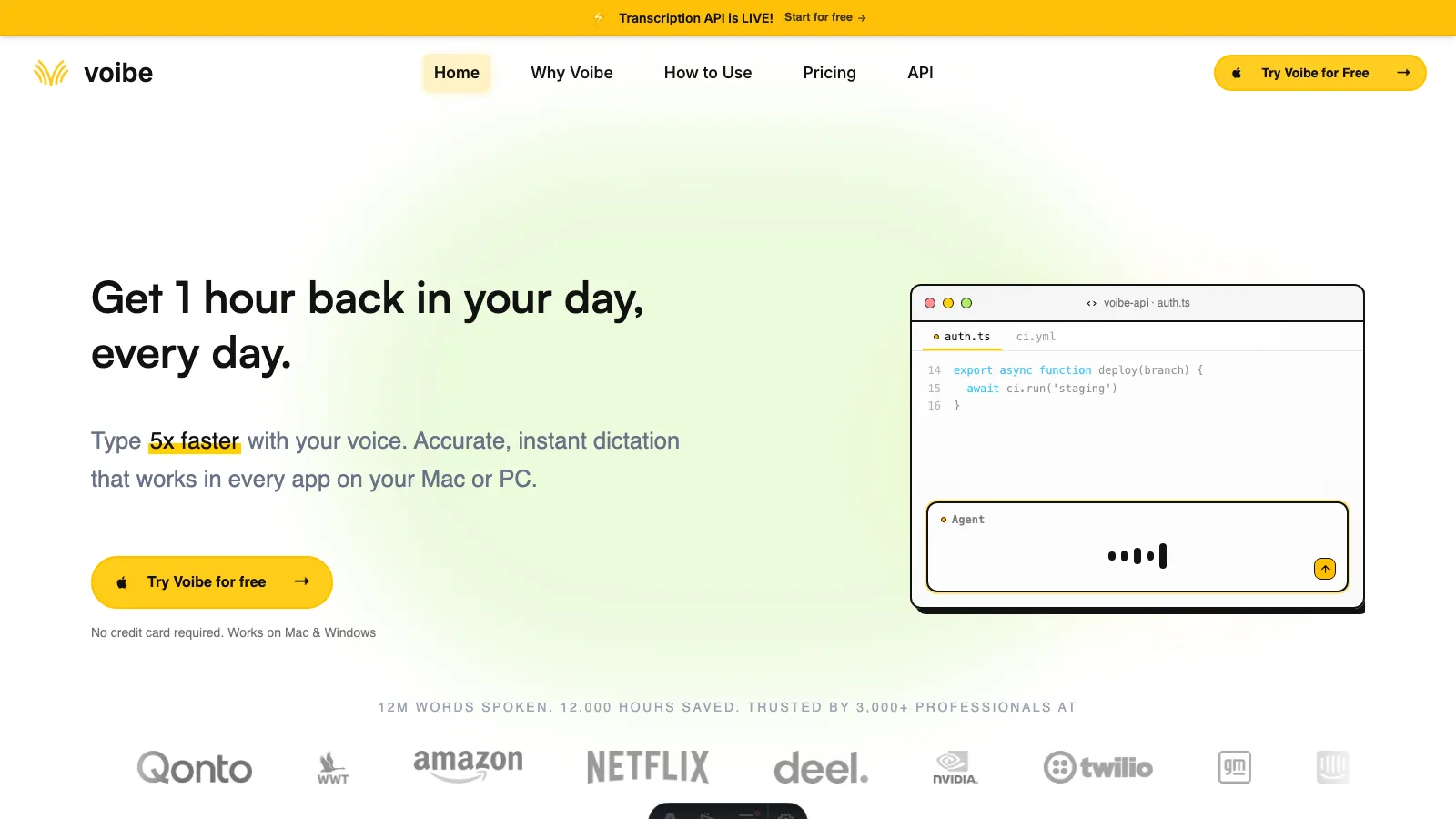
Voibe delivers instant dictation without compromising privacy. With sub-300ms latency, it gives you a choice: a fully on-device mode on Apple Silicon (M1 or later) where nothing leaves your Mac, or a zero-retention cloud mode with open-source models that runs on Mac and Windows where your audio is never stored, sold, or used to train AI. At $149 lifetime, Voibe protects confidential content (medical, legal, business) while enabling instant dictation across any Mac application.
Key Features
- Sub-300ms latency for instant dictation without lag or waiting
- Fully on-device mode on Apple Silicon (M1+) where nothing leaves your Mac, or zero-retention cloud mode with open-source models on Mac and Windows where audio is never stored, sold, or used to train AI
- Push-to-talk and hands-free on Mac and Windows, plus Live Dictation on Mac
- Custom dictionary for specialized terminology (medical, legal, technical, business)
- Developer Mode for coding workflows (resolves file/folder names in Cursor and Windsurf)
- Memory expands spoken shortcuts into saved text, URLs, signatures, and prompts
- A separate Transcription API and MCP server transcribes audio files directly from Claude, ChatGPT, Codex, Cursor, or code, returning speaker labels, timestamps, and a summary
- One-time lifetime purchase ($149) with no recurring subscription costs
- Runs on Mac and Windows; on-device mode requires Apple Silicon (M1 or later)
Pros
- Sub-300ms latency delivers instant dictation with zero lag or waiting between speaking and text appearing
- Private by design: audio never stored, sold, or used to train AI, with a fully on-device mode on Apple Silicon for confidential medical, legal, and business work
- $149 lifetime adds real-time speed for a premium over MacWhisper Pro (instant dictation vs file-based workflow)
- Works immediately with zero setup complexity or configuration required
- System-wide functionality in any Mac application unlike file-based MacWhisper workflow
- Custom dictionary recognizes specialized terminology instantly (medical, legal, technical terms)
- Hotkey (Fn key) architecture enables instant dictation at cursor position in any app
- Automatic punctuation and capitalization reduce manual editing
Cons
- Newer product with smaller user community compared to established alternatives
- No Linux or mobile support (Mac and Windows only)
Pricing
- Lifetime: $149 one-time
- Annual: $59/year
- Monthly: $7.50/month
- Free trial: 7-day free trial, 30-day money-back guarantee
User Reviews
Voibe has a 4.8/5 rating on Product Hunt with positive feedback from users and developers praising it as an "incredible product" that saves significant time in their daily AI workflows.
Why Voibe is the Best MacWhisper Alternative
Voibe solves MacWhisper's two core limitations: speed and workflow friction.
Speed
MacWhisper's file-based transcription creates waiting and interruption. Voibe delivers sub-300ms latency. You press the hotkey (Fn key), speak, release, and your words appear instantly at your cursor. No recording, no exporting, no copy-pasting. For privacy-conscious professionals who dictate patient notes, legal briefs, or confidential business documents throughout the day, this speed transforms productivity.
Privacy
MacWhisper processes 100% offline, and Voibe gives you a choice built for sensitive content: a fully on-device mode on Apple Silicon (M1 or later) where nothing leaves your Mac, or a zero-retention cloud mode with open-source models that runs on Mac and Windows where your audio is never stored, sold, or used to train AI. Either way, medical, legal, and business professionals keep confidential content protected. At $149 lifetime (vs. MacWhisper Pro's $79.99 lifetime), Voibe delivers instant dictation with a durable privacy promise and workflow features MacWhisper Pro doesn't offer.
Flexibility for Different Professionals
The custom dictionary instantly recognizes specialized terminology (medical procedures, legal citations, technical jargon), while developers get optional Developer Mode for IDE workflows (resolves file/folder names in Cursor and Windsurf).
Automatic punctuation and capitalization reduce the manual editing burden that MacWhisper users face. Combined with zero setup complexity (works immediately after download), Voibe represents the ideal balance of privacy, speed, and pricing that privacy-conscious professionals are searching for.
Important: While Whisper Notes offers exceptional value at $4.99 lifetime, Voibe's $149 lifetime plan justifies the premium for privacy-conscious professionals: sub-300ms latency for instant dictation, a private-by-design data promise (never stored, sold, or trained on) with a fully on-device mode on Apple Silicon, custom dictionary for specialized terminology, and system-wide hotkey (Fn key) integration. For users needing basic dictation, Whisper Notes delivers unbeatable value. For medical, legal, and business professionals handling sensitive content who need speed without compromising privacy, Voibe's lifetime plan pays for itself through time savings and security.
Get started: Try Voibe to experience instant, private dictation with sub-300ms latency, with a fully on-device mode on Apple Silicon.
Best For
Privacy-conscious professionals handling confidential content (medical, legal, business), professionals needing instant dictation speed without lag, users wanting lifetime value with a private-by-design data promise and an optional fully on-device mode, anyone frustrated by MacWhisper's file-based workflow, developers using Cursor/Windsurf for coding workflows.
2. Whisper Notes: Best Budget Option
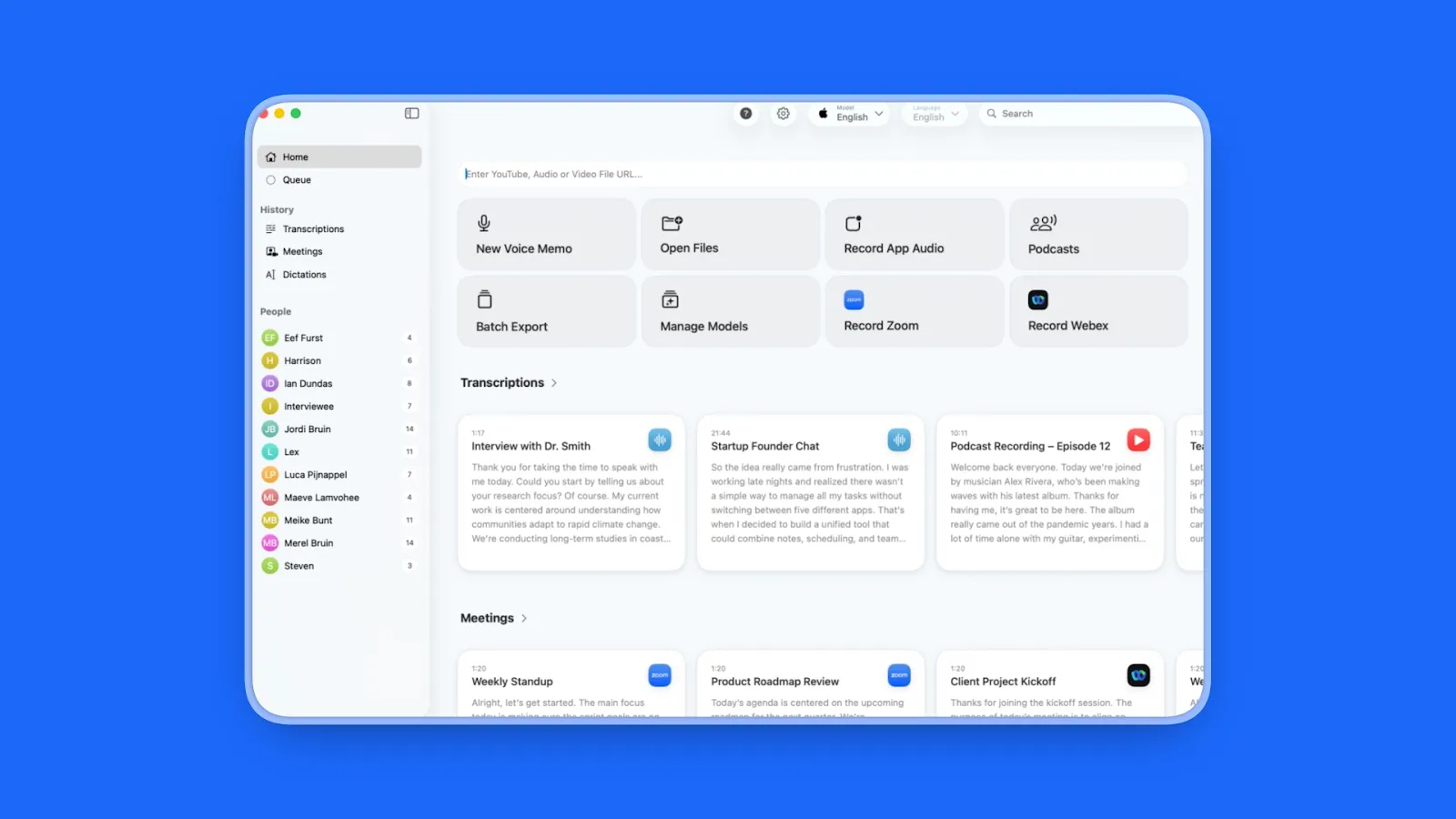
Whisper Notes uses the same Whisper Large-v3 Turbo engine as MacWhisper Pro but costs $4.99 instead of $79.99, with Mac and iOS included in one purchase. It's the "Swiss Army knife became a pen" philosophy doing one thing (voice-to-text) exceptionally well without feature bloat.
Key Features
- Same Whisper Large-v3 Turbo engine as MacWhisper Pro (identical core accuracy)
- Fn-key architecture: press and hold Fn in any application, speak, release, text appears at cursor
- Runs completely offline with no internet connection required
- Unified Mac + iOS purchase ($4.99 once for both platforms)
- Minimal interface: record button and transcript (zero configuration complexity)
- Privacy-first: once downloaded, app never connects to internet
- Supports 100+ languages with offline processing
Pros
- 16x cheaper than MacWhisper Pro ($4.99 vs. $79.99 lifetime)
- Same Large-v3 Turbo engine delivers identical transcription accuracy
- Works on both Mac and iOS with single purchase (MacWhisper is Mac-only)
- Instant dictation workflow vs. MacWhisper's file-based processing
- Zero setup required, works immediately after download
- Complete offline operation with no cloud dependency
- Simplified interface eliminates configuration paralysis
- Ideal for users who need "one thing done well" vs. feature overload
Cons
- Fewer export formats compared to MacWhisper Pro's 50+ options
- No batch processing for multiple files simultaneously
- Limited to dictation use case (not designed for professional transcription pipelines)
Pricing
- $4.99 one-time purchase
- Mac + iOS included
- No subscriptions or recurring costs
User Reviews
Whisper Notes has a 4.6/5 stars rating on the App Store based on 3,200+ reviews, with users highlighting the exceptional value and "ABSOLUTELY magic" performance under difficult conditions and noting how it "works in airplane mode, both a triumph and necessary feature in today's privacy starved world."
Best For
Budget-conscious users wanting MacWhisper Pro accuracy at 16x lower cost, iOS + Mac users needing cross-platform dictation, anyone prioritizing simplicity over feature density, users frustrated by MacWhisper's complex setup.
3. Wispr Flow: Best for AI-Powered Dictation
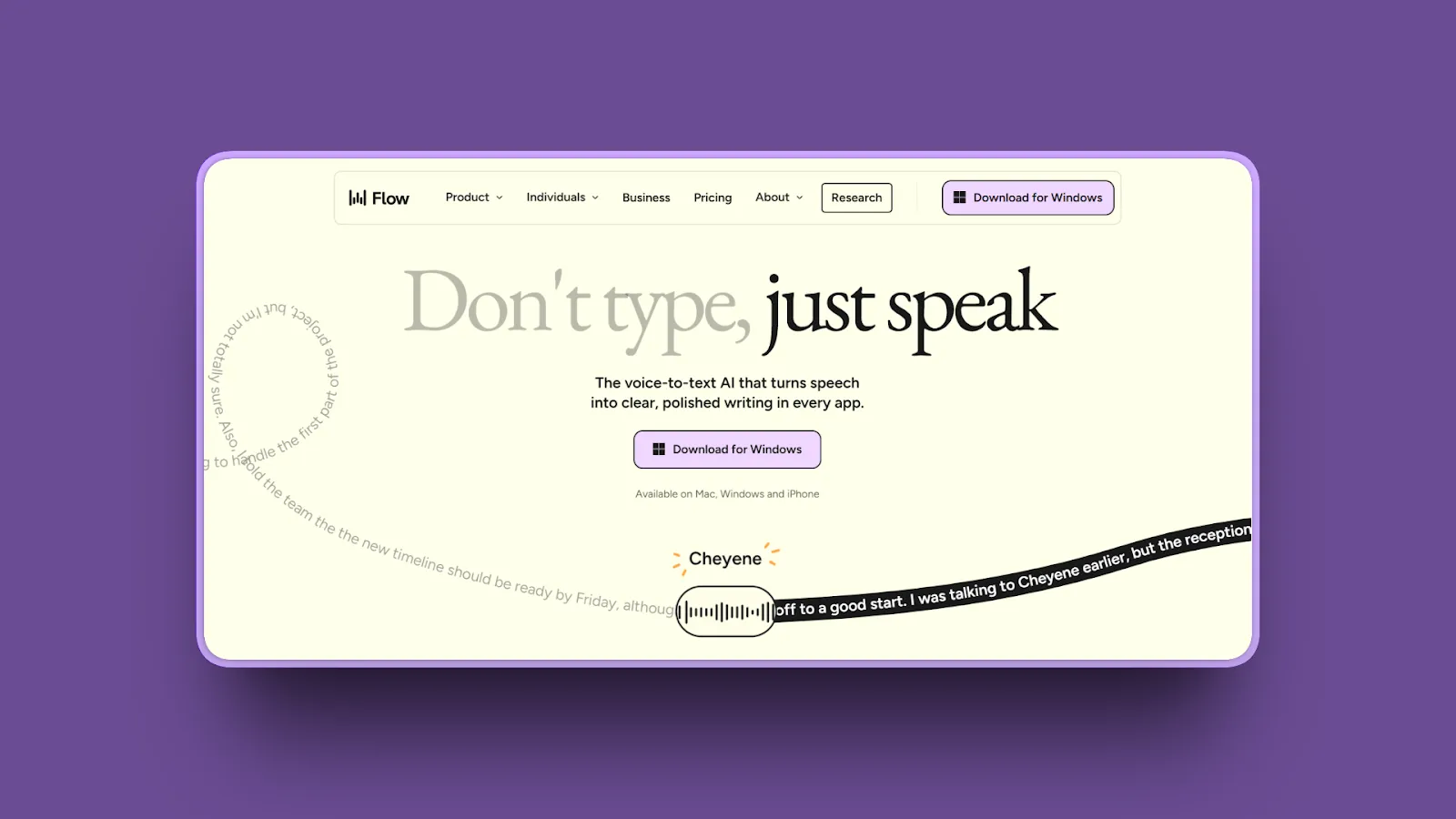
Wispr Flow excels at dictation with features including AI-driven error correction and text structuring for polished output, adapting to your tone and writing style in the apps you use. It's designed to help you work at the speed of thought with context-aware intelligence.
Key Features
- AI-driven error correction and automatic formatting
- Adapts to your personal tone and writing style across applications
- Context-aware text structuring for polished, publication-ready output
- Cross-app usability with integration
- Real-time dictation optimized for creative and professional workflows
- Automatic punctuation, capitalization, and grammar correction
- Learns your vocabulary and preferred phrasing over time
Pros
- Superior AI post-processing reduces editing time by 60%+ vs. raw transcription
- Tone matching creates consistent writing voice across all apps
- Context-aware corrections fix errors intelligently based on meaning
- Hands-free workflow enables "speaking to create" without touching keyboard
- Polished output often requires zero manual editing
- Adapts to professional writing styles (technical, creative, business)
- Integration doesn't interrupt creative flow
Cons
- Requires internet connection for AI features (not fully offline like MacWhisper)
- Subscription pricing adds up vs. one-time purchase alternatives
- Steeper learning curve to maximize AI customization features
Pricing
- Free Basic: 2,000 words per week
- Pro: $12/month (billed annually, $144/year) or $15/month (billed monthly)
User Reviews
Wispr Flow has a 4.7/5 stars rating on Product Hunt with users praising the AI accuracy, "It's an everyday, must-have app that has accelerated my efficiency more than any other AI tool has" and time-saving features "Voice has now become my main input device for any work on my computer".
Best For
Writers and content creators needing polished output, professionals valuing AI-powered editing over offline privacy, users willing to pay subscription for advanced features, anyone frustrated by MacWhisper's lack of AI cleanup.
4. VoiceInk: Best for Maximum Privacy (100% Offline)
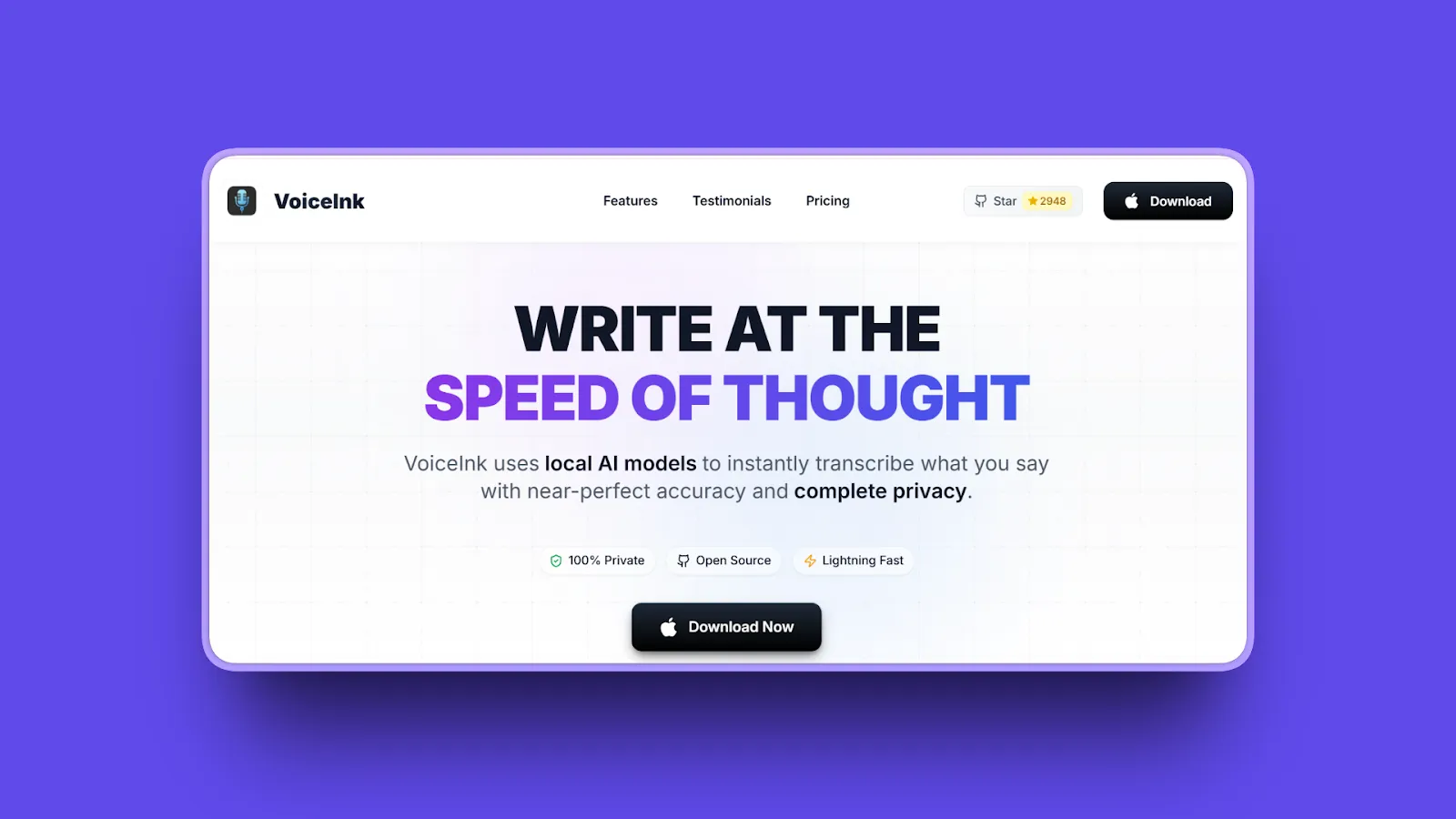
VoiceInk explicitly states "no internet required" and "no data collection" and is praised by users as "overall amongst the best Whisper apps on macOS" for privacy-conscious workflows. It's the gold standard for offline transcription with zero compromise.
Key Features
- 100% offline operation with explicitly no internet connection required
- Zero data collection or telemetry (privacy-first architecture)
- Powered by Whisper AI for high accuracy transcription
- Supports 100+ languages with local processing
- Simple, intuitive interface requiring no technical setup
- Mac-optimized performance with efficient resource usage
- Secure local storage with no cloud uploads ever
Pros
- Absolute privacy guarantee: no data ever leaves your device
- Perfect for sensitive content (medical, legal, confidential business)
- Completely offline workflow ideal for air-gapped environments
- No subscription or recurring costs after purchase
- Praised as "best Whisper app on macOS" by privacy-focused users
- Simple interface minimizes learning curve
- Reliable performance without internet dependency
Cons
- Mac-only platform (no iOS or cross-platform support)
- Fewer features compared to AI-enhanced alternatives
- Limited export format options vs. MacWhisper Pro
Pricing
- One-time purchase: $25-$39 (most commonly $25)
- No subscription required
- Free if built from source (open-source)
User Reviews
VoiceInk has 4.8/5 stars rating on TenereTeam and receives positive feedback from open-source communities, with users praising it for achieving up to 99% accuracy with complete offline processing.
Best For
Privacy-focused professionals (healthcare, legal, journalists), users in air-gapped or secure environments, anyone requiring absolute offline operation, users prioritizing data security over advanced AI features.
5. Aqua Voice: Best for Speed, Accuracy, and Reliability
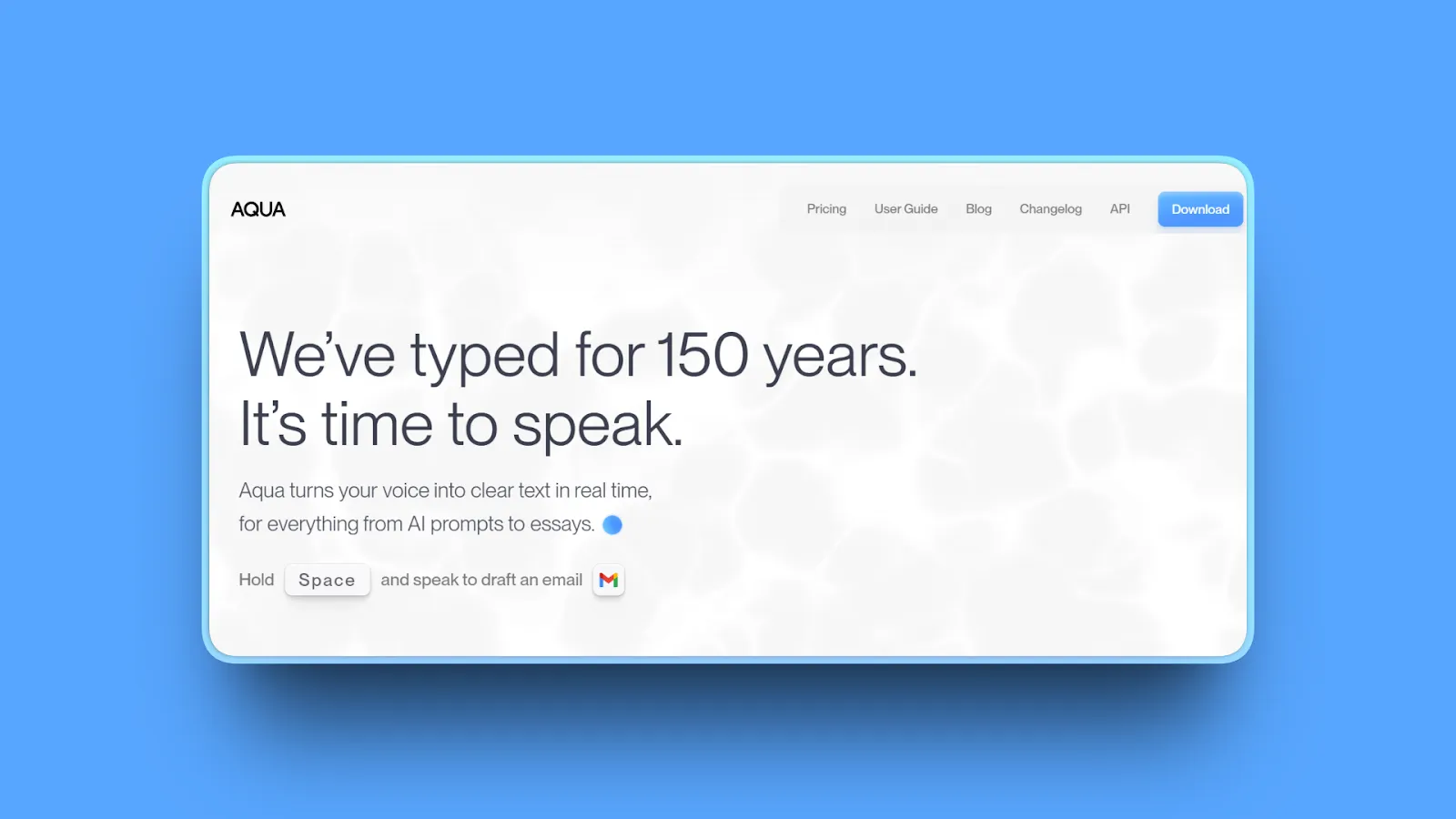
Aqua Voice stands out with one killer feature: see text appear in real-time as you speak. This immediate visual feedback in a floating text box is its signature feature. It's built for users who demand professional-grade performance without compromise.
Key Features
- Industry-leading speed with real-time transcription
- High accuracy rates praised across professional user reviews
- Exceptional reliability with minimal errors or crashes
- Starts up in under 50ms
- Inserts text in about a second (sometimes as fast as 450ms)
- State-of-the-art accuracy
- Intuitive interface designed for daily professional use
- Multi-language support with consistent quality
- Customizable instructions and dictionaries
- Regular updates and active development
Pros
- 5/5 stars on Product Hunt reflects exceptional user satisfaction
- Consistently praised for best-in-class accuracy
- Fast transcription speeds enable real-time workflow integration
- Reliable performance with minimal technical issues
- Intuitive design requires no learning curve
- Ideal for professional daily use (writing, emails, documents)
- Active development ensures ongoing improvements
- Responsive support (users prefer it over Wispr Flow and Superwhisper)
Cons
- Pricing higher than budget alternatives like Whisper Notes ($10/month vs. $4.99 lifetime)
- Requires internet connection (not offline like MacWhisper)
- Newer product with smaller ecosystem vs. established tools
Pricing
- Monthly subscription: $10/month
User Reviews
Aqua Voice has a 5.0/5 stars rating on Product Hunt with users highlighting speed, accuracy, and reliability as key strengths "The best voice-to-text solution I've ever had the pleasure of using" and "Works well predictably and at a reasonable cost".
Best For
Professionals needing reliable daily dictation, users prioritizing accuracy and speed over offline operation, anyone frustrated by inconsistent transcription quality in other tools.
6. Superwhisper: Best for Power Users and Advanced Customization
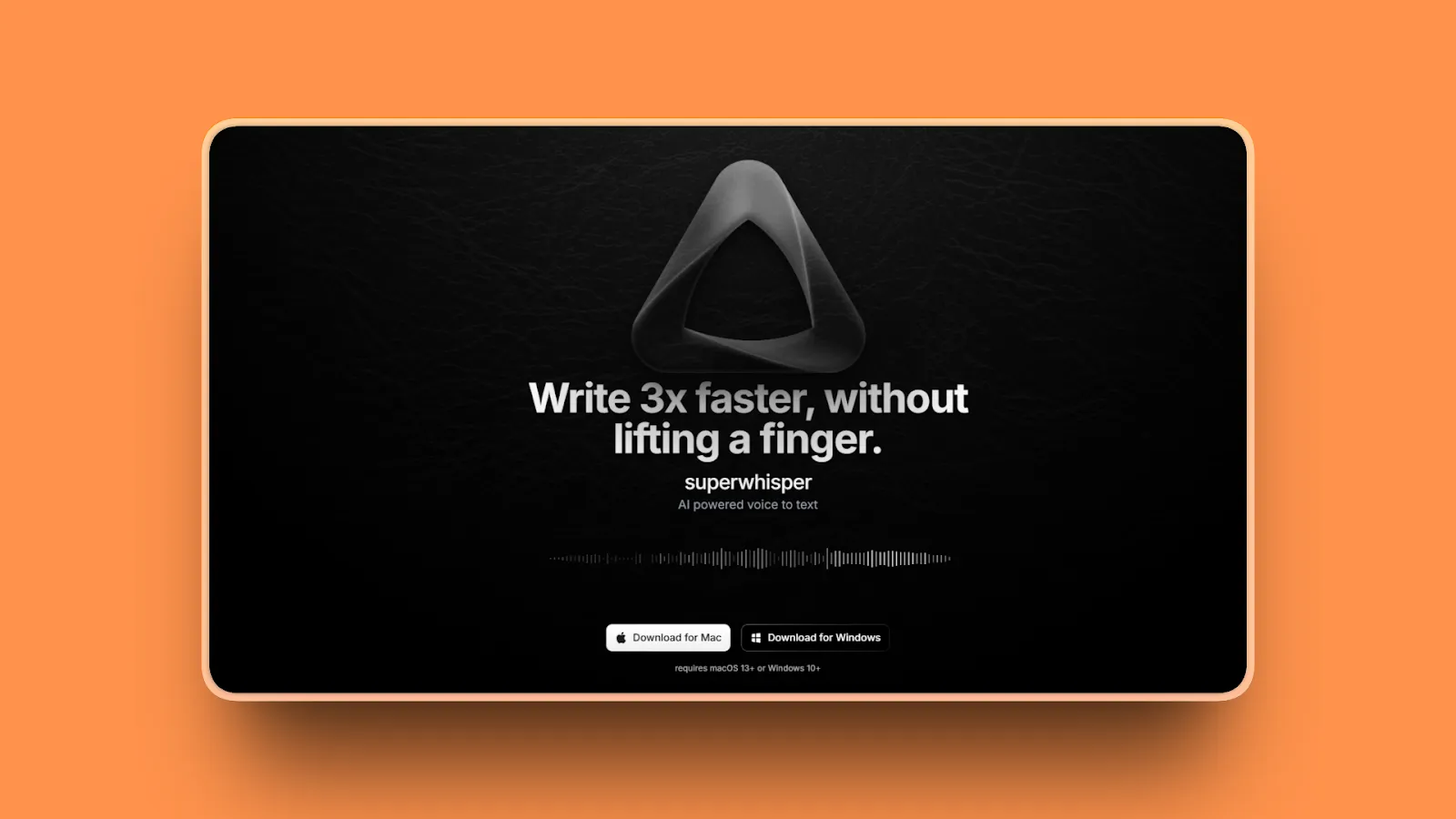
Superwhisper stands out as a top recommendation, offering features and incredible flexibility. It's designed with voice dictation as its core function but extends far beyond that, matching most capabilities of MacWhisper and Wispr Flow while offering even more advanced options for power users.
Key Features
- Advanced customization options for power user workflows
- Supports multiple AI models and configurations
- Offline processing with local Whisper models
- Plugin architecture for extending functionality
- Custom hotkey configurations and workflow automation
- Speaker identification and batch processing
- Technical controls for fine-tuning accuracy and speed
Pros
- Unmatched flexibility for power users and technical workflows
- Supports both offline (local Whisper) and cloud AI models
- Plugin ecosystem enables custom feature additions
- Advanced controls for optimizing accuracy vs. speed trade-offs
- Ideal for users who need maximum configurability
- Active community contributing plugins and improvements
- Can match or exceed MacWhisper and Wispr Flow capabilities
Cons
- Steeper learning curve due to extensive configuration options
- UI complexity can overwhelm non-technical users
- Occasional glitches reported (doesn't catch key bindings, activation failures)
- Higher pricing than budget alternatives ($249 lifetime)
Pricing
- Lifetime: $249 one-time purchase (single license covers both Mac and iPhone/iPad)
- Pro subscription: $8.49/month
- Free trial: 15 minutes of pro features + up to 3 custom modes
User Reviews
Superwhisper has a 4.9/5 stars rating on Product Hunt based on 19 reviews, with power users praising flexibility "Quite possibly one of my favorite products ever" with "phenomenal user experience" despite acknowledging occasional stability issues.
Best For
Power users wanting maximum customization, technical users comfortable with configuration complexity, developers needing advanced AI integration, anyone requiring plugin-based extensibility.
For a detailed comparison with Voibe, see Voibe vs Superwhisper.
7. BetterDictation: Best Lifetime Deal ($39 One-Time)
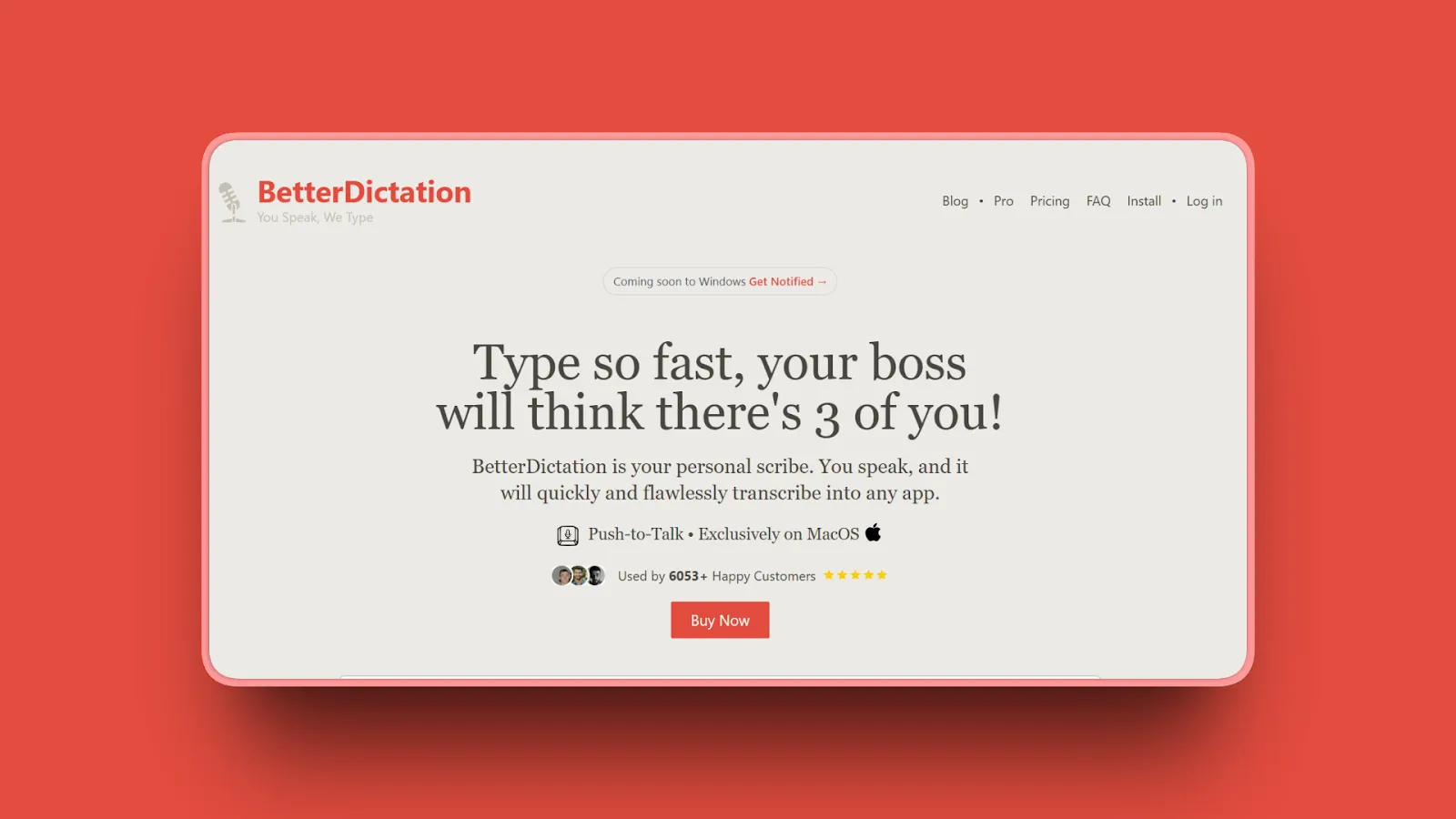
BetterDictation offers lifetime offline dictation for just $39 or cloud-enhanced AI features at $2/month, delivering exceptional value with flexible pricing options for different user needs.
Key Features
- Lifetime offline dictation license for $39 one-time
- Optional cloud AI features at $2/month (lowest subscription pricing)
- Supports offline and online modes based on needs
- Uses OpenAI's Whisper model running on the Apple Neural Engine (M1 and later)
- Works in over 100 languages
- Simple interface requiring minimal setup
- Mac-optimized performance (M1/M2/M3 chips)
- Regular updates included with lifetime license
Pros
- Lowest lifetime pricing at $39 (vs. MacWhisper Pro $79.99)
- Flexible model: offline-only or add cloud AI for $2/month
- Lifetime license includes all future updates
- Budget-friendly without sacrificing core functionality
- Works offline for privacy or online for enhanced AI features
- Simple setup appeals to non-technical users
- Ideal value proposition for casual to moderate users
- Users report: "It uses whisper and it works way better than Apple's imo. I use it all day everyday."
Cons
- Fewer advanced features compared to Superwhisper or Wispr Flow
- Smaller user community and ecosystem
- Cloud AI features require subscription (though only $2/month)
- Not supported on Intel Macs (pre-2020 models), requires Apple Neural Engine found in M1 and later chips
Pricing
- Offline Lifetime: $39 one-time
- Cloud AI Add-On: $2/month (optional)
- No subscription required for offline version
User Reviews
BetterDictation has a 4.3/5 stars rating on TenereTeam with positive reviews for exceptional value and affordability.
Best For
Budget-conscious users wanting lifetime access, casual users with moderate dictation needs, anyone seeking flexible offline/online options, users frustrated by MacWhisper's $79.99 pricing, M1/M2/M3 Mac owners (not for Intel Macs).
8. TurboScribe: Best Cross-Platform Web-Based Alternative
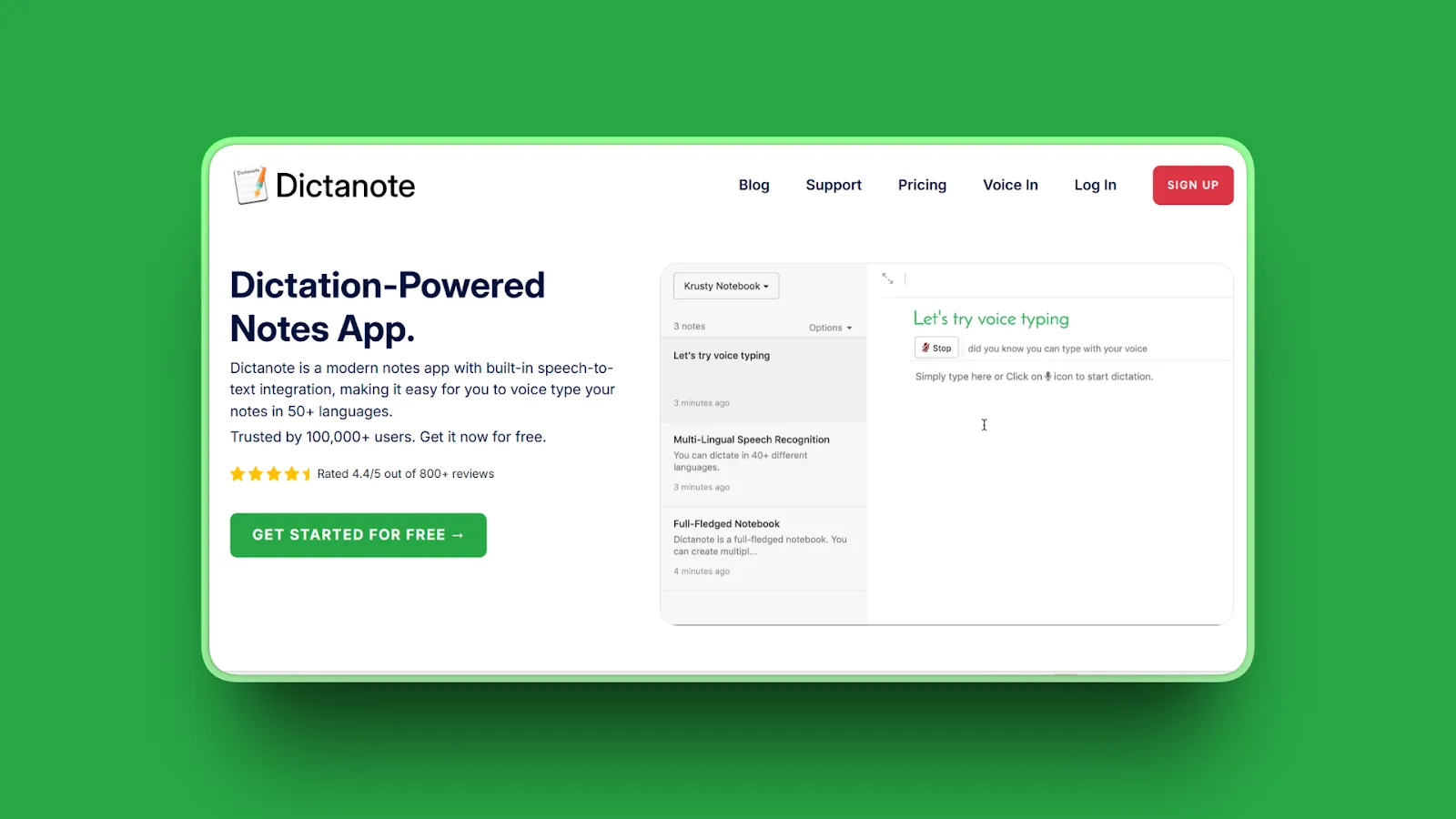
TurboScribe is web-based, making it accessible from any device with internet access, whereas MacWhisper is limited to macOS users. It offers unlimited transcription capabilities and supports over 98 transcription languages with translation into more than 130 languages.
Key Features
- Web-based platform accessible from any device (Mac, Windows, Linux, iOS, Android)
- Unlimited transcription with subscription plans (truly unlimited, customers regularly transcribe hundreds of hours per month)
- Supports 98+ transcription languages with 130+ translation languages
- Each file up to 10 hours long / 5 GB
- Upload 50 files at a time
- Batch upload and processing for multiple files
- Export formats including TXT, SRT, VTT, PDF, DOCX
- Speaker identification for multi-person recordings
- Cloud storage integration (Google Drive, Dropbox)
- 99.8% accuracy rate powered by Whisper AI
Pros
- True cross-platform access via web browser (not Mac-only)
- Unlimited transcription vs. MacWhisper's per-file workflow
- Massive language support ideal for international users (98 transcription, 130+ translation)
- Translation features MacWhisper completely lacks
- Team collaboration features with shared transcripts
- No software installation or updates required
- Accessible from any device anywhere
- "Easily the best AI transcription service I've used, intuitive, quick, and super helpful for anyone with a high-volume workload"
Cons
- Requires internet connection (not offline like MacWhisper)
- Subscription pricing accumulates vs. one-time purchase ($10/month = $120/year)
- Cloud-based processing raises privacy concerns for sensitive content
- Customer support and billing concerns reported on Trustpilot (recent negative reviews about customer service, "unlimited" plan limitations)
Pricing
- Free: 3 transcripts/day (20 minutes each)
- Unlimited: $10/month billed yearly ($120/year) or $20/month billed monthly
- Enterprise: Custom pricing
User Reviews
TurboScribe has 2.4/5 stars rating on Trustpilot. Users praise it as "impressively efficient and user-friendly" with high accuracy for audio and video files.
Best For
Cross-platform users needing access on Windows, iOS, or web, teams requiring collaboration features, international users needing translation (130+ languages), anyone frustrated by MacWhisper's Mac-only limitation, high-volume content creators (podcasters, journalists).
9. Otter.ai: Best for Meeting Transcription and Team Collaboration
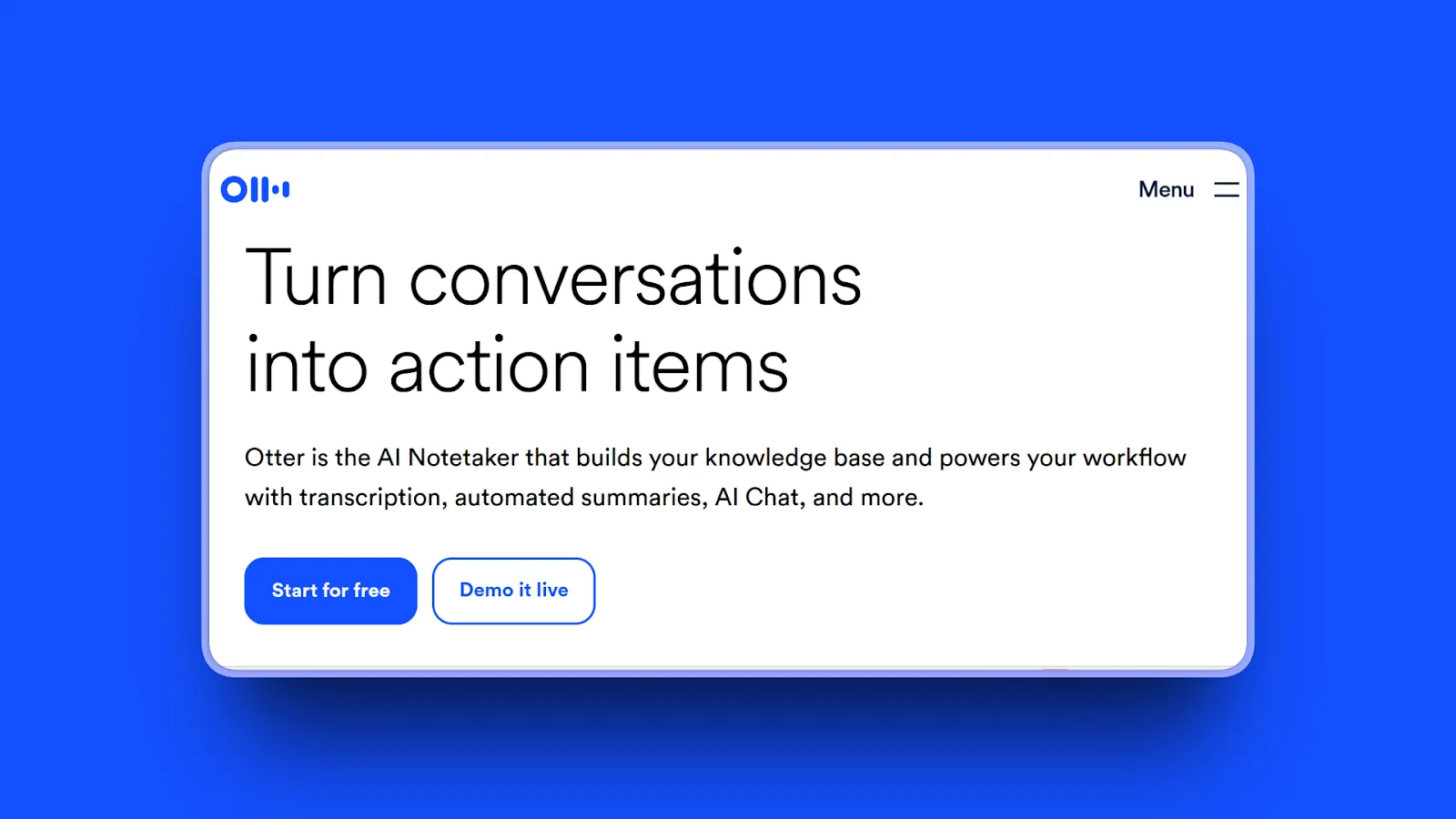
Otter.ai specializes in meeting transcription with features like real-time collaboration, speaker identification, and integration with Zoom, Google Meet, and Microsoft Teams. It's designed for professional team environments requiring shared access and searchable transcripts.
Key Features
- Real-time meeting transcription with live captions
- Speaker identification and labeling
- Integration with Zoom, Google Meet, Microsoft Teams
- Collaborative editing and sharing with team members
- Searchable transcript archive with keyword highlighting
- Mobile apps for iOS and Android
- AI-generated meeting summaries and action items
- AI meeting workflows
- Live transcription during meetings
- Multi-language support
Pros
- Excellent for meeting workflows and team collaboration
- Real-time transcription enables live note-taking
- Speaker identification crucial for multi-person meetings
- Integration with major video conferencing platforms (Zoom, Teams, Google Meet)
- Searchable archive helps find specific discussion points
- AI summaries extract key points and action items automatically
- Mobile apps enable transcription anywhere
- "Eliminated the need for manual note-taking during meetings"
Cons
- Subscription pricing adds up ($16.99/month = $203.88/year for Pro)
- Cloud-based processing (no offline mode for privacy)
- Designed for meetings, not general dictation workflows
- Free tier limits transcription minutes significantly (300/month)
- Limited language support
- Inaccurate transcriptions reported
- Poor customer service leads many to switch away
- Advanced features gated behind higher-tier subscriptions
Pricing
- Free/Basic: 300 monthly transcription minutes, 30-minute meeting cap, 3 lifetime audio/video file imports
- Pro: $16.99/month or $8.33/month billed annually (1200 in-app recording minutes, up to 90 mins/meeting, 10 monthly audio/video file imports)
- Business: $30/month or $20/month billed annually (6000 monthly transcription minutes, 4 hours per conversation, unlimited audio/video file imports)
- Enterprise: Custom pricing
User Reviews
Otter.ai has a 4.4/5 stars rating on G2. Users praise it as a "game-changer for productivity" with accurate transcripts and useful AI summaries.
Best For
Teams needing meeting transcription and collaboration, professionals attending frequent Zoom/Teams meetings, users requiring searchable transcript archives, anyone needing speaker identification for multi-person conversations. Note: Not ideal for general dictation workflows or privacy-focused users (cloud-based processing). Recent reviews highlight accuracy issues with accents and speaker separation.
10. Vibe Transcribe: Best Free and Open Source Option

Vibe Transcribe is both free and open source, utilizing local language learning models to provide transcriptions for a wide range of languages with fully offline transcription, ensuring that no data ever leaves your device.
Key Features
- Completely free and open source (no cost ever)
- 100% offline local processing with zero data uploads
- Supports 90+ languages with local AI models
- Privacy-guaranteed architecture (no telemetry or data collection)
- Cross-platform support (macOS, Windows, Linux)
- Community-driven development and improvements
- Transparent codebase auditable for security
- GPU optimization for macOS, Windows, Linux (Nvidia/AMD/Intel GPUs)
- Diarization (speaker recognition) with ability to edit/change speakers
- Batch transcribe multiple files
- YouTube and online video transcription support
- Output formats: SRT, VTT, TXT, HTML, PDF, JSON, DOCX
Pros
- Completely free with no subscription or purchase required
- Open source enables customization and transparency
- 100% offline operation ideal for privacy
- Cross-platform unlike Mac-only MacWhisper
- Community-driven ensures ongoing improvements
- Perfect for users wanting zero-cost offline transcription
- Auditable code provides security guarantees
- "Ultimate privacy with fully offline transcription, where no data ever leaves your device"
- Users report: "Just working, and it is free!"
Cons
- Technical users may need to compile from source
- Fewer features compared to commercial alternatives
- No official customer support (community-based)
- UI less polished than paid alternatives
- May require technical knowledge for advanced configuration
- Mixed user experience: One reviewer reported "I've spent a couple of hours on this and cannot get it to run"
Pricing
- Free (open source)
- License: MIT and Apache 2.0
User Reviews
Vibe Transcribe has 5,000 stars on GitHub and is listed as a top MacWhisper alternative on Product Hunt and AlternativeTo, with users highlighting its zero-cost model and open-source nature.
Best For
Privacy-focused users wanting open-source guarantees, budget-conscious users needing free offline transcription, technical users comfortable with open-source software, developers wanting to customize or audit the codebase, cross-platform users (Windows, Mac, Linux). Note: Setup may require technical knowledge. Community support only (no official customer service).
Quick Comparison Table
| Tool Name | AI Features | Standout Feature | Best For |
|---|---|---|---|
| Voibe | Sub-300ms latency, custom dictionary | Private by design (never stored, sold, or trained on) with a fully on-device mode + instant dictation speed | Privacy-conscious professionals needing speed |
| Whisper Notes | Basic AI transcription (Whisper Large-v3) | Same Whisper engine as MacWhisper Pro at $4.99 (16x cheaper) | Budget-conscious users wanting maximum value |
| Wispr Flow | AI-powered error correction, tone matching | Adapts to your writing style with context-aware formatting | Writers needing polished, publication-ready output |
| VoiceInk | Basic AI transcription (Whisper) | Explicitly no internet required, zero data collection | Maximum privacy for sensitive content |
| Aqua Voice | Real-time AI transcription | 5/5 stars for speed, accuracy, and reliability | Professionals needing reliable daily dictation |
| Superwhisper | Multiple AI models, plugin architecture | Advanced customization for power users | Technical users wanting maximum configurability |
| BetterDictation | Optional cloud AI ($2/month add-on) | Lifetime license at $39 (lowest one-time cost) | Budget users wanting lifetime access |
| TurboScribe | AI transcription + translation (130+ languages) | Web-based unlimited transcription, 98+ languages | Cross-platform access and translation needs |
| Otter.ai | AI meeting summaries, action items | Real-time meeting transcription with Zoom/Teams integration | Team meeting collaboration and speaker ID |
| Vibe Transcribe | Local AI models (Whisper) | Completely free and open source | Zero-cost offline transcription |
How to Choose the Right MacWhisper Alternative
1. What's your primary use case?
- Real-time dictation for writing, emails, documents → Choose Voibe (instant with sub-300ms latency), Wispr Flow (AI-enhanced), or Aqua Voice (speed and reliability)
- File transcription for podcasts, interviews, recordings → Choose MacWhisper (still best for files), TurboScribe (unlimited web-based), or Otter.ai (meetings)
- Privacy-sensitive work (medical, legal, confidential) → Choose Voibe (private by design with a fully on-device mode, sub-300ms speed) or VoiceInk (maximum privacy)
- Coding and developer workflows → Choose Voibe (includes Developer Mode) or Superwhisper (advanced customization)
- Meeting transcription and collaboration → Choose Otter.ai (Zoom/Teams integration) or TurboScribe (team sharing)
2. How important is privacy and offline operation?
- Absolute privacy required (medical, legal, confidential) → Choose Voibe (private by design with a fully on-device mode), VoiceInk (no internet required), or Vibe Transcribe (open source)
- Privacy preferred but flexible → Choose Whisper Notes (offline capable) or BetterDictation (offline + optional cloud)
- Privacy less critical, prefer AI features → Choose Wispr Flow (cloud AI), Aqua Voice (cloud AI), or Otter.ai (cloud collaboration)
3. What's your budget and pricing preference?
- Under $10 → Whisper Notes ($4.99 lifetime, best value)
- $10-$50 → BetterDictation ($39 lifetime)
- $50-$100 → MacWhisper Pro ($79.99 lifetime)
- $100-$250 → Voibe ($149 lifetime with privacy + speed), Superwhisper ($249 lifetime for power users) or Otter.ai Business ($360/year for teams)
- Free → Vibe Transcribe (open source) or TurboScribe Free (3 files/day)
4. What platform support do you need?
- Mac only → VoiceInk, MacWhisper, and Superwhisper
- Mac + iOS → Whisper Notes ($4.99 for both), Otter.ai (cross-platform)
- Cross-platform (Mac, Windows, Web) → Voibe (Mac and Windows), TurboScribe (web-based), Vibe Transcribe (open source), Otter.ai
The Bottom Line: If you prioritize privacy and speed (sub-300ms latency) with lifetime value, choose Voibe. If budget is critical, choose Whisper Notes ($4.99). If you need AI-enhanced dictation and don't mind subscriptions, choose Wispr Flow. If meetings are your focus, choose Otter.ai.
Use-Case Cheat Sheet
Scenario 1: Medical professional dictating patient notes requiring strict privacy
Best Choice: Voibe (private by design with sub-300ms speed and a fully on-device mode on Apple Silicon) or VoiceInk (maximum privacy)
Scenario 2: Legal professional handling confidential client information
Best Choice: Voibe (private by design with a fully on-device mode and instant dictation) or VoiceInk (no internet guarantee)
Scenario 3: Budget-conscious user wanting MacWhisper Pro accuracy at lowest cost
Best Choice: Whisper Notes ($4.99 lifetime, same Large-v3 Turbo engine)
Scenario 4: Developer using Cursor/Windsurf AI assistants needing code dictation
Best Choice: Voibe (includes Developer Mode for file resolution) or Superwhisper (plugin architecture)
Scenario 5: Writer needing polished, publication-ready output with minimal editing
Best Choice: Wispr Flow (AI tone matching and formatting) or Aqua Voice (5/5 star accuracy)
Scenario 6: Team leader needing meeting transcription with Zoom integration
Best Choice: Otter.ai (real-time Zoom/Teams integration, speaker ID, collaboration features)
Scenario 7: Cross-platform user working on Mac, Windows, and mobile devices
Best Choice: TurboScribe (web-based unlimited transcription) or Otter.ai (iOS, Android, Web apps)
Scenario 8: Power user wanting maximum customization and plugin support
Best Choice: Superwhisper (plugin architecture, advanced AI model options)
Scenario 9: International user needing transcription + translation across 50+ languages
Best Choice: TurboScribe (98 transcription languages, 130+ translation languages)
Scenario 10: Budget $0 (completely free) with offline privacy required
Best Choice: Vibe Transcribe (open source, offline, zero cost)
Frequently Asked Questions
Basics
What is MacWhisper and what does it do?
MacWhisper is an AI-powered transcription app for macOS that uses OpenAI's Whisper technology to convert audio files from meetings, lectures, and recordings into accurate text transcripts with support for 100+ languages, processing everything locally on your Mac for privacy without requiring internet connection.
Is MacWhisper worth it?
MacWhisper Pro ($79.99 lifetime) is worth it for users needing professional file transcription with batch processing, 50+ export formats, and advanced features. However, alternatives like Whisper Notes ($4.99 lifetime) or Voibe ($149 lifetime) offer better value for real-time dictation workflows and general transcription needs with the same Whisper engine.
What is the difference between MacWhisper free and MacWhisper Pro?
MacWhisper free includes Tiny, Base, and Small AI models with limited accuracy, while MacWhisper Pro ($79.99) adds Medium and Large models for higher accuracy, plus batch transcription, speaker identification, advanced export formats (SRT, VTT, Word, PDF), and system audio capture capabilities for professional workflows.
How much does MacWhisper cost?
MacWhisper offers a free version with basic models. MacWhisper Pro costs $79.99 as a one-time lifetime purchase on the Mac App Store, with optional subscriptions at $8.99/month or $29.99/year (7-day trial included) for users preferring recurring payments over lifetime purchase.
Comparisons
What is better than MacWhisper?
Voibe is better for real-time dictation with Developer Mode at $149 lifetime (a premium over MacWhisper Pro, but with advanced workflow features). Whisper Notes is better for budget users at $4.99 lifetime. Wispr Flow is better for AI-enhanced dictation with automatic formatting and tone matching features for polished output.
MacWhisper vs Superwhisper: which is better?
Superwhisper is better for live dictation and advanced customization despite occasional glitches (4.9/5 Product Hunt rating), while MacWhisper offers more polished, stable file transcription. MacWhisper costs $79.99 lifetime vs. Superwhisper's $249 lifetime. Choose MacWhisper for file transcription, Superwhisper for real-time dictation flexibility. For a detailed comparison, see our Voibe vs Superwhisper analysis.
Is Whisper Notes better than MacWhisper?
Whisper Notes is better for budget users and real-time dictation, costing $4.99 (16x cheaper than MacWhisper Pro) with the same Large-v3 Turbo engine and unified Mac + iOS purchase. MacWhisper Pro is better for professional workflows needing batch processing and 50+ export formats for podcasters and researchers.
How does MacWhisper compare to Wispr Flow?
MacWhisper excels at offline file transcription ($79.99 lifetime, privacy-focused), while Wispr Flow specializes in AI-powered real-time dictation with automatic formatting, tone matching, and error correction ($12-15/month subscription). Wispr Flow requires internet connection for AI features; MacWhisper works completely offline. Read our Voibe vs Wispr Flow comparison for more insights on AI-powered dictation tools.
What's the difference between file transcription and real-time dictation?
File transcription converts pre-recorded audio files into text after recording completes (MacWhisper's strength), while real-time dictation converts speech to text instantly as you speak in any application (Voibe, Wispr Flow, Superwhisper). Real-time dictation integrates into active workflows; file transcription is for post-production and batch processing.
Privacy and Offline
What are the best free offline transcription apps for Mac?
Vibe Transcribe is the best completely free offline transcription app (open source, zero cost, cross-platform), followed by MacWhisper free version (limited to Tiny, Base, Small models). For minimal cost, Whisper Notes ($4.99 lifetime) and BetterDictation ($39 lifetime) offer excellent offline value with superior accuracy.
Which transcription software works completely offline?
VoiceInk, MacWhisper, Whisper Notes, Vibe Transcribe, and BetterDictation all work completely offline with local Whisper AI models. VoiceInk explicitly guarantees "no internet required, no data collection." Voibe offers a fully on-device mode (Apple Silicon M1 or later) that works entirely offline, plus a zero-retention cloud mode with open-source models for all Macs where audio is never stored, sold, or used to train AI, making it ideal for medical, legal, and confidential work.
Are MacWhisper alternatives private and secure?
Privacy varies by alternative. Voibe is private by design: your audio is never stored, sold, or used to train AI, with a fully on-device mode (Apple Silicon M1 or later) available. VoiceInk (no internet required) and Vibe Transcribe (open source) guarantee maximum privacy with local-only processing. Other cloud-based alternatives like Wispr Flow, Aqua Voice, and Otter.ai process data on external servers, trading privacy for AI-enhanced features and collaboration.
Free Alternatives
Are there any free alternatives to MacWhisper?
Yes. Vibe Transcribe is completely free and open source with offline transcription (90+ languages, cross-platform). TurboScribe offers 3 free transcripts daily (20 minutes each). MacWhisper itself has a free version with Tiny, Base, and Small models, though accuracy is limited compared to paid alternatives using Large models.
What is the best free transcription software for Mac?
Vibe Transcribe is the best completely free option (open source, offline, unlimited use, 90+ languages). For freemium options, TurboScribe Free (3 transcripts/day with 20-minute limit) and Otter.ai Free (300 minutes/month) offer cloud-based transcription with generous limits, though they require internet connection.
Performance and Usability
Why is MacWhisper slow on my Mac?
MacWhisper requires 8GB+ RAM to run Medium or Large models effectively. On 8GB systems, users report crashes or severe slowdowns. The Large model is computationally intensive, especially on older Intel Macs. Alternatives like Voibe and Whisper Notes optimize processing for better performance on constrained hardware.
Do MacWhisper alternatives use the same Whisper engine?
Many alternatives use OpenAI's Whisper models (Whisper Notes, Voibe, VoiceInk, Vibe Transcribe, BetterDictation), delivering similar core accuracy. Differentiation comes from UI design, workflow integration, AI post-processing, export formats, and pricing. Some add proprietary AI layers (Wispr Flow, Aqua Voice) for enhanced accuracy beyond raw Whisper.
How accurate are MacWhisper alternatives?
Whisper-based alternatives (Voibe, Whisper Notes, VoiceInk) match MacWhisper's core accuracy using the same model (95-99% in optimal conditions). AI-enhanced alternatives like Wispr Flow and Aqua Voice often achieve higher practical accuracy through automatic error correction, context-aware formatting, and post-processing cleanup.
Use Case Specific
Best MacWhisper alternative for developers?
Voibe is the best MacWhisper alternative for developers, featuring Developer Mode optimized for IDE integration with Cursor and Windsurf. When dictating to AI coding assistants, Developer Mode automatically resolves file and folder names from your workspace (e.g., "update login controller" becomes @login_controller.py as a clickable chip), eliminating manual file selection and streamlining your workflow.
What's the best transcription software for podcasters and journalists?
MacWhisper Pro remains excellent for file transcription with batch processing and 50+ export formats ($79.99). TurboScribe offers unlimited transcription, ideal for high-volume podcasts ($10/month). Otter.ai excels for interview transcription with speaker identification and searchable archives ($16.99/month). Voibe offers private-by-design dictation (audio never stored, sold, or trained on, with a fully on-device mode) for sensitive journalism.
Final Thoughts
The best MacWhisper alternatives don't just replicate features, they solve real workflow problems. File transcription limitations, premium pricing, setup complexity, and lack of real-time dictation drive users to seek better-fit solutions.
Voibe tops our list because it solves MacWhisper's two core problems: speed with privacy. Sub-300ms latency delivers instant dictation. You press Fn, speak, release, and words appear at your cursor without waiting. Your audio is never stored, sold, or used to train AI, and a fully on-device mode on Apple Silicon keeps everything on your Mac, protecting confidential content for medical, legal, and business professionals. At $149 lifetime, Voibe delivers a durable privacy promise and instant real-time dictation with workflow features that MacWhisper Pro at $79.99 does not offer.
Get started with Voibe to experience instant, private dictation with sub-300ms latency. Your audio is never stored, sold, or used to train AI, with a fully on-device mode on Apple Silicon, all with a one-time lifetime purchase.
More dictation guides
8 Apple Dictation Alternatives That Don't Time Out (2026)
Apple Dictation times out after a minute and trips on technical terms. These 8 Mac alternatives never cut you off, run offline, and hit 97%+ accuracy.
9 Best Wispr Flow Alternatives in 2026 (Actually Compared)
A current comparison of 9 Wispr Flow alternatives across privacy, security, reliability, offline use, AI cleanup, platforms, and pricing.
11 Best Superwhisper Alternatives in 2026 (Reviewed)
Compare 11 Superwhisper alternatives in 2026. In-depth reviews of privacy, pricing, accuracy, and performance for Mac and Windows dictation tools.
11 Best Willow Voice Alternatives 2026 (Reviewed)
Compare 11 Willow Voice alternatives in 2026. Explore offline dictation tools with detailed reviews of privacy, lifetime pricing, and Mac performance.
12 Best Dragon Dictation Alternatives in 2026 (Reviewed)
Compare 12 Dragon alternatives in 2026. Detailed reviews from free to $249 covering privacy, accuracy, lifetime pricing for Mac and Windows users.
11 Best Aqua Voice Alternatives for Mac Dictation (2026)
Discover 11 Aqua Voice alternatives with offline access, privacy-first tools, and one-time pricing. Compare Mac dictation apps that work on your terms.
9 Best Monologue Alternatives (Reviewed)
Compare 9 Monologue alternatives across privacy, pricing, and platforms. From Voibe on Mac and Windows to Wispr Flow and free picks.
11 Best Typeless Alternatives: Privacy, Pricing, and Features
Typeless alternatives compared: 11 voice dictation tools ranked by privacy architecture, pricing model, and features. Find the best fit for your workflow.
Best Dictation Apps in 2026: Offline, Private & Accurate
We tested 10 dictation apps for accuracy, privacy, speed, and price across Mac and Windows, including on-device and zero-retention cloud options.
Why Talking to AI Changes Everything
Talking preserves more of your real intent than typing, which helps models get it right on the first try. Practical tips, research references, and an FAQ.
Try Voibe Today
Experience the difference of private-by-design AI dictation, with a fully on-device mode on Apple Silicon. Download it for free and start dictating 3x faster than you can type.
Try Voibe for freeRequires macOS 14.4+ (Apple Silicon recommended)