
Best Dictation Software After Hand Surgery (2026): 6 Apps for One-Handed Recovery
Compared 6 dictation apps for one-handed post-op use. Voibe's Hands-Free Mode + configurable hotkey let you keep working through carpal tunnel release, trigger finger, or Dupuytren's recovery without re-aggravating the surgical site.
If you just had hand surgery and you need to keep working, here is the short version. Most knowledge work is keyboard-bound, and most hand procedures require a no-load period of one to several weeks before the surgical site tolerates typing. The fix is voice dictation — but the dictation tool you pick has to be installable, activatable, and usable with the unaffected hand only.
TL;DR: Voibe is our top pick for post-op recovery on Mac because it installs one-handed (no account, no card, no signup form to fill out with the non-dominant hand), its Hands-Free Mode does not require holding a key during speech, its hotkey remaps to whatever finger or external button is reachable with your unaffected hand, and it offers a fully on-device mode on Apple Silicon Macs where nothing leaves your Mac so surgical context stays private. Superwhisper is a strong second for users who want configurable depth and don't mind a longer setup. Wispr Flow is the best choice if you need iOS or Android coverage (useful when the post-op hand is in a sling and a phone is easier to hold than a laptop). Apple Dictation is the zero-cost baseline. Dragon Professional remains the Windows gold standard. MacWhisper handles voice memos recorded during rest periods.
Disclosure: Voibe is our product. We compare alternatives honestly and acknowledge competitor strengths throughout this article. This article describes the dictation-tooling pattern; your specific recovery protocol stays between you and your hand surgeon.
Key Takeaways: Dictation for Post-Op Recovery at a Glance
| Tool | One-handed install | Activation | Where audio is processed | 3-year cost |
|---|---|---|---|---|
| Voibe | Yes (no account, no card, no form) | Hands-Free Mode (double-tap; remappable to foot switch) | On-device or private cloud (your choice) | $149 lifetime · 7-day free trial |
| Superwhisper | Yes, after account creation | Push-to-talk default; toggle modes available | On-device or cloud (configurable) | $249.99 lifetime |
| Wispr Flow | Yes, after account creation | Push-to-talk default; hands-free option | Cloud | $432 (Pro Annual × 3) |
| Apple Dictation | Built-in (no install) | Hotkey toggle | Mostly on-device on Apple Silicon | Free |
| Dragon Professional | Multi-step install (Windows) | Multiple modes including hands-free | On-device | $699.99 one-time (Windows only) |
| MacWhisper | Yes | Hotkey toggle | On-device | ~$69 lifetime |
Voibe at $149 lifetime is roughly $283 (66%) less expensive than three years of Wispr Flow Pro Annual ($432), and $101 (40%) less than Superwhisper's lifetime ($249.99) — while giving you a fully on-device mode where dictation audio stays on your Mac. For post-op users specifically, the absence of an account-creation form is itself an accessibility feature when the dominant hand is in a cast.
Why Post-Op Recovery Needs Dictation — and Why the Tooling Choice Matters
Hand surgery is one of the most common categories of outpatient surgical care. The procedures vary in scope and recovery timeline, but they share a common pattern: the surgical site is fragile for a defined period, typing is contraindicated during that period, and the patient needs a way to keep working.
Common procedures and their typical immobilization windows:
- Endoscopic carpal tunnel release — typically 1–2 weeks of light-use restriction; light keyboard work often resumes within days, full typing volume usually within 2–4 weeks. The AAOS OrthoInfo Carpal Tunnel Syndrome page notes that “you will be allowed to use your hand for light activities, taking care to avoid significant discomfort,” with grip and pinch strength typically recovering within 2–3 months.
- Open carpal tunnel release — longer healing of the palmar incision; similar pattern but typing volume often returns 4–6 weeks rather than 2–4.
- Trigger finger release — outpatient procedure with a small palmar incision; light hand use within days, full typing usually within 2–3 weeks.
- De Quervain's release — release of the first dorsal compartment; thumb spica splint for 1–2 weeks, light typing within 2–3 weeks.
- Dupuytren's contracture release — either needle aponeurotomy (minimally invasive, recovery in days to a week) or open fasciectomy (more involved, splint and hand therapy for weeks, return to full keyboard use often 6–12 weeks).
- Flexor or extensor tendon repair — extensive protected-motion protocol with custom splints; typing typically prohibited for the first 4–6 weeks, gradual return over 8–12 weeks under hand therapy supervision.
- Hand or wrist fracture pinning (scaphoid, metacarpal, distal radius) — cast or splint for 4–8 weeks; typing often prohibited until pin removal or radiographic union.
- CMC (basal joint) arthroplasty for thumb arthritis — cast for 4 weeks, splint for additional weeks, hand therapy through 3–6 months; thumb use restricted throughout.
Across all of these, the throughline is that the patient still has work to do — emails, documents, messages, notes, code, correspondence — and the keyboard is not the right tool during the protected phase. Voice dictation is the standard non-typing input. The Job Accommodation Network lists speech recognition software as a standard accommodation for post-surgical recovery from hand and wrist conditions.
The complication is that not every dictation app is set up for the post-op scenario. Push-to-talk dictation — where you hold a modifier key while speaking — is often unworkable when the post-op hand is in a cast, splint, or sling, because the held-key reach is exactly what the immobilization is preventing. The dictation app that works for post-op recovery is the one whose activation does not require both hands, whose install does not require typing through a long account form, and whose hotkey remaps to whatever input the unaffected hand or foot can reach.
Key Takeaway
Voice dictation is the standard continuity tool through hand surgery recovery because the vocal apparatus is not in the surgical field. The choice between dictation tools comes down to whether the app is installable, activatable, and usable with the unaffected hand alone.
What to Look for in Dictation Software for Post-Op Recovery
Six criteria, in priority order for post-surgical users:
1. One-handed install — no account, no card, no form
If your dominant hand is in a cast or sling, account creation forms become the biggest barrier between you and a working dictation tool. Look for apps that install without an account, email, or credit card. The app's website should let you download, install, grant permissions, and start dictating in a few minutes using only the unaffected hand on a trackpad.
2. Activation model — no held key during speech
The app must support an activation pattern that does not require holding a key during speech. Tap-based activation (double-tap to start, double-tap to stop) and toggle activation (single press to start, single press to end) both qualify. Push-to-talk does not, because the held key reach with the unaffected hand awkwardly compensates for the immobilized hand. This is the criterion to apply second, after the install question.
3. Configurable hotkey, including external hardware
The activation key needs to remap to whatever the unaffected hand can comfortably reach — a single function key on the side of the keyboard closest to the unaffected hand, or an external hardware button (Stream Deck, USB foot switch, accessibility switch). For users with bilateral hand involvement or rigid immobilization, external hardware activation removes the upper extremities from the activation entirely.
4. System-wide insertion
The app should type text wherever your cursor is — in Microsoft Word, Pages, Google Docs, Slack, Gmail, Notion, web forms, your patient portal, your surgeon's online portal, your insurance forms. If the app only works inside its own window and requires copy-paste, the friction defeats the recovery use case where every extra action is a load on the unaffected hand.
5. Custom vocabulary for procedure and recovery terms
Post-op users dictate about their procedure. Custom vocabulary support lets you add the names of medications (acetaminophen with codeine, oxycodone, gabapentin), procedures (carpal tunnel release, trigger finger release, Dupuytren's fasciectomy), surgeons, hand therapists, and any insurance or workers' comp identifiers your correspondence references. General models miss many of these; trained vocabularies do not.
6. On-device processing
Post-op users dictate about medications, surgical context, insurance correspondence, FMLA paperwork, workers' comp filings, and physical or occupational therapy notes. On-device processing keeps that context on your Mac rather than transmitting it to a vendor server. This is a privacy question first and an architecture question second.
Key Takeaway
The two criteria specific to post-op recovery are the one-handed install (no account form to type through with the unaffected hand alone) and the configurable hotkey that maps activation to whatever input the unaffected hand or foot can reach.
The 6 Best Dictation Apps for Post-Op Hand Surgery Recovery
Each app below was evaluated against the six criteria above, with one-handed install and the activation model carrying the most weight. All ratings cited are from third-party platforms with the rating count linked in the product section.
1. Voibe — Best Overall for Post-Op Recovery on Mac

Voibe is a dictation app for Mac and Windows with two modes: a fully on-device mode that runs OpenAI's Whisper models locally on Apple Silicon (nothing leaves your Mac), or a private cloud mode that runs only open-source models over an encrypted connection with zero retention. Whichever you pick, your audio and text are never stored, sold, or used to train AI. No account is required, and there is no signup gate on the core dictation features.
Disclosure: Voibe is our product. We include it because it fits the category, and we lay out the trade-offs honestly.
Why it wins for post-op recovery specifically: Voibe was designed without the account-creation barrier that most modern apps assume — and for post-surgical users that absence is itself the most useful accessibility feature. Download the .dmg, drag to Applications, grant microphone permission. No email, no password, no credit card, no signup form. The entire setup is completable one-handed with a trackpad in about three minutes.
Hands-Free Mode is the activation model. Double-tap to start, double-tap to stop, no key held during speech. The default hotkey is fully configurable — for post-op users, the most useful remap is to whichever function key is on the side of the keyboard closest to the unaffected hand (F5 from the left, F12 from the right), so the activation is a single press without any reach. For users with both arms compromised (bilateral surgery, post-fracture recovery), mapping the hotkey to a USB foot switch, Stream Deck button, or accessibility switch bypasses both hands entirely.
System-wide insertion works in any text field on macOS: Microsoft Word, Pages, Google Docs, Slack, Gmail, Notion, Apple Notes, Linear, Jira, web forms, IDEs, your surgeon's patient portal, your insurance company's claim form, your employer's accommodation request system. Custom Vocabulary on paid plans lets you add medication names, procedure names, surgeon and hand therapist names, billing codes, or any other domain words that general models miss. In on-device mode, audio about your surgery and recovery never leaves your Mac; in private cloud mode it is never stored or used to train AI.
The 7-day free trial — which includes Hands-Free Mode and Continuous Transcription — is unlimited during the trial. Paid plans ($7.50/month, $75/year, or $149 lifetime) unlock Custom Vocabulary. The trial requires no account and no card, so you can fully evaluate Voibe before you pay. For post-op users, the trial often covers the first immobilization week when work volume is lower anyway.
The value combo: Wispr Flow and Granola in one plan. Voibe Dictation is $75 a year. For $65 more, Voibe Work ($14/month, $140/year, or $349 lifetime) adds AI meeting notes with no bot in the call. That one plan covers what Wispr Flow Pro ($144/year) and Granola Business ($168/year) charge $312 a year for separately, so it costs $172 (55.1%) less every year. Meeting notes are captured on your Mac (Windows is coming soon), processed in Voibe's zero-retention cloud and saved on your Mac, and Voibe reminds you to tell everyone you're taking notes.
- One-handed install — no account, no card, no form
- Hands-Free Mode — no key held during speech
- Configurable hotkey, including foot switch and Stream Deck
- Works with casts, splints, slings, post-op braces
- On-device mode — surgical and insurance context stays on your Mac
- System-wide insertion in any text field
- Custom Vocabulary for procedure and medication terms
- 7-day free trial covers the low-volume early recovery week
- No iOS or Android version; the fully offline on-device mode needs an Apple Silicon Mac (M1 or later) — Windows and Intel Macs use the zero-retention cloud
- General Whisper models — specialized accuracy depends on Custom Vocabulary setup
- No EHR-specific clinical-note templates
Key Takeaway
Voibe's combination of one-handed install (no account form to type through with the unaffected hand alone), Hands-Free Mode activation, and configurable hotkey that maps around any cast, splint, or sling makes it the most direct fit for the criteria that matter for post-op recovery.
2. Superwhisper — Best Configurable On-Device Mac Alternative
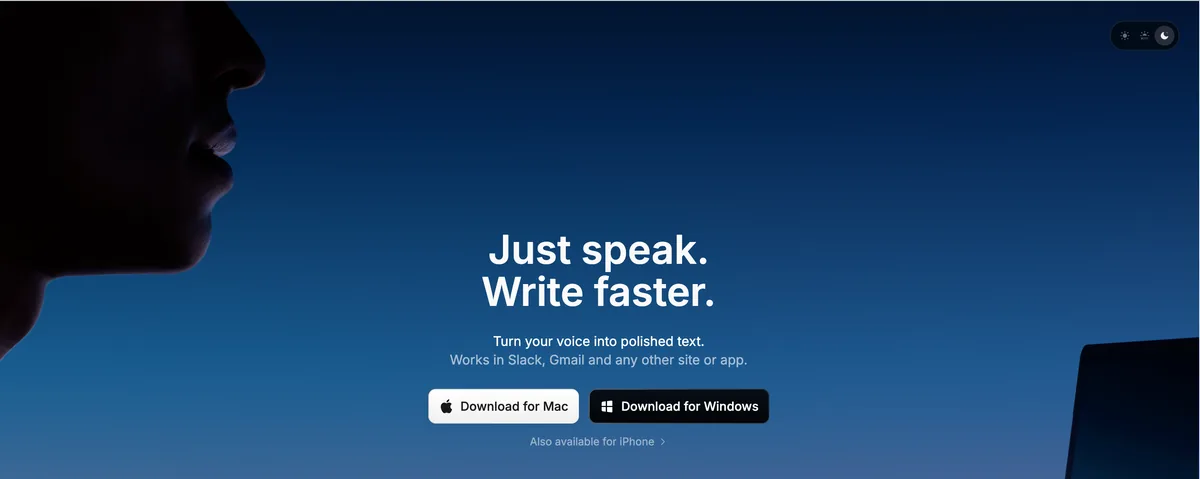
Superwhisper is the longest-running on-device Whisper dictation product for Mac and earns its strong reputation honestly. It runs Whisper models locally, supports multiple model sizes from Tiny up through Large-v3, and offers extensive per-app customization through Modes. Third-party rating is 4.9/5 from 20 Product Hunt reviews.
For post-op users: Superwhisper does require account creation, which is more steps to complete with the unaffected hand alone — typing in an email and password while the dominant hand is in a sling is exactly the kind of friction this article is trying to avoid. Once past setup, Superwhisper's default activation is push-to-talk, but it supports a toggle mode (single press to start, single press to end) and can be configured to start with a hotkey rather than a held key. The configuration is more involved than Voibe's Hands-Free Mode out of the box, which is a one-handed concern: more time in Settings means more single-handed clicking and typing.
Superwhisper's strength is configurability. Power users who want different transcription Modes for different recovery activities (medical-correspondence Mode, work-email Mode, surgeon-portal Mode), multiple Whisper model sizes for accuracy/speed trade-offs, and optional cloud LLM cleanup will find more depth here than in Voibe. The trade-off is the setup investment, which is a higher cost when one hand is immobilized.
One caveat: Superwhisper saves local audio recordings of dictation sessions by default. The recordings stay on your Mac (Superwhisper does not upload them in on-device modes), but they accumulate disk space and are not opt-in. For our full Superwhisper safety investigation, see the dedicated page.
Key Takeaway
Superwhisper is the right choice if you have help completing the account-creation step, want maximum configurability, and are willing to set up toggle activation yourself. Voibe is the right choice for the most one-handed-friendly path from download to first dictation.
3. Wispr Flow — Best When You Also Need iOS or Android

Wispr Flow is a cloud-based AI dictation app that runs on Mac, Windows, iOS, and Android. For post-op users specifically, the mobile coverage is a genuine advantage — when your dominant hand is in a sling and using a laptop trackpad is awkward, dictating from a phone can be easier. Third-party rating is 4.5/5 from 7 G2 reviews.
For post-op users: Wispr Flow defaults to push-to-talk but supports a hands-free toggle mode. The activation is configurable in the menu bar settings. The bigger architectural caveat: Wispr Flow processes audio in the cloud (subprocessors include Baseten, OpenAI, Anthropic, Cerebras, and AWS per their public documentation). For post-op users dictating about medications, procedures, FMLA paperwork, workers' comp, and surgeon correspondence, that means medically sensitive context is transmitted off-device. Wispr Flow does support a paid Privacy Mode and HIPAA Business Associate Agreement on Enterprise tiers if your organization has a contract.
Wispr Flow's Pro plan is $144/year. The free tier has limited daily use, and a paid signup is required to unlock full use. Pricing breaks differently from Voibe — Wispr Flow is subscription-only with no lifetime option, so the gap widens over time: $432 over 3 years vs Voibe's $149 lifetime is a $283 (66%) difference on the Mac half of the comparison. For post-op users, the mobile coverage is the case for paying more.
For the deep dive on Wispr Flow's privacy posture and the March 2026 compliance-audit context, see our is Wispr Flow safe? investigation.
Key Takeaway
Wispr Flow is the right pick if dictating from a phone is easier than dictating from a laptop with one hand. For Mac-only post-op recovery where surgical context should stay private, Voibe is the better structural fit.
4. Apple Dictation — The Free Built-In Baseline
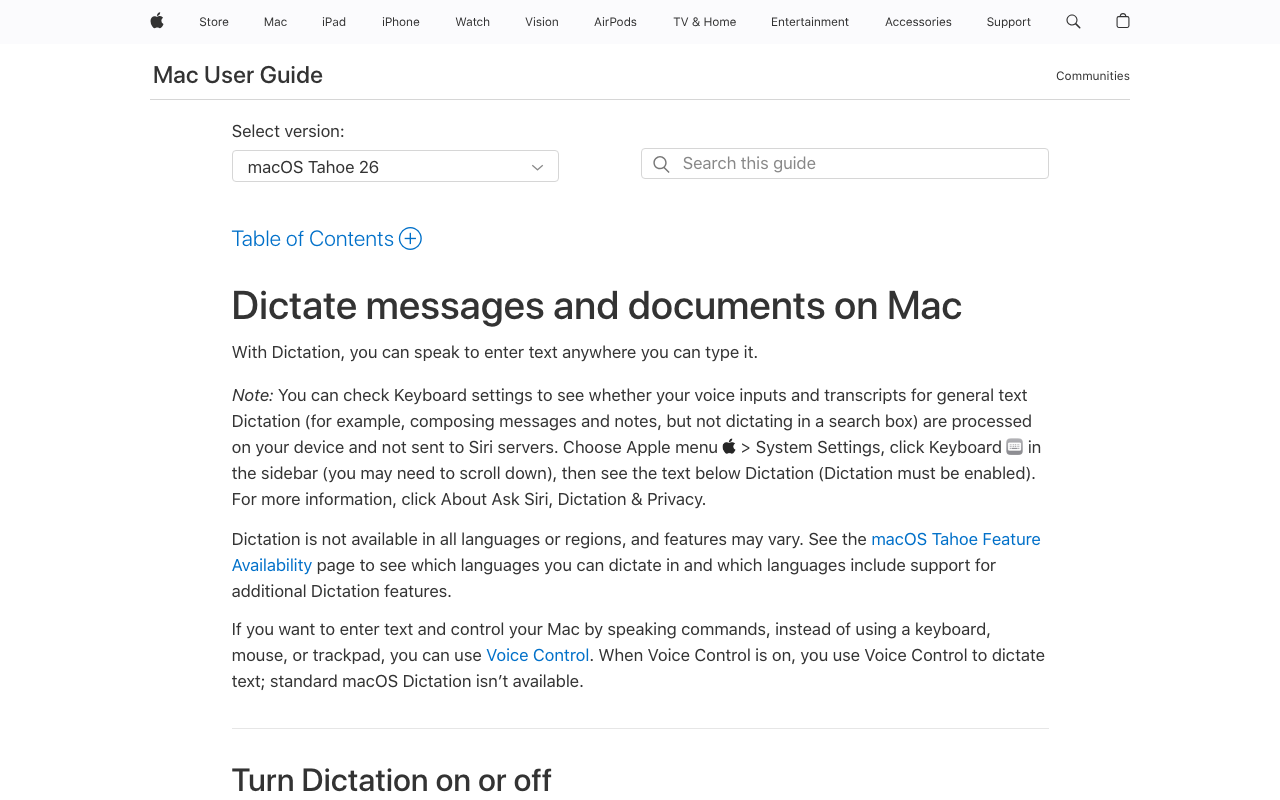
Apple Dictation is included with every Mac and is genuinely free. On Apple Silicon Macs (M1 and later), most processing happens on-device. Activation is hotkey-toggle (press the configured key to start, press again to stop) — there is no held-key requirement, which makes Apple Dictation usable post-op. There is also no install step: it is already on your Mac.
For post-op users: Apple Dictation is the right zero-friction starting point. No install, no account, no card. The practical limitations are elsewhere. Apple Dictation has a session-length cap (around 30 seconds depending on the version of macOS), no custom vocabulary (so medication names, procedure names, and surgeon names get mis-recognized), no per-app modes, no document-aware formatting, and no continuous-transcription floating window. For occasional short dictation during the first post-op week, it works. For sustained daily use through the immobilization phase of a longer recovery — especially when correspondence about FMLA, workers' comp, or insurance is constant — you will outgrow it quickly.
Apple does not sign Business Associate Agreements (BAAs), so Apple Dictation is not appropriate for clinical workflows handling Protected Health Information. For the full breakdown of Apple Dictation's privacy posture and configuration, see Apple Dictation privacy and Apple Dictation pricing.
Key Takeaway
Apple Dictation is the right zero-cost test for the first day or two post-op. Upgrade to Voibe when the session-length cap or the procedure-vocabulary gap starts limiting you.
5. Dragon Professional — The Windows Gold Standard (No Native Mac)
Dragon Professional is the longest-running professional dictation product. It has the deepest vocabulary support of anything in this article — built specifically for legal, medical, and other domain-heavy workflows. Dragon offers multiple activation modes including hands-free, custom vocabulary tooling that predates current Whisper-based tools, and a long track record of post-op users using it as a workplace accommodation under the ADA.
The catch for Mac users: there is no native Dragon for Mac and has not been since 2018, when Nuance discontinued Dragon Dictate for Mac and never replaced it. After Microsoft's 2022 acquisition of Nuance, the Mac product has not returned. Mac users who need Dragon today either (a) run it on a Windows machine, (b) run it via Parallels or similar virtualization, or (c) use the browser-based Dragon Anywhere mobile/cloud product, which has reduced functionality and is cloud-based.
If you are on Windows recovering from hand surgery, Dragon Professional remains the strongest single product. The vocabulary depth (medical, legal, financial terms) and command-and-control features (voice navigation, voice editing — “go to end of sentence”, “delete that word”) are ahead of consumer alternatives for users who need them. Note that Dragon Professional installation does require completing a multi-step setup including profile training — plan for a friend or family member to help with the initial setup if your dominant hand is immobilized. For Windows users, see our Dragon pricing breakdown.
Key Takeaway
Dragon Professional is still the strongest single product for serious post-op dictation on Windows. On Mac, the on-device Whisper-based alternatives have closed the accessibility gap for most users.
6. MacWhisper — Best for Voice Memos During Rest Periods
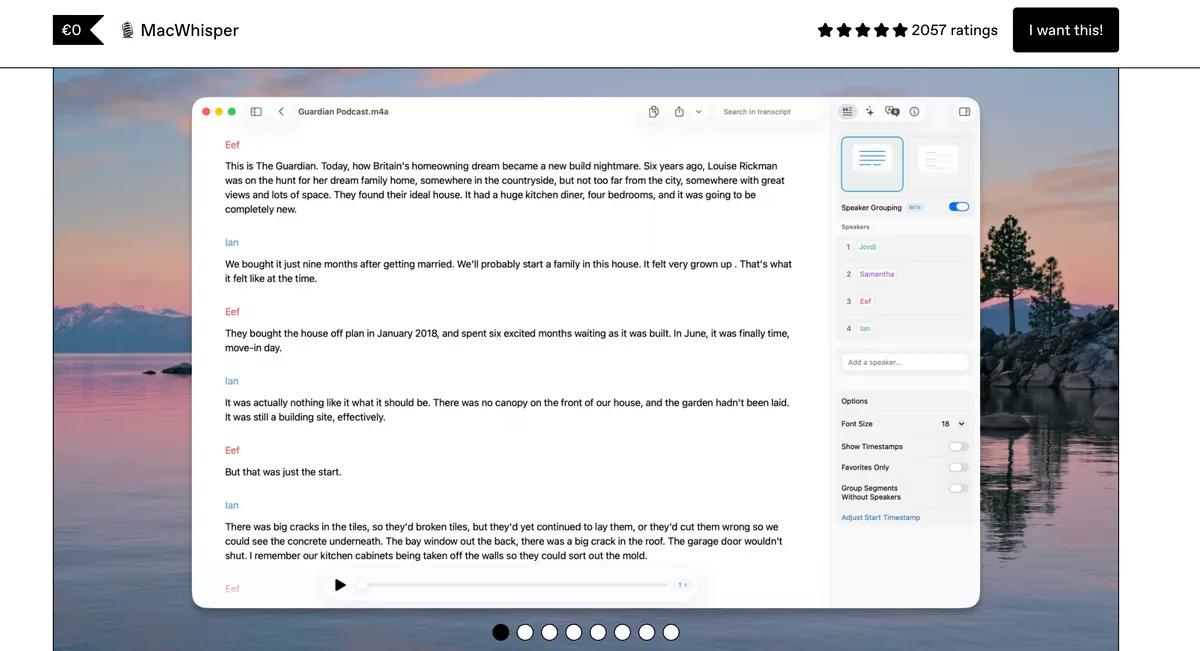
MacWhisper is a Mac app focused on transcribing recorded audio files using local Whisper models. It is on this list for completeness, but it is structurally a different category from the others — MacWhisper is excellent at converting voice memos and recorded audio into text, with optional dictation as a secondary feature.
For post-op users: if your workflow includes recording voice memos when away from the keyboard — dictating thoughts into your phone during a rest period, capturing a conversation with your hand therapist, recording yourself thinking through an insurance appeal — MacWhisper is the most polished tool for converting those recordings into editable text afterward. It is not the right primary dictation tool, but it pairs well with Voibe or Superwhisper as the “handle the recordings I made on my phone” companion. Third-party rating is 4.9/5 on the App Store.
During the immobilization phase of a longer recovery, the “voice memo on phone → MacWhisper transcribes later” pattern is one of the more useful patterns for users who cannot tolerate a desk session yet. For the full pricing and feature breakdown, see MacWhisper pricing.
Key Takeaway
MacWhisper is the complement to live dictation during early recovery, not a replacement. Use it for transcribing voice memos recorded during rest periods; use Voibe for live dictation into apps once you are back at the desk.
Why On-Device Matters When You're Dictating About Your Surgery
Post-op users dictate about their procedure. The dictated stream tends to include the surgery you had (carpal tunnel release, trigger finger release, Dupuytren's fasciectomy, scaphoid pinning, CMC arthroplasty), the medications you take (acetaminophen with codeine, oxycodone, gabapentin, NSAIDs), the surgeon and hand therapist you see, the splint or cast you wear, the workers' compensation or FMLA paperwork you file, the insurance company claims you correspond about, and the workplace accommodations you negotiate with HR. That is medically sensitive context — in many regulatory frameworks, it is the same data class that HIPAA classifies as Protected Health Information when handled by a covered entity.
Cloud-based dictation apps transmit your audio to a third-party server for transcription. Depending on the vendor, that audio may be retained for a period, handled by subprocessors (Wispr Flow's public list includes Baseten, OpenAI, Anthropic, Cerebras, and AWS), and in some cases used to train models on consumer-tier accounts. Enterprise tiers typically have stronger defaults; consumer tiers typically do not.
On-device dictation does not have that exposure surface because the audio is never uploaded in the first place. Voibe (in on-device mode on Apple Silicon), Superwhisper (in on-device modes), MacWhisper, and Apple Dictation on Apple Silicon all process audio locally. Wispr Flow does not. Dragon Professional on Windows is on-device after the initial profile setup; Dragon Anywhere and Dragon Medical One are cloud.
If your post-op correspondence touches workers' comp, insurance disputes, or FMLA paperwork — workflows where the documentation may eventually be reviewed by adversarial parties — the architecture is a structural compliance question, not a marketing one. For the deeper investigation, see our cloud vs local dictation, dictation and HIPAA guide, and the AI Privacy Tracker.
How Voibe Specifically Helps Post-Op Hand Surgery Recovery
Three specifics, beyond what every dictation app should do:
One-Handed Install — no account, no card, no form
Voibe's signup-free model is itself an accessibility feature for post-op users. Download the .dmg, drag to Applications, grant microphone permission, start dictating. The whole process is completable with the unaffected hand on a trackpad in about three minutes. No email entry, no password creation, no credit card form, no email verification step. The form-typing that would normally be the bottleneck during post-op recovery is removed entirely.
Configurable Hotkey for One-Handed Activation
The default double-tap remaps to a single key, function key, key combination, or external hardware button. For most post-op users, the most useful adaptation is mapping the activation to a single function key on the side of the keyboard closest to the unaffected hand — F5 from the left, F12 from the right — so activation is a single press without any reach. For users with both arms compromised, mapping to a USB foot switch, Stream Deck button, or accessibility switch removes the upper extremities from the activation entirely.
Custom Vocabulary for Procedure and Recovery Terms
Paid plans include Custom Vocabulary. Add the name of your procedure (carpal tunnel release, trigger finger release, Dupuytren's fasciectomy, scaphoid pinning, CMC arthroplasty), your medications (acetaminophen, codeine, oxycodone, gabapentin), your surgeon and hand therapist, and any insurance, workers' comp, or FMLA identifiers your correspondence references. Recognition accuracy on those specific terms improves. The vocabulary is stored locally — there is no server-side training, no shared dataset.
Info
Voibe runs on Mac (macOS 14.4 or later; all Macs — on-device mode requires an Apple Silicon Mac, M1 or later) and on Windows via a native app. For strictly-offline Windows post-op recovery, Dragon Professional remains the strongest option (with someone to help with the multi-step install); for cross-platform users who want iOS or Android coverage during recovery, Wispr Flow runs on Mac, Windows, iOS, and Android with the cloud trade-off discussed above.
How to Choose: A Decision Tree for Post-Op Dictation
Four questions, in order:
- Mac or Windows? Mac → continue. Windows → Voibe's native Windows app (zero-retention cloud, same Hands-Free Mode), Dragon Professional ($699.99, strictly on-device; requires assistance for the multi-step install), or Wispr Flow ($144/year, easier setup).
- Which hand had surgery? Dominant hand → Voibe with hotkey remapped to a single function key reachable with the non-dominant hand, or to an external switch. Non-dominant hand → default Voibe Hands-Free Mode usually works as shipped, since the dominant hand can still tap.
- How long is the no-typing phase? Under 2 weeks (endoscopic CTR, trigger finger) → Voibe's 7-day free trial covers the early recovery days; buy a plan if you keep using it past the trial. Over 2 weeks (open Dupuytren's, tendon repair, fracture pinning, CMC arthroplasty) → Voibe lifetime ($149) is the better value, particularly with Custom Vocabulary for procedure-specific terms.
- Do you need to dictate from a phone during early recovery when a laptop is awkward? Yes → Wispr Flow ($144/year) is the only option in this list with iOS and Android coverage. No → Mac options suffice; Voibe lifetime is the most-recommended pick.
Use-Case Cheat Sheet: Matching Procedure, Hand Side, and Recovery Phase to a Tool
| Your situation | Best fit | Why |
|---|---|---|
| Endoscopic carpal tunnel release, dominant hand, week 1 | Voibe 7-day free trial + hotkey on F12 (reachable with non-dominant hand) | Short recovery; the free trial covers the first week; one-handed install. |
| Open carpal tunnel release, dominant hand, weeks 1–4 | Voibe lifetime + hotkey on F12 or foot switch | Longer protected phase; daily cap matters; lifetime is the value pick for the recovery window. |
| Trigger finger release, either hand, week 1 | Voibe 7-day free trial with default Hands-Free Mode | Brief recovery; the other hand still taps; no remap needed. |
| De Quervain's release with thumb spica splint, weeks 1–2 | Voibe + hotkey remapped to F5 (index finger of unaffected hand) | Splinted thumb cannot reach modifier keys; F5 bypasses the splint. |
| Open Dupuytren's fasciectomy, weeks 1–6 | Voibe lifetime + hotkey remapped to unaffected hand or foot switch | Extended protected phase; full Custom Vocabulary for hand therapy notes. |
| Flexor tendon repair with dorsal blocking splint, weeks 1–6 | Voibe lifetime + USB foot switch | Strict no-load protocol; foot activation removes both hands from the equation. |
| Scaphoid fracture pinning with thumb spica cast, weeks 1–8 | Voibe lifetime + hotkey on unaffected hand | Long cast period; lifetime pays for itself over the recovery window. |
| Distal radius fracture with cast or external fixator, weeks 1–6 | Voibe lifetime + foot switch if both hands are affected by typing position | Even one-handed typing is awkward with a cast; foot activation lets the unaffected hand stay on the trackpad. |
| CMC (basal joint) arthroplasty, weeks 1–8 cast then splint | Voibe lifetime + hotkey on a non-thumb function key | Thumb is immobilized for months; remap permanently if your workflow keeps it. |
| Bilateral surgery (both hands at once or sequentially) | Voibe lifetime + USB foot switch | Both hands compromised; foot activation is the only practical option. |
| Mostly using a phone in a sling during early recovery | Wispr Flow ($144/year) | Only option in this list with iOS and Android coverage. |
| Windows user post-CTR | Dragon Professional ($699.99) with help setting up | Deepest vocabulary; multi-step install requires assistance one-handed. |
Related Reading
- Recovering From Hand Surgery: Typing, Voice, and Continuity — Companion landing with the phased recovery timeline by procedure, when typing safely resumes, and the step-by-step Hands-Free walkthrough.
- Accessibility Dictation Hub — Overview of dictation options for users with hand pain, covering carpal tunnel, arthritis, tendinitis, post-surgery recovery, and more.
- Best Dictation Software for Carpal Tunnel — Median-nerve-compression framing for users with pre-surgical or post-surgical CTS who are managing symptoms without (or after) carpal tunnel release.
- Best Dictation Software for Tendinitis — Hotkey-by-inflamed-tendon mapping for users whose hand pain comes from tendon inflammation (relevant after de Quervain's or trigger finger release).
- Best Dictation Software for Arthritis — Joint-protection framing with hotkey mapping by joint involvement — relevant after CMC arthroplasty for thumb arthritis.
- Best Dictation Software for RSI — Seven tools ranked by activation model for repetitive strain injury, including Talon for severe cases, with a companion prevention guide.
- Best Dictation Software for Hand Pain — Pattern-based decision tree (by symptom, not diagnosis) for users whose pain persists post-operatively without fitting a single label.
- Why Offline Dictation Matters — Why processing speech on your Mac matters for workers' comp, FMLA, and insurance correspondence.
- Dictation as a Reasonable Accommodation — HR request template and forwardable IT-security brief for requesting dictation during post-surgical recovery. Useful when FMLA leave is ending and you need accommodation to return to work safely.
- Job Accommodation Network: Cumulative Trauma Conditions — JAN's resource covering post-surgical recovery from carpal tunnel, trigger finger, de Quervain's, and related conditions as ADA accommodations.
- AAOS OrthoInfo: Carpal Tunnel Syndrome — American Academy of Orthopaedic Surgeons patient guidance including post-operative recovery.
Final Verdict
For Mac users recovering from hand surgery, Voibe is the most direct fit: one-handed install (no account, no card, no signup form), Hands-Free Mode (no held key during speech), a configurable hotkey that maps around any cast, splint, or sling, a fully on-device mode (surgical and insurance context stays on your Mac), and a 7-day free trial that often covers the first immobilization week without any payment decision required. The lifetime price of $149 is the right choice for any recovery extending past two weeks, particularly with Custom Vocabulary for procedure-specific terms.
If you are on Windows, Dragon Professional remains the strongest option — plan for help with the multi-step install. If you need to dictate from a phone during early recovery when a laptop is awkward to operate one-handed, Wispr Flow's cross-platform reach is the case for paying more. Apple Dictation is the right zero-cost test for the first day or two. MacWhisper handles voice memos recorded during rest periods between desk sessions.
The activation model is the criterion; the one-handed install is the criterion most post-op users discover the hard way. Pick the tool that respects both — the rest of the decision is downstream.
Tip
If you have surgery scheduled and have not chosen a dictation tool yet, the most useful pre-op step is to download Voibe today, test Hands-Free Mode on the 7-day free trial, and pick your remapped hotkey while you still have both hands. Pre-op setup takes the friction off your post-op recovery week.
Frequently Asked Questions
When can I start dictating after hand surgery?
Can I really set up a dictation app one-handed if my dominant hand just had surgery?
Will dictation work while I am wearing a post-op cast, splint, or sling?
Is dictation accurate enough for medical or insurance correspondence during recovery?
How long should I plan to use dictation as my primary input?
Can dictation software be approved as a medical leave accommodation under the ADA?
What if my surgery was on the non-dominant hand — do I still need dictation?
Does Voibe work on Windows or just Mac?
Best AI Dictation and Meeting Notes for Confidential Work
Draft letters, notes and emails 5x faster. Get meeting notes without a bot joining your call. Nothing used to train AI.
- Mac + Windows
- No bot in your calls
- Nothing used to train AI
- 7-day free trial
Want to compare plans first? View pricing →
Related Articles
Best Dictation Software for Dysgraphia (2026): 8 Tools Compared
Compared 8 dictation tools for dysgraphia. Voibe removes both the motor and spelling load of writing with an on-device mode and a private cloud option; honest takes on Read&Write, Apple Dictation, Superwhisper, more.
Best Dictation Software for Tendinitis (2026): 6 Apps Compared
Compared 6 dictation apps for wrist tendinitis (de Quervain's, ECU, flexor tendinopathy). Voibe's Hands-Free Mode removes the held-key load other apps require. Honest paragraphs on Superwhisper, Wispr Flow, Apple Dictation, Dragon, MacWhisper.
Recovering From Hand Surgery: Typing, Voice, and Continuity (2026)
Phased recovery timeline by procedure (carpal tunnel release, trigger finger, Dupuytren's, fracture pinning), when typing safely resumes, and a step-by-step walkthrough of Voibe's Hands-Free Mode for one-handed dictation.