
Is Otter.ai Safe? Class Action, Two-Party Consent & Verdict (2026)
Is Otter.ai safe? In re Otter.AI Privacy Litigation, two-party consent gaps, training default opt-out, retention quirks, and the architectural alternative for sensitive meetings.

Is Otter.ai Safe? The Direct Answer
TL;DR: Otter.ai is reasonably safe for non-sensitive meeting transcription if you treat it as a cloud SaaS product with two known structural risks. Otter carries a SOC 2 Type 2 attestation, encrypts data in transit and at rest, and its third-party AI providers do not train on user data per Otter's published statements at otter.ai/privacy-security. Three structural caveats matter:
- A pending federal class action. In re Otter.AI Privacy Litigation (5:25-cv-06911, N.D. Cal.) — consolidated from four separate suits filed August-September 2025 — alleges Otter recorded private conversations and trained AI on meeting data without all-participant consent. The complaint asserts violations of the ECPA, CFAA, CIPA, and two California statutes. The consolidated complaint was filed December 5, 2025; Otter filed a motion-to-dismiss reply brief in April 2026; the case is ongoing.
- Training is opt-out, not opt-in. Otter trains automatically on de-identified user data unless you find and flip the setting in account data controls. Peer privacy-first products (Wispr Flow, Voibe) do not train at all.
- The visible-bot consent model is being litigated. The OtterPilot bot joins meetings as a visible participant, which Otter argues is sufficient notice. Plaintiffs in eleven two-party-consent US states are arguing that a visible bot is not the same as informed consent. The court's answer to that question will define the legal risk for organizations using OtterPilot in mixed-jurisdiction calls.
For users dictating meeting notes after the call rather than recording the meeting itself, Voibe eliminates the meeting-bot, consent, and lawsuit surfaces entirely — Voibe's on-device mode runs Whisper entirely on Apple Silicon (nothing leaves the Mac), with a zero-retention private cloud as the alternative, and costs $149 lifetime.
Here is what Otter actually does with your meetings, the In re Otter.AI Privacy Litigation in detail, the training default, the visible-bot consent problem, retention quirks the privacy policy preserves, a five-step decision framework, and the architectural alternatives. Every claim is sourced to Otter's own documentation, court filings, NPR, named law-firm analyses, or peer-reviewed third-party reviewers.
Disclosure: Voibe is our product. We compare Voibe to other tools using verifiable facts — Otter's own privacy policy, Otter's privacy-and-security page, the public court docket on CourtListener, named law-firm case analyses, and NPR. Voibe's dictation app and Otter sit in different product categories (personal dictation vs. meeting transcription), while Voibe Work, launched September 2026, now overlaps with Otter's bot-free desktop capture; we say so plainly, and we frame the comparison around the architectural privacy question rather than feature-parity. Where Otter's posture is stronger than Voibe's on a specific dimension (multi-platform reach, post-meeting AI summarization, team-collaboration features), we say so.
Key Takeaway
Otter is a cloud meeting transcription product with SOC 2 Type 2, default-opt-out training, a visible-bot consent model being challenged in court, and a pending consolidated class action. For dictating meeting notes rather than recording calls, on-device tools sidestep all three.
Key Takeaways: The Otter Safety Picture
| Area | Current State (May 2026) | Source |
|---|---|---|
| Product category | Cloud meeting transcription (joins Zoom / Meet / Teams via OtterPilot). Not personal dictation. | otter.ai product pages |
| Architecture | Cloud-only. No on-device transcription mode. Audio + transcripts stored on Otter servers. | otter.ai/privacy-security |
| Encryption | HTTPS/TLS in transit; AES-256 at rest. | otter.ai/privacy-security |
| Training default | Opt-out. Otter trains automatically on de-identified user data; opt-out lives in account settings. | otter.ai/privacy-security |
| Third-party LLM training | Per Otter: third-party AI providers do not train on user data. | otter.ai/privacy-security |
| Pending litigation | In re Otter.AI Privacy Litigation, 5:25-cv-06911 (N.D. Cal.) — consolidated class action. Consolidated complaint filed Dec 5, 2025. Motion-to-dismiss reply brief April 2026. Ongoing. | CourtListener docket; NPR Aug 15, 2025 |
| Legal claims | ECPA, CFAA, CIPA, California Comprehensive Computer Data and Fraud Access Act, California Unfair Competition Law. | Brewer v. Otter complaint |
| Consent model | Visible OtterPilot bot as implicit notice. Disputed by plaintiffs as insufficient for two-party-consent jurisdictions. | Brewer complaint; law-firm analyses |
| Retention | Until manually deleted. Trash holds 30 days then auto-purges. Privacy policy reserves right to retain copies for "legitimate business purposes" beyond user-visible deletion. | otter.ai/privacy-policy |
| SOC 2 | SOC 2 Type 2 attested. | otter.ai/privacy-security |
| HIPAA BAA | Enterprise tier only with signed BAA. Free / Pro / Business tiers do not include a BAA. | otter.ai enterprise pages |
| Pricing | Free 300 min/mo; Pro $8.33/mo annual; Business $20/user/mo annual; Enterprise contact-sales. | otter.ai pricing |
| Public breach incidents | None reported. The class action concerns recording practices, not a breach. | Public sources, May 2026 |
| Privacy alternative | For dictating notes after meetings: on-device dictation (Voibe, VoiceInk). For genuine meeting recording: a tool with explicit all-party consent flow and signed BAA where applicable. | Architectural comparison |
Here is each row in detail, ending with a five-step Otter Safety Audit to make your own call.
What Otter Actually Does With Your Meetings
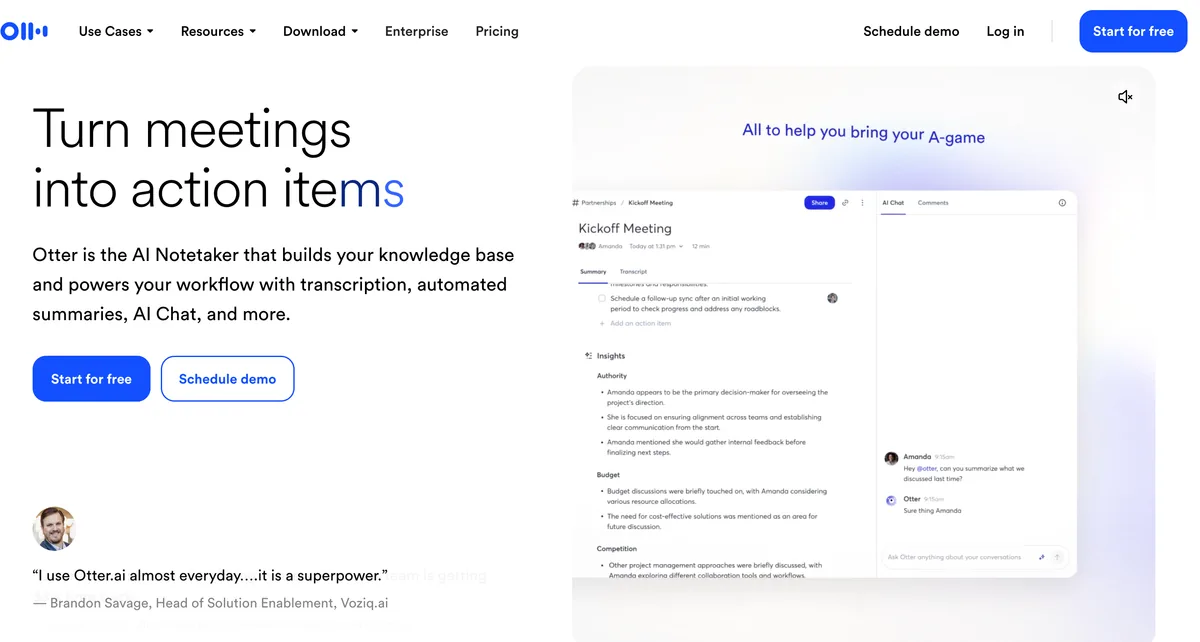
Otter.ai is a cloud-first meeting transcription assistant. The mental model that matters for safety analysis: Otter is not a personal dictation tool you press a key on — it is a service that joins your video meetings as a visible bot participant (OtterPilot) or runs in-browser to capture the audio of every speaker on the call, transmits all audio to Otter's cloud infrastructure, transcribes it using Otter's transcription models, generates AI summaries and action items using third-party LLM providers, and stores the resulting recording, transcript, and AI artifacts on Otter's servers for collaboration and later retrieval.
What Otter captures in a typical meeting:
- Audio recordings of every speaker on the call — not just the host who initiated OtterPilot. Anyone whose voice is captured by the meeting platform is captured by Otter.
- Speaker identification metadata — Otter trains voiceprint models to identify recurring speakers across meetings.
- Meeting metadata — calendar invites, attendee lists, meeting titles, timestamps, duration, platform (Zoom / Meet / Teams).
- Generated AI artifacts — automatic summaries, action items, chapter breakdowns, and Otter AI Chat conversations about the meeting.
- Account information — name, email, billing info, workspace memberships, integration tokens for connected platforms.
What Otter does with that data:
- Stores it on Otter's cloud infrastructure until you manually delete it (with 30-day trash retention before auto-purge).
- Trains Otter's transcription and summarization models on de-identified user data by default. Opt-out is available in account data controls.
- Sends transcript excerpts to third-party LLM providers for AI features like Otter AI Chat, summaries, and action items. Per Otter, those third-party providers do not train on the data they receive.
- Makes the recording and transcript available to anyone with the share link if the user enables link sharing, and to all members of the workspace if shared internally.
Otter encrypts data in transit (HTTPS/TLS) and at rest (AES-256), maintains a SOC 2 Type 2 attestation, and publishes a Privacy & Security page that documents the encryption posture and the training-default-opt-out toggle. The platform-level security posture is at industry baseline for cloud SaaS. The privacy questions that matter most — what consent the recording requires, what training default applies, how durable deletion really is, and what the pending class action might change — are not addressed by the encryption layer.
Warning
The single biggest Otter safety mistake is treating it as "just a transcription tool" rather than as a recording system that captures every speaker on the call. The consent question, the training-default question, and the retention question all flow from the recording-system framing.
The In re Otter.AI Privacy Litigation: What's Actually Alleged
The legal context most Otter users have not absorbed is that Otter is the named defendant in a consolidated federal class action that is the most material AI-meeting-recorder case currently being litigated. The case began as Brewer v. Otter.ai Inc., filed August 15, 2025 in the Northern District of California by Justin Brewer, a California resident.
The factual claim in the original complaint:
- Brewer had never signed up for Otter.
- In February 2025, he participated in a sales call where another participant had OtterPilot running.
- Brewer alleges he was not informed that the call was being recorded by Otter, did not consent to the recording, and did not consent to his voice and conversation being used to train Otter's AI models.
- Otter recorded the call, generated a transcript, and (under default settings) used the de-identified data in training.
The legal claims in the complaint:
- Electronic Communications Privacy Act (ECPA) — federal wiretap statute, prohibits interception of electronic communications without consent.
- Computer Fraud and Abuse Act (CFAA) — federal computer-access statute.
- California Invasion of Privacy Act (CIPA) — California's two-party-consent recording statute, with statutory damages of $5,000 per violation.
- California Comprehensive Computer Data and Fraud Access Act.
- California Unfair Competition Law.
The procedural history:
- Aug-Sep 2025: Four separate suits filed against Otter by different California-resident plaintiffs alleging similar fact patterns.
- Oct 22, 2025: Judge Eumi K. Lee consolidated all four cases into In re Otter.AI Privacy Litigation, 5:25-cv-06911 (N.D. Cal.).
- Dec 5, 2025: Consolidated complaint filed.
- April 2026: Otter filed a motion-to-dismiss reply brief denying any interception occurred and arguing plaintiffs had not made a plausible case on the core legal elements.
- May 2026: Case ongoing. No court has ruled that Otter's recording practices are illegal.
Why this matters for the safety analysis:
- The case is unresolved. Until the court rules — on the motion to dismiss, then on class certification, then on the merits — Otter operates under a legal cloud that does not exist for products with comparable architecture but smaller meeting footprints.
- The visible-bot consent argument is the core legal question. If the court finds that a visible bot is insufficient notice to satisfy two-party-consent statutes in CIPA-equivalent jurisdictions, every organization using OtterPilot in mixed-jurisdiction calls without explicit verbal consent inherits a CIPA-style risk. Statutory damages per violation are not nominal.
- The training-default-opt-out is at issue. The complaint includes the use of meeting data for AI training as part of the alleged harm. A ruling that training requires affirmative opt-in rather than opt-out would have product-design implications for Otter and every peer cloud SaaS that uses similar defaults.
For the public reporting and source documents:
- NPR's contemporaneous coverage: Class-action suit claims Otter AI secretly records private work conversations (Aug 15, 2025).
- The consolidated docket on CourtListener: In re Otter.AI Privacy Litigation, 5:25-cv-06911.
- The original Brewer complaint PDF: Class Action Complaint (filed N.D. Cal.).
- Jackson Lewis case analysis: We Get AI for Work — Analyzing Brewer v. Otter.ai.
The honest framing: the case is not a breach allegation, a security-control failure, or evidence that Otter is acting in bad faith. It is a litigation of whether the product's consent model meets the statutory bar for two-party-consent jurisdictions, and whether opt-out training is a defensible default. Both questions are genuinely contested. Both questions matter for how an organization should weight Otter against alternatives in May 2026.
Key Takeaway
In re Otter.AI Privacy Litigation is consolidated, ongoing, and challenges the visible-bot-as-notice consent model plus the opt-out training default. Track the motion-to-dismiss ruling as the next inflection point; until then, treat the visible-bot-equals-consent framing as legally untested.
Training Default: Opt-Out, Not Opt-In
Otter's default for using user meeting transcripts to improve its transcription and summarization models is opt-out. New Otter users start with the training contribution toggle on; the toggle lives in account settings under data controls.
The mechanics, sourced to Otter's Privacy & Security page:
- Default state. Otter trains on user data by default. Per Otter: "Otter does not access your audio recordings unless given explicit consent for troubleshooting specific product support issues and/or the user opts in to contribute data for system improvement." The second clause is doing real work — a user who never explicitly opts out is treated as having implicitly opted in for system-improvement training. Independent reviews and the class-action complaint frame this as opt-out training rather than opt-in.
- De-identification. Training data is de-identified through a proprietary process before being used. De-identification reduces the privacy risk if it is robust, but de-identification is not the same as deletion — the underlying meeting content still informs the model's parameters.
- Encryption. Training data is encrypted at rest, consistent with Otter's AES-256 baseline.
- Third-party LLM training. Otter states that its third-party AI service providers (the LLM vendors Otter uses for AI Chat, summaries, etc.) do not train on user data. This is contractually binding between Otter and those vendors.
- Opt-out path. Account → Settings → Data Controls → toggle off model-improvement contributions. Confirm the toggle after every account access; some settings revert on subscription tier changes.
The pragmatic problem with opt-out as default in a meeting-recording product:
- The participant who consents is not the participant who is recorded. When OtterPilot joins a five-person call, the host who pressed the button has visibility into the toggle. The other four participants have neither visibility nor control. If the host has training on (the default), the other four participants' de-identified speech is contributing to Otter's training corpus without those participants having any practical mechanism to opt themselves out.
- De-identification is not deletion. Even if de-identification is robust enough to satisfy GDPR's anonymization bar (a high bar — most de-identification falls short of true anonymization), the meeting content is still informing the model's weights. For competitive intelligence, M&A discussions, NDA-bound topics, or genuinely sensitive personal conversations, de-identified training is still training.
- The setting is not surfaced prominently. Users who never open settings — the common pattern for any SaaS — are training-on by default for the lifetime of their account.
The contrast with peer cloud dictation products:
- Wispr Flow: "Your data is never used to train these services and will be deleted after 30 days." (See Is Wispr Flow Safe?.)
- Superwhisper: "Not used for training AI models or any other machine learning purposes." (See Is Superwhisper Safe?.)
- Aqua Voice: Silent on training. (See Is Aqua Voice Safe? for why silence is a signal.)
- Voibe: Architecturally cannot train, because audio never leaves the device.
If Otter is in your stack, the highest-leverage privacy step is to open Settings → Data Controls and confirm the training contribution toggle is off. Make it part of new-employee onboarding for any workspace where Otter is approved.
Tip
If you keep using Otter, open Settings → Data Controls now and turn off model-improvement contributions. The setting is the single highest-leverage privacy step you can take inside the product. Re-verify after each subscription change.
The Two-Party Consent Problem
The single most material legal question about Otter is whether the OtterPilot visible-bot pattern satisfies two-party-consent (also called "all-party-consent") recording statutes in the eleven US jurisdictions that require explicit consent from every party before a private conversation can be lawfully recorded.
The two-party-consent US jurisdictions, as of 2026:
- California — California Invasion of Privacy Act (CIPA), statutory damages of $5,000 per violation.
- Connecticut — all-party for in-person, one-party for electronic.
- Delaware.
- Florida.
- Illinois — Eavesdropping Act.
- Maryland.
- Massachusetts.
- Montana.
- Nevada.
- New Hampshire.
- Pennsylvania.
- Washington.
Otter's stated consent model treats the visible OtterPilot bot in the participant list, plus a notification when the bot joins, as constituting notice that the meeting is being recorded — and treats continued participation in the call as implicit consent. This is the model the Brewer plaintiffs are challenging. The legal questions the court will need to answer:
- Is a visible bot in a Zoom participant list "notice" sufficient for CIPA? CIPA requires consent, not just notice. A participant who sees the bot but does not understand what it is or what it does has been given a label, not informed consent.
- Is silence-as-consent compatible with the affirmative-consent reading of CIPA? Several California courts have read CIPA to require an affirmative act of consent, not the absence of objection.
- How does the analysis change for participants who join late, miss the bot announcement, or come from a one-party-consent jurisdiction that does not match the host's?
The operational risk for organizations using OtterPilot in mixed-jurisdiction calls is straightforward even before the court rules: any single participant in a CIPA state who later objects to the recording or training can file a private right of action under CIPA seeking $5,000 statutory damages per violation. The arithmetic on a recurring meeting with even a handful of CIPA-resident participants over a year escalates quickly.
The defensive workflow regardless of what the court rules:
- Establish a verbal-consent script. At the start of every recorded call, the host reads: "This call is being recorded and transcribed by Otter.ai. Otter is in our participant list as a visible bot. Do you all consent to recording and transcription?" Wait for verbal acknowledgment from every participant. Document the consent in the transcript itself.
- Offer a clear opt-out path. Any participant who objects can request the recording be stopped, the bot removed, or themselves removed from the recording.
- Distinguish internal vs. external meetings. Internal team meetings where all participants are on the same workspace and have agreed to workplace recording policies are easier than client calls, candidate interviews, or partner discussions where the consent baseline is unclear.
- Have a written policy listing call types that do not get recorded. Privileged legal conversations, HIPAA-bound healthcare conversations without BAA, M&A discussions, candidate interviews where local employment law restricts recording, NDA-bound third-party conversations.
The architectural alternative for the host who is mostly interested in capturing their own contributions, action items, and follow-ups: dictate after the call rather than recording the call. Voibe does the dictation step on-device, which removes the recording, the consent question, and the lawsuit-risk profile from the workflow.
Retention Quirks: What "Deletion" Doesn't Promise
Otter's user-facing deletion flow is straightforward: a recording moves from your main account to a trash folder, sits in trash for 30 days, then auto-purges. Once auto-purged, Otter states that “no record of the User Content is retained and the User Content cannot be recreated by the service.”
The harder question is what Otter does with copies of your data outside the user-facing deletion flow. Otter's privacy policy reserves the right to retain data “for as long as necessary to fulfill the purposes set out in this Policy, or for as long as it is required to do so by law or in order to comply with a regulatory obligation.” That is broad language with several practical consequences:
- Backup retention. Standard SaaS practice is to keep encrypted backups for a defined window after primary deletion. Otter does not publish the backup-retention window in the public privacy policy.
- Training-corpus retention of de-identified copies. Once a meeting transcript has contributed to a model-training pass under the opt-out default, the de-identified contribution to model weights is durable. Deleting the original recording does not unwind the training contribution.
- Legal-hold retention. If Otter receives a litigation hold or regulatory request that covers your data, the deletion timeline pauses indefinitely.
- Analytics and operational retention. Metadata about your account, your usage patterns, and your meeting cadence is typically retained separately from the content itself.
Independent privacy reviewers analyzing Otter's policy have flagged the broad-purpose retention language as preserving Otter's right to retain copies of user data even after the user clicks delete, if Otter determines retention serves a "legitimate business purpose." This is not unique to Otter — many cloud SaaS privacy policies use similar language — but the combination of a meeting-recording product with broad-purpose retention language deserves explicit attention from anyone storing sensitive conversations.
The practical read for the compliance team:
- Treat the recording as durable for compliance-audit and litigation-discovery purposes. If a meeting is recorded by Otter, assume the recording exists in some form that could be reached by a subpoena or regulatory request even after user-facing deletion.
- Set a retention policy at the org level if you can. On Business and Enterprise tiers, admins can configure shorter retention windows than the default.
- Audit the trash folder. Set a recurring calendar reminder to empty the trash on a defined cadence. The 30-day auto-purge is a floor, not a ceiling — actively empty rather than wait.
- For genuinely sensitive content, do not record in the first place. The architectural answer is upstream of the deletion flow.
Voibe's architectural choice is to write nothing to disk and route nothing to the cloud. There is no retention policy because there is nothing to retain. For meeting notes that need to be captured, dictate after the call locally — and the deletion question never arises.
Key Takeaway
Otter's user-visible deletion flow is 30 days in trash then auto-purge. The privacy policy reserves broader retention rights for backups, training contributions, legal holds, and analytics. Treat recorded meetings as durable for compliance-discovery purposes regardless of when you click delete.
Architecture vs. Audit: What Otter Has, and What It Does Not
Otter sits squarely on the cloud side of the dictation-and-transcription privacy landscape. It is well-supported on the audit and platform-security dimensions and structurally exposed on the architecture and consent dimensions.
What Otter has:
- SOC 2 Type 2 attestation. Independent attestation that security controls have been designed and tested over a defined window. Procurement-clearing for many enterprises.
- Encryption at industry baseline. HTTPS/TLS in transit, AES-256 at rest.
- Third-party LLM no-training contracts. The downstream LLM providers Otter uses for AI Chat, summaries, and action items are contractually prohibited from training on Otter data.
- HIPAA BAA availability on Enterprise. Enables healthcare deployments with the standard caveats about cloud routing.
- Admin controls on Business and Enterprise. Workspace-wide training disable, retention policy configuration, SSO, audit logs.
- A nine-year operational track record with no publicly reported data breach as of May 2026.
- Multi-platform reach. Web, iOS, Android, native bots for Zoom / Google Meet / Microsoft Teams.
What Otter does not have:
- On-device transcription as an option. No path to transcribe a meeting without sending audio to Otter's cloud.
- Opt-in training as default. The training default is opt-out, which means new users contribute to training until they find and flip the setting.
- An explicit consent flow at the meeting level. The visible-bot model relies on implicit-consent reasoning that is being challenged in court.
- A resolved legal posture. The In re Otter.AI Privacy Litigation is ongoing — and the legal cloud is no longer Otter-specific. Fireflies faces voiceprint class actions under Illinois' BIPA in the Northern District of Illinois, and in July 2026 Granola was sued in Chamberlain v. Granola, Inc. (No. 3:26-cv-07926, N.D. Cal.) — a wiretap class action alleging its bot-free system-audio capture records meeting participants without any notice at all and trains AI on their communications by default. The entire notetaker category now operates under consent litigation.
- A privacy policy that addresses backup-retention windows or training-contribution-deletion procedures with specific timelines. The broad-purpose retention language preserves rights the user cannot independently verify.
For non-sensitive meeting transcription where all participants are inside the same organization, on the same SaaS contract, in the same jurisdiction, with workplace recording policies that cover the use case — Otter is functional and the security baseline is reasonable. For client calls, mixed-jurisdiction meetings, regulated industries, or any conversation where two-party-consent statutes might apply, the cloud-only architecture plus the visible-bot consent model plus the pending litigation compound into a real risk profile.
For the broader architectural framing, see our cloud vs. local dictation guide and our voice data privacy guide. For a continuously-updated cross-product reference covering Otter, Fireflies, Granola, and the rest of the meeting-transcription peer set on training, retention, and on-device support, see our AI Tool Privacy Tracker.
Otter's opt-out training default is a textbook case of the de-identified-data carve-out — one of six clauses that let a company keep and use your audio without breaching its own terms. All six are set out in zero data retention explained.
The Otter Safety Decision Tree
Use the Otter Safety Decision Tree to decide whether Otter is safe enough for your specific situation. The five questions, in order, take you from the lowest-risk use case to the highest. Stop at the first question where you cannot accept the answer Otter currently provides.
- Are all meeting participants on the same workspace with workplace recording policies that explicitly cover Otter? If yes — internal team meeting use is reasonable, assuming the org has disabled training contributions. If no, continue to question 2.
- Are all meeting participants in one-party-consent jurisdictions, or have you established explicit verbal consent at the start of each call? If yes — the CIPA-class risk is mitigated. Continue to question 3. If no, accept that any single CIPA-state participant can later file a private action seeking statutory damages.
- Have you opted out of training in account Data Controls, and confirmed the toggle after every subscription change? If yes — Otter is no longer training on your meeting data. Continue to question 4. If no, every meeting is contributing to Otter's training corpus in de-identified form.
- Is the content covered by HIPAA, attorney-client privilege, or specific NDA terms restricting third-party processing? If no — Otter on opted-out training with consent established is workable. If yes — confirm a signed BAA on Enterprise, verify the specific NDA language permits cloud transcription, and consult counsel for privileged calls. For PHI without a BAA, Otter is the wrong tool regardless of plan.
- Are you comfortable with the pending In re Otter.AI Privacy Litigation, the visible-bot consent model, and the broad-purpose retention language in the privacy policy? If yes — Otter is workable with the configurations above. If no, only an architectural alternative will satisfy you. For the dictation side (your own notes after the call), use on-device dictation like Voibe. For the genuine meeting-recording side, see our Otter alternatives roundup for transcription tools with stronger consent flows and signed BAAs.
The pattern: the further you progress through the tree, the more Otter's defaults rub against the use case. By question 4, the absence of an Enterprise BAA blocks regulated workflows. By question 5, the pending litigation becomes the dispositive factor for risk-averse organizations.
Alternatives: Meeting Tools vs. On-Device Dictation
The right alternative to Otter depends on whether you actually need a meeting recording, or whether you only need notes about the meeting. These are two different product categories, and confusing them is why many users default to Otter when their actual need is dictation after the call.
If you need a meeting recording — for legal deposition, multi-party interview, sales-call review, training, or transcribed-for-record events — the safer alternatives have explicit all-party consent flows, signed BAAs where applicable, and documented retention timelines. See our Otter AI alternatives roundup for the meeting-tool comparison. And if your actual question is Otter versus Dragon — meeting capture versus document dictation — our Dragon vs Otter comparison untangles the two jobs. The relevant axes are:
- Consent flow. Does the product require explicit consent from each participant, or rely on visible-bot-as-notice?
- Training default. Opt-in, opt-out, or no-training-period?
- Compliance attestations. SOC 2 (Type 1 or Type 2), HIPAA BAA availability, ISO 27001, regional data residency.
- Retention transparency. Specific timelines for backups, training-contribution durability, and legal-hold pause behavior.
- Architecture. Cloud-only, hybrid, or on-device options.
If you only need notes about the meeting — your own action items, follow-ups, summaries, decisions — the architectural alternative is to skip the cloud meeting bot entirely and dictate your own summary directly after the call using an on-device tool. The benefits compound:
- No consent question. You are dictating your own notes; you are not recording other participants.
- No training question. On-device dictation has no cloud surface and no training corpus.
- No retention question. Voibe writes nothing to disk; the audio is discarded after transcription.
- No subpoena exposure. Audio that never leaves your Mac cannot be subpoenaed from a third party.
- No bot in the participant list. Calls feel natural; no one is wondering what OtterPilot is.
| Tool | Category | Architecture | Key Strength |
|---|---|---|---|
| Voibe | Personal dictation | On-device mode (Apple Silicon) or private zero-retention cloud | $149 lifetime, no consent question, never trained on, never stored |
| VoiceInk | Personal dictation | 100% on-device. Open-source GPL v3. | Auditable codebase; $29–69 one-time |
| Apple Dictation | Personal dictation | Mostly on-device on Apple Silicon | Free; 30-second silence cutoff caveat |
| Wispr Flow Enterprise | Personal dictation (cloud) | Cloud with locked Privacy Mode + signed BAA | Healthcare-eligible cloud option |
For the cross-tool roundup with feature-level detail, see best offline dictation apps. For the comparison-with-Otter framing, see Otter vs. Wispr Flow.
Speakers and Summaries Without the Meeting Bot
Voibe started as a dictation app, a different category from Otter — but that is no longer the whole picture. Voibe's speech-to-text API now returns the substance of what a meeting-transcription tool sells: a diarized transcript with speaker labels and per-segment timestamps, plus a summary you steer with your own prompt. In Claude Cowork, Claude desktop or Claude web, add it under Customize › Connectors › Add custom connector, paste https://api.getvoibe.com/mcp and sign in once — no terminal, no code. Developers connect the same server in Claude Code with one claude mcp add command, or call the REST endpoints directly from a script or cron job.
Meeting notes, without the bot. In September 2026 Voibe added Voibe Work, a plan that takes meeting notes from your Mac with no bot in the call. Meeting audio is processed by open-source models on zero-retention providers and deleted when processing completes, and the transcript and summary are saved on your Mac. It has no calendar integration and doesn't auto-join, so it replaces Otter's desktop capture, not a bot that shows up on its own. Our Granola alternatives and best no-bot meeting note takers guides compare it. Separately, the API takes a recording you already have — a local Zoom file, a voice memo, an interview — and give you speakers, timestamps and a summary without uploading it to a service that retains it. If you already have the file, you no longer need to hand it to Otter to get that. If you need something to attend the meeting for you, Otter and its notetaker peers remain the category that does it.
The privacy contrast is the sharp part. Otter's training default is opt-out and its deletion promises carry the caveats set out above; Voibe's API deletes the audio the moment the transcript exists, never trains on it, and applies that on every tier with no flag to remember. See how to transcribe a Zoom recording for the full walkthrough.
Key Takeaway
If you need meeting recording, switch to a tool with explicit all-party consent flows and signed BAA where applicable. If you only need post-meeting notes, switch to on-device dictation — and the recording, consent, training, and retention questions all disappear.
Voibe: Why On-Device Dictation Solves the Post-Meeting Notes Problem
Voibe is a dictation app for Mac and Windows built around a durable promise: your audio and text are never stored, never sold, and never used to train any AI model. It offers two user-selectable modes. In on-device mode, Voibe runs OpenAI Whisper on Apple Silicon's Neural Engine — when you press your hotkey, audio is captured into memory, transcribed by the local Whisper model, written into the active text field, and discarded; nothing leaves the Mac. In private cloud mode, audio goes over an encrypted connection to Voibe's own infrastructure, runs only open-source models, and is deleted the moment transcription completes. No participant consent question, no training-corpus contribution in either mode.
Mapped against the safety questions raised by the Otter story:
- Audio routing. In on-device mode Voibe processes audio on the Apple Silicon Neural Engine and nothing leaves the Mac; in private cloud mode audio is encrypted in transit and deleted the moment transcription completes.
- Consent question. Not applicable. You are dictating your own notes after the call — you are not recording any other participants.
- Training default. Not applicable. Voibe never uses your dictation to train any AI model, in either mode.
- Retention. Not applicable. Your audio and text are never stored; on-device mode writes no recording files to disk.
- Class-action exposure. Not applicable. The product category is different (personal dictation, not meeting recording); the consent litigation does not apply.
- Privacy policy. Voibe's privacy policy and cloud AI privacy page commit that your audio and text are never stored, never sold, and never used to train any AI model — with a fully on-device mode available when you want nothing to leave the Mac at all.
- Permissions. Voibe requests microphone access and macOS accessibility permission — the minimum surface required to capture audio and paste text into the active field. No screen recording, no camera, no full-disk access.
- Network monitor. Run Little Snitch during a Voibe on-device dictation session. Outbound traffic from Voibe during transcription is zero.
- Account. Voibe does not require an account to dictate.
What Voibe is not: Voibe does not send a bot into Zoom, Google Meet, or Microsoft Teams, and it has no calendar auto-join. Its dictation app captures only your own voice. The Voibe Work plan (Mac) captures meetings from your computer and saves the notes on your Mac, so the consent question applies to it as it does to any no-bot note taker. If you already have the recording — a Zoom local recording, for instance — Voibe’s transcription API will turn that file into a speaker-labelled transcript without any bot joining anything; see how to transcribe a Zoom recording. If you genuinely need a meeting recording for a legal deposition, multi-party interview, or transcribed-for-record event, Voibe is not the right tool — see our Otter alternatives roundup for tools in that category. But for the most common Otter use case — capturing your own notes, summaries, action items, and follow-ups after a call — Voibe handles the dictation step on-device and removes the entire recording question.
Pricing: $7.50/month, $59/year, or $149 lifetime for unlimited dictation (on-device mode requires an Apple Silicon Mac, M1 or later; check getvoibe.com/pricing for any active discount). Voibe also includes a Developer Mode for VS Code and Cursor with file/folder name resolution.
Try Voibe for Free — install, grant microphone and accessibility permissions, and dictate. No account, no credit card, and a fully on-device mode available.
The Bottom Line on Otter Safety in 2026
Otter.ai is reasonably safe for non-sensitive meeting transcription in May 2026 if you treat it as a cloud SaaS product with two known structural risks, opt out of training in Data Controls, establish explicit verbal consent at the start of every recorded call, and have a written policy listing the call types that bypass Otter entirely. The platform-level security posture — SOC 2 Type 2, AES-256 at rest, HTTPS/TLS in transit — is at industry baseline. For internal team meetings on a single workspace with workplace recording policies that cover the use case, Otter is functional.
It is not the right tool if you need an explicit all-party consent flow rather than visible-bot-as-notice, cannot accept the opt-out training default for participants who never agreed to be in your account, are uncomfortable with the pending In re Otter.AI Privacy Litigation, need HIPAA coverage without an Enterprise BAA, or require a privacy policy that addresses backup-retention and training-contribution-deletion timelines specifically. None of these gaps are breaches or security failures — they are product-design choices and unresolved legal questions that compound risk in specific deployments.
The pattern this represents is broader than Otter. Fireflies faces BIPA voiceprint class actions in Illinois, and in July 2026 Granola — the best-known bot-free notetaker — was sued in Chamberlain v. Granola, Inc. (N.D. Cal.) for recording meeting participants without their knowledge or consent through its system-audio capture and using their communications for AI training by default. Cloud meeting transcription tools sit at the intersection of recording statutes (which require consent from every speaker), training-data law (which is still being defined), and litigation-discovery rules (which can reach data that the user has "deleted"). For non-sensitive internal use, the cloud meeting bot is a reasonable convenience. For mixed-jurisdiction, regulated, privileged, or NDA-bound calls, the architectural answer is either explicit consent with a BAA-anchored tool or to skip the meeting recording entirely and dictate the notes after the call on-device.
If Otter is on your shortlist, run the Otter Safety Audit: map your jurisdictions, establish a verbal-consent script, turn off training in Data Controls, define call types that bypass Otter, and on Enterprise tiers request the SOC 2 Type 2 report and verify the signed BAA. If those steps feel like more diligence than you want to spend per recorded call, on-device dictation tools like Voibe sidestep the entire question by handling the post-meeting notes step locally with no recording, no consent question, and no participant data leaving your Mac.
For further reading, see our Otter AI alternatives roundup, Otter vs. Wispr Flow comparison, and the broader dictation privacy hub. For the sibling "is X safe?" investigations, see Is Wispr Flow Safe?, Is Superwhisper Safe?, Is Aqua Voice Safe?, Is Willow Voice Safe?, Is Dragon Safe?, Is Claude Code Safe? (developer-tool parallel covering Anthropic's Consumer-vs-Commercial Terms split), Is Blip AI Safe?, Is VoiceDash Safe?, Is Voicy Safe? (the Groq-routed cloud peer whose no-training promise lives on marketing pages, not in policy), Is Wisprtype Safe? (local-by-default but closed-source, with a telemetry default that contradicted its policy), Is VoiceInk Safe? (the open-source GPL v3 on-device peer — zero telemetry, verified in source), Is Handy Safe? (the free MIT-licensed local tool with no cloud transcription path at all), and the TurboScribe alternatives guide (whose safety section covers a cloud file-transcription peer that is well-encrypted but stores your uploads until you delete them). For the cross-product privacy reference covering Otter, Fireflies, Granola, and the rest of the meeting-transcription peer set, see our AI Tool Privacy Tracker. For the architectural framing, see the voice data privacy guide, the cloud vs. local dictation guide, the offline dictation privacy on Mac explainer, and our dictation and HIPAA guide. For regulated-industry framing, see Rev alternatives for lawyers and Rev alternatives for journalists.
Frequently Asked Questions
Is Otter.ai safe to use in 2026?
Does Otter.ai send my voice to the cloud?
What is the Otter.ai class action lawsuit about?
Does Otter.ai train AI on my voice or transcripts?
Is Otter.ai HIPAA compliant?
Do all meeting participants need to consent to Otter recording?
What happens to my Otter recordings when I delete them?
What's the safest alternative to Otter.ai for sensitive meetings?
What checks should I run before letting Otter.ai into my meetings?
Meeting notes without a bot in your call
Voibe Work takes notes from Zoom, Teams and Meet on your Mac, with dictation included. Nothing used to train AI.
- Mac + Windows
- No bot in your calls
- Nothing used to train AI
- 7-day free trial
Want to compare plans first? View pricing →
Related Articles
Wispr Built Its Own Voice Model. Whose Voice Trained Canto?
Wispr raised $280M and shipped Canto — a model tuned for noise, accents and Hinglish. Their own docs hint at whose voices taught it. Not the Fortune 500.
What Wispr Flow's Founder Revealed About User Tracking (2026)
On a Think School podcast, Wispr Flow's CEO described an analytics engine that ties your dictation — word counts, which apps, name, employer — to your identity. What it means.
Is Willow Voice Safe? Private Mode, HIPAA & Enterprise Verdict (2026)
Is Willow Voice safe? Private Mode default-on for individuals, opt-in training, HIPAA marketed but absent from policy text, SOC 2 referenced. Full safety review.