
Apple Dictation vs Wispr Flow: Should You Upgrade from Free in 2026?
Apple Dictation vs Wispr Flow compared for users deciding whether to upgrade from free. Signals you've outgrown Apple Dictation, 3-year cost, privacy tradeoffs, and Voibe as the middle path.

Apple Dictation
Free built-in dictation in macOS and iOS. Processes on-device on Apple Silicon Macs. No installation, no account, no cost — but capped by an approximately 30-second timeout per dictation and no support for custom vocabulary or AI rewriting.
Free (built into macOS and iOS)
Pros
- + Completely free — bundled with every Mac and iPhone
- + On-device processing on Apple Silicon Macs
- + Zero setup — enable in System Settings and speak
- + Works system-wide in any text field
- + Real-time text as you speak
Cons
- - Approximately 30-second timeout, architectural with no extension
- - Drops words and stops mid-sentence in longer sessions
- - No custom vocabulary for technical, medical, or legal terms
- - No AI text editing or reformatting
- - Inconsistent auto-punctuation on longer passages
- - No developer or IDE awareness
Wispr Flow
Cloud-based AI dictation app with context-aware formatting, tone matching, and cross-platform support on Mac, Windows, iOS, and Android. Pro at $15/month or $144/year — subscription-only with no lifetime option.
$15/mo or $144/yr (Pro, subscription only)
Pros
- + AI rewrites speech into polished prose with per-app tone matching
- + Cross-platform: Mac, Windows, iOS, and Android
- + No 30-second timeout — longer dictation sessions supported
- + Custom dictionary for proper nouns and technical terms
- + SOC 2 Type II certified and HIPAA controls available
- + 14-day Pro free trial, no credit card required
Cons
- - Cloud-only — audio transmitted to external servers (OpenAI, Meta)
- - Captures periodic screenshots of the active window for context awareness
- - No offline mode — internet connection required for every dictation
- - Subscription-only at $15/mo or $144/yr; no lifetime option
- - Trustpilot rating of 2.7/5 citing reliability issues after trial
- - Reported idle usage around 800MB RAM and 8% CPU on Mac
- - Free tier capped at 2,000 words per week
Voibe
WinnerOn-device Mac dictation app with VS Code and Cursor integration. Whisper models running locally on Apple Silicon, no 30-second timeout, no cloud dependency, $99 lifetime.
$4.90/mo or $99 lifetime
Pros
- + 100% on-device processing — audio never leaves your Mac
- + No 30-second timeout — dictate as long as you need
- + Developer mode with VS Code and Cursor file/folder name resolution
- + Custom vocabulary for specialized terminology
- + $99 lifetime — less than one year of Wispr Flow Pro annual ($144)
- + Works fully offline on Apple Silicon Macs
Cons
- - macOS only (Apple Silicon M1–M4)
- - No AI text rewriting or reformatting
- - No Windows, iOS, or Android version
- - No voice commands for controlling apps
TL;DR: Apple Dictation vs Wispr Flow — Should You Upgrade from Free?
Apple Dictation is free, built into every Mac, and works on-device on Apple Silicon. Wispr Flow costs $15 per month or $144 per year and adds AI text rewriting, longer session support, and cross-platform reach — at the cost of cloud processing and a 2.7/5 Trustpilot rating. If you have outgrown Apple Dictation's approximately 30-second timeout but want on-device privacy and no subscription, Voibe bridges the gap at $99 lifetime — less than one year of Wispr Flow Pro. This page helps you decide whether the upgrade from free is worth it, and which direction to go.
Disclosure: Voibe is our product. We compare all three options fairly below, acknowledging where each one genuinely wins. For a Wispr Flow-first perspective on the same decision, see our companion Wispr Flow vs Apple Dictation comparison.
Key Takeaway
Apple Dictation is the right starting point for casual short dictation. Wispr Flow is the right upgrade if AI text rewriting or cross-platform support matters more than on-device privacy. Voibe is the middle path for Mac users who want unlimited on-device sessions without a subscription.
Key Takeaways: Apple Dictation vs Wispr Flow at a Glance
| Factor | Apple Dictation | Wispr Flow | Voibe | Winner |
|---|---|---|---|---|
| Price | Free | $15/mo or $144/yr | $99 lifetime | Apple Dictation |
| 3-Year Cost | $0 | $432 (annual plan) | $99 | Apple / Voibe |
| Session Length | ~30 sec timeout | Up to ~6 min per capture | Unlimited | Voibe |
| Processing | On-device (Apple Silicon) | Cloud (OpenAI, Meta) | 100% on-device | Apple / Voibe |
| AI Rewriting | No | Yes (context-aware) | No | Wispr Flow |
| Custom Vocabulary | No | Yes | Yes | Wispr Flow / Voibe |
| Platform | macOS, iOS | Mac, Windows, iOS, Android | macOS (Apple Silicon) | Wispr Flow |
| Offline Mode | Yes (Apple Silicon) | None | Yes | Apple / Voibe |
| Trustpilot Rating | N/A (built-in) | 2.7/5 | N/A (4.8/5 Product Hunt) | Apple / Voibe |
| IDE Integration | No | No | VS Code + Cursor | Voibe |
Key Takeaway
Apple Dictation wins on cost and privacy by default. Wispr Flow wins on AI features and cross-platform reach. Voibe wins on unlimited on-device sessions, developer integration, and long-term cost.
Signals You Have Outgrown Apple Dictation
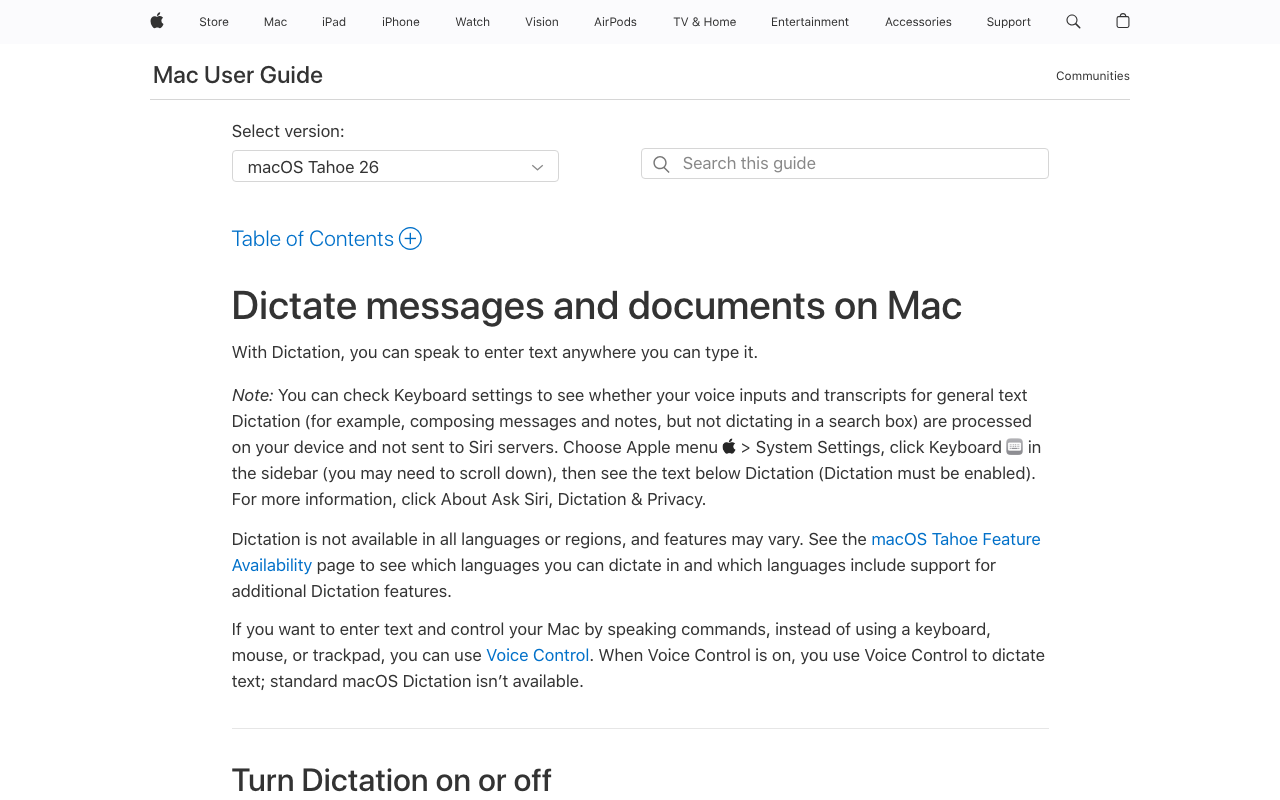
Most Mac users start with Apple Dictation because it is free and already there. It handles short bursts well — a message, a note, a quick search query. But for many users a pattern emerges: dictation becomes part of their workflow, and the free tool starts creating friction rather than saving time. These are the signals that you have outgrown Apple Dictation and should consider upgrading:
- You hit the approximately 30-second timeout regularly. Dictating a paragraph-length email, a meeting note, or a paragraph of documentation means repeatedly restarting dictation. The timeout is architectural — there is no setting to extend it.
- Dictation stops or drops words in extended sessions. Multiple Apple Community threads describe dictation stopping unexpectedly mid-sentence, with one widely-cited user report stating dictation fails “3 out of 10 times”.
- You dictate technical, medical, or legal terminology and Apple Dictation mis-transcribes it repeatedly. Apple Dictation has no custom vocabulary — it cannot learn your terms.
- You spend real time cleaning up the output. Auto-punctuation is inconsistent on longer passages and there is no AI text rewriting to smooth prose.
- You rely on dictation as a primary input method. Users with RSI or limited mobility cannot afford to restart every 30 seconds or lose words mid-sentence.
- You dictate into code editors. Apple Dictation has no IDE awareness — variable names, file paths, and technical identifiers get mangled.
If two or more of these apply to your workflow, a dedicated dictation tool pays back fast in saved editing time. The question is not whether to upgrade, but in which direction — AI-forward cloud (Wispr Flow), on-device with Whisper (Voibe, Superwhisper), or open-source DIY.
Key Takeaway
The clearest upgrade signals are the 30-second timeout, dropped words in extended sessions, mis-transcribed specialized vocabulary, and reliance on dictation as a primary input. Two or more of these and a dedicated tool is almost always worth it.
What Wispr Flow Adds Over Apple Dictation

Wispr Flow is a cloud-based AI dictation app backed by $81 million in funding. It runs on Mac, Windows, iOS, and Android, and positions itself explicitly as an upgrade over Apple Dictation. The additions over Apple Dictation fall into four buckets:
1. AI Text Rewriting
This is Wispr Flow's signature feature. Instead of transcribing verbatim, it rewrites speech into polished prose — removing filler words (“um,” “uh,” “like”), fixing grammar, and adapting tone per application. When you dictate into Slack, Wispr Flow produces casual messages; when you dictate into Mail, it produces more formal prose; when you dictate into an IDE, it shapes the text toward code comments. Apple Dictation does none of this — it transcribes what you say verbatim with basic auto-punctuation.
2. Longer Sessions
Wispr Flow does not impose Apple Dictation's approximately 30-second timeout. It supports dictation sessions up to approximately 6 minutes per capture, which is enough for long-form content like emails, notes, or documentation without needing to restart.
3. Cross-Platform Support
Wispr Flow runs on Mac, Windows, iOS, and Android from a single subscription. Apple Dictation is limited to macOS and iOS. For users who work across ecosystems — a Mac at home and a Windows laptop at work, or an Android phone — Wispr Flow is the only option of the three.
4. Custom Dictionary
Wispr Flow supports a personal dictionary that improves accuracy for proper nouns, technical terms, and domain jargon over time. Apple Dictation has no equivalent — specialized vocabulary will never get easier to dictate.
For the full feature breakdown of Wispr Flow and pricing tiers, see our Wispr Flow pricing guide.
Key Takeaway
Wispr Flow's four clear upgrades over Apple Dictation are AI text rewriting, longer session length, cross-platform support, and custom vocabulary. Whether those are worth $144/year depends on how much each one applies to your workflow.
What Apple Dictation Still Does Better
It is easy to assume that a paid AI tool wins on everything — but Apple Dictation retains genuine advantages that matter for certain workflows:
- Zero cost. $0 vs $144/year compounds into real money over time: $432 over 3 years for Wispr Flow Pro annual, or $540 over 3 years on monthly billing.
- Zero setup. No account creation, no install, no microphone permission grants for a third-party app. Apple Dictation is ready the moment you enable it in System Settings.
- On-device privacy by default. On Apple Silicon, Apple Dictation processes audio locally — no cloud round-trip, no screenshots, no data leaving your Mac. Wispr Flow transmits audio to cloud providers including OpenAI and Meta, and captures periodic screenshots of the active window for its context-awareness feature. For regulated industries (legal, medical, financial), Apple Dictation is the stronger default.
- Works offline. On Apple Silicon, Apple Dictation works without internet. Wispr Flow requires an active connection for every dictation — a flight, train, or restricted Wi-Fi office breaks it entirely.
- Minimal system footprint. Apple Dictation is a system service. Wispr Flow's desktop app has been reported at around 800MB RAM and 8% CPU usage when idle on a 2021 MacBook Pro.
- No vendor risk. Apple Dictation will keep working as long as macOS exists. Wispr Flow is a venture-backed startup with a 2.7/5 Trustpilot rating citing reliability concerns after the trial.
None of these advantages matter if your core constraint is the 30-second timeout or the lack of AI rewriting. But they do matter if your constraint is cost, privacy, offline reliability, or trust.
Key Takeaway
Apple Dictation wins on cost, setup, on-device privacy, offline reliability, and vendor risk. Those advantages are real and structural — not just “free vs paid”.
Pricing Breakdown: 3-Year Cost Comparison
The true cost of upgrading from Apple Dictation is not the sticker price — it is the total paid over how long you use the tool. Here is what each option costs over three years.
| Plan | Year 1 | Year 2 | Year 3 | 3-Year Total | vs Apple Dictation |
|---|---|---|---|---|---|
| Apple Dictation | $0 | $0 | $0 | $0 | Baseline (free) |
| Voibe lifetime | $99 | $0 | $0 | $99 | +$99 (one-time) |
| Wispr Flow Pro (annual) | $144 | $144 | $144 | $432 | +$432 |
| Wispr Flow Pro (monthly) | $180 | $180 | $180 | $540 | +$540 |
Pre-calculated savings (3 years of use):
- Voibe lifetime vs Wispr Flow Pro annual: saves $333 over 3 years — a 77% lifetime saving
- Voibe lifetime vs Wispr Flow Pro monthly: saves $441 over 3 years — an 82% lifetime saving
- Voibe lifetime breaks even vs Wispr Flow annual in under 8.5 months ($99 / ~$12 per month effective rate)
- Apple Dictation saves $432 over Wispr Flow annual and $99 over Voibe — but only if it meets your needs
The Wispr Flow premium over Voibe is $333 per 3 years. That premium is defensible if AI rewriting and cross-platform support are high-value features for your workflow. If your main pain point with Apple Dictation is just the 30-second timeout and on-device privacy matters, Voibe captures most of the upgrade value for a fraction of the cost. See the full Mac dictation landscape at the Mac dictation pricing hub.
Which Upgrade Path Is Right for You?
Stay with Apple Dictation If...
- Your dictation is short, casual, and under 30 seconds per session
- You dictate only occasionally and cleanup time is not a burden
- You want zero cost and zero third-party apps on your Mac
- You value the on-device privacy that Apple Silicon provides by default
- You do not need AI text rewriting, custom vocabulary, or IDE integration
Upgrade to Wispr Flow If...
- AI text rewriting and per-app tone matching are high-value features for your workflow
- You need cross-platform support across Mac, Windows, iOS, and Android
- You regularly dictate sessions longer than 30 seconds and are comfortable with cloud processing
- You accept the 2.7/5 Trustpilot rating and the screen capture for context awareness
- You prefer a subscription (~$144/yr) and want SOC 2 Type II compliance
Upgrade to Voibe If...
- You are on Mac (Apple Silicon) and want unlimited dictation without cloud dependency
- You need on-device privacy with custom vocabulary — no audio to the cloud, no screenshots
- You are a developer who wants VS Code or Cursor integration
- You prefer $99 once to $144 every year
- You dictate in places without reliable internet (flights, trains, restricted-Wi-Fi offices)
What Users and Reviewers Say
Apple Dictation User Feedback
Apple Dictation is widely praised for being “good enough for short stuff” — free, built-in, zero setup. But real-world use reveals a consistent pattern of frustrations that map cleanly onto the upgrade-trigger list above:
- The approximately 30-second timeout is a dealbreaker for long-form dictation — architectural, not a setting you can change.
- Words drop mid-sentence in extended sessions without any indication something was missed.
- Stops working randomly — Reddit threads describe dictation going silent mid-session with no clear trigger.
- Auto-punctuation is inconsistent on longer passages.
- No custom vocabulary for specialized terms.
Wispr Flow User Reviews
Wispr Flow's reviews split sharply between platforms. On G2, Wispr Flow holds a 4.5/5 rating based on 6 reviews — a small sample. On Trustpilot, the rating drops to 2.7/5. The gap was documented in a February 2026 Medium article titled “The Wispr Flow Trust Gap”.
Recurring themes:
- Positive: Context-aware formatting is called a genuine workflow improvement; users praise the 14-day trial with no credit card.
- Negative (reliability): Multiple reviewers report quality degradation after the trial ends, with one user citing the app working “about 60% of the time” post-purchase.
- Negative (privacy): Audio sent to OpenAI and Meta servers, plus periodic screenshot capture, cited as dealbreakers for regulated industries.
- Negative (performance): Reported idle usage around 800MB RAM and 8% CPU on a 2021 MacBook Pro.
- Negative (billing): Referral program complaints and terms-of-service language flagged across reviews.
The 2026 Upgrade Picture
The consensus across Reddit, Product Hunt, and review sites: Apple Dictation is the right starting point but most power users outgrow it. The split from there is between AI-forward cloud (Wispr Flow) and on-device privacy (Voibe, Superwhisper). For Mac users who want unlimited sessions and on-device privacy without a subscription, Voibe and Superwhisper are the tools most often recommended.
Apple Dictation vs Wispr Flow FAQ
Common questions about upgrading from Apple Dictation to Wispr Flow, organized by topic.
Final Verdict: Apple Dictation vs Wispr Flow in 2026
Apple Dictation and Wispr Flow serve different users at different stages of the dictation-tool journey. Apple Dictation is the right starting point: free, built-in, and sufficient for short casual dictation on Apple Silicon. Wispr Flow is the right upgrade when AI text rewriting and cross-platform support are worth $144 per year and cloud processing is acceptable.
For Mac users who have hit Apple Dictation's 30-second timeout but care more about on-device privacy than AI rewriting, Voibe is the middle path. At $99 lifetime, it costs less than one year of Wispr Flow Pro annual, removes the 30-second timeout, keeps all audio on-device, and adds VS Code and Cursor integration for developer workflows. Over 3 years, Voibe saves $333 versus Wispr Flow Pro annual — 77% less in total cost — while retaining the on-device privacy that Apple Dictation provides by default.
For a Wispr Flow-first perspective on the same decision with deeper Wispr Flow feature analysis, see our companion Wispr Flow vs Apple Dictation comparison.
Disclosure: Voibe is our product. We have done our best to present a fair comparison, acknowledging where both Apple Dictation and Wispr Flow genuinely excel for their respective use cases.
Related Dictation Comparisons
Ready to type 3x faster?
Voibe is the fastest, most private dictation app for Mac. Try it today.
Related Articles
Wispr Flow vs Apple Dictation: Free Built-In vs $144/yr AI Dictation (2026)
Wispr Flow vs Apple Dictation compared on accuracy, pricing, privacy, and features. Free built-in vs $144/year cloud AI — see which wins for your workflow in 2026.
Monologue vs Wispr Flow: Screen-Aware AI Dictation Compared (2026)
Monologue vs Wispr Flow compared on pricing, AI features, privacy, and platform support. See which cloud AI dictation app is the better choice in 2026.
MacWhisper vs Wispr Flow: Transcription vs AI Dictation (2026)
MacWhisper vs Wispr Flow compared on features, pricing, and privacy. See which tool fits your workflow — batch transcription or real-time AI dictation.