
Wispr Flow vs Apple Dictation: Free Built-In vs $144/yr AI Dictation (2026)
Wispr Flow vs Apple Dictation compared on accuracy, pricing, privacy, and features. Free built-in vs $144/year cloud AI — see which wins for your workflow in 2026.

Wispr Flow
Cloud-based AI dictation app with context-aware formatting, tone matching, and cross-platform support on Mac, Windows, iOS, and Android. Subscription-only at $15/month or $144/year (Pro annual).
$15/mo or $144/yr (Pro, subscription only)
Pros
- + Context-aware formatting rewrites speech into polished prose per active app
- + Cross-platform: Mac, Windows, iOS, and Android
- + No 30-second timeout — dictate in longer sessions uninterrupted
- + Strong multilingual support with code-switching
- + SOC 2 Type II certified and HIPAA controls available
- + 14-day Pro free trial with no credit card required
Cons
- - Cloud-only — audio transmitted to external servers including OpenAI and Meta
- - Captures periodic screenshots of the active window for context awareness
- - No offline mode — internet connection required for every dictation
- - Subscription-only at $15/mo or $144/yr; no lifetime option
- - Free Basic plan capped at 2,000 words per week on Mac
- - Trustpilot rating of 2.7/5 citing reliability degradation after the trial
- - Reported idle usage around 800MB RAM and 8% CPU on Mac
- - Reports of quality drop after the 14-day trial ends
Apple Dictation
Free built-in dictation in macOS and iOS. Processes on-device on Apple Silicon Macs with auto-punctuation and support for multiple languages. No installation, no account, no subscription.
Free (built into macOS and iOS)
Pros
- + Completely free — included with every Mac and iPhone
- + On-device processing on Apple Silicon Macs (M1 and newer)
- + Zero setup — enable in System Settings and start dictating
- + Auto-punctuation adds periods, commas, and question marks
- + Works system-wide in any text field across macOS and iOS
- + Keyboard-alongside-dictation mode on Apple Silicon lets you type while dictating
Cons
- - Approximately 30-second timeout — dictation stops automatically with no way to extend (architectural limit, not a bug)
- - Drops words mid-sentence and stops randomly in extended sessions
- - No custom vocabulary — cannot learn technical terms, medical terminology, or proper nouns
- - Inconsistent auto-punctuation on longer passages
- - No AI text editing, rewriting, or reformatting
- - No developer or IDE awareness
- - Older Intel Macs send audio to Apple servers for enhanced dictation
Voibe
WinnerOn-device Mac dictation app with VS Code and Cursor integration. Runs Whisper models locally on Apple Silicon with no cloud dependency and no training period required.
$4.90/mo or $99 lifetime
Pros
- + 100% on-device processing — audio never leaves your Mac
- + No 30-second timeout — dictate for as long as you need
- + Developer mode with VS Code and Cursor file/folder name resolution
- + $99 lifetime — less than one year of Wispr Flow Pro annual ($144)
- + Works fully offline on Apple Silicon Macs
- + Custom vocabulary for specialized terminology
Cons
- - macOS only (Apple Silicon M1–M4)
- - No AI text rewriting or reformatting
- - No Windows, iOS, or Android version
- - No voice commands for controlling apps
TL;DR: Wispr Flow vs Apple Dictation — Which Should You Pick in 2026?
Apple Dictation is free, built into every Mac and iPhone, and sufficient for short dictation tasks under 30 seconds. Wispr Flow costs $15 per month or $144 per year, runs in the cloud, and rewrites speech into polished prose with context-aware formatting. For Mac users who need on-device privacy, unlimited session length, and zero subscription costs, Voibe bridges the gap at $99 lifetime — cheaper than one year of Wispr Flow Pro, with no 30-second timeout and no cloud dependency.
Disclosure: Voibe is our product. We compare all three tools fairly below, acknowledging where each one genuinely wins.
Key Takeaway
Apple Dictation is free but limited by a 30-second timeout. Wispr Flow adds AI rewriting and cross-platform support for $144/year. Voibe sits between them for Mac users at $99 lifetime — on-device, no timeout, no subscription.
Key Takeaways: Wispr Flow vs Apple Dictation at a Glance
| Feature | Wispr Flow | Apple Dictation | Voibe | Winner |
|---|---|---|---|---|
| Price | $15/mo or $144/yr | Free | $99 lifetime | Apple Dictation |
| Platform | Mac, Windows, iOS, Android | macOS, iOS | macOS (Apple Silicon) | Wispr Flow |
| Processing | Cloud (OpenAI, Meta) | On-device (Apple Silicon) | 100% on-device | Voibe / Apple |
| Offline Mode | None | Yes (Apple Silicon) | Yes (full) | Voibe / Apple |
| Session Length | Up to ~6 min per capture | ~30 second timeout | Unlimited | Voibe |
| AI Text Rewriting | Yes (context-aware) | No | No | Wispr Flow |
| Custom Vocabulary | Yes (dictionary) | No | Yes | Wispr Flow / Voibe |
| Developer IDE Support | No | No | VS Code + Cursor | Voibe |
| Trustpilot Rating | 2.7/5 | N/A | N/A (4.8/5 Product Hunt) | Voibe |
| Setup Time | ~2 min (account + install) | 0 min | 0 min | Apple / Voibe |
Key Takeaway
Apple Dictation wins on price and setup. Wispr Flow wins on AI rewriting and cross-platform reach. Voibe wins on privacy, unlimited sessions, and developer workflow — for Mac users willing to pay $99 once.
Quick Comparison: Cloud AI vs Built-in On-Device
| Spec | Wispr Flow | Apple Dictation | Voibe |
|---|---|---|---|
| Type | Cloud AI dictation | Built-in OS feature | On-device AI dictation |
| Processing | Cloud servers (OpenAI, Meta) | On-device (Apple Silicon) | On-device (Apple Silicon) |
| Platforms | Mac, Windows, iOS, Android | macOS, iOS | macOS (Apple Silicon) |
| Price (lowest paid) | $12/mo (annual) | $0 | $4.90/mo |
| Price (lifetime) | Not offered | Free forever | $99 |
| Free tier | 2,000 words/week | Unlimited | Trial |
| Internet required | Always | No (Apple Silicon) | No |
| Session cap | ~6 min/capture | ~30 seconds | Unlimited |
| Languages | 100+ with code-switching | Multiple | 99 |
| Best For | Cross-platform users wanting AI polish | Quick free dictation on Apple devices | Mac professionals, developers, privacy-sensitive work |
What Is Wispr Flow?

Wispr Flow is a cloud-based AI dictation app that transcribes speech and rewrites it into polished prose using cloud language models. It is backed by $81 million in funding and supports Mac, Windows, iOS, and Android. Its signature feature is context-aware formatting: when you dictate into Slack, Wispr Flow produces casual messages; when you dictate into an email client, it produces more formal prose; when you dictate into an IDE, it shapes the text toward code comments. For a deeper look at the product, see our Wispr Flow pricing guide.
Wispr Flow Core Features
- Context-aware formatting: Adapts tone and structure based on the active application
- AI text rewriting: Removes filler words and polishes grammar automatically
- Cross-platform: Native apps for Mac, Windows, iOS, and Android
- Command Mode: Edit existing text by voice (Pro tier)
- 100+ languages: Includes code-switching support
- Compliance: SOC 2 Type II certified with HIPAA controls available
Wispr Flow Limitations
- No offline mode: Every dictation requires an active internet connection because audio is transmitted to cloud servers
- Cloud-only processing: Audio sent to external providers including OpenAI and Meta for transcription and rewriting
- Screen capture for context: Periodic screenshots of the active window are captured and transmitted to cloud infrastructure to power context-awareness features
- Subscription-only: $15/month or $144/year with no lifetime option
- Free tier constraints: Basic is capped at 2,000 words per week on Mac and Windows
- Trustpilot 2.7/5: Customer reviews cite reliability degradation after the 14-day trial and referral-program complaints
- Electron-based on desktop: Reported idle usage around 800MB RAM and 8% CPU on Mac
Key Takeaway
Wispr Flow is powerful when it works and well-suited to users who want AI rewriting and cross-platform support. The cost is cloud dependency, a subscription model, and a 2.7/5 Trustpilot signal that reviewers treat as a reliability warning.
What Is Apple Dictation?
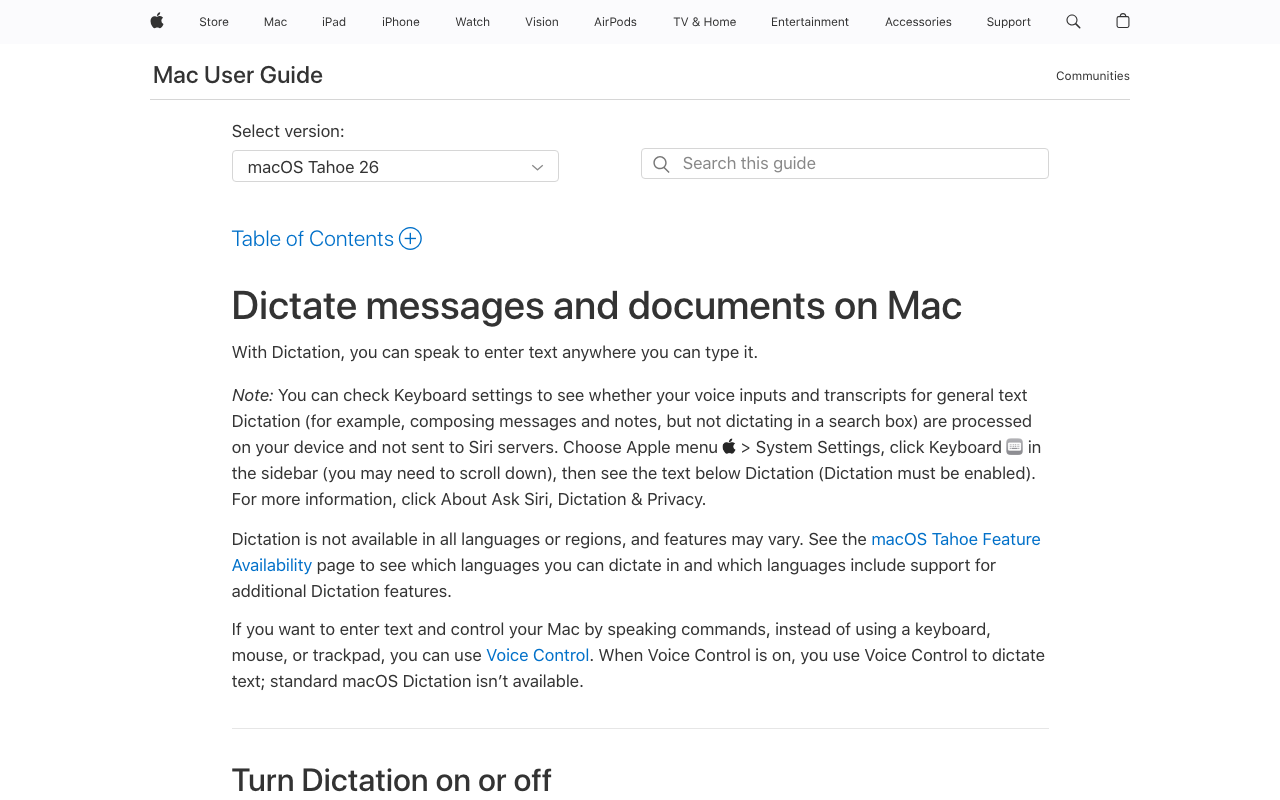
Apple Dictation is the built-in voice-to-text feature in macOS and iOS. It is free, requires no installation, and works system-wide in any text field. On Apple Silicon Macs (M1 and newer), dictation processes entirely on-device for speed and privacy. For a broader look at Mac dictation options, see our complete guide to dictation on Mac and our Apple Dictation privacy breakdown.
Apple Dictation's strength is simplicity. Enable it in System Settings, press the dictation key (globe or fn, depending on keyboard), and start speaking. Auto-punctuation adds periods, commas, and question marks. On Apple Silicon, keyboard-alongside-dictation lets you type and speak in the same input field without toggling modes.
Apple Dictation Core Features
- Free and built-in: No download, account, or payment required
- On-device processing: Runs locally on Apple Silicon Macs
- Auto-punctuation: Adds periods, commas, and question marks automatically
- System-wide: Works in any text field across macOS and iOS
- Multiple languages: Supports major languages with auto-detection
- Simultaneous typing: Type and dictate at the same time on Apple Silicon
Apple Dictation Limitations
- Approximately 30-second timeout: Dictation stops automatically after around 30 seconds. There is no setting to extend this limit — it is architectural. Users who dictate longer passages must repeatedly restart, which breaks flow.
- Drops words and stops mid-sentence: Multiple user reports describe dictation stopping unexpectedly in extended sessions.
- No custom vocabulary: Cannot learn new technical terms, proper nouns, or domain jargon.
- Inconsistent auto-punctuation on longer passages: Short phrases punctuate well; longer dictation often produces unpunctuated runs of text.
- No AI text rewriting or reformatting: Dictation transcribes what you say, not what you mean.
- No developer or IDE awareness: Cannot resolve variable names, file paths, or technical identifiers.
- Intel Mac cloud fallback: Older Intel Macs still send audio to Apple servers for enhanced dictation.
Key Takeaway
Apple Dictation is sufficient for short everyday dictation — quick messages, notes, and search queries. For long-form dictation, professional vocabulary, or AI rewriting, it falls short and users typically move to a dedicated tool.
Feature-by-Feature Comparison: Wispr Flow vs Apple Dictation
Accuracy and Vocabulary
Wispr Flow uses cloud AI models that are among the most accurate on the market for general dictation, with reported accuracy above 95% in controlled conditions. Apple Dictation's accuracy is adequate for general use on Apple Silicon but drops noticeably with specialized vocabulary — medical terminology, legal terms, programming identifiers — because there is no way to add custom words. Wispr Flow supports a personal dictionary that boosts accuracy for proper nouns and technical terms. Voibe uses on-device Whisper models plus custom vocabulary and delivers accuracy comparable to Wispr Flow for most use cases without any cloud round-trip.
Winner: Wispr Flow for specialized vocabulary; Apple Dictation for everyday speech
Speed and Latency
Apple Dictation has near-instant latency on Apple Silicon because processing is local. Wispr Flow's latency depends on network quality — the round-trip to cloud servers adds perceptible delay, particularly on flaky Wi-Fi or mobile data. In offline environments (flights, trains, conference rooms with restrictive Wi-Fi), Wispr Flow cannot transcribe at all while Apple Dictation continues to work. Voibe matches Apple Dictation's local-first speed without the 30-second cutoff.
Winner: Apple Dictation (on Apple Silicon); Voibe ties on Mac
Privacy and Data Handling
Apple Dictation on Apple Silicon processes audio on-device by default — audio is not transmitted to Apple servers for basic dictation. Wispr Flow transmits all audio to cloud providers including OpenAI and Meta and additionally captures periodic screenshots of the active window for context-awareness features. This became widely discussed in 2025-2026 after a viral Reddit thread and a February 2026 Medium article documented the practice. For compliance-sensitive work (legal, medical, financial), Apple Dictation is the stronger choice between the two. For a deeper privacy framework, see our cloud vs local dictation analysis.
Winner: Apple Dictation (privacy by default); Voibe matches on-device guarantees
Session Length and Reliability
This is where the two diverge most sharply. Apple Dictation stops automatically after approximately 30 seconds — an architectural limit with no workaround. Users who dictate letters, clinical notes, or long-form prose have to restart repeatedly. Wispr Flow supports longer sessions (capped around 6 minutes per capture) and does not impose the 30-second cutoff. However, Wispr Flow's Trustpilot reviews cite reliability degradation after the 14-day trial, with some users reporting the app works reliably about 60% of the time after purchase. Voibe removes both constraints: no 30-second timeout and consistent on-device performance.
Winner: Wispr Flow over Apple Dictation; Voibe over both for reliability
AI Text Rewriting
Wispr Flow's signature feature is rewriting your speech into polished prose — filler words removed, tone adjusted per app, grammar corrected. Apple Dictation does none of this — it transcribes verbatim with basic auto-punctuation. This is Wispr Flow's strongest single differentiator. Voibe also does not rewrite; it is pure Whisper transcription with custom vocabulary support.
Winner: Wispr Flow
Platform Support
Wispr Flow runs on Mac, Windows, iOS, and Android. Apple Dictation runs only on macOS and iOS. Voibe is macOS-only (Apple Silicon). For users who work across a Mac at home and a Windows laptop at work, Wispr Flow is the only one of the three that spans both ecosystems.
Winner: Wispr Flow
Developer Features
Neither Wispr Flow nor Apple Dictation offers dedicated IDE integration. Wispr Flow works in IDEs but sends code context to the cloud, which is a blocker for organizations with strict data-handling policies. Apple Dictation works in code editors but mishandles identifiers and technical jargon. Voibe is the only dictation tool with VS Code and Cursor integration that resolves file and folder names inside the IDE, making it the developer's choice on Mac.
Winner: Voibe
Setup and Learning Curve
Apple Dictation: zero setup. Enable in System Settings, press the dictation key, speak. Wispr Flow: create an account, download the desktop app, grant microphone and accessibility permissions, pick a hotkey — roughly 2 minutes. Neither tool requires voice training like legacy software. Voibe matches Apple Dictation's minimal setup.
Winner: Apple Dictation for pure convenience; Voibe ties
Pricing Breakdown: 3-Year Cost Comparison
The true cost of a dictation tool is not the sticker price — it is the total paid over how long you use it. Here is what each option costs over 3 years of regular use.
| Plan | Year 1 | Year 2 | Year 3 | 3-Year Total | vs Voibe Lifetime |
|---|---|---|---|---|---|
| Apple Dictation | $0 | $0 | $0 | $0 | Cheaper by $99 |
| Voibe lifetime | $99 | $0 | $0 | $99 | Baseline |
| Voibe monthly | $58.80 | $58.80 | $58.80 | $176.40 | +$77.40 |
| Wispr Flow Pro (annual) | $144 | $144 | $144 | $432 | +$333 |
| Wispr Flow Pro (monthly) | $180 | $180 | $180 | $540 | +$441 |
Pre-calculated savings (3 years of use):
- Voibe lifetime vs Wispr Flow Pro annual: saves $333 over 3 years — a 77% lifetime saving
- Voibe lifetime vs Wispr Flow Pro monthly: saves $441 over 3 years — an 82% lifetime saving
- Voibe lifetime pays for itself vs Wispr Flow Pro annual in under 8.5 months ($99 / $12 per month effective rate)
- Apple Dictation is $99 cheaper than Voibe lifetime — but this is the correct comparison only if Apple Dictation meets your needs
For a full breakdown of Wispr Flow's tiers including Teams and Enterprise, see our Wispr Flow pricing guide. For the full Mac dictation pricing landscape including Superwhisper and MacWhisper, see the Mac dictation pricing hub.
Pros and Cons Side by Side
Wispr Flow Pros
- Context-aware AI rewriting adapts tone per application
- Cross-platform (Mac, Windows, iOS, Android)
- No 30-second timeout — handles longer sessions than Apple Dictation
- Strong multilingual support with code-switching
- SOC 2 Type II certified, HIPAA controls available
- Custom dictionary for proper nouns and technical terms
Wispr Flow Cons
- Cloud-only — audio transmitted to OpenAI and Meta servers
- Periodic screenshots captured for context awareness
- No offline mode — internet required for every dictation
- Subscription-only at $15/mo or $144/yr; no lifetime option
- Free tier capped at 2,000 words per week on Mac
- Trustpilot 2.7/5 with reliability-after-trial complaints
- Reported idle usage around 800MB RAM and 8% CPU
Apple Dictation Pros
- Completely free — bundled with macOS and iOS
- On-device processing on Apple Silicon
- Zero setup — enable and speak
- Auto-punctuation on short passages
- Works system-wide in any text field
- Simultaneous typing on Apple Silicon
Apple Dictation Cons
- Approximately 30-second timeout with no way to extend
- Drops words and stops mid-sentence in extended sessions
- No custom vocabulary
- No AI text rewriting
- No developer or IDE awareness
- Inconsistent auto-punctuation on long passages
- Older Intel Macs still send audio to Apple servers
Which Should You Choose? Wispr Flow vs Apple Dictation
Choose Apple Dictation If...
- You dictate in short bursts under 30 seconds (messages, notes, search queries)
- You want zero cost and zero setup — it is already on your Mac and iPhone
- You want on-device privacy without paying for anything
- Your dictation needs are casual and your vocabulary is general
Note: Apple Dictation is not suitable as a primary dictation tool for users with RSI or for long-form professional use, because the 30-second architectural timeout and word drops in extended sessions create workflow breaks that dedicated tools avoid.
Choose Wispr Flow If...
- You need AI-powered text rewriting and context-aware formatting per application
- You work across Mac, Windows, iOS, and Android and need one tool everywhere
- You accept cloud processing and periodic screen capture in exchange for AI features
- You prefer a subscription (~$144/yr) to a larger one-time payment
- You regularly dictate sessions longer than 30 seconds
Choose Voibe If...
- You work on Mac and want the unlimited-session experience without cloud dependency
- You need on-device privacy with custom vocabulary support
- You are a developer who wants VS Code or Cursor integration
- You prefer $99 once to $144 every year
- You dictate in places without reliable internet (flights, trains, offices with restricted Wi-Fi)
What Users and Reviewers Say
Wispr Flow Reviews
Wispr Flow's reviews split sharply between platforms. On G2, Wispr Flow holds a 4.5/5 rating based on 6 reviews — a small sample. On Trustpilot, the rating drops to 2.7/5. The gap is significant and was documented in a February 2026 Medium article titled “The Wispr Flow Trust Gap”.
Recurring themes from user reviews:
- Positive: Context-aware formatting is called a genuine workflow improvement. Users praise the cross-platform reach and the 14-day Pro trial with no credit card required.
- Negative (reliability): Multiple reviewers report that Wispr Flow works reliably during the trial and then degrades after payment. One user cited the app working “about 60% of the time” post-purchase.
- Negative (privacy): The screen capture and cloud audio transmission practices were discussed widely on Reddit in 2025-2026 and cited by reviewers as a dealbreaker for regulated industries.
- Negative (performance): Reported idle usage around 800MB RAM and 8% CPU on a 2021 MacBook Pro; Electron-based Windows build reported to freeze target apps like VS Code.
- Negative (billing): Referral program complaints and terms-of-service language flagged across reviews.
Apple Dictation User Feedback
Apple Dictation is widely praised for convenience — it works, it is free, and it requires nothing extra. Users consistently report that it is “good enough for short stuff”. But real-world use reveals a consistent pattern of reliability issues that make it unsuitable for professional or extended use:
- The approximately 30-second timeout is a dealbreaker for long-form dictation. Dictation stops automatically — this is architectural, not a setting you can change. Writers, clinicians, and anyone dictating more than a few sentences must repeatedly restart.
- Words drop mid-sentence. Users report that Apple Dictation occasionally drops words without any indication that something was missed, creating errors that require careful proofreading.
- Stops working randomly. Reddit threads describe sessions where dictation stops responding mid-session with no clear trigger.
- No custom vocabulary. Cannot learn domain-specific terms, proper nouns, or technical jargon. Accuracy with specialized content remains poor over time.
- Auto-punctuation is inconsistent on longer passages. Short sentences punctuate well; extended dictation often produces unpunctuated runs of text.
- Particularly painful for RSI users. Those who rely on dictation as their primary input method find these reliability failures especially costly.
The consensus across Reddit and review sites: Apple Dictation is a starting point, not a destination. Most power users eventually outgrow it and reach for a dedicated tool like Wispr Flow, Voibe, or Superwhisper.
The 2026 Perspective
The consensus across Reddit, Product Hunt, and review sites in 2026: neither Wispr Flow nor Apple Dictation is an obvious “best for everyone”. Apple Dictation is the right starting point for free, short-form dictation on Apple devices. Wispr Flow is the right choice when AI rewriting and cross-platform support matter more than on-device privacy and avoiding subscriptions. For Mac users who want unlimited sessions, on-device privacy, no subscription, and developer features in one tool, Voibe and Superwhisper are the dictation tools that most often fill that gap.
Wispr Flow vs Apple Dictation FAQ
Common questions about choosing between Wispr Flow and Apple Dictation, organized by topic.
Final Verdict: Wispr Flow vs Apple Dictation in 2026
Wispr Flow and Apple Dictation represent opposite ends of the dictation spectrum: $144-per-year cloud AI with context-aware rewriting versus free built-in on-device transcription with a 30-second timeout. Neither is an obvious winner, because they serve different users.
Pick Apple Dictation if your dictation is short, casual, and you are cost-sensitive. Pick Wispr Flow if AI rewriting and cross-platform support are worth $144 per year and you accept cloud processing.
If you are on Mac and want the middle ground — unlimited sessions, on-device privacy, no subscription, developer-friendly — Voibe delivers at $99 lifetime. It is cheaper than one year of Wispr Flow Pro, eliminates the 30-second cutoff, keeps all audio on-device, and adds VS Code and Cursor integration that neither Wispr Flow nor Apple Dictation offers.
Disclosure: Voibe is our product. We have done our best to present a fair comparison, acknowledging where Wispr Flow and Apple Dictation genuinely excel for their respective use cases.
Related Apple Dictation and Wispr Flow Comparisons
For an Apple Dictation-first perspective on the same decision — framed as "should I upgrade from free?" with a signals-you-have-outgrown-Apple-Dictation framework — see our companion Apple Dictation vs Wispr Flow comparison.
- Apple Dictation vs Wispr Flow — upgrade-decision framework for Apple Dictation users
- Apple Dictation vs OpenAI Whisper — built-in dictation vs open-source speech model
- Apple Dictation vs Dragon — free built-in vs $699 professional speech recognition
- Wispr Flow vs Superwhisper — cloud AI vs on-device Whisper
- Wispr Flow Review — full feature-by-feature breakdown
- Wispr Flow Pricing — tier breakdown and 3-year cost analysis
Ready to type 3x faster?
Voibe is the fastest, most private dictation app for Mac. Try it today.
Related Articles
Apple Dictation vs Wispr Flow: Should You Upgrade from Free in 2026?
Apple Dictation vs Wispr Flow compared for users deciding whether to upgrade from free. Signals you've outgrown Apple Dictation, 3-year cost, privacy tradeoffs, and Voibe as the middle path.
Apple Dictation vs OpenAI Whisper: Built-In vs Open-Source Speech-to-Text (2026)
Apple Dictation vs OpenAI Whisper compared on accuracy, setup, privacy, and use case. See why Whisper is not a direct replacement and which Mac app uses Whisper best in 2026.
MacWhisper vs Wispr Flow: Transcription vs AI Dictation (2026)
MacWhisper vs Wispr Flow compared on features, pricing, and privacy. See which tool fits your workflow — batch transcription or real-time AI dictation.