
Apple Dictation vs Wispr Flow: Is $144 a Year Worth Leaving Free?
Apple Dictation is free and on-device but stops after ~30 seconds of silence. Wispr Flow is $144/yr cloud AI that rewrites as you go. When to upgrade, and to what.

Apple Dictation
Free built-in dictation in macOS and iOS. Processes on-device on Apple Silicon Macs. No installation, no account, no cost — but capped by an approximately 30-second silence cutoff per dictation and no support for custom vocabulary or AI rewriting.
Free (built into macOS and iOS)
Pros
- + Completely free — bundled with every Mac and iPhone
- + On-device processing on Apple Silicon Macs
- + Zero setup — enable in System Settings and speak
- + Works system-wide in any text field
- + Real-time text as you speak
Cons
- - Approximately 30-second silence cutoff, not configurable
- - Drops words and stops mid-sentence in longer sessions
- - No custom vocabulary for technical, medical, or legal terms
- - No AI text editing or reformatting
- - Inconsistent auto-punctuation on longer passages
- - No developer or IDE awareness
Wispr Flow
Cloud-based AI dictation app with context-aware formatting, tone matching, and cross-platform support on Mac, Windows, iOS, and Android. Pro at $15/month or $144/year — subscription-only with no lifetime option.
$15/mo or $144/yr (Pro, subscription only)
Pros
- + AI rewrites speech into polished prose with per-app tone matching
- + Cross-platform: Mac, Windows, iOS, and Android
- + No 30-second silence cutoff — longer dictation sessions supported
- + Custom dictionary for proper nouns and technical terms
- + SOC 2 Type II certified and HIPAA controls available
- + 14-day Pro free trial, no credit card required
Cons
- - Cloud-only — audio transmitted to external servers (OpenAI, Meta)
- - Captures periodic screenshots of the active window for context awareness
- - No offline mode — internet connection required for every dictation
- - Subscription-only at $15/mo or $144/yr; no lifetime option
- - Held a 2.7/5 Trustpilot rating (reliability issues after trial) before Trustpilot removed its profile
- - Reported idle usage around 800MB RAM and 8% CPU on Mac
- - Free tier capped at 2,000 words per week
- - Team members published word-frequency analyses of user dictations on LinkedIn (Aug 2026) — dictation retention is on by default
Voibe
WinnerMac and Windows dictation app with Live Dictation (Mac) and a local Developer Mode for VS Code, Cursor, and Windsurf. Whisper on-device on Apple Silicon or in a zero-retention cloud, your choice; no 30-second silence cutoff; $149 lifetime.
$7.50/mo, $75/yr, or $149 lifetime
Pros
- + On-device (Apple Silicon) or zero-retention cloud, your choice — on-device mode keeps audio on your Mac
- + No 30-second silence cutoff — Hands-Free Mode starts and stops with a double-tap
- + Live Dictation mode — see and edit words on-screen before they're inserted
- + Spoken punctuation and structure-by-voice ('new paragraph', 'bullet point')
- + Developer Mode resolves file and folder names from a local scan of your VS Code, Cursor, or Windsurf workspace
- + Custom vocabulary for specialized terminology
- + $149 lifetime — pays back in just over 12 months vs Wispr Flow Pro annual ($144/yr)
- + On-device mode works fully offline on Apple Silicon Macs
Cons
- - On-device mode needs an Apple Silicon Mac; Windows and Intel Macs use the cloud mode
- - No AI text rewriting — formatting is driven by spoken commands instead
- - No iOS or Android app
- - No voice commands for controlling apps
TL;DR: Apple Dictation vs Wispr Flow — Should You Upgrade from Free?
Apple Dictation is free, built into every Mac, and works on-device on Apple Silicon. Wispr Flow costs $15 per month or $144 per year and adds AI text rewriting, longer session support, and cross-platform reach — at the cost of cloud processing and a reliability record that left it with a 2.7/5 Trustpilot rating before Trustpilot removed its profile. If you have outgrown Apple Dictation's approximately 30-second silence cutoff but want on-device privacy and no subscription, Voibe bridges the gap at $149 lifetime — it pays back in just over 12 months versus Wispr Flow Pro annual. This page helps you decide whether the upgrade from free is worth it, and which direction to go.
Disclosure: Voibe is our product. We compare all three options fairly below, acknowledging where each one genuinely wins.
Key Takeaway
Apple Dictation is the right starting point for casual short dictation. Wispr Flow is the right upgrade if AI text rewriting or cross-platform support matters more than on-device privacy. Voibe is the middle path for Mac and Windows users who want to dictate past the 30-second cutoff, privately, without a subscription.
Key Takeaways: Apple Dictation vs Wispr Flow at a Glance
| Factor | Apple Dictation | Wispr Flow | Voibe | Winner |
|---|---|---|---|---|
| Price | Free | $15/mo or $144/yr | $149 lifetime | Apple Dictation |
| 3-Year Cost | $0 | $432 (annual plan) | $149 | Apple / Voibe |
| Session Length | ~30 sec timeout | Up to ~6 min per capture | No 30-second silence cutoff | Voibe / Wispr Flow |
| Processing | On-device (Apple Silicon) | Cloud (OpenAI, Meta) | On-device (Apple Silicon) or zero-retention cloud | Apple / Voibe |
| AI Rewriting | No | Yes (context-aware) | No — Smart Formatting cleanup only | Wispr Flow |
| Custom Vocabulary | No | Yes | Yes | Wispr Flow / Voibe |
| Platform | macOS, iOS | Mac, Windows, iOS, Android | Mac + Windows (one plan) | Wispr Flow |
| Offline Mode | Yes (Apple Silicon) | None | Yes (on-device mode, Apple Silicon) | Apple / Voibe |
| Trustpilot Rating | N/A (built-in) | 2.7/5 (last reading; profile since removed) | N/A (4.8/5 Product Hunt) | Apple / Voibe |
| IDE Integration | No | File tagging in Cursor + Windsurf (cloud) | Developer Mode: local workspace scan (VS Code, Cursor, Windsurf) | Voibe / Wispr Flow |
Key Takeaway
Apple Dictation wins on cost and privacy by default. Wispr Flow wins on AI features and cross-platform reach. Voibe wins on privacy without the 30-second cutoff, local developer awareness, and long-term cost.
Signals You Have Outgrown Apple Dictation
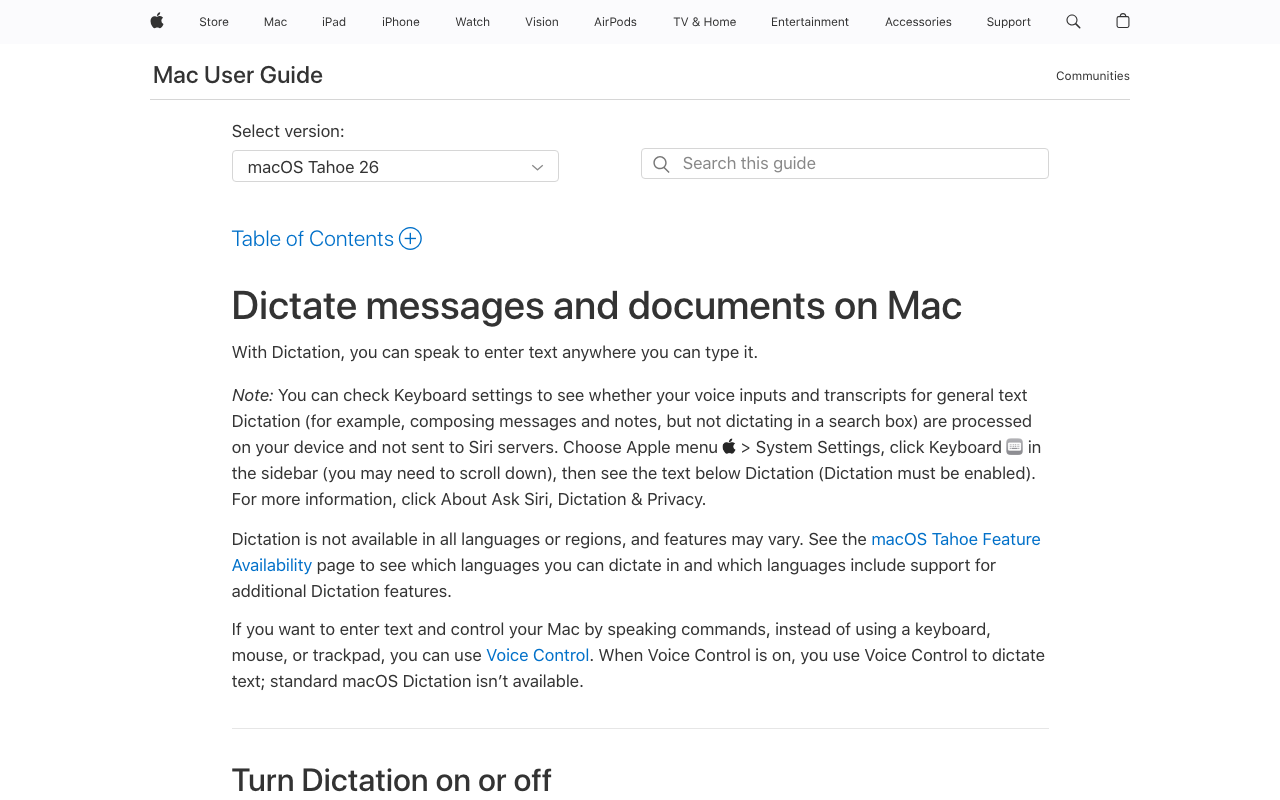
Most Mac users start with Apple Dictation because it is free and already there. It handles short bursts well — a message, a note, a quick search query. But for many users a pattern emerges: dictation becomes part of their workflow, and the free tool starts creating friction rather than saving time. These are the signals that you have outgrown Apple Dictation and should consider upgrading:
- You hit the approximately 30-second silence cutoff regularly. Dictating a paragraph-length email, a meeting note, or a paragraph of documentation means repeatedly restarting dictation. There is no setting to extend or disable the cutoff.
- Dictation stops or drops words in extended sessions. Multiple Apple Community threads describe dictation stopping unexpectedly mid-sentence, with one widely-cited user report stating dictation fails “3 out of 10 times”.
- You dictate technical, medical, or legal terminology and Apple Dictation mis-transcribes it repeatedly. Apple Dictation has no custom vocabulary — it cannot learn your terms.
- You spend real time cleaning up the output. Auto-punctuation is inconsistent on longer passages and there is no AI text rewriting to smooth prose.
- You rely on dictation as a primary input method. Users with RSI or limited mobility cannot afford to restart every 30 seconds or lose words mid-sentence.
- You dictate into code editors. Apple Dictation has no IDE awareness — variable names, file paths, and technical identifiers get mangled.
If two or more of these apply to your workflow, a dedicated dictation tool pays back fast in saved editing time. The question is not whether to upgrade, but in which direction — AI-forward cloud (Wispr Flow), on-device with Whisper (Voibe, Superwhisper), or open-source DIY.
Key Takeaway
The clearest upgrade signals are the 30-second silence cutoff, dropped words in extended sessions, mis-transcribed specialized vocabulary, and reliance on dictation as a primary input. Two or more of these and a dedicated tool is almost always worth it.
What Wispr Flow Adds Over Apple Dictation
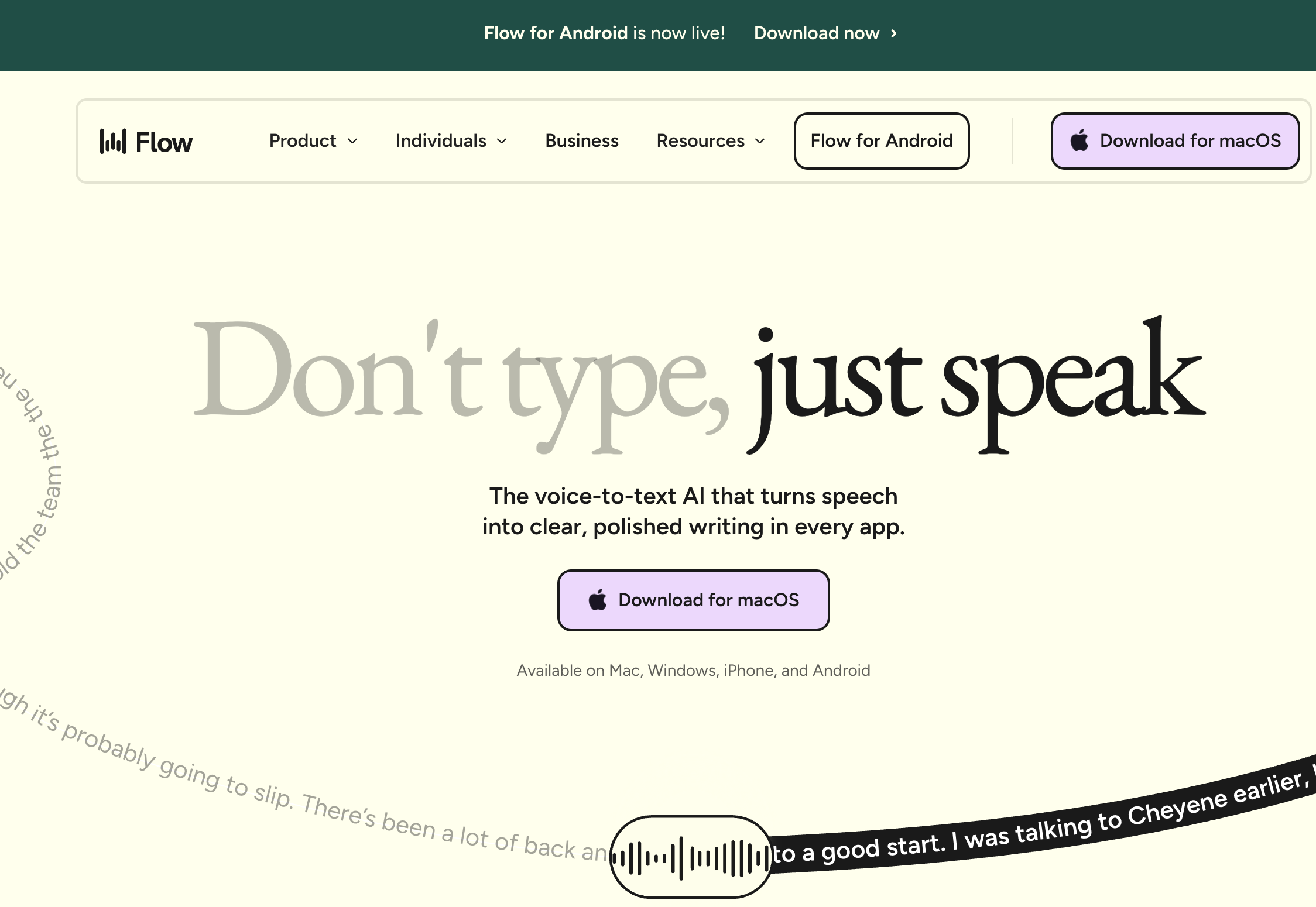
Wispr Flow is a cloud-based AI dictation app from Wispr, which raised $280 million in August 2026. It runs on Mac, Windows, iOS, and Android, and positions itself explicitly as an upgrade over Apple Dictation. The additions over Apple Dictation fall into four buckets:
1. AI Text Rewriting
This is Wispr Flow's signature feature. Instead of transcribing verbatim, it rewrites speech into polished prose — removing filler words (“um,” “uh,” “like”), fixing grammar, and adapting tone per application. When you dictate into Slack, Wispr Flow produces casual messages; when you dictate into Mail, it produces more formal prose; when you dictate into an IDE, it shapes the text toward code comments. Apple Dictation does none of this — it transcribes what you say verbatim with basic auto-punctuation.
2. Longer Sessions
Wispr Flow does not impose Apple Dictation's approximately 30-second silence cutoff. It supports dictation sessions up to approximately 6 minutes per capture, which is enough for long-form content like emails, notes, or documentation without needing to restart.
3. Cross-Platform Support
Wispr Flow runs on Mac, Windows, iOS, and Android from a single subscription. Apple Dictation is limited to macOS and iOS. For users who work across ecosystems, Wispr Flow covers the most ground. Voibe also covers a Mac at home and a Windows laptop at work on one plan, but only Wispr Flow adds Android and a third-party iPhone keyboard.
4. Custom Dictionary
Wispr Flow supports a personal dictionary that improves accuracy for proper nouns, technical terms, and domain jargon over time. Apple Dictation has no equivalent — specialized vocabulary will never get easier to dictate.
For the full feature breakdown of Wispr Flow and pricing tiers, see our Wispr Flow pricing guide.
Key Takeaway
Wispr Flow's four clear upgrades over Apple Dictation are AI text rewriting, longer session length, cross-platform support, and custom vocabulary. Whether those are worth $144/year depends on how much each one applies to your workflow.
What Apple Dictation Still Does Better
It is easy to assume that a paid AI tool wins on everything — but Apple Dictation retains genuine advantages that matter for certain workflows:
- Zero cost. $0 vs $144/year compounds into real money over time: $432 over 3 years for Wispr Flow Pro annual, or $540 over 3 years on monthly billing.
- Zero setup. No account creation, no install, no microphone permission grants for a third-party app. Apple Dictation is ready the moment you enable it in System Settings.
- On-device privacy by default. On Apple Silicon, Apple Dictation processes audio locally — no cloud round-trip, no screenshots, no data leaving your Mac. Wispr Flow transmits audio to cloud providers including OpenAI and Meta, and captures periodic screenshots of the active window for its context-awareness feature. For regulated industries (legal, medical, financial), Apple Dictation is the stronger default.
- Works offline. On Apple Silicon, Apple Dictation works without internet. Wispr Flow requires an active connection for every dictation — a flight, train, or restricted Wi-Fi office breaks it entirely.
- Minimal system footprint. Apple Dictation is a system service. Wispr Flow's desktop app has been reported at around 800MB RAM and 8% CPU usage when idle on a 2021 MacBook Pro.
- No vendor risk. Apple Dictation will keep working as long as macOS exists. Wispr Flow is a venture-backed startup that held a 2.7/5 Trustpilot rating, mostly reliability complaints after the trial, before Trustpilot removed its profile.
None of these advantages matter if your core constraint is the 30-second silence cutoff or the lack of AI rewriting. But they do matter if your constraint is cost, privacy, offline reliability, or trust.
Key Takeaway
Apple Dictation wins on cost, setup, on-device privacy, offline reliability, and vendor risk. Those advantages are real and structural — not just “free vs paid”.
Pricing Breakdown: 3-Year Cost Comparison
The true cost of upgrading from Apple Dictation is not the sticker price — it is the total paid over how long you use the tool. Here is what each option costs over three years.
| Plan | Year 1 | Year 2 | Year 3 | 3-Year Total | vs Apple Dictation |
|---|---|---|---|---|---|
| Apple Dictation | $0 | $0 | $0 | $0 | Baseline (free) |
| Voibe lifetime | $149 | $0 | $0 | $149 | +$149 (one-time) |
| Voibe annual | $75 | $75 | $75 | $225 | +$225 |
| Wispr Flow Pro (annual) | $144 | $144 | $144 | $432 | +$432 |
| Wispr Flow Pro (monthly) | $180 | $180 | $180 | $540 | +$540 |
Pre-calculated savings (3 years of use):
- Voibe lifetime vs Wispr Flow Pro annual: saves $283 over 3 years — 65.5% less
- Voibe lifetime vs Wispr Flow Pro monthly: saves $391 over 3 years — 72.4% less
- Voibe lifetime breaks even vs Wispr Flow annual in just over 12 months ($149 / $12 per month effective rate)
- Apple Dictation saves $432 over Wispr Flow annual and $149 over Voibe — but only if it meets your needs
The Wispr Flow premium over Voibe is $283 per 3 years. That premium is defensible if AI rewriting and cross-platform support are high-value features for your workflow. If your main pain point with Apple Dictation is just the 30-second silence cutoff and on-device privacy matters, Voibe captures most of the upgrade value for a fraction of the cost. See the full Mac dictation landscape at the Mac dictation pricing hub.
Which Upgrade Path Is Right for You?
Stay with Apple Dictation If...
- Your dictation is short, casual, and under 30 seconds per session
- You dictate only occasionally and cleanup time is not a burden
- You want zero cost and zero third-party apps on your Mac
- You value the on-device privacy that Apple Silicon provides by default
- You do not need AI text rewriting, custom vocabulary, or IDE integration
Upgrade to Wispr Flow If...
- AI text rewriting and per-app tone matching are high-value features for your workflow
- You need cross-platform support across Mac, Windows, iOS, and Android
- You regularly dictate sessions longer than 30 seconds and are comfortable with cloud processing
- You accept the reliability complaints behind the 2.7/5 Trustpilot rating it held before Trustpilot took the page down and the screen capture for context awareness
- You prefer a subscription (~$144/yr) and want SOC 2 Type II compliance
Upgrade to Voibe If...
- You are on a Mac or Windows PC and want dictation without the 30-second cutoff — on-device on Apple Silicon, or in a zero-retention cloud that deletes audio the moment transcription completes; Hands-Free Mode starts and stops with a double-tap
- You want to see and edit your words before they land — Live Dictation (Mac) puts text on-screen in real time as you speak
- You want formatting without an AI rewrite — Smart Formatting cleans up punctuation and filler words, and spoken commands ("new paragraph", "bullet point") handle structure
- You want privacy with custom vocabulary — an on-device mode where audio stays on your Mac (or a zero-retention cloud mode), no screenshots, and transcript storage can be disabled entirely
- You are a developer who wants Developer Mode's local workspace scan in VS Code, Cursor, or Windsurf
- You prefer $149 once to $144 every year
- You dictate on an Apple Silicon Mac in places without reliable internet (flights, trains, restricted-Wi-Fi offices)
What Users and Reviewers Say
Apple Dictation User Feedback
Apple Dictation is widely praised for being “good enough for short stuff” — free, built-in, zero setup. But real-world use reveals a consistent pattern of frustrations that map cleanly onto the upgrade-trigger list above:
- The approximately 30-second silence cutoff is a dealbreaker for long-form dictation — there is no setting to change it.
- Words drop mid-sentence in extended sessions without any indication something was missed.
- Stops working randomly — Reddit threads describe dictation going silent mid-session with no clear trigger.
- Auto-punctuation is inconsistent on longer passages.
- No custom vocabulary for specialized terms.
Wispr Flow User Reviews
Wispr Flow's reviews split sharply between platforms. On G2, Wispr Flow holds a 4.5/5 rating based on 6 reviews — a small sample. On Trustpilot, the rating dropped to 2.7/5, the last public reading before Trustpilot removed the wisprflow.ai profile under its guidelines; we recorded it while the profile was live, so we cite the figure without linking a page Trustpilot no longer hosts. The gap was documented in a February 2026 Medium article titled “The Wispr Flow Trust Gap”.
Recurring themes:
- Positive: Context-aware formatting is called a genuine workflow improvement; users praise the 14-day trial with no credit card.
- Negative (reliability): Multiple reviewers report quality degradation after the trial ends, with one user citing the app working “about 60% of the time” post-purchase.
- Negative (privacy): Audio sent to OpenAI and Meta servers, plus periodic screenshot capture, cited as dealbreakers for regulated industries.
- Negative (performance): Reported idle usage around 800MB RAM and 8% CPU on a 2021 MacBook Pro.
- Negative (billing): Referral program complaints and terms-of-service language flagged across reviews.
The 2026 Upgrade Picture
The consensus across Reddit, Product Hunt, and review sites: Apple Dictation is the right starting point but most power users outgrow it. The split from there is between AI-forward cloud (Wispr Flow) and on-device privacy (Voibe, Superwhisper). For Mac users who want long sessions and on-device privacy without a subscription, Voibe and Superwhisper are the tools most often recommended.
Apple Dictation vs Wispr Flow FAQ
Common questions about upgrading from Apple Dictation to Wispr Flow, organized by topic.
Final Verdict: Apple Dictation vs Wispr Flow in 2026
Apple Dictation and Wispr Flow serve different users at different stages of the dictation-tool journey. Apple Dictation is the right starting point: free, built-in, and sufficient for short casual dictation on Apple Silicon. Wispr Flow is the right upgrade when AI text rewriting and cross-platform support are worth $144 per year and cloud processing is acceptable.
For Mac users who have hit Apple Dictation's 30-second silence cutoff but care more about on-device privacy than AI rewriting, Voibe is the middle path. At $149 lifetime, it pays back in just over 12 months versus Wispr Flow Pro annual, removes the 30-second silence cutoff, lets you choose an on-device mode (Apple Silicon) that keeps audio on your Mac or a zero-retention cloud mode, and adds Live Dictation — real-time on-screen text you can edit before insertion — plus spoken punctuation, structure-by-voice commands, and a Developer Mode that scans your VS Code, Cursor, or Windsurf workspace locally. Over 3 years, Voibe saves $283 versus Wispr Flow Pro annual — 65% less in total cost — with the same on-device privacy as Apple Dictation on Apple Silicon Macs.
For the dollar-cost analysis on what "free" Apple Dictation actually costs in time, accuracy, and regulatory risk over 3 years, see our Apple Dictation pricing breakdown. For the matching dollar breakdown on Wispr Flow, see our Wispr Flow pricing guide.
Disclosure: Voibe is our product. We have done our best to present a fair comparison, acknowledging where both Apple Dictation and Wispr Flow genuinely excel for their respective use cases.
Related Dictation Comparisons
- Apple Dictation Pricing — what "free" actually costs in time, accuracy, and regulatory risk
- Wispr Flow Pricing — full plan-by-plan breakdown
- Apple Dictation vs Dragon: Free Built-In vs $699 Professional
- Apple Dictation vs OpenAI Whisper: Built-In vs Open Source
- Wispr Flow vs Superwhisper: Cloud AI vs On-Device
- Best Offline Dictation Apps for Mac
- Complete Guide to Dictation on Mac
- Is Wispr Flow Safe? — Cloud architecture, Privacy Mode defaults, the March 2026 Delve fake-audit scandal, and Wispr's A-LIGN remediation
- Willow Voice Review — the price-matching cloud sibling at $144/yr
- VoiceInk vs Wispr Flow — open-source $25 on-device alternative vs cloud subscription
- VoiceInk Review — 7/10 verdict, the cheapest commercial offline Mac dictation app
- Apple Dictation vs Superwhisper — free built-in vs $249.99 lifetime Whisper power-user app, with stay-vs-upgrade decision tree
- OpenAI Whisper vs Wispr Flow — open-source model vs cloud product, with the Mac Whisper-wrapper landscape
- Otter vs Wispr Flow — meeting transcription vs real-time dictation (they're not direct competitors)
Best AI Dictation and Meeting Notes for Confidential Work
Draft letters, notes and emails 5x faster. Get meeting notes without a bot joining your call. Nothing used to train AI.
- Mac + Windows
- No bot in your calls
- Nothing used to train AI
- 7-day free trial
Want to compare plans first? View pricing →
Related Articles
Apple Dictation Alternatives, Ranked
Better dictation than the built-in Mac option — the top picks compared.
Wispr Flow Alternatives Compared
Eight Wispr Flow alternatives, ranked for Mac and Windows dictation.
Wispr Flow Pricing Explained
Free vs Pro plans, the real yearly cost, and whether it's worth it.