
Otter vs Wispr Flow (2026): Meeting Notes vs Dictation Compared
Otter is a meeting transcription assistant; Wispr Flow is a real-time dictation app. We compare what each one actually does, pricing, privacy, and which to pick for your workflow.
Otter
Cloud-based AI meeting assistant from Otter.ai, Inc. Joins Zoom, Google Meet, and Microsoft Teams meetings, records the audio, generates a real-time transcript with speaker labels, and writes an AI summary. Distributed as a web app, iOS and Android apps, and a Chrome extension — no native macOS or Windows desktop app. Includes OtterPilot meeting agent and Otter Chat for post-meeting Q&A. Free tier gives 300 minutes per month (30-minute cap per conversation); Pro is $8.33/month annual; Business is $19.99/user/month annual.
Free 300 min/mo (30-min cap) · Pro $8.33/mo annual or $16.99/mo monthly · Business $19.99/seat/mo annual or $30/seat monthly · Enterprise custom
Pros
- + Best-in-class meeting-recording assistant — joins Zoom / Meet / Teams automatically via calendar integration
- + Real-time transcript with multi-speaker labeling and AI summaries shipped post-meeting
- + Searchable history of every meeting transcript with shareable links and channel-based organization
- + Generous-looking free tier (300 minutes / month) for occasional users
- + Multilingual transcription including 6 supported languages plus support across Chrome extension
- + Integrations: Slack, HubSpot, Salesforce, Notion, Microsoft 365, Google Workspace, Zapier
Cons
- - Not a real-time dictation app — Otter is for recording other speakers, not for replacing your keyboard
- - Class-action lawsuit Brewer v. Otter.ai filed August 15, 2025 alleging ECPA / CIPA / CCPA violations for recording without all-party consent
- - Cloud-only architecture: every minute of audio uploaded to Otter's servers for processing
- - 30-minute conversation cap on the free tier — long meetings get cut mid-stream
- - 3 file-import lifetime limit on the free tier — not 3 per month, 3 ever
- - No native macOS or Windows desktop app — Chrome extension and web app are the desktop experience
- - Pro Annual increases ~104% if you switch to monthly billing ($8.33/mo → $16.99/mo)
Wispr Flow
Cloud-based real-time dictation app from Wispr (the company), founded by Tanay Kothari and Sahaj Garg. Raised $30M Series A from Menlo Ventures (June 2025) plus a $25M extension from Notable Capital (November 2025). Native desktop apps for Mac and Windows plus iOS and Android plus a Chrome / Edge extension. Replaces your keyboard inside any app — speak into Slack, Gmail, Cursor, ChatGPT, anywhere a text field exists. Subprocessors: Baseten, OpenAI, Anthropic, Cerebras, AWS us-east-1. SOC 2 Type II + HIPAA BAA available + ISO 27001:2022. Free tier is 2,000 words / week recurring; Pro is $15/month or $144/year.
Free 2,000 wpm/wk · Pro $15/mo or $144/yr · Teams $10–12/seat 3-min · Enterprise custom (HIPAA BAA available)
Pros
- + True real-time dictation across any app on Mac / Windows / iOS / Android — speak instead of type
- + Recurring free tier (2,000 words / week) is genuinely usable for daily light dictation
- + Audited compliance: SOC 2 Type II (re-verifying with A-LIGN), HIPAA BAA available on all plans, ISO 27001:2022
- + Native macOS and Windows desktop apps with system-wide hotkey trigger
- + Funded company ($55M raised across two rounds) with weekly product updates and public status page
- + 100+ languages supported plus context-aware formatting (casual for Slack, professional for email)
- + iOS and Android keyboards for cross-device dictation
Cons
- - Not a meeting-recording assistant — does not join Zoom / Meet / Teams calls or transcribe other speakers
- - $144/year subscription compounds to $432 over 3 years — no lifetime tier
- - Cloud-only architecture by default with audio routing through Baseten + OpenAI + Anthropic + Cerebras
- - Privacy Mode OFF by default for individual users — must be manually enabled (and BAA-locks ON irreversibly when activated for Enterprise)
- - Trustpilot rating 2.7 / 5 with post-trial degradation complaints in our shipped review
- - Context Awareness feature captures screenshots of the active window when enabled (opt-in, OFF by default)
- - March 2026 Delve fake-audit finding named Wispr Flow in a 99.8 %-boilerplate auditor concern (since transparently remediated with A-LIGN auditor + Drata + SafeBase trust center)
- - Team members published word-frequency analyses of user dictations on LinkedIn (Aug 2026) — dictation retention is on by default
TL;DR — Otter vs Wispr Flow: They are different products solving different problems and most search results that conflate them are wrong. Otter (otter.ai) is a meeting-transcription assistant — it joins Zoom / Google Meet / Microsoft Teams calls, records the audio, and produces a transcript with speaker labels plus an AI summary. Wispr Flow (wisprflow.ai) is a real-time dictation app — it replaces your typing with speech-to-text inside any application on Mac, Windows, iOS, or Android. Choose Otter if you need meeting recording and notes. Choose Wispr Flow if you need to dictate into your apps. Choose Voibe if you want dictation specifically and want audio to never leave your Mac — Voibe at $149 lifetime is the offline / on-device alternative to Wispr Flow's cloud architecture — including Live Dictation that shows words on-screen as you speak and spoken punctuation processed entirely on-device.
Disclosure: Voibe is our product. We verified Otter and Wispr Flow pricing and feature scope at otter.ai/pricing and wisprflow.ai/pricing on May 11, 2026, and cross-checked Wispr Flow's compliance posture against our shipped Wispr Flow review and 'is Wispr Flow safe?' investigation. The Otter class-action context (In re Otter.AI Privacy Litigation, 5:25-cv-06911, N.D. Cal.) is documented in detail in our 'is Otter safe?' investigation and the AI Tool Privacy Tracker.
Key Takeaway
Otter and Wispr Flow are not competitors — Otter records meetings, Wispr Flow replaces your keyboard. Most users picking between them actually need to decide which problem they're solving, not which product is 'better'. Wispr Flow Pro Annual is $144 / year; Otter Pro Annual is $99.96 / year. For Mac users wanting offline dictation specifically, Voibe at $149 lifetime is the architectural alternative to Wispr Flow.
Quick Comparison: Otter vs Wispr Flow at a Glance
| Dimension | Otter | Wispr Flow | Winner |
|---|---|---|---|
| Primary purpose | Meeting transcription + AI notes | Real-time dictation into any app | Different jobs |
| What gets recorded | Other people speaking in meetings | You speaking into your computer / phone | Different jobs |
| Free tier | 300 min / mo (30-min cap, 3 imports lifetime) | 2,000 words / wk recurring | Wispr Flow (recurring) |
| Pro Annual | $99.96 / yr ($8.33 / mo) | $144 / yr ($12 / mo) | Otter (31% cheaper) |
| Pro Monthly | $16.99 / mo | $15 / mo | Wispr Flow |
| Native Mac desktop app | No (web + Chrome extension) | Yes (Apple Silicon + Intel) | Wispr Flow |
| iOS / Android app | Yes (both) | Yes (both) | Tie |
| Meeting bot (Zoom / Meet / Teams) | Yes — OtterPilot | No | Otter |
| System-wide dictation hotkey | No | Yes | Wispr Flow |
| SOC 2 / HIPAA BAA / ISO | SOC 2 II · no general HIPAA BAA | SOC 2 II · HIPAA BAA · ISO 27001:2022 | Wispr Flow |
| Notable legal exposure | Brewer v. Otter.ai class action (filed Aug 15 2025, pending) | March 2026 Delve fake-audit (since remediated) | Mixed |
| Offline operation | No | No (cloud-by-default) | Tie — neither |
| Funding / team | $63M raised · founded 2016 | $55M raised · founded 2022 | Comparable |
Why Otter and Wispr Flow Get Compared (Even Though They Shouldn't)
Both Otter and Wispr Flow are AI-powered voice products that produce text from speech, so search engines surface them together. The category label that bundles them — "voice-to-text" or "AI transcription" — hides the fact that they sit on opposite sides of the workflow.
Otter records other people speaking in a meeting context. The user opens Zoom or Google Meet, Otter joins the call (either via OtterPilot calendar integration or via the Chrome extension), Otter captures audio, and Otter produces a transcript with speaker labels plus an AI summary after the meeting ends. The user typically does not speak into Otter directly — Otter is a passive listener documenting a multi-party conversation.
Wispr Flow records you speaking into your computer or phone for dictation. The user is alone (or alone enough), presses a hotkey or holds a microphone button, speaks the text they want written, and releases. Wispr Flow transcribes the speech via cloud Whisper models plus a proprietary post-processing layer (Baseten + OpenAI + Anthropic + Cerebras), formats it for context (casual for Slack, professional for email), and pastes the result into the active text field. Wispr Flow is an active dictation tool replacing keyboard typing.
A reasonable test: if you read the next sentence and the answer is "meeting", you want Otter. If the answer is "writing", you want Wispr Flow. "I want this voice tool to capture ____". Otter captures the meeting; Wispr Flow captures your dictated writing.
The categories do touch in a few narrow places — both run cloud transcription, both have iOS apps, both can produce text from your own speech if you dictate into them. But the workflows they optimize for are different enough that picking the wrong one for your use case wastes the subscription. If your problem is "I need notes from this Zoom call", a $144 Wispr Flow subscription does not solve it; you still need Otter (or a competitor like Notta, Fireflies, or Granola). If your problem is "I want to type Slack messages with my voice", a $99.96 Otter subscription does not solve it; you still need Wispr Flow (or an offline alternative like Wisprtype or Voibe).
What Is Otter?
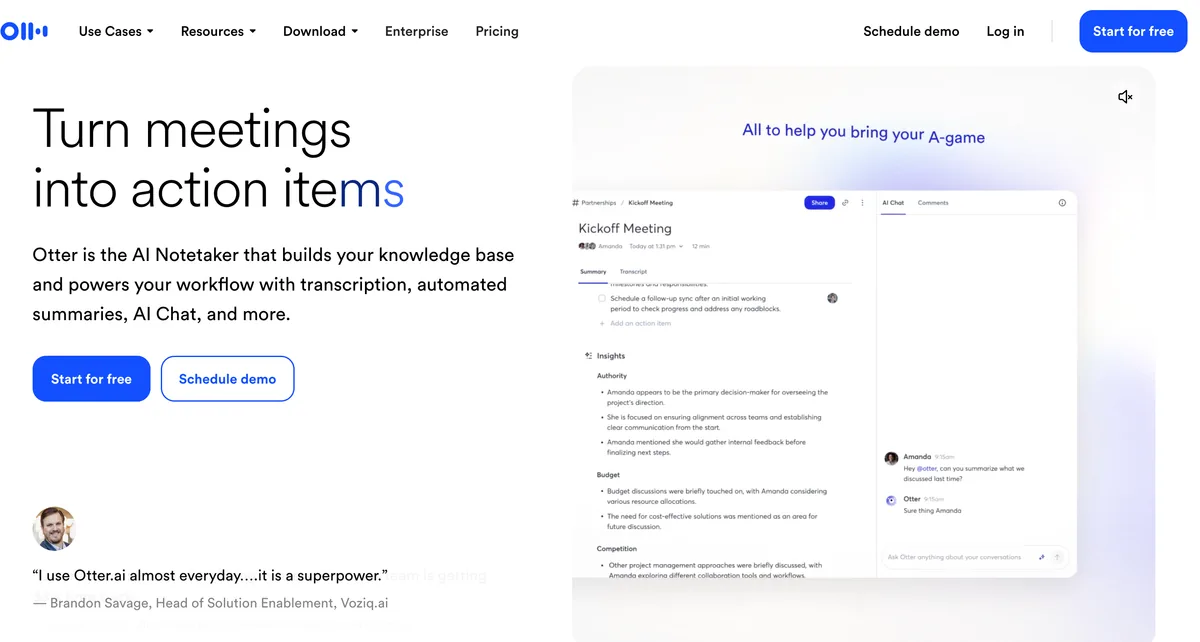
Otter.ai is an AI meeting assistant founded in 2016 by Sam Liang (former Google Maps engineer) and Yun Fu, headquartered in Mountain View, California. Otter has raised approximately $63 million across multiple rounds from investors including Horizons Ventures and GGV Capital. The core product is a cloud-based meeting transcription service that captures live audio, produces a real-time multi-speaker transcript, and ships an AI summary plus action items after the meeting ends.
How it works: Otter joins meetings in one of three ways. First, OtterPilot — a meeting agent that integrates with your Google Calendar or Microsoft Outlook calendar and automatically joins scheduled Zoom, Google Meet, or Microsoft Teams calls as a participant named "Otter.ai". Second, the Otter Chrome extension — joins Zoom and Google Meet calls when you click "Start" from the extension popup. Third, file import — upload an audio or video recording (mp3, mp4, m4a, wav) and Otter transcribes it asynchronously.
Platforms: Web app at otter.ai (the primary interface), Otter Chrome extension, Otter iOS app, Otter Android app. No native macOS or Windows desktop app. The desktop experience on Mac is browser-centric.
Pricing (verified at otter.ai/pricing on May 11, 2026):
- Basic (free): 300 transcription minutes per month, 30-minute cap per conversation, 3 file imports lifetime (not 3 per month — 3 ever).
- Pro: $16.99 / month billed monthly, or $8.33 / month billed annually ($99.96 / year). 1,200 minutes / month, 10 imports / month.
- Business: $30 / user / month billed monthly, or $19.99 / user / month billed annually ($239.88 / user / year). Unlimited transcription minutes with a 4-hour cap per meeting.
- Enterprise: Custom pricing with SSO, SCIM, domain capture, and OtterPilot for Sales. Public reporting suggests Enterprise contracts typically range from $15,000 to $35,000 per year.
- Student discount: Approximately 20% off Pro with a .edu email address.
Compliance: Otter holds SOC 2 Type II per the Otter security page. HIPAA support is available only on specific Enterprise contracts on request; Otter does not publish a general HIPAA BAA path for Basic / Pro / Business tiers. The Otter privacy policy and the August 2025 Brewer v. Otter.ai class-action lawsuit are covered in detail in our AI Tool Privacy Tracker.
Notable legal exposure: Brewer v. Otter.ai, Inc. (Northern District of California, filed August 15, 2025) — class-action complaint alleging that OtterPilot recorded a private sales call without all-party consent and that the captured audio was used to train Otter's AI models. The complaint invokes the federal Electronic Communications Privacy Act (ECPA), California Invasion of Privacy Act (CIPA), the California Comprehensive Computer Data and Fraud Access Act, common-law intrusion upon seclusion, common-law conversion, and California's Unfair Competition Law (UCL). The case is pending as of May 2026. For deeper coverage, see our 8 best Otter AI alternatives guide.
What Is Wispr Flow?

Wispr Flow is a real-time dictation app from Wispr (the company), founded in 2022 by Tanay Kothari and Sahaj Garg. Wispr raised a $30M Series A from Menlo Ventures in June 2025 and a $25M extension from Notable Capital in November 2025 — $55M raised across two rounds. The product replaces your keyboard with your voice across any text field on your device.
How it works: The user installs the Wispr Flow desktop app, presses a system-wide hotkey (default: function key on Mac, Win+ key on Windows), speaks the text they want written, and releases. Wispr Flow transcribes the speech via cloud subprocessors (Baseten model hosting + OpenAI + Anthropic + Cerebras post-processing), applies context-aware formatting based on the active application (casual punctuation for Slack, professional for email, code-aware for IDEs), and pastes the result into the cursor location. The Auto-Cleanup feature removes filler words ("um", "like") and self-corrections automatically.
Platforms: Native macOS app (Apple Silicon and Intel), native Windows app (Electron), iOS app with a system-level voice keyboard, Android app with a Gboard-style keyboard, Chrome / Edge browser extension. No Linux, no iPad.
Pricing (verified at wisprflow.ai/pricing on May 11, 2026 and our Wispr Flow pricing article):
- Basic (free): 2,000 words / week on desktop (5,000 hard cap), 1,000 words / week on iOS (1,500 hard cap). Resets every Sunday at midnight Pacific.
- Pro: $15 / month billed monthly, or $144 / year billed annually ($12 / month effective). 14-day Pro trial available with no credit card.
- Teams: $12 / seat / month billed monthly, or $10 / seat / month billed annually. 3-seat minimum ($360 / year on annual minimum).
- Enterprise: Custom pricing with HIPAA BAA available across all plans (the BAA must be activated and is irreversible once signed, locking Privacy Mode ON permanently).
- Student / nonprofit: ~50% off Pro (verified, available on request via Flow Discounts docs).
Compliance: SOC 2 Type II (re-verifying with A-LIGN), ISO 27001:2022, HIPAA BAA available across all plans, plus subprocessor disclosure published on wisprflow.ai/security (Baseten, OpenAI, Anthropic, Cerebras, AWS us-east-1). The March 2026 Delve fake-audit finding named Wispr Flow in a 99.8 %-boilerplate auditor concern — Wispr Flow transparently remediated by switching to A-LIGN as the auditor and Drata as the compliance platform, with a SafeBase trust center publishing the documentation. Full investigation in our 'is Wispr Flow safe?' guide.
Coverage: 100+ languages with context-aware formatting that adapts to the active application. Cross-app paste via Accessibility permissions on desktop and via the system-level keyboard or in-app dictation on mobile. For the deeper review, see our Wispr Flow review.
Feature Comparison: Where the Products Overlap and Where They Don't
The honest comparison is one of feature scope, not feature parity. Most dimensions are won by whichever product is purpose-built for that capability.
Meeting transcription with speaker labels
Otter wins. OtterPilot joins Zoom / Google Meet / Microsoft Teams automatically via calendar integration, labels each speaker, captures shared slides, and produces an AI summary plus action items after the meeting ends. Wispr Flow does not have a meeting bot and does not transcribe other speakers in a call — it is purpose-built for the user's own dictation.
Real-time dictation across any app
Wispr Flow wins. The system-wide hotkey works in any text field on Mac, Windows, iOS, and Android — Slack, Gmail, Cursor, VS Code, ChatGPT, Apple Notes, Linear, anywhere. Otter does not offer system-wide dictation; the closest workflow is talking into the Otter mobile app and copy-pasting the transcript, which is materially worse than a hotkey-driven flow.
Native macOS desktop experience
Wispr Flow wins. Wispr Flow ships a native macOS app for Apple Silicon and Intel with system-level integration. Otter does not ship a native macOS desktop app — the Mac experience is the web app at otter.ai plus the Chrome extension. For users who want a tool that lives in the menu bar and works without a browser, only Wispr Flow qualifies.
Mobile experience
Tie, with different focus. Otter's iOS and Android apps optimize for recording meetings, lectures, and conversations on the go — push a button, capture audio, transcript appears. Wispr Flow's iOS and Android apps optimize for dictation — a system-level voice keyboard that types into any app on the phone. Pick by what you want to do on mobile.
Pricing per use case
Otter wins on Pro Annual sticker. Otter Pro Annual ($99.96 / year) is 31% cheaper than Wispr Flow Pro Annual ($144 / year). But the sticker comparison is meaningless if you need both products — paying $99.96 for Otter does not give you dictation, and paying $144 for Wispr Flow does not give you meeting transcription. Compare by use-case fit, not headline price.
Compliance and regulated work
Wispr Flow wins on the published BAA path. Wispr Flow Enterprise offers a HIPAA Business Associate Agreement across all plans (must be activated; irreversible once signed). Otter publishes SOC 2 Type II but does not offer a general HIPAA BAA — HIPAA support is available only on specific Enterprise contracts on request, not as a published-tier path. For healthcare orgs that need dictation specifically, Wispr Flow Enterprise + activated BAA is the only off-the-shelf cloud option of the two.
Privacy posture and architectural data flow
Neither is offline. Both products are cloud-only architectures and transmit audio over the internet to vendor-controlled servers. Otter sends meeting audio to Otter's infrastructure; Wispr Flow sends dictation audio through Baseten + OpenAI + Anthropic + Cerebras. Both have legal exposure to flag — Otter via the August 2025 Brewer class action over recording-consent, Wispr Flow via the March 2026 Delve fake-audit finding (since transparently remediated). For genuinely offline architecture where audio never leaves the device, neither cloud product qualifies. See our cloud vs local dictation guide for the deeper analysis.
Integrations and team workflows
Otter has more. Otter integrates with Slack, HubSpot, Salesforce, Notion, Microsoft 365, Google Workspace, Zoom, Google Meet, Teams, Zapier, and others — purpose-built for sharing meeting transcripts across organizational tools. Wispr Flow's integrations are narrower because the dictation use case doesn't require post-meeting distribution — the integration surface is the active text field of whatever app you're already in.
Pricing Breakdown: Otter vs Wispr Flow Over 3 Years
The pricing math depends on whether you genuinely need one product, the other, or both. Run the numbers for each scenario.
Scenario 1: Just Otter (meeting transcription only)
| Path | Year 1 | Year 2 | Year 3 | 3-Year Total |
|---|---|---|---|---|
| Otter Basic (free) | $0 | $0 | $0 | $0 (with 300 min/mo cap) |
| Otter Pro Annual × 3 | $99.96 | $99.96 | $99.96 | $299.88 |
| Otter Pro Monthly × 36 | $203.88 | $203.88 | $203.88 | $611.64 |
| Otter Business Annual × 3 (1 seat) | $239.88 | $239.88 | $239.88 | $719.64 |
Scenario 2: Just Wispr Flow (dictation only)
| Path | Year 1 | Year 2 | Year 3 | 3-Year Total |
|---|---|---|---|---|
| Wispr Flow Basic (free) | $0 | $0 | $0 | $0 (with 2,000 wpm/wk cap) |
| Wispr Flow Pro Annual × 3 | $144 | $144 | $144 | $432 |
| Wispr Flow Pro Monthly × 36 | $180 | $180 | $180 | $540 |
| Voibe lifetime (Mac offline alternative) | $149 | $0 | $0 | $149 |
Scenario 3: Both stacked together
| Path | Year 1 | Year 2 | Year 3 | 3-Year Total |
|---|---|---|---|---|
| Otter Pro Annual + Wispr Flow Pro Annual | $243.96 | $243.96 | $243.96 | $731.88 |
| Otter Pro Annual + Voibe lifetime | $297.96 | $99.96 | $99.96 | $448.88 |
Three concrete observations from the math:
- Otter Pro Annual saves $132.12 (31 %) vs Wispr Flow Pro Annual over 3 years. Sticker comparison only — meaningless if you need both products.
- Stacking both is $731.88 over 3 years. If both workflows matter to you, that's the line item. For Mac users where the dictation half can be replaced by offline / on-device, Otter Pro Annual + Voibe lifetime is $448.88 over 3 years — a $283 saving vs the cloud-cloud stack, plus Voibe's audio never leaves your Mac.
- Both free tiers exist, but they're stingy. Otter's 300-min/mo with 30-min cap and 3-imports-lifetime is enough for occasional users. Wispr Flow's 2,000-words/week is enough for casual daily dictation. If your use exceeds either cap, you're paying.
Pros and Cons Side by Side
Otter
Pros:
- Best-in-class meeting recording assistant — OtterPilot auto-joins Zoom / Meet / Teams via calendar integration
- Multi-speaker labeling and AI summaries shipped after every meeting
- Searchable history of every meeting transcript with shareable links and channels
- Strong integration footprint: Slack, HubSpot, Salesforce, Notion, Microsoft 365, Google Workspace
- Generous-looking free tier (300 min / month) for occasional meeting recorders
- Otter Chat for post-meeting Q&A across your meeting history
- Established company (founded 2016, $63M+ raised) with reliable infrastructure
Cons:
- Not a real-time dictation tool — does not replace your keyboard, does not have a system-wide hotkey
- No native macOS or Windows desktop app — Chrome extension and web app are the desktop experience
- Class-action lawsuit Brewer v. Otter.ai filed August 15, 2025 alleging ECPA / CIPA / CCPA violations for recording without all-party consent
- Cloud-only architecture: every minute of audio uploaded to Otter's servers
- 30-minute conversation cap on the free tier — long meetings get cut
- 3 file-import lifetime cap on free tier (not 3 / month — 3 ever)
- No general HIPAA BAA path — HIPAA only on specific Enterprise contracts
Wispr Flow
Pros:
- True real-time dictation across any application on Mac / Windows / iOS / Android
- Native macOS and Windows desktop apps with system-wide hotkey trigger
- Recurring free tier (2,000 words / week) is genuinely usable for casual dictation
- SOC 2 Type II + HIPAA BAA available on all plans + ISO 27001:2022
- iOS and Android keyboards extend dictation to mobile
- 100+ language coverage with context-aware formatting (casual / professional / code)
- Funded company ($55M raised) with weekly product updates and public status page
Cons:
- Not a meeting transcription tool — does not join calls, does not transcribe other speakers
- $144/year subscription compounds to $432 over 3 years — no lifetime tier
- Cloud-only architecture by default with audio through multiple subprocessors
- Privacy Mode OFF by default for individuals — must be manually enabled
- Trustpilot 2.7 / 5 with reliability complaints clustering post-trial — flagged in our Wispr Flow review
- No Linux desktop app, no iPad app
- Context Awareness feature captures screenshots of active window when opt-in enabled
Which Should You Choose?
The honest framing is workflow-aware, not blanket. Work through these five questions in order.
1. Do you need to record and transcribe meetings (Zoom / Meet / Teams)?
- Yes → Otter (or alternatives like Notta, Granola, Fireflies — noting that Granola and Fireflies face their own recording-consent suits: a July 2026 wiretap class action against Granola, Chamberlain v. Granola, Inc. (N.D. Cal.), and BIPA voiceprint suits against Fireflies; see our AI Tool Privacy Tracker). Wispr Flow does not do this workflow at all. For Mac users wanting offline meeting transcription specifically, MacWhisper Pro (~$69 lifetime, processes recorded audio files entirely on-device using Whisper) is the offline option.
- No → Skip Otter entirely; continue to question 2.
2. Do you need real-time dictation into apps (Slack, Gmail, Cursor, ChatGPT, etc.)?
- Yes → Wispr Flow (or alternatives like Voicy, Willow Voice, Superwhisper, or for offline Mac: Voibe, VoiceInk, Wisprtype). Otter does not do this workflow at all.
- No → Skip Wispr Flow entirely. If you also said no to question 1, you may not need either product.
3. Do you need both workflows?
- Yes → You generally need both products since they barely overlap. Stack Otter Pro Annual ($99.96 / yr) + Wispr Flow Pro Annual ($144 / yr) = $243.96 / yr. Or for Mac users who want offline dictation: Otter Pro + Voibe lifetime = $99.96 / yr + $149 one-time, saving $283 over 3 years vs the cloud-cloud stack while keeping dictation audio on-device.
- No → Pick the one product matching the workflow from question 1 or 2.
4. Do you need SOC 2, HIPAA BAA, or ISO 27001 for regulated work?
- HIPAA BAA → Wispr Flow Enterprise (BAA available across all plans, irreversible once activated). Otter does not publish a general HIPAA BAA path; HIPAA is only available on specific Enterprise contracts.
- SOC 2 only → Either product. Both hold SOC 2 Type II.
5. Do you want audio to leave your device or stay on it?
- Cloud is acceptable → Otter and Wispr Flow are both fine; pick by use case from questions 1–3.
- Offline / on-device is required → Neither cloud product qualifies. For Mac dictation specifically, Voibe ($149 lifetime) is the closest offline competitor to Wispr Flow. For offline meeting transcription, MacWhisper Pro processes recorded audio files locally. There is no current Mac product that offers both offline real-time dictation and offline live-meeting transcription with speaker labels — those workflows still require cloud tools or local file recording + post-processing.
Quick verdict matrix
Choose Otter if: your primary need is meeting transcription (Zoom, Meet, Teams), you want AI summaries and speaker labels, you don't need real-time dictation into apps, and you're comfortable with cloud architecture.
Choose Wispr Flow if: your primary need is dictating into apps with a system-wide hotkey, you want native Mac and Windows desktop apps, you need SOC 2 + HIPAA BAA + ISO 27001 attestations, or you want cross-device dictation across Mac + Windows + iOS + Android.
Choose Voibe if: you are a Mac user (Apple Silicon) who wants dictation specifically, you want audio to never leave your device, you want lifetime pricing at $149, you want Live Dictation that shows your words on-screen for editing before insertion or hands-free dictation (Fn+Space) with sessions up to 5 minutes, or you want Developer Mode for Cursor / VS Code / Windsurf that resolves file and folder names from the active workspace. Voibe does not replace Otter for meetings — you'd stack Voibe (dictation, offline) + Otter (meetings, cloud).
What Users and Reviewers Say
Otter
- G2: Approximately 4.4 / 5 across 250+ reviews. Positive themes cluster around the OtterPilot meeting agent and AI summaries; negative themes cluster around accuracy on multi-speaker calls with overlapping speech and pricing changes that have shrunk the free tier over time.
- Capterra: ~4.5 / 5 across hundreds of reviews. Similar sentiment distribution to G2.
- Chrome Web Store: Otter for Chrome has high install volume on the meeting-recording use case.
- App Store / Play Store: Mid-range ratings on mobile, with the iOS app reviewed as more polished than the Android app.
- Legal: NPR coverage of the Brewer class action documented the consent-violation allegations; the case is ongoing as of May 2026.
- Press coverage: Otter has substantial mainstream tech-press coverage going back to its 2016 launch. The 2025 class-action filing was covered widely in legal-tech outlets and IAPP analysis.
Wispr Flow
- Product Hunt: Active presence with multiple launches and dozens of reviewer comments. Rating varies by specific launch.
- G2: 4.5 / 5 from a small sample (~6 reviews).
- Trustpilot: 2.7 / 5 — significantly lower than other platforms, with reliability complaints clustering around post-trial degradation. This is the standout outlier in the Wispr Flow third-party signal and a real concern documented in our Wispr Flow review.
- Press / blog coverage: Multiple mainstream tech publications and indie blog reviews. The Context Awareness screenshot-capture feature has been widely discussed.
- Customer reports: Some users describe Wispr Flow as transformative for daily writing workflows; others document subscription churn citing reliability and pricing concerns. The reliability complaint is the through-line.
The honest read: Otter has more total third-party signal because of longer time in market. Wispr Flow has more recent signal that's more mixed. Both have notable negative themes — Otter's around recording consent and free-tier shrinkage, Wispr Flow's around post-trial reliability. Neither is a slam dunk.
Frequently Asked Questions: Otter vs Wispr Flow
Basics
What is the difference between Otter and Wispr Flow?
Otter is an AI meeting transcription assistant that joins Zoom / Google Meet / Microsoft Teams calls and produces transcripts with speaker labels plus AI summaries. Wispr Flow is a real-time dictation app that replaces your typing with speech-to-text inside any application on Mac, Windows, iOS, and Android. They share the substrate (speech-to-text) but serve different workflows — Otter for meetings, Wispr Flow for writing.
Are Otter and Wispr Flow the same kind of product?
No. Otter is a meeting agent and notes platform; Wispr Flow is a dictation input method. They overlap only in that both convert speech to text via cloud transcription. The products are not direct competitors — they're complements for different parts of a knowledge worker's day.
Use Case
Can I use Otter for real-time dictation?
Not really. Otter's mobile apps support voice notes, but there is no system-wide hotkey that types into the app you're currently using on your Mac or Windows desktop. The workflow Otter optimizes for is post-hoc — record a meeting, get a transcript later. For active dictation into Slack / Gmail / Cursor, you need Wispr Flow or an alternative dictation tool.
Can I use Wispr Flow for meeting transcription?
Not in a useful way. Wispr Flow does not join Zoom / Meet / Teams calls and does not transcribe other speakers in a call — it only transcribes the audio you yourself speak into the hotkey. If you point a microphone at a meeting and run Wispr Flow continuously, you can get a (poor) transcript of the call, but you lose speaker labels, AI summaries, and the meeting-bot workflow that makes Otter useful.
Pricing
Is Otter cheaper than Wispr Flow?
On Pro Annual sticker price, Otter is 31 % cheaper ($99.96 / yr vs $144 / yr). On Pro Monthly, Wispr Flow is slightly cheaper ($15 / mo vs $16.99 / mo). But the sticker comparison is misleading because the products do different things — paying $99.96 for Otter does not replace Wispr Flow, and paying $144 for Wispr Flow does not replace Otter. If you need both, you pay both.
Do Otter and Wispr Flow have free tiers?
Both yes, with very different structures. Otter Basic is 300 minutes / month with a 30-minute cap per conversation and 3 file imports lifetime (not 3 per month — 3 ever). Wispr Flow Basic is 2,000 words / week on desktop recurring (5,000 hard cap) plus 1,000 words / week on iOS. Wispr Flow's free tier is more usable for sustained daily light dictation; Otter's free tier is more usable for occasional meeting recording.
Privacy & Security
Is Otter or Wispr Flow safer for sensitive work?
Both are cloud architectures that transmit audio to vendor servers. Wispr Flow has audited SOC 2 Type II + ISO 27001:2022 + HIPAA BAA available across all plans. Otter has SOC 2 Type II but does not publish a general HIPAA BAA path. Otter is currently a class-action defendant in Brewer v. Otter.ai over recording-consent allegations. For genuinely sensitive workflows (PHI, attorney-client privileged content, NDA-bound source code), neither cloud product is the architectural fit — see our best offline dictation apps for Mac guide for on-device alternatives.
Is Otter HIPAA compliant?
Otter publishes SOC 2 Type II but does not offer a published HIPAA BAA path for Basic / Pro / Business accounts. HIPAA support is available only on specific Enterprise contracts on request. Healthcare organizations needing meeting transcription with PHI should confirm BAA terms directly with Otter sales before deployment, or consider on-device alternatives that avoid the cloud-transmission risk entirely.
Platforms
Does Otter have a Mac app?
Otter does not ship a native macOS desktop app as of May 2026. The Mac experience is the web app at otter.ai plus the Otter Chrome extension. For users who specifically want a tool that lives in the menu bar or works without a browser, this is a gap.
Does Wispr Flow work on Windows?
Yes. Wispr Flow ships a native Windows app (Electron-based) alongside the native macOS app. There is no Linux desktop app — for Linux dictation, Voicy or Handy are the options.
Final Verdict: Otter or Wispr Flow?
Otter is the better choice for meeting transcription and AI notes. If your job involves recording Zoom / Google Meet / Microsoft Teams calls, generating searchable transcripts with speaker labels, and shipping AI summaries to teammates, Otter is purpose-built for that workflow and Wispr Flow does not solve it at all. Otter Pro Annual at $99.96 / year is reasonable for individual knowledge workers; Otter Business at $239.88 / user / year unlocks unlimited transcription with a 4-hour-per-meeting cap. The class-action exposure around recording consent is a real risk — set explicit all-party consent norms in your meeting practice and audit which meetings actually need Otter present.
Wispr Flow is the better choice for real-time dictation into your apps. If your job involves writing emails, Slack messages, code comments, AI prompts, or any text-field input where speaking would be faster than typing, Wispr Flow's system-wide hotkey across Mac + Windows + iOS + Android replaces typing wholesale. Wispr Flow Pro Annual at $144 / year unlocks unlimited dictation; the audited SOC 2 + HIPAA BAA + ISO 27001 attestations make it the published-compliance path for regulated industries. The 2.7 / 5 Trustpilot rating with post-trial reliability complaints is the real flag — test thoroughly during the 14-day trial before committing.
Voibe is the better choice if you are a Mac user who wants dictation specifically AND wants audio to never leave the device. Voibe at $149 lifetime runs entirely on-device through Apple Silicon's Neural Engine, replaces Wispr Flow on the dictation half, and saves $283 (66 %) over 3 years vs Wispr Flow Pro Annual. Voibe also ships Developer Mode for Cursor, VS Code, and Windsurf that resolves file and folder names from the active workspace — and the formatting work Wispr Flow sends to the cloud happens on-device instead: Live Dictation shows your words on-screen for editing before insertion, spoken punctuation and structure commands ("new paragraph", "bullet point") are processed locally, and hands-free mode (Fn+Space) runs sessions up to 5 minutes. Voibe (Mac and Windows) does not handle meeting transcription — if you need meetings, stack Voibe + Otter, which still costs less over 3 years than stacking Otter + Wispr Flow.
If you need both workflows on Mac, the cheapest privacy-respecting stack is Voibe (offline dictation, $149 one-time) + Otter Pro Annual ($99.96 / year) — $448.88 over 3 years. That is $283 less than stacking Otter Pro + Wispr Flow Pro ($731.88 over 3 years), and the dictation audio stays on your Mac while only the explicit meeting recordings flow to Otter's cloud.
For the deeper picture: see our 8 best Otter AI alternatives, Wispr Flow review, 'is Wispr Flow safe?' investigation, Wispr Flow pricing guide, and best offline dictation apps for Mac.
Disclosure: Voibe is our product. We verified Otter pricing at otter.ai/pricing and Wispr Flow pricing at wisprflow.ai/pricing on May 11, 2026. The Brewer v. Otter.ai class-action details are sourced from the public court filing and reporting linked above. Wispr Flow's compliance posture cross-checks against our shipped Wispr Flow review and 'is Wispr Flow safe?' investigation. Where Otter or Wispr Flow is the better fit on a specific dimension, we say so.
Key Takeaway
Otter wins meetings ($99.96/yr Pro Annual, OtterPilot bot, AI summaries). Wispr Flow wins dictation ($144/yr Pro Annual, system-wide hotkey, HIPAA BAA path). They're not competitors — most people picking between them actually need to decide which problem to solve. For Mac users wanting offline dictation, Voibe at $149 lifetime is the architectural alternative to Wispr Flow and stacks with Otter for $283 less than the cloud-cloud combo over 3 years.
Related Comparisons and Reviews
- 8 Best Otter AI Alternatives for Mac — meeting transcription + dictation alternatives ranked
- Is Otter Safe? — full privacy + class-action investigation (In re Otter.AI Privacy Litigation)
- Wispr Flow Review — full review of the venture-backed dictation product
- Is Wispr Flow Safe? — full privacy-and-data-handling investigation
- Wispr Flow Pricing — verified pricing breakdown across all tiers
- Wispr Flow vs Superwhisper — dictation product head-to-head
- MacWhisper Pricing — offline alternative for recorded-audio meeting transcription
- AI Tool Privacy Tracker — cross-product privacy scoring including Otter, Wispr Flow, and dictation peers
- Cloud vs Local Dictation — the architectural tradeoff in depth
- Best Offline Dictation Apps for Mac — Mac dictation tools where audio stays on device
- Best Free Dictation Apps for Mac — free-tier landscape for Mac dictation
- HIPAA Dictation Guide — regulatory framework for healthcare dictation
- Rev vs Wispr Flow — the same category confusion from the transcription-service side: Rev types what you said, Wispr Flow types as you speak
- Dragon vs Otter — Otter's other famous-name mismatch: the dictation legend vs the meeting bot
Meeting notes without a bot in your call
Voibe Work takes notes from Zoom, Teams and Meet on your Mac, with dictation included. Nothing used to train AI.
- Mac + Windows
- No bot in your calls
- Nothing used to train AI
- 7-day free trial
Want to compare plans first? View pricing →
Related Articles
Is Otter.ai Safe? Class Action, Two-Party Consent & Verdict (2026)
Is Otter.ai safe? In re Otter.AI Privacy Litigation, two-party consent gaps, training default opt-out, retention quirks, and the architectural alternative for sensitive meetings.
8 Best Otter AI Alternatives for Mac Users (2026)
Compare the best Otter AI alternatives for Mac — from offline dictation apps like Voibe to meeting transcription tools like Notta. Pricing, features, and privacy compared.
Dragon vs Otter Isn't a Fight. Here's Which One You Need
Dragon types what you dictate for $699 on Windows. Otter sits in your calls from $8.33 a month. Here's which job you have, and what Mac users do.