
Apple Dictation vs Superwhisper (2026): Is the $249.99 Upgrade Worth It?
Apple Dictation is free built into macOS; Superwhisper is $249.99 lifetime with on-device Whisper + power-user modes. We compare features, privacy defaults, and when paying makes sense.
Apple Dictation
Free built-in dictation included with macOS 13 (Ventura) and later. Runs on-device on Apple Silicon Macs (M1, M2, M3, M4) per Apple's documentation, with an undocumented cloud fallback for complex requests. Triggered by a configurable hotkey (default: press Fn twice on most Macs). System-wide — works in any text field. Includes basic voice commands and Apple Intelligence Writing Tools integration on macOS 15 Sequoia or later (separate feature, also free). Zero dollar cost, zero subscription, zero upgrade tier.
$0 — built into macOS, no paid tier
Pros
- + $0 — genuinely free, included with every macOS install, no subscription, no in-app purchase
- + Native macOS integration — works everywhere on the Mac with zero install / setup beyond enabling in System Settings
- + On-device processing on Apple Silicon (M1+) per Apple's documentation
- + Multilingual support including 30+ languages with automatic detection on Apple Silicon
- + Apple Intelligence Writing Tools integration on macOS 15+ for post-dictation rewrites (also free)
- + Updated on Apple's macOS cadence with the rest of the operating system
- + Privacy posture: Apple does not retain dictation audio for training per the Siri & Dictation privacy commitments (verified 2026-04-27)
Cons
- - 30-second silence auto-stop — long-form dictation requires constant restarts (no setting extends this)
- - No custom vocabulary — technical terms, names, jargon mistranscribed every single time
- - No HIPAA Business Associate Agreement — Apple does not sign BAAs for Dictation or Siri
- - Undocumented cloud fallback for complex requests — Apple does not publish which requests fall back to cloud
- - No developer features (no IDE awareness, no file / folder name resolution for Cursor or VS Code)
- - No transcript history, no editing UI, no learned-context across sessions
- - Intel Macs route every dictation request to Apple's servers — on-device only on Apple Silicon
Superwhisper
WinnerMac-first dictation app from Reflection Software ApS (Denmark) built around OpenAI's Whisper models. Runs Whisper locally on Apple Silicon and Intel Macs, with an optional cloud LLM post-processing layer where users bring their own API keys for OpenAI, Anthropic, Google, Groq, Meta, Mistral, and Grok. Organizes dictation into 'modes' — per-app presets that switch models, prompts, and formatting rules based on the target application. Available on macOS, Windows, and iOS (as a keyboard extension). Product Hunt 4.9 / 5 across 20+ reviews. Pricing: free tier with small local models, $8.49 / mo Pro, $84.99 / yr Pro Annual, $249.99 lifetime.
Free tier (small local models) · Pro $8.49/mo or $84.99/yr · Lifetime $249.99
Pros
- + 100 % on-device Whisper transcription when configured correctly — audio can stay on your Mac when you avoid cloud LLM modes
- + Extensive mode system: per-app presets for dictation style (email, code, Slack, custom prompts)
- + Wide Whisper model selection (tiny, base, small, medium, large-v3, distil-large-v3, plus Parakeet) with user-controlled accuracy / speed tuning
- + 90+ languages supported via on-device Whisper
- + Cross-platform: macOS, Windows, iOS keyboard (with caveats)
- + Strong 4.9 / 5 Product Hunt rating across 20+ reviews — established positive community signal
- + Free tier with small local models for low-risk evaluation
Cons
- - $249.99 lifetime is ~$101 more than Voibe's $149 lifetime for comparable on-device Whisper dictation
- - Audio recordings saved to disk by default with no built-in opt-out (23+ upvotes on the public feedback board to make it opt-in)
- - Cloud LLM modes (Super Mode, Ultra) send transcripts to third parties and can corrupt non-English text
- - API keys for cloud models stored in plaintext JSON on disk (15+ upvotes on UserJot to move to Keychain)
- - Complex settings surface and steeper learning curve than Apple Dictation
- - 93.5 % of 476 user-submitted feature requests on the public feedback board remain unaddressed
- - Windows version has shipped with reported crashes, freezes, and clipboard issues
- - No dedicated developer IDE integration (Cursor / VS Code file resolution requested with 9+ votes, not implemented)
TL;DR — Apple Dictation vs Superwhisper: Stay on free Apple Dictation if your dictation is occasional, casual, under 30 seconds at a time, and in general English vocabulary — Apple's built-in tool is genuinely good enough for that profile and the $0 sticker matches the value. Upgrade to Superwhisper ($249.99 lifetime) if you dictate daily, want sessions longer than 30 seconds, need custom vocabulary or per-app modes, or want optional cloud LLM post-processing through your own API keys. Choose Voibe ($149 lifetime, $101 cheaper than Superwhisper) if you want on-device Whisper with simpler configuration, zero default data retention (transcript storage can be switched off entirely), hands-free sessions up to 5 minutes with no 30-second silence cutoff, and Developer Mode that resolves file and folder names in Cursor / VS Code / Windsurf.
Disclosure: Voibe is our product. We verified Apple Dictation's behavior against Apple's Use Dictation documentation and Apple's Siri & Dictation privacy commitments. Superwhisper pricing, features, and feedback-board signal were verified at superwhisper.com and our shipped Superwhisper review, Superwhisper pricing, and 'is Superwhisper safe?' investigation.
Key Takeaway
Apple Dictation costs $0 and stays $0. Superwhisper costs $249.99 lifetime and pays for itself in 4-6 months if Apple Dictation's 30-second silence cutoff and missing custom vocabulary cost you 5+ minutes per day. For Mac users who want on-device Whisper with lower lifetime cost and simpler configuration, Voibe at $149 lifetime is $101 (40%) cheaper than Superwhisper and stores nothing by default.
Quick Comparison: Apple Dictation vs Superwhisper at a Glance
| Dimension | Apple Dictation | Superwhisper | Winner |
|---|---|---|---|
| Price | $0 (built into macOS) | $8.49/mo · $84.99/yr · $249.99 lifetime | Apple Dictation (free) |
| Free tier ongoing | Unlimited, free forever | Limited to small local Whisper models | Apple Dictation |
| Session length cap | ~30-second auto-stop (architectural) | Unlimited | Superwhisper |
| On-device processing | Yes on Apple Silicon (undocumented cloud fallback for complex) | Yes for local modes; cloud LLM modes opt-in | Tie (both have caveats) |
| Whisper model selection | None (closed Apple model) | Tiny / Base / Small / Medium / Large-v3 / Distil-Large-v3 / Parakeet | Superwhisper |
| Custom vocabulary | No | Yes (per-mode custom prompts) | Superwhisper |
| Per-app modes / prompts | No | Yes (extensive mode system) | Superwhisper |
| Cloud LLM integration | Apple Intelligence Writing Tools (separate) | BYOK: OpenAI / Anthropic / Google / Groq / Meta / Mistral / Grok | Superwhisper |
| Default audio retention | None (Apple commits no retention) | ON by default (saves audio to disk) | Apple Dictation |
| HIPAA BAA | None (Apple doesn't sign) | None | Neither |
| Platforms | macOS · iOS · iPadOS · visionOS · watchOS | macOS · Windows · iOS keyboard | Apple Dictation (more Apple platforms) |
| Third-party rating | N / A (no PH / G2 listing) | Product Hunt 4.9 / 5 across 20+ reviews | Superwhisper |
What Is Apple Dictation?
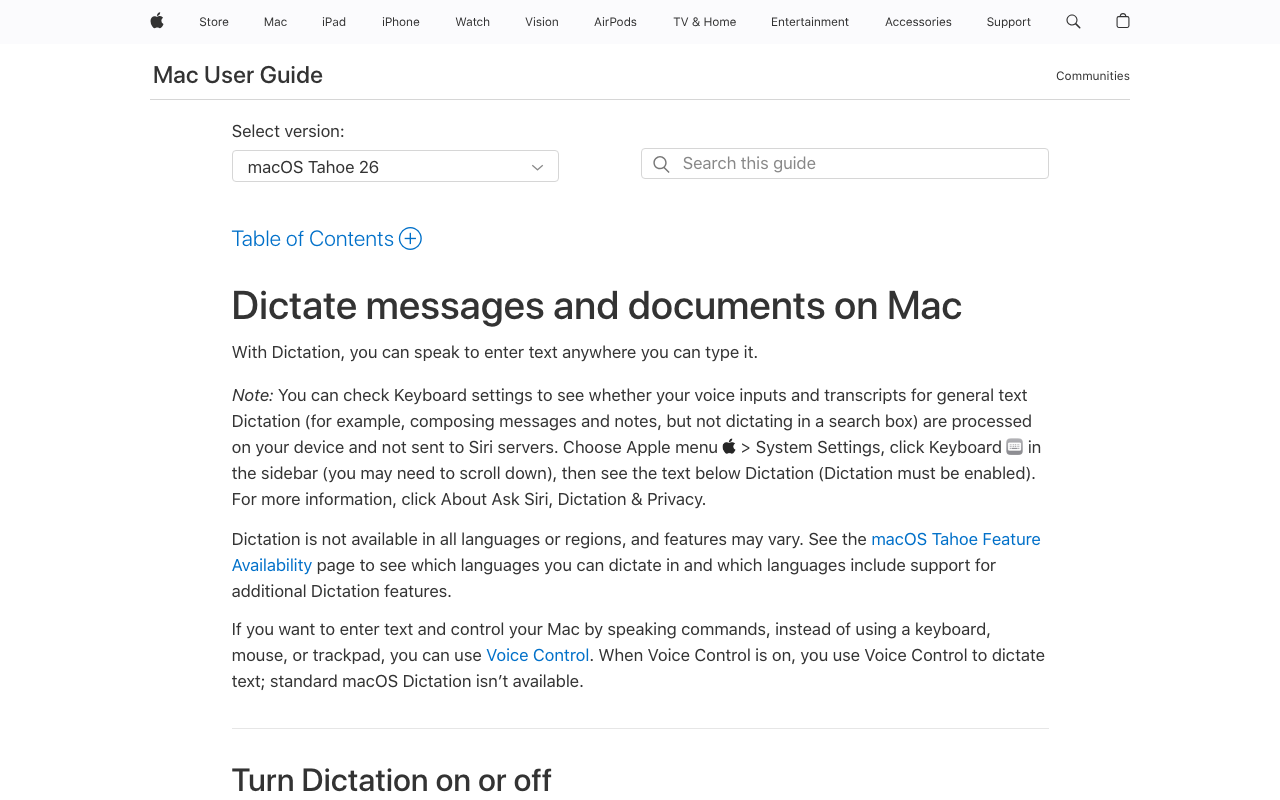
Apple Dictation is the built-in speech-to-text feature in macOS, iOS, iPadOS, visionOS, and watchOS — included free with the operating system on every supported Apple device. On macOS, the feature is configured under System Settings → Keyboard → Dictation. Trigger is a configurable hotkey (default: press Fn twice on most Macs; the dictation indicator appears, you speak, and the text is inserted at the cursor location).
Processing architecture: On Apple Silicon Macs (M1, M2, M3, M4) running macOS 13 Ventura or later, Apple Dictation processes most speech on-device per Apple's Siri & Dictation privacy commitments. The same documentation states that Apple does not retain Dictation audio or use it to train models without user opt-in to 'Improve Siri & Dictation'. There is an undocumented cloud fallback for 'complex requests' — Apple does not publish which specific requests fall back to cloud processing. Intel Macs route every dictation request to Apple's servers; on-device dictation is Apple Silicon only.
Capabilities (verified May 2026):
- System-wide: works in any text field across all macOS apps
- 30+ languages with automatic language detection on Apple Silicon
- Voice commands: punctuation, capitalization, paragraph breaks ("new line", "comma", "period")
- Apple Intelligence integration on macOS 15 Sequoia or later (M1+) — adds Writing Tools for post-dictation rewrites (also free)
- iCloud sync of dictation preferences across Apple devices
The structural limits covered in detail in our Apple Dictation pricing guide and Apple Dictation privacy deep dive:
- 30-second silence auto-stop — no setting extends this; long-form dictation requires repeated restarts
- No custom vocabulary — technical terms, proper names, jargon are mistranscribed every time
- No HIPAA Business Associate Agreement — Apple does not sign BAAs for Dictation per their enterprise documentation
- No developer features — no IDE awareness, no file or folder name resolution for Cursor / VS Code
- No transcript history or learning across sessions
- Undocumented cloud fallback — privacy guarantee depends on Apple's discretion about which requests stay on-device
For occasional casual dictation under 30 seconds at a time in general English, those limits are tolerable. For daily knowledge work, the friction tax compounds quickly.
What Is Superwhisper?
Superwhisper is a Mac-first dictation app from Reflection Software ApS (Denmark) built around OpenAI's Whisper models. The product launched on Product Hunt in 2023 and has accumulated 4.9 / 5 across 20+ reviews and an engaged community on its public UserJot feedback board.
Processing architecture: Superwhisper runs Whisper locally on your Mac for transcription. The user picks from a wide model selection: Whisper Tiny / Base / Small / Medium / Large-v3 / Distil-Large-v3 / Parakeet (NVIDIA's model). For post-processing, Superwhisper layers an optional cloud LLM workflow ('Super Mode') where users bring their own API keys for OpenAI, Anthropic, Google, Groq, Meta, Mistral, or Grok. There's also a cloud transcription mode ('Ultra') that proxies audio through Superwhisper to upstream LLM vendors. Configuration is per-mode: you can build a 'Code mode' that runs Whisper Large-v3 locally with no cloud, or a 'Translation mode' that runs Whisper plus Anthropic Claude cleanup via your OpenAI / Anthropic API key.
The mode system is Superwhisper's defining feature. Each mode bundles: target application, Whisper model, optional cloud LLM, custom system prompt, formatting preferences, and hotkey. The mode auto-activates when you trigger Superwhisper in the matching app. Power users build 10-20 modes covering email, Slack, Cursor, ChatGPT, terminal commands, and per-language workflows.
Platforms: macOS (Apple Silicon and Intel), Windows (with reported reliability issues), iOS keyboard extension (with reported language and Pro-upsell complaints on the public feedback board).
Pricing (verified at superwhisper.com on May 11, 2026 and in our Superwhisper pricing article):
- Free tier: Small local Whisper models only (Tiny, Base), no cloud modes, no advanced features.
- Pro Monthly: $8.49 / month
- Pro Annual: $84.99 / year (~$7.08 / month effective)
- Lifetime: $249.99 — the most expensive lifetime price in the on-device Mac dictation category
- Refund: 30-day money-back guarantee on all paid tiers
Privacy posture caveats documented in our 'is Superwhisper safe?' investigation:
- Audio recordings ON by default — saved to disk in the user's Library; opt-out requires manual configuration (23+ upvotes on the public feedback board to make recordings opt-in)
- API keys stored in plaintext JSON — for cloud LLM modes (15+ upvotes on UserJot to move to macOS Keychain)
- Cloud modes transmit transcripts to OpenAI / Anthropic / Google / Groq / Meta / Mistral / Grok depending on configuration
- No SOC 2, HIPAA BAA, or ISO 27001 attestations
- Privacy policy revision date stuck at June 19 2024 — predates current cloud-mode set
Privacy is achievable with Superwhisper if you stay in local-only modes and harden the defaults. It is not the out-of-the-box behavior. For deeper context, see our Superwhisper review.
Feature Comparison: Where Each Wins
Price and free tier
Apple Dictation wins. $0 forever vs $249.99 lifetime (or $84.99 / year recurring). Apple Dictation's free tier is unlimited and complete — every feature that exists is included in the free tier because there is no paid tier. Superwhisper's free tier is intentionally limited to small Whisper models with no cloud features and no advanced configuration, designed as an evaluation period rather than a sustained free product.
Session length
Superwhisper wins decisively. Apple Dictation's 30-second auto-stop is the single biggest functional gap. Superwhisper sessions run as long as you hold the hotkey or until you trigger stop manually. For dictating an email, a Slack message, a code comment, or any text longer than two sentences, Superwhisper is materially more productive.
Custom vocabulary and per-app prompts
Superwhisper wins. The mode system supports custom system prompts per mode — you can prime the cloud LLM cleanup step with vocabulary lists, formatting rules, code-aware instructions, or domain-specific dictionaries. Apple Dictation has zero user-configurable vocabulary, which means technical terms (Kubernetes, OpenTelemetry, useEffect), proper names, and product names are mistranscribed every time with no learning across sessions.
Whisper model selection
Superwhisper wins. Users can pick the speed / accuracy tradeoff they want — Whisper Tiny for fastest speed on lightweight Macs, Whisper Large-v3 for highest accuracy on Apple Silicon with 16GB+ RAM, Distil-Large-v3 for the latency-quality middle ground, or NVIDIA's Parakeet for the latest English-only accuracy frontier. Apple Dictation uses Apple's closed model with no configuration.
Cloud LLM integration (BYOK)
Superwhisper wins. The bring-your-own-key cloud LLM layer is the second-most-distinctive feature after modes. You pay for your own API usage (typically a few cents per long dictation) and Superwhisper handles the integration. Apple Dictation has Apple Intelligence Writing Tools as a parallel free product, but Writing Tools is separate from the dictation flow and offers a narrower set of rewrite primitives (proofread, rewrite, friendly, professional, concise).
Default privacy posture
Apple Dictation wins on defaults. Apple Dictation does not retain audio (per Apple's published commitments), does not require any opt-in to use, and does not store credentials anywhere. Superwhisper saves audio recordings to disk by default (top-upvoted feedback-board concern), stores cloud-mode API keys in plaintext JSON, and clutters iCloud Documents when sync is on. Both products are 'private' when configured correctly, but Apple Dictation's defaults are friendlier and require no hardening. The asterisk: Apple's undocumented cloud fallback means you cannot guarantee any specific session stays on-device, while Superwhisper's local-only modes are unambiguously local when configured.
Platform reach across Apple's ecosystem
Apple Dictation wins. Apple Dictation works on macOS + iOS + iPadOS + visionOS + watchOS — every Apple device a user owns. Superwhisper covers macOS + Windows + iOS, with the iOS keyboard reviewed as less polished than the macOS app.
Developer workflow
Neither is purpose-built. Superwhisper supports per-app modes with custom prompts so you can build Cursor / VS Code modes. But Superwhisper does not have a dedicated IDE integration that resolves file and folder names from the active workspace — that feature has been requested 9+ times on the public feedback board without implementation. Apple Dictation has no IDE awareness. For dedicated developer dictation, Voibe ships Developer Mode purpose-built for Cursor, VS Code, and Windsurf with file and folder name resolution; see our Voibe homepage.
Pricing Breakdown: 3-Year Cost of Ownership
Sticker comparison favors Apple Dictation by an infinite margin ($0 vs $249.99). Total cost of ownership including the time-cost of Apple Dictation's structural limits tells a different story for daily users.
3-Year Dollar Cost
| Tool | Year 1 | Year 2 | Year 3 | 3-Year Total |
|---|---|---|---|---|
| Apple Dictation | $0 | $0 | $0 | $0 |
| Superwhisper Pro Monthly × 36 | $101.88 | $101.88 | $101.88 | $305.64 |
| Superwhisper Pro Annual × 3 | $84.99 | $84.99 | $84.99 | $254.97 |
| Superwhisper Lifetime | $249.99 | $0 | $0 | $249.99 |
| Voibe Lifetime | $149 | $0 | $0 | $149 |
3-Year Total Cost Including Time Cost (Daily Knowledge Worker, $25 / hr)
The time-cost framework from our Apple Dictation pricing guide applied here: a daily knowledge worker who restarts every 30 seconds and edits 10-15 % of words for vocabulary errors loses roughly 75 minutes per week to Apple Dictation's friction, or ~$1,625 / year at $25 / hr. Paid alternatives reduce that friction by 70-80 %, leaving roughly $325-$485 / year in residual time cost.
| Tool | 3-Year Dollar Cost | 3-Year Time Cost @ $25/hr | Combined |
|---|---|---|---|
| Apple Dictation | $0 | ~$4,875 | ~$4,875 |
| Voibe Lifetime | $149 | ~$1,000-$1,500 | ~$1,150-$1,650 |
| Superwhisper Lifetime | $249.99 | ~$1,000-$1,500 | ~$1,250-$1,750 |
| Superwhisper Pro Annual × 3 | $254.97 | ~$1,000-$1,500 | ~$1,255-$1,755 |
Three concrete observations from the math:
- Apple Dictation costs $0 in dollars but ~$4,875 in time over 3 years for a daily knowledge worker at $25 / hr. Every paid alternative is dramatically cheaper in TCO terms.
- Voibe Lifetime saves $101 (40 %) vs Superwhisper Lifetime and reduces friction by a comparable margin. The same on-device Whisper architecture, simpler configuration, $101 less upfront.
- Superwhisper Lifetime breaks even against its own annual plan at year 3 ($249.99 vs $254.97 across 3 Annual cycles). One of the most reasonable lifetime / annual break-evens in the category — the lifetime tier is honestly priced if you'll use Superwhisper for 3+ years.
Pros and Cons Side by Side
Apple Dictation
Pros:
- $0 forever — included with every macOS install, no subscription, no in-app purchase
- Zero install / setup beyond enabling in System Settings
- On-device processing on Apple Silicon (M1+) per Apple's documentation
- Works across the entire Apple ecosystem (macOS, iOS, iPadOS, visionOS, watchOS)
- 30+ languages with automatic detection
- Apple does not retain dictation audio by default
- Apple Intelligence Writing Tools integration on macOS 15+ (free) for post-dictation rewrites
- Stable, updated on Apple's macOS cadence
Cons:
- ~30-second silence auto-stop — no setting extends it
- No custom vocabulary — technical terms, names mistranscribed every time
- No HIPAA BAA — Apple does not sign BAAs for Dictation
- Undocumented cloud fallback — privacy depends on Apple's discretion about which requests stay on-device
- No developer features (no IDE awareness, no file / folder name resolution)
- No transcript history, no editing UI, no learning across sessions
- Intel Macs route every request to Apple's servers — on-device is Apple Silicon only
Superwhisper
Pros:
- On-device Whisper transcription — audio can stay on your Mac in local-only modes
- Wide Whisper model selection with user-controlled accuracy / speed tuning
- Extensive mode system: per-app presets for email, code, Slack, custom prompts
- Custom system prompts per mode — prime the LLM cleanup with vocabulary, formatting rules
- 90+ languages via on-device Whisper
- Cloud LLM BYOK integration (OpenAI, Anthropic, Google, Groq, Meta, Mistral, Grok)
- Product Hunt 4.9 / 5 across 20+ reviews with engaged community
- 30-day refund guarantee on all paid tiers
- Lifetime tier at $249.99 breaks even vs annual at year 3 — reasonable lifetime / annual math
Cons:
- $249.99 lifetime is ~$101 more than Voibe's $149 lifetime
- Audio recordings ON by default (23+ feedback-board votes to make opt-in)
- API keys for cloud modes stored in plaintext JSON (15+ votes on UserJot)
- Cloud LLM modes can corrupt non-English text via translation-style post-processing
- Complex settings surface and steeper learning curve
- 93.5 % of 476 user-submitted feature requests on the public board remain unaddressed
- Windows version reports crashes, freezes, clipboard issues
- No SOC 2 / HIPAA BAA / ISO 27001 attestations
- Privacy policy revision date stuck at June 19 2024 (predates current cloud-mode set)
- No dedicated developer IDE integration
Which Should You Choose?
Walk through these five questions in order.
1. Are you dictating occasionally (a few times per week, under 30 seconds at a time, general English)?
- Yes → Stay on Apple Dictation. The free built-in tool is the right fit for occasional casual use. The 30-second silence cutoff is rarely binding when sessions are short, the vocabulary gap doesn't matter for general English, and the time cost stays under 10 minutes per week. Save the $249.99.
- No (daily / longer sessions / technical vocabulary) → Continue to question 2.
2. Do you need custom vocabulary, per-app modes, or longer-than-30-second sessions?
- Yes → Apple Dictation cannot solve this. Continue to question 3 to pick a paid alternative.
- No → Apple Dictation may still be enough. The upgrade only pays off if at least one of these gaps actively costs you time.
3. Do you want the mode system and BYOK cloud LLM integration that Superwhisper is built around?
- Yes (heavy power user, will configure 5+ modes, want LLM cleanup) → Superwhisper. The mode system is the strongest in the category and worth the $249.99 lifetime if you'll use it.
- No (just want on-device Whisper with simpler configuration) → Voibe ($149 lifetime, $101 cheaper, simpler) or VoiceInk ($29-69 lifetime, open-source) are better fits. Voibe also ships Developer Mode for Cursor / VS Code / Windsurf which Superwhisper does not.
4. Do you need HIPAA, SOC 2, or other audited compliance attestations?
- Yes → Neither product publishes a HIPAA BAA. For regulated work, consider Dragon Medical One (BAA, Windows-focused), Wispr Flow Enterprise (BAA across all plans, cloud), or on-device tools (Voibe, VoiceInk) where the BAA question is moot because audio never transmits.
- No → Either product works on this dimension.
5. Do you want lifetime pricing or recurring subscription?
- Lifetime preferred → Superwhisper $249.99 or Voibe $149 (both on-device Whisper with one-time payment). Apple Dictation is permanently free, so it's also a 'lifetime' option in the trivial sense.
- Subscription is fine → Superwhisper Pro Annual at $84.99 / year is the cheapest annual on-device Whisper option, breaking even against lifetime at year 3.
Quick verdict matrix
Choose Apple Dictation if: you dictate occasionally (under 30-second sessions, general English, casual contexts), you value zero cost and zero setup above all else, and you don't need custom vocabulary or developer features. Apple's default privacy posture (no retention) is genuinely good.
Choose Superwhisper if: you are a Mac power user willing to configure modes, you want a wide Whisper model selection, you want optional cloud LLM cleanup via BYOK API keys, or you want lifetime pricing on an established product with strong PH community signal.
Choose Voibe if: you want on-device Whisper without the configuration overhead, you want lifetime pricing at the lowest cost ($149 — $101 less than Superwhisper lifetime), you want zero data retention by default (no audio saved to disk, no plaintext API keys), or you want Developer Mode for Cursor / VS Code / Windsurf with file and folder name resolution. Voibe also covers the Apple Dictation pain points directly: hands-free sessions up to 5 minutes (Fn+Space or double-tap Fn) instead of a 30-second silence cutoff, spoken punctuation and structure commands ("new paragraph", "bullet point") processed on-device, custom vocabulary with bulk editing, plus Speed vs Accuracy modes with hardware-matched model recommendations and Memory shortcuts for boilerplate like URLs and signatures. Voibe runs on Mac (Apple Silicon and Intel) and Windows.
What Users and Reviewers Say
Apple Dictation
- Apple's official position: Apple Dictation is positioned in Apple Support documentation as a built-in macOS feature, not a standalone product. There is no Apple-published rating or App Store equivalent because the feature is part of the operating system.
- Press / blog coverage: Mainstream tech press treats Apple Dictation as a baseline that paid alternatives are measured against. Common framing: 'good enough for casual use, hits structural limits for daily work'.
- User sentiment on Apple Support Communities: The 30-second silence cutoff and lack of custom vocabulary are the two most-discussed complaints. Multiple threads going back several years request session extension without resolution.
- Privacy advocates: Generally positive on Apple's no-retention posture and the on-device Apple Silicon path, with the undocumented cloud-fallback caveat as the asterisk. Coverage from EFF and Privacy International has been measured.
Superwhisper
- Product Hunt: 4.9 / 5 across 20+ reviews. Strong positive sentiment around the mode system, model selection, and on-device Whisper quality.
- Public UserJot feedback board (superwhisper.userjot.com): 476 tickets analyzed in our April 2026 audit. Top requests: cross-device sync (286 votes), Android app (198 votes), Pause Recording (156 votes), auto language detection (94 votes). 93.5 % of tickets are unaddressed — signals resource constraints.
- Privacy concerns on the feedback board: 'Audio recordings saved by default, no way to disable' (23 votes), 'API keys stored in plaintext JSON on disk' (15 votes), 'iCloud Documents folder clutter from stored recordings'. Full investigation in our 'is Superwhisper safe?' guide.
- Reddit threads on r/superwhisper and r/MacOS: Power users praise the mode system; new users describe a steep learning curve and overwhelming settings surface.
- Customer reports on Windows: Reported crashes, freezes, and clipboard issues. Mac is the polished platform; Windows is in active improvement.
The honest read: Apple Dictation has no third-party ratings because it's a built-in OS feature, but mainstream coverage frames it as a baseline rather than a peer of paid tools. Superwhisper has strong PH and Reddit sentiment among power users plus documented feedback-board friction on defaults and unaddressed requests. Both are real products with real tradeoffs — neither is a slam dunk.
Frequently Asked Questions: Apple Dictation vs Superwhisper
Basics
What is the difference between Apple Dictation and Superwhisper?
Apple Dictation is the free built-in speech-to-text feature in macOS, with a 30-second silence auto-stop and no custom vocabulary. Superwhisper is a paid Mac dictation app built around OpenAI's Whisper models, with unlimited session length, per-app modes with custom prompts, wide Whisper model selection, and optional cloud LLM post-processing via BYOK API keys. Apple Dictation is free; Superwhisper is $249.99 lifetime or $84.99 / year.
Can Superwhisper replace Apple Dictation entirely?
Yes for Mac dictation workflows. Once Superwhisper is installed and configured, you can disable Apple Dictation in System Settings and use Superwhisper's hotkey instead. The functional gap closes — Superwhisper covers everything Apple Dictation does plus the features Apple Dictation lacks (custom prompts, model selection, longer sessions). Superwhisper does not replace Apple's voice control accessibility features or Siri.
Pricing
Is Superwhisper worth $249.99 lifetime?
Yes for daily knowledge workers who'll use the mode system and engage with the BYOK cloud LLM features. The $249.99 lifetime breaks even against Superwhisper Pro Annual at year 3, which is the most reasonable lifetime / annual math in the category. For occasional users, $249.99 doesn't pay off — stay on free Apple Dictation. For users who want on-device Whisper at lower cost, Voibe at $149 lifetime is $101 cheaper.
Does Apple Dictation cost anything?
No. Apple Dictation is $0, included with macOS, no subscription, no in-app purchase, no premium tier. The dollar cost is genuinely zero. The non-dollar costs (time, accuracy, regulatory risk) are covered in our Apple Dictation pricing guide.
Privacy & Security
Is Apple Dictation more private than Superwhisper?
By default, yes — Apple Dictation does not retain audio per Apple's published commitments, while Superwhisper saves recordings to disk by default. The asterisk: Apple's undocumented cloud fallback for complex requests means you can't guarantee any specific session stays on-device, while Superwhisper's local-only modes are unambiguously local when configured. Both products achieve genuine privacy when used correctly — Apple Dictation by virtue of Apple's defaults, Superwhisper by virtue of careful configuration. For architectural certainty, see our best offline dictation apps for Mac guide.
Is Apple Dictation or Superwhisper HIPAA compliant?
Neither. Apple does not sign Business Associate Agreements for Dictation. Superwhisper does not publish a HIPAA BAA. For HIPAA-bound healthcare dictation, use Dragon Medical One (BAA, Windows-focused), Wispr Flow Enterprise (BAA available), or on-device tools (Voibe, VoiceInk) where the BAA question is moot because audio never leaves the device. See our dictation and HIPAA guide.
Performance & Accuracy
Is Superwhisper more accurate than Apple Dictation?
For technical vocabulary, code, names, and domain-specific terms, yes — Superwhisper's larger Whisper models (Medium, Large-v3, Distil-Large-v3) plus custom prompts produce materially better transcriptions than Apple's closed model. For general English in clean audio conditions, Apple Dictation is competitive on accuracy. The bigger functional gap is session length and vocabulary, not raw transcription quality on general speech.
Why does Apple Dictation cut off after 30 seconds?
The auto-stop triggers after 30 seconds of silence, and there is no setting to extend it. Apple's current documentation says dictation length itself is uncapped — new wording as of the latest macOS, with real-world confirmation still limited; on earlier releases users widely reported cutoffs during continuous speech, and community requests for an extension setting went unanswered for years. The functional consequence: long-form dictation requires repeated restarts, which adds friction overhead estimated at 10-40 % of dictation time on sessions longer than 5 minutes.
Platforms
Does Superwhisper work on iPhone?
Yes — Superwhisper ships an iOS keyboard extension that lets you dictate into any iOS app via the system keyboard switcher. The iOS keyboard has more reported friction than the macOS app per the public feedback board (missing languages, mode switching issues, intrusive Pro upsells). Apple Dictation works on iOS / iPadOS natively via the microphone key on the system keyboard.
Does Superwhisper work on Windows?
Yes, but with reported reliability issues. Mac is Superwhisper's polished platform; Windows users have reported crashes, freezes, and clipboard issues per the public feedback board. For Windows-first dictation, Wispr Flow (Electron-based native app) or Voicy (cross-platform desktop + Chrome extension) are alternatives. See our Superwhisper platform support breakdown.
Final Verdict: Apple Dictation or Superwhisper?
Apple Dictation is the right tool for occasional casual dictation on Mac. If your sessions are under 30 seconds, your vocabulary is general English, you don't need custom prompts or per-app modes, and you don't process regulated data, Apple Dictation is genuinely good enough — and free. The defaults are friendly (no audio retention, no plaintext credentials), the on-device path on Apple Silicon is real, and Apple Intelligence Writing Tools adds post-dictation rewrites at no extra cost. Save the $249.99 for daily-use features you'll actually use.
Superwhisper is the right tool for power users on Mac who'll engage the mode system. If you'll configure 5+ modes for different applications, use BYOK cloud LLM cleanup via OpenAI / Anthropic / Google API keys, want a wide Whisper model selection, or simply want sessions longer than 30 seconds, Superwhisper is built for that workflow. The $249.99 lifetime breaks even against its own annual plan at year 3 — reasonable math for a lifetime bet. Harden the defaults: turn off audio recording, move API keys to a credential manager if possible, and audit the privacy policy revision date.
Voibe is the right tool if you want on-device Whisper with a lower lifetime price and simpler configuration. Voibe at $149 lifetime is $101 (40 %) cheaper than Superwhisper lifetime, ships with zero data retention by default (no audio saved to disk, no plaintext credentials, and an on-device mode that makes no network call at all), and includes Developer Mode for Cursor / VS Code / Windsurf that resolves file and folder names from the active workspace — a feature Superwhisper users have requested 9+ times on the feedback board without implementation. Voibe pairs that with Speed vs Accuracy modes (hardware-matched model recommendations), a transcript-storage switch you can turn off entirely, and hands-free sessions up to 5 minutes — the simpler, cheaper on-device Whisper alternative. Superwhisper is the configurable power-user option with a wider feature surface.
For the deeper picture: see our Superwhisper review, Superwhisper pricing, 'is Superwhisper safe?' investigation, Apple Dictation pricing guide, Apple Dictation privacy deep dive, MacWhisper vs Superwhisper, and best offline dictation apps for Mac.
Disclosure: Voibe is our product. We verified Apple Dictation's behavior against Apple's published Use Dictation documentation and Siri & Dictation privacy commitments on May 11, 2026. Superwhisper pricing and the feedback-board signal were verified at superwhisper.com and against our shipped Superwhisper review, pricing, and safety investigation. Where Apple Dictation or Superwhisper is the better fit on a specific dimension, we say so.
Key Takeaway
Apple Dictation is the right tool for occasional casual dictation (under 30s, general English, no regulated data). Superwhisper is the right tool for Mac power users who'll engage the mode system. Voibe at $149 lifetime is $101 cheaper than Superwhisper, ships zero-retention defaults, and adds Developer Mode for Cursor / VS Code / Windsurf that Superwhisper users have asked for and not received.
Related Comparisons and Reviews
- Superwhisper Review — full honest review of the on-device Whisper power-user app
- Superwhisper Pricing — verified pricing breakdown across Pro / Lifetime / Free tiers
- Is Superwhisper Safe? — full privacy-and-data-handling investigation
- Apple Dictation Pricing — 'free, but what does it cost?' breakdown
- Apple Dictation Privacy — Siri improvement, cloud fallback, and on-device path
- Apple Dictation vs Wispr Flow — free built-in vs venture-backed cloud dictation
- Apple Dictation vs Dragon — free vs $699 Windows-only professional
- Apple Dictation vs OpenAI Whisper — built-in vs the open-source model itself
- MacWhisper vs Superwhisper — file transcription vs system-wide dictation
- Wispr Flow vs Superwhisper — cloud-first vs on-device Whisper
- Superwhisper vs VoiceInk — paid vs open-source on-device Whisper
- Best Offline Dictation Apps for Mac — full ranked roundup
- Best Local Whisper Model for Superwhisper — accuracy / speed tradeoff guide
- Cloud vs Local Dictation — architectural tradeoff deep dive
- Apple Dictation Review — our full 6.5/10 assessment of the free built-in option
Best AI Dictation and Meeting Notes for Confidential Work
Draft letters, notes and emails 5x faster. Get meeting notes without a bot joining your call. Nothing used to train AI.
- Mac + Windows
- No bot in your calls
- Nothing used to train AI
- 7-day free trial
Want to compare plans first? View pricing →
Related Articles
Superwhisper Review: Is It Worth $249.99 Lifetime? (2026)
Honest Superwhisper review covering features, pricing, privacy defaults, performance, and the best alternatives for Mac users who want on-device Whisper dictation.
Monologue vs Superwhisper: The Polished One vs the Powerful One
Monologue ($144/yr) wants to disappear. Superwhisper ($249.99 lifetime) hands you the controls. Which Mac dictation app fits you — and the $149 third door.
Handy vs Superwhisper (2026): Open-Source Free or $249 Lifetime?
Handy is free MIT-licensed open-source dictation on Mac, Windows, and Linux. Superwhisper is a $249.99 lifetime commercial app with hybrid on-device and cloud modes. We compare architecture, modes, pricing, and 3-year math.