
8 Best Dictation Software for Developers (2026)
Best dictation software for developers in 2026. 8 tools compared on Developer Mode file/folder resolution, on-device privacy for proprietary code, IDE integration with Cursor and VS Code, RSI-friendly activation, and price.

TL;DR: The best dictation software for developers in 2026 is Voibe for most developers on Mac who want fast, private, private dictation with IDE-aware file and folder resolution — an on-device mode (Whisper on Apple Silicon) or a zero-retention private open-source cloud mode. It costs $9.90/month, $99/year, or $199 lifetime. For developers who need full hands-free OS control (mouse, navigation, window management — not just text input), pair Voibe with Talon, the open-source voice control system. Talon is more powerful and more flexible than any dictation app, with a steeper learning curve to match — it is the right tool when typing is not an option at all. Voibe is the right tool when you can still use the keyboard and mouse but want to dictate text fast.
Disclosure: Voibe is our product. We compare every tool factually and acknowledge where competitors excel. Talon in particular is excellent at the thing it does — we are not trying to replace it.
| Tool | Best For | Key Strength | Price |
|---|---|---|---|
| Voibe | Most developers on Mac | Developer Mode resolves file and folder names | Free plan; $9.90/mo, $199 lifetime |
| SuperWhisper | Power users who want flexible modes | BYOK cloud LLM post-processing, mode system | $8.49/mo, $249.99 lifetime |
| VoiceInk | Best free/open-source option | GPL v3 source, self-build for free | Free or $29–$69 one-time |
| Wispr Flow | Cross-platform dev work | Mac + Windows + iOS + Android | $15/mo or $144/yr |
| Apple Dictation | Built-in free baseline | Zero install, on-device on Apple Silicon | Free |
| Talon | Coding through severe RSI | Full hands-free OS control + voice macros | Free (open-source) |
| Spokenly | MCP / AI coding-agent integration | MCP server for Claude Code, Cursor, Codex; on-device option | Free + BYOK or $9.99/mo |
| MacWhisper | Batch file transcription | Recorded audio → text, not real-time | €59 (~$69) one-time |
Why Developers Are Looking at Dictation in 2026
Two cohorts are driving developer interest in dictation right now, and they want different things.
- The AI-prompting cohort. The 2024–2026 wave of AI coding tools — Cursor, Claude Code, GitHub Copilot Workspace, Aider — turned the prompt itself into a unit of engineering work. Typing a multi-paragraph prompt at 40–60 WPM is slow; dictating at 150–160 WPM is roughly 3 to 4 times faster. Claude Code shipped a built-in voice mode in March 2026 — the clearest signal yet that voice input is mainstream in dev workflows.
- The hands-in-pain cohort. Sustained typing is the root cause of repetitive strain injury (RSI), carpal tunnel syndrome (CTS), tendinitis, and ulnar nerve entrapment. When the hands start failing, most developers face a choice between reducing hours, changing careers, or learning a new input model. Dictation, paired with thoughtful activation, is the path back to full productivity that does not require a career change.
The category has historically failed both cohorts in the same ways: file and folder names get transcribed as English ("main dot T S" instead of main.ts); held-key activation flares CTS pain; cloud dictation tools transmit your active window — including the code you are looking at — to external servers.
The usage data backs the first cohort up. In the State of AI Dictation report, the people dictating into code editors and terminals were 17% of the group but produced 24% of all dictations, about twice the per-person rate of people dictating into AI assistant apps.
Key Takeaway
Developer interest in dictation in 2026 is driven by two cohorts: AI-prompting workflows (Cursor, Claude Code, Copilot) where dictation is 3-4x faster than typing, and hands-in-pain cohorts (RSI, CTS, post-surgery) where typing is no longer an option.
How Modern Dictation Tools Solve Developer Pain Points
Each developer pain point maps to a specific feature in modern dictation tools.
- File and folder name resolution. Voibe's Developer Mode is the only feature in the category that uses your IDE's actual workspace structure as a recognition context. When you say "file main.ts", Voibe biases Whisper toward the literal symbol
main.tsinstead of transcribing the syllables. - Custom Vocabulary for library and framework names. Voibe and SuperWhisper let you add the libraries you ship with — React, Tailwind, Pydantic, TypeScript, Kubernetes, Drizzle, Hono, ESLint — and bias recognition toward those terms.
- Hands-Free activation for RSI workflows. Voibe's Hands-Free Mode uses a double-tap to start and stop, so no key is held during speech. The hotkey is configurable to a single function key, external switch, or foot pedal — the activation model that works with wrist braces, post-surgical splints, and tendinitis flares.
- On-device processing for proprietary code. Voibe, SuperWhisper, VoiceInk, and Apple Dictation (on Apple Silicon) process speech locally. Wispr Flow sends audio to cloud servers and captures screenshots of the active window for "context awareness" — incompatible with most company security policies.
- Full hands-free OS control. For developers whose hands cannot type at all, Talon drives the mouse, navigates windows, runs custom macros, and lets you write code through grammars. Talon is the right tool when typing is not an option — it has a learning curve Voibe does not, and a level of control Voibe does not aim for.
Key Takeaway
The category answers developer pain in five concrete ways: file/folder resolution (Voibe Developer Mode), custom vocabulary, hands-free activation, on-device processing for proprietary code, and full OS control (Talon) for severe accessibility needs.
What to Look For in Dictation Software for Developers
Seven criteria that matter most when evaluating dictation software for code-adjacent work.
- File and folder name resolution. The single feature that separates developer-aware dictation from everything else. Does the tool know
useAuth.tsxis a real symbol in your project, or does it transcribe it as four English words? Only Voibe's Developer Mode does this today. - Activation model. Push-to-talk is fine for healthy hands and short utterances. For sustained dictation, longer prompts, or any RSI condition, tap-based or hands-free activation matters more than any other feature.
- On-device vs cloud processing. On-device tools (Voibe, SuperWhisper, VoiceInk, Apple Dictation on Apple Silicon) process speech locally. Cloud tools (Wispr Flow) transmit audio to external servers. For proprietary code and NDA-bound work, on-device is the only architecture that does not require a security review.
- Cross-platform reach. Wispr Flow covers Mac, Windows, iOS, and Android. Talon covers Mac, Windows, and Linux. Voibe covers Mac and Windows (its fully on-device mode needs an Apple Silicon Mac; the Windows app uses a private cloud), with no mobile apps. SuperWhisper, VoiceInk, and MacWhisper are Mac-only.
- IDE awareness. Voibe's Developer Mode currently focuses on VS Code and Cursor — the two IDEs most aligned with AI-prompting workflows. Other tools work in any text field but have no special IDE handling.
- Custom Vocabulary depth. Voibe and SuperWhisper support real custom vocabularies for library names, frameworks, and internal terms. Apple Dictation and Wispr Flow do not.
- Pricing and ownership model. A $15/month dictation tool costs $540 over three years. A $199 lifetime license pays back in about 13 months.
Key Takeaway
The seven criteria that matter most for developer dictation: file/folder resolution, activation model, on-device vs cloud processing, cross-platform reach, IDE awareness, custom vocabulary depth, and pricing model. The first two separate developer-aware tools from generic dictation.
Quick Comparison: Dictation Software for Developers at a Glance
| Tool | Developer Mode (file/folder) | Activation | Processing | Cross-platform | IDE-aware | Price |
|---|---|---|---|---|---|---|
| Voibe | Yes — only tool in category | Push-to-talk + Hands-Free double-tap | On-device (Apple Silicon) or private cloud | macOS + Windows (on-device needs Apple Silicon) | VS Code, Cursor | Free plan; $9.90/mo, $199 lifetime |
| SuperWhisper | No | Push-to-talk + togglable modes | On-device or cloud (BYOK) | Mac, Windows, iOS | System-wide | $8.49/mo, $249.99 lifetime |
| VoiceInk | No | Push-to-talk + Power Mode toggle | On-device | macOS only | System-wide | Free (self-build) or $29–$69 one-time |
| Wispr Flow | No | Push-to-talk default | Cloud | Mac, Windows, iOS, Android | Cross-app | $15/mo or $144/yr |
| Apple Dictation | No | Hotkey toggle (Fn-Fn) | On-device (Apple Silicon) | Apple platforms | System-wide | Free |
| Talon | No (but voice macros for code) | Continuous voice command | On-device | Mac, Windows, Linux | Scripted (any IDE) | Free (open-source) |
| Spokenly | No (MCP server instead) | Push-to-talk (custom hotkey) | On-device or cloud (BYOK) | macOS, iOS | MCP: Claude Code, Cursor, Codex | Free + BYOK or $9.99/mo |
| MacWhisper | No | File upload (not real-time) | On-device | macOS only | N/A (batch tool) | €59 (~$69) one-time |
Voibe's $199 lifetime is 20.4% less than SuperWhisper's $249.99 lifetime (~$51 saved), and 53.9% less than three years of Wispr Flow Pro Annual ($432 over three years, $233 saved).
How Voibe's Developer Mode Resolves File and Folder Names
Developer Mode is the wedge feature no other Mac dictation app ships. When you dictate into Cursor or VS Code, Voibe inspects the active IDE workspace and uses your project's real file and folder structure as a context hint for Whisper. Say "open the file useAuth dot tsx" and Voibe biases the output toward the literal symbol useAuth.tsx instead of the syllables. The same applies to folders, hyphenated package names, and camelCase identifiers.
The contrast with a generic dictation tool, on the same utterance:
- Said: "refactor the use auth dot tsx hook to call get user from at app slash lib slash api"
- Generic dictation output: Refactor the use auth dot T S X hook to call get user from at app slash lib slash A P I.
- Voibe Developer Mode output: Refactor the
useAuth.tsxhook to callgetUserfrom@/app/lib/api.
That difference compounds across a session. A 200-word Cursor prompt referencing half a dozen filenames is unusable from a generic dictation tool — you spend more time fixing identifiers than you saved. With Developer Mode, the same prompt is paste-ready.
The closest mechanism another dictation tool ships is Spokenly's Model Context Protocol (MCP) server, which exposes dictation to AI coding agents like Claude Code, Cursor, and Codex. It is a genuinely flexible, protocol-level approach — but it requires you to configure the MCP server, and for managed-cloud accuracy you bring your own API keys across providers (OpenAI, Deepgram, Groq, Anthropic, or Google). Voibe's Developer Mode targets the same job — voice-prompting your IDE — with zero configuration: no MCP setup, no API keys, and workspace file-name resolution that runs on-device. If you want the protocol flexibility and do not mind the setup tax, Spokenly's MCP server is worth a look; if you want it to just work, Developer Mode is the lower-friction path. See our Spokenly alternatives breakdown for the full comparison.
Key Takeaway
Voibe Developer Mode resolves project file and folder names using the IDE workspace as a context hint, so dictated symbols like useAuth.tsx come out correctly instead of being transcribed as English words. No other Mac dictation tool does this today.
Where Dictation Fits in a Developer Workflow
Voice-typed code is rarely faster than typing for most languages — symbol density works against natural speech. The win for developers is everything around the code:
- AI prompts to Cursor, Claude Code, and ChatGPT. The clearest win. Multi-paragraph prompts referencing filenames and project structure go from a 90-second typing chore to a 25-second dictation. With Developer Mode, the filenames come out correctly cased. See our voice-prompt-ai guide.
- Code comments and doc strings. Block comments, JSDoc / TSDoc / Pydoc, README sections, ADR notes — prose volume matches dictation's strengths.
- Commit messages and PR descriptions. Git commit bodies that explain why, not just what. Spoken-prose pacing sounds less robotic than typed bullets.
- Linear and Jira tickets. Bug reports, feature specs, follow-up issues. Dictating a ticket is roughly 3-4x faster, and the result is usually more thorough.
- Slack threads and design notes. Long-form replies, design doc paragraphs, RFC sections — anywhere a thoughtful written response is worth more than a quick "+1".
The honest exclusion: voice-typing the code itself, in most languages, is still slower than typing it. Python is closer; TypeScript and Rust are further away. Talon drives code dictation through custom grammars — a different category of tool.
Dictation is one layer of a wider agent workflow, and it is rarely the only tool you need. For how it fits alongside a coding agent, an editor, and a verification step, see our breakdown of the five-tool agentic engineering stack.
Key Takeaway
Dictation is highest-value for developers in five places: AI prompts to Cursor/Claude Code, code comments and doc strings, commit messages and PR descriptions, Linear/Jira tickets, and Slack threads. Voice-typing actual code is usually slower than typing it — that is what Talon is built for.
1. Voibe — Best Overall for Mac Developers

Voibe is the only Mac dictation app with a dedicated Developer Mode that resolves file and folder names from your IDE workspace. It gives you a choice of two modes — an on-device mode that runs OpenAI's Whisper models on Apple Silicon (nothing leaves your Mac) or a private open-source cloud mode — and ships a Custom Vocabulary that handles popular library names — React, Tailwind, Pydantic, TypeScript, Kubernetes, ESLint, Drizzle, Hono — plus whatever internal terms you add. Hands-Free Mode (double-tap to start and stop) removes the held key, which matters for sustained sessions and developers managing RSI. Voibe's price funds actively developed software, weekly releases, and on-device AI models — not ad or data revenue. We don't train AI on user dictation.
Key Features:
- Developer Mode with VS Code and Cursor file/folder name resolution
- On-device mode on Apple Silicon Macs (M1 or later); zero-retention cloud on Windows and Intel Macs
- Push-to-talk + Hands-Free Mode (double-tap) activation
- Custom Vocabulary for libraries, frameworks, and internal terms
- System-wide dictation in any Mac app (Cursor, VS Code, Slack, Linear, GitHub)
- No account required, 7-day free trial with full feature access
- Only Mac dictation tool with IDE-aware file/folder resolution
- On-device processing — proprietary code never leaves your machine
- Hands-Free Mode is ergonomic for sustained sessions and RSI
- $199 lifetime is 20.4% less than SuperWhisper ($249.99) — ~$51 saved
- Native Mac app, not Electron
- 7-day free trial with full feature access
- No mobile apps (iOS/Android) and no Linux version — Mac and Windows only
- Fully on-device mode requires an Apple Silicon Mac (M1 or later); the Windows app uses Voibe's private cloud instead
- Not a full hands-free OS control system — Voibe is a dictation layer (pair with Talon for mouse/navigation if you need that)
- Developer Mode currently focuses on VS Code and Cursor (JetBrains and Vim/Neovim are not first-class yet)
The value combo: Wispr Flow and Granola in one plan. Voibe Dictation is $99 a year. For $50 more, Voibe Work ($19/month, $149/year, or $399 lifetime) adds AI meeting notes with no bot in the call. That one plan covers what Wispr Flow Pro ($144/year) and Granola Business ($168/year) charge $312 a year for separately, so it costs $163 (52.2%) less every year. Meeting notes are captured on your Mac or Windows PC, processed in Voibe's zero-retention cloud and saved on your computer, and Voibe reminds you to tell everyone you're taking notes.
User Reviews: 4.8/5 on Product Hunt. Developers most often cite Developer Mode and on-device processing as the deciding factors.
Best for: Developers on Mac who write Cursor / Claude Code / ChatGPT prompts, dictate ticket descriptions and PR bodies, and want IDE-aware file resolution without sending audio to a cloud service.
Tip
Voibe's 7-day free trial is enough to evaluate Developer Mode against any tool on this list at zero cost. Install it, open Cursor, and dictate a real prompt that references three of your project files — that is the test that separates Voibe from generic dictation.
2. SuperWhisper — Best for Power Users Who Want Flexible Modes
SuperWhisper is the most flexible on-device dictation app on Mac. Its core differentiator is a mode system: you can configure multiple dictation modes with different Whisper models, different post-processing LLMs (bring-your-own-key for OpenAI, Anthropic, Google, Groq, or local models), and different output formatting rules per mode. For developers who want to fine-tune the speed-versus-quality tradeoff, or who run multilingual workflows, that flexibility is real.
Key Features:
- Multiple Whisper model options (Tiny through Large V3)
- Configurable mode system with per-mode LLM post-processing (BYOK)
- On-device processing as the default — cloud is opt-in
- Cross-platform: macOS, Windows, iOS
- System-wide dictation across all Mac apps
- Custom Vocabulary for specialized terminology
- Most flexible on-device dictation tool — modes, BYOK LLMs, model selection
- Strong multilingual support (100+ languages)
- Cross-platform Mac, Windows, iOS
- Active feature roadmap with frequent updates
- No Developer Mode — file and folder names transcribe as English
- $249.99 lifetime is ~$51 more than Voibe lifetime ($199)
- Steeper learning curve than zero-config alternatives
- BYOK cloud LLMs add real API costs on top of the subscription
- Audio recordings saved to disk by default (configurable, but a known privacy item)
- No first-party IDE awareness
User Reviews: 4.9/5 on Product Hunt (20 reviews). Praised for flexibility, criticized for setup complexity.
Best for: Developers who want maximum control over their dictation stack — model selection, mode configuration, BYOK LLMs — and are willing to invest in the configuration time.
3. VoiceInk — Best Free / Open-Source Option
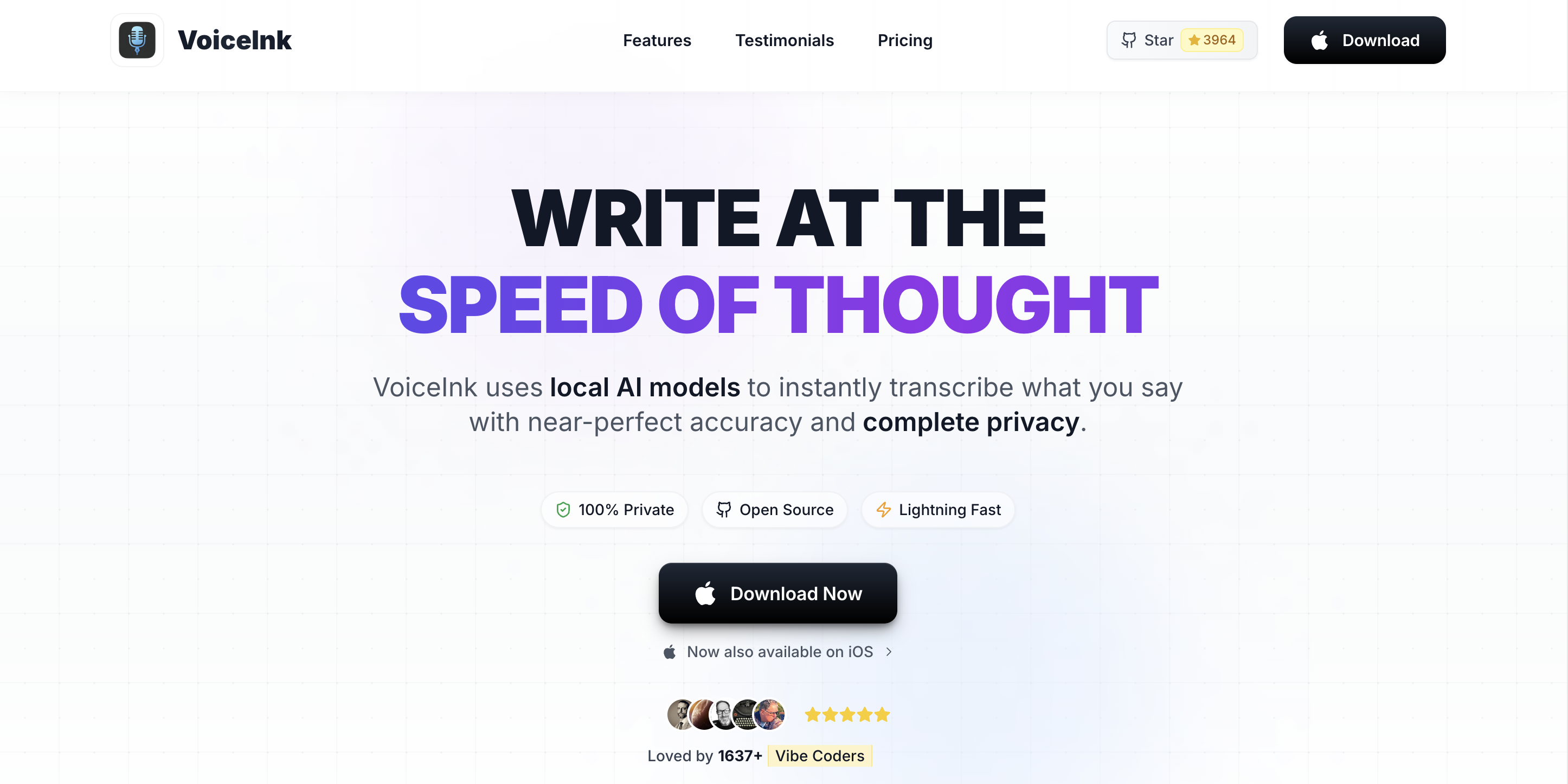
VoiceInk is the open-source choice. It is published under GPL v3.0, the source is available on GitHub, you can self-build for free, and the paid tiers run $29 to $69 as a one-time payment. The codebase is auditable end-to-end, which matters for developers under strict compliance regimes (defense, finance, regulated industries) where every third-party dependency needs a license review.
Key Features:
- GPL v3.0 open-source codebase — fully auditable on GitHub
- Self-build path is free; paid tiers add convenience (binaries, updates, support)
- On-device Whisper transcription
- System-wide dictation on Mac
- Apple Silicon optimized
- One-time pricing — no subscription
- Genuinely open source — GPL v3.0, code on GitHub
- Cheapest paid path — $29 to $69 one-time
- On-device privacy — no cloud, no telemetry
- Self-build path is free if you want to compile from source
- No Developer Mode — no IDE awareness or file/folder resolution
- Smaller feature surface than Voibe or SuperWhisper
- Less polished UX than commercial alternatives
- Smaller community and slower update cadence
- Custom Vocabulary is more limited than Voibe's
User Reviews: 4.2/5 on Product Hunt (27 reviews). Praised for open-source ethos, criticized for occasional rough edges.
Best for: Developers who want an auditable, open-source on-device dictation tool with no subscription, and who do not need IDE-aware file resolution. Strong fit for compliance-sensitive environments where every binary has to pass license review.
4. Wispr Flow — Best Cross-Platform (with Privacy Caveats)
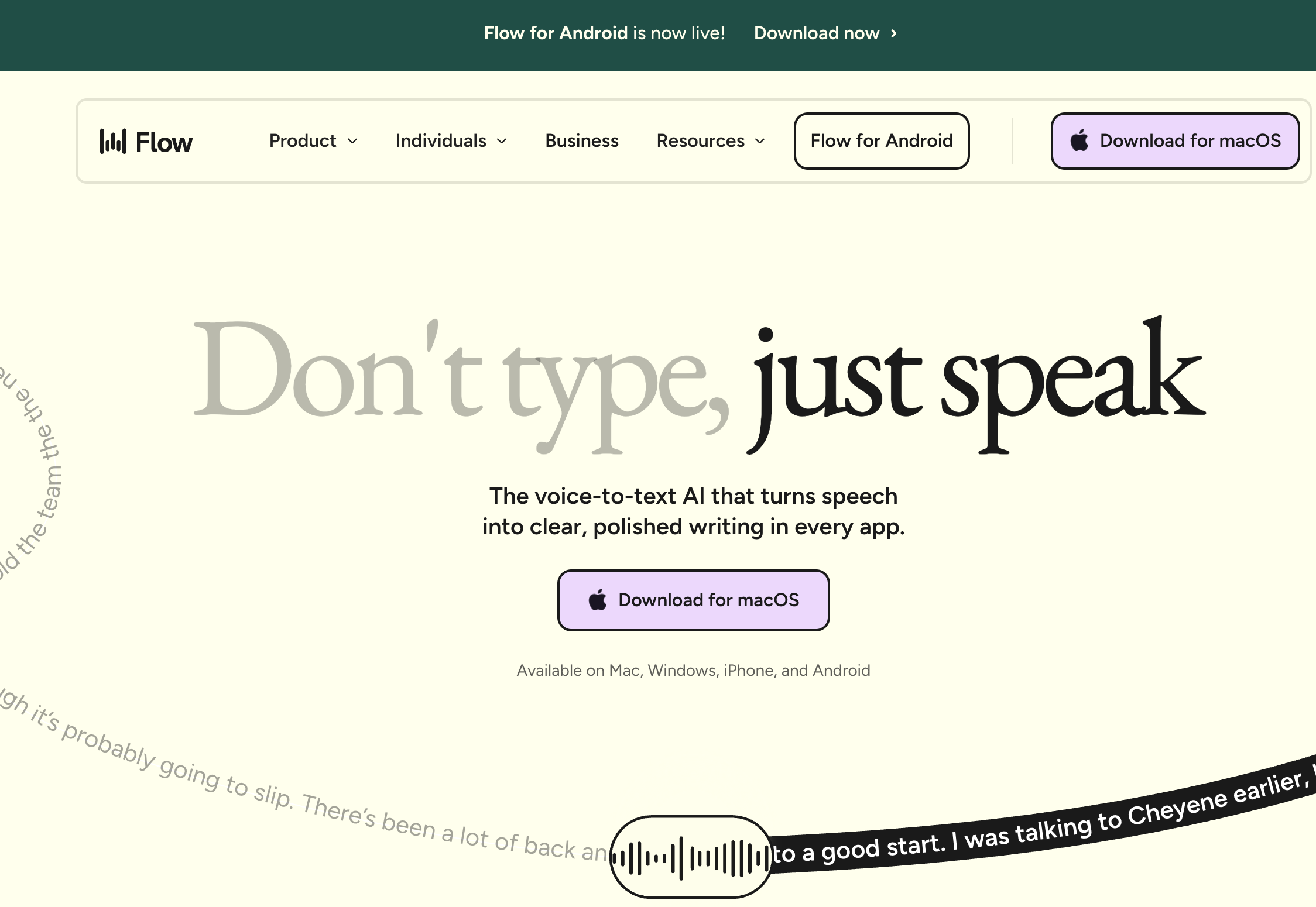
Wispr Flow is the broadest cross-platform dictation tool — native apps for Mac, Windows, iOS, and Android. For developers whose work spans multiple operating systems (Mac for local dev, Windows for compatibility testing, mobile for on-call), a single dictation tool across all of them is genuinely useful. Wispr Flow's other selling point is AI-powered text rewriting that adapts tone per app (casual in Slack, formal in email).
Key Features:
- Native apps on Mac, Windows, iOS, Android
- AI text rewriting with per-app tone adaptation
- Context-aware formatting
- SOC 2 Type II compliant with optional HIPAA controls
- Free tier (2,000 words/week)
- Only major dictation tool covering Mac + Windows + iOS + Android
- AI rewriting produces polished prose from rough dictation
- Generous free tier (2,000 words/week)
- SOC 2 Type II + HIPAA controls (for compliance-conscious teams)
- Cloud-based — audio is transmitted to external servers for processing
- Captures screenshots of the active window for "context awareness" — incompatible with NDA code, proprietary internal tools, or screen-sensitive workflows
- No offline mode — internet required for all dictation
- ~800MB RAM and ~8% CPU at idle on macOS (reported on 2021 MacBook Pro)
- Trustpilot rating 2.7/5 with multiple reports of post-trial reliability degradation
- No Developer Mode or IDE awareness
- No lifetime tier — subscription only
User Reviews: 4.5/5 on G2 (7 reviews) but 2.7/5 on Trustpilot. The gap between curated G2 reviews and organic Trustpilot reviews is worth noting.
Warning
Wispr Flow's screen-capture-for-context behavior is incompatible with NDA-bound code, proprietary model specs, and any workflow under a confidentiality clause. Audio also leaves your machine for cloud processing. For developers handling sensitive code, prefer an on-device tool (Voibe, SuperWhisper, VoiceInk).
5. Apple Dictation — Best Free Built-In Option
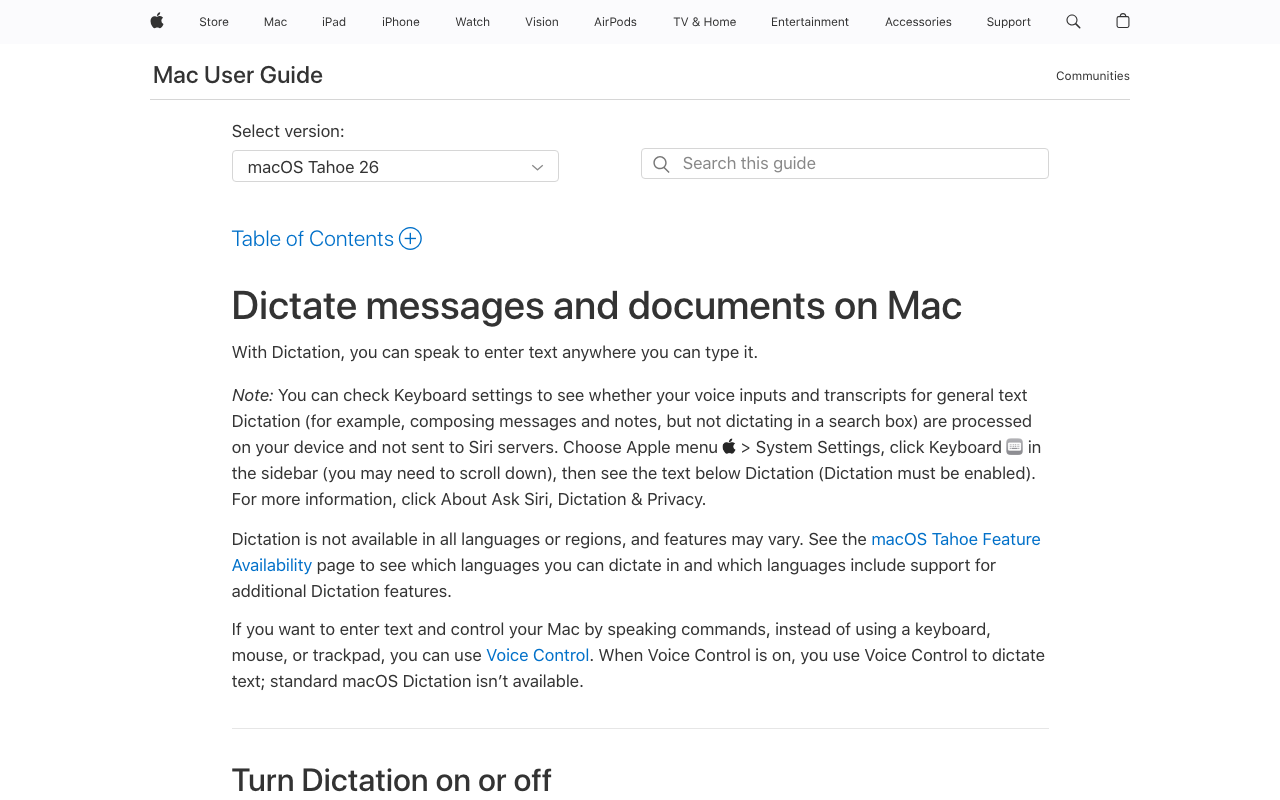
Apple Dictation is built into macOS and costs nothing. On Apple Silicon Macs (M1 and later), it processes speech on-device. It is the right starting point if you have never tried voice input and want to see whether dictation fits your workflow at all — there is nothing to install. The hard limit is the 30-second per-session timeout, which kills any sustained dictation longer than a sentence or two. For more on the tradeoffs, see our Apple Dictation pricing and limitations analysis.
Key Features:
- Built into macOS — no installation required
- On-device processing on Apple Silicon (M1 and later)
- Works system-wide in any text field
- Supports 60+ languages
- Voice commands for punctuation and formatting
- Free — already installed on your Mac
- On-device on Apple Silicon
- No account or setup
- Works in any text field
- 30-second per-session timeout — fatal for sustained dictation
- No Custom Vocabulary — cannot teach it library or framework names
- No Developer Mode or IDE awareness
- Cloud processing on older Intel Macs
- Accuracy lags Whisper-based alternatives, particularly on technical terms
- No hotkey configurability beyond Fn-Fn toggle
Best for: Developers evaluating whether voice input fits their workflow at all, with no commitment. Outgrow it quickly — once you find yourself trying to dictate a paragraph longer than 30 seconds, upgrade to Voibe or VoiceInk.
6. Talon — Best for Full Hands-Free OS Control

Talon is a different category from everything else on this list. It is not a dictation app — it is a full hands-free OS control system. Talon drives the mouse, navigates windows, runs custom voice macros, and lets you write code through user-defined grammars rather than character-by-character. It is open-source, cross-platform (Mac, Windows, Linux), and the gold-standard tool for developers who cannot type at all — severe RSI, post-surgical recovery, permanent hand impairment.
Talon is more powerful than Voibe at the thing Talon does — full hands-free OS control. It is also harder to set up. The learning curve is real: custom grammars, Python scripting, eye-tracking integration, and a community that has built a deep ecosystem of configuration over years. Voibe is the right tool when you can still use the keyboard and mouse and want dictation. Talon is the right tool when typing and mousing are no longer options.
Key Features:
- Full hands-free OS control — voice commands, mouse, navigation, window management
- Open-source, cross-platform (Mac, Windows, Linux)
- Custom grammars for voice-typing code in any language
- Eye-tracking integration for cursor positioning
- Active community building shared grammars (talonvoice.com/community)
- Designed from day one for accessibility
- Most powerful hands-free option for developers with severe RSI or no hand use
- Voice macros let you write code through custom grammars
- Cross-platform — Mac, Windows, Linux
- Open source and free
- Deep accessibility community
- Steep learning curve — custom grammars and Python scripting required for full power
- Not zero-setup — meaningful configuration time before it productively replaces typing
- No first-party IDE-aware file resolution like Voibe Developer Mode
- Less polished UX than commercial dictation apps
- Best for the case where typing is not an option at all — overkill if you just want fast dictation
Best for: Developers with severe RSI, post-surgical hand recovery, or any condition where typing and mousing are no longer viable. Also the right choice for developers who want full programmatic control over their voice input through custom grammars. Pair Voibe with Talon when you want both — Voibe for fast on-device dictation with Developer Mode, Talon for the rest of the OS.
7. Spokenly — Best for MCP / AI Coding-Agent Integration
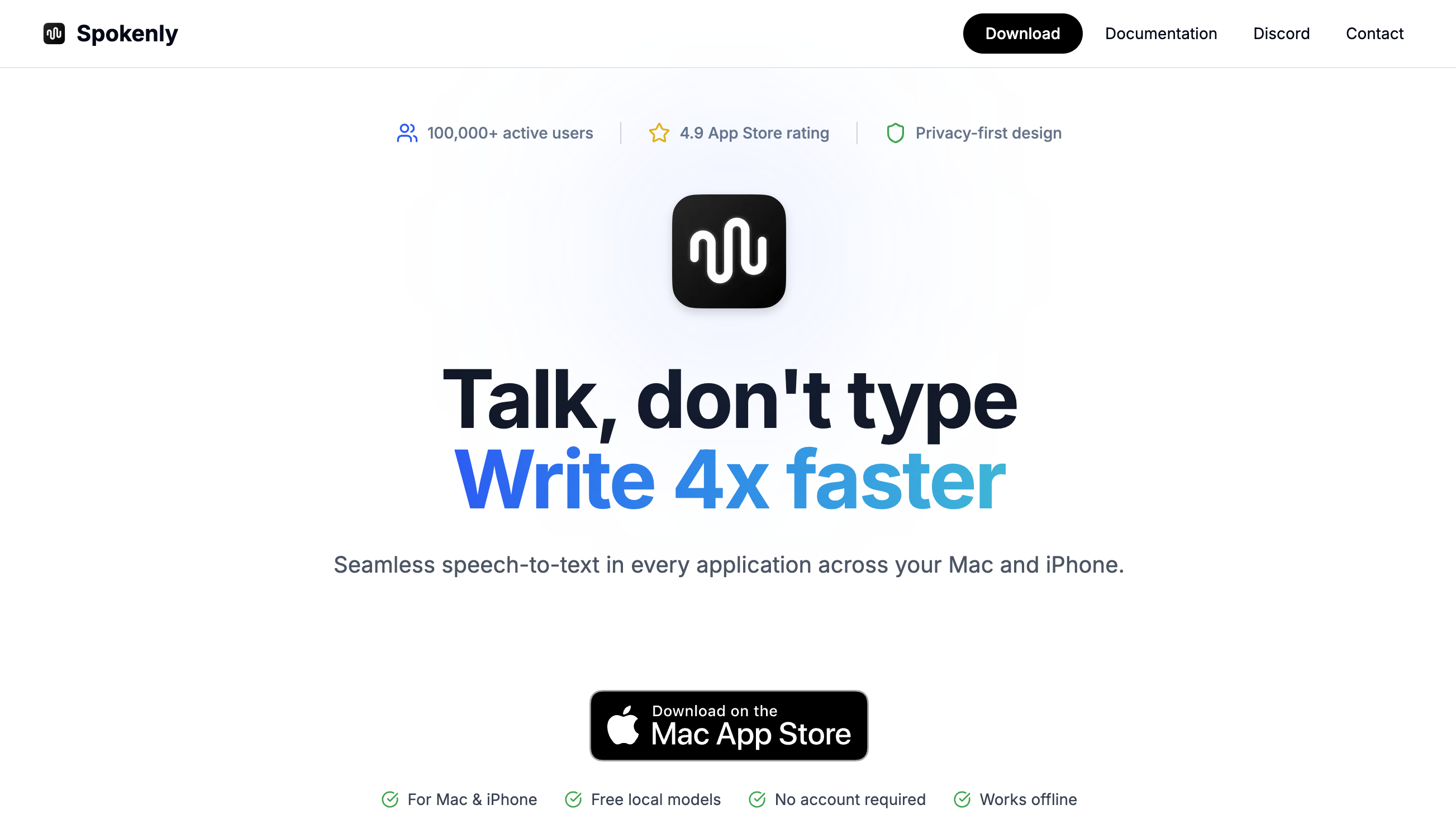
Spokenly is a Mac and iOS dictation app from solo developer Vadim Akhmerov that runs OpenAI Whisper Large-v3 and NVIDIA Parakeet locally on Apple Silicon, accepts bring-your-own-key cloud transcription (OpenAI, Deepgram, Groq, Anthropic, or Google), and — uniquely in this category — ships a Model Context Protocol (MCP) server for Claude Code, Cursor, and Codex. For developers who want dictation wired directly into an AI coding agent at the protocol level, Spokenly is the most flexible option on this list.
The trade-off is setup and scope. The MCP server and BYOK cloud both require configuration — API keys across providers for managed-cloud accuracy, and MCP wiring for the agent integration. Spokenly has no custom-dictionary injection, so project-specific symbols are not biased toward your real file and folder names the way Voibe’s Developer Mode does. It carries no SOC 2 or HIPAA attestations and no disclosed corporate entity, and pricing is subscription-only above the free tier — $9.99/month with no lifetime option. Voibe’s Developer Mode targets the same IDE voice-prompting job with zero configuration (no MCP setup, no API keys, on-device file/folder resolution) at $199 lifetime; Spokenly is the pick when you specifically want MCP-level agent flexibility and do not mind the assembly tax. See our Spokenly alternatives comparison for the full breakdown.
Key Features:
- MCP server for Claude Code, Cursor, and Codex — the only dictation app shipping one
- On-device Local Only Mode (Whisper Large-v3 + Parakeet on Apple Silicon)
- BYOK cloud transcription across OpenAI, Deepgram, Groq, Anthropic, and Google
- Mac + iOS, with a custom iOS keyboard
- Push-to-talk activation via a customizable global hotkey
- Free tier; Pro managed cloud at $9.99/month
- Only dictation app with a built-in MCP server for AI coding agents
- Genuine on-device option (Local Only Mode) for private, offline dictation
- Flexible BYOK cloud — choose your own provider and model
- Free tier covers local + BYOK at no Spokenly fee
- Active development with a companion iOS app
- MCP and BYOK both require setup — not zero-config
- No custom-dictionary or file/folder resolution like Voibe’s Developer Mode
- Subscription-only Pro ($9.99/mo), no lifetime option
- No SOC 2 / HIPAA attestations; no disclosed corporate entity
- iOS keyboard reliability issues in App Store reviews — the developer recommends online models, which defeats the on-device privacy benefit
Best for: Developers who want dictation wired into Claude Code, Cursor, or Codex through MCP and are comfortable with API-key and MCP setup. If you want the same IDE voice-prompting without the assembly tax, compare with Voibe’s zero-config Developer Mode.
8. MacWhisper — Best for Batch File Transcription (Not Real-Time Dictation)
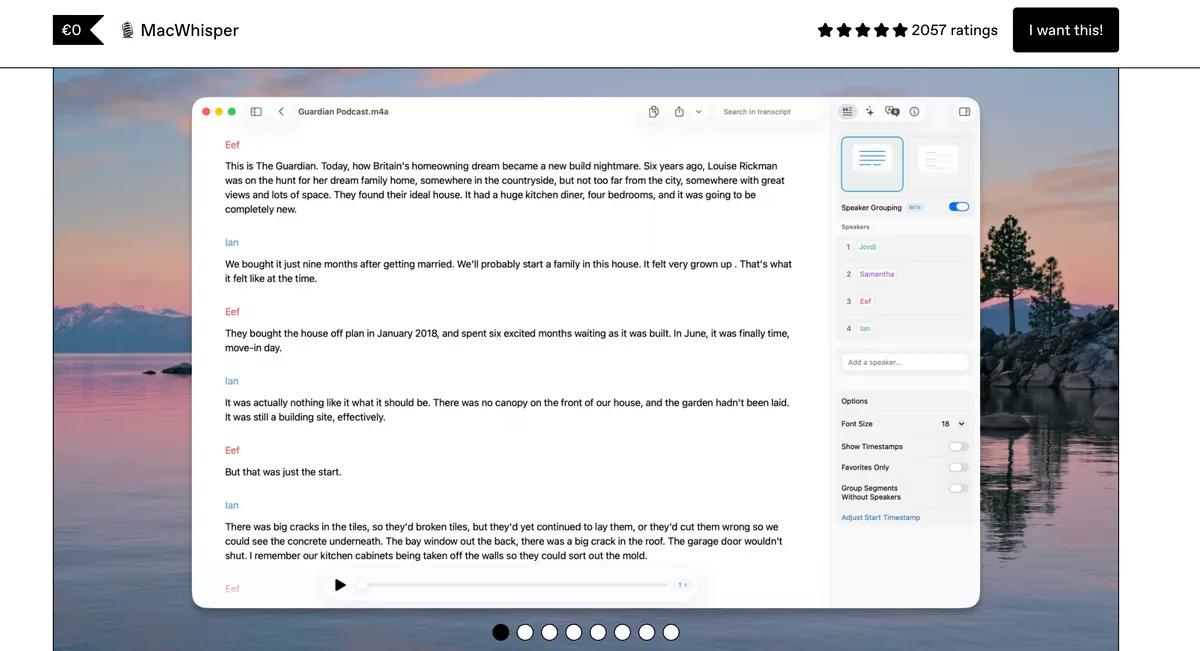
MacWhisper is a Mac-native batch transcription app. You feed it audio files — meeting recordings, podcast episodes, recorded interviews — and it produces text using Whisper, on-device. It is excellent at the thing it does. It is not a real-time dictation tool, so it is a parallel category to everything else on this list, included here because developers ask about it.
Key Features:
- Batch transcription of audio and video files
- On-device Whisper processing
- Native Mac app — Apple Silicon optimized
- One-time pricing on Gumroad — €59 (~$69) lifetime
- Mac App Store version with subscription IAP option
- 25% discount for students, journalists, and nonprofits
- Excellent batch transcription quality on Apple Silicon
- One-time price on Gumroad — €59 (~$69) for lifetime
- Mac-native and polished
- Good for meeting recordings, podcast post-production, interview transcripts
- Not a real-time dictation tool — file-in, text-out only
- No live cursor-text-insertion in apps like Cursor or VS Code
- No Developer Mode or IDE awareness (different product category)
Best for: Developers who need to transcribe recorded meetings, technical talks, podcasts, or async standup recordings. Pair with Voibe — Voibe handles real-time dictation, MacWhisper handles file transcription. The two coexist cleanly.
Coding Through RSI, Carpal Tunnel, and Post-Surgical Recovery
For developers in the hands-in-pain cohort, the activation model matters more than any other feature. Push-to-talk dictation requires holding a modifier key — and sustained finger flexion is the exact motion that flares CTS, tendinitis, and ulnar nerve entrapment. Voibe's Hands-Free Mode (double-tap, then hands rest) removes the held-key motion. For severe cases, configure the hotkey to a single function key, external switch, or foot pedal.
The condition-specific guides cover splint compatibility, hotkey mapping by affected joint or tendon, and the workflow patterns that protect against flare-ups:
- Carpal tunnel — tap-based activation, wrist-brace compatibility, the modifier-key problem
- Arthritis — joint protection for RA, OA, PsA, with hotkey mapping by affected joint
- Best Dictation Software for RSI — Seven tools ranked by activation model for repetitive strain injury, including Talon for severe cases, with a companion prevention guide.
- Tendinitis — activation patterns during flares vs calm periods, graded return-to-typing
- Hand pain — activation choices before a specific diagnosis
- After hand surgery — post-operative protocols and recovery-phase tooling
For workplace accommodation paperwork, see our dictation as a reasonable accommodation guide — request template for HR plus a forwardable IT-security brief explaining why on-device dictation clears security review where cloud tools cannot. The accessibility dictation hub is the entry point.
Key Takeaway
For developers managing RSI, carpal tunnel, tendinitis, or post-surgical hand recovery, the activation model matters more than any other feature. Voibe's Hands-Free Mode (double-tap, no held key) is the activation model that works with most hand conditions. For severe cases where typing is not an option at all, pair with Talon for full hands-free OS control.
Honest Scope: Voibe Is a Dictation Layer, Not a Talon Replacement
Worth saying plainly: Voibe is a dictation layer, not a full hands-free OS control system. If you need to drive the mouse with voice, navigate windows by voice, run voice macros, or write code character-by-character without touching the keyboard, Talon is the tool — not Voibe.
Talon is more powerful at what Talon does. It is fully hands-free in a way Voibe is not. Cross-platform (Mac, Windows, Linux), open-source, with a deep community of developers sharing grammars for popular languages and IDEs. For developers whose hands cannot type at all, Talon is the gold standard. The tradeoff is the learning curve — Talon takes meaningful setup time (custom grammars, Python scripts), while Voibe is install-and-use in 60 seconds.
If you need both — fast IDE-aware dictation and full hands-free OS control — run both. They coexist cleanly. Voibe handles text input; Talon handles mouse and navigation.
| What Voibe is good at | What Talon is good at |
|---|---|
| Fast on-device dictation in any Mac app | Full hands-free OS control (mouse, windows, system) |
| IDE file/folder resolution (Cursor, VS Code) | Voice macros driving multi-step workflows |
| Hands-Free Mode for RSI-friendly activation | Coding through user-defined grammars |
| Zero setup, $199 lifetime | Cross-platform Mac, Windows, Linux (free) |
Key Takeaway
Voibe is a dictation layer with IDE-aware file resolution. Talon is a full hands-free OS control system. They are different categories. Pair them if you need both — Voibe for fast on-device dictation, Talon for mouse and navigation.
Voibe Setup for Developer Workflows
- Enable Developer Mode. In Voibe's settings, turn it on. Voibe detects the active workspace in supported IDEs (VS Code, Cursor) and uses the file/folder structure as a recognition context automatically.
- Populate Custom Vocabulary with your stack. For a TypeScript / React stack: React, Next.js, Remix, Tailwind, TypeScript, ESLint, Prettier, Drizzle, Hono, Vitest, Pnpm, Vite, Turborepo, PostgreSQL, Supabase, Prisma, Kubernetes. For a Python / data stack: FastAPI, Django, Pydantic, SQLAlchemy, Polars, NumPy, PyTorch, Pandas, uv, ruff, mypy, pytest. Add internal class names, project codenames, and frequent collaborators as you go.
- Configure the hotkey. Healthy hands: push-to-talk on a modifier key (Right Option, Right Command). Managing RSI/CTS: Hands-Free Mode with double-tap, single function key, external switch, or foot pedal.
- Test with a real Cursor prompt that references three of your project files. If filenames come out correctly cased and punctuated, Developer Mode is working.
Key Takeaway
The four-step Voibe setup for developers: enable Developer Mode, populate Custom Vocabulary with your stack (React, Tailwind, Pydantic, etc.), configure the hotkey for your workflow (push-to-talk if you have healthy hands, Hands-Free if you do not), then test with a real Cursor or Claude Code prompt that references your project files.
Real Dictation Workflows: What Developers Actually Say
Four concrete utterances showing where Voibe pays off, with the output Developer Mode produces.
1. Cursor prompt
Say: "Refactor the use auth dot tsx hook in app slash lib to read the session from cookies instead of localStorage. Update use auth dot test dot ts to match. Do not change the public function signature."
Output: Paste-ready Cursor prompt with useAuth.tsx, app/lib, and useAuth.test.ts correctly cased. ~17 seconds dictating vs. ~54 seconds typing at 50 WPM.
2. Conventional Commits message
Say: "refactor colon read auth session from cookies instead of localStorage. Body: the previous implementation stored the session token in localStorage, accessible to any same-origin script. Reading from an HttpOnly cookie removes that surface."
Output: Commit-ready text with the conventional-commit colon and HttpOnly casing (in Custom Vocabulary). Paste into git commit.
3. Linear ticket
Say: "Title: auth session leaks to localStorage on cookie-disabled browsers. Reproduction: open app slash lib slash use auth dot tsx, trigger the login flow with cookies disabled, inspect localStorage — the token is present. Expected: login should fail safely without falling back to localStorage."
Output: ~110-word ticket body with filenames intact, in ~40 seconds — a five-minute typing job.
4. Inline code comment
Say (in the editor): "This branch handles the legacy localStorage session format from before the November 2025 cookie migration. Remove once analytics confirms zero reads in 30 days. Tracked in Linear AUTH dash 247."
Output: Comment block ready to paste, with ticket ID and date intact.
Key Takeaway
Four concrete developer dictation workflows where Voibe pays off: Cursor prompts (3-4x faster than typing), commit messages with bodies, Linear ticket descriptions, and inline code comments. The wins compound across a full day of dictation.
How to Choose the Right Dictation Tool for Developer Work
Five decision questions to land on the right tool for your situation.
1. Hands-free OS control, or just dictation?
- Just dictation (you still use mouse and keyboard): Voibe ($199 lifetime). Developer Mode + Hands-Free activation.
- Full hands-free OS control (typing not an option): Talon (free). Steep learning curve, most powerful. Pair with Voibe for fast text input.
2. Cross-platform reach?
- Mac only: SuperWhisper or VoiceInk.
- Mac + Windows: Voibe (fully on-device mode needs an Apple Silicon Mac; the Windows app uses a private cloud). No mobile apps.
- Mac + Windows + iOS/Android: Wispr Flow (cloud, privacy caveats) or SuperWhisper (Mac, Windows, iOS).
- Mac + iOS, wired into an AI coding agent: Spokenly — MCP server for Claude Code, Cursor, and Codex, with an on-device Local Only Mode.
- Mac + Windows + Linux: Talon is the only option covering Linux.
3. How sensitive is the code in your prompts?
- Proprietary, NDA, internal: On-device only — Voibe, SuperWhisper, VoiceInk, or Apple Dictation. Never Wispr Flow.
- Open-source, public side projects: Any tool.
4. Budget?
- Free: Apple Dictation (30s timeout), VoiceInk self-build (GPL v3), or Talon.
- Under $50 one-time: VoiceInk paid ($29-$69).
- Under $200 lifetime: Voibe ($199).
- $200+ lifetime or subscription: SuperWhisper ($249.99) or Wispr Flow ($144/year).
5. Managing RSI, CTS, or post-surgical recovery?
- Mild-to-moderate: Voibe Hands-Free, hotkey on a single function key or external switch.
- Severe (typing not viable): Talon for full OS control; Voibe alongside if helpful.
- Post-surgical with a hard timeline: Voibe Hands-Free with foot pedal — see the post-surgery guide.
Key Takeaway
The decision tree starts with hands-free OS control needs (Talon if yes, dictation tools if no), then layers cross-platform reach, code sensitivity (on-device required if proprietary), and budget. For most developers on Mac who can still use the keyboard, Voibe ($199 lifetime) is the right answer.
Best Dictation Tool for Your Developer Situation
Thirteen common developer situations, each mapped to the right tool with a one-line reason.
| Scenario | Best Choice | Why |
|---|---|---|
| Mac developer using Cursor full-time | Voibe ($199 lifetime) | Developer Mode resolves Cursor workspace files; on-device for prompt privacy |
| Mac developer in VS Code | Voibe ($199 lifetime) | Same Developer Mode coverage for VS Code workspaces |
| Cross-platform dev (Mac + Windows) | Voibe ($199 lifetime) or SuperWhisper ($249.99 lifetime) | Voibe keeps Developer Mode on both (on-device on Apple Silicon, zero-retention cloud on Windows); SuperWhisper runs on-device on both; Wispr Flow is cross-platform but cloud-only |
| Mac dev with mild carpal tunnel | Voibe Hands-Free Mode | Double-tap activation, no held key; configurable to single function key |
| Mac dev with severe RSI (typing not viable) | Talon + Voibe (both) | Talon for full OS control, Voibe for fast text input with Developer Mode |
| Post-hand-surgery developer (recovery phase) | Voibe Hands-Free + foot pedal | External switch removes any finger activation; see post-surgery guide |
| Junior dev / cost-sensitive | VoiceInk ($29–$69) or Voibe free trial | One-time price or a 7-day free trial for evaluation |
| Open-source-only dev (license-strict) | VoiceInk (GPL v3) | Auditable open-source codebase; self-build path is free |
| Dictating PR descriptions and ticket bodies | Voibe ($199 lifetime) | System-wide dictation works in GitHub PRs, Linear, Jira, Notion, Slack |
| Dictating code comments and doc strings | Voibe ($199 lifetime) | Developer Mode keeps symbol references correct inside the editor |
| Dictating commit messages with bodies | Voibe ($199 lifetime) | Custom Vocabulary handles conventional-commit syntax and ticket IDs |
| Dictating Linear and Jira tickets | Voibe ($199 lifetime) | Browser-based ticket forms work with system-wide dictation |
| Paired with AI coding (Cursor, Claude Code) | Voibe ($199 lifetime) | Developer Mode + Custom Vocabulary together make AI prompts paste-ready |
| Wiring dictation into Claude Code or Cursor via MCP | Spokenly (Free + BYOK or $9.99/mo) | Ships an MCP server for Claude Code, Cursor, and Codex; on-device Local Only Mode available |
All of the above is about dictating into your editor. If you are building the other direction — software that transcribes audio on its own — compare speech-to-text APIs for agents instead, where per-second billing and failed-job pricing matter more than hotkeys.
Key Takeaway
Voibe is the top pick for most developer situations on Mac — Cursor, VS Code, RSI/CTS with the right activation model, AI prompts, PR descriptions, tickets, and commit messages. For severe RSI where typing is not an option, pair with Talon. For open-source-only environments, VoiceInk.
Frequently Asked Questions About Dictation for Developers
Developer Mode Mechanics
How does Voibe know my project's file and folder names?
When a supported IDE (VS Code, Cursor) is in focus and Developer Mode is enabled, Voibe reads the open workspace's file and folder structure and uses it as a context hint for Whisper. Workspace data stays on your Mac — nothing is uploaded.
Does Developer Mode work in JetBrains, Vim, or Neovim?
The current implementation focuses on VS Code and Cursor — the IDEs most aligned with AI-prompting workflows. JetBrains and Vim/Neovim work with Voibe's general dictation in any text field, but file/folder resolution is not first-class there yet. Custom Vocabulary covers the gap manually.
What happens if I dictate a filename that does not exist yet?
Voibe falls back to Whisper's normal recognition. Developer Mode is a hint, not a hard constraint — it biases toward real symbols but does not block you from dictating new names.
RSI, CTS, and Accessibility
Will dictation let me keep working through carpal tunnel?
Most CTS cases respond well, given the right activation model. The pain trigger is sustained finger flexion, not the dictation itself. Voibe's Hands-Free Mode (double-tap, then hands rest) removes the held-key motion. For rigid braces, configure the hotkey to an external switch or foot pedal. See the carpal tunnel, tendinitis, and arthritis guides.
Can dictation count as an ADA reasonable accommodation?
In most cases, yes — for diagnosed RSI, CTS, tendinitis, or post-surgical recovery, dictation software is a standard reasonable accommodation under ADA Title I. Our reasonable accommodation guide includes a request template and a forwardable IT-security brief explaining why on-device dictation clears security review.
Pricing and Stack Compatibility
How much can I save switching from Wispr Flow to Voibe?
Over three years, Wispr Flow Pro Annual is $144 × 3 = $432. Voibe lifetime is $199 one-time — 53.9% less, saving $233.
Does Voibe work with Cursor, Claude Code, Copilot Workspace, and Aider?
Yes. Voibe dictates into any Mac text field, including the chat inputs of all major AI coding tools. Developer Mode resolves filenames specifically inside Cursor and VS Code. Custom Vocabulary handles library names across all of them. See our voice-prompt-ai guide.
Is it safe to dictate prompts containing proprietary code into Claude Code or Cursor?
Two parts: (1) the dictation step in Voibe's on-device mode keeps audio on your Mac (its private cloud mode is zero-retention and never trained on); (2) once the text reaches the AI coding tool, the prompt goes to its servers per its data policy. See our is-claude-code-safe investigation. Voibe's audio is never stored, sold, or used to train AI; the AI tool's data handling is the variable to evaluate.
IDE Integration
Does Voibe inject text into the IDE or use the clipboard?
Voibe inserts text at the cursor position using the macOS text-input API, the same way the keyboard does. No clipboard hijack, no risk of overwriting copied content.
Can I configure Developer Mode per app — on in Cursor, off in Slack?
Yes. Developer Mode automatically scopes to supported IDEs when they are in focus. Switching to Slack, Linear, or any non-IDE app, dictation falls back to general recognition with Custom Vocabulary still active.
The Bottom Line: Match the Tool to How You Actually Code
Voibe is the best dictation software for most Mac developers in 2026. It is the only Mac dictation tool with Developer Mode (IDE-aware file and folder resolution), offers an on-device mode that keeps proprietary code on your machine (plus a zero-retention private cloud mode), and at $199 lifetime costs 53.9% less than three years of Wispr Flow.
For most Mac developers — writing Cursor prompts, drafting tickets, writing PR descriptions, commenting code, sending design notes in Slack — Voibe is the clear pick. Developer Mode makes filenames paste-ready. Hands-Free Mode protects against modifier-key flexion that flares CTS. The 7-day free trial is enough to evaluate against any other tool on this list.
For developers with severe RSI or post-surgical recovery where typing is not an option, Talon is the right tool — full hands-free OS control with voice macros, mouse control, and custom grammars for coding. Steep learning curve, highest hands-free productivity ceiling. Many developers run both — Voibe for fast dictation, Talon for the rest of the OS.
For open-source-strict environments, VoiceInk is the GPL v3 choice. For cross-platform Mac + Windows + Linux, Talon is the only tool covering all three. For Mac + Windows + iOS/Android, SuperWhisper (on-device) or Wispr Flow (cloud, with privacy caveats).
Try Voibe free for 7 days with full Developer Mode access. Hit your hotkey, dictate a real Cursor prompt that references three of your project files, and see whether Developer Mode is the wedge it claims to be.
Key Takeaway
Voibe is the #1 pick for most Mac developers — only Mac dictation tool with Developer Mode IDE-aware file resolution, on-device mode for proprietary code (plus a zero-retention private cloud mode), $199 lifetime, 53.9% less than three years of Wispr Flow. For severe RSI where typing is not an option, pair with Talon. For open-source-strict environments, VoiceInk.
Related Reading
For more on dictation, developer workflows, and accessibility:
- Voice-prompting AI tools: How to voice-prompt Cursor, Claude, and ChatGPT — the workflow that pairs dictation with AI coding tools.
- Privacy: Cloud vs local dictation, why offline dictation matters, is-claude-code-safe investigation for the broader AI coding privacy question.
- Tool deep dives: SuperWhisper review, VoiceInk review, Wispr Flow review, Apple Dictation pricing and limitations.
- Accessibility and condition-specific guides: accessibility dictation hub, carpal tunnel, tendinitis, arthritis, hand pain, post-hand-surgery.
- Workplace accommodation paperwork: dictation as a reasonable accommodation on Mac — request template plus IT-security brief.
- Dictate in your dev tools: Cursor, VS Code, Linear & Jira, and Slack — app-specific voice guides.
- Zero Data Retention Explained — what your dictation app keeps, the clauses that let it, and a ten-minute test.
Best AI Dictation and Meeting Notes for Confidential Work
Draft letters, notes and emails 5x faster. Get meeting notes without a bot joining your call. Nothing used to train AI.
- Mac + Windows
- No bot in your calls
- Nothing used to train AI
- 7-day free trial
Want to compare plans first? View pricing →
Related Articles
7 Best Dictation Software for Writers (2026)
Compare the 7 best dictation tools for writers in 2026. Covers offline and cloud options, pricing from free to $699, and which tool fits your writing workflow.
6 Best AI Dictation Apps for Windows — Ranked by Who Actually Built for Windows
Six AI dictation apps are actually great on Windows in 2026. We ranked them — including the one we built from the ground up for Windows — with verified pricing.
Novelists Learned to Dictate on Dragon. Here's the Best Dictation Software for Authors Now.
Dragon taught a generation of novelists to draft by voice, then left the Mac. I lined up the best dictation software for authors now — and who each one really fits.