
Is VoiceInk Safe? Open-Source, On-Device Verdict (2026)
Is VoiceInk safe? Yes — GPL v3 open-source, on-device by default, zero telemetry found in a source audit. Nuances: BYOK cloud opt-in and local history.

Is VoiceInk Safe? The Direct Answer
TL;DR: Yes — VoiceInk is safe by architecture, and unusually for this category, you don't have to take anyone's word for it. VoiceInk is open-source under GPL v3, and for this investigation we audited the actual shipping source code rather than just the marketing. The findings: the default transcription path runs entirely on-device (a local Parakeet model on Apple's Neural Engine, with whisper.cpp Whisper models as alternatives), the transcript history store is created with iCloud sync explicitly disabled, and there is zero telemetry, analytics, or crash-reporting code — a grep for every major SDK (PostHog, Sentry, Mixpanel, Amplitude, Firebase and friends) returns nothing. Per VoiceInk's privacy policy: “VoiceInk does not collect or transmit any personal data by default.” The code agrees.
An honest audit still surfaces nuances — none disqualifying, all worth knowing:
- The official build does make non-dictation network calls. A four-hourly update check and announcements fetch (both plain GETs to GitHub Pages carrying no user data), model downloads from Hugging Face when you install a model, and a license-validation call to Polar.sh on activation that sends your Mac's hostname and hardware serial number — standard per-device licensing, but not spelled out in the privacy policy.
- Cloud is one click away. VoiceInk supports 13+ BYOK cloud providers for transcription and AI enhancement. Everything is off by default and onboarding defaults to local — but if you paste a key, audio (STT) or transcript text (enhancement) goes to that provider under your own API agreement.
- It is a solo-maintainer project with no legal entity. Developer Prakash Joshi Pax ships near-daily commits and steady releases, but there is no company, no DPA, and no compliance attestation — the continuity insurance is the GPL license and 769 public forks, not a contract.
Bottom line: for privacy-conscious personal and professional dictation, VoiceInk is one of the strongest options in the category — it scored 97/100 on our AI Privacy Tracker, the highest non-Voibe score of all 30 tools tracked. This is not a “cloud tool with caveats” page: VoiceInk is a genuine on-device privacy peer of Voibe, and the honest comparison between them is about support, polish, and workflow — not privacy.
Disclosure: Voibe is our product, and VoiceInk competes with it. That is exactly why this page leans on verifiable evidence: claims are grounded in the public GPL v3 source code (audited July 6, 2026), VoiceInk's privacy policy (updated April 20, 2026), and our own VoiceInk review and pricing guide.
Key Takeaways: The VoiceInk Safety Picture
| Area | Current State (July 2026) | Source |
|---|---|---|
| Processing architecture | On-device by default: local Parakeet model (Apple Neural Engine) is the starter default; whisper.cpp Whisper models and Apple native recognition also local. Onboarding defaults to the local path. | Source audit (onboarding + model factory) |
| License & auditability | Open-source GPL v3 at github.com/Beingpax/VoiceInk — 5.4k stars, 769 forks, 1,517 commits; anyone can read, build, and fork the code. | GitHub repository |
| Telemetry | None. Zero analytics, telemetry, or crash-reporting SDKs in the dependency list or source; Sparkle updater runs with system-profile reporting off. | Source audit (dependency + code grep) |
| Audio & transcript storage | “VoiceInk does not collect or transmit any personal data by default.” History is a local SwiftData database created with iCloud sync disabled — transcripts and stats cannot sync. Kept until deleted; optional auto-delete after 24 hours or 7 days. | Privacy policy + source audit |
| AI training | No vendor server receives your audio or text on the default path, so there is nothing to train on. The policy does not address training explicitly. | Architecture + policy (absence) |
| Network calls (official build) | Model downloads (Hugging Face, user-initiated), update check + announcements (GitHub Pages, every 4 hours, no user data), license validation (Polar.sh — sends hostname + hardware serial), BYOK providers (opt-in only). | Source audit (complete URL sweep) |
| BYOK cloud options | 13+ providers for cloud STT and AI enhancement (OpenAI, Anthropic, Gemini, Groq, Deepgram, ElevenLabs and more) — all off by default; Ollama supported for fully local enhancement. | Source audit + privacy policy |
| Screen/clipboard context | Off by default. If enabled together with a cloud enhancement provider, captured screen and clipboard text goes to that provider. | Source audit (runtime configuration) |
| iCloud touchpoints (official builds) | Custom dictionary syncs via your private CloudKit database; BYOK API keys use iCloud Keychain (Apple end-to-end). Both compiled out in the free self-build. | Source audit |
| Developer & entity | Solo developer Prakash Joshi Pax (“Beingpax”); no legal entity or jurisdiction named in the terms or policy; actively maintained (commits through July 5, 2026; v1.79 stable May 23, 2026; v2.0 in beta). | GitHub + tryvoiceink.com |
| Compliance attestations | None — no SOC 2, ISO 27001, HIPAA claim, BAA, or DPA. The architecture minimizes what an attestation would need to cover, but regulated procurement gets no paperwork. | tryvoiceink.com (absence) |
| Pricing | $29 (1 Mac) / $49 (2 Macs) / $69 (3 Macs) one-time with lifetime updates; 7-day trial (validated locally, no server call); free self-build from source. | tryvoiceink.com/buy |
| Third-party signal | iOS companion app 4.3/5 (34 ratings); independent reviews are sparse and mixed-quality (a competitor-run site scores it 8.2/10; voicetypingtools.com 6.4/10 — “offline, private, auditable”). No Product Hunt listing. Vendor self-reports 200k+ downloads (unverified). | App Store + review sites |
| Public incidents | None found — no CVEs, advisories, or breach reports. | Public sources, July 2026 |
| Our tracker score | 97/100 — the highest non-Voibe score across all 30 tools on the AI Privacy Tracker. | AI Privacy Tracker |
Here is the evidence: the on-device default path, the complete network ledger from the source audit, the honest nuances, and how to configure VoiceInk for maximum privacy.
How VoiceInk Processes Your Voice: On-Device by Default
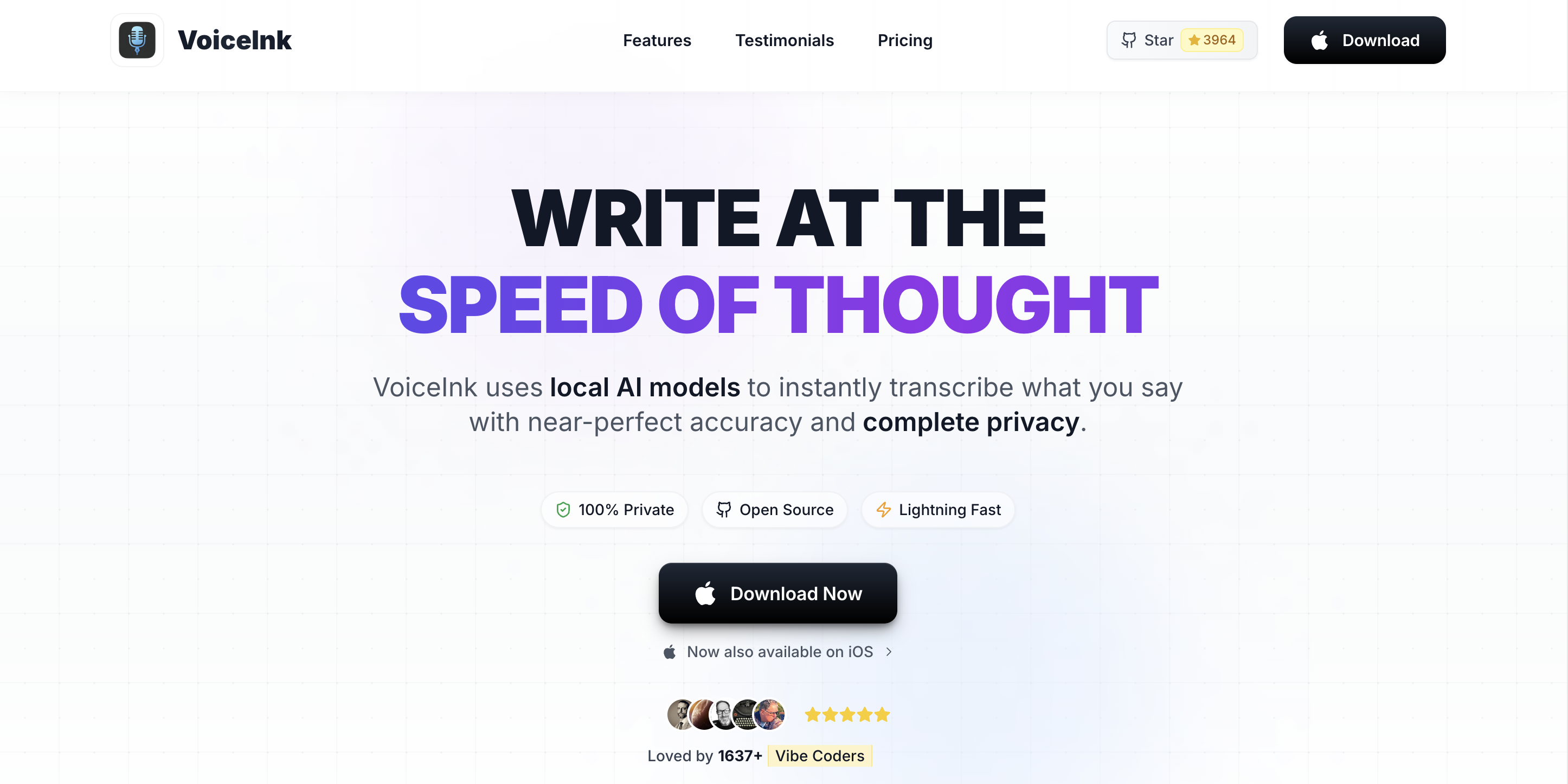
VoiceInk is a macOS dictation app (macOS 14.4+, Apple Silicon) that converts speech to text using local models. Press a hotkey, speak, and text lands at your cursor in any app. The privacy-relevant mechanics, all confirmed in source:
- The default model is local. New installs start on Parakeet (a compact, Apache-licensed speech model running on the Apple Neural Engine via CoreML); Whisper models via whisper.cpp and Apple's native recognition are the alternatives. Onboarding's default setup path is local — the cloud path is a deliberate detour, not the flow of least resistance.
- Audio stays in memory; history stays on disk, on your Mac. Transcriptions are stored in a local SwiftData database “protected by your device's system-level encryption,” per the policy — and the store is created with CloudKit sync set to none, so transcripts and usage stats cannot leave the device via iCloud. Retention is “kept indefinitely by default until you delete them,” with optional auto-delete after 24 hours or 7 days.
- Voice activity detection ships in the box. The Silero VAD model is bundled with the app — no download, no network dependency for the silence-filtering step.
- The BYOK cloud lane is real but opt-in. If you paste your own API key and select a cloud provider, audio goes to that provider for transcription (OpenAI, Groq, Deepgram, ElevenLabs, Speechmatics, Soniox, AssemblyAI, Mistral, Gemini and others), and AI enhancement sends transcript text to your chosen LLM (OpenAI, Anthropic, Gemini, Groq, Cerebras, OpenRouter — or Ollama on localhost, which keeps even enhancement fully local).
- Context features are off by default. Power users can let AI enhancement see captured screen text and clipboard contents for better formatting. That toggle defaults to off — and it matters, because with a cloud LLM selected, enabled context means screen and clipboard text travel to the provider too.
Architecturally, this is the same family as local-first dictation done right: the sensitive payload — your voice — has no vendor server in its default path, and every cloud option is a decision you make explicitly, under your own provider account.
Open Source Under GPL v3: We Read the Code — Here's Every Network Call
“Open source” only earns trust if someone actually reads the source. For this investigation we cloned github.com/Beingpax/VoiceInk (GPL v3, 5.4k stars, 769 forks, 1,517 commits as of July 6, 2026) and swept every hardcoded endpoint and dependency. The result is the VoiceInk Network Ledger — the complete list of connections the official app can make:
- Model downloads — Hugging Face. Whisper GGML models (and their CoreML encoders) come from the whisper.cpp repository on Hugging Face; the Parakeet CoreML model comes from the FluidInference organization. Downloads happen only when you install a model.
- Update check — GitHub Pages, every 4 hours. The Sparkle updater fetches an appcast automatically (a plain GET; system-profile reporting is off), and release DMGs are EdDSA-signed.
- Announcements — GitHub Pages, every 4 hours. A small JSON of in-app announcements. We inspected the live payload: a welcome note and an iOS-app promo. No user data goes out.
- License validation — Polar.sh, on activation. The paid build validates license keys against Polar (the merchant of record) and sends your Mac's hostname and hardware serial number as the device identifier. This is standard per-device license enforcement — but the privacy policy doesn't mention it, which is the one disclosure gap our audit found. The 7-day trial, by contrast, is computed entirely locally with zero server calls.
- BYOK providers — only if you configure them. The 13+ cloud endpoints above, plus Ollama on localhost.
What is not in the list: any analytics or telemetry endpoint. The dependency manifest contains no PostHog, Sentry, Mixpanel, Amplitude, Firebase, TelemetryDeck, or Crashlytics; a source-wide grep for those SDKs returns zero hits; and the project's issue tracker has no user reports of hidden telemetry. During normal dictation on a local model, outbound traffic is zero — run Little Snitch and watch.
And the GPL matters beyond ideology: the free self-build path (make local) is documented and real. It compiles with the license check bypassed (auto-licensed) and CloudKit sync disabled — meaning the most privacy-sensitive user can produce a binary with no Polar call and no iCloud touchpoints at all, from code they can read.
The Nuances an Honest Audit Finds
A positive verdict is only credible if the audit also reports what it found in the corners. Five nuances, none disqualifying:
- “100% offline” needs one qualifier. Transcription is 100% local by default — but the official binary phones GitHub Pages every four hours for updates and announcements, and the paid build calls Polar.sh on activation. None of these carry audio, text, or identity beyond the device ID in the license call. If even that is too much, the self-build removes the license call, and Little Snitch can confirm the rest.
- The license call sends hostname + hardware serial, and the policy doesn't say so. It's ordinary per-device licensing (and Polar is the merchant of record), but a privacy policy that says “does not collect or transmit any personal data by default” would be stronger if it disclosed this specific flow. One sentence would fix it.
- Official builds touch iCloud in two narrow places. Your custom dictionary syncs through your own private CloudKit database, and BYOK API keys are stored in iCloud Keychain with sync enabled (Apple end-to-end encryption). Transcripts and stats never sync — that's enforced in code. If you want zero iCloud surface, the self-build disables CloudKit entirely.
- History is a local liability if you dictate secrets. Kept-until-deleted transcripts (with optional stored audio in history) are protected by FileVault-level encryption, but anyone with your user session can read them. Set the 24-hour or 7-day auto-delete if your dictation is sensitive.
- It is not sandboxed, and it needs deep permissions. Like every system-wide dictation tool (Superwhisper-class apps, including ours), VoiceInk runs unsandboxed with microphone and accessibility access, plus optional screen recording for context features. The binary is notarized and updates are signed; the open source is the compensating control — you can see what those permissions are used for.
We flag the same classes of issue for every tool in this series — the difference here is that each nuance was verifiable in code rather than inferable from policy silence. That is the practical value of GPL v3 in a dictation app.
VoiceInk sits at level 0 of the Retention Ladder in its local modes, which is the one posture where a vendor's retention policy stops mattering to you at all.
The VoiceInk Safety Decision Tree
Use the VoiceInk Safety Decision Tree to fit VoiceInk to your situation. Unlike the cloud-tool trees in this series, none of these questions disqualifies VoiceInk for personal use — they tune the setup.
- Do you want on-device dictation you can independently verify? VoiceInk qualifies as well as anything in the category: GPL v3 source, local-by-default engines, zero telemetry code, and a network surface you can enumerate (see the ledger above).
- Will you enable BYOK cloud transcription or AI enhancement? If yes, that lane runs under your provider's API terms — OpenAI, Anthropic, Groq, and the rest each have their own retention and training postures. Keep cloud off for sensitive work, or point enhancement at Ollama to keep it local.
- Do you dictate sensitive material with history enabled? History is local and never syncs, but it persists until deleted. Set auto-delete (24 hours or 7 days), clear it before travel, and keep FileVault on.
- Does your procurement need an entity, DPA, or attestation? Here VoiceInk's paperwork is thin: solo developer, no company, no SOC 2 or BAA. The architecture means there is almost nothing for an audit to cover — but regulated buyers often need the paper anyway. See our accommodation guide and HIPAA guide for how on-device tools fit those processes.
- Do you want managed support and product polish? VoiceInk is DIY-flavored: a model picker, community support, one maintainer. A commercial on-device peer like Voibe trades code auditability for a managed experience — same privacy architecture, different ownership model. That trade is the honest fork in this decision, and it has no wrong answer.
Cross-Product Privacy Posture Comparison
VoiceInk sits at the strong end of the dictation privacy spectrum, next to the other on-device tools in this series. The peer picture:
| Product | Data Path | Source Model | Telemetry | Verdict for Sensitive Work |
|---|---|---|---|---|
| VoiceInk | On-device by default (Parakeet / whisper.cpp); BYOK opt-in | Open-source GPL v3 | None — verified in source | Strong (auditable end to end) |
| Handy | On-device only — no cloud STT path exists | Open-source MIT | None — verified in source | Strong (auditable end to end) |
| Voibe | On-device on Apple Silicon | Closed-source, commercial | None shipped | Strong (no cloud surface, accountable vendor) |
| Wisprtype | On-device by default; BYOK opt-in | Closed-source, free | PostHog — shipped ON despite policy | Personal use only; see investigation |
| Superwhisper | Hybrid: 5 on-device modes + cloud modes | Closed-source | Local recording default-on issue | Good on-device; watch the defaults — see investigation |
| Voicy | Cloud-only via Voicy servers → Groq | Closed-source | Mixpanel (opt-out) | Everyday use only — see investigation |
| Wispr Flow | Cloud-only | Closed-source | Product analytics | Acceptable with BAA (SOC 2 II + HIPAA) |
The instructive contrast is VoiceInk vs Wisprtype: both are local-by-default Mac apps with BYOK cloud options, but VoiceInk's open source let us verify the zero-telemetry claim while Wisprtype's closed binary shipped telemetry on despite its policy. Same architecture class, opposite verifiability. For the full 30-tool matrix, see the AI Privacy Tracker — where VoiceInk's 97/100 is the highest score of any tool we don't make.
Solo Maintainer, GPL Insurance: The Sustainability Question
The most legitimate concern about VoiceInk isn't privacy — it's continuity. The facts, verified July 2026:
- One maintainer, high activity. Prakash Joshi Pax develops VoiceInk full-time: near-daily commits (latest the day before our audit), ten releases across 2026, v1.79 stable (May 23, 2026) and a v2.0 beta line in progress. The project explicitly does not accept most external pull requests — it is open-source, fork-friendly, but single-author by design.
- No entity behind it. Terms and privacy policy name no company or jurisdiction; payments run through Polar.sh as merchant of record. For consumers that's workable; for procurement it's the thin-paperwork issue from the decision tree.
- The GPL is the insurance policy. With 769 public forks and a documented free build path, the code outlives any single maintainer's attention. That is a materially better abandonment story than closed-source indie tools — including the one Dragon for Mac users lived through.
- Third-party signal is thinner than the GitHub numbers suggest. There is no Product Hunt listing; the iOS companion app holds 4.3/5 from 34 ratings; the independent reviews that exist are mixed-provenance (one 8.2/10 from a competitor-run site; one 6.4/10 from voicetypingtools.com, which calls it “offline, private, auditable dictation… with no strings attached”). The vendor's own “200k+ downloads” and “4.9 average rating” are first-party claims we could not verify. Our own hands-on review scored it 7/10.
- Pricing is honest and cheap. $29 / $49 / $69 one-time (1 / 2 / 3 Macs) with lifetime updates and a 14-day refund window, a genuinely local 7-day trial, and the free self-build. Details in our VoiceInk pricing guide.
Sustainability risk is real but mitigated in exactly the way open source is supposed to mitigate it. If you adopt VoiceInk for anything important, the practical hedge is knowing the fork path exists — and that's a hedge no closed competitor can offer.
The Five-Step VoiceInk Safety Audit
Run this five-step audit to configure VoiceInk for maximum privacy. Each step takes 2–10 minutes.
- Confirm you're on a local model. Check the model picker: Parakeet (the default) and every Whisper variant run on-device; cloud engines are labeled by provider and require your API key. If you never pasted a key, you never left the local lane.
- Watch the network once. Run Little Snitch (or any outbound monitor) during a dictation session on a local model: expect zero traffic. Over a longer window you'll see the four-hourly GitHub Pages GETs (update check + announcements) and Hugging Face only when you download a model — nothing else.
- Set history retention to match your content. Settings offer auto-delete after 24 hours or 7 days; default is keep-forever. If you dictate anything sensitive, set auto-delete, and keep FileVault on so the local database inherits full-disk encryption.
- Keep cloud features off for sensitive work. BYOK transcription, cloud AI enhancement, and the screen/clipboard context toggle each widen the data path to your chosen provider. For local-only enhancement, point it at Ollama. If you do enable a cloud provider, read that provider's API data terms — they, not VoiceInk, govern that lane.
- Want zero third-party calls? Build it yourself. The documented
make localbuild compiles from GPL source with the Polar license call and iCloud sync removed. For regulated work, remember the paperwork gap: no entity, no BAA, no attestation — the architecture is strong, but compliance processes need accountable parties, so clear it with whoever owns that decision.
If every step passes — and for most users they will — VoiceInk is exactly what it claims to be: private, offline, auditable dictation.
Voibe and VoiceInk: Two On-Device Peers, Different Trade-Offs

Let's be precise about the comparison, because on privacy it is closer than our usual verdicts: VoiceInk is a genuine on-device privacy peer of Voibe. Both run speech models locally on Apple Silicon, both keep audio off vendor servers, both ship without telemetry. If your requirement is “auditable source code,” VoiceInk (or Handy) is the honest recommendation — Voibe is closed-source and cannot offer that.
What Voibe offers instead is the managed version of the same architecture:
- No decisions to get right. One tuned local model instead of a picker; no BYOK lane to accidentally widen; Smart Formatting runs bounded and local rather than through a configurable LLM chain. The privacy-critical defaults aren't settings — they're the product.
- A company behind it. Named entity, published terms, support with a human answering, and a written commitment in the privacy policy: “The Voibe application processes your voice entirely on your device. No audio is transmitted to our servers at any point.”
- Workflow depth VoiceInk hasn't built. Developer Mode with VS Code and Cursor file/folder resolution, Continuous Transcription for long hands-free sessions, custom vocabulary tuned for names and jargon, and weekly product investment. Our Voibe vs VoiceInk comparison walks the feature-by-feature detail.
Pricing, honestly framed: VoiceInk at $29–69 one-time is the cheapest paid on-device option in the category, and the free self-build undercuts everything. Voibe is $7.50/month, $59/year, or $149 lifetime — more money for the managed experience, support, and developer workflow. Both are one-time-purchase alternatives to $144/year cloud subscriptions. Pick by ownership model, not by privacy — on privacy, you're choosing between two right answers.
Try Voibe for Free — install, grant microphone and accessibility permissions, and dictate. No account, no credit card, no cloud, no configuration to audit.
Related Reading
- VoiceInk Review (2026) — Full hands-on review: features, Power Mode, and the 7/10 verdict.
- VoiceInk Pricing (2026) — $29/$49/$69 tiers, the free GPL build, and total-cost analysis.
- Best VoiceInk Alternatives (2026) — Where VoiceInk fits among on-device and cloud options.
- Voibe vs VoiceInk — The managed-vs-DIY on-device comparison in full.
- VoiceInk vs Wispr Flow — Open-source local vs venture-backed cloud.
- MacWhisper vs VoiceInk — Two local Whisper products, different jobs.
- Is Handy Safe? — Sibling investigation: the other open-source on-device tool (MIT, cross-platform).
- Is Wisprtype Safe? — Sibling investigation: local-by-default but closed-source — the verifiability contrast.
- Is Superwhisper Safe? — Sibling investigation: the hybrid on-device + cloud peer.
- Is Voicy Safe? — Sibling investigation: the cloud-only Groq-backed peer.
- AI Privacy Tracker — VoiceInk scores 97/100, the highest non-Voibe result across 30 tools.
- Cloud vs Local Dictation — The architectural framing for the category.
- Best Offline Dictation Apps — The on-device field, compared.
- Voice Data Privacy — Pillar with deeper privacy frameworks.
- Zero Data Retention Explained — why level 0 beats any promise, and how to check a cloud tool's claim.
Frequently Asked Questions
Is VoiceInk safe to use in 2026?
Is VoiceInk really open source?
Does VoiceInk send your voice anywhere?
Does VoiceInk have telemetry or analytics?
Does VoiceInk store your dictation?
Does VoiceInk use your dictation to train AI?
What does VoiceInk's license activation send?
Is VoiceInk safe for HIPAA or other regulated work?
How does VoiceInk compare to Voibe on privacy?
Best AI Dictation and Meeting Notes for Confidential Work
Draft letters, notes and emails 5x faster. Get meeting notes without a bot joining your call. Nothing used to train AI.
- Mac + Windows
- No bot in your calls
- Nothing used to train AI
- 7-day free trial
Want to compare plans first? View pricing →
Related Articles
Is Handy Safe? Free, Open-Source, On-Device (2026)
Is Handy safe? Yes — MIT-licensed, all transcription on-device, zero telemetry in the code, no cloud STT path at all. Caveats: young project, donation-funded.
Is Voicy Safe? Groq Cloud Path & Policy Gaps (2026)
Is Voicy safe? It's cloud-only — audio routes through Groq with immediate-deletion promises. But the no-training claim lives on marketing pages, not in policy.
Is Wisprtype Safe? Local by Default, Closed Source (2026)
Is Wisprtype safe? Dictation runs on-device by default with cloud opt-in. But it's closed-source, telemetry shipped on in v1.1.0, and no entity is named.