
Best Dictation Apps for Academic Writing in 2026
Best dictation apps for academic writing in 2026: 7 tools ranked for papers, grants, and lecture notes — technical-term accuracy, offline use, and price.

TL;DR: The best dictation app for academic writing in 2026 is Voibe (free plan, or $9.90/month, $99/year, or $199 lifetime) for researchers on Mac. Its Custom Vocabulary learns your field's jargon and the authors you cite, it types into Word, Google Docs, Overleaf, and Zotero notes alike, and in on-device mode it works offline — on flights, in archives, at field sites — with nothing leaving your Mac. Whichever mode you pick, your audio and text are never stored, sold, or used to train AI, so unpublished results and grant ideas stay yours. Apple Dictation is the free way to test the habit, and MacWhisper (~$69 one-time) is the right tool for the separate job of transcribing recorded interviews and lectures.
Disclosure: Voibe is our product. Every price and capability below is checked against the vendor's current published information, and we recommend competitors where they're genuinely the better fit.
| Tool | Best For | Key Strength | Price (June 2026) |
|---|---|---|---|
| Voibe | Mac researchers | Custom Vocabulary + on-device mode | $199 lifetime |
| Apple Dictation | Trying dictation free | Built into macOS | Free |
| Wispr Flow | Cross-platform users | Polished formatting | $144/yr |
| Superwhisper | On-device tinkerers | Selectable models | $249.99 lifetime |
| Dragon | Windows academics | Mature custom vocabulary | $699+ one-time |
| MacWhisper | Interview transcription | On-device file transcription | €59 (~$69) |
| Google Docs Voice Typing | Docs-only drafting | Free in the browser | Free |
Why First Drafts Are the Bottleneck — and Speaking Beats the Blank Page
Most academic writing doesn't stall at the editing stage. It stalls at the blank page — the literature review you've fully mapped in your head but haven't started typing, the grant narrative you can explain perfectly to a colleague over coffee but not to a cursor.
That gap is exactly what dictation closes. You already produce fluent academic prose out loud every week: in lectures, lab meetings, conference Q&A. Dictation captures that fluency as a first draft. A spoken draft is rougher than a typed one, but a rough draft of a lit review beats an empty document by a margin every PhD student understands. Editing existing text is a fundamentally easier cognitive task than generating it.
Speed compounds the effect. Most people speak several times faster than they type, so a morning of dictated drafting can produce what a keyboard week produces — and it spares your hands, which matters more than it should by the third dissertation chapter.
This guide ranks the 7 dictation tools that fit academic work in 2026, with prices verified in June 2026. The ranking favors what researchers specifically need: technical-vocabulary handling, the apps you actually write in, offline capability, and pricing that survives a grad-student budget.
Key Takeaway
Dictation attacks the hardest part of academic writing — generating the first draft. You already explain your research fluently out loud; dictation turns that fluency into editable text.
Where Dictation Fits in Academic Work
Dictation isn't only for manuscripts. The researchers buying these tools use them across five recurring jobs:
- Paper and thesis drafts. Talk through a section's argument, then edit. Works especially well for lit reviews and discussion sections, where the content is narrative rather than notation.
- Grant applications. Specific aims and significance sections are persuasion, not notation — dictate them the way you'd pitch the project to a program officer, then tighten.
- Lecture notes and teaching prep. Speak the lecture you're going to give; the draft is the handout.
- Student feedback. Spoken comments on a draft take a fraction of the typing time, and tend to come out kinder and more concrete.
- Peer reviews. Dictate your read-through reactions section by section, then structure them into the review.
The common thread: anywhere the bottleneck is prose generation rather than precision editing, dictation pays for itself fastest. (Dictation has parallel playbooks for other professions too — see our dictation use cases hub.)
Key Takeaway
The five highest-value academic dictation jobs: paper and thesis drafts, grant narratives, lecture notes, student feedback, and peer reviews.
What to Look For in a Dictation App for Academic Writing
Five criteria separate tools that survive a semester of real research use from tools that get abandoned in week two:
- Can it learn your field's vocabulary? Every discipline has terms a general speech model will butcher — gene names, statistical jargon, theoretical frameworks, and above all the surnames of the authors you cite constantly. A custom dictionary that shapes transcription beats find-and-replace, and beats nothing by a mile.
- Does it work in your actual writing stack? Academic writing happens in Word, Google Docs, Overleaf, reference managers like Zotero, and email. A system-wide tool that types wherever your cursor is covers all of them; an app locked to one editor doesn't.
- Does it work offline? Fieldwork, flights, archives, and campus basements all lack reliable internet. On-device tools keep working; cloud tools stop.
- Where does your audio go? Unpublished results, grant ideas, and manuscripts under review are sensitive by professional norm. On-device processing keeps them on your machine; cloud processing puts them on a vendor's servers under a policy you should actually read. Our cloud vs. local explainer covers the difference.
- Does the price fit an academic budget? Subscriptions compound over a five-to-seven-year PhD. One-time licenses don't.
Key Takeaway
Evaluate academic dictation tools on five criteria: custom vocabulary, system-wide app coverage, offline capability, where audio is processed, and total cost over a degree-length project.
Academic Dictation Apps Compared: Features and Pricing at a Glance
All prices are vendor list prices as of June 2026.
| Tool | Price | On-device or cloud | Custom vocabulary | Mac support | Real-time or transcription |
|---|---|---|---|---|---|
| Voibe ⭐ | Free plan (limited words, one device) + 7-day trial; $9.90/mo, $99/yr, $199 lifetime | On-device (Apple Silicon) or zero-retention cloud (your choice); audio never stored | Yes — dictionary that shapes transcription | Native (all Macs; also Windows) | Real-time |
| Apple Dictation | Free | On-device on Apple Silicon | No | Built in | Real-time (session timeout) |
| Wispr Flow | Free 2,000 words/wk; $144/yr | Cloud | — | Native app | Real-time |
| Superwhisper | $8.49/mo or $249.99 lifetime | On-device | Text replacement | Native (Apple Silicon) | Real-time |
| Dragon | $699+ one-time (Windows) | Desktop app; cloud in hosted offerings | Yes — mature custom vocabulary | None — discontinued 2018 | Real-time |
| MacWhisper | €59 (~$69) one-time Pro | On-device | — | Native | Transcription (files) |
| Google Docs Voice Typing | Free | Cloud | No | Browser only | Real-time (Docs only) |
"—" = no dedicated custom-vocabulary feature we could verify as of June 2026.
Key Takeaway
Three-year cost per researcher at June 2026 list prices: Dragon $699+, Wispr Flow $432, Superwhisper $249.99, Voibe $199, MacWhisper ~$69, Apple Dictation and Google Docs free. Voibe saves $233 (54%) vs Wispr Flow over three years.
1. Voibe — Best for Mac-Based Researchers

Voibe is a dictation app for Mac and Windows — on-device on Apple Silicon Macs, or a private zero-retention cloud on Windows and Intel Macs — and three of its design choices map directly onto academic work.
First, Custom Vocabulary. Academic prose is dense with words no general speech model handles — your subfield's jargon, method names, and the surnames you cite in every paragraph. Voibe's Custom Vocabulary is a real dictionary that influences transcription itself, not a find-and-replace table, so you teach it "heteroskedasticity," "CRISPR-Cas9," or "Csikszentmihalyi" once and it transcribes them correctly from then on. It handles technical vocabulary well out of the box; the dictionary closes the remaining gap on the terms unique to your field. (Curious how the underlying models work? See our explainer on Whisper.)
Second, it works everywhere you write. Voibe types wherever your cursor is: Word, Google Docs, Overleaf in the browser, Zotero notes, email, review forms. There's no app to switch into — you press a key and talk.
Third, it gives you a choice of where transcription happens. In on-device mode, processing happens entirely on your Mac's Apple Silicon chip, so dictation works on flights, in archives, and at field sites with nothing leaving your Mac. In private cloud mode, audio runs over an encrypted connection on open-source models only and is never stored. Either way your audio and text are never stored, sold, or used to train AI, so unpublished results, grant ideas, and manuscripts under review stay yours. For international academics, Whisper's 90+ languages run on-device too, so you can draft in your strongest language.
And for the long sessions academic drafting actually demands, Continuous Transcription pairs with Hands-Free Mode: double-tap to start, then talk through a full lit-review section or grant narrative with no key held and no session timer. Your words accumulate live in a small floating window, and when you finish, the whole draft commits into Word or Overleaf in one go.
The honest con: no mobile apps. Voibe covers Mac (all Macs; the fully offline on-device mode requires an Apple Silicon Mac, M1 or later) and, since 2026, Windows via a ground-up native app.
Key features:
- Custom Vocabulary: a dictionary for field jargon, method names, cited authors
- System-wide: Word, Google Docs, Overleaf, Zotero, any text field
- Continuous Transcription + Hands-Free Mode: long hands-free sessions with no timeout — text collects in a floating window and pastes when you finish
- On-device or private cloud — your choice; fully offline in on-device mode; audio never stored
- 90+ languages on-device
- No account required; never trains AI on user dictation
- 7-day free trial
- Custom Vocabulary handles field jargon and author names
- Works in every writing app, including Overleaf in a browser
- On-device mode works offline: fieldwork, flights, archives
- Audio and text never stored, sold, or used to train AI
- $199 lifetime suits a degree-length project
- No iPhone or Android app; offline on-device mode needs an Apple Silicon Mac (Windows and Intel Macs use the zero-retention cloud)
- Dictates prose, not equations — you still type the math
The value combo: Wispr Flow and Granola in one plan. Voibe Dictation is $99 a year. For $50 more, Voibe Work ($19/month, $149/year, or $399 lifetime) adds AI meeting notes with no bot in the call. That one plan covers what Wispr Flow Pro ($144/year) and Granola Business ($168/year) charge $312 a year for separately, so it costs $163 (52.2%) less every year. Meeting notes are captured on your Mac or Windows PC, processed in Voibe's zero-retention cloud and saved on your computer, and Voibe reminds you to tell everyone you're taking notes.
Rating: 4.8/5 on Product Hunt (6 reviews).
Best for: Researchers, PhD students, and professors on Mac (on-device on Apple Silicon) or Windows who draft papers, grants, and feedback across multiple apps and need their specialized vocabulary transcribed right.
Tip
Quick start for academics: add your 20 most-cited author surnames and 20 field terms to Custom Vocabulary before your first real session. That one setup step removes most of the corrections that make people quit dictation.
2. Apple Dictation — The Free Starting Point
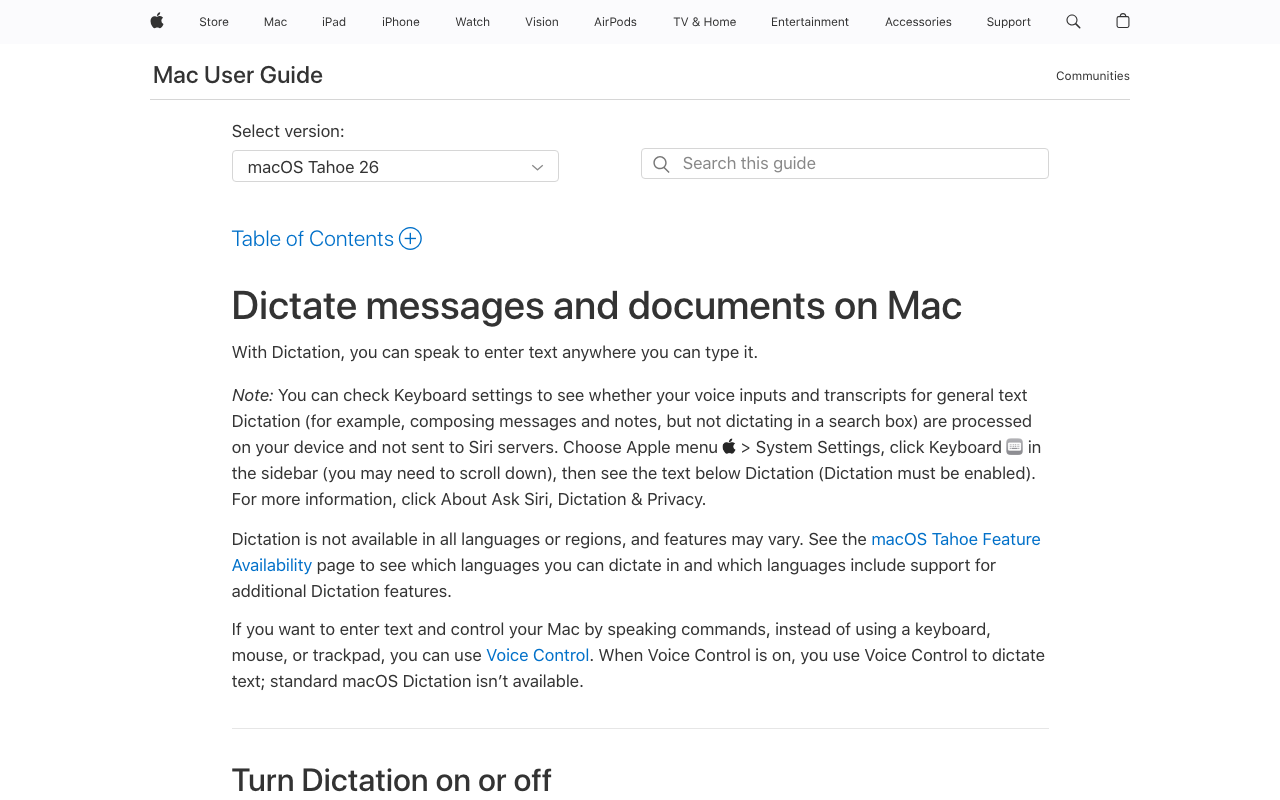
Before paying for anything, turn on Apple Dictation — it ships with every Mac, and on Apple Silicon it processes speech on-device. For short bursts of plain prose it's genuinely fine, and it's the cheapest possible way to learn whether composing out loud suits you.
Two limits surface quickly in academic use. Sessions stop on a timeout (commonly reported at around 30 seconds), which kills the long-form drafting rhythm a lit review needs. And there's no custom dictionary, so the technical terms and author names you use most get mis-recognized with no way to teach it. Accuracy on specialized terminology lags purpose-built tools — Apple's own support forums document the pattern. Our full Apple Dictation review has the details.
- Free and already installed
- On-device on Apple Silicon
- Works system-wide in any text field
- Session timeout interrupts long-form drafting
- No custom dictionary for technical terms
- Accuracy drops on specialized vocabulary
Best for: Testing the dictation habit at zero cost — and discovering which limits you'd pay to remove.
3. Wispr Flow — Polished and Cross-Platform, but Cloud-Based

Wispr Flow is the most polished cloud dictation tool available: context-aware formatting, natural cleanup of spoken language without punctuation commands, and apps for Mac, Windows, and iPhone. For an academic who moves between an office PC and a personal MacBook, that cross-platform reach is a real advantage no on-device Mac tool matches.
The architectural trade-off: speech is processed on Wispr Flow's servers, so your dictation — including unpublished work — leaves your device by design, and nothing transcribes without internet, which rules out flights, archives, and fieldwork. Reviews split by platform: 4.5/5 on G2 (7 reviews) vs 2.7/5 on Trustpilot. See our Wispr Flow vs Superwhisper comparison for the cloud-vs-on-device matchup in depth.
- Best-in-class formatting polish
- Mac, Windows, and iOS apps
- Generous free tier (2,000 words/week)
- Cloud-based — dictation is processed on external servers
- No offline mode: nothing works without internet
- Subscription-only; $432 over three years
Best for: Academics who write across Mac, Windows, and phone, always have internet, and aren't dictating sensitive unpublished material.
4. Superwhisper — The On-Device Alternative for Tinkerers
Superwhisper is the other serious on-device option for Mac, and it earns its 4.9/5 Product Hunt rating (20 reviews). Like Voibe's on-device mode, it processes speech locally, works offline, and keeps your dictation on your machine. Its signature feature is choice: multiple Whisper model sizes to trade speed against accuracy, plus configurable modes per context.
The trade-offs for a researcher: it costs $249.99 lifetime ($101 more than Voibe), its vocabulary feature is text replacement rather than a dictionary that shapes transcription — a real difference for jargon-dense fields — and the configuration surface takes time that most academics would rather spend writing.
- On-device and offline, like Voibe
- Selectable Whisper models and custom modes
- Strong user ratings (4.9/5 Product Hunt)
- $249.99 lifetime — $101 more than Voibe
- Vocabulary is text replacement, not a transcription dictionary
- Setup complexity most researchers don't want
Best for: Researchers who want on-device privacy and enjoy tuning models and modes themselves.
5. Dragon — For Windows-Based Academics
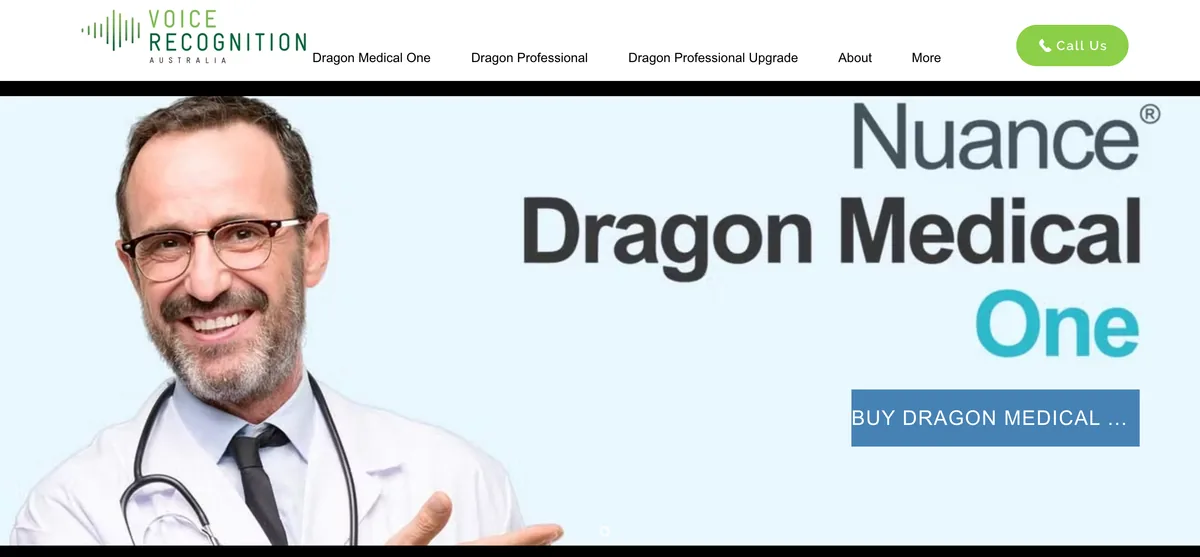
If your university machine runs Windows, Dragon Professional remains a credible option: decades of dictation maturity, strong custom vocabulary support, and command workflows that reward heavy daily use.
The Mac story is the problem. Nuance discontinued Dragon for Mac in 2018, the $150 consumer Dragon Home edition was discontinued in 2023, and what remains starts at $699 and runs natively on Windows only — with Nuance's current hosted offerings routing through the cloud and the browser. For Mac-based academics, Dragon simply isn't on the menu anymore; our Dragon alternatives guide maps the migration paths.
- Mature custom vocabulary and voice commands
- Decades of professional dictation refinement
- Native Windows performance
- $699+ — hard to justify on an academic budget
- No Mac version since 2018; no Apple Silicon support
- Consumer edition discontinued in 2023
Best for: Windows-based academics with the budget for the most established dictation suite on that platform.
6. MacWhisper — Best for Transcribing Interviews and Recorded Lectures
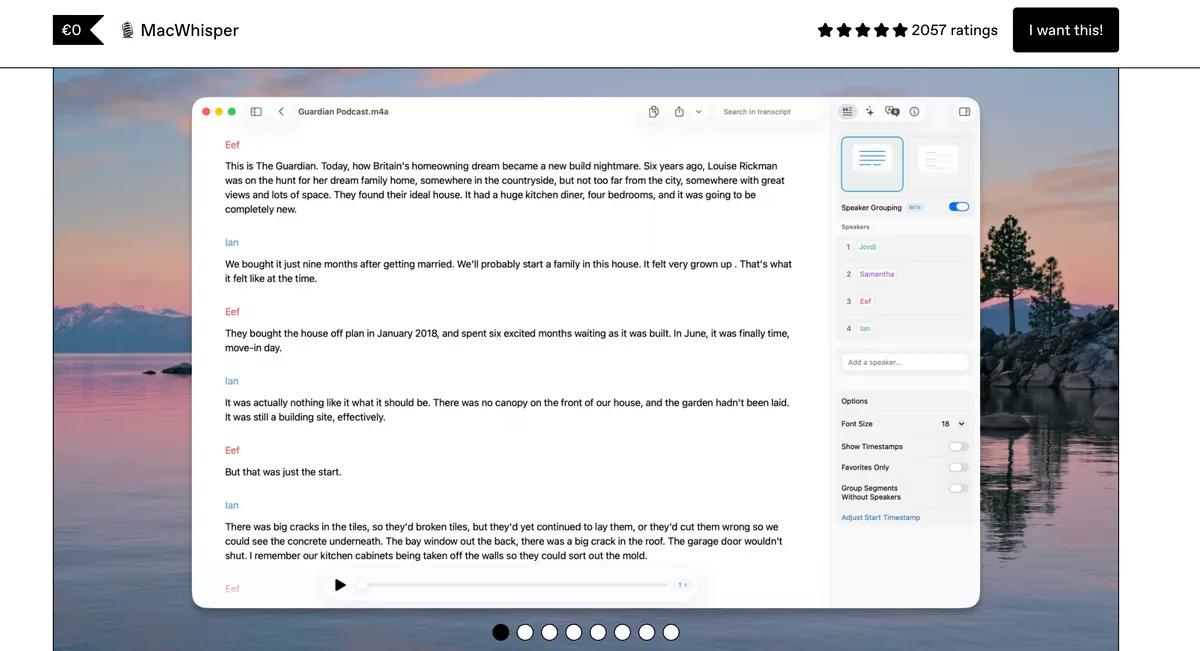
If your research involves recorded speech — qualitative interviews, focus groups, oral histories, your own recorded lectures — MacWhisper is the tool we genuinely recommend, without hedging. It converts audio files to text on-device using Whisper models, which matters twice over for researchers: nothing is uploaded (relevant when recordings fall under consent agreements or ethics protocols), and the €59 (~$69) one-time Pro price fits a research budget.
It is not a real-time dictation app — you won't draft a paper by speaking into it. Plenty of qualitative researchers run both: MacWhisper for the interview corpus, a dictation tool for the writing. Pricing details in our MacWhisper pricing guide.
- On-device file transcription — recordings never leave the Mac
- Handles long recordings: interviews, lectures, focus groups
- €59 (~$69) one-time
- Not a real-time dictation tool
- No system-wide typing into other apps
- Transcripts of multi-speaker audio still need cleanup
Best for: Qualitative researchers and anyone with recorded interviews or lectures to transcribe — this is its job, and it does it well.
7. Google Docs Voice Typing — Free, Browser-Only, Internet Required
Google Docs has voice typing built in (Tools → Voice typing in a Chrome browser), and the price is right: free. If your entire drafting life happens in Google Docs and you're always online, it's a legitimate zero-cost option for getting rough words down.
Its constraints define it. It only works inside Google Docs in a browser — not in Word, Overleaf, Zotero, or email. It requires an internet connection, with speech processed in Google's cloud rather than on your machine. And there's no custom dictionary, so the field-jargon problem is permanent. Treat it the way you'd treat Apple Dictation: a free trial of the dictation habit, not the tool you finish a thesis with.
- Completely free
- No installation — built into Google Docs
- Decent for plain prose drafting
- Google Docs in a browser only — nothing else
- Requires internet; speech processed in Google's cloud
- No custom dictionary for technical terms
Best for: Docs-native writers who want to try voice drafting today at zero cost.
How to Choose: A Decision Path for Researchers
Three questions sort the seven tools.
1. What are you actually converting — live speech, or recordings?
- Recordings (interviews, lectures): MacWhisper, ~$69 once, on-device. Done.
- Live drafting: Continue below.
2. Mac or Windows?
- Windows: Voibe in zero-retention cloud mode ($199 lifetime, Custom Vocabulary); Dragon Professional if budget allows; Wispr Flow as the lighter subscription option.
- Mac: Continue below.
3. Do you need offline use, custom vocabulary, or on-machine privacy for unpublished work?
- Any of the three: Go on-device — Voibe ($199 lifetime, Custom Vocabulary, simplest setup, offline in on-device mode) or Superwhisper ($249.99, more knobs).
- None, and you want free: Apple Dictation system-wide, or Google Docs voice typing inside Docs.
- None, and you want maximum polish across devices: Wispr Flow ($144/yr).
Key Takeaway
Recordings → MacWhisper. Windows drafting → Voibe (cloud mode), Dragon, or Wispr Flow. Mac drafting with offline, vocabulary, or privacy needs → Voibe (or Superwhisper for tinkerers); otherwise the free built-ins are worth a try first.
Best Dictation App by Academic Scenario
A quick mapping from common research situations to the right tool.
| Scenario | Best choice | Why |
|---|---|---|
| PhD student drafting thesis chapters in Word | Voibe | System-wide, Custom Vocabulary, $199 once for the whole degree |
| PI writing grant narratives on deadline | Voibe | Dictate aims the way you'd pitch them; unpublished ideas stay on-machine |
| Qualitative researcher with 40 hours of interviews | MacWhisper | On-device file transcription, ~$69 once |
| Professor leaving feedback on 60 student essays | Voibe or Apple Dictation | Spoken comments are faster; free tier may suffice for short bursts |
| Fieldwork or archive trips without internet | Voibe or Superwhisper | Fully offline, on-device |
| LaTeX user drafting in Overleaf | Voibe | Types into the browser; you dictate prose, type the math |
| Academic on a university Windows machine | Voibe, Dragon Professional, or Wispr Flow | Voibe's native Windows app runs in zero-retention cloud mode; Dragon and Wispr Flow are the alternatives at higher price points |
| Writes only in Google Docs, zero budget | Google Docs Voice Typing | Free, built in, browser-based |
| International academic drafting in two languages | Voibe | 90+ languages on-device |
| Just curious whether dictation will stick | Apple Dictation, then Voibe's 7-day trial | $0 to test; Voibe's 7-day trial adds Custom Vocabulary |
Key Takeaway
Voibe covers most Mac academic scenarios — theses, grants, Overleaf, fieldwork, multilingual drafting. MacWhisper owns interview transcription; Voibe (cloud mode), Dragon, and Wispr Flow cover Windows; the free built-ins are for testing the habit.
Frequently Asked Questions About Dictation for Academic Writing
Accuracy and Technical Vocabulary
Can dictation handle technical and scientific terms?
Only with vocabulary support. General models mis-transcribe field jargon and author surnames, and on most tools those errors are permanent. Voibe's Custom Vocabulary adds your terms to a dictionary that shapes transcription itself; Dragon offers mature custom vocabularies on Windows; Apple Dictation and Google Docs voice typing offer nothing.
Can I dictate equations or LaTeX markup?
Not usefully. Dictation excels at prose — arguments, reviews, narratives — and is the wrong tool for notation. The working pattern in Overleaf: dictate the paragraphs, type the math.
Does dictation work for non-native English speakers?
Frequently better than typing, since many academics speak English more fluently than they type it. Whisper-based tools also support 90+ languages on-device, with the usual caveat that accuracy is strongest in English — test your language on a free tier.
Workflow
What's the best dictation app for writing a thesis?
On Mac: Voibe — system-wide coverage of Word, Docs, Overleaf, and Zotero, Custom Vocabulary for your field, a fully offline on-device mode, and a $199 lifetime license that outlasts the degree. On Windows: Voibe in zero-retention cloud mode, or Dragon Professional.
Can dictation apps transcribe my recorded interviews or lectures?
Use a transcription tool for that: MacWhisper converts recordings to text on-device for ~$69 one-time — and recordings under consent agreements never get uploaded anywhere.
How rough are dictated first drafts, honestly?
Rougher than typed ones — spoken syntax wanders. The point is that editing a wandering draft is faster and psychologically easier than facing a blank page. Dictate the draft, edit at the keyboard.
Offline Use and Privacy
Does dictation work offline?
On-device tools do: Voibe, Superwhisper, and MacWhisper all process speech locally, so flights, archives, and field sites are no problem. Wispr Flow, Willow Voice, and Google Docs voice typing stop without internet.
Will my unpublished research stay private?
You choose how Voibe runs: an on-device mode where nothing leaves your Mac, or a private cloud mode on open-source models with zero retention. In both, your audio and text are never stored, sold, or used to train AI, so unpublished results and grant ideas stay yours. Many cloud tools process your dictation on vendor servers under their privacy policies — read them before dictating sensitive material. More in our cloud vs. local dictation explainer.
Cost
What does dictation cost a researcher over three years?
At June 2026 list prices: Voibe $199 (lifetime), Superwhisper $249.99 (lifetime), Wispr Flow $432 (annual billing), Dragon $699+ (one-time), MacWhisper ~$69 (one-time), Apple Dictation and Google Docs voice typing free. Voibe saves $233 (54%) vs Wispr Flow over the stretch.
Is there a meaningful free option?
Yes — Apple Dictation (system-wide) and Google Docs voice typing (Docs only) cost nothing, and Voibe's 7-day free trial includes Custom Vocabulary, which is enough to test it against your field's jargon before paying.
The Bottom Line for Researchers
For Mac-based academics, Voibe is the best dictation app for academic writing in 2026: Custom Vocabulary that actually learns your field, system-wide typing into Word, Docs, Overleaf, and Zotero, a fully offline on-device mode for fieldwork and flights, and audio and text that are never stored, sold, or used to train AI — at $199 once instead of a subscription that outlives your funding.
If your work centers on recorded interviews, start with MacWhisper instead — that's its job. If you're on Windows, Voibe's native Windows app (zero-retention cloud mode), Dragon Professional, and Wispr Flow are the credible options. If you're merely curious, Apple Dictation and Google Docs voice typing cost nothing to try today.
Download Voibe free — no account, no card, and a 7-day free trial. Load your twenty most-cited authors into Custom Vocabulary and dictate one section of the paper you're avoiding. The blank page test is the only benchmark that matters.
Related reading: our guide to the best dictation software for writers, the best dictation software for authors and novelists (long-session drafting and custom vocabulary for invented names), the best offline dictation apps for Mac, and how Whisper speech recognition works.
The same Dictionary that keeps a novelist’s invented names intact keeps your citations and jargon intact — see how a novelist dictates her fiction with it.
Key Takeaway
Voibe is the top dictation pick for Mac researchers in 2026 — Custom Vocabulary for field jargon, works in every writing app including Overleaf, a fully offline on-device mode, $199 lifetime. MacWhisper is the honest recommendation for interview transcription.
Best AI Dictation and Meeting Notes for Confidential Work
Draft letters, notes and emails 5x faster. Get meeting notes without a bot joining your call. Nothing used to train AI.
- Mac + Windows
- No bot in your calls
- Nothing used to train AI
- 7-day free trial
Want to compare plans first? View pricing →
Related Articles
Best Free Dictation Apps for Windows: Two Are Already on Your PC
Five genuinely free ways to dictate on Windows — two ship with the OS. What each costs you in caps, cloud, and vocabulary, and when paying starts to make sense.
6 Best AI Dictation Apps for Windows — Ranked by Who Actually Built for Windows
Six AI dictation apps are actually great on Windows in 2026. We ranked them — including the one we built from the ground up for Windows — with verified pricing.
6 Best Free Dictation Apps for Mac in 2026
Compare the best free dictation apps for Mac: Apple Dictation, Google Docs, Whisper.cpp, Voibe Free and more, with the caps and privacy costs of each.