
Best Dictation Software for Tax & Estate Attorneys (2026)
Best dictation software for tax and estate attorneys in 2026: 6 tools ranked on terms-of-art accuracy (GRAT, QTIP, 1031), confidentiality, and price.

TL;DR: The best dictation software for tax and estate attorneys is Voibe ($9.90/month, $99/year, or $199 lifetime). Two reasons specific to this practice area: its Custom Vocabulary is a dictionary that shapes transcription itself, so GRAT, QTIP, ILIT, SLAT, 1031 exchange, and your client families' surnames come out right instead of as everyday homophones — and you can process speech entirely on your Mac in on-device mode (or use a private, zero-retention cloud that runs only open-source models), with the audio destroyed after transcription and never stored, sold, or used to train AI. This guide covers tax and estate practice specifically; for the wider field of legal tools, see our guide to the best dictation software for lawyers.
Disclosure: Voibe is our product. Pricing and capabilities below are checked against each vendor's current published information as of June 2026.
| Tool | Best For | Key Strength | Price (June 2026) |
|---|---|---|---|
| Voibe | Mac tax/estate practices | Dictionary for terms of art; on-device or private cloud | $199 lifetime |
| Dragon | Windows practices | Built-in legal vocabulary | $699+ one-time |
| Superwhisper | On-device tinkerers | Selectable models | $249.99 lifetime |
| Wispr Flow | Non-confidential drafting | Formatting polish | $144/yr |
| Apple Dictation | Quick notes | Free, built in | Free |
| MacWhisper | Meeting recordings | On-device file transcription | €59 (~$69) |
Why Tax and Estate Practice Is the Hardest Test for Dictation Software
Tax and estate law breaks general-purpose dictation tools in a way most legal work doesn't, for two compounding reasons.
First, no practice area packs more terms of art per paragraph. A single estate plan summary can contain GRAT, QTIP, ILIT, SLAT, IDGT, CRUT, GST exemption, per stirpes, inter vivos, stepped-up basis, and Form 706 — plus the surnames of three generations of one family and the names of their LLCs and family limited partnerships. A general speech model has never been told these exist, so it maps each one to the nearest everyday sound: QTIP becomes "Q-tip," GRAT becomes "grant," ILIT becomes a guess. Every mis-transcription is a correction, and enough corrections erase the time dictation was supposed to save.
Second, the subject matter is family-confidential, not just client-confidential. Estate dictation contains asset details, who inherits what, who is being disinherited and why, family conflict, and health considerations. Tax dictation contains income, structures, and audit posture. If your dictation tool sends audio to a server for processing, that material transits infrastructure you don't control. The architectural difference between cloud and on-device processing — covered in depth in our cloud vs. local dictation explainer — matters more here than almost anywhere else in law.
So this guide ranks tools on exactly those two axes first: can it learn your vocabulary, and where does the audio go. Prices are list prices verified in June 2026.
Key Takeaway
Tax and estate practice stresses dictation software on the two hardest dimensions at once: the densest terms-of-art vocabulary in law, and subject matter that is family-confidential. Rank tools on vocabulary support and audio architecture first.
Tax & Estate Dictation Tools Compared (June 2026)
All prices are vendor list prices as of June 2026. The custom-vocabulary column is the one to read first in this practice area.
| Tool | Price | On-device or cloud | Custom vocabulary | Mac support | Real-time or transcription |
|---|---|---|---|---|---|
| Voibe ⭐ | Free plan (limited words) + 7-day free trial; $9.90/mo, $99/yr, $199 lifetime | On-device or private cloud; audio destroyed after transcription | Yes — dictionary that shapes transcription | Native (all Macs; on-device mode Apple Silicon) | Real-time |
| Dragon | $699+ one-time | Desktop app; cloud in hosted offerings | Yes — built-in legal vocabulary | None — discontinued 2018 | Real-time |
| Superwhisper | $8.49/mo or $249.99 lifetime | On-device | Text replacement | Native (Apple Silicon) | Real-time |
| Wispr Flow | Free 2,000 words/wk; $144/yr | Cloud | — | Native app | Real-time |
| Apple Dictation | Free | On-device on Apple Silicon | No | Built in | Real-time (session timeout) |
| MacWhisper | €59 (~$69) one-time Pro | On-device | — | Native | Transcription (files) |
"—" = no dedicated custom-vocabulary feature we could verify as of June 2026.
Key Takeaway
Three-year cost per attorney at June 2026 list prices: Dragon $699+, Wispr Flow $432, Superwhisper $249.99, Voibe $199, Apple Dictation free. Voibe saves $500 (71.5%) vs Dragon and $233 (53.9%) vs Wispr Flow.
1. Voibe — Best for Mac-Based Tax and Estate Practices

Voibe earns the top spot in this practice area on the two criteria that matter most here.
The vocabulary problem, solved at the transcription layer. Voibe's Custom Vocabulary is a real dictionary that influences how speech is transcribed — not a find-and-replace table that fires after the fact. Load it once with your working vocabulary: GRAT, QTIP, ILIT, SLAT, IDGT, CRUT, GST, per stirpes, inter vivos, 1031 exchange, Forms 706/709/1041, the surnames of your client families, and the names of their LLCs and FLPs. From then on they transcribe correctly — including in the multi-generational matters where the same unusual surname appears in every letter for a decade.
Family-confidential by design. Choose on-device mode and everything is processed on your Mac's Apple Silicon chip — nothing leaves the machine — or use the private cloud mode, which runs only open-source models over an encrypted connection and deletes your audio the moment transcription completes. Either way the audio is destroyed as soon as transcription finishes and is never stored, sold, or used to train any AI model. In on-device mode, who inherits what, who was disinherited, and what the estate holds never touches a server at all.
For the long documents this practice runs on — an estate plan cover letter, a plain-English explanation of how a client's GRAT works, a memo to file after a planning meeting — Continuous Transcription pairs with Hands-Free Mode: double-tap to start, speak as long as you need with no key held and no session timer, watch the text accumulate in a small floating window, then commit it into Word or your document management system in one go.
Key features:
- Custom Vocabulary: a dictionary for terms of art, form numbers, client surnames, entity names
- On-device or private cloud, your choice; audio destroyed after transcription, never stored or trained on
- Continuous Transcription + Hands-Free Mode for long-form drafting with no timeout
- System-wide: Word, Outlook, document management, any text field
- Low latency on Apple Silicon; no account required; never trains AI on user dictation
- 7-day free trial
- Terms of art and client names transcribe right the first time
- On-device mode keeps family-confidential dictation on the Mac; private cloud mode is zero-retention and open-source-only
- No recording archive anywhere — audio destroyed after transcription
- $199 lifetime ends per-attorney subscription costs
- Mac and Windows — no mobile apps; the fully on-device mode requires an Apple Silicon Mac
- No built-in legal dictionary; you load your own terms (a one-time setup)
The value combo: Wispr Flow and Granola in one plan. Voibe Dictation is $99 a year. For $50 more, Voibe Work ($19/month, $149/year, or $399 lifetime) adds AI meeting notes with no bot in the call. That one plan covers what Wispr Flow Pro ($144/year) and Granola Business ($168/year) charge $312 a year for separately, so it costs $163 (52.2%) less every year. Meeting notes are captured on your Mac or Windows PC, processed in Voibe's zero-retention cloud and saved on your computer, and Voibe reminds you to tell everyone you're taking notes.
Rating: 4.8/5 on Product Hunt (6 reviews).
Best for: Tax and estate attorneys on Mac whose dictation is dense with terms of art and family-confidential detail — which is to say, all of them.
Tip
Setup that pays for itself in week one: before your first real session, load Custom Vocabulary with your 20 most-used terms of art, your active client surnames, and the entity names from your current matters. That single step removes the correction loop that makes most attorneys abandon dictation.
2. Dragon Professional — For Windows-Based Practices
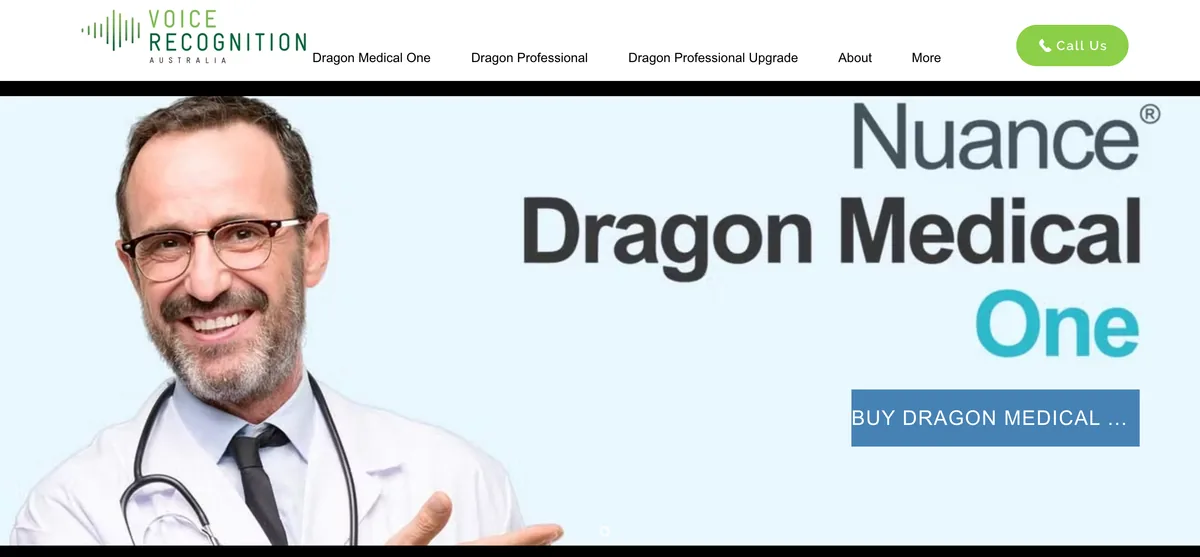
Dragon built its reputation in exactly this kind of practice: vocabulary-heavy, document-heavy, dictation-native. Its built-in legal vocabulary and mature auto-text commands (boilerplate clauses on a voice command) are genuinely strong, and Windows-based tax and estate practices with established Dragon workflows have little reason to switch.
The Mac story ended in 2018, when Dragon Dictate for Mac was discontinued; Dragon Home followed in 2023. What remains starts at $699 for Dragon Professional, Windows-only for native use, with Nuance's current hosted offerings running through the browser and cloud infrastructure. Our Dragon alternatives guide covers the migration paths in detail.
- Built-in legal vocabulary out of the box
- Auto-text voice commands for boilerplate clauses
- Decades of refinement for dictation-heavy practices
- $699+ entry price; Legal tier costs more
- No Mac version since 2018
- Current hosted offerings route audio through the cloud
Best for: Windows-based tax and estate practices, especially those with existing Dragon workflows and boilerplate libraries.
3. Superwhisper — The On-Device Runner-Up
Superwhisper shares Voibe's most important property for this practice area: on-device processing, so client matters stay on the Mac. It rates 4.9/5 on Product Hunt (20 reviews), and power users like its selectable Whisper models and per-context modes.
The gap for a tax and estate attorney is the vocabulary mechanism: Superwhisper's is text replacement — a substitution table applied to output — rather than a dictionary that shapes transcription. For occasional jargon that's workable; for prose where every paragraph contains three acronyms and a family surname, the difference compounds. It also costs $249.99 lifetime ($101 more than Voibe) and stores recordings by default, worth reviewing in settings.
- On-device — client matters stay on the Mac
- Selectable models and configurable modes
- Strong user ratings (4.9/5 Product Hunt)
- Vocabulary is text replacement, not a transcription dictionary
- $249.99 lifetime — $101 more than Voibe
- Stores recordings by default (configurable)
Best for: Technically inclined attorneys who want on-device privacy and enjoy tuning their tools.
4. Wispr Flow — Polished, Cloud-Based: Keep It Off Client Matters

Wispr Flow is the most polished cloud dictation tool on the market — context-aware formatting, clean output without spoken punctuation, apps for Mac, Windows, and iPhone. As a writing tool, it's excellent.
The architectural fact for this practice area: speech is processed on external servers, and there's no offline mode. For non-confidential work — bar association communications, marketing copy, CLE materials — that's a reasonable trade for the polish. For dictation about a family's assets and intentions, the on-device tools above remove the question instead of managing it. Ratings split by platform: 4.5/5 on G2 (7 reviews) vs 2.7/5 on Trustpilot.
- Best-in-class formatting polish
- Cross-platform: Mac, Windows, iOS
- Generous free tier (2,000 words/week)
- Cloud-based — audio processed on external servers by design
- No offline mode
- Subscription-only; $432 over three years
Best for: Non-confidential drafting across multiple devices. See our Wispr Flow vs Superwhisper comparison for the full cloud-vs-on-device matchup.
5. Apple Dictation — Free, but No Way to Teach It Your Terms
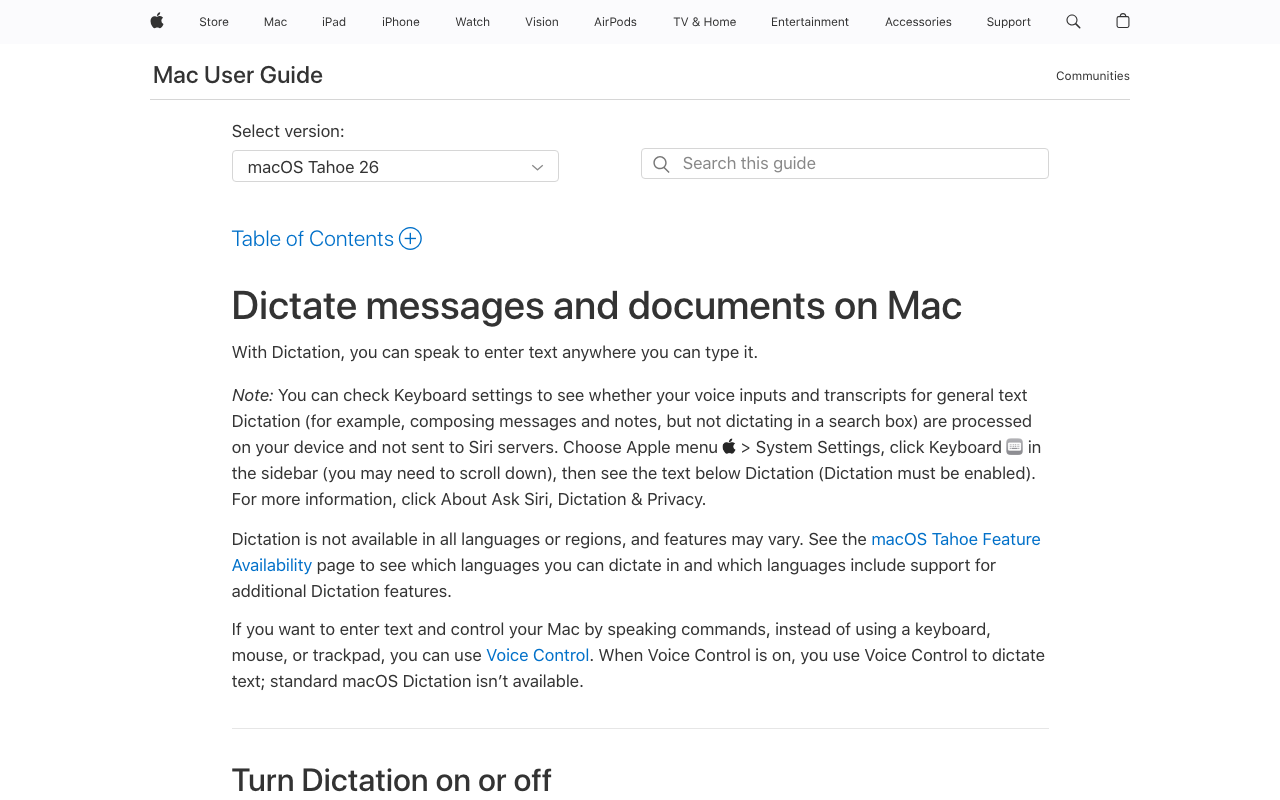
Apple Dictation is free, already installed, and on-device on Apple Silicon — try it before paying for anything. For short plain-English notes it's fine.
In a tax and estate practice its two hard limits surface immediately: there is no custom dictionary, so GRAT, QTIP, and your client surnames mis-transcribe with no way to fix them permanently, and sessions stop on a timeout (commonly reported at around 30 seconds), which kills long-form drafting. Our full Apple Dictation review covers the details.
- Free and preinstalled
- On-device on Apple Silicon
- Works in any text field
- No custom dictionary — terms of art mis-transcribe permanently
- Session timeout interrupts long-form dictation
- Accuracy drops on specialized terminology
Best for: Quick notes, and discovering firsthand why this practice area needs a custom dictionary.
6. MacWhisper — For Recorded Client Meetings and Dictated Memo Files
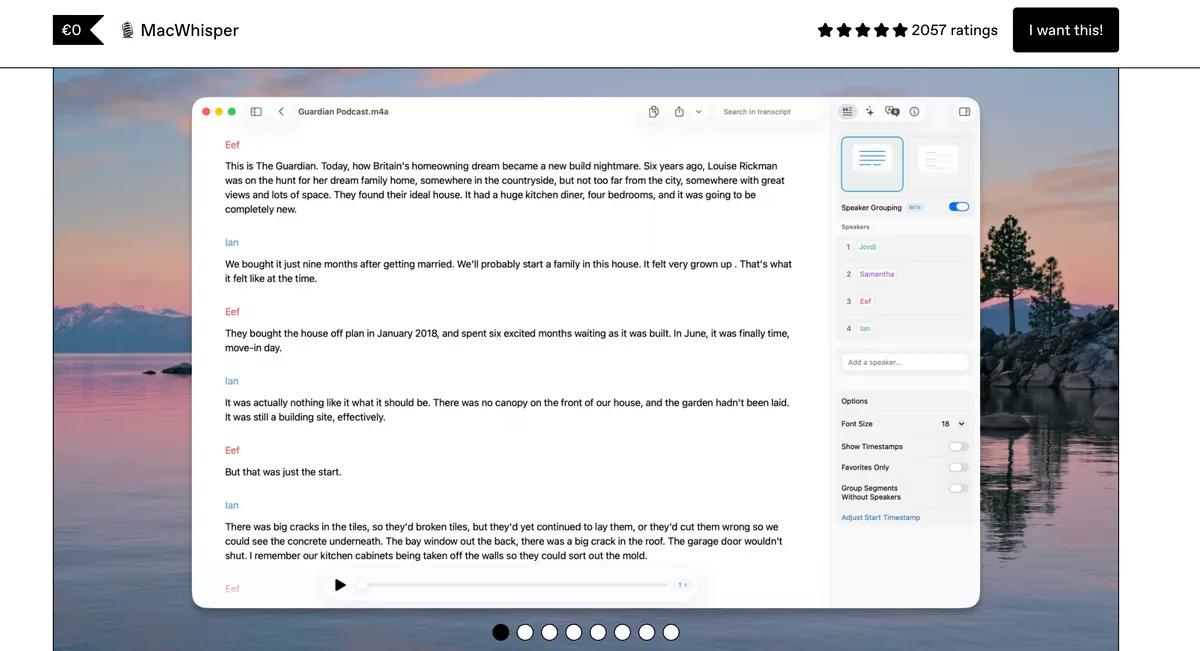
MacWhisper does a different job: it converts audio files to text on-device. In a tax and estate practice that means recorded client planning meetings (with consent), dictated voice memos from your phone after a meeting, and recorded internal discussions — transcribed without anything being uploaded, for a one-time €59 (~$69).
It is not a real-time dictation tool; pair it with one. Voibe for drafting plus MacWhisper for recordings costs $218 one-time, total. Details in our MacWhisper pricing guide.
- On-device file transcription — recordings never leave the Mac
- Handles long recordings
- €59 (~$69) one-time
- Not for real-time dictation into documents
- No system-wide typing
Best for: Turning meeting recordings and phone memos into text without uploading them anywhere.
Where Dictation Pays Off in a Tax and Estate Practice
A quick mapping from this practice area's recurring documents to the right tool and the feature that matters.
| Task | Best tool | The feature that matters |
|---|---|---|
| Estate plan cover letters and summaries | Voibe | Custom Vocabulary (terms of art + family names); Continuous Transcription for length |
| Plain-English explanations of a GRAT/QTIP for clients | Voibe | Speak it the way you'd explain it across the desk, then edit |
| IRS response letters and tax memos | Voibe | Form numbers (706, 709, 1041) in the dictionary; on-device confidentiality |
| Memos to file after planning meetings | Voibe or MacWhisper | Dictate directly, or record on your phone and transcribe the file on-device |
| Billing narratives and time entries | Voibe or Apple Dictation | Short bursts; free tools can handle these |
| Recorded client meetings (with consent) | MacWhisper | On-device file transcription, ~$69 once |
| Non-confidential writing (CLE materials, marketing) | Wispr Flow | Formatting polish; cloud processing is acceptable here |
| Windows-based practice | Dragon Professional or Voibe | Dragon: built-in legal vocabulary and boilerplate auto-text; Voibe: Custom Vocabulary on the zero-retention cloud |
Key Takeaway
Map the document to the tool: Voibe for client letters, memos, and IRS correspondence; MacWhisper for meeting recordings; Wispr Flow only for non-confidential writing; Dragon for Windows practices.
Frequently Asked Questions: Dictation for Tax and Estate Work
Vocabulary and Accuracy
Can dictation software get GRAT, QTIP, ILIT, and per stirpes right?
Only with vocabulary support. General models map unfamiliar terms to everyday homophones — QTIP comes out as "Q-tip." Voibe's Custom Vocabulary adds your terms to a dictionary that shapes transcription itself; Dragon ships a built-in legal vocabulary on Windows; Apple Dictation has no way to learn terms at all.
What should I load into a custom dictionary first?
Three lists: your terms of art (GRAT, QTIP, ILIT, SLAT, IDGT, CRUT, GST, per stirpes, inter vivos, 1031 exchange), your form numbers (706, 709, 1041, K-1), and your proper nouns — active client surnames and the entity names from current matters. Twenty minutes of setup removes most of the corrections that make attorneys quit dictation.
Confidentiality
Is dictation private enough for estate planning matters?
Voibe's on-device mode is: it processes speech locally and destroys the audio after transcription, so asset details and family intentions never exist on any server. Its private cloud mode runs only open-source models over an encrypted connection and deletes audio immediately, never storing or training on it. Third-party cloud tools transmit audio to vendor infrastructure for processing — an architecture question to settle before features or price. More in our cloud vs. local explainer.
Does Voibe keep recordings of what I dictate?
No. Audio is destroyed the moment transcription completes — in on-device mode nothing is uploaded at all, and in private cloud mode the audio is deleted immediately after processing. There is no recording archive left behind, and Voibe never stores, sells, or trains AI on user dictation.
Tools and Cost
Does Dragon work for a trusts and estates practice on Mac?
No — Dragon's Mac version was discontinued in 2018, and the remaining products are Windows-only for native use. On Mac, Voibe and Superwhisper are the on-device options; our Dragon alternatives guide has the full migration picture.
What does this cost over three years?
At June 2026 list prices: Voibe $199 (lifetime), Superwhisper $249.99 (lifetime), Wispr Flow $432 (annual billing), Dragon $699+ (one-time), MacWhisper ~$69 (one-time), Apple Dictation free. Voibe saves $500 (71.5%) vs Dragon and $233 (53.9%) vs Wispr Flow.
The Bottom Line for Tax and Estate Attorneys
This practice area is the strongest case for Voibe in all of law: the densest terms-of-art vocabulary, which Custom Vocabulary solves at the transcription layer, and the most family-confidential subject matter, which on-device mode (with destroyed audio) and a private, zero-retention cloud both address. At $199 lifetime, it costs $500 less than Dragon Professional — without the Windows machine.
On Windows, Dragon Professional remains the credible incumbent, and Voibe's native Windows app brings the same Custom Vocabulary on the zero-retention cloud. For recorded meetings, add MacWhisper. For non-confidential writing, Wispr Flow is a polished cloud option.
Download Voibe free — no account, no card, a 7-day free trial. Load your terms of art and your client surnames into Custom Vocabulary, then dictate one estate plan cover letter. If GRAT comes out as "GRAT," you have your answer.
Related reading: our broader best dictation software for lawyers guide, the analysis of AI hallucinations in law firms, and the best offline dictation apps for Mac.
If your document management runs in a remote session — iManage, NetDocuments or a hosted practice suite inside Citrix or RDP — DictaFlow is the one tool here that can still put text in the field, because it types rather than pastes. At $69/year it is also the cheapest of the paid options. Weigh it against the privacy note in is DictaFlow safe? before it touches privileged drafting: its cloud cleanup step routes through OpenAI and NVIDIA, and it publishes no SOC 2 or ISO 27001.
The same decision from a different practice area: a workers’ compensation attorney on leaving Dragon after four decades, including the vocabulary export and the macro rebuild that make the move a one-afternoon job.
Key Takeaway
Voibe is the top dictation pick for tax and estate attorneys: a dictionary that learns GRAT, QTIP, ILIT, and client surnames; a choice of on-device or private-cloud processing with audio destroyed after transcription; $199 lifetime — $500 less than Dragon Professional.
Best AI Dictation and Meeting Notes for Confidential Work
Draft letters, notes and emails 5x faster. Get meeting notes without a bot joining your call. Nothing used to train AI.
- Mac + Windows
- No bot in your calls
- Nothing used to train AI
- 7-day free trial
Want to compare plans first? View pricing →
Related Articles
Best Dictation Software for Lawyers in 2026 (Tested on Mac)
Best dictation software for lawyers in 2026: 7 tools ranked on confidentiality, legal vocabulary, Mac support, and price. Private-by-design picks lead the list.
7 Best Offline Dictation Apps for Mac in 2026 (Speech-to-Text Alternatives)
The best offline speech to text alternatives for Mac in 2026. Compare Voibe, SuperWhisper, MacWhisper, VoiceInk, and more — all offline, all on-device, with pricing, privacy, and feature breakdowns.
6 Best AI Dictation Apps for Windows — Ranked by Who Actually Built for Windows
Six AI dictation apps are actually great on Windows in 2026. We ranked them — including the one we built from the ground up for Windows — with verified pricing.