
Best Dictation Software for Dysgraphia (2026): 8 Tools Compared
Compared 8 dictation tools for dysgraphia. Voibe removes both the motor and spelling load of writing with an on-device mode and a private cloud option; honest takes on Read&Write, Apple Dictation, Superwhisper, more.

If dysgraphia makes writing slow and effortful, here is the short version. Dysgraphia is a writing-output disorder, so the most useful dictation tool is the one that removes both barriers at once — the physical effort of forming letters or typing, and the spelling and encoding effort — and that you can pair with read-back to proofread. Because dysgraphia is fundamentally about producing written text, dictation is an unusually direct fit: it replaces the exact step that is impaired.
TL;DR: Voibe is our top pick for dysgraphic writers on Mac because it types your speech into any app, removes both the motor and spelling load of writing, never stores or trains on your audio (choose fully on-device processing or a private zero-retention cloud), and includes Custom Vocabulary for names and terms. Superwhisper and the open-source VoiceInk are the strongest on-device alternatives for producing text by voice system-wide. Read&Write is the most complete all-in-one literacy suite if you also want word prediction and read-back bundled. Apple Dictation is the free baseline; Google Docs Voice Typing is free too, but it only works inside Google Docs, so you keep hand-typing everywhere else. Dictation removes the writing barrier; it does not remediate dysgraphia, so use it as a support alongside instruction.
Disclosure: Voibe is our product. We compare alternatives honestly and acknowledge competitor strengths throughout this article.
Key Takeaways: Dictation for Dysgraphia at a Glance
| Tool | Best for | Built-in read-back | Where audio is processed | Cost |
|---|---|---|---|---|
| Voibe | Mac and Windows dictation into any app | Pair with macOS Speak Selection | On-device or private cloud (your choice) | Free plan · $199 lifetime · 7-day free trial |
| Superwhisper | Configurable on-device Mac power users | No | On-device or cloud | $249.99 lifetime |
| VoiceInk | Open-source, source-auditable | No | On-device | $29–$69 or free build |
| Read&Write | All-in-one literacy suite | Yes (text-to-speech built in) | Cloud | Subscription (free for K-12 teachers) |
| Apple Dictation | Free built-in baseline | Pair with macOS Speak Selection | On-device on Apple Silicon | Free |
| Microsoft Dictate + Immersive Reader | Microsoft 365 users | Yes (Immersive Reader) | Cloud | With Microsoft 365 |
| Wispr Flow | Cross-platform (Mac, Windows, mobile) | No | Cloud | $144/yr |
| Google Docs Voice Typing | Writing inside Google Docs | No (Docs only) | Cloud | Free |
For Mac users who want dictation that works in every app and keeps sensitive context private, Voibe at $199 lifetime is roughly $233 (54%) less than three years of Wispr Flow Pro Annual ($432) and $50.99 (20%) less than Superwhisper's lifetime ($249.99). For users who want dictation, read-back, and word prediction in a single tool, Read&Write is the most complete, with the trade-off that it is cloud-based and subscription-priced.
Why Writing Is the Bottleneck With Dysgraphia
Dysgraphia is a neurological condition that makes producing written language difficult. Cleveland Clinic describes it as difficulty turning thoughts into written language for one's age, drawing on fine motor skills, spatial perception, working memory, and orthographic coding — and estimates it affects 5% to 20% of people, a wide range because it is frequently under-diagnosed. The Learning Disabilities Association of America frames it as impaired ability to produce legible, automatic letter writing.
The reason writing is the bottleneck is that dysgraphia loads two channels at once. There is the graphomotor barrier — the physical act of forming letters by hand or executing the finger movements of typing, which is effortful and fatiguing. And there is the orthographic barrier — encoding the right letters in the right order, which spelling and written organization depend on. A keyboard demands both at the same time, on top of holding the idea in working memory, which is why dysgraphic writers often produce far less on the page than they could say out loud.
Crucially, dysgraphia is not a problem of ideas or intelligence. Understood.org notes it primarily affects transcription skills rather than idea generation, and that it often occurs alongside ADHD and dyslexia. That distinction is the whole case for dictation: if the ideas are intact and only the output is impaired, the fix is to change the output channel.
Key Takeaway
Dysgraphia is a writing-output disorder with both a motor and a spelling component. Dictation is an unusually direct fit because it replaces the impaired output channel — you produce text by voice, bypassing both barriers at once.
How Dictation Helps Dysgraphia — and Its Honest Limits
Dictation helps dysgraphia by letting you produce written text with your voice, removing the graphomotor and spelling effort that makes writing slow. Reading Rockets notes that dictation particularly benefits people with dysgraphia and other writing disabilities, letting those with motor-skill difficulties write more comfortably and those who think faster than they write get their thoughts down. The Yale Center for Dyslexia & Creativity documents a high-school student with a history of dysgraphia for whom dictating was far easier than committing ideas to paper with a pen.
Two honest limits belong up front. First, dictation is a support, not a cure — it removes the writing barrier but does not remediate the underlying disorder, and Reading Rockets recommends pairing it with writing instruction. Second, editing by voice is harder than drafting by voice. Reading Rockets suggests a practical split: write the first draft with dictation, then edit in a separate pass. For dysgraphia specifically, that means dictate the whole thought, then make light corrections — and use text-to-speech read-back to catch errors rather than re-reading silently.
Info
Because dysgraphia often co-occurs with ADHD, the speed of capturing a thought by voice the instant you have it — before working-memory friction loses it — is a benefit beyond just bypassing the motor load. Dictate first, organize and edit second.
What to Look For in Dictation Software for Dysgraphia
Seven criteria, in priority order for dysgraphic writers:
1. It removes the writing effort, not just the spelling
Because dysgraphia is partly a motor disorder, the tool should let you produce a whole draft by voice with minimal typing — not just spell-correct words. System-wide dictation that works in any app, with little need to touch the keyboard, removes the most effort.
2. Low-friction activation (especially if writing is physically painful)
If the graphomotor difficulty comes with hand fatigue or pain, avoid tools that require holding a key down while you speak. Tap-based or toggle activation, and the ability to remap the trigger to an external button, keep the physical load low. Voibe's Hands-Free Mode uses tap activation with no held key.
3. It pairs with text-to-speech read-back
Editing is the hard part of dictation for dysgraphia, and proofreading by eye is unreliable when writing and spelling are impaired. The tool should include text-to-speech or work with one (such as macOS Speak Selection) so you can hear the draft and catch errors by ear.
4. Custom vocabulary for words you can't easily spell to fix
When a tool mis-hears a name or term, correcting it by typing the right spelling is exactly the effortful task dysgraphia makes hard. A tool that lets you add those words once removes a recurring source of friction.
5. On-device processing for privacy
Dysgraphia dictation often involves a diagnosis, accommodation paperwork, a minor's schoolwork, or confidential work. On-device processing keeps that audio on your own machine instead of a vendor server.
6. Minimal setup and signup
A long signup form full of fields to type is itself a barrier when typing is the hard part. Tools that start without a heavy account — or that an evaluator or IT team can deploy for you — lower the cost of getting going.
7. Platform fit (Mac, Windows, or Chromebook)
Match the tool to the device you use. Mac has strong on-device options (Voibe, Superwhisper, VoiceInk, Apple Dictation). Schools often standardize on Read&Write or Google Docs Voice Typing; Microsoft 365 users have Dictate plus Immersive Reader built in.
Key Takeaway
For dysgraphia, weight two things most: how much of the physical writing load the tool removes (system-wide dictation, low-friction activation), and whether you can hear your draft read back to proofread it.
The 8 Best Dictation Tools for Dysgraphia
Each tool below is evaluated against the seven criteria, with motor-load removal and read-back pairing carrying the most weight for dysgraphia. Third-party ratings, where they exist, are cited with the platform and a link in the product section. Tools are ordered by overall fit for a dysgraphic writer on Mac.
1. Voibe — Best On-Device Dictation for Dysgraphia on Mac

Voibe is a dictation app for Mac and Windows with two user-selectable modes: on-device processing that runs Whisper locally on Apple Silicon (nothing leaves your Mac), or a private cloud that runs only open-source models and deletes your audio the moment transcription completes. Either way, your audio is never stored, sold, or used to train AI. No account is required, and there is no signup gate on the core dictation features.
Disclosure: Voibe is our product. We include it because it fits the category, and we lay out the trade-offs honestly.
Why it fits dysgraphia specifically: Voibe removes both barriers at once. It types your spoken words, correctly spelled, into whatever app your cursor is in — so you produce a whole draft by voice with almost no typing, which addresses the graphomotor load directly, and the words arrive spelled correctly, which addresses the orthographic load. For writers whose dysgraphia comes with hand fatigue or pain, Hands-Free Mode uses tap activation with no held key, and the hotkey can be remapped to a foot switch or external button.
Custom Vocabulary, included on paid plans, matters here because correcting a mis-heard name by typing the right spelling is exactly the effortful task dysgraphia makes hard — add the word once and it is recognized correctly afterward. For the proofreading half, pair Voibe with macOS Speak Selection (System Settings → Accessibility → Spoken Content) to hear any text read back; Voibe does not include its own text-to-speech.
In on-device mode, a diagnosis, accommodation paperwork, or a child's schoolwork stays on your Mac; in private cloud mode, your audio is deleted the moment transcription completes and is never stored or trained on. The 7-day free trial — no account, no email, no card — removes the signup-form barrier entirely: download the .dmg, drag to Applications, grant microphone permission, and start.
- Removes both the motor and the spelling load of writing
- Hands-Free Mode — tap activation, no held key
- Types into any app, system-wide
- Custom Vocabulary for names and terms
- Never stored, sold, or trained on — on-device or private cloud, your choice; 7-day free trial with no signup form
- No built-in text-to-speech — pair with macOS Speak Selection
- Mac and Windows — no iOS or Android version
- On-device mode requires an Apple Silicon Mac (M1 or later)
- No word-prediction or literacy-suite extras like Read&Write
The value combo: Wispr Flow and Granola in one plan. Voibe Dictation is $99 a year. For $50 more, Voibe Work ($19/month, $149/year, or $399 lifetime) adds AI meeting notes with no bot in the call. That one plan covers what Wispr Flow Pro ($144/year) and Granola Business ($168/year) charge $312 a year for separately, so it costs $163 (52.2%) less every year. Meeting notes are captured on your Mac or Windows PC, processed in Voibe's zero-retention cloud and saved on your computer, and Voibe reminds you to tell everyone you're taking notes.
Key Takeaway
Voibe is the most direct on-device fit for dysgraphia on Mac because it removes both the motor and the spelling load of writing: produce a full draft by voice into any app, with Hands-Free activation and Custom Vocabulary, and audio that is never stored or trained on (on-device or private cloud, your choice).
2. Superwhisper — Most Configurable On-Device Mac Alternative
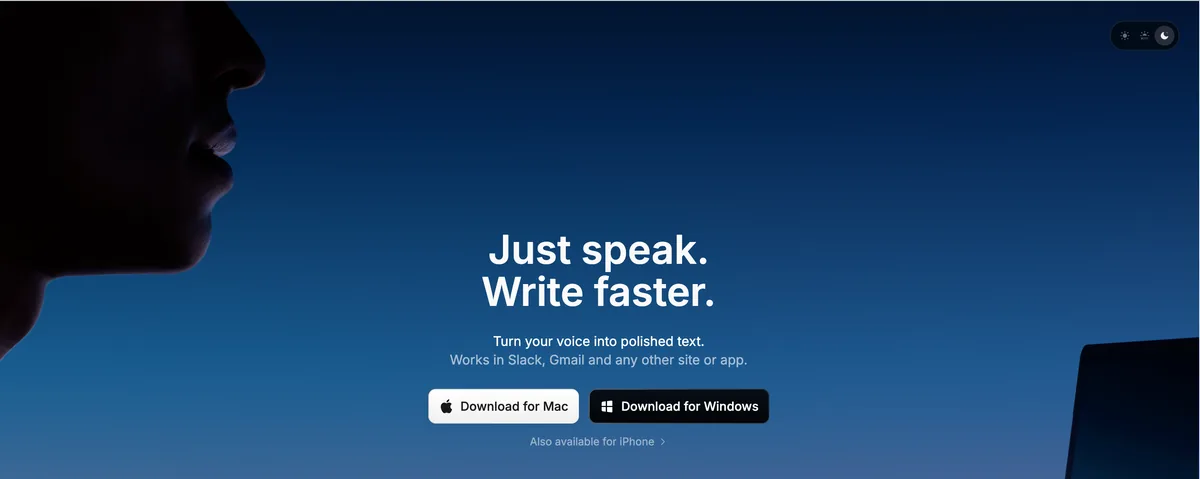
Superwhisper is a well-established on-device Whisper dictation app for Mac, with multiple model sizes and deep per-app customization through Modes. Its third-party rating is 4.9/5 from 20 Product Hunt reviews.
For dysgraphic writers: it delivers the same core benefit as Voibe — produce text by voice, on-device, into your apps — with more configurability and a steeper setup. It supports a toggle activation mode rather than only push-to-talk, which keeps the physical load low. The cost is the setup investment, and that menu navigation is itself effort worth weighing. Like Voibe, it has no built-in read-back, so pair it with macOS Speak Selection. For its privacy posture, see our Superwhisper safety investigation.
Key Takeaway
Superwhisper suits a dysgraphic Mac user who wants the most configurable on-device dictation and will invest setup time; its toggle activation keeps the physical load low. Voibe reaches the same draft-by-voice result with far less setup.
3. VoiceInk — Best Open-Source On-Device Option
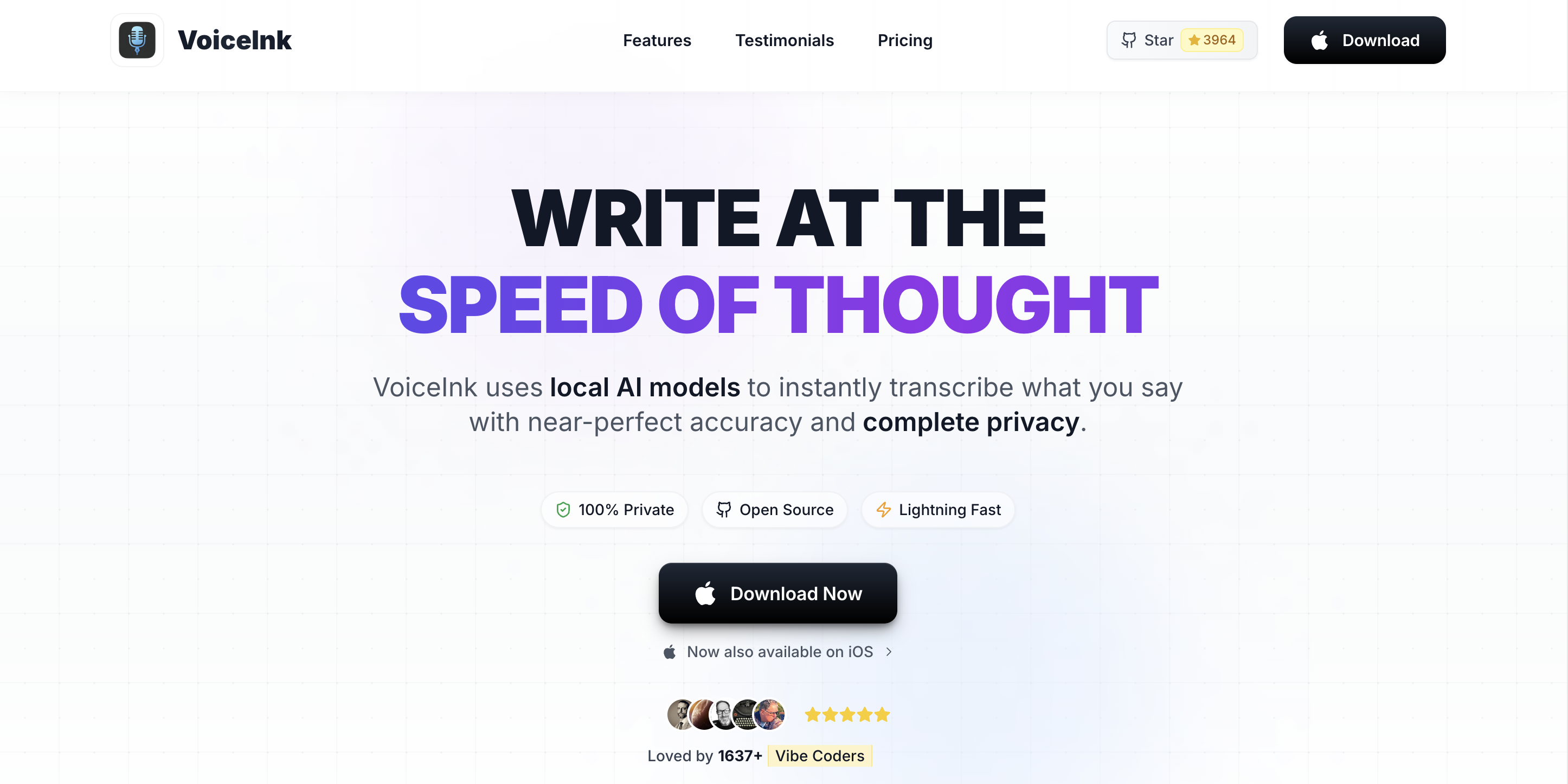
VoiceInk is an open-source (GPL v3) Mac dictation app that runs Whisper models locally, with a personal dictionary and a system-wide hotkey. Because the source is public, it is the choice for users who want to audit how their dictation tool handles audio.
For dysgraphic writers: it produces correctly-spelled text by voice, on-device, into any app, and its personal dictionary covers the custom-terms need. The trade-off is the open-source experience — setup and support lean more do-it-yourself — and there is no built-in read-back (pair with macOS Speak Selection). For a technical user or privacy-maximalist, it is an excellent free-to-cheap option. See the VoiceInk review and pricing breakdown.
Key Takeaway
VoiceInk suits a technical or privacy-focused dysgraphic user who wants source-auditable, on-device dictation that types into any app so you stop hand-forming text. It trades polish and built-in support for openness and a low one-time price.
4. Read&Write — Best All-in-One Literacy Suite for Dysgraphia
Read&Write (from Texthelp, now under the Everway brand) is the most complete single tool for dysgraphia because it bundles speech-to-text (Talk&Type), text-to-speech with word highlighting, and word prediction, working across Microsoft apps, Google Docs, and the web on Windows, Mac, and Chrome.
Why it fits dysgraphia specifically: the word-prediction feature is genuinely useful for dysgraphia — it reduces the number of letters you have to produce when you do type, complementing dictation rather than replacing it. And because read-back is built in, you can hear your draft to proofread without a second tool. It is the default in many schools precisely because one deployment covers writing support, reading support, and prediction together.
The trade-offs are platform and architecture. Read&Write is cloud-based, so audio and text are processed off your device. It is app- and browser-integrated rather than a true system-wide Mac dictation tool, and it is subscription-priced: free for individual K-12 teachers, with per-seat pricing for schools, workplaces, and individuals quote-based and not posted publicly.
Key Takeaway
For dysgraphia, Read&Write earns its place by pairing voice input with word prediction — which cuts the letters you still have to form on the rare occasions you do type — plus built-in read-back, in one tool. The trade-offs are cloud processing and subscription pricing.
5. Apple Dictation — The Free Built-In Baseline
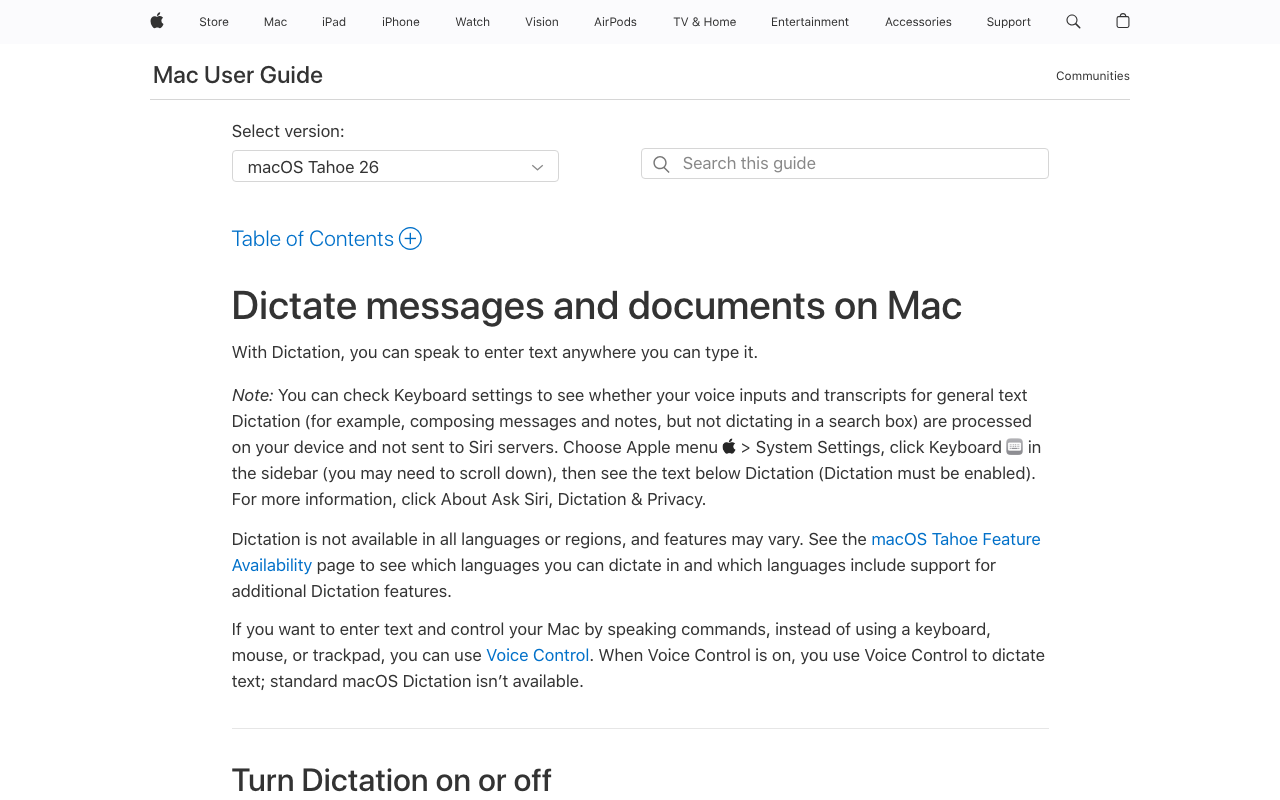
Apple Dictation is included with every Mac, iPhone, and iPad and is genuinely free. On Apple Silicon Macs, most processing happens on-device. For a dysgraphic writer testing whether dictation helps at zero cost, it is the right start, and it pairs naturally with macOS Speak Selection for read-back — both halves of the workflow, free and built in.
For dysgraphic writers: the activation is toggle-based (no held key), which keeps the physical load low. The limits show up with sustained use: a short session cap (commonly reported around 30 seconds), no custom vocabulary, and no per-app behavior. For short messages it works well; for drafting longer pieces or dictating specialized terms, you will outgrow it. See our Apple Dictation review, privacy breakdown, and true cost analysis.
Key Takeaway
Apple Dictation plus Speak Selection is the zero-cost way to test whether producing text by voice eases the physical writing load. Move to Voibe or Read&Write when the short session cap or the lack of custom vocabulary starts limiting you.
6. Microsoft Dictate + Immersive Reader — Best for Microsoft 365 Users
Microsoft Dictate is built into Word, Outlook, PowerPoint, and OneNote, and Immersive Reader / Read Aloud provides text-to-speech with word highlighting and line focus in the same apps. For anyone already on Microsoft 365, that is dictation plus read-back without buying anything new.
For dysgraphic writers: the integrated dictation-plus-read-back combination is the strongest reason to choose it, and Immersive Reader is one of the best mainstream reading-support features available. The trade-offs are that it is cloud-based and scoped to Microsoft apps, and it requires a Microsoft 365 subscription. If your writing lives in Word and Outlook, it is an excellent built-in fit; if you need system-wide dictation on a Mac with audio kept local, an on-device tool is the better match.
Key Takeaway
For dysgraphia, Microsoft Dictate plus Immersive Reader lets you draft by voice instead of typing inside Microsoft 365, with read-back built in for proofreading. The trade-offs are cloud processing and the Microsoft-app scope.
7. Wispr Flow — Best Cross-Platform Option (Mac, Windows, iOS, Android)

Wispr Flow is a cloud-based AI dictation app that runs on Mac, Windows, iOS, and Android — the strongest pick if you write across several devices. Its third-party rating is 4.5/5 from 7 G2 reviews.
For dysgraphic writers: it removes the writing barrier system-wide and follows you across devices, which is its real differentiator — useful for a student who drafts on a phone and a laptop. The trade-off is architectural: Wispr Flow processes audio in the cloud, so dictation about sensitive context leaves your device, and it has no built-in read-back. Pricing is subscription-only, so the gap with Voibe widens over time: $432 over three years versus Voibe's $199 lifetime is a $233 (54%) difference on the Mac half. See our Wispr Flow safety investigation and pricing breakdown.
Key Takeaway
Wispr Flow earns its place when a dysgraphic writer drafts by voice across a Mac, a PC, and a phone — that cross-platform reach is the case for its cloud processing and subscription. For Mac-only users handling sensitive context, on-device tools fit better.
8. Google Docs Voice Typing — Free, Inside Google Docs
Google Docs Voice Typing is a free feature for anyone with a Google account, working inside Google Docs and Slides speaker notes. It is a common first tool in schools because it costs nothing and needs no installation.
For dysgraphic writers: it removes the writing barrier within Google Docs and is useful for students who already write there. The constraints are scope and architecture: it works only inside Google Docs and Chrome — not system-wide — requires an internet connection, processes audio in Google's cloud, and has no custom vocabulary and no built-in read-back. For a Docs-centric workflow it is a fine free option; for writing everywhere and keeping audio private, a system-wide on-device tool fits better.
Key Takeaway
Google Docs Voice Typing is a fine free start if your writing lives in Google Docs — but because it is not system-wide, you still type by hand everywhere else, which is the exact physical load dysgraphia makes costly. No custom vocabulary, no built-in read-back.
Why On-Device Processing Matters for Dysgraphia Dictation
Dysgraphia dictation frequently involves context you would not want on a vendor's server. A student dictates assignments tied to a documented diagnosis and an accommodation plan. A professional dictates confidential work they find faster by voice. A parent dictates on behalf of a child, so a minor's words pass through whatever tool is used.
Cloud-based dictation transmits your audio to a third-party server for transcription, where it may be retained and handled by subprocessors. On-device dictation does not have that exposure surface because the audio is never uploaded. Voibe in on-device mode (Apple Silicon), Apple Dictation on Apple Silicon, Superwhisper in local mode, and the open-source VoiceInk all process audio on your Mac. Google Docs Voice Typing, Microsoft Dictate, and Wispr Flow are cloud-based.
For minors and for any confidential workflow, on-device processing is the more defensible default — a structural property of the tool, not a setting to remember. For the deeper treatment, see cloud vs local dictation, why offline dictation matters, and the AI Privacy Tracker.
How to Choose: A Decision Tree for Dysgraphia Dictation
Four questions, in order:
- Is the physical effort of writing (hand fatigue or pain) part of the picture? Yes → prioritize low-friction activation: Voibe Hands-Free Mode, or see the hand-pain guides below. No → continue.
- Do you want dictation and read-back bundled in one tool? Yes → Read&Write (cross-platform) or Microsoft Dictate plus Immersive Reader (Microsoft 365). Fine pairing two → continue.
- Does your dictation touch a diagnosis, a minor's information, or confidential work? Yes → on-device only (Voibe on-device mode, Apple Dictation on Apple Silicon, Superwhisper local, VoiceInk). No → cloud tools are also fine.
- How much do you write, and do you need custom vocabulary? Occasional / testing → Apple Dictation (free) plus Speak Selection. Daily, with names and terms to teach → Voibe ($199 lifetime); maximum configurability → Superwhisper; source-auditable and cheap → VoiceInk; across many devices → Wispr Flow.
Best Tool for Your Situation: A Use-Case Cheat Sheet
| Your situation | Best fit | Why |
|---|---|---|
| Adult professional on a Mac, writing all day | Voibe ($199 lifetime) | Removes the motor and spelling load into any app; Custom Vocabulary; audio stays local. |
| Dysgraphia plus hand pain or fatigue | Voibe (Hands-Free Mode) | Tap activation, no held key; remappable to a foot switch. See the hand-pain guides. |
| Just want to test if dictation helps, at zero cost | Apple Dictation + Speak Selection | Both halves of the workflow, free and built into every Mac. |
| Want dictation, read-back, and word prediction together | Read&Write | The most complete literacy suite; cross-platform; cloud and subscription. |
| Student in a Microsoft 365 school | Microsoft Dictate + Immersive Reader | Dictation plus best-in-class read-back, already included. |
| Student who writes everything in Google Docs | Google Docs Voice Typing | Free, no install; pair with a text-to-speech extension. |
| Dysgraphia plus ADHD, ideas outrun the page | Voibe or Apple Dictation | Capture the thought by voice the moment you have it, before it is lost. |
| Dictating about a diagnosis or a child's schoolwork | Voibe or Apple Dictation (Apple Silicon) | On-device processing keeps sensitive context off vendor servers. |
| Names and technical terms keep getting mis-heard | Voibe paid (Custom Vocabulary) | Add the words once; no need to spell-correct them by hand. |
| Privacy-maximalist who wants source-auditable code | VoiceInk (open-source) | On-device, GPL v3, personal dictionary, one-time or free build. |
| Writes across a Mac, a PC, and a phone | Wispr Flow ($144/year) | Covers Mac, Windows, iOS, and Android; cloud trade-off is real. |
| Requesting dictation as a school or workplace accommodation | Read&Write or Voibe + accommodation brief | Both are defensible; pair with the accommodation guide for the request. |
Related Reading
- Best Dictation Software for Dyslexia — The sibling guide for the reading-and-spelling learning disability that often co-occurs with dysgraphia.
- Voice Typing for Dyslexia: A Practical Guide — Step-by-step setup of the Dictate-Listen-Revise Loop, including macOS read-back; the workflow applies directly to dysgraphia.
- Accessibility Dictation Hub — Overview of dictation for learning differences and physical conditions, including the hand-pain and ADHD clusters.
- Best Dictation Software for Hand Pain — For dysgraphia with a significant motor or pain component; pattern-based tool matching by symptom.
- Best Dictation Software for Tendinitis — Activation-model framing for writers whose hand effort comes with tendon inflammation.
- Best Dictation Software for Writers — For dysgraphic writers focused on long-form drafting speed and flow.
- Dictation as a Reasonable Accommodation — HR request template and a forwardable IT-security brief for requesting dictation at work or school.
- Job Accommodation Network: Learning Disability — Free U.S. resource listing speech recognition software as a workplace accommodation under the ADA.
- Understood.org: Understanding Dysgraphia — Plain-language background on dysgraphia and how it differs from dyslexia.
- Cleveland Clinic: Dysgraphia — Clinical overview of dysgraphia, its components, and prevalence.
Final Verdict
For dysgraphic writers on a Mac, Voibe is the most direct fit because it removes both barriers dysgraphia creates: it lets you produce a whole draft by voice into any app, which addresses the graphomotor load, and the text arrives correctly spelled, which addresses the orthographic load. Hands-Free Mode keeps the physical effort low, Custom Vocabulary handles the names and terms you cannot easily spell to fix, and your audio is never stored or trained on — in on-device mode a diagnosis or a child's schoolwork stays on your Mac, or you can use a private zero-retention cloud. At $199 lifetime it is roughly $233 less than three years of Wispr Flow and $50.99 less than Superwhisper's lifetime.
If you want dictation, read-back, and word prediction bundled, Read&Write is the most complete literacy suite, with Microsoft Dictate plus Immersive Reader the equivalent for Microsoft 365 users. If you write in Google Docs, Google Docs Voice Typing is a fine free start. If you write across devices, Wispr Flow is the cross-platform option. And to find out whether dictation helps at all, Apple Dictation plus Speak Selection costs nothing.
Dysgraphia is an output disorder, and dictation changes the output channel. Pick the tool that removes the most writing effort for your situation, make sure you can hear your draft read back, and remember that dictation is a support that works best alongside good writing instruction — not a replacement for it.
Tip
If writing is the slowest, most draining part of your day, the fastest test is free: turn on Apple Dictation and macOS Speak Selection, dictate a paragraph, and listen to it read back. If producing text by voice feels easier than typing it, Voibe adds Hands-Free Mode, Custom Vocabulary, and system-wide use without uploading your audio — three minutes to install, no account, no card.
Frequently Asked Questions
What is the best dictation software for dysgraphia?
How is dysgraphia different from dyslexia, and does it change which tool I need?
Why does dictation help dysgraphia so directly?
Does dysgraphia often occur with ADHD or dyslexia?
How do I edit and proofread dictated text if writing is hard?
Is dictation an accommodation for dysgraphia at school or work?
Does dysgraphia overlap with hand pain, and does that affect the tool I pick?
Will dictation recognize names and technical terms I can't easily spell to fix?
How much does dictation software for dysgraphia cost?
Best AI Dictation and Meeting Notes for Confidential Work
Draft letters, notes and emails 5x faster. Get meeting notes without a bot joining your call. Nothing used to train AI.
- Mac + Windows
- No bot in your calls
- Nothing used to train AI
- 7-day free trial
Want to compare plans first? View pricing →
Related Articles
Best Dictation Software After Hand Surgery (2026): 6 Apps for One-Handed Recovery
Compared 6 dictation apps for one-handed post-op use. Voibe's Hands-Free Mode + configurable hotkey let you keep working through carpal tunnel release, trigger finger, or Dupuytren's recovery without re-aggravating the surgical site.
Best Dictation Software for Tendinitis (2026): 6 Apps Compared
Compared 6 dictation apps for wrist tendinitis (de Quervain's, ECU, flexor tendinopathy). Voibe's Hands-Free Mode removes the held-key load other apps require. Honest paragraphs on Superwhisper, Wispr Flow, Apple Dictation, Dragon, MacWhisper.
Best Dictation Software for Arthritis (2026): 6 Apps Compared
Compared 6 dictation apps for arthritic hands. Voibe's Hands-Free Mode removes the held-key load other dictation apps require. Honest paragraphs on Superwhisper, Wispr Flow, Apple Dictation, Dragon, MacWhisper.