
Novelists Learned to Dictate on Dragon. Here's the Best Dictation Software for Authors Now.
Dragon taught a generation of novelists to draft by voice, then left the Mac. I lined up the best dictation software for authors now — and who each one really fits.

For twenty years, if you wanted to talk your book onto the page, the answer was Dragon. Novelists built entire careers on it — dictating scenes on walks, drafting 100,000-word manuscripts by voice, training it to spell their characters' names. Then, in 2018, Nuance quietly discontinued Dragon for Mac and never replaced it. In 2023 it killed Dragon Home, the affordable version most authors actually used. A generation of Mac-writing novelists was left holding a tool that no longer runs on their machine.
The short version: the best dictation software for authors and novelists today is Voibe for Mac writers who want private, offline drafting at $9.90/month, $99/year, or $199 lifetime — its on-device mode runs locally on Apple Silicon, it holds up over long scenes, and lets you load character names into custom vocabulary so "Kaelen" stops becoming "Kaylin." SuperWhisper is the power-user alternative with per-project modes. Dragon Professional still has the deepest vocabulary training — if you're on Windows and willing to pay $699.
Disclosure: Voibe is our product. I compare every tool factually here and say plainly where a competitor is the better fit for a particular kind of author.
| Tool | Best For | Key Strength | Price |
|---|---|---|---|
| Voibe | Mac novelists drafting private, offline | On-device, hands-free long sessions, custom vocab for names | $9.90/mo, $99/yr, or $199 lifetime |
| Dragon Professional | Windows authors who want vocabulary depth | 30+ years of accuracy and custom-word training | $699 one-time (Windows) |
| SuperWhisper | Power users with multiple projects | Per-project custom modes, 100+ languages | $8.49/mo or $249.99 lifetime |
| Wispr Flow | Notes and correspondence, not prose | AI clean-up of dictated text | $12/mo ($144/yr) |
| MacWhisper | Walk-and-talk voice memos | Transcribes recorded audio files into draft text | ~$69 one-time |
| Apple Dictation | Testing whether dictation fits you | Free, built into macOS | Free |
This guide is written for novelists and book authors specifically. If you write shorter-form — blogs, newsletters, marketing copy — our best dictation software for writers guide fits that workflow better.
Why Dictating a Book Is a Different Problem Than Dictating Anything Else
Most dictation advice is written for people firing off emails and Slack messages. A book is a different animal, and four specific problems bite authors that never bother anyone dictating a two-line reply:
- The session cutoff. Apple Dictation and several built-in tools stop listening after roughly 30 seconds of silence — or a hard cap on many older setups. That's fine for a text message. It's maddening when you're mid-scene, thinking about what your character does next, and the mic quietly gives up on you. Book drafting means long, uneven bursts of speech with real pauses for thought.
- Invented names. Your protagonist is named Kaelen. Your city is Vhorren. Your magic system runs on "aether-binding." A general speech model has never encountered any of these, so it substitutes the nearest real word, every single time. Over an 80,000-word manuscript, that's thousands of find-and-replace corrections unless the tool lets you teach it the names up front.
- The privacy of an unfinished manuscript. An unpublished novel is one of the more sensitive documents a person owns — under contract, embargoed, or simply not ready to be seen. Cloud dictation tools send your audio (and sometimes screenshots of your pages) to remote servers. That's a real consideration authors rarely think about until they do.
- Voice-flattening "help." AI clean-up tools promise polished output. For fiction that's a trap: your sentence rhythm, deliberate fragments, and distinctive phrasing are the product. An LLM "tidy" pass smooths all of it into competent, generic prose — the opposite of what a novelist wants.
Get these four right and dictation becomes the fastest drafting method most authors will ever use. Get them wrong and you'll quit in a week. Each one has a fix.
Key Takeaway
Book dictation fails on four specific problems that never bother short-form dictation: session cutoffs, mangled invented names, cloud privacy exposure for unpublished manuscripts, and AI that flattens your prose voice. The right tool solves all four with continuous sessions, custom vocabulary, on-device processing, and raw transcription you edit yourself.
The Blurt Draft: A Method for Dictating Fiction That Actually Works
The biggest mistake new voice-drafters make is treating dictation like typing with their mouth — speaking a sentence, stopping to fix the transcription, speaking the next one. That kills the one thing dictation is good for: momentum. Here's the method that works, which I'll call the Blurt Draft:
- Blurt. Speak the scene start to finish at talking speed. Do not stop to correct a misheard word, fix punctuation, or reread. If the software writes "their" for "there," leave it. Your only job in this pass is to get the scene out of your head while the momentum lasts.
- Mark, don't fix. When you hit something you'd normally stop for — a name you can't remember, a fact to check, a sentence you know is clumsy — say a keyword out loud instead, like "T-K" (the old newsroom marker for "to come"). Keep going. Later you'll jump to every T-K with Find and handle them in one sweep.
- Fix on the keys. Do all correction and line-editing in a separate pass, on the keyboard, ideally on a different day. This is where dictation's real productivity comes from — it forces the clean separation between drafting and editing that writing coaches have advocated for decades.
Pair the Blurt Draft with one setup step that pays for itself immediately: turn your story bible into custom vocabulary. Before you draft, open your dictation app's custom-word list and enter every character name, place name, and invented term. This is the difference between a clean draft and a manuscript riddled with "Kaylin" where "Kaelen" should be. Only some tools support it — Voibe, Dragon Professional, and SuperWhisper do; Apple Dictation does not — and it's the first thing I'd check before committing to a tool for a book.
Key Takeaway
The Blurt Draft method: speak each scene end to end without stopping (Blurt), say a keyword like "TK" instead of fixing anything mid-flow (Mark), and do all correction in a separate keyboard pass (Fix). Load your character and place names into custom vocabulary first so invented names transcribe correctly from the start.
What Actually Matters When You're Drafting a Book by Voice
Ignore the generic dictation checklists. For an author drafting a manuscript, these are the criteria that decide whether a tool survives past week one:
1. Long-Session Endurance (No Cutoff)
You need a tool that keeps listening through the natural pauses of composition — the ten-second silence while you figure out what a character says next. Look for continuous or hands-free modes with no hard session cap. This is where Apple Dictation's roughly 30-second cutoff disqualifies it for serious scene work, and where Voibe, SuperWhisper, and Dragon shine.
2. Custom Vocabulary for Invented Names
Non-negotiable for fiction. If you can't teach the tool your character and place names, you're signing up for thousands of corrections. Voibe, Dragon Professional, and SuperWhisper support custom vocabulary; most free tools do not.
3. On-Device Privacy
An unpublished manuscript deserves to stay on your machine. On-device tools process speech locally; cloud tools ship your audio — and in Wispr Flow's case, screenshots — to servers. If your book is under contract or simply private, this is the deciding factor.
4. Works Inside Your Writing App
Novelists write in Scrivener, Ulysses, iA Writer, Word, or Google Docs. System-wide tools (Voibe, SuperWhisper, VoiceInk, Apple Dictation) type wherever your cursor is, so they work in all of them. MacWhisper is the exception by design — it transcribes recorded audio files rather than typing live.
5. Raw Transcription vs. AI Rewriting
For fiction you almost always want raw transcription you edit yourself, because your voice is the product. AI clean-up (Wispr Flow) is better kept for your emails and notes than your manuscript prose.
6. The Walk-and-Talk Option
Many authors do their best thinking on a walk. If that's you, a record-now-transcribe-later workflow matters: dictate into a voice recorder while walking, then run the file through a transcription tool like MacWhisper when you're back at your desk.
7. Cost Over the Life of a Book (or Ten)
A novel takes months; a career takes decades. A one-time or lifetime license removes the "am I still paying for this between books?" question. We pre-calculate the savings for each tool below.
Key Takeaway
For book drafting, prioritize long-session endurance with no cutoff, custom vocabulary for invented names, on-device privacy, and compatibility with your writing app. Prefer raw transcription over AI rewriting so your prose voice stays yours, and favor lifetime pricing since a writing career outlasts any subscription.
Quick Comparison: Dictation Software for Authors
| Tool | Price | Processing | Long Sessions | Custom Vocab | AI Rewrite | Best For |
|---|---|---|---|---|---|---|
| Voibe | $9.90/mo, $99/yr, $199 lifetime | On-device or private cloud | Yes (hands-free) | Yes | Optional (private) | Private Mac novel drafting |
| Dragon Professional | $699 one-time | On-device (Windows) | Yes | Yes (deepest) | No | Windows authors, vocab depth |
| SuperWhisper | $8.49/mo or $249.99 lifetime | On-device | Yes | Yes | Optional | Multi-project power users |
| Wispr Flow | $12/mo ($144/yr) | Cloud | Yes | Weak | Yes | Notes and email, not prose |
| MacWhisper | ~$69 one-time | On-device | File-based | Limited | Optional (BYOK) | Walk-and-talk voice memos |
| VoiceInk | $29-$69 one-time | On-device | Yes | Limited | No | Budget on-device drafting |
| Apple Dictation | Free | On-device (Apple Silicon) | No (cutoff) | No | No | Testing the waters free |
Key Takeaway
On the four features that matter for book drafting — long sessions, custom vocabulary, on-device processing, and system-wide typing — Voibe and SuperWhisper cover all four. Dragon matches them but is Windows-only for authors, and Apple Dictation is missing the two most important ones for novelists.
1. Voibe — Best for Drafting a Novel Privately on a Mac

Voibe is the tool I'd hand a novelist writing on a Mac. It solves all four of the book-specific problems above in one app. It has two modes you choose between: an on-device mode that runs OpenAI's Whisper models locally on Apple Silicon so nothing leaves your Mac, and a private cloud mode that runs open-weight models over an encrypted connection and deletes your audio the instant transcription finishes. It also does optional AI clean-up — Smart Formatting tidies filler and rambling — but runs that through the same zero-retention private cloud, so you get the polish without your words ever being stored, sold, or used to train AI. That's the important part: private by design isn't only about staying offline here, it's the default even when the cloud does the work. Either way no account is required, and Voibe types system-wide into Scrivener, Ulysses, iA Writer, Word, or wherever your cursor is. (Disclosure: Voibe is our product.)
Why It Fits Authors
- Custom vocabulary for your world. Load character names, place names, and invented terms so "Kaelen" and "Vhorren" transcribe correctly from the first draft — the single biggest fiction-dictation fix.
- Hands-Free Mode + Continuous Transcription. Start a session with no key to hold and keep drafting through the natural pauses of composition, with your words shown live in a floating window so you can catch a stray error without breaking flow. No roughly 30-second cutoff to fight.
- On-device privacy for unpublished work. In on-device mode your voice and manuscript never touch a server — the right default for a book under contract or simply not ready to share.
- Structure by voice. Say "new paragraph" to break your dialogue and prose as you speak, so the Blurt Draft comes out already shaped.
- Private AI clean-up when you want it. Smart Formatting can strip filler and tidy rambling, and it runs through Voibe's zero-retention private cloud — AI polish with no general cloud seeing your text. Leave it off for manuscript prose (your voice should stay yours); turn it on for notes, emails, and queries.
- No account, 7-day free trial. Test with a real scene before you pay.
- Private by design — manuscript never stored, sold, or used to train AI
- Works fully offline in on-device mode (write on a plane, in a cabin)
- Custom vocabulary for character and place names
- Hands-free continuous sessions with no cutoff
- Optional Smart Formatting clean-up runs through a private, zero-retention cloud
- $199 lifetime ends the between-books subscription question
- On-device mode needs an Apple Silicon Mac; Windows and Intel Macs use the zero-retention cloud
- Smart Formatting clean-up runs in private-cloud mode, so that one feature needs a connection
- No iPhone or Android app
The value combo: Wispr Flow and Granola in one plan. Voibe Dictation is $99 a year. For $50 more, Voibe Work ($19/month, $149/year, or $399 lifetime) adds AI meeting notes with no bot in the call. That one plan covers what Wispr Flow Pro ($144/year) and Granola Business ($168/year) charge $312 a year for separately, so it costs $163 (52.2%) less every year. Meeting notes are captured on your Mac or Windows PC, processed in Voibe's zero-retention cloud and saved on your computer, and Voibe reminds you to tell everyone you're taking notes.
Best For
Mac novelists and nonfiction authors who want fast, private drafting that holds up over long scenes and never sends an unpublished manuscript to the cloud. The best all-around pick if you're writing a book on Apple Silicon.
Key Takeaway
Voibe is the strongest all-around choice for authors drafting on a Mac: on-device or private-cloud processing so an unpublished manuscript never leaves your machine, custom vocabulary for character and place names, hands-free continuous sessions with no cutoff, and $199 lifetime that saves $500 (71.5%) versus Dragon and $233 (53.9%) versus three years of Wispr Flow.
2. Dragon Professional — The Old Benchmark, Now Windows-Only for Authors

For decades, Dragon was the answer for authors who dictate. Its custom vocabulary training is still the deepest in the category — you can teach it not just words but how you say them. The problem is access: Nuance discontinued Dragon for Mac in 2018 and discontinued Dragon Home, the ~$150 consumer edition many novelists relied on, entirely in 2023. What's left is Dragon Professional at $699 (Windows desktop) and the hosted Windows subscription Dragon Professional Anywhere, which partners say stops selling on December 31, 2026 (our Dragon Professional Anywhere end-of-life guide has the dates). Development has largely stalled since Microsoft's 2022 acquisition of Nuance. If you're a Windows author who wants maximum vocabulary control and you're fine with a $699 outlay, it's still excellent. If you write on a Mac — as most authors now do — Dragon is no longer a native option, and that's the whole reason the rest of this list exists.
- Deepest custom vocabulary and voice training in the category
- 30+ years of accuracy refinement
- Powerful voice commands for formatting and navigation
- On-device processing on the Windows desktop version
- $699 one-time — the highest price on this list
- Windows only; no native Mac version since 2018
- Dragon Home (the affordable author favorite) discontinued in 2023
- Little active development since the 2022 acquisition
Best For
Windows-based authors who want the deepest vocabulary training and will pay $699 for it. Mac authors should treat Dragon as history and use it as the reason to pick an on-device Mac tool. If you're migrating off Dragon, our best offline dictation apps guide covers the transition.
Key Takeaway
Dragon Professional still has the deepest custom vocabulary training, but it's Windows-only at $699 since Nuance discontinued Dragon for Mac in 2018 and Dragon Home in 2023. Mac authors need a native replacement, which is exactly the gap on-device tools like Voibe and SuperWhisper fill.
3. SuperWhisper — Best for Authors Juggling Multiple Projects
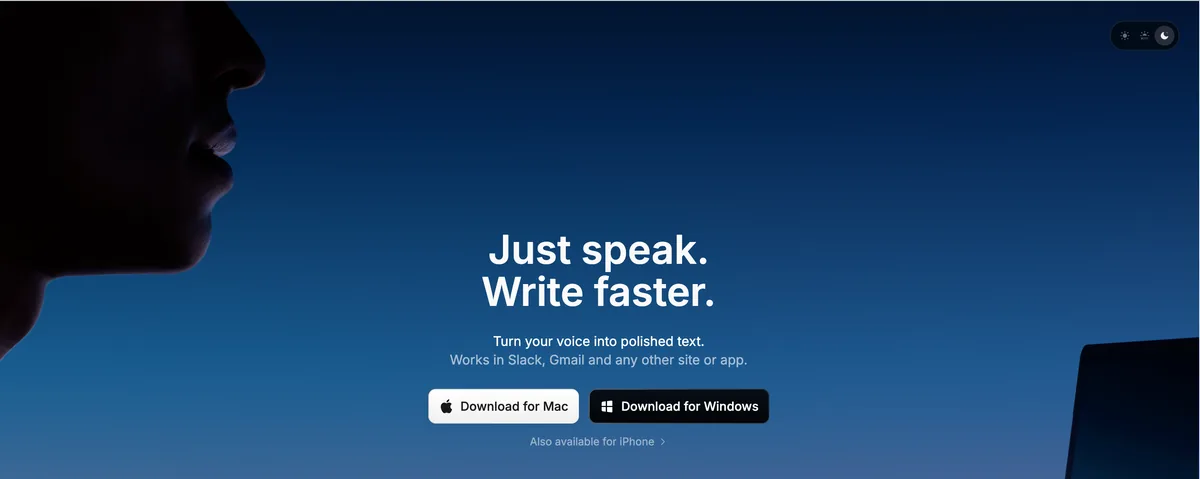
SuperWhisper runs on-device Whisper models like Voibe and adds a strong feature for prolific authors: custom modes. You can set up one configuration for your fantasy series (with its vocabulary and formatting), another for your nonfiction, another for correspondence, and switch between them. It also supports 100+ languages, which matters if you write in more than one. For a detailed head-to-head, see our SuperWhisper review. The catch for authors is that its optional LLM post-processing has been reported to auto-translate non-English dictation to English — worth testing carefully if you write in another language — and its $249.99 lifetime is $50.99 more than Voibe's $199.
- Per-project custom modes — great for authors with several books in flight
- On-device processing, works offline
- Custom vocabulary support
- 100+ languages
- $249.99 lifetime — $50.99 more than Voibe
- Optional LLM step reported to auto-translate non-English dictation
- Deeper configuration than some authors want
- Mac-focused (Windows/iOS exist but Mac is the mature build)
Best For
Prolific authors running several projects at once who want a distinct dictation configuration for each, and who don't mind more setup for more control.
Key Takeaway
SuperWhisper is the on-device power-user pick for authors with multiple projects, thanks to per-project custom modes and 100+ languages, rated 4.9/5 from 20+ Product Hunt reviews. Its $249.99 lifetime is $50.99 more than Voibe's $199, and its optional LLM step can auto-translate non-English dictation, so test it if you write in another language.
4. Wispr Flow — Great for Notes, Risky for Your Prose Voice
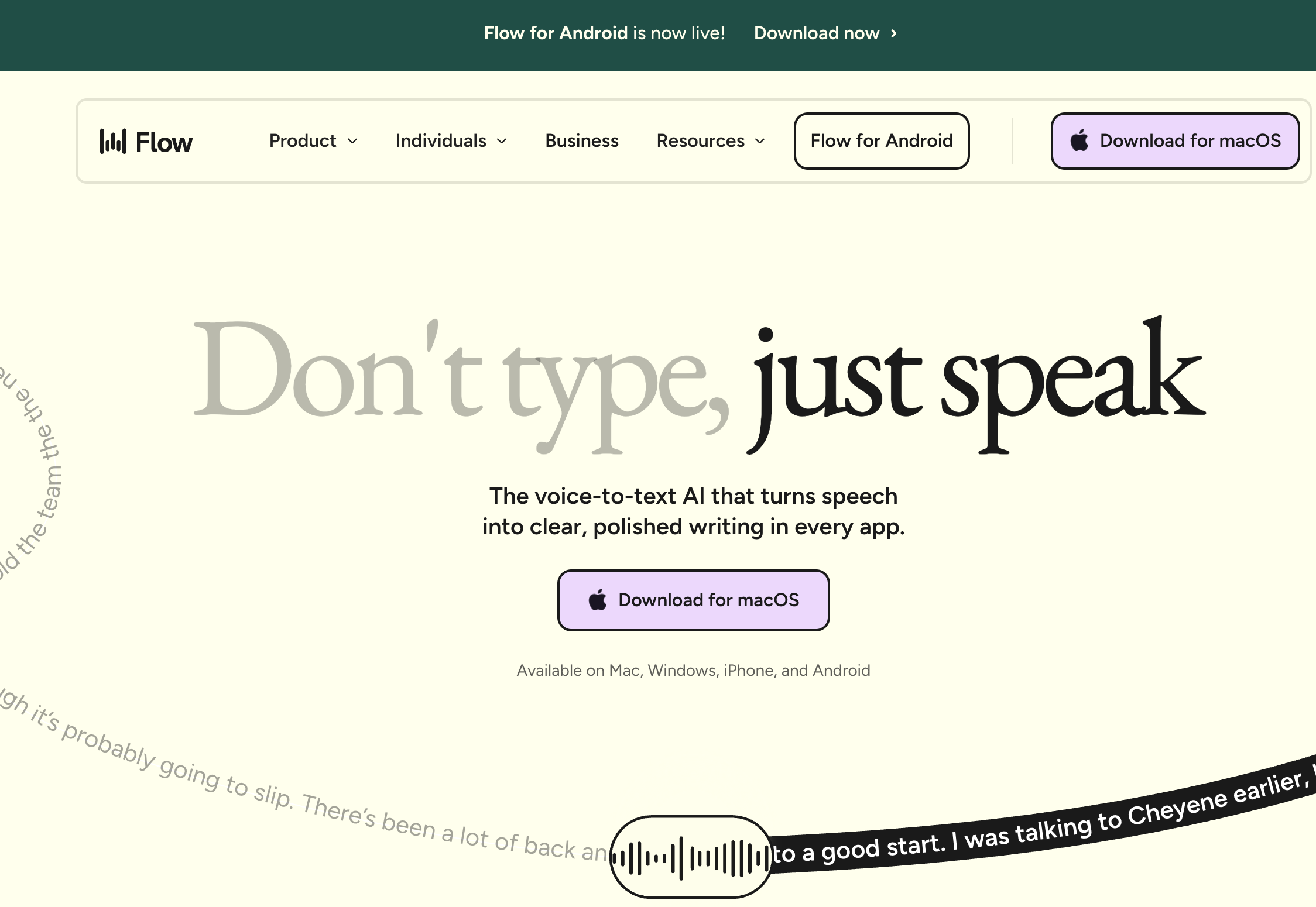
Wispr Flow is a cloud dictation app whose headline feature is AI clean-up: it takes your rough, filler-laden speech and returns polished, grammatical text. For an author, that's a double-edged sword. It's genuinely useful for the surrounding work of a writing career — query letters, emails to your agent, social posts, blog drafts — where a neutral polished tone is the goal. It's the wrong tool for manuscript prose, because the rewrite tends to iron out the voice, rhythm, and deliberate roughness that make your fiction yours. An independent three-month review also found accuracy drops hard on proper nouns and invented terms (exactly your character names), and its cloud-first design means audio leaves your machine — plus it captures screenshots for context awareness, so your on-screen pages may travel too. See our full Wispr Flow review for the details.
It's free up to 2,000 words a week and $12/month ($144/year) for Pro, with no lifetime tier — so over three years you're at $432 versus $199 once for Voibe, a $233 (53.9%) gap. It rates 4.5/5 across 7 G2 reviews but only 2.7/5 on Trustpilot, where the reliability complaints tend to pile up after the trial ends. For an author, the call is simple: keep it for the inbox and the query letters, and keep it away from the manuscript.
Key Takeaway
Wispr Flow's AI clean-up is great for an author's email, queries, and marketing, but the wrong tool for manuscript prose: the rewrite flattens your voice, it's cloud-only (audio and screenshots leave your device), and its weak dictionary mangles invented names. It's $144/year with no lifetime, rated 4.5/5 from 7 G2 reviews.
5. MacWhisper — Best for the Walk-and-Talk Draft
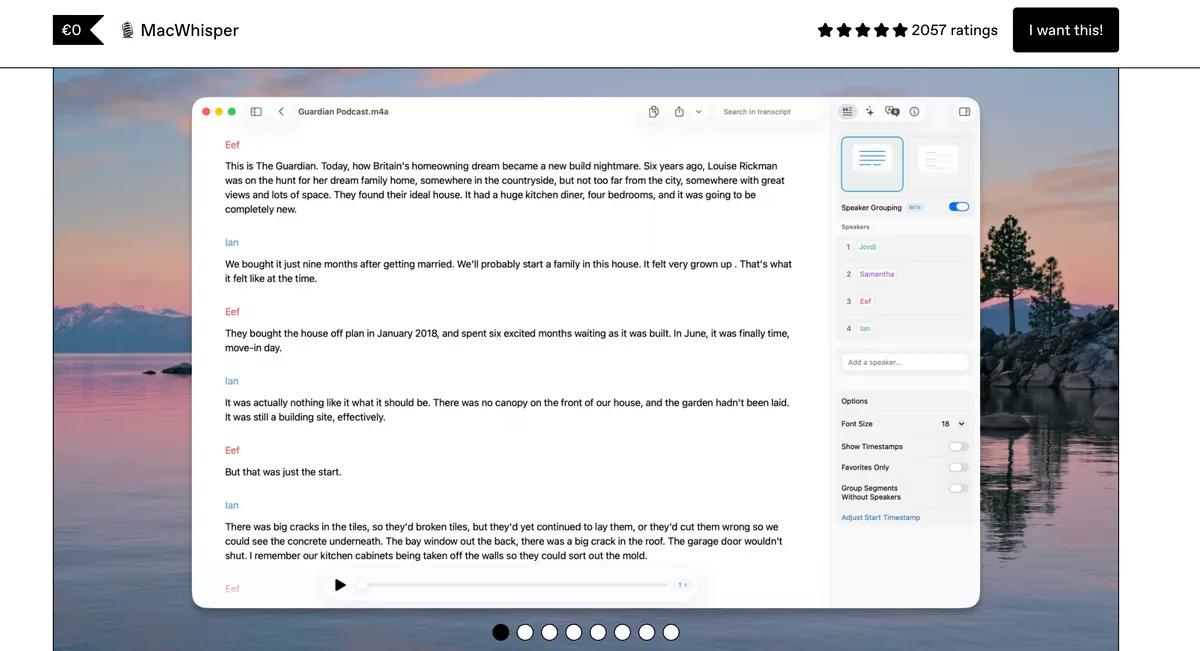
Plenty of authors do their best plotting on a walk, away from the screen. MacWhisper is built for exactly that workflow — but note it's a different kind of tool. It doesn't type live into your writing app; it transcribes recorded audio files. So the pattern is: dictate a scene into your phone's voice recorder while you walk, then drop the file into MacWhisper when you're back at your desk and it produces a transcript to edit. It's a polished Mac GUI built on Whisper, processes on-device, and it's a roughly $69 (€59) one-time purchase on Gumroad. For live, in-app dictation you'll still want one of the tools above; MacWhisper is the complement for capture-on-the-move. Compare its plans in our MacWhisper pricing guide.
It's about $69 (€59) once on Gumroad, with App Store subscription tiers as an alternative. The trade-off is baked into the workflow: it's a companion, not a primary drafting tool — no live system-wide typing, you shepherd the audio files yourself, and its custom vocabulary is lighter than Dragon's or Voibe's. Pair it with a live app for at-desk work and it earns its keep as the capture-on-the-move half of your setup; reach for it alone and you'll miss real-time dictation entirely.
Key Takeaway
MacWhisper is the companion tool for authors who draft on a walk: record a scene into your phone, then transcribe the file on-device at your desk for about $69 one-time. It doesn't type live into your writing app, so pair it with a system-wide tool like Voibe for at-desk drafting.
6. VoiceInk — Best Budget On-Device Option
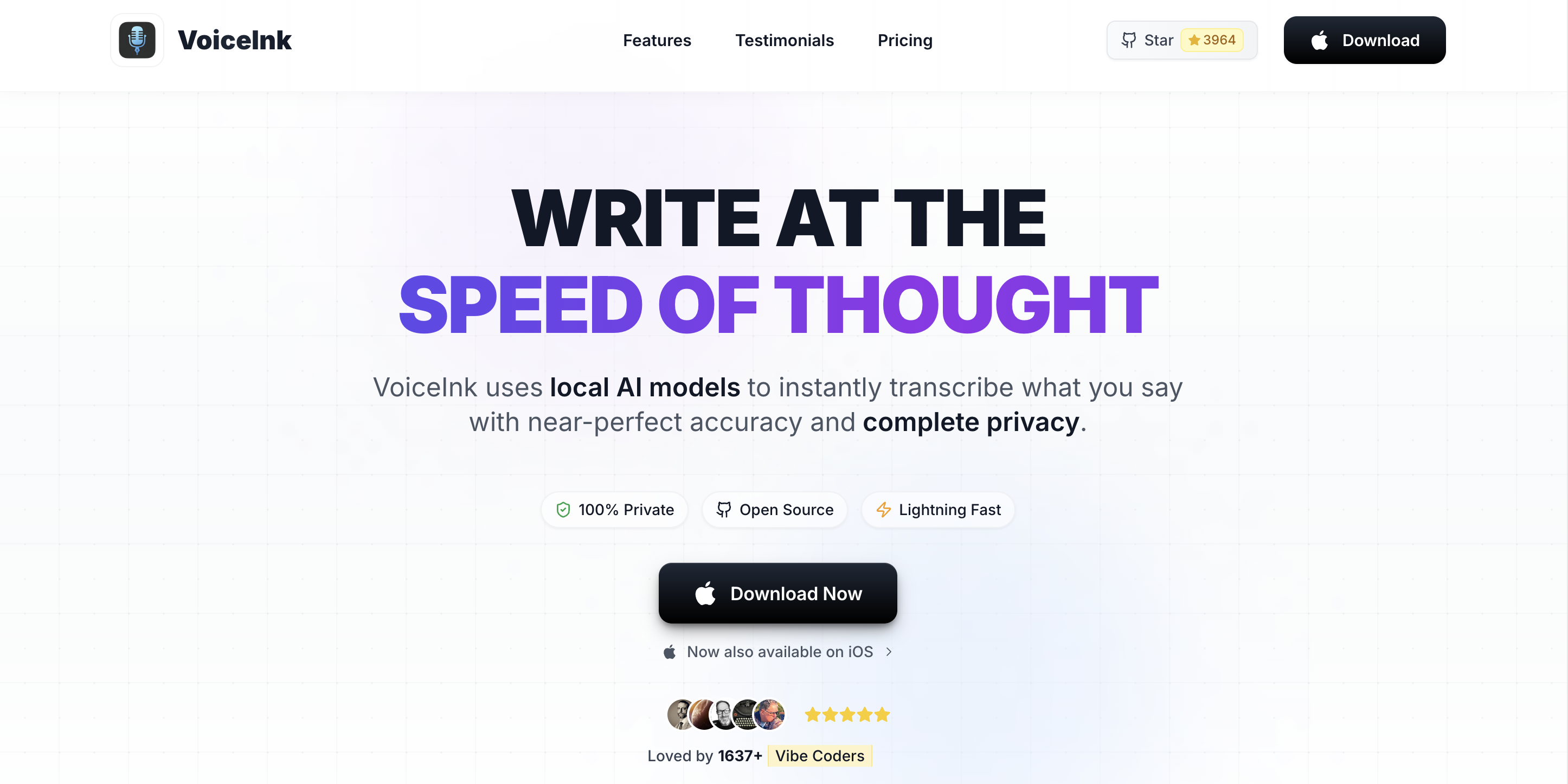
VoiceInk is an open-source, on-device dictation app for Mac at the lowest one-time price on this list ($29-$69, or free if you build it from source). It uses Whisper locally like Voibe and SuperWhisper, so it keeps your manuscript on your machine, and it works system-wide. For an author on a tight budget who wants privacy without a subscription, it's a legitimate pick. The trade-offs are a smaller team, fewer polish features, and lighter custom-vocabulary support than Voibe or Dragon — so invented names may need more manual fixing. Our Voibe vs VoiceInk comparison breaks down the differences.
At $29-$69 one-time (or free if you compile it yourself), it's the cheapest way onto on-device dictation, and it rates 4.2/5 across 27 Product Hunt reviews. The honest trade is support and polish: a smaller team, lighter custom vocabulary (so more manual fixing of character names), and none of the steady release cadence you get paying a little more for Voibe. For a budget author who values open source and doesn't mind a rougher edge, it's a genuine pick.
Key Takeaway
VoiceInk is the cheapest on-device option for authors at $29-$69 one-time (rated 4.2/5 from 27 Product Hunt reviews), keeping your manuscript private without a subscription. Its lighter custom-vocabulary support means more manual fixing of character names than Voibe or Dragon.
7. Apple Dictation — The Free Way to Find Out If Voice Drafting Is for You
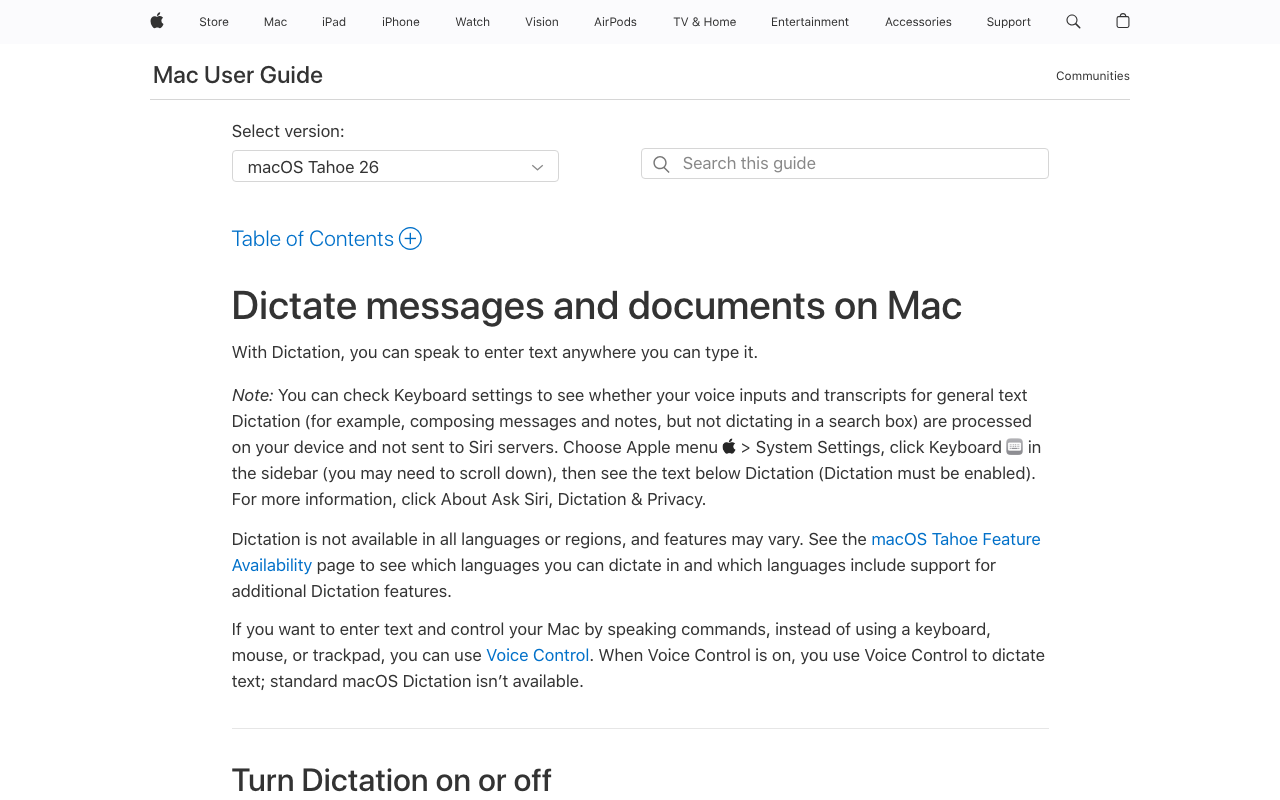
Apple Dictation is already on your Mac, costs nothing, and processes on-device on Apple Silicon. As a way to find out whether you even like drafting by voice, it's the obvious no-risk starting point — turn it on and dictate a scene into any text field. But it's not built for books, and two limits will surface fast for a novelist: the session cutoff (it stops listening after a short pause, breaking the flow of a scene) and the lack of custom vocabulary (every character name gets guessed at). Use it to run the experiment. When it starts fighting you on exactly the two things that matter most for fiction, that's your signal to move to Voibe or SuperWhisper. Our guide to using dictation on Mac covers the setup.
It's free, on-device on Apple Silicon, works in every text field, and handles 60+ languages — genuinely the right first step, and hard to argue with at zero dollars. It's also where most authors stop trusting it: the session cutoff breaks long scenes, there's no custom vocabulary for your names, punctuation drifts over long passages, and pre-2021 Intel Macs fall back to the cloud. Run the experiment here; move on the day it starts fighting your manuscript.
Key Takeaway
Apple Dictation is the free, zero-risk way to test whether voice drafting works for you, and it processes on-device on Apple Silicon. Its session cutoff and lack of custom vocabulary — the two things that matter most for fiction — are exactly why authors outgrow it once a real manuscript starts.
How to Choose the Right Dictation Tool for Your Book
Answer these in order and you'll land on your tool:
Question 1: What platform do you write on?
- Windows → Dragon Professional ($699) still has the deepest vocabulary training; Voibe also runs on Windows (zero-retention cloud mode, $199 lifetime) if you want custom vocabulary at a fraction of the price. Skip Dragon Professional Anywhere, the hosted edition: partners say it stops selling on December 31, 2026.
- Mac (Apple Silicon) → Continue to Question 2.
Question 2: Is your manuscript private or under contract?
- Yes, keep it off the cloud → An on-device tool. Continue to Question 3.
- Not especially, and I also want AI clean-up → Voibe still fits — its Smart Formatting cleans up through a private, zero-retention cloud, so you don't have to trade privacy for polish. Wispr Flow ($12/month) is the general-cloud alternative. Either way, keep clean-up off your manuscript prose.
Question 3: Do you draft at your desk or on the move?
- At my desk, typing live into Scrivener/Ulysses/Docs → Continue to Question 4.
- On a walk, into a recorder → MacWhisper (~$69) to transcribe the files, paired with a live tool for at-desk work.
Question 4: How many projects and languages?
- One book, English → Voibe ($199 lifetime) — the best value and privacy.
- Several projects or multiple languages → SuperWhisper ($249.99 lifetime) for per-project modes and 100+ languages.
Question 5: What's your budget?
- Free to try → Apple Dictation (built in), Voibe Free (limited words), or Voibe's 7-day free trial
- Cheapest on-device → VoiceInk ($29-$69 one-time)
- Best long-term value → Voibe ($199 lifetime) — no subscription between books
Key Takeaway
Windows authors want Dragon for vocabulary depth or Voibe for value; Mac authors drafting on a walk want MacWhisper; at-desk Mac authors with one English project land on Voibe ($199 lifetime), and those with several projects or multiple languages on SuperWhisper ($249.99 lifetime). Apple Dictation, Voibe Free (limited words), and Voibe's 7-day free trial are the no-cost ways to test first.
Best Dictation Tool for Your Writing Situation
Match your specific situation to the right pick:
| Your Situation | Best Tool | Why |
|---|---|---|
| Drafting a novel privately on a Mac | Voibe ($199 lifetime) | On-device, custom vocab for names, hands-free long sessions, manuscript never leaves your machine |
| Fantasy/sci-fi with heavy invented vocabulary | Voibe or Dragon Professional | Deepest custom vocabulary so character, place, and system names transcribe correctly |
| Windows author wanting maximum accuracy | Dragon Professional ($699) | The deepest voice and vocabulary training in the category |
| Running several books at once | SuperWhisper ($249.99 lifetime) | Per-project custom modes keep each book's setup separate |
| Bilingual author writing in two languages | SuperWhisper ($8.49/month) | 100+ languages; test the LLM-translate behavior before committing |
| Plots best on a walk | MacWhisper (~$69) + Voibe | Transcribe recorded voice memos, then draft live at your desk |
| Author on a tight budget | VoiceInk ($29-$69) or Apple Dictation (free) | Lowest-cost on-device options for private drafting |
| Under contract / embargoed manuscript | Voibe (on-device mode) | Nothing leaves your Mac — no server sees an unpublished book |
| Nonfiction author who wants AI polish on admin | Voibe (Smart Formatting, private) | Voibe's private zero-retention clean-up polishes queries and email without a general cloud; keep it off manuscript prose |
| Migrating off a dead Dragon-for-Mac setup | Voibe ($199 lifetime) | Native Mac replacement with custom vocabulary and offline drafting |
| Author with RSI or hand pain | Voibe ($199 lifetime) | Hands-free mode with no key to hold; see our accessibility guides |
| Just want to test whether voice drafting fits | Apple Dictation (free) | Zero cost, already installed; upgrade when the session cutoff bites |
Key Takeaway
For most novelists drafting on a Mac, Voibe covers the widest range of situations — private on-device drafting, custom vocabulary for invented names, hands-free long sessions, and Dragon-migration — at $199 lifetime. SuperWhisper wins for multi-project and multilingual authors, MacWhisper for walk-and-talk capture, and Dragon for Windows vocabulary depth.
Frequently Asked Questions
Writing a Book by Voice
What is the best dictation software for writing a novel?
For novelists on Mac, Voibe and SuperWhisper are the strongest picks — both process on-device (your manuscript stays on your machine) and both run long sessions without the roughly 30-second cutoff that makes Apple Dictation frustrating for scene work. Voibe is $9.90/month, $99/year, or $199 lifetime with custom vocabulary for character names; SuperWhisper is $8.49/month or $249.99 lifetime with per-project modes.
Can you actually write a whole book by voice?
Yes — authors have drafted full-length books by dictation for over two decades. The method that works is the Blurt Draft: speak each scene end to end without stopping to fix errors, then correct in a separate keyboard pass. Speaking runs about 150 to 160 words per minute versus 40 to 60 typing, so raw drafting is roughly 3 to 4 times faster.
Should I let AI clean up my dictated fiction?
Generally no. AI clean-up (like Wispr Flow) smooths prose into competent but generic text, which erases the voice that makes fiction yours. Keep AI polish for email and marketing; draft manuscript prose as raw transcription you edit yourself.
Setup and Compatibility
How do I stop dictation software from mangling my characters' names?
Load your invented names into the app's custom vocabulary before you draft. Voibe, Dragon Professional, and SuperWhisper support this; Apple Dictation does not. Treat your story bible as a vocabulary list — it's the highest-return setup step for fiction.
Does dictation software work inside Scrivener and Ulysses?
Yes. System-wide tools — Voibe, SuperWhisper, VoiceInk, and Apple Dictation — type wherever your cursor is, including Scrivener, Ulysses, iA Writer, Word, and Google Docs. MacWhisper is the exception: it transcribes recorded files rather than typing live.
Privacy and Platform
Is dictation software private enough for an unpublished manuscript?
Use an on-device tool. Voibe (on-device mode), SuperWhisper, VoiceInk, and Apple Dictation on Apple Silicon keep audio and text on your Mac. Cloud tools like Wispr Flow send audio — and screenshots for context awareness — to servers.
Is Dragon still available for Mac authors?
No. Nuance discontinued Dragon for Mac in 2018 and Dragon Home in 2023. Dragon Professional ($699) is Windows-only; Dragon Professional Anywhere is a hosted Windows subscription with a partner-announced end of sale on December 31, 2026. Mac authors need a native replacement like Voibe or SuperWhisper.
Pricing and Value
How much does dictation software for authors cost?
Apple Dictation is free. VoiceInk is $29 to $69 one-time. Voibe is $9.90/month, $99/year, or $199 lifetime. SuperWhisper is $8.49/month or $249.99 lifetime. Wispr Flow is $12/month. MacWhisper is about $69 one-time. Dragon Professional is $699 (Windows).
Is a lifetime license worth it for an author?
For a writing career that spans years, yes. Voibe's $199 lifetime saves $500 (71.5%) versus Dragon's $699 and $233 (53.9%) versus three years of Wispr Flow at $144/year — and there's no subscription to reconsider between books.
The Bottom Line: Pick the Tool That Protects Your Voice and Your Manuscript
The best dictation software for authors comes down to three questions: what platform you write on, how private your manuscript needs to be, and whether you're drafting prose (raw transcription) or handling admin (AI clean-up is fine there).
For Mac novelists — which is most authors now — Voibe is the strongest all-around pick. At $199 lifetime it runs on-device so your unpublished book never leaves your machine, holds up over long scenes with hands-free sessions, and lets you load your character and place names into custom vocabulary so your draft comes out clean. And it's not only an offline dictation tool: when you do want AI to tidy something — a query letter, an email, a synopsis — Smart Formatting does it through a private, zero-retention cloud, so "private by design" holds even when the cloud does the work. No subscription to weigh between books, and we commit to never training AI on your dictation.
For Windows authors who want the deepest vocabulary training, Dragon Professional ($699) is still the benchmark. For authors running several projects, SuperWhisper ($249.99 lifetime) and its per-project modes are worth the extra $50.99. For walk-and-talk drafters, MacWhisper (~$69) transcribes your voice memos. And if you just want to find out whether voice drafting suits you, Apple Dictation is already on your Mac — start there and upgrade when its session cutoff starts breaking your scenes.
Whatever you pick, use the Blurt Draft method — speak the scene, mark don't fix, edit on the keys — and load your story bible into custom vocabulary first. That combination is what turns dictation from a novelty into the fastest drafting method most authors will ever use.
Next steps: our voice input workflow guide goes deeper on the talk-first, edit-later loop; the best dictation software for writers guide fits shorter-form work; and best dictation apps for academic writing covers researchers and nonfiction authors whose citations and jargon change the criteria. Authors who turned to dictation because of carpal tunnel, RSI, or general hand pain should see our accessibility dictation hub, best dictation software for carpal tunnel, and best dictation software for hand pain — where the activation model matters more than any criterion in this guide. Writing on the move? Our guide to dictating in Google Docs covers browser-based drafting. And if you're leaving a dead Dragon-for-Mac setup behind, best offline dictation apps maps the migration. Writing a different kind of manuscript? The same draft-out-loud workflow powers our guides for pastors writing sermons and seniors writing memoirs.
Try Voibe free — on-device, no account required. Draft a scene and see if the words feel like yours.
For a look at this in practice, read how a novelist drafts book-length fiction by voice, and why a real dictionary matters more than raw speed.
Tip
Before your first real drafting session, spend five minutes loading every character name, place name, and invented term into your dictation app's custom vocabulary. It's the difference between a clean draft and a manuscript full of "Kaylin" where "Kaelen" should be.
Best AI Dictation and Meeting Notes for Confidential Work
Draft letters, notes and emails 5x faster. Get meeting notes without a bot joining your call. Nothing used to train AI.
- Mac + Windows
- No bot in your calls
- Nothing used to train AI
- 7-day free trial
Want to compare plans first? View pricing →
Related Articles
7 Best Dictation Software for Writers (2026)
Compare the 7 best dictation tools for writers in 2026. Covers offline and cloud options, pricing from free to $699, and which tool fits your writing workflow.
8 Best Dictation Software for Developers (2026)
Best dictation software for developers in 2026. 8 tools compared on Developer Mode file/folder resolution, on-device privacy for proprietary code, IDE integration with Cursor and VS Code, RSI-friendly activation, and price.
6 Best AI Dictation Apps for Windows — Ranked by Who Actually Built for Windows
Six AI dictation apps are actually great on Windows in 2026. We ranked them — including the one we built from the ground up for Windows — with verified pricing.