
6 Best AI Dictation Apps for Windows — Ranked by Who Actually Built for Windows
Six AI dictation apps are actually great on Windows in 2026. We ranked them — including the one we built from the ground up for Windows — with verified pricing.

The best dictation apps of the last three years all launched Mac-first. Windows got the ports — later, heavier, and buggier. Wispr Flow shipped its Mac app in October 2024 and took until March 2025 to reach Windows; Willow Voice didn't arrive until January 2026; Superwhisper's Windows build came long after the Mac original and, by its own public feedback board, shipped rough. We know the pattern because we just spent months refusing to repeat it: we make Voibe, and instead of porting our Mac app, we built Voibe for Windows from the ground up.
That build is why this guide to the best AI dictation apps for Windows is ranked the way it is: apps that treat Windows as a real platform score higher than apps that treat it as a port target. And rather than pad the list to ten entries like most roundups, we kept it to the six that are actually great on Windows — plus honest one-liners on the ones that didn't make the cut. If you searched for speech to text software for Windows 11 or Windows 10, or plain dictation software for Windows, it is the same field: our what-runs-where table sorts every option by Windows version and by whether your audio leaves the PC.
TL;DR: Voibe ($9.90/month, $99/year, or $199 lifetime) is our top pick — a native Windows app, no Electron shell, with Smart Formatting AI cleanup, Memory shortcuts, and a custom dictionary, processing speech through Voibe's zero-retention cloud running open-source models. Dragon Professional v16 ($699.99 one-time) remains the professional's choice for trainable vocabulary, fully offline. Windows Voice Access (free, built into Windows 11) is the best no-cost offline option, especially with Fluid Dictation on Copilot+ PCs. Aqua Voice ($8/month annual) is the developer's pick, Wispr Flow ($12–15/month) the cross-platform polish pick, and Handy (free, open source) the offline tinkerer's pick.
Key Takeaways: Windows AI Dictation at a Glance
| Pick | App | Price | Why |
|---|---|---|---|
| Best overall | Voibe | $9.90/mo, $99/yr, or $199 lifetime | Ground-up native Windows app with Smart Formatting AI cleanup; open-source models on a zero-retention cloud |
| Best for professionals | Dragon Professional v16 | $699.99 one-time | Windows-native, fully offline, trainable vocabulary and voice commands |
| Best free + offline | Windows Voice Access | Free (built into Windows 11) | On-device recognition; Fluid Dictation adds AI cleanup on Copilot+ PCs |
| Best for developers | Aqua Voice | $8/mo billed annually | Fast streaming output, strong technical vocabulary, screen-context awareness |
| Most polished cross-platform | Wispr Flow | Free tier; $12/mo annual or $15/mo monthly | Most complete AI cleanup and 100+ languages — if you accept the Electron footprint |
| Best open source | Handy | Free (MIT license) | Fully offline local Whisper with GPU acceleration; no account, no caps |
Key Takeaway
Only a handful of dictation tools are genuinely great on Windows in 2026, and they split three ways: native builds (Voibe, Dragon, Microsoft's Voice Access), cloud apps with port debt (Wispr Flow), and offline open source (Handy). Pick by where your audio is allowed to go — and by which vendors did real Windows engineering.
Why Windows Gets the Worst Version of Every Dictation App
The dictation renaissance of 2023–2026 happened on the Mac. Whisper-based apps multiplied there first, and Windows — the platform where most desktop users actually live — became an afterthought. The result is a specific, documented pattern:
- Electron ports instead of native apps. The Wispr Flow Windows build is Electron-based, and users on Reddit and review sites report it idling around 800MB of RAM with ~8% CPU — and sometimes freezing the app you're dictating into, including VS Code. One widely shared Medium post documents a user cancelling his subscription over reliability.
- Windows ships later and rougher. Superwhisper's Windows version was its users' third most-requested feature (178 votes on its public feedback board), and when it arrived, users reported crashes, freezes of target apps, and clipboard problems that the mature Mac app didn't have.
- Feature gaps between platforms. Mac-first apps routinely ship their newest capabilities to macOS only. Superwhisper's terminal-agent integrations, for example, remain macOS-only per its own changelog and feedback threads — Windows users pay the same subscription for less product.
- The old Windows guard stopped moving. Dragon — the app that defined Windows dictation — hasn't shipped a major version since v16 in 2023, and its consumer Home edition was discontinued entirely. Professionals get stability; nobody gets momentum.
- Meanwhile, Microsoft quietly got good. Windows 11's Voice Access runs on-device and offline, and on Copilot+ PCs its new Fluid Dictation uses local small language models to fix punctuation, grammar, and filler words as you speak — free, and barely marketed.
None of this means Windows users are stuck. It means the buying decision on Windows is different from the Mac one: you're not just picking features, you're auditing how seriously each vendor takes the platform. That's the lens for this ranking. (On a Mac instead? That field is deeper — see our offline Mac dictation roundup or the all-platform ranking of the best dictation apps.)
How We Ranked These: The Windows Port Test
Every app below was scored against five signals we call the Windows Port Test — the questions that separate software built for Windows from software translated to it:
- Born here, or ported here? Was Windows a launch platform or a later add-on — and how long did Windows users wait?
- Native code or Electron shell? Bundled browser runtimes cost memory and stability. Native apps idle light; Electron ports don't.
- Light when idle? A dictation app runs all day next to your real work. Its background footprint matters more than its feature list.
- Types everywhere? Word, Outlook, browsers, Slack, IDEs, terminals — system-wide text injection on Windows is genuinely hard, and half-ports fail in exactly these edge cases.
- Updates at parity? Does the Windows build get fixes and features on the same schedule as the Mac build, or does it trail by months?
Sourcing: every price below was verified against the vendor's live pricing page on July 16, 2026, and every rating links to its named source — Trustpilot, Capterra, Product Hunt, or an app store. User-reported problems cite where users reported them (Reddit, public feedback boards, published reviews). There are no affiliate links on this page.
Quick Comparison: The 6 Best Windows Dictation Apps Side by Side
The six ranked tools at a glance. Prices verified on vendor sites, July 16, 2026.
| App | Windows build | Processing | Free option | Paid pricing | Third-party rating |
|---|---|---|---|---|---|
| Voibe | Ground-up native (2026) | Zero-retention cloud, open-source models | Voibe Free (limited words, one device) + 7-day trial | $9.90/mo, $99/yr, or $199 lifetime | 4.8/5 Product Hunt |
| Dragon Professional v16 | Native since 1997 (v16: 2023) | On-device | None | $699.99 one-time | 4.0/5 Capterra (241) |
| Aqua Voice | April 2025 | Cloud | 1,000 words total | $8/mo billed annually | 5.0/5 Product Hunt (14) |
| Voice Access + Fluid Dictation | Built-in (2022; Fluid: 2025) | On-device | Free | — | — |
| Wispr Flow | Electron port (March 2025) | Cloud | 2,000 words/week | $12/mo annual, $15/mo monthly | 2.7/5 Trustpilot; 4.8/5 iOS App Store (8,500+) |
| Handy | ~2025 (cross-platform) | On-device | Free, unlimited | — | 33.8k GitHub stars |
1. Voibe — Best AI Dictation App for Windows Overall

Voibe is our product, so here's the claim set, stated plainly. Voibe for Windows is a native Windows application built from the ground up — not an Electron shell, not a port of our Mac app. We wrote this ranking's Windows Port Test because we spent months living those five signals, and the result is the app we wanted to exist on Windows: hold a key, speak, release, and accurate text lands in whatever field your cursor is in — Word, Outlook, Slack, a browser, an IDE. It dictates in 90+ languages; the multilingual dictation report covers German, Ukrainian, French, Spanish and Japanese.
The architecture is the differentiator. Voibe for Windows processes speech through Voibe's zero-retention cloud running open-source models on zero-retention providers — no third-party AI lab (OpenAI, Google, Anthropic, Microsoft) in the audio path. Audio is processed with zero retention: never stored, never sold, never used to train AI. That's the same zero-retention cloud mode Mac users can choose (on Apple Silicon, the Mac app additionally offers a fully on-device mode). You get fast, accurate transcription without your voice becoming someone's training data.
The feature set matches the subscription apps, too. Smart Formatting handles the AI cleanup — filler words dropped, punctuation and capitalization fixed as you speak — without paraphrasing anything: your words stay your words, minus the "ums." Memory keeps your shortcuts and text expansions, so a short spoken trigger types out the full phrase you use every day. And the Dictionary teaches Voibe the names, jargon, and product terms your work depends on, so they come out spelled right the first time.
Pricing is the simplest in the category: $9.90/month, $99/year, or $199 lifetime — the only lifetime license among the top Windows picks. Over three years, $199 once versus Wispr Flow Pro's $432 is $233 saved (53.9% cheaper); versus Superwhisper's $249.99 lifetime it's $50.99 saved (20.4% cheaper). Early users rate Voibe 4.8/5 on Product Hunt.
The value combo: Wispr Flow and Granola in one plan. Voibe Dictation is $99 a year. For $50 more, Voibe Work ($19/month, $149/year, or $399 lifetime) adds AI meeting notes with no bot in the call. That one plan covers what Wispr Flow Pro ($144/year) and Granola Business ($168/year) charge $312 a year for separately, so it costs $163 (52.2%) less every year. Meeting notes run on Windows since October 2026 (Windows meeting notes, Voibe Free and the October update). They are captured on your Mac or Windows PC, processed in Voibe's zero-retention cloud and saved on your computer, and Voibe reminds you to tell everyone you're taking notes.
The honest catch: the Windows app is new — it launched in 2026, so it hasn't accumulated years of Windows-specific reviews yet (the Product Hunt rating reflects the product's Mac era) — install it, dictate into your real apps, and watch Task Manager. And unlike the Mac app, the Windows version has no fully offline mode — processing runs through Voibe's zero-retention cloud, so it needs a connection. If your requirement is strictly on-device, Dragon, Voice Access, or Handy below are the honest answers.
Best for: anyone on Windows who wants fast, accurate, system-wide dictation with a real privacy architecture and pricing you pay once — try Voibe free.
2. Dragon Professional v16 — Born on Windows, Still the Professional Standard

Dragon Professional v16 aces the Windows Port Test like nothing else — native code, Windows-only since 1997, optimized for Windows 11 — and fails the momentum test. It costs $699.99 one-time, and no major version has shipped since 2023, the year v16 launched. Nuance (now Microsoft-owned) killed the $150 consumer Home edition and the Mac version years ago; what's left is a professional tool for people whose requirements justify it. Our Dragon pricing breakdown covers the full product-line picture.
What those people get is still genuinely unmatched in three areas: trainable custom vocabulary (Dragon learns your case names, drug names, and jargon, and lets you correct it when it's wrong), custom voice commands (boilerplate paragraphs, app control, form workflows), and fully local processing — speech never has to leave the machine, which is why legal and accessibility users have kept Dragon alive for nearly three decades. Nuance's own data sheet claims up to 99% recognition accuracy; treat that as a vendor number, but the 4.0/5 Capterra rating across 241 reviews is consistent about accuracy being the thing users stay for — and price, support, and the learning curve being the things they complain about.
Best for: lawyers, professionals with heavy custom-vocabulary needs, and RSI/accessibility users who need deep voice command control, fully offline, and can amortize $699.99 over years. If that's not specifically you, a modern AI app covers the writing use case for a fraction of the price — our Dragon alternatives for Windows guide runs that exact decision, including who should stay. On the hosted Dragon Professional Anywhere or Legal Anywhere editions instead? Partners have announced their end of sale for December 31, 2026; see our Dragon Professional Anywhere end-of-life guide.
3. Aqua Voice — Best for Developers and AI-Heavy Workflows
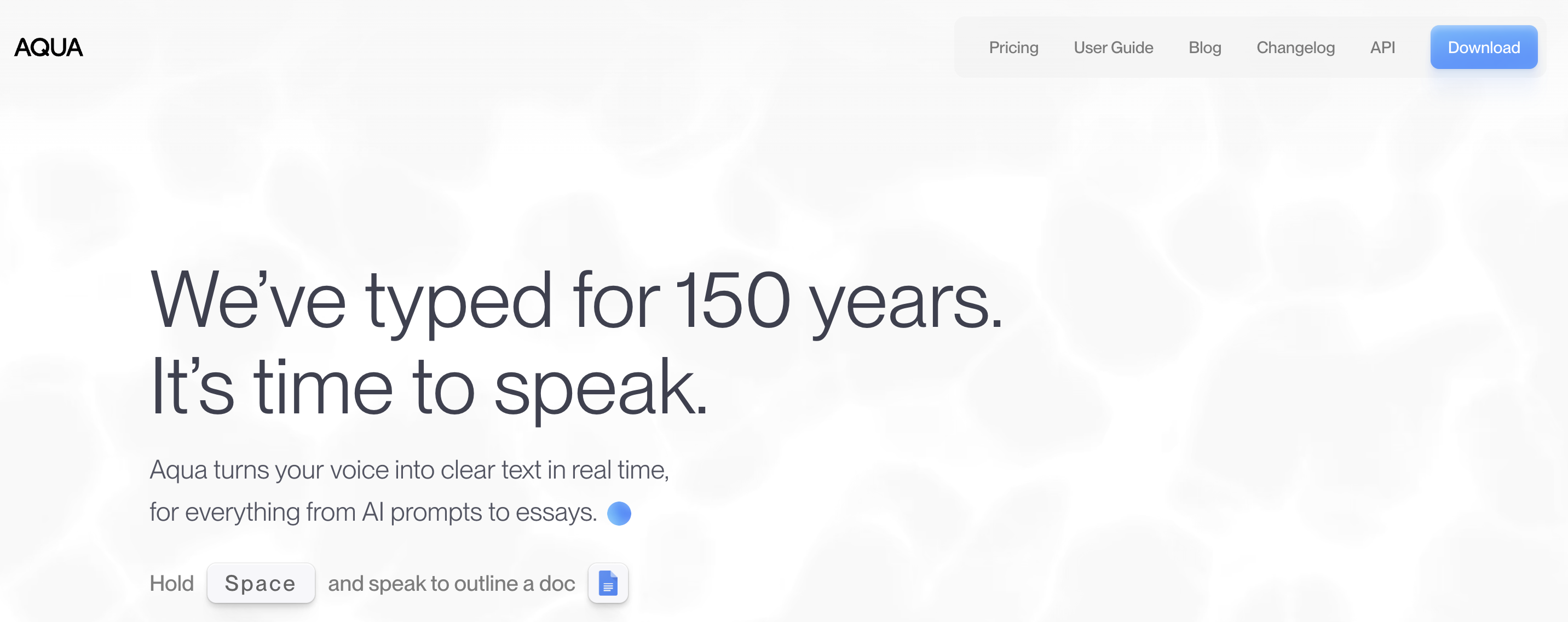
Aqua Voice (YC W24) is the speed-and-accuracy play: streaming transcription that lands in your app near-instantly, plus screen-context awareness — it reads what's on screen, so variable names, tickets, and technical terms in view get transcribed the way they're spelled, not the way they sound. Its Windows client ships alongside Mac (Aqua Voice 2 launched both in April 2025), and its vendor-published benchmarks for the in-house Avalon model claim big leads on coding and AI terminology; treat those as vendor numbers, but the direction matches what its users praise. Early adopters rate it 5.0/5 on Product Hunt — across only 14 reviews, so weigh the sample size accordingly.
At $8/month billed annually ($96/year), it undercuts Wispr Flow by 33% — $48/year saved. The free tier is 1,000 words total, not per week; you'll burn through it in one long email session, so think of it as a demo rather than a plan.
The honest catch: cloud-only on third-party infrastructure, account required, no offline mode, and no HIPAA BAA — so it's out for regulated content. Users also report occasional paste failures on very long dictations. And because it's a small team, support depth doesn't match the funded giants. See our full Aqua Voice review for details.
Best for: developers dictating prompts into Cursor, Claude Code, or terminals — the screen-context feature is the differentiator — and anyone who wants the fastest-feeling dictation on Windows.
4. Windows Voice Access + Fluid Dictation (and Win+H) — The Built-Ins That Got Good
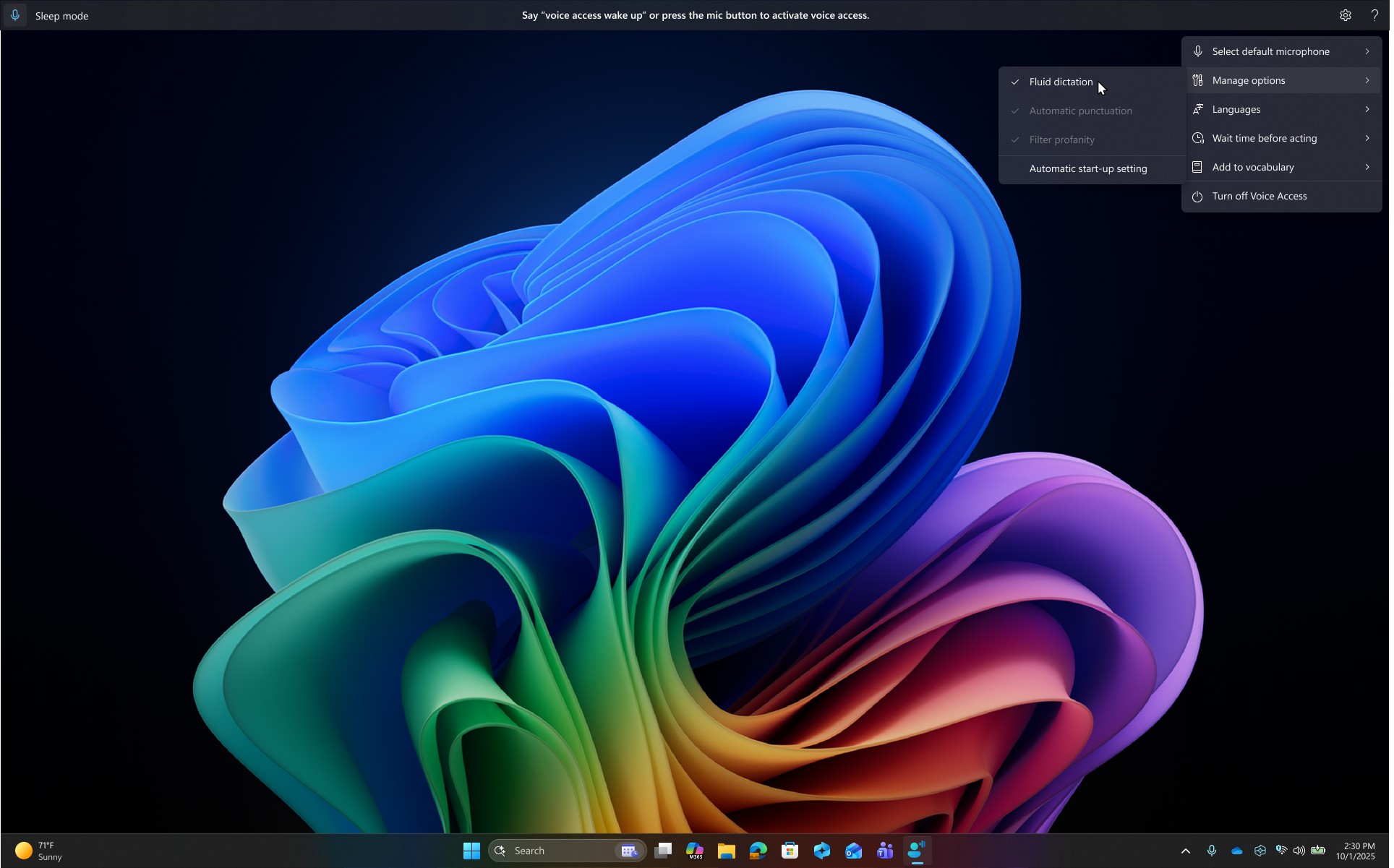
The most under-marketed dictation upgrade on any platform is sitting inside Windows 11. Voice Access — Microsoft's replacement for the deprecated Windows Speech Recognition — runs on-device and fully offline, dictates into any app, and controls the entire PC by voice: open and switch apps, click buttons, scroll, correct text. It's free, native, and light — Microsoft's own engineering, not a port.
On Copilot+ PCs, Voice Access adds Fluid Dictation: on-device small language models that fix punctuation and grammar and drop filler words as you speak — the same category of AI cleanup the subscription apps sell, running locally on Copilot+ hardware, for free. It's enabled by default in supported English locales, and it automatically switches off in password and PIN fields. If you bought a Copilot+ laptop in the last year, try this before paying anyone.
Windows' second built-in is voice typing: press Win+H in any text field on Windows 10 or 11 and a dictation bar appears — no install, no account. It supports 40+ languages with automatic punctuation, but note the architectural difference: Win+H is cloud-based (Microsoft documents that it requires an internet connection, with audio processed on Microsoft's speech servers), while Voice Access processes everything on your PC.
The honest catch: language coverage and vocabulary. Voice Access supports only around a dozen locales (English variants, Spanish, German, French, Italian, Japanese, Chinese), Fluid Dictation is English-only for now, and neither built-in offers custom vocabulary training — technical jargon is hit-or-miss. They're strong free defaults, not professional instruments.
Best for: anyone on Windows 11 who wants free, private, offline dictation — especially Copilot+ PC owners — and Win+H for quick cloud-backed notes on any Windows machine. Setup for both built-ins is in our Windows dictation guide; our full built-ins review scores exactly where they stop. The rest of the $0 field is ranked in our free Windows dictation roundup.
5. Wispr Flow — The Most Polished Cross-Platform Experience, Held Back by Its Windows Build
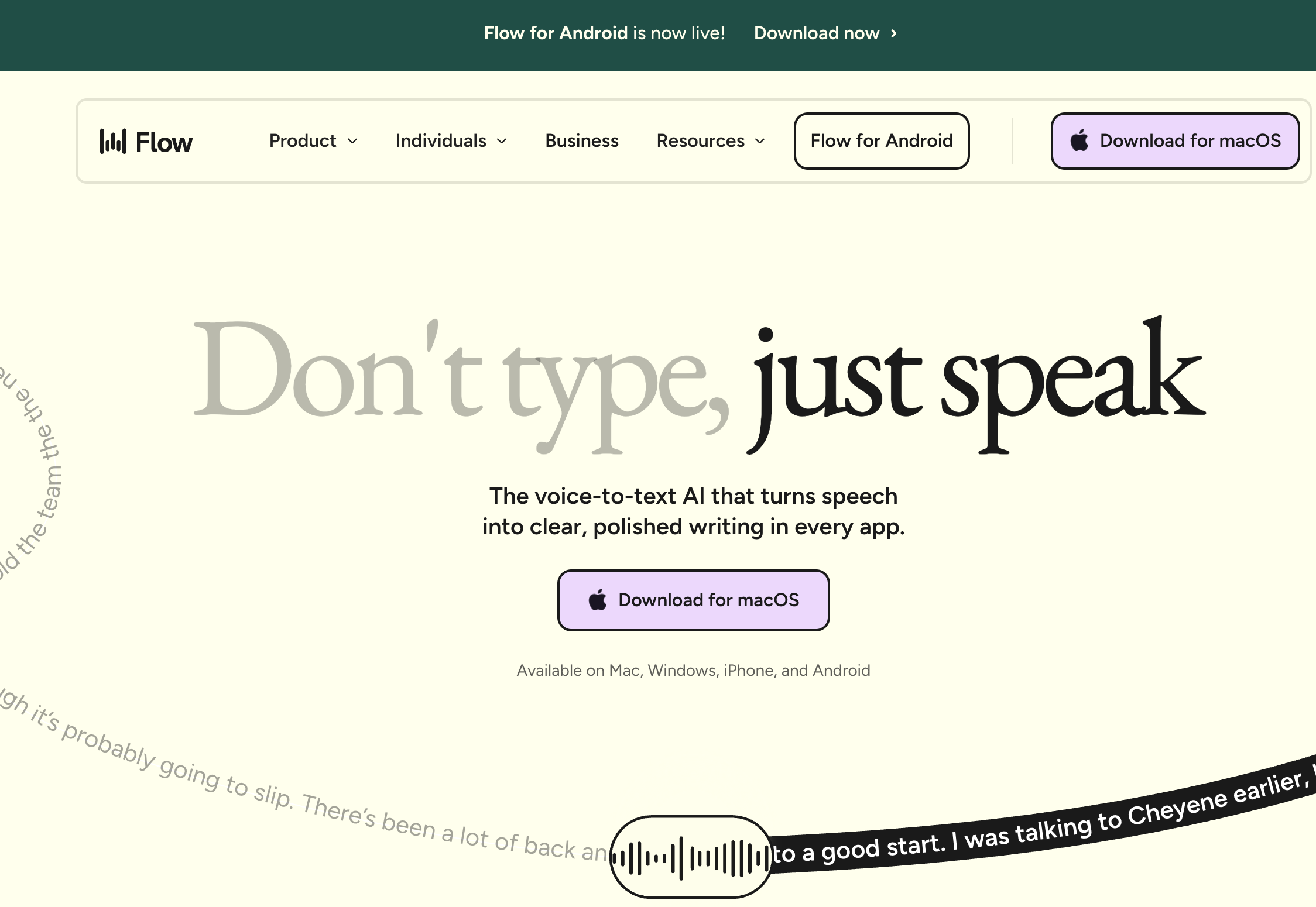
In most dictation roundups, Wispr Flow sits at #1, and on the Mac that's defensible: it's the most complete AI dictation product in the category — talk naturally and get cleaned-up, correctly punctuated text in essentially any app, in 100+ languages, with filler words removed and formatting adapted to where you're typing. The company has raised $81M to date, the free tier (2,000 words/week) is genuinely useful, and Pro is $12/month billed annually ($144/year) or $15/month monthly with a 14-day trial.
But this is a Windows ranking, and on Windows, Wispr Flow is the poster child for the port problem this article exists to flag. The Windows client — shipped in March 2025, five months after Mac — is an Electron build that users report idling around 800MB of RAM with ~8% CPU, occasionally freezing the very app you're dictating into (VS Code is the recurring example), and re-adding itself to startup after being disabled. On our own Windows Port Test, it misses the signals that matter most for an all-day background tool. Add that it's cloud-only with no offline mode (our Wispr Flow safety review covers the screen-capture controversy), and that its Trustpilot rating sits at 2.7/5 on reliability and billing complaints — against a 4.8/5 iOS App Store rating from 8,500+ users — and #5 is where the evidence puts it. Wispr has been shipping Windows performance fixes through 2026; if the footprint stops showing up in Task Manager, this ranking gets revisited.
Best for: cross-platform users (Mac + Windows + phone) who want maximum AI polish and language coverage, have RAM to spare, and accept cloud processing. Leaving instead? We ranked the Wispr Flow alternatives for Windows separately.
6. Handy — Best Free Open-Source Offline Dictation on Windows
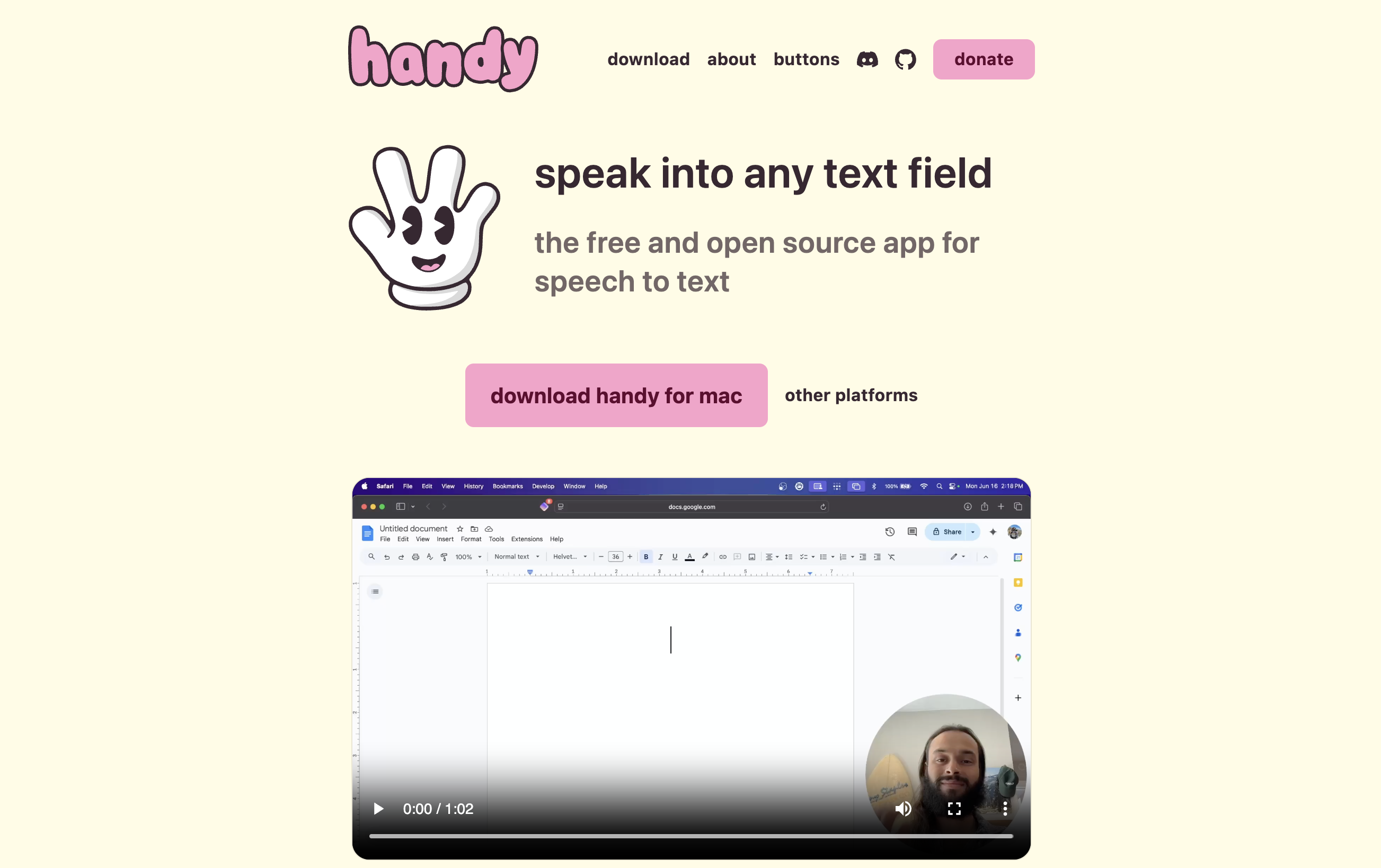
Handy is what it says: free, MIT-licensed, open-source push-to-talk dictation that runs entirely offline on Windows, Mac, and Linux — no account, no word caps, no telemetry business model. It has quietly become one of the most popular open-source dictation projects anywhere, with 33,800+ GitHub stars. On Windows it supports GPU-accelerated local Whisper models (Small through Large/Turbo) on Intel, AMD, or NVIDIA graphics, plus NVIDIA's Parakeet V3, a CPU-optimized model with automatic language detection — a genuinely considered Windows story, not a Mac feature list pasted over.
The honest catch: you are the product manager. You pick the model, you tune the shortcuts, and when something breaks, support is a GitHub issue, not a help desk. There's no AI text cleanup layer, no custom-vocabulary training, and the polish varies by release. Our Handy review and Handy safety analysis cover it end to end.
Best for: technical users who want unlimited private dictation at $0, have a machine that can run local models, and are comfortable with community-supported software.
The Rest of the Field: Three More Worth Knowing (and Why They Didn't Make the Cut)
We deliberately kept the ranking to six. Here's the honest word on the tools that didn't make it:
Superwhisper ($8.49/month, $84.99/year, or $249.99 lifetime) brings on-device Whisper/Parakeet models and deep per-app customization to Windows, and its Mac app is excellent (4.9/5 on Product Hunt). But the Windows port shipped rough — crashes mid-dictation, freezes of target apps, and clipboard overwrites reported on its own public feedback board — and some Mac features still haven't crossed over. Full picture in our Superwhisper review and platform support breakdown. Reconsider it if you specifically want configurable local models with consumer packaging and a lifetime price.
Willow Voice ($15/month, or $12/month billed annually; free plan with unlimited dictation on its lighter Frontier Mini model) is the newest Windows arrival — January 2026, with a Microsoft Store listing. The unlimited free tier is the best $0 AI dictation deal on Windows, but an independent three-month review scored it around 7/10 with notably weaker accuracy on technical terms, and a months-old port hasn't had time to season. Details in our Willow Voice review.

Talon (free, with optional Patreon for beta builds) is the deep end: on-device voice control of the entire OS across Windows, Mac, and Linux — voice coding, eye-tracking support, noise-based inputs. For developers with RSI it's extraordinary (Josh Comeau's write-up is the reference), but the learning curve is measured in weeks — a phonetic alphabet, community scripts, real configuration. It's a voice-control platform, not a dictation app, which is why it's here rather than in the ranking. Find it at talonvoice.com.
Speech to Text Software for Windows 11 and Windows 10: What Runs Where
Two questions decide whether a piece of speech to text software works for you before any feature does: does it run on your version of Windows, and does your audio leave the PC? Windows 10 users lose Microsoft's best free tool, and owners of new Copilot+ laptops gain one. Here is every option above sorted on both, from vendor documentation checked October 15, 2026.
| Software | Runs on | Where your speech is processed |
|---|---|---|
| Voibe for Windows | Windows 10 and Windows 11, 64-bit | Voibe's zero-retention cloud running open-source models; needs an internet connection, uses no GPU or NPU on your PC |
| Dragon Professional v16 | Optimized for Windows 11, backwards-compatible to Windows 10 | On your PC |
| Aqua Voice | Windows (the vendor does not list versions) | Cloud |
| Voice Access | Windows 11 22H2 and later only | On your PC |
| Fluid Dictation (inside Voice Access) | Copilot+ PCs running Windows 11; English locales only | On your PC, using on-device small language models |
| Win+H voice typing | Windows 10 and Windows 11 | Microsoft's online speech services; needs an internet connection |
| Wispr Flow | Windows (the vendor does not list versions) | Cloud |
| Handy | Windows, macOS and Linux (versions not listed) | On your PC: Whisper models with GPU acceleration when available, or Parakeet V3 on the CPU |
On Windows 11, the best speech to text software for most people is Voibe; Voice Access (free) is the pick if audio must stay on the PC, and Dragon Professional v16 ($699.99) if you also need trainable vocabulary offline. On Windows 10, Voice Access is not available, so the only built-in is cloud-based Win+H. Offline dictation on Windows 10 means Dragon Professional v16 or Handy; AI cleanup with a custom dictionary means Voibe, which runs on Windows 10 64-bit.
On-device speech to text on Windows: NPUs, Copilot+ PCs and DirectML
Copilot+ PCs are Windows 11 machines built around a neural processing unit (NPU) that performs more than 40 trillion operations per second, per Microsoft's Copilot+ PC developer guide, and Microsoft designs its Copilot+ features to run on that NPU. In this ranking, the dictation feature built for that hardware is Fluid Dictation, which Microsoft describes as powered by on-device small language models that fix punctuation, grammar and filler words as you speak. The third-party apps here do not need an NPU: Handy runs Whisper on your graphics card or Parakeet V3 on the CPU, Dragon runs its engine locally, and Voibe, Wispr Flow and Aqua Voice transcribe in the cloud.
If an app listing mentions DirectML, read it as plumbing: DirectML is a Microsoft interface for running AI models on a PC's GPU or NPU, and Microsoft now recommends Windows ML for that job instead. It tells you how an app reaches the hardware, not how well it transcribes. Voibe for Windows does not run on-device at all: it is cloud-mode only, and the fully on-device mode is a Mac feature on Apple Silicon. When on-device is the requirement on Windows, the answer is Voice Access (with Fluid Dictation on a Copilot+ PC), Handy, or Dragon.
Key Takeaway
Every app ranked here runs on Windows 11, but Windows 10 has no Voice Access, so its only built-in dictation is cloud-based Win+H. Voice Access, Fluid Dictation (Copilot+ PCs), Handy and Dragon keep speech on the PC; Voibe for Windows, Wispr Flow and Aqua Voice process it in the cloud.
What Windows Dictation Actually Costs Over Three Years
Subscription pricing hides its real cost. Here's the three-year total for the ranked paid options, using annual-plan rates verified July 16, 2026:
| App | Pricing model | 3-year total |
|---|---|---|
| Dragon Professional v16 | $699.99 one-time | $699.99 |
| Wispr Flow Pro | $144/year | $432 |
| Voibe (annual plan) | $99/year | $297 |
| Aqua Voice Pro | $96/year | $288 |
| Voibe (lifetime) | $199 one-time | $199 |
| Voice Access, Win+H, Handy | Free | $0 |
The pre-calculated deltas worth knowing:
- Voibe lifetime vs Wispr Flow Pro: $199 vs $432 over three years → $233 saved (53.9% cheaper).
- Voibe annual vs Wispr Flow annual: $99/year vs $144/year → $45 saved per year (31.3% cheaper).
- Voibe lifetime vs Aqua Voice: $199 vs $288 over three years → $89 saved (30.9% cheaper).
- Aqua Voice vs Wispr Flow: $288 vs $432 over three years → $144 saved (33% cheaper).
- Dragon vs everything: $699.99 equals 3.5 Voibe lifetime licenses, 7.3 years of Aqua Voice, or 4.9 years of Wispr Flow Pro. You're paying for trainable vocabulary, voice commands, and offline processing — not for savings.
For the Mac-side equivalent of this math, see our dictation app pricing comparison.
How to Choose: Four Questions That Settle It
Work through these in order and you'll land on your answer:
- Is your audio allowed to leave your PC at all?
- No — strictly on-device (regulated work, air-gapped, or personal principle) → Voice Access (free), Handy (free, open source), or Dragon Professional ($699.99) if you need trainable vocabulary
- A private, zero-retention cloud is acceptable → Voibe (open-source models on zero-retention providers, never stored or trained on)
- Any cloud is fine → continue
- What's your budget shape?
- $0 → Voice Access (offline), Win+H (quick notes), Handy (offline, technical), or Willow Voice's free tier (see the field notes above)
- Pay once → Voibe ($199 lifetime) or Dragon ($699.99)
- Low subscription → Voibe ($9.90/mo or $99/yr) or Aqua Voice ($8/mo annual)
- Premium subscription → Wispr Flow ($12–15/mo)
- What's the main job?
- Prose — email, docs, messages → Voibe or Wispr Flow
- Code, AI prompts, technical vocabulary on screen → Aqua Voice (screen context), or Talon if you want full voice coding
- Controlling the whole PC hands-free → Voice Access; Dragon for command-heavy professional workflows
- What hardware are you on?
- Copilot+ PC → try Voice Access with Fluid Dictation first; it's free on-device AI cleanup
- Gaming/workstation GPU → Handy runs large local models well
- Older or low-RAM machine → lightweight cloud apps (Voibe, Aqua) or Win+H; skip heavy local models and Electron multitaskers
Best Windows Dictation App for Your Situation
Eleven common situations, mapped:
| Your situation | Best choice | Why |
|---|---|---|
| Emails and documents all day in Office | Voibe | Fast, accurate system-wide dictation with Smart Formatting cleanup; $9.90/mo or $199 once |
| Lawyer or compliance-bound professional (strictly on-device) | Dragon Professional | Fully local processing plus trainable legal vocabulary; $699.99 once |
| Privacy-conscious, but a zero-retention cloud is acceptable | Voibe | Open-source models on zero-retention providers; audio never stored or trained on |
| Developer dictating prompts in Cursor or a terminal | Aqua Voice | Screen-context awareness gets technical terms right; $8/mo annual |
| Want to pay nothing, quick notes | Win+H voice typing | Built in, zero setup — but cloud-based |
| Want to pay nothing, audio must stay local | Voice Access or Handy | Both on-device; Voice Access is zero-setup, Handy is more configurable |
| Just bought a Copilot+ PC | Voice Access + Fluid Dictation | Free on-device AI punctuation/filler cleanup |
| Unlimited free AI dictation, accuracy flexible | Willow Voice free | Unlimited on its lighter model (see field notes) |
| Hate subscriptions | Voibe lifetime | $199 once — 54% less than 3 years of Wispr Flow |
| Mac at home, Windows at work, one subscription | Wispr Flow | One Pro subscription covers Mac, Windows, iOS and Android; Voibe's single plan also covers Mac and Windows, without phone apps |
| RSI — need the keyboard gone entirely | Talon (or Voice Access) | Full hands-free control; Voice Access is the no-setup fallback |
Frequently Asked Questions About AI Dictation on Windows
The basics
What is the best AI dictation app for Windows in 2026?
Voibe is the best AI dictation app for Windows in 2026 for most users ($9.90/month, $99/year, or $199 lifetime) — a ground-up native Windows app with Smart Formatting AI cleanup, Memory shortcuts, and a custom dictionary, processing speech through Voibe's zero-retention cloud running open-source models. The strongest alternatives: Dragon Professional v16 ($699.99) for trainable professional vocabulary, Voice Access (free, built-in) for offline dictation, Aqua Voice ($8/month annual) for developers, Wispr Flow ($12–15/month) for cross-platform polish, and Handy (free) for open-source offline dictation.
What is the best speech to text software for Windows 11?
Voibe is the best speech to text software for Windows 11 for most people: a native Windows app that types into any app, with a custom dictionary and Smart Formatting cleanup, at $9.90/month, $99/year, or $199 lifetime. If your audio must stay on the PC, use Windows 11's free Voice Access (with Fluid Dictation on a Copilot+ PC); if you need trainable vocabulary offline, use Dragon Professional v16 ($699.99). Voibe for Windows processes speech in Voibe's zero-retention cloud, so it needs an internet connection.
What is the best dictation software for Windows 10?
On Windows 10, the best dictation software is Voibe if a zero-retention cloud is acceptable (it runs on Windows 10 64-bit), or Dragon Professional v16 or Handy if speech must stay on the PC. Windows 10 has no Voice Access, so its only built-in option is Win+H voice typing, which sends audio to Microsoft's online speech services.
Does Windows 11 have built-in AI dictation?
Yes — two tools. Voice typing (Win+H) types into any text field using cloud recognition in 40+ languages. Voice Access runs on-device, works offline, and controls the whole PC by voice. On Copilot+ PCs, Voice Access adds Fluid Dictation: on-device small language models that fix punctuation, grammar, and filler words in real time, free.
What happened to Windows Speech Recognition?
Microsoft deprecated the classic Windows Speech Recognition in December 2023. Its successor is Voice Access, built into Windows 11 22H2 and later, which uses modern on-device recognition and covers both dictation and full PC control. Windows 10 users keep voice typing (Win+H) but don't get Voice Access.
Offline, privacy, and performance
Which Windows dictation apps work fully offline?
Voice Access (including Fluid Dictation on Copilot+ PCs), Dragon Professional v16, Handy, Talon, and Superwhisper's local-model mode all process speech on-device and work without internet. Win+H, Wispr Flow, Aqua Voice, and Willow Voice require a connection. Voibe for Windows also requires a connection — its processing runs through Voibe's zero-retention cloud running open-source models (the Mac app additionally offers a fully on-device mode). For the underlying trade-offs, see our cloud vs local dictation guide.
Is there on-device speech to text for Windows that uses the NPU?
Yes, on Copilot+ PCs. Fluid Dictation in Voice Access is a Copilot+ PC feature powered by on-device small language models, and Microsoft defines Copilot+ PCs as Windows 11 machines with an NPU rated above 40 trillion operations per second. Handy and Dragon Professional also process speech on the PC but do not need an NPU, and Voibe for Windows is cloud-mode only, so it uses no GPU or NPU on your PC.
Is Windows voice typing (Win+H) private?
Win+H sends your microphone audio to Microsoft's speech services — Microsoft documents that an internet connection is required. That's fine for casual notes, but for client-privileged, medical, or otherwise sensitive content, use an on-device tool: Voice Access, Dragon, or Handy.
Why do AI dictation apps feel heavier on Windows than on Mac?
Because most shipped Windows as an Electron port of a Mac-first product. Electron bundles a browser runtime, which is why users report Wispr Flow's Windows build idling around 800MB of RAM with ~8% CPU and occasionally freezing target apps. Native software — Dragon, Microsoft's built-ins, and ground-up builds like Voibe for Windows — avoids that runtime tax.
Pricing and value
What's the cheapest way to get unlimited AI dictation on Windows?
Free: the Windows built-ins and Handy have no word caps, and Willow Voice's free plan is unlimited on its lighter model. Cheapest paid subscription: Aqua Voice at $96/year, which undercuts Wispr Flow ($144/year) by 33%. Voibe is $9.90/month, $99/year, or $199 once, plus a free plan with limited words on one device — the lifetime license is 53.9% cheaper than three years of Wispr Flow Pro ($432).
Is Dragon still worth $699 in 2026?
Only for a specific buyer: professionals who need trainable custom vocabulary, custom voice commands, and fully local processing. No major Dragon version has shipped since 2023, and $699.99 buys 3.5 Voibe lifetime licenses, 7.3 years of Aqua Voice, or 4.9 years of Wispr Flow Pro. If your requirement is "dictate documents accurately," modern AI apps cover it for a fraction of the cost; if it's "my exact vocabulary, offline, with voice commands," Dragon still stands alone.
Voibe on Windows
Is Voibe available on Windows?
Yes — Voibe for Windows launched in 2026, built from the ground up as a native Windows app rather than a port of the Mac product. It includes Smart Formatting (AI cleanup that removes fillers and fixes punctuation without paraphrasing what you said), Memory shortcuts for text expansion, and a custom dictionary for names and jargon. It processes speech through Voibe's zero-retention cloud running open-source models (never stored, sold, or used to train AI) and costs $9.90/month, $99/year, or $199 lifetime — same pricing as the Mac app. Get it at getvoibe.com.
Does Voibe for Windows work offline like the Mac app?
No. Voibe for Windows requires an internet connection: speech is processed through Voibe's zero-retention cloud, which runs open-source models on zero-retention providers — audio is never stored, sold, or used to train AI. The Mac app additionally offers a fully on-device mode on Apple Silicon. If you need strictly offline processing on Windows, use Voice Access (free), Dragon Professional ($699.99), or Handy (free, open source).
The Bottom Line: What to Install on Windows Today
For most Windows users, the answer is Voibe: a dictation app actually engineered for Windows, with fast and accurate transcription, a privacy architecture you can reason about (open-source models on zero-retention providers), and pricing that ends — $9.90/month, $99/year, or $199 once. Yes, it's ours; the criteria, prices, and sources above are all checkable, and the honest catch is stated like everyone else's.
The rest of the field, honestly: Dragon Professional v16 ($699.99) if you need trainable vocabulary and strictly local processing; Voice Access (free) if you want offline dictation without spending anything — especially with Fluid Dictation on a Copilot+ PC; Aqua Voice ($8/month annual) if you dictate into IDEs and terminals all day; Wispr Flow ($12–15/month) if you want maximum cross-platform polish and can live with the Electron footprint; and Handy (free) if you'd rather own your stack than rent it.
Whichever you pick: install it, dictate into the apps you actually use for a week, and watch Task Manager while it idles. On Windows, that last step is where the ports give themselves away.
If that Windows machine is a managed work laptop, the same privacy logic that makes Voibe easy for IT to sign off carries across your whole toolkit — the assistants, the coding help, the note app. We lined those up in our guide to the AI tools your IT team will actually approve.
📚 Related Reading
- Wispr Flow Alternatives for Windows — Ranked
- Dragon Alternatives for Windows (and Who Should Keep Dragon)
- Dragon Professional Anywhere Is Ending: What to Do Before You Renew
- Best Free Dictation Apps for Windows
- Windows Voice Typing & Voice Access Review
- How to Use Dictation on Windows: Win+H & Voice Access Setup
- Dictation Not Working on Windows? 8 Fixes
- Wispr Flow Review: Features, Privacy Concerns & Pricing
- Is Wispr Flow Safe? Cloud Architecture & Privacy Mode
- Dragon Review: Is Dragon NaturallySpeaking Still Worth It?
- Dragon Pricing: Professional, Anywhere, Medical & the Mac Problem
- Dragon NaturallySpeaking Alternatives
- Superwhisper Review: Is It Worth $249.99 Lifetime?
- Superwhisper Platforms: Mac, Windows, iOS & Android Status
- Aqua Voice Review: Cloud-Only Avalon Dictation
- Willow Voice Review: Cross-Platform AI Dictation
- Handy Review: Free Open-Source Offline Dictation
- Cloud vs Local Dictation: The Complete Comparison
- Best Offline Dictation Apps for Mac (our Mac-side counterpart to this guide)
- Best Speech to Text Apps (the cross-platform ranking)
- How to Dictate in Microsoft Word (the Dictate button, Win+H, or a system-wide app)
One Windows case this list does not otherwise cover: dictating inside a Citrix, RDP or VMware Horizon session — the hospital-EHR scenario our EHR dictation guide covers end to end, including why client-side transcription beats routing audio into the virtual desktop. Most dictation apps insert text through the clipboard, and enterprise Windows desktops routinely disable clipboard redirection, so the paste never lands. DictaFlow types the transcript as simulated keystrokes instead, at $7/month or $69/year, which makes it the practical pick for locked-down corporate and clinical desktops — see DictaFlow vs Wispr Flow for how it compares against the better-known Windows option, and DictaFlow alternatives for the wider field.
Documenting patients on Windows? Clinical dictation has its own constraints — vocabulary, note length, and what happens to patient audio. Our guide to medical dictation AI covers the Windows options alongside the Mac ones, including where Dragon Professional still wins.
Replacing Dragon on a Windows desktop specifically? A workers’ compensation attorney did exactly that after four decades of dictating, and walks through what Voibe does that Dragon Professional still does not.
Searching for FluidVoice on Windows? It exists, but as a 0.0.9 pre-release with an unsigned installer — we cover what that means and what to run instead.
Best AI Dictation and Meeting Notes for Confidential Work
Draft letters, notes and emails 5x faster on Windows and Mac. Get meeting notes without a bot on Mac. Nothing used to train AI.
- Mac + Windows
- No bot in your calls
- Nothing used to train AI
- 7-day free trial
Want to compare plans first? View pricing →
Related Articles
The Best Wispr Flow Alternatives for Windows — From Someone Who Built One
Wispr Flow's Windows app is an Electron port users clock at ~800MB idle. I make a competitor — here are 7 alternatives ranked honestly, two of them free.
Best Free Dictation Apps for Windows: Two Are Already on Your PC
Five genuinely free ways to dictate on Windows — two ship with the OS. What each costs you in caps, cloud, and vocabulary, and when paying starts to make sense.
Dictation Not Working on Windows? 8 Fixes, From Win+H to Voice Access
Windows dictation usually 'breaks' in one of three boring ways: a mic permission, a privacy toggle, or no internet. Here's the 8-fix sequence that finds yours.