
Dragon Alternatives for Windows: 6 Apps and 3 Reasons to Keep It
Dragon Professional is $699.99 with no major release since 2023. Six Windows alternatives from free to $199, and the three users who should keep Dragon.

Dragon Professional v16 costs $699.99 and hasn't had a major release since 2023. It's unmatched on Windows at three things: trainable custom vocabulary, custom voice commands, and processing that never leaves the PC.
Most people looking for a Dragon alternative need none of the three. They need clean dictation into email, documents, and chat. I'd install Voibe, ours, at $9.90/month, $99/year, or $199 lifetime, with a Dictionary for your jargon, Memory shortcuts for boilerplate, and no training sessions. Windows Voice Access is free, offline, and already on your PC. Wispr Flow ($12/month billed annually) covers Windows, Mac, and phone. Aqua Voice ($8/month annually) is the developer's pick. Handy is free, open source, and offline. Talon is free and the serious accessibility option. Three kinds of Dragon users should stay on Dragon, and I name them below.
Key Takeaways: Dragon Alternatives for Windows at a Glance
| Pick | App | Price | What it replaces from Dragon |
|---|---|---|---|
| Best overall | Voibe | $9.90/mo, $99/yr, or $199 lifetime | Daily dictation, the Vocabulary Center (Dictionary), Auto-Texts (Memory), and spoken punctuation, at 71.6% less than $699.99 |
| Best free | Windows Voice Access | Free (built into Windows 11) | Offline processing and whole-PC voice control |
| Best cross-platform | Wispr Flow | $12/mo billed annually ($144/yr) | AI cleanup across Windows, Mac, and phone |
| Best for developers | Aqua Voice | $8/mo billed annually ($96/yr) | Technical-vocabulary accuracy, via screen context |
| Best offline at $0 | Handy | Free (MIT license) | Audio never leaves the PC, on your own GPU |
| Best for accessibility | Talon | Free (optional Patreon) | Hands-free control of the whole OS |
Key Takeaway
Dragon Professional v16 ($699.99) is the only Windows tool that combines trainable custom vocabulary with fully offline processing. Every other Dragon strength, from clean dictation and jargon handling to voice control, now has a modern answer between $0 and $149.
Why Windows Users Are Moving On From Dragon

Dragon isn't discontinued on Windows. That fate belongs to the Mac version, gone since 2018 (our Mac migration guide covers it). Here, people leave for mostly economic reasons.
- The price of entry keeps rising. Dragon Professional historically sold around $299; v16 lists at $699.99, and upgrades run roughly $299–$399 by reseller. The $150 Home edition was discontinued in 2023, so the cheapest desktop Dragon is now the professional license. Our Dragon pricing breakdown maps the product line.
- The product has stopped moving. v16 shipped in 2023, with nothing major since. Microsoft completed its $19.7 billion Nuance acquisition in March 2022, and the roadmap has gone to Dragon Medical One and Dragon Copilot.
- The learning curve is from another era. Dragon rewards investment: user profiles, vocabulary training, correction discipline. In its 4.0/5 Capterra rating across 241 reviews, users stay for the accuracy and complain about price and support.
- No modern writing layer. Whisper-generation tools punctuate, capitalize, and drop filler words as you go. Dragon expects you to speak the punctuation.
- It covers one platform. Windows desktop only: the Mac version is dead and Dragon Anywhere stopped sales in July 2026.
The gap shows up fastest for people who have used both. A workers’ compensation attorney with four decades of dictating moved off Dragon and rates the replacement well ahead of it, on getting started, punctuation and formatting rather than on price.
The other side: for trainable vocabulary, deep voice commands, and processing that never touches a network, nothing below replaces Dragon.
What Dragon Does That a Replacement Has to Match
Dragon owners rely on some mix of five capabilities, and we tested every app below against all five.
- Custom vocabulary. Dragon learns case names, drug names, and jargon, and lets you correct it. Replacements answer this with a dictionary you populate (Voibe), screen-context reading (Aqua Voice), auto-learning (Wispr Flow), or nothing at all (the Windows built-ins, Handy). Dragon's Vocabulary Center export (TXT or XML) pastes into Voibe's Dictionary.
- Where the audio goes. Dragon Professional processes speech entirely on your PC. The alternatives split three ways: fully on-device (Voice Access, Handy, Talon), a zero-retention cloud (Voibe), or third-party AI clouds (Wispr Flow, Aqua Voice). Our Dragon safety investigation goes through it.
- Commands, or just typing? Dragon controls applications, fills forms, and fires macros. If you use that layer, your shortlist is Voice Access, Talon, or staying put. If you only dictated text, the requirement disappears, and so does most of Dragon's price.
- The writing layer. Modern tools add what Dragon never had: cleanup that turns spoken thoughts into finished sentences without you dictating commas. Voibe's Smart Formatting does it without paraphrasing you.
- What the price does over time. $699.99 once beats $144/year over five years, and a $199 lifetime license beats both. Run the three-year totals below.
Quick Comparison: Dragon vs the Field on Windows
Prices verified against vendor pages in July 2026 (Dragon's $699.99 re-checked September 5, 2026). Every app here has been installed and run rather than ranked from a spec sheet. For the wider category, see our full Windows dictation ranking.
| App | Custom vocabulary | Offline | Voice commands | AI cleanup | Price |
|---|---|---|---|---|---|
| Dragon Pro v16 (baseline) | Trainable + correctable | Yes (fully local) | Yes, deep | No | $699.99 once |
| 1. Voibe | Yes, Dictionary | No, zero-retention cloud (on-device mode is Mac/Apple Silicon only) | No (Memory covers text shortcuts) | Yes, Smart Formatting | $9.90/mo, $99/yr, $199 lifetime |
| 2. Voice Access | No | Yes, on-device | Yes, PC control | On Copilot+ PCs (Fluid Dictation) | Free |
| 3. Wispr Flow | Yes, auto-learned | No, cloud-only | No | Yes | $12/mo annual, $15/mo monthly |
| 4. Aqua Voice | Screen context instead | No, cloud-only | No | Yes | $8/mo annual ($96/yr) |
| 5. Handy | No | Yes, local models | No | No | Free |
| 6. Talon | Scriptable | Yes, on-device | Yes, deepest | No | Free |
1. Voibe: The Everyday Dictation Replacement
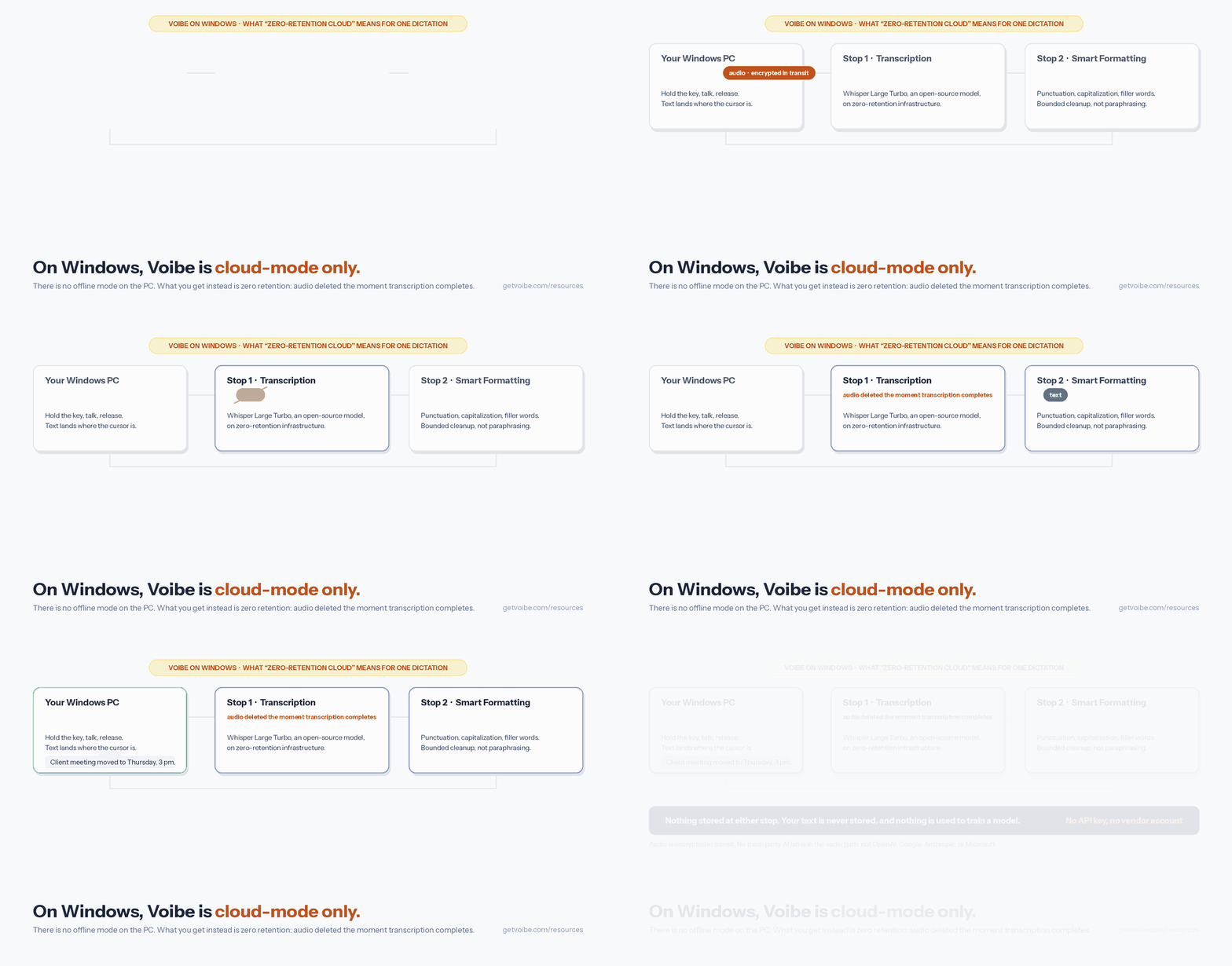

What most Dragon owners bought: speak, and correct text appears where the cursor is, jargon spelled right. That's the job we built Voibe to do on Windows, as a ground-up native Windows application rather than an Electron port. Hold a key, talk, release, and clean text lands in Word, Outlook, Slack, browsers, and terminals, or double-tap into Hands-Free Mode and hold nothing.
On Windows, Voibe is cloud-mode only. There's no offline mode on the PC; on-device processing exists only on Apple Silicon Macs. What the zero-retention cloud means: audio is encrypted in transit, transcribed by open-source models (Whisper Large Turbo) on zero-retention infrastructure, and deleted the moment transcription completes. Your text is never stored, nothing trains a model, and no third-party AI lab (OpenAI, Google, Anthropic, Microsoft) is in the audio path. You never bring an API key.
The Dragon-shaped features:
- Dictionary replaces the Vocabulary Center. Client names, drug names, and statute shorthand go in once (bulk edit included) and steer transcription itself. Paste in Dragon's TXT or XML export and the migration is done.
- Memory replaces Auto-Texts: a spoken trigger expands into a signature block, an address, or a boilerplate paragraph, which covers the text half of Dragon's custom commands.
- Spoken punctuation transfers. Voibe punctuates automatically as you talk, and "comma", "new paragraph", "@", and currency signs work by name.
- Smart Formatting is the layer Dragon never had: capitalization, paragraphing, and filler words handled live, without rewriting what you meant.
- Developer Mode resolves file, folder, and variable names in Cursor, VS Code, and Windsurf.
The money: $9.90/month, $99/year, or $199 lifetime (plus Voibe Free at $0 with limited words on one device), and one plan covers the PC and a Mac. Against Dragon Professional's $699.99, the lifetime license is $500.99 less, or 71.6% cheaper, and three years on the annual plan ($297) undercuts Dragon by $402.99 (57.6%). Early users rate Voibe 4.8/5 on Product Hunt from a small Mac-era sample.
The value combo: Wispr Flow and Granola in one plan. Voibe Dictation is $99 a year. For $50 more, Voibe Work ($19/month, $149/year, or $399 lifetime) adds AI meeting notes with no bot in the call. That one plan covers what Wispr Flow Pro ($144/year) and Granola Business ($168/year) charge $312 a year for separately, so it costs $163 (52.2%) less every year. Meeting notes are captured on your Mac or Windows PC, processed in Voibe's zero-retention cloud and saved on your computer, and Voibe reminds you to tell everyone you're taking notes.
Three catches. No offline mode on Windows, so if audio must never leave the PC, your options are #2, #5, or staying on Dragon. Voibe doesn't do voice control: it types, it doesn't click buttons or drive forms, and there are no prebuilt medical or legal vocabularies. And the Windows app launched in 2026, so trial it against your real workload.
Best for: Dragon owners who mostly dictated text and want the vocabulary handling without the $699.99 license. Try Voibe free.
2. Windows Voice Access: Free and Already Installed
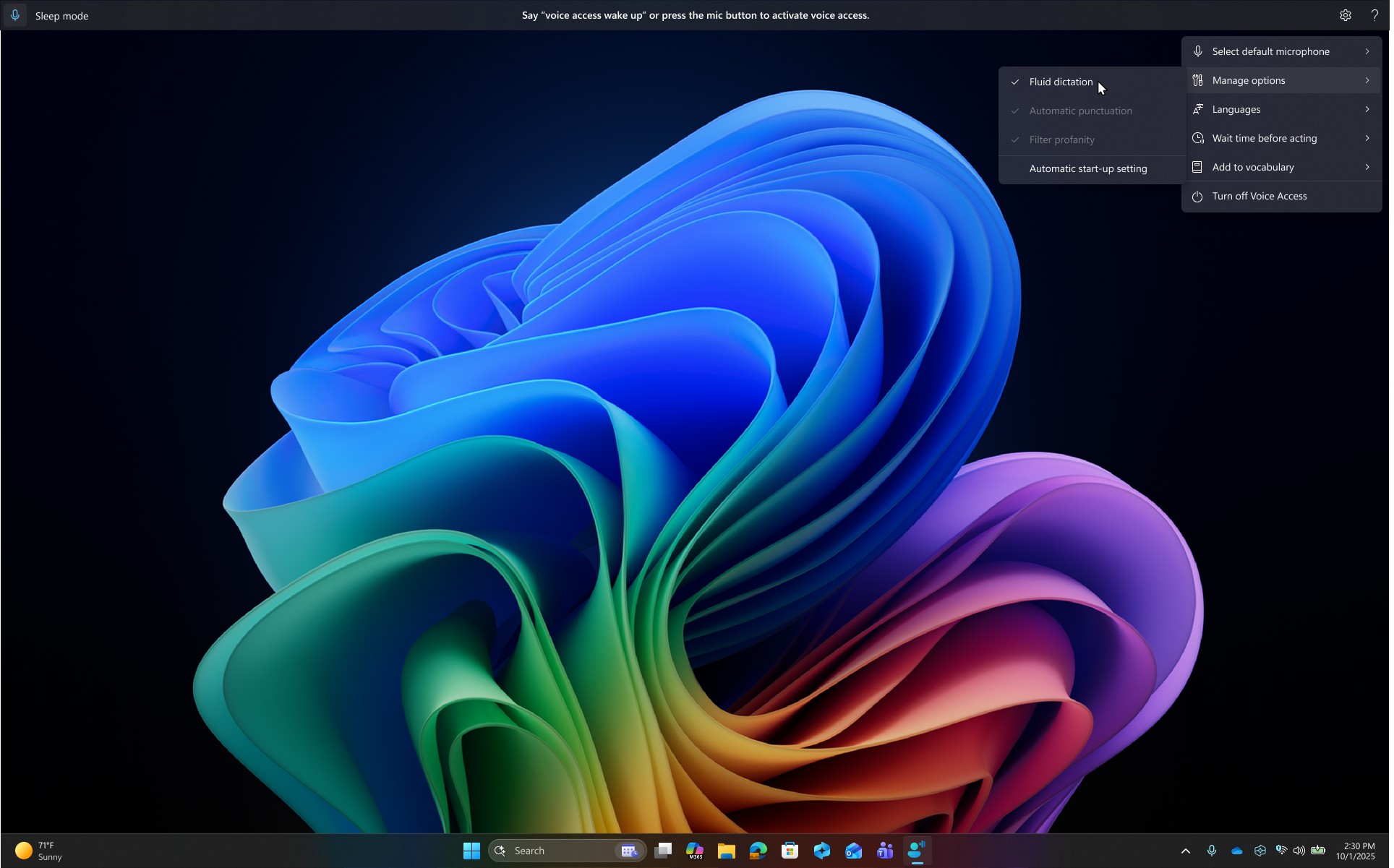
The closest free thing to Dragon's command layer ships inside Windows 11. Voice Access (Windows 11 22H2 and later, under Settings > Accessibility > Speech, woken with Alt+Shift+B) runs on-device and fully offline after a one-time model download, dictates into any app, and controls the whole PC by voice. On Copilot+ PCs it adds Fluid Dictation, on-device models that fix punctuation and grammar and drop filler words as you speak, free.
The catch: no custom vocabulary at all, the biggest gap versus Dragon, plus English and roughly six other language families, and a modes gotcha that caught us in testing (commands-only mode hears you but won't type). Auto-punctuation ships off by default; our Windows dictation guide shows the setting, and our built-ins review scores the stack 7/10.
Best for: Dragon users with general English vocabulary and moderate command needs. Try it before paying anyone.
3. Wispr Flow: Windows, Mac, and Phone on One Account
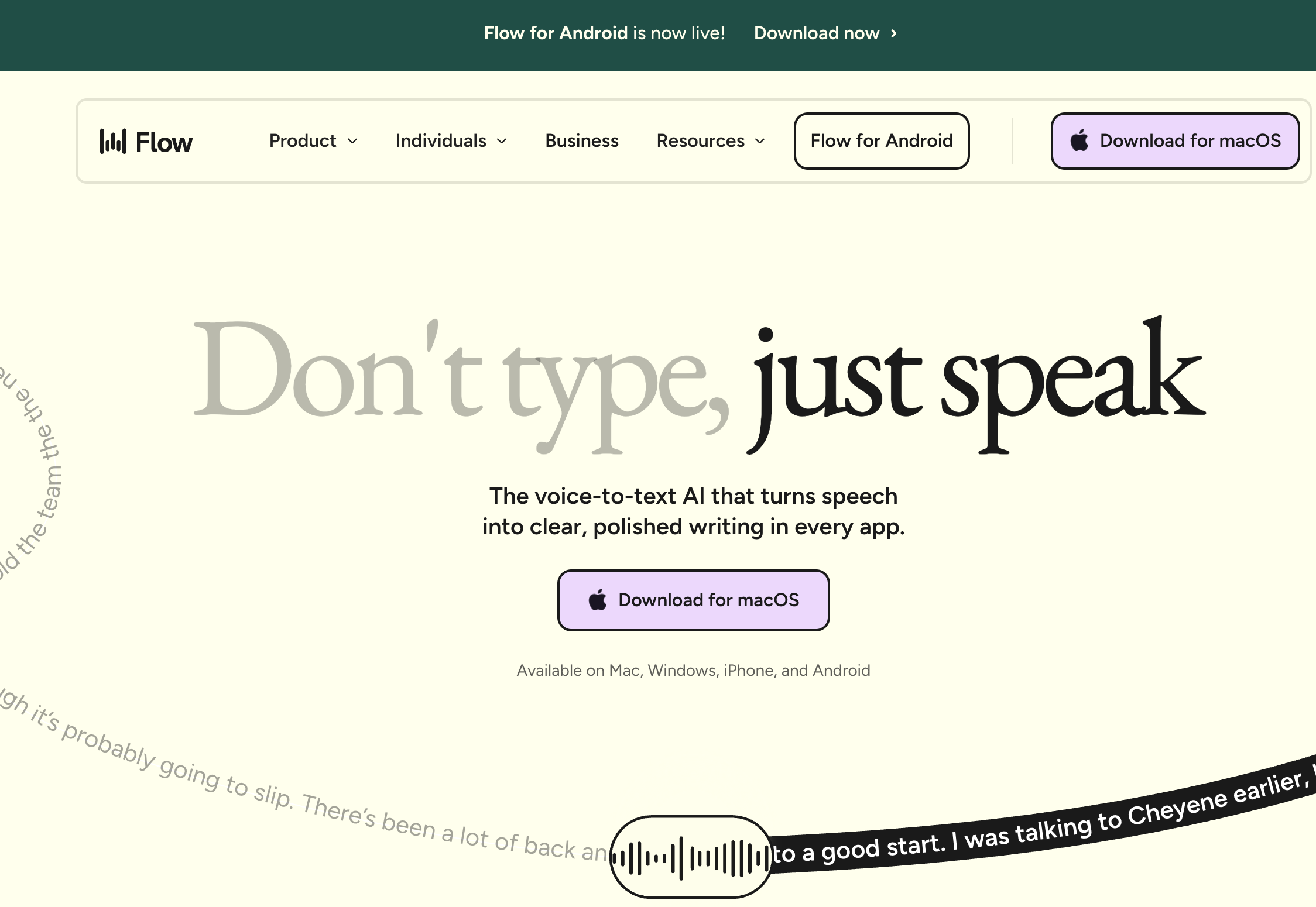
Wispr Flow is the strongest pure writing experience in the field: AI cleanup that produces finished text, vocabulary that auto-learns your names and jargon, 100+ languages, and one account across Windows, Mac, iPhone, and Android, with a 4.8/5 App Store rating from 8,500+ iOS users. Pro costs $12/month billed annually ($144/year) or $15/month monthly, so three years runs $267.99 less than Dragon's $699.99 (38% cheaper).
The catch: the Windows client is an Electron port that users report idling around 800MB of RAM with roughly 8% CPU, which our own side-by-side testing bears out. It's also cloud-only on third-party AI infrastructure with no offline mode, a 2.7/5 Trustpilot rating driven by reliability and billing complaints, and an outage record (69+ incidents since December 2025 per StatusGator) we documented in our reliability investigation. More in our Dragon vs Wispr Flow comparison, Wispr Flow review, and Wispr Flow alternatives for Windows.
Best for: ex-Dragon users on three platforms who'll take polish over local processing.
4. Aqua Voice: Jargon Accuracy From Screen Context
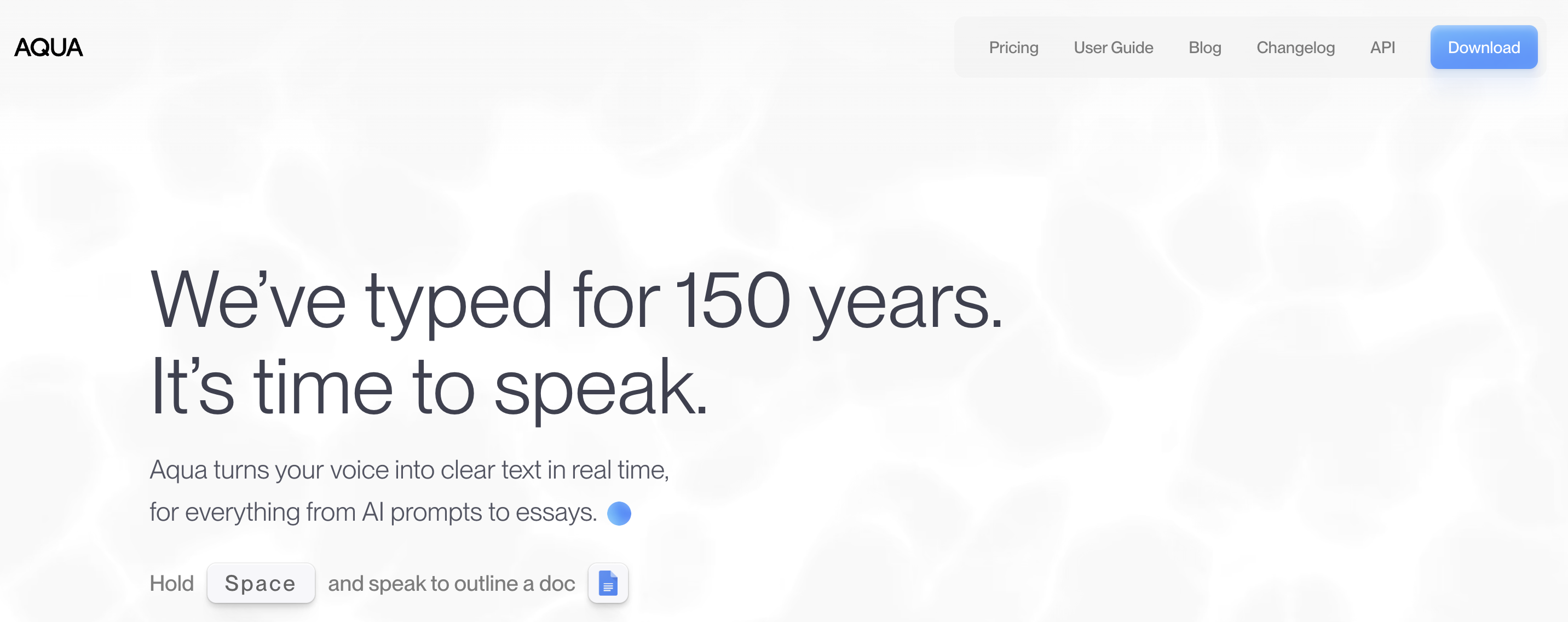
Aqua Voice solves Dragon's core promise, your jargon spelled right, with screen-context awareness. It reads what's on your screen, so the variable names, ticket numbers, and technical terms in view get transcribed as they're spelled, with no training and no dictionary maintenance. Streaming output lands text nearly as fast as you speak in our tests, and the Windows client shipped alongside the Mac one (April 2025, native). $8/month billed annually ($96/year), so three years costs $411.99 less than Dragon (59% cheaper). Early adopters rate it 5.0/5 on Product Hunt from a small 14-review sample.
The catch: cloud-only on third-party infrastructure, an account requirement, a free tier that's a demo (1,000 words), and reported paste failures on long dictations. Details in our Aqua Voice review.
Best for: developers replacing Dragon in IDEs, terminals, and AI-prompt workflows.
5. Handy: Offline, Open Source, and Free
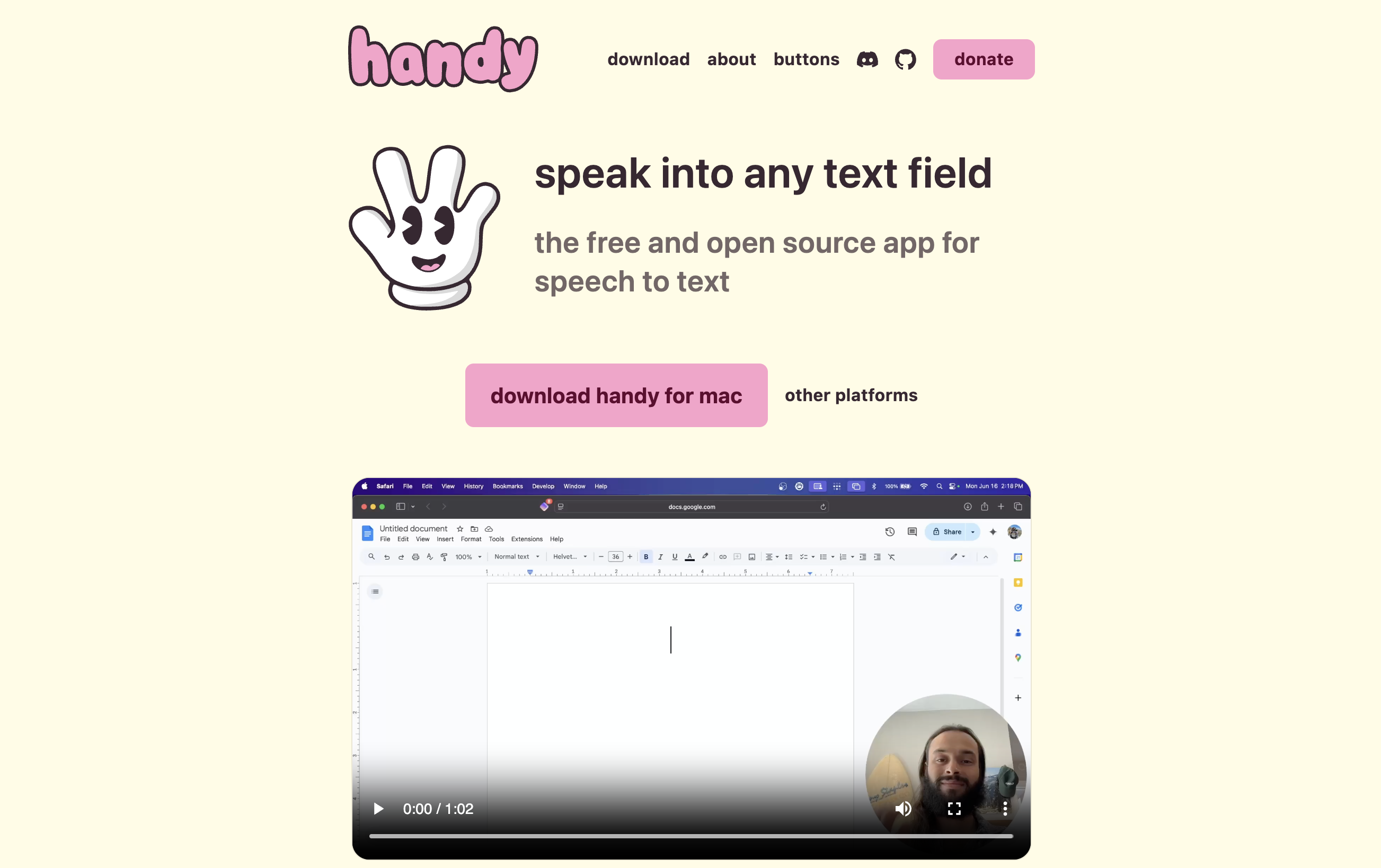
If Dragon's fully local architecture is the one thing you refuse to give up, Handy delivers it at $0: free, MIT-licensed, open-source push-to-talk dictation by solo developer Cj Pais, running local Whisper models with GPU acceleration (Intel, AMD, or NVIDIA) plus the CPU-optimized Parakeet V3, with 26,600+ GitHub stars behind it. No account, no caps, and audio never leaves the machine. We audited the source for our Handy safety analysis and found no cloud transcription endpoint in the codebase at all.
The catch: you're the product manager. Model selection, shortcut tuning, GitHub issues when something breaks, no vocabulary training, and no cleanup layer. Our Handy review covers where it stalls.
Best for: technical users who want Dragon's no-cloud posture without Dragon's invoice.
6. Talon: Full Voice Control of the PC

Some of Dragon's most loyal users never cared about transcription speed. They needed to operate a computer without hands, and for them Talon is the serious successor: free (with an optional Patreon for beta builds), fully on-device, and deeper than Dragon went, with whole-OS voice control, voice coding, eye tracking, noise inputs, and a scriptable grammar. For developers with RSI, Josh Comeau's hands-free coding write-up shows what it looks like.
The catch: the learning curve is measured in weeks, and Talon is a control system before it's a writing tool, so many users pair it with a dictation app. Voibe's Hands-Free Mode (double-tap to start and stop) is built for that pairing. If typing hurts, our accessibility dictation hub maps the landscape condition by condition.
Best for: RSI and accessibility users replacing Dragon's command layer.
The Three Kinds of Users Who Should Keep Dragon
Three cases where keeping Dragon Professional v16 is the right call.
- You have years of profile investment. A vocabulary trained across thousands of corrections and a command library tuned since v14 is capital, and the ~$299–$399 upgrade to v16 costs less than rebuilding it. No alternative imports Dragon profiles.
- You need trainable vocabulary and fully offline processing in one tool. That combination, the specialist dictating jargon on a policy-locked PC, is the one thing only Dragon does. Voice Access is offline but can't learn your terms; Voibe learns your terms but needs a connection on Windows.
- Your workflow runs on Dragon's command depth. Form-filling macros and application control that took months to build. Only Talon replaces that, if you'll script it yourself.
Two routing notes. Clinicians on Dragon Medical One (a separate cloud product at $79–99/user/month by contract term, or $1,188/year at the shortest commitment) should read our Dragon Medical alternatives guide. Mac users have no keep-Dragon option, since Dragon left the Mac in 2018; our Dragon alternatives for Mac guide handles that migration, and mobile is closed too, with Dragon Anywhere discontinued as of July 1, 2026. One more date, for anyone on Dragon Professional Anywhere or Dragon Legal Anywhere: an authorized Nuance partner (Thax Software, notice updated September 3, 2026) lists end of sale on December 31, 2026 and end of life on December 31, 2027. That is partner-announced, and as of September 5, 2026 there is no Nuance or Microsoft advisory, so plan around it rather than treating it as settled. Our Dragon Professional Anywhere end-of-life guide walks through the last renewal and the four ways out.
Info
No alternative can import a Dragon user profile or custom command set, because the formats are proprietary. Your word list is the exception: Dragon's Vocabulary Center exports custom words to TXT or XML, and that list pastes into Voibe's Dictionary. Budget time for the rest; in Voibe that means typing terms into the Dictionary once, not training sessions.
What Leaving Dragon Saves Over Three Years
Dragon Professional v16 is a one-time $699.99, which sounds frugal against subscriptions, and sometimes it is. Three-year totals at July 2026 verified prices (Dragon's $699.99 re-verified September 5, 2026):
| Option | Pricing model | 3-year total | vs Dragon's $699.99 |
|---|---|---|---|
| Voice Access / Handy / Talon | Free | $0 | Save $699.99 (100%) |
| Voibe lifetime | $199 once | $199 | Save $500.99 (71.6%) |
| Aqua Voice Pro | $96/year | $288 | Save $411.99 (59%) |
| Voibe annual | $99/year | $297 | Save $402.99 (57.6%) |
| Wispr Flow Pro | $144/year | $432 | Save $267.99 (38%) |
| Dragon Anywhere (mobile) | $149.99/year | $449.97 | Discontinued July 1, 2026, no longer purchasable |
| Dragon Pro v16 + mid-cycle upgrade | $699.99 + ~$349 | ~$1,049 | The realistic keep-Dragon path if a v17 ships |
| Dragon Medical One (3-yr term) | $79/user/month | $2,844/user | Clinical product (see the medical guide) |
$699.99 buys 3.5 Voibe lifetime licenses, and Voibe's $199 lifetime is 93% cheaper than three years of Dragon Medical One. Dragon's price makes sense if you use what only Dragon has: trainable vocabulary plus offline processing, and the command layer.
How to Choose: Three Questions
Answer these in order.
- Must audio stay on the PC?
- Yes, and my vocabulary is general English: Voice Access (free, offline)
- Yes, and I'm technical: Handy (free, local Whisper)
- Yes, and I need trainable specialist jargon too: stay on Dragon v16
- No, with the right retention terms: keep reading
- Must your jargon come out right?
- Yes, and I want it deterministic: Voibe, where terms go into the Dictionary once
- Yes, and it's on my screen anyway (code, tickets): Aqua Voice
- Not really, my vocabulary is everyday English: continue
- What kind of price do you want?
- One that ends: Voibe, $199 lifetime, 71.6% below Dragon's $699.99
- Zero: Voice Access, or Talon for hands-free control of the whole OS
- A subscription is fine if it works across all my devices: Wispr Flow, $144/year, cloud-only
One exception: if "Dragon" for you means clinical documentation, Dragon Medical One and its EHR-integrated rivals are in our medical alternatives guide.
Best Dragon Alternative for Your Situation
Ten situations we keep hearing from Dragon owners.
| Your situation | Best choice | Why |
|---|---|---|
| Attorney drafting briefs and letters; case names must be right | Voibe | Dictionary handles the names, Memory the boilerplate; $199 lifetime vs $699.99. More in our lawyers' guide |
| Five years of Dragon profiles and custom commands | Stay on Dragon | Rebuilding it costs more than the ~$349 upgrade |
| Compliance rule: audio never leaves the machine, general vocabulary | Voice Access | On-device, offline, free, already installed |
| Same rule, but you want model control and have a GPU | Handy | Local Whisper, open source, no account |
| RSI, and you need to run the whole PC by voice | Talon (or Voice Access first) | Deeper control than Dragon; Voice Access is the free start |
| Clinician documenting into an EHR | Dragon Medical One | Different product line (see the medical guide) |
| You mostly write email and docs and want them to come out clean | Voibe | Smart Formatting produces finished text without paraphrasing, and spoken punctuation still works |
| Developer dictating into Cursor, VS Code, terminals | Aqua Voice | Screen context gets identifiers right without training |
| You work across Windows, Mac, and phone | Wispr Flow (or Voibe for the two desktops, on one plan) | One account everywhere; Dragon covers the PC only |
| You just want to try dictation before spending anything | Win+H today, Voice Access tomorrow | Both free and built in; our free Windows dictation roundup ranks them |
Frequently Asked Questions About Replacing Dragon on Windows
Switching
What is the best Dragon alternative for Windows?
For most Dragon owners who mainly dictated text: Voibe ($9.90/month, $99/year, or $199 lifetime). Best free: Windows Voice Access. Best offline and free: Handy. Best for accessibility: Talon.
Can any alternative import my Dragon custom vocabulary or commands?
Not the profile or the commands, which are proprietary. The word list is different: Dragon's Vocabulary Center exports custom words to TXT or XML, and that list pastes into Voibe's Dictionary.
Do modern dictation apps need voice training like Dragon did?
No. Vocabulary handling replaced training: a Dictionary that steers transcription itself (Voibe), screen-context reading (Aqua Voice), or auto-learning (Wispr Flow).
Pricing
How much does replacing Dragon save?
Against Dragon Professional v16 at $699.99: Voibe lifetime ($199) saves $500.99 (71.6%); Voibe annual over three years ($297) saves $402.99 (57.6%); Aqua Voice ($288) saves $411.99 (59%); Wispr Flow ($432) saves $267.99 (38%); Voice Access, Handy, and Talon save the full $699.99 (100%).
Is there still a cheap Dragon Home edition?
No. Dragon Home ($150) went in 2023, leaving Dragon Professional v16 at $699.99 as the only desktop edition. Dragon Anywhere ($14.99/month or $149.99/year) ended sales on July 1, 2026.
Offline and privacy
Which Dragon alternatives work fully offline on Windows?
Windows Voice Access (free, built into Windows 11 22H2+, on-device after a one-time model download), Handy (free, open source, local Whisper models), and Talon (free, on-device). Voibe on Windows is cloud-mode only, as are Wispr Flow and Aqua Voice.
Is Dragon itself safe to keep using?
Dragon Professional v16 processes speech locally, which is as private as dictation gets. Dragon Anywhere and Dragon Medical One are Azure cloud products. Our Dragon safety investigation maps all three.
The product line
Is Dragon NaturallySpeaking discontinued?
Not on Windows. Dragon Professional v16 (the successor to NaturallySpeaking) is sold and supported on Windows 10 and 11, though nothing major has shipped since 2023. The Mac version went in 2018.
What replaced Dragon for medical dictation?
Nuance's Dragon Medical One ($79–99/user/month) and Dragon Copilot, plus a field of AI scribes. See our Dragon Medical alternatives guide and medical scribe roundup.
The Bottom Line on Replacing Dragon
Dragon Professional v16 stopped being the default answer once its unique features stopped being the common need. If you want clean, jargon-accurate dictation into everyday work, Voibe does that natively on Windows for $199 once, 71.6% less than Dragon's $699.99. You get a Dictionary instead of training sessions, Memory instead of Auto-Texts, and a zero-retention cloud. The trial is free.
The rest of the map: Voice Access is free, offline, and already on your PC, so try it first. Handy gives technical users Dragon's no-cloud posture free. Aqua Voice reads the screen to get developer jargon right. Wispr Flow trades local processing for cross-platform polish. Talon serves Dragon's accessibility loyalists better than Dragon does. And if you're one of the three users who should stay, the ~$349 v16 upgrade beats any switch.
📚 Related Reading
- Best AI Dictation Apps for Windows: the Full Ranking
- Dragon Review: Is It Still Worth It?
- Dragon Pricing: Professional, Anywhere & Medical Explained
- Dragon NaturallySpeaking Alternatives for Mac
- Dragon Medical Alternatives for Doctors
- Dragon vs Wispr Flow
- Is Dragon Safe? Three Products, Three Architectures
- Best Free Dictation Apps for Windows
- Windows Voice Typing & Voice Access Review
- How to Use Dictation on Windows
Best AI Dictation and Meeting Notes for Confidential Work
Draft letters, notes and emails 5x faster on Windows and Mac. Get meeting notes without a bot on Mac. Nothing used to train AI.
- Mac + Windows
- No bot in your calls
- Nothing used to train AI
- 7-day free trial
Want to compare plans first? View pricing →
Related Articles
The Best Wispr Flow Alternatives for Windows — From Someone Who Built One
Wispr Flow's Windows app is an Electron port users clock at ~800MB idle. I make a competitor — here are 7 alternatives ranked honestly, two of them free.
6 Best AI Dictation Apps for Windows — Ranked by Who Actually Built for Windows
Six AI dictation apps are actually great on Windows in 2026. We ranked them — including the one we built from the ground up for Windows — with verified pricing.
Switching From Dragon to Voibe: Your Word List Comes With You
Dragon exports your custom words in four clicks. Here's the whole move to Voibe on Mac or Windows, what maps to what, and the three things that don't.