

Voibe vs Spokenly: The Verdict
Different fits, with one new twist: Voibe now does meeting notes too. Voibe and Spokenly both run Whisper locally on Apple Silicon and both chase developers who would rather talk than type. Spokenly is the free, sprawling one: uncapped local dictation on Mac, Windows, Linux and iPhone, bring-your-own API keys, an MCP voice tool for coding agents, and a Mac meeting recorder that saves a transcript. Voibe is the paid, finished one: zero-config Developer Mode, a $199 lifetime licence, a zero-retention cloud with no keys to manage, and, on Voibe Work, full bot-free meeting notes on Mac and Windows in the same app.
Pick Voibe if you want:
- One app for dictation and meeting notes: Voibe Work ($149/yr) records calls with no bot and gives you summaries, templates, chat with your meetings and PDF export, on Mac and Windows
- One-time lifetime pricing — $199 for dictation, no recurring cost, no per-token volatility
- Zero-config Developer Mode for Cursor, VS Code and Windsurf (file and folder name resolution, no MCP setup)
- A privacy choice without BYOK — on-device, or a zero-retention cloud with open-source models where audio is deleted after transcription and never used to train AI
- A disclosed entity behind the product with a published privacy policy
Pick Spokenly if you want:
- A genuinely free tier with no caps (local Whisper and Parakeet)
- Linux or iPhone dictation alongside Mac and Windows
- An MCP voice tool that Claude Code, Cursor and Codex can call during a task
- A free, bot-free way to record a call on your Mac and get a raw transcript
- Bring-your-own API keys at the provider of your choice
Meeting notes: Spokenly records meetings on Mac for free but stops at the transcript. Voibe Work bundles full meeting notes with dictation for $149 a year, $94.96 less than Spokenly Pro plus Otter Pro ($243.96). If a raw transcript is all you need, Spokenly's free recorder is cheaper, and we say so in the pricing section.
The honest tie zones: open source (neither — both closed source), compliance attestations (neither carries SOC 2 or ISO 27001; Voibe offers a BAA on request), and Whisper-based local accuracy (both run the same model family).
Disclosure: Voibe is our product. Spokenly facts are verified from spokenly.app and its pricing page (October 30, 2026), the privacy policy effective March 2, 2026, and the App Store listing (ID 6740315592). Where Spokenly is genuinely stronger than Voibe, we say so.
Voibe
Mac and Windows dictation app that runs OpenAI Whisper on-device on Apple Silicon's Neural Engine, or over a zero-retention cloud with open-source models — your choice. In on-device mode nothing leaves your Mac; in cloud mode audio is deleted the moment transcription completes and is never stored, sold, or used to train AI. Ships Developer Mode for Cursor, VS Code and Windsurf that scans the workspace locally and resolves file names, folder paths and variable names. The Voibe Work plan adds meeting notes with no bot in the call on Mac and Windows, so one app covers dictation and meetings. On-device mode needs an Apple Silicon Mac (M1 or later); Windows and Intel Macs use the zero-retention cloud. Pricing: Voibe Free ($0, 2,000 cloud words a week on one device), Voibe Dictation $9.90/month, $99/year or $199 lifetime, Voibe Work $19/month, $149/year or $399 lifetime. No BYOK setup, no per-token API spend.
Voibe Free: $0 forever (one device, 2,000 cloud words a week with AI clean-up). Voibe Dictation: $9.90/mo, $99/yr, or $199 lifetime (Mac + Windows). Voibe Work (dictation + bot-free meeting notes): $19/mo, $149/yr, or $399 lifetime
Pros
- + One app for dictation and meeting notes: Voibe Work ($149/yr) records Zoom, Teams, Meet and in-person meetings with no bot, with summaries, templates and chat
- + On-device or zero-retention cloud — your choice; in on-device mode nothing leaves your Mac
- + Developer Mode for Cursor, VS Code and Windsurf with workspace file-name resolution — zero-config voice-to-code
- + $199 lifetime — pays back versus Spokenly Pro annual in about 17 months, then keeps working
- + No BYOK setup — no API keys to manage, no provider accounts to create
- + Custom vocabulary as true dictionary injection for technical terms
- + Disclosed entity with a published privacy policy at getvoibe.com/privacy
- + Works fully offline in on-device mode on Apple Silicon Macs
Cons
- - Mac and Windows only — no Linux, iOS or Android; on-device mode requires an Apple Silicon Mac (M1 or later)
- - No iOS keyboard for mobile dictation
- - No voice-input MCP tool for coding agents — Voibe's MCP servers transcribe audio files (API) and read meetings (Voibe Work's Meeting MCP); Developer Mode covers Cursor, VS Code and Windsurf
- - Free tier is limited — Voibe Free caps cloud dictation at 2,000 words a week on one device; Spokenly's local tier is uncapped
- - No shared team dictionary; teams buy up to 10 seats per checkout, with Enterprise above 10
Spokenly
Dictation app from indie developer Vadim Akhmerov for Mac, Windows, Linux and iPhone, plus a Chrome extension. The free tier runs OpenAI Whisper and NVIDIA Parakeet locally with no caps and accepts bring-your-own API keys for cloud providers; Local+ ($29 once) adds settings sync and extra recording styles; Pro ($12/month billed yearly, $144/year, or $15 month-to-month) adds managed cloud models and hosted text processing. Ships an MCP voice-input tool that lets Claude Code, Cursor and Codex ask you questions by voice, file transcription with speaker labels, and on Mac a meeting recorder that captures microphone and system audio with no bot and transcribes the saved recording. App Store: 4.3 / 5 from 68 ratings (v1.15.2, October 28, 2026). Its privacy policy (effective March 2, 2026) names five managed-cloud subprocessors: Cerebras, Fireworks, Groq, Mistral AI and ElevenLabs. No SOC 2 / HIPAA BAA / ISO 27001 attestations.
Free (unlimited local + BYOK); Local+ $29 once; Pro $12/mo billed yearly ($144/yr) or $15 month-to-month
Pros
- + Genuine free on-device tier with no caps — Whisper and Parakeet run locally
- + MCP voice tool for Claude Code, Cursor and Codex — agents can ask you a question and get a spoken answer
- + Runs on Mac, Windows, Linux and iPhone, plus a Chrome extension
- + BYOK cloud option for developers who already pay for API access, and a $29 one-time Local+ upgrade
- + Free Mac meeting recorder: captures mic and system audio with no bot, then transcribes the recording; file transcription labels speakers
- + App Store 4.3 / 5 from 68 ratings with an active release cadence (v1.15.2, October 2026)
Cons
- - BYOK setup tax for non-developers — cloud accuracy on the free tier needs your own API keys
- - Managed cloud (Pro) is subscription-only at $144/yr or $15/mo; Local+ is one-time but local-only
- - No SOC 2 / HIPAA BAA / ISO 27001 attestations across any mode
- - Privacy policy lists only admin@spokenly.app — no company entity or jurisdiction disclosed
- - Meeting recording is Mac-only and stops at a transcript: Spokenly's site describes recording and transcribing, not summary templates or chat with your meetings
- - iOS keyboard reliability issues documented in App Store reviews
- - Pro managed cloud routes through 5 subprocessors — each is a separate data perimeter
- - Solo-developer indie product — continuity risk vs commercial peers backed by funded teams
Quick Comparison: 15 Dimensions Side-by-Side
| Dimension | Voibe | Spokenly | Winner |
|---|---|---|---|
| Architecture | Hybrid: on-device or zero-retention cloud | Hybrid: Local / BYOK / Pro | Tie (different opinions) |
| Free tier | Voibe Free (2,000 cloud words a week, one device) | Yes, uncapped (local models + BYOK) | Spokenly |
| Lifetime pricing | $199 Voibe Dictation, $399 Voibe Work (cloud included) | Local+ $29 once (local models only) | Voibe (lifetime that includes cloud) |
| Subscription option | $9.90/mo or $99/yr | Pro $15/mo or $144/yr | Voibe ($45/yr cheaper) |
| 3-year TCO (paid tier) | $199 lifetime | $432 Pro annual | Voibe (53.9% cheaper) |
| BYOK required for cloud | No (zero-retention cloud, no keys) | Yes (free tier) / No (Pro) | Voibe (no BYOK at all) |
| Developer integration | Developer Mode (Cursor / VS Code / Windsurf, zero-config) | MCP voice tool (Claude Code, Cursor, Codex) | Tie (different approaches) |
| Meeting notes | Voibe Work: no bot, Mac + Windows, summaries, templates, chat ($149/yr) | Mac recorder, no bot, transcript only (free) | Voibe (full notes); Spokenly (free transcript) |
| Platform reach | Mac + Windows | Mac + Windows + Linux + iPhone | Spokenly |
| iOS keyboard | None | Yes (reliability caveats) | Spokenly |
| Open source | Closed | Closed | Tie (neither) |
| Compliance attestations | None (BAA available on request) | None | Tie (no SOC 2 either side) |
| Entity transparency | Disclosed team + privacy policy | Developer named via App Store only | Voibe |
| Third-party rating | 4.8 / 5 Product Hunt (6 reviews) | 4.3 / 5 App Store (68 ratings) | Spokenly (more ratings) |
| Custom vocabulary | True dictionary injection | Custom dictionary | Voibe (cleaner integration) |
The honest tally: Voibe wins on 7 dimensions (lifetime pricing, subscription price, 3-year cost, no BYOK, meeting notes, entity transparency, vocabulary), Spokenly wins on 4 (free tier, platform reach, iOS keyboard, rating volume), and 4 are ties. This is a 'different fits' comparison — Spokenly is the better free tool, Voibe the better paid one.
Why These Get Compared
Voibe and Spokenly land in the same set of Mac users' shortlists for three structural reasons.
1. Both Run Whisper Locally on Apple Silicon
Voibe's primary architecture is on-device OpenAI Whisper transcription on Apple Silicon's Neural Engine. Spokenly's free tier (Local Only Mode) runs the same OpenAI Whisper Large-v3 model plus NVIDIA Parakeet, also on Apple Silicon. The underlying transcription engine is similar — accuracy differences between the two on identical audio inputs are marginal. The comparison hinges on what wraps the Whisper layer.
2. Both Target Mac Developers and Knowledge Workers
Spokenly's marketing positions it as 'the best dictation software for Mac in 2026' with the MCP server as a developer wedge. Voibe's marketing emphasizes Developer Mode for Cursor and VS Code as the developer wedge. Both products target the developer and knowledge-worker audience on the desktop, and both now reach beyond the Mac: Voibe to Windows, Spokenly to Windows, Linux and iPhone.
3. Both Are Indie / Small-Team Products
Voibe is built by a small team with a disclosed entity and published privacy policy. Spokenly is built by indie developer Vadim Akhmerov (disclosed via App Store, not via privacy policy). Both products operate at a scale where the underlying Whisper model does the heavy lifting and the team's focus is product polish, integration, and pricing. Neither has the funded-startup posture of Wispr Flow ($55M raised) or Willow Voice ($4.2M raised).
The result: Mac users comparing on-device dictation often end up with Voibe and Spokenly on the shortlist. This page is for users at that decision point.
Voibe: Mac and Windows Dictation Plus Meeting Notes, With Zero-Config Developer Mode
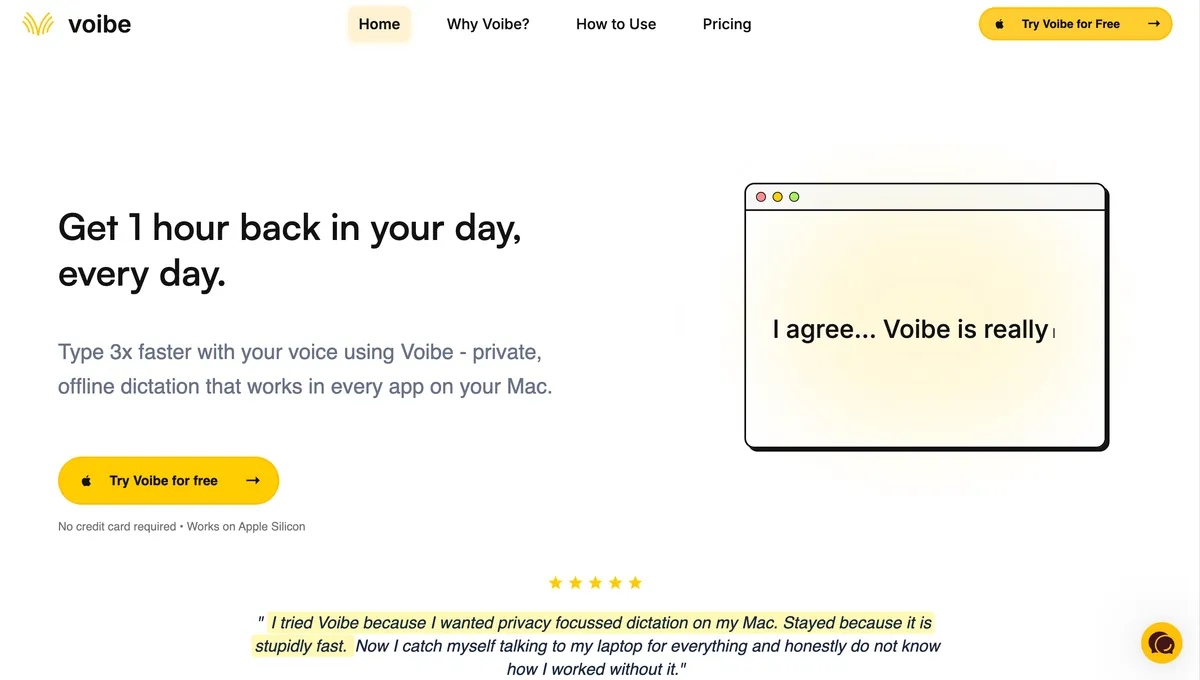
Voibe is a Mac and Windows app built around two principles: your audio is never stored, sold, or used to train AI — with a fully on-device mode where nothing leaves your Mac — and developer tooling should need zero configuration. Its newer plan, Voibe Work, adds meeting notes, so one app handles what you write and what you hear on calls.
What Voibe Does
- On-device or zero-retention cloud. In on-device mode, Voibe runs OpenAI Whisper on Apple Silicon's Neural Engine — audio is transcribed locally and discarded, and nothing leaves your Mac. In cloud mode, audio goes over an encrypted connection to zero-retention providers running open-source models (Whisper Large Turbo on Groq or Cloudflare) and is deleted the moment transcription completes. Windows and Intel Macs use cloud mode.
- Developer Mode. Scans your Cursor, VS Code or Windsurf workspace locally and resolves file names, folder paths and variable names in the transcription. “Open the auth dot tee ess file” becomes “Open the auth.ts file.”
- Custom vocabulary. True dictionary injection — added terms influence transcription itself rather than being swapped in afterwards.
- Smart Formatting. Bounded cleanup for punctuation, capitalization, paragraphs and filler words; it does not rewrite what you said.
- Spoken punctuation. Say punctuation and symbols by name — commas, brackets, the @ sign, currency symbols — and structure with “new paragraph” or “bullet point.”
- Three dictation modes. Push-to-talk (hold Fn), Hands-Free Mode (double-tap to start and stop), and Live Dictation on Mac, which streams words on screen as you speak.
- Transcript history with an off switch and a system-wide, configurable hotkey.
Voibe Work: Dictation Plus Meeting Notes
Voibe Work ($19 a month, $149 a year or $399 lifetime) is everything above plus meeting notes. It captures Zoom, Microsoft Teams, Google Meet, Webex, Slack huddles or any other meeting app from your Mac or Windows PC with no bot joining the call, and it records in-person meetings through your computer's mic. Meeting audio is processed by open-source models on zero-retention cloud providers and deleted as soon as processing completes; the transcript and summary are saved on your computer, not on Voibe's servers, and never used to train AI. You get speaker labels you can rename, summary templates for each type of meeting (or your own), chat with your meetings, one-click copy and PDF export, meetings up to 4 hours with no cap on how many, and Meeting MCP for asking Claude or ChatGPT about your meetings. Meeting notes need an internet connection; on-device mode is a dictation feature only. When recording starts, Voibe reminds you to tell everyone you're taking notes, and you're responsible for the recording-consent rules where you are. See how Voibe Work takes meeting notes with no bot.
Voibe Pricing
- Voibe Free: $0 forever on one device, 2,000 cloud words a week with AI clean-up
- Voibe Dictation: $9.90 a month, $99 a year (about $8.25 a month) or $199 one-time lifetime
- Voibe Work (dictation plus meeting notes): $19 a month, $149 a year or $399 lifetime
Every new account starts with a 7-day trial of every Voibe Work feature with no credit card, then moves to Voibe Free unless you buy a plan; paid plans carry a 30-day money-back guarantee.
Voibe Architecture
Two user-selectable modes for dictation. On-device mode keeps transcription on your Mac. Cloud mode uses Voibe's zero-retention cloud: only open-source or open-weight models, audio deleted when transcription completes, formatting done on the text alone. Per Voibe's privacy policy, your audio is never stored, sold, or used to train any AI model, and there are no BYOK keys to manage.
Voibe System Requirements
- Works on all Macs and on Windows (native app); on-device mode requires an Apple Silicon Mac (M1 or later)
- macOS 14.4 or later on Mac
- Disk space for the on-device Whisper model if you use on-device mode
Voibe Validation
- 4.8 / 5 on Product Hunt (6 reviews)
- Featured in Cult of Mac coverage
- Founder-led product with disclosed team
Spokenly: Free Local Dictation on Mac, Windows, Linux and iPhone, With an MCP Server
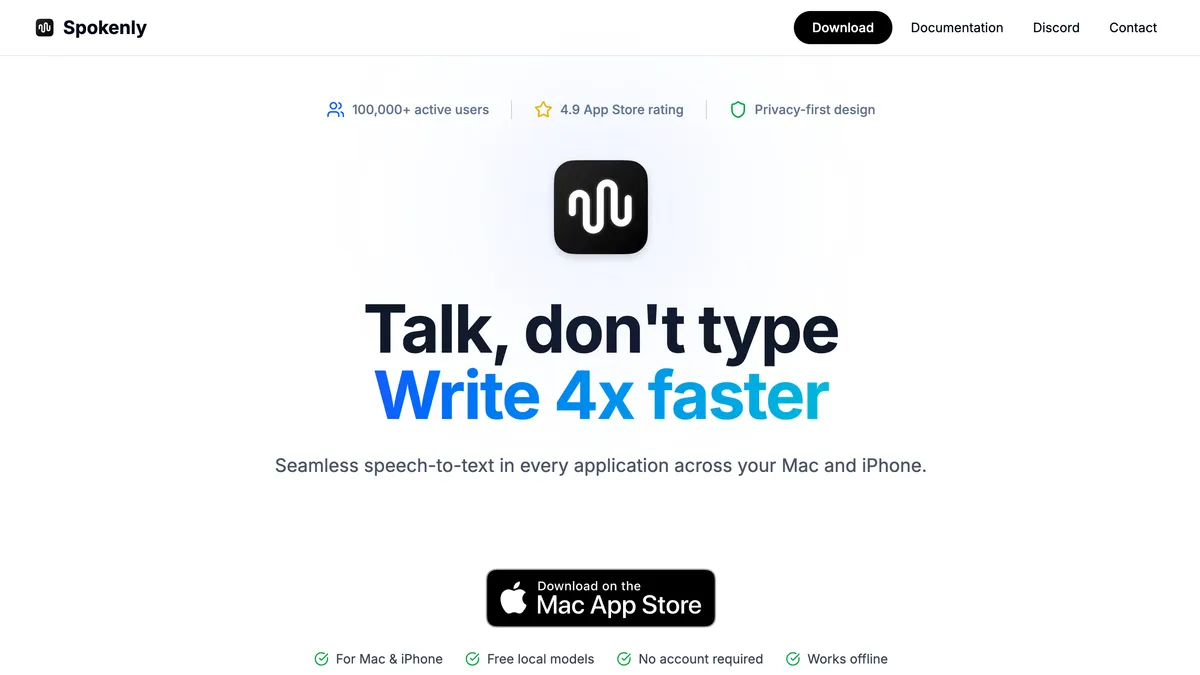
Spokenly is a dictation app from indie developer Vadim Akhmerov. It started on Mac and iPhone and now also ships Windows and Linux apps and a Chrome extension, built around free local models, bring-your-own keys, and an MCP voice tool for AI coding agents.
What Spokenly Does
- Free local transcription. OpenAI Whisper and NVIDIA Parakeet run on your device with no caps; Local Only Mode can restrict network access.
- BYOK cloud. Bring your own API keys for supported transcription and text-processing providers; Spokenly charges nothing and the provider bills you.
- Pro managed cloud. Managed cloud models and hosted text processing, routed through five named subprocessors (Cerebras, Fireworks, Groq, Mistral AI, ElevenLabs) per the privacy policy effective March 2, 2026.
- MCP voice tool. Claude Code, Codex and Cursor can ask you a question by voice during a task and get your spoken answer back as text. Spokenly’s old claim of being “the only dictation app that runs an MCP server” no longer holds — Voibe shipped a hosted transcription MCP server in August 2026 — but Spokenly’s remains the one that feeds live dictation to an agent. Spokenly now also runs a free remote transcription server for Claude and ChatGPT; both are covered in our Spokenly MCP guide.
- Meeting recording on Mac. Captures your microphone and system audio with no bot joining the call, saves the recording in History, and transcribes it afterwards with local or cloud models. Its file transcription can label speakers and export text or subtitles.
- iOS keyboard. A custom keyboard for iPhone dictation, subject to the reliability caveats in App Store reviews.
Spokenly Pricing
- Free: $0, unlimited local transcription and BYOK (you pay providers directly)
- Local+: $29 once — settings sync, extra recording styles and priority support, still local-only
- Pro: $12/month billed yearly ($144/year), or $15 month-to-month — managed cloud models and hosted text processing
Prices from spokenly.app/pricing, October 30, 2026. There is no lifetime option that includes the managed cloud.
Spokenly Architecture
Three modes with three different privacy postures. Local is on-device. BYOK routes to your chosen provider. Pro routes through Spokenly's five-subprocessor chain. Per the privacy policy, audio recordings are not stored on Spokenly's servers, but subprocessor-level retention is not detailed publicly. See our is Spokenly safe? investigation for the mode-by-mode review.
Spokenly Validation
- 4.3 / 5 on the App Store from 68 ratings (v1.15.2, October 28, 2026)
- Developer Vadim Akhmerov disclosed via the App Store
- Privacy policy effective March 2, 2026 — substantive but lacks compliance attestations
Feature-by-Feature: Where Each Product Wins
Setup Friction — Voibe Wins
Voibe install: download, grant microphone + accessibility permissions, configure hotkey, dictate. Total time: about 3 minutes. Spokenly Local Only install is similar (3-5 minutes including model download). Spokenly BYOK install adds 10-30 minutes for API key setup at each provider (account creation, payment method, key generation, rate limit configuration). For non-developers, Voibe's no-BYOK path is materially easier; for developers already running API stacks, the gap closes.
Free Tier — Spokenly Wins
Spokenly's Local Only Mode is genuinely free forever on Apple Silicon. Voibe Free also costs $0 forever, but it caps words and runs on one device; uncapped use starts at $9.90 / month. For users who specifically want unlimited $0 dictation and don't need cloud accuracy, Spokenly's free tier is the clean winner.
Lifetime Pricing — Voibe Wins
Voibe's $199 lifetime licence includes its zero-retention cloud. Spokenly's one-time option, Local+ at $29, is local-only; its managed cloud (Pro) is a subscription at $144 a year or $15 a month. Over 3 years, Voibe lifetime is $233 cheaper than Spokenly Pro annual ($432), about 53.9% less. Over 5 years the gap widens to $521 (72.4%).
Developer Integration — Tie (Different Approaches)
Voibe's Developer Mode is purpose-built for Cursor and VS Code — workspace file-name resolution, project vocabulary, zero MCP configuration. Spokenly's MCP server is purpose-built for any MCP-compatible agent — Claude Code, Cursor, Codex, future agents. Different optimal use cases. If you primarily voice-code in Cursor or VS Code, Voibe's zero-config path is faster to value. If you run multiple AI coding agents and want a single voice integration that works across them, Spokenly's MCP path is more flexible.
Privacy Architecture — Voibe Wins (No BYOK to Manage)
Voibe gives you a privacy choice — an on-device mode where nothing leaves your Mac, or a zero-retention cloud with open-source models that's never trained on — with no API keys to manage. Spokenly has three modes: Local Only / BYOK / Pro, and BYOK routes through provider keys you configure. For users who want the never-stored, never-trained promise without wiring up BYOK, Voibe's design simplifies the question. For users who want BYOK provider flexibility, Spokenly's design is more configurable. The honest split: Voibe wins on no-BYOK simplicity; Spokenly wins on power-user provider flexibility.
Platform Coverage — Spokenly Wins
Spokenly runs on Mac, Windows, Linux and iPhone, plus a Chrome extension. Voibe is desktop-only on Mac and Windows. If you need Linux or iPhone dictation, Spokenly is the pick between these two. Caveat: App Store reviews flag iOS keyboard reliability issues, with the developer recommending online models as the workaround.
Meeting Notes — Voibe Wins (Spokenly's Recorder Is Free)
Spokenly's Mac app records a meeting's microphone and system audio with no bot and transcribes the saved recording, which is a useful free tool for a raw transcript. Voibe Work goes further: it records from Mac or Windows (and in-person meetings through the computer's mic), labels speakers you can rename, writes a summary from templates for each type of meeting (or your own), lets you chat with your meetings, and exports to PDF, with the transcript and summary saved on your computer. If you want finished meeting notes rather than a transcript, Voibe is the one app that does both jobs.
Compliance — Tie (Neither)
Neither product carries SOC 2 Type II, HIPAA BAA, or ISO 27001 attestations. Both are consumer-tier on the compliance dimension. For regulated work, see our best dictation software for doctors, best dictation software for lawyers, and HIPAA dictation guides for the BAA-required pathways.
Entity Transparency — Voibe Wins
Voibe has a disclosed team and a published privacy policy at getvoibe.com/privacy. Spokenly's privacy policy lists only admin@spokenly.app with no company entity or jurisdiction — developer Vadim Akhmerov is disclosed via the App Store, not via the privacy policy. For procurement-driven privacy reviews requiring a named legal entity, Voibe's documentation is materially better.
Custom Vocabulary — Voibe Wins
Voibe's custom vocabulary is true dictionary injection at the transcription layer — added terms are recognized as the audio is processed, not substituted after. Spokenly's custom dictionary is also strong but operates closer to post-processing in default configuration. For specialized vocabulary (technical terms, proper nouns, jargon), Voibe's approach produces cleaner first-pass results.
Key Takeaway
Voibe wins on setup, lifetime pricing, meeting notes, no-BYOK privacy simplicity, entity transparency, and custom vocabulary integration. Spokenly wins on free tier, platform coverage (Windows, Linux, iPhone), and MCP voice-tool flexibility. Developer integration and compliance are honest ties.
Pricing Breakdown: 3-Year Math
| Horizon | Voibe Lifetime | Voibe Annual | Spokenly Pro (annual) | Spokenly Free+BYOK |
|---|---|---|---|---|
| 1 month | $199.00 | $8.25 | $12.00 | $3-30 |
| 3 months | $199.00 | $24.75 | $36.00 | $10-90 |
| 6 months | $199.00 | $49.50 | $72.00 | $20-180 |
| 12 months | $199.00 | $99.00 | $144.00 | $40-360 |
| 24 months | $199.00 | $198.00 | $288.00 | $80-720 |
| 36 months | $199.00 | $297.00 | $432.00 | $120-1080 |
| 60 months | $199.00 | $495.00 | $720.00 | $200-1800 |
The 3-Year Story
- Voibe lifetime ($199) vs Spokenly Pro annual ($432): Voibe saves $233 — 53.9% cheaper — and pays back in about 17 months.
- Voibe lifetime ($199) vs Spokenly Pro monthly ($540 over 3 years at $15): Voibe saves $341 — 63.1% cheaper.
- Voibe annual ($99) vs Spokenly Pro annual ($144): Voibe is $45 a year (31.3%) cheaper.
- Spokenly Local+ ($29 once) or Free ($0): the cheapest paths by far, at the cost of no managed cloud, no Developer Mode and, on the free tier with BYOK, provider bills and key setup. BYOK ranges in the table are rough estimates for light-to-heavy use, not Spokenly prices.
The Bundle: Dictation Plus Meeting Notes
Spokenly records meetings on Mac for free but gives you a transcript, not finished notes. If you want summaries and the rest, compare Voibe Work against Spokenly plus a dedicated notetaker.
| Setup | Per year | Compared with Voibe Work ($149) |
|---|---|---|
| Voibe Work (dictation + bot-free meeting notes, Mac + Windows) | $149 ($399 lifetime) | — |
| Spokenly Pro + Otter Pro | $243.96 | Voibe Work $94.96 less (38.9%) |
| Spokenly Free + Granola Business | $168 | Voibe Work $19 less (11.3%) |
| Spokenly Free + Otter Pro | $99.96 | Voibe Work $49.04 more (49.1%) |
| Spokenly Free + its own Mac meeting recorder | $0 | Voibe Work $149 more |
- Where Voibe Work wins: against Spokenly Pro plus Otter Pro ($144 + $99.96 = $243.96) it is $94.96 a year less, and against Spokenly Free plus Granola Business ($168) it is $19 less, with the notes saved on your computer rather than in the notetaker's cloud.
- Where it doesn't: if you stay on Spokenly's free local tier and pair it with Otter Pro, you pay $99.96, $49.04 less than Voibe Work, though Otter sends a bot into the call. If a raw transcript of a Mac call is enough, Spokenly's built-in recorder costs nothing.
- Adding meetings to Voibe: Voibe Work costs $50 a year more than Voibe Dictation ($149 vs $99).
Notetaker prices come from our AI meeting note taker pricing comparison (checked October 30, 2026). For BYOK provider math, see our Spokenly pricing guide.
Pros and Cons Side-by-Side
Voibe
Pros:
- One app for dictation and meeting notes — Voibe Work records calls with no bot, on Mac and Windows
- On-device or zero-retention cloud — your choice; in on-device mode nothing leaves your Mac
- Developer Mode for Cursor, VS Code and Windsurf with zero MCP configuration
- $199 lifetime for dictation, with the cloud included
- No BYOK setup or per-token API spend
- Custom vocabulary as true dictionary injection
- 4.8 / 5 Product Hunt rating
Cons:
- No Linux or mobile apps — Mac and Windows only (on-device mode needs an Apple Silicon Mac)
- Limited free tier — Voibe Free caps cloud dictation at 2,000 words a week on one device
- No voice-input MCP tool for coding agents. Voibe's MCP servers do other jobs: the API transcribes audio files, and Meeting MCP lets Claude or ChatGPT read Voibe Work meetings
- Voibe Work costs more than a free dictation app plus Otter Pro
Spokenly
Pros:
- Genuine free on-device tier — Whisper and Parakeet, no caps
- MCP voice tool for Claude Code, Cursor and Codex
- Mac, Windows, Linux and iPhone, plus a Chrome extension
- Free bot-free meeting recorder on Mac (transcript only)
- $29 one-time Local+ upgrade
- App Store 4.3 / 5 from 68 ratings
Cons:
- BYOK setup friction for non-developers
- Managed cloud only by subscription — $144 a year, $432 over 3 years
- No meeting summaries, templates or Windows meeting capture described
- No compliance attestations (no SOC 2 / HIPAA / ISO)
- Solo-developer indie product — continuity risk
- Privacy policy lists only an email contact, no entity disclosed
- iOS keyboard reliability issues per App Store reviews
- Pro routes through 5 subprocessors — each a separate data perimeter
Decision Tree: Which One Should You Pick?
Six questions, in order. Stop at the first one where you have a clear answer.
- Do you need a free tier with no recurring cost? If yes — Spokenly. Free forever with local Whisper and Parakeet, no caps. The trade-off is no Developer Mode, no named entity, and a solo-developer continuity risk.
- Do you need Linux or iPhone dictation? If yes — Spokenly (with the iOS keyboard caveat). Voibe is Mac and Windows only.
- Do you also want finished meeting notes from the same app? If yes — Voibe Work ($149/yr). It records calls with no bot on Mac and Windows and writes the summary; Spokenly's recorder stops at a transcript.
- Do you want lifetime pricing that includes cloud accuracy? If yes — Voibe at $199 lifetime. It pays back versus Spokenly Pro annual in about 17 months.
- Do you want zero-config voice-to-code in Cursor, VS Code or Windsurf? If yes — Voibe Developer Mode. If you want agents to ask you questions by voice, Spokenly's MCP tool is the alternative.
- Are you comfortable with BYOK setup? If yes — Spokenly Free + BYOK. If not, it's Spokenly Pro ($144/yr) or Voibe ($99/yr or $199 lifetime).
The pattern: Spokenly wins the free-tier and platform-reach scenarios. Voibe wins the lifetime-pricing, meeting-notes, zero-config developer and no-BYOK privacy scenarios.
What Users Say
Spokenly Validation
- App Store: 4.3 / 5 from 68 ratings on Spokenly: Audio to Text AI app (ID 6740315592) as of October 30, 2026, with v1.15.2 released October 28, 2026.
- Developer transparency: Vadim Akhmerov disclosed via App Store listing as the named developer.
- Common positive themes: Free tier value, on-device privacy, MCP differentiation, broad platform coverage.
- Common negative themes: iOS keyboard reliability (developer recommends switching to online models), BYOK setup friction for non-developers, no lifetime tier that includes the cloud.
Voibe Validation
- First-party review: for the hands-on breakdown of every feature and mode, see our full Voibe review.
- Product Hunt: 4.8 / 5 from 6 reviews.
- Press coverage: Cult of Mac feature on Mac-native voice-to-code.
- Common positive themes: Setup speed, Developer Mode for Cursor / VS Code, on-device privacy, lifetime pricing predictability.
- Common negative themes: no mobile apps (no iOS or Android; Mac and Windows only), a word-capped free tier, smaller installed base than Spokenly.
The Third-Party Signal Comparison
Spokenly has more App Store ratings (68 vs Voibe's 6 on Product Hunt) — meaningful breadth of validation but at the App Store's broader-audience baseline. Voibe's smaller ratings sample at a higher score reflects a more focused developer-and-power-user audience. Both products have meaningful third-party validation; the rating gap is not as material as the volume gap suggests.
Final Verdict: Different Fits
Voibe wins for:
- Anyone who wants one app for dictation and meeting notes on Mac and Windows (Voibe Work, $149/yr or $399 lifetime)
- Mac and Windows knowledge workers and developers who want lifetime pricing with the cloud included ($199)
- Cursor, VS Code and Windsurf voice-coding without MCP configuration
- A privacy choice — on-device or zero-retention cloud, never stored, never trained on, no BYOK
- Buyers who want a disclosed entity behind the product
Spokenly wins for:
- Users who want a free tier with no caps and no recurring cost
- Linux and iPhone users, alongside Mac and Windows
- MCP power users who want agents to ask them questions by voice
- Developers already comfortable with API-key setup
- Anyone who only needs a free raw transcript of a Mac call
Honest tie zones:
- Whisper accuracy on Apple Silicon (both run the same model family)
- Compliance attestations (neither carries SOC 2 or ISO 27001)
- Open source (neither — both closed source)
If you can't pick from the bullets, try both. Spokenly's local tier is free. Voibe's 7-day trial unlocks every Voibe Work feature, meeting notes included, with no card. The one that fits your workflow will be obvious within a day.
Disclosure: Voibe is our product. The comparison above is our honest reading of where each product wins and ties, based on Spokenly's own site, pricing page and App Store listing (checked October 30, 2026). Spokenly genuinely beats Voibe on the dimensions noted; Voibe genuinely beats Spokenly on the dimensions noted.
Try Voibe for Free — install, grant microphone and accessibility permissions, dictate. No account, no credit card, no BYOK setup.
Related Comparisons
- 8 Best Spokenly Alternatives for Mac (2026) — Full alternatives roundup with pricing, architecture, and decision tree.
- Spokenly Review (2026) — Hands-on review with accuracy testing, setup walkthrough, MCP server analysis.
- Spokenly Pricing (2026) — Free, Local+ and Pro plans, BYOK math, 3-year TCO breakdown.
- Is Spokenly Safe? — Three-architecture privacy investigation with Safety Decision Tree.
- Spokenly MCP: The local voice server and the remote transcriber, set up client by client.
- Spokenly vs Wispr Flow — Spokenly head-to-head against the cross-platform venture-backed cloud peer.
- Voibe Work: Meeting Notes With No Bot — How the meeting-notes half of the Voibe bundle works.
- Voibe vs VoiceInk — Voibe head-to-head against the closest open-source peer.
- Wispr Flow vs Superwhisper — Cross-platform cloud versus on-device customization peer comparison.
- VoiceInk vs Wispr Flow — Open-source on-device versus venture-backed cloud comparison.
- Best Dictation Software for Developers — Developer-mode landscape with honest Talon scope.
- All Dictation Comparisons — Compare pillar with the full set of head-to-head reviews.