
I Tested 8 Speech to Text Apps: When to Pay, When Free Is Enough
I tested eight speech to text apps across Mac, Windows, and phone. What the free built-ins handle, where they stop, and when paying is actually worth it.

I'm a developer, so I dictate all day — prompts into Claude Code and Codex, commit messages, review notes, the occasional email I should have written an hour ago. That volume makes you picky about speech to text apps: where the audio goes, whether the app can learn your vocabulary, which apps it types into, and what it costs after the first year. This guide compares eight real options on exactly those points.
TL;DR: Voibe — the app we build — is our pick for dictation on Mac and Windows: system-wide, a real custom dictionary, and an on-device mode on Apple Silicon so audio never leaves the machine, at $7.50/month or $149 lifetime. Wispr Flow is the cloud alternative when you need iOS and Android in the same subscription. And if your needs are light, the free built-ins on macOS and Windows are usable — with limits this guide spells out.
Eight speech to text apps made the list, spanning Mac, Windows, and mobile. Each entry covers what the app is, who it fits, the catch, exact pricing, and a third-party rating where one exists. Mac-only reader? Our speech to text on Mac guide goes deeper on that platform.
Key Takeaway
Voibe is the pick for private dictation on Mac and Windows ($149 lifetime, on-device mode on Apple Silicon). Wispr Flow covers four platforms with AI rewriting ($144/yr, cloud-only). The free built-ins — Apple Dictation and Windows Win+H — handle casual use but have no custom vocabulary.
Key Takeaways: The Best Speech to Text Apps at a Glance
| App | Platforms | Best For | Price |
|---|---|---|---|
| Voibe | Mac, Windows | Private dictation with custom vocabulary | $7.50/mo, $59/yr, or $149 lifetime |
| Wispr Flow | Mac, Windows, iOS, Android | AI-rewritten dictation across four platforms | $15/mo or $144/yr |
| Superwhisper | Mac, Windows, iOS | On-device model control for power users | $8.49/mo or $249.99 lifetime |
| Apple Dictation | Mac, iPhone | Free built-in on Apple devices | Free |
| Windows Voice Typing / Voice Access | Windows | Free built-in on Windows | Free |
| Google Voice Typing | Android, iOS, Web | Free dictation on your phone and in Google Docs | Free |
| VoiceInk | Mac | Budget open-source lifetime license | $29–$69 one-time |
| Dragon Professional | Windows | Legacy professional dictation | $699 one-time |
Key Takeaway
Eight apps: three paid system-wide tools (Voibe, Wispr Flow, Superwhisper), three free built-ins (Apple, Windows, Google), one budget lifetime license (VoiceInk), and one legacy professional tool (Dragon). Prices run from free to $699 one-time.
Why People Outgrow the Free Built-In Speech to Text

The free built-ins are the natural starting point — and they're better than their reputation. But four limits push people to a dedicated speech to text app, and they show up consistently in community reports:
- No custom vocabulary, anywhere. Apple Dictation, Windows voice typing, and Google's voice typing all lack a user dictionary. Client names, product names, acronyms, and technical terms are re-guessed on every mention — the ceiling that ends the free experiment for anyone whose work depends on those terms landing right.
- Sessions that end on their own terms. Apple Dictation stops after 30 seconds of silence, with no setting to change it. Apple's latest macOS Tahoe 26 documentation states dictation length itself is uncapped, though that wording is new — earlier macOS versions were widely reported to stop mid-speech at around 30 seconds, and Apple Community threads still report sessions ending unprompted.
- Internet dependence on Windows. Win+H voice typing is cloud-only — it stops working the moment your connection drops. The offline alternative, Voice Access, requires Windows 11 22H2 or later and supports roughly seven language families versus voice typing's 43 languages.
- Accuracy that plateaus on real work. The built-ins handle casual sentences well and degrade on jargon-dense material. Reviews of the paid apps in this list keep returning to the same benchmark — "more accurate than the built-in" — because that gap is the reason paid dictation apps exist.
None of this makes the built-ins bad — they're the right answer for short messages and zero budget. The paid tools below exist for the work the built-ins plateau on.
What to Look For in a Speech to Text App
Six criteria separate the contenders. Weigh them against your own work before trusting anyone's ranking, including ours.
1. Verbatim, Cleaned Up, or Rewritten
Apps handle your words in one of three ways. Verbatim transcription types what you said (Apple Dictation, the Windows built-ins). A bounded cleanup pass removes fillers and fixes punctuation without changing meaning (Voibe's Smart Formatting, off by default). An AI rewrite layer rephrases what you said into what it thinks you meant (Wispr Flow). The third can produce polished text — and can also change your meaning. Know which one you're buying.
2. Accuracy on Your Vocabulary — Not a Demo Script
Every app transcribes "let's schedule a meeting for Tuesday" correctly. The separator is your project names, your industry's jargon, your colleagues' names. Apps with a real custom dictionary (Voibe, Dragon) let you fix these once; apps without one make you fix them forever.
3. Processing Location: On-Device, Private Cloud, or Big Cloud
On-device processing (Voibe's Mac on-device mode, VoiceInk, Superwhisper's local models, Voice Access) keeps audio on your machine — the strongest privacy position and the only one that works offline. Cloud processing varies widely in data handling: Voibe's private cloud runs open-source models with zero retention, while Wispr Flow routes speech through cloud AI providers and has drawn criticism for also capturing active-window screenshots. For sensitive work, read the architecture, not the marketing — our cloud vs local dictation explainer covers how to tell them apart.
4. Where It Types: System-Wide or App-Locked
System-wide apps insert text at your cursor in any app. App-locked options — Google Docs Voice Typing (Chrome only), Word's Dictate button (Microsoft 365 apps) — are fine until the first time you write somewhere else.
5. Platforms You Actually Use
Mac-only tools (VoiceInk) are non-starters for Windows users; Wispr Flow is the only paid app on this list covering Mac, Windows, iOS, and Android in one subscription; Voibe covers Mac and Windows with no mobile apps.
6. Pricing Model and the Three-Year Math
Subscriptions look small monthly and compound: $15/month is $540 over three years. Lifetime licenses ($29–$249.99 in this list) front-load the cost and stop billing. The pricing section below pre-calculates the three-year totals so you don't have to.
The 8 Best Speech to Text Apps in 2026
The eight, in the order I'd recommend them. Every price was checked against the vendor's live pricing page, every rating links its source, and every entry — including ours — lists its catch.
1. Voibe — Private Dictation on Mac and Windows

Voibe is the app we build. It leads this list because it combines the three things the criteria above keep coming back to: a real custom dictionary, a choice about where your audio is processed, and system-wide typing on both Mac and Windows. On Apple Silicon Macs, its on-device mode runs OpenAI's Whisper models entirely on your machine — audio never leaves it. On Intel Macs and Windows, Voibe uses its private cloud running open-source models with zero retention: audio is never stored, sold, or used to train AI, in either mode.
Day to day, it's a hold-to-talk hotkey (Fn by default) that types punctuated, capitalized text at your cursor in any app. The rest of the feature set:
- Dictionary — add client names, product names, and acronyms once and they transcribe correctly everywhere; it influences transcription itself rather than find-and-replacing afterward.
- Hands-Free Mode + Live Dictation — double-tap Fn to dictate without holding a key; on Mac, Live Dictation streams your words on-screen as you speak, so you catch errors before the text lands.
- Developer Mode — resolves file and folder names from your Cursor, VS Code, or Windsurf workspace when dictating prompts, commit messages, and code comments.
- Spoken punctuation and symbols — say marks by name ("comma", "open bracket", "at sign") or let automatic punctuation handle it; "new line", "bullet point", and "numbered list" work too.
- Memory — text-expansion shortcuts that turn a spoken trigger into preset text: signatures, URLs, reusable prompts.
- History, stored locally — copy or re-paste any past transcript; history never uploads, and you can turn it off entirely.
- Smart Formatting — an optional, off-by-default cleanup pass that removes fillers and converts numbers, dates, and URLs without paraphrasing a word you said.
- Support from the founders — questions go to the people building the app, not a ticket queue.
Pricing: $7.50/month, $59/year, or $149 lifetime, with a 7-day free trial and no account required. The lifetime license is $100.99 less than Superwhisper's $249.99 lifetime (40% less), and $283 less than three years of Wispr Flow at $144/year (66% less).
Third-party rating: 4.8/5 on Product Hunt (6 reviews).
The catch: no iOS or Android apps — Voibe is a Mac and Windows tool. The fully on-device mode requires an Apple Silicon Mac (M1 or later, macOS 13+); Intel Macs and Windows run private-cloud only. And if you want an AI that rewrites your sentences into something more polished than you said, that's deliberately not what Voibe does — see Wispr Flow next.
Best for: anyone dictating real work — legal, medical, code, client email — who wants names spelled right and audio kept private. See our setup guide or the Voibe for Windows page.
2. Wispr Flow — AI-Rewritten Dictation Across Four Platforms
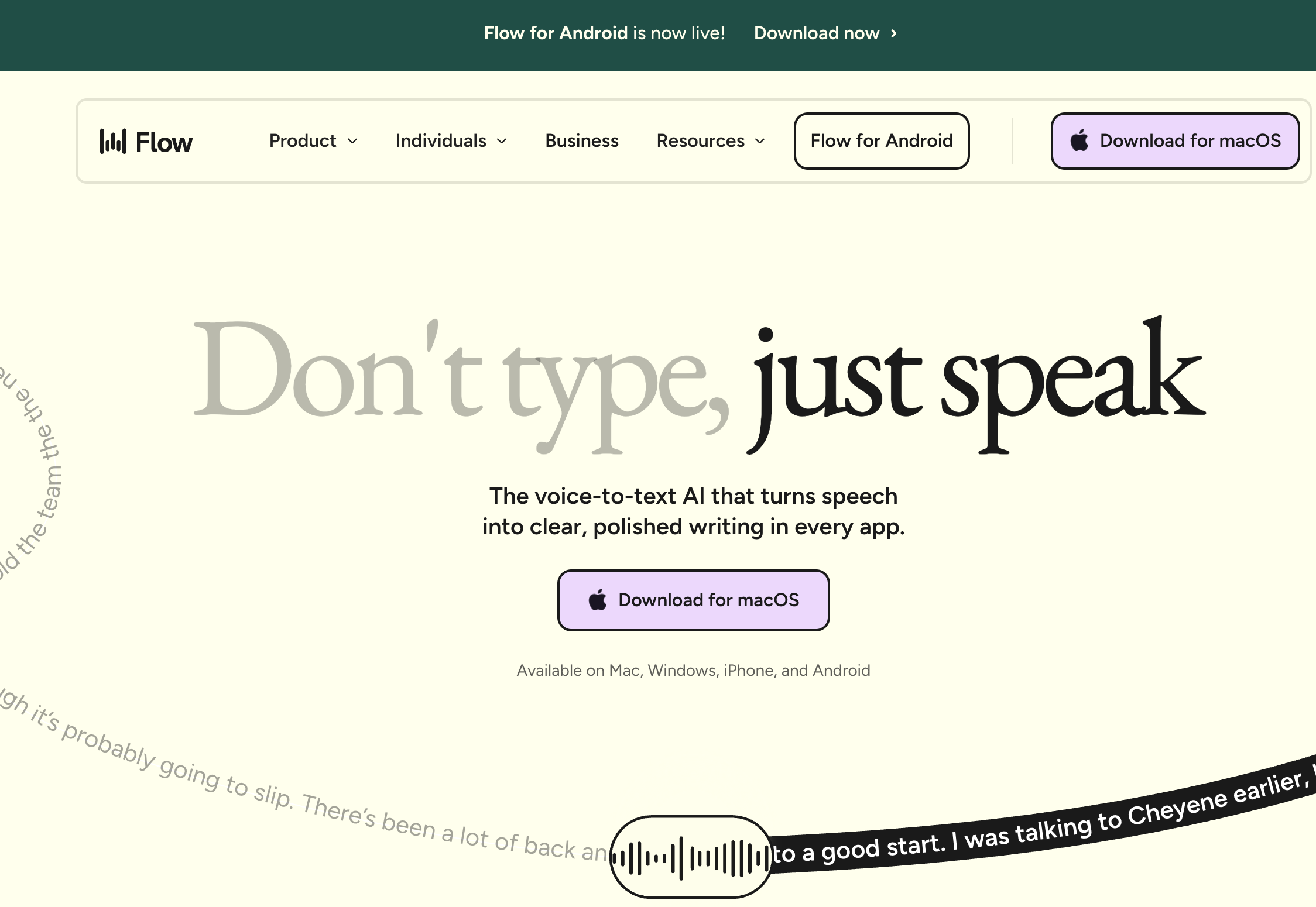
Wispr Flow is a venture-backed cloud dictation app for Mac, Windows, iPhone, and Android — the only paid app on this list covering all four. It does not transcribe verbatim: an AI layer rewrites what you said, stripping fillers, matching tone to the app you're in (casual in Slack, formal in email), and returning cleaned-up text from rambling speech.
Pricing: free tier of 2,000 words/week; Pro at $15/month or $144/year.
Third-party ratings: 4.8/5 on the iOS App Store (8,500+ ratings) — but 2.7/5 on Trustpilot, a documented gap between its app-store ratings and its organic reviews.
The catch: everything runs through the cloud — there is no offline mode — and Wispr Flow has drawn sustained criticism for capturing screenshots of your active window for "context awareness" and sending them to cloud AI providers. Community reports also flag the Electron-based Windows app's resource use (roughly 800MB of RAM idle) and reliability complaints after the trial period. Our is Wispr Flow safe investigation and full review lay out the details.
Best for: multi-device users who want their dictation rewritten into polished prose and are comfortable with cloud processing. If the rewriting appeals but the privacy doesn't, compare it against on-device options in our Wispr Flow vs Superwhisper breakdown.
3. Superwhisper — On-Device Model Control for Power Users
Superwhisper offers the most configuration of any app on this list: choose your Whisper or Parakeet model size, set up per-app "Custom Modes" with their own prompts and LLM post-processing, keep everything on-device or bring your own cloud API keys. Its users — 4.9/5 on Product Hunt (20 reviews), 4.4/5 on the Mac App Store (762 ratings) — are largely people who want exactly that control.
Pricing: free tier; Pro at $8.49/month, $84.99/year, or $249.99 lifetime covering Mac, Windows, and iOS.
The catch: the flexibility is the complexity — reviewers repeatedly describe setup as "like configuring a server." Defaults matter too: Superwhisper saves audio recordings of your dictations by default with no way to disable it, a consistent complaint on its own feedback board. Reviewers also report weak handling of proper nouns, and the $249.99 lifetime is the most expensive on-device license in the category — $101 more than Voibe's.
Best for: tinkerers who want to pick models and build per-app pipelines, and who'll spend an evening configuring them. Our Superwhisper review covers it in depth.
4. Apple Dictation — The Free Built-In on Every Mac and iPhone
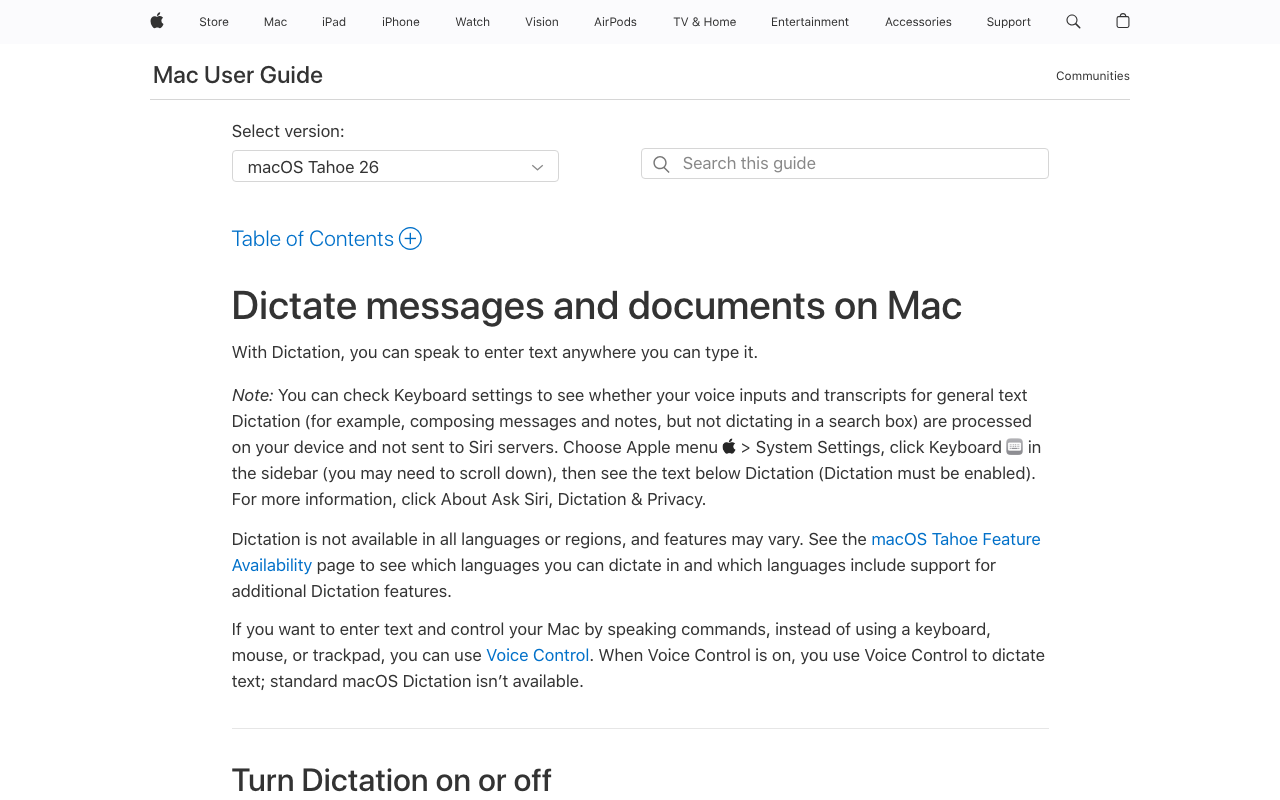
Press Fn twice on a Mac and you're dictating — no install, no account, no cost. Apple Dictation is the baseline every paid app gets compared against, and on Apple Silicon Macs it processes speech on-device by default, which makes it more private than several paid cloud apps. For texts, quick notes, and short email replies, it is often all you need.
Pricing: free, built into macOS and iOS.
The catch: no custom vocabulary — technical terms and names are guesswork, forever. Sessions end after 30 seconds of silence with no way to change it (Apple's Tahoe 26 documentation says dictation length itself is uncapped, though earlier versions were widely reported to stop mid-speech around 30 seconds, and community threads still report early stops). Auto-punctuation remains inconsistent enough that many users turn it off. Our switching-from-Apple-Dictation guide maps when the free tool stops being enough.
Best for: casual dictation on hardware you already own — and the right first stop before paying anyone, including us.
5. Windows Voice Typing & Voice Access — The Free Built-Ins on Windows
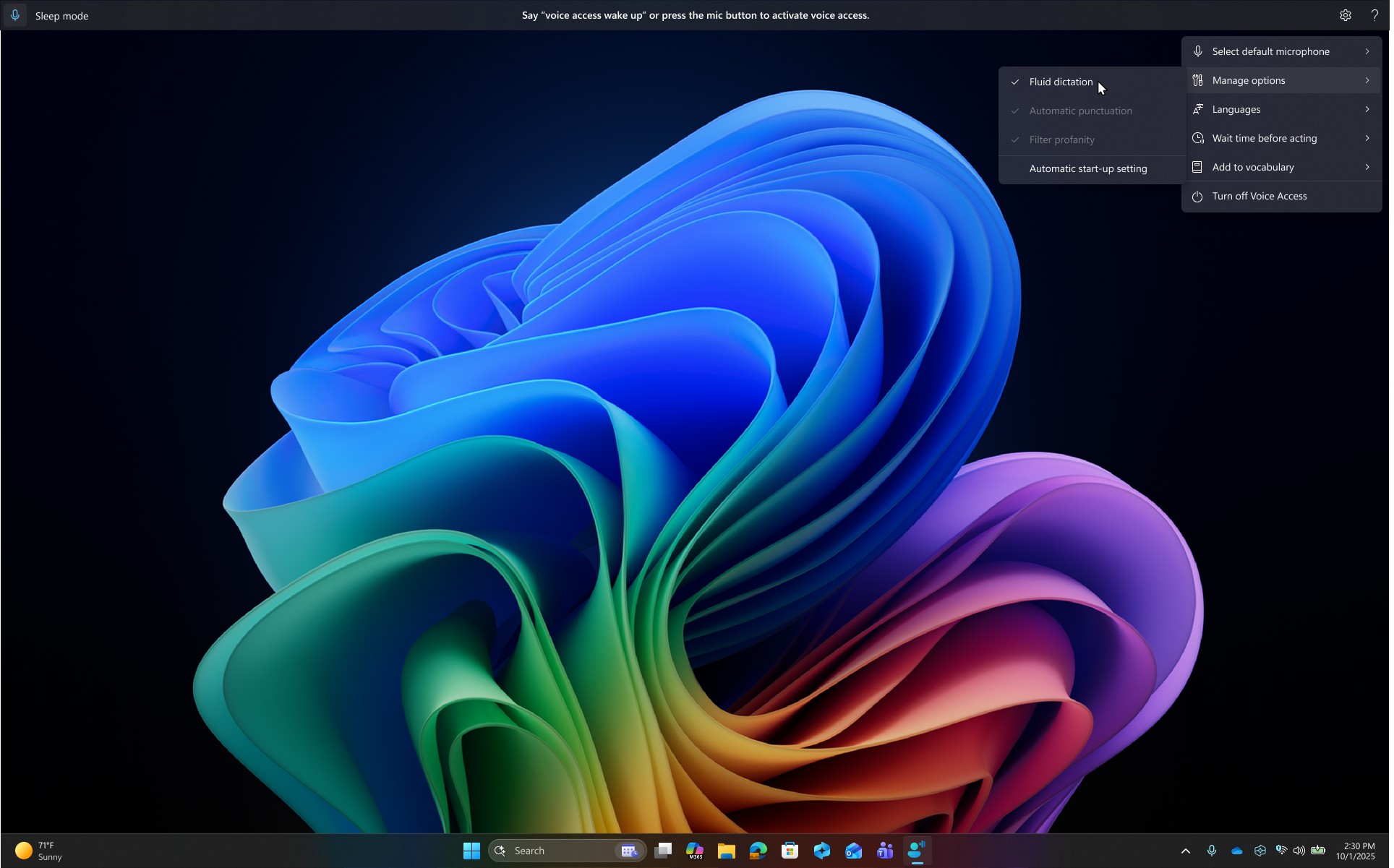
Windows ships two free speech to text tools, and together they're stronger than their reputation suggests — we scored the stack 7/10 in our Windows Voice Typing review. Voice typing (press Win+H) is instant cloud dictation in 43 languages with optional auto-punctuation. Voice Access (Windows 11 22H2+) is the deeper tool: it downloads a speech model once, then runs fully on-device — dictating and controlling the entire PC by voice, with AI cleanup (Fluid Dictation) on Copilot+ hardware.
Pricing: free, built into Windows 10 and 11 (Voice Access requires Windows 11 22H2+).
The catch: Win+H is cloud-only and stops without internet; Voice Access covers only about seven language families; and neither offers custom vocabulary — the same ceiling as Apple's built-in. Our Windows dictation guide covers setup for both.
Best for: Windows users starting at zero cost — and, via Voice Access, anyone needing full hands-free PC control, not just typing.
6. Google Voice Typing — Free on Your Phone and in Google Docs
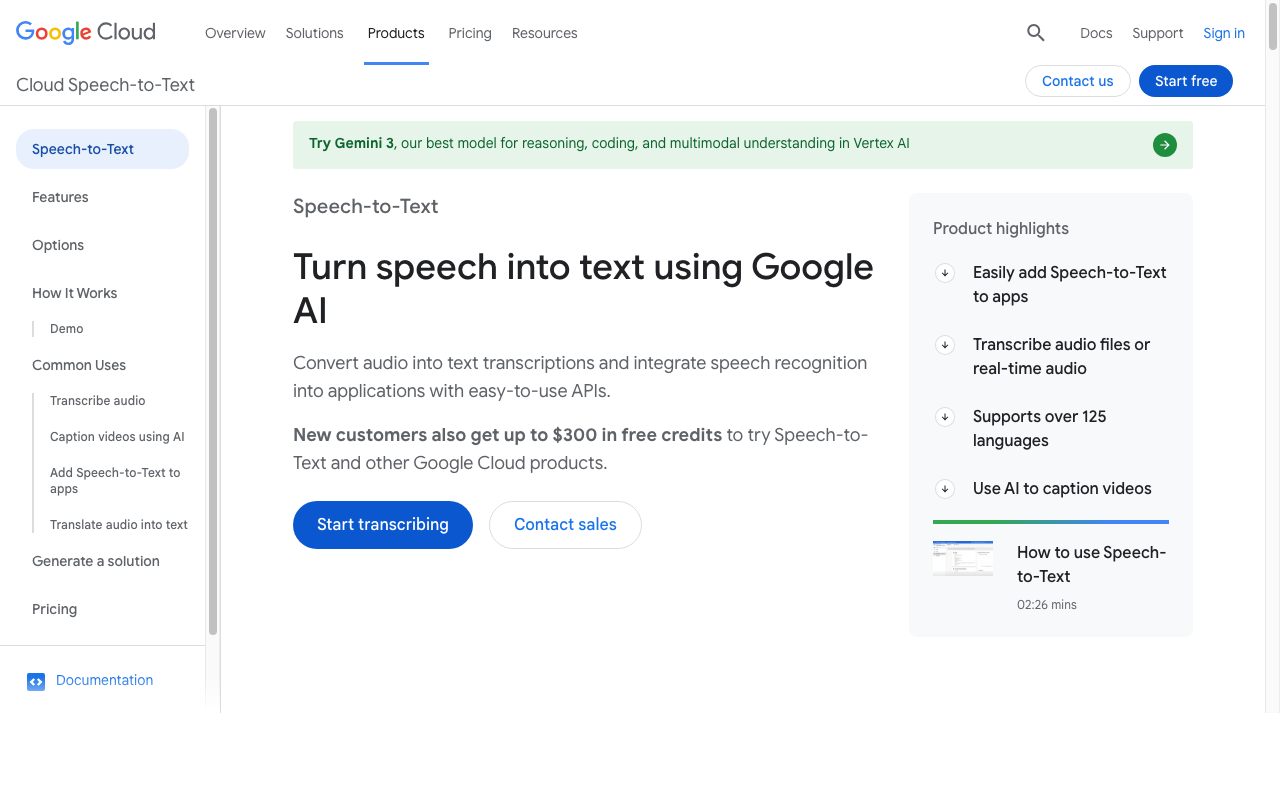
Google's speech to text shows up in two free places. On mobile, the mic button on the Gboard keyboard dictates into any app on Android and iOS — speech to text that comes with the phone rather than as a product you shop for. On the desktop web, Google Docs Voice Typing (Tools > Voice typing) includes voice commands for punctuation, formatting, and editing — "apply heading 1", "bold", "select last word".
Pricing: free with a Google account.
The catch: scope. Docs Voice Typing works only in Google Docs, only in Chrome, and processes audio in the cloud; its formatting commands are English-only. Gboard dictation lives on your phone, not your desktop. Neither has custom vocabulary. Put them together and you still don't have desktop-wide dictation — which is the gap the paid apps above fill.
Best for: phone-first dictation and Docs-based writing at zero cost — our Google Docs dictation guide covers the setup.
7. VoiceInk — The Budget Open-Source Lifetime License
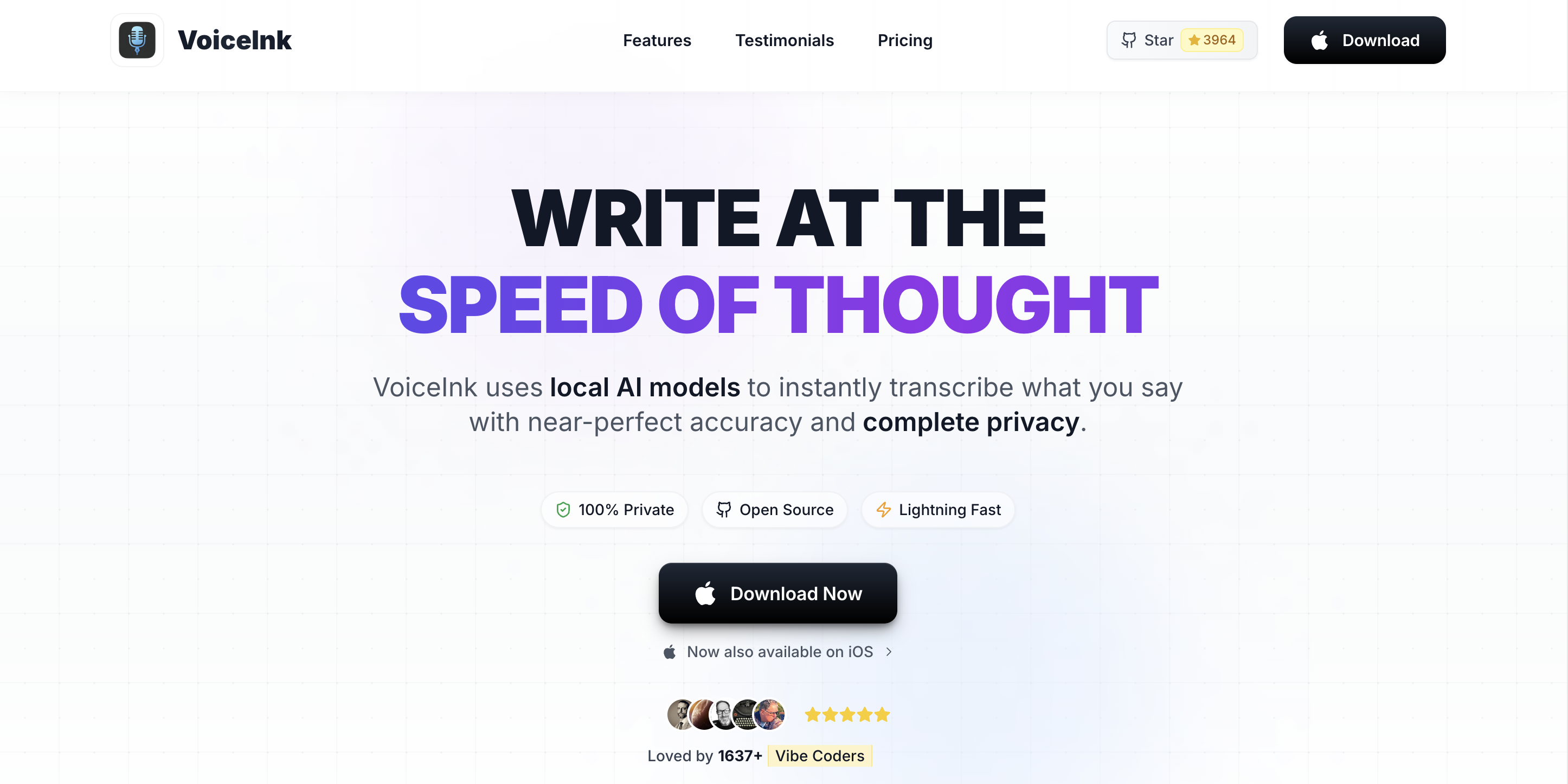
VoiceInk has the lowest-priced lifetime licenses on this list: on-device dictation for Mac at $29 (Solo), $49 (Personal), or $69 (Extended) — one-time, not subscription. It's open source under GPL v3, so the code is auditable, and you can build it from source for free. Local Whisper models, system-wide typing, no account.
Pricing: $29 / $49 / $69 one-time tiers (differing in devices and update windows); free if you compile it yourself.
The catch: Mac-only — and specifically Apple Silicon on macOS 14.4 or later, so Intel Macs and Windows machines are out. It's a leaner product than the apps above it: you're trading polish, support depth, and features like developer-workspace awareness for the lowest paid price in the category. Our VoiceInk review and pricing breakdown cover the tier differences.
Best for: Apple Silicon Mac owners who want on-device dictation at the lowest one-time price and are comfortable with an open-source indie tool.
8. Dragon Professional — The Legacy Professional Option (Windows Only)

Dragon Professional (now under Microsoft, via Nuance) is the name older professionals associate with speech to text, and for specific professional workflows it still does things no other app here does: trained per-user voice profiles, deep correction-by-voice, custom commands that automate entire document templates, and established legal and medical vocabularies.
Pricing: $699 one-time for Dragon Professional v16.
Third-party rating: 4.0/5 on G2 (~240 reviews).
The catch: the product line has been shrinking for years. The Mac version was discontinued in 2018, the $150 consumer Home edition in 2023, and the Dragon Anywhere mobile app reached end of life in July 2026 — what's left is a $699 Windows-only professional tool. At that price, Dragon costs $550 more than Voibe's $149 lifetime (79% more) while requiring a platform commitment many buyers no longer have. Our Dragon review and pricing guide map when it's still worth it.
Best for: Windows-based legal and medical practices with established Dragon workflows, or workplaces that standardized on it. Almost anyone starting fresh in 2026 has cheaper, more modern options.
Also Worth Knowing: The Next Four
Four more dictation apps earn a mention without cracking the eight. Willow Voice ($15/month or $144/year) is a YC-backed cloud app whose style memory learns your edits; it's growing fast but cloud-first by default. Aqua Voice ($8/month) is cloud-only dictation focused on technical-vocabulary accuracy — developers rate it highly, and it's the cheapest serious subscription here. Monologue ($10/month) takes an intent-first approach — capturing what you meant rather than verbatim words. And Spokenly is a capable free option where you bring your own API keys for cloud models or run local ones. If your shortlist runs through any of these, the linked reviews apply the same standard as this page.
Speech to Text App Pricing: What Three Years Actually Costs
Subscriptions hide their real price in small monthly numbers. Here is every paid option's cost over three years — the realistic life of a tool you adopt seriously:
| App | Pricing model | 3-year total |
|---|---|---|
| Apple / Windows / Google built-ins | Free | $0 |
| VoiceInk | $29–$69 lifetime | $29–$69 |
| Voibe | $149 lifetime (or $59/yr) | $149 |
| Superwhisper | $249.99 lifetime (or $84.99/yr) | $249.99 |
| Wispr Flow | $144/yr | $432 |
| Dragon Professional | $699 one-time | $699 |
The pre-calculated gaps: Voibe's $149 lifetime saves $283 versus three years of Wispr Flow (66% less), $100.99 versus Superwhisper's lifetime (40% less), and $550 versus Dragon Professional (79% less). VoiceInk undercuts everything if its Mac-only, leaner scope fits you. And the built-ins cost nothing forever — their price is paid in missing vocabulary and session limits, not dollars. For the pricing landscape across every dictation tool we track, see the dictation app pricing hub.
How to Choose a Speech to Text App: Three Questions
Work through these in order and the list of eight collapses to one or two candidates.
1. Which platforms must it cover?
- Mac (or Mac + Windows) → Voibe, Superwhisper, or free Apple Dictation.
- Windows only → free Win+H / Voice Access first; Voibe for Windows or Dragon Professional when you outgrow them.
- Desktop + phone in one subscription → Wispr Flow (the only four-platform paid option here).
- Phone only → free Gboard voice typing.
2. How sensitive is what you dictate?
- Client, legal, medical, or unreleased material → on-device processing: Voibe's on-device mode, VoiceInk, Superwhisper local models, or Voice Access. Voibe's private-cloud mode (zero retention, open-source models) is the fallback when on-device hardware isn't available.
- Nothing sensitive → cloud tools are on the table; judge them on output quality and reliability instead.
3. Subscription or one-time?
- Never want a recurring bill → VoiceInk ($29–$69), Voibe lifetime ($149), Superwhisper lifetime ($249.99), or Dragon ($699).
- Prefer to pay as you go → Voibe $7.50/month, Superwhisper $8.49/month, Wispr Flow $15/month.
Best Speech to Text App for Your Situation
Nine common situations, mapped straight to a pick:
- Developer dictating prompts into Cursor or VS Code → Voibe — Developer Mode resolves your file and folder names.
- Lawyer or doctor with confidentiality obligations → Voibe on-device mode — audio never leaves the Mac; see our dictation and HIPAA guide.
- Wants dictated email to come out more polished than they said it → Wispr Flow — its AI rewrite layer does exactly that.
- Power user who enjoys configuring per-app pipelines → Superwhisper — the most configuration on this list, priced accordingly.
- Mac owner, minimal budget, wants on-device → VoiceInk ($29–$69) — or free Apple Dictation for casual use.
- Windows user, zero budget → Win+H for quick dictation; Voice Access for offline and hands-free control.
- Dictates mostly on a phone → Gboard voice typing free, or Wispr Flow for a paid cross-device upgrade.
- Workplace standardized on Dragon workflows → Dragon Professional — the ecosystem is the point.
- Writes in Word all day → Word's built-in Dictate plus a system-wide app for everything else — our dictate in Microsoft Word guide covers all three paths.
Frequently Asked Questions About Speech to Text Apps
Basics
What is a speech to text app?
Software that converts your spoken words into written text as you speak, typing the result where your cursor is — in documents, email, chat, code editors, or AI tools. The apps in this guide differ on where the audio is processed (on your device or in the cloud), whether you can teach them your vocabulary, and which platforms they cover.
Is speech to text the same as dictation?
For the apps in this guide, yes — dictation is speech to text used to write: you speak, and text appears at your cursor in place of typing.
Platforms
What's the best speech to text app for Mac?
Voibe for most people (custom dictionary, on-device mode, $149 lifetime), Superwhisper for model-tinkering power users, Apple Dictation for free. Our Mac-specific ranking compares every option on that platform.
What's the best speech to text app for Windows?
Start free with Win+H voice typing and Voice Access. Upgrade to Voibe for Windows ($7.50/month or $149 lifetime) for custom vocabulary on a native app, or Dragon Professional ($699) for established professional workflows. The full Windows lineup is in our Windows dictation apps guide.
Privacy
Do speech to text apps record everything I say?
Only while activated — but what happens to that audio differs sharply. Superwhisper saves recordings locally by default with no off switch; Wispr Flow processes audio (and active-window screenshots) in the cloud; Voibe discards audio immediately after transcription in both of its modes and never uses it for training. Check each vendor's data handling — our offline dictation explainer covers what to look for.
What's the most private speech to text app?
On-device processing with no stored recordings: Voibe's on-device mode on Apple Silicon Macs. VoiceInk and Windows Voice Access also process entirely locally. On-device means there is no server to trust — the audio physically never leaves your machine.
Pricing
What does a good speech to text app cost?
Free (the built-ins), $29–$249.99 one-time (VoiceInk, Voibe, Superwhisper), or roughly $96–$180/year in subscriptions (Aqua Voice, Wispr Flow). Over three years the spread is wide: $0 for built-ins, $149 for Voibe lifetime, $432 for Wispr Flow.
Are lifetime licenses worth it over subscriptions?
If you'll use the tool beyond roughly a year and a half, usually yes. Voibe's $149 lifetime overtakes its own $7.50/month plan after 20 months and beats Wispr Flow's $144/year after 13 months — then keeps working with no further billing. The risk to weigh is vendor longevity, which is why an open-source option like VoiceInk (buildable from source) is the hedge some buyers prefer.
The Bottom Line on Speech to Text Apps
The free built-ins are the honest starting point — $0, adequate for casual use, and capped by missing vocabulary and session limits. When the work gets real, Voibe is our pick: a real dictionary, system-wide typing on Mac and Windows, on-device privacy on Apple Silicon, and a $149 lifetime that costs less over three years than any other paid system-wide option here except VoiceInk. Wispr Flow is the choice when four-platform coverage and AI rewriting outweigh cloud processing; Superwhisper when you want maximum configuration; VoiceInk when budget rules everything.
Try Voibe free for 7 days — no account, no card — and test it on the vocabulary the built-ins keep getting wrong.
Go deeper:
- Speech to text on Mac — the Mac-specific deep dive
- Best dictation apps for Windows — the Windows lineup
- Best free dictation apps — when $0 is the budget
- Best offline dictation apps — for work that can't touch a server
- All head-to-head comparisons — every matchup we've tested
One thing no app fixes: bad audio. If your errors are random rather than repeated on the same words, see the dictation microphone guide before switching tools.
And if you are wiring transcription into software rather than typing with it, the app layer is the wrong shelf entirely — see the best speech-to-text API for agents, which prices eight developer APIs on billing behaviour rather than per-hour rate.
Key Takeaway
Voibe: $149 lifetime, on-device mode on Apple Silicon, Mac + Windows. Wispr Flow: $144/yr, four platforms, cloud AI rewriting. Superwhisper: $249.99 lifetime, maximum configuration. Free: your OS's built-ins. Budget lifetime: VoiceInk ($29–$69, Mac).
Best AI Dictation and Meeting Notes for Confidential Work
Draft letters, notes and emails 5x faster on Windows and Mac. Get meeting notes without a bot on Mac. Nothing used to train AI.
- Mac + Windows
- No bot in your calls
- Nothing used to train AI
- 7-day free trial
Want to compare plans first? View pricing →
Related Articles
Best Dictation Software for Seniors (No Subscription Needed)
Typing shouldn't be the reason the letters stop. The best dictation software for seniors on Mac and Windows — simple to start, private, no subscription.
Switching From Dragon to Voibe: Your Word List Comes With You
Dragon exports your custom words in four clicks. Here's the whole move to Voibe on Mac or Windows, what maps to what, and the three things that don't.
Switching From Apple Dictation: When Free Stops Being Enough
I build a paid dictation app. My honest advice: don't switch from Apple Dictation until you hit one of its three walls. Here's how to tell — and how to move.