
Dragon vs Willow Voice: Willow Costs More From Year Five
Willow Voice runs on Mac, Windows, and iPhone for $15 a month. Dragon is $699.99 once and Windows only. Here's which one fits the work you do.

Dragon Professional
The desktop dictation institution. $699.99 one-time for Windows, with full voice command-and-control and prebuilt professional vocabularies, now owned by Microsoft and pointed at enterprise healthcare.
$699.99 one-time (Professional v16, Windows) · upgrades ~$299–$399
Pros
- + Full voice command-and-control of a Windows PC, still the accessibility benchmark
- + Prebuilt, decades-refined vocabularies for legal, medical, and technical work
- + Local desktop processing, so your dictation never transits anyone's cloud
- + Perpetual license: $699.99 once beats any subscription if you stay five-plus years
- + Mature: Capterra 4.0/5 across ~240 reviews and 30 years of refinement
Cons
- - Windows only. No Mac version since 2018, and no mobile since Dragon Anywhere sales ended July 1, 2026
- - $699.99 upfront, ~$299–$399 for version upgrades, and official pages that increasingly say 'Contact us'
- - The consumer ecosystem around it is being dismantled (Home dead in 2023, Anywhere in 2026)
- - Learning curve, RAM appetite, and reported crashes on long documents
- - Vendor attention has moved to Dragon Medical One and Dragon Copilot rather than the desktop product
Willow Voice
YC-backed (X25) cloud dictation startup launched March 2025. Style memory that matches your tone per app, an AI Mode that turns rough speech into finished text, and apps for Mac, Windows, and iPhone on a $15/month subscription.
Free (unlimited on Frontier Mini) · Pro $15/mo or $144/yr · Business $35/mo ($28/mo annual)
Pros
- + Modern cross-platform coverage: Mac, Windows (January 2026), and iPhone, with Android listed as coming soon
- + Style memory and AI Mode produce polished, context-aware text rather than raw transcript
- + Free tier with unlimited dictation on the lighter Frontier Mini model
- + Startup shipping velocity: Windows, Cursor support, and Teams all landed within three months in early 2026
- + SOC 2 Type II, HIPAA enforcement, and enforced zero retention on the Business tier ($35/mo)
- + No install-and-train ritual, so you're working in minutes
Cons
- - Cloud-first: the flagship Frontier Pro model processes audio on Willow's servers
- - No voice command-and-control, so it dictates but won't operate your computer
- - Subscription forever: $144/year on annual billing passes Dragon's one-time price early in year five
- - Enforced zero retention comes with the Business tier, not with individual plans
- - Launched March 2025, so the track record is thin (Product Hunt 4.9/5 from 8 reviews) against Dragon's decades
- - Offline Mode is an opt-in fallback on Mac and iOS rather than the default
Voibe
The app we build. Dragon's keep-it-local privacy and pay-once pricing with Willow's Mac-and-Windows reach, at $199 lifetime. On-device on Apple Silicon, zero-retention cloud elsewhere, with a Dictionary, Memory shortcuts, and spoken punctuation for ex-Dragon hands.
Free plan (limited words) · $9.90/mo · $99/yr · $199 lifetime (limited availability)
Pros
- + On-device processing on Apple Silicon, so audio never leaves the Mac; on Windows and Intel Macs, a zero-retention cloud that deletes audio the moment transcription completes and never trains on it
- + $199 lifetime: $500.99 less than Dragon (71.6% cheaper), $233 less than three years of Willow Pro
- + A custom Dictionary that injects your jargon into transcription itself, standing in for Dragon's Vocabulary Center
- + Memory shortcuts (Dragon's Auto-Texts) and punctuation spoken by name, so the Dragon habits transfer
- + Smart Formatting fixes punctuation, capitalization, paragraphs, and filler words without rewriting your meaning
- + Native Mac and Windows apps on one plan; Developer Mode for Cursor, VS Code, and Windsurf; Hands-Free Mode and Live Dictation on Mac
- + Install-and-talk setup, with no training ritual
Cons
- - No voice command-and-control, so like Willow it dictates rather than operating the computer
- - No iPhone app
- - No LLM rewrite mode: Smart Formatting cleans up but won't restyle your text the way Willow's AI Mode does
- - On-device mode needs Apple Silicon (M1 or later); Intel Macs and Windows use the zero-retention cloud
Dragon vs Willow Voice: Which One Fits Your Work
Dragon does two things Willow Voice can't touch: it runs a Windows PC entirely by voice, and it ships decades-deep legal and medical vocabularies prebuilt. If you need neither, you're paying $699.99 for a Windows-only app last updated in 2023.
Willow Voice launched in March 2025, costs $15 a month or $144 a year, and runs on Mac, Windows, and iPhone with a free tier. It processes audio on its servers and polishes your phrasing as it types. Dragon runs on your own PC and types what you said. Rent Willow long enough and the money flips: $144 a year passes Dragon early in year five.
Want Dragon's local processing and pay-once pricing on a Mac? That's the seat Voibe, the app we build, sits in at $199 lifetime.
Key Takeaway
Dragon: $699.99 once, Windows only, local processing, full voice control. Willow: $15/mo, Mac and Windows and iPhone, cloud AI polish. Willow costs more than Dragon from year five.
Key Takeaways: Dragon vs Willow Voice at a Glance
The trade in one table:
| Question | Dragon Professional | Willow Voice |
|---|---|---|
| Born | 1997 (v16 shipped 2023) | March 2025 (YC X25) |
| Model | Buy once: $699.99 | Subscribe: $15/mo or $144/yr |
| Platforms | Windows only | Mac, Windows, iPhone (Android coming) |
| Processing | Local desktop | Cloud-first; opt-in offline fallback |
| Beyond dictation | Full voice control of the PC | AI rewrite + style memory |
| 5-year cost | $699.99 | $720 (Pro annual) |
| Ratings | Capterra 4.0/5 (~240) | Product Hunt 4.9/5 (8) |
| The catch | One platform, fading consumer line | Your audio on their servers, rent forever |
Both land mid-tier in our reviews, Dragon 6/10 and Willow 7/10, for opposite reasons. Dragon is a 9/10 product on a shrinking island; Willow is a promising one on a growing island, with your audio on its servers.
What You Get for Dragon's $699.99
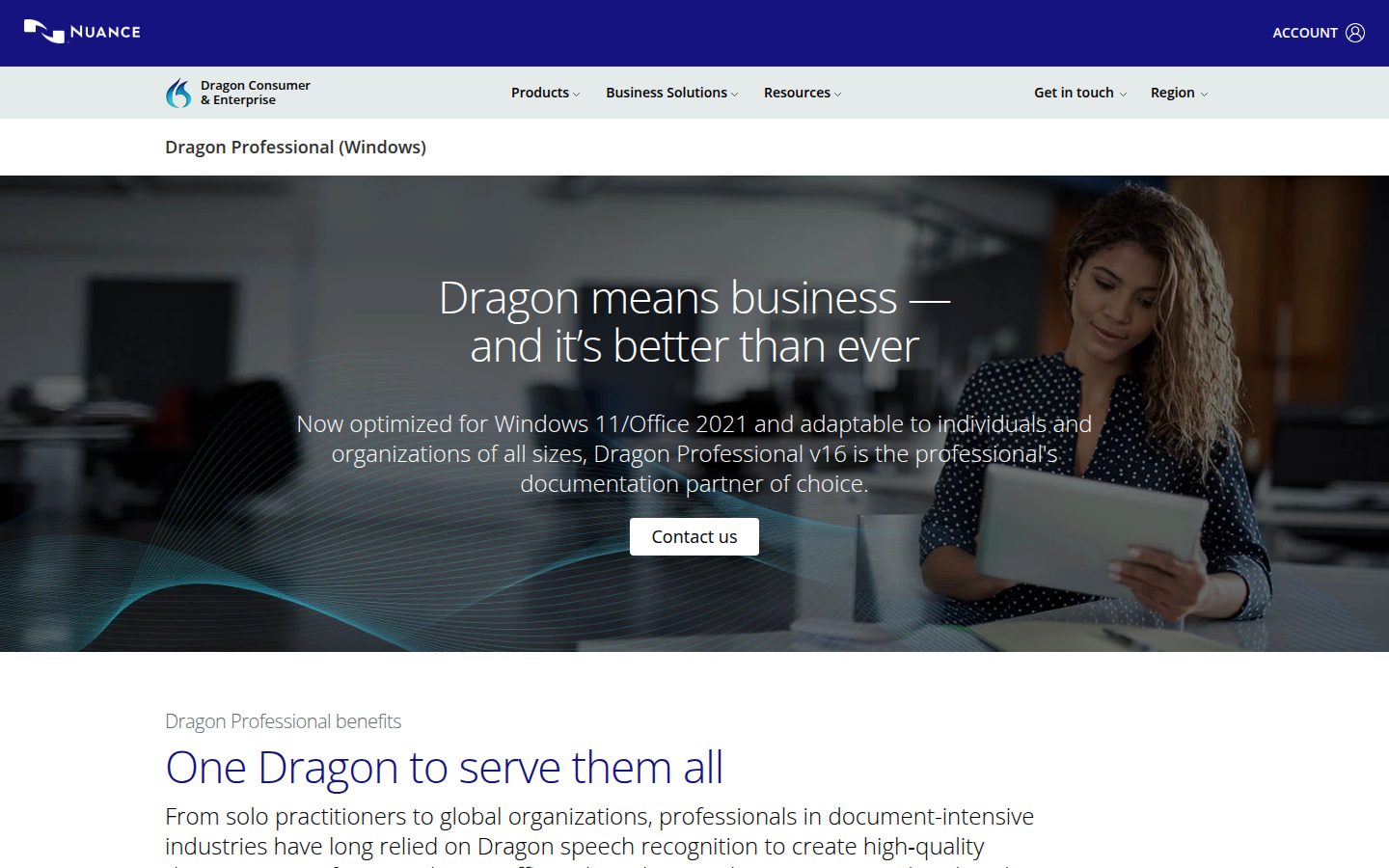
Dragon invented this category: DragonDictate in 1990, NaturallySpeaking in 1997, and today Dragon Professional v16 (2023) at $699.99, Windows only. The depth is real: vocabularies refined over three decades, a correction workflow that trains a personal voice profile, and command-and-control, which lets you dictate, format, open apps, and run Windows hands-free. That last capability keeps Dragon irreplaceable for users with RSI or mobility needs, and its Capterra 4.0/5 across ~240 reviews comes from professionals who depend on it.
The island keeps shrinking. Mac support died in 2018, the $150 Home edition in 2023, and Dragon Anywhere stopped new sales on July 1, 2026. Microsoft bought Nuance for $19.7B in March 2022 and aimed the technology at enterprise healthcare with Dragon Copilot (March 2025), while the consumer pricing pages route you to 'Contact us'.
What You Get for Willow's $15 a Month
Willow Voice is this category rebuilt from scratch in 2025: cloud-first, cross-platform, venture-backed. It came out of Y Combinator's X25 batch with $4.2M from BoxGroup and angels including Dharmesh Shah and Alexis Ohanian. It ships fast: an iPhone keyboard that drew TechCrunch coverage (November 2025), a Windows app (January 2026), Cursor support (February), Teams (March).
Both signature features lean on the cloud. Style memory learns how you write per app; AI Mode turns rough fragments into finished text. The free tier is unlimited dictation on Frontier Mini; Pro at $15/month, or $144/year, unlocks Frontier Pro.
Audio for the flagship model is processed server-side, and Offline Mode is an opt-in fallback on Mac and iOS. The compliance package (SOC 2 Type II, HIPAA enforcement, enforced zero retention) belongs to the $35/month Business tier, not the individual plan; our is Willow Voice safe? investigation maps the data flows. The track record is sixteen months long, and Product Hunt's 4.9/5 rests on eight reviews. Our review gives it 7/10.
The Money: When Willow Passes Dragon
Both prices are real; they measure different things. Verified July 2026:
| Horizon | Dragon Professional | Willow Pro (annual) | Voibe (lifetime) |
|---|---|---|---|
| Day one | $699.99 | $144 | $199 |
| Year 3 | $699.99 | $432 | $199 |
| Year 5 | $699.99 | $720, passes Dragon | $199 |
| Year 10 | $699.99 (+~$299–$399 if you take an upgrade) | $1,440 | $199 |
Willow is cheaper to try and to own for four years. Dragon wins past early year five, when Willow's fifth annual payment reaches $720. The footnotes cut both ways: Dragon's upgrades (~$299–$399 a version) can push its decade cost toward $1,100, while Willow's $144 a year assumes a seed-stage startup holds today's prices.
Third column: a $199 lifetime license costs less than fourteen months of Willow at $15/month ($210) and is 71.6% cheaper than Dragon, keeping $500.99. Market-wide math in the dictation pricing hub.
Eight Dimensions, Winners Called
| Dimension | Dragon | Willow Voice | Winner |
|---|---|---|---|
| Dictation accuracy (general) | Excellent, mature | Excellent, modern models | Tie |
| Voice control of the computer | The category benchmark | None | Dragon |
| Professional vocabularies | Prebuilt, decades-deep | Limited dictionary | Dragon |
| Platforms | Windows | Mac + Windows + iPhone | Willow |
| Output polish (formatting, tone) | Raw dictation + commands | Style memory + AI Mode | Willow |
| Works offline | Always, on the local desktop | Opt-in fallback only | Dragon |
| Setup time | Install + training ritual | Minutes | Willow |
| Trajectory | Consumer line contracting | Shipping monthly | Willow |
Willow takes four rows, Dragon three, one tie, but the rows carry different weights. If voice control or offline processing is a hard requirement, Dragon wins whatever the count says. If running on a Mac is, Willow does.
Pros and Cons, Side by Side
Dragon, pros:
- Unmatched voice command-and-control, the Windows accessibility standard
- Deepest prebuilt professional vocabularies, plus correction training
- Local processing, no cloud, no recurring fee
- $699.99 once beats subscriptions past five years
Dragon, cons:
- Windows only; Mac dead 2018, mobile July 2026
- $699.99 upfront plus ~$299–$399 upgrades
- Learning curve, resource appetite, aging UI
- Vendor focus moved to healthcare (Dragon Copilot)
Willow Voice, pros:
- Mac, Windows, and iPhone today
- Style memory and AI Mode deliver finished text
- Generous free tier, working in minutes
- Compliance stack available at Business tier
Willow Voice, cons:
- Cloud-first; offline is a fallback
- $144/year forever: past Dragon in year five, $1,440 by year ten
- No voice control, limited custom vocabulary
- Sixteen-month track record, 8-review rating base
Which Should You Choose?
Buy Dragon Professional if:
- You need hands-free operation of Windows for RSI, mobility, or vision needs
- You want legal or medical vocabularies prebuilt rather than pasted in yourself, or your employer standardizes on Dragon Medical One (priced separately)
- You'll dictate on Windows for five-plus years and would rather own
Subscribe to Willow Voice if:
- You work across Mac, Windows, and iPhone and want one setup
- Polished, tone-matched output matters more than where processing happens
- You want to start free and decide later
Choose Voibe if:
- You want Dragon's two best ideas, local processing and paying once, in a modern app at $199 lifetime
- You need Mac and Windows: $500.99 less than Dragon, $233 less than three years of Willow
- You're leaving Dragon and want the habits along: a Dictionary instead of the Vocabulary Center (paste your exported word list in), Memory shortcuts instead of Auto-Texts, punctuation spoken by name
- You want cleanup instead of a rewrite: Smart Formatting fixes punctuation and filler words and leaves your wording alone
- You dictate into Cursor, VS Code, or Windsurf, where Developer Mode resolves file names
Key Takeaway
Hands-free Windows control: Dragon. Three platforms plus AI polish: Willow. Local on Apple Silicon, zero-retention cloud on Windows, pay once, Dragon habits intact: Voibe at $199. Match your one non-negotiable row.
What Users and Reviewers Say
Dragon: a mature record. Capterra 4.0/5 across ~240 reviews, with accessibility users calling it indispensable and three complaints recurring for a decade: price ('the biggest con that I can think of is the cost'), support speed, and crashes on long documents. The Register chronicled the 2018 Mac abandonment, and the 2026 Dragon Anywhere shutdown repeated it for mobile.
Willow Voice: an early record pointing up. Product Hunt 4.9/5 from 8 reviews, TechCrunch coverage citing 50% month-over-month growth at the iOS launch, YC and named-angel backing. Users praise the output and the release pace; hesitations are about cloud processing and the subscription. That's enthusiasm with a small denominator, so test it on the free tier for a week and read our hands-on free-tier review.
Final Verdict: Who Should Buy Which
Dragon stays unbeatable at two things: full voice control of a Windows PC, and keeping the audio on the PC. If either is your requirement, spend the $699.99; nothing modern replaces it, ours included. For general dictation it's a hard sell in 2026: one platform, a fading consumer line, prebuilt vocabularies you could paste into a modern app's dictionary yourself, and an accuracy edge that stopped being an edge.
Willow Voice is the strongest argument for the new way: try free, run everywhere, output that reads finished. The reservations come from its architecture: your audio on their servers by default, compliance gated to the Business tier, a meter reading $720 by year five.
Most people stand in between, wanting Dragon's ownership without Windows-only and Willow's reach without the rent. Voibe, ours, runs Whisper on-device on Apple Silicon and ships a native Windows app on a zero-retention cloud. Dragon habits carry over: a Dictionary, Memory shortcuts, punctuation by name, and Smart Formatting that cleans up without rewriting. It costs $199 once, 71.6% less than Dragon.
Related reading: Dragon review · Dragon pricing · Dragon alternatives · Dragon alternatives for Windows · Willow Voice review · Willow Voice pricing · Superwhisper vs Willow Voice · VoiceInk vs Willow Voice · Dragon vs OpenAI Whisper · all comparisons
Frequently Asked Questions
What is the difference between Dragon and Willow Voice?
Is Willow Voice a good Dragon replacement?
Does Dragon or Willow Voice work on Mac?
Which is cheaper, Dragon or Willow Voice?
Does Willow Voice work offline like Dragon?
Is Willow Voice HIPAA compliant like Dragon Medical One?
Is Dragon still more accurate than newer apps like Willow?
Who should still buy Dragon in 2026?
What's the best middle ground between Dragon and Willow Voice?
Best AI Dictation and Meeting Notes for Confidential Work
Draft letters, notes and emails 5x faster. Get meeting notes without a bot joining your call. Nothing used to train AI.
- Mac + Windows
- No bot in your calls
- Nothing used to train AI
- 7-day free trial
Want to compare plans first? View pricing →