
My Agentic Engineering Stack: 5 Tools, One Bottleneck Each
I build with coding agents most days. The 5 tools I actually keep for agentic engineering and vibe coding, what each unblocks, and what the stack costs.

The first time an agent shipped a working feature while I was refilling my coffee, I assumed the hard part was over. It wasn't. The bottleneck just moved.
It moved off writing code and onto the two things that surround it: getting a rich enough instruction into the agent, and checking what came back out. That's the entire story of agentic engineering in 2026, and it's why my stack is five tools instead of one.
Claude Code does almost everything. The other four exist because of what “almost” costs. Here's the whole list, ranked by how much I'd miss each one:
- Claude Code — the agent. Reads the repo, plans, edits, runs commands, opens the PR. From $20/month.
- Voibe — the input layer, and ours. A 300-word agent prompt is about two minutes spoken and roughly seven and a half minutes typed, and only one of those costs you a wrist. $7.50/month, $59/year, or $149 lifetime.
- Cursor — where I read the diff the agent wrote. Free tier; $20/month for Pro.
- Playwright MCP — eyes for the agent, so it stops guessing whether the button it built actually renders. Free, Apache-2.0.
- CodeRabbit — a second reviewer, because you cannot personally read everything an agent produces. Free tier; $24/developer/month for Pro.
Four of the five have a free or one-time option. The version I actually run costs $47.50 a month. The rest of this is why each one earned its slot, what it costs, and where each one annoys me.
Key Takeaway
Claude Code is the only tool here that writes the code. The other four exist to fix what surrounds it: getting intent in (Voibe), reading the result (Cursor), letting the agent verify its own work (Playwright MCP), and catching what you stopped reading (CodeRabbit).
How I Picked These Five: One Bottleneck Each, No Overlap
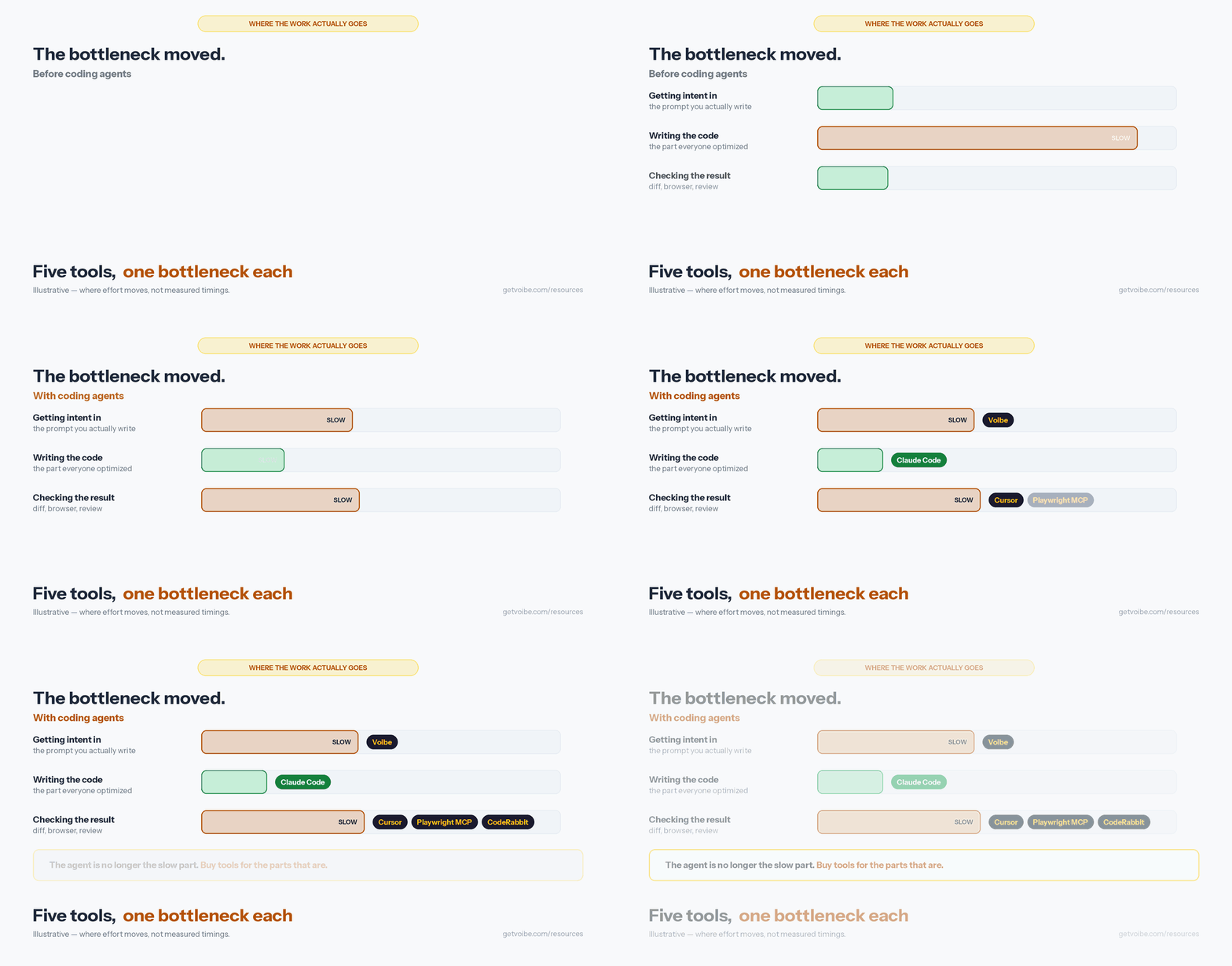
My rule for this list was simple: a tool only earns a slot if it removes a bottleneck the other four create. That rules out most “best AI coding tools” lists, which are really four agents that do the same job in different windows.
There are only really four bottlenecks in agentic engineering once the agent itself is good:
- Getting intent in. Agents reward long, specific, contextual prompts. Long prompts are physically expensive to type.
- Reading what came out. A 400-line diff in a terminal is not a review. It's a scroll.
- Verification. An agent writing frontend code cannot see the page. It's writing with its eyes closed and reporting success.
- Volume. One person can generate ten times more code than they can carefully read. That gap is where the bugs live.
Anything that didn't map to one of those got cut, including several tools I like. There's a section further down on what I deliberately left off and why.
One filter I didn't spell out but applied throughout: every tool here is one I'd be comfortable running on a client's machine, which is a different bar from “is it good.” It's the same bar behind the broader roundup of AI tools your IT team will approve.
| Tool | Bottleneck it kills | Price floor | Free option? |
|---|---|---|---|
| Claude Code | Writing and running the code itself | $20/month | No standalone free CLI tier |
| Voibe | Typing long prompts; wrist load | $7.50/month or $149 once | 7-day trial |
| Cursor | Reviewing a large diff | $0 (Hobby) | Yes |
| Playwright MCP | The agent can't see the browser | $0 | Yes, fully open source |
| CodeRabbit | More code than you can read | $0 (Free plan) | Yes |
1. Claude Code — The Agent That Does Almost Everything Else
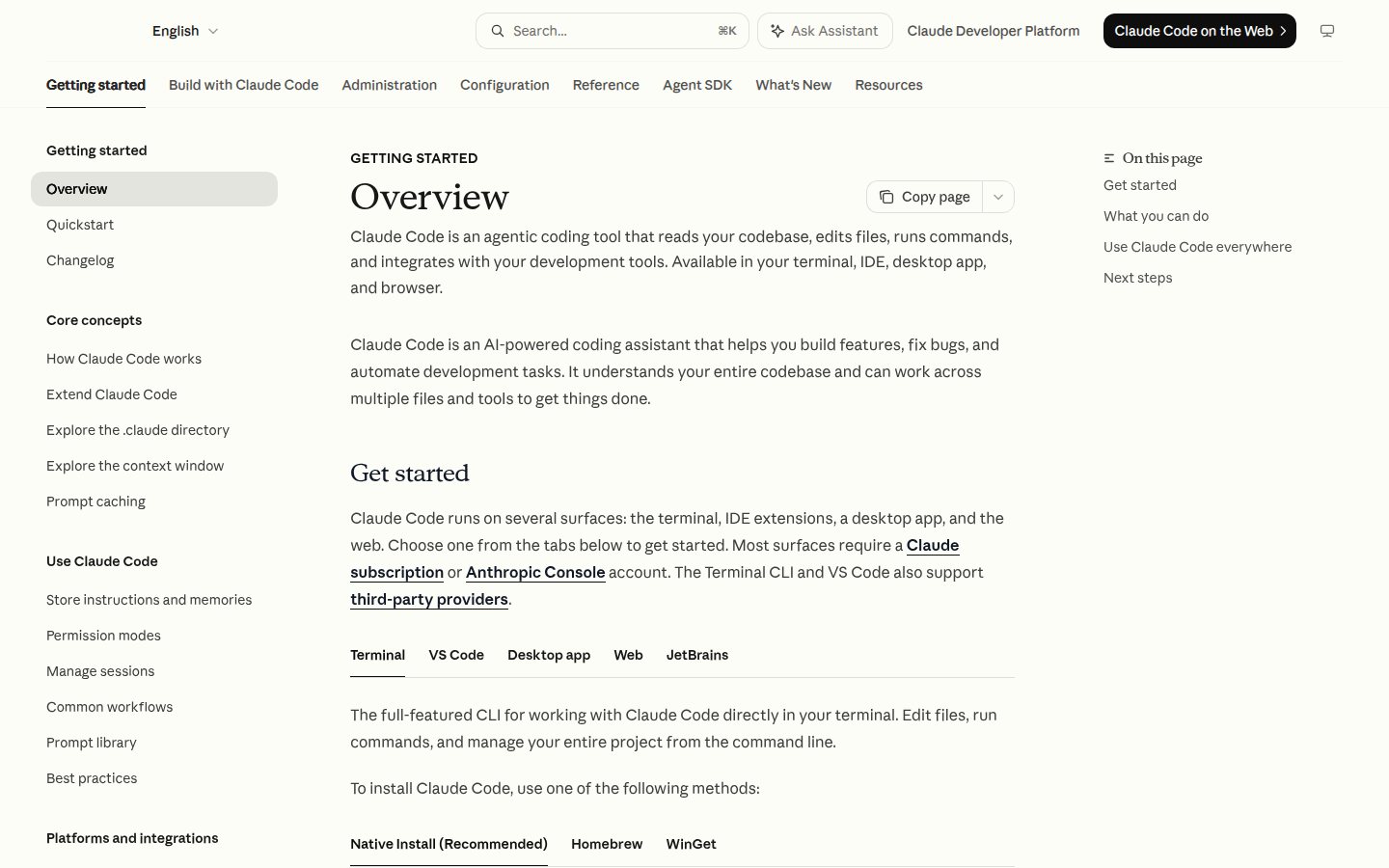
Claude Code is an agentic coding tool that reads your codebase, edits files, runs commands, and integrates with your development tools. It is number one on this list for an unglamorous reason: it collapses about six tools I used to run into one, and then it keeps working when I close the laptop.
The thing that changed my workflow wasn't the code generation. It was that the same session runs in the terminal, VS Code, JetBrains IDEs, a desktop app, the browser, and the mobile app, sharing the same CLAUDE.md instructions, settings, and MCP servers across all of them. I start a refactor in the terminal, hand it to the desktop app to review diffs visually, and check on it from my phone.
What it actually does, in the order I use it:
CLAUDE.mdand auto memory — a markdown file in your repo root that it reads at the start of every session. Coding standards, architecture decisions, the build command that isn't obvious. This is the highest-leverage file in any of my repos.- Subagents and background agents — spawn several agents on different parts of a task at once, with a lead agent coordinating and merging. This is where the “while I made coffee” part comes from.
- Hooks — shell commands that fire before or after its actions. Mine auto-formats after every edit, so I never review a diff full of whitespace noise.
- Skills — packaged repeatable workflows you invoke as slash commands and share with a team.
- MCP — the open standard that lets it reach Linear, Jira, Google Drive, or your own tooling. This is also how tool number four on this list plugs in.
- Piping —
claude -pmakes it a Unix citizen.tail -200 app.log | claude -p "flag anything anomalous"is a real thing I run.
Pricing: Claude Code comes with a Claude subscription rather than being sold separately. Pro is $20/month, or $17/month billed annually. Max starts at $100/month, with the 20x tier at $200/month. Team seats are $20/seat/month billed annually for Standard and $100/seat/month for Premium. You can also pay per token through the Anthropic API. Full breakdown on the Claude pricing page.
The catch: it is only as good as the context you hand it, and the ceiling on that context is how much you're willing to type. A three-sentence prompt gets you three-sentence quality. That's not a flaw in the tool — it's a flaw in the interface between you and the tool, which is exactly what number two fixes.
The other honest caveat: an agent that can run commands on your machine is a trust decision, not just a productivity one. I've written up the privacy and permission model separately in Is Claude Code safe? — worth ten minutes before you turn it loose on a client repo.
Best for: anyone doing multi-file work, refactors, test writing, or CI automation. If you install exactly one thing from this list, install this one.
Since this stack routes your whole codebase through Claude Code, set its privacy posture once and stop thinking about it: the Claude Code privacy settings guide has the full opt-out table, and if you run it on an API key, the API's retention rules — 30-day default, ZDR by approval, the June 2026 Covered Models exception — are documented there.
One thing worth knowing once you are running agents rather than single prompts: when Claude Code asks whether Anthropic can look at your session transcript, a Yes includes subagent transcripts — the files a Task call read on its own, which you may never have opened. The transcript prompt, explained covers the payloads, the 6-month retention window, and the flags that stop it being asked.
Tip
The single best hour you can spend with Claude Code is writing a good CLAUDE.md. It is read at the start of every session, so every improvement compounds across every future task.
2. Voibe — Because Typing the Prompt Is What Actually Wrecks You
Here's the arithmetic nobody mentions when they tell you to write better prompts. Average typing speed is around 40 words per minute, while conversational speech runs about 150. Stanford HCI's 2016 study measured speech entry at 161.20 WPM against 53.46 WPM on a keyboard — a 3x ratio even for practiced typists.
Now price a real agent prompt. The goal, the constraints, the files involved, the thing you already tried that didn't work: that's 200 to 400 words. At 40 WPM a 300-word prompt costs you seven and a half minutes of typing; spoken, it's about two. Write thirty of those in a day and the typing overhead alone runs into hours — on work the agent is doing for you.
What actually happens, though, isn't that people spend the hours. It's that they write shorter prompts, get worse output, and conclude the agent isn't very good.
So I stopped typing them. Voibe (the app we build) is a hold-to-talk hotkey that types punctuated, capitalized text wherever your cursor is — the Claude Code terminal, Cursor's composer, a GitHub PR description, a commit message. Push, talk, release, text appears.
Three things make it work for coding specifically rather than just for email:
- Developer Mode. This is the feature that matters here. It scans your open workspace context locally and resolves file names, folder paths, and variable names correctly in Cursor, VS Code, and Windsurf. Say “refactor content card in components slash ui” and what lands is
ContentCard.tsxandcomponents/ui— not a phonetic guess you then fix by hand. Without it, dictating file paths is worse than typing them, because you pay twice: once to speak, once to correct. - A real custom dictionary. You teach it your service names, your acronyms, your colleagues' names once. It influences transcription itself rather than running find-and-replace over the output afterward, which is the distinction that decides whether “Postgres” and “Kubernetes” survive a sentence.
- Where the audio goes. On an Apple Silicon Mac (M1 or later, macOS 13+), the on-device mode runs Whisper models entirely on your machine and the audio never leaves it. That matters when the thing you're dictating is a client's architecture. On Intel Macs and on Windows, Voibe runs on its private cloud with zero retention — audio is never stored, sold, or used to train AI. More on why that distinction matters in why offline dictation matters.
The wrist argument is the one I'd actually lead with if you're on the fence. Agentic engineering has quietly increased how much typing a developer does, not decreased it — you write fewer semicolons and vastly more English. If your hands already hurt, that's a bad trade. We've covered the recovery side of that in how to keep working with carpal tunnel and the wider tool list in best dictation software for developers.
Worth saying plainly, since it cuts against us: Claude Code shipped its own voice mode in March 2026 — hold the spacebar in the CLI, speak, release. It's included with Pro and above, and for dictating into Claude Code specifically it is free and it works. A system-wide tool earns its place on two counts: it's the same hotkey in Cursor, the PR description, Linear, and Slack rather than one app, and it resolves your workspace's file names. If you only ever dictate inside the Claude Code CLI, use the built-in one.
Pricing: $7.50/month, $59/year, or $149 lifetime, with a 7-day free trial and a 30-day money-back guarantee. The lifetime license pays for itself against the monthly plan in under 20 months, and it's $100.99 less than Superwhisper's $249.99 lifetime — about 40% cheaper.
Third-party rating: 4.8/5 on Product Hunt (6 reviews).
The catch: Mac and Windows only — there's no iOS or Android app, so phone dictation isn't part of this. The fully on-device mode needs an Apple Silicon Mac; Intel Macs and Windows run private-cloud only. And Developer Mode covers Cursor, VS Code, and Windsurf. If you live in Vim or Emacs, you get everything else on this list but not the workspace resolution, which is the feature you'd be buying it for.
Best for: anyone writing long agent prompts all day, and anyone whose hands have started sending warning signals. Setup takes about five minutes — see getting started with Voibe or the dictating in Cursor walkthrough.
And the Reverse: Your Agent Can Hear Files Too
Everything above is about getting your voice into the prompt. Voibe's speech-to-text API does the opposite job — it hands your agent audio you already have. One command wires it into Claude Code:
claude mcp add --transport http voibe https://api.getvoibe.com/mcp \
  --header "Authorization: Bearer $VOIBE_KEY"
From there, “transcribe this standup recording and open follow-up issues for the action items” is a single instruction. Billing is per second and charged only on a delivered transcript, so the retries an unattended agent makes cost nothing — which matters more than the headline rate once something runs on a cron. In Claude Cowork, Claude desktop or Claude web it is a settings screen — Customize › Connectors › Add custom connector, paste https://api.getvoibe.com/mcp, sign in once. Claude Code connects the same server with one claude mcp add command.
3. Cursor — Where I Actually Read What the Agent Did
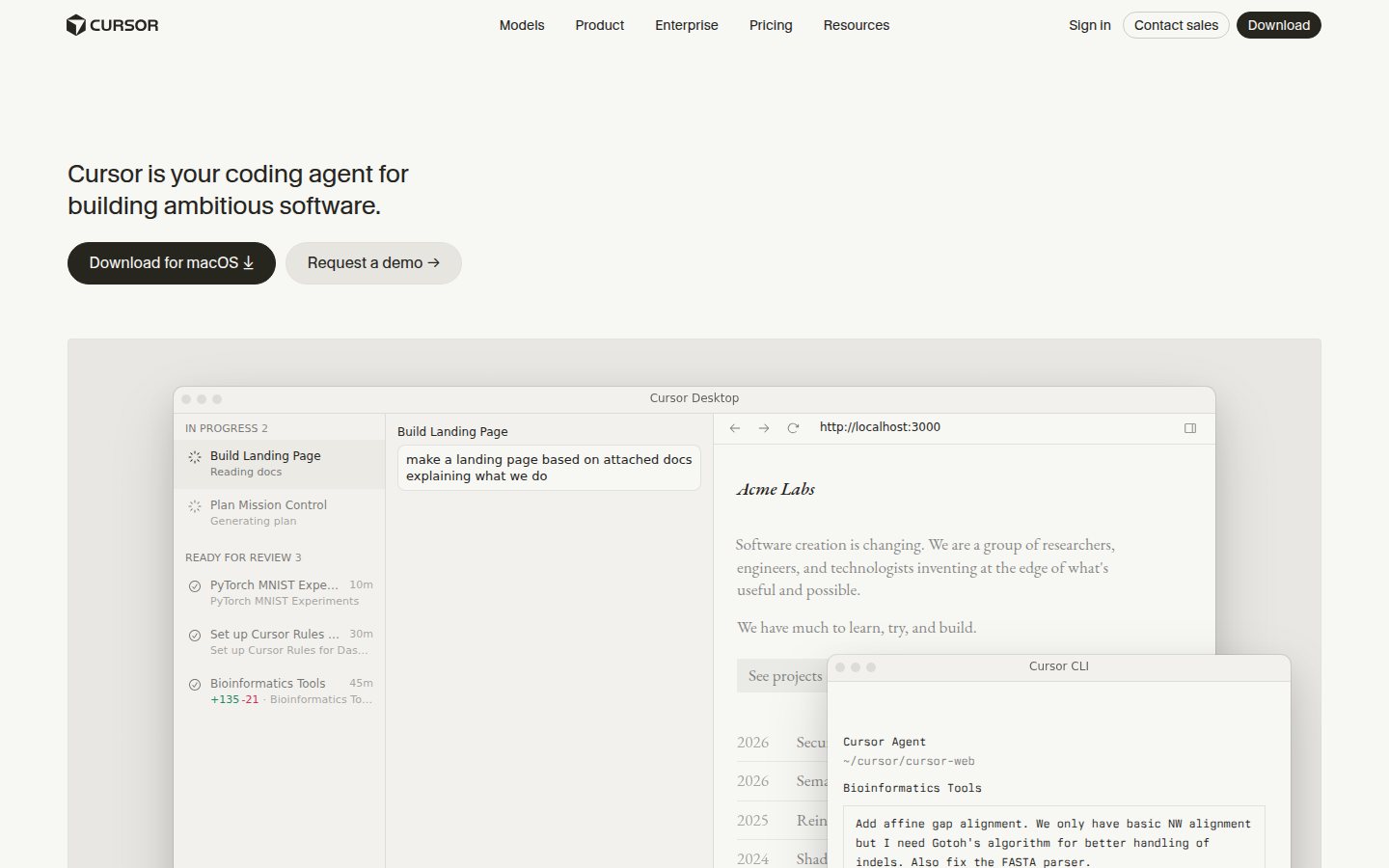
Cursor is an AI-native code editor, and on this list it does one job better than anything else: it makes a large agent-written diff reviewable by a human being.
This is a boring justification for including a tool everyone already knows about, and it's the honest one. Claude Code has a perfectly good VS Code extension and a desktop app with visual diffs. But the moment a change touches nine files, I want an editor window — file tree, jump-to-definition, inline diff, the ability to accept one hunk and reject the next. Reading a 400-line change by scrolling a terminal is how bad code gets merged.
What comes with the paid tier: extended agent limits, frontier model access, MCP servers, skills and hooks, cloud agents, and Bugbot on usage-based billing. Team plans add agentic code reviews with Bugbot, shared team context, team-wide privacy mode, and SAML/OIDC SSO.
Pricing: Hobby is free. Pro is $20/month, Pro+ is $60/month (roughly 3x Pro's agent limits), and Ultra is $200/month (roughly 20x). Teams is $40/user/month, Enterprise is custom. Annual billing typically runs about 20% cheaper. Current tiers are on the Cursor pricing page.
The catch: two of them. First, the paid tiers run on a credit system, so “$20/month” is a floor rather than a bill — heavy agent use burns the pool and you either throttle or upgrade. Second, if you're already paying for Claude, you're now paying two subscriptions with overlapping capability. I keep both because I use Cursor as an editor and Claude Code as the agent, and I'd rather have the best of each than the merely acceptable version of both. If your budget says pick one, run Claude Code inside the free Hobby tier of Cursor and you lose almost nothing.
Best for: reviewing and steering agent output, and for the tab-completion muscle memory when you drop back into writing code by hand. If you dictate, the VS Code dictation setup applies here too — Cursor is a VS Code fork.
4. Playwright MCP — Give the Agent Eyes Before It Tells You It's Done
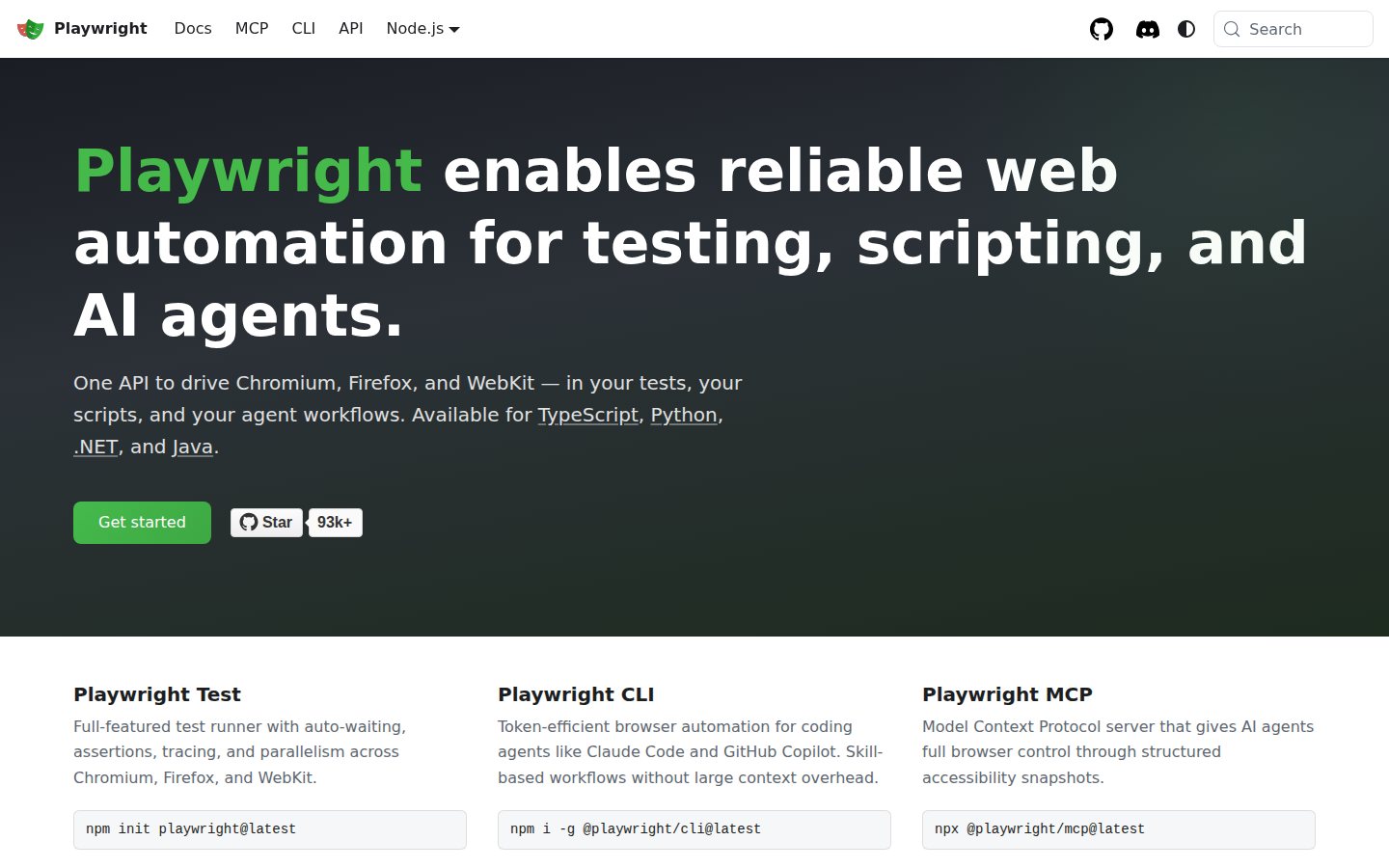
Playwright MCP is a Model Context Protocol server from Microsoft that gives an AI agent the ability to drive a real browser. It is free, open source under the Apache-2.0 license, and it is the single highest-value thing you can add to an agent setup for zero dollars.
The problem it solves is specific and, once you notice it, impossible to un-notice. An agent writing frontend code cannot see the page. It writes a component, reasons about what the component should do, and reports success. You reload the browser and the modal is behind the header. The agent wasn't lying — it genuinely had no way to check.
Playwright MCP closes that loop. It works from the browser's accessibility tree rather than screenshots, which is the design decision that makes it practical: the agent gets structured, labelled elements instead of pixels, so it needs no vision model, burns far fewer tokens, and acts deterministically instead of guessing at coordinates.
Out of the box it handles navigation, clicking, form filling, element inspection, network request monitoring and mocking, storage (cookies, localStorage, sessionStorage), and tab management. PDF generation, video recording, and coordinate-based interaction are available as optional capabilities. It runs across Chromium, Firefox, and WebKit.
Install: it's an npm package, and the config is four lines in your MCP settings:
{
  "mcpServers": {
    "playwright": {
      "command": "npx",
      "args": ["@playwright/mcp@latest"]
    }
  }
}
That works in Claude Code, Cursor, VS Code, and any other MCP client.
The catch: a browser session is not free in tokens even when it's free in dollars, and an agent given a browser will cheerfully click around for twenty steps if your instruction was vague. Tell it what “done” looks like. Also note the sibling tool: Chrome DevTools MCP is Chromium-only but adds performance tracing, which Playwright MCP doesn't have. The rough split: Playwright MCP drives the browser, Chrome DevTools MCP diagnoses it. Running both is reasonable if you care about Web Vitals.
Best for: anyone letting an agent touch UI code. This is the difference between vibe coding and a verification loop.
Info
A useful instruction to keep in your CLAUDE.md: after any UI change, open the page with Playwright MCP and confirm the specific element renders and the console is clean before reporting the task complete.
5. CodeRabbit — You Cannot Personally Read Everything an Agent Writes
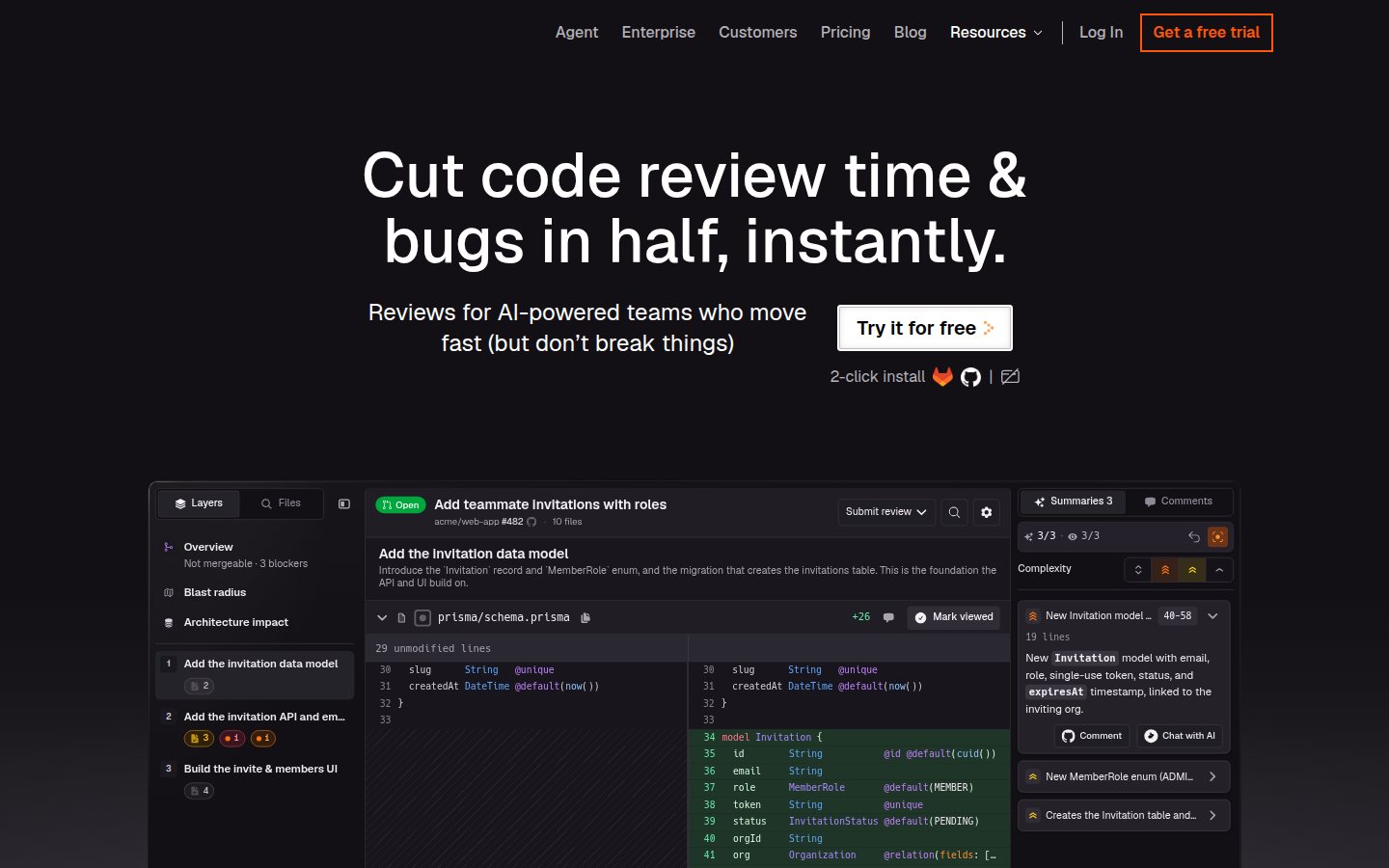
CodeRabbit is an AI code reviewer that comments on pull requests, and it's on this list because of a problem the other four tools create: agentic engineering breaks the one-to-one relationship between code written and code read.
Be honest about your own review behavior. When you wrote every line, you'd already reviewed the change by the time you opened the PR. When an agent wrote it, the PR is the first time you're seeing it — and there are now four of them open. Attention doesn't scale the way generation does. Somewhere in there, “looks reasonable” quietly replaces “I understand this.”
CodeRabbit is the backstop for that gap. It summarizes each PR, reviews line by line, and runs linters and SAST tools alongside its own analysis. The Pro tier adds Jira and Linear integration, agentic chat on the review, docstring generation, pre-merge checks, and reviews in your IDE and CLI before you even open the PR.
Pricing: the Free plan is $0 and covers unlimited public and private repositories with PR summarization and IDE/CLI reviews, plus a 14-day trial of Pro Plus with no card required. Pro is $24/developer/month billed annually. Pro Plus is $48/developer/month billed annually and adds custom pre-merge checks, unit test generation, an issue planner, and higher limits. Enterprise is custom and includes self-hosting. Rates are on the CodeRabbit pricing page.
The catch: it is noisy at first, and you will spend a week tuning it before the signal-to-nitpick ratio is worth it. More importantly, an AI reviewing AI-written code is a safety net, not a substitute for understanding the change. It catches the null check you missed. It does not catch that the feature solves the wrong problem. That part is still your job, and it's the part worth protecting your attention for.
Best for: anyone merging more than a couple of agent-written PRs a week, and any team where agent output now outpaces human review capacity. Start on the free plan — it's enough to tell you whether the noise is tolerable.
What I Deliberately Left Off This List
A five-item list is a series of arguments about what to exclude. Here are the ones I expect pushback on:
- GitHub Copilot, OpenAI Codex, Windsurf, Cline, aider, Goose. All real tools, all doing the same job as slot one. Running two coding agents mostly buys you two mediocre context windows instead of one good one. Pick the agent you like and go deep on its configuration — the returns on a well-written instructions file beat the returns on a second agent.
- Devin and the autonomous-engineer category. Different bet: less steering, more delegation. If that's the workflow you want, it's a replacement for slot one, not an addition to it.
- Talon. The best answer in the category it's actually in, which is full hands-free control of the operating system by voice — grammars, cursor movement, clicking, the works. That's a different problem from dictating prose into an agent, and if you genuinely cannot use a keyboard, Talon is the tool, not Voibe. We say the same thing in our developer dictation roundup.
- Observability and eval tooling. Genuinely important once you're shipping agents as a product. Not part of the loop when you're using an agent to build something else, which is what this list is about.
The Stack in Practice: One Real Task, Start to Merge
Abstract lists are easy to nod along to. Here's what the five tools actually look like strung together on one small feature — adding a filter to a settings page.
- Speak the brief (Voibe, about a minute). Hold the hotkey and talk into Claude Code: what the filter does, which component owns the state, the two edge cases I already know about, and the file it lives in — which Developer Mode resolves to a real path instead of a phonetic guess. That's roughly 150 words. Typed at 40 WPM that's closer to four minutes, and the edge cases are exactly the detail I'd have quietly cut to save the typing.
- Let it plan and build (Claude Code, ~4 minutes). It reads the repo, proposes an approach, and edits across the component, the hook, and the test file. Hooks auto-format on save, so the diff is clean.
- Make it check its own work (Playwright MCP, ~1 minute). It opens the page, applies the filter, confirms the list actually narrows and the console is clean. This is the step that catches the version where it compiled beautifully and rendered nothing.
- Read the diff (Cursor, ~3 minutes). Editor window, hunk by hunk. This is the part I refuse to skip, and it's the part that keeps this from being vibe coding in the pejorative sense.
- Ship it and let something else look (CodeRabbit). Open the PR, get a summary and a line-by-line pass while I move to the next thing. Roughly one time in five it flags something I'd have merged.
Total: under ten minutes of my attention, and the minute at the front — the spoken brief — is the one that most determines the quality of everything after it. That's the whole thesis of this list. Input quality is the constraint now, so buy the thing that makes richer input cheap.
If you want the prompt-craft side of that in detail, I've written it up separately in how to voice-prompt ChatGPT, Claude, and Cursor, and the broader daily pattern in the voice input workflow.
What the Whole Stack Costs Per Month
Three honest configurations, priced per developer per month:
| Tool | Starter | What I run | Full tilt |
|---|---|---|---|
| Claude Code | $20 (Pro) | $20 (Pro) | $200 (Max 20x) |
| Voibe | $7.50 | $7.50 | $7.50 |
| Cursor | $0 (Hobby) | $20 (Pro) | $20 (Pro) |
| Playwright MCP | $0 | $0 | $0 |
| CodeRabbit | $0 (Free) | $0 (Free) | $24 (Pro) |
| Monthly total | $27.50 | $47.50 | $251.50 |
Two ways to shave that down. Voibe's $149 lifetime license replaces the $7.50/month line permanently, which breaks even in under 20 months and saves $301 over five years compared with paying $7.50 a month for 60 months ($450). And annual billing knocks Claude Pro to $17/month (a $36/year saving) and takes roughly 20% off Cursor.
Worth stating plainly: the starter column at $27.50/month is not a crippled version of this. It is most of the value. Cursor's free Hobby tier, Playwright MCP, and CodeRabbit's free plan are genuinely usable, and the two things you're paying for are the agent and the input layer — which is the correct place to spend first.
If You're Only Adding One Thing, Add This One
Match your situation to the gap, not to the hype:
- You've never used a coding agent seriously. Claude Code, and spend the first hour writing a good
CLAUDE.mdinstead of a first prompt. Nothing else on this list matters until this one is working. - Your prompts are short because typing them is tedious. Voibe. This is the most common failure I see, and people misdiagnose it as the agent being dumb. It isn't — it's underfed.
- Your hands hurt, or you're coming back from an injury. Voibe, immediately, and read the carpal tunnel guide before you tough it out any longer. Voice input is the only change on this list that reduces physical load rather than adding to it.
- The agent keeps confidently shipping broken UI. Playwright MCP. It's free, it takes four lines of config, and it converts “I think it works” into “I checked.”
- You're merging agent PRs faster than you're reading them. CodeRabbit's free plan, today. You already know this is happening.
- You're reviewing big diffs in a terminal and hating it. Cursor, on the free tier first.
- You handle client code or anything under NDA. Start with the trust questions, not the tools: Is Claude Code safe? and, for the voice layer, an on-device mode so the audio never leaves the machine.
The one-line version: the agent is no longer the bottleneck, so stop optimizing it and start optimizing what surrounds it. The best return in my stack this year came from the cheapest tool on the list, because it was the one that let me say everything I meant.
Voibe has a 7-day free trial and a 30-day money-back guarantee — try Voibe for free and dictate your next agent prompt instead of typing it. If you're setting it up alongside an editor, the Cursor walkthrough is the fastest start.
Not everything an agent does is engineering. For the files-and-folders side — reconciliations, reports, contract review — see dictating in Claude Cowork, which covers the five-part brief that makes those runs unattended.
One more piece worth adding once the agent is doing real work: if it needs to hear — meeting audio, voice notes, call recordings — you need a transcription endpoint behind it, not a desktop app. We priced eight speech-to-text APIs for agent workloads, and the headline per-hour rate turns out to be the least useful number.
Frequently Asked Questions
What is agentic engineering, and how is it different from vibe coding?
Do I really need five tools to do this?
Do I need Cursor if I already have Claude Code?
Why Claude Code over GitHub Copilot, OpenAI Codex, or Cline?
Should I add Chrome DevTools MCP as well as Playwright MCP?
Does dictation actually work for writing code?
What if I can't use a keyboard at all?
What is the cheapest way to run this stack?
Is it safe to let an agent run commands on my machine?
Best AI Dictation and Meeting Notes for Confidential Work
Draft letters, notes and emails 5x faster. Get meeting notes without a bot joining your call. Nothing used to train AI.
- Mac + Windows
- No bot in your calls
- Nothing used to train AI
- 7-day free trial
Want to compare plans first? View pricing →
Related Articles
Best Dictation Software for Developers
The full ranked list of dictation tools for coding work, including the ones that handle file paths.
How to Dictate in Cursor
Setting up voice input for Cmd+K, Composer, and Agent inside Cursor.
Is Claude Code Safe?
The privacy and permissions model behind letting an agent run commands on your machine.
How to Voice-Prompt ChatGPT, Claude, and Cursor
The prompt-craft side: structuring a spoken agent prompt so it lands well.