
FluidVoice Review: I Used the Viral Free Dictation App for 3 Weeks
I dictated with FluidVoice every day for three weeks on my Mac. What impressed me, what broke, whether it runs on Windows yet, and who should rely on it.

Pros
- +Completely free with no paid tiers, word limits, or subscriptions
- +On-device transcription with six-plus selectable local models (Nemotron Speech 3.5, Parakeet Flash/TDT, Whisper, Apple Speech, Cohere Transcribe)
- +Live word-by-word preview overlay shows your words as you speak — the feature I missed most after uninstalling
- +Fluid Intelligence AI cleanup runs fully locally with no API keys required (~3.5 GB model)
- +Named the top macOS pick in Adam Jones's independent 21-app Wispr Flow alternatives test
- +Very fast development pace — two updates shipped during my three weeks of testing
- +Per-app configuration, Command Mode, Edit Mode, and a custom dictionary
- +11,006 GitHub stars and 762 forks in under a year of public development, on a GPLv3 licence since February 2026
Cons
- -Only the app is open source — Fluid-1, the custom-trained model doing the AI cleanup, is closed by design, so the layer that rewrites every sentence is the one layer nobody outside the project can audit
- -Microphone handling broke on me repeatedly — switching to AirPods froze dictation, an update silently selected the wrong mic, and my USB mic lost its 'pinned' status every time I unplugged it
- -An update mid-test made things worse, not better: my opening words started getting cut off and I had to use the built-in rollback button to get a working build back
- -AI enhancement is unpredictable — it summarized my dictation instead of cleaning it, silently failed to run some days, and once pasted a chatbot-style refusal into my document
- -Anonymous analytics were on by default — I had to find the opt-out in settings myself
- -Requires macOS 15+ and effectively Apple Silicon — Intel Macs are limited to the slower Whisper-only path
- -Solo-developer project with no formal support channel — a single point of failure
- -Short utterances under about 1 second were silently dropped in my testing
For the past month, my feeds have been full of people raving about FluidVoice. Free, open source, on-device, with AI cleanup built in. It picked up over 11,000 GitHub stars in under a year and a #1 ranking in an independent 21-app test. I write about dictation apps for a living, so I did the only thing that settles hype: I made it my daily driver for three weeks. Every email, every draft, every Slack message. Two app updates, one rollback, and a few mornings spent dictating into silence.
TL;DR: FluidVoice is the most feature-rich free dictation app on Mac. I score it 7/10 (3.5/5). It transcribes on-device, previews your words live as you speak, and cleans up your text with a local AI model — all at $0. But three weeks of real use surfaced the catch. My microphone setup broke three different ways. One update cut off my opening words until I rolled it back. The AI layer summarized what I said, or refused it like a chatbot. Analytics were on by default, and the AI runtime is closed-source, maintained by one person. My honest read: for tinkerers, FluidVoice is the best free dictation app on Apple Silicon today. If you dictate for work — or use an Intel Mac, macOS 13/14, or Windows — Voibe (the app we build) is $149 lifetime, pairs on-device Whisper with a zero-retention private cloud, and someone answers when it breaks.
Key Takeaway
After three weeks of daily use, FluidVoice scores 7/10 — the most capable free dictation app on Mac, held back by the stability problems I hit and single-developer trust questions.
Key Takeaways: FluidVoice at a Glance
| Aspect | Rating | Summary |
|---|---|---|
| Pricing | 10/10 | Completely free — no tiers, word limits, or subscriptions |
| Features | 8/10 | Live preview, local AI cleanup, Command Mode, per-app config — unmatched at $0 |
| Accuracy | 8/10 | Parakeet/Whisper on-device accuracy is strong; sub-1-second utterances can drop silently |
| Privacy | 7/10 | On-device STT is genuine; analytics on by default and the AI runtime is closed-source |
| Reliability | 5/10 | Audio-device crashes, update regressions, and a rollback button users depend on |
| Support & Trust | 6/10 | Responsive solo maintainer and Discord; no formal support, single point of failure |
| Overall | 7/10 | Best free pick for tinkerers on Apple Silicon; risky as a daily work dependency |
What Is FluidVoice?
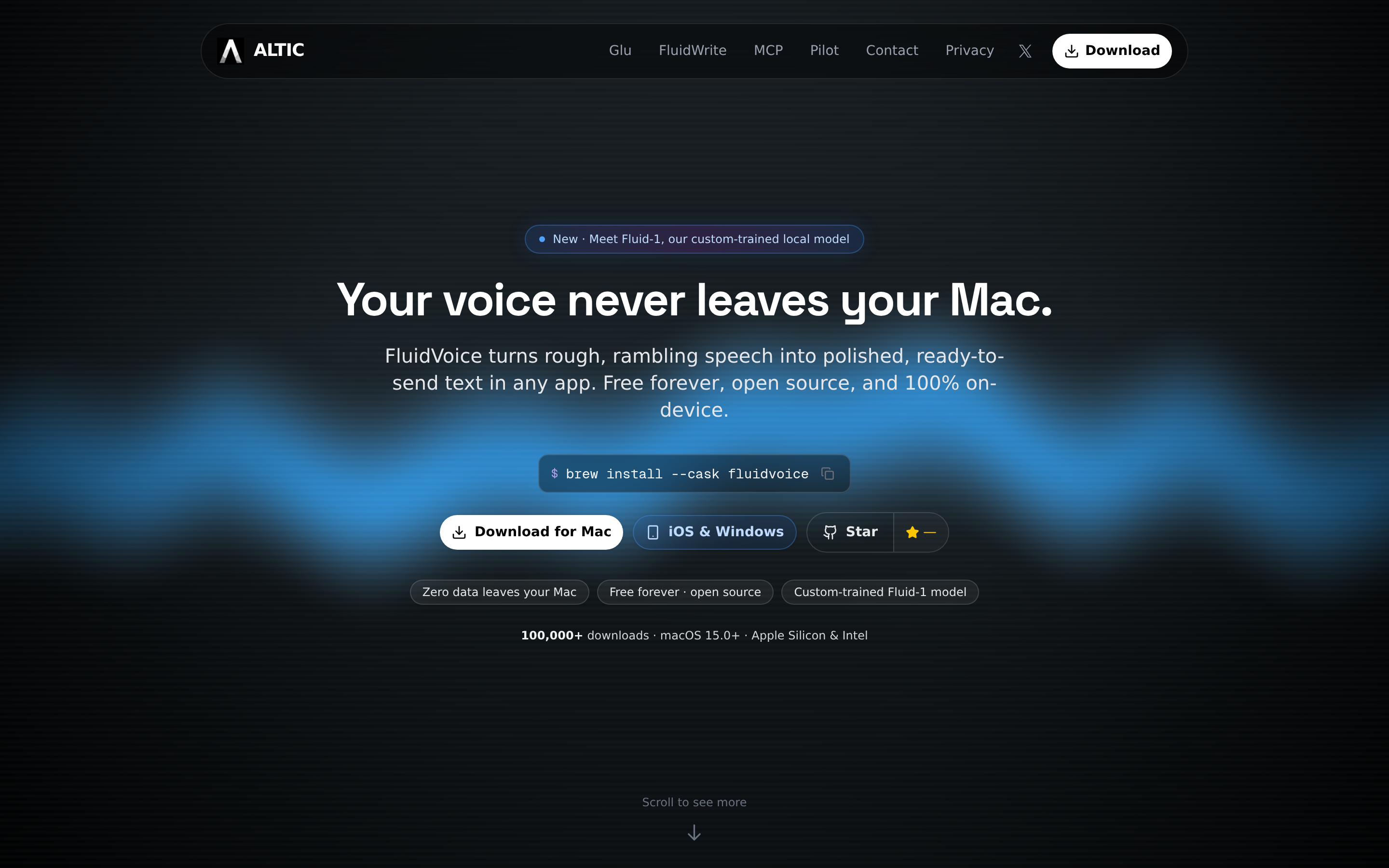
FluidVoice is a free, open-source dictation app for macOS built in Swift by a solo developer under the ALTIC name. The ambition is right there in the repo's tagline: "Fastest and only macOS Dictation app with on-device STT and custom trained AI enhancement model. A local Wispr Flow alternative." No hedging — this is an app that wants to kill a $15/month subscription.
The growth curve backs up the hype. Created in September 2025, the project crossed 5,000 GitHub stars in late June 2026 and roughly doubled to about 9,400 stars and 620 forks when I first published this on August 7, 2026 — I checked the numbers myself that morning. Three weeks later it was 11,006 stars and 762 forks. The official site claims 100,000+ downloads (a first-party figure I couldn't verify independently). The license changed from Apache 2.0 to GPL v3 in February 2026.
The core loop is standard push-to-talk dictation: press a global hotkey, speak, and the transcribed text lands in whatever app is active. What sets it apart is the stack around that loop — a live word-by-word preview overlay while you speak, a selection of on-device speech models, and "Fluid Intelligence," a local AI cleanup layer with its own custom-trained model (Fluid-1). The requirements surprised me for a free app: macOS 15 (Sequoia) or later, Apple Silicon for all models (Intel Macs get the slower Whisper-only path since v1.5.1), about 1 GB of disk for a voice model, and roughly 3.5 GB more for Fluid Intelligence.
Install is brew install --cask fluidvoice or a DMG from GitHub releases. A Windows beta and an iOS waitlist exist; the README names no Linux build. For where FluidVoice sits among free tools generally, see my best free dictation apps guide and our roundup of open-source Wispr Flow alternatives.
Does FluidVoice Run on Windows, Linux, iOS, or Android?
Short answer: FluidVoice is a Mac app, and in September 2026 it is still effectively Mac-only. A lot of the search traffic reaching this review is "FluidVoice Windows" and "FluidVoice for Windows", so here is the platform status exactly as I checked it on September 14, 2026.
| Platform | Status (September 14, 2026) | What you actually get |
|---|---|---|
| macOS | Shipping (v1.6.9) | The full app; Apple Silicon on macOS 15+ for the on-device models |
| Windows | Pre-release beta (windows-v0.0.9, August 11, 2026) | An unsigned installer marked Pre-release on GitHub; not the app this review describes |
| iOS | Waitlist | The README says iOS is "on the way"; no TestFlight or App Store build yet |
| Linux | No build | Nothing on the releases page; the README names only iOS and Windows as coming |
| Android | No build | Not mentioned anywhere by the project |
If you want FluidVoice on Windows, the honest advice is that the beta is a tinkerer's build, not a daily driver. For a supported native Windows dictation app today, see Voibe for Windows (it runs on Voibe's zero-retention cloud; the fully on-device mode stays Mac-only on Apple Silicon), or compare the wider field in our guide to AI dictation apps for Windows. Linux users who want the same free, on-device approach should look at Handy, which ships Linux builds today.
Key Takeaway
FluidVoice ships for macOS only. Windows is an unsigned pre-release beta (windows-v0.0.9), iOS is a waitlist, and there are no Linux or Android builds as of September 14, 2026.
FluidVoice Key Features
My setup for this test: an Apple Silicon MacBook Pro on macOS Sequoia, dictating with the built-in mic at my desk, AirPods on calls and walks, and a USB mic I plug in for recording days. Installation was a single brew install --cask fluidvoice, then a ~500 MB download for the default Parakeet model and another ~3.5 GB when I enabled Fluid Intelligence. Within ten minutes I was dictating, and I understood the virality immediately — this is a paid app's spec sheet at $0:
- Selectable on-device speech models: Nemotron Speech 3.5 (~670 MB, ~40 languages), Parakeet Flash (~250 MB, English, lowest latency), Parakeet TDT v3 (~500 MB, 25 languages, the default) and v2, Cohere Transcribe (~1.4 GB, 14 languages), Apple Speech, and Whisper Tiny through Large (~75 MB–2.9 GB, 99 languages). I stayed on Parakeet TDT v3 for most of the test.
- Live word-by-word preview: A transcription overlay shows your words as you speak — before they're inserted. This was the feature that hooked me in the first hour, and it's still rare in this category. (Voibe's Live Dictation offers the same on-screen-as-you-speak behavior.)
- Fluid Intelligence (Fluid-1): A local AI enhancement model (~3.5 GB) that removes fillers and reformats the transcript with no cloud, no API keys. Cloud providers (OpenAI, Groq, custom) are optional.
- Command Mode: Voice control of your Mac — open apps, run actions.
- Edit Mode and Write Mode: Select text and rewrite it by voice — though Edit Mode never actually worked for me (more below).
- Per-app configuration and custom dictionary: Different behavior per target app; user-defined vocabulary.
- Audio history: Recordings stored locally with an on-device transcript log.
Two honest caveats before you take the spec sheet at face value. The AI enhancement layer — the headline — turned out to be the least predictable part of my daily experience (I'll get to that). And the speed claims — "<100ms" perceived latency — are the developer's own numbers, not independent benchmarks. What I can say from use: Parakeet-based transcription on Apple Silicon felt genuinely fast, with text landing more or less as I finished speaking, and the v1.6.7 release notes claim a further 2x Parakeet speedup.
FluidVoice Pricing: Free, With Three Asterisks
FluidVoice costs $0. No tiers, no word limits, no trial clock. On price alone, nothing beats it. Here's the three-year math against the category:
| Tool | Model | 3-Year Total |
|---|---|---|
| FluidVoice | Free (GPL v3 app, closed AI runtime) | $0 |
| Handy | Free (MIT) | $0 |
| VoiceInk | $29 one-time | $29 |
| Voibe | $149 lifetime | $149 |
| Superwhisper | $84.99/year | $254.97 |
| Wispr Flow | $144/year | $432 |
Using FluidVoice instead of Wispr Flow saves $432 over three years; instead of Superwhisper's annual plan, $254.97. Free wins the spreadsheet every time.
But three asterisks kept nagging at me as the weeks went on. First, the money model: the project runs on GitHub Sponsors, and the README states the Fluid Intelligence runtime is kept closed-source "so we can sustainably offer the core dictation experience for free" — which reads to me like a future monetization hook. That's fair enough, but it means the headline feature isn't actually the open-source part. Second, the support model: there is no support to buy at any price — when my microphone went silent, there was no one to email; bugs get fixed when the maintainer fixes them. Third, the time cost: I spent real hours of my test rolling back an update, re-selecting microphones, and re-dictating paragraphs that had landed in silence. Free software isn't free if it costs you a workday. For how I think about that trade generally, see our cloud vs local dictation breakdown.
Key Takeaway
FluidVoice is $0 forever — saving $432 vs 3 years of Wispr Flow. The costs are paid in stability, support, and the closed-source AI runtime behind its headline feature.
Three Weeks In: Where FluidVoice Started Breaking on Me
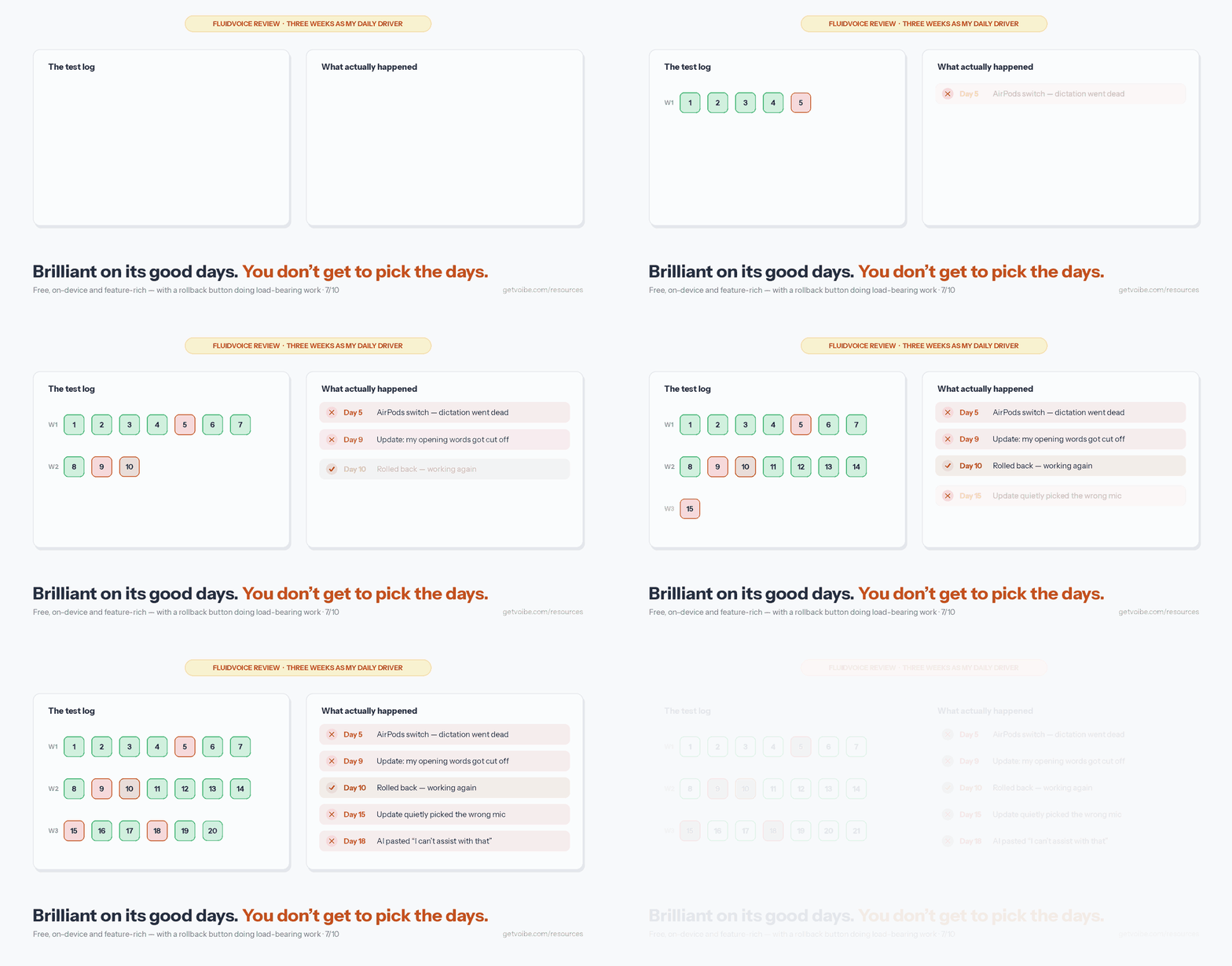
This is the section that decides whether FluidVoice belongs in your daily workflow, so let me just walk through my test log. Week one was close to flawless — I genuinely started drafting a rave. Then the problems arrived in three distinct clusters.
1. Microphone handling — my biggest daily frustration
The first failure was the AirPods switch. I'd be dictating fine on the built-in mic, pop in AirPods for a call, come back — and dictation was dead. Not erroring, just silent: the overlay would appear, I'd talk, nothing. Twice I had to force-quit the app to get it listening again. Then, after updating to 1.6.7, FluidVoice quietly decided to use a different microphone than the one I'd selected — I dictated most of a paragraph into a dead input before I noticed nothing was appearing. And my USB mic never survived a round trip: I'd pin it as my input, unplug it at the end of a recording day (the app correctly fell back to the built-in mic), plug it back in the next morning — and FluidVoice would stay on the built-in mic until I manually re-selected the USB one. Every single time. If your setup involves AirPods, an external mic, or a docked laptop, expect this cluster to be your daily reality too.
2. The update that made things worse
FluidVoice ships updates roughly weekly, and the pace cuts both ways — two updates landed during my three weeks. One of them (1.6.6) introduced a noticeable delay after pressing the trigger key, and worse, started cutting off the first words of my dictations. "Can you send me the deck" would land as "send me the deck." For a dictation app, eating the start of my sentences is close to disqualifying. The app ships a "Get previous Builds" rollback button — and the fact that a rollback button exists as a first-class UI element tells you the developer knows updates break things. I used it, the problem went away, and I spent the rest of the test wincing slightly every time the update badge appeared.
3. The AI layer doing too much — or nothing, or something else entirely
Fluid Intelligence — the feature that makes FluidVoice more than raw transcription — was the least predictable part of my experience. What I want from cleanup is simple: basically verbatim what I said, minus the filler words. What I got, often, was a summary — I'd dictate five sentences of rambling context for an email and get back two tightened ones with my hedges and qualifiers gone. That's impressive technology and exactly wrong for dictation: those were my words, and I meant them. Some days enhancement silently didn't run at all and raw transcript came through, fillers and all — I never figured out the pattern. It also developed an obsession with formatting: after I enabled the editing features, every time I said the word "mention" it came out as "@mention," even in sentences that had nothing to do with tagging anyone. And once — my favorite failure of the whole test — I dictated a short phrase and my document received "I'm sorry, I can't assist with that." The cleanup model had decided my sentence was a prompt and refused it, like a chatbot. This is the known failure mode of running a content-rewriting LLM over dictation, and FluidVoice hasn't solved it. (Edit Mode, for what it's worth, never worked for me at all — I'd select text in VS Code or TextEdit, speak my change, and the app would fail to find the selection and just type over it in write mode instead.)
Fairness requires the other side, and I want to be clear about it: fixes ship fast — 1.6.7 fixed several mic problems even as it introduced my wrong-mic surprise — the maintainer is visibly responsive, and judging by the project's GitHub, plenty of users are having a better time than I did (and some a worse one). This is what a talented solo developer absorbing a viral influx looks like. But the pattern is structural: one person, weekly releases, no QA team, and a rollback button as the safety net. My testing across this category keeps finding the same thing: dictation daemons breaking on sleep, wake, and device changes is the #1 failure class for every dictation app — the difference is who's accountable for fixing it, and on what timeline.
Privacy and Trust: Local-First, With Footnotes
FluidVoice's core privacy architecture is genuinely good — I want to say that plainly before the footnotes. Speech-to-text runs on-device, the local Fluid-1 enhancement model needs no API keys, and cloud AI providers are strictly opt-in. The README promises your voice and transcribed text "never leave your machine unless you explicitly opt in to a cloud AI provider." I dictated client names and unreleased product details into it for three weeks on that basis. For why that architecture matters, see why offline dictation matters.
Poking around settings and the project's documentation, though, three things jumped out at me:
- Analytics are on by default. A few days into my test I went through every settings pane and found anonymous analytics quietly enabled — I had to switch them off myself. The developer discloses that analytics exclude voice, audio, transcripts, and prompts, and the opt-out works. But opt-out-by-default is a choice worth knowing about in an app marketed as "zero data leaves your Mac," and it only got a toggle after users pushed back on the telemetry earlier this year.
- The headline AI is closed-source. Fluid Intelligence is "a private, separately maintained runtime" per the README. The app is open source; the feature that makes it special is not. You cannot audit the ~3.5 GB model runtime the way you can audit the Swift app around it.
- Bugs can become privacy bugs. An earlier build had a now-fixed bug where the dictation UI could surface transcriptions from unrelated sessions while idle. Fixed is good — but it illustrates that "local" and "leak-proof" are different properties, and a solo project has no security review process between you and the next such bug.
One more trust note for Windows users eyeing the beta: the Windows build is a pre-release (windows-v0.0.9 on August 11, 2026, against v1.6.9 on the Mac) and its unsigned installer has been flagged by 3 of 70 VirusTotal vendors — almost certainly a false positive from missing code-signing, but exactly the kind of thing a signed, notarized commercial app doesn't ask you to shrug off.
The open-versus-closed split is the part most FluidVoice coverage skips, and it deserves its own read: is FluidVoice safe works through exactly which layers you can audit, which you cannot, and why a closed model that never leaves your Mac is a different problem from a cloud one.
Pros and Cons
What I Loved
- Free forever: No tiers, limits, or subscriptions — $0 against $144/year for Wispr Flow.
- On-device model buffet: Nemotron, Parakeet Flash/TDT, Whisper, Apple Speech, Cohere Transcribe — pick your speed/accuracy/language trade-off.
- Live word-by-word preview: Seeing my words appear as I spoke, before insertion, is the feature I missed most after the test ended. Rare and genuinely useful.
- Local AI cleanup with no API keys: Fluid-1 runs entirely on-device — no cloud round-trip for formatting.
- Independent validation: Top macOS pick in Adam Jones's 21-app Wispr Flow alternatives test — "the closest to Wispr Flow's UX of anything I tried."
- Fast-moving development: Two releases shipped during my three-week test; the Parakeet path got 2x faster in v1.6.7 alone.
- Power features at $0: Command Mode, Edit Mode, per-app configuration, custom dictionary.
What Wore Me Down
- Reliability under real use: A freeze when I switched to AirPods, the wrong mic silently selected after an update, a USB mic that lost its pinned status on every replug, and two force-quits to recover.
- Update roulette: One of the two updates during my test cut off my opening words until I used the built-in rollback button — which exists precisely because this keeps happening.
- AI layer unpredictability: Summarized my dictation, silently failed to run some days, turned "mention" into "@mention" everywhere, and once pasted a chatbot-style refusal into my document.
- Closed-source core feature: The Fluid Intelligence runtime can't be audited despite the open-source label.
- Default-on analytics in an app marketed on "zero data leaves your Mac" — I had to find the opt-out myself.
- Steep requirements: macOS 15+ only; Apple Silicon effectively required; ~4.5 GB disk with enhancement enabled.
- Solo-maintainer risk: Responsive today, but one person is the entire support, QA, and security team.
- Silently dropped short utterances (under ~1 second) — my quick "yes" and "thanks" replies kept simply vanishing.
Who Is FluidVoice Best For?
After three weeks of daily use, here's my honest sorting of who should and shouldn't install it.
Best For
- Tinkerers on recent Apple Silicon Macs: If you run macOS 15+, enjoy trying models, and don't mind rolling back a bad build, FluidVoice is the most capable free dictation app you can install today.
- Wispr Flow subscribers who want off the subscription: It replicates more of Wispr Flow's UX (live preview, AI cleanup) than any other free tool, per Adam Jones's 21-app test.
- Budget-zero users who still want AI cleanup: Handy is free but outputs raw text; FluidVoice is the only free option with a local formatting layer built in.
- Open-source supporters who accept a pragmatic open-core arrangement and want to sponsor an indie developer.
Not Ideal For
- Anyone who dictates for a living: Writers, doctors, lawyers, and support teams need every dictation to land. Based on my three weeks — two microphone failures, one regression, one rollback — I can't call FluidVoice a safe daily dependency yet.
- Intel Mac and macOS 13/14 users: FluidVoice requires macOS 15+ and effectively Apple Silicon. Voibe supports macOS 13+ and Intel Macs through its zero-retention private cloud.
- Windows users: The beta is at windows-v0.0.9 and still marked Pre-release, with an unsigned installer. Voibe for Windows is a shipped native app.
- People who need verbatim output: If AI enhancement summarizing or rewriting your words is unacceptable (contracts, medical notes, quotes), you want a bounded formatter — not a rewriter — or raw transcription.
- Anyone who needs support with an SLA: There is a Discord and a responsive maintainer, and that's the entire support organization.
What Reviewers Say About FluidVoice
I went looking for the usual third-party ratings and came up surprisingly empty: FluidVoice has no Product Hunt listing, no G2 profile, and no Trustpilot page as of August 2026 — unusual for an app this popular, and it means there is no aggregate rating to cite. What I could verify:
- GitHub: roughly 11,006 stars and 762 forks (August 28, 2026), up from ~5,000 in late June 2026 — a genuine viral trajectory.
- Adam Jones (independent, tested 21 Wispr Flow alternatives): named FluidVoice his top pick for macOS — praising the live preview and default-on cleanup — while flagging that "short utterances under 1 second get silently dropped" and "the default cleanup prompt is mediocre."
- Hacker News: word-of-mouth is positive in other apps' threads ("FluidVoice is incredible and developing quickly" — March 2026), but not unanimous: "I tried FluidVoice (found it buggy) and Handy (had problems with hotkey) before landing on TypeWhisper" (June 2026). FluidVoice's own HN submission received 2 points — its virality came from Reddit, X, and YouTube instead.
- Editorial roundups are split: #1 of 21 at adamjones.me, but mid-pack or last in other roundups (macaiapps ranked it #9 of 9; agenticcodingweekly #5 of 5). Coverage is genuinely mixed by outlet — worth knowing when a single glowing ranking crosses your feed.
The pattern across every source matched my own three weeks almost exactly: people love what FluidVoice does and are split on whether it keeps doing it reliably.
FluidVoice Alternatives

FluidVoice occupies a specific slot: free, on-device, feature-rich, fast-moving, fragile. Depending on which of those you'd trade, here's where I'd point you:
For dictation you can bet your workday on: Voibe
Voibe — the app we build — is my answer to everything in this review's cons list. It runs on Mac and Windows: the fully on-device Whisper mode is Mac-only (Apple Silicon), while Intel Macs and Windows use Voibe's zero-retention private cloud — self-hosted open-source models where audio is never stored, sold, or used to train AI. That architecture covers the exact hardware FluidVoice leaves out (Intel Macs, macOS 13/14, Windows) without giving up the privacy posture. Where FluidVoice's AI enhancement kept summarizing my dictation, Voibe's Smart Formatting is deliberately a bounded formatter: it removes fillers, fixes punctuation, and converts numbers — it does not paraphrase, change meaning, or generate content, and it's off by default. Add Live Dictation (the same words-as-you-speak preview FluidVoice is praised for), Developer Mode with VS Code, Cursor, and Windsurf file-name resolution, and a team accountable for stability rather than a rollback button. $7.50/month, $59/year, or $149 lifetime — a one-time price for the reliability that free doesn't include. Try Voibe for free.
For free with maximum simplicity and Linux: Handy
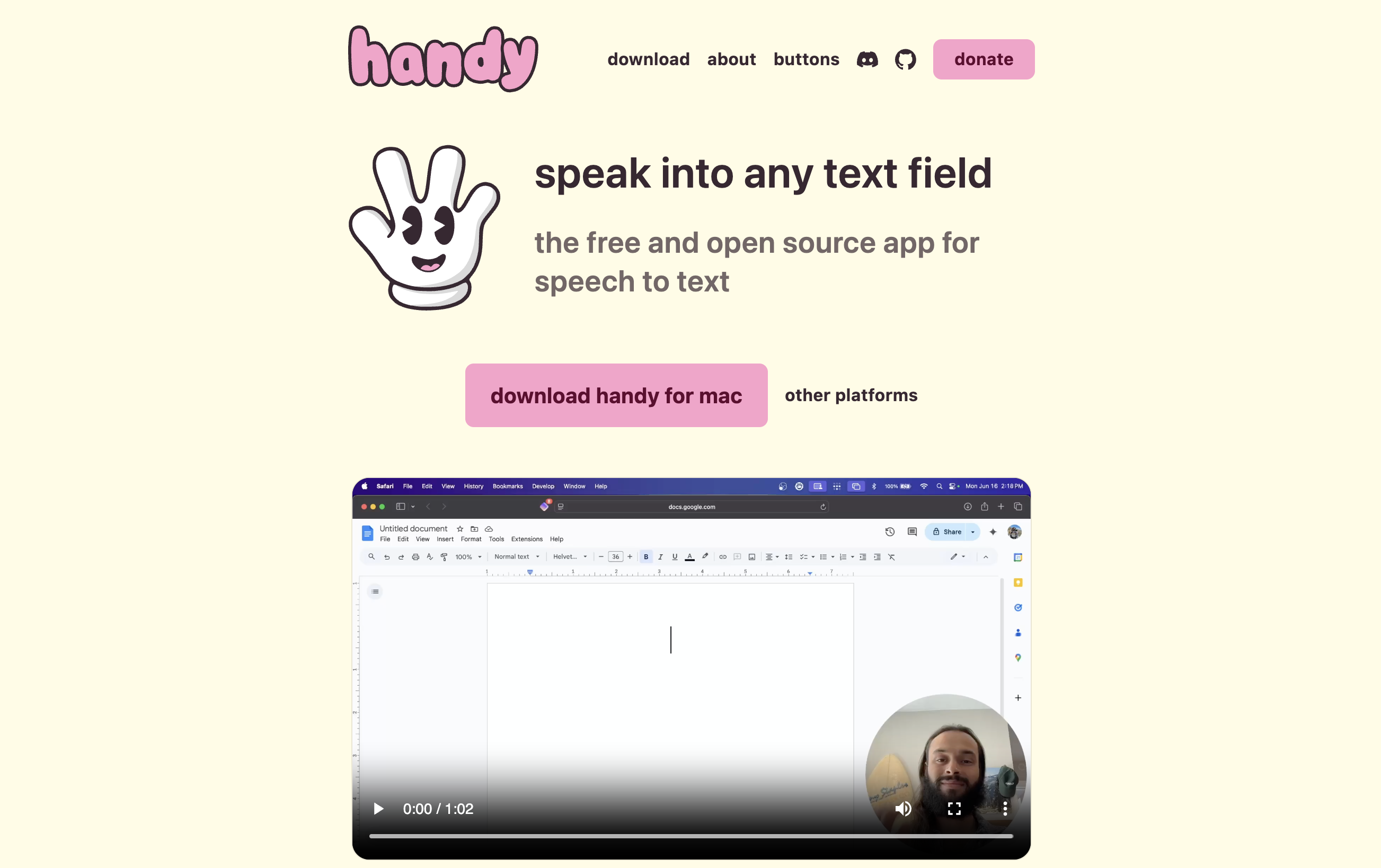
Handy is MIT-licensed, fully open source (no closed components), and runs on Mac, Windows, and Linux. It's simpler than FluidVoice — raw transcription, minimal punctuation, no AI layer — which also means fewer moving parts to break. Read my colleague's Handy review.
For open source with a support option: VoiceInk
VoiceInk is GPL v3 open source on Mac with a $29 one-time license that funds updates and support — a middle path between FluidVoice's free-and-fragile and a full commercial product. Read our VoiceInk review.
For maximum configurability on-device: Superwhisper
Superwhisper runs Whisper and Parakeet locally on Mac with deep per-app custom modes. $8.49/month or $249 lifetime; its common criticisms are setup complexity and price. Read our Superwhisper review.
For cloud polish and mobile: Wispr Flow
Wispr Flow — the app FluidVoice defines itself against — is the most polished cross-platform option (Mac, Windows, iOS, Android) at $15/month or $144/year, with cloud processing and a 2.7/5 Trustpilot rating on record before the profile was removed in 2026. Read our Wispr Flow review, or browse every head-to-head on our comparison hub.
Final Verdict: Is FluidVoice Worth Using?
Yes — as a free experiment on the right hardware. Not yet — as infrastructure you depend on.
FluidVoice earns its 7/10 and its 11,000 stars. A free app with selectable on-device models, a live transcription preview, and local AI cleanup is a genuine achievement, and the developer's pace is impressive. Would I keep it on a spare Apple Silicon Mac to play with? In a heartbeat — it costs nothing to try and might be all you need.
Choose FluidVoice if you:
- Want the most capable free dictation app on Apple Silicon and accept rough edges
- Are leaving a Wispr Flow subscription and want the closest free equivalent ($432 saved over three years)
- Enjoy model-tinkering, Discord communities, and occasionally rolling back a release
Skip FluidVoice if you:
- Dictate professionally and can't absorb dead microphones, dropped words, or an AI layer that rewrites what you said
- Run an Intel Mac, macOS 13/14, or Windows
- Need verbatim, meaning-preserving output for legal, medical, or client work
- Want someone accountable when it breaks
Here's how I'd frame the decision after living with it for three weeks: on its good days, FluidVoice was the best free dictation experience I've had on a Mac, and the live preview spoiled me for other apps. On its bad days, I dictated into silence, lost the front of my sentences, and got a chatbot refusal pasted into a client email draft. That's a fine trade at $0 — until a lost dictation costs you more than a license. A brief due at 5 PM, a patient note, a client email — that's when the math flips, and when Voibe at $149 lifetime makes sense: the same on-device privacy on Apple Silicon, a zero-retention private cloud for every other machine you own, formatting that never paraphrases you, and a team whose job is making sure this morning's update didn't break your microphone.
Overall rating: 7/10 — a remarkable free tool I'll keep watching, with a reliability story you should hear before you rely on it.
Key Takeaway
After three weeks of daily use, FluidVoice earns 7/10: the best free dictation app for Apple Silicon tinkerers, but the failures I hit make Voibe ($149 lifetime, zero-retention cloud, Mac + Windows) the practical choice for daily work.
Related Dictation Resources
- Is FluidVoice Safe? — what is open, what is closed, and why Fluid-1 changes the answer
- FluidVoice Alternatives — sorted by the limit you hit, including the Windows pre-release
- FluidVoice vs Handy — polish with a closed model, or a complete audit trail
- 6 Best Free Dictation Apps for Mac — where free tools shine and where they cost you
- Best Open-Source Wispr Flow Alternatives — the full open-source field compared
- Handy Review: Free Open-Source Offline Dictation — the simpler free alternative with Linux support
- Best Handy Alternatives — the free and paid field around the other viral open-source app
- VoiceInk Review: Open-Source Mac Dictation From $29 — open source with a support option
- Wispr Flow Review — the subscription app FluidVoice positions against
- Superwhisper Review — the on-device power-user option
- Best Offline Dictation Apps for Mac
- Most Affordable Wispr Flow Alternatives — where FluidVoice sits in the budget field
- Why Offline Dictation Matters — the privacy architecture explained
- Cloud vs Local Dictation — the trade-off behind every app in this review
- Why Dictation Apps Stop Working After Sleep — the category-wide stability problem
- Voibe for Windows — native Windows dictation on a zero-retention cloud
Verdict
After three weeks of daily dictation, FluidVoice earns a 7/10 from me. Its live word-by-word preview, selectable on-device models, and local AI cleanup genuinely rival paid tools — on the days everything worked, I understood the hype completely. But my test log tells the other half: microphones that stopped being heard after an update, a freeze whenever I switched to AirPods, an update that started eating my opening words until I rolled back, and an AI layer that summarized or refused instead of cleaning. Tinkerers who enjoy rolling back builds will be happy. If you dictate for work and need it to work every day — including on Intel Macs, older macOS versions, or Windows — Voibe at $149 lifetime pairs on-device Whisper with a zero-retention private cloud and a team accountable for stability.
Frequently Asked Questions
What is FluidVoice?
Is FluidVoice really free?
Who makes FluidVoice?
Is FluidVoice safe? Is it fully open source?
Does FluidVoice send my voice to the cloud?
How accurate is FluidVoice?
Why did FluidVoice stop working after an update?
What Macs does FluidVoice support?
Does FluidVoice work on Windows?
Does FluidVoice work on Linux, iOS, or Android?
How does FluidVoice compare to Wispr Flow?
How does FluidVoice compare to Handy?
How does FluidVoice compare to Voibe?
How does FluidVoice compare to Superwhisper?
Is there a FluidVoice lifetime deal?
Does FluidVoice have a rating on Product Hunt or Trustpilot?
Best AI Dictation and Meeting Notes for Confidential Work
Draft letters, notes and emails 5x faster. Get meeting notes without a bot joining your call. Nothing used to train AI.
- Mac + Windows
- No bot in your calls
- Nothing used to train AI
- 7-day free trial
Want to compare plans first? View pricing →
Related Articles
7 FluidVoice Alternatives I'd Switch To After 3 Weeks With It
I ran FluidVoice as my daily driver for three weeks, then hit its walls. Seven FluidVoice alternatives, sorted by whichever wall stopped you first.
FluidVoice vs Handy: One Is Open Source. The Other Really Is.
FluidVoice vs Handy — both free, both local, both on GitHub. After three weeks in FluidVoice, only one of them is open source all the way down.
Handy Review 2026: Free Open-Source Offline Dictation for Mac, Windows, Linux
Honest Handy review covering features, pricing, accuracy, and real limitations. See how this free open-source dictation app compares to Voibe, Wispr Flow, and Superwhisper.