
Paraspeech Review: The Local-First Mac App That Grew a Cloud
Paraspeech sells itself as local-first dictation for Mac. I read the pricing page, the docs and the privacy policy — here's what actually runs on your machine.

Pros
- +Genuine on-device models on Apple Silicon — English-only, 25-language, plus dedicated Japanese and Mandarin Chinese
- +Built by an EU company (Burlis Management GmbH, Düren, Germany), so GDPR is the home jurisdiction rather than an export requirement
- +Privacy policy names each cloud subprocessor individually — Deepgram for transcription, Groq and Cerebras for rewrite
- +The lifetime licence is explicitly local-only: a rare, principled way to buy your way out of the cloud
- +One subscription covers Mac, iPhone and iPad
- +40% education discount for students, researchers and non-profits
Cons
- -Two published price lists — the website charges $8.99/month, the iPhone app charges $14.99 for the same product
- -The lifetime licence has no price on the pricing page; the only verifiable figure is $199 via iOS in-app purchase
- -"Word Replacements" is post-transcription string substitution, not a dictionary that influences recognition
- -Intel Macs get no local models at all — cloud-backed only, which removes the entire privacy proposition
- -No verifiable third-party rating exists (Capterra shows 0 reviews; the App Store has too few to display one)
- -No HIPAA offering or business associate agreement, ruling it out for protected health information
In April, Paraspeech's founder answered a support ticket by telling a user that a cloud LLM was coming for people who needed maximum performance. In July I went looking for it. It shipped — and it quietly redrew the line around what "local-first" means in this app.
Paraspeech is a dictation app for Mac and Windows, iPhone and iPad built by Burlis Management GmbH, a German company based in Düren. It markets itself as "local-first speech-to-text for Mac," and on an Apple Silicon Mac that description holds up: there are genuine on-device models, and audio in those modes does not leave your machine. But the product that exists in July 2026 is not the product most of the internet still describes, and the gap between the two is the most useful thing a review can tell you.
I scored it 7 out of 10. The engineering is good. The packaging is confusing in ways that will cost some buyers real money.
Key Takeaway
Paraspeech is a genuinely local dictation app on Apple Silicon Macs, sold by a German company at $8.99/month or $89/year on its website. Two things surprised me: the iPhone app charges $14.99/month for the same product, and the lifetime licence — the only tier that keeps you fully off the cloud — has no price on the pricing page at all.
Key Takeaways: Paraspeech at a Glance
| What you want to know | The answer (verified 30 July 2026) |
|---|---|
| Who makes it | Burlis Management GmbH, Philippstraße 27, 52349 Düren, Germany |
| Website price | $8.99/month or $89/year, with a 7-day free trial |
| iPhone App Store price | $14.99/month, $99.99/year, $4.99/week, or $199 lifetime |
| Lifetime licence | Not priced on the website; covers on-device features only, no cloud |
| Platforms | macOS 14.0 or later; iOS and iPadOS 17.0 or later |
| Runs offline? | Yes on Apple Silicon, after model setup. Intel Macs get cloud-backed models only |
| Cloud providers named | Deepgram (transcription), Groq and Cerebras (rewrite) |
| Custom vocabulary | "Word Replacements" — substitution rules, not a transcription dictionary |
| Third-party rating | None yet. Capterra lists 0 reviews; the App Store has too few ratings to display one |
| Education discount | 40% off for students, researchers and non-profits |
Every number on this page came from Paraspeech's own pricing page, documentation, privacy policy and App Store listing on 30 July 2026. Where a claim is contested by other sources, I say so rather than picking the flattering version.
What Paraspeech Is, and Who Actually Builds It
Paraspeech is a menu-bar dictation app: you hold a shortcut, talk, and text lands in whatever field has focus. It works system-wide through macOS accessibility permissions, so it types into editors, IDEs, browsers and chat windows rather than living in its own scratchpad. There is also a companion iOS app, Paraspeech Voice Keyboard, which installs as a keyboard you can use anywhere on the phone.
The vendor detail is worth more attention than it usually gets. Most of the dictation apps we cover are American startups or solo indie developers. Paraspeech is neither — it is operated by Burlis Management GmbH in Düren, Germany. That has a practical consequence: the GDPR is the company's domestic law, not a foreign compliance obligation bolted on for European customers. Its privacy policy names its subprocessors individually instead of hiding behind a "trusted partners" clause, which is the behaviour you would expect from an EU-domiciled operator and which is genuinely rarer than it should be in this category.
It is a small operation, and it shows in both directions. The founder answers support tickets personally and publicly — the company's feedback board carries a corpus of feature requests, bug reports and replies that is unusually candid about the product's architecture. That transparency is a real asset. It is also how you find out that the fast local model can't support a proper dictionary.
The Pricing Is the Strangest Part of This Product
Here is what Paraspeech's own pricing page sells: $8.99 per month, or $89 per year billed annually, both with a 7-day free trial. The page markets the annual plan as "2 Months Free" and describes it as "$7.50/month billed annually." That figure is the vendor's rounding — $89 divided by 12 is $7.42.
Now here is what the iPhone app sells, through in-app purchase: $4.99 per week, $14.99 per month, $99.99 per year, and a $199.00 lifetime unlock.
Those are not the same prices. Monthly on the iPhone costs $6.00 more than the website — 66.7% higher. Annually it is $10.99 more, or 12.3% higher. Some of that gap is Apple's 15–30% commission, which every developer pays and many pass on. It does not account for two-thirds.
The stranger problem is the lifetime tier. Paraspeech's pricing page describes a lifetime licence and tells you what it covers — "eligible local/on-device features only" across your personal devices, with no cloud processing — but does not state a price for it. The only published lifetime figure I could verify anywhere is the $199.00 in-app purchase on the iPhone listing. Third-party directories muddy this further: Capterra's vendor-submitted listing shows a $49.00 lifetime and a $79.00 multi-device lifetime, numbers that appear nowhere on Paraspeech's own site. I am reporting that discrepancy rather than resolving it, because I cannot verify the lower figures against the vendor.
If you are buying, the practical advice is narrow and worth following: subscribe on the website, not in the iPhone app. The full tier-by-tier breakdown, including the three-year totals, lives on our Paraspeech pricing analysis.
Warning
Buying the monthly plan through the iPhone app instead of the website costs $72.00 more per year for the same subscription. Check which storefront you are in before you tap subscribe.
What Runs on Your Mac and What Doesn't
This is the section that matters most, because "local-first" is a hyphenated adjective doing a lot of work.
On an Apple Silicon Mac, the local modes are real. Paraspeech ships an English-only local model, a 25-language local model, and dedicated Japanese and Mandarin Chinese models. After you download a model, transcription in those modes runs on your machine and works without an internet connection. That is a genuine on-device pipeline, not a marketing gloss.
On an Intel Mac, there is no local option at all. Paraspeech's own system requirements say Apple Silicon is needed for the supported local models; Intel Macs run "cloud-backed models." If you are on a 2019 MacBook Pro, the privacy story that brought you to this app does not apply to you. That is a clean, checkable distinction and it is stated plainly enough in the docs — but it is easy to miss when the homepage headline says local-first.
Two features are cloud-only by design. The first is broad language coverage: the "Multilingual Large" model covering 100+ languages is available "where that model is available," and the wider coverage is tied to the cloud-backed path rather than the local one. The second is Cloud Cleanup, Paraspeech's AI rewrite pass, which the documentation describes without ambiguity: it "uses cloud processing and requires internet access" and is "available only when cloud processing is allowed."
The privacy policy names the companies involved. For cloud transcription: "When a user selects or is eligible for cloud transcription, Paraspeech may transmit selected audio and related request metadata to Deepgram for cloud transcription." For the rewrite step, the named providers are Groq and Cerebras. I want to be fair here — naming your subprocessors is the honest thing to do, and plenty of competitors don't. But it does mean that in cloud mode your audio reaches a third party, and the app's positioning does not lead with that.
The cleanest way to read Paraspeech's own tiering is this: the lifetime licence is the local-only product, and the subscription is the one that adds the cloud. That is an unusual and rather principled way to sell software — you can buy your way out of the cloud permanently — and it is undercut mainly by the fact that the lifetime tier has no published price. We go deeper on the whole data path in our Paraspeech safety investigation.
"Word Replacements" Is Not a Custom Vocabulary
If you dictate technical terms, client names, drug names or code identifiers, read this bit twice.
Paraspeech's documentation offers Word Replacements: you add rules, each mapping something to something else, covering specific terms, names and text expansion. That is a find-and-replace table applied after transcription. It is genuinely useful for expanding abbreviations and fixing a name the model reliably mangles.
It is not the same thing as a custom-vocabulary dictionary that biases the speech model during recognition. A real dictionary makes the model more likely to hear "Kubernetes" in the first place. A substitution table waits for the model to produce something wrong, then swaps characters — which is why substitution-based systems produce the classic failure of mangling text that merely resembles a rule's trigger.
The reason Paraspeech ships the weaker version is documented in the founder's own public support replies, and it is an architectural honesty most vendors would never put in writing: the speed of the fast local model comes with the trade-off that there is no easy way to have a proper dictionary. Single-model architectures force that choice. It is a fair trade — the app really is fast — but you should know which side of it you are buying.
This distinction runs through the whole category, and we wrote it up separately in our roundup of Paraspeech alternatives, where the apps that ship a true dictionary are called out individually.
Info
Quick test for any dictation app: ask whether its vocabulary feature changes what the model hears, or only what it prints. Substitution tables can only do the second.
Speed, Models and Language Coverage
Speed is Paraspeech's central claim and the thing its architecture is optimised around. The fast local models are small and quick, which is why they can run comfortably on Apple Silicon and return text without a noticeable wait. That choice is coherent: the app is built to keep you in flow rather than to win a benchmark.
I am deliberately not quoting an accuracy percentage or a latency figure, because no independent benchmark of Paraspeech exists and the vendor doesn't publish one against a named test set. Any number you see quoted for this app in a listicle is almost certainly invented. What can be verified is the model lineup and its shape:
- English-only local — the fastest path, on Apple Silicon
- 25-language local — broader coverage, still on-device
- Japanese and Mandarin Chinese — dedicated models, which is a real differentiator; most Mac dictation apps treat CJK languages as an afterthought
- Multilingual Large — 100+ languages, "where that model is available"
The trade-off to understand is that language breadth and locality pull against each other here. The wider your language needs, the more likely you are pushed toward the cloud-backed path. If you dictate in a less-common language and you need it to stay on your machine, verify that your specific language is covered by one of the local models before you pay for anything.
Paraspeech Pros and Cons
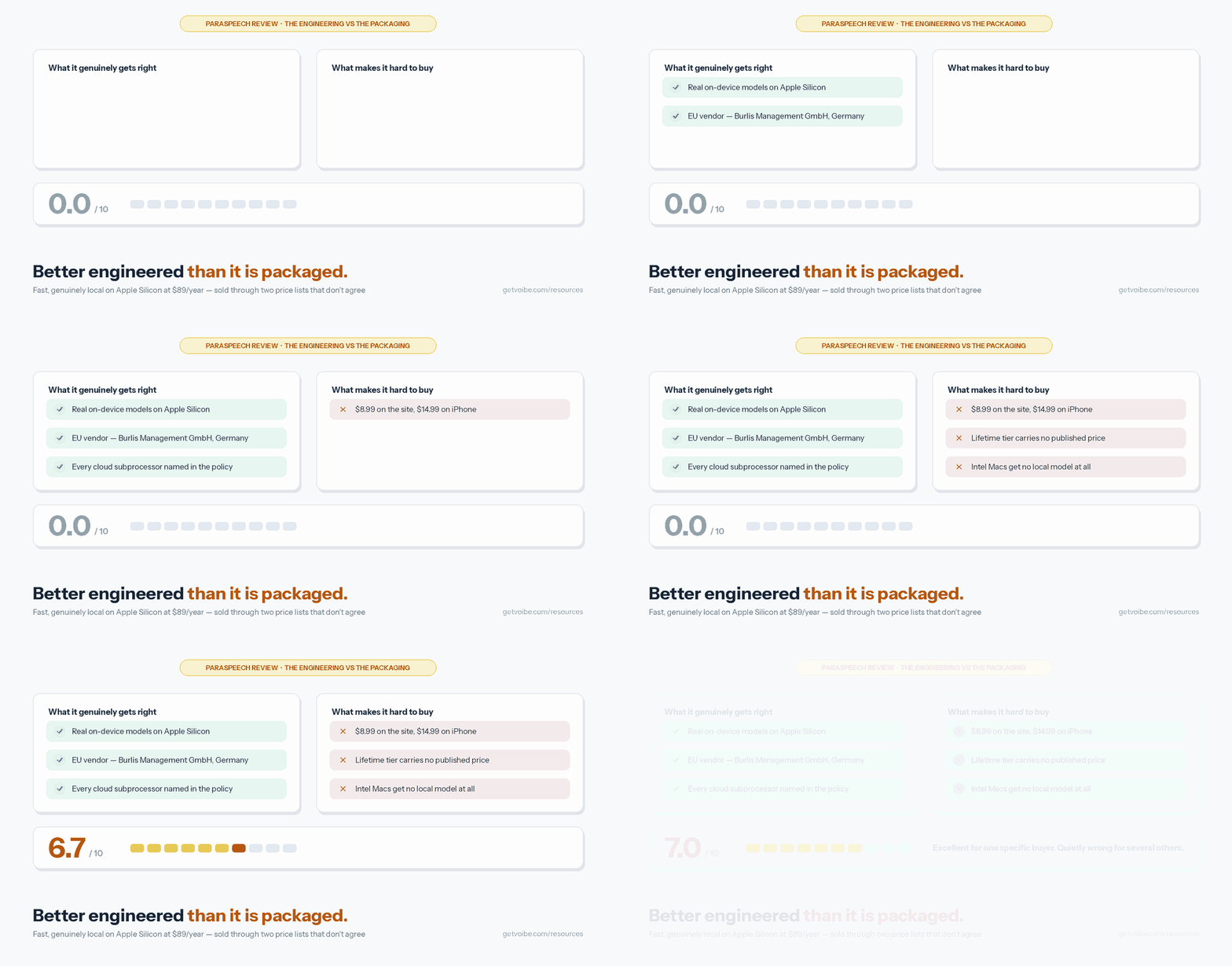
The pattern is consistent: the engineering decisions are better than the commercial ones. Local models that genuinely run offline, dedicated CJK support and individually named subprocessors are all signs of a team that takes the technical problem seriously. Two conflicting price lists, an unpriced flagship tier and a homepage claim that needs three paragraphs of caveats are signs of a company that hasn't finished deciding how to sell what it built.
The missing third-party rating deserves a plain statement rather than a hedge. As of 30 July 2026, Capterra's listing shows "Based on 0 user reviews," and the iOS App Store listing says the app "hasn't received enough ratings or reviews to display an overview." There is no Mac App Store listing, because the Mac app ships direct. So there is no aggregate score for this product anywhere — not a low one, simply none. Treat any review site quoting a star rating for Paraspeech as fabricated.
Who Paraspeech Is Actually For
Buy it if you are:
- On an Apple Silicon Mac and you want speed above all. The fast local path is the product's reason to exist and it delivers on it.
- Dictating in Japanese or Mandarin. Dedicated models for both is rare in Mac dictation apps and worth a lot if it's your daily language.
- An EU buyer who wants an EU vendor. A German GmbH with a named-subprocessor policy is a materially easier conversation with a European data protection officer than a US startup with a generic policy.
- Someone who wants to buy software once. The local-only lifetime licence is a real offer — if you can get the vendor to quote you the price.
Look elsewhere if you are:
- On an Intel Mac. You get no local mode. The privacy proposition simply isn't available to you.
- Dependent on a real custom vocabulary. Developers, lawyers and clinicians dictating dense proper nouns will hit the substitution-table ceiling quickly. Our guides to dictation for developers and dictation for lawyers cover the apps that ship the real thing.
- Handling regulated data. There is no HIPAA offering and no BAA on the table. See HIPAA-compliant dictation for what that requires.
- Working across Windows. Paraspeech is Apple-only. Windows dictation apps is the right starting point instead.
Alternatives Worth Comparing Before You Commit
Paraspeech sits in a crowded shelf of Mac dictation apps that all claim speed and privacy. A few useful reference points:
- Wispr Flow — the cross-platform, cloud-first incumbent at $15/month or $12/month billed annually. It is more expensive and architecturally the opposite bet, but it covers Windows and Android and offers SOC 2 Type II and ISO 27001 at the enterprise tier. Read Paraspeech vs Wispr Flow for the head-to-head.
- VoiceInk — open source under GPL v3, on-device, one-time pricing. The auditable option. See the VoiceInk review.
- Superwhisper — the Mac power-user app with multiple on-device Whisper modes and a lifetime licence, for people who will actually use the knobs. See the Superwhisper review.
- Apple Dictation — free, built in, and genuinely fine for short bursts. Our Apple Dictation review is honest about where it stops being enough.
- Voibe — ours. On-device on Apple Silicon with a real custom-vocabulary dictionary rather than a substitution table, at $9.90/month, $99/year or $199 lifetime. The lifetime price is published, which after this week feels worth mentioning.
The full field is ranked in our Paraspeech alternatives roundup, the category-wide price comparison lives on the dictation app pricing hub, and every roundup we publish is indexed on the alternatives hub.
Final Verdict: Is Paraspeech Worth It?
Yes, with conditions, and only if you buy it on the website.
Paraspeech is a well-built fast dictation app with real on-device models, unusually good Japanese and Mandarin support, and a vendor whose privacy policy names names. On an Apple Silicon Mac, at $89 a year, it does the job it claims to do. The German corporate base is a genuine advantage for European buyers and nobody else in this category is offering it.
What holds it to a 7 is that the commercial layer undermines the technical one. A product whose core promise is trust should not have two price lists 66.7% apart, and should not leave its most privacy-protective tier unpriced. Add the substitution-table vocabulary and the total absence of Intel support, and you get an app that is excellent for a specific buyer and quietly wrong for several others who would read the homepage and assume it was for them.
Check three things before you pay: that your Mac is Apple Silicon, that your language is covered by a local model, and that you are on paraspeech.com rather than in the iPhone app. If all three land, it's a good buy.
Key Takeaway
Verdict: 7/10. A genuinely fast, genuinely local Mac dictation app from an EU vendor, wrapped in the most confusing pricing in the category. Buy the annual plan on the website at $89/year; avoid the $14.99/month iPhone tier; and don't count on the vocabulary feature if you dictate technical terms.
Related Reading
- Paraspeech Pricing — every tier, both storefronts, and the three-year totals
- Is Paraspeech Safe? — the full data path, subprocessors and Apple privacy label
- Paraspeech vs Wispr Flow — local-by-default against cloud-by-design
- Paraspeech Alternatives — the wider field, ranked
- Best Offline Dictation Apps — apps that work with the network off
- Dictation on Mac — the hub for everything Mac dictation
Verdict
Paraspeech is a fast, genuinely local Mac dictation app from a German vendor, and on an Apple Silicon Mac at $89/year it does what it claims. The engineering is better than the packaging: two price lists 66.7% apart, an unpriced lifetime tier, a substitution table sold as custom vocabulary, and no Intel support at all. Excellent for a specific buyer — Apple Silicon, speed-first, ideally European or dictating in Japanese or Mandarin — and quietly wrong for several others who would read the homepage and assume it was for them. 7/10.
Frequently Asked Questions
How much does Paraspeech cost?
Why is Paraspeech more expensive on the iPhone than on the website?
Does Paraspeech have a lifetime licence, and what does it cost?
Is Paraspeech really offline?
Where does Paraspeech send my audio in cloud mode?
Who makes Paraspeech?
Does Paraspeech support custom vocabulary?
What are Paraspeech's system requirements?
What is Paraspeech's user rating?
Is Paraspeech good for developers or lawyers?
Best AI Dictation and Meeting Notes for Confidential Work
Draft letters, notes and emails 5x faster. Get meeting notes without a bot joining your call. Nothing used to train AI.
- Mac + Windows
- No bot in your calls
- Nothing used to train AI
- 7-day free trial
Want to compare plans first? View pricing →