
7 Affordable Wispr Flow Alternatives for 2026: Free Exists. I Pay $75 Anyway.
Wispr Flow Pro costs $144/year in 2026. I ranked 7 affordable alternatives by real cost — from $0 open source to the $75/year pick I use — and why free lost.

Wispr Flow Pro costs $144 a year in 2026 — $432 over three years, no lifetime license. The cheapest alternative costs $0 and installs tonight. I still pay $75 a year for mine.
Why? The same reason I’ve never owned a $0 keyboard.
Here’s the map, honestly drawn:
- Technical, and happy being your own support desk? The free, open-source field — Handy, VoiceInk built from source — genuinely costs nothing. It’s #1 on this list.
- Everyone else: Voibe is the most affordable Wispr Flow alternative that behaves like a finished product. $7.50/month, $75/year, or $149 once — half of Wispr Flow’s monthly price, 48% off its annual price.
| Tool | Real cost | Best for |
|---|---|---|
| Free & open-source field (Handy, VoiceInk source build) | $0 | Technical users who’ll maintain their own tools |
| Voibe | $7.50/mo · $75/yr · $149 lifetime | Most people replacing Wispr Flow |
| VoiceInk | $29 one-time | Lowest sticker price; one Mac; GitHub-issue support is fine |
| MacWhisper | €64 (~$70) one-time | Recorded files first, dictation second |
| DictaFlow | $7/mo · $69/yr | Cheapest subscription covering iPhone/iPad too |
| Superwhisper | $84.99/yr · $249.99 lifetime | Power users who enjoy configuring |
| Aqua Voice | $96/yr | Cloud speed and technical-term accuracy |
Every price in this guide was re-checked on the vendors’ live pricing pages on August 15, 2026, and all the math — savings percentages, three-year totals — is pre-calculated below. For the wider field beyond the budget angle, our dictation alternatives hub covers 20+ tools.
Key Takeaway
Free is the most affordable Wispr Flow alternative in 2026 only if your time is free too. Voibe's $75/year is 48% cheaper than Wispr Flow Pro's $144/year, and its $149 lifetime costs less than 13 months of Wispr Flow — after month 13, every month is money you keep.
Why the Wispr Flow Free Plan Isn't the Affordable Answer
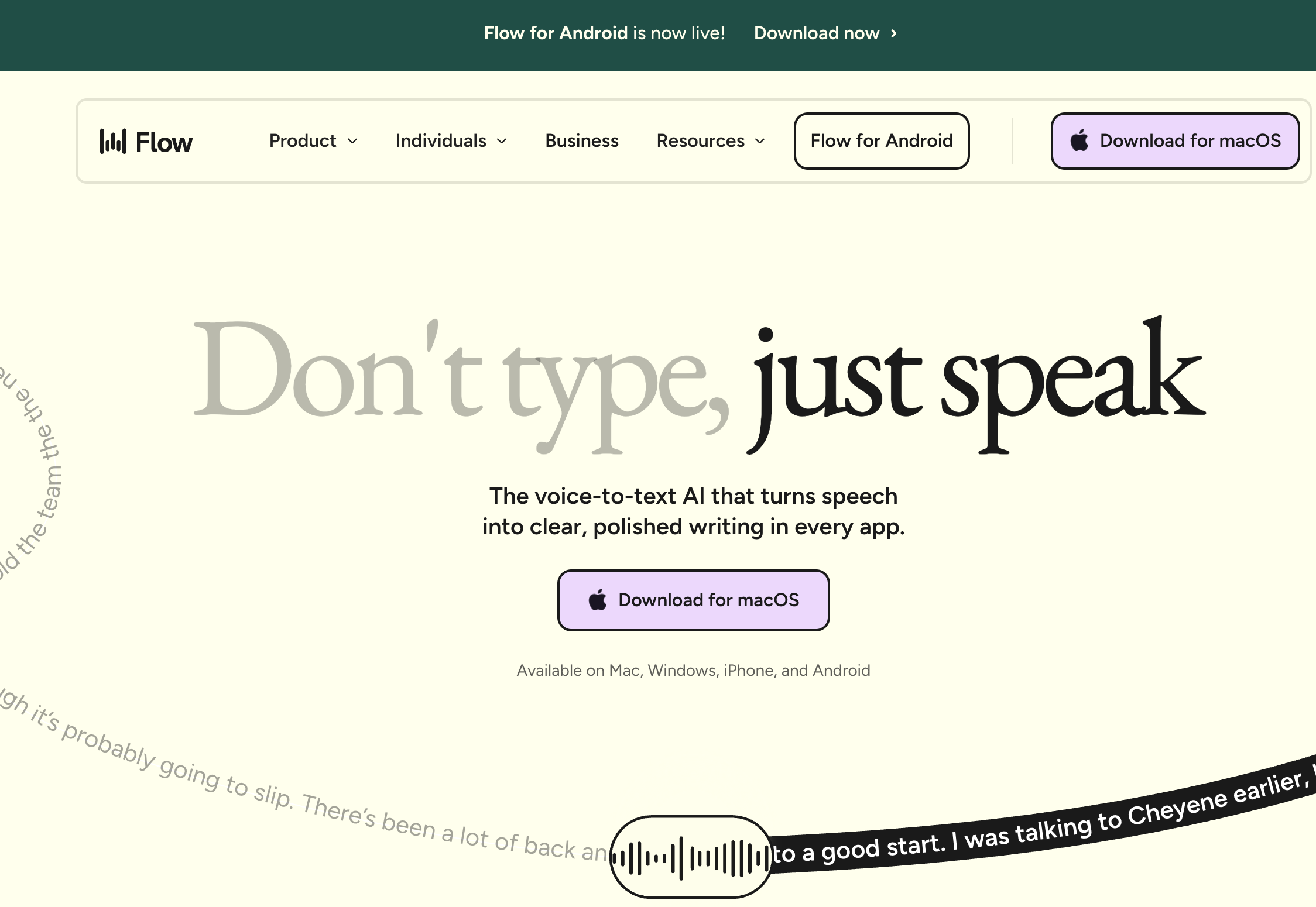
The free plan looks like the frugal answer. For about a week, it is one.
Then the meter runs out. Here’s what $0 actually gets you, per Wispr Flow’s published pricing page, verified August 15, 2026:
- 2,000 words per week on Mac and Windows — roughly 15–20 minutes of natural speech. Per week.
- 1,000 words per week on iPhone.
- Insertion-only dictation. Command Mode — the voice editing that makes Wispr Flow feel effortless — is Pro-only. So are the premium languages.
A single dictated email reply runs 200–400 words. Most daily users hit the cap in two or three work sessions — mid-week, not mid-month. Reddit threads about the free tier call it “word-count anxiety.”
Our Wispr Flow pricing breakdown calls the free plan what it is: an extended trial. It builds the habit; keeping the habit costs $144 a year. Good funnel design, bad budget plan.
The Free Plan's Other Price: Your Dictations Are the Dataset
Here’s the part of “free” that never shows up on a pricing page.
Wispr Flow’s own Security and Compliance FAQ states: “Privacy Mode is off by default. When off, dictation data may be used to improve Wispr Flow.” In plain terms: on default settings, what you dictate can be retained and used to improve — that is, train — their models. Every account starts on that default. Free users are the least likely to have found the toggle.
What that permission looks like in practice went public on August 10, 2026, when a Wispr Flow team member posted word-frequency data from user dictations on LinkedIn:
- Indian users say “amazing” at 0.7× the US rate, “kindly” at 5.6× — under a chart credited to “Wispr Flow voice dictation data.”
- Nobody read individual transcripts. The post describes aggregate word counts, and their own policy permits it. That’s exactly the problem.
- To count words at all, the company must keep dictation content in a form staff can query by country. A corpus that can count “kindly” can count a client’s name, a drug name, or the word “divorce.”
We unpacked the numbers, the policy, and the fix in our analysis of the LinkedIn post. It’s the content-level sequel to what the founder described on camera in June — per-user word counts, which apps you dictate into, tied to names and employers (that report is here).
Then there’s stability:
- 75+ incidents in six months on Wispr Flow’s public status page, through June 2026 — tracked in our living reliability log.
- A six-day capacity incident across late May and early June — the June 2026 outage report covers the worst stretch.
- Cloud transcription means an outage takes down free and paid users alike.
Fairness requires the other half: when Wispr Flow works, it’s genuinely good. Context-aware formatting, strong multilingual support, 4.8/5 on the iOS App Store across 8,500+ reviews. But its Trustpilot score sits at 2.7/5, and the complaints cluster exactly where a budget buyer should look: reliability, and what happens after you pay.
Our full Wispr Flow review weighs both sides. The security picture — screenshots, the keystroke tap, the fake-audit affair — is in Is Wispr Flow Safe?
Warning
If you stay on Wispr Flow at any price: open Settings and turn Privacy Mode on. The company's own documentation says retention is the default while it is off.
What the Affordable Alternatives Actually Fix
None of the problems above is a pricing accident. They’re properties of one architecture — your voice metered, processed, and retained on someone else’s servers. The affordable alternatives are affordable largely because they drop that architecture:
- Word caps disappear. On-device transcription costs the vendor nothing per word, so nobody meters you. Handy is unlimited and free; Voibe is unlimited on every plan.
- The training-data question disappears. An app that transcribes on your Mac — or in a zero-retention cloud — has no corpus of your words to query, train on, or turn into LinkedIn content.
- Outages stop being your problem. Local transcription has no server to go down. Airplane mode is the proof.
- The subscription becomes optional. One-time licenses run from $29 (VoiceInk) through €64 (MacWhisper) and $149 (Voibe) to $249.99 (Superwhisper). Wispr Flow sells no lifetime license at any price — we checked.
The Keyboard Test: How I Ranked These
Before the list, the framework — because “most affordable” is where dictation buyers get burned. Sticker price is easy to rank. Cost is not.
So every tool below went through what I call the Keyboard Test: would I accept this behavior from a keyboard?
A dictation app is not an app you open twice a week. It’s an input device — something you’ll use all day, every day, for years, the way you use your keyboard. Voice is steadily becoming a primary way we drive computers, especially for anyone dictating prompts into AI tools all day.
And a keyboard has exactly one job: every key, every press, produces the character you pressed. You wouldn’t buy a keyboard that dropped the letter E on Mondays. Or one that needed recompiling after an OS update. Or one that shipped your keystrokes to a vendor’s analytics dashboard. No discount would change your mind.
Cheap that fails daily isn’t cheap. It’s a tax on every working hour.
The five checks, in the order they eliminate tools:
- Three-year cost, not sticker price. Subscriptions compound: $144/year is $432 by year three. Free compounds too — in hours. I ranked on total cost of ownership.
- Boring reliability. Survives sleep/wake, macOS updates, and week three. The category’s quiet failure mode is a dictation daemon that goes deaf and needs relaunching — users report it across nearly every product’s forums.
- Setup you’ll actually finish. Minutes for a product; an evening plus ongoing maintenance for a build-from-source project. Both are legitimate — but only one is free in the way people usually mean it.
- A support path. When your primary input device breaks at 9am, “open a GitHub issue and wait” is a real cost with a dollar value. Refund policies count here too.
- Private by architecture. Your words shouldn’t become a dataset. On-device or zero-retention processing makes the training question structurally moot — the standard we apply throughout our privacy coverage.
Key Takeaway
The Keyboard Test: if you wouldn't accept it from your keyboard — dropped input, dead days, someone logging what you type — don't accept it from your dictation app at any price.
Quick Comparison: What Each Affordable Alternative Costs in 2026
The table ranks every tool in this guide by its cheapest sustainable path, with Wispr Flow Pro as the baseline you’re leaving. All prices verified on live pricing pages, August 15, 2026.
| Tool | Monthly | Annual | One-time | 3-year total | Best for |
|---|---|---|---|---|---|
| Wispr Flow Pro (baseline) | $15 | $144 | — | $432–$540 | What you’re replacing |
| Free & open-source field | $0 | $0 | $0 | $0 + your time | Technical users |
| Voibe | $7.50 | $75 | $149 | $149 | Most people replacing Wispr Flow |
| VoiceInk | — | — | $29–$69 | $29 | Lowest sticker price, one Mac |
| MacWhisper Pro | — | — | €64 (~$70) | ~$70 | Files first, dictation second |
| DictaFlow | $7 | $69 | — | $207 | Cheapest cross-platform subscription |
| Superwhisper | $8.49 | $84.99 | $249.99 | $249.99 | Power users |
| Aqua Voice | $10 | $96 | — | $288 | Cloud speed, technical terms |
Three-year savings against Wispr Flow Pro annual ($144/year; $432 over three years), pre-calculated:
- Free field: $432 saved (100%) — in cash, anyway.
- VoiceInk Solo: $403 saved (93%)
- MacWhisper Pro: about $362 saved (84%)
- Voibe lifetime: $283 saved (65%)
- DictaFlow: $225 saved (52%)
- Superwhisper lifetime: about $182 saved (42%)
- Aqua Voice: $144 saved (33%)
Against monthly billing ($540 over three years), every number grows by $108.
1. The Free and Open-Source Field — $0, If Your Time Is Free Too
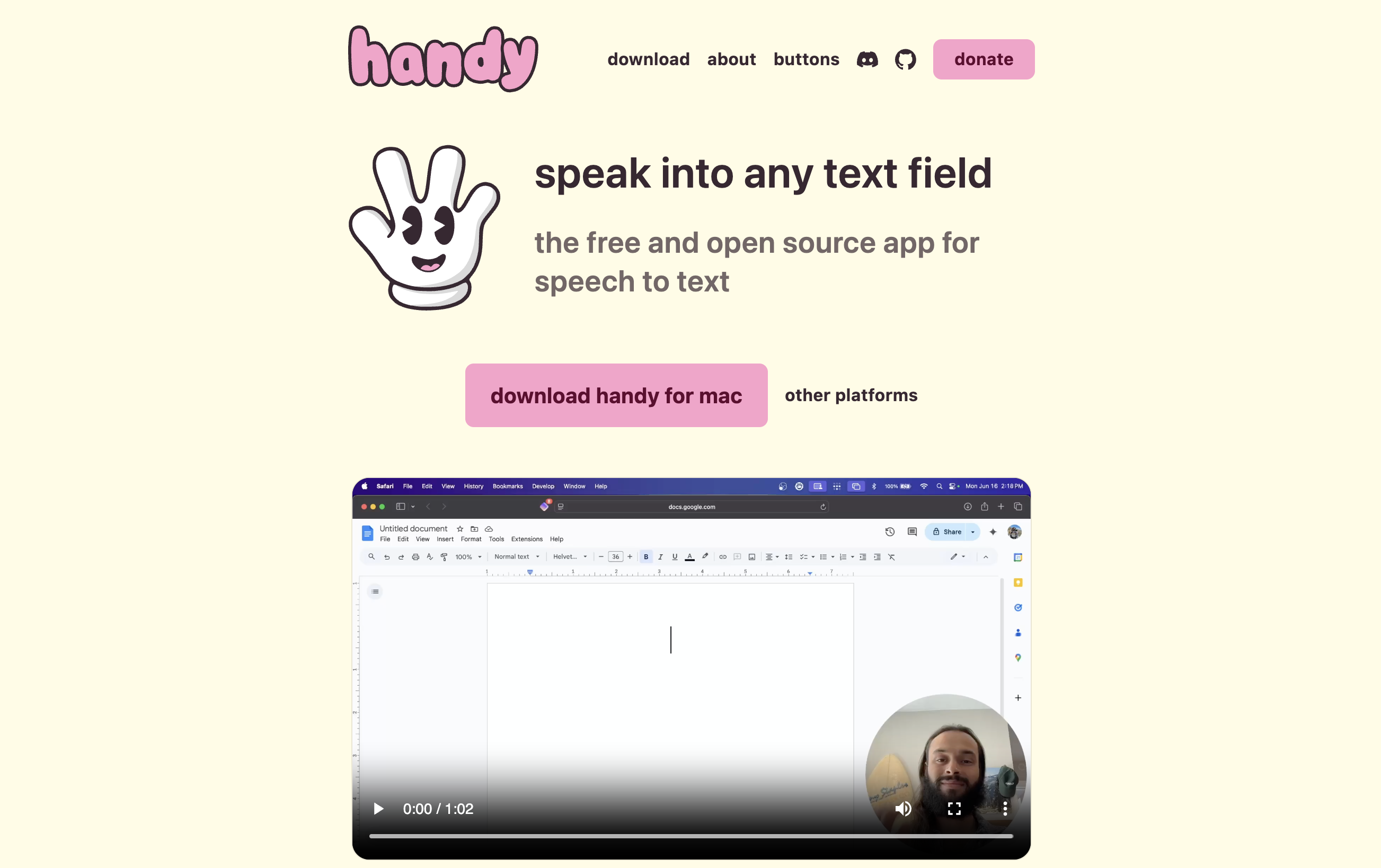
Ranked purely by price, nothing beats the open-source field. And it has real products in it now, not science projects.
The five free options worth knowing
- Handy — the headliner. Free, MIT-licensed, fully on-device, cross-platform (Mac, Windows, Linux). About 22,000 GitHub stars and an active maintainer.
- FluidVoice — the viral one. Free, GPL v3.0, Mac-only (macOS 15+), 9,400 GitHub stars in under a year, with a live word-by-word preview no other free tool has. Our three-week test also logged real breakage — mic handling, update regressions, an AI layer that sometimes refused — so read the review before making it your daily driver.
- VoiceInk — GPL v3.0 open source. Build it from source and it costs nothing; the $29 binary gets entry #3 below.
- Spokenly — not open source, but unlimited on-device transcription with Whisper Large v3 on Apple Silicon, free (how that free tier works).
- Apple Dictation — already on your Mac. The zero-effort floor.
We keep a full ranked guide to the 8 best open-source Wispr Flow alternatives — licenses, star counts, last-commit dates — plus the best free dictation apps if open source specifically isn’t the point.
Pros
- $0, forever. The full $432–$540 stays in your pocket over three years.
- Private by architecture. On-device processing — no server ever hears your audio.
- Auditable. Open source means you can read exactly what the app does with your voice.
- No renewal risk. Nothing to cancel, nothing that re-bills.
Cons
- Setup is a project. Build tools, model downloads, mic and accessibility permissions — and that’s when it goes right. Our build-it-yourself walkthrough documents the five things that break after the build succeeds.
- Stability is unpaid work. Hotkeys that die after sleep. Apps that go deaf after a macOS update. Nobody is paid to make boring reliability the feature.
- Support is an issue queue. No SLA, no refunds desk. Maybe the maintainer replies tonight; maybe your issue sits for a month.
- Projects stall. Most run on one or two maintainers’ free time. Our open-source guide tracks last-commit dates for exactly this reason.
- The feature ceiling. You mostly get raw transcription. A real dictionary that biases the model, spoken text-expansion shortcuts, hands-free activation, live on-screen streaming — this is where free tools thin out, or ship it half-working.
My honest recommendation
If you’re a developer or otherwise technical: genuinely try the free field first. Install Handy, or build VoiceInk from source, and live with it for two weeks. If it holds up and you enjoyed the tinkering, you’ve solved dictation for $0 — and I mean the congratulations sincerely.
But if dictation is going to be your primary input — all day, every day, the direction voice computing is clearly heading — reread the Keyboard Test. An input device that fails one day in ten doesn’t deliver 90% of the value. It becomes a thing you stop trusting, then stop using.
That’s the case for paying a little. The rest of this list is what “a little” buys.
Key Takeaway
Free open-source dictation is real — Handy, FluidVoice, and VoiceInk prove it. Treat it like any tool you compile yourself: right for technical users who enjoy the upkeep, wrong for anyone who just needs typing to work every single day.
2. Voibe — The Most Affordable Alternative That Behaves Like a Product

Once you’re paying at all, the arithmetic gets simple: Voibe undercuts Wispr Flow on every axis and still behaves like a finished product.
What you pay (and save)
- $7.50/month — half of Wispr Flow’s $15.
- $75/year — $69 a year saved (48% cheaper than $144). Among the cheapest annual plans in this guide — only DictaFlow’s $69 is lower.
- $149 lifetime — less than 13 months of Wispr Flow. By month 13, Wispr Flow annual has collected $288; Voibe is $139 ahead, and the gap grows to $283–$391 saved (65–72%) over three years.
The value combo: Wispr Flow and Granola in one plan. Voibe Dictation is $75 a year. For $65 more, Voibe Work ($14/month, $140/year, or $349 lifetime) adds AI meeting notes with no bot in the call. That one plan covers what Wispr Flow Pro ($144/year) and Granola Business ($168/year) charge $312 a year for separately, so it costs $172 (55.1%) less every year. Wispr's own unlimited Notetaker plan costs the same $312. Meeting notes are captured on your Mac (Windows is coming soon), processed in Voibe's zero-retention cloud and saved on your Mac, and Voibe reminds you to tell everyone you're taking notes.
Pros
- No word caps on any plan. The 2,000-word anxiety ends.
- On-device mode on Apple Silicon. Whisper runs on your Mac, audio never leaves it, dictation works in airplane mode.
- Zero-retention cloud otherwise. Open-source models on zero-retention providers — audio never stored, sold, or used to train AI. The corpus behind that LinkedIn post structurally cannot exist.
- Native on Mac and Windows. The Windows app (July 2026) is a ground-up native build on the private cloud — details in Voibe for Windows.
- Developer Mode. Resolves file and folder names when you dictate into VS Code or Cursor.
- Third-party read: 4.8/5 on Product Hunt, with press coverage in Macworld, PCMag, and Mashable.
The features the free field mostly lacks
This is the practical difference between $0 and $75. Most free tools give you raw transcription, full stop — the workflow layer is where they thin out or wobble:
- Dictionary — a real custom vocabulary that biases the speech model itself, with bulk editing. Your product names, clients, and jargon transcribe correctly after one entry — not a find-and-replace table.
- Memory — spoken-trigger text expansion: say a trigger phrase and it expands into preset text, like your email sign-off or a boilerplate paragraph.
- Hands-Free Mode — double-tap to start, double-tap to stop. No held key, so long dictations don’t tie up a hand.
- Live Dictation (Mac only) — words stream onto the screen in real time, so you watch the draft form instead of waiting for the release.
- Smart Formatting — strips the “ums,” fixes punctuation and capitalization, never paraphrases what you said. Off by default.
Cons
- 7-day free trial, not a forever-free tier.
- The fully on-device mode needs Apple Silicon — Intel Macs and Windows use the private cloud.
- No iPhone or Android apps. Voibe is a desktop tool; if phone dictation is non-negotiable, see DictaFlow below or stay put.
Download Voibe and try it free for 7 days — every feature on, no card required.
Key Takeaway
Voibe: $7.50/month (half of Wispr Flow's $15), $75/year (48% cheaper than $144), or $149 lifetime — less than 13 months of Wispr Flow Pro. No word caps, on-device or zero-retention processing, plus the workflow layer the free field lacks: Dictionary, Memory, Hands-Free Mode, and Live Dictation.
3. VoiceInk — The Lowest Sticker Price on the List ($29)
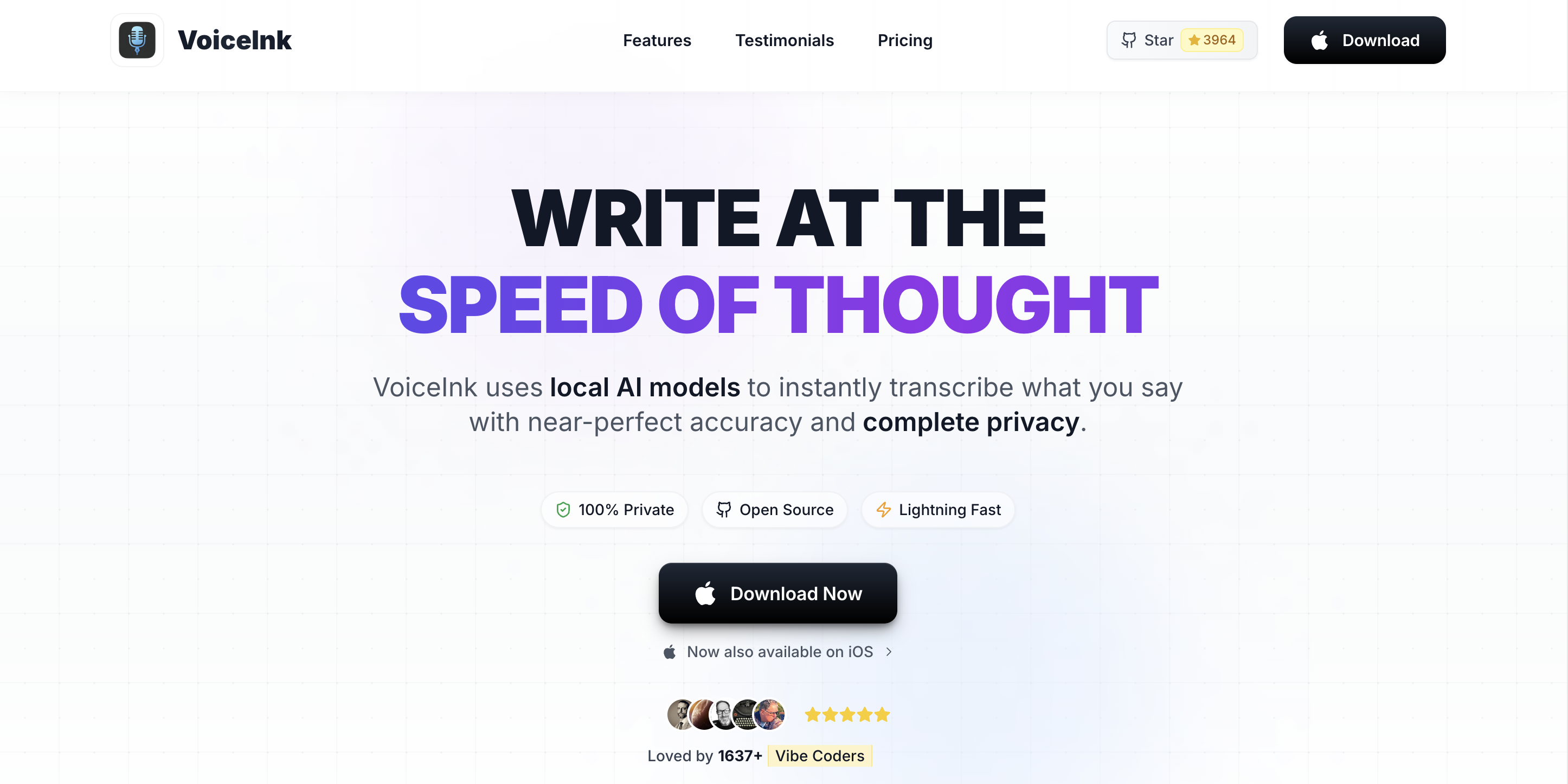
If sticker price alone decided the paid half of this list, VoiceInk would win it outright.
What you pay
- $29 one-time — Solo license, one Mac.
- $49 for two Macs, $69 for three. Lifetime updates and a 14-day money-back guarantee. Verified August 15, 2026.
- Against three years of Wispr Flow Pro annual: $403 saved (93%).
Pros
- On-device Whisper via whisper.cpp — private by architecture.
- GPL v3.0 source, 4,300+ GitHub stars. Read it yourself — or compile it and pay nothing.
- The lowest sticker price of any maintained binary in the category.
Cons
- Solo-maintainer project. Support means a GitHub issue queue and an email address.
- No company behind the $29 — which is exactly how the price is possible.
- Most of the open-source field’s risk profile, with far better onboarding. Great for a second machine or a tight budget; worse if a dead Tuesday costs you real money. This is the entire reason it’s #3, not #2.
Full tier math in our VoiceInk pricing guide, the head-to-head in VoiceInk vs Wispr Flow, and the architecture audit in Is VoiceInk Safe?
Key Takeaway
VoiceInk: $29 once — the lowest sticker price on the list, saving $403 (93%) over three years of Wispr Flow. The trade: a solo-maintained open-source project where support means filing a GitHub issue.
4. MacWhisper — €64 Once, but Dictation Is the Side Job
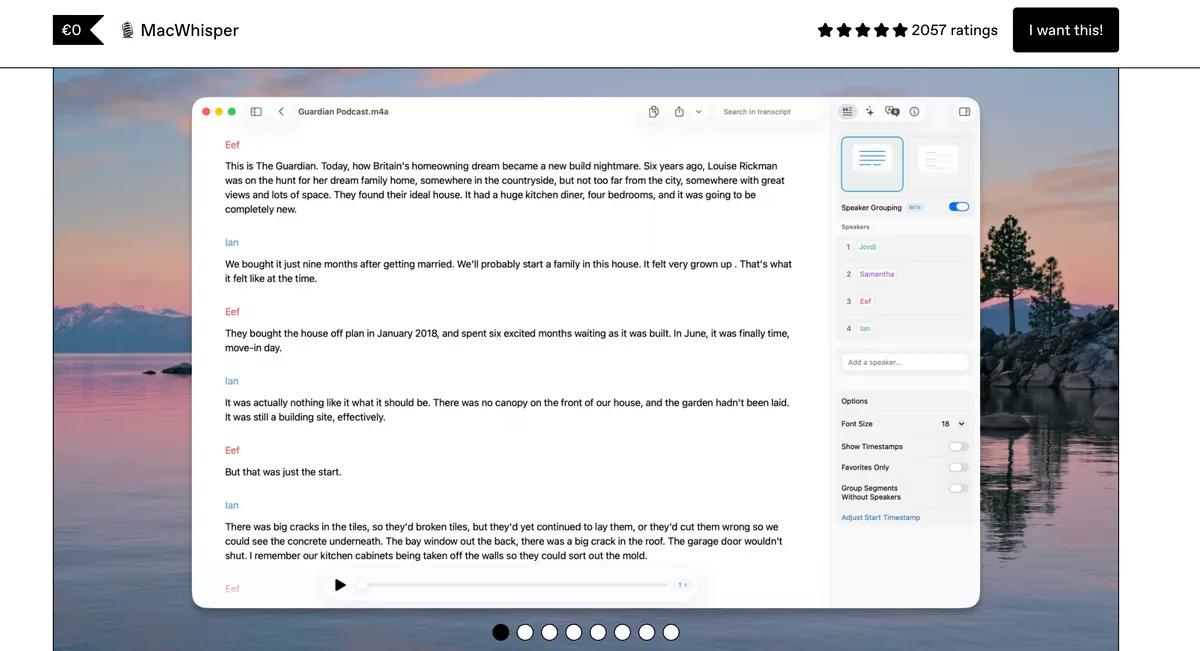
MacWhisper, from indie developer Jordi Bruin, is the cheapest one-time license that comes with a long track record.
What you pay
- €64 (about $70) once for Pro — verified August 15, 2026, up from €59 earlier this year.
- Free version with basic system-wide dictation; Pro adds the higher-quality dictation mode and AI prompts.
- App Store alternative: the Whisper Transcription listing at $6.99/month, $29.99/year, or $99.99 lifetime.
- Against three years of Wispr Flow: roughly $362 saved (84%).
Pros
- Best in class at recorded files. Meetings, memos, batches — transcribed on-device.
- Established developer, years of steady updates.
- Strong ratings for its main job: 4.8/5 on Product Hunt (nearly 1,900 ratings); 3.9/5 on the Mac App Store (123).
Cons
- Dictation is the side job. Live system-wide dictation works, but it’s not the product’s center of gravity.
- Daily-driver dictation is where the purpose-built tools above earn their prices.
Details: MacWhisper pricing and MacWhisper vs Wispr Flow.
Key Takeaway
MacWhisper: €64 once from an established indie developer. The right buy if your week is mostly recorded audio with occasional dictation — not as an all-day dictation driver.
5. DictaFlow — The Cheapest Cross-Platform Subscription, With an Asterisk
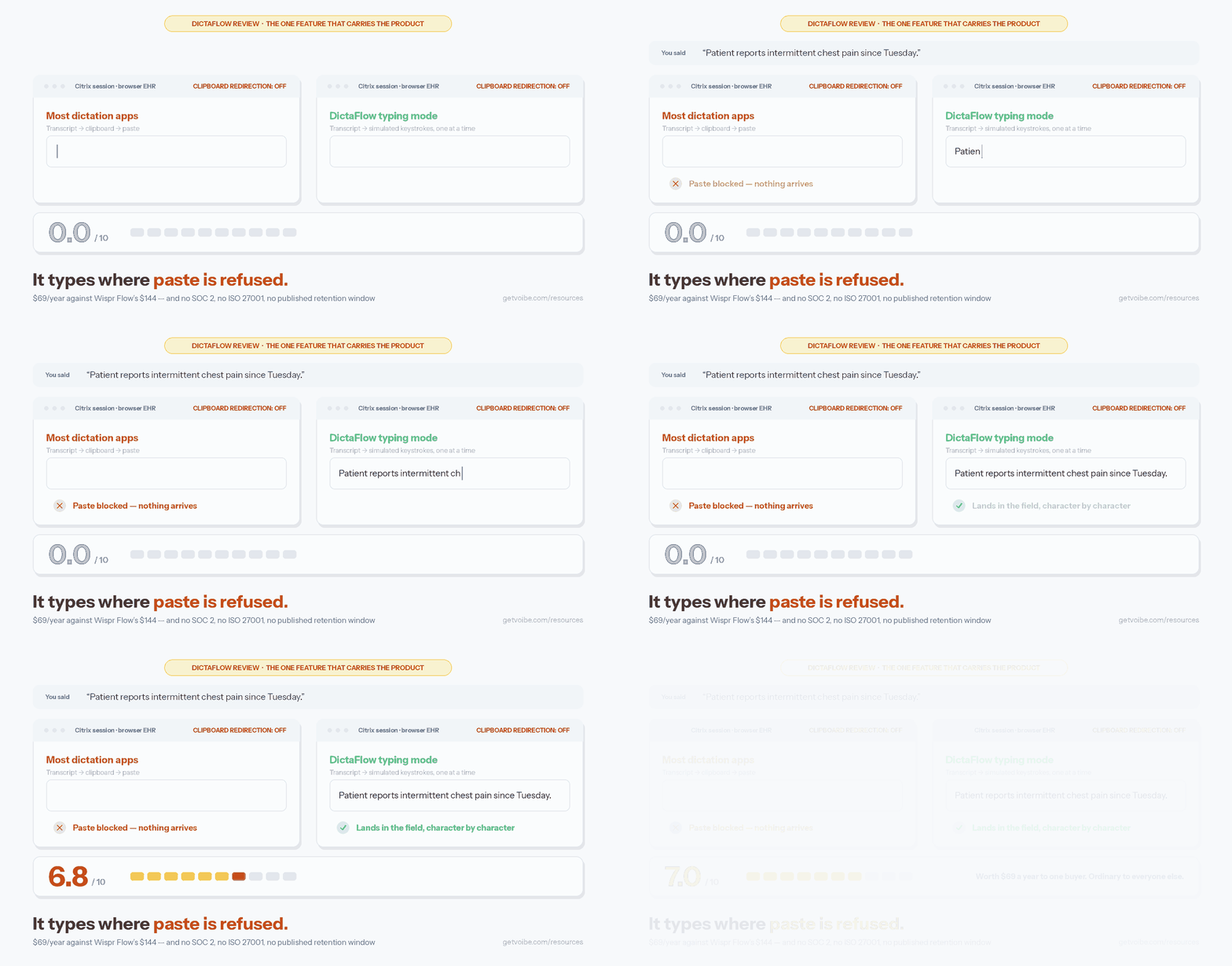
DictaFlow is the budget pick if your subscription has to cover more than a desktop.
What you pay
- $7/month or $69/year — 52% below Wispr Flow’s $144/year. $75 saved a year; $225 over three.
- One license spans Mac, Windows, iPhone, and iPad.
- Free tier: 2,000 words per month — a quarter of Wispr Flow’s weekly allowance. A demo, not a plan.
Pros
- The cheapest cross-platform subscription on this list, iPhone and iPad included.
- Keystroke-injection typing mode that works inside Citrix, VMware Horizon, and RDP — almost nothing else here does.
Cons
- Cloud cleanup runs through OpenAI and NVIDIA with no published retention window.
- No company entity or registered address published anywhere — our DictaFlow safety review spells it out.
- Thin third-party validation: 4.4/5 on the App Store from just 12 ratings.
On the Keyboard Test’s support-path and privacy checks, DictaFlow scores lowest here. The numbers in full: DictaFlow pricing and DictaFlow vs Wispr Flow.
Key Takeaway
DictaFlow: $69/year covers Mac, Windows, iPhone, and iPad — 52% below Wispr Flow. Cheap and genuinely useful, but an anonymous vendor with no published retention window is a real asterisk.
6. Superwhisper — The Cheaper Subscription for Power Users
Superwhisper is the tool the tinkerers you know already run.
What you pay
- $8.49/month or $84.99/year — $59 a year under Wispr Flow (41% cheaper).
- $249.99 lifetime — $100 more than Voibe’s, still under two years of Wispr Flow Pro.
- Free tier with smaller local models to test the waters.
Pros
- On-device transcription with per-app modes, model choice, and configurable LLM post-processing.
- The deepest customization in the category. If you want control, this is the best version of it.
- Third-party read: 4.9/5 on Product Hunt (20 reviews); 4.4/5 on the Mac App Store (762 ratings).
Cons
- Complexity is the product. Users describe setup “like configuring a server.”
- Defaults deserve attention — audio recordings are saved by default with no opt-out, a long-standing gripe on its feedback board.
- If you want dictation that’s just on, it’s more machine than you need.
Head-to-head in Wispr Flow vs Superwhisper; tier detail in Superwhisper pricing.
Key Takeaway
Superwhisper: $84.99/year (41% under Wispr Flow) or $249.99 lifetime. The power-user pick — worth it if configuring modes sounds fun, oversized if it doesn't.
7. Aqua Voice — The Cheapest Modern Cloud Subscription
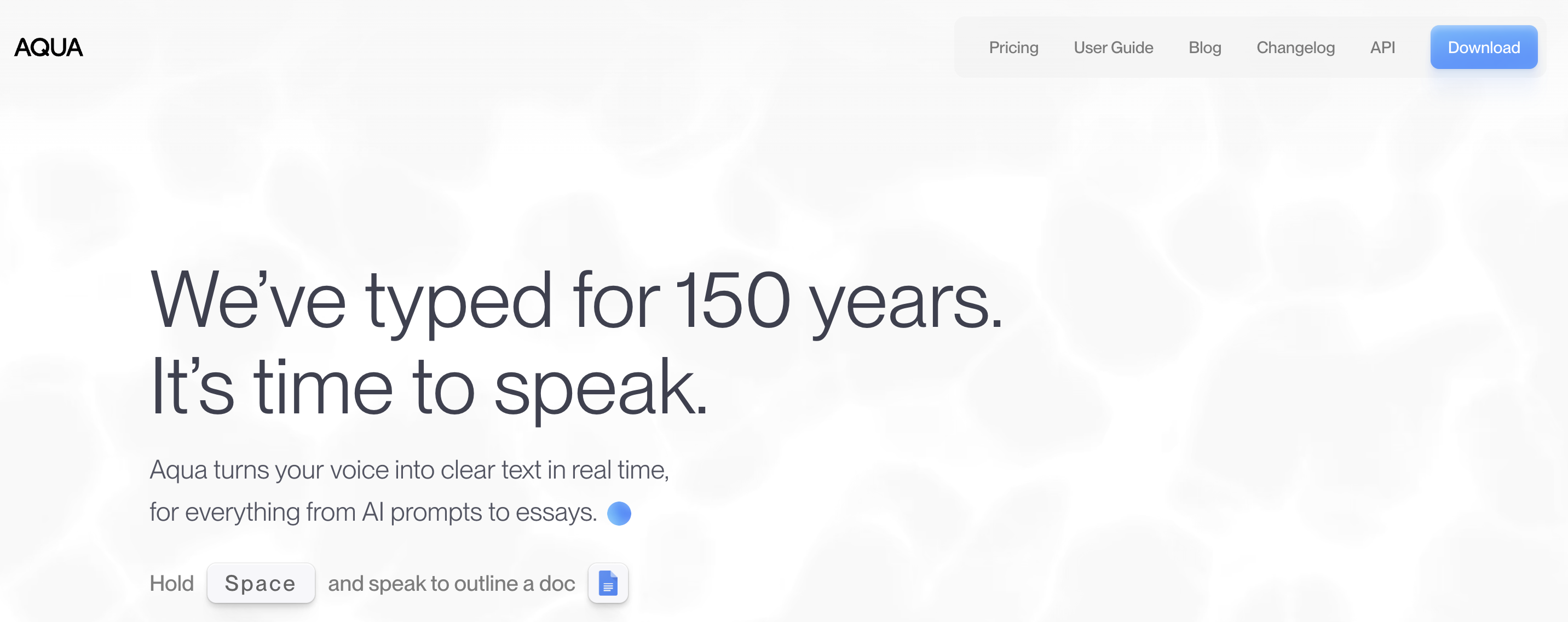
Aqua Voice is for the reader leaving Wispr Flow over price who doesn’t mind staying in the cloud.
What you pay
- $96/year (an effective $8/month) or $10/month billed monthly. Verified August 15, 2026.
- $48 a year saved (33%) versus Wispr Flow annual.
- Students: 70% off — $2.40/month billed annually, the cheapest legitimate dictation subscription anywhere.
Pros
- Excellent streaming speed — a developer favorite.
- Strong technical-vocabulary accuracy.
- 5.0/5 on Product Hunt (14 reviews).
Cons
- Cloud-only, no offline mode — the same architecture trade-offs you just left, minus Wispr Flow’s specific retention-default history.
- Free tier is 1,000 words once — gone in a sitting.
- No lifetime option — the $96 renews forever.
If you’re leaving for cost alone, a fine pick. If you’re leaving over the dataset problem, it isn’t. Details: Aqua Voice pricing and Aqua Voice vs Wispr Flow.
Key Takeaway
Aqua Voice: $96/year — the cheapest modern cloud dictation subscription, 33% under Wispr Flow. Pick it for cost, not for privacy: it's still cloud-only.
The Near Misses: Cheaper Than Wispr Flow, but Not by Enough
Tools I checked and left off the main list, with the reason stated plainly:
- Voicy — $8.49/month billed annually ($101.88/year, 29% below Wispr Flow) with an unusual cost-transparency pledge: its price will never sit more than 20% above its costs. But the $260 lifetime costs more than Superwhisper’s, and the track record is short. Breakdown: Voicy pricing.
- Willow Voice, Typeless, and Monologue — all land at $144/year, the identical price to Wispr Flow Pro annual. On cost they’re sidegrades, not savings; each has other reasons to pick it (Willow, Typeless, Monologue breakdowns).
- Spokenly Pro — $9.99/month, skipped here because Spokenly’s unlimited free tier is the story, and it’s already in entry #1.
How to Choose: Four Questions That Settle It
Four questions, asked in order, land almost everyone on the right tool.
1. Would you enjoy compiling and maintaining your own dictation app?
- Honestly, yes → The free field. Install Handy today, or work through our open-source alternatives guide and pick by license and commit activity.
- No — I want it to just work → Paid. Keep going.
2. Do you want to stop paying monthly, forever?
- Yes, minimum spend, one Mac, issue-queue support is fine → VoiceInk Solo, $29.
- Yes, with a maintained product and a support desk → Voibe, $149 lifetime.
- Yes, and I want maximum configurability → Superwhisper, $249.99 lifetime.
- No, a subscription is fine → cheapest first: DictaFlow $69/yr, then Voibe $75, Superwhisper $84.99, Aqua Voice $96.
3. Do you dictate things that shouldn’t sit on a vendor’s servers? Client work, patient notes, legal matter, a journal.
- Yes → On-device or zero-retention only: Voibe, VoiceInk, Handy, MacWhisper. Our privacy-first cut of this market goes deeper.
- Not really → Aqua Voice and DictaFlow join your shortlist.
4. Which platforms do you actually need?
- Mac only → Everything above qualifies.
- Mac + Windows → Voibe (native on both) or Handy (free on both, plus Linux).
- iPhone/iPad too → DictaFlow at $69/year is the affordable path — with its caveats. Five-platform reach is Wispr Flow’s real moat; the Windows-specific field is ranked in our Windows alternatives guide.
Best Affordable Pick for Your Situation
Fourteen situations, one-line verdicts:
- Developer living in Cursor or VS Code → Voibe — Developer Mode resolves file and folder names as you dictate.
- Linux user → Handy — free, MIT-licensed, and actually cross-platform.
- Tightest possible budget, one Mac, self-support is fine → VoiceInk Solo ($29) — the lowest one-time price with a maintained binary.
- Mostly transcribing recorded files, dictating occasionally → MacWhisper Pro (€64) — best-in-class for files.
- Broke this month but drowning in typing → Handy today — revisit paid when the upkeep starts costing you focus.
- Want a free live word-by-word preview on Mac, tolerant of rough edges → FluidVoice — the best free feature set going; our three-week test log is the caveat.
- Never want to see a dictation charge again → Voibe $149 lifetime — cheaper than 13 months of Wispr Flow.
- You enjoy configuring your tools → Superwhisper — modes, models, and prompts to tune forever.
- Leaving over cost, staying in the cloud → Aqua Voice ($96/yr) — fastest streaming feel, strong on technical terms.
- Student → Aqua Voice ($2.40/mo billed annually with the 70% discount); Superwhisper’s 40% student discount is the on-device runner-up.
- Need iPhone/iPad in the same license → DictaFlow ($69/yr) — noting the trust caveats above.
- Windows daily driver → Voibe’s native Windows app — the full ranking is in our Windows guide.
- Want hands-free dictation or live on-screen streaming → Voibe — Hands-Free Mode and Live Dictation are exactly where free tools thin out.
- Dictating client, patient, or legal notes → Voibe’s on-device mode (or VoiceInk) — nothing leaves the machine.
Affordable Wispr Flow Alternatives: Frequently Asked Questions
The questions budget-minded switchers actually ask, grouped by theme. Every price below was verified August 15, 2026.
Free Options and the Free Plan
Is there a completely free Wispr Flow alternative? Yes, several. Handy is free, open-source (MIT), on-device, and runs on Mac, Windows, and Linux. FluidVoice is free and open-source (GPL v3.0) on Mac with a live word-by-word preview. VoiceInk is free if you build it from source. Spokenly’s free tier includes unlimited on-device transcription on Apple Silicon, and Apple Dictation is built into every Mac. The trade-off is operational — setup, upkeep, and community-only support — not money. Our open-source guide ranks the full field.
Is the Wispr Flow free plan enough for daily use? No, by design. The 2,000-words-per-week cap equals roughly 15–20 minutes of speech per week, dictation is insertion-only (no Command Mode), and most daily users hit the cap in two or three sessions. It works as an extended trial, not a workflow.
Are free dictation apps safe for confidential work? The on-device ones are, architecturally: Handy and a source-built VoiceInk process audio entirely on your machine, so there’s no server to trust. The risk with free tools is reliability and support, not data. Note the reverse for Wispr Flow’s free plan: it’s cloud-processed, and retention is the default until you enable Privacy Mode.
Pricing and Value
What is the cheapest Wispr Flow alternative? Handy, at $0, for technical users. Among paid tools: VoiceInk Solo at $29 one-time is the lowest sticker price; MacWhisper Pro at €64 (~$70) is the cheapest one-time license from an established indie developer; and Voibe at $75/year or $149 lifetime is the cheapest maintained product with a support desk. The cheapest subscription is DictaFlow’s $69/year (52% below Wispr Flow’s $144/year); Voibe’s $75/year is 48% below.
How much does switching from Wispr Flow actually save over three years? Against Wispr Flow Pro annual’s $432 three-year total: Handy saves $432 (100%), VoiceInk Solo $403 (93%), MacWhisper about $362 (84%), Voibe lifetime $283 (65%), DictaFlow $225 (52%), Superwhisper lifetime about $182 (42%), and Aqua Voice $144 (33%). Against monthly billing ($540), add $108 to each figure.
Does Wispr Flow have a lifetime deal? No — Wispr Flow has never sold a lifetime license, and its subscription economics make one unlikely; we track this question here. The lifetime options in this field are VoiceInk ($29–$69), MacWhisper (€64), Voibe ($149), and Superwhisper ($249.99).
Privacy and Switching
Does Wispr Flow train its models on what I dictate? By default, it can. The company’s Security and Compliance FAQ states: “Privacy Mode is off by default. When off, dictation data may be used to improve Wispr Flow.” Turning Privacy Mode on opts you out; on-device alternatives make the question moot because no dictation corpus exists. Full picture in Is Wispr Flow Safe?
What was the Wispr Flow LinkedIn data post? On August 10, 2026, a Wispr Flow team member published India-vs-US word-frequency comparisons drawn from user dictations — aggregate counts like “kindly” at 5.6× the US rate, credited to “Wispr Flow voice dictation data.” No individual transcripts were exposed; the point is that a queryable corpus of user dictations exists under default settings. Our full analysis is here.
What do I give up by leaving Wispr Flow? Three real things: Command Mode’s voice editing, five-platform coverage (especially iPhone and Android), and its context-aware AI rewriting. What you keep: transcription accuracy — the local Whisper-class models in Voibe, VoiceInk, and Handy are excellent — and cleanup, via bounded formatters like Voibe’s Smart Formatting that strip fillers without paraphrasing you.
Which affordable alternatives work on Windows? Voibe ships a native Windows app (private zero-retention cloud; the on-device mode is Mac-only), Handy is free and open-source on Windows, and DictaFlow covers Windows in its $69/year license. The Windows-specific ranking is in our Wispr Flow alternatives for Windows guide.
The Bottom Line on Affordable Wispr Flow Alternatives
Buy the input device, not the discount.
If your time is genuinely free and tinkering is fun, the open-source field is real now. Handy will cost you $0 forever, and building an open-source alternative will teach you things. I mean that as a recommendation, not a consolation prize.
Everyone else should do the keyboard math. Voice input is a tool you’ll lean on all day, every day, for years. It deserves the same standard as the keyboard it’s replacing: predictable, boring, always there.
By that standard, Voibe is the most affordable Wispr Flow alternative in 2026: $7.50/month, $75/year (48% below Wispr Flow), or $149 once — after which month 14, and every month after it, is free.
It passes the Keyboard Test on all five checks. It carries the workflow layer — Dictionary, Memory, Hands-Free Mode, Live Dictation — that free tools mostly don’t. And it deletes the two problems that pushed you here: the word cap and the dataset.
Try Voibe free for 7 days, or learn more about Voibe.
Keep reading: Wispr Flow Pricing · Is Wispr Flow Safe? · Is Wispr Flow Reliable? · The Privacy-First Wispr Flow Alternatives · Best Open-Source Wispr Flow Alternatives · All Alternatives Guides
Best AI Dictation and Meeting Notes for Confidential Work
Draft letters, notes and emails 5x faster. Get meeting notes without a bot joining your call. Nothing used to train AI.
- Mac + Windows
- No bot in your calls
- Nothing used to train AI
- 7-day free trial
Want to compare plans first? View pricing →
Related Articles
Best Open Source Wispr Flow Alternatives
The full ranked field of 8 open-source options — licenses, GitHub activity, and total cost of free.
Wispr Flow Pricing 2026
Every Wispr Flow tier, the free plan's limits, and the total cost of the subscription over time.
Wispr Flow Analyzed What Users Dictate — and Posted It on LinkedIn
The August 2026 post built on user dictation data, and what it proves about retention defaults.
Is Wispr Flow Reliable?
A living log of 75+ outages in six months, and how to judge dictation reliability.