
Best Wispr Flow Alternatives for Lawyers and Small Law Firms (2026)
8 Wispr Flow alternatives for lawyers (2026): on-device dictation, HIPAA-aligned cloud, and legal-vocabulary tools compared on privilege exposure, post-Delve compliance, and 3-year TCO.
TL;DR: The best Wispr Flow alternative for most solo and small-firm lawyers in 2026 is a two-tool on-device stack: Voibe ($149 lifetime) for real-time document drafting and MacWhisper Pro (€59 / about $69 lifetime) for transcribing recorded depositions and client interviews. In Voibe's on-device mode and with MacWhisper, privileged audio never enters Wispr Flow's 5-subprocessor cloud chain (Baseten → OpenAI/Anthropic/Cerebras → AWS us-east-1) — and with either Voibe mode, your audio is never stored, sold, or used to train AI. The combined ~$218 one-time cost replaces a $501 three-year spend (Wispr Flow Pro Annual $432 + recorded-audio tool $69), saving $283 (56%) per attorney over three years and removing the per-dictation cloud round-trip from the privileged-audio data flow. Wispr Flow Pro with a signed BAA and Privacy Mode locked on remains a reasonable choice for non-privileged cross-platform dictation — the question is which audio you route to which tool.
Disclosure: Voibe is our product. We compare every tool on this page using Wispr Flow's own privacy policy and subprocessor list, verifiable pricing, public compliance attestations, and third-party review ratings — and acknowledge competitor strengths honestly. Wispr Flow's cross-platform reach (Mac + Windows + iOS + Android + Chrome extension) is broader than Voibe, which covers Mac and Windows but has no mobile apps or Chrome extension; we say so before pivoting to the architectural privilege analysis.
| Tool | Type | Best For | Audio Stays On-Device | Pricing |
|---|---|---|---|---|
| Voibe ⭐ | On-device or private cloud dictation | Privileged real-time drafting on Mac | Yes (on-device mode) | $7.50/mo · $75/yr · $149 lifetime |
| MacWhisper Pro | On-device file transcription | Recorded depositions and interviews | Yes | €59 (~$69) lifetime |
| Apple Dictation | On-device dictation | Quick notes between meetings | Yes (Apple Silicon) | Free |
| Superwhisper | On-device dictation | Power users wanting Whisper model control | Yes (on-device modes only) | $8.49/mo · $249.99 lifetime |
| VoiceInk | Open-source on-device dictation | Auditable codebase for compliance teams | Yes | $29–69 + free GPL build |
| Sonix | Cloud AI transcription | HIPAA-aligned cloud transcription (non-privileged) | No | $10/audio hour + $22/seat/mo |
| Dragon Legal Anywhere | Cloud legal dictation | Real-time dictation on Windows with specialized vocabulary | No | $65/user/mo + $175 activation |
| SpeakWrite | US human typists | Sealed material requiring human verbatim with no AI | No | 1.5¢/word (~$1.20/min) |
Key takeaway: Wispr Flow is a real-time dictation tool, not a recorded-audio transcription service. The strongest alternative for privileged legal work is not another cloud dictation product with similar architecture — it is an on-device tool that removes the 5-subprocessor chain from the data flow. Reserve Wispr Flow Pro (with signed BAA + locked Privacy Mode) for non-privileged cross-platform dictation where its iPhone, Windows, and Chrome-extension reach genuinely matters and the lawyer has documented the ABA 477R reasonableness analysis.
Why Lawyers and Small Firms Are Looking Beyond Wispr Flow in 2026

Wispr Flow built one of the more polished real-time cloud dictation products on the market: clean UX, cross-platform reach across Mac + Windows + iOS + Android + Chrome extension, Command Mode for in-place editing, Context Awareness for app-aware suggestions, and a self-serve in-app Business Associate Agreement that no peer in its category offers. Those are real strengths and Wispr Flow deserves credit for them. The reasons lawyers still look for alternatives in 2026 are not product failures; they are structural mismatches between Wispr Flow's cloud architecture and the privilege-protection ceiling that small-firm legal workflows require.
- Privileged audio crosses a 5-subprocessor chain by default. Per Wispr Flow's own subprocessor list, dictation audio is sent to Baseten for transcription, the resulting text is processed by OpenAI, Anthropic, or Cerebras for formatting and Polish, and data is stored on AWS S3 in the us-east-1 region. Auxiliary subprocessors include Supabase (authentication), PostHog (analytics, including session replay capability), Sentry (error tracking, including screenshot capture on supported platforms), Segment, Stripe, RevenueCat, Attio, Pylon, and Twilio. Wispr Flow is unusually transparent about this list — a strength. But transparency about cloud routing is not the same as architectural privacy, and a lawyer transmitting privileged work-product audio is sending it across the entire chain on every dictation event.
- Privacy Mode is off by default for individual Pro users. Per Wispr Flow's Security and Compliance FAQ: “Privacy Mode is off by default. When off, dictation data may be used to improve Wispr Flow.” An individual Pro subscriber who never opens settings is, by default, contributing dictation text — including transcripts of privileged drafting — to Wispr Flow's model-improvement pipeline. The two paths to enable Privacy Mode are a manual settings toggle or the in-app Business Associate Agreement, which irreversibly locks ZDR on for the account lifetime. The BAA is the strongest commitment available and the only one that cannot be undone, but it requires the lawyer to actively opt in.
- The March 2026 Delve audit incident is a transparency-versus-trust signal. Wispr Flow's prior SOC 2 Type II (ACCORP Partners, February–May 2025) and ISO 27001:2022 (Gradient Certification, September 2025) were both produced through the Delve audit ecosystem. In March 2026, an independent investigation by Deepdelver alleged that 99.8% of 494 SOC 2 reports generated through Delve shared identical boilerplate text — and Wispr Flow was named in the affected-customer list. Wispr Flow's response was meaningful and transparent: CTO Sahaj Garg published a note on March 19, 2026 acknowledging the investigation; on March 27, 2026 Wispr Flow engaged A-LIGN (a top-tier SOC 2 auditor used by US Bank and Snowflake) for a fresh independent audit and Drata as the new compliance platform; the trust center moved off Delve to a new SafeBase portal at trust.wispr.ai. The remediation is the right shape: A-LIGN's fresh SOC 2 Type I came back clean in April 2026, and the Type II observation period was still underway as of August 2026. Lawyers vetting Wispr Flow under ABA 477R should wait for the finished Type II before treating Wispr Flow's compliance posture as definitively reverified. See our Is Wispr Flow Safe? investigation for the full Delve timeline.
- Subscription cost compounds annually with headcount. Wispr Flow Pro at $144/year billed annually totals $432 over 3 years per attorney. A 5-attorney small firm pays $720/year ($144 × 5) or $2,160 over 3 years — and Wispr Flow does not transcribe recorded audio files (depositions, witness prep), so the firm still pays separately for that capability. Compare to a one-time license: Voibe lifetime ($149 × 5 = $745) plus MacWhisper Pro (~$69 × 5 = $345) totals $1,090 once for the same 5-attorney firm — a 3-year saving of $1,415 (56%) plus indefinite savings thereafter because lifetime licenses do not renew.
- Trustpilot reliability complaints cluster post-trial. Wispr Flow holds a 2.7/5 Trustpilot rating per trustpilot.com/review/wisprflow.ai as of April 2026. Recurring complaints cluster around three themes documented in the Trustpilot review pattern: reliability degradation after the 14-day trial ends, referral program rewards not being honored, and concerning legal disclaimers in the terms of service. The 4.5/5 G2 rating on a smaller enterprise sample diverges meaningfully from the 2.7/5 organic consumer review — itself a signal. Trustpilot complaints do not directly speak to data safety, but they do speak to whether a $144/year subscription will reliably deliver value for the duration of the renewal cycle.
- Cross-platform polish is real but locks the firm into the cloud architecture. Wispr Flow's reach across Mac + Windows + iOS + Android + Chrome extension is a genuine strength for firms with mixed-device practices, traveling associates, and Windows-based support staff. Voibe (Mac and Windows, no mobile) and most on-device peers do not match this breadth. But the cross-platform reach is purchased by routing every dictation event through the cloud — there is no on-device mode on any Wispr Flow platform. For lawyers, that means the cross-platform advantage and the privileged-audio cloud exposure are bundled. The right answer is rarely all-Wispr-Flow or all-on-device; it is splitting the audio by sensitivity and using the right tool for each track.
The remaining sections of this guide map each of these frictions to a specific alternative and quantify the savings.
Key Takeaway
Lawyers don't leave Wispr Flow because of a security failure — they leave because every dictation event crosses a 5-subprocessor cloud chain by default, Privacy Mode requires active opt-in, the prior compliance audit needs reverification post-Delve, and the cost compounds annually with no flat-rate alternative. On-device tools sidestep four of the five concerns architecturally.
How On-Device Tools Solve the Wispr Flow Problems for Legal Workflows
Each of the six frictions above maps cleanly to a category of alternative.
- 5-subprocessor cloud chain → on-device processing. Voibe, MacWhisper Pro, Superwhisper (on-device modes), VoiceInk, and Apple Dictation on Apple Silicon run Whisper-based speech recognition entirely on the lawyer's Mac. No Baseten, no OpenAI/Anthropic/Cerebras for text Polish, no AWS storage, no PostHog logging. In on-device mode these tools keep privileged audio on the lawyer's Mac, which simplifies the ABA Rule 1.6(c) reasonable-efforts analysis because there is no third-party subprocessor chain to vet. See our cloud vs. local dictation comparison for the technical difference.
- Privacy Mode off by default → no toggle to remember. On-device tools have no Privacy Mode toggle because there is no transcript storage to toggle off. The privacy posture is the same regardless of any setting. No active opt-in is required, and there is no risk of forgetting to enable a privacy feature on a new device or after an update.
- Post-Delve compliance reverification gap → no vendor audit required. The architectural posture is independent of audit-vendor quality. A SOC 2 audit on an on-device tool would attest to controls around the user-facing application, but the absence of any server-side dictation handling means the audit scope is narrower and the reliance on auditor trustworthiness is correspondingly lower.
- $144/year compounding subscription → one-time license. Voibe ($149 lifetime), MacWhisper Pro (€59 lifetime), VoiceInk ($29–69 lifetime), Superwhisper ($249.99 lifetime), and Apple Dictation (free) all replace the per-year meter with a one-time cost. For a 5-attorney firm over 3 years, Voibe lifetime + MacWhisper Pro totals $1,090 vs. Wispr Flow Pro + MacWhisper Pro at $2,505 — a $1,415 (56%) saving plus indefinite savings beyond year 3.
- Trustpilot post-trial reliability complaints → smaller surface to break. On-device tools have no cloud servers to go down, no API rate limits, no subprocessor outages, and no terms-of-service changes that affect existing licenses. The reliability profile is determined by the local machine and the application code, not by any vendor's ongoing operational reliability.
- Cross-platform reach trade-off → hybrid split by matter. The architectural alternatives run on-device on the Mac (Voibe, MacWhisper Pro, VoiceInk, Apple Dictation) or are Mac-leaning (Superwhisper has Windows + iOS but the on-device modes are Mac-strongest). For mixed-device practices, the right answer is hybrid: on-device for privileged Mac drafting, Wispr Flow Pro with signed BAA + locked Privacy Mode for non-privileged cross-platform dictation (iPhone in transit, Windows for support staff, Chrome extension in browser-only tools). The hybrid split captures the cost savings on the privileged half and preserves Wispr Flow's reach for the half that genuinely needs it.
The next section translates these solution categories into specific evaluation criteria you should apply when choosing a Wispr Flow alternative for your firm.
Key Takeaway
On-device tools remove the cloud chain, eliminate the Privacy Mode toggle, sidestep the post-Delve audit reverification, replace the subscription meter with a one-time cost, and harden reliability against vendor outages. The remaining trade-off — cross-platform reach — is solved by splitting audio by sensitivity rather than picking a single tool.
What to Look For in a Wispr Flow Alternative for Legal Work
Six criteria separate the eight tools below. Use them to scope your shortlist before pricing comparisons.
- Where does the audio go? On-device tools (Voibe, MacWhisper Pro, Superwhisper on-device modes, VoiceInk, Apple Dictation on Apple Silicon) keep audio on the lawyer's Mac. Cloud tools (Sonix, Dragon Legal Anywhere, SpeakWrite, and Wispr Flow itself) transmit audio to the vendor. For privileged audio, on-device is the simplest path to ABA Rule 1.6(c) reasonable-efforts compliance because there is no third-party server chain to vet. For non-privileged audio, cloud tools are acceptable under ABA Formal Opinion 477R with documented diligence on the vendor's controls — and Wispr Flow Pro with a signed BAA + locked Privacy Mode is a reasonable choice for that track.
- Real-time dictation, file transcription, or both? Real-time dictation inserts text into the cursor as you speak — useful for drafting motions, client letters, and email. File transcription accepts a recorded audio file (deposition, witness prep, hearing recording) and returns text after the fact. Voibe, Wispr Flow, Dragon Legal, Superwhisper, VoiceInk, and Apple Dictation are real-time dictation tools. MacWhisper Pro, Sonix, and SpeakWrite are file transcription tools. Most firms need both jobs covered, and Wispr Flow specifically does not transcribe recorded audio — so a separate file-transcription tool is required either way.
- Compliance attestations and audit trustworthiness post-Delve. For privileged audio routed through any cloud vendor, the appropriate attestations are SOC 2 Type II, HIPAA Business Associate Agreement (when client medical records are involved), and explicit confidentiality language in the master services agreement. Post-March 2026, evaluate the auditor itself — A-LIGN, Schellman, BDO, Coalfire, and Drata-supported attestations through established auditors are the safer choices. Wispr Flow's pending A-LIGN audit, when published, will reset its compliance posture. Sonix Enterprise offers HIPAA BAAs and SOC 2 Type II. On-device tools sidestep most of this analysis because no audio leaves the device.
- Total cost over a 3-year practice horizon. Wispr Flow Pro at $144/year totals $432 per attorney over 3 years and scales linearly with headcount. Dragon Legal Anywhere at $65/user/month + $175 activation totals $2,515 per attorney over 3 years. Sonix Premium at $22/seat/month plus $5/audio hour scales with both seat count and recorded volume. One-time on-device tools (Voibe $149, MacWhisper Pro ~$69, VoiceInk $29–69, Superwhisper $249.99) flatten the cost curve and continue paying off indefinitely after the first year. For a 5-attorney firm over 3 years, Voibe + MacWhisper Pro at $1,090 once replaces approximately $2,505 of Wispr Flow Pro + MacWhisper Pro over the same period.
- Mac-native versus Windows-native versus cross-platform. Wispr Flow's strength is cross-platform reach (Mac + Windows + iOS + Android + Chrome extension). MacWhisper Pro, VoiceInk, and Apple Dictation are Mac-native and use Apple Silicon's Neural Engine; Voibe runs on Mac and Windows, using Apple Silicon's Neural Engine in its on-device Mac mode while the Windows app uses Voibe's private cloud. Superwhisper has Mac, Windows, and iOS apps with the strongest on-device profile on Mac. Dragon Legal Anywhere is a native Windows desktop product; Mac users access it through a browser, which is materially slower. Sonix and SpeakWrite are web-based and platform-neutral. For mixed-device practices, this is where Wispr Flow's value is genuinely highest — and where the hybrid split (on-device for Mac privileged work, Wispr Flow for cross-platform non-privileged) earns its keep.
- Accuracy for legal vocabulary. Dragon Legal Anywhere ships with a 400,000+ term legal dictionary that is the category benchmark for specialized practice (patent, medical-malpractice, complex commercial litigation). Whisper-based tools (Voibe, MacWhisper Pro, Superwhisper, VoiceInk) handle Latin terms, statutory citations, and case names well for general practice but lack a dedicated legal vocabulary. Voibe's Custom Vocabulary lets you add firm-specific terms (party names, statute shorthand, Bluebook citation formats) that improve accuracy on your matter set. Wispr Flow's cloud LLM Polish does well on general legal vocabulary but does not ship a dedicated dictionary either.
Key Takeaway
Score every alternative on six axes: data path (on-device vs. cloud), real-time vs. file transcription, compliance attestations with post-Delve auditor scrutiny, 3-year total cost, platform-native fit, and legal-vocabulary depth. The right answer is rarely a single tool; it is usually a stack — and the hybrid split by matter sensitivity beats a single-vendor commitment for most small firms.
Quick Comparison: 8 Wispr Flow Alternatives for Lawyers at a Glance
| Tool | Type | Audio On-Device | Best For | Pricing | HIPAA/BAA |
|---|---|---|---|---|---|
| Voibe ⭐ | Real-time dictation | Yes (on-device mode) | Privileged document drafting on Mac | $7.50/mo · $75/yr · $149 lifetime | BAA available on request (not needed in on-device mode) |
| MacWhisper Pro | File transcription | Yes | Recorded depositions and interviews | €59 (~$69) lifetime | N/A (no audio leaves Mac) |
| Apple Dictation | Real-time dictation | Yes (Apple Silicon) | Quick notes, short memos | Free | N/A |
| Superwhisper | Real-time dictation | Yes (on-device modes) | Whisper power users + Mac/Windows reach | $8.49/mo · $249.99 lifetime | N/A (on-device modes) |
| VoiceInk | Real-time dictation | Yes | Open-source codebase for compliance review | $29–69 + free GPL build | N/A |
| Sonix | File transcription | No | HIPAA-aligned cloud transcription | $10/audio hour + $22/seat/mo | BAA on Enterprise |
| Dragon Legal | Real-time dictation | No | Specialized legal vocabulary on Windows | $65/user/mo + $175 activation | HIPAA available |
| SpeakWrite | Human transcription | No | Sealed material requiring no AI in loop | 1.5¢/word (~$1.20/min) | By request |
Reading the table: Voibe is the Wispr Flow replacement for Mac-primary firms — same real-time dictation job, an on-device mode with no 5-subprocessor chain, $149 once instead of $144/year. MacWhisper Pro fills the recorded-audio gap that Wispr Flow does not address at all. The other six are targeted for specific gaps: Sonix Enterprise for HIPAA-aligned cloud transcription, Dragon Legal for Windows-based firms with specialized vocabulary, SpeakWrite for sealed material requiring human verbatim with no AI, VoiceInk for compliance teams that want an auditable open-source codebase, Superwhisper for power users wanting Whisper model control, and Apple Dictation as the free baseline.
Key Takeaway
Over 3 years for a 5-attorney small Mac firm, the Voibe + MacWhisper stack ($1,090) saves $1,415 (56%) versus Wispr Flow Pro + MacWhisper ($2,505) and saves $11,485 (91%) versus Dragon Legal Anywhere ($12,575). Year 4 and beyond, the one-time on-device licenses continue saving while the subscription tools keep billing.
1. Voibe — Best Wispr Flow Alternative for Privileged Real-Time Drafting on Mac

Voibe is a dictation app for Mac and Windows. On a Mac you choose between two modes: a fully on-device mode that runs OpenAI Whisper locally on Apple Silicon (nothing leaves the Mac), and a zero-retention cloud mode that routes audio over an encrypted connection to zero-retention providers running only open-source models, deleted the moment transcription completes (BAA available on request). Across either mode, your audio is never stored, sold, or used to train any AI model. In on-device mode there is no Baseten ASR step, no OpenAI/Anthropic/Cerebras Polish step, no AWS storage, no PostHog analytics — privileged audio for memos, motions, client letters, and case-strategy notes never enters the 5-subprocessor data flow that Wispr Flow operates and that ABA Rule 1.6(c) requires lawyers to vet for cloud vendors. Voibe is a clean Wispr Flow replacement for Mac firms — same real-time dictation job, same system-wide insertion into Word and Outlook and practice management tools, and an on-device mode with no cloud surface to vet. Pair Voibe with MacWhisper Pro for the recorded-audio half of the workflow that neither Wispr Flow nor Voibe addresses on its own.
Key Features:
- On-device or private cloud — your choice; on-device mode processes entirely on Apple Silicon (M1 or later), private cloud mode works on all Macs including Intel
- System-wide dictation in any Mac app: Microsoft Word, Outlook, Practice Panther, Clio, MyCase, email, browser-based research tools
- OpenAI Whisper models running locally in on-device mode — no API keys, no cloud accounts, no subprocessor chain
- Custom Vocabulary for firm-specific terms (party names, statute shorthand, Bluebook citation formats, Latin phrases)
- Developer Mode with VS Code/Cursor file-and-folder resolution (useful for legal-tech teams)
- Audio is discarded immediately after transcription — nothing stored on disk by default
- No Privacy Mode toggle to remember; no model-improvement pipeline to opt out of
- 7-day free trial for evaluation
- In on-device mode, privileged audio stays on the lawyer's Mac — no 5-subprocessor chain to vet under ABA 477R
- $149 lifetime replaces $144/year × 3 = $432 (66% saving) and continues saving indefinitely
- No Privacy Mode toggle means no chance of forgetting to enable a privacy setting
- Native Mac app with Apple Silicon-optimized on-device inference
- No account required — install and use immediately
- Your audio is never stored, sold, or used to train any AI model
- Transcription of recorded audio is a separate pay-as-you-go API ($0.25–$0.30/hour), not part of the app
- That API is batch only — no live transcript of a deposition while it is running
- Mac and Windows — the Windows app (2026) uses Voibe's private zero-retention cloud rather than on-device processing (on Mac: all Macs; on-device mode requires an Apple Silicon Mac, M1 or later)
- No iPhone, iPad, or Android dictation (Wispr Flow's cross-platform reach exceeds Voibe's on this axis)
- No built-in legal dictionary; Custom Vocabulary covers firm-specific terms
The value combo: Wispr Flow and Granola in one plan. Voibe Dictation is $75 a year. For $65 more, Voibe Work ($14/month, $140/year, or $349 lifetime) adds AI meeting notes with no bot in the call. That one plan covers what Wispr Flow Pro ($144/year) and Granola Business ($168/year) charge $312 a year for separately, so it costs $172 (55.1%) less every year. Wispr's own unlimited Notetaker plan costs the same $312. Meeting notes are captured on your Mac (Windows is coming soon), processed in Voibe's zero-retention cloud and saved on your Mac, and Voibe reminds you to tell everyone you're taking notes.
Third-party rating: 4.8/5 on Product Hunt (6 reviews).
Best for: Solo practitioners and small firms on Mac who draft motions, memos, emails, and client letters by voice and want privileged audio to never leave the lawyer's device. The architectural Wispr Flow replacement for Mac-primary work. Pair with MacWhisper Pro (below) for recorded-audio transcription. Try Voibe for Free →
Tip
A 5-attorney small Mac firm can equip every lawyer with a Voibe lifetime license for $745 total ($149 × 5). For comparison, three years of Wispr Flow Pro Annual for the same five lawyers totals $2,160 ($144 × 5 × 3) — Voibe lifetime for the entire firm costs 66% less than three years of Wispr Flow Pro Annual on five seats, and the Voibe licenses continue working indefinitely.
2. MacWhisper Pro — Best Wispr Flow Alternative for Recorded Deposition Transcription
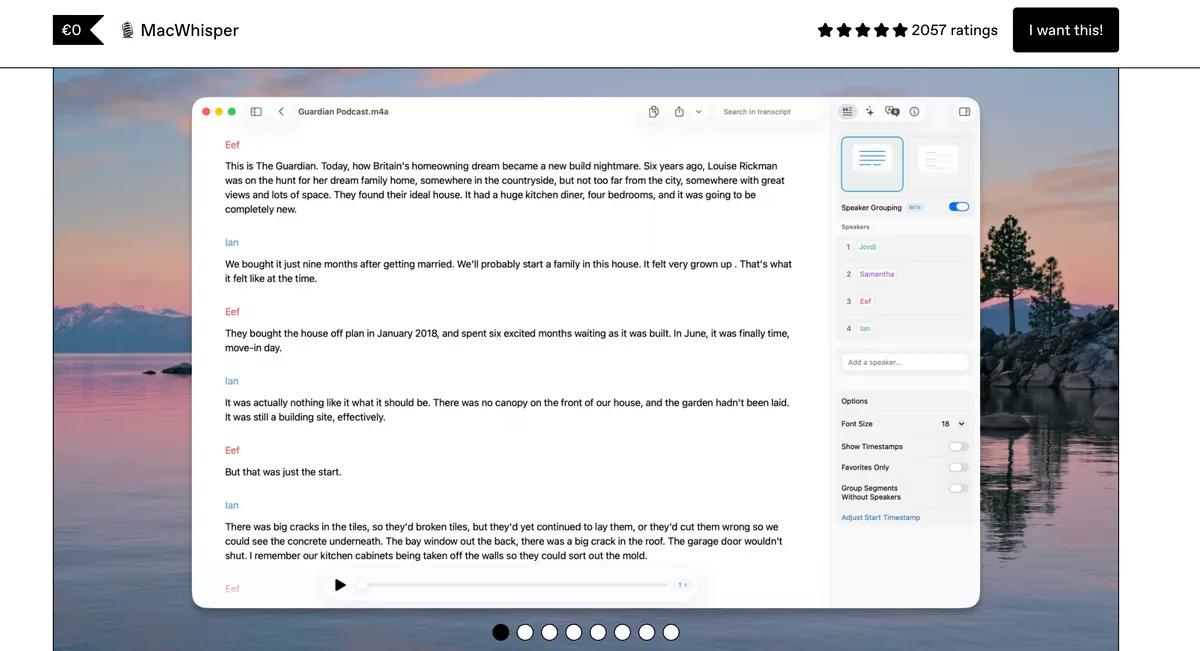
MacWhisper Pro is an on-device file transcription app for Mac that uses OpenAI Whisper models to convert recorded audio (depositions, client interviews, witness prep, hearings) into text. Wispr Flow does not transcribe recorded audio files at all — it is a real-time dictation product only. For lawyers who record depositions and need a transcript, Wispr Flow's gap is structural rather than something a setting can fix. MacWhisper Pro fills that gap with the same on-device privacy posture as Voibe: all processing happens locally on Apple Silicon, no audio uploaded, no third-party transcriptionist listens, no vendor retains the file. Pair MacWhisper Pro with Voibe to cover both halves of the workflow that Wispr Flow only half-addresses.
Key Features:
- On-device transcription using Whisper models up to Large V3
- Batch folder processing — drag in a week of recordings, process overnight
- Speaker diarization to segment multi-party depositions
- Subtitle and timestamp export (SRT, VTT) for video-deposition synchronization
- YouTube URL transcription (useful for public-record video evidence)
- Native macOS app with Apple Silicon-optimized inference
- One-time lifetime purchase via Gumroad — no recurring subscription
- Recorded audio never leaves the lawyer's Mac — closes the gap Wispr Flow does not address
- €59 (~$69) lifetime replaces any per-minute cloud transcription spend
- Speaker diarization and timestamp export for deposition workflow
- Batch processing for high-volume practices
- Not certified — not appropriate for filed deposition transcripts requiring certified human verification
- Whisper accuracy on heavily accented or low-quality audio is below human transcription
- No legal-specific vocabulary out of the box
- Mac-only (Apple Silicon recommended for the largest models)
- Does not provide real-time dictation (pair with Voibe for that job)
Third-party rating: Established reputation in Mac power-user community; not formally aggregated on G2/Product Hunt at the scale of Whisper-wrapper peers. See our MacWhisper pricing breakdown for the full feature comparison.
Best for: Lawyers who record depositions, client interviews, or witness prep and want the recorded audio transcribed without sending the files to an outside vendor. Pairs with Voibe for the real-time dictation half that Wispr Flow also covers but with a cloud round-trip on every dictation event.
3. Apple Dictation — Best Free Wispr Flow Alternative for Quick Notes
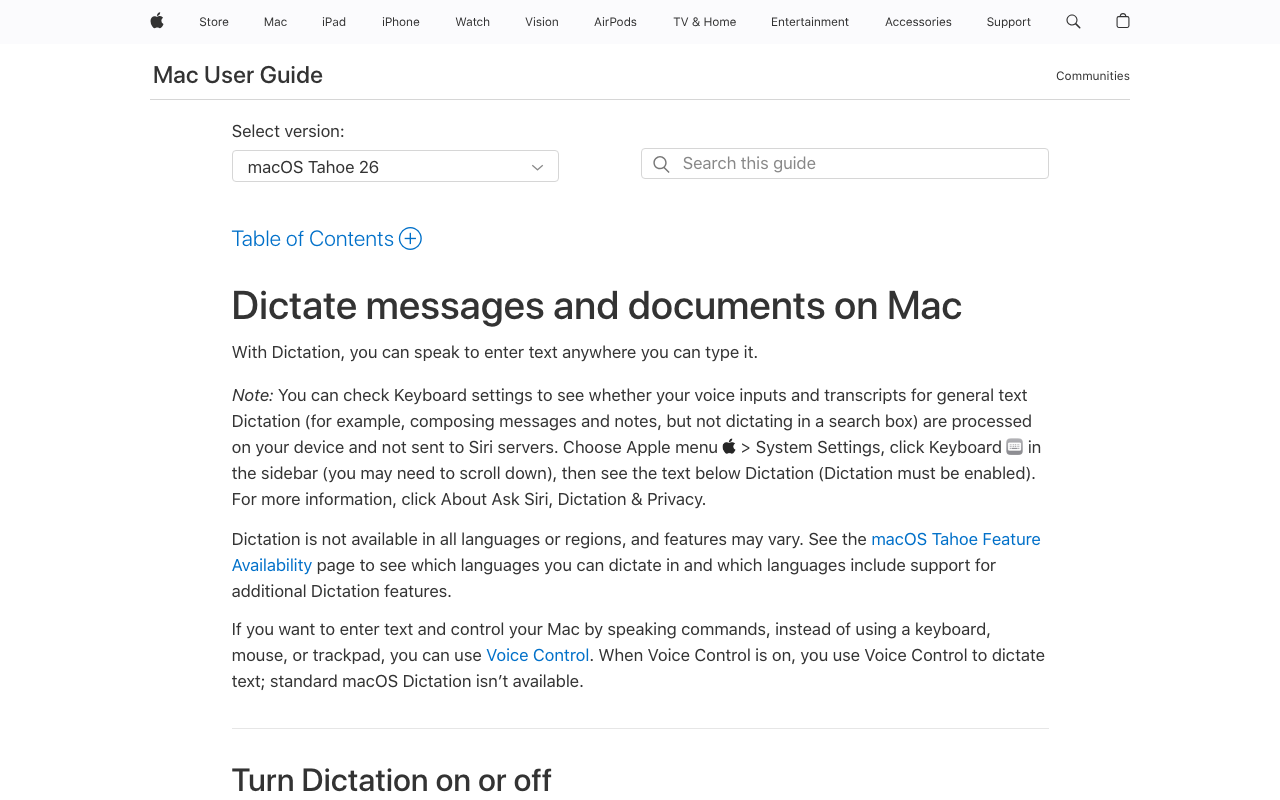
Apple Dictation is built into macOS and costs nothing. On Apple Silicon Macs (M1 and later), it processes speech entirely on-device, which gives it the same on-device privacy posture as Voibe's on-device mode and Superwhisper's on-device modes for the audio-data question. It is genuinely free, requires no installation, and works system-wide. For lawyers comparing it to Wispr Flow Pro at $144/year, the architectural privacy story is favorable — but the practical limits matter: a 30-second silence cutoff, no custom vocabulary, no Custom Vocabulary equivalent for firm-specific terms, and no transcription of recorded audio files. See our Apple Dictation pricing analysis for the full "free, but what does it cost" framing.
Key Features:
- Built into macOS — already installed on every modern Mac
- On-device processing on Apple Silicon (cloud fallback on older Intel Macs)
- System-wide in any text field
- Multi-language support
- Voice commands for punctuation and basic formatting
- Free — no licensing decision required
- On-device on Apple Silicon — privileged audio stays on the Mac
- No installation, no account, no setup beyond enabling in System Settings
- Works in any macOS text field
- 30-second session timeout — architectural, no setting to extend (Wispr Flow has no equivalent limit)
- No custom vocabulary or legal dictionary
- No file transcription — cannot replace recorded-audio workflows
- Older Intel Macs route audio to Apple's servers (not on-device)
- Accuracy on technical legal terms below Whisper-based tools
Third-party rating: No aggregated third-party rating (built-in macOS feature, not a standalone product on review sites).
Best for: Lawyers who need a free baseline for quick voice notes between meetings, short emails, and ad-hoc dictation, and who do not have heavy daily volume that would hit the 30-second silence cutoff repeatedly. Treat Apple Dictation as a free starting point and upgrade to Voibe once daily friction with the timeout becomes the bottleneck.
4. Superwhisper — Best Wispr Flow Alternative for Whisper Power Users
Superwhisper is an on-device dictation app available on Mac, Windows, and iOS. Its on-device modes (Tiny, Base, Small, Standard Whisper, Parakeet) process speech locally on Apple Silicon with no audio uploaded — same on-device posture as Voibe's on-device mode. Superwhisper also offers optional cloud modes (Ultra transcription, Super Mode LLM post-processing) that proxy audio through Superwhisper to OpenAI, Anthropic, Google, Groq, Meta, Mistral, or Grok. For lawyers handling privileged work, the on-device modes are appropriate; the cloud modes reintroduce the same kind of subprocessor analysis that Wispr Flow requires. Per the Is Superwhisper Safe? investigation, local audio recordings are ON by default (23+ UserJot votes for opt-in), and API keys for cloud modes are stored in plaintext JSON on disk — both worth reviewing before privileged use.
Key Features:
- On-device modes (Tiny through Standard Whisper, Parakeet) for privacy-sensitive workflows
- Optional cloud modes for higher accuracy with LLM post-processing
- Custom modes with per-app keybindings
- System-wide dictation across Mac, Windows, and iOS
- Keyboard shortcut activation
- Custom vocabulary support
- On-device modes available — privileged audio can stay on the Mac
- Flexible model selection for accuracy/latency tuning
- Strong accuracy with Whisper Large V3
- Cross-platform reach: Mac + Windows + iOS
- $249.99 lifetime is $101 more than Voibe ($149) for a similar on-device job
- Cloud modes route audio through Superwhisper to third-party LLMs — verify your modes are on-device-only for privileged work
- Stores audio recordings by default (per published feedback) — review settings before privileged use
- Plaintext API key storage on disk for cloud modes
- More complex setup than plug-and-play alternatives
- No legal-specific vocabulary
Third-party rating: 4.9/5 on Product Hunt (20 reviews).
Best for: Technical lawyers, legal-tech professionals, and Windows-Mac mixed-device users who want full control over the speech-recognition pipeline and are comfortable verifying that their custom modes are configured for on-device-only operation when handling privileged audio. For pure Mac plug-and-play, Voibe is the simpler choice.
5. VoiceInk — Best Open-Source Wispr Flow Alternative for Auditable Privacy
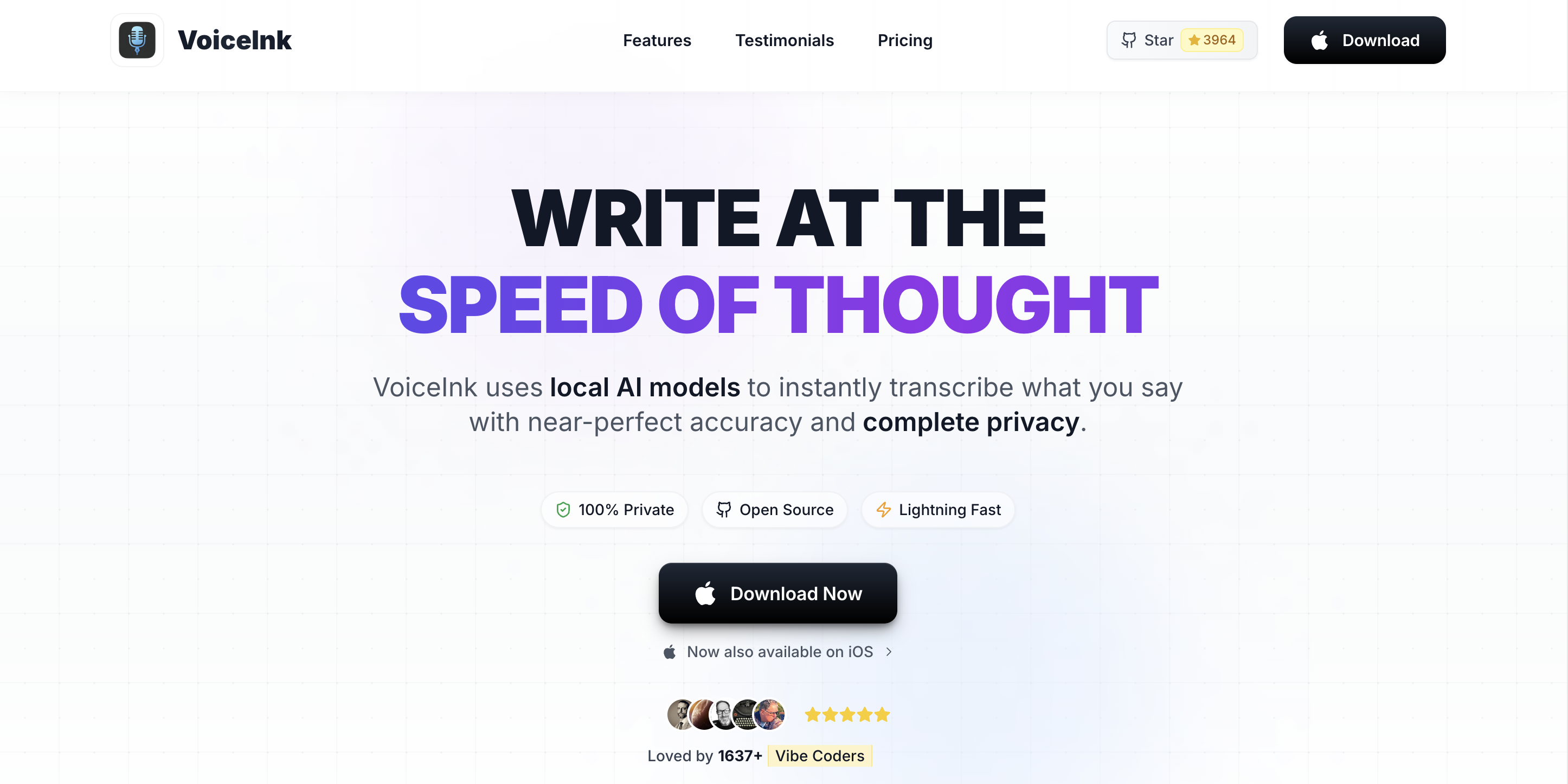
VoiceInk is an open-source on-device dictation app for Mac, built on whisper.cpp and licensed under GPL v3.0. The full source is available at github.com/Beingpax/VoiceInk (4.9k+ stars, 675+ forks, v1.76 as of May 2026). For law firms with compliance officers or in-house counsel who want to independently verify what a dictation app does with audio data, VoiceInk's auditable codebase is a unique strength among the eight alternatives in this list. Voibe is closed-source and never stores, sells, or trains AI on your audio (with a fully on-device mode that keeps audio on the Mac); VoiceInk lets a technically capable reviewer confirm its architecture by reading the code. The trade-off is product polish: VoiceInk's UX is less refined than Voibe or Wispr Flow, and the paid builds ($29–69 one-time) sit alongside a free build that requires building from source.
Key Features:
- 100% on-device via whisper.cpp
- Open source under GPL v3.0 — full code auditable
- Native macOS app for Apple Silicon
- Selectable Whisper models
- System-wide dictation
- Free build via source compilation; paid builds for one-Mac, two-Mac, three-Mac licenses
- Auditable open-source codebase — unique among Wispr Flow alternatives
- Lowest paid pricing of the on-device tools ($29 Solo)
- Free build via GitHub source for technical users
- 100% on-device by design — no cloud routing in any mode
- UX less polished than Voibe or Wispr Flow
- No legal-specific features or vocabulary
- Free build requires building from source (developer skill needed)
- Smaller community support footprint than Wispr Flow
- Mac-only — no cross-platform coverage
Third-party rating: 4.9k+ stars on GitHub (open-source community traction signal, not a formal review rating).
Best for: Law firms with in-house technical capacity, compliance officers who want to audit the codebase, or solo practitioners who want the cheapest on-device option with verifiable privacy. The GPL build is also relevant for firms whose IT policy mandates open-source software where available.
6. Sonix — Best HIPAA-Aligned Cloud Alternative to Wispr Flow for File Transcription
Sonix is a cloud-based AI transcription service that accepts uploaded audio and video files and returns timestamped, speaker-labeled transcripts. Sonix is not a direct Wispr Flow replacement — it transcribes recorded files rather than real-time dictation — but for lawyers comparing Wispr Flow's cloud architecture and looking for a different cloud vendor relationship, Sonix offers HIPAA business associate agreements on Enterprise plans, SOC 2 Type II compliance through an established auditor, and an explicit policy of not training AI on customer audio. Sonix's audit posture is not entangled with the Delve incident. For medical-malpractice and personal-injury firms that handle client medical records and need a BAA for the cloud transcription side, Sonix Enterprise is a credible alternative to using Wispr Flow for that workflow.
Key Features:
- AI transcription with automated speaker identification
- Timestamped transcripts with searchable text
- HIPAA business associate agreements available on Enterprise
- SOC 2 Type II compliance through established auditor
- 40+ language support
- Integration with Zoom, Adobe Premiere, Final Cut Pro
- Editable transcripts in-browser with audio sync
- HIPAA BAA available (Enterprise) — useful for personal-injury and medical-malpractice work
- Audit posture not entangled with the Delve incident
- Strong editorial UX for transcript review and correction
- Predictable per-audio-hour pricing
- Cloud-based — privileged audio is uploaded to Sonix infrastructure (same architectural concern as Wispr Flow)
- HIPAA only on Enterprise tier (not Standard or Premium)
- $22/seat/month subscription on top of audio-hour costs
- Real-time dictation is not the use case — does not directly replace Wispr Flow's primary job
Third-party rating: 4.7/5 on G2.
Best for: Lawyers who need cloud AI transcription for recorded audio with HIPAA BAA coverage (medical-malpractice, personal-injury, workers'-compensation cases involving client medical records). Position Sonix as the recorded-audio counterpart to Wispr Flow Pro for non-privileged work, or pair Sonix Enterprise with Voibe for a hybrid stack where Voibe handles privileged drafting and Sonix handles cloud transcription of medical records.
7. Dragon Legal Anywhere — The Wispr Flow Alternative for Windows-Heavy Firms
Dragon Legal Anywhere is the legacy benchmark for real-time legal dictation, with a 400,000+ term legal vocabulary covering case citations, Latin phrases, and statutory language. For Windows-based firms with specialized vocabulary needs (patent prosecution, complex commercial litigation, medical-malpractice with extensive medical terminology), Dragon Legal remains category-leading. Following the March 2022 Nuance acquisition by Microsoft, Dragon Legal Anywhere runs on Microsoft Azure with the full Microsoft compliance stack (SOC 2 Type II, ISO 27001, HIPAA available, FedRAMP). Dragon for Mac was discontinued in 2018 — Mac users access Dragon Legal only through a browser, which is materially slower than the native Windows experience. For Mac-primary firms, Dragon Legal is not a practical Wispr Flow replacement; for Windows-primary firms with specialized vocabulary, it is. See our Dragon NaturallySpeaking alternatives for the Mac-orphan framing and Is Dragon Safe? for the full Microsoft compliance breakdown.
Key Features:
- 400,000+ legal terms (the category-leading legal vocabulary)
- Auto-text commands for boilerplate clause insertion
- Custom voice profiles that improve over time
- Cloud-based processing on Microsoft Azure with enterprise encryption
- Integration with Microsoft Word, Outlook, and major practice management tools
- Multi-device access via web browser (Mac users limited to this path)
- Most comprehensive legal vocabulary on the market
- Auto-text commands for boilerplate
- Established track record in large law firms
- Microsoft Azure compliance stack (SOC 2, ISO 27001, HIPAA available)
- $65/user/month + $175 activation — most expensive option in this list ($12,575 for 5 users over 3 years)
- Cloud-based — audio sent to Microsoft Azure servers
- Mac access is browser-only and noticeably less responsive (Dragon for Mac discontinued 2018)
- No lifetime license
- Does not transcribe recorded audio (not a complete Wispr Flow replacement for that job)
Third-party rating: 3.8/5 on G2 (legal-specific reviews vary).
Best for: Windows-based mid-size and large firms with specialized vocabulary needs (patent, complex commercial, medical-malpractice with extensive medical terminology) and IT budget to absorb $65/user/month. Not recommended for Mac-primary firms — Voibe handles the same real-time dictation job with an on-device mode and 94% lower 3-year cost.
8. SpeakWrite — Best Wispr Flow Alternative for Sealed Material Requiring No AI
SpeakWrite is a US-based human typist service that bills per word rather than per audio minute. Its legal practice routes work to typists with at least one year of law-firm transcription experience and delivers ~99% accuracy in approximately three hours. SpeakWrite is included in this list as a specific kind of Wispr Flow alternative: for matters involving sealed material, in-camera filings, or audio where the lawyer wants explicit certainty that no AI model — neither Whisper, GPT, Claude, nor Anthropic — touches the file, SpeakWrite is the human-only path. The trade-off is the third-party reviewer (an NDA-bound human transcriptionist hears every minute of the audio), which is a different privilege analysis than the AI-cloud chain analysis Wispr Flow requires. For most lawyer workflows, on-device tools sidestep both reviewer types.
Key Features:
- US-based human transcriptionists with legal-specific experience
- Per-word billing — pay only for completed work
- ~3-hour turnaround
- No monthly minimums, no fixed costs, no contracts
- Single-speaker: 1.5¢/word; multi-speaker (2+): 2.25¢/word
- Document formatting included (legal letterhead, pleading-style line numbers on request)
- No AI model in the workflow
- Pay-as-you-go — no subscription, no minimums
- US-based typists (relevant for jurisdictions with foreign-data concerns)
- No AI in the loop — appropriate for sealed material requiring this exclusion
- Legal-specific typist routing
- Cloud-based — audio uploaded to SpeakWrite
- Human typists hear privileged audio (different third-party reviewer than Wispr Flow, but still a reviewer)
- Per-word billing scales with caseload — no flat-rate alternative
- Less prominent SOC 2/HIPAA marketing than Sonix or Rev
- Not appropriate when the goal is to remove all third-party review of privileged audio
Third-party rating: No aggregated third-party rating directly comparable to G2 or Product Hunt; long-running operation with documented legal-firm customer base.
Best for: Lawyers who specifically need human verbatim transcription for sealed material, in-camera filings, or matters where the brief is to exclude AI models from the workflow entirely. The right tool for a specific kind of audio, not a primary Wispr Flow replacement.
How to Choose the Right Wispr Flow Alternative for Your Practice
Use these five decision questions to narrow the eight tools above to a one- or two-tool stack that fits your firm.
1. Is the audio privileged or non-privileged?
- Privileged (client interviews, witness prep, work-product memos, case-strategy notes, sealed material): Choose on-device only — Voibe, MacWhisper Pro, Superwhisper on-device modes, VoiceInk, or Apple Dictation. The 5-subprocessor chain that Wispr Flow operates does not enter the data flow.
- Non-privileged (already-public hearings, ministerial filings, routine internal meetings, marketing dictation): Cloud tools — including Wispr Flow Pro with a signed BAA and Privacy Mode locked on — are appropriate under ABA Formal Opinion 477R with documented diligence.
2. Are you replacing real-time dictation, recorded-audio transcription, or both?
- Real-time dictation only: Voibe (Mac and Windows, $149 lifetime), Superwhisper (Mac/Windows/iOS, $249.99 lifetime), VoiceInk (Mac, $29–69), or Dragon Legal Anywhere (Windows, $65/user/mo).
- Recorded-audio transcription only: MacWhisper Pro (Mac on-device, ~$69 lifetime), Sonix (cloud AI with HIPAA on Enterprise), or SpeakWrite (US human typists at 1.5¢/word for sealed material).
- Both jobs: Voibe + MacWhisper Pro (~$218 combined lifetime, both Mac; on-device modes available).
3. Do you handle client medical records (personal-injury, medical-malpractice, workers' comp)?
- Yes: Pick an alternative with a HIPAA business associate agreement available — Sonix Enterprise for cloud transcription; Voibe also has a BAA available on request for its zero-retention cloud mode. On-device tools (Voibe in on-device mode, MacWhisper Pro, VoiceInk) sidestep the HIPAA question for the dictation half because no audio reaches a vendor.
- No: SOC 2 Type II is a sufficient general control attestation for non-medical legal work routed through cloud transcription — assuming the audit is post-Delve and through an established auditor (A-LIGN, Schellman, BDO, Coalfire).
4. What is your firm's primary platform?
- Mac-primary: Voibe + MacWhisper Pro is the dominant on-device stack and the cleanest Wispr Flow replacement. Sonix Enterprise covers any cloud-transcription HIPAA needs.
- Windows-primary: Voibe's native Windows app (zero-retention cloud, $149 lifetime) for general real-time dictation; Dragon Legal Anywhere remains the legal-vocabulary benchmark when specialized vocabulary matters; pair with Sonix for recorded audio.
- Mixed-device with traveling associates: Hybrid split — Voibe for privileged Mac drafting, Wispr Flow Pro with signed BAA + locked Privacy Mode for cross-platform non-privileged dictation (iPhone, Windows support staff, Chrome extension).
5. Do you specifically need to exclude AI from the workflow?
- Yes (sealed material, in-camera filings, AI-exclusion-mandated matters): SpeakWrite for human verbatim with no AI in the loop. Court reporter for certified evidentiary transcripts.
- No: On-device Whisper-based tools are appropriate. The AI is local; no inference happens off-device.
Key Takeaway
Start with privilege status, then work type (real-time vs. recorded vs. both), then platform, then AI requirement. The Voibe + MacWhisper Pro on-device stack is the default for Mac-primary firms with privileged work; Wispr Flow Pro stays in the picture only for non-privileged cross-platform dictation, with a signed BAA and locked Privacy Mode.
Use-Case Cheat Sheet: Best Wispr Flow Alternative for Your Specific Situation
Specific scenarios mapped to specific tools. Use this as a quick reference once you have read the decision tree above.
| Your Situation | Best Wispr Flow Alternative | Why |
|---|---|---|
| Solo Mac lawyer drafting daily motions and client letters | Voibe ($149 lifetime) | Real-time dictation with an on-device mode; privileged audio stays on the Mac; $283 saving (66%) vs. 3yr Wispr Flow Pro. |
| Solo Mac lawyer drafting + transcribing 2–4 depositions/month | Voibe + MacWhisper Pro (~$218 lifetime) | Covers both halves of the workflow Wispr Flow only half-addresses. |
| 5-attorney small Mac firm (full workflow, privileged) | Voibe + MacWhisper Pro × 5 ($1,090 total once) | Replaces $2,505 Wispr Flow + MacWhisper Pro spend over 3 years = $1,415 saving. |
| 5-attorney Windows-based firm with specialized vocabulary | Dragon Legal Anywhere + Sonix | 400K-term legal vocabulary on native Windows; Sonix Enterprise for HIPAA cloud transcription. |
| Personal-injury / medical-malpractice firm with HIPAA-required matters | Voibe + Sonix Enterprise | Voibe for privileged drafting; Sonix Enterprise BAA for cloud transcription of medical records. |
| Litigator running live remote depositions on Zoom (cross-platform) | Voibe + Wispr Flow Pro (BAA + Privacy Mode locked) | Voibe for privileged drafting on Mac; Wispr Flow Pro for non-privileged cross-platform dictation during travel. |
| Criminal defense with maximum privilege protection | Voibe + MacWhisper Pro (Mac on-device only) | Eliminates all third-party-vendor exposure for sensitive case-strategy audio. |
| Bankruptcy or transactional practice (lower sensitivity) | Voibe + Wispr Flow Pro (hybrid acceptable) | Voibe for client interviews; Wispr Flow Pro acceptable for routine document drafting with BAA signed. |
| Litigation paralegal in a Windows-only shop | Dragon Legal Anywhere | Native Windows real-time dictation with the legal vocabulary; SaaS spend justified by specialized terminology. |
| Document review post-discovery (no AI mandate) | SpeakWrite (1.5¢/word) | Human-only transcription; no Whisper, no GPT, no Claude in the workflow. |
| Sealed / in-camera material requiring no AI | SpeakWrite + court reporter | Human typist for working transcripts; certified court reporter for filed transcripts. |
| In-house counsel where corporate IT mandates SOC 2 | VoiceInk (auditable) + Sonix Enterprise | Auditable open-source on-device dictation; Sonix Enterprise SOC 2 Type II for cloud transcription. |
| Gradual phase-out from Wispr Flow Pro to on-device stack | Add Voibe first, retain Wispr Flow for cross-platform | Voibe replaces 70–80% of Mac dictation; retain Wispr Flow only for iPhone + Windows + Chrome use. |
Frequently Asked Questions About Wispr Flow Alternatives for Lawyers
Privilege, Compliance, and ABA Reasonableness
Is it safe for a lawyer to dictate privileged work-product into Wispr Flow Pro? Under ABA Formal Opinion 477R, lawyers may use cloud services with reasonable efforts to prevent unauthorized disclosure. Wispr Flow's controls — TLS in transit, AES at rest in AWS us-east-1, signed BAA available, Privacy Mode (zero data retention) when enabled — meet a defensible reasonableness standard. The fact-specific question is whether routing privileged audio across the 5-subprocessor cloud chain (Baseten ASR, OpenAI/Anthropic/Cerebras text Polish, AWS storage, plus auxiliary subprocessors) is appropriate for the specific matter. For routine drafting, with a signed BAA + locked Privacy Mode, the answer is often yes. For the most sensitive client matters, on-device alternatives like Voibe remove the analysis by removing the cloud surface. See our Is Wispr Flow Safe? investigation for the full privacy-policy and subprocessor breakdown.
Has Wispr Flow's compliance posture been independently verified post-Delve? Not yet. Wispr Flow's prior SOC 2 Type II (ACCORP Partners, Feb–May 2025) and ISO 27001:2022 (Gradient Certification, September 2025) were produced through the Delve audit ecosystem named in the March 2026 fake-audit investigation by Deepdelver. Wispr Flow's response — engaging A-LIGN for a fresh independent audit and migrating the trust center to SafeBase — is the right shape, and A-LIGN is one of the most established SOC 2 auditors globally. A-LIGN's fresh SOC 2 Type I came back clean in April 2026, with the Type II observation period still underway as of August 2026. Lawyers vetting Wispr Flow under ABA 477R should request the Type I report now, request the Type II once published, and document receipt in the matter file as evidence of reasonable efforts.
What does the in-app Wispr Flow BAA actually cover? Per Wispr Flow's HIPAA documentation, signing the in-app Business Associate Agreement on Desktop or iOS permanently enables Privacy Mode (zero data retention) for the account and cannot be turned off. The BAA itself is the standard HIPAA framework — Wispr Flow is the business associate, the lawyer (or law firm) is the covered entity or covered entity's business associate, and the agreement obligates Wispr Flow to safeguard PHI. The structural caveat is that the HIPAA posture was developed during the Delve era; the new A-LIGN audit will reset that posture once published. The BAA is available to any Wispr Flow Pro user, not just healthcare professionals — lawyers can sign it for the irreversible Privacy Mode lock alone.
Does my state bar treat Wispr Flow differently from the ABA baseline? Over 20 state bar associations have issued opinions consistent with ABA 477R, but specific requirements vary. Some states (Pennsylvania, North Carolina, Iowa) require explicit client consent for some categories of cloud transmission. Some require written confidentiality agreements with the vendor — for Wispr Flow that would be the signed BAA. Check your state bar's most recent technology-competence opinions before standardizing on Wispr Flow or any cloud dictation vendor.
Cost and Pricing
How much will I save by switching from Wispr Flow Pro to Voibe lifetime? Per attorney, Voibe lifetime ($149) replaces three years of Wispr Flow Pro Annual ($144 × 3 = $432) for a $283 saving (66%). Over five years vs. Wispr Flow ($720), the Voibe saving is $571 (79%). For a 5-attorney firm, the 3-year saving on Wispr Flow Pro Annual alone is $1,415 ($2,160 → $745). Adding MacWhisper Pro to both stacks for recorded-audio transcription: Voibe + MacWhisper Pro × 5 ($1,090 once) replaces Wispr Flow + MacWhisper Pro × 5 ($2,505 over 3 years) for the same $1,415 (56%) saving. Year 4 and beyond, the lifetime licenses do not renew while the Wispr Flow subscription does — the savings continue to compound.
Are there hidden costs to on-device dictation tools? Voibe is $149 lifetime with no add-ons, no API fees, no recurring charges. MacWhisper Pro is €59 (~$69) lifetime with no add-ons. VoiceInk paid builds are $29–69 one-time. Superwhisper at $249.99 lifetime has an optional BYOK LLM mode (cloud) that incurs API costs from your chosen provider only if you enable it — for privileged work, leave it disabled. Dragon Legal Anywhere has the $175 activation fee on top of the $65/user/month subscription. Cloud tools (Sonix, Wispr Flow Pro) have per-seat or per-audio-hour overages depending on tier.
Is the Wispr Flow free tier (2,000 words/week) viable for a lawyer? For evaluation, yes — 2,000 words/week is enough to test workflow fit over the 14-day Pro trial window without committing. For sustained legal work, no — a typical drafting day produces 3,000–8,000 words across motions, emails, and memos, blowing past the free cap by mid-Wednesday. The free tier is a 2-week trial dressed up as an ongoing plan. For sustained use, Pro at $144/year is the realistic floor — and at that floor, the comparison vs. Voibe lifetime ($149 once) is the central decision.
Wispr Flow Specifics: Privacy Mode, Delve, BAA
What happens if I forget to enable Privacy Mode in Wispr Flow? Per Wispr Flow's Security Overview, when Privacy Mode is off, dictation data may be used to improve Wispr Flow's models. Forgetting to enable it means your dictated text — potentially including privileged drafting — has been routed through Wispr Flow's training-eligible pipeline. The cleanest fix is to sign the in-app BAA, which irreversibly enables Privacy Mode and cannot be turned off. The data-deletion question for content already routed through the training-eligible pipeline before the BAA is signed is governed by Wispr Flow's standard data-deletion policy and is worth confirming with Wispr Flow support if a specific matter requires it.
What was the Delve compliance scandal, in plain language? In March 2026, Deepdelver published an investigation alleging that Delve — a Y Combinator-backed compliance automation startup — generated SOC 2 reports for hundreds of customers where 99.8% of 494 reports analyzed shared identical boilerplate text. The investigation alleged that auditor conclusions were pre-populated before client evidence was reviewed, undermining the assurance value of the reports. Wispr Flow was named as an affected customer. Y Combinator removed Delve from its community on April 4, 2026. Wispr Flow's response was transparent (CTO note March 19, A-LIGN engagement March 27, trust center migration to SafeBase, fresh audit in progress). The Delve incident does not mean Wispr Flow's actual controls are absent — Wispr Flow stated its controls were built independently of Delve — but it does mean the pre-March-2026 attestations need reverification before they carry full ABA 477R reasonable-efforts weight.
Should I wait for the new A-LIGN audit before signing up for Wispr Flow Pro? If the use case is non-privileged cross-platform dictation and the cost of waiting is meaningful, no — sign up, sign the BAA in-app immediately to irreversibly enable Privacy Mode, and document that you are awaiting the new A-LIGN report. If the use case is privileged work that you would not otherwise route to cloud dictation, the cleaner answer is to use Voibe (Mac on-device) for the privileged track and revisit Wispr Flow when the A-LIGN report lands. A-LIGN's track record (31,000+ audits, 5,700+ clients, audits for US Bank and Snowflake) is the strongest possible signal that the fresh report will be substantive.
Workflow and Setup
How long does it take to switch from Wispr Flow to Voibe? Voibe installs in under 10 minutes and works system-wide without account creation. The behavioral change is the longer transition: lawyers used to Wispr Flow's cross-platform reach (Mac + Windows + iOS + Android + Chrome) have to accept that Voibe's fully on-device mode is Mac-only — the native Windows app (2026) runs on Voibe's private zero-retention cloud instead. Most lawyers report that 70–80% of their dictation volume is at the desk on Mac, where Voibe's privacy posture matters most. For the remaining 20–30% of cross-platform dictation, the hybrid split (Voibe for privileged Mac work + retained Wispr Flow Pro with signed BAA + locked Privacy Mode for cross-platform non-privileged) is the cleanest pattern. Pilot Voibe with one attorney for a week before standardizing.
Can I use multiple Wispr Flow alternatives together? Yes — and most firms should. The recommended default for Mac-primary firms is Voibe + MacWhisper Pro covering both halves of the workflow, with Sonix Enterprise added when HIPAA-aligned cloud transcription is required, and SpeakWrite reserved for sealed material requiring no AI in the loop. Some firms also retain Wispr Flow Pro (with signed BAA + locked Privacy Mode) specifically for cross-platform non-privileged dictation. The hybrid approach captures the cost and privilege-protection benefits of the on-device stack while preserving access to Wispr Flow's cross-platform reach for the specific use cases that need it.
What about AI hallucinations in legal transcription? Whisper-based transcription (Voibe, MacWhisper Pro, Superwhisper, VoiceInk) can occasionally hallucinate — produce text that does not correspond to spoken content — especially on silent passages, accented audio, or noisy environments. The risk is identical for Wispr Flow, which uses cloud-based ASR (Baseten) and LLM polishing. The mitigation is the same regardless of vendor: review the transcript before sending or filing, particularly for legal documents where precision matters. See our coverage of AI hallucinations in law firms for the verification protocols that apply to any AI-assisted legal work, including dictation transcripts.
Final Verdict: Which Wispr Flow Alternative Should You Choose?
For most solo and small-firm lawyers on Mac in 2026, the right move is not to find a single Wispr Flow Pro replacement but to split the workflow by matter sensitivity and use on-device tools for the privileged half:
- Voibe ($149 lifetime) for real-time document drafting on Mac. In on-device mode, privileged audio never crosses the 5-subprocessor cloud chain, and either way your audio is never stored, sold, or used to train AI. Replaces Wispr Flow Pro at $144/year for the half of the workflow that matters most for privilege protection. $283 saving (66%) over 3 years, $571 (79%) over 5 years.
- MacWhisper Pro (€59 / ~$69 lifetime) for transcribing recorded depositions, client interviews, and witness prep. On-device, no per-minute meter, no third-party reviewer. Closes the gap that Wispr Flow does not address at all.
- Wispr Flow Pro retained — with a signed in-app BAA and Privacy Mode locked on — only for non-privileged cross-platform dictation where Mac+Windows+iOS+Android+Chrome reach genuinely matters and the lawyer has documented the ABA 477R reasonableness analysis.
Practices with HIPAA business associate agreement requirements (medical-malpractice, personal-injury) should add Sonix Enterprise for cloud transcription of medical records on a vendor whose audit posture is not entangled with the Delve incident. Windows-based firms with specialized vocabulary should standardize on Dragon Legal Anywhere for real-time legal dictation and pair it with Sonix for recorded audio. Matters involving sealed material or an AI-exclusion mandate should use SpeakWrite for the human-typist track.
The common thread across every recommendation: stop routing all privileged dictation through Wispr Flow's 5-subprocessor cloud chain by default, and use on-device tools for the audio that warrants architectural privilege protection. Reserve Wispr Flow Pro for the cross-platform reach it genuinely earns.
Try Voibe Free on Your Mac
A 7-day free trial — enough to evaluate against your real drafting workflow before committing to the $149 lifetime license. No account required, your audio is never stored, sold, or used to train AI (and in on-device mode nothing leaves your Mac), no Privacy Mode toggle to remember.
Related reading:
- 7 Best Dictation Software for Lawyers (2026) — broader legal-dictation roundup across categories
- Best Rev.com Alternatives for Lawyers (2026) — sibling persona piece for the transcription-service-focused Rev workflow (ABA 477R + per-minute-cost framing)
- Is Wispr Flow Safe? — full Wispr Flow privacy-policy investigation, including the Delve incident timeline and A-LIGN remediation plan
- Wispr Flow Pricing (2026) — full Wispr Flow plan breakdown including the $144/year hidden-costs framing
- US v. Heppner: AI and Attorney-Client Privilege — the privilege test every legal-tech vendor relationship has to satisfy
- AI Hallucinations in Law Firms (2026) — verification protocols for AI-assisted legal work, including dictation transcripts
- Cloud vs. Local Dictation: A Privacy Comparison — the underlying technical difference
- HIPAA-Compliant Dictation for Healthcare — analogous compliance framing for medical-records work
- MacWhisper Pricing Breakdown (2026) — full feature comparison for the recorded-audio tool
- VoiceInk Pricing (2026) — full breakdown of the open-source alternative
Coming from Dragon rather than Wispr Flow? One workers’ compensation attorney compares the two generations directly after four decades of dictating: what a modern app does that Dragon Professional still does not, and which parts of a Dragon setup actually transfer.
Best AI Dictation and Meeting Notes for Confidential Work
Draft letters, notes and emails 5x faster. Get meeting notes without a bot joining your call. Nothing used to train AI.
- Mac + Windows
- No bot in your calls
- Nothing used to train AI
- 7-day free trial
Want to compare plans first? View pricing →
Related Articles
Best Rev.com Alternatives for Lawyers and Small Law Firms (2026)
8 Rev.com alternatives for lawyers (2026): on-device dictation, AI transcription, and human-typist services compared on privilege, pricing, and ABA compliance.
8 Best AI Medical Scribe Tools for Doctors & Physicians (2026)
Compare the 8 best AI medical scribe tools for doctors in 2026 on privacy, cost, and setup. On-device dictation vs ambient scribes — pricing, HIPAA, and ratings.
Best Dictation Software for Tax & Estate Attorneys (2026)
Best dictation software for tax and estate attorneys in 2026: 6 tools ranked on terms-of-art accuracy (GRAT, QTIP, 1031), confidentiality, and price.