
Best Dictation Software for Pastors: Draft Sermons Out Loud
Preaching is oral — your first draft should be too. The best dictation software for pastors on Mac and Windows, from sermon manuscripts to pastoral notes.
You already write sermons out loud — in the car, on a walk, in the shower on Saturday night. The phrasing that lands, the turn that makes the point stick: it comes when you're talking, not typing. Then you sit at the keyboard and try to reconstruct it, at 40 words a minute, in prose that somehow sounds less like you.
TL;DR: The best dictation software for pastors is the tool that lets you draft the way you preach. For most, that's Voibe ($149 lifetime, Mac and Windows): a custom Dictionary that learns biblical names and theological vocabulary, works in Word, Google Docs, and Logos alike, and on Apple Silicon Macs transcribes fully on-device — so pastoral notes stay between you and God, not you and a server. Free built-ins (Apple Dictation, Windows voice typing with Win+H) are fine for short passages; Dragon Professional remains the $699 Windows-only legacy option; and for transcribing recorded sermons, MacWhisper (€59 one-time) is the right tool for a different job.
| Tool | Best for | Price | Platforms |
|---|---|---|---|
| Voibe | Sermon drafts + private pastoral notes | $149 lifetime or $7.50/mo | Mac, Windows |
| Apple Dictation | Short passages, trying voice for free | Free | Mac |
| Windows voice typing | Free baseline on the church PC | Free | Windows |
| Superwhisper | Mac tinkerers who want deep configuration | $8.49/mo or $249.99 lifetime | Mac (+Win, iOS) |
| Wispr Flow | Cross-device cloud dictation | $12-15/mo | Mac, Windows, mobile |
| Dragon Professional | Legacy Windows workflows | $699 one-time | Windows only |
| MacWhisper | Transcribing recorded sermons | €59 (~$69) one-time | Mac |
Key Takeaway
Preaching is oral composition — dictating the first draft captures your pulpit voice at speaking speed. Voibe ($149 lifetime, Mac + Windows, on-device on Apple Silicon) leads for ministry use because its custom Dictionary learns biblical vocabulary and pastoral notes never touch a third-party server.
Why Sermon Writing Is the Perfect Job for Dictation
Sermon preparation is the biggest single block of a pastor's week. In Lifeway Research's survey of pastors, roughly seven in ten reported spending eight or more hours a week on sermon prep, and more than one in five spend fifteen-plus. A meaningful slice of those hours is drafting — converting study into manuscript — and drafting is where the keyboard quietly works against you:
- The medium mismatch. A sermon is written for the ear, but typing produces prose for the eye — longer sentences, stiffer transitions, words you'd never say from the pulpit. Preachers then spend a rehearsal pass converting it back into spoken English.
- The speed gap. Typing runs around 40 words per minute; natural speech runs 150 or more. A 3,000-word manuscript is hours of typing or about half an hour of talking (plus editing, which you'd do either way).
- The Saturday-night problem. The best formulations arrive away from the desk and are gone by the time you're back at it. A dictation hotkey in any app — notes, Word, your phone-synced doc — captures them the moment they come.
- Hands and age. Many pastors preach for decades; arthritis and RSI don't respect the sermon calendar. Voice removes the keyboard from the critical path — the same reason we wrote a dedicated guide to typing with arthritis.
The result of drafting by voice isn't just speed. It's that the manuscript starts out sounding like you — because it began as speech, which is how it will end.
Dictating a Sermon vs Transcribing One: Two Different Jobs
Half the people searching "sermon dictation" actually want one of two different things, so let's split them cleanly:
- Dictation (drafting). You speak; text appears at your cursor in Word, Google Docs, Logos, or your notes app, while you compose. This is for writing sermons, devotionals, newsletters, and pastoral notes. It's what this guide ranks.
- Transcription (repurposing). You already preached; now you want Sunday's recording as text for the blog, the small-group guide, or a book project. That's file transcription — upload or drop in audio, get a transcript. On a Mac, MacWhisper (€59/~$69 one-time, runs locally) is the budget-friendly tool for exactly this; cloud sermon-transcription services do the same job with per-minute or subscription pricing.
The tools are not interchangeable: a dictation app is built for live, cursor-level writing; a transcription app is built for files and timestamps. Plenty of pastors end up with one of each — a dictation app for the week's writing, a transcription app for the archive. For the full taxonomy (including AI meeting notetakers, which are a third thing), see our guide to dictation vs notetakers vs transcription.
What to Look For in Dictation Software for Ministry
Six criteria separate tools that survive sermon season from tools that get abandoned by Advent:
- A real custom vocabulary. Habakkuk, Melchizedek, eschatology, propitiation, your elders' names, your town's name. A tool with a genuine Dictionary — one that biases transcription itself, not a find-and-replace table — gets these right forever after one entry. This is the single biggest quality gap between free built-ins and paid tools.
- Works in your writing app. Sermon workflows live in Word, Google Docs, Logos, Obsidian, Pages, and email. A system-wide tool types wherever your cursor is; app-locked dictation makes you draft in one place and paste into another.
- Privacy fit for pastoral notes. Notes after a counseling session or hospital visit carry confidences. On-device processing (audio never leaves your computer) is the clean answer; a documented zero-retention policy is the acceptable cloud answer. "We may use your data to improve our services" is not.
- A price a ministry budget can approve once. Subscriptions compound: $12-15/month is $144-180 every year, forever. One-time licenses ($149 Voibe, $249.99 Superwhisper, €59 MacWhisper) are a single line item.
- Mac and Windows. The study Mac and the church-office PC rarely match. A tool that covers both means one workflow, one vocabulary, everywhere you write.
- Boring reliability. Saturday night is the wrong time to discover your dictation app went deaf after the laptop slept. Favor tools with a track record of just working — and test yours during the trial on a real sermon week.
1. Voibe — The Sermon Draft Machine That Keeps Confidences

Voibe — ours, and built for exactly this kind of professional writing — is a private dictation app for Mac and Windows: hold a key, speak, release, and the text appears at your cursor in whatever app you write in.
Why it fits ministry
- Works where you already write. Word manuscript, Google Docs newsletter, Logos notes, email to the deacons — one hotkey covers all of it.
- Biblical vocabulary sticks. Dictionary entries bias the speech model itself, so Melchizedek transcribes correctly forever after one entry.
- Confidences stay in the room. On Apple Silicon Macs (M1 and later), transcription runs fully on-device — the audio of your pastoral notes never leaves the machine. On Windows and Intel Macs: a private zero-retention cloud, where audio is never stored, sold, or used to train AI.
- One budget line, once. $149 lifetime — nothing for the finance committee to re-approve next year.
The features that do the work
- Dictionary — a real custom vocabulary for names and theological terms (Habakkuk, perichoresis, your elders, your town), with bulk editing to load a whole list at once.
- Memory — text-expansion shortcuts: a spoken trigger expands into preset text, like your standard email closing, the church address, or a scripture-citation format you reuse weekly.
- Hands-Free Mode — double-tap to start, double-tap to stop. No held key, so you can pace the study while the manuscript forms.
- Live Dictation (Mac only) — your words stream onto the screen in real time, so you watch the draft appear and edit as you go instead of waiting for the release.
- Smart Formatting — cleans punctuation and capitalization and strips the "ums" without paraphrasing a word. Off by default; your phrasing is the product.
- Spoken punctuation — say "comma," "new line," or "open quote" when you would rather drive it yourself.
The honest catch
- It types what you say — it will not write the sermon for you. (Software that generates sermons is a different product category and a different theological conversation.)
- Desktop only — no iPhone or Android app.
- Live Dictation is Mac-only for now.
Price and rating
- $149 lifetime, $75/year, or $7.50/month — about one year of Wispr Flow ($144-180/year). Over three years: $149 vs $432-540, a savings of $283 or more.
- Rated 4.8/5 on Product Hunt.
- 7-day free trial, no account required — long enough to draft this Sunday's sermon out loud and see.
The value combo: Wispr Flow and Granola in one plan. Voibe Dictation is $75 a year. For $65 more, Voibe Work ($14/month, $140/year, or $349 lifetime) adds AI meeting notes with no bot in the call. That one plan covers what Wispr Flow Pro ($144/year) and Granola Business ($168/year) charge $312 a year for separately, so it costs $172 (55.1%) less every year. Meeting notes are captured on your Mac (Windows is coming soon), processed in Voibe's zero-retention cloud and saved on your Mac, and Voibe reminds you to tell everyone you're taking notes.
Tip
Try the Saturday-night test: dictate one full sermon movement — main point, text, illustration, application — into your manuscript doc without touching the keyboard. Then read it aloud. Most pastors find it needs less conversion to 'pulpit voice' than their typed drafts, because it started there.
2. Apple Dictation — The Free Starting Point on Mac
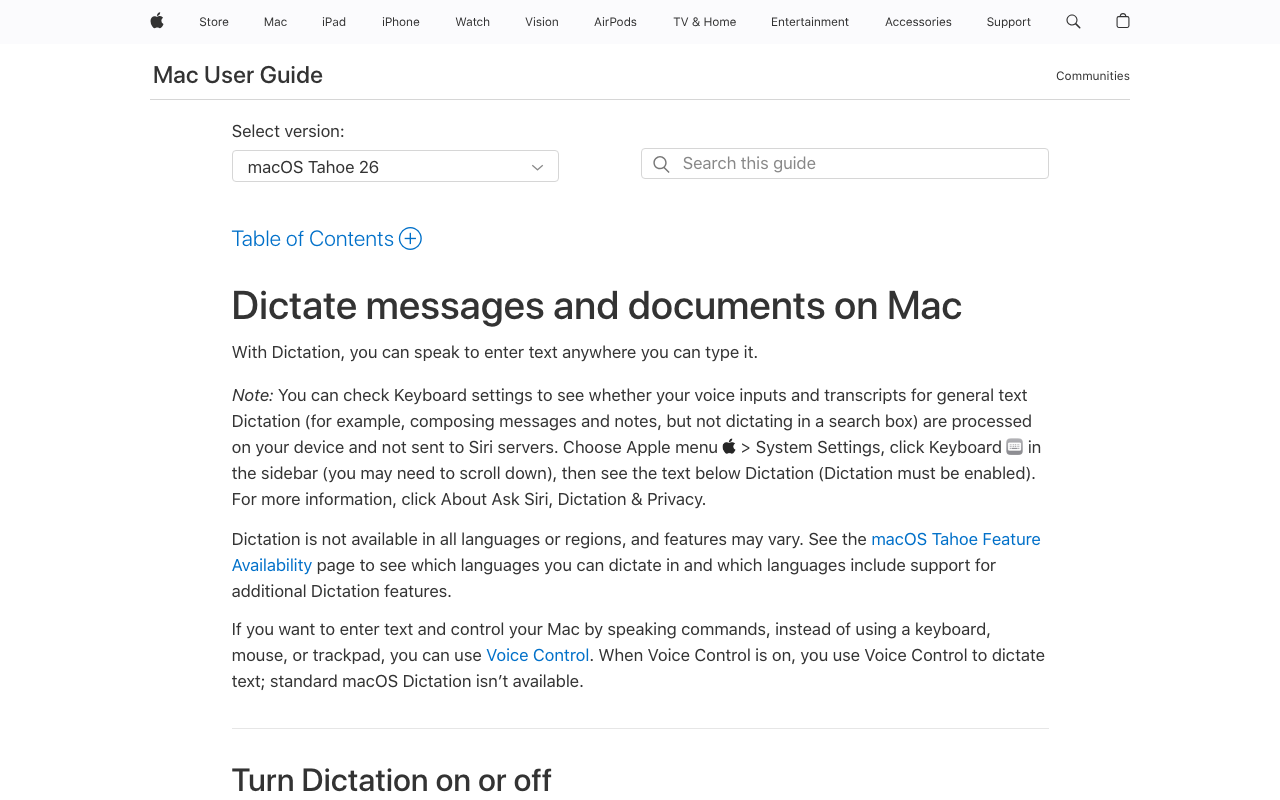
Every Mac ships with Apple Dictation: press the shortcut, speak, and text appears in any app. It is the right way to find out — for free, today — whether drafting out loud suits you.
Where it is enough
- Texts to congregants, a quick note, a sentence in the bulletin.
- A zero-cost trial of the talk-first drafting habit.
The ceiling
- No custom vocabulary — biblical names arrive creatively spelled, every time, with no way to teach them.
- Punctuation is inconsistent on longer passages.
- Community reports of sessions stopping early mid-dictation.
Expect to outgrow it the first week you dictate a full manuscript — our guide to switching from Apple Dictation covers the upgrade path.
3. Windows Voice Typing — The Free Baseline on the Church PC
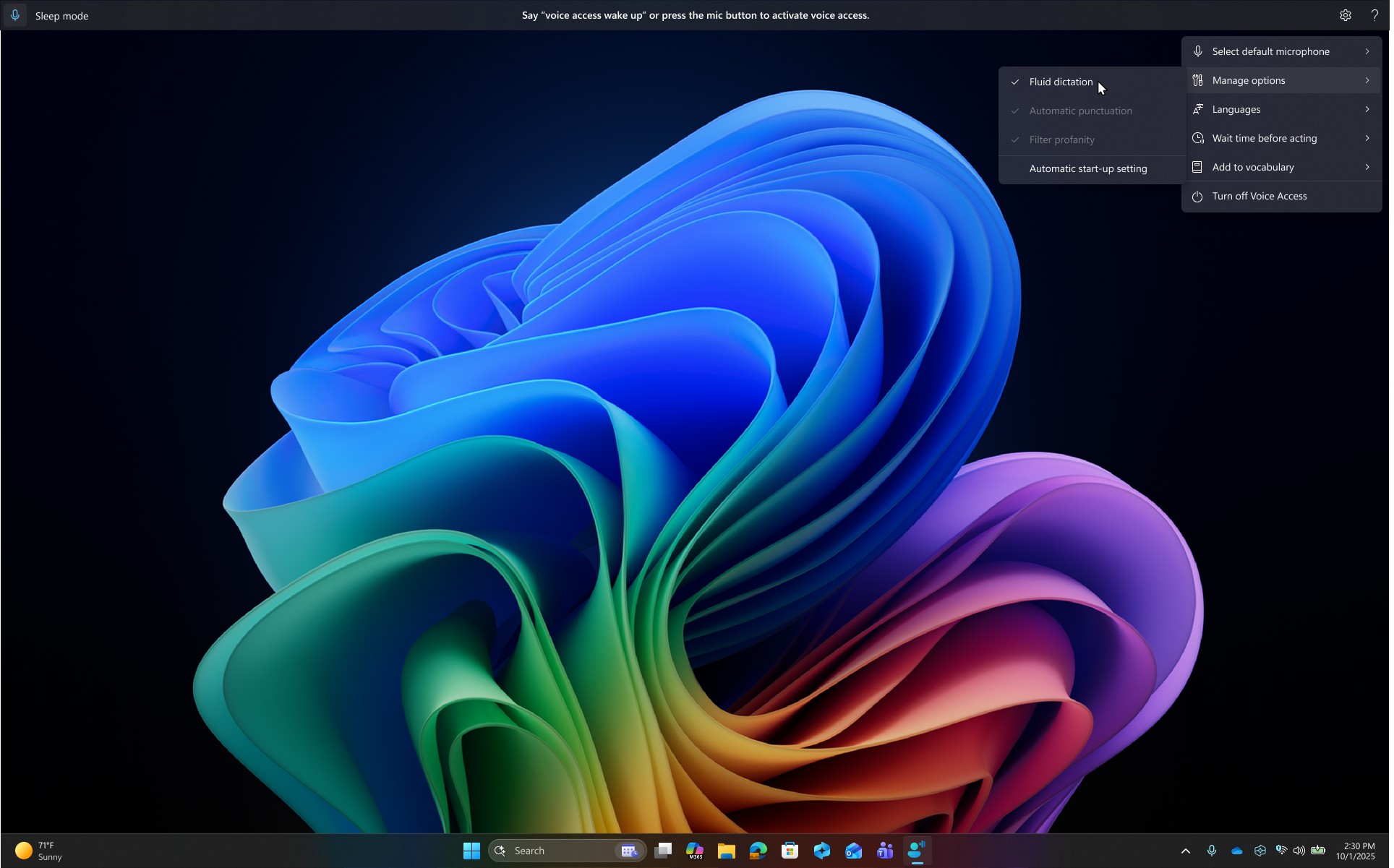
On the church-office PC, press Win+H and speak — Windows voice typing works in Word, browsers, and email with zero installation.
Where it is enough
- The free first stop on a Windows machine you do not administer.
- Short passages: emails, announcements, quick notes.
The ceiling
- No custom vocabulary — Habakkuk and your congregation's surnames misfire indefinitely.
- Auto-punctuation is erratic on long passages.
- Needs an internet connection on most setups.
For a 3,000-word weekly manuscript, the cleanup erases the price advantage — but start here free via our Windows dictation guide.
4. Superwhisper — For the Pastor Who Likes Tinkering
Superwhisper runs Whisper models on-device on Mac, with a per-app "modes" system power users love — different formatting behavior per app, optional LLM post-processing, deep configuration everywhere.
Strengths
- On-device transcription with genuine flexibility for tinkerers.
- Strong ratings: 4.9/5 on Product Hunt and 4.4/5 on the Mac App Store (762 ratings).
Trade-offs for ministry
- Setup complexity is the recurring complaint — "like configuring a server."
- Weak on proper nouns — the exact failure mode biblical names trigger.
- Default settings save audio recordings — uneasy for pastoral confidentiality until changed.
- $8.49/month or $249.99 lifetime — $100 more than Voibe's $149.
A strong tool if configuration is your hobby; most pastors want the one that works before Sunday.
5. Wispr Flow — Polished, Cross-Platform, and Cloud-Dependent
Wispr Flow is the polished cloud option: Mac, Windows, and mobile, with AI formatting that produces clean text with little effort.
Where it shines
- Real cross-platform reach — home Mac, church PC, and phone.
- Its iOS app rates 4.8/5 on the iOS App Store across 8,500+ ratings.
Weigh this first
- Subscription-only: $12-15/month ($144-180/year, no lifetime) — $432-540 over three years against Voibe's one-time $149.
- Cloud-first by design: dictation is processed on external servers, with no offline mode.
- Its data-handling record deserves a read before routing pastoral notes through it: Trustpilot sits at 2.7/5, and our Is Wispr Flow safe? coverage documents the incidents.
Capable for sermon drafts; for confidential notes, choose deliberately.
6. Dragon Professional — The Legacy Option, Windows Only

For two decades Dragon was synonymous with professional dictation, and plenty of pastors learned to dictate on it. Its current form is Dragon Professional v16.
Still true
- Strong accuracy, mature voice commands, and a real custom vocabulary.
- $699 one-time — no subscription.
The structural catches
- Windows only — the Mac version was discontinued in 2018.
- The $150 consumer Dragon Home edition was discontinued entirely in 2023.
- No major release since 2023, in a product line Microsoft has been steadily sunsetting around it.
If you are on Windows, invested in Dragon's command workflow, and the budget line exists — it still works. Starting fresh in 2026, $699 is hard to justify against modern Whisper-based tools; our Dragon migration guide covers the move.
7. MacWhisper — For Sunday's Recording, Not Monday's Draft
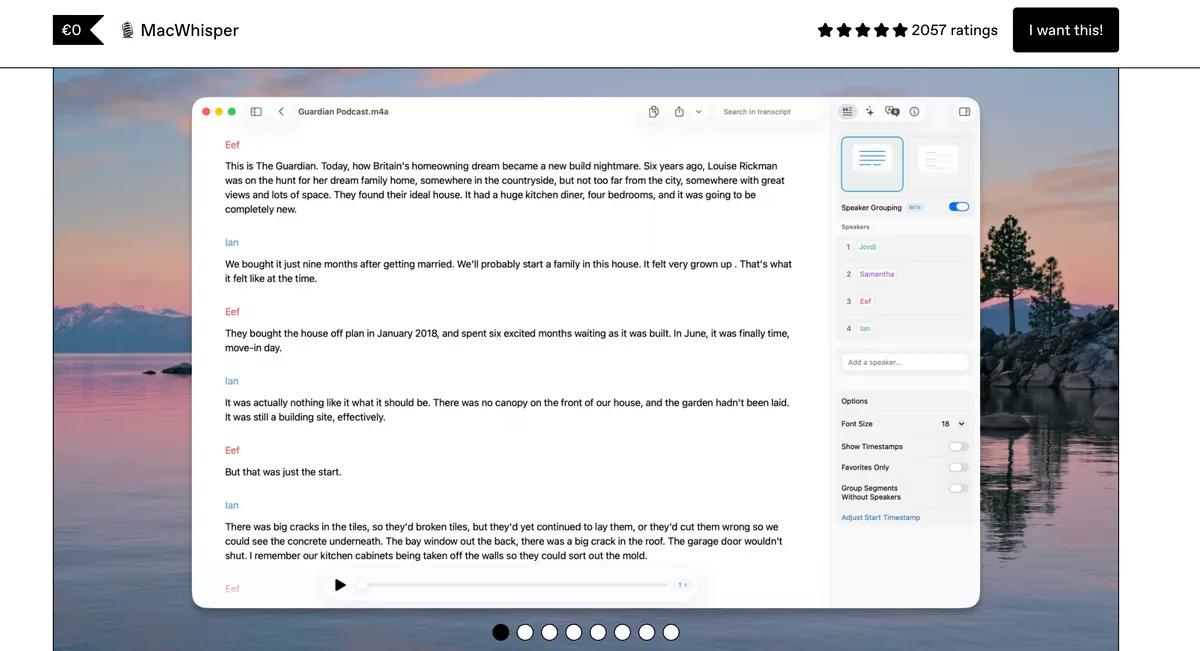
MacWhisper is here for the other job: turning recorded sermons into text — not live drafting.
- What it does: drop in Sunday's audio file and it transcribes locally on your Mac — nothing uploaded.
- Price: Pro is a one-time €59 (~$69) on Gumroad — the cheapest reliable sermon-to-blog pipeline on a Mac (full breakdown in our MacWhisper pricing guide).
- What it is not: a dictation app — it does not type at your cursor while you draft. Pair it with one rather than choosing between them.
How to Choose: Four Questions for Your Situation
1. Do your notes carry confidences?
- Yes — counseling, grief visits, pastoral care → On-device processing: Voibe on an Apple Silicon Mac (audio never leaves the machine). On Windows, Voibe's zero-retention private cloud is the honest second-best.
- No — sermons and newsletters only → Any tool on this list works; decide on vocabulary and price.
2. Mac, Windows, or both?
- Both (home Mac + church PC) → Voibe or Wispr Flow — the only realistic both-platform options here. One-time vs subscription decides it.
- Mac only → Voibe, Superwhisper, or start free with Apple Dictation.
- Windows only → Voibe for Windows, Win+H to start free, or Dragon if you're already invested in it.
3. Will you dictate biblical and theological vocabulary weekly?
- Yes → A real custom Dictionary is non-negotiable: Voibe, Superwhisper, or Dragon. The free built-ins will misspell your key terms indefinitely.
- Rarely → Built-ins may be enough; upgrade when the corrections annoy you.
4. One-time purchase or subscription?
- One-time (ministry budget line) → Voibe $149 lifetime, Superwhisper $249.99, MacWhisper €59 (transcription), Dragon $699.
- Subscription is fine → Wispr Flow $12-15/mo, or Voibe's $7.50/mo if you want the same tool without the upfront cost.
Best Tool for Your Ministry Task: The Cheat Sheet
- Weekly sermon manuscript → Voibe — dictate into Word/Docs/Logos with your vocabulary loaded.
- Pastoral care notes after visits → Voibe on Apple Silicon — on-device; the audio never exists anywhere else.
- Church newsletter and emails → Voibe or the free built-in — low stakes, any tool works.
- Transcribing Sunday's recording → MacWhisper (€59 one-time, local) on Mac.
- Drafting on the church-office PC → Voibe for Windows, or Win+H to start free.
- Book or devotional project → Voibe — long-form drafting is where speaking speed compounds; see our authors guide.
- Hands hurting after decades of typing → any on-device dictation tool now — and read our arthritis dictation guide.
- Already deep in Dragon on Windows → stay if it works; migrate via our Dragon-to-Voibe guide when it doesn't.
- Seminary papers and research notes → Voibe or Superwhisper — see the academic writing roundup.
Frequently Asked Questions About Dictation for Pastors
Getting started
Can I really draft a whole sermon by voice?
Yes — section by section, not in one monologue. Dictate a movement (point, text, illustration, application), pause, review, dictate the next. The edit pass on screen is the same one your typed drafts need; the raw material just arrives at speaking speed and in pulpit voice.
Do I need special hardware?
No. Built-in laptop mics work; a basic USB or headset mic reduces errors in an echoey church office. Save the audio budget for the sanctuary.
Vocabulary & accuracy
Will it spell Melchizedek right?
With a custom Dictionary, yes — add it once and it's permanent. Without one (Apple Dictation, Win+H), expect creative spellings forever. This one feature is the practical dividing line for ministry use.
What about Scripture references?
Spoken references ("Romans eight twenty-eight") transcribe as words or numerals depending on the tool's formatting; a quick manual pass to your preferred citation style is normal. Dictation tools type what you say — they don't insert Bible text; your Bible software does that.
Privacy
Is cloud dictation a problem for counseling notes?
Treat it like you'd treat emailing those notes to a vendor: some clouds are zero-retention, some train on your data, and the policy can change after you've subscribed. On-device processing removes the question — the audio never exists off your machine. That's the architecture Voibe uses on Apple Silicon; see our offline dictation guide for why this matters more each year.
Pricing
What does this cost a church budget?
Free (built-ins) to $699 (Dragon). The sweet spot: Voibe at $149 once — roughly one year of Wispr Flow's $144-180/year, then free every year after. Three-year totals: Voibe $149, Wispr Flow $432-540, Superwhisper $249.99 lifetime, MacWhisper €59 for transcription.
The Verdict: Draft the Way You'll Deliver
A sermon begins and ends as speech. The tools above just decide whether the middle — the drafting — fights that or flows with it. Start free this week with Apple Dictation or Win+H to learn whether composing out loud suits you. When the misspelled prophets and re-corrected surnames wear thin, the upgrade that fits ministry is Voibe: your vocabulary, your apps, both platforms, $149 once — and on an Apple Silicon Mac, pastoral confidences that never leave the room. Download the free 7-day trial (no account) and dictate this Sunday's draft.
Related reading:
- How to dictate in Microsoft Word — the manuscript workflow
- How to dictate in Google Docs — for Docs-based churches
- Best dictation software for authors — for the book project
- Dictation vs transcription vs notetakers — which tool for which job
- Why offline dictation matters — the privacy architecture
- All dictation alternatives compared — the full 20-plus-app field beyond this shortlist
Best AI Dictation and Meeting Notes for Confidential Work
Draft letters, notes and emails 5x faster on Windows and Mac. Get meeting notes without a bot on Mac. Nothing used to train AI.
- Mac + Windows
- No bot in your calls
- Nothing used to train AI
- 7-day free trial
Want to compare plans first? View pricing →
Related Articles
Best Dictation Software for Seniors (No Subscription Needed)
Typing shouldn't be the reason the letters stop. The best dictation software for seniors on Mac and Windows — simple to start, private, no subscription.
Dictation for Financial Advisors: Notes That Hold Up
Client meeting notes are your shield in an exam — if they get written. How advisors use dictation to document same-day, without client data leaving the desk.
EHR Dictation Without the Citrix Headache (Windows & Mac)
Dragon Medical One needs audio extensions to dictate through Citrix. There's a simpler architecture: transcribe locally and type text into any EHR window.