
I Tried Every Wispr Flow Alternative: The Best for Privacy and Stability (2026)
I tested the main Wispr Flow alternatives for one thing: privacy and stability. Here are the 6 that actually keep your voice on-device and don't break your flow.

I switched away from Wispr Flow for two reasons, and neither was that it's a bad product. It's a good product. I left because I didn't love that my voice was being shipped off to a stack of cloud servers, and because I wanted a dictation tool that's still quietly working a week later instead of one I have to coax back to life every other day. So I went looking for alternatives — and I judged every one of them on the same two things: privacy and stability.
The short version: if you care about privacy, the answer is an app that transcribes entirely on your Mac, so your audio never leaves the device. If you care about stability, you want a native, lightweight app that survives sleep/wake instead of a heavy cloud client. The six tools below clear both bars to different degrees. For most Mac users, Voibe was the closest swap for the day-to-day Wispr Flow experience; VoiceInk and Handy are the picks if you want to read the source yourself. This piece is the privacy-and-stability cut of the market; our full tested roundup of 9 Wispr Flow alternatives covers the whole field.
Wispr Flow is a capable app; this piece is about one specific axis — privacy and stability — not a takedown.
| Tool | Processing | Stability profile | Source | Price | Who it's for |
|---|---|---|---|---|---|
| Voibe | On-device or private cloud (your choice) | Native menu bar app | Closed | $149 lifetime | Mac users who want on-device privacy (zero cloud calls) or a zero-retention private cloud, plus IDE integration |
| Superwhisper | On-device or cloud | Deep, occasionally fiddly | Closed | $249.99 lifetime | Power users who want modes + model choice |
| VoiceInk | 100% on-device | Native, actively maintained | Open (GPL v3.0) | $29-69 or free build | People who want to audit the source |
| MacWhisper | On-device | Mature, file-focused | Closed | Free / ~$69 lifetime | Transcribing recorded files privately |
| Handy | 100% on-device | Indie, fast-moving | Open (MIT) | Free | Free, cross-platform, source-auditable |
| Apple Dictation | On-device (most languages) | Built-in, inconsistent | Closed | Free | Short, casual dictation, no install |
Here's how I got to that list — what made me leave, what I actually looked for, and the honest write-up of each one.
Why I Stopped Trusting Cloud Dictation

I want to be fair here, because Wispr Flow earned its users: clean UX, fast cross-platform sync, an in-app Business Associate Agreement that almost no competitor offers, and unusually transparent docs. My problem was never the surface. It was what sits underneath it. Five things slowly added up until I went looking for something else.
- My voice was going to the cloud by default. Per Wispr Flow's own subprocessor list, dictation audio travels from your device to Baseten for transcription, the text is processed by an LLM provider (OpenAI, Anthropic, or Cerebras) for formatting, and data may be stored on AWS in us-east-1. It's all documented — which I respect — but it's still a round-trip through other people's servers every time I speak.
- Context Awareness can read what's on my screen. The optional Context Awareness feature can collect limited content from the active app, including on-screen text, to improve accuracy (per its privacy docs). You can turn it off, and it's opt-in — but the fact that it exists at all is the kind of thing I'd rather not have to think about. I dug into the details in our Is Wispr Flow Safe? writeup.
- The strongest privacy settings aren't all on out of the box. Reaching zero data retention means turning Privacy Mode on and Cloud Sync off, per Wispr Flow's Security and Compliance FAQ. For an individual Pro user that's a setting you have to go find, not the default state.
- I couldn't read the code. It's closed-source, so I can't verify any of the above myself. "Trust the privacy policy" is a weaker promise to me than "watch the network monitor sit at zero."
- Then there's the reliability question. This is the stability half of the story. Users have reported high idle RAM usage on older Macs, Electron-related freezes on Windows, and quality that drops after the trial — Wispr Flow's Trustpilot sits at 2.7/5, and there's a documented "trust gap" narrative around it. We keep a running tally in our Is Wispr Flow Reliable? log of outages and complaints. A dictation tool only saves you time if it's actually running when you reach for it.
- And then there's the part that actually unsettled me. On a June 2026 Think School podcast, Wispr Flow's own CEO described — as a feature, not a leak — an analytics engine that ties individual dictation activity to a person's name, job title, and employer, tracks how many words you've dictated and which apps you dictate into, and pools it into a third-party platform to trigger automated sales outreach. I'm not accusing anyone of anything illegal; it was presented openly as a clever growth playbook. But "the founder went on a podcast and explained how your usage data gets tied back to you" is about as clear a signal as I can imagine that this data exists and gets used. I broke down exactly what he said in What Wispr Flow's Founder Revealed About User Tracking — read it and decide for yourself.
- Seven weeks later, they showed the content side too. In August 2026, a Wispr Flow team member published a public LinkedIn post comparing how often users in India vs. the U.S. dictate specific words — “kindly” at 5.6×, “sir” at 2.5×, “incredible” at 0.3× — sourced, per the post itself, from looking “at which filler words and phrases show up most across Wispr Flow users in India vs the U.S.,” with the chart credited to “Wispr Flow voice dictation data.” Aggregate, yes. But the podcast showed usage tied to identity; this shows the words themselves sit in a corpus the company can query and publish from. It came through my own feed and I left a comment on it; the full numbers and quotes are in my writeup of the LinkedIn posts.
One more thing I'd flag if you dictate at work: on a company-managed Mac, the call may not even be yours. Nine in ten organizations now block at least one generative AI app — the average blocks ten — per Netskope's 2026 Cloud and Threat Report, and cloud dictation is precisely the category a quarterly software audit flags: audio leaving the machine, AI subprocessors, screen reading. Every on-device app on this list makes that review boring in the best way — there is no data flow to assess. I break down what an IT review of Wispr Flow actually looks at in the safety writeup.
None of this makes Wispr Flow unsafe or broken. It's the normal shape of a cloud SaaS dictation product — and it just doesn't match what I want, which is something private by architecture and stable by design. To its credit: Wispr Flow does offer a real zero-retention mode, publishes its subprocessors openly, and ships that BAA. I left anyway, and the next section is what I went looking for instead.
August 2026 added a reason I did not have when I first wrote this. Wispr raised $280 million and shipped Canto, its own speech model, tuned for noise, heavy accents and Hinglish — and never said what trained it, while its security FAQ confirms training is the default for trial and standard accounts. I worked through the evidence in Whose Voice Trained Canto?
Key Takeaway
I didn't leave Wispr Flow because it's bad — I left because a cloud dictation app sends your audio to servers to transcribe it, and a heavy client is one more thing to keep alive. Even with zero retention configured, the audio still leaves the device. I wanted private-by-architecture and stable-by-design.
What Privacy and Stability Actually Mean for a Dictation App
Here's the shift that makes this whole conversation different than it was two years ago: you don't actually need the cloud for good dictation anymore. Sending your audio to a server used to be the price of accuracy. That's just not true now. On-device Whisper and Parakeet models — and the open-source projects built on them — have gotten good enough that local transcription on an Apple Silicon Mac is genuinely competitive with anything running in a data center. The cloud round-trip used to buy you quality. Today it mostly buys someone else a copy of your voice. Once you internalize that, "why is this app uploading my audio at all?" becomes the obvious question.
Before I started testing, I had to get honest about what I was actually asking for, because both words get thrown around loosely. Here's what they mean to me in practice — and why on-device architecture is the thing that delivers both.
Privacy, to me, is architectural, not a promise. A cloud app can promise not to keep my audio, and I might even believe it. But an on-device app doesn't have to promise — it physically can't leak what it never uploads. When the Whisper model runs on my own Mac:
- There's no server receiving my audio, so there's nothing to intercept, store, or train on.
- There's no need to screenshot my screen for "context," because the app isn't reaching for cloud help.
- There's no retention toggle to remember to flip, because privacy is the default state.
- And there's nothing to regulate — GDPR treats voice as biometric data and HIPAA governs it in healthcare, but if the audio never leaves the device, the whole question evaporates.
Stability, to me, is whether it's still working next Tuesday. This one is underrated. Almost every dictation tool demos well; the ones that last are the ones that survive a week of real use — sleep/wake cycles, audio devices connecting and disconnecting, login restarts, OS updates. The category is full of apps that go "deaf" after the Mac wakes, silently quit mid-session, or eat 800MB of RAM idling in the background. The architectural tells I learned to look for:
- Native over Electron. A native Apple Silicon app that lives as a small menu bar process tends to recover from sleep and sip resources. A bundled-browser client tends to do neither.
- One job, done well. The more an app sprawls across platforms and cloud features, the more surface there is to break.
- Local processing has fewer failure modes. No network round-trip means no "it pasted before the cloud finished," no outage, no throttling after your trial ends.
The honest trade-off: the one thing on-device tools give up is Wispr Flow's cloud LLM tone-rewriting — the trick where it restyles a message into a different register. That genuinely needs a server. For me, accurate transcription that stays on my machine and doesn't fall over was an easy trade.
Key Takeaway
On-device processing is what delivers both things I cared about: privacy (no audio upload, no screen capture, no retention toggle, no regulated data transfer) and stability (no network round-trip, no outage, no throttling). The only thing it costs you is cloud LLM tone-rewriting.
How I Judged Each App
I tried to be consistent, so I scored every tool on the same seven questions — in this order, because the first one is the gate and the rest only matter once it's passed.
- Does it run on-device, really? This is the whole ballgame for privacy. I don't take the marketing copy's word for it — I check whether it works in airplane mode and whether a network monitor stays at zero while I dictate. Everything else is secondary to this.
- Will it survive a week? The stability test. Native menu bar app or heavy cloud client? Does it come back after sleep/wake? Does it sit quietly in the background or chew through RAM? I'd rather have a boring app that always works than a flashy one I have to restart.
- Can I read the code? Open-source (VoiceInk, Handy) lets me — or a security team — verify the on-device claim directly. Closed-source means I verify it empirically instead. For legal, medical, or security work, auditability is a real differentiator.
- What does it collect by default? Any telemetry, crash reports with content, or model-training pipeline? The cleanest tools collect nothing because there's nothing to collect.
- Does it look at my screen? Convenient, sure, but it widens the data surface. The apps I trust most transcribe my voice and capture nothing else.
- Does my vocabulary stay local? Client names, drug names, internal codenames — for specialized work, those terms need to transcribe correctly and stay off any server. A local dictionary feature matters more than people think.
- Does the business model align with the privacy promise? A one-time or free app has less reason to mine my data than one under pressure to keep a subscription growing. Pricing and incentives are part of the privacy story.
With that rubric, here's the honest rundown — strongest fit for what I wanted first, with a clear note on where each one isn't the right answer.
Key Takeaway
My rubric, in priority order: on-device processing (the gate), week-long stability, source auditability, default data collection, screen capture, local vocabulary, and a business model that aligns with privacy. On-device and stable are the two non-negotiables; the rest break the ties.
The 6 Alternatives at a Glance
| Tool | Processing | Stability | Source | Default retention | Price | 3-yr savings vs Wispr Flow Pro |
|---|---|---|---|---|---|---|
| Voibe | On-device or private cloud (your choice) | Native menu bar | Closed | None (audio discarded, either mode) | $149 lifetime | $283 (65%) |
| Superwhisper | On-device or cloud | Deep, occasionally fiddly | Closed | Local recordings (configurable) | $249.99 lifetime | $182 (42%) |
| VoiceInk | 100% on-device | Native, active | Open (GPL v3.0) | None by default | $29-69 or free | $383-407 (89-94%) |
| MacWhisper | On-device | Mature, file-focused | Closed | Transcript files you control | Free / ~$69 lifetime | ~$363 (84%) |
| Handy | 100% on-device | Indie, fast-moving | Open (MIT) | None | Free | $432 (100%) |
| Apple Dictation | On-device (most languages) | Built-in, inconsistent | Closed | None | Free | $432 (100%) |
All six keep your audio on the device — that's the shared floor, and it's why they made my list at all. Where they split is auditability (VoiceInk and Handy are open), platform reach (Handy is the only on-device one that crosses to Windows and Linux; Voibe's Windows app runs on its zero-retention cloud), depth (Voibe and Superwhisper add custom vocabulary and developer features), and how reliable they feel over weeks. Savings are against Wispr Flow Pro at $144/year, or $432 over three years.
1. Voibe — What I Reach For First

I'll start with mine and be upfront about it: Voibe is the app I built, and it's the one I use. It gives you the choice: turn on its on-device mode and Whisper runs entirely on Apple Silicon, so my audio is transcribed locally and never touches a server — that's the mode I run. If you'd rather not run models locally, there's also a zero-retention cloud mode that uses only open-source models on zero-retention providers and deletes your audio the moment transcription completes (zero retention, never trained on). Either way it's the closest thing to the Wispr Flow muscle memory: hold a hotkey, talk, and the text lands at my cursor. In on-device mode there's no cloud call, no screen capture, no transcript saved anywhere, and the audio is gone the instant it's transcribed. And because it's a native menu bar app rather than a bundled browser, it's the kind of thing I forget is running — which is exactly what I want from a stability standpoint.
What it does:
- On-device mode runs Whisper on Apple Silicon — works fully offline, airplane mode and all; optional private cloud mode is zero-retention and runs only open-source models
- System-wide push-to-talk dictation in any Mac app; the mic is only live while you hold the key
- Zero retention — audio discarded right after transcription, nothing stored, never used to train AI
- Custom Vocabulary that actually influences transcription (not find-and-replace), kept local
- Developer Mode with VS Code and Cursor integration that resolves file and folder names
- Smart Formatting: an on-device, opt-in cleanup pass (fillers, punctuation, capitalization, numbers, dates) that doesn't paraphrase or invent text
- 90+ languages, native Apple Silicon, lightweight menu bar process
Where it shines:
- A strong privacy posture for a maintained Mac product — in on-device mode, zero cloud calls, and you can prove it with a network monitor
- Native and lightweight, built specifically to survive sleep/wake instead of going deaf when the Mac wakes up
- One-time pricing means I have no reason to ever monetize your dictation — the incentives line up
- Developer Mode is the feature Wispr Flow and Superwhisper users keep asking for
Where it isn't the answer:
- Mac and Windows only — no Linux, iOS, or Android, and on Windows it runs in zero-retention cloud mode rather than on-device, so Wispr Flow out-reaches it on platforms
- Closed-source — you verify the on-device claim empirically, not by reading the code (VoiceInk and Handy win there)
- No cloud LLM tone-rewriting — Smart Formatting cleans up, it won't restyle a message the way Wispr Flow's cloud rewrite can
- Needs macOS 14.4 or later; the fully offline on-device mode requires an Apple Silicon Mac (M1 or later)
Pricing: $149 lifetime, or $7.50/mo, or $75/yr. Against Wispr Flow Pro's $432 over three years, the lifetime saves $283 (65%) and never bills again.
The value combo: Wispr Flow and Granola in one plan. Voibe Dictation is $75 a year. For $65 more, Voibe Work ($14/month, $140/year, or $349 lifetime) adds AI meeting notes with no bot in the call. That one plan covers what Wispr Flow Pro ($144/year) and Granola Business ($168/year) charge $312 a year for separately, so it costs $172 (55.1%) less every year. Wispr's own unlimited Notetaker plan costs the same $312. Meeting notes are captured on your Mac (Windows is coming soon), processed in Voibe's zero-retention cloud and saved on your Mac, and Voibe reminds you to tell everyone you're taking notes.
What others say: 4.8/5 on Product Hunt, where the recurring notes are speed, offline privacy, and the Cursor/VS Code integration.
Best for: Mac users — especially developers, lawyers, doctors, and anyone privacy-conscious — who want the everyday Wispr Flow experience with the guarantee that, in on-device mode, audio never leaves the device, at a one-time price. Try it free or read more at getvoibe.com.
Tip
Don't take my word for the on-device claim — test it. Turn on airplane mode and dictate. It works because nothing is sent anywhere. Run Little Snitch and you'll see zero outbound connections while you talk. That's the whole pitch, and it's verifiable.
2. Superwhisper — The One for Tinkerers
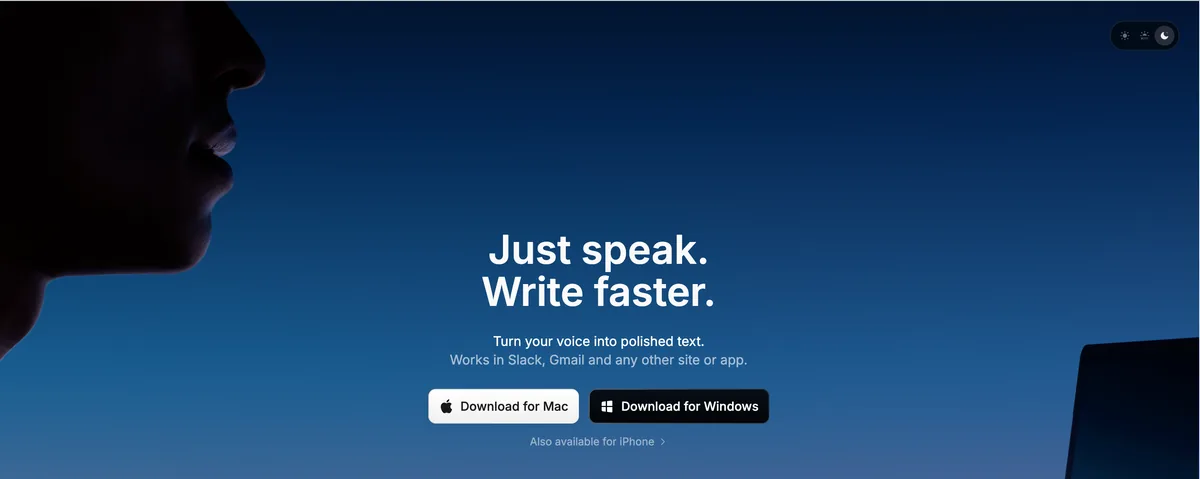
If I wanted to tweak everything, Superwhisper is where I'd go. It has a genuinely private local mode where audio stays on your Mac (Whisper and Parakeet models on Apple Silicon), plus optional cloud models if you want them — which means the privacy is real but conditional on staying in local mode. It's the most configurable app on this list by a distance: per-app modes, custom prompts, a big model lineup. That power is the draw and also the catch — it's more to set up, and reviewers (and I) found the default mode-switching occasionally unreliable, which is the one knock on its stability. It did win a Privacy Award for AI dictation apps in Winter 2025, which is a fair signal.
What it does:
- On-device local mode (Whisper Tiny through Large V3 Turbo, Parakeet V2/V3) — audio stays local
- Optional cloud models (off the privacy path — skip them if privacy is the point)
- Per-app modes that change behavior based on the active app
- Custom prompts and formatting modes; 100+ languages; Mac and iOS apps
Where it shines:
- Genuinely private in local mode, with an explicit privacy reputation to match
- The most flexible config in the category — modes, prompts, model choice
- Has an iOS companion, which most on-device Mac tools don't
- Permanent free tier to try before paying
Where it isn't the answer:
- It offers cloud models, so privacy is a choice you have to keep making, not the only path
- Closed-source — not independently auditable
- The settings depth can overwhelm, and mode-switching reliability is the recurring complaint
- $249.99 lifetime is the priciest one-time option here — $100 more than Voibe
Pricing: $8.49/mo, $84.99/yr, or $249.99 lifetime, plus a free tier. The lifetime saves $182 (42%) versus Wispr Flow Pro over three years. More in our Superwhisper pricing breakdown.
What others say: 4.4/5 on the Mac App Store (762 ratings) and 4.9/5 on Product Hunt (20 reviews). See our full Superwhisper review and Is Superwhisper Safe? writeup.
Best for: power users who want maximum configurability and per-app modes, and who'll keep the app in local mode to stay private.
3. VoiceInk — The One You Can Read the Source Of
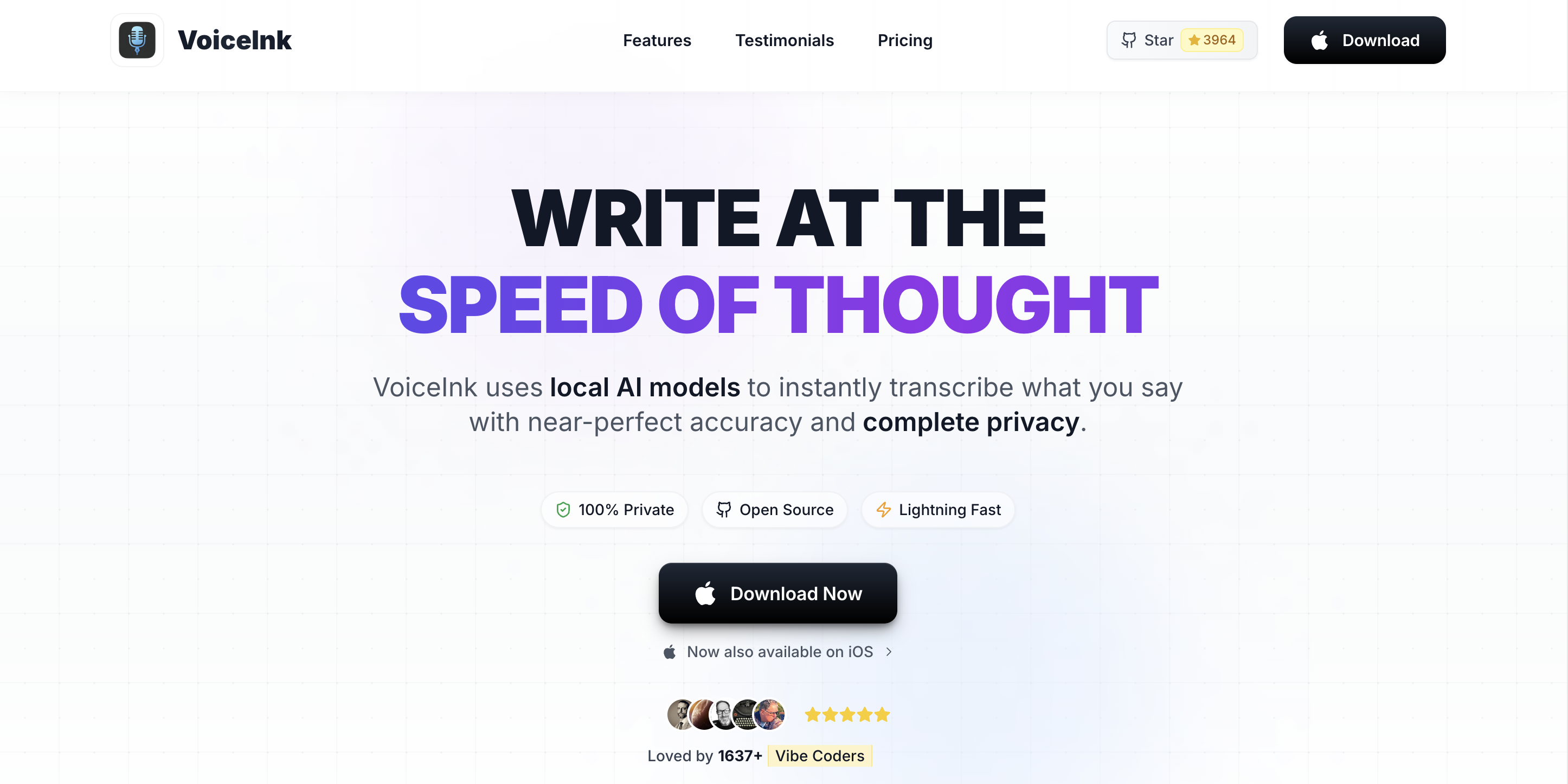
If "trust me" isn't good enough for you — and for some work it shouldn't be — VoiceInk is the answer. It's open-source under GPL v3.0, with the code right there at github.com/Beingpax/VoiceInk, so you (or a security team you hire) can read exactly how the voice data is handled instead of taking anyone's word for it. It runs Whisper on Apple Silicon, fully on-device, as a native Mac app — so it scores well on both my axes. The repo has 5,000-plus stars and an active commit cadence, which is the maintenance signal I look for to gauge whether an indie project will still be alive next year.
What it does:
- 100% on-device Whisper via whisper.cpp and CoreML
- Full GPL v3.0 source — fork it, audit it, or build it yourself for free
- System-wide push-to-talk dictation in any Mac app
- Power Mode auto-switches transcription profiles by the frontmost app
- Custom Vocabulary for technical terms
- Optional BYOK cloud AI enhancement (off by default — leave it off to stay fully local)
Where it shines:
- Source-auditable — the privacy claim is verifiable in code, not just by network monitor
- Free if you build from source; cheap ($29-69) if you want a signed, auto-updating binary
- Native Mac app — no Python or Electron for the paid build
- Power Mode (per-app profiles) is a feature plenty of paid apps lack
Where it isn't the answer:
- Mac-only
- Largely maintainer-led — lower abandonment risk than a solo project, but still a small team
- The optional AI enhancement uses BYOK cloud LLMs; keep it off for strict on-device use
- Support is GitHub issues, no priority SLA even on a paid binary
- Building from source needs Xcode and a model download
Pricing: Solo $29 (1 Mac), Personal $49 (2 Macs), Extended $69 (3 Macs), all one-time via tryvoiceink.com — or free from source. The $49 Personal tier saves $383 (89%) versus Wispr Flow Pro over three years.
What others say: 5,000+ stars on GitHub — for an open-source project, that's the closest proxy for community endorsement. Our full VoiceInk review goes deeper.
Best for: Mac users who want source-auditable, on-device dictation and either build it free or pay $29-69 to support the maintainer for a signed, auto-updating build.
4. MacWhisper — The One for Recorded Files
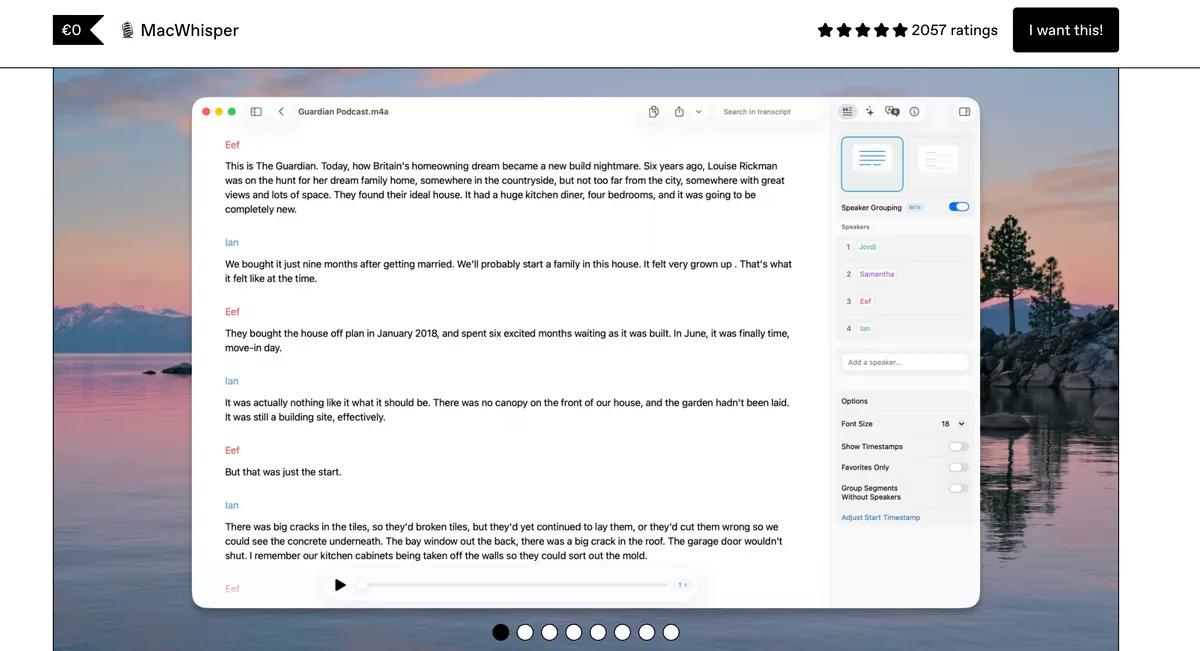
MacWhisper is the tool I'd grab when the job is transcribing a recording rather than dictating live. It runs OpenAI's Whisper locally on your Mac, so it's a strong privacy pick — with one honest caveat: it's primarily a file-transcription app, not a type-into-any-app dictation tool like Wispr Flow. If you've got meetings, interviews, podcasts, or voice memos you want turned into text without uploading the audio anywhere, this is purpose-built for it, and it's a mature, frequently updated app — which is its stability story.
What it does:
- On-device Whisper transcription — audio never leaves the Mac
- Batch folder transcription and system-audio recording (Pro)
- Subtitle export (SRT/VTT) and speaker diarization (Pro)
- The largest Whisper models in the Pro tier; free tier to try
Where it shines:
- Excellent for private, offline transcription of recorded audio
- One-time Pro license on the Gumroad version — no subscription
- Simple, believable privacy story: it never phones home for on-device work
- Mature and well-maintained
Where it isn't the answer:
- It's file transcription first — not a real-time, system-wide dictation replacement for Wispr Flow's core job
- Closed-source
- The App Store version is subscription; the one-time license lives on Gumroad
- Not built for "hold a key and dictate into any app" the way Voibe, VoiceInk, or Superwhisper are
Pricing: Free tier; Pro ~$69 (€59) one-time via Gumroad, or the App Store "Whisper Transcription" version at $6.99/mo, $29.99/yr, or $99.99 lifetime. The ~$69 Gumroad Pro saves about $363 (84%) versus Wispr Flow Pro over three years. See our MacWhisper pricing guide.
What others say: 4.8/5 on Product Hunt (nearly 1,900 ratings) and 3.9/5 on the Mac App Store (123 ratings). There's a head-to-head in our MacWhisper vs Wispr Flow piece.
Best for: privacy-focused users who mostly transcribe recorded files rather than dictate live. Pair it with Voibe or VoiceInk if you need both.
5. Handy — The Free, Cross-Platform One
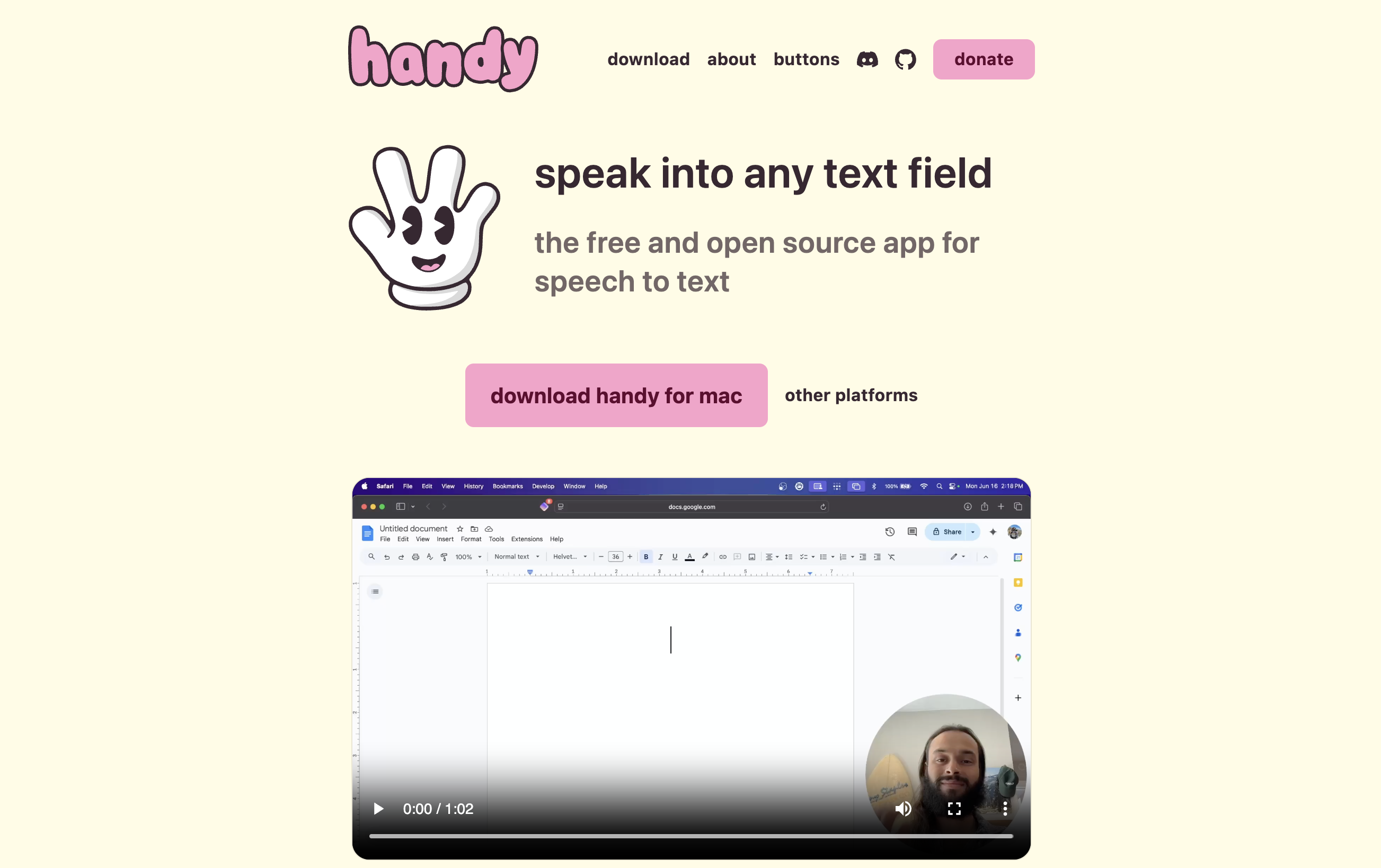
Handy is the one I'd point a friend on Windows or Linux to, or anyone who wants free and auditable. It's open-source under the permissive MIT license, fully on-device and offline, written in Rust by developer CJ Pais — who started it after a finger injury made typing painful, which tells you something about the ethos. It runs Whisper locally and sends audio nowhere. The repo has passed 23,000 GitHub stars with frequent releases and multiple contributors, which is the strongest community signal of any open-source dictation tool I looked at — and a decent proxy for it sticking around.
What it does:
- 100% on-device, fully offline speech-to-text
- Cross-platform: macOS, Windows, and Linux
- MIT-licensed — read, fork, or extend it
- Push-to-talk system-wide dictation; free, including prebuilt binaries
Where it shines:
- Completely free, no paid tier — saves the full $432 versus Wispr Flow Pro over three years
- Source-auditable under the most permissive license here
- The only cross-platform pick — same private workflow on Windows and Linux
- Strong maintenance signal: 23,000+ stars, frequent releases, real contributor base
Where it isn't the answer:
- Fewer polished features than the paid Mac apps (no IDE integration, lighter vocabulary)
- Community-only support via GitHub — no support email with an SLA
- Some setup (model download, permission grants, maybe a Gatekeeper override on Mac)
- It's an indie project — continuity rides on the maintainer, though the signal is strong right now
Pricing: Free. Savings versus Wispr Flow Pro are the full $432 (100%) over three years; just factor in setup time and the community support model.
What others say: 23,000+ stars on GitHub — the highest community signal among open-source dictation tools. Our full Handy review has the details.
Best for: anyone who wants free, source-auditable, on-device dictation — especially on Windows or Linux, where the Mac-only options don't apply.
6. Apple Dictation — The Free Baseline Already on Your Mac
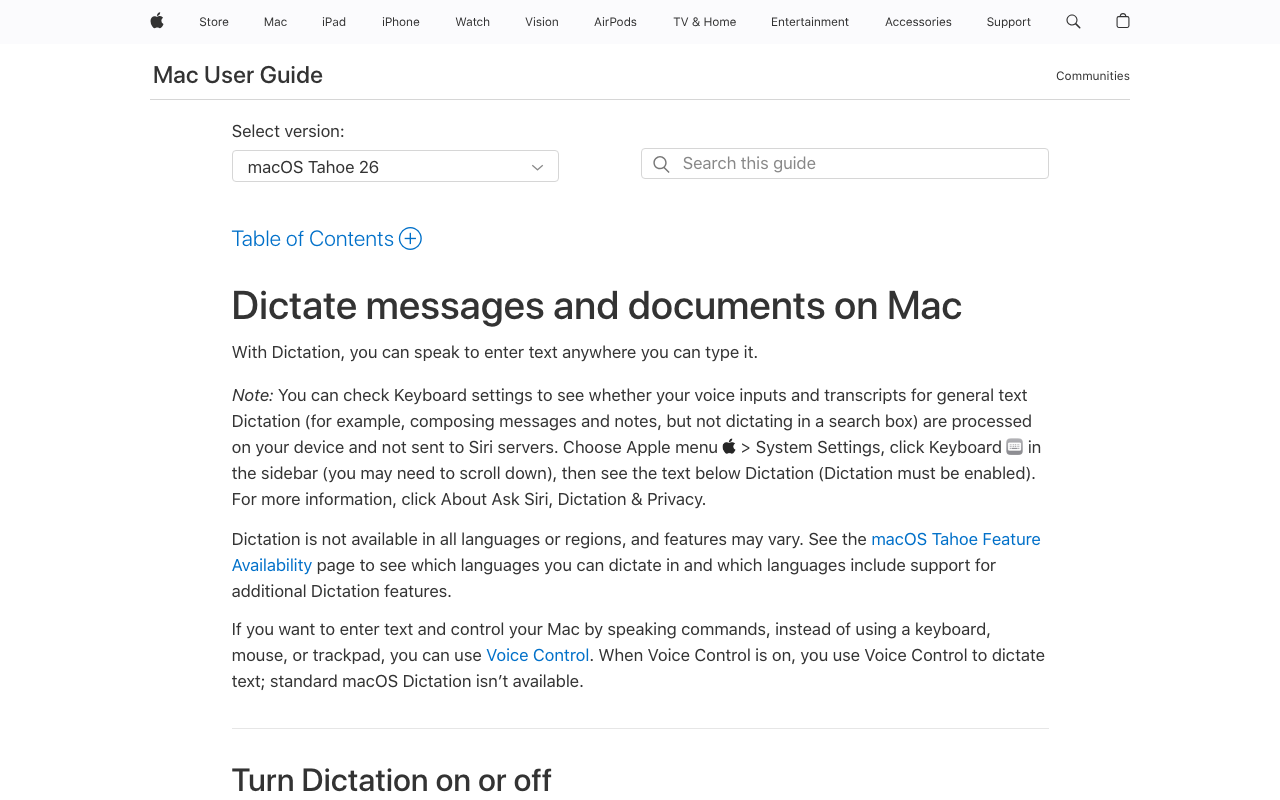
Before you install anything, it's worth being honest that your Mac already has dictation built in — and on Apple Silicon it processes most of it on-device for many languages, so for short, casual use it's genuinely private and costs nothing. If you dictate the occasional message or note, this might be all you need. Its problems aren't about privacy; they're functional, and they're exactly what pushed me toward a dedicated app.
What it does:
- Built into macOS — nothing to install
- On-device for many languages on Apple Silicon
- System-wide, works in any text field; free
Where it shines:
- Zero cost, zero install — it's already there
- On-device for many languages, so short dictation stays private
- No account, no subscription, no extra vendor to trust
Where it isn't the answer:
- That roughly 30-second cutoff that interrupts anything long-form
- No custom vocabulary — it can't learn technical, legal, or medical terms
- No developer or IDE awareness
- On the stability front, users (me included) report it stopping randomly and dropping words on longer or specialized content
Pricing: Free, built into macOS. Saves the full $432 (100%) versus Wispr Flow Pro over three years.
What others say: as a built-in OS feature it has no marketplace rating; the sentiment lives on the Apple Support forums, where the 30-second silence cutoff and inconsistent long-form accuracy come up again and again. See our Apple Dictation privacy guide.
Best for: privacy-conscious Mac users who dictate short messages and notes and want a free, no-install baseline — with a dedicated on-device app as the upgrade when you outgrow it.
How I'd Choose If I Were You
If you don't want to read all six writeups, here's the decision the way I'd actually walk through it.
First: does any cloud processing cross your line, or just retention?
- Audio must never leave the device: Voibe in on-device mode, VoiceInk, Handy, or Superwhisper in local mode. In these modes none transmit audio. Rule out Wispr Flow and any cloud mode.
- Cloud is OK if retention is off: Wispr Flow with Privacy Mode on and Cloud Sync off is defensible — but an on-device tool is still the stronger guarantee.
Second: do you need to read the code, or is testing it enough?
- You need the source (legal, medical, security): VoiceInk (GPL v3.0) or Handy (MIT).
- Empirical proof is enough: Voibe or Superwhisper local mode — confirm with airplane mode and a network monitor.
One local-first Mac option landed after I finished this roundup and is worth knowing about: Paraspeech, built by a German vendor, with real on-device models on Apple Silicon and a cloud you switch on rather than off. I haven't put it through the same testing as the six above, so it isn't ranked here — but the Paraspeech review scores it in full, and Is Paraspeech safe? walks its data path.
Third: what platform are you on?
- Mac only: Voibe, VoiceInk, MacWhisper, Superwhisper, or Apple Dictation.
- Windows or Linux: Handy is your only cross-platform on-device option here. Voibe's native Windows app is private but not on-device — it runs on a zero-retention cloud.
Fourth: live dictation, recorded files, or both?
- Live dictation into any app: Voibe, VoiceInk, Handy, Superwhisper, or Apple Dictation.
- Transcribing recordings: MacWhisper.
- Both: pair an on-device dictation app (Voibe or VoiceInk) with MacWhisper.
Key Takeaway
The decisive question is architectural vs. policy privacy. If audio must never leave the device, pick an on-device tool (Voibe, VoiceInk, Handy, or Superwhisper local mode) and verify it. If you also need to read the code, go open-source with VoiceInk or Handy. Platform and job type settle the rest.
The Right Pick for Your Situation
And if you want it boiled down to your exact scenario:
- Developer dictating into Cursor or VS Code: Voibe — on-device plus Developer Mode that resolves workspace file and folder names.
- Lawyer dictating privileged matters: Voibe (on-device mode) or VoiceInk — audio never leaves the device, so privilege holds; VoiceInk adds source auditability for firm security review. See Wispr Flow alternatives for lawyers.
- Doctor handling PHI under HIPAA: Voibe (on-device mode) or VoiceInk — on-device means no third-party processor and no cloud transfer of patient audio.
- Security engineer who has to audit the data path: VoiceInk (GPL v3.0) or Handy (MIT) — read the source.
- On Windows or Linux and want on-device privacy: Handy — the only cross-platform option here.
- Writer dictating long drafts: Voibe or Superwhisper local mode — no 30-second cutoff, accurate long-form, all local.
- Journalist transcribing interviews: MacWhisper — private, on-device file transcription with diarization.
- Just want free and private: Handy (cross-platform) or Apple Dictation (built-in, short use).
- Power user who wants modes and model choice: Superwhisper in local mode.
- Casual user dictating short messages: Apple Dictation — free, built in, on-device for many languages.
- Leaving Wispr Flow specifically over the cloud architecture: Voibe — the closest on-device replacement for the everyday Wispr Flow experience, at a one-time price.
One more situation worth naming: if you are leaving Wispr Flow over price rather than privacy, DictaFlow is 52.1% cheaper at $69/year and adds Citrix and RDP typing — but it is a hybrid with OpenAI and NVIDIA in its cloud path, so it is a lateral move on privacy rather than an improvement. The tools ranked above are the ones that actually change where your audio goes.
Key Takeaway
For most people leaving Wispr Flow over privacy and stability, Voibe is the closest on-device swap; VoiceInk and Handy win when you need to read the source or want free and cross-platform; MacWhisper covers recorded files; Apple Dictation is the free short-use baseline.
What I'd Actually Use
After all of it, my takeaway is simple: if privacy and stability are what you care about, the answer isn't a particular brand — it's an architecture. On-device processing is the only setup that guarantees your voice never leaves your Mac, and a native, lightweight app is the only kind that reliably keeps working after a week of sleep/wake cycles. And the part that makes this an easy call in 2026: local and open-source models have gotten good enough that you're not trading away accuracy to keep things on-device. The cloud isn't buying you much anymore — and as Wispr Flow's own founder laid out on that podcast, it may be buying someone else quite a lot. Wispr Flow is a strong product with real privacy controls, but a cloud client can't make either promise outright.
For me, and for most Mac users I'd point this way, Voibe is the closest on-device replacement for the day-to-day Wispr Flow experience — in on-device mode, zero cloud calls, plus local custom vocabulary, developer features, and a $149 one-time price that saves $283 (65%) over three years. If you need to read the source, VoiceInk (GPL v3.0) and Handy (MIT, free, cross-platform) let you verify it yourself. MacWhisper is my pick for recorded files, and Apple Dictation is the free baseline that's already on your machine.
Whatever you land on, run the one test that settles it: dictate in airplane mode and watch a network monitor. If it keeps working and shows zero outbound traffic, your words are staying with you. That's the whole point.
Try Voibe for free or learn more about Voibe.
If you want to go deeper: Most Affordable Wispr Flow Alternatives · Is Wispr Flow Safe? · Best Open-Source Wispr Flow Alternatives · Best Offline Dictation Apps · Offline Dictation Privacy on Mac
Whichever way you go, run the check first. Wispr Flow's Privacy Mode is genuine zero data retention and it ships off for non-HIPAA users; zero data retention explained covers that pattern across the category and the five questions that catch it.
Key Takeaway
Privacy and stability come down to architecture, not branding: on-device processing keeps your voice on your Mac, and a native lightweight app keeps working week after week. Voibe is my pick as the closest on-device Wispr Flow replacement ($149 lifetime, 65% cheaper over three years); VoiceInk and Handy add source auditability. Verify any claim with the airplane-mode network-monitor test.
Frequently Asked Questions
What is the most private alternative to Wispr Flow?
Does Wispr Flow send my voice to the cloud?
Which dictation app is the most stable on Mac?
Is on-device dictation as accurate as cloud dictation like Wispr Flow?
Are open-source dictation apps more private than closed-source ones?
How much cheaper are privacy-focused alternatives than Wispr Flow?
Can I get Wispr Flow's context-aware formatting without the cloud?
Is Apple Dictation private enough to replace Wispr Flow?
What should I check to confirm a dictation app is actually on-device?
Best AI Dictation and Meeting Notes for Confidential Work
Draft letters, notes and emails 5x faster. Get meeting notes without a bot joining your call. Nothing used to train AI.
- Mac + Windows
- No bot in your calls
- Nothing used to train AI
- 7-day free trial
Want to compare plans first? View pricing →
Related Articles
7 Affordable Wispr Flow Alternatives for 2026: Free Exists. I Pay $75 Anyway.
Wispr Flow Pro costs $144/year in 2026. I ranked 7 affordable alternatives by real cost — from $0 open source to the $75/year pick I use — and why free lost.
Best Open Source Wispr Flow Alternatives (2026)
9 open source Wispr Flow alternatives compared on license, platform, maintenance, and cost, plus the maintained private option if you'd rather not set one up.
How to Build an Open Source Wispr Flow Alternative — and What Breaks
The exact commands to build an open source Wispr Flow alternative, the five things that break after the build succeeds, and when you should just buy the app.