
Best Open Source Wispr Flow Alternatives (2026)
9 open source Wispr Flow alternatives compared on license, platform, upkeep and cost, plus which ones stay $0 forever and which are only free to start.

TL;DR: The best fully open-source Wispr Flow alternative depends on your platform.
- Mac → VoiceInk (GPL v3.0, free source build or $25-49 paid binary). The closest one-to-one replacement.
- Mac, Windows, and Linux → Handy (MIT, free, 22,435 GitHub stars). The strongest cross-platform pick.
- Linux specifically → Handy or Speech Note. Both are polished.
All of them run Whisper or VOSK entirely on your device. No Baseten transcription, no OpenAI/Anthropic/Cerebras text Polish, no AWS storage. None of the five subprocessors on Wispr Flow's subprocessor list. And none of the seven documented Wispr Flow privacy incidents — every one of them happened cloud-side, where an on-device tool has no equivalent surface.
The trade-off is real. Open-source dictation tools need setup. Support is a GitHub issue tracker. And indie projects get abandoned: savbell/whisper-writer has 1,058 stars and its last commit was August 2024.
If you just want something simple, fast, and private without setting up an open-source project yourself, Voibe (ours, not open-source) runs the same open-source Whisper models. On-device on Apple Silicon, or through a zero-retention cloud that deletes your audio the moment transcription completes.
It also ships what the OSS tools leave to you: a Dictionary that changes what gets transcribed, Memory shortcuts, Hands-Free Mode, spoken punctuation, and Smart Formatting. Mac and Windows on one plan: Voibe Free costs $0 with a word limit on one device, unlimited dictation is $199 lifetime, and every account starts with a 7-day trial of every feature.
Open and closed-source options side by side: the 9 best Wispr Flow alternatives.
| Tool | License | Platforms | Price | Best For |
|---|---|---|---|---|
| VoiceInk | GPL v3.0 | macOS | $25-49 or free source build | Mac-native one-to-one Wispr Flow replacement |
| Handy | MIT | macOS, Windows, Linux | Free | Cross-platform OSS dictation with the highest community trust |
| VoiceTypr | AGPL v3.0 | macOS, Windows | $39-99 lifetime or free source build | Mac + Windows pairing with paid-binary support |
| OpenWhispr | MIT | macOS, Windows, Linux | Free local; cloud from $80/yr | Local + BYOK cloud, cross-platform |
| nerd-dictation | GPL v3.0 | Linux | Free | Linux command-line and scripting workflows |
| Speech Note | MPL 2.0 | Linux | Free | Polished Linux GTK dictation UI |
| Buzz | MIT | macOS, Windows, Linux | Free | File transcription cousin to live dictation |
| Talon Voice | Proprietary core + MIT community | macOS, Windows, Linux | Alpha free, Patreon-gated beta | Voice-controlled coding + hands-free OS control |
Voibe is not open-source. It runs the same open models — Whisper on-device on Apple Silicon, or Whisper Large Turbo and the open-weight GPT-OSS 120B on a zero-retention cloud — but the app around them is closed.
If you want the same data path — audio that stays on your machine, or is deleted the moment it's transcribed — without the setup tax, the issue-tracker support, and the abandonment risk, Voibe at $199 lifetime for Mac and Windows saves $233 (53.9%) versus Wispr Flow Pro over three years.
Why Users Are Looking for Open Source Wispr Flow Alternatives
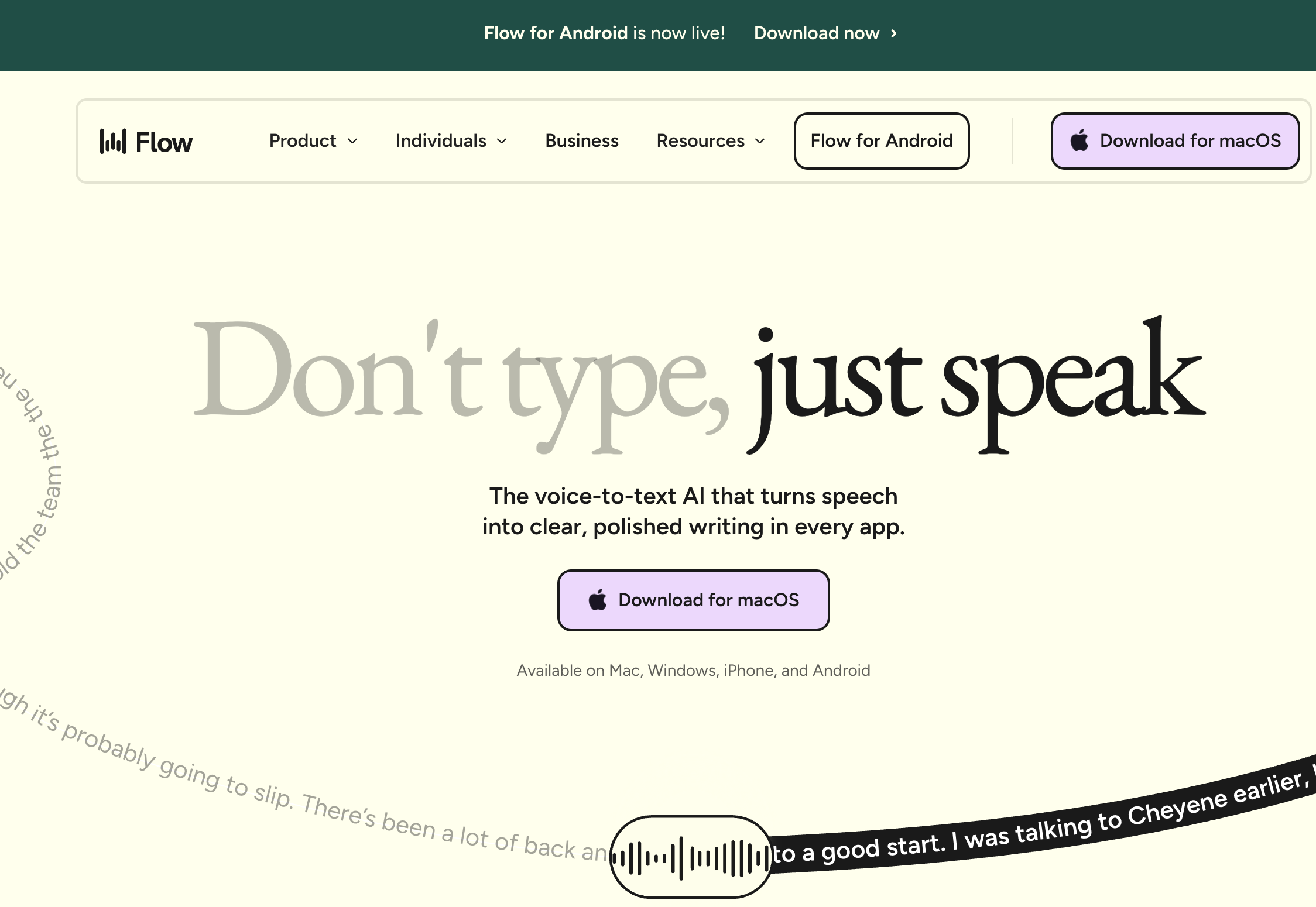
Wispr Flow is a venture-backed, polished real-time dictation product for Mac, Windows, iOS, Android, and Chrome. The product is genuinely good: clean UX, fast cross-platform sync, an in-app Business Associate Agreement no peer offers, transparent documentation.
The product isn't broken. The case for open source rests on five structural properties of Wispr Flow's architecture, plus a record of privacy and security incidents that is now long enough to list.
1. Dictation audio crosses a five-subprocessor cloud chain
Per Wispr Flow's own subprocessor list, your audio goes to Baseten for transcription. The text then goes to OpenAI, Anthropic, or Cerebras for formatting. Data is stored on AWS S3 in us-east-1.
Auxiliary subprocessors handle the rest:
- Supabase — authentication
- Sentry — error tracking, with screenshot capture on supported platforms
- PostHog — analytics, with session replay capability
- Stripe and RevenueCat — payments
The path is documented. But it's a vendor disclosure, not a runnable program you can audit.
2. The codebase is closed-source
You cannot read Wispr Flow's source, run static analysis on it, fork it, or extend it. If your threat model includes corporate IT review or supply-chain attestation, "trust the privacy policy" is a weaker primitive than "read the code."
3. Subscription cost compounds every year
Wispr Flow Pro is $144/year. That's $432 over three years per user, scaling linearly with team size.
- Fully-free OSS tools (Handy, OpenWhispr, nerd-dictation, Speech Note, Buzz): $0 in license fees
- Paid OSS binaries (VoiceInk, VoiceTypr): $25-99 one-time, depending on how many devices you license
Before you count setup time, the paid binaries are roughly 4 to 17 times cheaper than Wispr Flow Pro over three years, and the free tools cost nothing.
4. Privacy Mode is off by default for individual Pro users
Per Wispr Flow's Security and Compliance FAQ, Privacy Mode is off by default. When it's off, your dictation data may be used to improve Wispr Flow's models.
An on-device OSS tool has no toggle to forget. There is no transcript storage and no model-improvement pipeline.
That default stopped being abstract in August 2026, when team members published word-frequency analyses of user dictations on LinkedIn. No on-device tool could run that query. There is no server-side corpus to query.
5. The March 2026 Delve compliance investigation
Wispr Flow's prior SOC 2 Type II and ISO 27001:2022 both came through the Delve audit ecosystem. The Deepdelver investigation found 99.8% of analyzed Delve reports shared identical boilerplate.
Wispr Flow responded properly. It engaged A-LIGN as a new auditor and Drata as a new compliance platform, and a fresh SOC 2 is expected. Still, source-auditable code is a stronger primitive than any audit attestation. Our Is Wispr Flow Safe? investigation has the full Delve timeline.
None of the five is a security failure on Wispr Flow's part. They are structural properties of a cloud SaaS product. The incident record is a separate matter.
The documented incident record
Since 2025, Wispr Flow has accumulated a series of public privacy and security incidents. Nobody hacked it. Each one was a default or a design choice that a user found.
- Seven incidents, two toggles. Screen capture discovered by a user who was then banned for reporting it. A keyboard tap found by an engineer debugging his spacebar. The Delve fake-audit scandal. And the two settings that stop your dictation being stored and trained on — Privacy Mode and cloud sync — both off by default on a standard account. Is Wispr Flow Safe? has the full timeline.
- The founder described the tracking on camera. On a June 2026 Think School podcast, Wispr Flow's CEO described an analytics system that ties dictation activity — word counts, which apps you dictate into — to your name, job title, and employer, pools it in a third-party platform, and triggers automated outreach with no human in the loop. What Wispr Flow’s founder revealed about user tracking breaks it down.
- User dictations, mined and posted. In August 2026 a team member published word-frequency data from user dictations on LinkedIn. The LinkedIn dictation analysis covers what that proves about dictation without zero retention.
- Whose voice trained Canto? Wispr raised $280 million in August 2026 and previewed Canto, its own speech model, without a training-data disclosure. Its own FAQ states that with Privacy Mode off, the default, audio and transcription data may be used to train its models. Whose voice trained Canto? follows the documentation.
- Cloud-only means a server that can go down. Independent monitor StatusGator logged more than 75 outages in the six months after December 2025, including a six-day capacity incident. Is Wispr Flow reliable? keeps the living log, and the May-June 2026 outage has the verified timeline of the worst one. An on-device tool has no server to go down.
Key Takeaway
Open-source Wispr Flow alternatives win on four axes: source auditability, on-device data path, one-time cost, and no model-improvement pipeline. Wispr Flow wins on cross-platform polish (Mac + Windows + iOS + Android + Chrome), enterprise-grade compliance attestations, and zero setup time.
The Three Real Risks of Open Source Dictation Tools
Three risks are structural to indie OSS dictation in 2026. None of them disqualifies the open-source path. Each one limits what you can responsibly hand to a free, volunteer-maintained tool.
1. Maintainer abandonment risk
Indie projects depend on one or two volunteer maintainers, and attention is finite. Two current examples:
- savbell/whisper-writer — 1,058 stars (as of May 27, 2026), GPL v3.0, and a credible cross-platform Wispr Flow precursor when it launched in 2023. Last commit August 24, 2024 — about 21 months of silence as of May 2026. Not archived; the maintainer simply stopped pushing. Open issues from May 2026 (Windows install failures, missing prebuilt releases) sit unanswered.
- foges/whisper-dictation — MIT-licensed macOS Whisper dictation, 216 stars. Last commit June 8, 2024, about 23 months ago.
"Dormant" sounds worse than it is for a casual user. The existing build still runs. For a tool you depend on daily, though, a dormant upstream means the next OS update's breakage is yours to debug.
The lowest-risk picks are the projects with the most stars, the steadiest commits, and the most contributors: Handy (107 contributors), Buzz (31), VoiceInk (32), and OpenWhispr (active multi-contributor development).
2. Community-only support
Support is a GitHub issue tracker, a Discord or Matrix channel, and the maintainer's spare time. There is no support@ address with a service-level commitment.
For a hobby user with a $0 budget and Tuesday-night patience, that's fine. For a knowledge worker debugging a dictation outage at 4 PM on a deadline day, it's a productivity tax.
Some projects sell "priority maintainer attention" as an upgrade: VoiceInk's paid binaries, VoiceTypr's paid binaries, Talon's Patreon tier. Those paid tiers are a price signal on what fast support is worth.
3. Setup tax
Most OSS dictation tools need some combination of:
- A Homebrew install or a Python virtual environment
- A Whisper model download (75 MB to 3 GB, depending on model)
- Accessibility and microphone permission grants
- Hotkey configuration
- In some cases, a kernel-level audio driver
Clone to first word can take 20 to 60 minutes. A second user on the same machine still pays the model download. Polished paid products with an installer wizard cut that to two to five minutes.
If you dictate two hours a week, the setup tax amortizes fast. If you dictate two hours a month, a paid binary or paid product may save more time than it costs.
For the setup tax command by command, the step-by-step guide to building an open source Wispr Flow alternative walks the full Handy and VoiceInk source builds and names the five things that break afterwards.
FluidVoice shows all three risks in one live project: a solo-maintained Mac app whose community relies on a built-in version-rollback button after breaking updates. The FluidVoice review has the log.
Key Takeaway
The three real OSS dictation risks — abandonment, community-only support, and setup tax — do not disqualify the OSS path. They constrain which projects you should rely on for daily work. Star count and commit cadence are the two most-citable maintenance signals; both are listed for every recommendation.
What to Look For in an Open Source Wispr Flow Alternative
Seven criteria separate the nine tools. Apply them in this order, before you compare prices.
1. License type
Four licenses are in play:
- MIT (Handy, OpenWhispr, Buzz) — most permissive; usable in proprietary derivatives
- GPL v3.0 (VoiceInk, nerd-dictation, savbell/whisper-writer) — strong copyleft; derivatives must be GPL too
- AGPL v3.0 (VoiceTypr) — strongest copyleft; network use triggers source-disclosure obligations
- MPL 2.0 (Speech Note) — file-level copyleft, weaker than GPL
If you plan to modify and redistribute, the license matters. For personal use, all four are equivalent.
2. Platforms supported
- Mac only: VoiceInk (Swift, GPL v3.0) or Handy (Rust, MIT)
- Windows: Handy, VoiceTypr, or OpenWhispr
- Linux: Handy, Speech Note, nerd-dictation, or OpenWhispr
- All three: Buzz — but it's built for recorded files, not live dictation
3. Real-time dictation vs. file transcription
Wispr Flow is real-time: text lands at your cursor as you speak. VoiceInk, Handy, VoiceTypr, OpenWhispr, nerd-dictation, Speech Note, and Talon all match that model.
Buzz is the exception. It transcribes recorded audio (meetings, interviews, podcasts) and outputs a transcript file. If you need both jobs done, you'll pair tools.
4. Maintenance signal: stars and last commit
Stars approximate community size. Commit recency approximates maintainer attention.
- Strongest combined signal (May 2026): Handy — 22,435 stars, weekly commits
- Weakest among the recommendations: VoiceTypr — 386 stars, weekly commits. Small community, active maintainer.
- The cautionary case (not recommended): savbell/whisper-writer — 1,058 stars, last commit August 2024
5. Setup complexity
- Code-signed installer, two clicks: VoiceInk paid build, VoiceTypr paid build, Buzz
- Unsigned binary, Gatekeeper override: Handy, OpenWhispr release builds
- Build from source with Xcode or cargo: VoiceInk source, VoiceTypr source, Handy from source
- Python and Homebrew: nerd-dictation, OpenWhispr from source
- Own installer plus a configuration framework: Talon
6. BYOK cloud, fully on-device, or managed zero-retention cloud
Most of these projects run entirely on-device by default. Two add a bring-your-own-key (BYOK) cloud option:
- OpenWhispr — BYOK for cloud Whisper, Parakeet, or other models
- VoiceInk — BYOK for its cloud text-enhancement layer (AI Polish)
If you want strictly on-device with no cloud option at all, Handy, nerd-dictation, Speech Note, and Buzz are the cleanest.
There is a third path none of the OSS tools offer: a managed cloud that runs open-source models with zero retention and no key to bring. That's how Voibe's cloud mode works.
- Whisper Large Turbo on zero-retention providers (Groq or Cloudflare) for transcription
- The open-weight GPT-OSS 120B on Cerebras for formatting, which sees only text
- Audio deleted the moment transcription completes
- No AI-vendor account or API key on your side
It's the option for Intel Mac and Windows users who want cloud speed without the BYOK homework.
7. Total cost over three years
- $0: Handy, OpenWhispr, nerd-dictation, Speech Note, Buzz — plus your setup time
- $25-99 one-time: VoiceInk ($25-49) or VoiceTypr ($39-99, by device count) paid binaries
- $199 one-time: Voibe lifetime, covering Mac and Windows
- $432: Wispr Flow Pro Annual over three years
Voibe sits between the paid OSS binaries and the Wispr Flow subscription. Over the binaries, you're paying for the support address, the installer, and the workflow features the OSS tools leave you to assemble: custom Dictionary, Memory shortcuts, Hands-Free Mode, spoken punctuation.
Key Takeaway
Score every OSS alternative on seven axes: license, platform, real-time vs. file transcription, maintenance signal (stars + commit recency), setup complexity, BYOK or pure on-device, and 3-year cost. The right OSS pick is rarely "the most popular tool overall" — it is "the tool whose maintenance signal and setup tolerance match your platform and workflow."
Quick Comparison: 9 Open Source Wispr Flow Alternatives at a Glance
| Tool | License | Platforms | Stars | Last commit | Live dictation | Price |
|---|---|---|---|---|---|---|
| VoiceInk | GPL v3.0 | macOS | 5,099 | May 2026 (active) | Yes | $25-49 or free build |
| Handy | MIT | Mac, Win, Linux | 22,435 | May 2026 (active) | Yes | Free |
| FluidVoice | GPL v3.0 | macOS 15+ | 9,400 | Aug 2026 (active) | Yes + live preview | Free |
| VoiceTypr | AGPL v3.0 | Mac, Win | 386 | May 2026 (active) | Yes | $39-99 lifetime or free build |
| OpenWhispr | MIT | Mac, Win, Linux | ≈5,500 | Aug 2026 (active) | Yes | Free local; Pro $80/yr |
| nerd-dictation | GPL v3.0 | Linux | 1,848 | Oct 2025 (slowing) | Yes | Free |
| Speech Note | MPL 2.0 | Linux | 1,471 | May 2026 (active) | Yes | Free |
| Buzz | MIT | Mac, Win, Linux | 19,413 | May 2026 (active) | No (file) | Free |
| Talon Voice | Proprietary core | Mac, Win, Linux | n/a | Active (closed src) | Yes + voice control | Alpha free, Patreon beta |
In short:
- Handy is the cross-platform default: MIT, free, 22,435 stars, active.
- VoiceInk is the Mac specialist: GPL v3.0, $25 to $49 to support the maintainer, or free from source.
- FluidVoice is the fast-moving Mac wildcard. The richest free feature set (live preview, model choice, local AI cleanup), with a stability record to check first.
- Buzz fills the file-transcription gap none of the live-dictation tools cover.
- Talon Voice is the deeper voice-computing framework. Not fully open-source, but the de-facto leader for hands-free coding.
- Speech Note and nerd-dictation are the Linux options. Speech Note has the more polished UI; nerd-dictation is the more scriptable command-line tool.
Looking for a Wispr Flow Free Alternative? What's Actually Free vs. Free-to-Start
"Free" means three different deals in this category, and only one of them stays free with no strings. The fastest way to pick a Wispr Flow free alternative is to ask what happens after week one: does the tool stay $0 with no cap, stay $0 with a cap, or start free and then ask for money?
Start with an honest baseline: Wispr Flow has a free plan of its own. Flow's Free plan costs $0 and allows 2,000 words a week on desktop and 1,000 a week on mobile (Wispr Flow's pricing page, checked October 15, 2026). Pro removes the cap at $15 a month, or $12 a month billed annually ($144 a year). If 2,000 words a week covers you and the cloud data path doesn't bother you, you may not need to switch at all. People go looking for a free alternative when they hit that weekly cap, or when they want their audio kept off someone else's servers.
| Tool | What costs $0 | Limit on the free part | What you pay after | Open source |
|---|---|---|---|---|
| $0 forever, no usage cap | ||||
| Handy | Everything | None; local models on Mac, Windows, Linux | Nothing | Yes (MIT) |
| FluidVoice | Everything | None; needs macOS 15 or later | Nothing | Yes (GPL v3.0), with a closed local AI runtime |
| Speech Note, nerd-dictation | Everything | None; Linux only | Nothing | Yes (MPL 2.0, GPL v3.0) |
| Buzz | Everything | None, but it transcribes files into its own window, not into other apps | Nothing | Yes (MIT) |
| OpenWhispr | Local models | None on local models | Pro $80/yr for unlimited managed cloud | Yes (MIT) |
| $0 forever, with a cap | ||||
| Wispr Flow Free | Cloud dictation | 2,000 words/week desktop, 1,000/week mobile | Pro $15/mo or $144/yr | No |
| OpenWhispr Cloud Free | Managed cloud transcription | 2,000 words/week | Pro $80/yr | App yes, cloud service no |
| Voibe Free (ours) | Dictation in any app, spoken punctuation, custom vocabulary, transcript history | Limited words (number not published), one Mac or Windows PC | $9.90/mo, $99/yr, or $199 lifetime for unlimited | No; runs open-source models |
| Talon Voice | Public alpha | Newer beta features need Patreon support | Patreon tiers | Core engine no; community config yes |
| Free to start, then you pay (or build it yourself) | ||||
| Voibe 7-day trial | Every Voibe Work feature for 7 days, no credit card | 7 days, then the account moves to Voibe Free | Nothing unless you buy a plan | No |
| VoiceTypr | 3-day trial, no card; free source build | 3 days on the signed app | $39 (1 device), $69 (2), $99 (4), lifetime | Yes (AGPL v3.0) |
| VoiceInk | Free source build in Xcode | You compile and sign it yourself | $25 (1 Mac), $39 (2), $49 (3), one time | Yes (GPL v3.0) |
Which kind of free fits you
- You never want to pay and can handle setup → Handy on any desktop OS, or FluidVoice if you're on a Mac running macOS 15 or later. The cost is 20 to 60 minutes of setup and GitHub-issue support, not money.
- You want $0 with nothing to set up, for light use → Voibe Free or Wispr Flow Free. The difference is the data path and the cap: Wispr publishes its cap (2,000 words a week on desktop) and processes dictation in its cloud. Voibe Free's limit isn't published and covers one device, Whisper can run on-device on an Apple Silicon Mac, and in Voibe's zero-retention cloud the audio is deleted the moment transcription completes.
- You want to test everything before deciding → Voibe's 7-day trial (sign in with an email, no credit card, no automatic charge) or VoiceTypr's 3-day trial (no card). Both end without billing you.
When you outgrow a capped free plan, the unlimited prices differ more than the free plans do. Voibe Dictation at $99 a year costs $45 (31.3%) less than Wispr Flow Pro at $144 a year, and $199 lifetime saves $233 (53.9%) over three years of Pro. The full plan breakdown is in our Wispr Flow pricing guide. For the Mac-only view, including Apple Dictation and Google Docs voice typing, see the best free dictation apps for Mac.
Key Takeaway
A Wispr Flow free alternative is one of three deals. $0 forever with no cap: Handy, FluidVoice, Speech Note, nerd-dictation, Buzz, and OpenWhispr's local models. $0 forever with a cap: Wispr Flow's own Free plan (2,000 words a week on desktop), OpenWhispr Cloud Free (2,000 words a week), and Voibe Free (limited words on one device). Free to start: Voibe's 7-day trial, VoiceTypr's 3-day trial, and VoiceInk's free source build.
1. VoiceInk — Best Open Source Wispr Flow Alternative for Mac
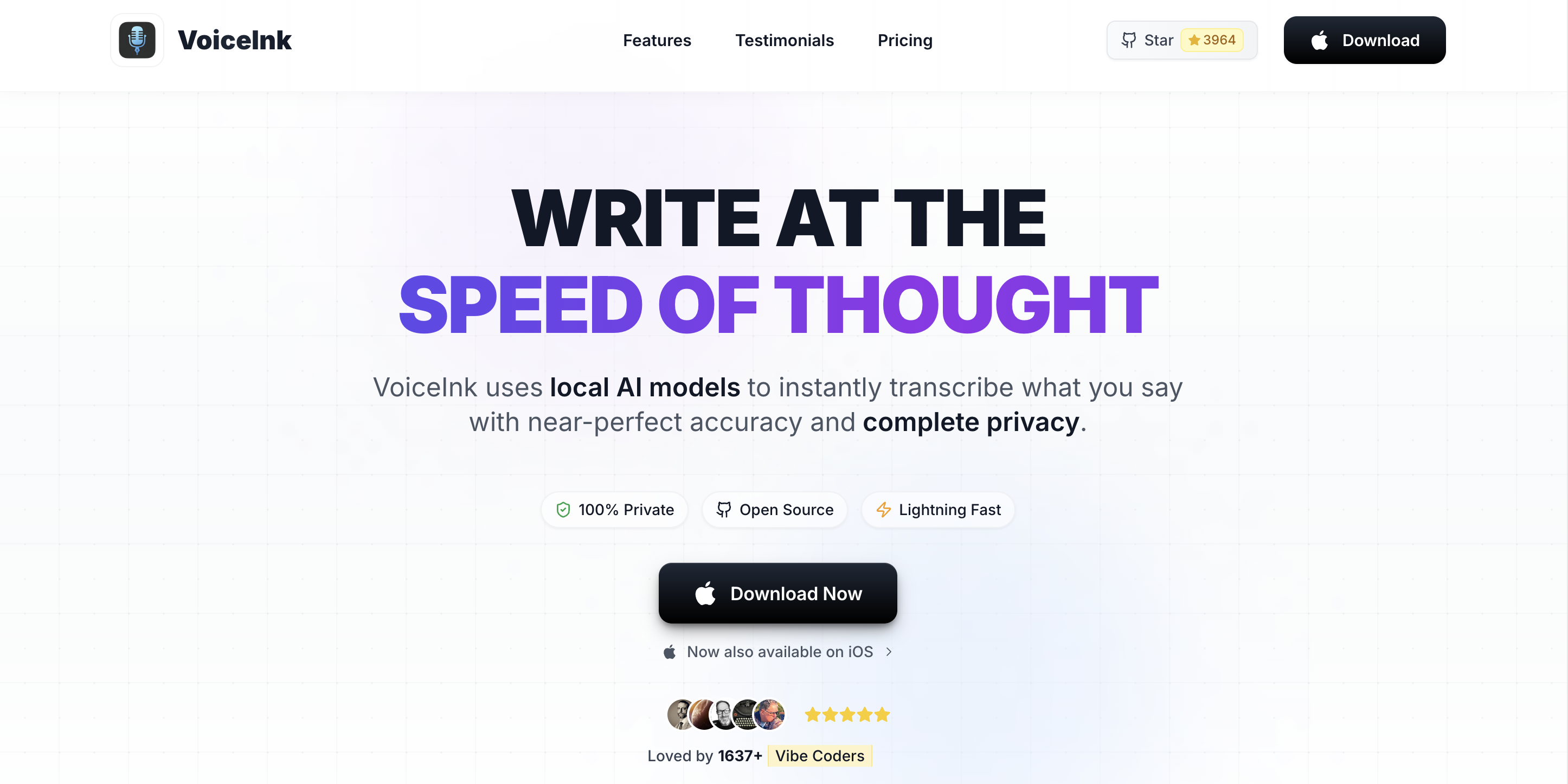
VoiceInk is an open-source, on-device dictation app for Mac, written in Swift under GPL v3.0. The repo at github.com/Beingpax/VoiceInk has 5,099 stars as of May 27, 2026, with a commit pushed that same day.
Maintainer Beingpax (Pax) calls it "the best open-source alternative to Superwhisper and Wispr Flow" in the repo description. That's accurate. VoiceInk is the closest one-to-one, Mac-native Wispr Flow replacement in the OSS ecosystem.
If you want to read the code that handles your voice, this is the most credible Mac option. Our VoiceInk review has the hands-on coverage.
Key Features:
- 100% on-device speech recognition using Whisper models on Apple Silicon via whisper.cpp and CoreML
- System-wide dictation in any Mac app — push-to-talk hotkey activation
- Power Mode automatically switches transcription profiles based on the frontmost app
- Custom Vocabulary for technical terms, names, and domain-specific phrases
- Source code available at github.com/Beingpax/VoiceInk under GPL v3.0 — fork it, audit it, or build it yourself
- AI Enhancement layer with BYOK cloud LLMs (optional, off by default)
- Apple Silicon Neural Engine acceleration for low-latency transcription
- 14-day money-back guarantee on paid binaries
Pros:
- Strongest maintenance signal among Mac-native OSS dictation tools (active commit cadence and 32 contributors as of May 2026)
- GPL v3.0 license is strong copyleft — derivative forks must also be GPL, protecting community contributions
- Paid binary path (tryvoiceink.com) supports the maintainer without locking the source
- Free GPL build from source for technically comfortable users
- Power Mode (auto-switching profiles per app) is a feature most paid products do not offer
- Native Mac app — no Python, no Electron, no Homebrew dependency
Cons:
- Mac-only (no Windows, Linux, iOS, or Android — Wispr Flow's cross-platform reach exceeds VoiceInk's)
- Maintainer-led project — 32 contributors lower the abandonment risk versus solo projects, but Beingpax remains the architectural lead and a Beingpax departure would meaningfully slow the project
- Build-from-source path requires Xcode, code signing for personal use, and Whisper model download (75 MB to 3 GB)
- Support is community-driven via GitHub issues — no priority-support email tier even with a paid binary
- iOS companion app has reported reliability issues (4.1/5 rating per App Store reviews)
Pricing: Solo $25 (one Mac), Personal $39 (two Macs), Extended $49 (three Macs) — all one-time payments via tryvoiceink.com. Free build from github.com/Beingpax/VoiceInk under GPL v3.0. 14-day money-back guarantee on paid binaries.
User Reviews: 5,099 stars on github.com/Beingpax/VoiceInk (May 27, 2026). For OSS projects, GitHub star count is the closest available proxy for user rating — it measures community endorsement rather than aggregated review scores. VoiceInk's star trajectory is among the steepest in the indie Mac dictation category.
Best For: Mac users who want source-auditable on-device dictation and are willing to pay $25-49 to support a solo maintainer (or build from source for free). The closest one-to-one Wispr Flow replacement in the OSS ecosystem for the Mac-only cohort. See our VoiceInk pricing breakdown for the full tier comparison.
2. Handy — Best Cross-Platform Open Source Dictation App
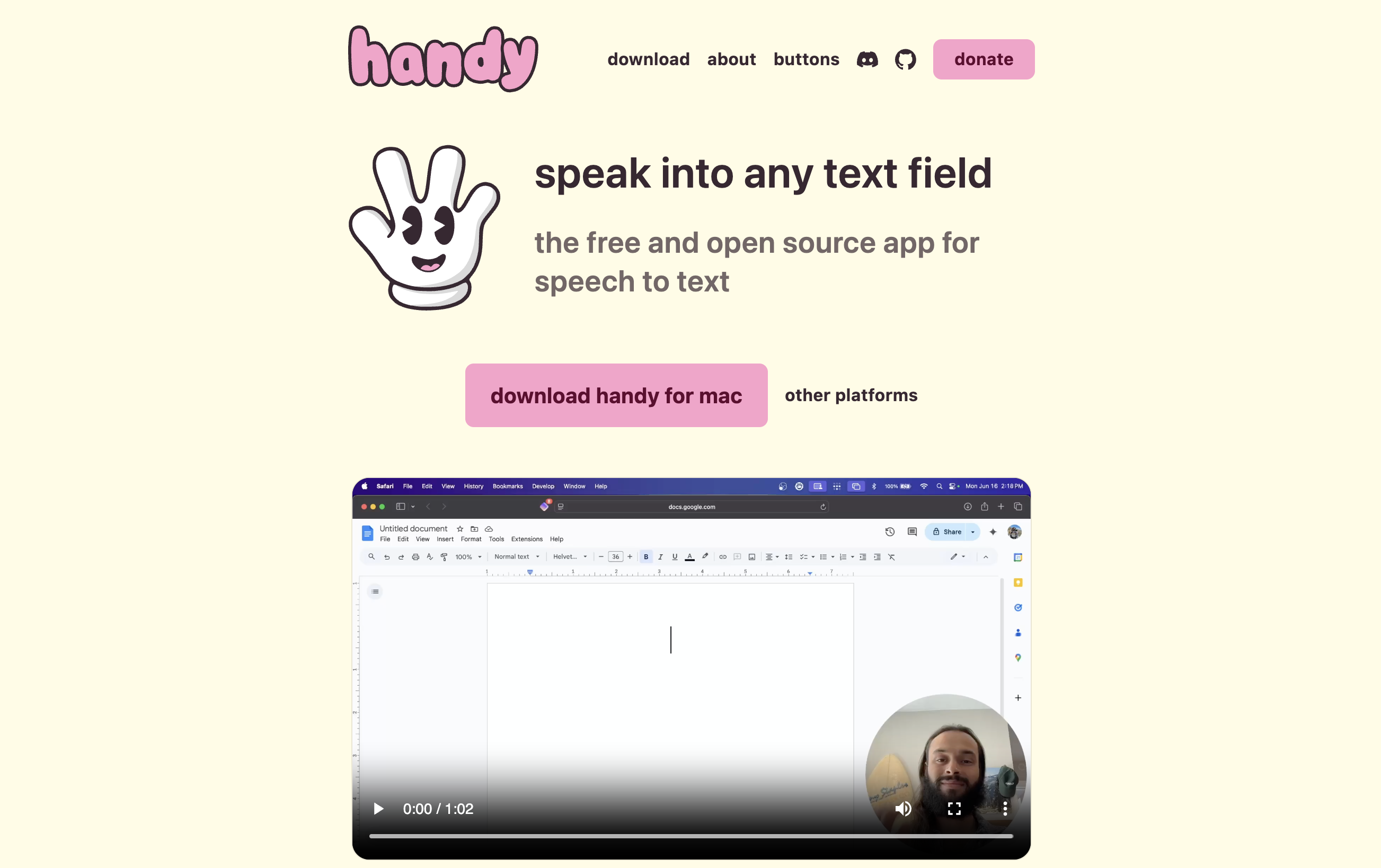
Handy is a free, MIT-licensed, cross-platform dictation app written in Rust by cjpais (Chris Pais). The repo at github.com/cjpais/Handy has 22,435 stars as of May 27, 2026 — the highest of the nine — with the last commit on May 23, 2026.
The project describes itself as "A free, open source, and extensible speech-to-text application that works completely offline." If you need one Wispr Flow alternative for Mac, Windows, and Linux, Handy is the strongest current option.
Our Handy alternatives guide covers when other tools fit better.
Key Features:
- True cross-platform binaries for macOS, Windows, and Linux from a single Rust codebase
- 100% on-device speech recognition using Whisper models locally
- MIT license — the most permissive of the nine, freely usable in derivative works
- Push-to-talk hotkey activation
- System-wide dictation across any application
- Active commit cadence with multiple contributors
- Extensible plugin architecture for community contributions
- Apple Silicon and ARM optimization on supported platforms
Pros:
- Highest star count in the OSS dictation category (22,435 stars — community-validated signal)
- MIT license is the most permissive — companies, individuals, and forks all benefit
- Cross-platform: Mac + Windows + Linux from one binary distribution
- Multi-contributor project (107 GitHub contributors as of May 2026) — lowest abandonment risk of the nine
- Free for everyone — no paid tier creates incentive misalignment
- Rust implementation is memory-safe and fast — performance peer to native Mac apps
Cons:
- Unsigned binaries on macOS require Gatekeeper override on first launch (paid tools handle this for you)
- No commercial support tier — every support request is a GitHub issue
- Less polished onboarding than paid commercial products — model download and hotkey setup are manual steps
- Documentation is community-driven and uneven across platforms (Windows and Linux setup guides are thinner than Mac)
- No mobile app (iOS or Android) — Wispr Flow's mobile reach exceeds Handy's
Pricing: Free. No paid tier, no trial limits, no credit card. Source code at github.com/cjpais/Handy under MIT. Prebuilt binaries at handy.computer.
User Reviews: 22,435 stars on github.com/cjpais/Handy (May 27, 2026). The strongest community-trust signal in the OSS dictation category — higher than Buzz (19,413), VoiceInk (5,099), or any other actively-maintained dictation-specific OSS project we checked.
Best For: Cross-platform users who need on-device dictation on Mac and Windows and Linux from a single codebase, with a permissive MIT license and the strongest community-trust signal in the OSS ecosystem.
3. FluidVoice — The Viral Mac Pick With a Live Preview (and a Fragile Streak)
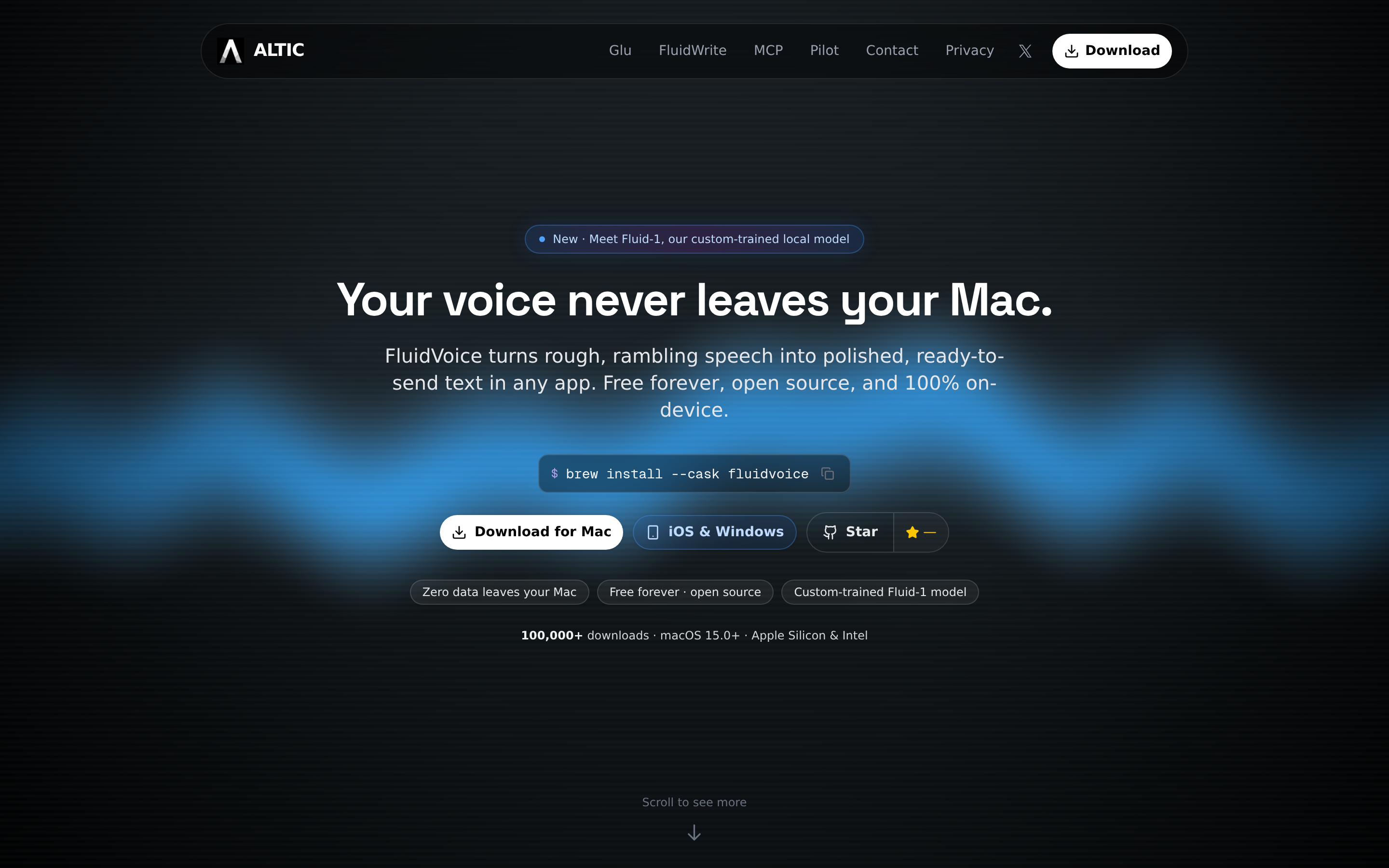
FluidVoice is a free, GPL v3.0 dictation app for macOS and the category’s viral entry: 9,400 stars and 620 forks on github.com/altic-dev/FluidVoice in under a year of public development. (The license changed from Apache 2.0 to GPL v3 in February 2026.)
Its signature is a live word-by-word preview overlay that shows your words as you speak. Behind it sit six-plus selectable on-device models and Fluid Intelligence, a fully local AI cleanup layer (~3.5 GB model, no API keys).
We lived in it for three weeks of daily dictation. The full test log is in our FluidVoice review.
Key Features:
- Live word-by-word preview overlay while dictating — unique in the free field
- Six-plus selectable local models (Nemotron Speech 3.5, Parakeet Flash/TDT, Whisper, Apple Speech, Cohere Transcribe)
- Fluid Intelligence: local AI cleanup with no API keys required (~3.5 GB model)
- Per-app configuration, Command Mode, Edit Mode, and a custom dictionary
- Built-in update rollback button — and you will use it
Pros:
- Completely free — no paid tiers, word limits, or subscriptions
- 9,400 stars and 620 forks in under a year — the fastest-growing Mac entry of the nine
- Named the top macOS pick in Adam Jones’s independent 21-app Wispr Flow alternatives test
- Very fast development pace — two updates shipped during our three-week test
Cons:
- Stability is the story. In three weeks of daily use:
- Microphone handling broke repeatedly — an AirPods switch froze dictation, and an update silently selected the wrong mic
- One update started cutting opening words until we rolled back
- The AI layer sometimes summarized, or refused, instead of cleaning
- The Fluid Intelligence AI runtime is closed-source inside an otherwise open-source app — we mapped which parts are open and which aren’t in Is FluidVoice safe?
- Anonymous analytics are on by default; the opt-out is in settings
- Requires macOS 15+ and effectively Apple Silicon — Intel Macs are limited to a slower Whisper-only path
- Solo-developer project with no formal support channel
Best for: Mac tinkerers who want the best free feature set in the category and don’t mind rolling back a build when an update misbehaves. Our verdict after three weeks: 7/10 — the full FluidVoice review has the day-by-day log.
4. VoiceTypr — Mac + Windows AGPL v3.0 Alternative with Paid Binary Path
VoiceTypr is a Mac and Windows dictation tool by solo founder Moinul Moin, licensed under AGPL v3.0. The repo at github.com/moinulmoin/voicetypr has 386 stars as of May 27, 2026, with the last commit on May 21, 2026.
It positions itself directly as "an alternative to Wispr Flow and Superwhisper" and ships native binaries for macOS 14+ and Windows 10+. The business model is paid binary, source available — the same shape as VoiceInk.
The author's motivation is one line: "paying a monthly fee for basic dictation didn't feel right."
Key Features:
- Native binaries for macOS 14+ and Windows 10+ from a unified codebase
- 100% offline local transcription by default — no cloud dependency
- AGPL v3.0 license — strongest copyleft, network-use triggers source obligations
- System-wide dictation across any application
- 3-day free trial on paid binary, no credit card required
- Lifetime license by device count — $39 for one, $69 for two, $99 for four; no subscription
- Source-buildable from github.com/moinulmoin/voicetypr
- Solo founder maintenance with active commit cadence
Pros:
- Cross-platform Mac + Windows — narrower platform set than Handy but more polished UX on both
- AGPL v3.0 is the strongest copyleft license — protects derivative works against proprietary closure
- Paid binary path ($39 lifetime for one device) supports the maintainer with a sustainable revenue model
- Free 3-day trial lets you verify fit before paying
- One-time pricing — no recurring subscription
- Active commit cadence as of May 2026
Cons:
- Smaller community signal (386 stars) compared to Handy (22,435) or VoiceInk (5,099) — slightly higher abandonment risk if the solo maintainer's attention shifts
- No Linux support (Mac and Windows only)
- AGPL v3.0 is restrictive for commercial derivative works — companies wanting to integrate it into a closed-source product cannot, while MIT licenses (Handy) and GPL v3.0 (VoiceInk) are easier or harder depending on use case
- Each extra device raises the price: $69 covers two devices, $99 covers four
- No iOS, Android, or Chrome extension
Pricing: 3-day free trial (no credit card). Lifetime license priced by activations: $39 for one device, $69 for two, $99 for four (Mac or Windows installs). Free source build from github.com/moinulmoin/voicetypr under AGPL v3.0.
User Reviews: 386 stars on github.com/moinulmoin/voicetypr (May 27, 2026). Smaller community than Handy or VoiceInk; the active commit cadence is the stronger signal.
Best For: Users who need a Mac + Windows OSS dictation tool with paid-binary support, are comfortable with the AGPL v3.0 license terms, and want a one-time payment versus Wispr Flow's annual subscription.
5. OpenWhispr — Cross-Platform MIT Dictation with BYOK Cloud Models

OpenWhispr is a cross-platform, MIT-licensed dictation app at github.com/OpenWhispr/openwhispr. It has roughly 5,500 stars as of August 17, 2026, up from 3,394 in late May, with v1.8.3 released on August 13, 2026 and active multi-contributor development.
The product description: "Voice-to-text dictation app with local (Nvidia Parakeet/Whisper) and cloud models (BYOK). Privacy-first and available cross-platform." Get it from openwhispr.com or build from source.
Our OpenWhispr review covers its 2026 freemium pivot. OpenWhispr vs Handy puts the two MIT apps head to head.
Key Features:
- Cross-platform Mac, Windows, and Linux from one codebase
- Local on-device Whisper models for privacy-default workflows
- Optional Nvidia Parakeet support for users with compatible GPUs
- Bring-your-own-key (BYOK) cloud support for OpenAI Whisper API or other cloud models
- MIT license — permissive, freely embeddable in derivative work
- Global hotkey activation
- Active multi-contributor development
Pros:
- BYOK cloud support is a genuine differentiator — opt-in cloud accuracy without committing to a managed cloud product
- Cross-platform binaries for Mac, Windows, and Linux
- MIT license matches Handy's permissiveness
- Active multi-contributor development with ≈5,500 stars (August 2026)
- Nvidia Parakeet support is the most distinctive feature in the OSS category
Cons:
- BYOK cloud means you're billed by OpenAI or another provider — the architecture solves the "bundle" problem but trades it for a metered-API cost that's hard to predict
- Lower star count than Handy (≈5,500 vs. ≈29,800 as of August 17, 2026) — smaller community
- Nvidia Parakeet path requires compatible Nvidia GPU and CUDA toolkit — non-trivial setup
- Documentation is uneven across platforms
- API key storage handling is the user's responsibility — read the docs to confirm where keys are stored
Pricing: Freemium since mid-2026. Local models are free and unlimited; the managed OpenWhispr Cloud is free for 2,000 words/week, then Pro at $6.67/user/month billed annually ($80/user/year). BYOK cloud usage is billed by your chosen API provider. Source at github.com/OpenWhispr/openwhispr under MIT — full plan detail in our OpenWhispr pricing guide.
User Reviews: ≈5,500 stars on github.com/OpenWhispr/openwhispr (August 17, 2026). Strong multi-contributor signal — more diverse maintenance signal than solo-developer projects. Its 2025 Product Hunt launch drew 190 upvotes but no written reviews, so no star rating exists there.
Best For: Cross-platform users who want optional cloud accuracy with their own API key, GPU-equipped users wanting Nvidia Parakeet, or anyone who prefers the BYOK model to managed cloud products like Wispr Flow.
6. nerd-dictation — Canonical Linux Open Source Dictation (Vosk-Based)
nerd-dictation is a Python dictation tool for Linux at github.com/ideasman42/nerd-dictation, licensed under GPL v3.0. It has 1,848 stars as of May 27, 2026. The last commit was October 10, 2025 — roughly seven months of quiet as of May 2026.
Maintainer ideasman42 (Campbell Barton) is a long-time Blender Foundation core developer. The project describes itself as "Simple, hackable offline speech to text - using the VOSK-API."
Key Features:
- Linux-native (works on most distributions with X11 or Wayland)
- VOSK speech recognition engine (not Whisper) — faster on lower-spec hardware
- Hackable Python implementation — scriptable, configurable, and forkable
- GPL v3.0 license
- Multiple keybinding configurations supported
- Output via xdotool, ydotool, or piped to other tools
- Small footprint (~131 KB repo)
Pros:
- The canonical Linux OSS dictation choice — most-referenced in Linux community guides
- VOSK engine is faster than Whisper on lower-spec hardware (older laptops, ARM SBCs)
- Highly hackable — Python implementation invites scripting and custom integration
- Small repo size makes auditing the entire codebase tractable
- Maintained by a respected long-time Blender contributor
Cons:
- Maintenance is slowing: the last commit was October 10, 2025 — about seven months ago at time of writing. Not abandoned, but the pace has dropped versus 2023-2024 activity
- VOSK accuracy is below Whisper for most English-language dictation — newer Linux projects (Handy, Speech Note) using Whisper outperform on accuracy
- Linux-only (no Mac, no Windows)
- Command-line oriented — requires familiarity with shell, xdotool, and Python virtualenv
- No graphical UI for non-technical users
Pricing: Free. Source at github.com/ideasman42/nerd-dictation under GPL v3.0.
User Reviews: 1,848 stars on github.com/ideasman42/nerd-dictation (May 27, 2026). Star count is moderate; the maintainer reputation (Blender Foundation core dev) adds non-numeric signal.
Best For: Linux users who are comfortable with the command line, want a hackable Python implementation, and prefer VOSK over Whisper for lower-spec hardware. If you want a more actively maintained Linux option, Handy or Speech Note are stronger picks; if you want hackability and Linux purism, nerd-dictation remains the canonical reference.
7. Speech Note (dsnote) — Polished Linux GTK Speech Toolkit
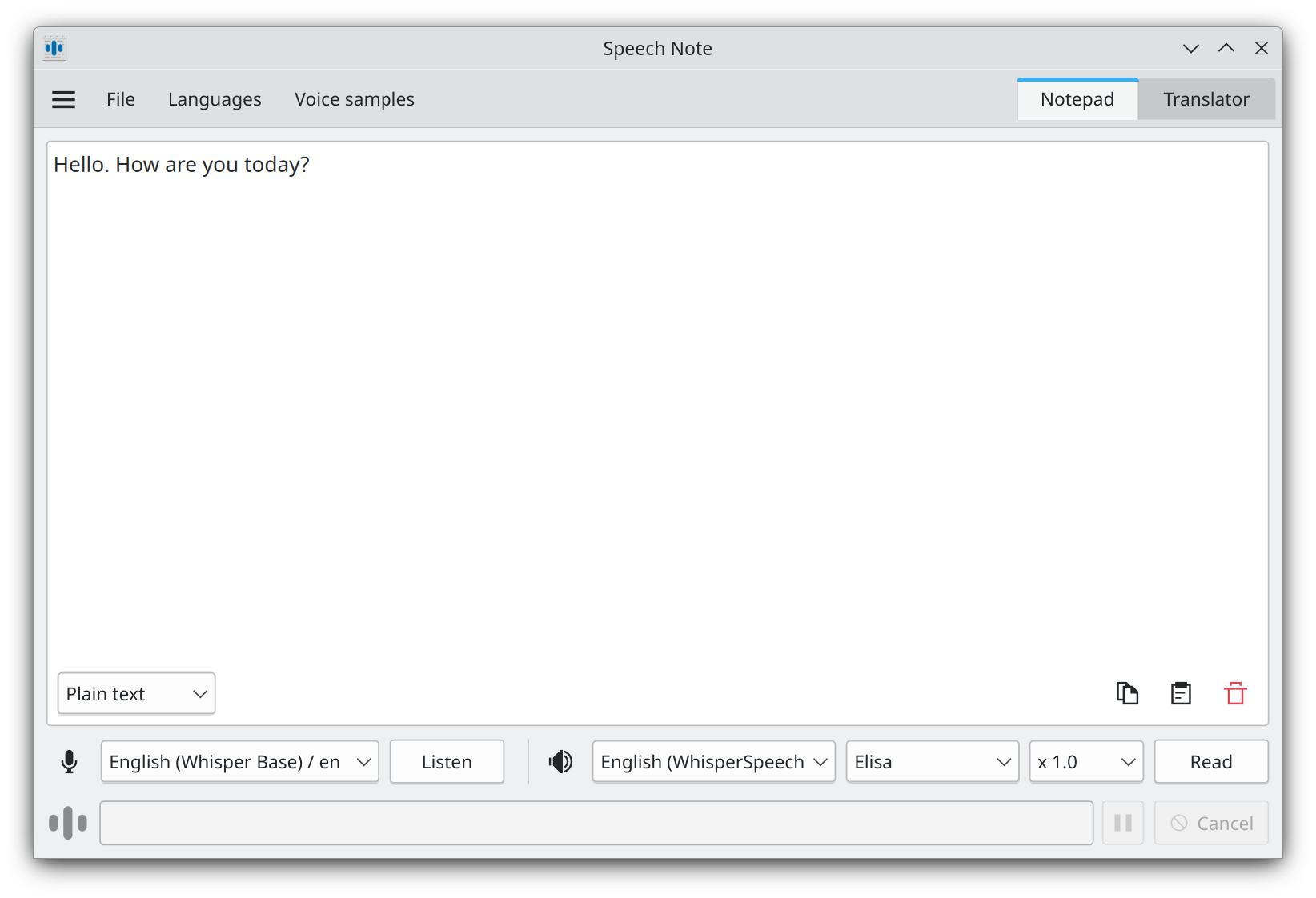
Speech Note is a GTK desktop app for Linux at github.com/mkiol/dsnote, licensed under MPL 2.0. It has 1,471 stars as of May 27, 2026, with the last commit on May 23, 2026 — an active weekly cadence.
Maintainer mkiol describes it as "Speech Note Linux app. Note taking, reading and translating with offline Speech to Text, Text to Speech and Machine translation." It supports several recognition backends (Whisper, faster-whisper, VOSK, Coqui) and ships as a Flatpak.
Key Features:
- Polished GTK desktop UI — visually integrated into GNOME and KDE Linux desktops
- Multi-engine support: Whisper, faster-whisper, VOSK, Coqui
- Speech-to-text, text-to-speech, and machine translation in one application
- Flatpak distribution — installs cleanly on any modern Linux distribution
- MPL 2.0 license — file-level copyleft, less restrictive than GPL
- Multiple language models including Whisper Large v3
- Active multi-engine architecture (you can switch backends per-job)
Pros:
- The most polished Linux dictation UI among OSS options — better visual fit than nerd-dictation's command-line approach
- Multi-engine support gives you Whisper accuracy when you want it and VOSK speed when you want that
- Flatpak distribution removes per-distribution packaging pain
- Active commit cadence (last push May 23, 2026)
- Includes text-to-speech and translation features beyond pure dictation
Cons:
- Linux-only (no Mac, no Windows)
- Smaller community signal (1,471 stars) than Handy (22,435) — but active maintainer
- GTK-first UI feels less native on KDE/Qt-based desktops
- Lead-maintainer-driven project (19 contributors); the architectural direction depends on mkiol's continued attention
- System-wide dictation behavior on Wayland depends on compositor support (compositor-specific issues persist)
Pricing: Free. Source at github.com/mkiol/dsnote under MPL 2.0. Flatpak distribution at Flathub.
User Reviews: 1,471 stars on github.com/mkiol/dsnote (May 27, 2026). Smaller community than Handy but active maintainer signal is strong.
Best For: Linux users who want a polished GTK UI rather than a command-line tool, multi-engine flexibility (Whisper, faster-whisper, VOSK, Coqui), and integrated text-to-speech plus translation features alongside dictation.
8. Buzz — Open Source File Transcription Cousin to Live Dictation
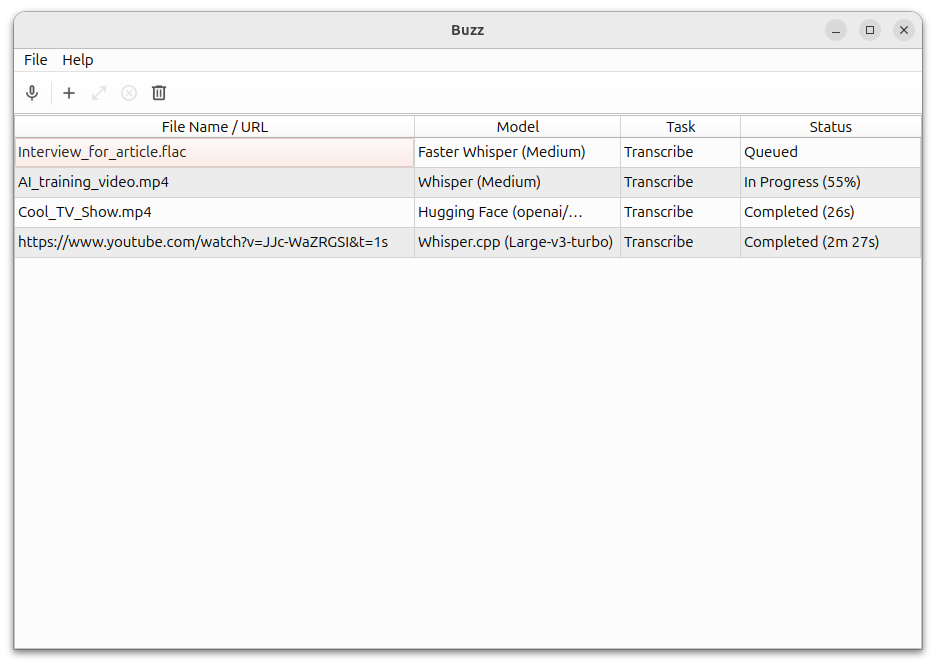
Buzz is a cross-platform desktop GUI for Whisper transcription at github.com/chidiwilliams/buzz, licensed under MIT. It has 19,413 stars as of May 27, 2026, with the last commit on May 16, 2026.
Maintainer chidiwilliams (Chidi Williams) describes it as "Buzz transcribes and translates audio offline on your personal computer. Powered by OpenAI's Whisper."
Be clear about the use case before you download it. Buzz is built for file transcription, not live system-wide dictation. It's the cousin that pairs with a live dictation tool, not a one-to-one Wispr Flow replacement.
Key Features:
- Drop-in file transcription for audio and video files (MP3, MP4, WAV, M4A, MOV, AVI, MKV)
- Live microphone transcription into Buzz's own viewer window (with optional presentation window for events)
- Translation support across 100+ languages via Whisper
- MIT license
- Cross-platform: Mac, Windows, Linux
- Multiple Whisper model sizes (Tiny to Large v3)
- 31 GitHub contributors with active multi-contributor development
- Hugging Face and OpenAI API integration options
Pros:
- Strong community-trust signal (19,413 stars, second only to Handy among the nine)
- Multi-contributor development (31 contributors) reduces solo-maintainer abandonment risk
- Cross-platform binaries for Mac, Windows, Linux
- MIT license matches Handy on permissiveness
- Excellent for recorded meeting and interview transcription workflows
- Multi-language and translation support
Cons:
- Buzz does not type into other applications. Mic-input mode transcribes audio into Buzz's own viewer window, not into the cursor of Microsoft Word, Outlook, Slack, your browser, or any other frontmost app. That is the architectural difference from the other eight tools.
- Workflow is: record or import audio → transcribe to text in Buzz → manually copy/paste the output. Not "speak and the text appears in the app you are using."
- Not a Wispr Flow replacement for the system-wide dictation workflow Wispr Flow is built around
- Wrong tool entirely for short bursts of dictation in email or documents
Pricing: Free. Source at github.com/chidiwilliams/buzz under MIT. Distribution at chidiwilliams.github.io/buzz.
User Reviews: 19,413 stars on github.com/chidiwilliams/buzz (May 27, 2026). Second-highest of the nine, after Handy.
Best For: Anyone who needs to transcribe recorded audio or video files (meetings, interviews, lectures, podcasts) and wants an MIT-licensed, cross-platform, actively maintained tool. Pair it with a live dictation tool such as Handy or VoiceInk for the "speak as you go" workflow Buzz is not designed for.
9. Talon Voice — Freemium Voice-Controlled Computing Framework

Talon Voice (talonvoice.com) is a voice-controlled computing framework maintained by Ryan Hileman (lunixbochs on GitHub). It is not strictly open-source: the core engine is a proprietary, closed-source binary.
What is open is the ecosystem around it:
- The talonhub/community configuration repository (MIT)
- The awesome-talon resource list
- Third-party command sets and scripts contributors maintain
Funding is donation-based. The core download is free for everyone. Patreon supporters get early access to beta features and higher-priority support, but there is no hard feature paywall on the main download.
Key Features:
- Voice-controlled OS computing beyond dictation — keyboard shortcuts, mouse control, app switching all by voice
- Industrial-strength accessibility tool — widely used by developers with repetitive strain injury (RSI)
- Cross-platform: Mac, Windows, and Linux from the same alpha binary
- MIT-licensed community configuration repository (talonhub/community)
- Conformer-2, Whisper, and other backend options
- Highly extensible via Python scripting layer
- Active community on Slack with deep technical support
Pros:
- Category-defining tool for full voice-controlled coding and OS computing — no peer matches Talon's depth
- Battle-tested for accessibility — developers with RSI, mobility limitations, and chronic injuries are among the most committed user base
- Free alpha tier covers most users; Patreon support gates only newer features, not core capability
- Cross-platform from one codebase
- MIT-licensed community config repository — your customizations stay portable
Cons:
- Not strictly open-source: the core engine binary is proprietary. For users whose threat model requires source-auditable code, Talon does not meet the bar
- Steep learning curve — Talon is a voice computing framework, not just a dictation tool
- Beta features and higher-priority support are gated to Patreon supporters — not a hard paywall on core capability, but ongoing payment is part of the model if you want the newest backends and priority response
- Solo maintainer (Ryan Hileman) — strongest reputation in the category but a single point of failure
- Configuration is text-file-driven, not GUI — non-technical users find onboarding harder than VoiceInk or Handy
Pricing: Alpha version free for everyone. Beta access via Ryan Hileman's Patreon (typical tiers start at $5/month, equivalent to approximately $180 over three years if you stay subscribed continuously).
User Reviews: Not GitHub-star measurable (the core is closed-source). The signal is the third-party ecosystem — the awesome-talon directory lists dozens of community projects built on Talon, and the Slack community is among the most active in the voice-computing category.
Best For: Developers using voice for coding (Python, VS Code, IDEs), users with RSI or mobility constraints who need full voice-controlled OS computing, and anyone willing to invest in the steeper learning curve for category-defining capabilities. Not the right tool if you simply want "dictation that replaces typing in Word or email" — VoiceInk or Handy fit that workflow better and are easier to set up. For an honest comparison of Talon against pure dictation tools, see our best dictation software for developers guide.
The Maintained-Product Alternative: Voibe, If You Want Simple, Fast, and Private Without the Setup

Every open-source dictation tool asks you to do some of the work. Pick a model. Download the weights. Override Gatekeeper or run cargo. Then discover that the dictionary, the text shortcuts, and the hands-free toggle are a settings file you maintain — or don't exist yet.
If that tinkering is the point, stick with open source. If you just want something simple, fast, and private that works the day you install it, Voibe is the app we build.
Same open-source models, none of the setup
Voibe has two processing modes. You pick one at setup and can switch in Settings.
On-device on Apple Silicon (M1 or later). Whisper runs on the Neural Engine. It works with no internet, and nothing leaves the machine. Architecturally this is the same path VoiceInk, Handy, and VoiceTypr take; the disconnect-your-Wi-Fi test passes the same way.
Zero-retention cloud (Windows, Intel Macs, or any Mac where you'd rather not run models locally):
- Audio is encrypted in transit and transcribed by Whisper Large Turbo, an open-source model running on zero-retention providers (Groq or Cloudflare)
- Audio is deleted the moment transcription completes — never stored, never sold, never used to train any model
- Formatting is a second hop that sees only the text, never the audio: GPT-OSS 120B, an open-weight model running on Cerebras
- Only open-source and open-weight models are used, so no third-party AI lab — not OpenAI, Google, Anthropic, or Microsoft — is in the audio path
- You never create an AI-vendor account, paste an API key, or pick a model
The full data path is documented at getvoibe.com/cloud-ai-privacy.
That second mode is the one the open-source tools have no answer for. OpenWhispr and VoiceInk offer cloud accuracy only if you bring your own key, which means an OpenAI or similar account and that vendor's retention terms. Voibe's cloud is the same open-model idea with the key, the account, and the retention removed.
What the OSS tools leave to you, Voibe ships
- Dictionary. Custom vocabulary that is injected into transcription itself, not find-and-replace after the fact. Names, jargon, acronyms, drug names, statute shorthand; bulk edit; a Dragon Vocabulary Center export (TXT or XML) pastes straight in.
- Memory. Text-expansion shortcuts: say a trigger and it expands into a signature block, an address, a URL, a boilerplate paragraph, or a reusable prompt. The Dragon equivalent is Auto-Texts; the OSS equivalent is usually a separate text-expander app.
- Three dictation modes. Push-to-talk (hold Fn by default), Hands-Free Mode (double-tap to start and stop, so you can dictate a long email without holding a key), and Live Dictation on Mac, which streams words on screen as you speak so you can edit before they land.
- Spoken punctuation. Voibe punctuates automatically as you speak naturally, and also takes marks and symbols by name: "comma", "period", "open paren", "new paragraph", "bullet point", "@", currency symbols, even a full email address.
- Smart Formatting. Bounded cleanup — punctuation, capitalization, paragraphing, filler-word removal. It does not paraphrase or rewrite your meaning, which is the line that separates it from the LLM "rewrite" layers in Wispr Flow and the BYOK Polish features in some OSS tools.
- Developer Mode. Scans the workspace locally and resolves file names, folder paths, and variable names in Cursor, VS Code, and Windsurf. No OSS dictation tool on this list ships an equivalent IDE-aware mode out of the box.
- 90+ languages, native apps on both platforms. A native Mac app (macOS 14.4 or later, Intel and Apple Silicon) and a ground-up native Windows app launched in 2026 — not an Electron port. One plan covers both.
- Signed installer and a support address. Download, drag to Applications, grant permissions, dictate. No Xcode, no Homebrew, no model download. When something breaks on a deadline day there is an email to write to, not an issue queue.
Voibe vs. the OSS path, side by side
| Question | Open-source tools | Voibe |
|---|---|---|
| Transcription model | Whisper, Parakeet, or VOSK — you choose and download | Open-source Whisper, chosen and tuned for you |
| Runs on-device | Yes, on all of them | Yes, on Apple Silicon (M1 or later) |
| Cloud option | BYOK only (OpenWhispr, VoiceInk Polish) or none | Zero-retention cloud, open-source models, no key or account |
| Custom vocabulary | Varies by project; often a prompt or a settings file | Dictionary, injected into transcription, bulk edit |
| Text-expansion shortcuts | Pair with a separate text expander | Memory, built in |
| Hands-free and live modes | Push-to-talk on most; live preview on FluidVoice | Push-to-talk, Hands-Free Mode, Live Dictation (Mac) |
| Spoken punctuation | Whatever the raw model outputs | Automatic, plus marks and symbols by name |
| IDE integration | None ship it | Developer Mode for Cursor, VS Code, Windsurf |
| Platforms | Mac, Windows, Linux (varies) | Mac and Windows; no Linux |
| Source auditable | Yes | No |
| Support | GitHub issues, Discord | Email, maintained roadmap |
| Price | $0, or $25-99 for a paid binary | Free plan (limited words); $9.90/mo, $99/yr, or $199 lifetime; 7-day trial |
The value combo: Wispr Flow and Granola in one plan. Voibe Dictation is $99 a year. For $50 more, Voibe Work ($19/month, $149/year, or $399 lifetime) adds AI meeting notes with no bot in the call. That one plan covers what Wispr Flow Pro ($144/year) and Granola Business ($168/year) charge $312 a year for separately, so it costs $163 (52.2%) less every year. Wispr's own unlimited Notetaker plan costs the same $312. Meeting notes are captured on your Mac or Windows PC, processed in Voibe's zero-retention cloud and saved on your computer, and Voibe reminds you to tell everyone you're taking notes.
What Voibe does not give you
- Voibe is not open-source. You cannot read the source code, fork the project, or build it yourself. The models are open; the app around them is not.
- Voibe covers Mac and Windows only. On-device mode needs an Apple Silicon Mac; Intel Macs and Windows use the zero-retention cloud. If you need Linux, Handy or Speech Note are the right answer.
- Unlimited Voibe is not $0. Voibe Free costs nothing, but it caps words (Voibe does not publish the number) and runs on one device; unlimited dictation is $9.90 a month, $99 a year, or $199 lifetime. The fully-free OSS route (Handy, OpenWhispr's local models, nerd-dictation, Speech Note, Buzz) costs nothing in license fees and has no word cap, if your time is free.
- Voibe carries no SOC 2 report (a BAA is available on request). Its privacy story is architectural — on-device on Apple Silicon, zero retention in the cloud — not a compliance attestation. If procurement needs paper, that matters.
Pricing and the three-year math
$9.90 a month, $99 a year (about $8.25 a month), or $199 lifetime with all future updates. Pricing is per seat, with Enterprise plans for 10+ seats. Every account starts with a 7-day free trial, then moves to Voibe Free ($0, limited words on one device) unless you buy a plan; paid plans carry a 30-day money-back guarantee.
On Product Hunt it holds a 4.8/5 rating. Speed, privacy, and the Cursor/VS Code integration are the recurring notes.
Over three years:
- Wispr Flow Pro Annual: $432 ($144/yr × 3) — cloud-routed, 5-subprocessor chain, recurring
- Voibe lifetime: $199 — Mac and Windows, on-device or zero-retention cloud, one-time payment (saves $233 / 53.9% vs. Wispr Flow)
- VoiceInk Solo: $25 — on-device, source-available, paid binary supports solo maintainer
- VoiceTypr lifetime: $39 for one device ($69 for two, $99 for four) — on-device, AGPL v3.0, solo founder maintenance
- Handy / OpenWhispr / nerd-dictation / Speech Note / Buzz: $0 — on-device or file-transcription, community-maintained
Voibe's wedge against the free OSS path is not price. It's that the private architecture and the dictation features arrive finished.
Voibe's wedge against Wispr Flow is the data path — open models, zero retention, no third-party AI lab in the audio path — plus the $233 saving and a one-time payment with no renewal risk.
For the head-to-heads, read Voibe vs Handy and Voibe vs VoiceInk. For the Windows side, see how the Windows app uses the zero-retention cloud. Try Voibe for free →
Key Takeaway
Voibe runs the same open-source models the OSS tools run (Whisper on-device on Apple Silicon; Whisper Large Turbo and GPT-OSS 120B on a zero-retention cloud where audio is deleted the moment transcription completes), then adds what you would otherwise build yourself: Dictionary, Memory, Hands-Free Mode, Live Dictation, spoken punctuation, Smart Formatting, and Developer Mode. $199 lifetime covers Mac and Windows; the trade is that you cannot read the source.
Info
Voibe is not open-source. If source-auditable code is a hard requirement for your threat model — corporate IT review, supply-chain attestation, or simply "I want to read the code" — VoiceInk (GPL v3.0) on Mac or Handy (MIT) cross-platform are stronger picks. If you would rather have the same open-source models running with zero retention, a two-minute install, and the dictation features already built, Voibe is the parallel path.
How to Choose: 5-Question Decision Tree
Five questions resolve to a recommendation in two minutes.
Question 1: What platform do you need?
- Mac only → Continue to Question 2.
- Mac + Windows → Handy (MIT, free) or VoiceTypr ($39 lifetime for one device, AGPL v3.0) if you want open source. Voibe ($199 lifetime, one plan covers both platforms, zero-retention cloud on Windows) if you want it maintained and set up in two minutes. Skip to Question 4.
- Linux → Handy (MIT, free) or Speech Note (MPL 2.0, free) for active maintenance. nerd-dictation (GPL v3.0, free) if you prefer Python and command-line. Skip to Question 5.
- Cross-platform including iOS/Android → No OSS tool covers all five Wispr Flow platforms. Stay on Wispr Flow Pro with signed BAA + Privacy Mode locked on, or split: Voibe on Mac + Wispr Flow on mobile.
Question 2: Is source-auditable code a hard requirement (Mac path)?
- Yes — must read the source → VoiceInk (GPL v3.0). Build from source for free, or buy a binary for $25-49 to support the maintainer.
- No — simple, fast, and private matters more → Voibe at $199 lifetime. Same open-source Whisper models, on-device on Apple Silicon or through the zero-retention cloud, with Dictionary, Memory, Hands-Free Mode, and spoken punctuation working out of the box and no setup tax or abandonment risk.
Question 3: How comfortable are you with setup?
- I can run Xcode, Homebrew, and command-line tools → Build VoiceInk, Handy, or nerd-dictation from source. Setup is 20-60 minutes.
- I want a code-signed installer that just works → VoiceInk paid binary ($25-49), VoiceTypr paid binary ($39-99), or Voibe lifetime ($199). Setup is 2-5 minutes.
- I do not want to manage Whisper models, API keys, or accessibility permissions → Voibe — the installer handles the model and the permissions in one flow, and the cloud mode needs no key or vendor account.
Question 4: What is your budget over 3 years?
- $0 license fees → Handy or OpenWhispr cross-platform; nerd-dictation, Speech Note, or Buzz for specific Linux or file-transcription use cases.
- $0 with nothing to set up → Voibe Free (limited words on one Mac or Windows PC, after a 7-day trial of every feature) or Wispr Flow's own Free plan (2,000 words a week on desktop). Both cap usage; the OSS tools above don't.
- Under $100 → VoiceInk Solo ($25), Personal ($39), or Extended ($49) for Mac; VoiceTypr ($39 for one device, $69 for two, $99 for four) for Mac + Windows.
- $100-200 with maintained-product support included → Voibe lifetime ($199) for Mac and Windows, which removes setup tax and abandonment risk and includes the Dictionary, Memory, and Hands-Free features.
- $200+ for cross-platform polish across 5 devices → Wispr Flow Pro Annual ($432 over 3 years) with signed BAA + Privacy Mode locked on for non-sensitive work, plus an on-device tool for sensitive work.
Question 5: Do you need real-time dictation, file transcription, or both?
- Real-time dictation only → VoiceInk, Handy, VoiceTypr, OpenWhispr, nerd-dictation, Speech Note, Talon Voice, or Voibe.
- File transcription only (meetings, interviews) → Buzz (MIT, free, 19,413 stars, active).
- Both → Pair a live dictation tool (Handy or Voibe) with Buzz. Total cost: $0 (Handy + Buzz) or $199 (Voibe + Buzz). Wispr Flow does neither file transcription itself, so this pairing is required either way.
Key Takeaway
The five-question tree resolves most situations: platform → source-auditable requirement → setup tolerance → budget → real-time vs. file. The honest path is to match the tool to your actual constraints rather than picking by star count alone — a 22,435-star tool whose setup tax you cannot pay is worse than a 5,099-star tool whose installer just works.
Best Tool for Your Situation: Use-Case Cheat Sheet
- Mac developer who wants source-auditable on-device dictation → VoiceInk source build (GPL v3.0, free). Build with Xcode, audit the codebase, dictate.
- Mac tinkerer who wants the richest free feature set (live preview, model choice, local AI cleanup) → FluidVoice (GPL v3.0, free, 9,400 stars). Keep the rollback button handy — our three-week test log explains why.
- Mac or Windows knowledge worker who wants simple, fast, private dictation without setting anything up → Voibe lifetime ($199). Two-minute install, dictate in any app, Dictionary and Memory shortcuts and Hands-Free Mode ready on day one; on-device on Apple Silicon or zero-retention cloud running open-source models.
- Cross-platform Mac + Windows user who wants free OSS → Handy (MIT, free, 22,435 stars). Mac, Windows, and Linux from one binary.
- Cross-platform Mac + Windows user who wants paid OSS support → VoiceTypr ($39 lifetime for one device, AGPL v3.0). Solo founder, active maintenance, paid-binary path.
- Linux user who wants a polished GUI → Speech Note (MPL 2.0, free). GTK desktop integration, Flatpak distribution, multi-engine.
- Linux user who wants command-line scriptability → nerd-dictation (GPL v3.0, free). Python-hackable, VOSK-based, shell-pipeline friendly. Note: maintenance is slowing as of late 2025.
- User with RSI who needs voice-controlled OS computing → Talon Voice. Free alpha, Patreon-gated beta. Steeper learning curve, deeper capability.
- Meeting recordings, interview audio, podcast transcription → Buzz (MIT, free). Drop in a file, get a transcript. Pair it with Handy or Voibe for live dictation.
- Want BYOK cloud accuracy without managed subscription → OpenWhispr (MIT, free + your API costs). Local Whisper or Parakeet plus optional cloud BYOK. If you want cloud speed without managing a key at all, Voibe's zero-retention cloud runs open-source models with no vendor account to create.
- Cross-platform team that needs Mac + Windows + iOS + Android polish → Wispr Flow Pro ($144/yr, $432/3yr) with signed BAA + Privacy Mode locked on. Then audit which audio actually needs that cross-platform reach versus what could move on-device.
- Switching from a dormant OSS dictation tool (savbell/whisper-writer, etc.) → Handy if you need Linux, Voibe if you want maintained-product support on Mac or Windows.
- Educator or student on Mac with $0 budget → VoiceInk source build (free), Apple Dictation (built-in, free), or Voibe Free (limited words on one device, after a 7-day full trial) for a short-form test.
Key Takeaway
The cheat sheet maps 12 concrete situations to specific tools. Pick by what you are optimizing for — source auditability, polished onboarding, cross-platform reach, file vs. live, free vs. paid — not by which tool has the most stars or the loudest marketing.
Frequently Asked Questions
Open Source Basics
What is the best fully open-source alternative to Wispr Flow?
It depends on platform.
- Mac: VoiceInk (GPL v3.0). Same real-time dictation job, source on GitHub, 5,099 stars, daily commits as of May 2026.
- Cross-platform: Handy (MIT). Mac, Windows, and Linux from one Rust codebase, 22,435 stars, the most permissive license of the nine.
Both are fully open-source. Both run speech recognition entirely on-device.
Which OSS license should I prefer: MIT, GPL v3.0, AGPL v3.0, or MPL 2.0?
For personal use, all four are functionally equivalent: you get the source and you can run the tool. They differ when you modify and redistribute.
- MIT (Handy, OpenWhispr, Buzz) — most permissive; embeddable in proprietary products
- GPL v3.0 (VoiceInk, nerd-dictation) — derivatives must be GPL
- AGPL v3.0 (VoiceTypr) — extends GPL to network use; derivatives served over a network must publish source
- MPL 2.0 (Speech Note) — file-level copyleft, weaker than GPL
What does Voibe add that the open-source tools do not?
The models are the same. The layer above them is the difference. Voibe ships:
- A Dictionary that injects custom vocabulary into transcription itself, not find-and-replace afterwards
- Memory shortcuts that expand a spoken trigger into a signature block or boilerplate paragraph
- Hands-Free Mode alongside push-to-talk, plus Live Dictation on Mac
- Spoken punctuation by name
- Smart Formatting that cleans up without paraphrasing
- Developer Mode for Cursor, VS Code, and Windsurf
- A native Windows app and a zero-retention cloud mode with no API key
In the open-source tools those are, variously, a settings file you maintain, a separate text-expander app, or a feature that doesn't exist yet. What the OSS tools give you that Voibe can't is source you can read.
Can I trust open-source dictation tools more than Wispr Flow?
Depends what you mean by trust.
- Verifiability — "can I read the code and confirm what it does with my audio" — open source wins. It's a stronger primitive than any vendor privacy policy.
- Continuity — "will this still work in five years" — Wispr Flow's venture backing and dedicated team beat most solo-maintainer OSS projects.
OSS gives you architectural verifiability. Wispr Flow gives you commercial continuity. Pick which matters more for your work.
Privacy & Architecture
How is open-source dictation more private than Wispr Flow?
These open-source tools run Whisper or VOSK entirely on your device. That removes the whole cloud surface: no Baseten transcription step, no OpenAI/Anthropic/Cerebras text Polish, no AWS storage, no subprocessor chain.
Wispr Flow's subprocessor list documents at least five cloud vendors that handle dictation data by default. The incidents that followed from that architecture — screen capture, a keyboard tap, user dictations mined for a LinkedIn post — are collected in Is Wispr Flow Safe?.
Does Voibe run open-source models even though it is closed-source?
Yes. In on-device mode, Voibe runs OpenAI's Whisper models (MIT-licensed) locally on Apple Silicon via whisper.cpp and CoreML. Nothing leaves your Mac, the same as VoiceInk, Handy, or VoiceTypr.
In cloud mode it runs only open-weight models over an encrypted connection to zero-retention providers: Whisper Large Turbo on Groq or Cloudflare for transcription, GPT-OSS 120B on Cerebras for formatting. Audio is deleted the moment transcription completes, and the formatting hop sees only text.
What's closed is the application code around the models: the system-wide dictation, hotkey, Dictionary, Memory, Hands-Free Mode, spoken punctuation, and Developer Mode. In either mode your audio and text are never stored, sold, or used to train AI.
Do I need an API key or an AI-vendor account to use Voibe's cloud mode?
No. That's the practical difference between Voibe's cloud mode and the BYOK options in OpenWhispr or VoiceInk.
- BYOK: create an account at OpenAI or a similar vendor, paste a key into the app, accept that vendor's retention terms, watch the bill.
- Voibe: pick "cloud" at setup and dictate. Transcription runs on Whisper Large Turbo at zero-retention providers (Groq or Cloudflare). Formatting runs on the open-weight GPT-OSS 120B at Cerebras and sees only text. Audio is deleted the moment transcription completes.
No third-party AI lab is in the audio path, and there's no key to rotate. Details at getvoibe.com/cloud-ai-privacy.
If the OSS tool is on-device, why do I need HIPAA or SOC 2?
You may not. HIPAA and SOC 2 attest to what a vendor does with your data on the vendor's infrastructure. If the tool keeps everything on your device, there's no vendor infrastructure to attest about. The compliance question moves to your own device management.
The catch: organizations with formal mandates (regulated industries, enterprise IT) may still treat a missing SOC 2 or BAA as a procurement blocker, even when the architecture is stronger than a SOC-2-attested cloud product. If you go OSS in a regulated context, document the architectural reasoning.
Platforms
Does Wispr Flow run on Linux?
No. Wispr Flow's dictation apps cover Mac, Windows, iOS and Android (per wisprflow.ai/pricing, checked September 28, 2026); there is no Linux app. On Linux, the open-source picks on this list are Handy (MIT, Mac, Windows and Linux), OpenWhispr (MIT, with optional BYOK cloud models), Speech Note (a polished GTK app) and nerd-dictation (command line). Voibe has no Linux app either.
Is there a Wispr Flow alternative for Android?
Wispr Flow itself has an Android app, and none of the nine open-source tools on this list ships one; Voibe has no Android app either. If your dictation happens mainly on a phone, Wispr Flow is the practical choice. If it happens on a desktop and you want to leave Wispr Flow, pick by operating system using the cheat sheet above.
Pricing & Cost
What is the best Wispr Flow free alternative?
It depends on which kind of free you need.
- $0 forever, no cap: Handy (MIT; Mac, Windows and Linux) is the strongest open-source Wispr Flow free alternative. FluidVoice is the richest free option on a Mac running macOS 15 or later.
- $0 with nothing to set up: Voibe Free (ours, not open-source) covers dictation in any app with a limited number of words on one Mac or Windows PC, after a 7-day trial of every feature with no credit card.
- Staying on Wispr Flow: Flow's own Free plan allows 2,000 words a week on desktop and 1,000 on mobile, so check whether the cap is your real problem before switching.
Once you need unlimited dictation, Voibe costs $9.90 a month, $99 a year, or $199 lifetime, against Wispr Flow Pro at $15 a month or $144 a year.
Are open-source dictation tools really free?
The license fee is $0 for Handy, OpenWhispr, nerd-dictation, Speech Note, and Buzz. The hidden costs:
- Setup time — 4 to 12 hours depending on tool
- Ongoing attention — model updates, OS-compatibility fixes
- The time lost when something breaks mid-workday
Paid OSS binaries (VoiceInk $25-49, VoiceTypr $39-99) buy a code-signed installer and support the maintainer. Voibe at $199 lifetime buys a maintained product for Mac and Windows with email support, the Dictionary, Memory, and Hands-Free features already built, and no abandonment risk. It also saves $233 (53.9%) versus Wispr Flow Pro Annual over three years.
How does Voibe pricing compare to OSS paid binaries?
Voibe lifetime is $199 per seat: one person, on one active Mac at a time plus a Windows PC. VoiceInk Extended is $49 for three Macs. VoiceTypr is priced by device count: $39 for one, $69 for two, $99 for four.
The gap is the support model. Voibe ships email support, a maintained roadmap, and Developer Mode for VS Code and Cursor; the OSS binaries don't.
Single Mac, minimum cost, on-device privacy: VoiceInk Solo at $25 is the cheapest paid path. Mac plus Windows, or support included: Voibe at $199 is the simpler answer. And if $0 is the requirement but setup isn't your thing, Voibe Free covers light dictation on one device.
Long-Term Viability
How do I tell if an open-source dictation project will be maintained?
Two GitHub signals are the best proxies: star count (community size) and last-commit recency (maintainer attention). As of May 2026:
- Green (active): VoiceInk, Handy, Buzz, OpenWhispr, VoiceTypr, Speech Note. Handy is the strongest combined signal — 22,435 stars, weekly commits.
- Yellow (slowing): nerd-dictation — last commit October 2025
- Red (dormant, not recommended): savbell/whisper-writer — last commit August 2024
Multi-contributor projects are safer than solo-maintainer projects over long horizons.
What happens to my workflow if the OSS tool I depend on goes dormant?
The build you installed keeps running. Dormancy doesn't delete the binary.
The risk is the next OS update, Whisper model upgrade, or accessibility API change that breaks the tool with no maintainer to ship a fix.
If you depend on dictation daily, plan for it. Keep the OSS tool as your driver while it works, but know the alternative — another project, or a maintained product like Voibe — you can switch to within 24 hours. Forks of dormant projects (like the savbell/whisper-writer forks) are an interim option, but their maintenance is thinner still.
Is it worth switching from Wispr Flow Pro to an OSS alternative for the cost savings?
For most knowledge workers, yes — if you count setup time honestly. Wispr Flow Pro Annual is $432 over three years.
- Handy (free): saves the full $432; costs 4 to 12 hours of setup
- VoiceInk Solo ($25): saves $407 (94.2%); setup is 10 to 20 minutes
- Voibe lifetime ($199): saves $233 (53.9%); setup is 2 to 5 minutes, email support included
Price what your time is worth and pick the row that matches.
Final Verdict: Match the Tool to Your Setup and Support Tolerance
The best open-source Wispr Flow alternative depends on what you'll trade for the license-fee savings.
You can run Xcode, build from source, and live with community support → VoiceInk on Mac, Handy cross-platform. Both are credible replacements with strong maintenance signals and active communities.
You need source auditability for a compliance review → VoiceInk (GPL v3.0) or Handy (MIT). Tell your IT team "the code is auditable and runs entirely on-device." That's a stronger primitive than "the vendor has SOC 2."
You just want simple, fast, private dictation without setting up an OSS project → Voibe at $199 lifetime for Mac and Windows. The same open-source models: Whisper on-device on Apple Silicon, or Whisper Large Turbo and GPT-OSS 120B on a zero-retention cloud with no API key.
Plus Dictionary, Memory, Hands-Free Mode, spoken punctuation, Smart Formatting, and Developer Mode already built, with email support behind it. Saves $233 (53.9%) versus Wispr Flow Pro Annual over three years. Try Voibe for free →
You need iOS and Android too → No OSS tool covers Wispr Flow's five platforms. Stay on Wispr Flow Pro with a signed BAA and Privacy Mode locked on for the cross-platform work. Add a private tool (Voibe on Mac or Windows, Handy on Linux) for the sensitive work that doesn't need mobile reach.
None of these tools is universally best. The tell for a credible OSS project is high star count plus active commits. The tell for a credible maintained product is private architecture plus a real support address.
Weighing these free tools against the paid field on price? Our most affordable Wispr Flow alternatives ranking runs the same three-year math across both camps.
Related reading: Most Affordable Wispr Flow Alternatives · Wispr Flow Review · Is Wispr Flow Safe? · Is Wispr Flow Reliable? · What Wispr Flow's Founder Revealed About User Tracking · Wispr Flow's LinkedIn Dictation Analysis · Whose Voice Trained Canto? · The June 2026 Wispr Flow Outage · Wispr Flow Pricing · VoiceInk Alternatives · VoiceInk Review · Handy Alternatives · Cloud vs Local Dictation · Best Dictation Software for Developers · OpenAI Whisper vs Wispr Flow · Best Wispr Flow Alternatives for Lawyers
Landed on FluidVoice and hit a wall — the macOS 15 floor, an Intel Mac, a Windows machine? The FluidVoice alternatives guide sorts the field by which limit stopped you.
Shortlist down to the two most-starred free options? FluidVoice vs Handy is the direct comparison: one ships polish from a closed model, the other an audit trail you can read end to end.
Best AI Dictation and Meeting Notes for Confidential Work
Draft letters, notes and emails 5x faster. Get meeting notes without a bot joining your call. Nothing used to train AI.
- Mac + Windows
- No bot in your calls
- Nothing used to train AI
- 7-day free trial
Want to compare plans first? View pricing →
Related Articles
7 Affordable Wispr Flow Alternatives for 2026: Free Exists. I Pay $99 Anyway.
Wispr Flow Pro costs $144/year in 2026. I ranked 7 affordable alternatives by real cost — from $0 open source to the $99/year pick I use — and why free lost.
I Tried Every Wispr Flow Alternative: The Best for Privacy and Stability (2026)
I tested the main Wispr Flow alternatives for one thing: privacy and stability. Here are the 6 that actually keep your voice on-device and don't break your flow.
How to Build an Open Source Wispr Flow Alternative — and What Breaks
The exact commands to build an open source Wispr Flow alternative, the five things that break after the build succeeds, and when you should just buy the app.