
10 AI Tools Your IT Team Will Actually Approve
IT blocks most AI tools for good reason. Here are 10 — led by private dictation — that keep your data off the training set and pass a real security review.

Ask your IT team to approve a new AI tool and you already know the answer. It is no, or it is a six-week review, which is the same thing with extra steps. So people stop asking. They just paste the customer list into a chatbot on their phone and get on with their day.
That instinct from IT is not paranoia. In a 2026 PagerDuty survey, 66% of office professionals who use AI at work admitted using tools they believed weren't permitted, and IBM's 2025 Cost of a Data Breach report put the added cost of a breach involving heavy shadow AI at $670,000. Every unapproved tool is a door your data can walk out of.
But the fix is not a ban. It is a short list of AI tools that pass a real security review — tools where you can answer, in one sentence, where the data goes and whether it trains on you. This is that list: 10 AI tools your IT team will actually approve, ranked for how cleanly they clear that bar.
Voibe — private dictation, and the app we build — is number one, and the reasoning is deliberate. Dictation is not a toy; it's an input device, as fundamental as the keyboard your employer already bought you. It also happens to have the cleanest privacy answer on the list. The rest of the ranking runs from there through the governed versions of the assistants you already know, the fully-local tools, and the security layer that holds it all together.
Key Takeaway
IT approval is not a mood — it is four questions: where the data goes, whether it trains on you, whether it can be administered, and whether it is encrypted. The ten tools here answer all four on their standard or business plan. Voibe leads because dictation is an input device with the cleanest data answer of the group.
The 10 IT-Approved AI Tools at a Glance
Here is the full list with the two facts an IT reviewer checks first — where your data goes, and whether it is used to train models — plus price and a third-party rating where one exists. Every number in this table is stated again in the tool's own section below.
| # | Tool | Category | Where your data goes | Trains on your data? | Entry price |
|---|---|---|---|---|---|
| 1 | Voibe | Dictation | On-device (Apple Silicon) or zero-retention cloud | No | Free plan; paid $9.90/mo or $199 once |
| 2 | Claude (Team/Enterprise) | AI assistant | Anthropic cloud, configurable retention | No (paid plans) | $20/user/mo |
| 3 | ChatGPT (Business/Enterprise) | AI assistant | OpenAI cloud, SOC 2 | No (business plans) | $20/user/mo |
| 4 | Microsoft 365 Copilot | AI in Office | Stays in your M365 tenant | No | $30/user/mo |
| 5 | Proton Lumo | AI assistant | Proton servers, zero-access encryption | No | Free / $12.99/mo |
| 6 | Duck.ai | AI chat proxy | Anonymized to providers, deleted ≤30 days | No | Free |
| 7 | Ollama | Local LLM runner | Your own hardware, offline | No | Free |
| 8 | Obsidian | Notes / knowledge base | Plain-text files on your device | No | Free |
| 9 | GitHub Copilot (Business/Enterprise) | AI coding | GitHub cloud, DPA | No (business plans) | $19/user/mo |
| 10 | 1Password | Secrets / security | End-to-end encrypted, unreadable to vendor | N/A | $8.99/user/mo |
Two patterns jump out. First, the price of doing this right is low: three of the ten are free and the most valuable one starts free and is $9.90 per seat per month on a paid plan. Second, the recurring catch is the plan, not the product — the same assistant that is safe on its business tier is a data-leak risk on its free consumer tier. That distinction runs through the whole list.
Info
The recurring rule across this list: approve the business or on-device version, not the free consumer version. Most 'shadow AI' exposure is the exact same tool used on an ungoverned personal account.
Why IT Blocks Most AI Tools — and Why It's Usually Right
IT blocks most AI tools because most AI tools, on their default settings, send your data somewhere you can't see and keep it longer than you'd like. The evidence that this is a real problem rather than a hypothetical one is now overwhelming.
- Employees are already feeding sensitive data to public AI. Cisco's 2026 Data and Privacy Benchmark Study found 50% of organizations admit staff have entered sensitive data into public generative-AI tools — customer emails pasted in to draft a reply, financials pasted in to format a report. This is not a fringe behavior.
- And usually without permission. In a 2026 PagerDuty survey, 66% of office professionals who use AI at work had used tools they believed weren't allowed under company policy. Each unreviewed tool is an unmonitored exit.
- Defaults are quietly hostile. The most-cited real-world example in the dictation world: Wispr Flow was found to capture screenshots of the active window every few seconds and send them to cloud servers, and its own security page notes that with Privacy Mode off — the default — 'dictation data may be used to improve Wispr Flow.' We walk through the specifics in our breakdown of whether Wispr Flow is safe. The issue is rarely a breach; it is defaults plus retention.
- The blast radius is bigger with AI. Netwrix's 2026 report found a 43% breach rate at organizations where AI significantly widened who and what can reach company data, against 11% where it hadn't — and IBM pegged the extra cost of a shadow-AI-heavy breach at $670,000.
So when IT says no, they are usually protecting against a specific, measured failure mode: sensitive data leaving on a path nobody is watching. The way to beat that is not to argue — it's to hand them tools where the answer to 'where does the data go' is boring.
What to Look for in a Work-Safe AI Tool
Before the list, the criteria — because the point is to give you a framework you can apply to the eleventh tool too, not just to memorize ten names. A work-safe AI tool should clear these six checks:
- A one-sentence data-path answer. You should be able to say where your data goes without reading a whitepaper: 'it stays on my device,' or 'it goes to a provider that deletes it and doesn't train on it.' If the honest answer is 'it's complicated,' that is a fail.
- No training on your inputs. On the plan you'll actually deploy, your prompts and content must not be used to train models. Verify this at the plan level, not the brand level — free and business tiers of the same product often differ.
- Retention you control or don't need. Either the data never leaves your machine, or the provider retains it for a short, stated window (or zero). 'Indefinitely, to improve our service' is the phrase to avoid.
- Central administration. For anything team-wide: single sign-on, provisioning, and audit logs so IT can grant, revoke, and review access. The exception is genuinely local or account-less tools, where there is nothing central to administer because there is nothing leaving.
- Real encryption. Encrypted in transit and at rest at minimum; end-to-end or zero-access encryption is the gold standard, because it means even the vendor cannot read your data.
- Architecture over promises. The strongest guarantee is one the tool cannot break even if it wanted to — data that physically never leaves your device, or that is deleted by design the moment it is used. That is worth more than a policy line a vendor can quietly edit later.
That last point is the spine of the whole ranking, and it is why a dictation app sits at the top. Let's start there.
Tip
Apply the six checks to any tool, in order. The first two — a one-sentence data path and no training on your inputs — screen out the large majority of consumer AI apps before you even get to encryption.
1. Voibe — Dictation Is an Input Device, Not a Novelty

Voibe is a hold-to-talk dictation app for Mac and Windows: press a hotkey, speak, release, and punctuated, capitalized text lands wherever your cursor is — an email, a ticket, a Slack message, a prompt box. It is number one on this list for two reasons that reinforce each other.
First, the value case is infrastructure, not novelty. Conversational speech runs around 150 words per minute; practiced typing sits near 40 to 50. You already expect work to supply a keyboard and a monitor. Voice is the next input device, and giving a knowledge worker a good dictation layer is the single highest-impact, lowest-drama piece of AI you can hand them. Nobody has to change how they work; they just talk instead of type when talking is faster.
Second, it has the cleanest privacy answer on the list. On an Apple Silicon Mac (M1 or later, macOS 14.4 or later), Voibe runs Whisper models entirely on-device — the audio and the transcription never leave the machine, and it works with no internet. On Windows and Intel Macs it uses Voibe's zero-retention cloud: audio is encrypted in transit, transcribed by an open-source model, and deleted the moment transcription completes — never stored, never sold, never used to train any model. No third-party AI lab (OpenAI, Google, Anthropic, Microsoft) sits in the audio path, and you never bring your own API key, so there is no secret credential to scatter across machines. That last detail matters more than it sounds: bring-your-own-key tools create exactly the credential sprawl that number ten on this list exists to clean up.
This is why the split setup keeps coming up among users: Voibe on the managed Windows work laptop that IT signs off on, and the on-device mode on the personal Mac at home. One license covers both platforms at the same price. If your team is on Windows, the native Voibe for Windows app is the relevant page; the deeper 'why does on-device vs cloud matter' argument lives in why offline dictation matters.
Pricing: Voibe Free at $0 (limited words, one device), or $9.90/month, $99/year, or $199 lifetime, with per-seat pricing (up to 10 seats in one checkout) and Enterprise plans for 10+ seats, a 7-day free trial, and a 30-day money-back guarantee. The $199 lifetime license is about 20% cheaper than Superwhisper's $249 lifetime (a $50 saving) and roughly 72% less than Dragon Professional's $699 one-time price, while being the only one of the three with an on-device-or-zero-retention guarantee rather than a stored-by-default cloud.
The value combo: Wispr Flow and Granola in one plan. Voibe Dictation is $99 a year. For $50 more, Voibe Work ($19/month, $149/year, or $399 lifetime) adds AI meeting notes with no bot in the call. That one plan covers what Wispr Flow Pro ($144/year) and Granola Business ($168/year) charge $312 a year for separately, so it costs $163 (52.2%) less every year. Meeting notes are captured on your Mac or Windows PC, processed in Voibe's zero-retention cloud and saved on your computer, and Voibe reminds you to tell everyone you're taking notes.
Third-party rating: 4.8/5 on Product Hunt.
The honest catch: Voibe is Mac and Windows only — there is no iOS or Android app, so phone dictation isn't part of this. The fully on-device mode needs an Apple Silicon Mac; Intel Macs and Windows run through the zero-retention cloud instead, which is private by design but is still a network round-trip. And to be precise about what we can and can't claim: Voibe's privacy is an architecture guarantee — on-device on Apple Silicon, zero retention in the cloud — not a compliance certification. We do not claim HIPAA or SOC 2 for Voibe, and you shouldn't either when you take it to your security team; take the architecture.
Best for: every knowledge worker, which is the point. Set-up runs about five minutes — see getting started with Voibe.
2. Claude Team & Enterprise — The Assistant IT Can Actually Govern
Claude, from Anthropic, is the general-purpose AI assistant on this list with the strongest posture for regulated and privacy-sensitive teams — and the one where the plan you pick matters most. On the Team and Enterprise plans, Anthropic does not train its models on your inputs or outputs. Team retains data for 30 days by default before it is purged; Enterprise retention is configurable, and zero data retention is available to qualified accounts, enabled per organization. Enterprise adds SSO, SCIM provisioning, audit logging, and role-based controls — the administration layer that turns 'people are using Claude' into 'IT manages Claude.'
The reason to hand this to a team rather than let them use the free app is precisely that the free and consumer tiers have different, less protective defaults. If you have let an agent loose on a codebase, the permission-and-retention picture is worth reading in full: we cover it in is Claude Code safe? and the exact retention windows — the 30-day default, ZDR by approval, and the June 2026 Covered Models exception — in Claude API data retention.
Pricing: Team is $20/user/month billed annually (or $25 monthly), with a 2-seat minimum; Enterprise is $20/user/month billed annually plus usage billed separately, typically sales-assisted at 50+ seats.
Third-party rating: 4.6/5 on G2 — the highest of the mainstream assistants.
The honest catch: the protections described here are the paid-plan protections. Someone on a free personal Claude account at work is back in shadow-AI territory. Approve the Team or Enterprise seat, and make it the easy default so nobody reaches for the free one.
Best for: teams that want one strong general assistant with real admin controls and, on Enterprise, a genuine zero-retention path.
3. ChatGPT Business & Enterprise — Governed, Audited, and Familiar
ChatGPT is the assistant your team is most likely already using — which is exactly why standardizing on the governed version is the highest-impact single move for many organizations. On Business, Enterprise, and the API, OpenAI does not use your business data or conversations to train its models by default. The compliance paper trail is substantial: SOC 2 Type 2 (the most recent report covers July 2025 through June 2026), plus ISO 27001, 27017, 27018, and 27701, with data encrypted at rest (AES-256) and in transit (TLS 1.2+). Enterprise adds SSO, SCIM, a compliance API, and admin-controlled retention.
The pattern is identical to Claude's: the free ChatGPT everyone opens on their phone is where the shadow-AI risk lives, and the Business tier is where that risk goes away. If your team dictates prompts into it, our guide to voice-data privacy covers the input side of that.
Pricing: ChatGPT Business (formerly Team) is $20/user/month billed annually or $25 monthly, with a 2-seat minimum — OpenAI cut it by $5/seat in April 2026. Enterprise is quote-only; 2026 procurement reports cluster around $60/seat/month with a large seat minimum.
Third-party rating: 4.3/5 on G2.
The honest catch: Enterprise pricing is opaque and the seat minimum is high, so smaller teams will land on Business — which is fine, since Business already carries the no-training default and SOC 2 coverage. The thing to actually enforce is that work happens on the business workspace, not personal logins.
Best for: organizations that already have ChatGPT sprawl and want to convert it into something governed without retraining anyone.
4. Microsoft 365 Copilot — The AI That Never Leaves Your Tenant
If your organization already lives in Microsoft 365, Copilot is the AI tool with the shortest path to approval, because it is governed by the boundary IT already trusts. Under Enterprise Data Protection, your prompts, responses, and tenant data are not used to train the foundation models and do not leave your Microsoft 365 tenant boundary; everything is encrypted in transit and at rest, and Copilot operates inside your existing compliance, identity, and access controls. For an IT team, 'it stays in the tenant you already secured' is about the most reassuring sentence an AI vendor can offer.
Pricing: Microsoft 365 Copilot Enterprise is $30/user/month on an annual commitment; the Business tier is $18/user/month for organizations up to 300 users.
Third-party rating: 4.2/5 on G2.
The honest catch: Copilot inherits your existing permissions, which cuts both ways. If your SharePoint and OneDrive are over-shared — and many tenants are — Copilot will happily surface documents an employee technically could always reach but never would have found. The tool is safe; whether your data governance is ready for a search engine pointed at it is the real question. Tighten access before you turn it on.
Best for: Microsoft-first organizations that want AI inside Word, Excel, Outlook, and Teams without any data leaving the tenant.
5. Proton Lumo — Zero-Access Encryption, From the Proton People
Proton Lumo is the pick when you want a general assistant and the privacy guarantee to be cryptographic rather than contractual. It comes from Proton, the Swiss company behind Proton Mail and Proton VPN, and it applies the same philosophy: every conversation is stored with zero-access encryption, meaning not even Proton can read it. Proton keeps a strict no-logs policy, does not use your chats to train models, and sends nothing to third parties — Lumo 2.0 (shipped June 2026) runs open-weight models on Proton-controlled servers rather than a third-party cloud. You can even use it through Tor or as a guest with no account.
For a security-conscious team, the appeal is that the strongest claims here are structural. 'We can't read it' is a very different promise from 'we won't read it.'
Pricing: there is a free tier; Lumo Plus is $12.99/month (about $9.99/month billed annually), and Lumo for Business is $14.99/user/month.
Third-party rating: Lumo is new enough that it lacks a large review corpus, but its launch and security model were covered by TechCrunch and it is listed among recommended private assistants by PrivacyTools.io.
The honest catch: the open-weight models Lumo runs are smaller than the frontier models behind ChatGPT and Claude, so on the hardest reasoning and coding tasks it will trail them. You are trading some raw capability for an encryption guarantee — a good trade for sensitive drafting and research, a worse one if you need the absolute strongest model.
Best for: teams and individuals who put verifiable privacy above having the single most capable model.
6. DuckDuckGo AI Chat (Duck.ai) — Anonymized, Account-Free, Free
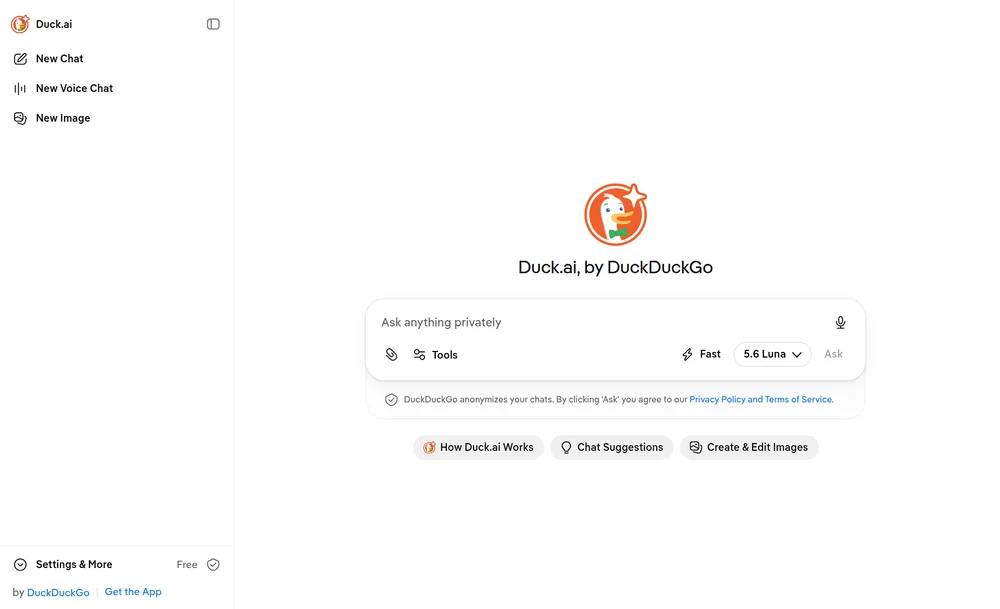
Duck.ai is the tool for the extremely common case where someone just wants to ask a model a quick question without creating an account or feeding a training set. DuckDuckGo routes every request through its own proxy and strips your IP address and identifying metadata before forwarding the prompt, so the underlying provider never sees who you are. It has agreements with those providers barring them from training on the prompts and outputs, stores no chats on its own side, and requires that providers delete received data within 30 days. There is no account and it is free; the Fire Button wipes your local history instantly.
Pricing: free, with optional paid Plus and Pro tiers added in 2026 for higher limits and more models.
Third-party rating: there is no single clean numeric score for Duck.ai specifically, but DuckDuckGo's broader privacy record is long and well-documented, and the model-access privacy terms are published in full on DuckDuckGo's site.
The honest catch: Duck.ai is a privacy wrapper, not an enterprise platform. There is no admin console, no audit log, no SSO, and no way for IT to centrally manage it — because there is nothing to manage. That makes it excellent for low-stakes, account-free queries and wrong as a team's system of record. Treat it as the sanctioned quick-question tool, not the place sensitive project work lives.
Best for: quick, anonymous questions where creating yet another AI account is the friction you're trying to avoid.
7. Ollama — Run the Model on Your Own Hardware
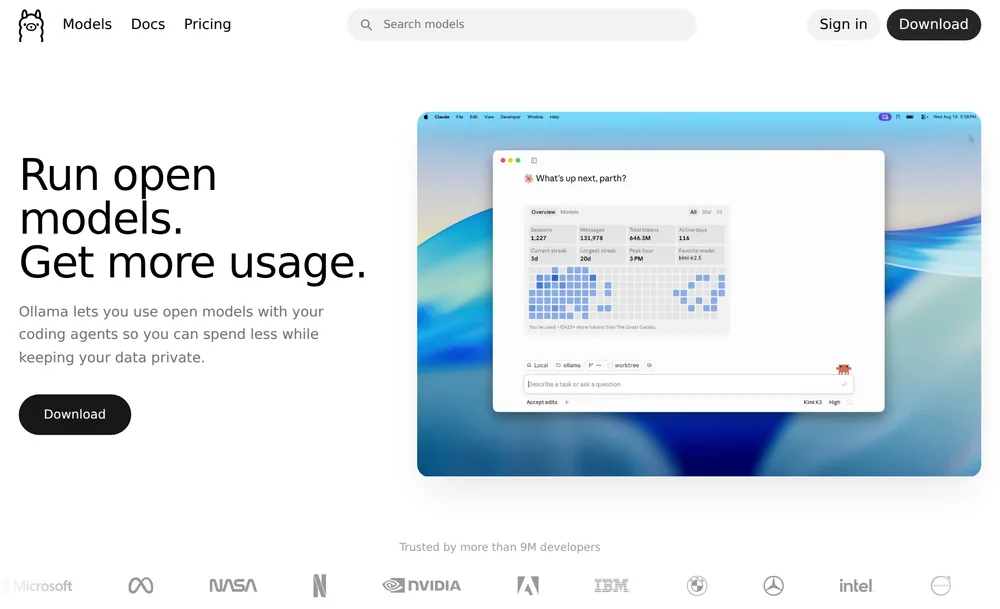
Ollama is the answer when the requirement is absolute: the data cannot leave the building. It runs open-source large language models entirely on your own hardware. After a one-time model download, inference happens locally and your prompts and responses never touch the internet — you can literally pull the network cable and keep working. There is no terms-of-service to audit and no retention policy to worry about, because there is no server. It supports Llama, Gemma, Mistral, Qwen, and DeepSeek, among others, and it is free and open source, with over 176,000 GitHub stars as of mid-2026, which is the third-party signal that matters for an infrastructure project.
Pricing: free (open source, MIT-licensed).
Third-party rating: 176,000+ stars on GitHub, reported by TechCrunch alongside a $65M raise and nearly 9 million users.
The honest catch: two of them. First, local models on typical laptop hardware trail the frontier cloud models in raw capability, and running the larger, more capable ones needs a real GPU. Second, Ollama has introduced optional paid cloud tiers that route prompts to Ollama's own servers — the free local mode still keeps everything on your machine, but if 'nothing leaves the device' is a hard requirement, make sure your team is using the local mode and not the cloud one. It is also a more technical setup than the other tools here, which puts it in developer and IT hands rather than every knowledge worker's.
Best for: air-gapped or highly regulated work, and any developer who wants a model that is provably offline. It's the local counterpart to the cloud stack in my agentic engineering stack.
8. Obsidian — The Private Container You Point AI At
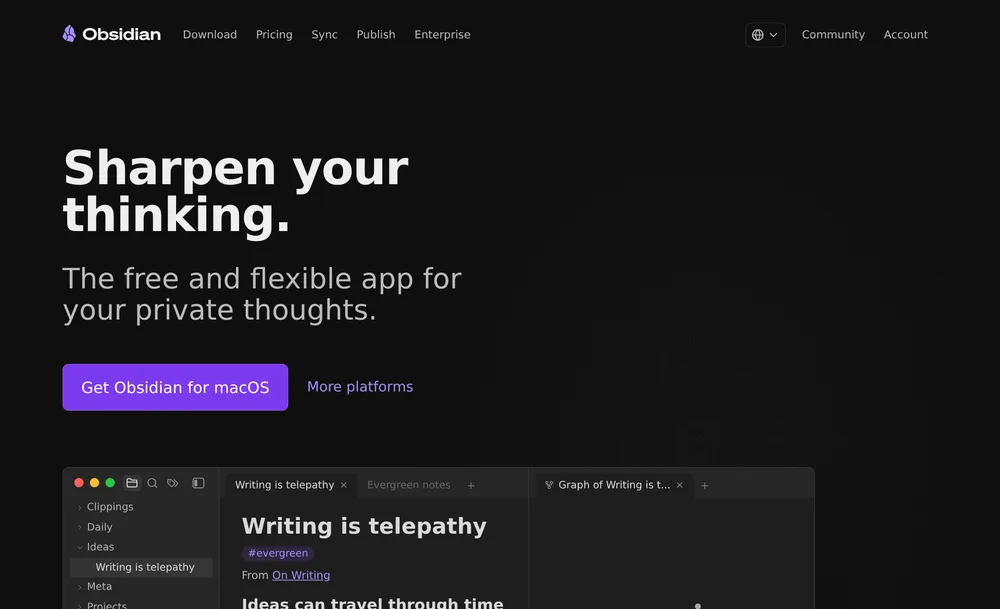
Obsidian earns its spot as the local-first knowledge base that gives you somewhere private to think — and somewhere safe to keep the output of every other tool on this list. Your notes are stored as plain-text Markdown files on your own device. The app requires no account, collects no personal data, and uploads nothing; you can read and edit everything offline, and you own the files outright even without the app. If you turn on the optional Sync service, it is end-to-end encrypted. As of 2026 Obsidian is free even for commercial use, with an optional supporter license.
Obsidian is not itself an assistant, and that is the point: it's the container. AI comes in through community plugins you vet yourself — including ones that point a local model at your vault — so the intelligence is bolted on under your control rather than shipped as a cloud service that reads your notes. For a privacy-first workflow, that separation is a feature.
Pricing: free, including for commercial use; an optional $50/user/year commercial supporter license funds development, and Sync is a separate paid add-on.
Third-party rating: 4.2/5 on G2 (a small review sample), backed by one of the larger and more devoted note-taking communities.
The honest catch: the AI is do-it-yourself. There is no polished built-in assistant; you assemble the AI layer from plugins, which means both the power and the responsibility for vetting them are yours. If your team wants AI features handed to them, Obsidian is the wrong shape. If they want a private place to keep everything and to attach a local model on their own terms, it is exactly right.
Best for: individuals and teams who want a durable, private, plain-text home for their knowledge that no vendor can read.
9. GitHub Copilot Business & Enterprise — AI Coding IT Can Sign Off
For any team that writes code, GitHub Copilot is the AI coding assistant with the clearest data story — as long as you are on the right plan, a caveat that became sharper in 2026. In April 2026 GitHub began using interaction data from the Free and Pro tiers to train models by default (opt-out available). The Business and Enterprise plans were explicitly excluded: a Data Protection Agreement bars using your prompts, chat, code, and suggestions for training, and that interaction data is not retained for training. So the exact same product is a training risk on a personal seat and a governed tool on a business seat.
That makes the IT action item unusually concrete: do not let developers use personal Copilot accounts on work code. Provision Business or Enterprise seats and the training question is settled.
Pricing: Copilot Business is $19/user/month; Enterprise is $39/user/month, with each Enterprise seat now including monthly AI credits.
Third-party rating: 4.5/5 on G2 (370+ reviews).
The honest catch: the protection is entirely plan-dependent, and the default changed under people's feet, so this is one to actively police rather than assume. It also lives inside the GitHub ecosystem; if your code is elsewhere, the integration story is weaker.
Best for: engineering teams that want AI pair-programming with a contractual no-training guarantee — provisioned centrally, never on personal logins.
10. 1Password — The Security Layer the AI Era Made Non-Optional
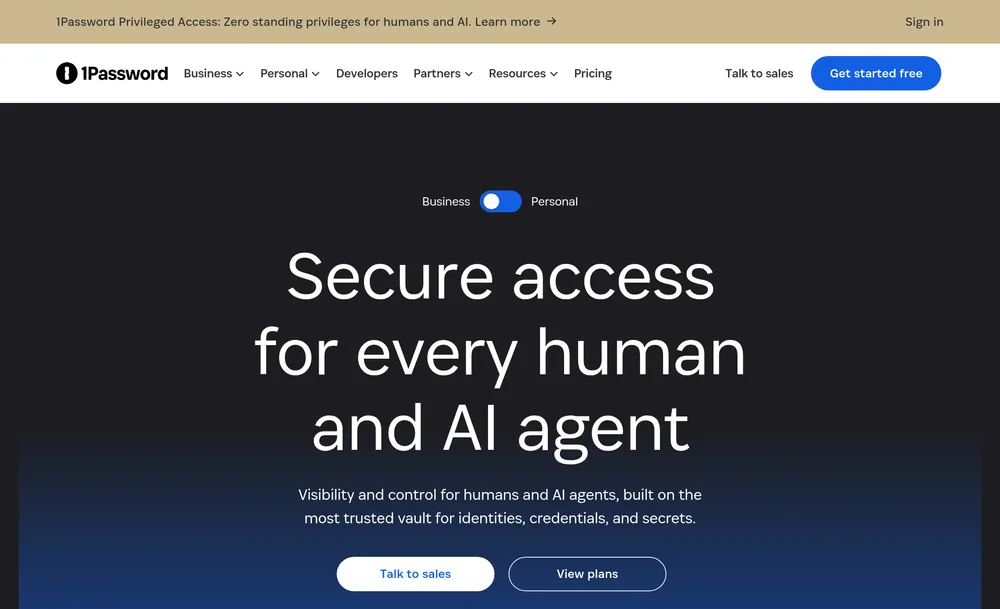
1Password is the one entry that isn't an assistant, and it's on the list because the other nine make it necessary. Every AI tool a team adopts multiplies the number of API keys, tokens, and credentials floating around — and the classic failure mode of the AI era is a secret key pasted into a chat window or hard-coded into a repo an agent then reads. 1Password is the guardrail against that. It is SOC 2 Type 2 and ISO 27001 certified, uses end-to-end AES-256 encryption that leaves your data unreadable even to 1Password, and offers the administration IT needs: SCIM provisioning, SSO, and streaming of every access event to a SIEM.
Its AI-era relevance is direct: the 1Password Environments MCP server injects secrets into an AI agent's runtime without the agent ever seeing them, keeping keys out of prompts, code, and model context — and 1Password is building this out with Anthropic, Cursor, GitHub, Perplexity, and Vercel. This is also the clean answer to the credential-sprawl problem that bring-your-own-key tools create, which is one more reason the no-API-key design of number one on this list matters.
Pricing: 1Password Business is $8.99/user/month (annual); Teams is a flat $19.95/month for up to 10 users.
Third-party rating: 4.6/5 on G2 (1,600+ reviews).
The honest catch: it does not make your AI tools smart — it makes them safe, which is a different budget line that some teams forget to fund until after an incident. Treat it as the foundation the other nine sit on, not an optional extra.
Best for: every organization deploying AI tools. The more assistants and agents you add, the more the credential layer underneath them earns its keep.
How to Choose: A Decision Tree
You do not need all ten. Most teams need a dictation layer, one governed assistant, and the security foundation, then add the rest by role. Here is how to decide, in order of the questions that actually change the answer.
Does the data absolutely have to stay on the device?
- Yes, non-negotiable (air-gapped, ultra-sensitive): Ollama for the assistant, Obsidian for notes, and Voibe in on-device mode on Apple Silicon Macs. Nothing leaves the machine.
- No, a zero-retention provider is acceptable: continue below.
Are you already standardized on Microsoft 365?
- Yes: Microsoft 365 Copilot is the shortest path — the data never leaves the tenant you already secured. Tighten your sharing permissions first.
- No: choose your assistant on capability vs. privacy preference — Claude Team/Enterprise or ChatGPT Business for the strongest frontier models with no-training defaults, or Proton Lumo if verifiable zero-access encryption outranks raw model power.
Do your people write code?
- Yes: add GitHub Copilot Business or Enterprise — and forbid personal Copilot accounts on work code.
- Everyone, regardless: add Voibe so the input device is voice, and 1Password so the credentials the other tools generate don't leak.
Just want a quick answer without another account?
- Duck.ai. Anonymous, free, nothing stored — perfect for the one-off question, wrong for the system of record.
Best Tool for Your Situation: A Cheat Sheet
Mapped to the situations people actually bring to IT:
- Any knowledge worker who types all day → Voibe. Dictation is the input-device upgrade, and it clears the privacy bar on both Mac and Windows.
- A managed Windows work laptop → Voibe on the zero-retention cloud (audio deleted on completion) plus ChatGPT Business or Claude Team for the assistant.
- A regulated team that can't let data leave the building → Ollama + Obsidian + Voibe on-device (Apple Silicon).
- A Microsoft 365 shop → Microsoft 365 Copilot — after you tighten sharing permissions.
- Privacy above all, cryptographically → Proton Lumo for the assistant, Obsidian for notes.
- A software engineering team → GitHub Copilot Business, Voibe for long prompts, and 1Password for the keys — the shape of a full agentic stack.
- One-off questions without another account → Duck.ai.
- A team drowning in API keys and shared logins → 1Password, before you add another AI tool.
- Someone splitting a work PC and a personal Mac → Voibe — one license, cloud mode on the work PC, on-device at home. See Voibe for Windows.
- An IT lead assembling a starter kit → Voibe + one governed assistant + 1Password covers most people for roughly $36/user/month, plus the free tools by role.
Key Takeaway
The minimum viable IT-approved AI kit for most teams is three tools: Voibe for input, one governed assistant (Claude Team, ChatGPT Business, or Microsoft 365 Copilot), and 1Password for credentials. Everything else on the list is added by role.
The Bottom Line
The alternative to approving good AI tools is not a workforce that avoids AI — it's a workforce quietly using the ungoverned version on their phones, which is how 66% of AI-using professionals ended up on tools they believed weren't sanctioned. You beat shadow AI by making the sanctioned option the easy one.
Every tool here answers the four questions cleanly: where the data goes, whether it trains on you, whether IT can administer it, and whether it's encrypted. Start with the two that touch everyone regardless of role — Voibe for the input device and 1Password for the credentials — add one governed assistant, and layer in the rest by team.
Voibe leads because dictation is the most fundamental of the ten and the easiest to approve. You already give people a keyboard; giving them voice, with audio that either never leaves the machine or is deleted the instant it's transcribed, is the rare AI upgrade that raises output and lowers data exposure at the same time. For teams that want to turn that spoken output into a searchable, shared asset, see building an audio knowledge base for organizations. It runs on the work Windows laptop and the home Mac on one license, and it takes about five minutes to set up.
Try it free at the Voibe download, or read getting started with Voibe first. If you want the deeper privacy argument to take to your security team, why offline dictation matters and zero data retention, explained are the two pages to send them.
Tip
Approving AI is a subtraction problem: every good tool you sanction removes a reason for someone to reach for a risky one. Start with Voibe and 1Password — the two that everyone needs — and the shadow shrinks from day one.
Frequently Asked Questions
What makes an AI tool 'IT-approved'?
Why is a dictation app the top pick on a list of AI tools?
Do these AI tools train on my company's data?
Is it safe to use ChatGPT or Claude at work?
What is shadow AI, and why does it matter to IT?
Which of these tools keep data entirely on my device?
How much does it cost to give a team a governed AI toolkit?
Can I use Voibe on a work Windows laptop and a personal Mac?
Does Voibe require me to bring my own API key?
Why isn't tool X on this list?
Best AI Dictation and Meeting Notes for Confidential Work
Draft letters, notes and emails 5x faster. Get meeting notes without a bot joining your call. Nothing used to train AI.
- Mac + Windows
- No bot in your calls
- Nothing used to train AI
- 7-day free trial
Want to compare plans first? View pricing →
Related Articles
Why Offline Dictation Matters
The privacy cluster hub: on-device vs cloud processing, and what 'nothing leaves your machine' actually means.
Voibe for Windows
The native Windows app on Voibe's zero-retention cloud — the version most people run on a managed work laptop.
Claude API Data Retention
The 30-day default, zero-data-retention by approval, and the Covered Models exception — the detail behind the Claude entry.
Zero Data Retention, Explained
What a zero-retention pipeline is, and how it differs from a policy promise you have to trust.
My Agentic Engineering Stack
The five-tool developer stack, several of which appear on this list, with the same privacy lens.